Watch Quick Video
Website wise Sign Up Terms & Conditions Odoo App
Our all-inclusive
Odoo – Website wise Sign Up Terms & Conditions Odoo App
helps organizations efficiently manage and enforce customized Terms & Conditions across multiple websites within
their Odoo environment. This module introduces a structured website-level configuration system that allows administrators
to enable or disable the Terms & Conditions requirement individually for each website. Each website can have its own
dedicated Terms Title, Label text, and detailed Terms & Conditions content, ensuring complete flexibility and compliance
management.
When activated, the module seamlessly integrates with the Odoo signup process, requiring users to explicitly accept the
defined Terms & Conditions before completing registration. If the checkbox is not selected, the system automatically
validates and prevents account creation, ensuring proper legal acknowledgment and user consent. The feature is fully
configurable from Website Settings and supports multi-website architecture, allowing businesses to maintain different
policies for different domains.
ensuring that only authorized administrators can configure and manage Terms & Conditions settings. By centralizing signup
validation and improving transparency in the user onboarding process, this app enhances compliance control, protects
organizational interests, and delivers a secure and professional registration experience across your Odoo websites.
Website wise Sign Up Terms & Conditions Odoo App
- Admin enables “Show Sign Up Terms” option per website.
- When enabled, a Terms & Conditions checkbox appears on the signup page.
- System validates checkbox acceptance before allowing registration.
- Each website has independent Terms & Conditions configuration.
- Fully compatible with Odoo multi-website environment.
Website wise Sign Up Terms & Conditions Odoo App
First, assign the Sign Up Terms & Conditions option from the Website Settings for the desired website. Once activated, configure the Terms Title, Label text, and detailed Terms & Conditions content specific to that website. When a user visits the signup page, a Terms & Conditions checkbox is displayed. The user must accept the terms before submitting the registration form. If the checkbox is not selected, the system automatically validates and blocks the signup process by showing an appropriate error message. If accepted, the registration proceeds normally and the user account is created successfully. Each website maintains independent configuration, allowing different terms content and enable/disable control per website. Only authorized Admin or Configuration users can manage these settings, ensuring secure control and proper compliance management across the multi-website environment.
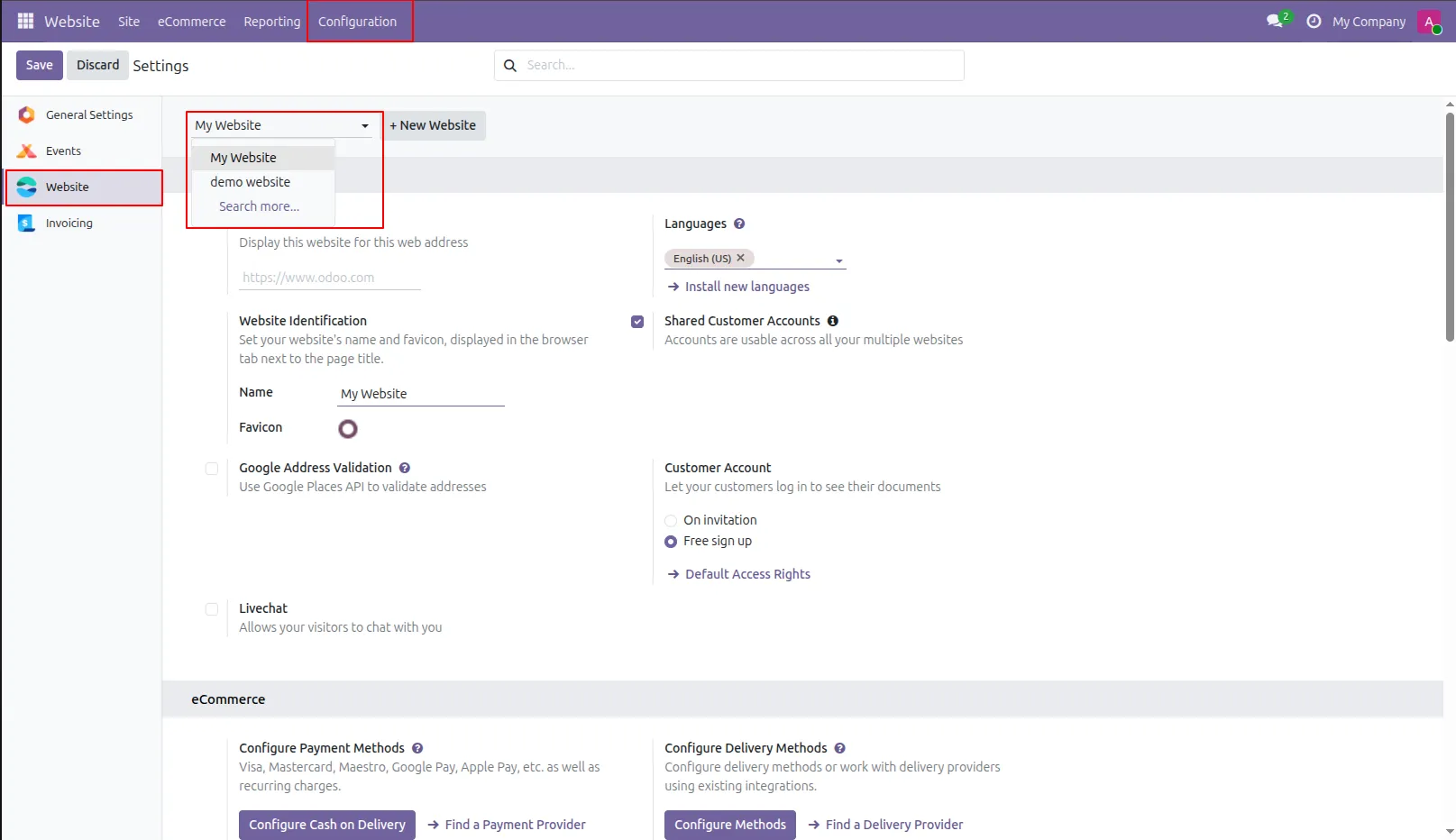
1.In the multi website, this setting applies to the first website created. Now select the first website. In single website, all settings are reflected it.
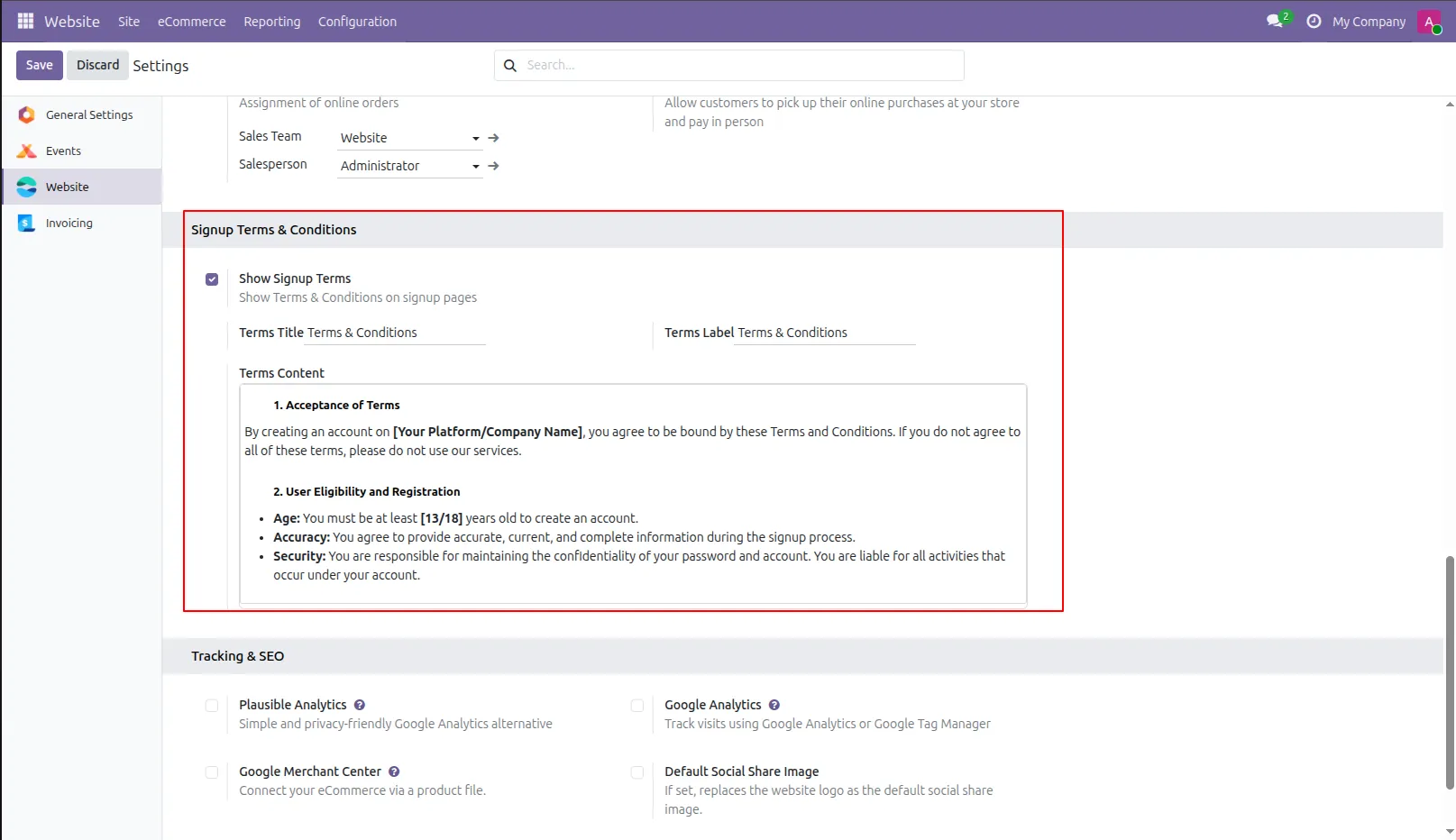
2.Inside website settings set 'Show Terms & Conditions' to true, then only terms and conditions will be active. Enter title, label and terms & conditions.
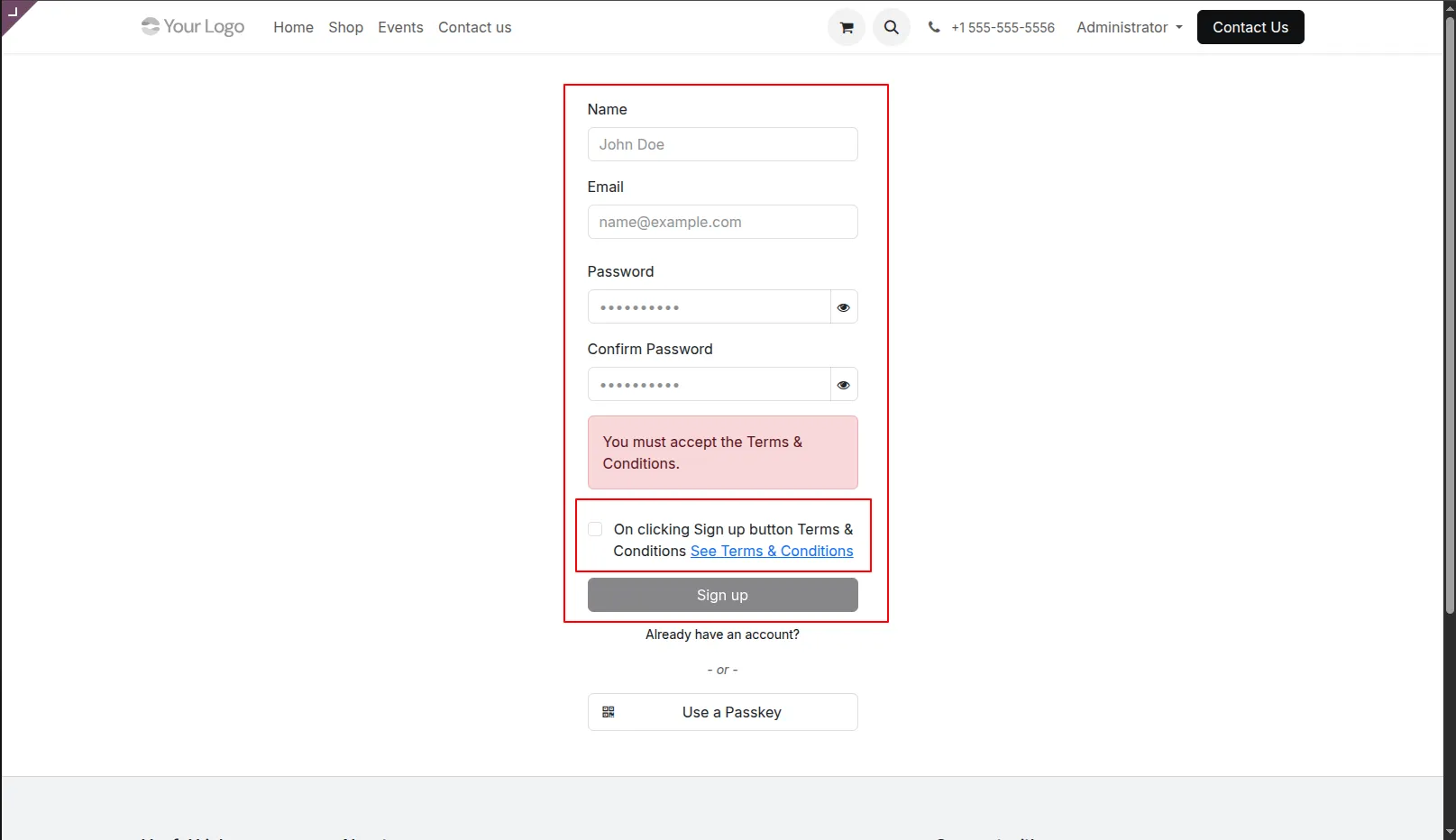
3.Now on user sign up page 'Sign Up' button is default disabled. Terms and conditions mentioned for that website are placed before sign up.
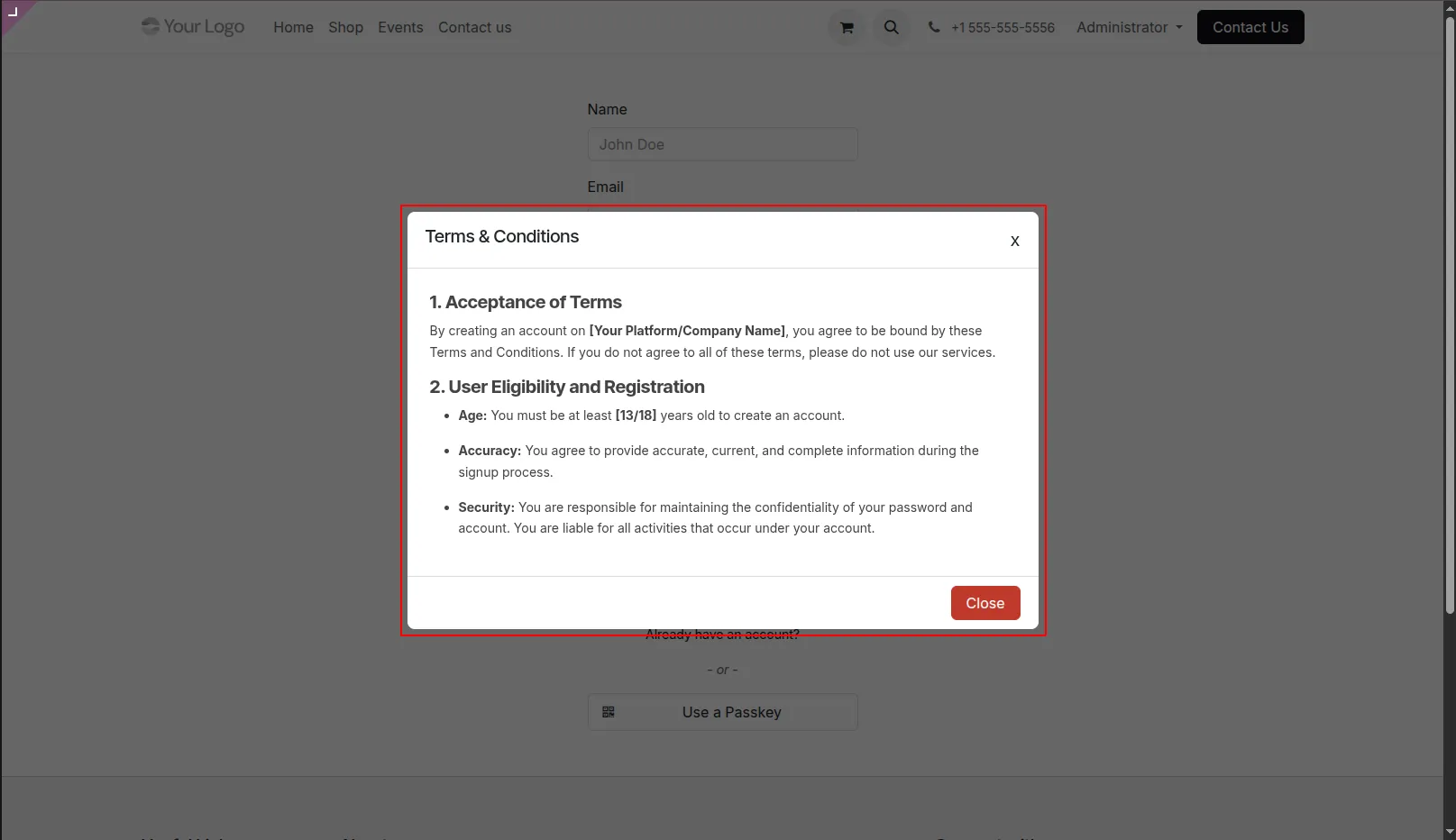
4.Now when clicking on 'See Terms & Conditions' link pop up opens. Users can read all the terms here.
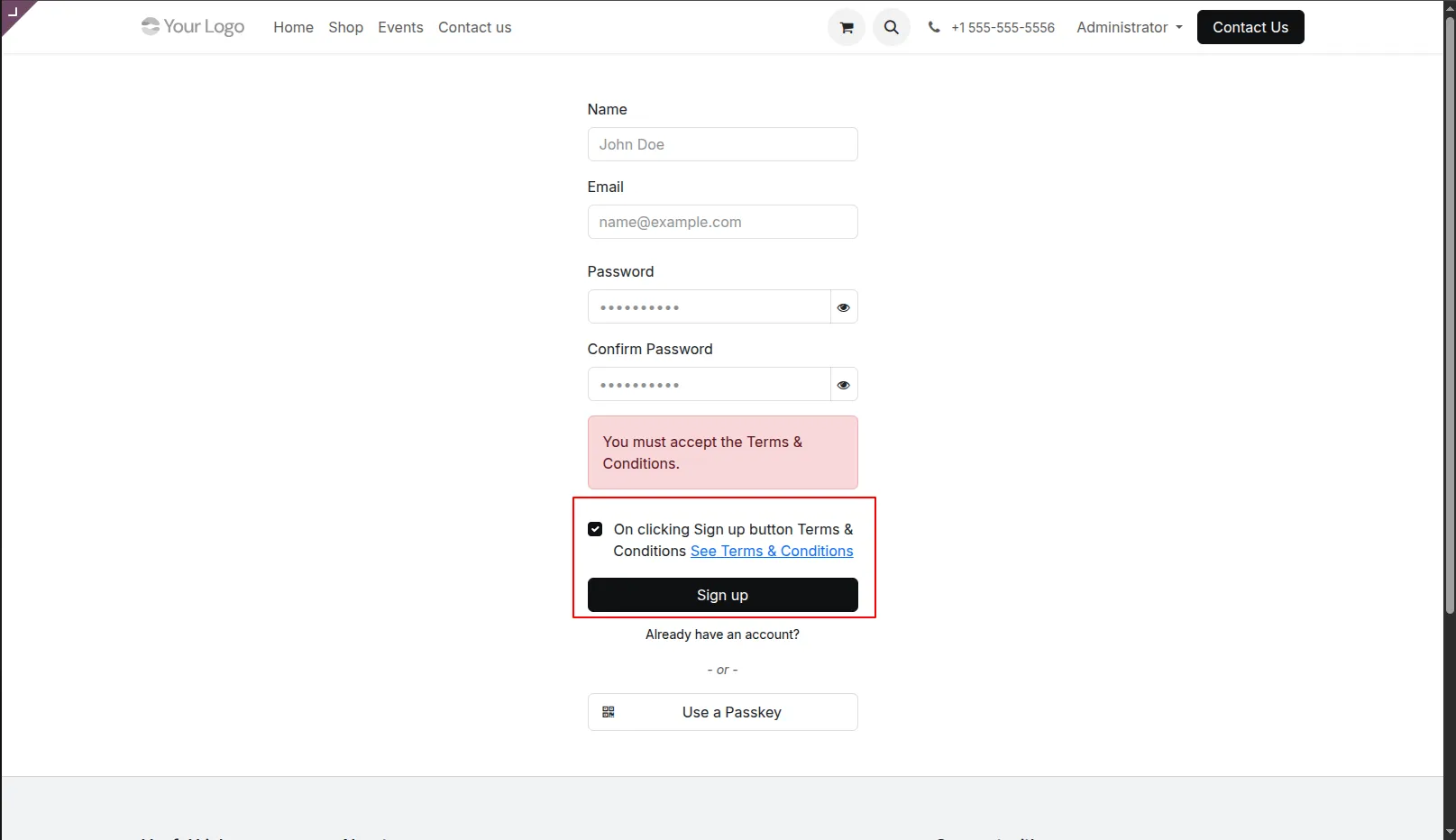
5.Now when the user tick checkbox before terms and conditions, the 'Sign up' button will be enabled, and the user will be created.
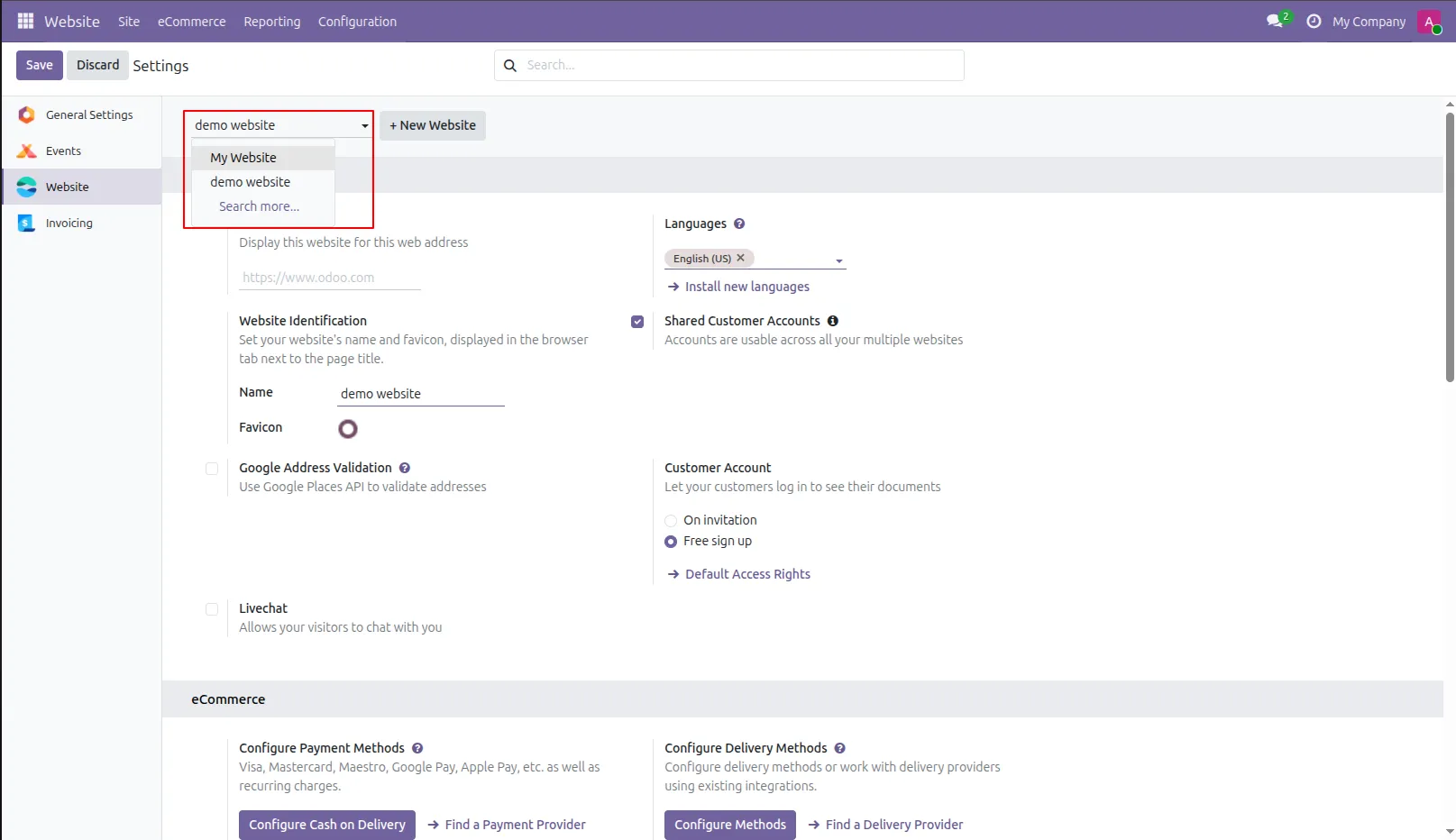
6.Select another website from website settings.
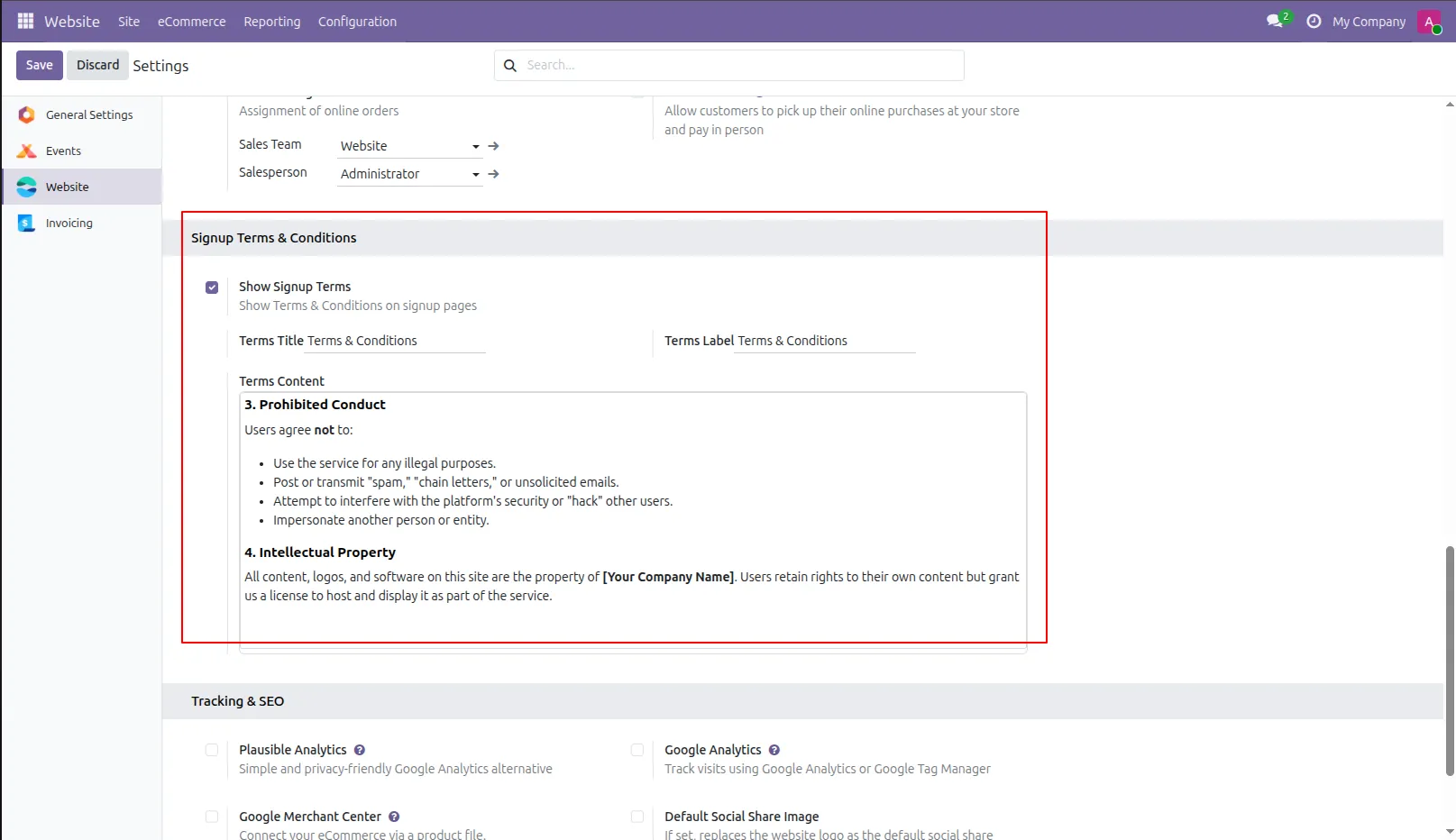
7.In the multi website concept, you need to specify terms and conditions separately for another website. For that from pages select page of another website. Select another Website.
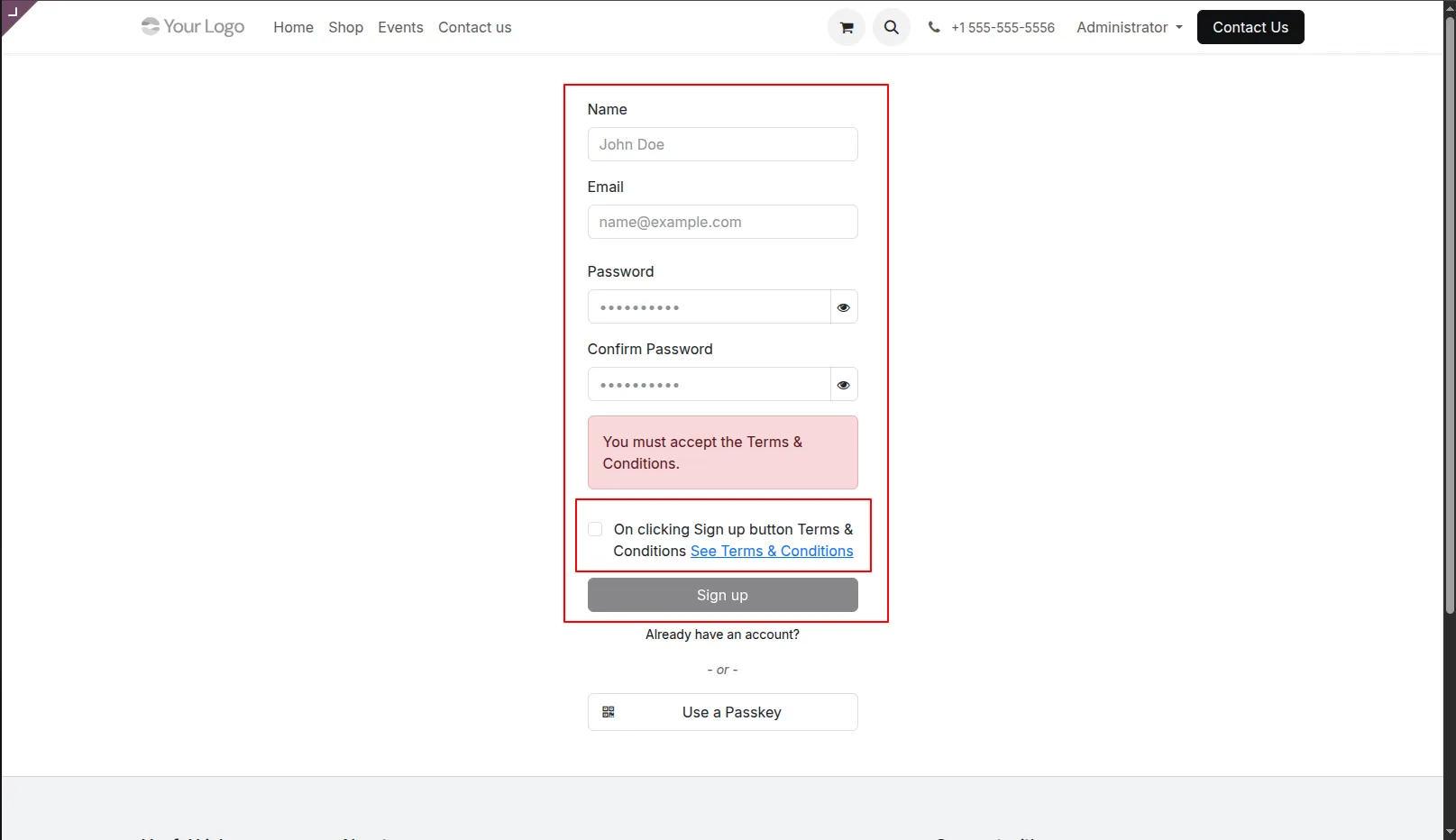
8.When user sign up on another website, can see terms of that website.
Our solutions focus on your problems
- Odoo Implementation
- Odoo Customization
- ERP Development and Implementation
- Odoo Ipass Cloud
- AI for Odoo
- Odoo Apps
- Aws Marketplace Products
- Business Engines
Our Pricing includes User Manual, 90 Days Support (Monday-Friday 10am to 7pm IST) and One time Setup
• Works & tested on standard installations of Odoo with no third party apps,
• Free support only for odoo installations with no third party apps,
• Paid support available for Odoo installations with third party apps.

Prefortune is a Odoo Official Partner, Odoo Development company. Our philosophy is to use Open Source tools and technologies to provide cost effective and green solutions for our customers.
Prefortune Technologies LLP is working on web development, Mobile development, and Odoo ERP.
If you need any help or want more additional features, you may contact us through:
Alternative Products
These other products might interest you
Specifications
| Version | 19.0, 18.0, 17.0, 16.0, 15.0, 14.0 |