Watch Quick Video
Website Return Order in Odoo
Our all-inclusive
Odoo – Website Return Order in Odoo module is a powerful
eCommerce extension designed to streamline the entire product return lifecycle for both customers and
businesses. By integrating directly into the customer-facing website portal, it eliminates the need for
manual intervention or back-and-forth communication when processing returns. Customers simply log into
their account, locate the relevant sales order, and trigger the return process through an easy-to-use
modal dialog where they can specify return quantities, select a return type (Drop or Pickup), and provide
a return reason such as damaged goods. Upon submission, the system instantly generates a return order that
is visible in the customer's account under "Return Orders," complete with order date, linked sale order,
status, and total amount. The return document can be conveniently downloaded or printed directly from the
portal. On the backend, the module follows Odoo's standard return flow, ensuring accurate inventory
adjustments and warehouse operations are maintained automatically. This end-to-end solution enhances
customer satisfaction by offering transparency and control over the return process while reducing the
operational burden on support teams.
Website Return Order in Odoo
- Customers can specify return quantity and reason via a simple modal form in seconds.
- Customers can initiate returns directly from their online account without contacting support.
- Supports both Drop-off and Pickup return options to suit customer convenience.
- System immediately generates and confirms a return order upon submission.
- Seamlessly follows Odoo's standard return flow for accurate backend inventory and warehouse management.
Complete Workflow for Manage Website Return Order in Odoo
First we need to activate Website Return Order in Odoo The Website Return Order module enables customers to easily initiate and manage product returns directly from their online account portal. Customers can navigate to their sales orders, submit a return request by specifying the quantity, return type, and reason, and instantly receive a confirmed return order that can be downloaded or printed. The module integrates seamlessly with Odoo's standard return flow, ensuring smooth backend inventory and warehouse management while delivering a hassle-free return experience for customers.
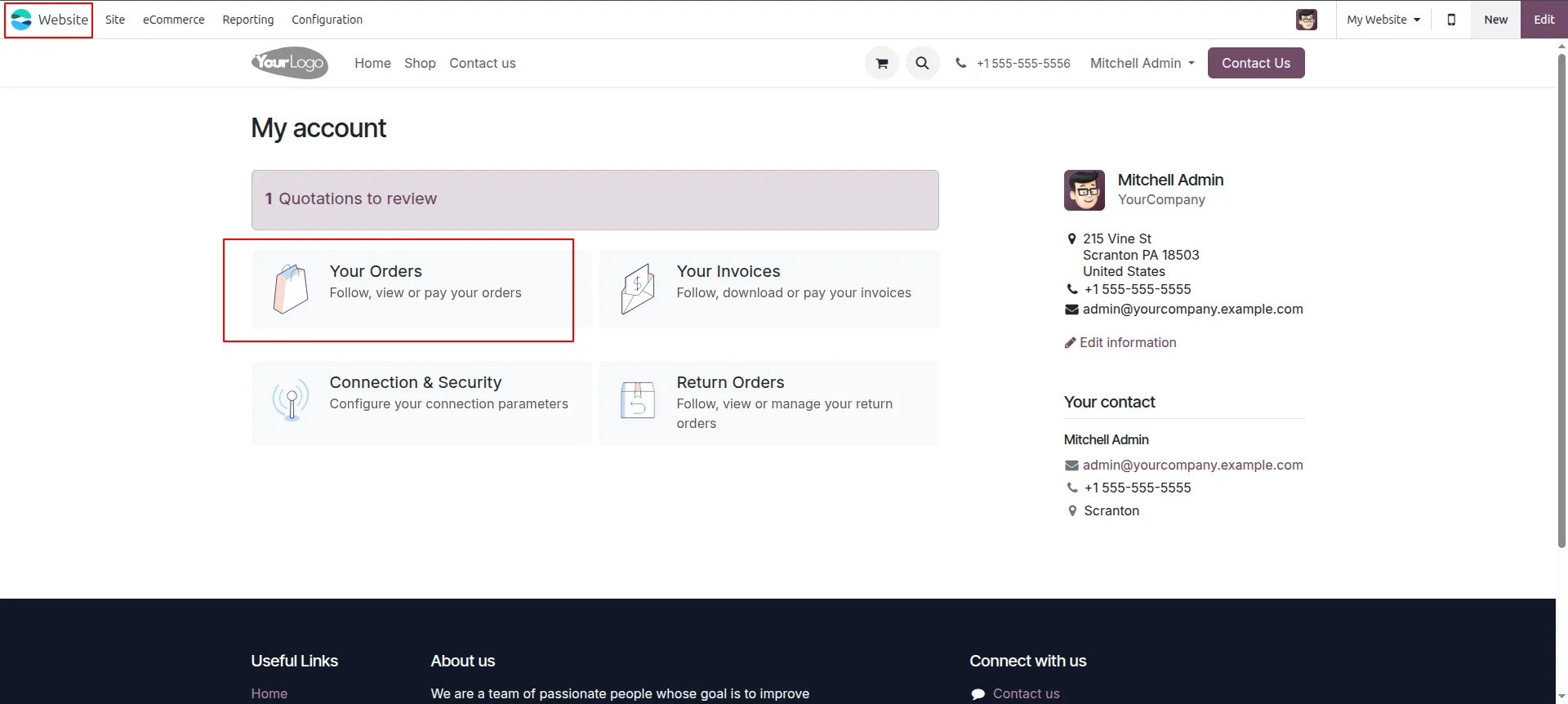
1.Go to Your Orders Log into the website portal, open My Account, and click "Your Orders" to view your sales orders.
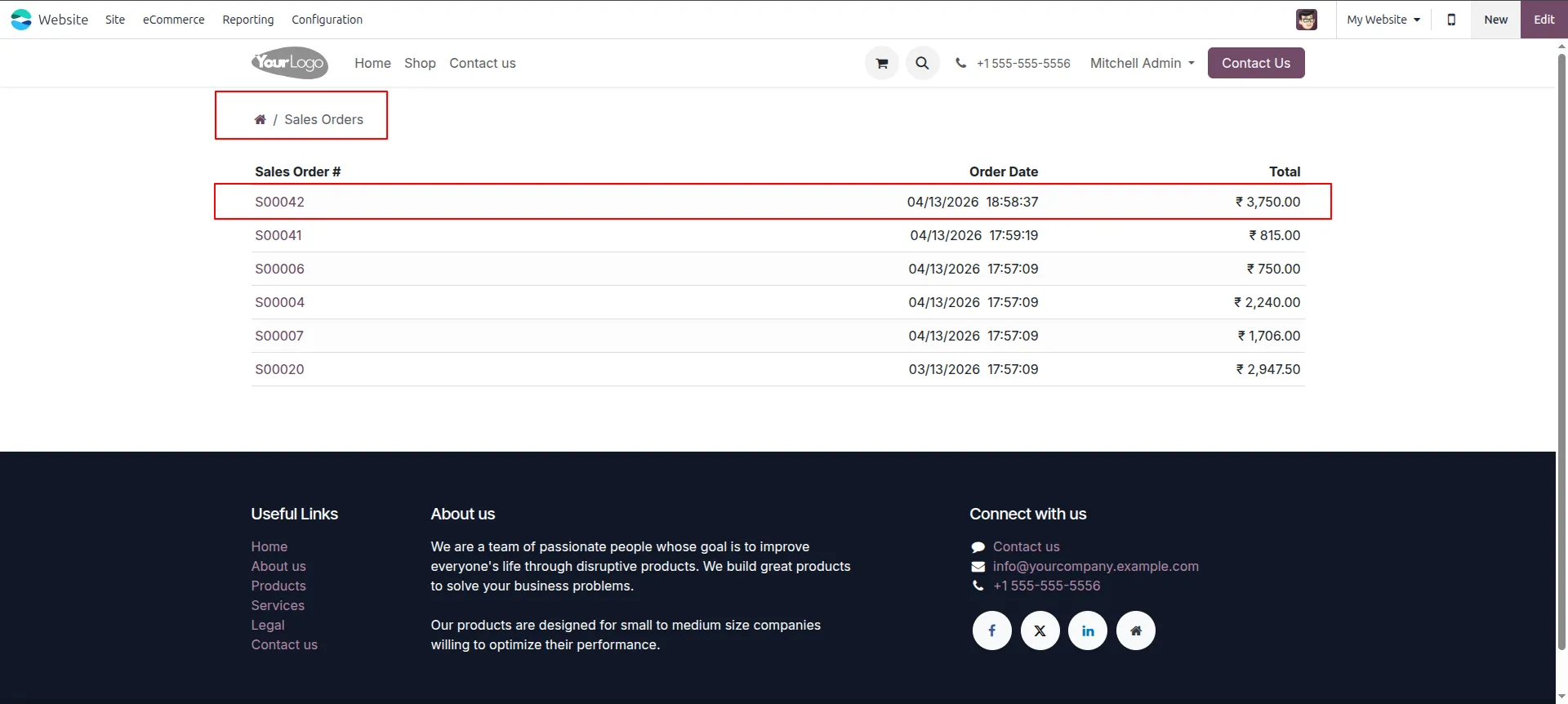
2.Select Sales Order From the Sales Orders list on the portal, click on S00042 (₹3,750.00) to open the order.
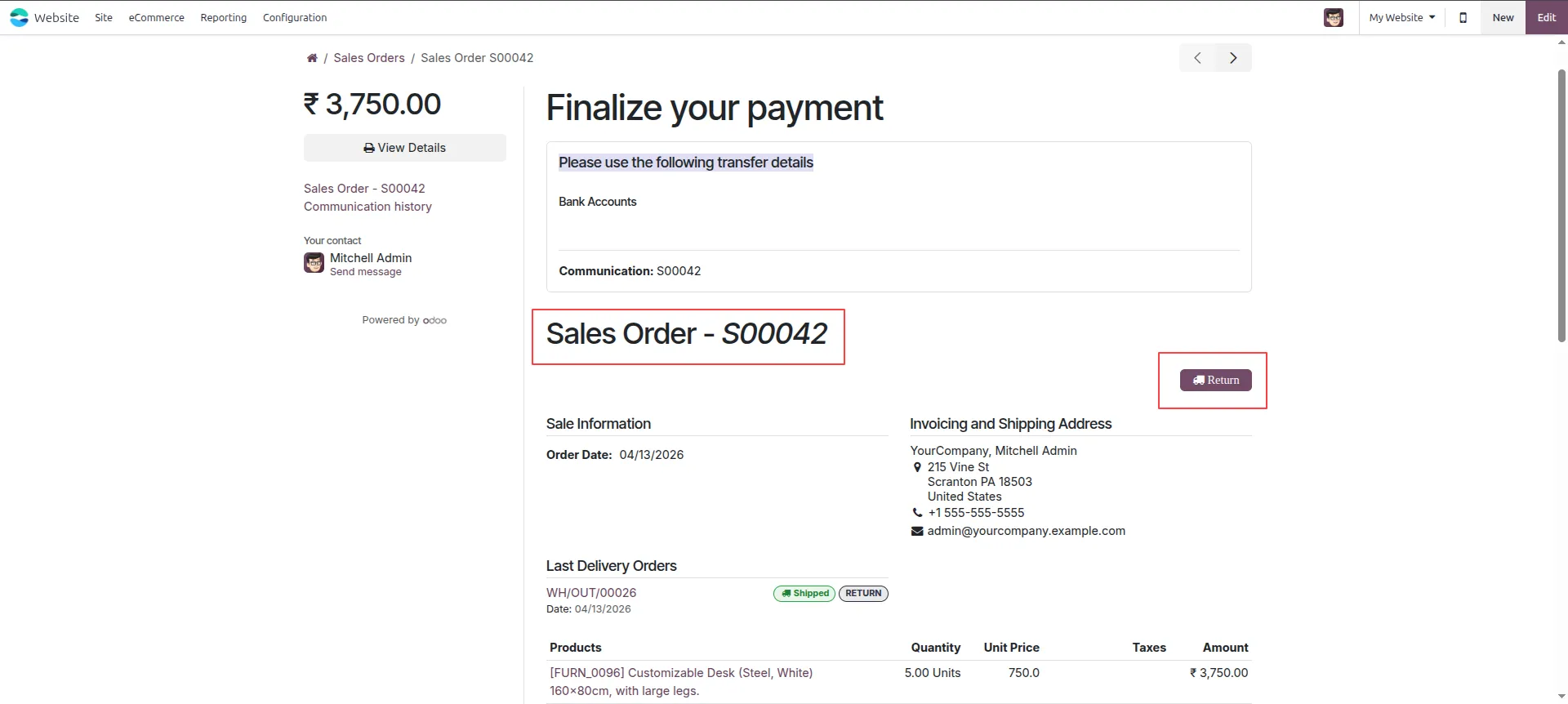
3.Click Return Button Open Sales Order S00042 on the website portal and click the "Return" button to initiate the return process.
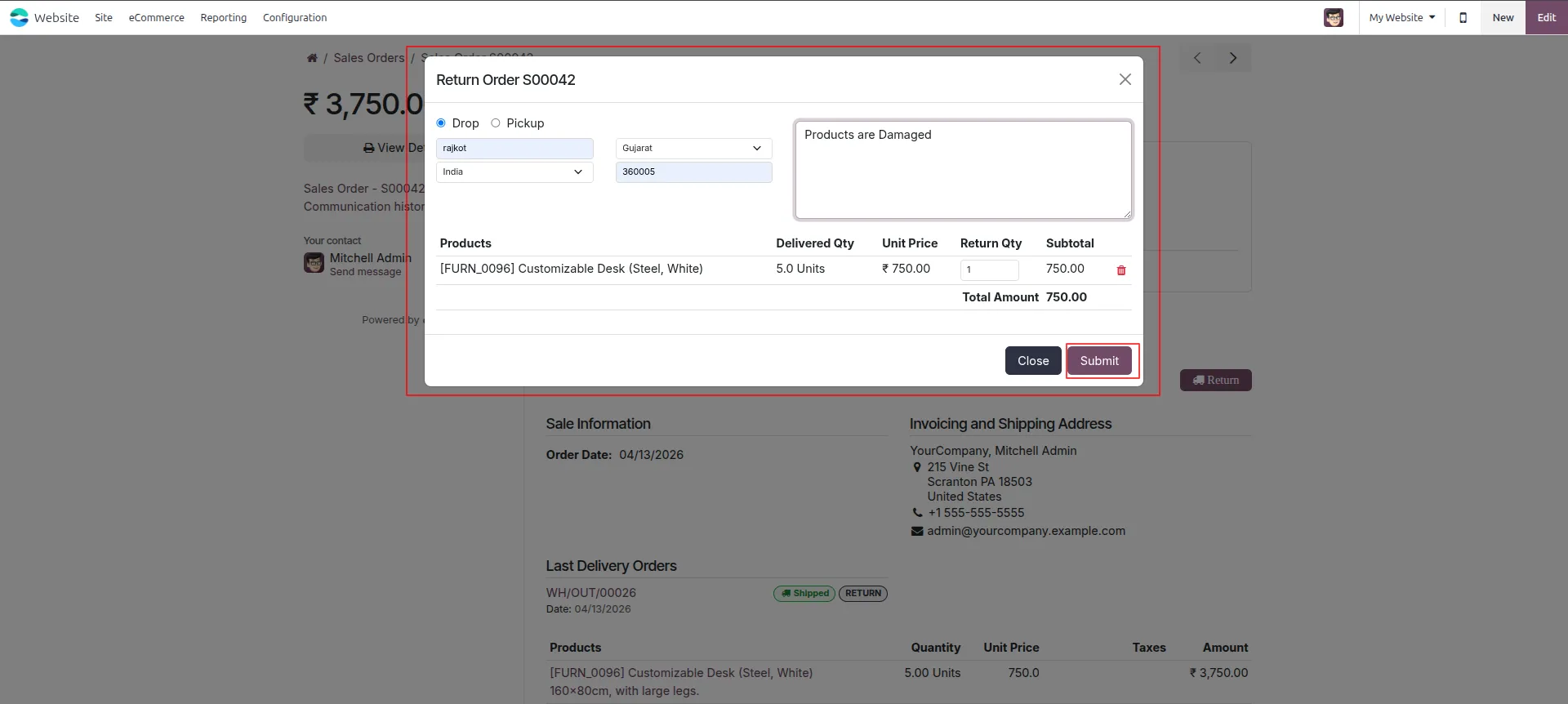
4.Submit Return Form On the Return Order popup, select Drop, enter location details, set reason as "Products are Damaged", set quantity to 1, and click "Submit."
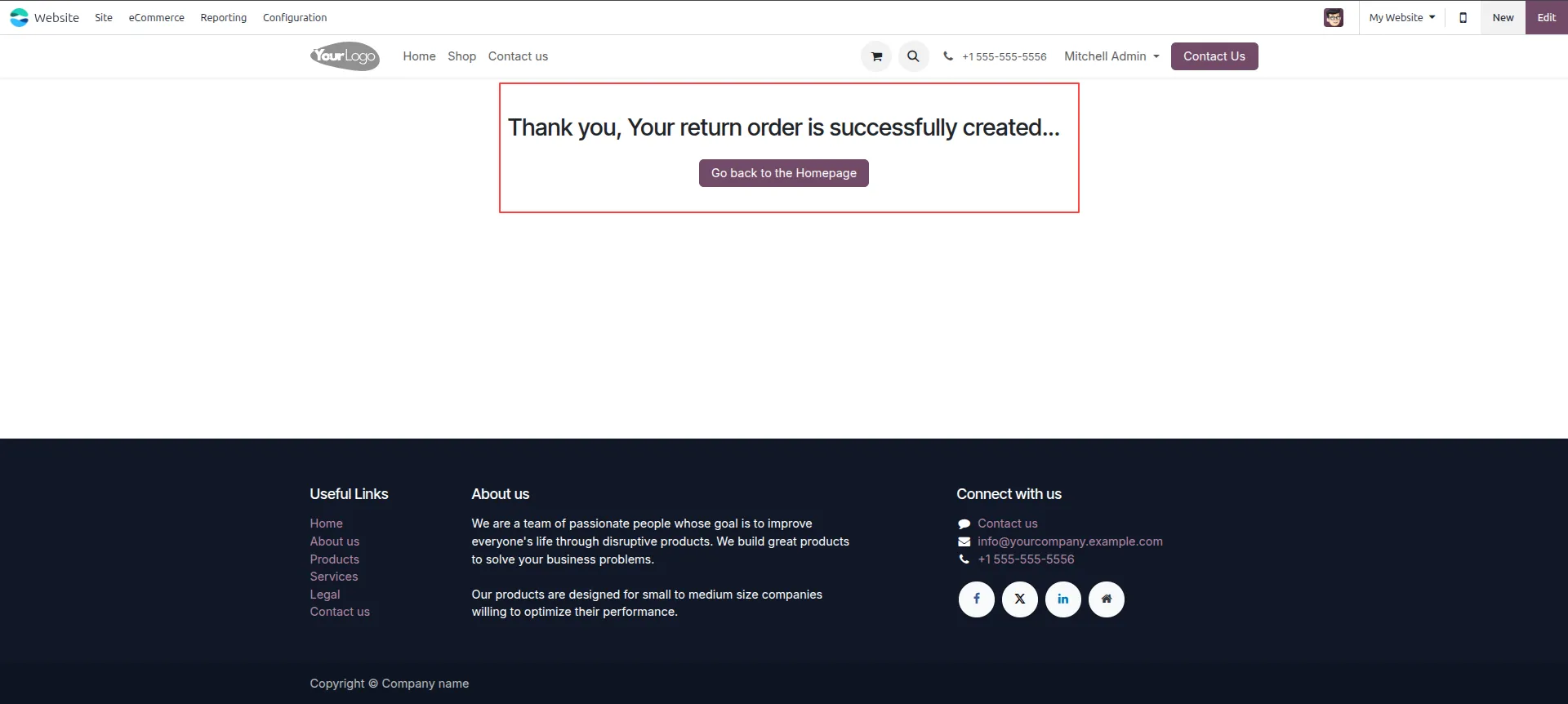
5.Return Created Successfully After submitting the return, a confirmation page displays "Thank you, Your return order is successfully created."
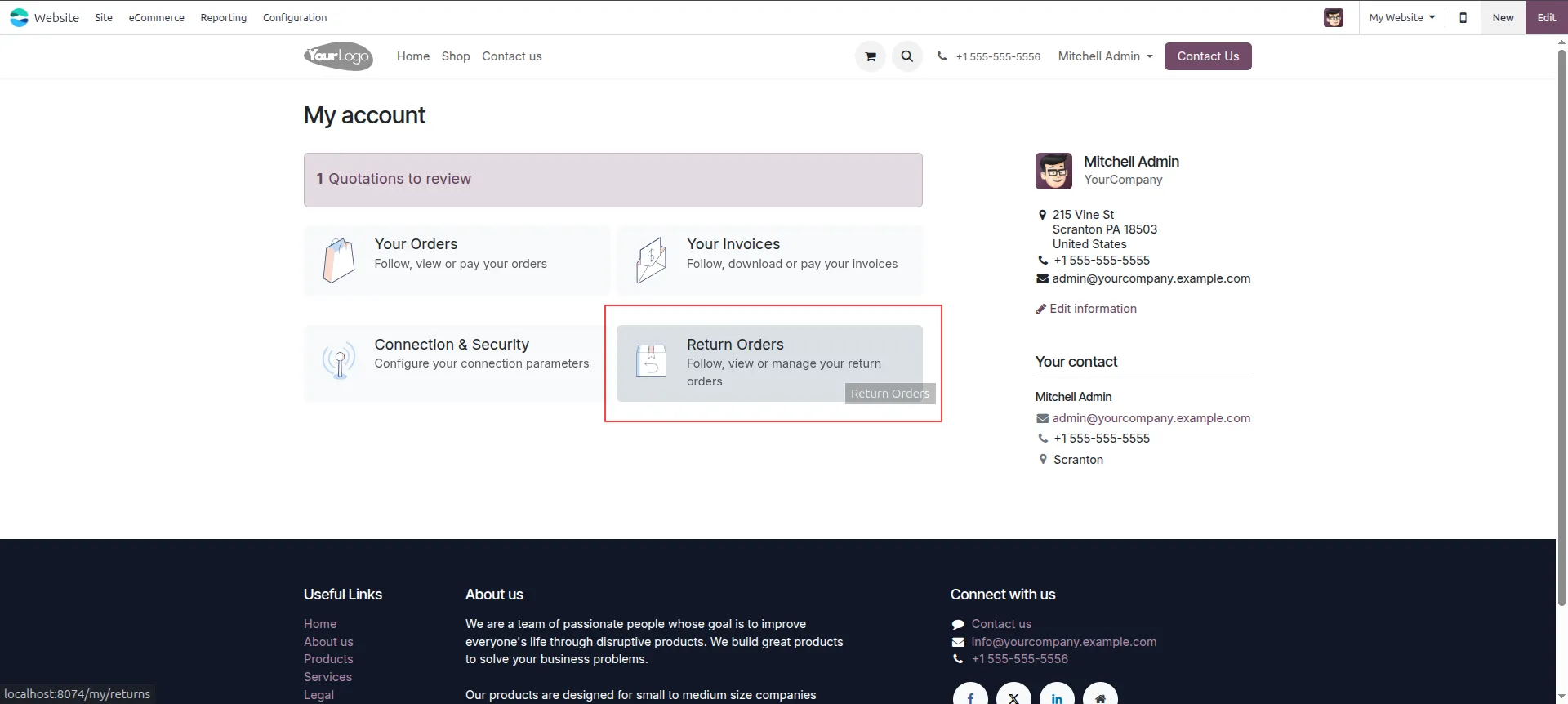
6.Access Return Orders from My Account In My Account on the website portal, click "Return Orders" to view and manage all your return orders.
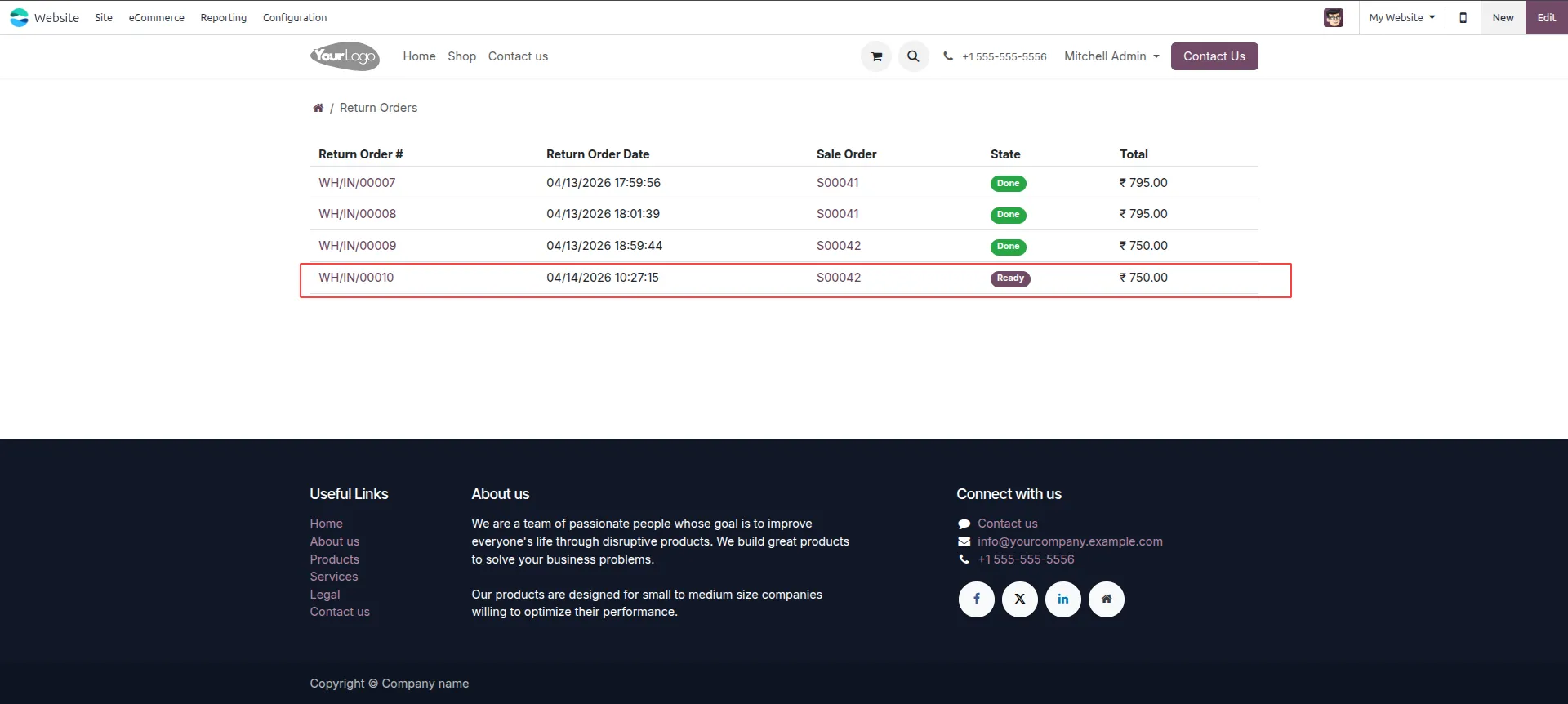
7.Return Orders List Go to Return Orders list on the portal and confirm WH/IN/00010 is listed with status "Ready" under Sales Order S00042.
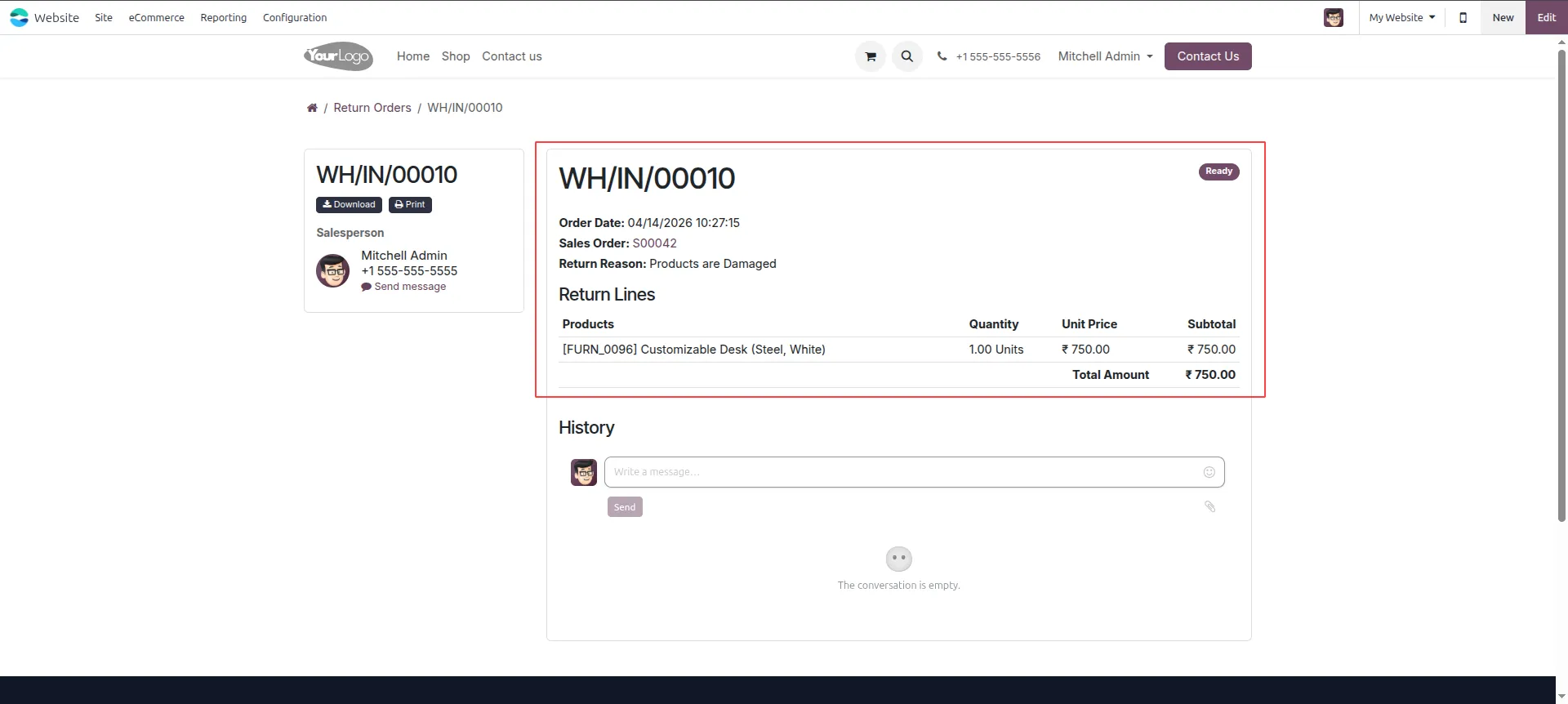
8. View Return Order on Portal On the website portal, open WH/IN/00010 to verify the return details.
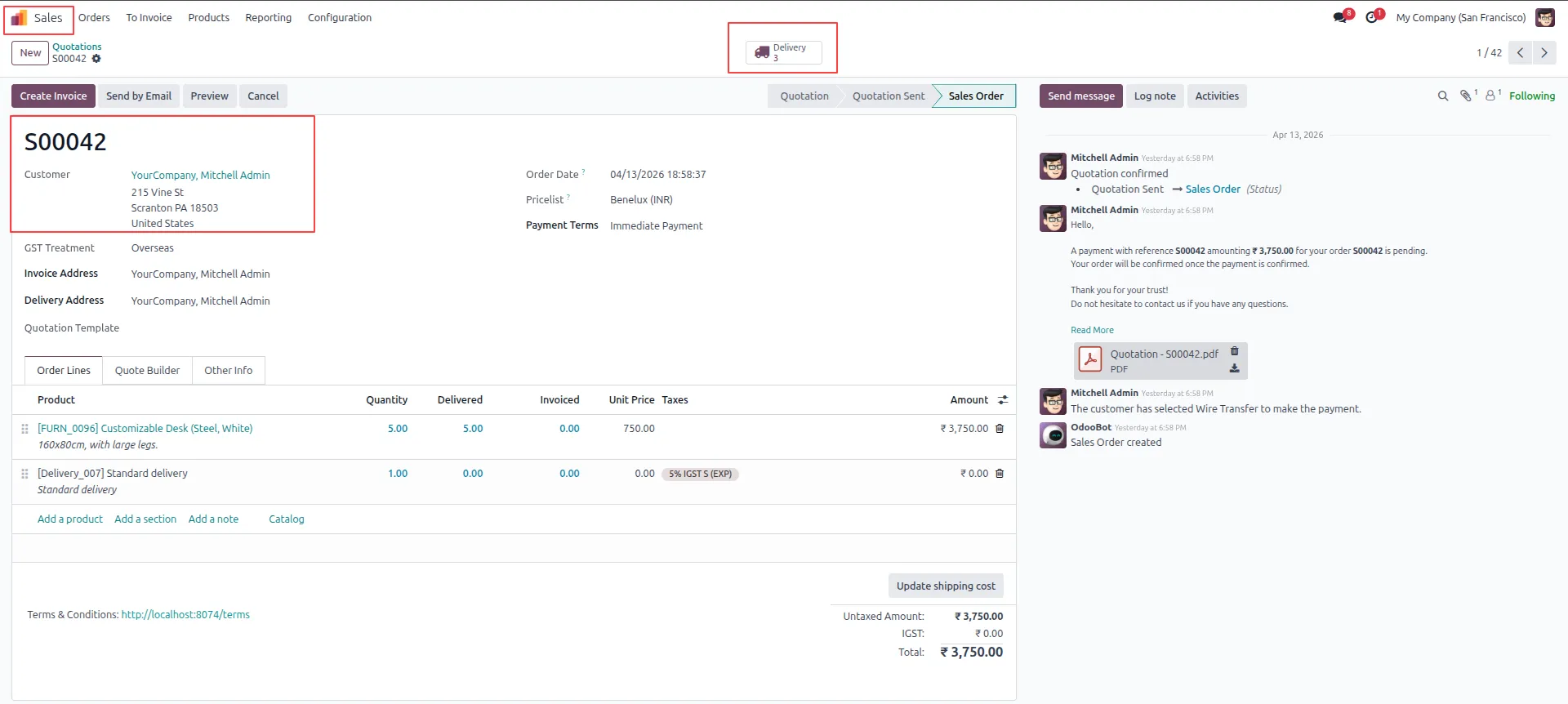
9.Check Delivery Count Open Sales Order S00042 in the backend and verify the Delivery button shows 3, confirming the new return transfer was created.
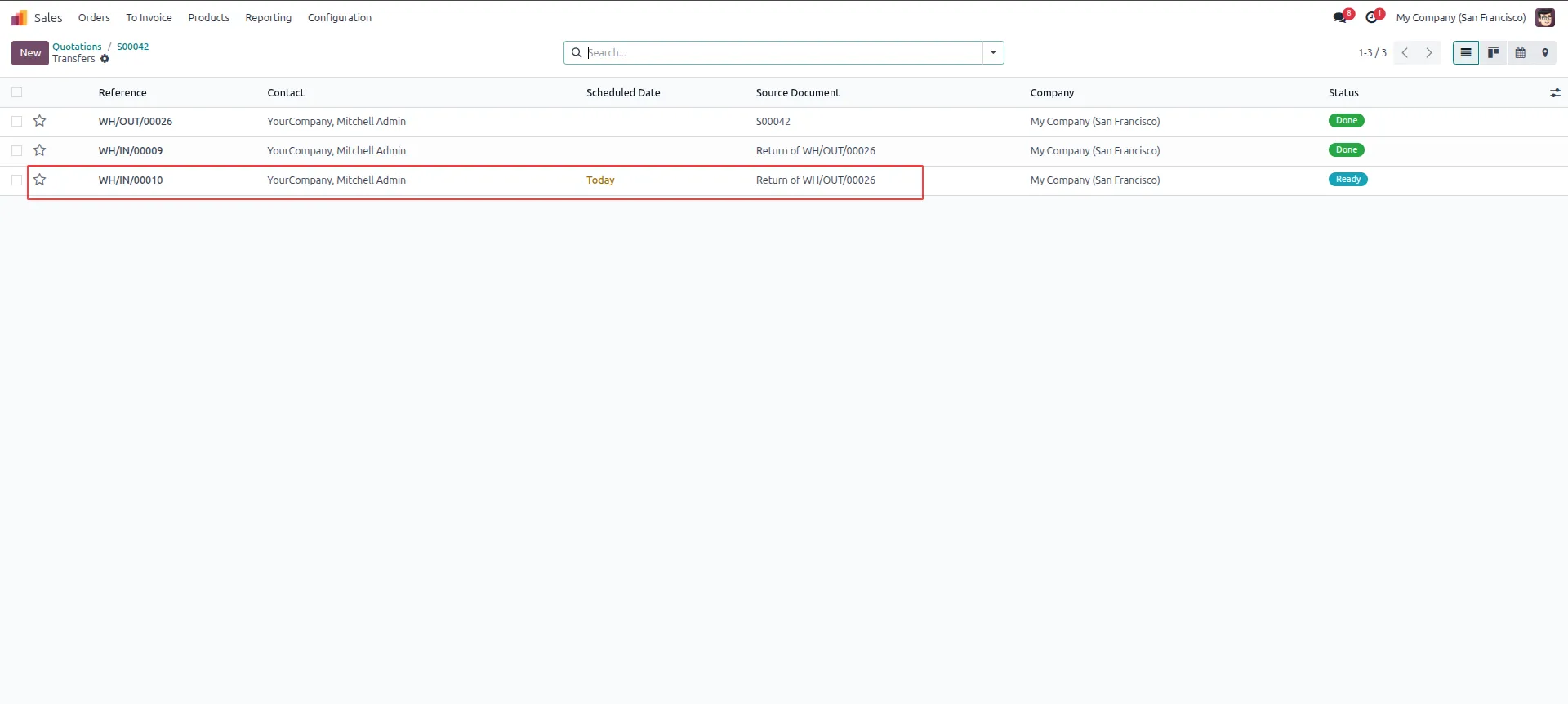
10. View Transfers List Navigate to the Transfers list under S00042 to confirm WH/IN/00010 appears with status "Ready" alongside previous transfers.
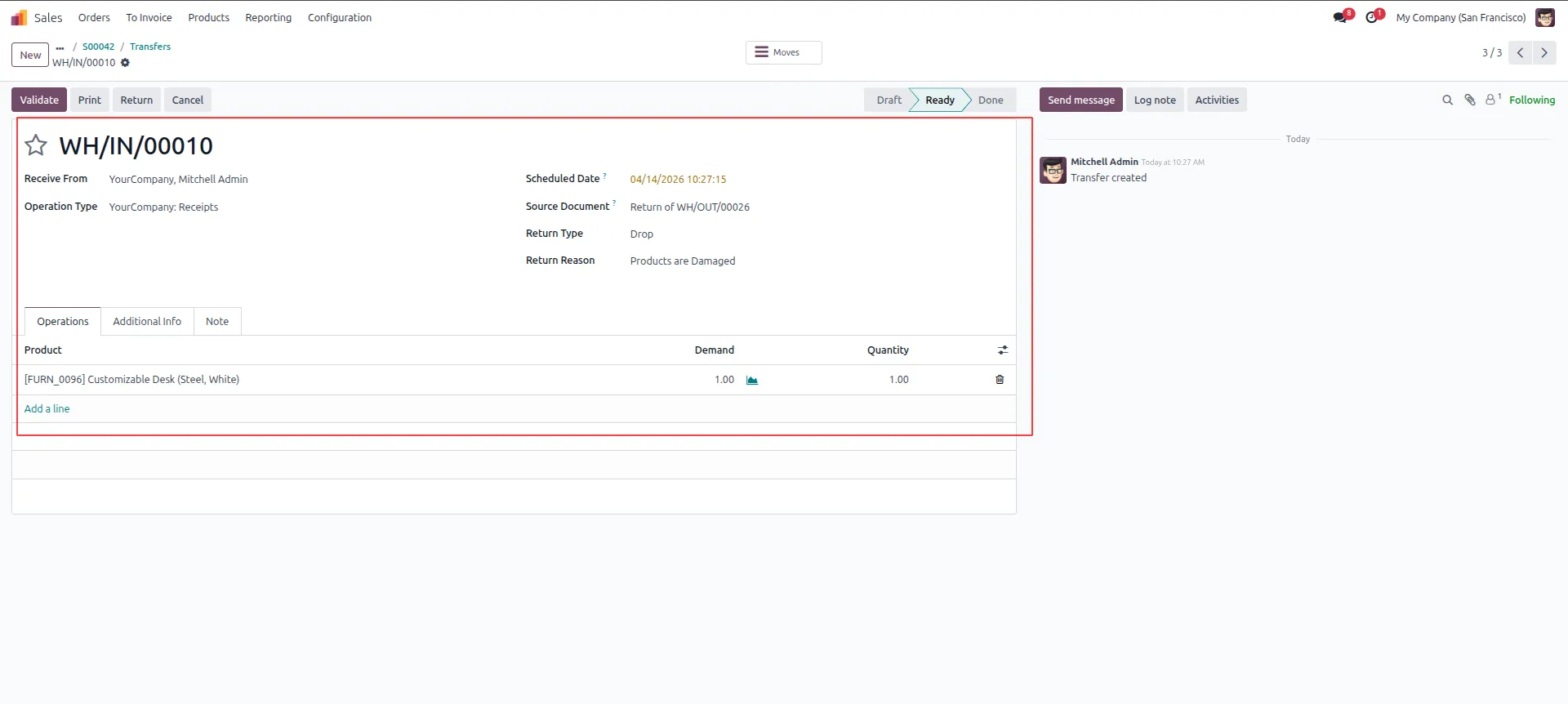
11.Validate Return Transfer Open transfer WH/IN/00010 in the backend and click "Validate" to complete the return of the damaged Customizable Desk.
Our solutions focus on your problems
- Odoo Implementation
- Odoo Customization
- ERP Development and Implementation
- Odoo Ipass Cloud
- AI for Odoo
- Odoo Apps
- Aws Marketplace Products
- Business Engines
Our Pricing includes User Manual, 90 Days Support (Monday-Friday 10am to 7pm IST) and One time Setup
• Works & tested on standard installations of Odoo with no third party apps,
• Free support only for odoo installations with no third party apps,
• Paid support available for Odoo installations with third party apps.

Prefortune is a Odoo Official Partner, Odoo Development company. Our philosophy is to use Open Source tools and technologies to provide cost effective and green solutions for our customers.
Prefortune Technologies LLP is working on web development, Mobile development, and Odoo ERP.
If you need any help or want more additional features, you may contact us through:
Alternative Products
These other products might interest you
Specifications
| Version | 19.0, 18.0, 17.0, 16.0, 15.0, 14.0 |