Watch Quick Video

Website Recently Ordered Products
Our all-inclusive Odoo – Website Recently Ordered Products module enhances the customer portal experience by displaying recently ordered products in a dedicated section. It allows users to quickly view items from their latest confirmed sale orders without navigating through multiple records. With easy access to previously purchased products, customers can reorder items faster, improving convenience and efficiency. The module supports configurable product limits and ensures a clean, organized display, helping businesses deliver a smoother and more user-friendly portal experience.
Website Recently Ordered Products
- Displays recently ordered products directly in the customer portal for quick access.
- Helps customers easily identify and reorder previously purchased products.
- Provides a clean and organized layout for improved user experience.
- Shows products from the latest confirmed sale orders in a structured view.
- Allows setting the number of recent products to display for better control.
Complete Workflow for Manage Website Recently Ordered Products
First, install and activate the "Website Recently Ordered Products" module. After installation, navigate to the Website → Configuration → Settings and in Settings go to Product Portal Limit configure the desired Product Limit for displaying recent products. Once configured, go to the Customer Portal and log in as a user. On the portal home page, you will find a new section labeled Recently Ordered Products. Click on this section to view products from your latest confirmed sale orders in a structured format. The list updates automatically based on recent purchases, allowing users to quickly access and review previously ordered products, making reordering faster and more convenient.
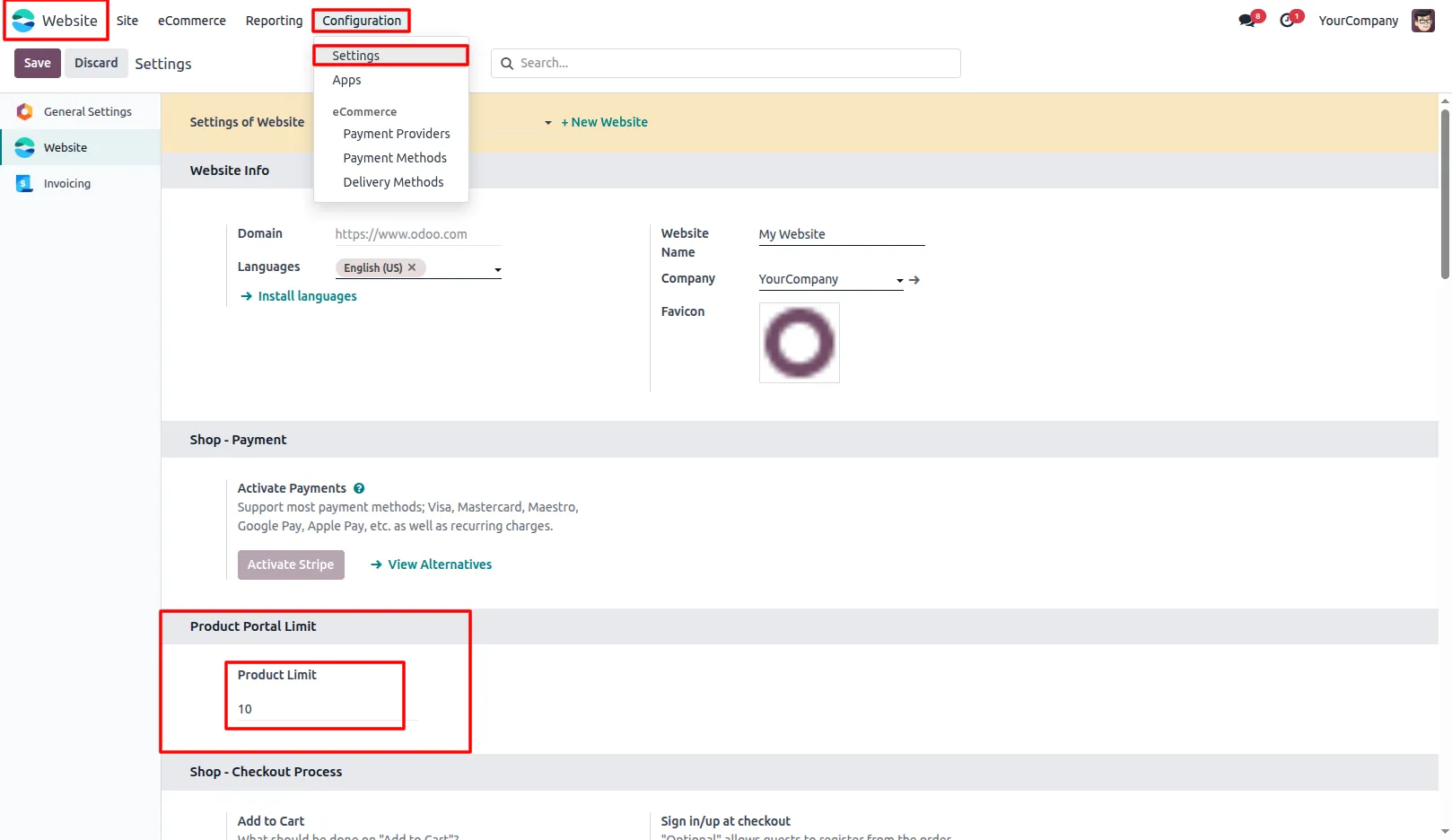
1. Go to Website → Configuration → Settings and set the Product Limit.
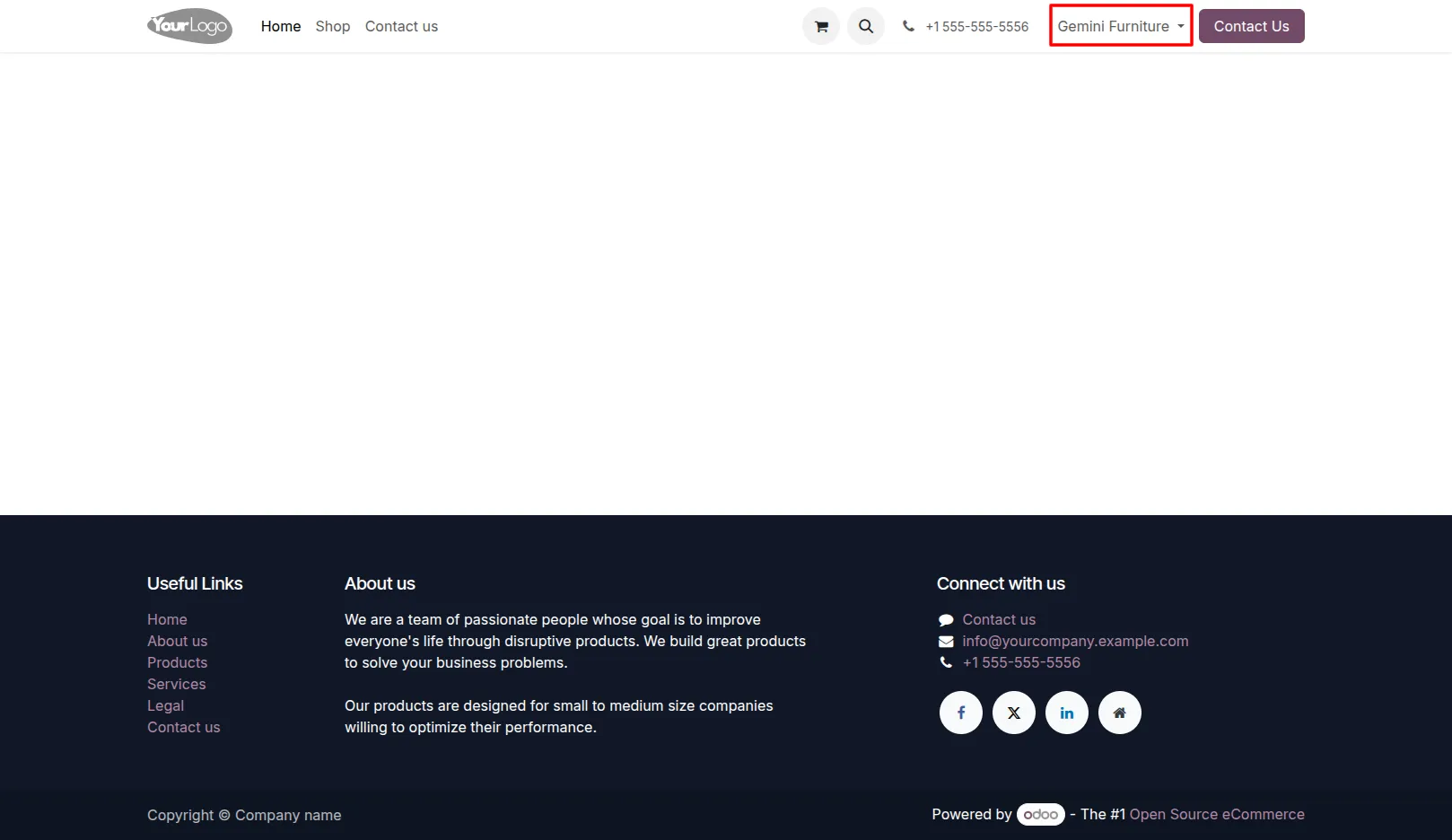
2. Navigate to the Customer Portal and log in as a user.
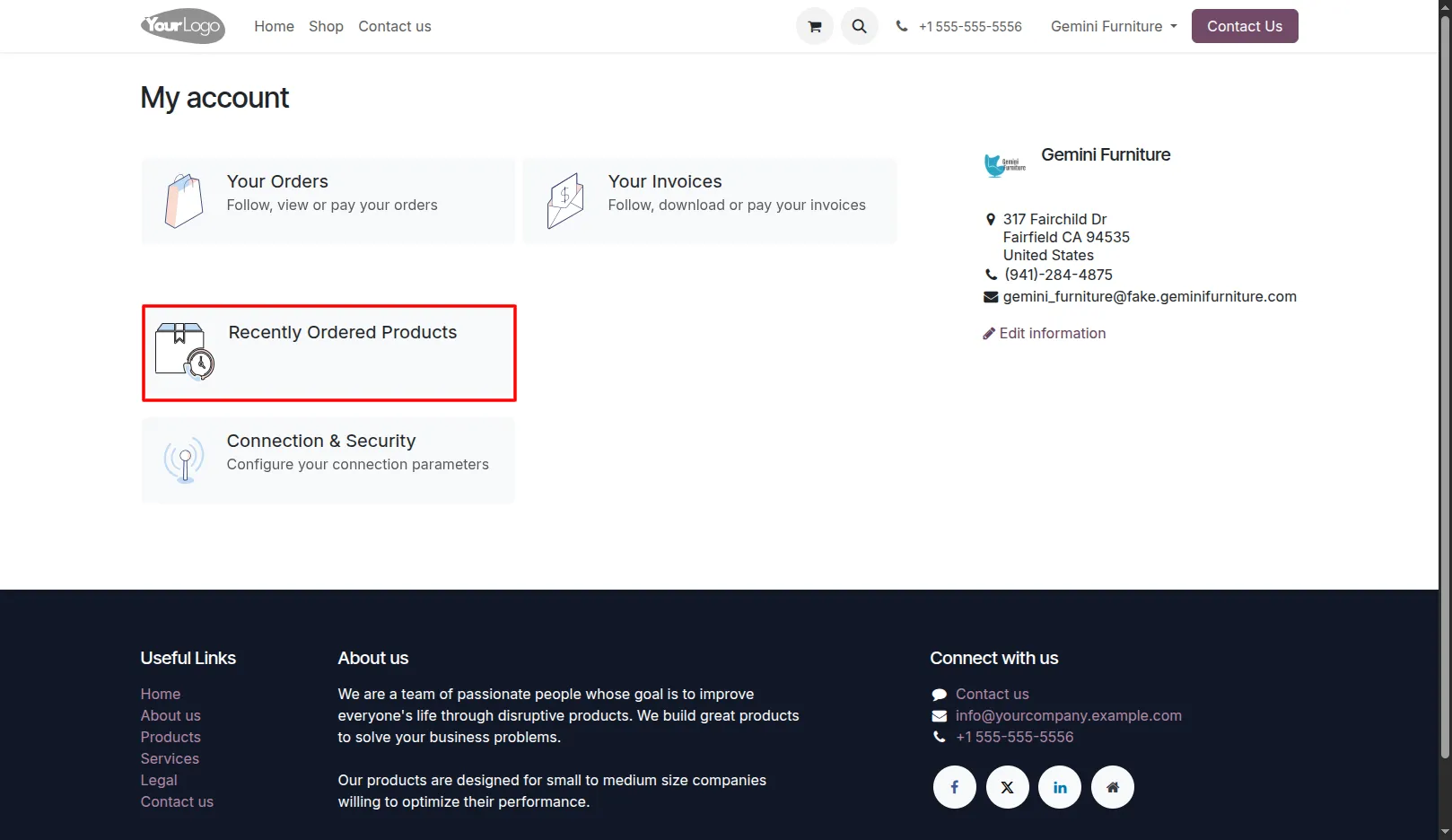
3. On the portal home page, locate the Recently Ordered Products section.
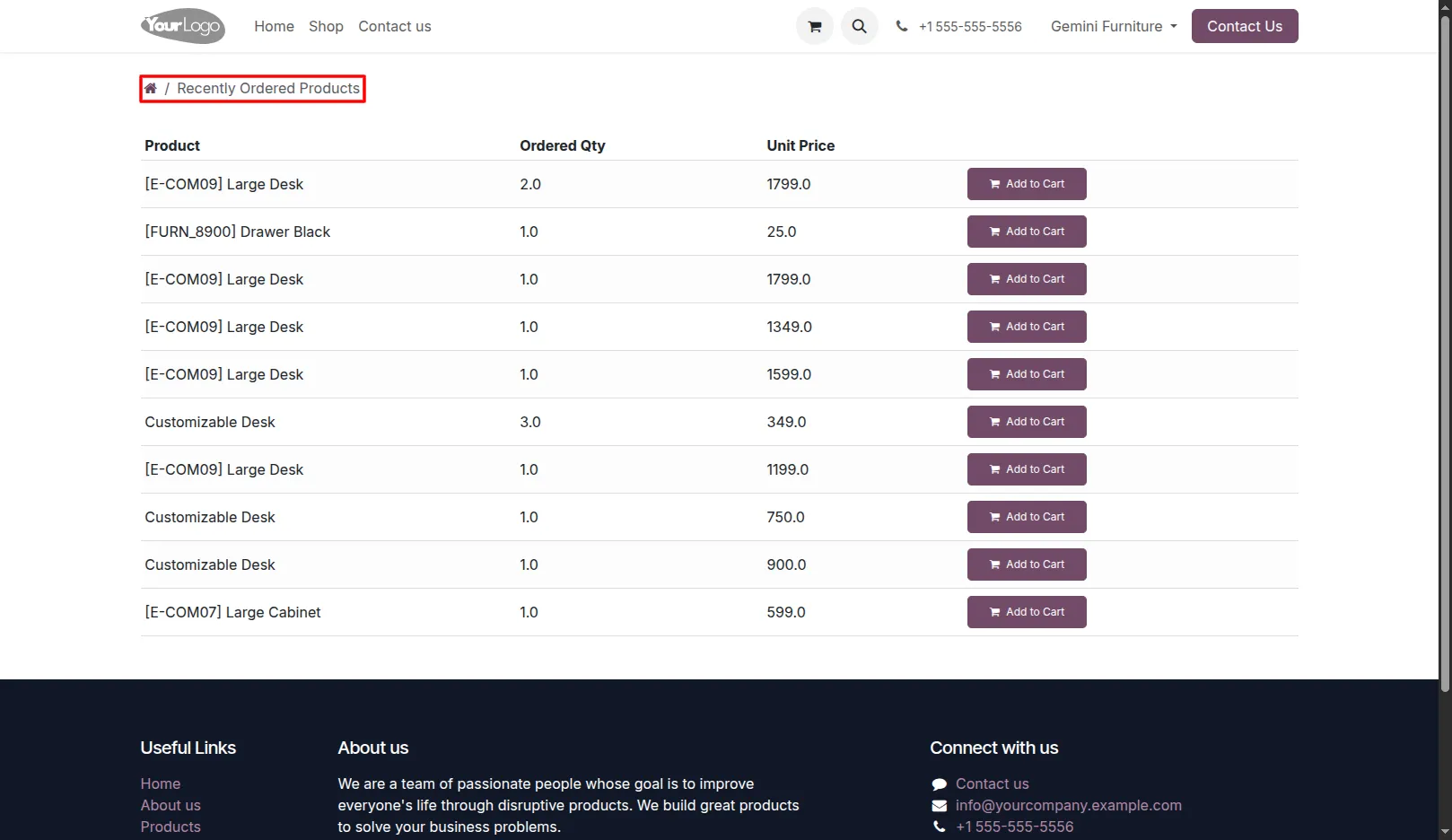
4. Click on the section to view products from your latest confirmed sale orders.
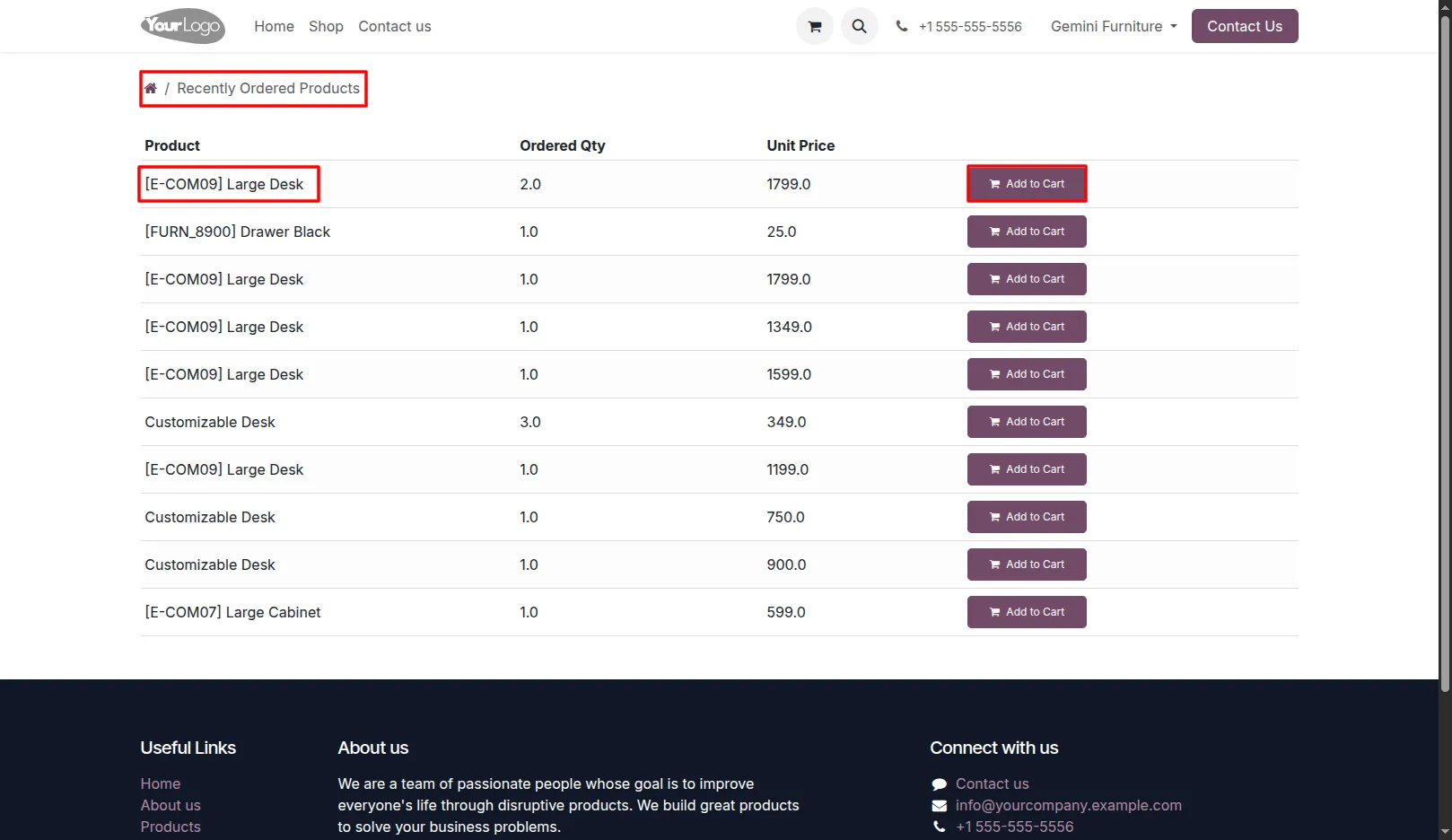
5. Users can quickly reorder products using the Add to Cart button.
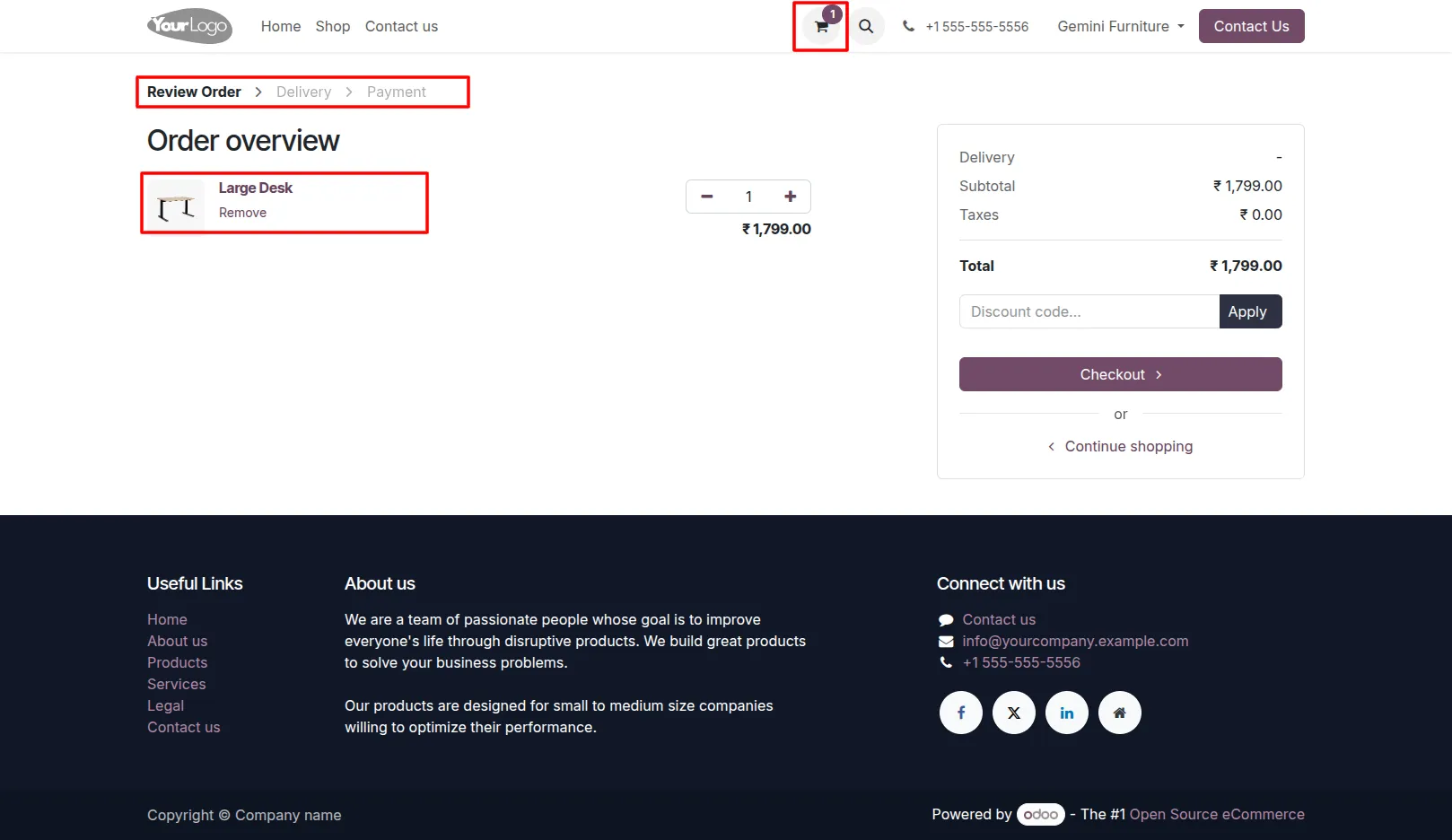
6. After Clicking the Add to Cart button, the product is added to the cart and the user is redirected to the cart page to review their order before proceeding to checkout.
Our solutions focus on your problems
- Odoo Implementation
- Odoo Customization
- ERP Development and Implementation
- Odoo Ipass Cloud
- AI for Odoo
- Odoo Apps
- Aws Marketplace Products
- Business Engines
Our Pricing includes User Manual, 90 Days Support (Monday-Friday 10am to 7pm IST) and One time Setup
• Works & tested on standard installations of Odoo with no third party apps,
• Free support only for odoo installations with no third party apps,
• Paid support available for Odoo installations with third party apps.

Prefortune is a Odoo Official Partner, Odoo Development company. Our philosophy is to use Open Source tools and technologies to provide cost effective and green solutions for our customers.
Prefortune Technologies LLP is working on web development, Mobile development, and Odoo ERP.
If you need any help or want more additional features, you may contact us through:
Alternative Products
These other products might interest you
Specifications
| Version | 19.0, 18.0, 17.0, 16.0, 15.0, 14.0 |