
Watch Quick Video

Website Product Quote Requests By Customer Odoo App
Our efficient
Odoo – Website Product Quote Requests By Customer
app helps businesses manage customer quotation requests directly from the website instead of instant checkout. This module improves sales flexibility by allowing customers to request quotes, enabling better pricing control and negotiation before order confirmation.
It provides a clear and structured quotation management process:
1. Website-Based Quote Requests: Customers can easily request quotations directly from the website by adding products to the cart and clicking the Get Quote button instead of proceeding to checkout.
2. Disable Direct Checkout Option: The system allows you to disable the Proceed to Checkout button, ensuring all customers follow the quotation-based purchase flow.
3. Customer Information Confirmation: Before submitting the request, customers can review and confirm their billing details for accurate quotation processing.
4. Quotation Acknowledgement & Tracking: After submission, customers receive a confirmation message with a reference number and can track their quotations from the My Orders section.
5. Backend Quotation Management: All quotation requests are recorded in the backend, where administrators can review, update prices, and manage customer requests efficiently.
6. Flexible Pricing & Discounts: Admin can modify product prices, apply discounts, or update order lines before sending the final quotation to the customer.
7. Automated Email Notifications: Customers receive automatic email updates for quotation submission, modifications, and final approval.
8. Quotation to Order Conversion: Once the quotation is finalized, the customer receives a payment link to complete the purchase, ensuring a smooth transition from quote to order.
9. Easy Identification of Website Requests: Quotations created from the website are automatically marked, making them easy to track and manage separately.
Website Product Quote Requests By Customer Odoo App
- Hide the Proceed to Checkout button from product and cart pages. Ensure customers can only request quotations instead of placing direct orders.
- Add a Get Quote button in the cart for easy quotation requests. Customers can quickly submit quote requests without completing checkout.
- Customers review billing details before submitting their quote request. A confirmation message with reference number is shown after submission.
- Admins can access all website quotation requests from the backend. They can update prices, apply discounts, and manage order details easily.
- Send automatic emails to customers for quote submission and updates. After confirmation, customers receive a payment link to complete the order.
Complete Workflow for Website Product Quote Requests By Customer Odoo App
Enable the Website Product Quote Requests By Customer feature and disable Direct Checkout fromWebsite Settings. Customers can add products to the cart and use the Get Quote button instead of placing an order. After submitting details, aQuotation Request is created with a Reference Number.The request is available in the Backend for admin review and updates. Once confirmed, the customer receives a Payment Link to complete the process.
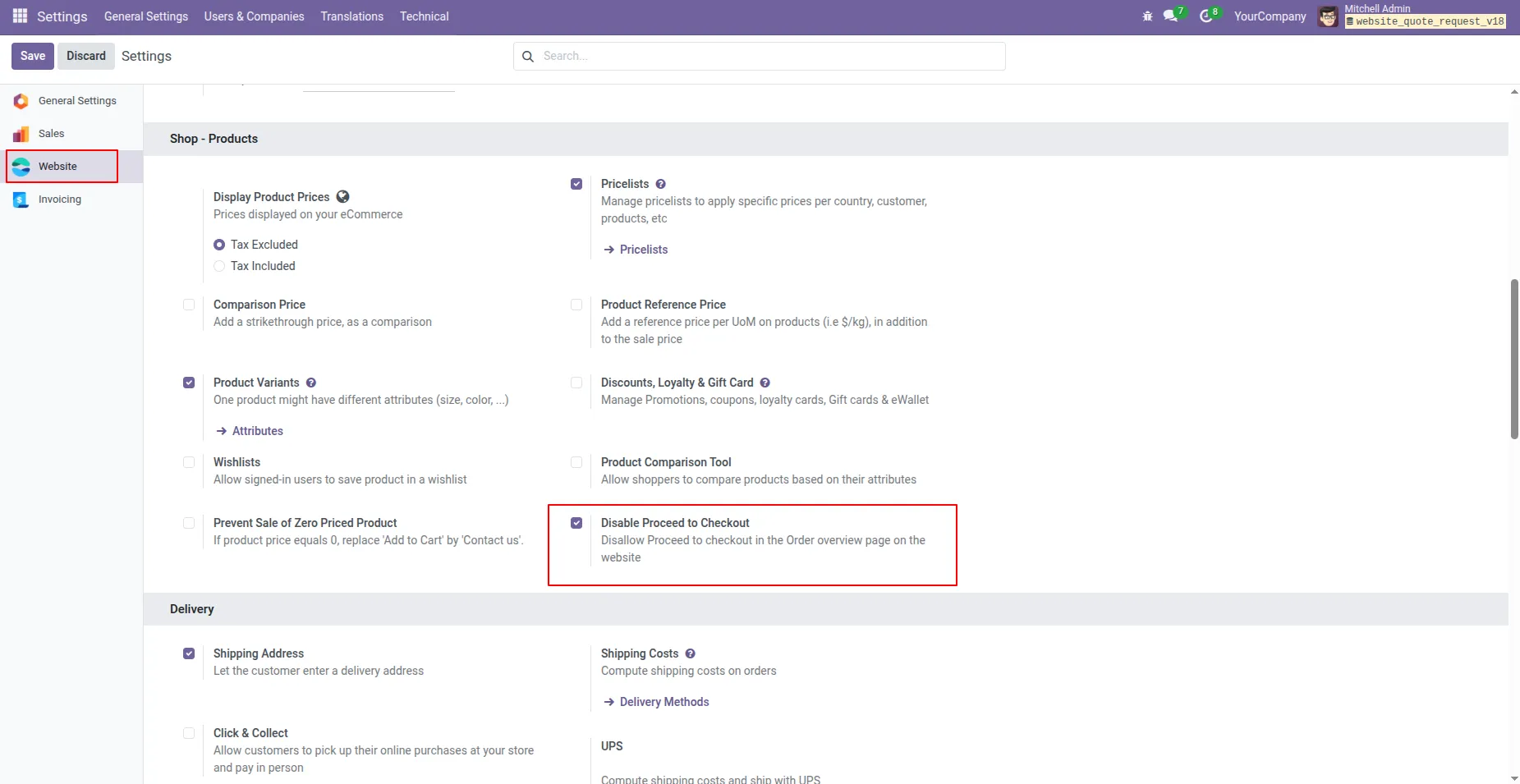
1. In website Settings, there is a Option called Disable Proceed to Checkout. If you enable this option, the Proceed to Checkout button will be hidden from product pages and the cart, disallowing direct checkout in the Order Overview page on the website. Customers will only be able to request quotations using the Get Quote button.
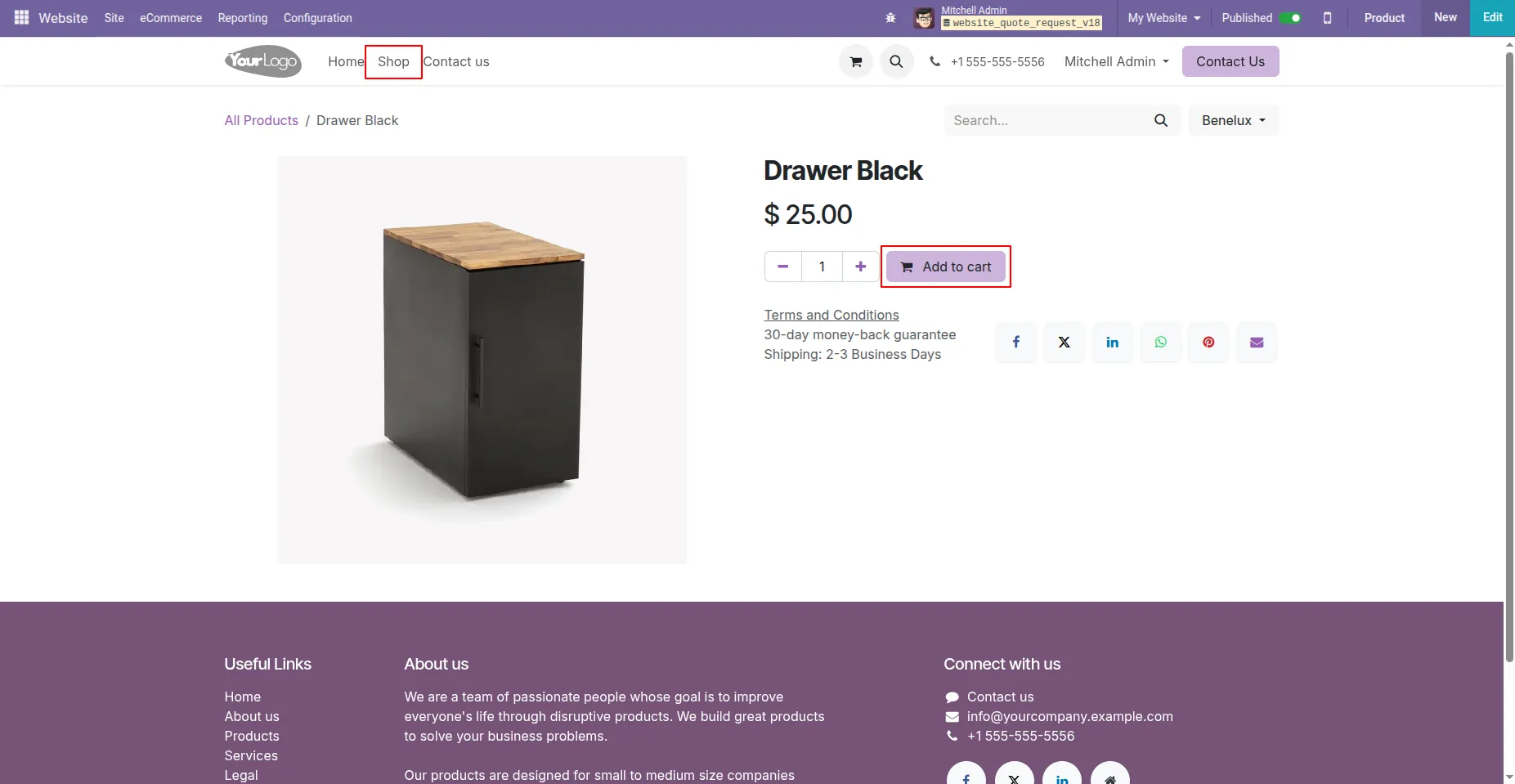
2. Navigate to the Website Shop page, browse and select the desired product, and click on Add to Cart to include them in your shopping cart.
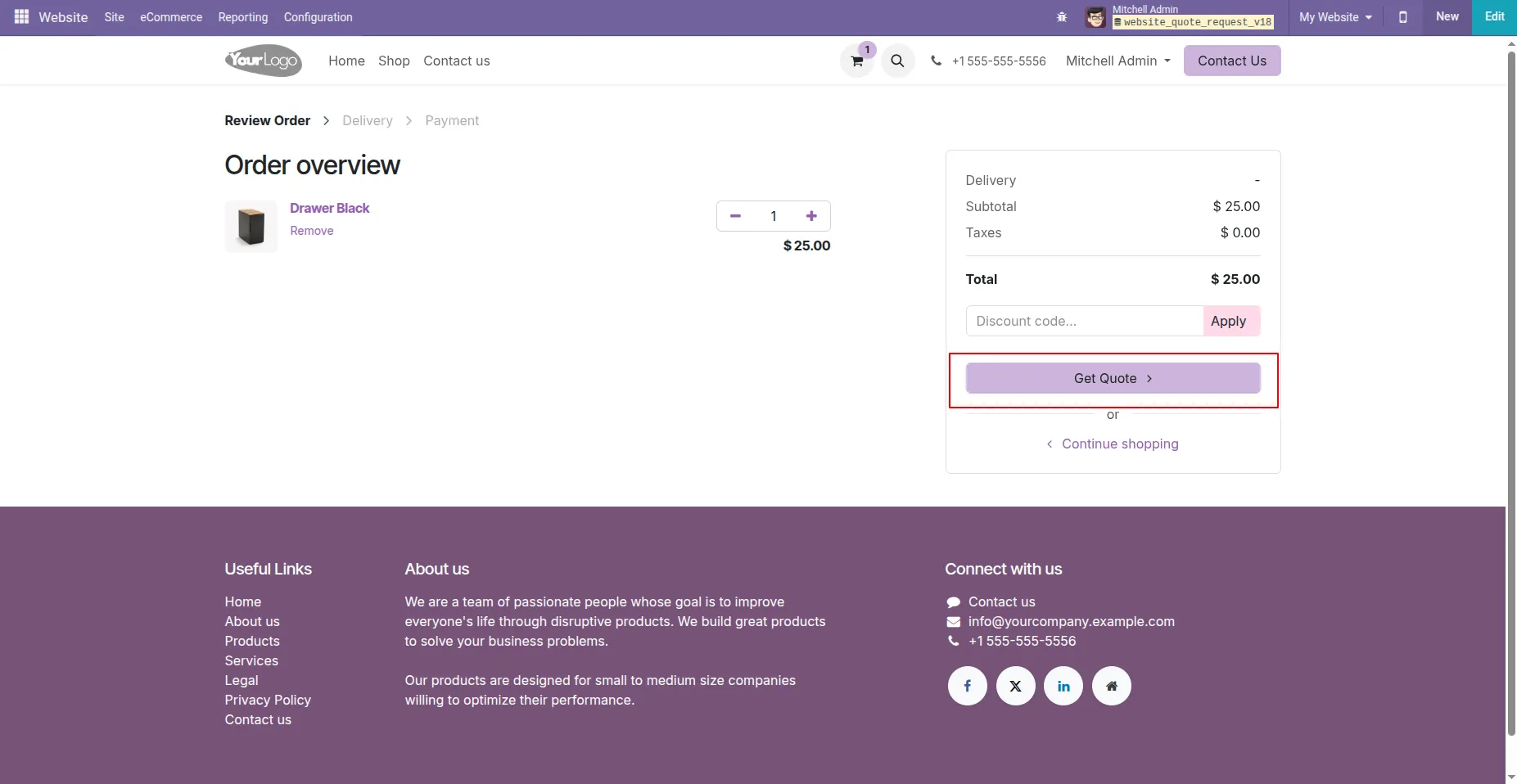
3. Click on the Get Quote button in the cart.
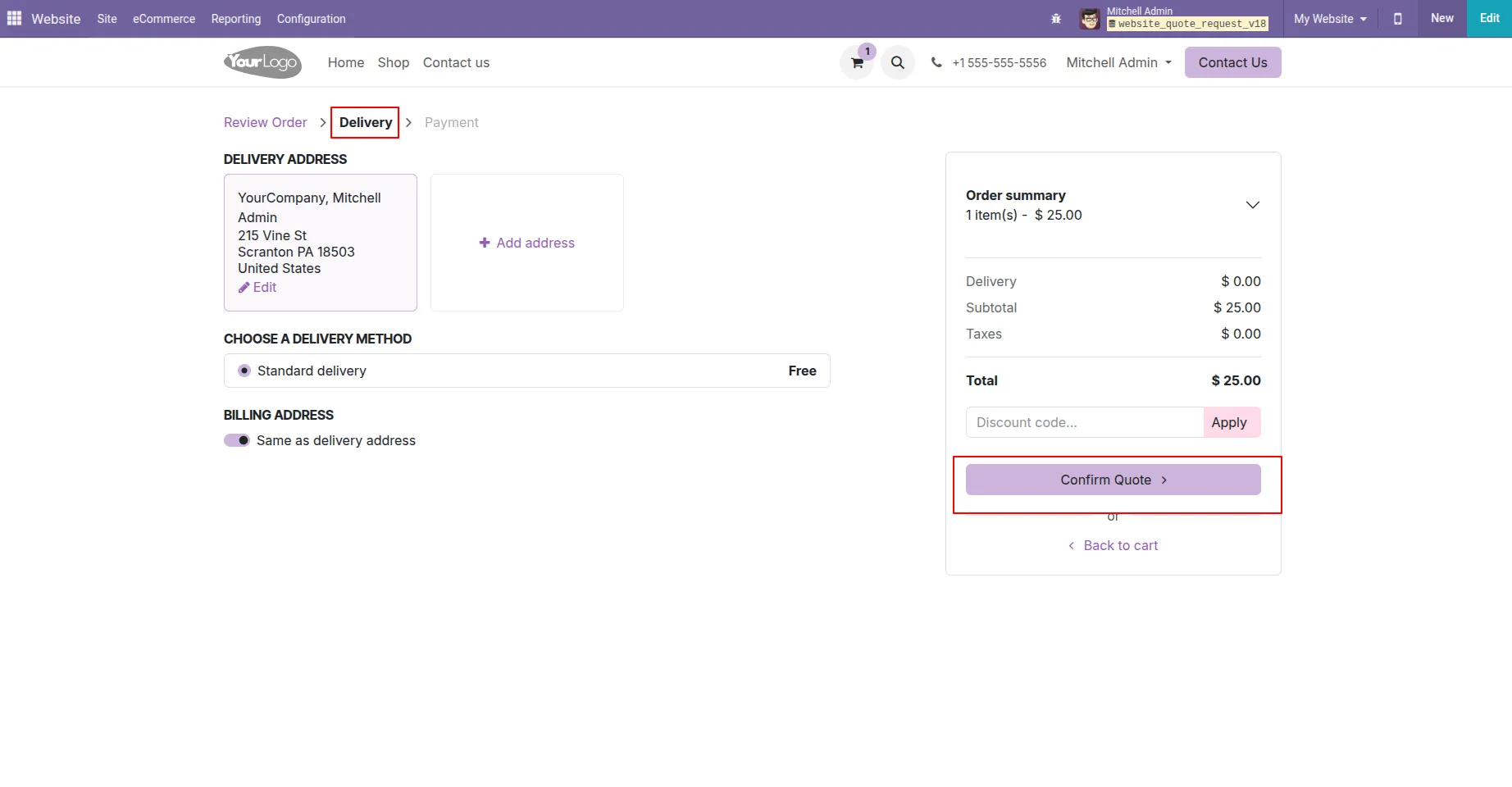
4. After clicking the Get Quote button, customers are redirected to the Billing Address page. Here, they can review and confirm their details. From this page, they can either return to the cart to make changes or proceed to confirm the quotation request for backend processing.
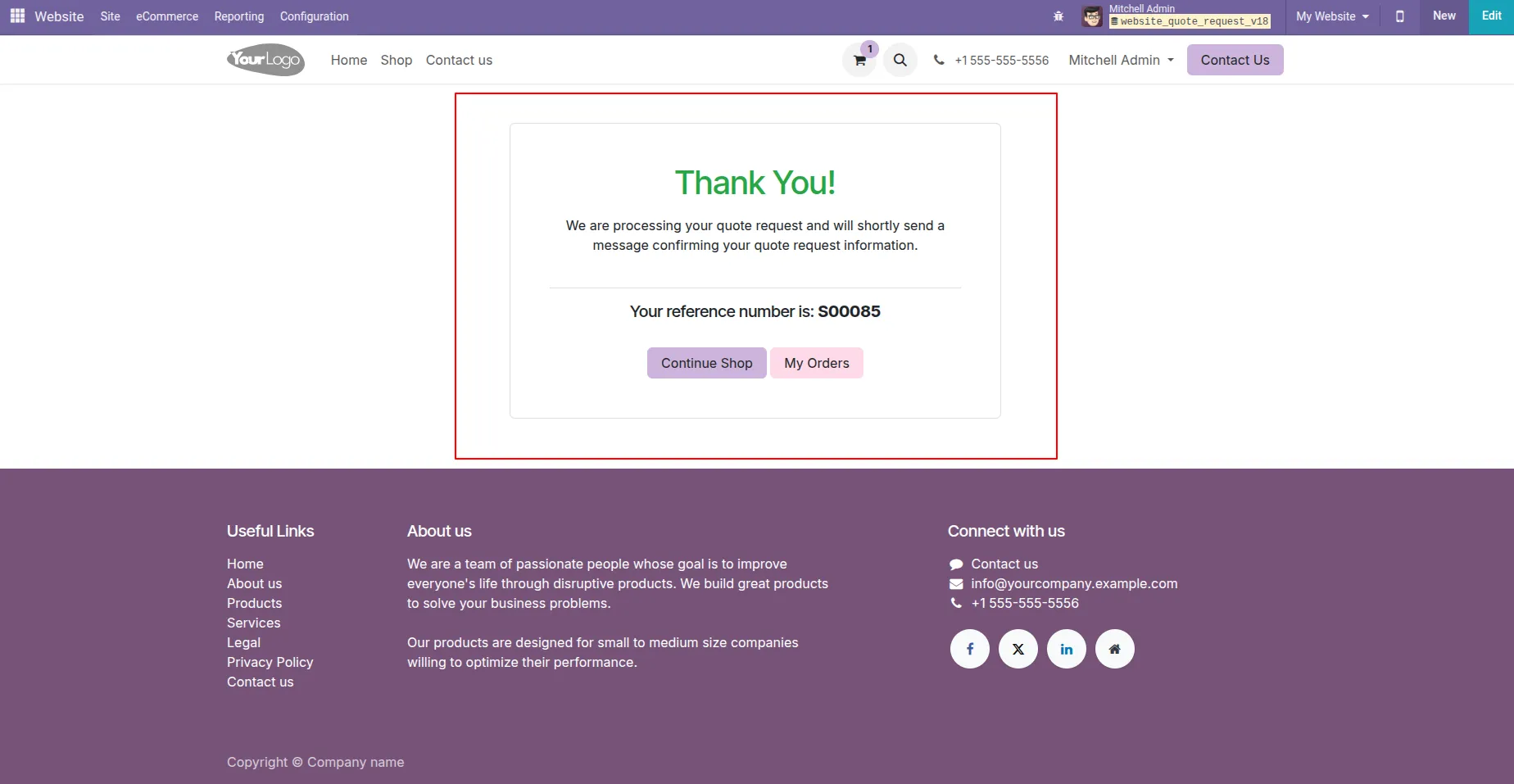
5. After clicking the confirm button, the customer will see a Thank You message along with the quotation reference number. By clicking the Continue Shop button, the customer can continue shopping. Additionally, the customer can view the details of their quote by clicking on the My Orders button.
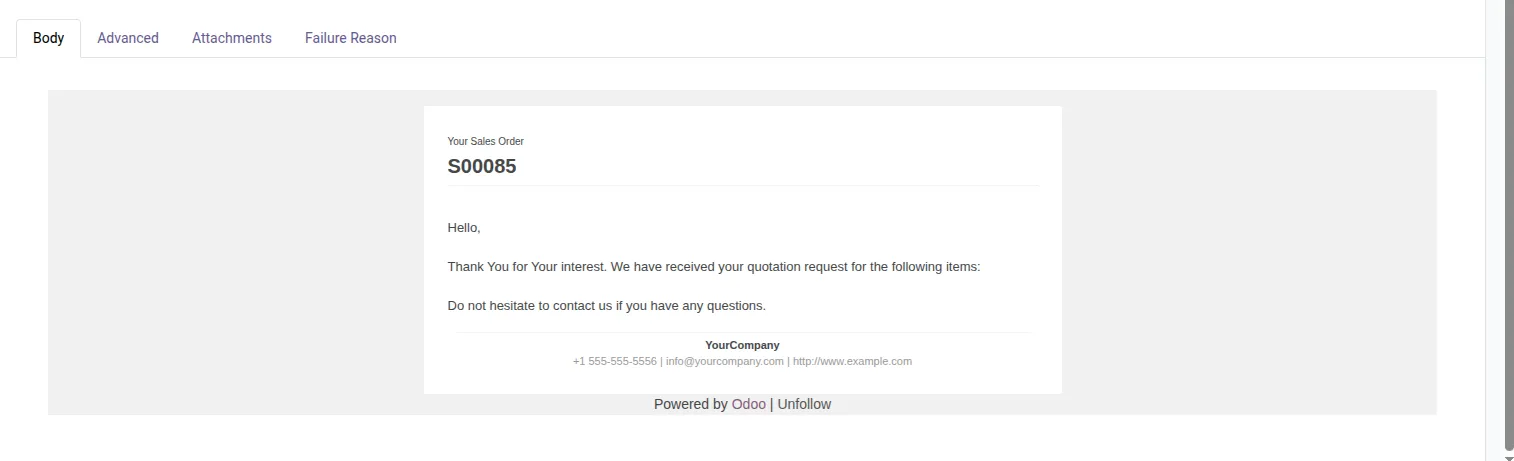
6. After submitting a quotation request using the Get Quote button, the customer will receive an email with the following message:
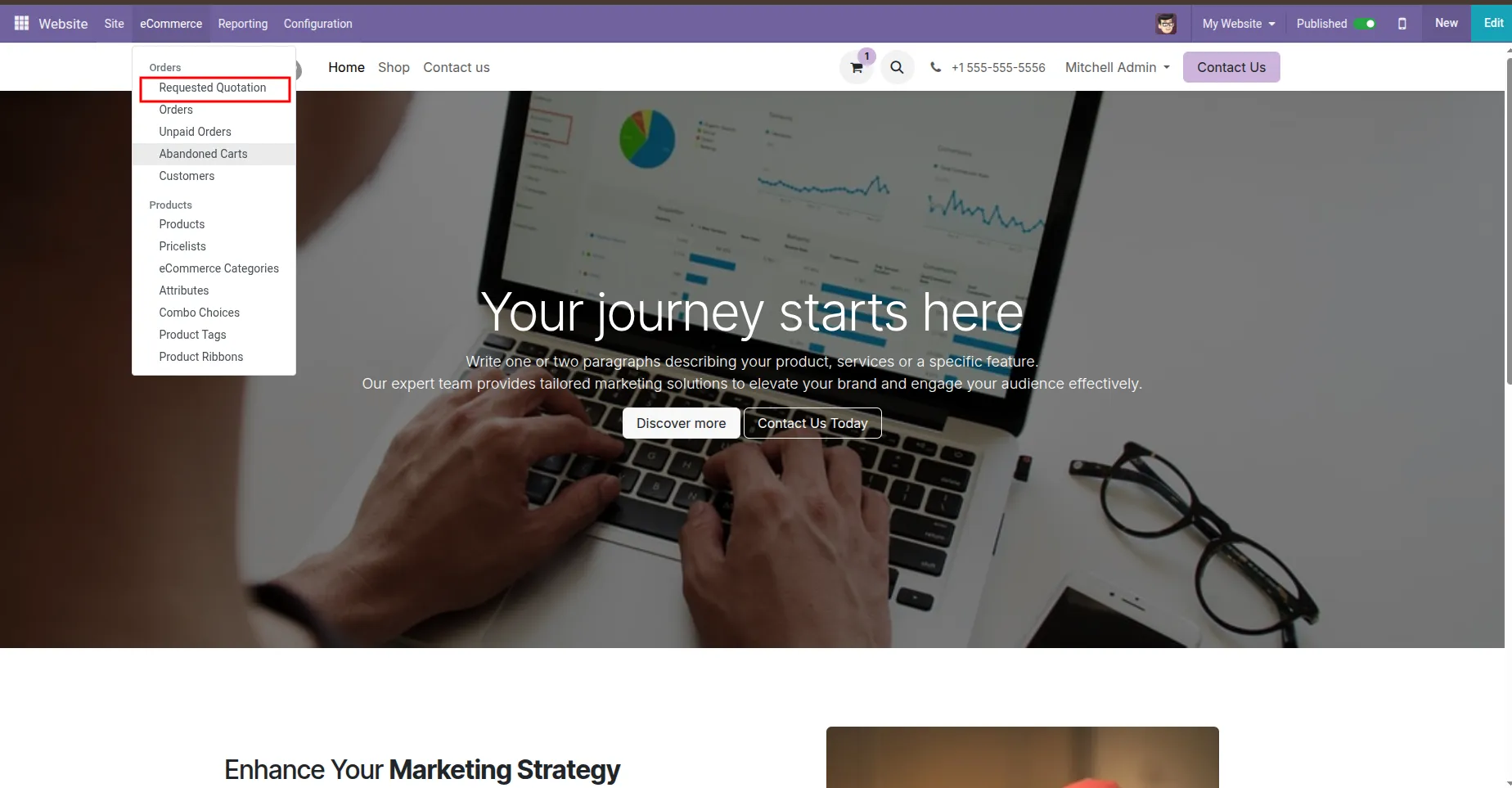
7. Add a menu named Requested Quotations on the website.
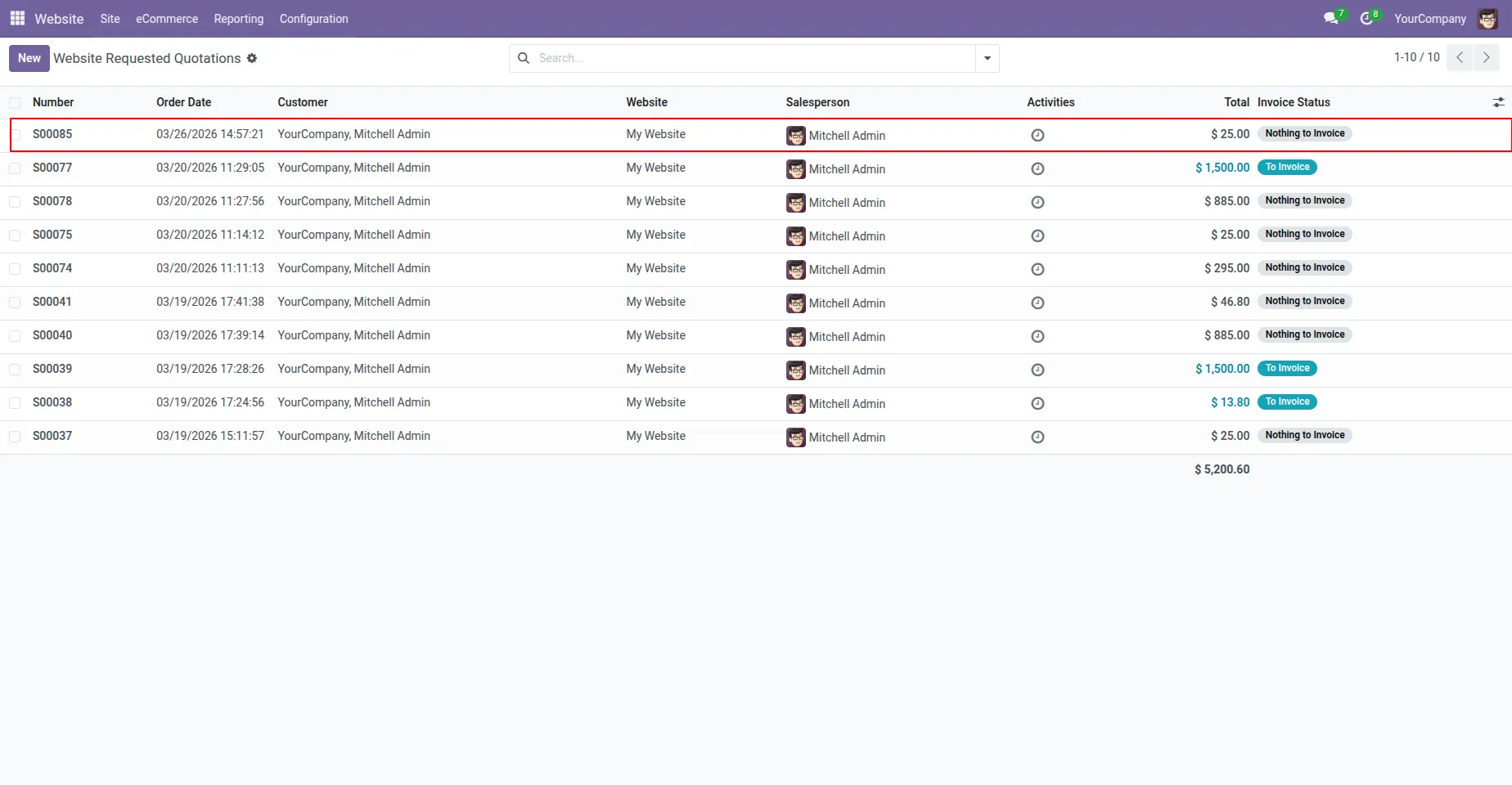
8. To view all requested quotations submitted via the website, navigate to Website, Orders, In Website Requested Quotation. Here, the administrator can review the details of each requested quotation, track the quotation status, and manage follow-up actions from the backend.
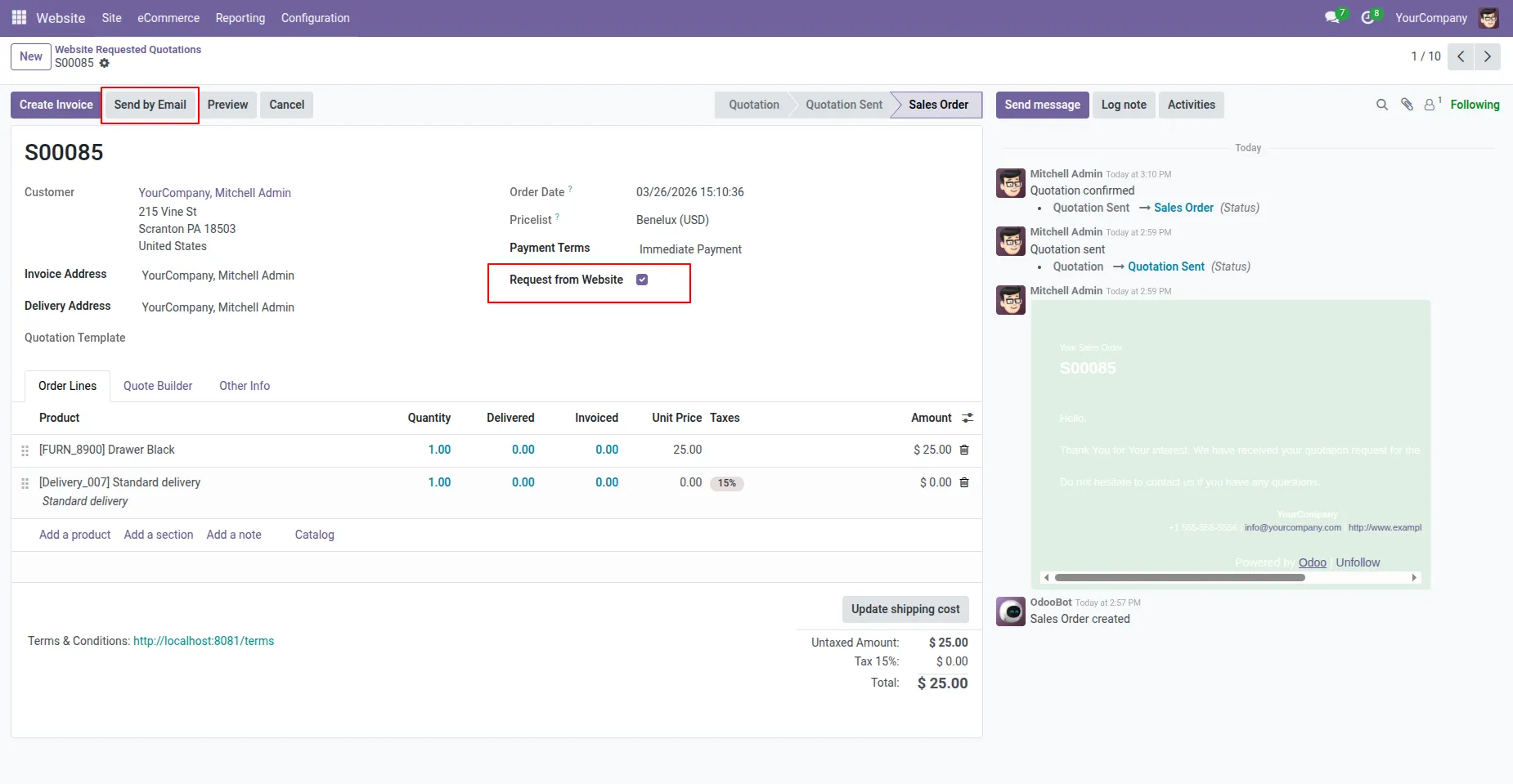
9. The administrator can open a quotation submitted from the website and update the order lines by changing prices or adding discounts. After making the changes, an email is automatically sent to the customer with the final quotation amount. The Request from Website checkbox is checked automatically for all quotations that originate from the website, making it easy to identify and manage them from the backend.
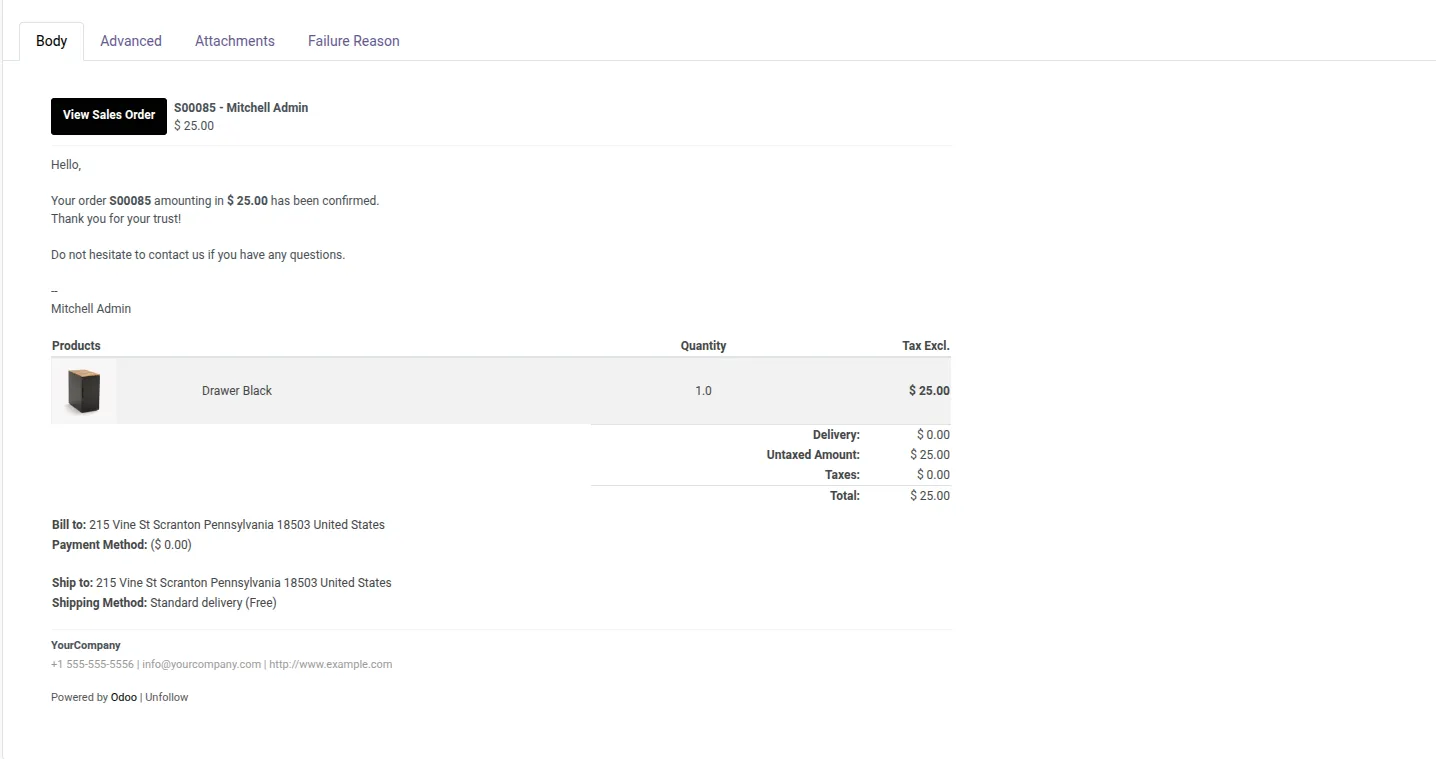
10. Once the administrator confirms the quotation, the customer receives an email containing a payment link. The customer can use this link to complete the payment and continue with the rest of the checkout process, ensuring a smooth transition from quotation to order confirmation.
Our solutions focus on your problems
- Odoo Implementation
- Odoo Customization
- ERP Development and Implementation
- Odoo Ipass Cloud
- AI for Odoo
- Odoo Apps
- Aws Marketplace Products
- Business Engines
Our Pricing includes User Manual, 90 Days Support (Monday-Friday 10am to 7pm IST) and One time Setup
• Works & tested on standard installations of Odoo with no third party apps,
• Free support only for odoo installations with no third party apps,
• Paid support available for Odoo installations with third party apps.

Prefortune is a Odoo Official Partner, Odoo Development company. Our philosophy is to use Open Source tools and technologies to provide cost effective and green solutions for our customers.
Prefortune Technologies LLP is working on web development, Mobile development, and Odoo ERP.
If you need any help or want more additional features, you may contact us through:
Alternative Products
These other products might interest you
Specifications
| Version | 19.0, 18.0, 17.0, 16.0, 15.0, 14.0 |