Watch Quick Video

Website Product Minimum and Maximum Quantity Sale Control Odoo App
Our all-inclusive Odoo – Website Product Minimum and Maximum Quantity Sale Control app helps businesses control product purchase quantities on their website by applying proper minimum, maximum, and step-wise quantity rules, making the buying process more accurate and organized for customers. This module allows users to configure quantity rules directly from the product Sales tab, where they can define the minimum quantity, maximum quantity, and quantity step for each product. Once set, these rules are automatically applied on the website product page, so customers can only select quantities according to the allowed limits and increments.
To improve order accuracy further, the module also validates quantity selection in optional product popups and on the cart page, ensuring that customers cannot add quantities below the minimum, above the maximum, or outside the defined step pattern. It also shows warning messages for invalid quantity entries and helps maintain consistent quantity behavior throughout the full purchase flow. Seamlessly integrated with standard Odoo Website Sale, this app improves quantity control, reduces ordering mistakes, and gives your eCommerce website a more reliable and user-friendly shopping experience without disturbing your existing workflow.
Website Product Minimum and Maximum Quantity Sale Control Odoo App
- Set minimum quantity, maximum quantity, and quantity step rules for each website product.
- Apply quantity validation automatically on the product page for proper customer selection.
- Support optional products popup with the same quantity rules during add to cart flow.
- Show warning messages when entered quantity is below minimum, above maximum, or invalid.
- Enforce valid quantity behavior on the cart page for a smooth and reliable checkout process.
Complete Workflow for Manage Website Product Minimum and Maximum Quantity Sale Control Odoo App
First we need to activate Website Product Minimum and Maximum Quantity Sale Control then configure the required quantity rules from the product Sales tab by entering Minimum Quantity, Maximum Quantity, and Quantity Step as needed for each product. After that, save the product and use it on the website, where the module will automatically apply these rules on the Product Page, Optional Products Popup, and Cart Page during the customer purchase flow. Set Quantity Rules, Save Product, Apply on Website, Validate Quantity, Complete Order once confirmed, the system will allow customers to buy products only within the defined quantity limits and steps, while also showing warning messages for invalid entries—without changing the normal Odoo Website Sale workflow.
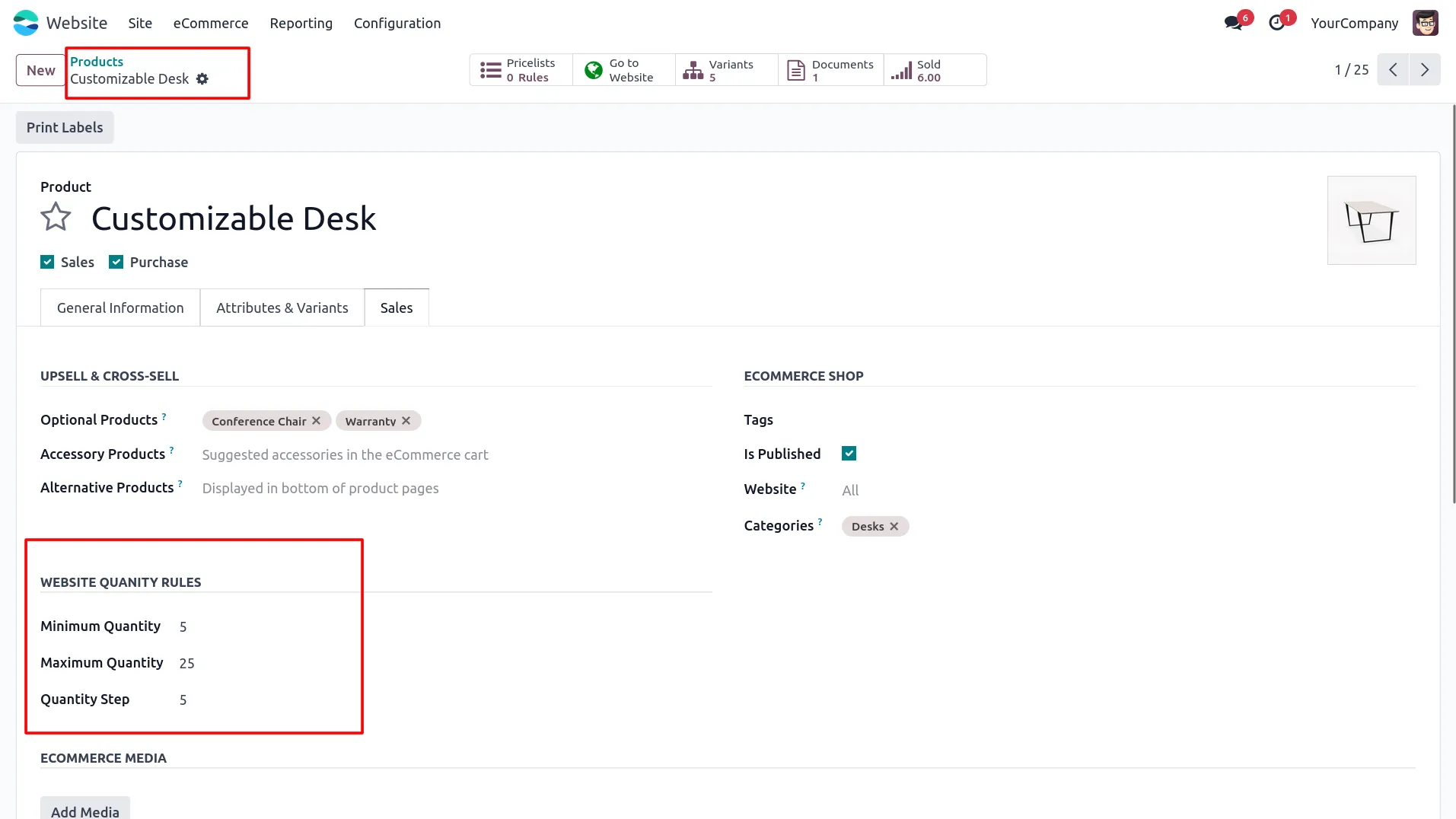
1. Open the product form in Website and go to the Sales tab, then configure the Website Quantity Rules such as Minimum Quantity, Maximum Quantity, and Quantity Step.
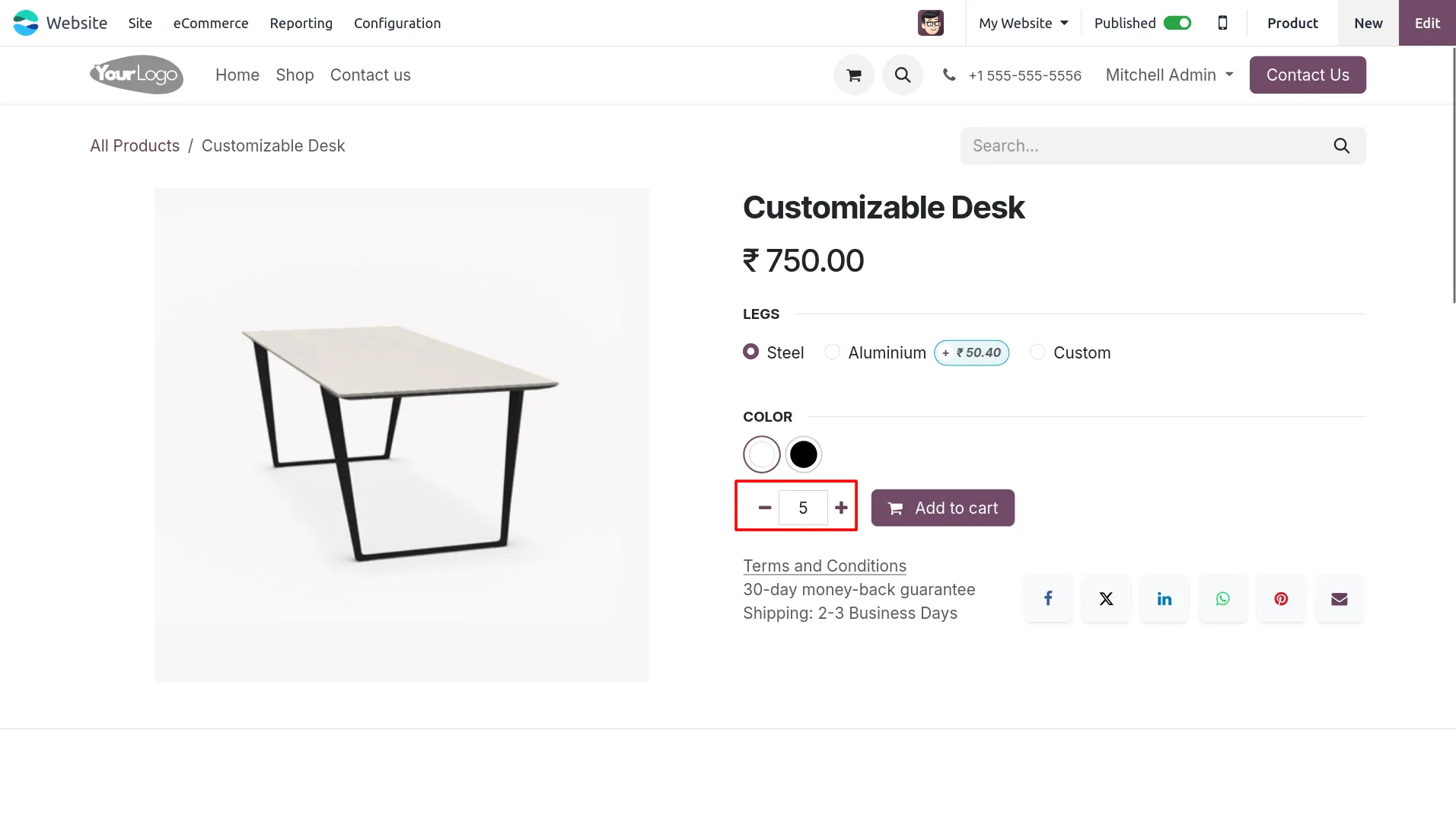
2. Open the product on the website page and verify that the default quantity is automatically set according to the configured minimum quantity.
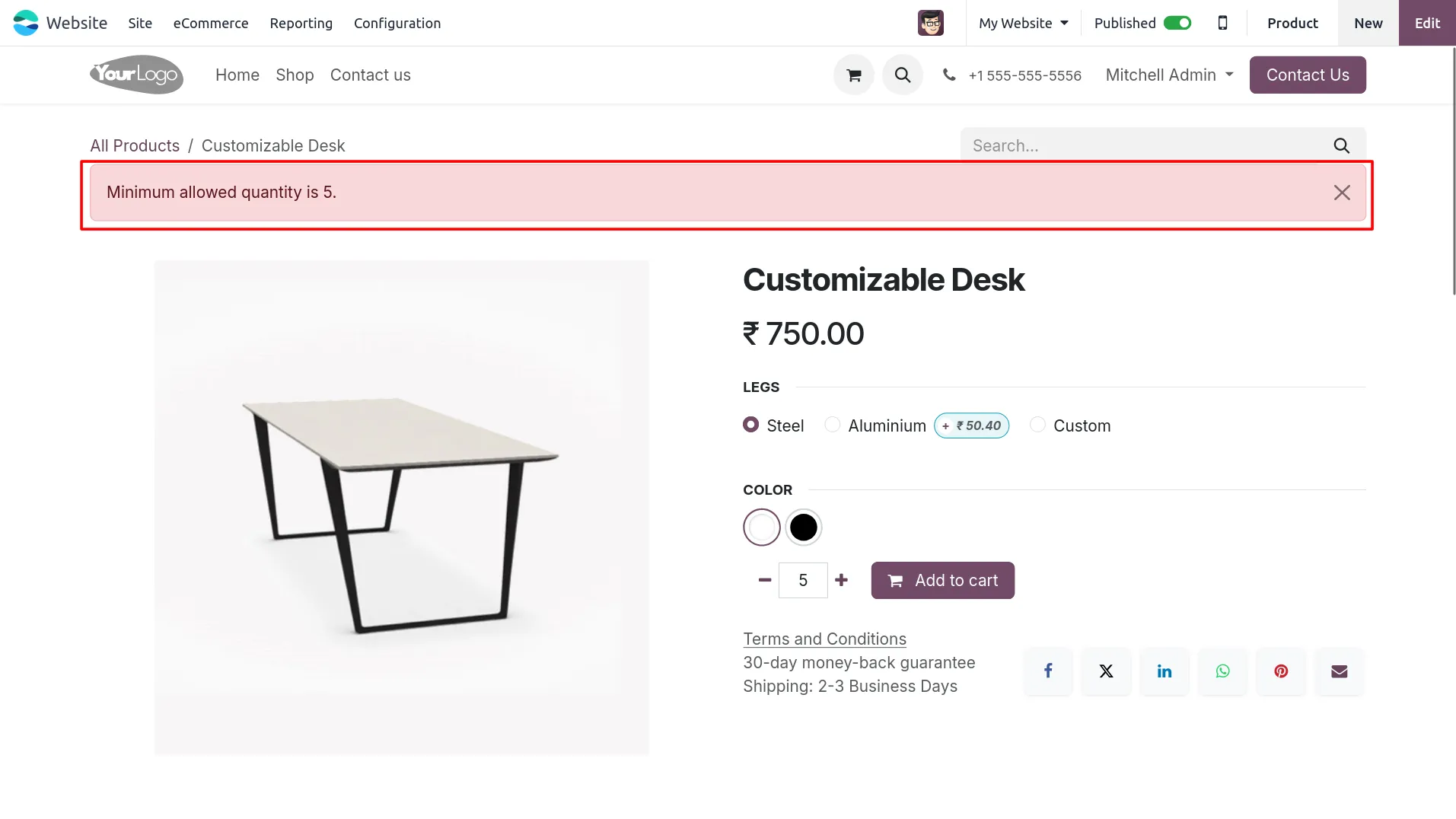
3. Try reducing the quantity below the minimum limit on the product page and the system will display a warning message for minimum allowed quantity.
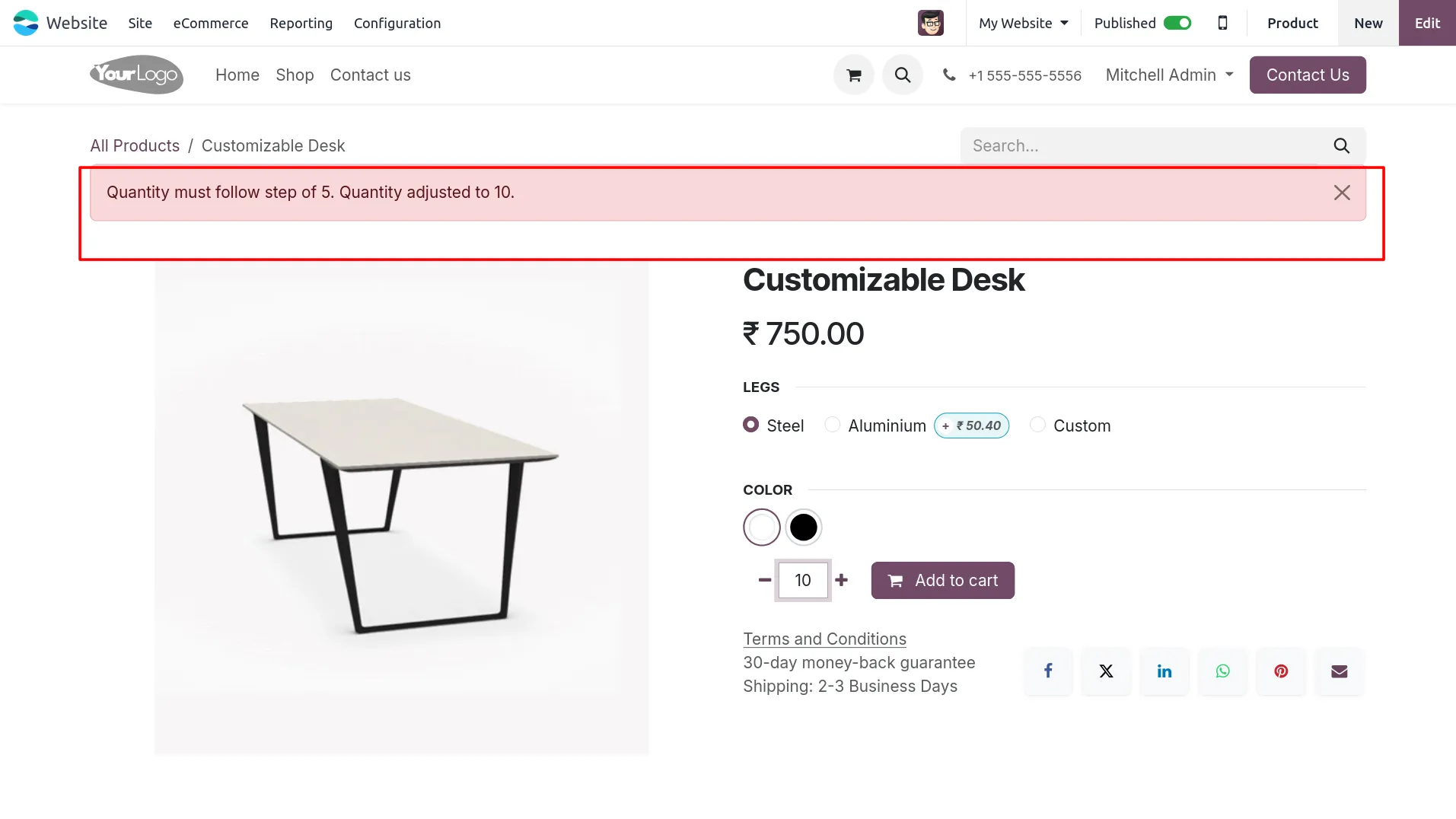
4. Enter a quantity that does not follow the configured quantity step and the system will automatically adjust it to the nearest valid step with a warning message.
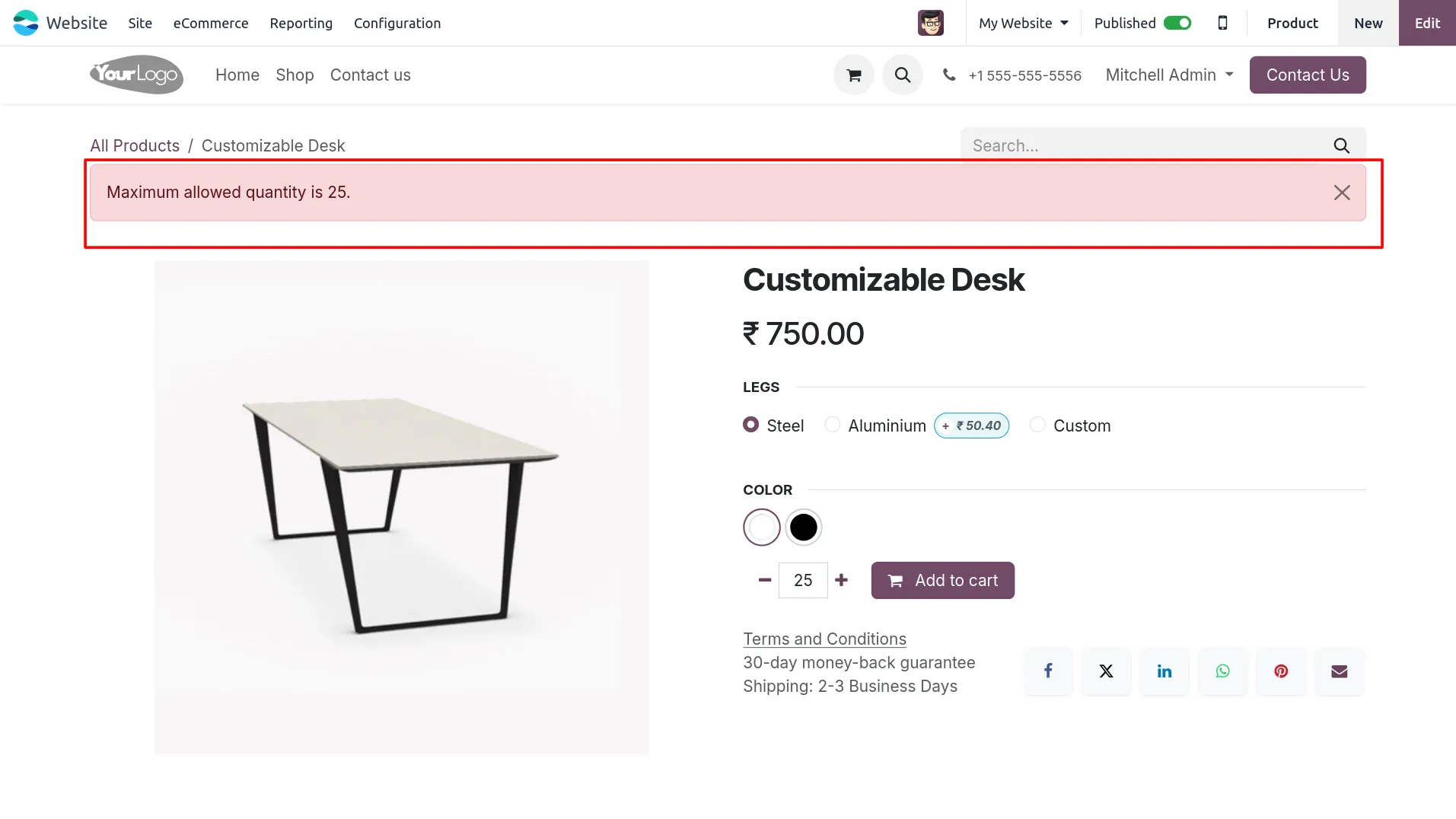
5. Increase the quantity beyond the maximum limit on the product page and the system will restrict it by showing a maximum quantity warning message.
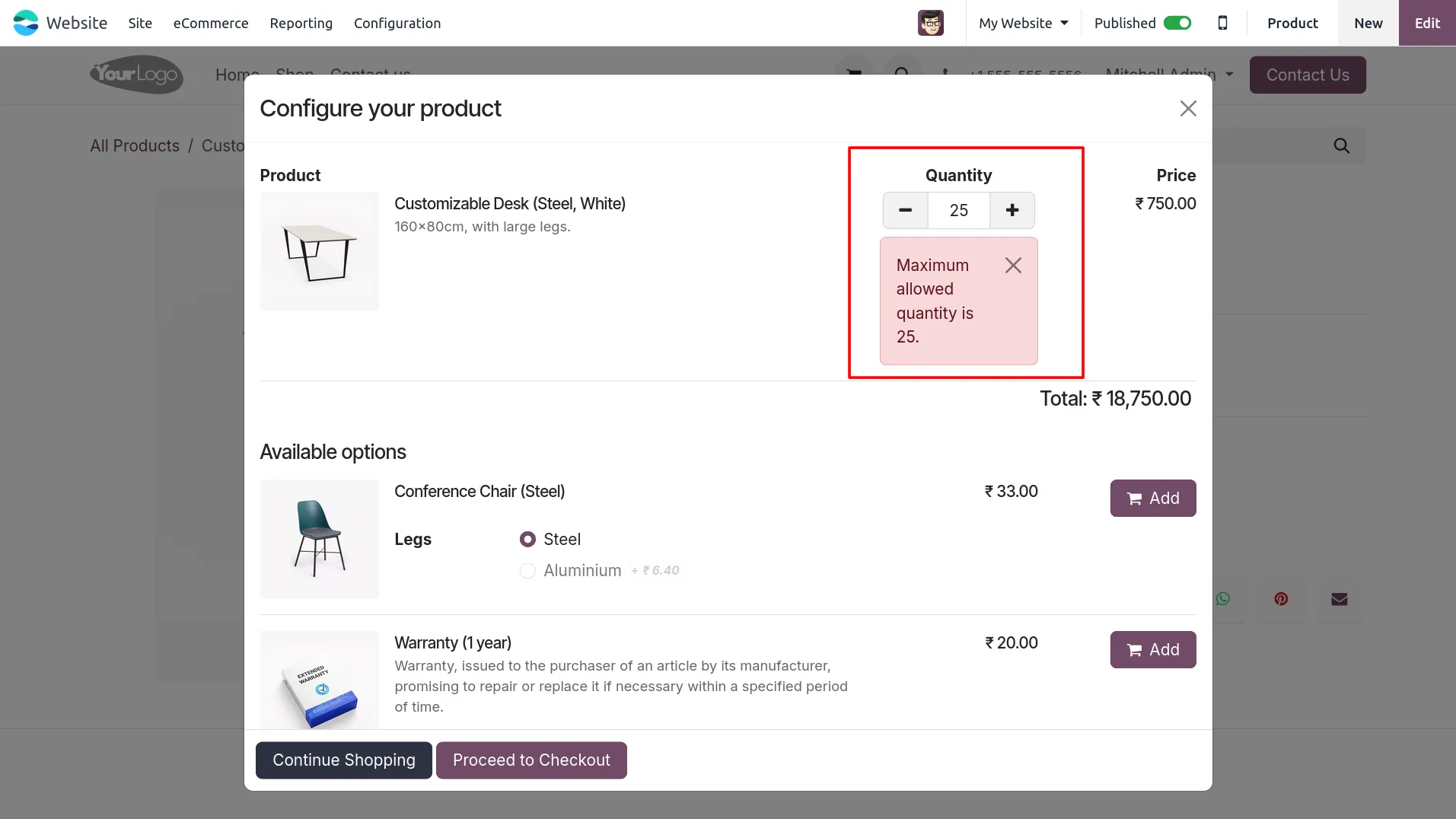
6. Add the product to cart and, if optional products are available, the quantity rules are also validated inside the product configurator popup.
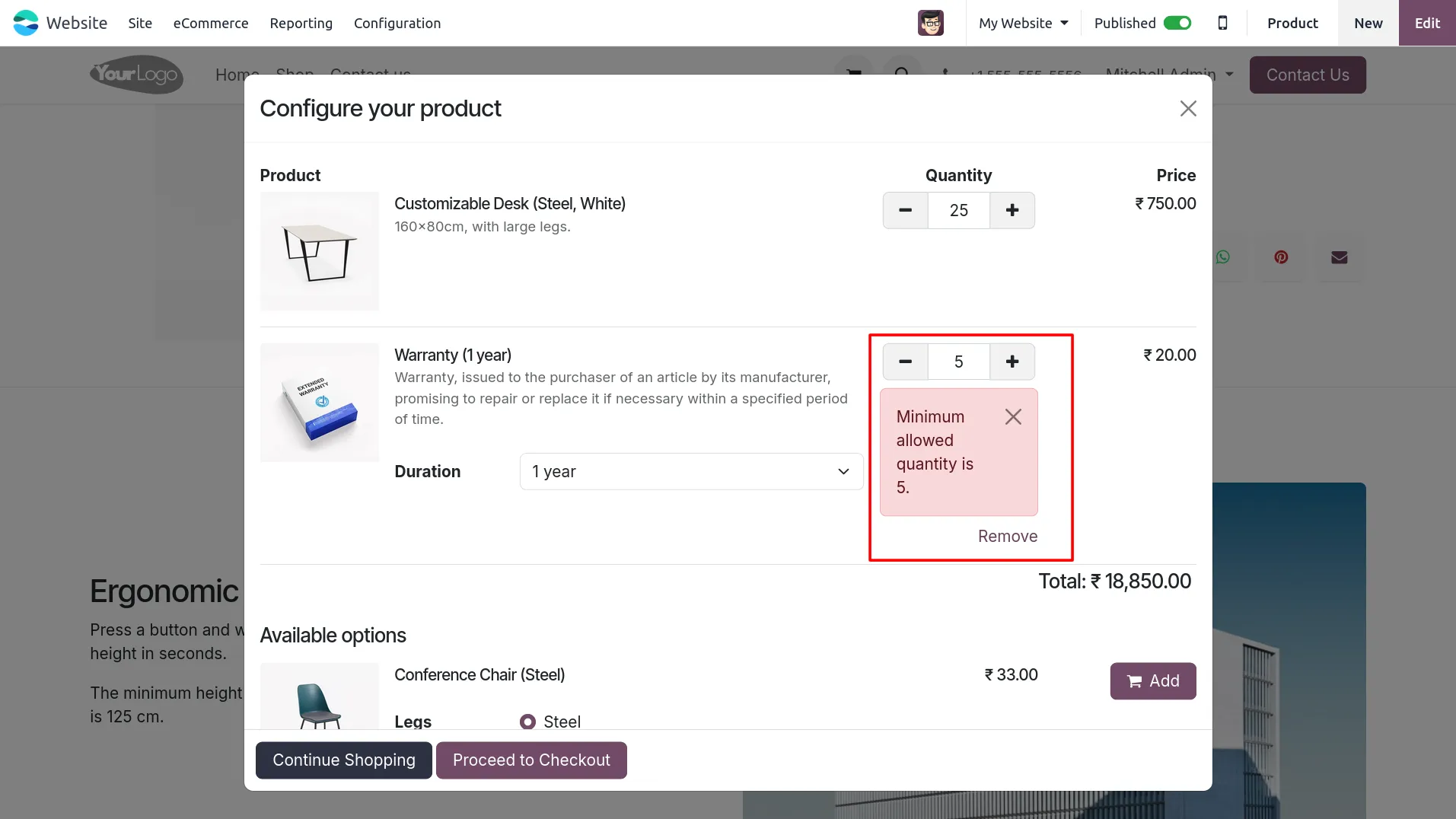
7. Add an optional product in the configurator popup and check that the system also applies minimum quantity validation for that optional product.
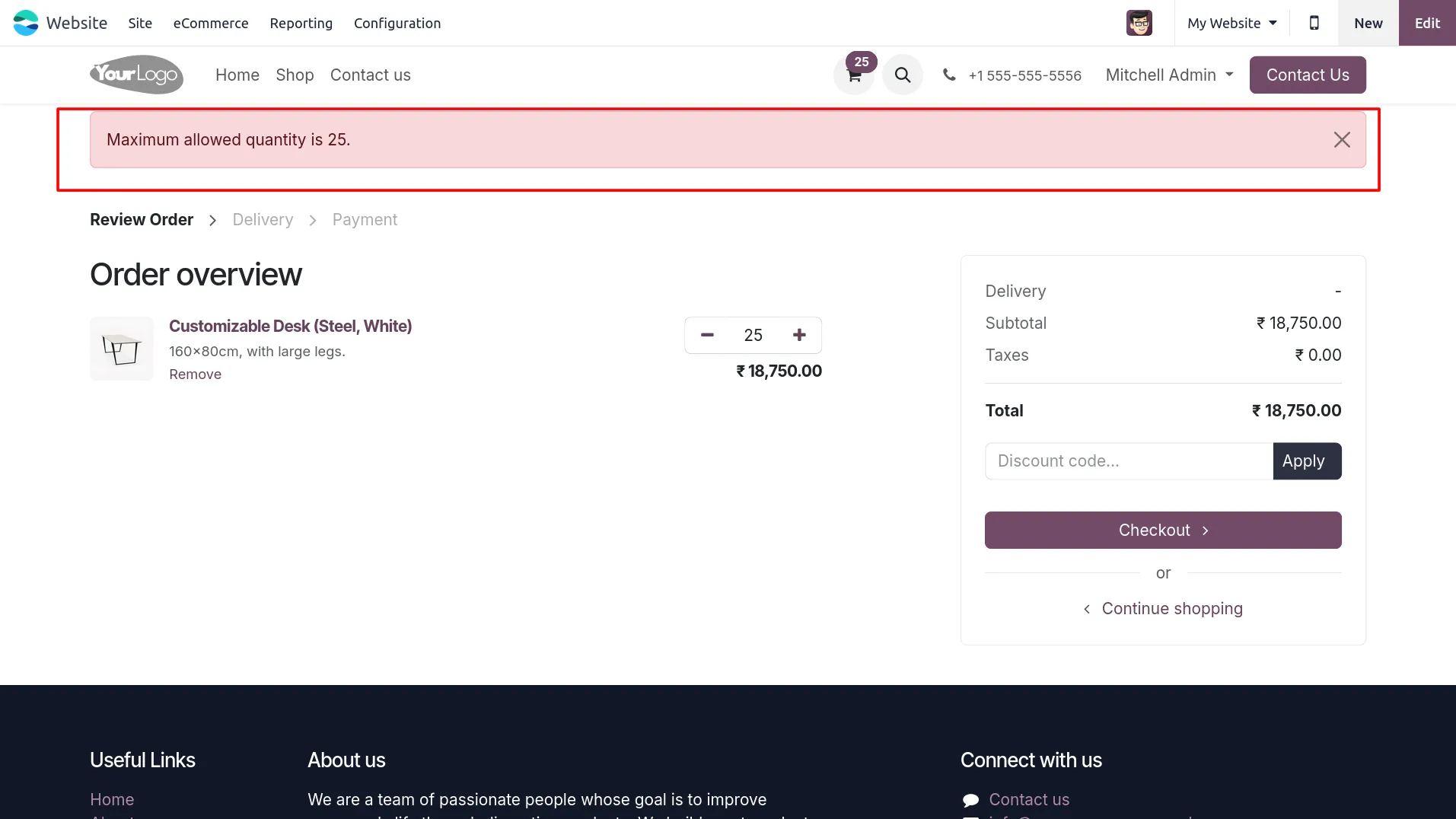
8. Open the cart page and try increasing the product quantity beyond the maximum limit to see the cart page validation warning.
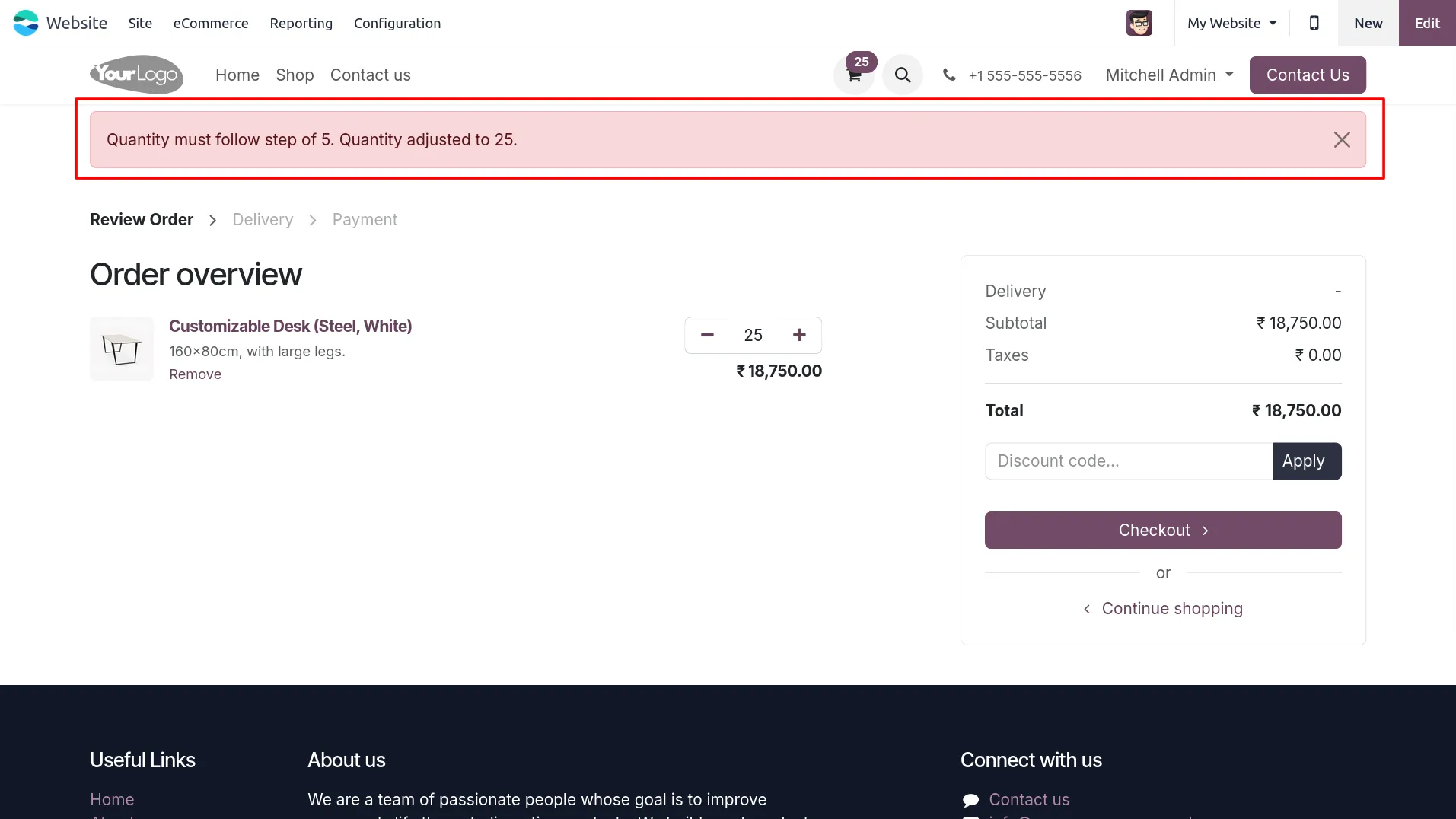
9. Enter a cart quantity that does not follow the defined quantity step and the system will auto-adjust it to the valid step while showing a warning message.
Our solutions focus on your problems
- Odoo Implementation
- Odoo Customization
- ERP Development and Implementation
- Odoo Ipass Cloud
- AI for Odoo
- Odoo Apps
- Aws Marketplace Products
- Business Engines
Our Pricing includes User Manual, 90 Days Support (Monday-Friday 10am to 7pm IST) and One time Setup
• Works & tested on standard installations of Odoo with no third party apps,
• Free support only for odoo installations with no third party apps,
• Paid support available for Odoo installations with third party apps.

Prefortune is a Odoo Official Partner, Odoo Development company. Our philosophy is to use Open Source tools and technologies to provide cost effective and green solutions for our customers.
Prefortune Technologies LLP is working on web development, Mobile development, and Odoo ERP.
If you need any help or want more additional features, you may contact us through:
Alternative Products
These other products might interest you
Specifications
| Version | 19.0, 18.0, 17.0, 16.0, 15.0, 14.0 |