Watch Quick Video
Website Product FAQ Odoo App
Our all-inclusive
Odoo – Website Product FAQ Odoo App The Website Product FAQ extension provides a comprehensive solution for enriching e-commerce product pages with structured question-and-answer sections. Starting from the configuration dashboard, users can establish general FAQ categories or assign unique questions to individual products. When creating the content, the intuitive popup window allows the integration of multimedia elements like videos and images alongside text, empowering merchants to craft highly informative and creative responses. To ensure content remains relevant, administrators can quickly toggle the active status or publish and unpublish specific entries based on current inventory or customer inquiries. On the customer-facing side, the module enhances the browsing experience by presenting these FAQs cleanly alongside the product details. To match diverse branding requirements, the tool includes a smart button feature that lets users choose from five pre-designed FAQ layout styles. These styles range from classic accordions to expanded lists, ensuring optimal readability. Ultimately, this streamlined management helps resolve common buyer queries instantly, supporting a more informed purchasing journey.
Website Product FAQ Odoo App
- Easily control public visibility by publishing or unpublishing them as needed.
- Select from various visual layouts using the smart button.
- Text, Images & Videos Easily: Build creative answers by inserting text, images, and videos.
- Add a shared FAQ or a separate one for a particular product.
- Organize information neatly under clear categories like General and Pricing.
Complete Workflow for Manage Website Product FAQ Odoo App
First we need to activate Website Product FAQ an administrator first navigates to the configuration menu to create FAQ titles and generate rich-text question-and-answer pairs that can include images and videos. Next, these generated FAQs are linked directly within a product's configuration page as either common or product-specific inquiries, where the admin can also toggle their active and published statuses. Finally, on the live website frontend, you can use the customize menu's smart button to select from five distinct visual layout styles to display the FAQs to your customers seamlessly
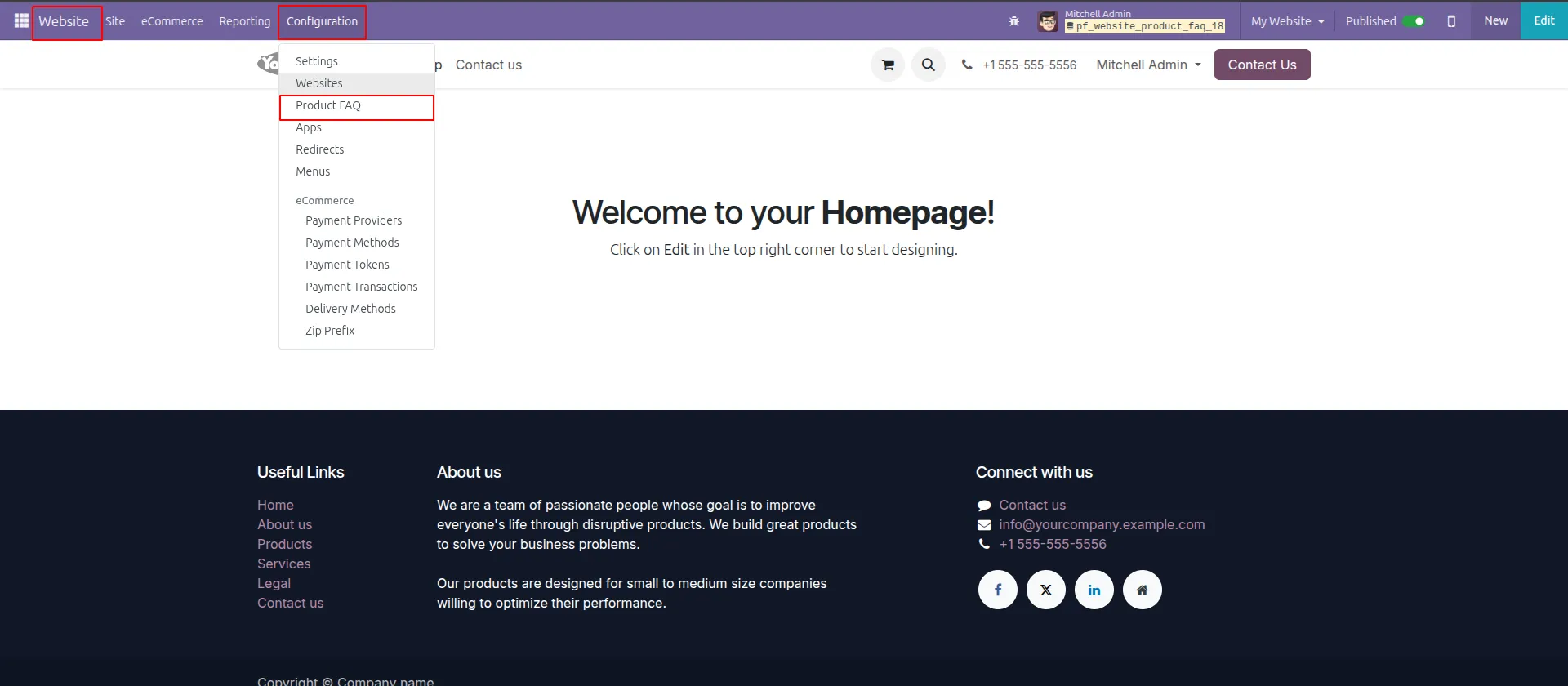
1.Go to Website → Configuration → Product FAQ to access the FAQ management area.
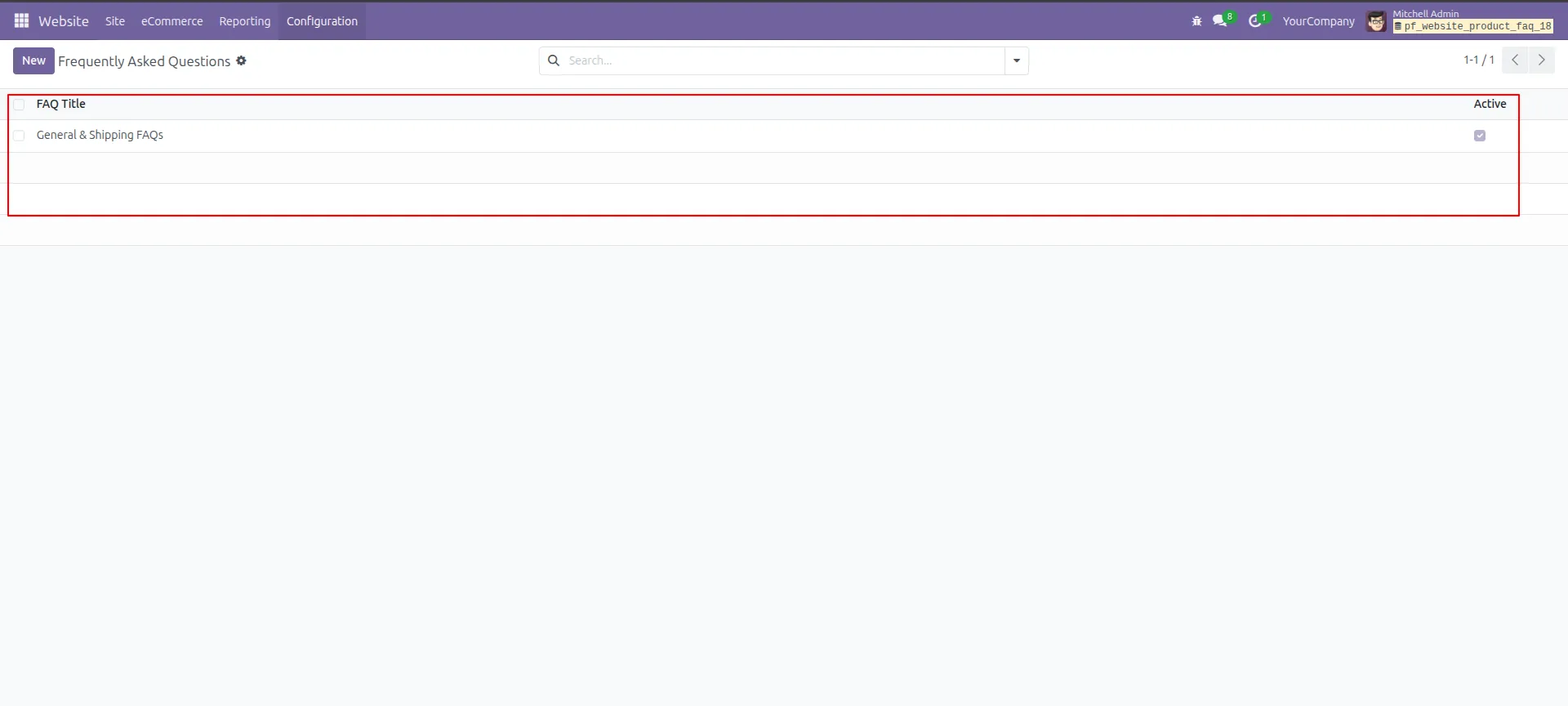
2.A list of all Frequently Asked Questions will be visible with their active status.
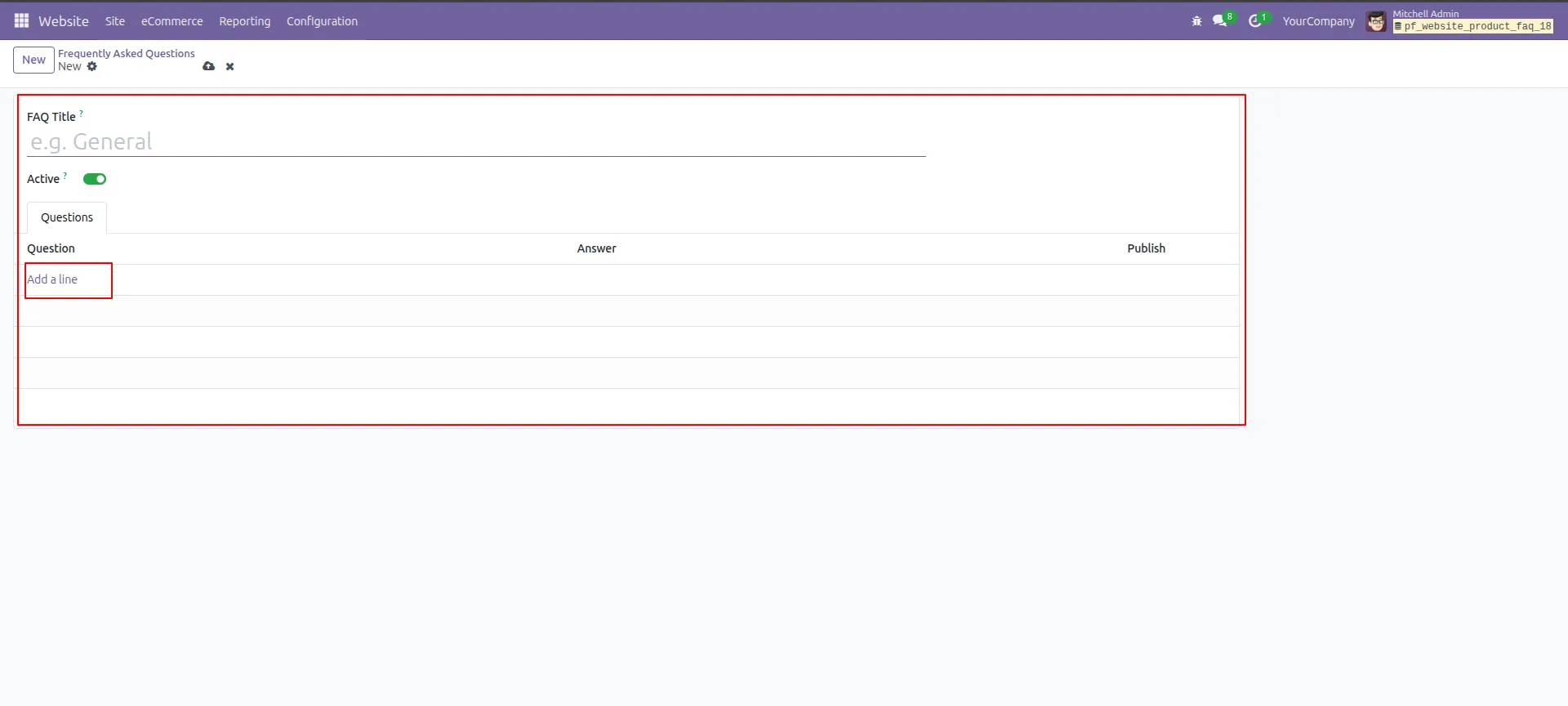
3.Click "New" to create a new FAQ and add the FAQ Title with questions tab.
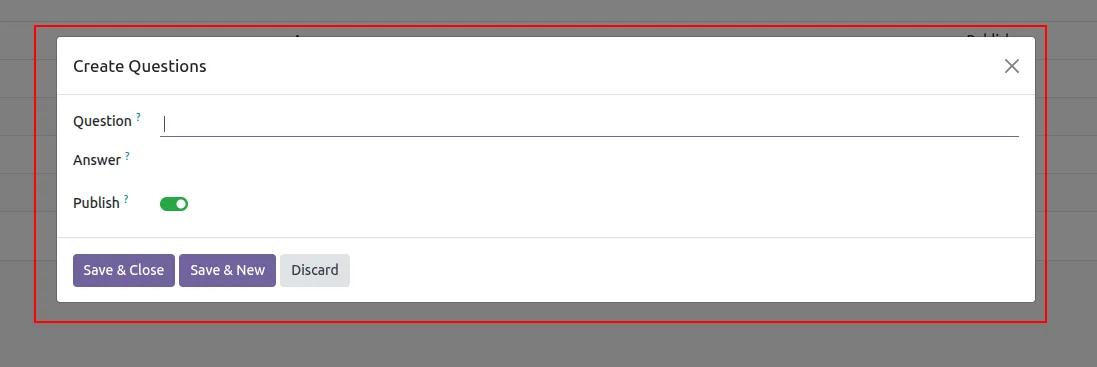
4.Click "Add a line" to create a new questions.
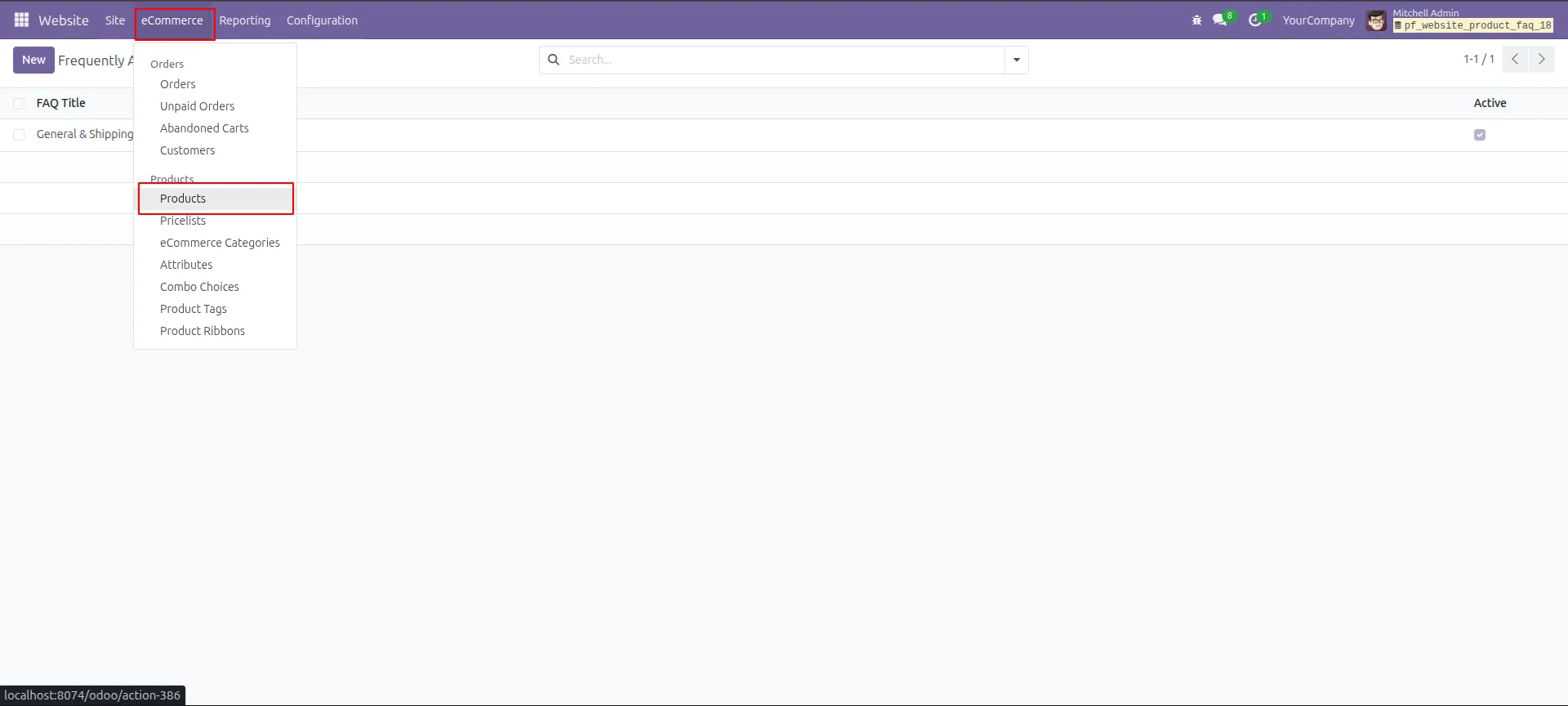
5.Navigate to eCommerce → Products to find the product you want to add FAQs to.
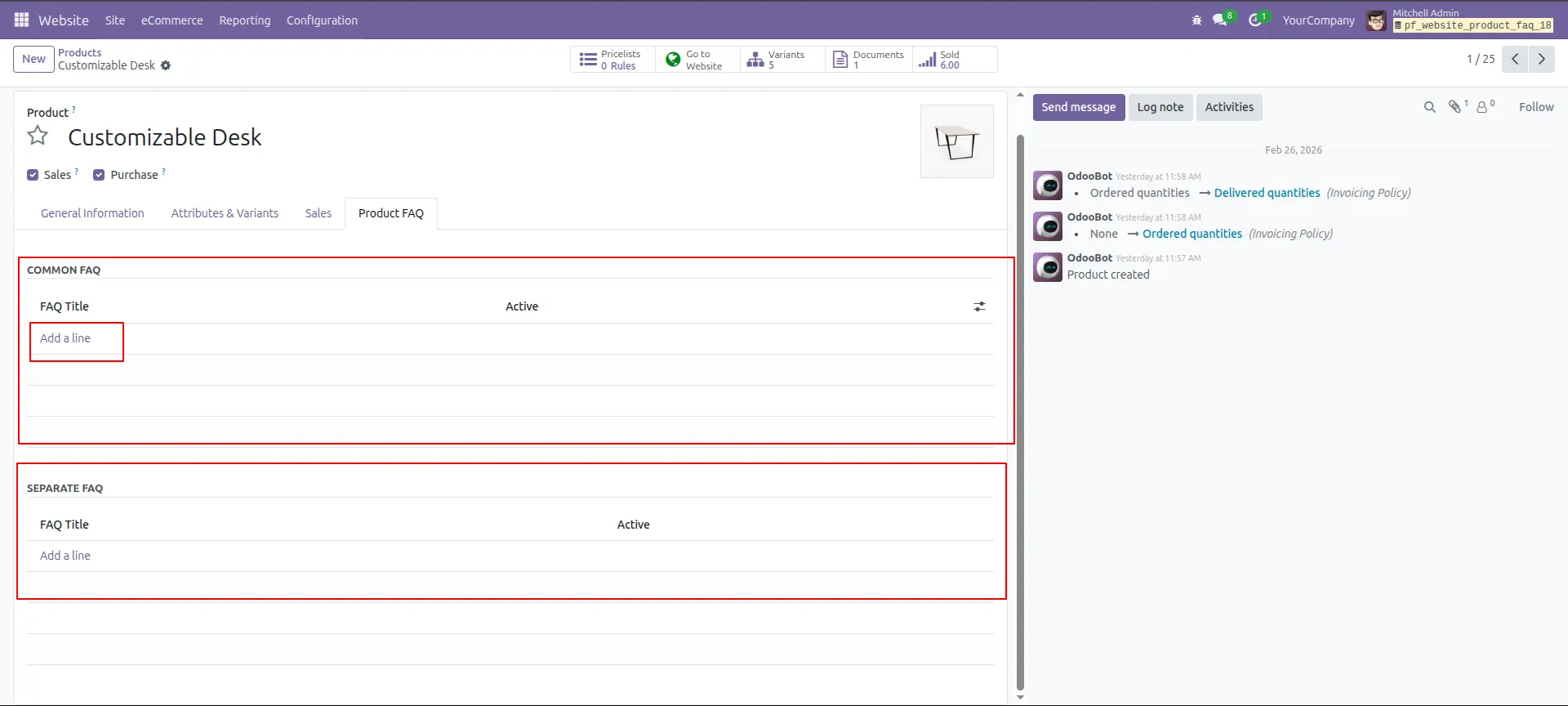
6.Inside the product, go to "Product FAQ" tab to assign Common & Separate FAQs.
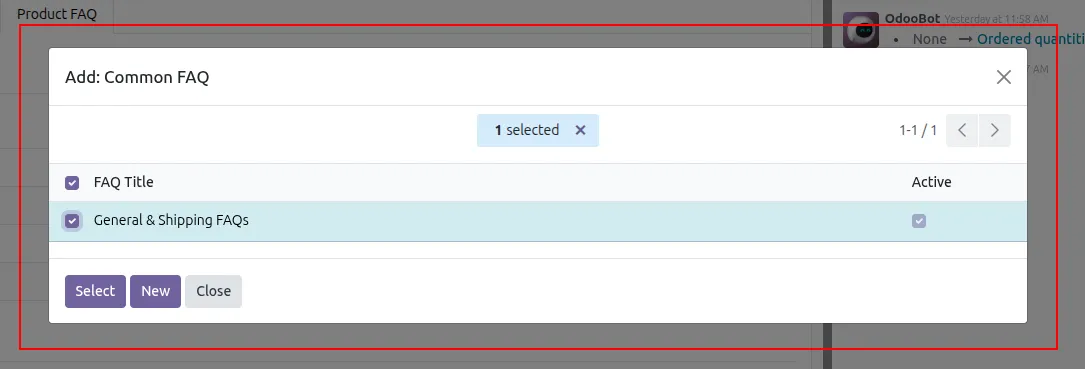
7.Click "Add a line" in Common FAQ to select or link an existing FAQ group.
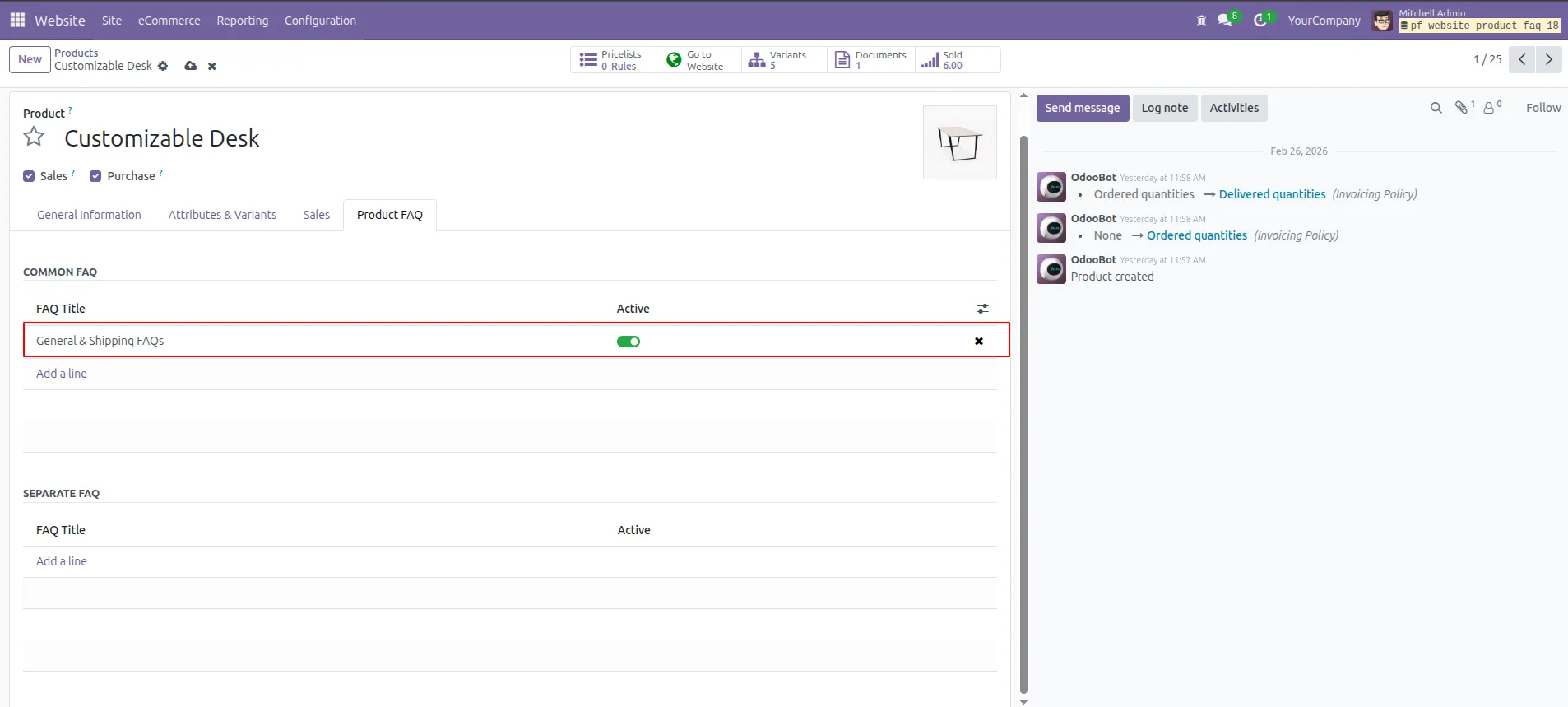
8.A selection popup shows available FAQs — select and confirm to link to the product.
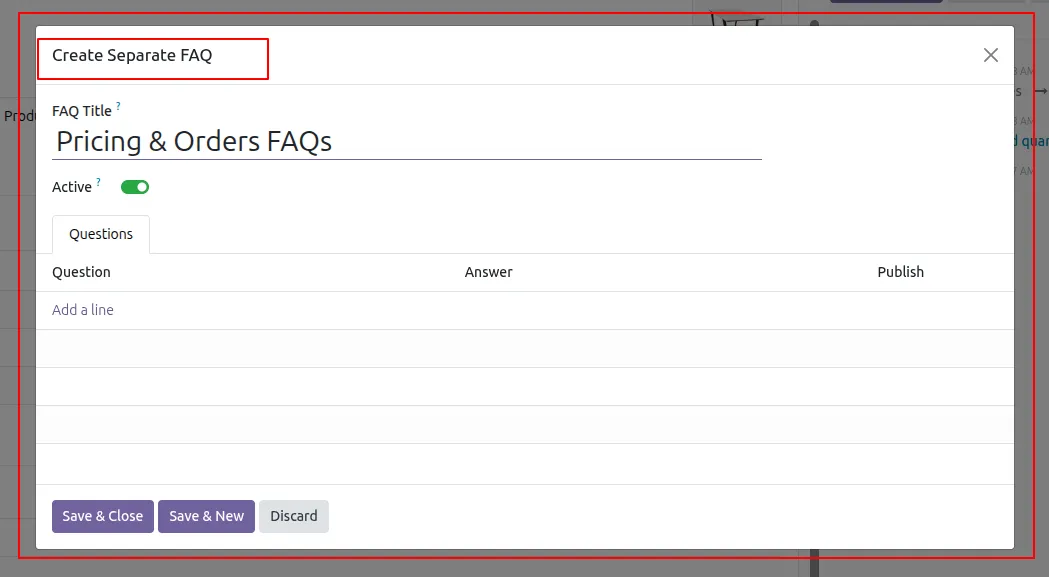
9. Click "Add a line" in Separate FAQ section and fill in the "Create Separate FAQ" form.
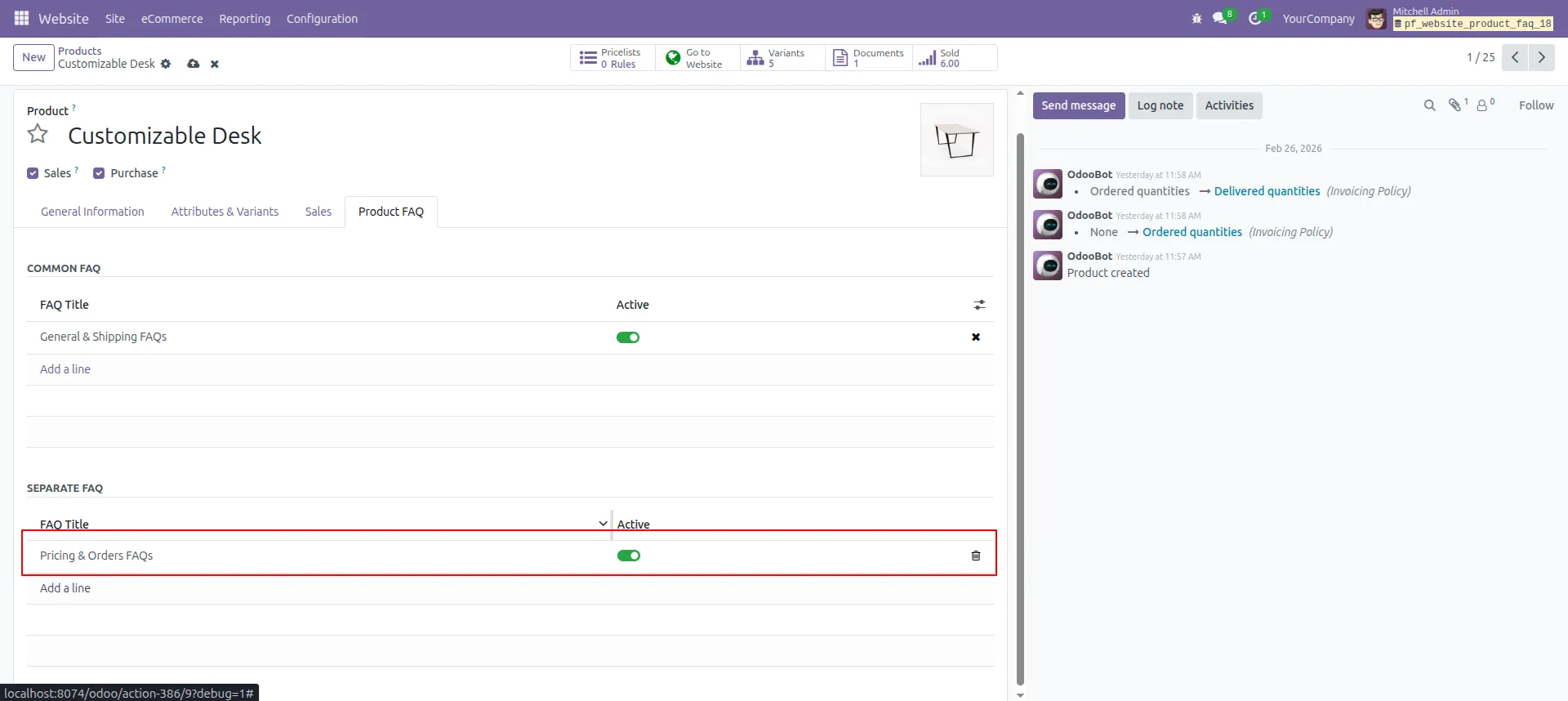
10.Save the product — both Common & Separate FAQs are now assigned successfully.
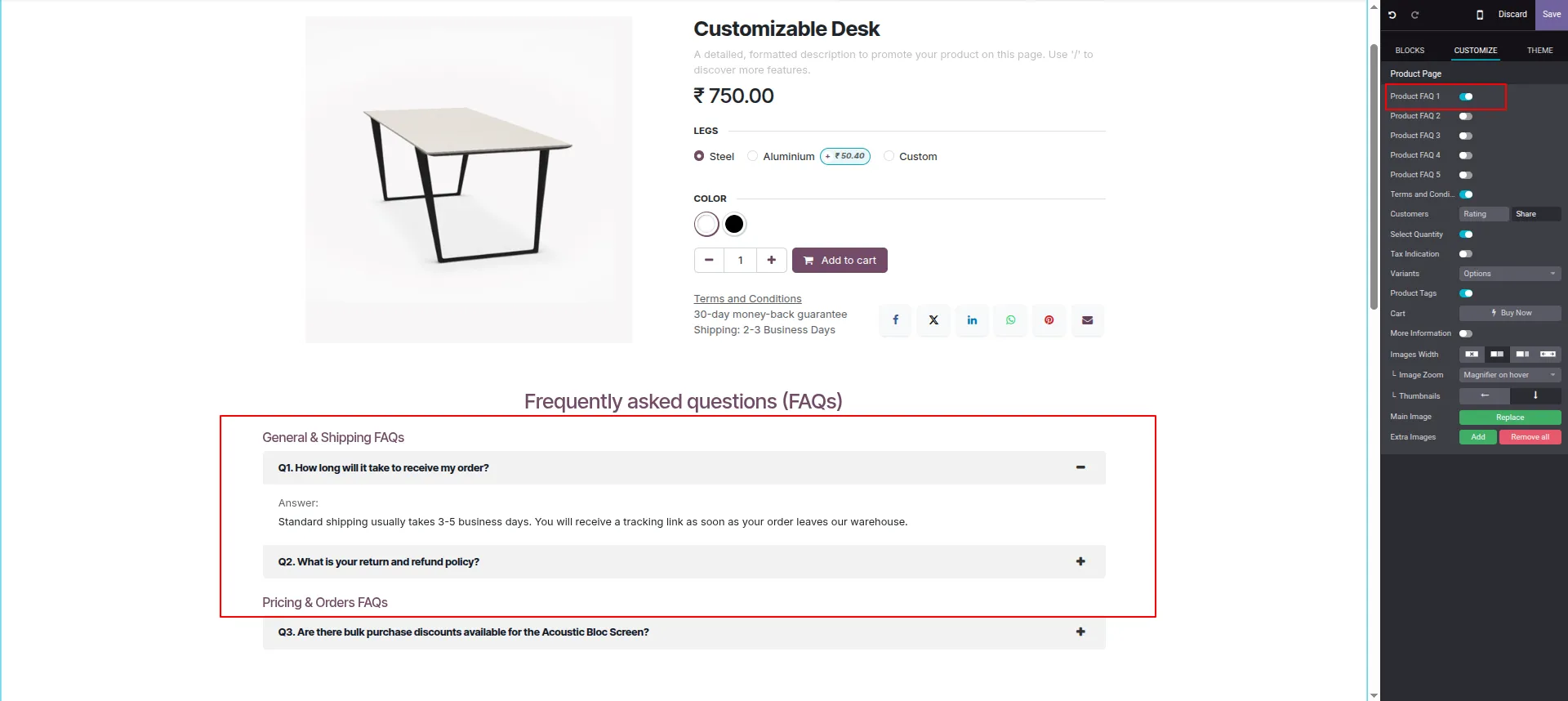
11.On the product page, select FAQ Style 1 using the smart button on the right panel.
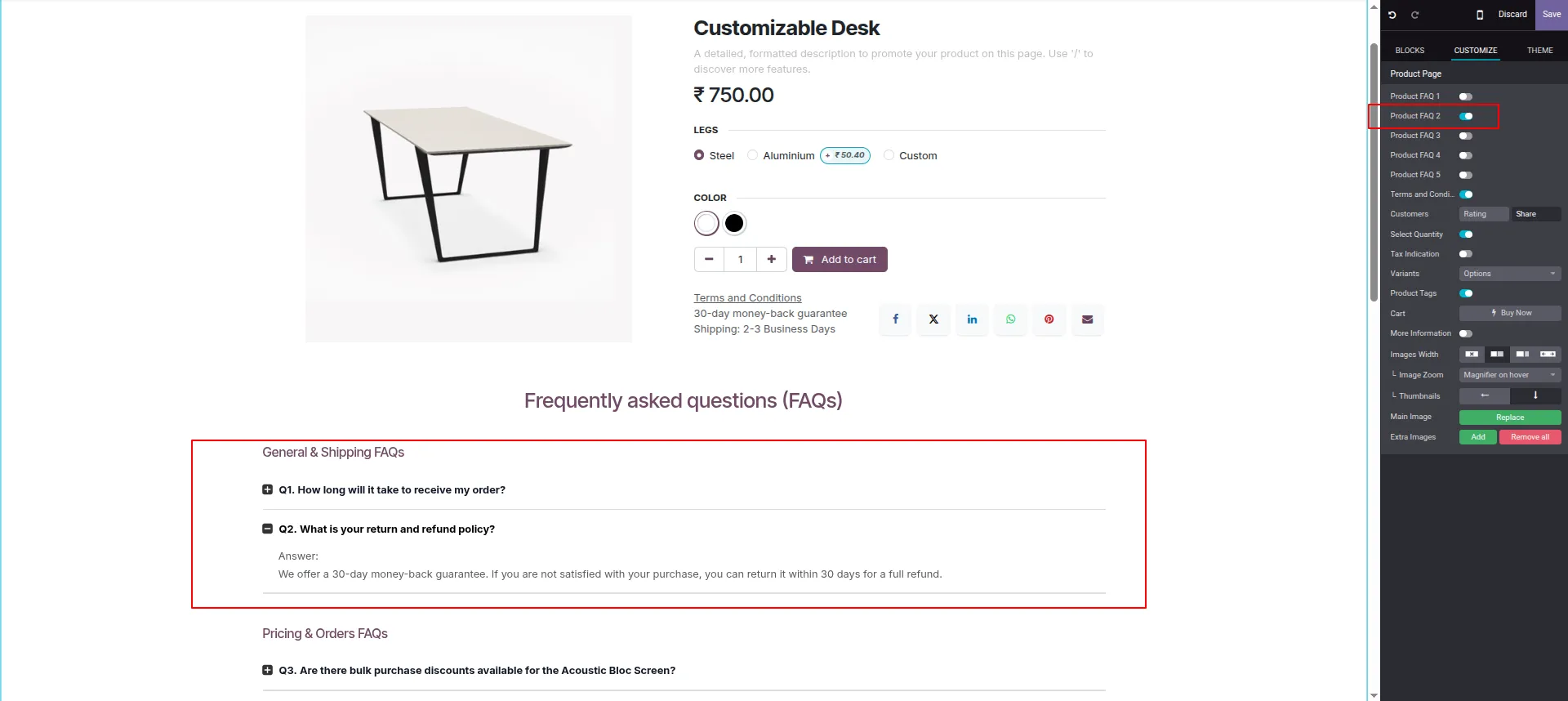
12.Switch to FAQ Style 2 for a different accordion-style layout with indented answers.
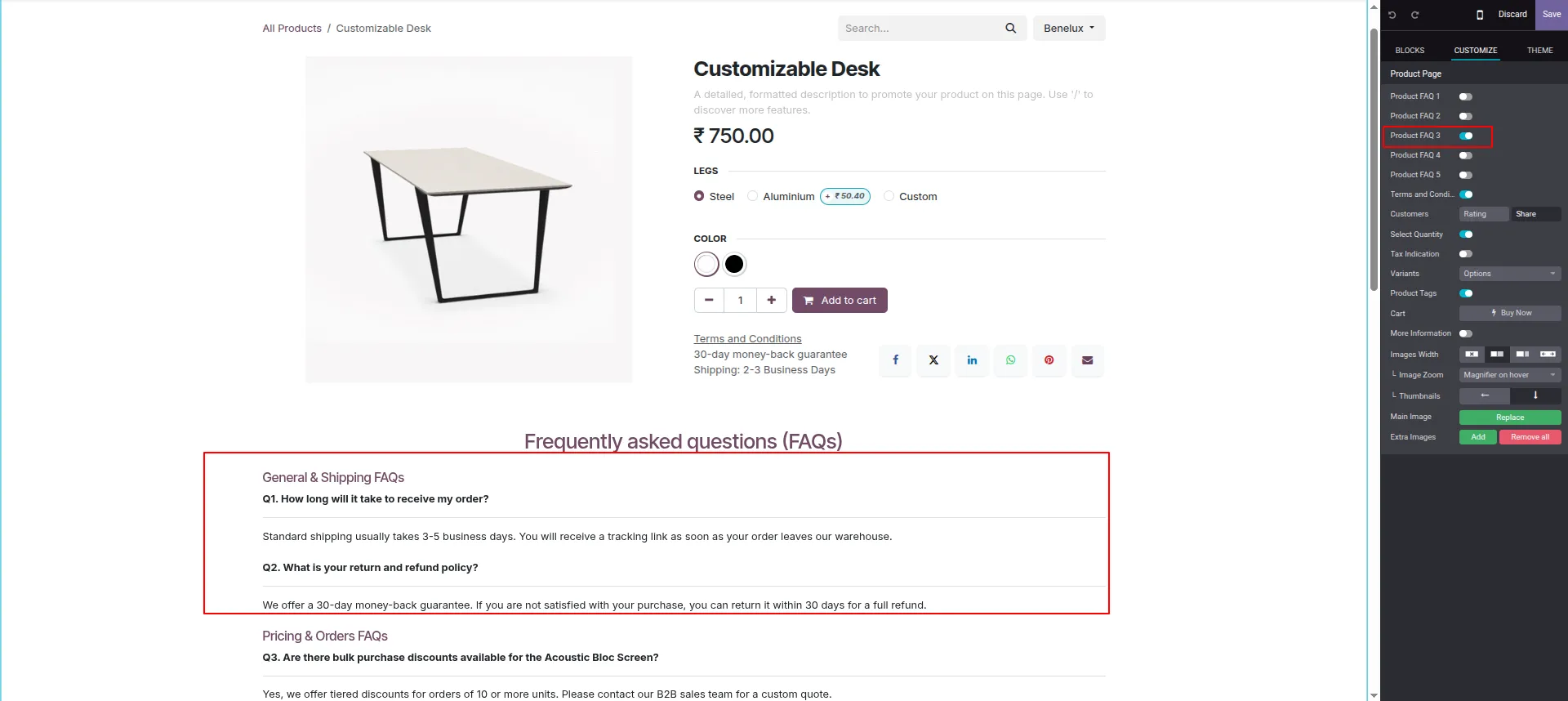
13.Select FAQ Style 3 to display questions and answers in a clean flat table format.
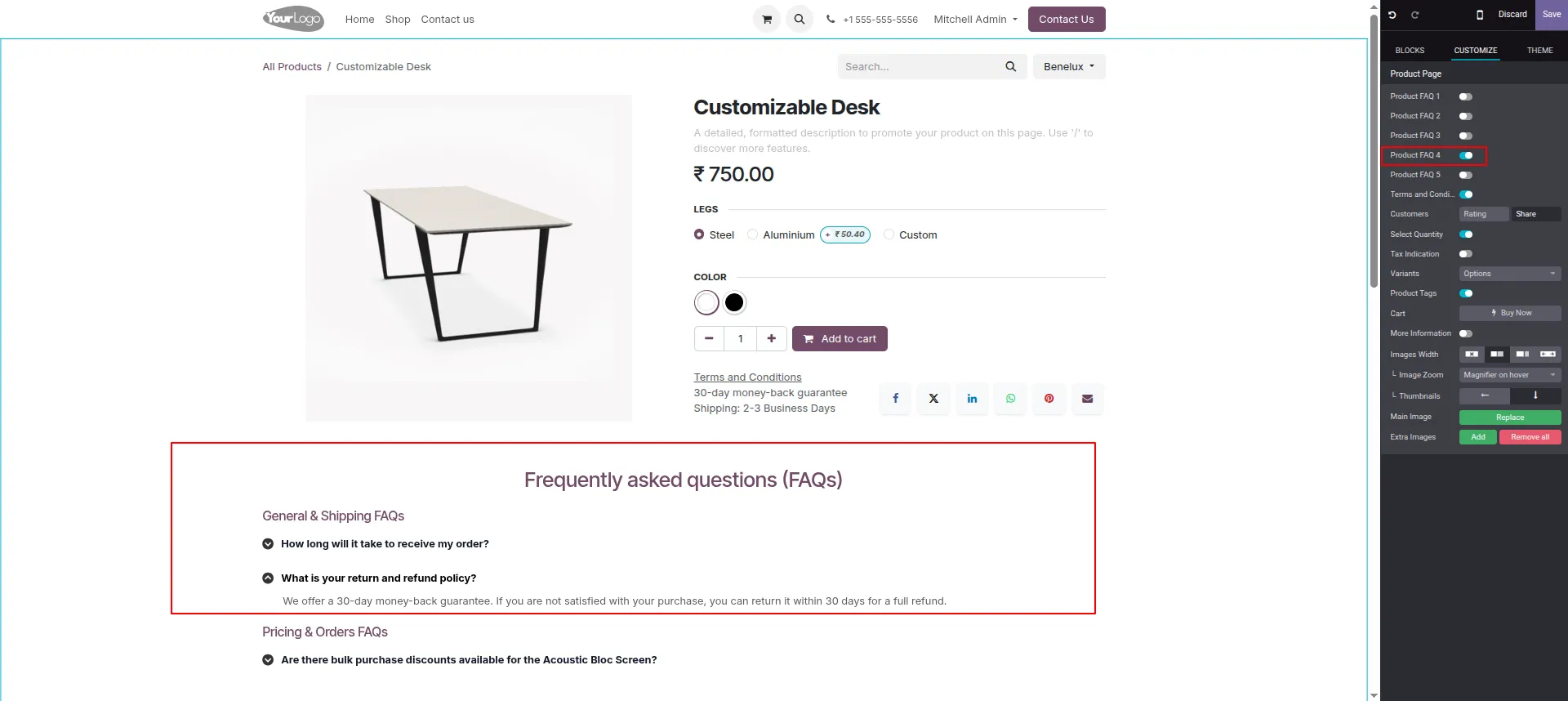
14.Choose FAQ Style 4 to show FAQs with checkmark icons beside each question.
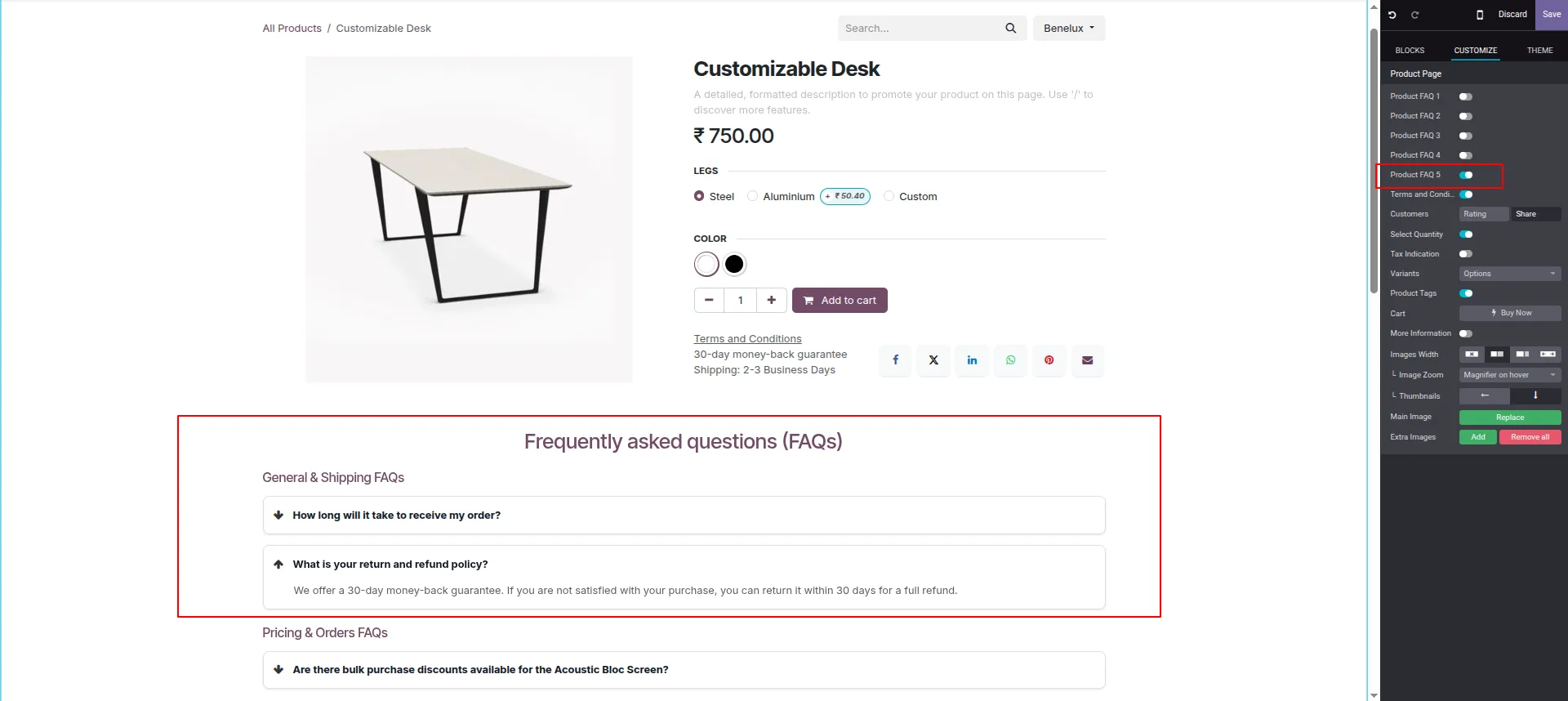
15.Apply FAQ Style 5 for an arrow-icon style with a boxed, card-like FAQ layout.
Our solutions focus on your problems
- Odoo Implementation
- Odoo Customization
- ERP Development and Implementation
- Odoo Ipass Cloud
- AI for Odoo
- Odoo Apps
- Aws Marketplace Products
- Business Engines
Our Pricing includes User Manual, 90 Days Support (Monday-Friday 10am to 7pm IST) and One time Setup
• Works & tested on standard installations of Odoo with no third party apps,
• Free support only for odoo installations with no third party apps,
• Paid support available for Odoo installations with third party apps.

Prefortune is a Odoo Official Partner, Odoo Development company. Our philosophy is to use Open Source tools and technologies to provide cost effective and green solutions for our customers.
Prefortune Technologies LLP is working on web development, Mobile development, and Odoo ERP.
If you need any help or want more additional features, you may contact us through:
Alternative Products
These other products might interest you
Specifications
| Version | 19.0, 18.0, 17.0, 16.0, 15.0, 14.0 |