Watch Quick Video
Website Password Validator
Our all-inclusive
Odoo – Website Password Validator
App
enhances the standard authentication workflow by introducing a flexible
and configurable password validation system. It enables administrators to
define and manage password rules such as minimum length, uppercase and
lowercase letters, digits, and special characters directly from settings.
During signup and password change processes, users are guided with a real-time
validation popup that displays required criteria and highlights completed conditions
instantly. This ensures that all password requirements are fulfilled before submission,
preventing weak passwords and reducing security risks. All validations are consistently
applied across the platform, providing a secure, reliable, and user-friendly experience
while maintaining strong data protection standards.
Key Features
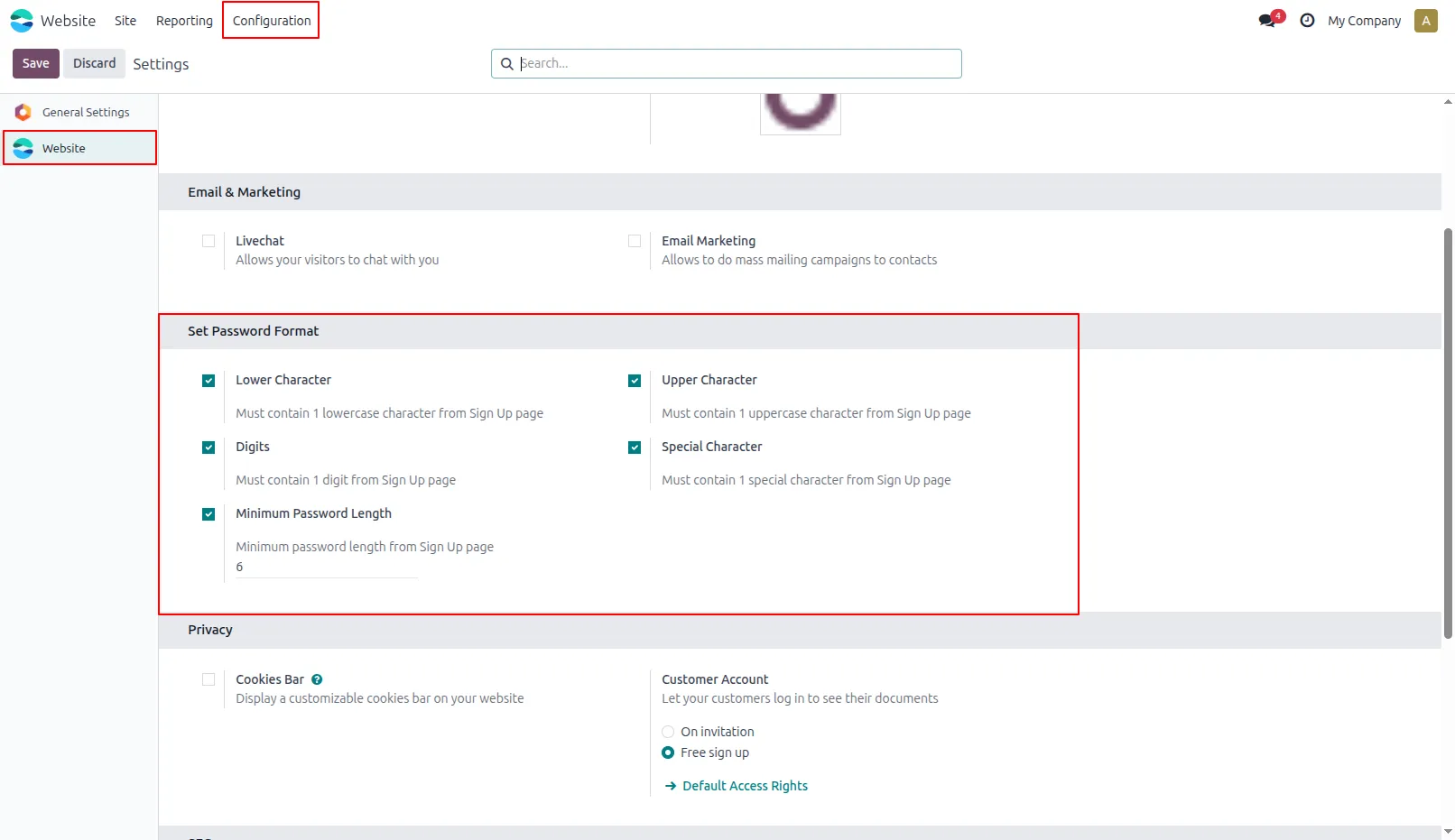
1.Go to Settings → General Settings, find the Set Password Format section, and configure password rules like special characters, length, and other requirements as needed.
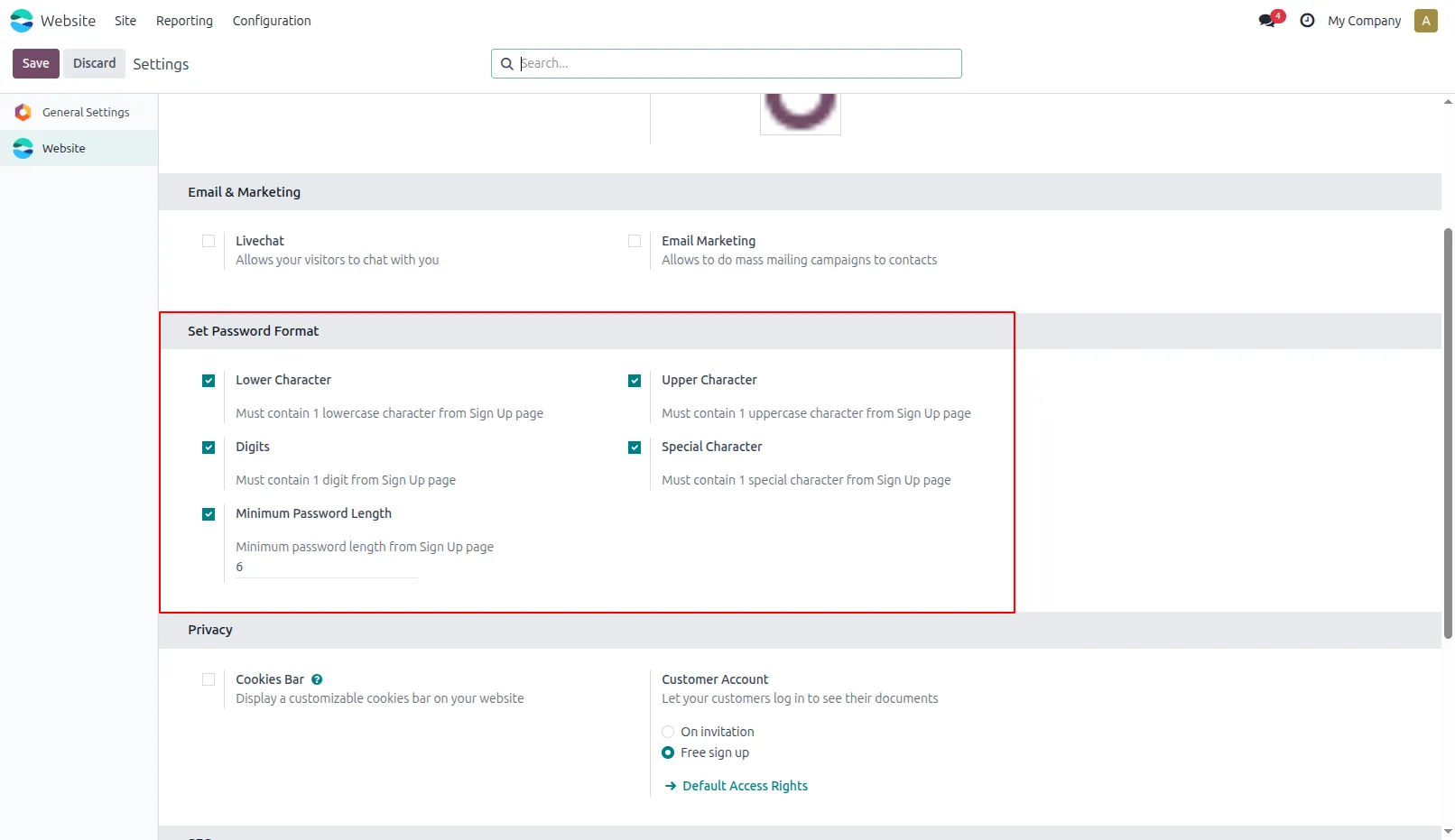
2.Select options according to format that you want to apply. If you select the option Minimum Password Length, you will get one input box to set minimum length of password.
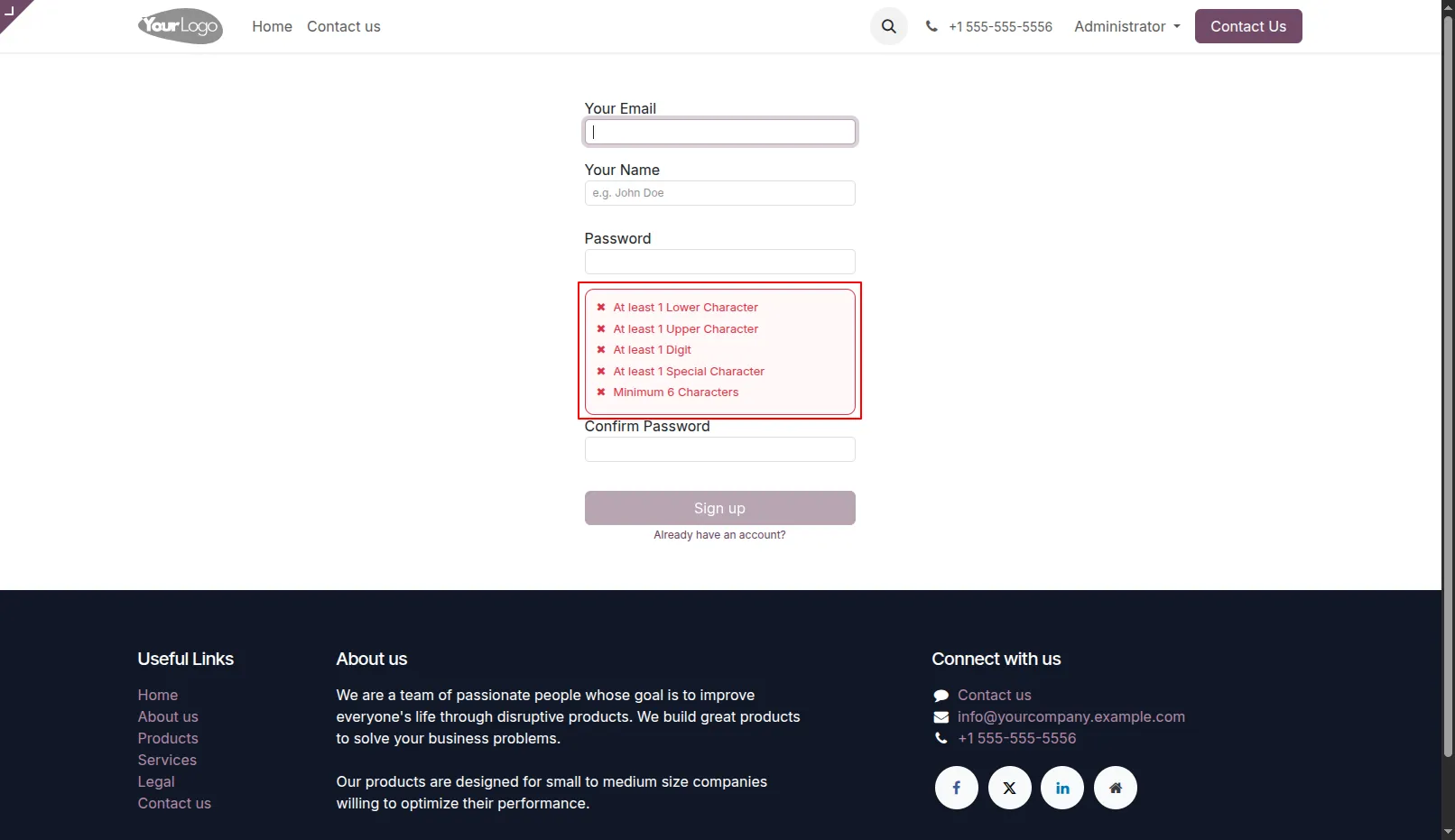
3.When you start typing the password, a Validation Popup Box will appear.
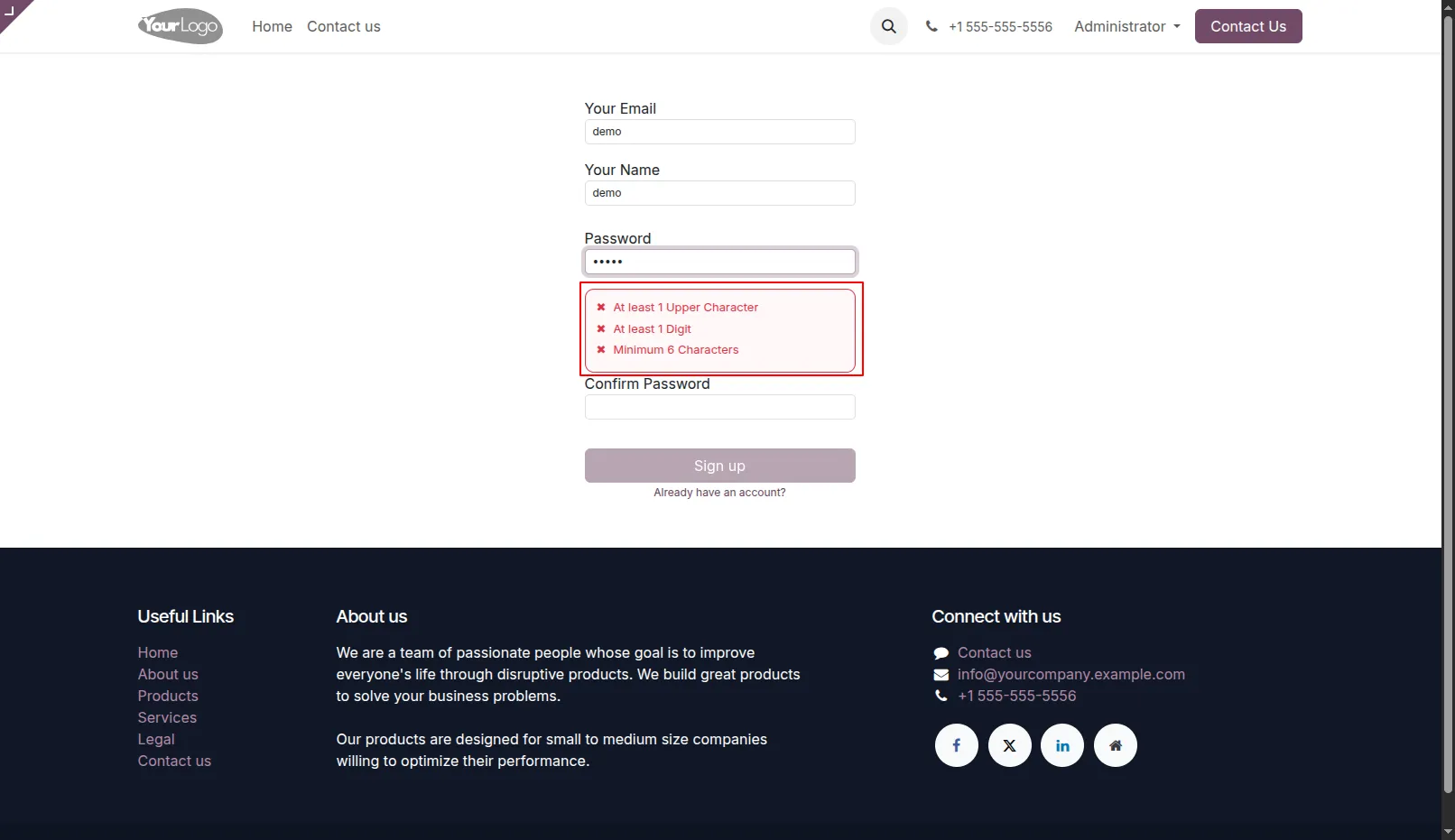
4.As soon as you start typing the password, the validations that are fulfilled will disappear from the list.
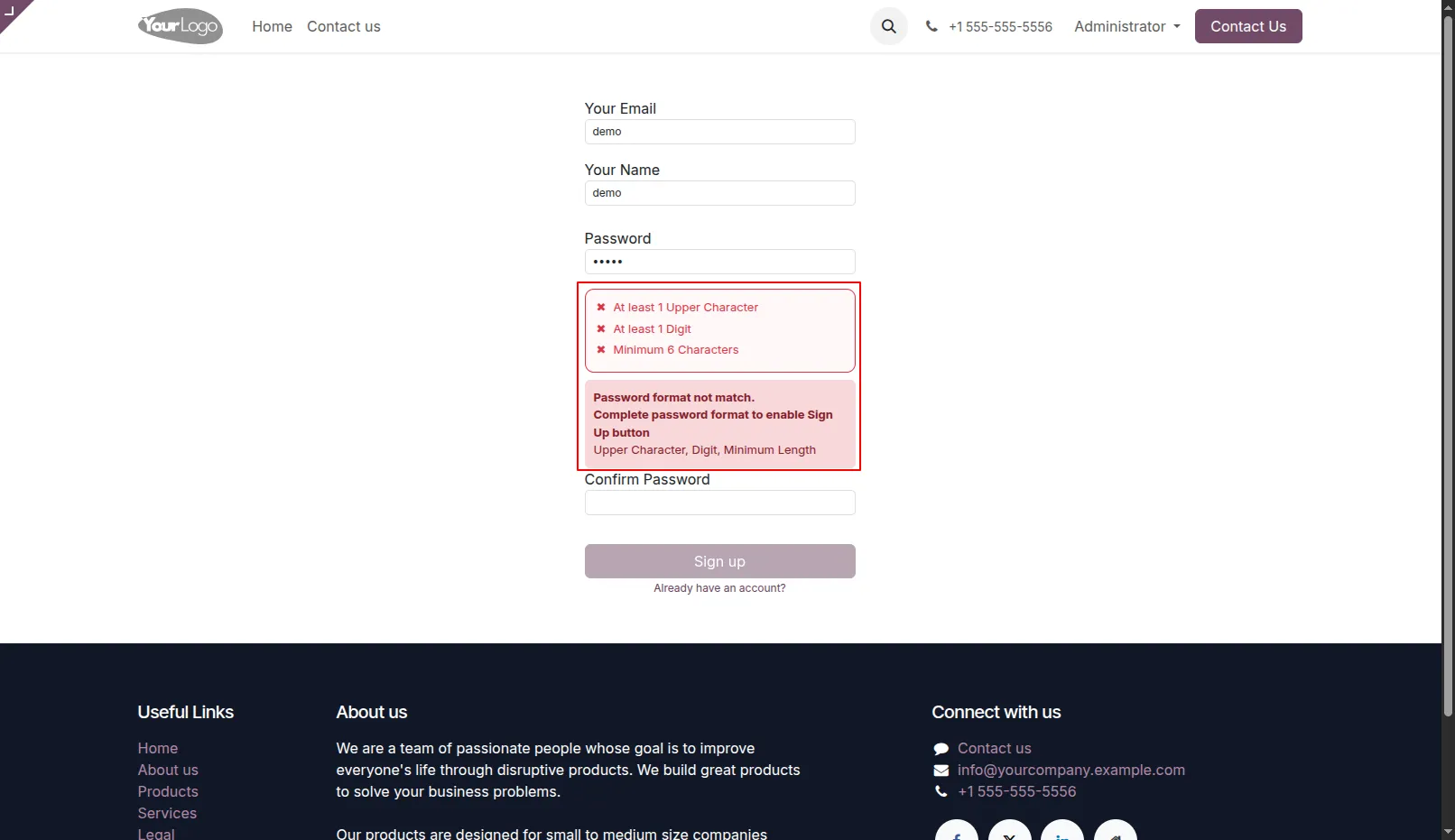
5.If user do not enter the password as per the format, then the error message will be displayed.
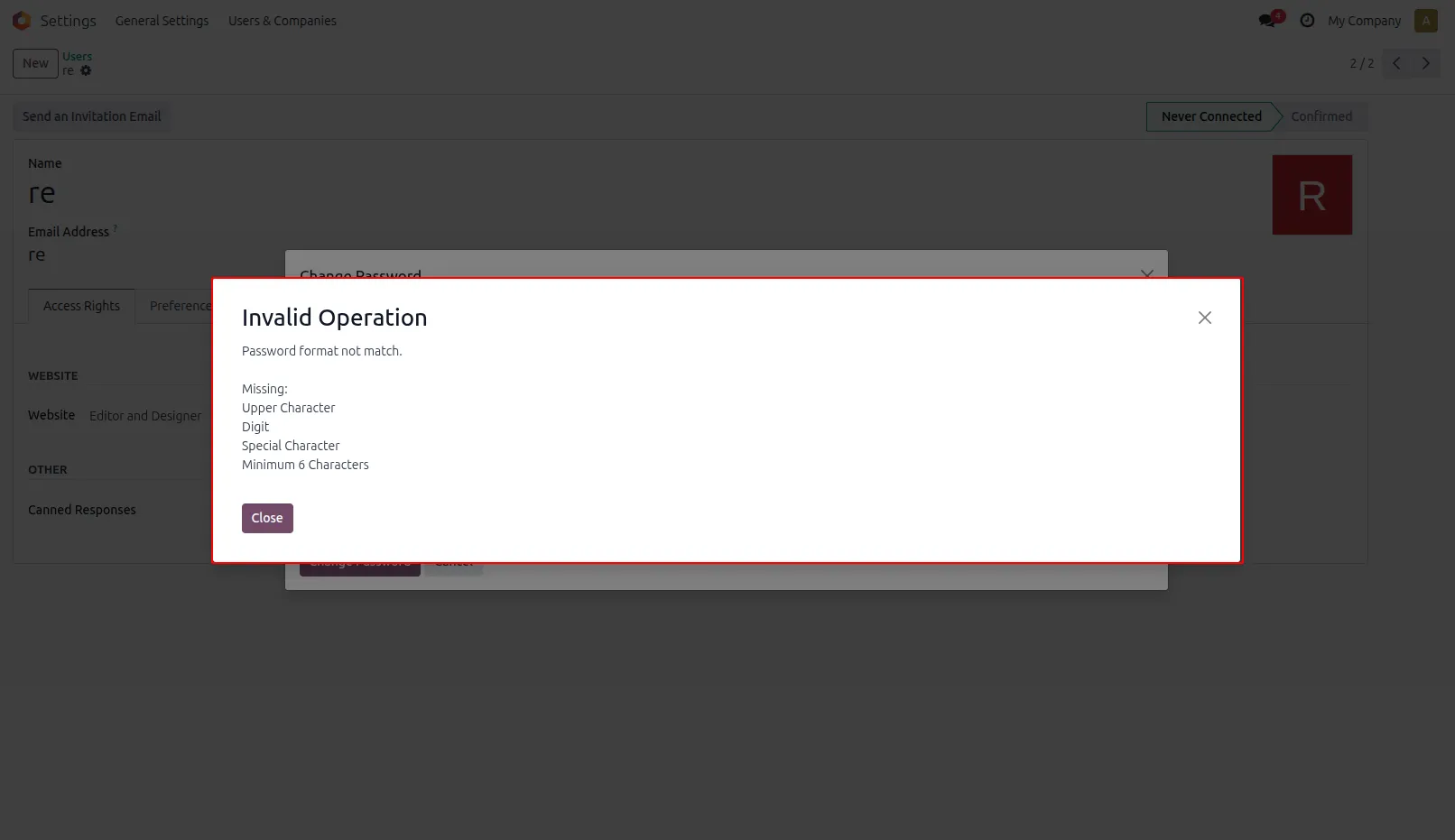
6.When you click on the change password button, a Validation Popup Box will appear
Our solutions focus on your problems
- Odoo Implementation
- Odoo Customization
- ERP Development and Implementation
- Odoo Ipass Cloud
- AI for Odoo
- Odoo Apps
- Aws Marketplace Products
- Business Engines
Our Pricing includes User Manual, 90 Days Support (Monday-Friday 10am to 7pm IST) and One time Setup
• Works & tested on standard installations of Odoo with no third party apps,
• Free support only for odoo installations with no third party apps,
• Paid support available for Odoo installations with third party apps.

Prefortune is a Odoo Official Partner, Odoo Development company. Our philosophy is to use Open Source tools and technologies to provide cost effective and green solutions for our customers.
Prefortune Technologies LLP is working on web development, Mobile development, and Odoo ERP.
If you need any help or want more additional features, you may contact us through:
Alternative Products
These other products might interest you
Specifications
| Version | 19.0, 18.0, 17.0, 16.0, 15.0, 14.0 |