Watch Quick Video

Website Order Discount on Payment Methods Odoo App
Our all-inclusive
Odoo – Website Order Discount on Payment Methods Odoo App
enhances the standard Odoo website checkout by applying dynamic discounts based on the selected payment method. It allows administrators to configure both percentage-based and fixed amount discounts directly from the payment provider settings.
When a customer selects a payment option during checkout, the applicable discount is automatically calculated and reflected in the order total in real time. This ensures a smooth and transparent pricing experience for the user.
The module helps businesses promote preferred payment methods and improve conversion rates by offering targeted incentives. It integrates seamlessly with Odoo Website and Payment modules without requiring complex configuration.
By providing automatic discount application within the checkout flow, this module enhances user experience, increases flexibility, and supports better sales strategies.
Website Order Discount on Payment Methods Odoo App
- Automatically applies either a fixed amount or percentage discount when a specific payment method is selected.
- Instantly calculates and displays the discount on the checkout page as soon as the payment method is chosen.
- Allows administrators to define and manage discount rules individually for each payment provider.
- Ensures the applied discount is accurately recorded and displayed in the generated invoice.
Complete Workflow for Website Order Discount on Payment Methods App
To get started with the Website Payment Method Discount Module, first install it from the Apps menu. After installation, go to Sales > Configuration > Settings and enable the Payment Method Discount option, then select the appropriate discount account. Next, navigate to Sales > Configuration > Payment Providers and configure the discount for each payment provider by setting either a fixed amount or percentage-based discount. Now, go to the website and add products to the cart. During checkout, when the customer selects a payment method, the configured discount will be automatically applied in real-time, and the updated total amount will be displayed instantly. Once the order is confirmed, the discount will be correctly reflected in the Sales Order and Invoice, ensuring accurate accounting and a seamless checkout experience.
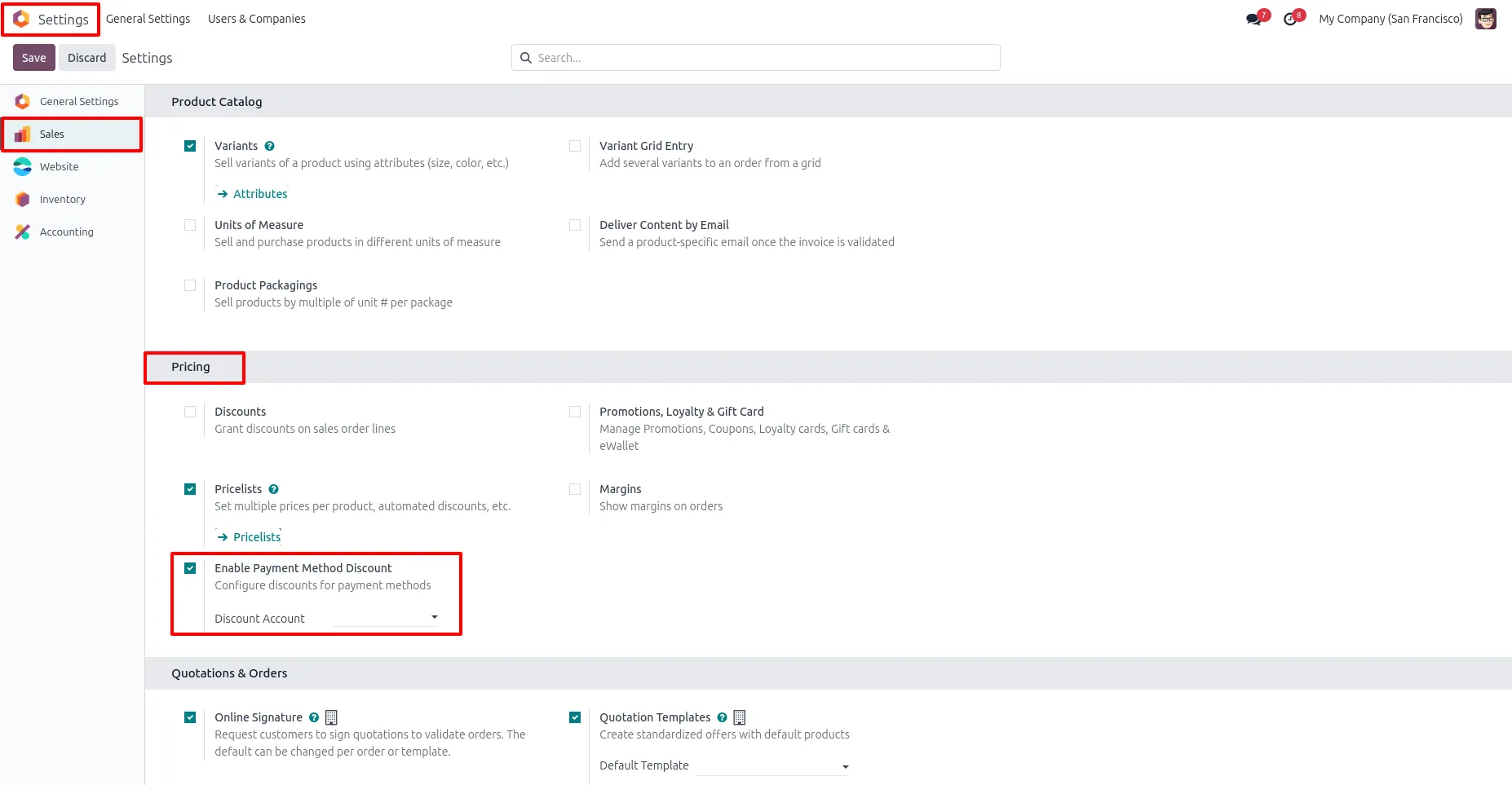
1. Go to Settings → Sales, enable the "Payment Method Discount" option under the Pricing section, and optionally choose a discount account.
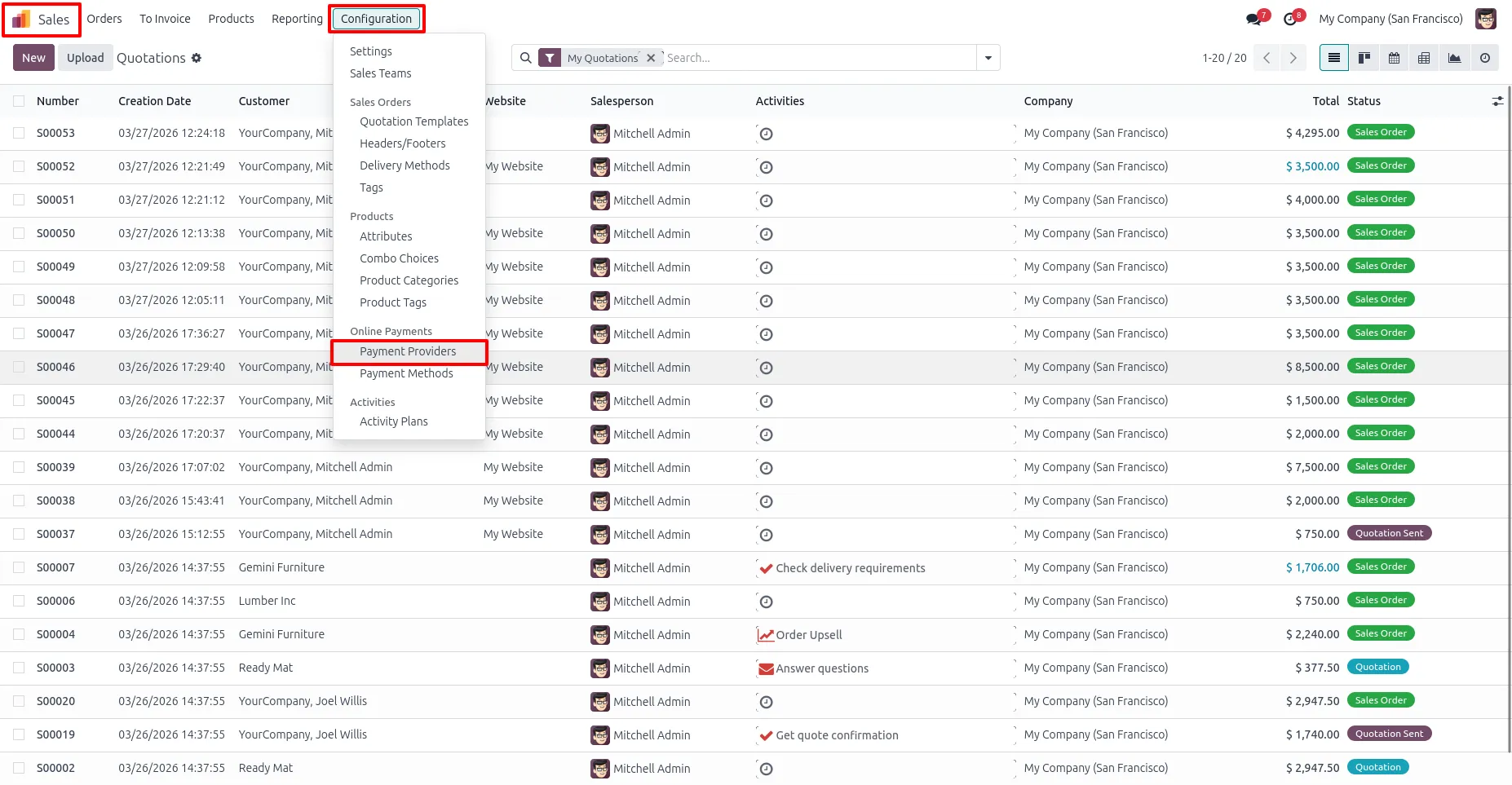
2. Go to Sales → Configuration → Payment Providers.
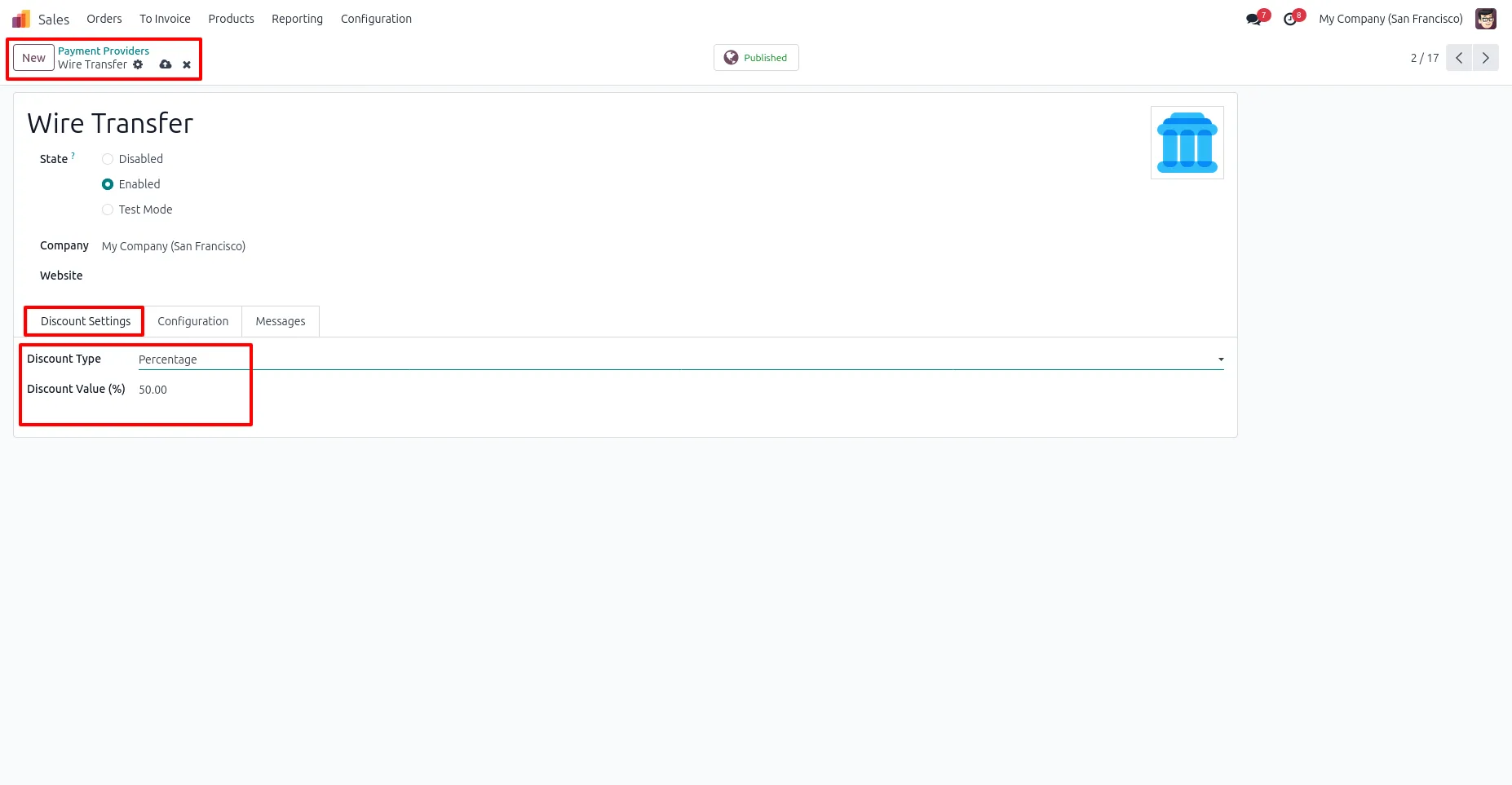
3. Select a payment provider, open "Discount Settings", and configure the discount type and enter value.
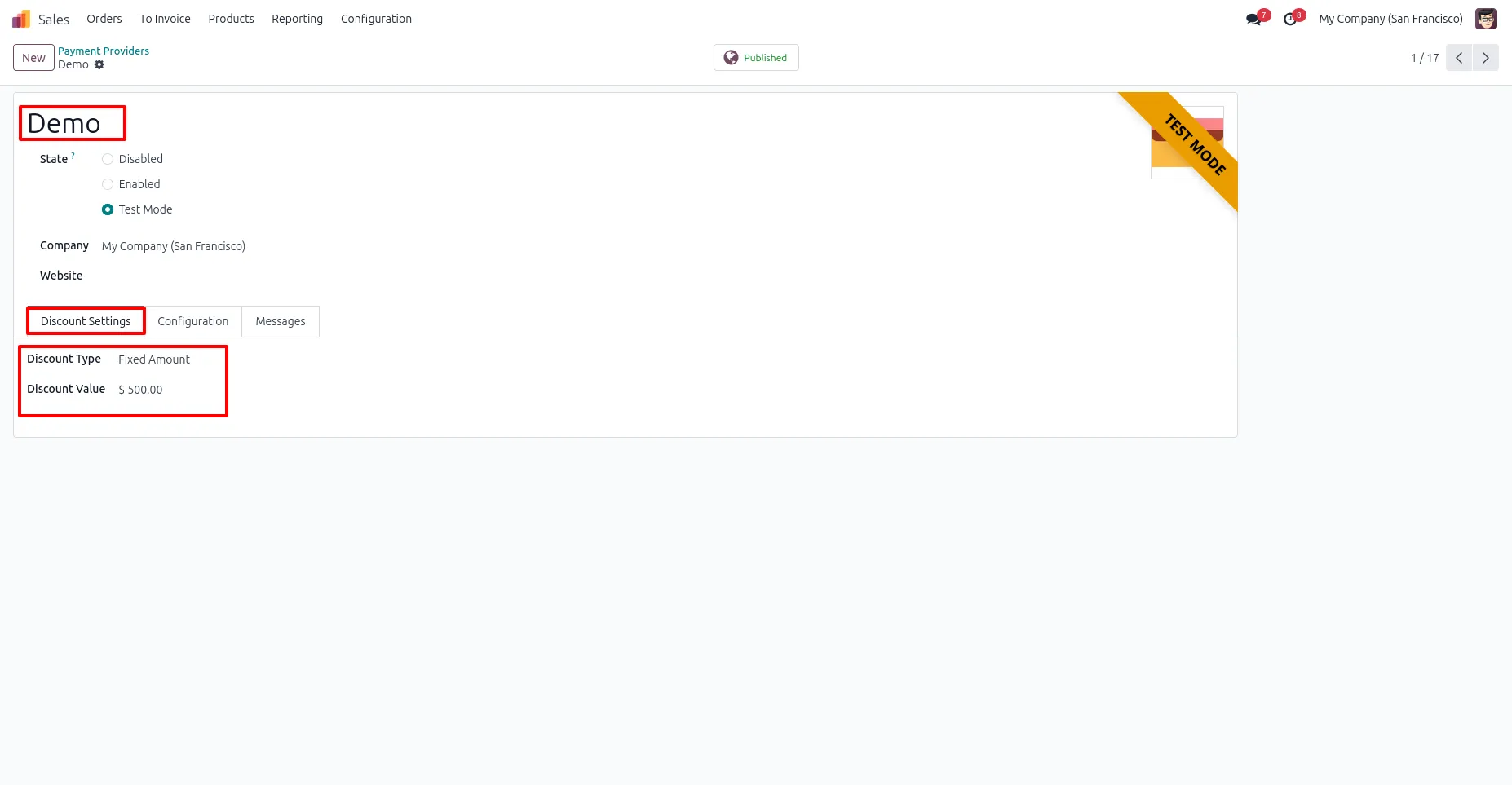
4. Discounts can be configured in the payment providers based on your requirements.
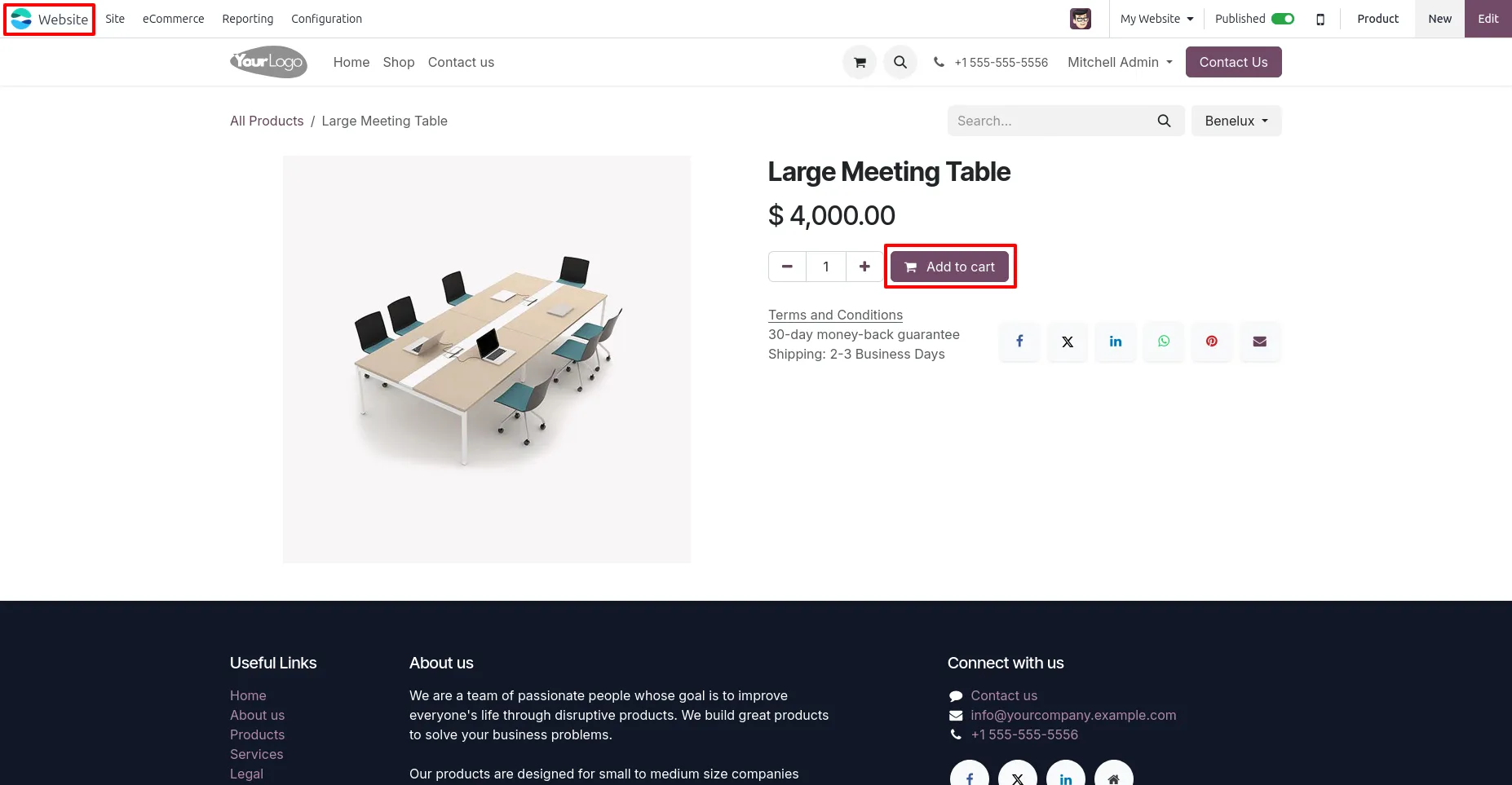
5. Go to the website and add products to cart.
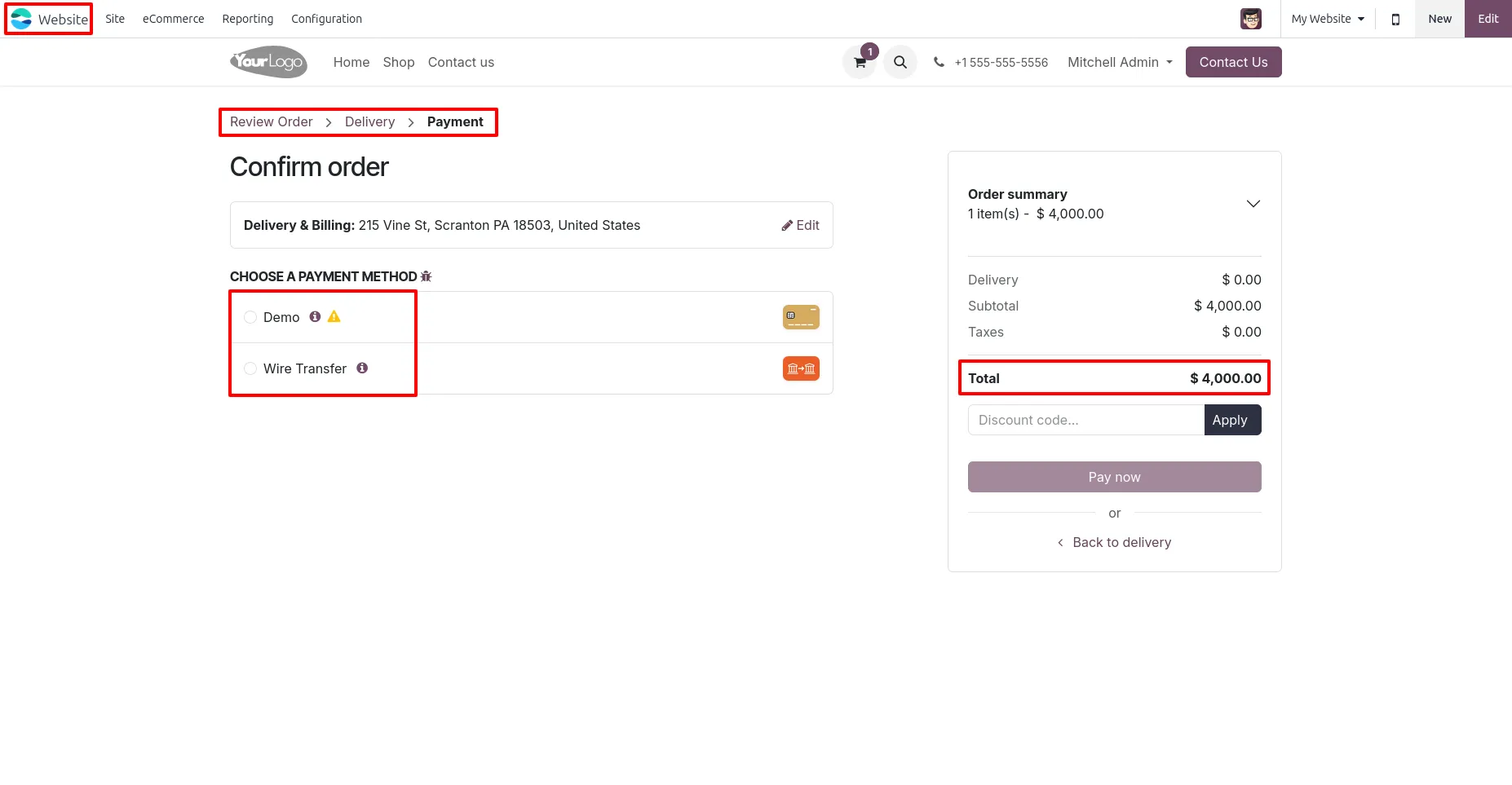
6. Navigate to the Website checkout page, proceed to the payment step, you can see payment method with 🛈 icon.
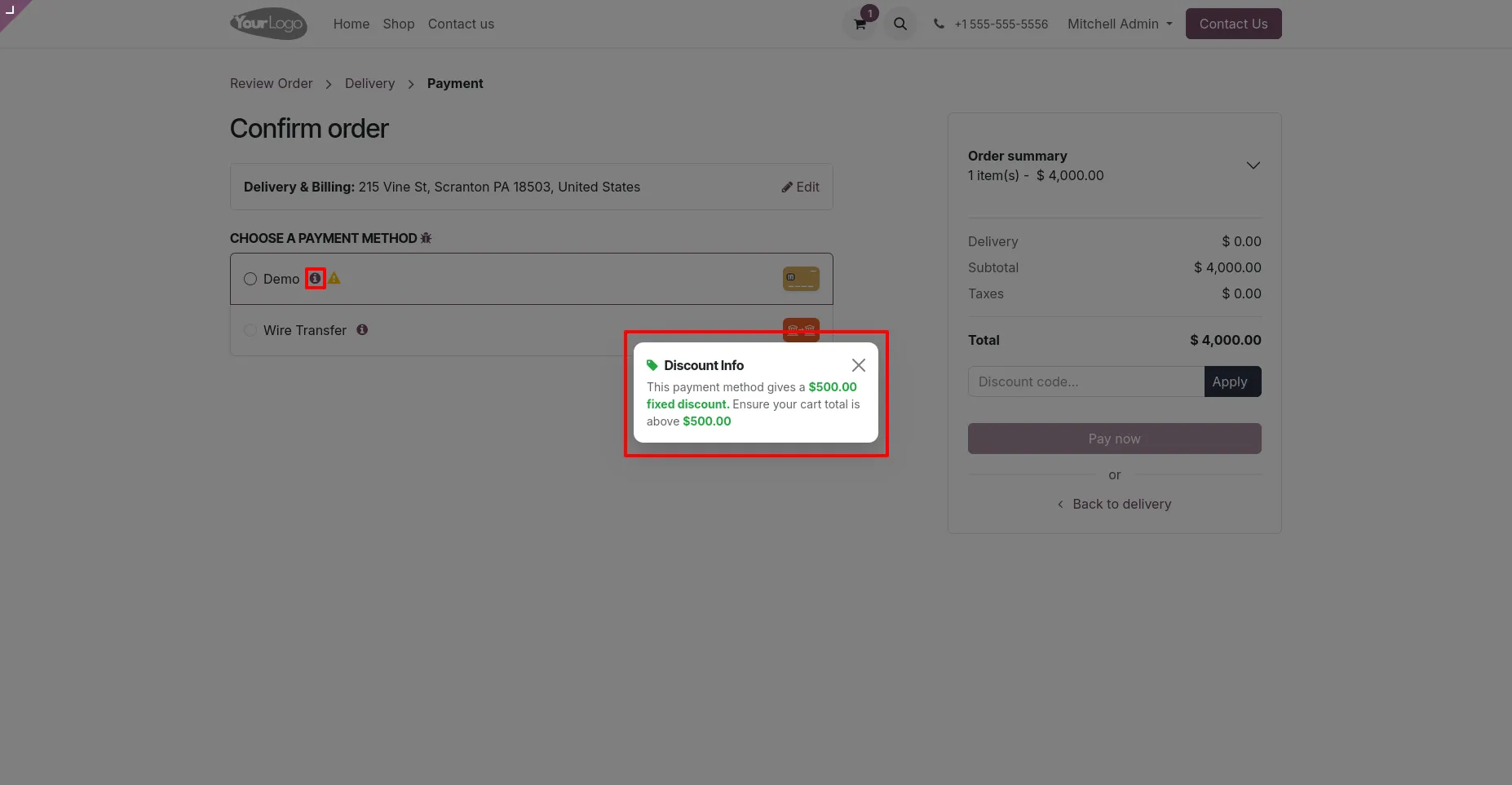
7. Click the info icon (🛈) beside the payment method to display the discount information.
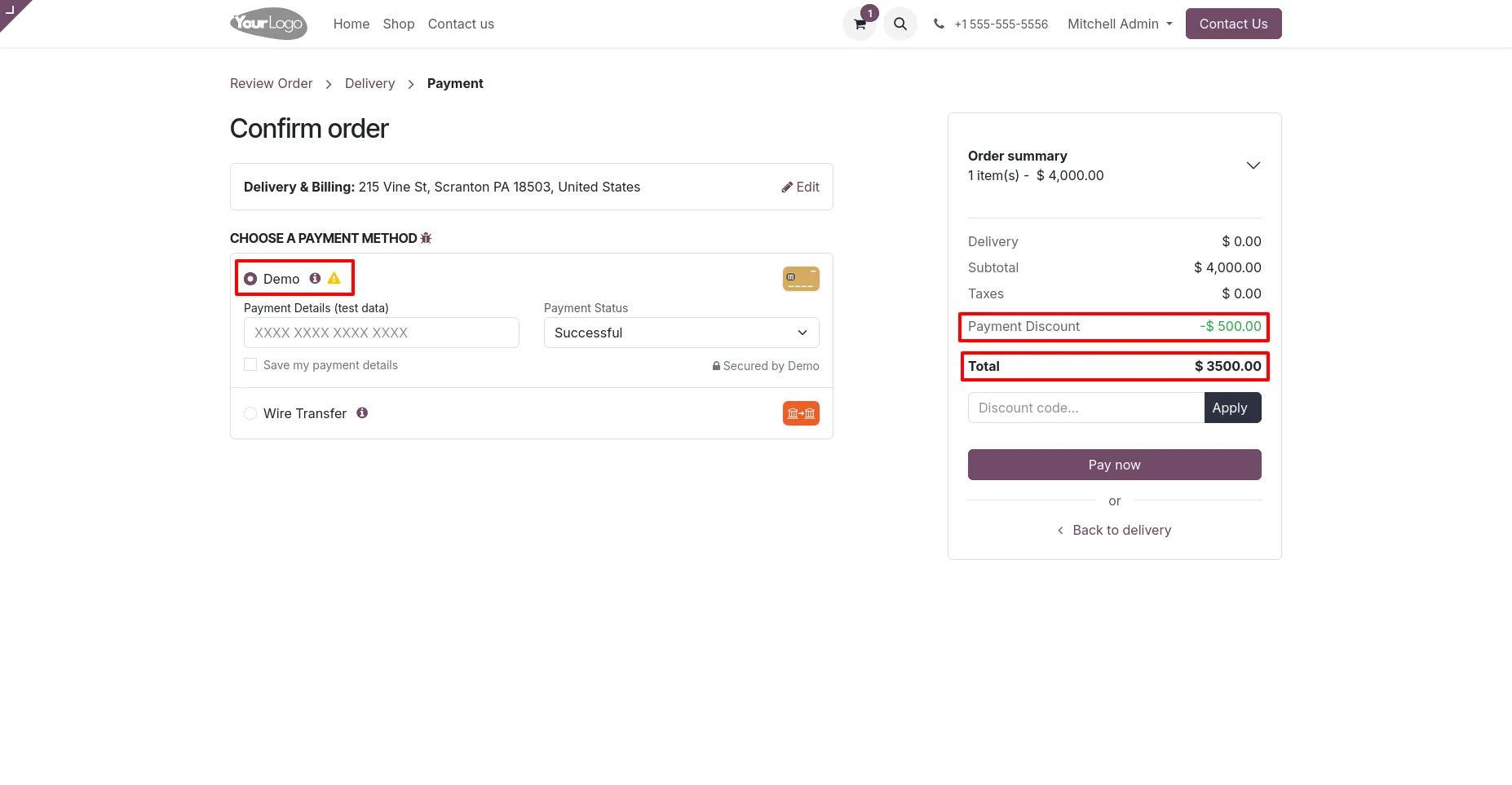
8. On selecting a payment method, the discount is calculated automatically and reflected in the total amount.
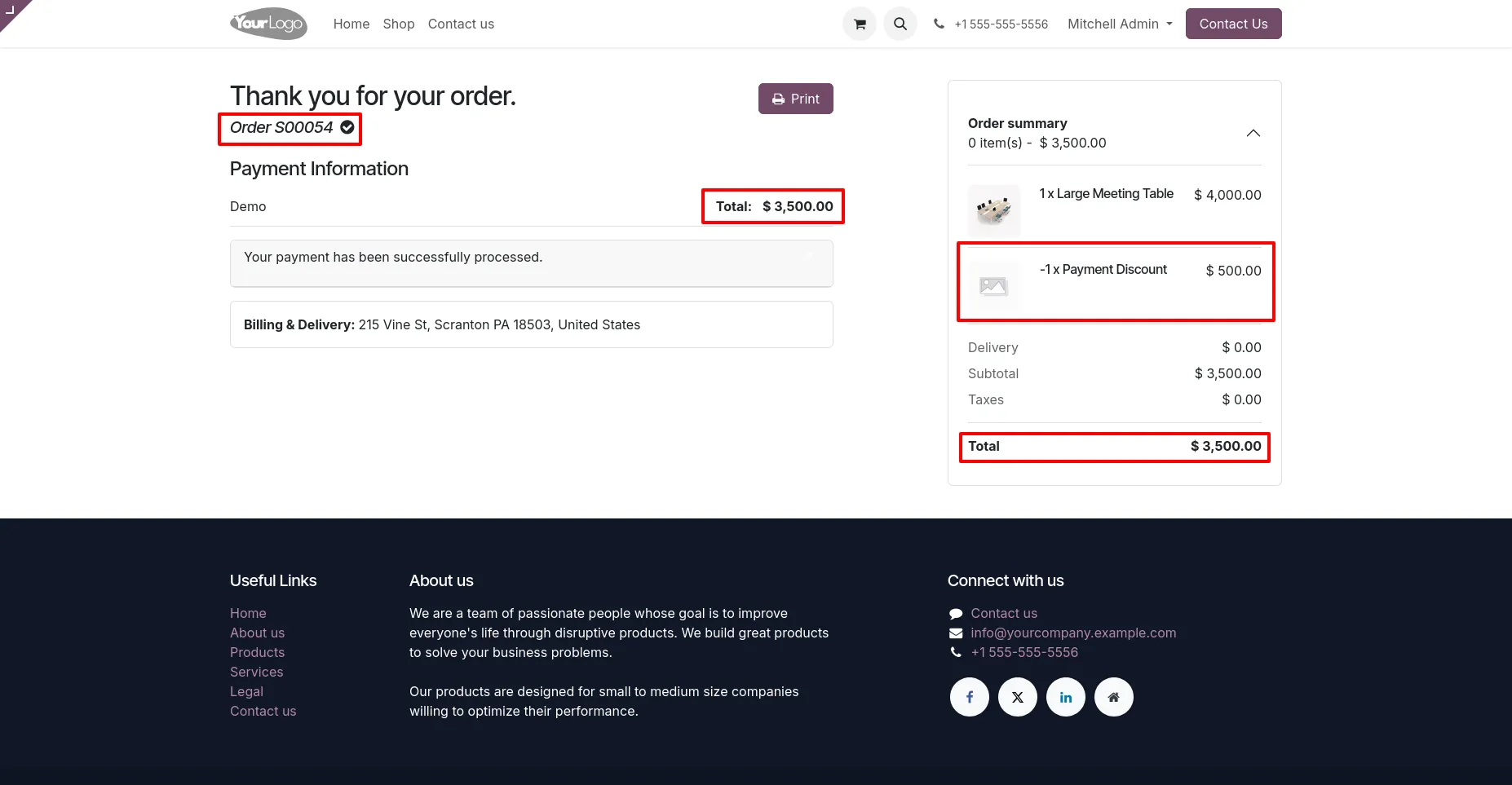
9. After order confirmation, the discount is applied and displayed in the order summary and final total.
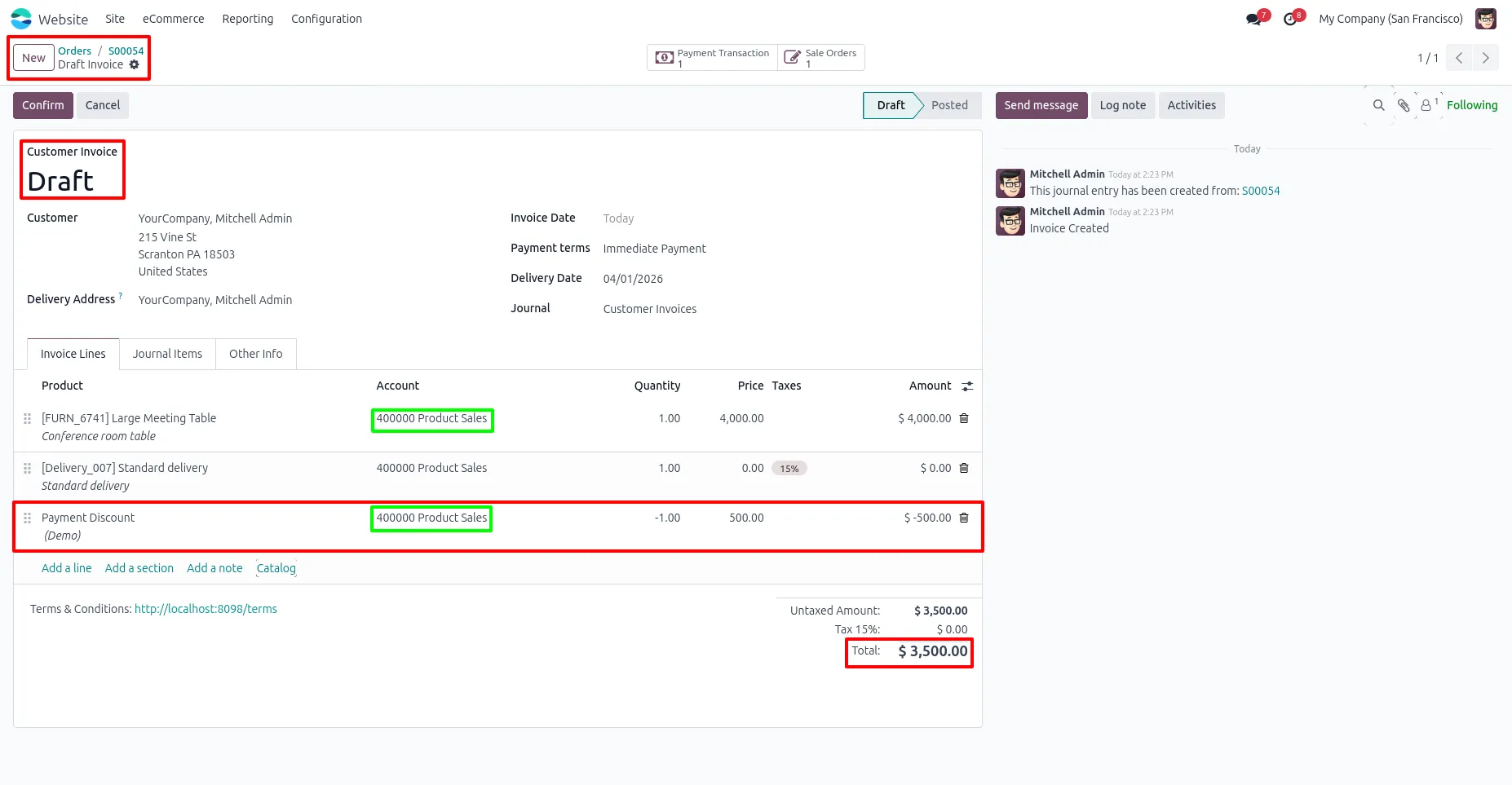
10. The discount is automatically added as a separate line in the invoice, and the total amount is updated accordingly.
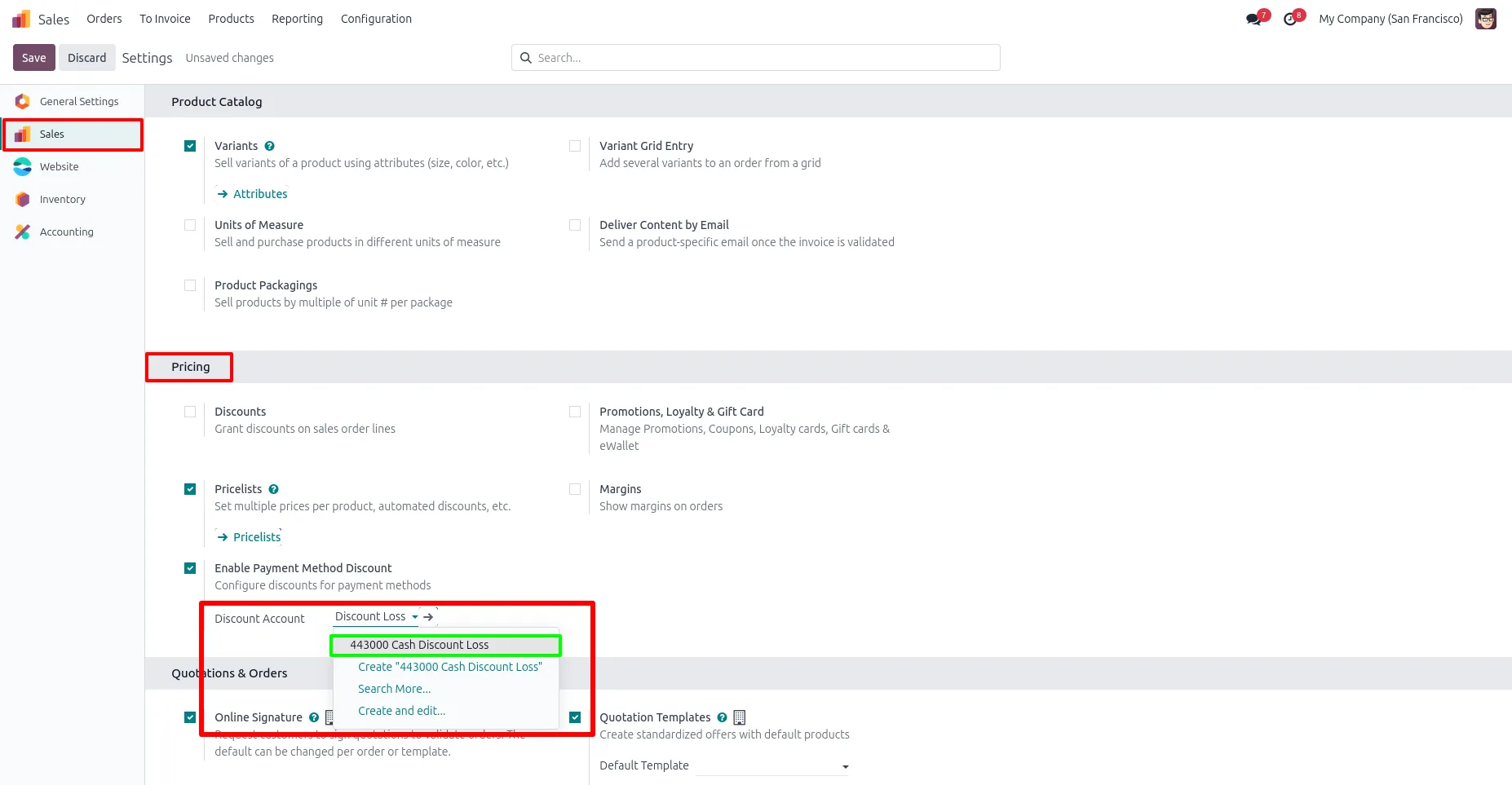
11. Select a discount account to apply the payment discount to a specific account in the invoice (optional).
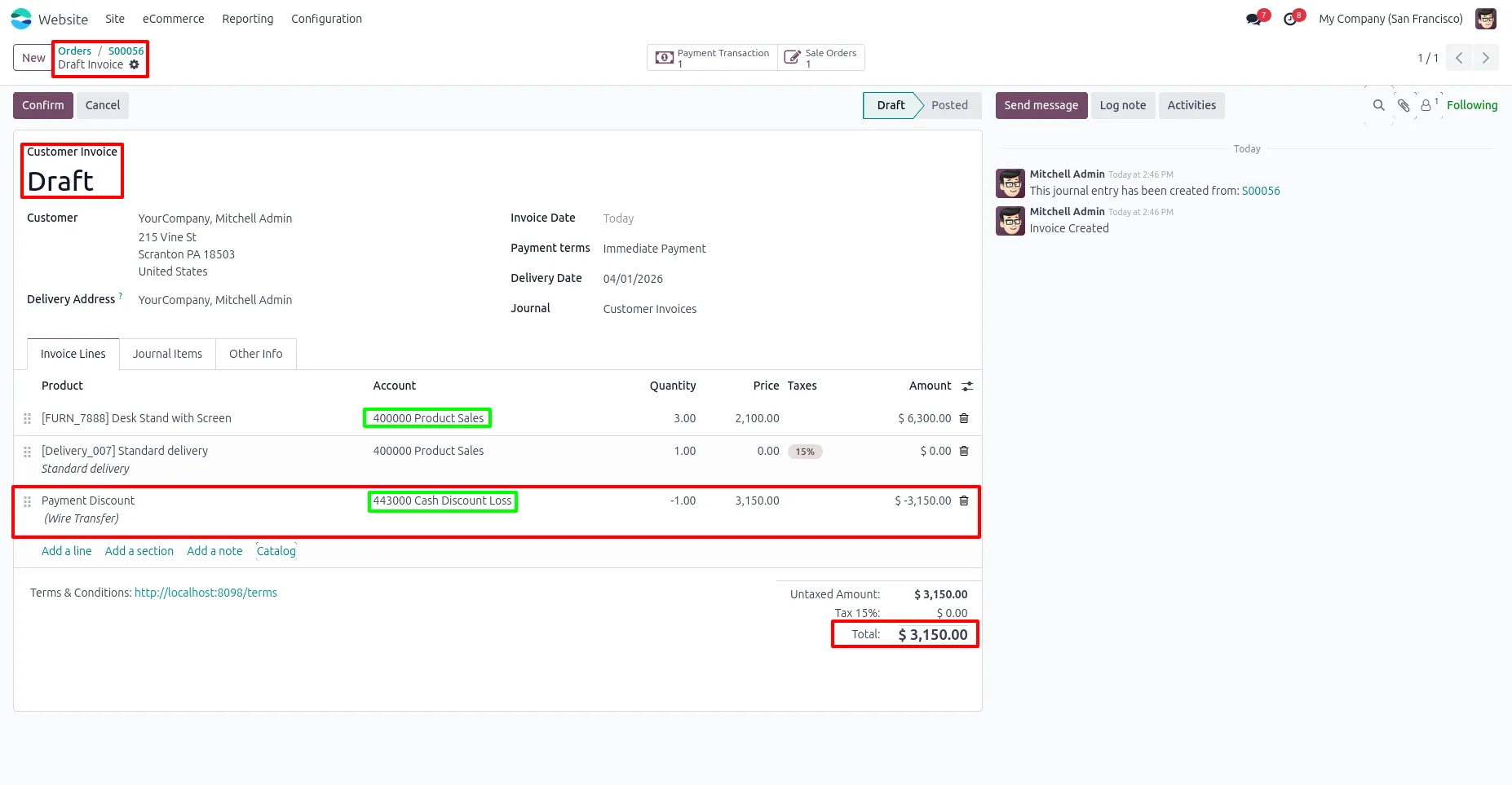
12. The payment discount is recorded in the selected discount account and reflected in the invoice with the updated total.
Our solutions focus on your problems
- Odoo Implementation
- Odoo Customization
- ERP Development and Implementation
- Odoo Ipass Cloud
- AI for Odoo
- Odoo Apps
- Aws Marketplace Products
- Business Engines
Our Pricing includes User Manual, 90 Days Support (Monday-Friday 10am to 7pm IST) and One time Setup
• Works & tested on standard installations of Odoo with no third party apps,
• Free support only for odoo installations with no third party apps,
• Paid support available for Odoo installations with third party apps.

Prefortune is a Odoo Official Partner, Odoo Development company. Our philosophy is to use Open Source tools and technologies to provide cost effective and green solutions for our customers.
Prefortune Technologies LLP is working on web development, Mobile development, and Odoo ERP.
If you need any help or want more additional features, you may contact us through:
Alternative Products
These other products might interest you
Specifications
| Version | 19.0, 18.0, 17.0, 16.0, 15.0, 14.0 |