
Watch Quick Video

Website Order Checklist - Product Wise Odoo App
Our all-inclusive
Odoo – Website Order Checklist - Product Wise
App
enhances the standard website sale workflow by introducing a flexible and product-specific
checklist system.
It enables administrators to create and manage customizable questions with various input types,
including text fields,
dropdown selections, multiple-choice options, and file uploads, and assign them directly to
individual products. During
the eCommerce checkout process, customers are prompted to complete these checklist requirements
and upload any necessary
documents before confirming their order, ensuring that all essential information is collected
upfront. All submitted responses
and attachments are automatically stored and linked to the respective sale order in the backend,
allowing easy access and
management for administrators and sales teams. Additionally, when a project task is generated
from the sale order, the system
seamlessly transfers all checklist details and uploaded files into the task description and
attachments, resulting in a
well-structured, organized, and efficient post-sales workflow.
Website Order Checklist - Product Wise Odoo App
- Create and assign customizable checklist questions to specific products for better data collection.
- Ensure customers complete required checklist fields and uploads before placing an order.
- Manage and apply checklists based on different websites for flexible configuration.
- Automatically save all customer responses and uploaded files within the related sale order.
- Transfer checklist data and attachments directly into project tasks for streamlined post-sales workflow.
Website Order Checklist - Product Wise Odoo App
First, go to the website product settings to configure the checklist questions. You can define various types of inputs, including short text fields, selection dropdowns, and file upload prompts, and assign them directly to the relevant products in your catalog. When a customer adds these products to their cart and proceeds to checkout, the system will dynamically prompt them to fill out the configured checklist. The checkout will enforce completion of these requirements, ensuring that no essential information is missed before the order is confirmed. Once the order is finalized, all the submitted data is seamlessly stored with the Sale Order. Your sales and support teams can review the given answers and download the uploaded documents right from the order's form view. Finally, when the confirmed Sale Order automatically generates Project Tasks for fulfillment, the module ensures that all the checklist information and files are transferred. The answers append cleanly to the Task description, and files are attached directly to the task, preventing data silos and optimizing operations.
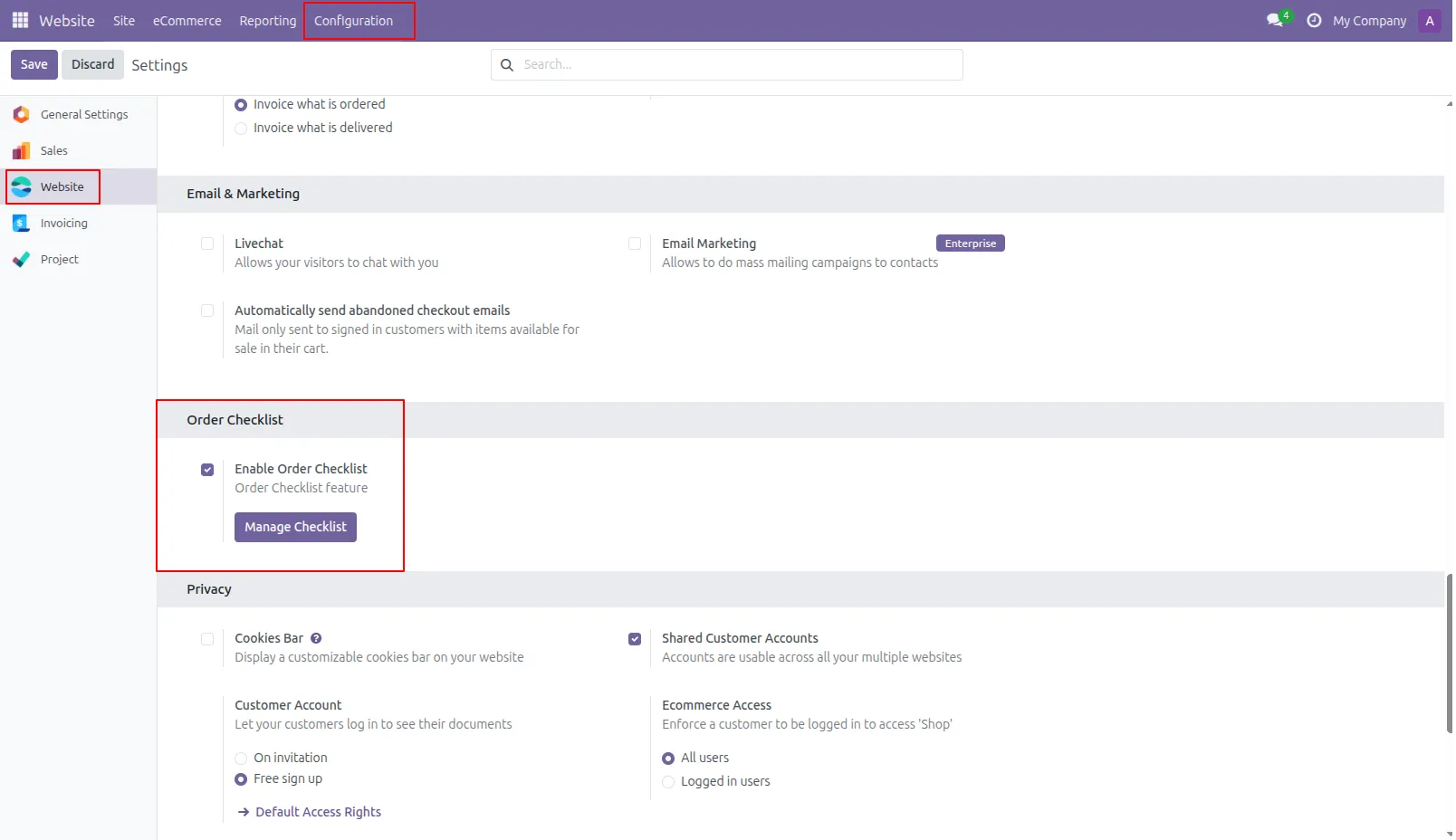
1.Navigate to the Website module in Odoo, open the Configuration menu, go to Settings, and enable the Order Checklist option, then save the changes. After that, click on “Manage Checklist” to create and configure checklist questions and answers as needed.
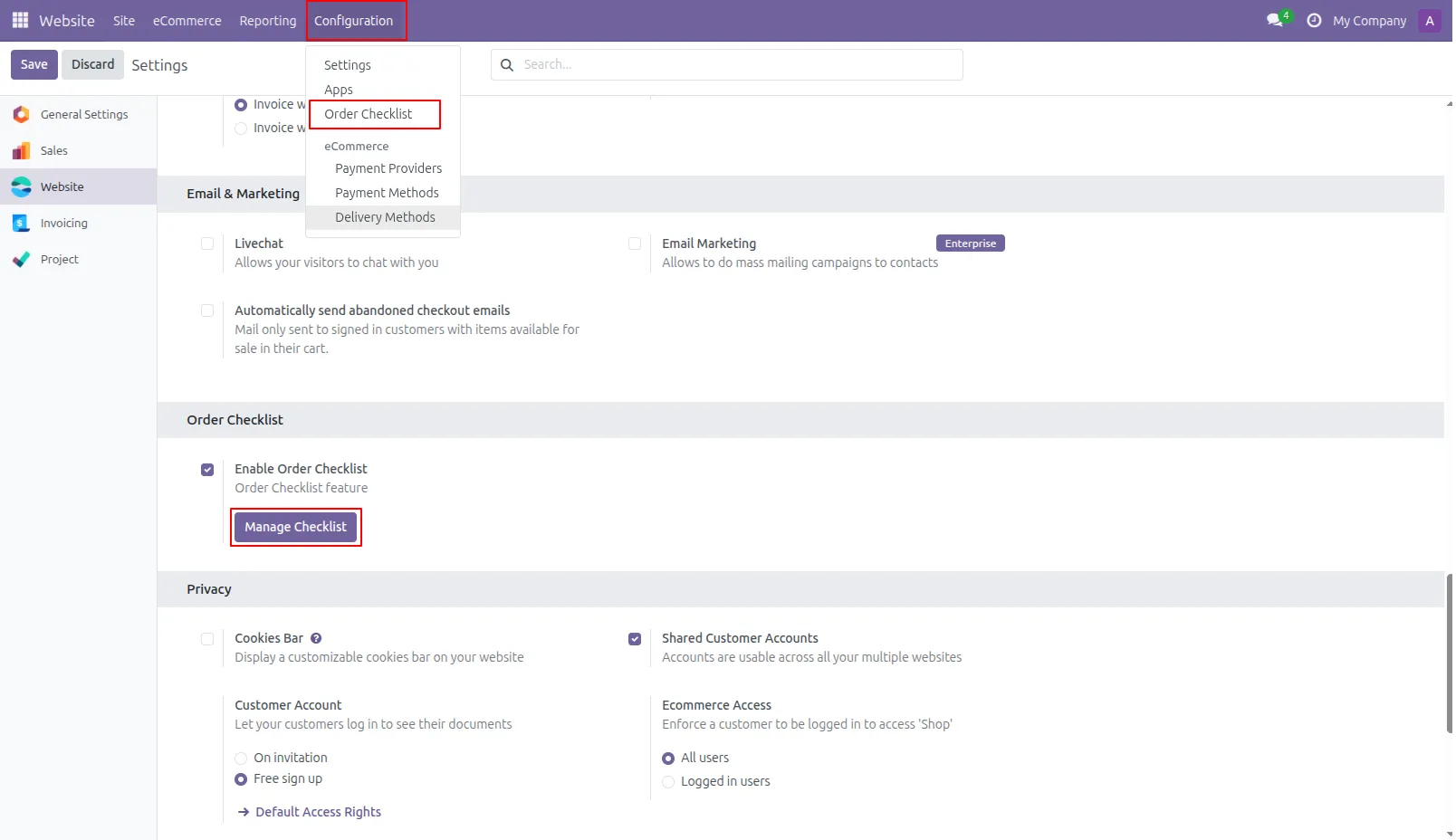
2.You can also manage the Order Checklist from the backend by opening the Website module and navigating to the Configuration menu, then selecting the Order Checklist option. From there, you can easily view, create, and edit all checklist questions and answers in one place.
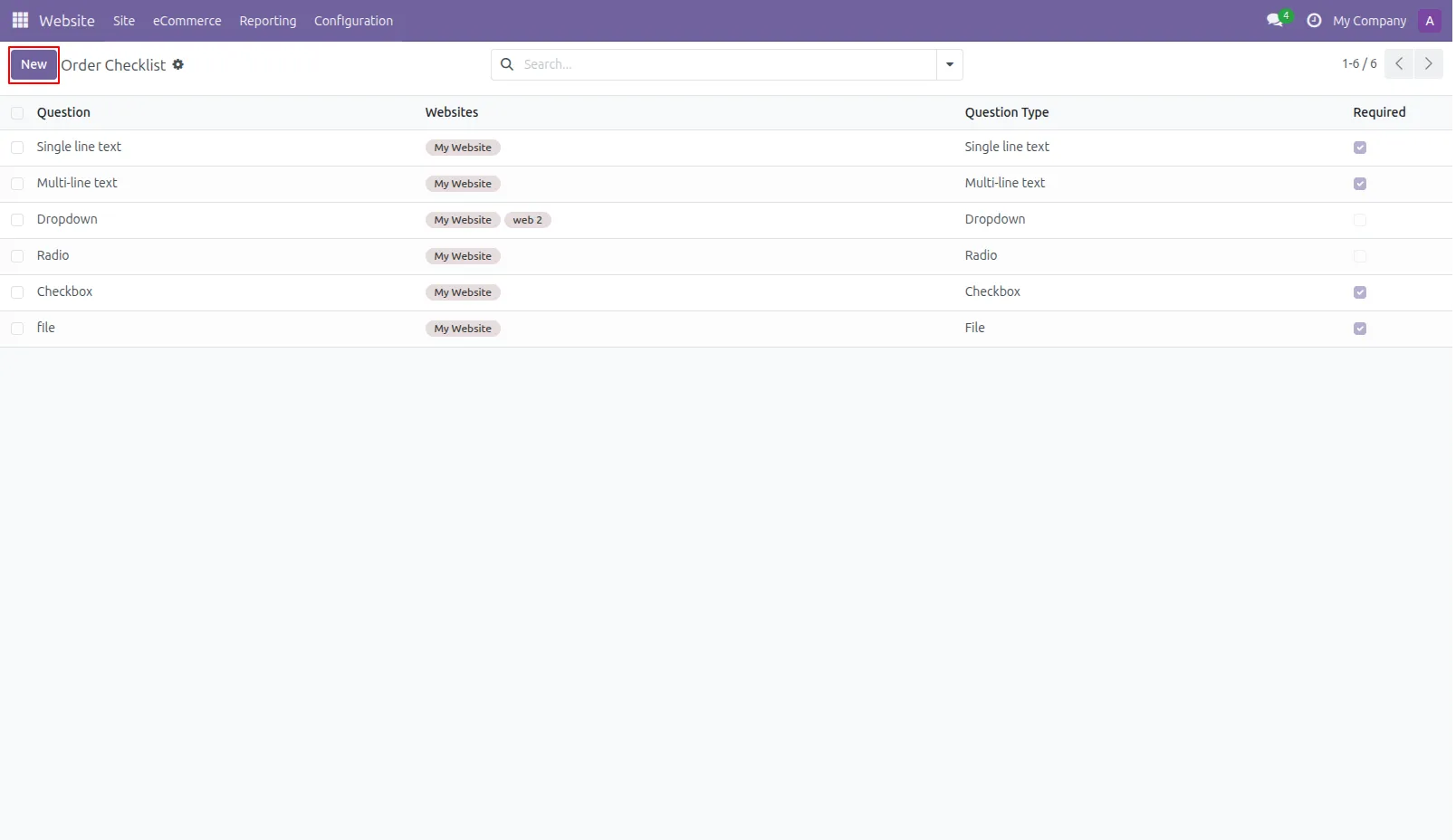
3.Checklist ( Questions ) Click the Create button to add new checklist Questions. Choose the appropriate question type and configure the required details
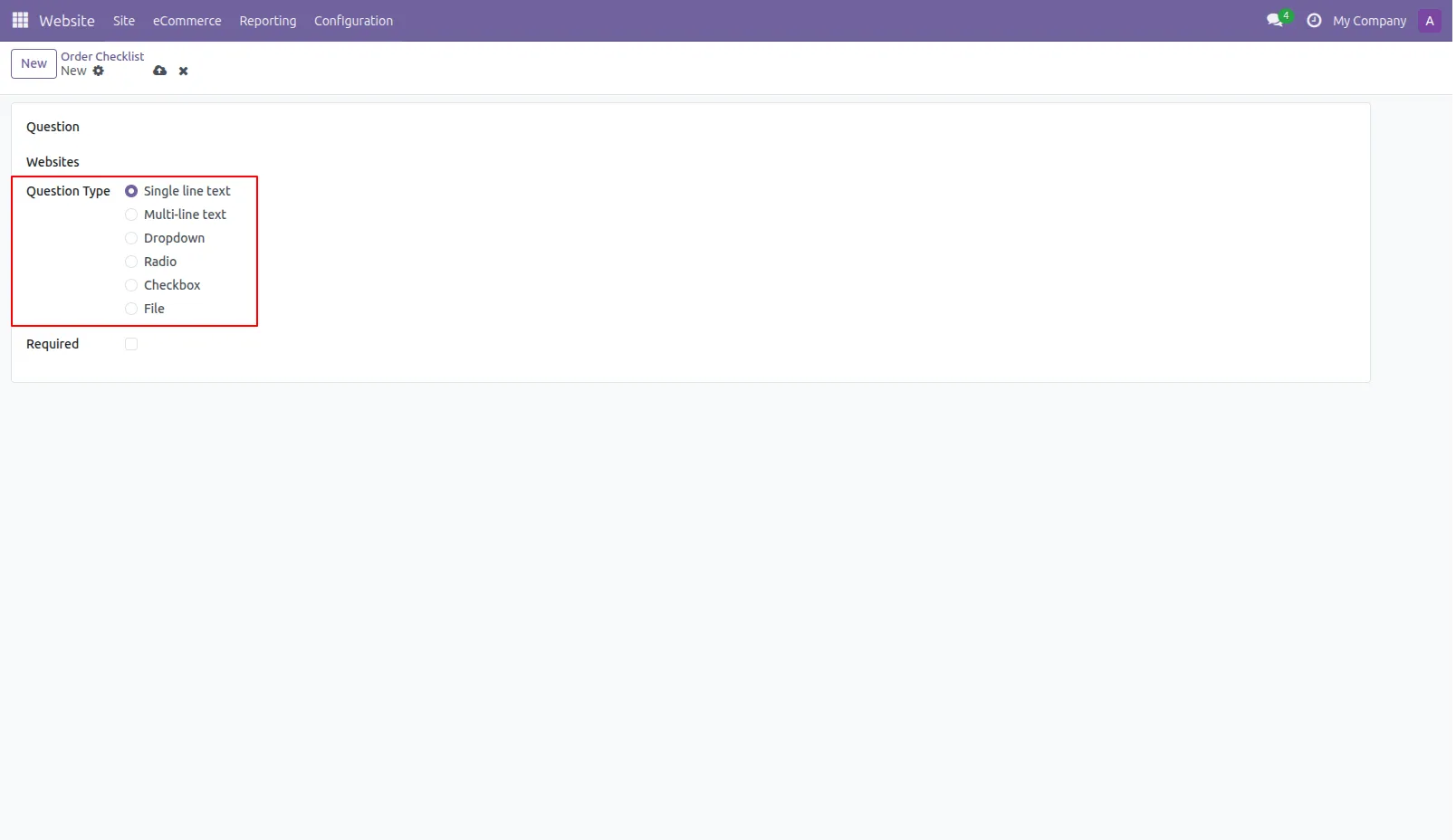
4.Create and configure checklist questions with multiple input types and assign them to specific websites as needed. Mark questions as required and set options like answers or placeholders to ensure customers complete them during checkout.
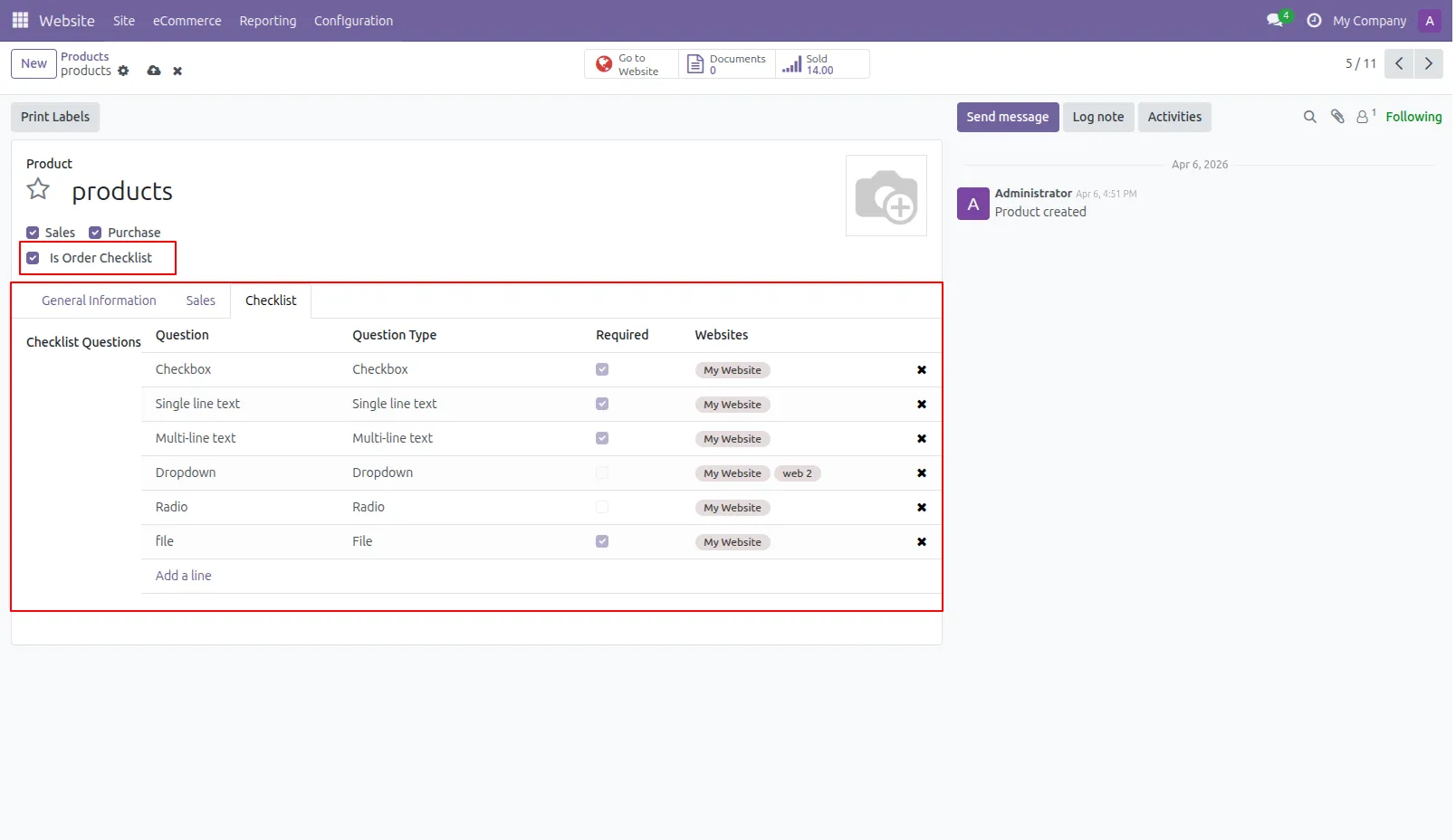
5.Go to the Website module, open the eCommerce menu, and select Products to manage your items. Enable the “Is Order Checklist” option in the product form, then use the Checklist tab to add and assign questions.
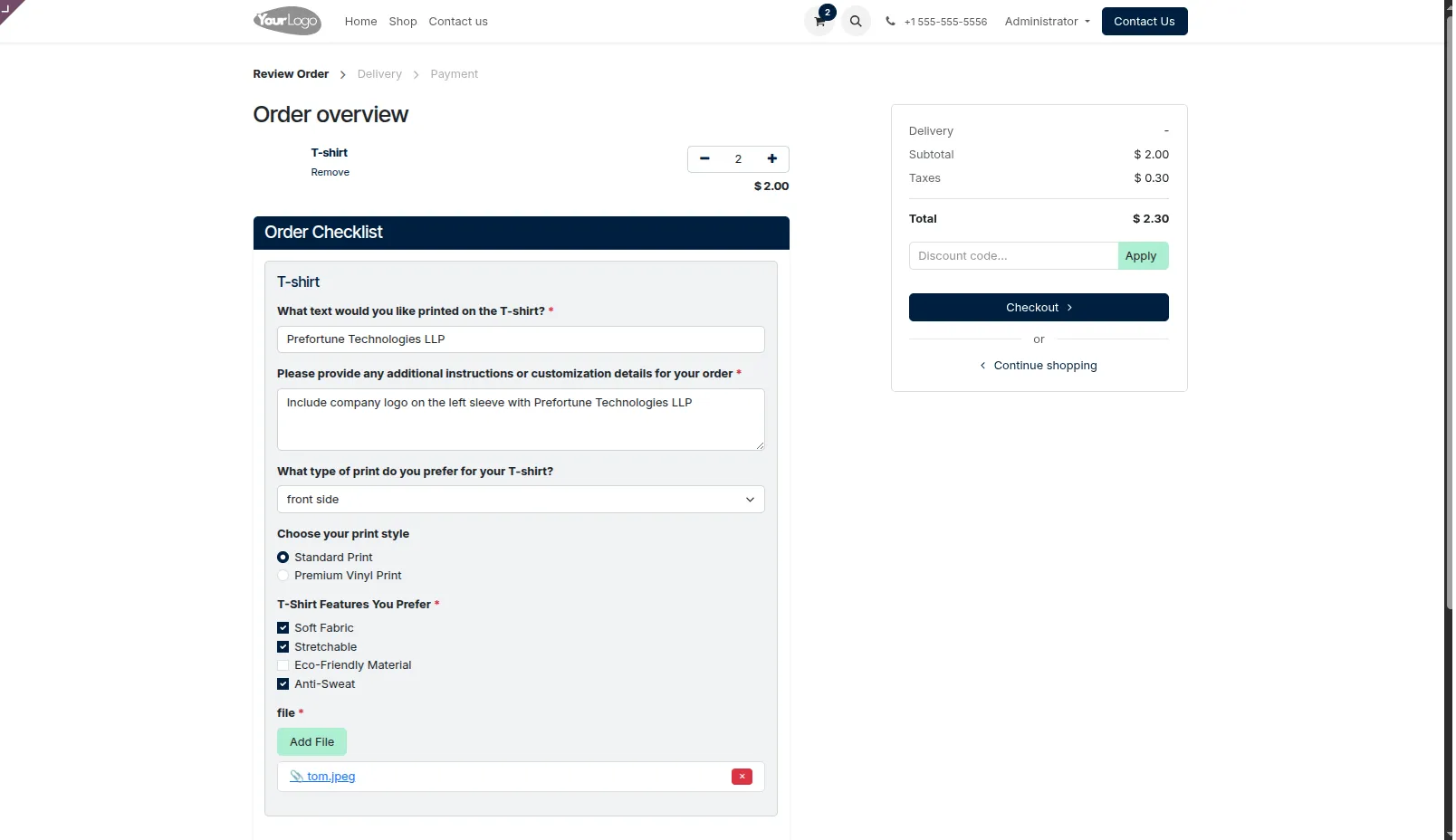
6.Add products to the cart from the website shop and complete the checklist questions on the cart page. Provide required answers and upload necessary documents before proceeding with the order.
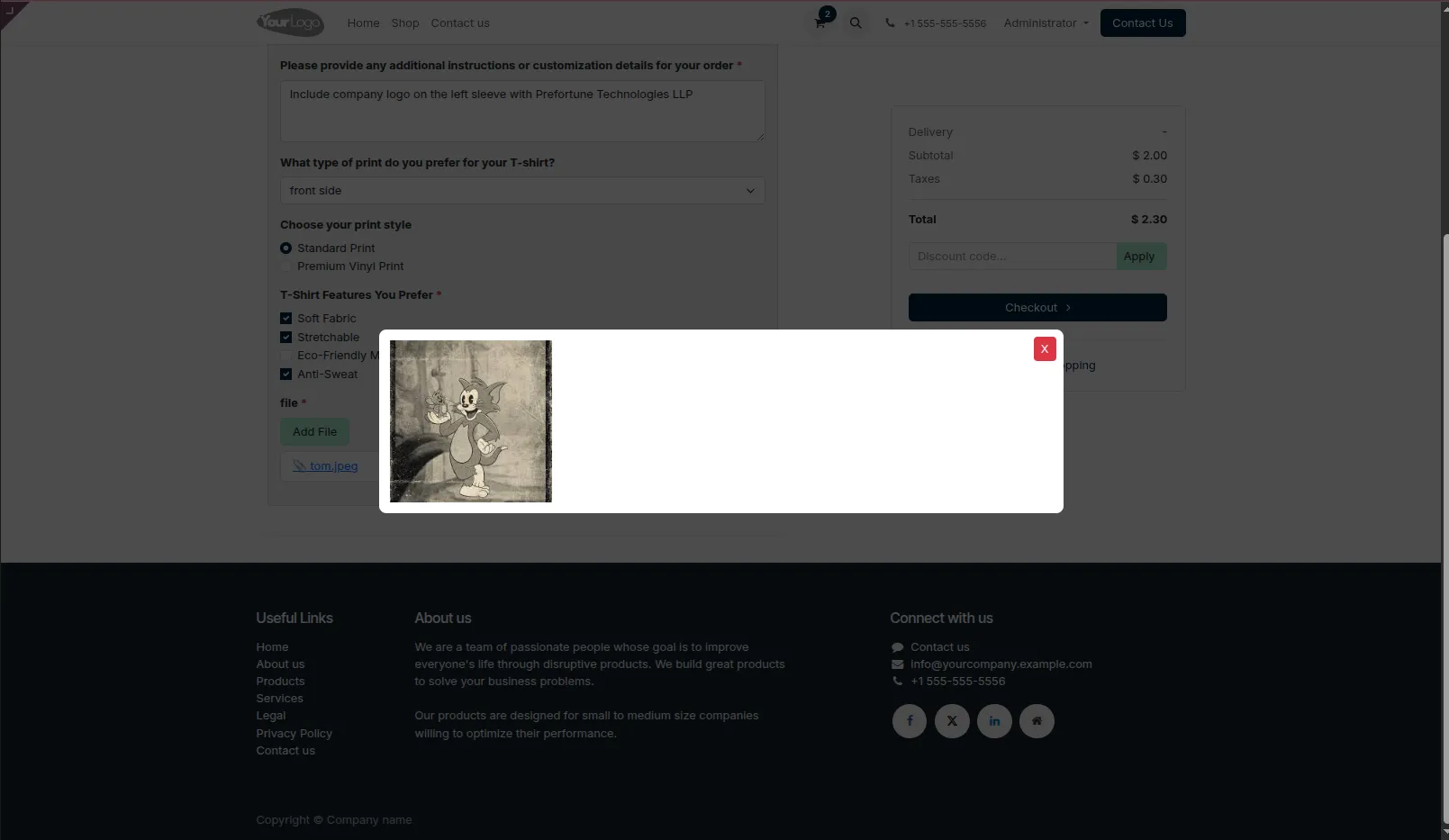
7.Click on the attached documents to preview the uploaded digital files.
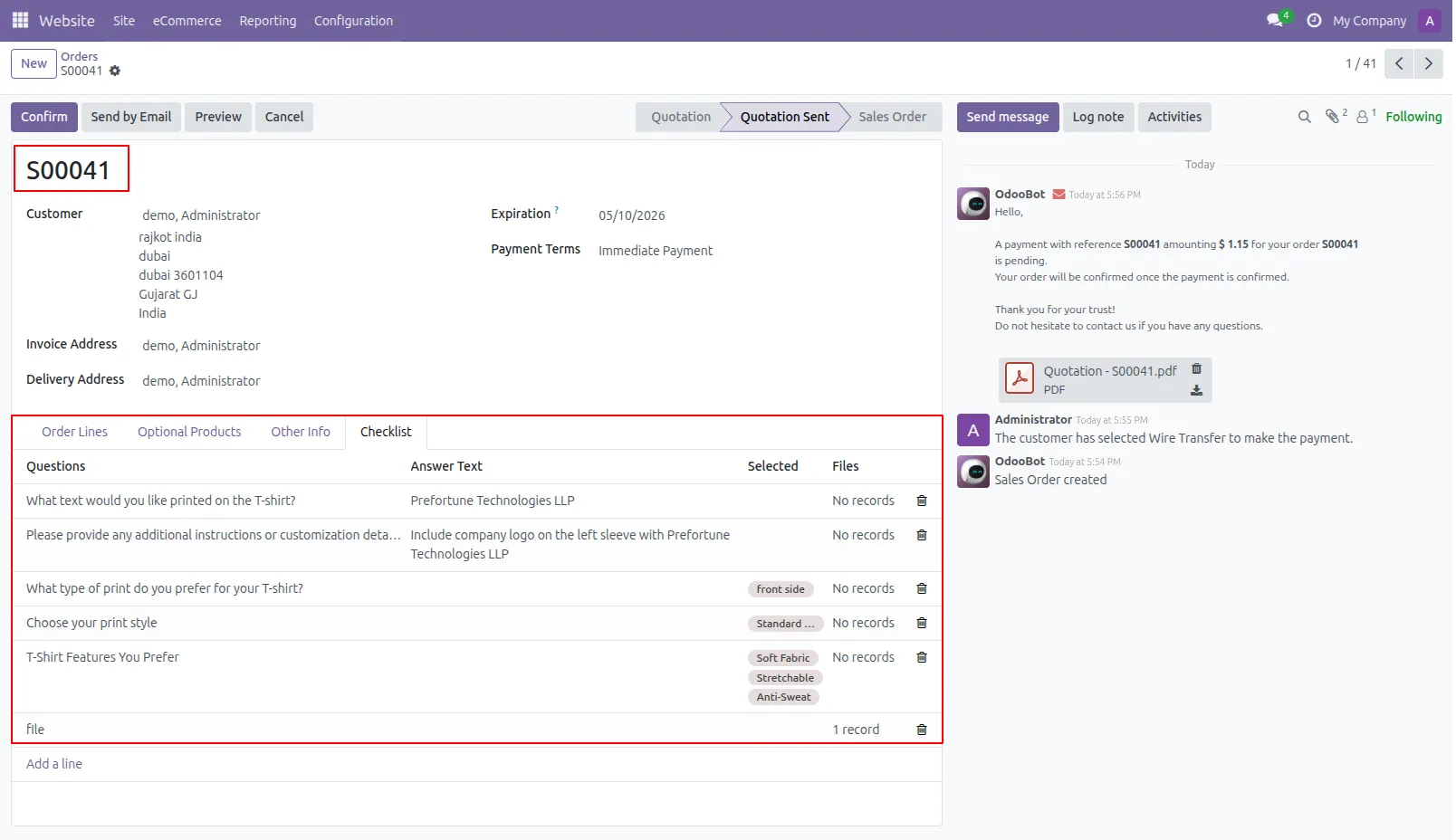
8.When a sale order is created from the website, the checklist tab in the order displays all the answers submitted by the customer.
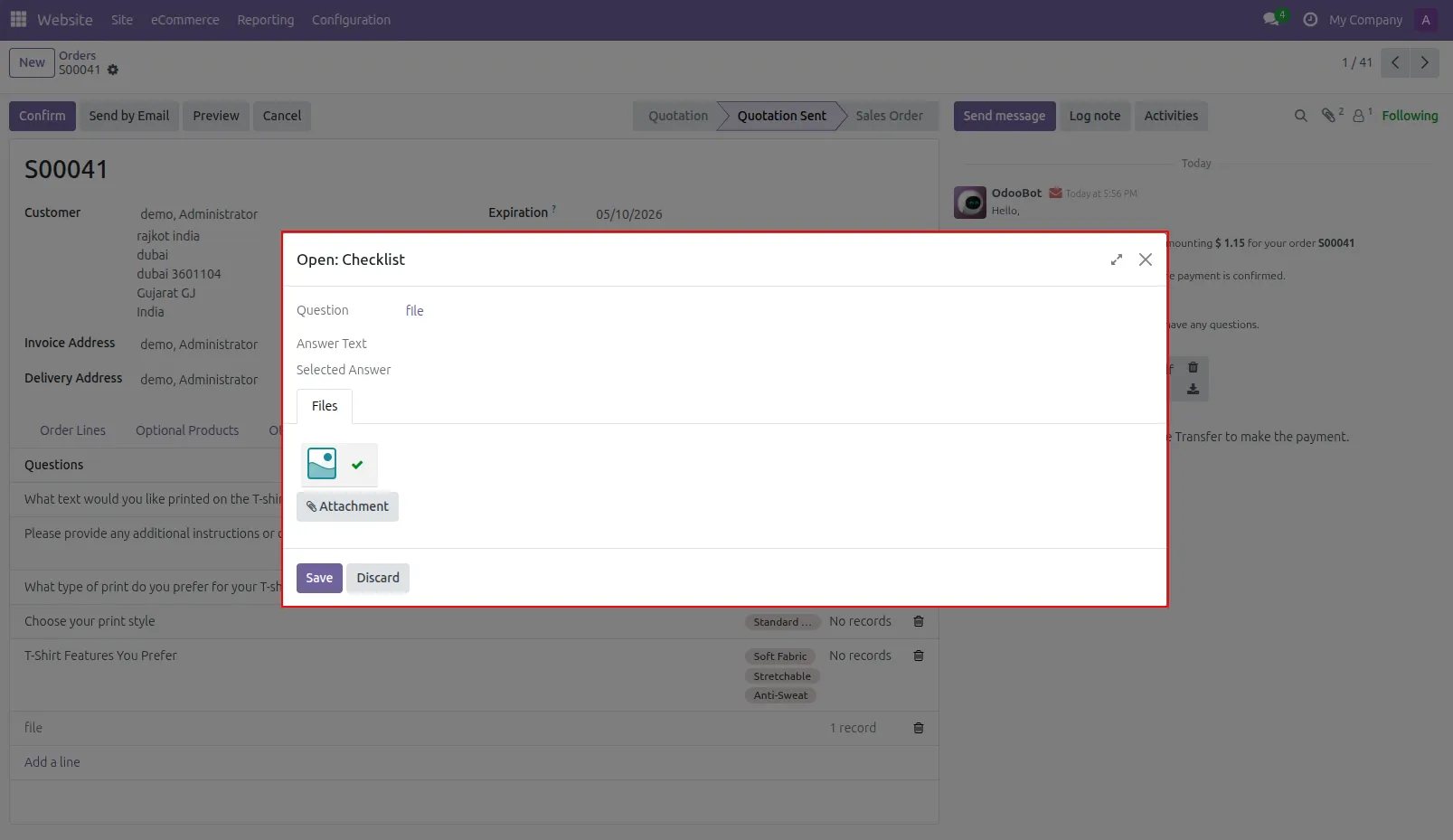
9.Users can view and download any files uploaded in the checklist by clicking on the corresponding records, ensuring all relevant documents are readily accessible.
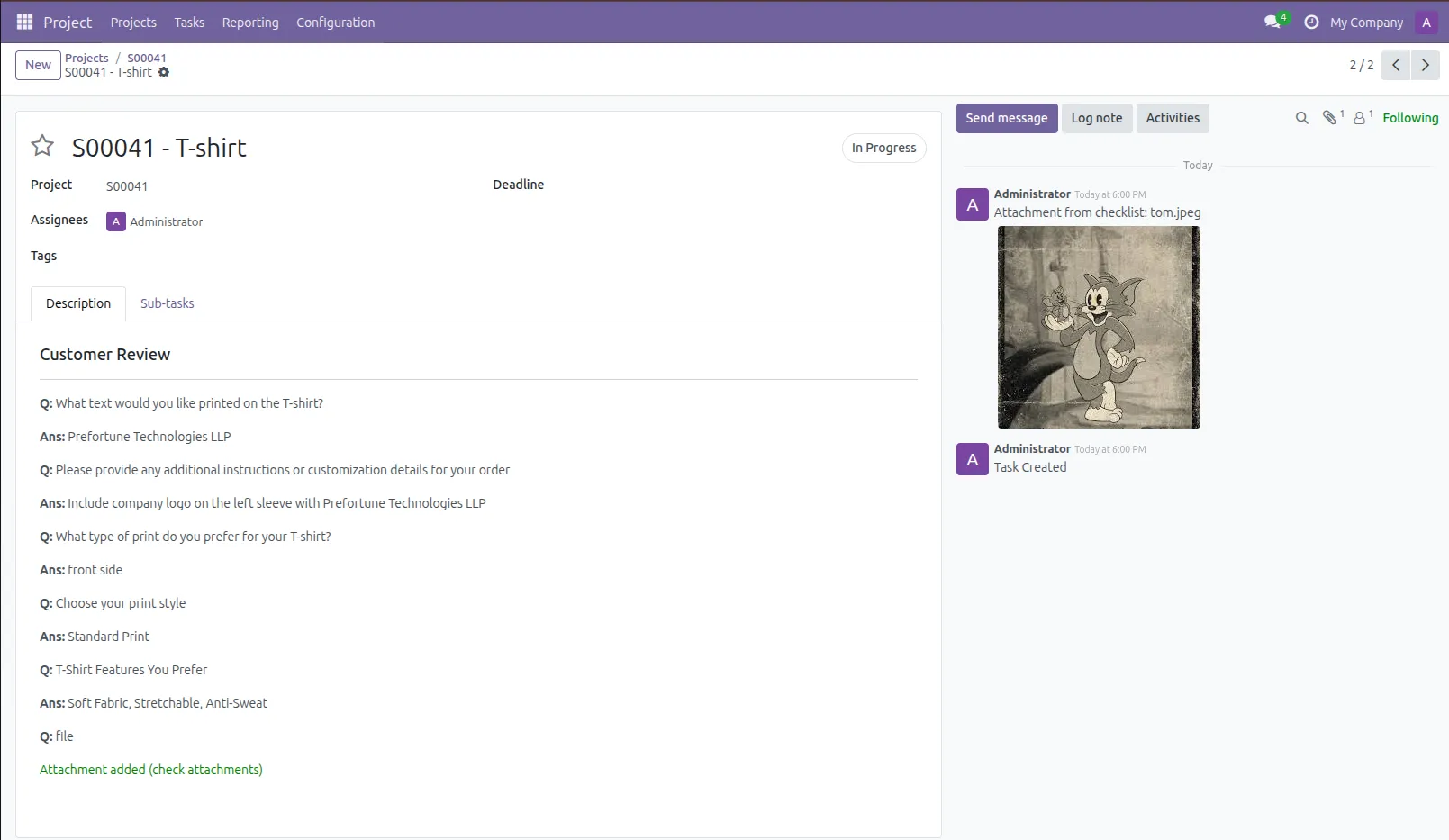
10.When a task is created from a sale order, all checklist answers are automatically added to the task description. Any uploaded files are also attached to the task, allowing users to easily view and download them.
Our solutions focus on your problems
- Odoo Implementation
- Odoo Customization
- ERP Development and Implementation
- Odoo Ipass Cloud
- AI for Odoo
- Odoo Apps
- Aws Marketplace Products
- Business Engines
Our Pricing includes User Manual, 90 Days Support (Monday-Friday 10am to 7pm IST) and One time Setup
• Works & tested on standard installations of Odoo with no third party apps,
• Free support only for odoo installations with no third party apps,
• Paid support available for Odoo installations with third party apps.

Prefortune is a Odoo Official Partner, Odoo Development company. Our philosophy is to use Open Source tools and technologies to provide cost effective and green solutions for our customers.
Prefortune Technologies LLP is working on web development, Mobile development, and Odoo ERP.
If you need any help or want more additional features, you may contact us through:
Alternative Products
These other products might interest you
Specifications
| Version | 19.0, 18.0, 17.0, 16.0, 15.0, 14.0 |