Watch Quick Video
Website Hide Details App for Odoo
The Website Hide Details App for Odoo gives store admins full control over what the shop visitors should see. No coding required, hide sensitive or unwanted elements like price, quantity selector, add to cart button directly from Website Settings.
The Admin can choose the target audience: Public/Non Login Users only, or All Users. Each element - Add to Cart, Price, Qty - toggles independently. Rules are live on the shop and product page.
Website Hide Details App for Odoo App Features
- Restrict Add to Cart button on shop and product pages by user type
- Select if product pricing is displayed to guests, customers or both.
- Remove the quantity selector for the products that should remain unorderable.
- Set visibility separately for Public/Non Login Users and for All Users.
- Consistent behavior on the Shop listing page and individual Product pages.
Complete Workflow for Website Hide Details App for Odoo
Go to Website → Configuration → Settings, scroll to "Shop Product Detail Visibility" pick Public/Non Login Users or All Users, then check Disable Add to Cart Button, Disable Product Price, Disable Qty Option as needed. Save — changes apply immediately on Shop and Product pages per chosen rule. Since the module supports multi-website, these settings apply per website — configure each site independently under its own Website Settings.
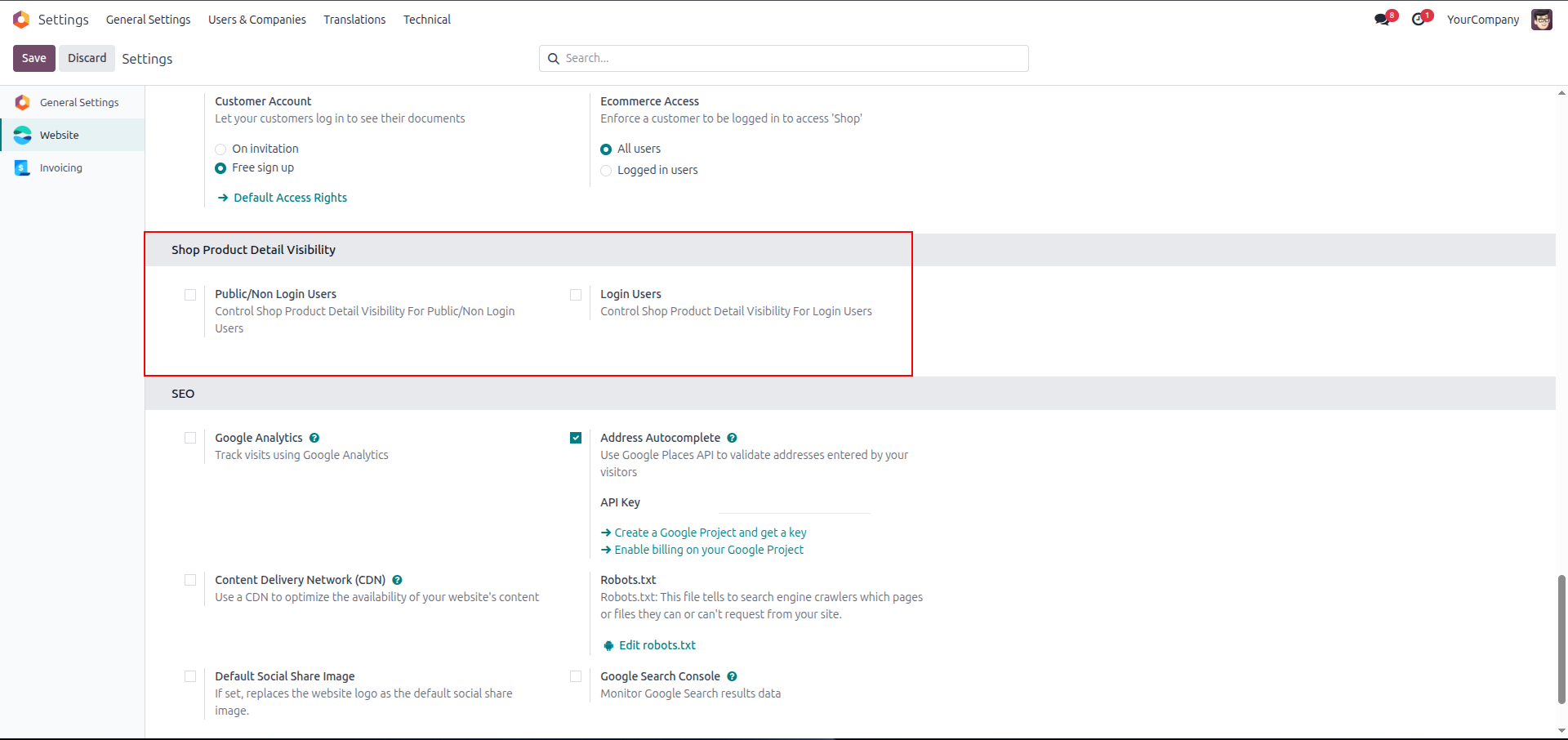
1. Website → Configuration → Settings — "Shop Product Detail Visibility" section, both Public/Non Login Users and Login Users unchecked (feature off, default state).
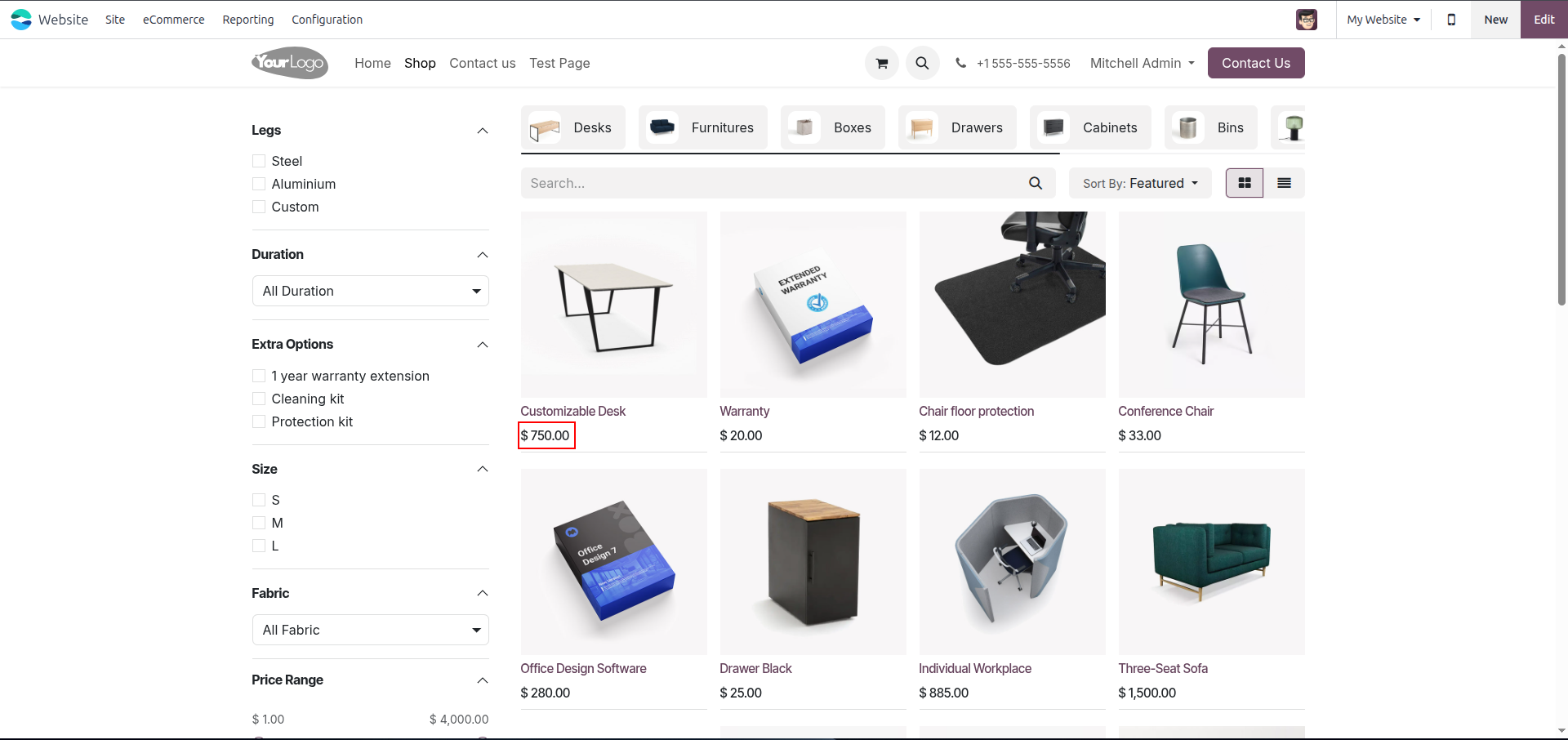
2. Shop page, default state — product prices visible normally for all products.
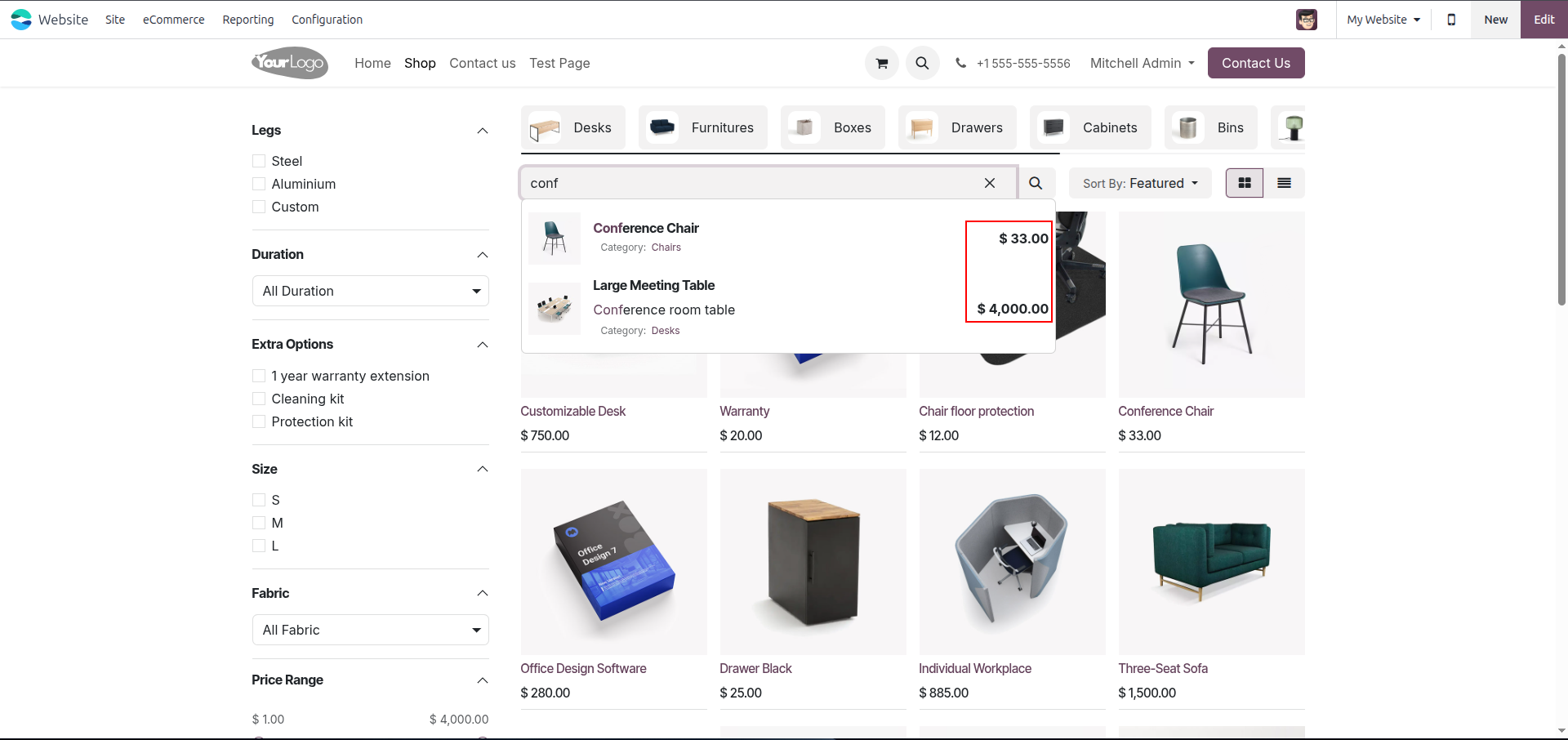
3. Search dropdown, default state — "conf" query shows results with prices displayed.
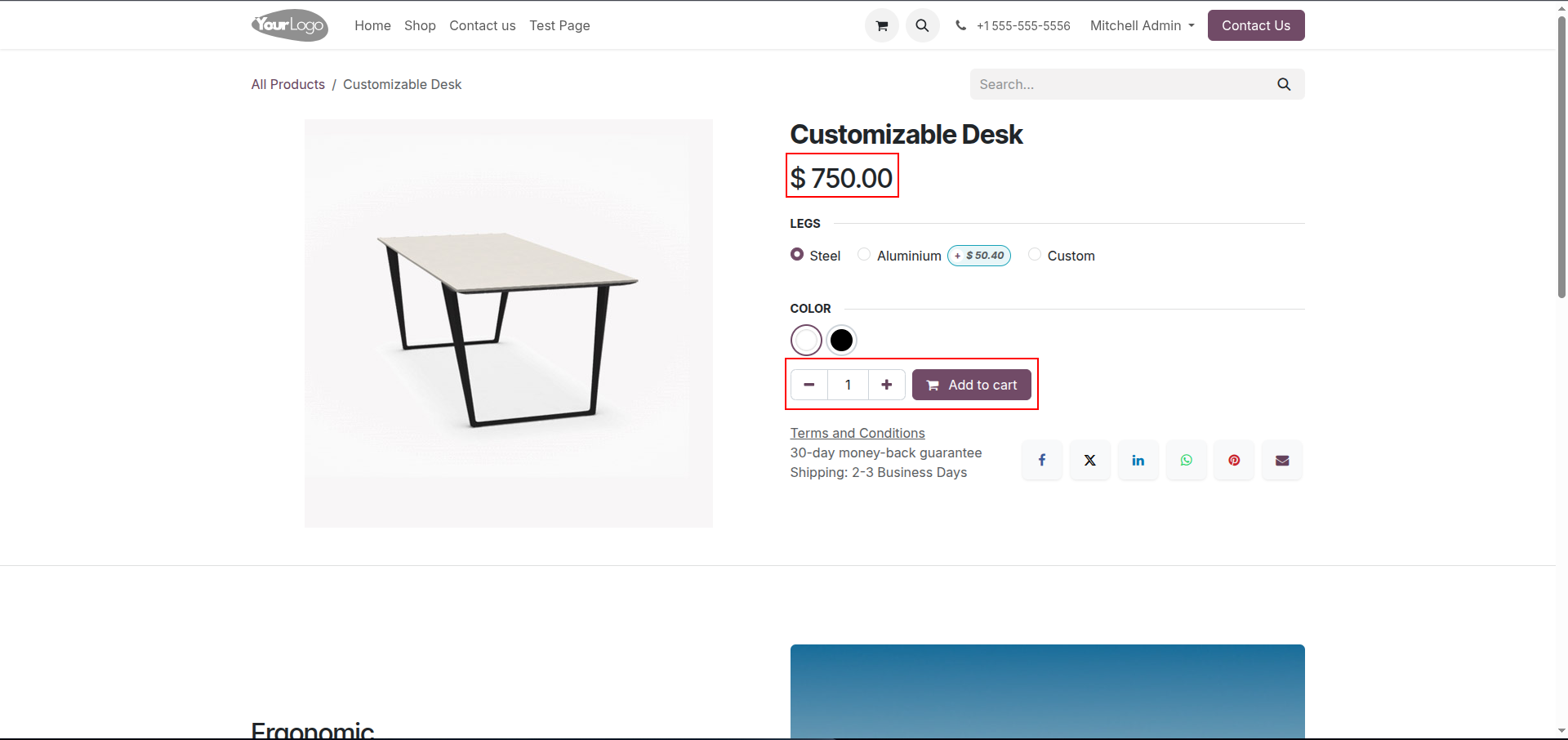
4. Product page (Customizable Desk), default state — price, qty selector, and Add to Cart button all visible.
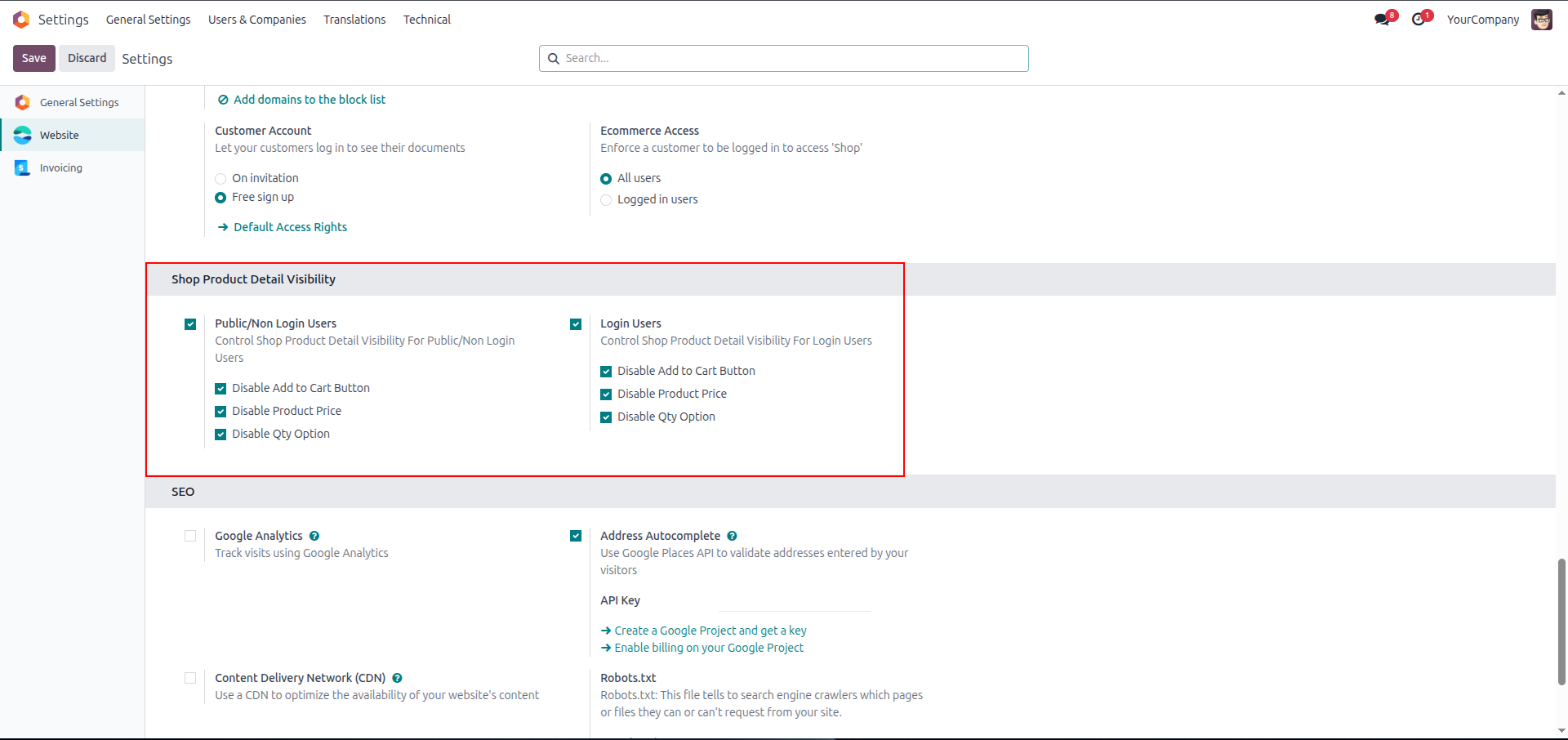
5. Settings page — Public/Non Login Users and Login Users both enabled, with Disable Add to Cart Button, Disable Product Price, and Disable Qty Option checked for each.
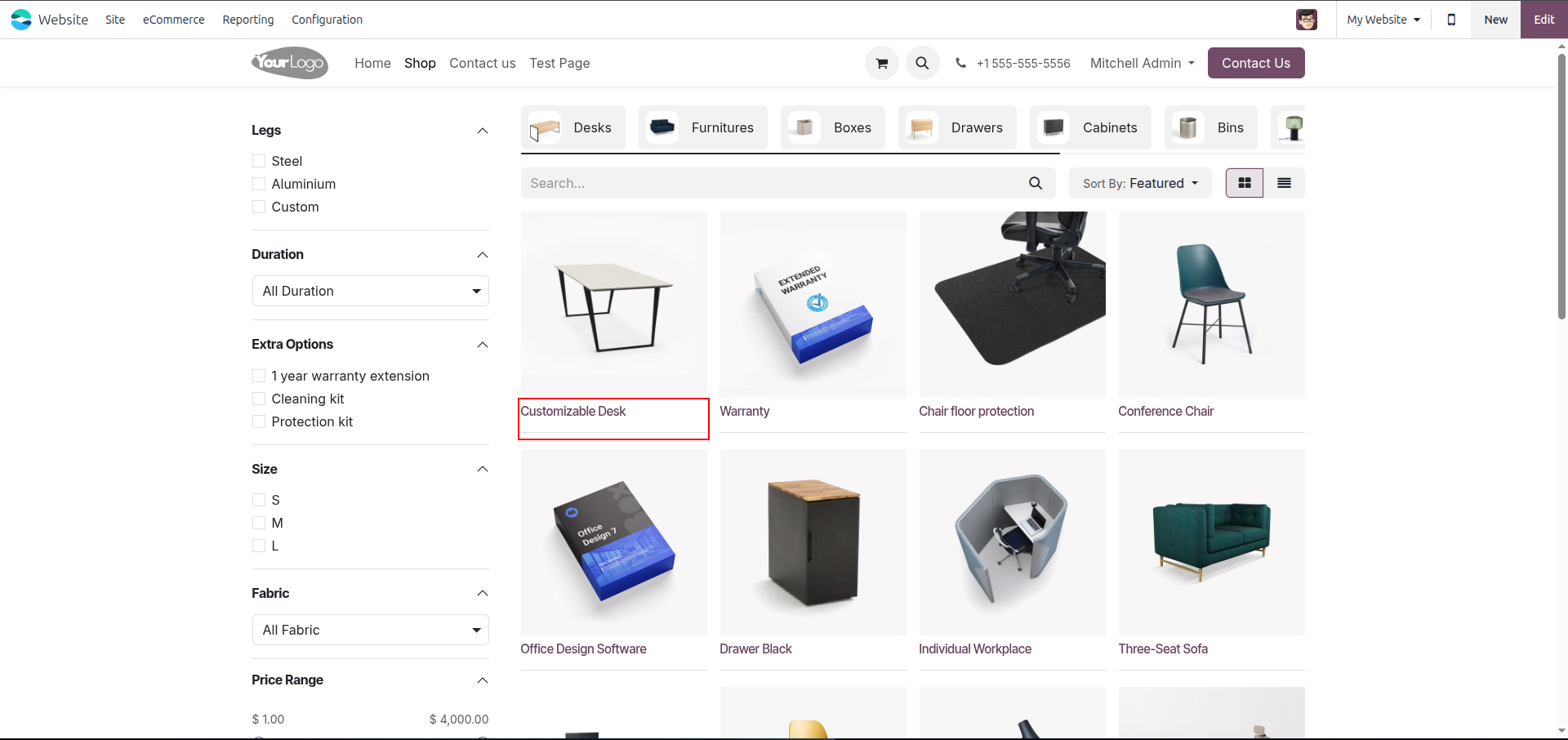
6. Product page view for Login users — price is hidden.
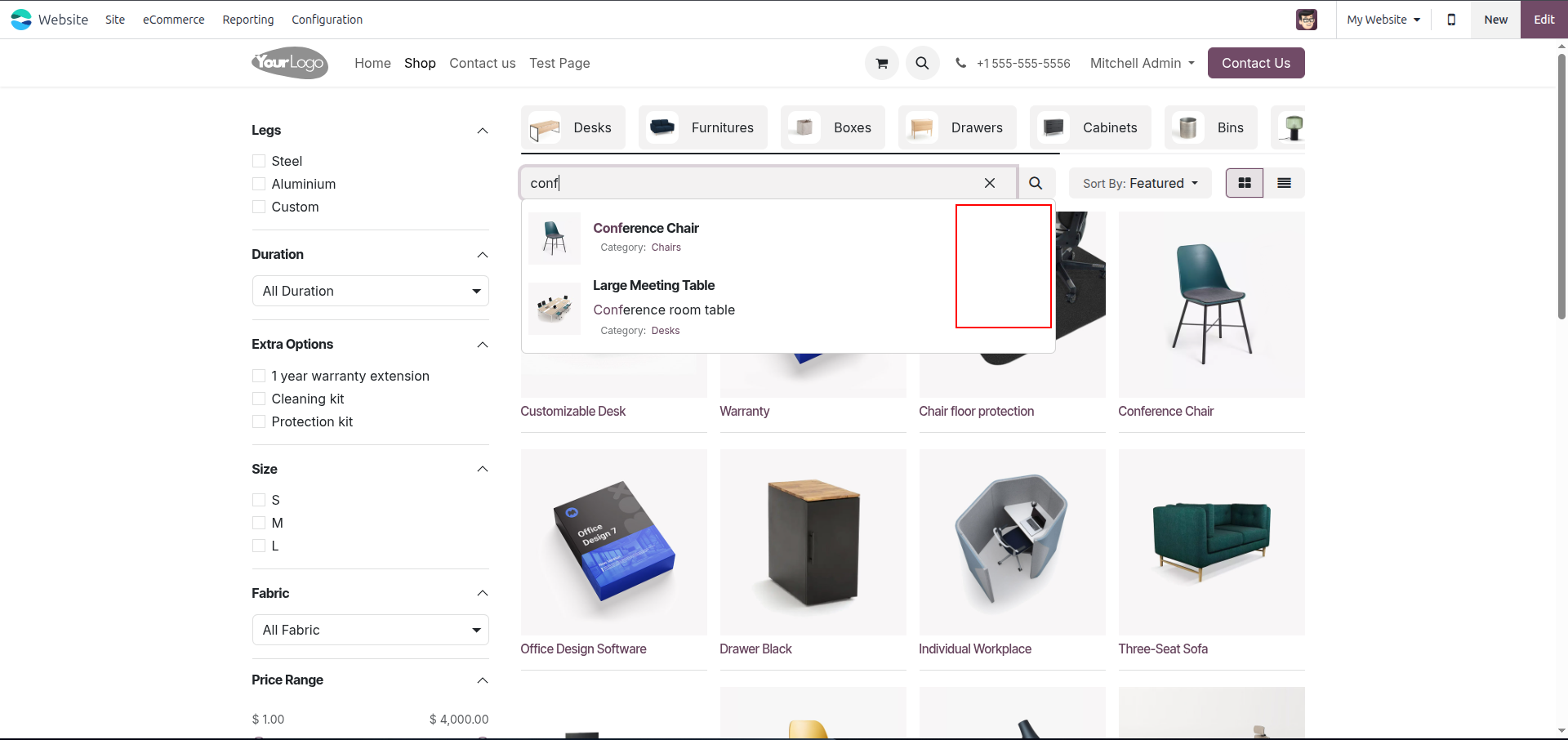
7. Search dropdown view — also price is hidden here.
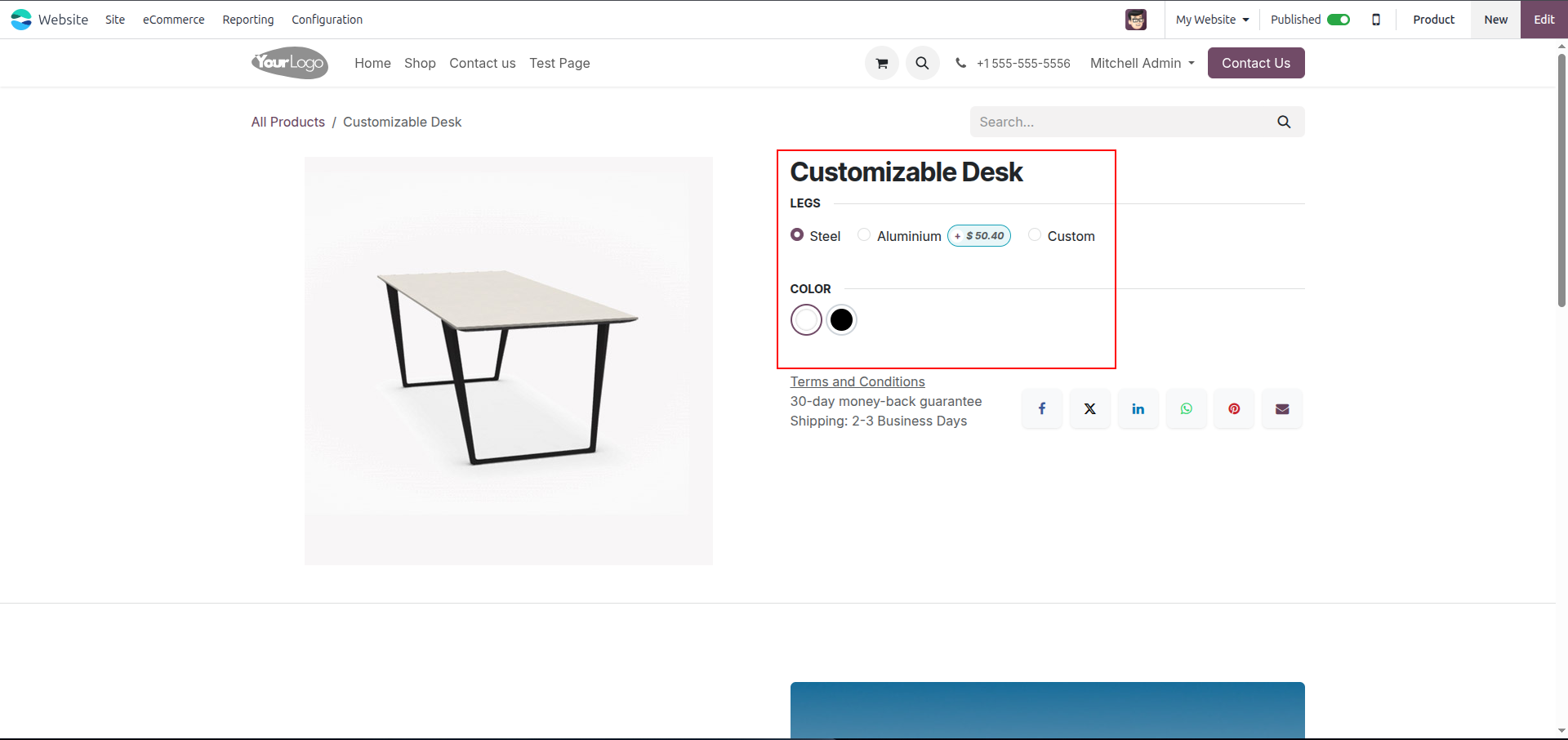
8. Product detail page — price, qty, and Add to Cart button are hidden.
Our solutions focus on your problems
- Odoo Implementation
- Odoo Customization
- ERP Development and Implementation
- Odoo Ipass Cloud
- AI for Odoo
- Odoo Apps
- Aws Marketplace Products
- Business Engines
Our Pricing includes User Manual, 90 Days Support (Monday-Friday 10am to 7pm IST) and One time Setup
• Works & tested on standard installations of Odoo with no third party apps,
• Free support only for odoo installations with no third party apps,
• Paid support available for Odoo installations with third party apps.

Prefortune is a Odoo Official Partner, Odoo Development company. Our philosophy is to use Open Source tools and technologies to provide cost effective and green solutions for our customers.
Prefortune Technologies LLP is working on web development, Mobile development, and Odoo ERP.
If you need any help or want more additional features, you may contact us through:
Alternative Products
These other products might interest you
Specifications
| Version | 19.0, 18.0, 17.0, 16.0, 15.0, 14.0 |