Watch Quick Video
Website Free Products Sample Request Odoo App
Our Website Free Products Sample Request Odoo App
module is an all-in-one solution that enables companies to offer free product samples directly on their Odoo websites. It allows customers to browse through the sample products available and submit sample requests effortlessly. It enables the businesses to attract potential customers, promote products and efficiently collect the sample requests.
The module is fully compatible with Odoo Website and Products, it is a simple sample request form with product selection and collection of customer information. Companies can simplify the distribution of samples, improve client engagement, and effectively manage requests for product samples through a simple request process and centralized sample request management.
Website Free Products Sample Request Odoo App
- Free samples on request through the web site
- Let customers select from sample products
- It automatically handles the recipients that are created from the sample requests
- Also includes a special sample request form
- Examples of mass emails to customers
Complete Workflow for Manage Website Free Products Sample Request Odoo App
Install and activate the Website Free Products Sample Request Odoo App module. After installing the module, users can navigate to Website → eCommerce → Products and open the required product. Enable the Sample Product checkbox and the Is Published option to make the product available in the Free Sample section. Customers can visit the website and access the Free Sample page to browse available sample products and submit a sample request. Customers can select the required Product Sample, enter their details, and submit the request through the sample request form. The submitted requests can be managed in Odoo for easy and efficient processing.
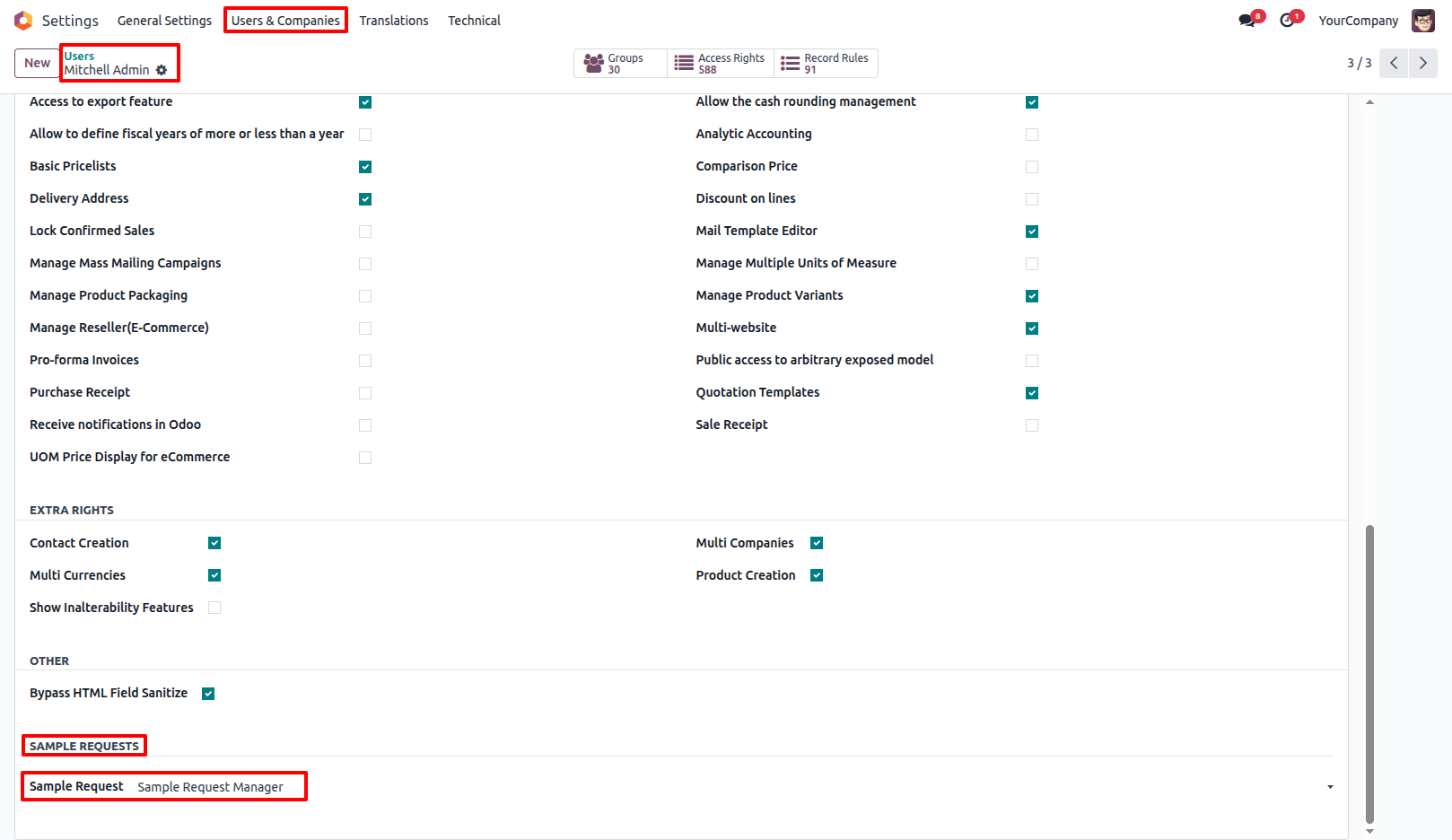
1.Go to Settings → Users & Companies → Users, open the required User,and make the user a Sample Request Manager. Go to Website → eCommerce → Products and open the required Product. Enable the Sample Product option and also enable Is Published in the Sales tab. Only products with both options enabled will be displayed in the Free Sample section on the website.
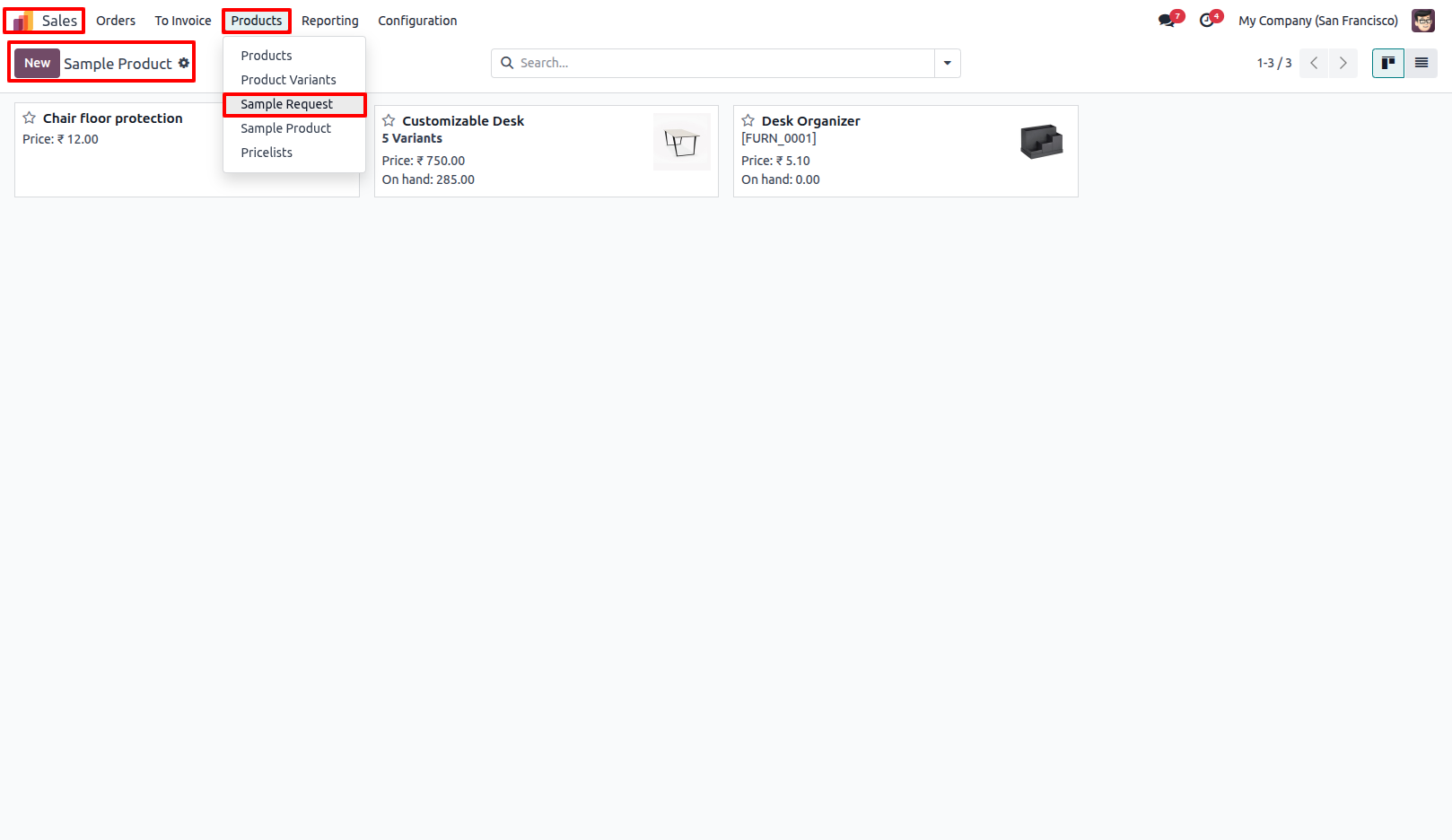
2.Go to Sales → Products → Sample Products to view all configured Sample Products. These products are displayed in the Free Sample tab on the website.
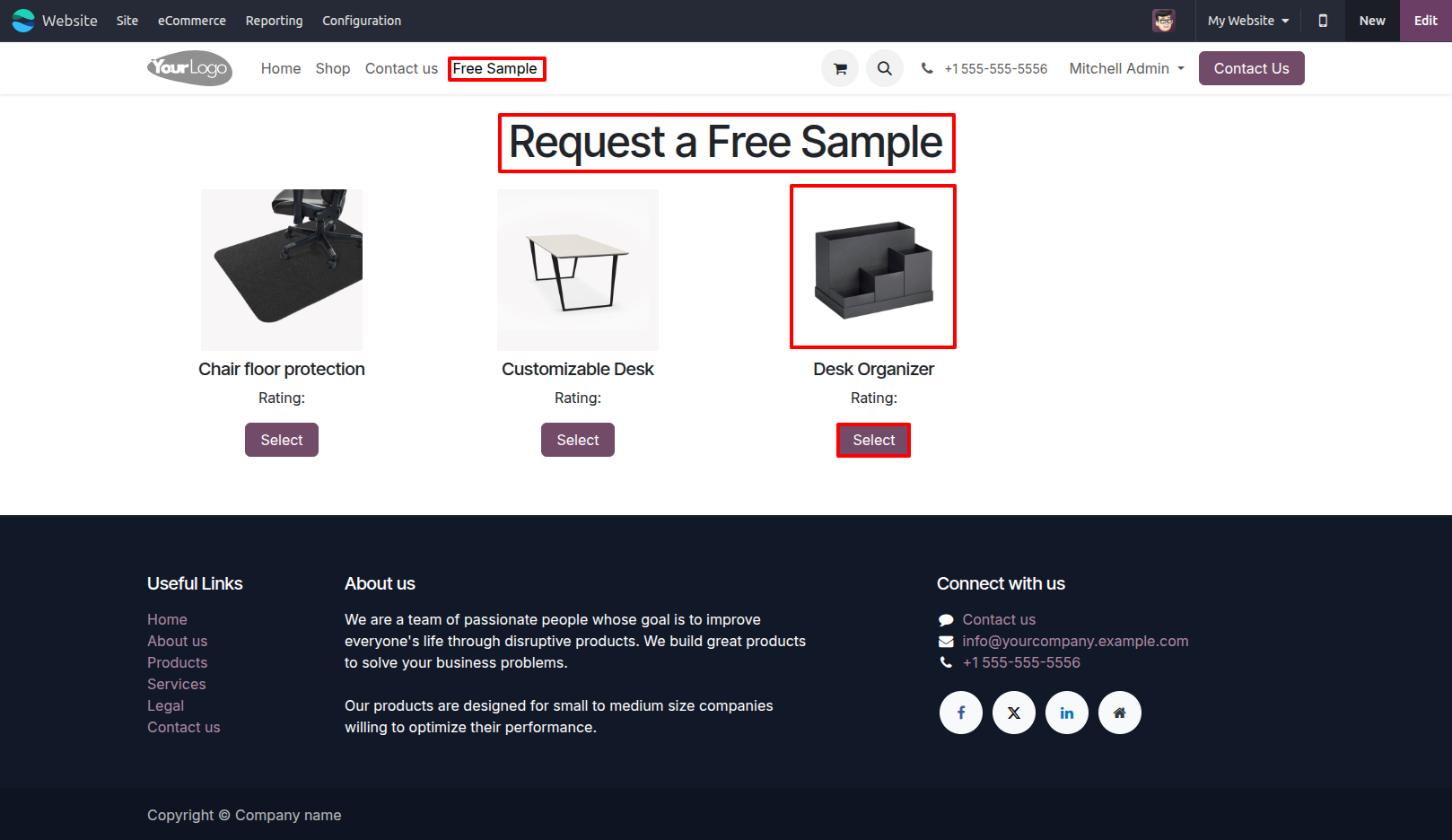
3.Go to the website and open the Free Sample page to view the available Sample Products. Only products configured as Sample Product and Is Published will appear on this page.
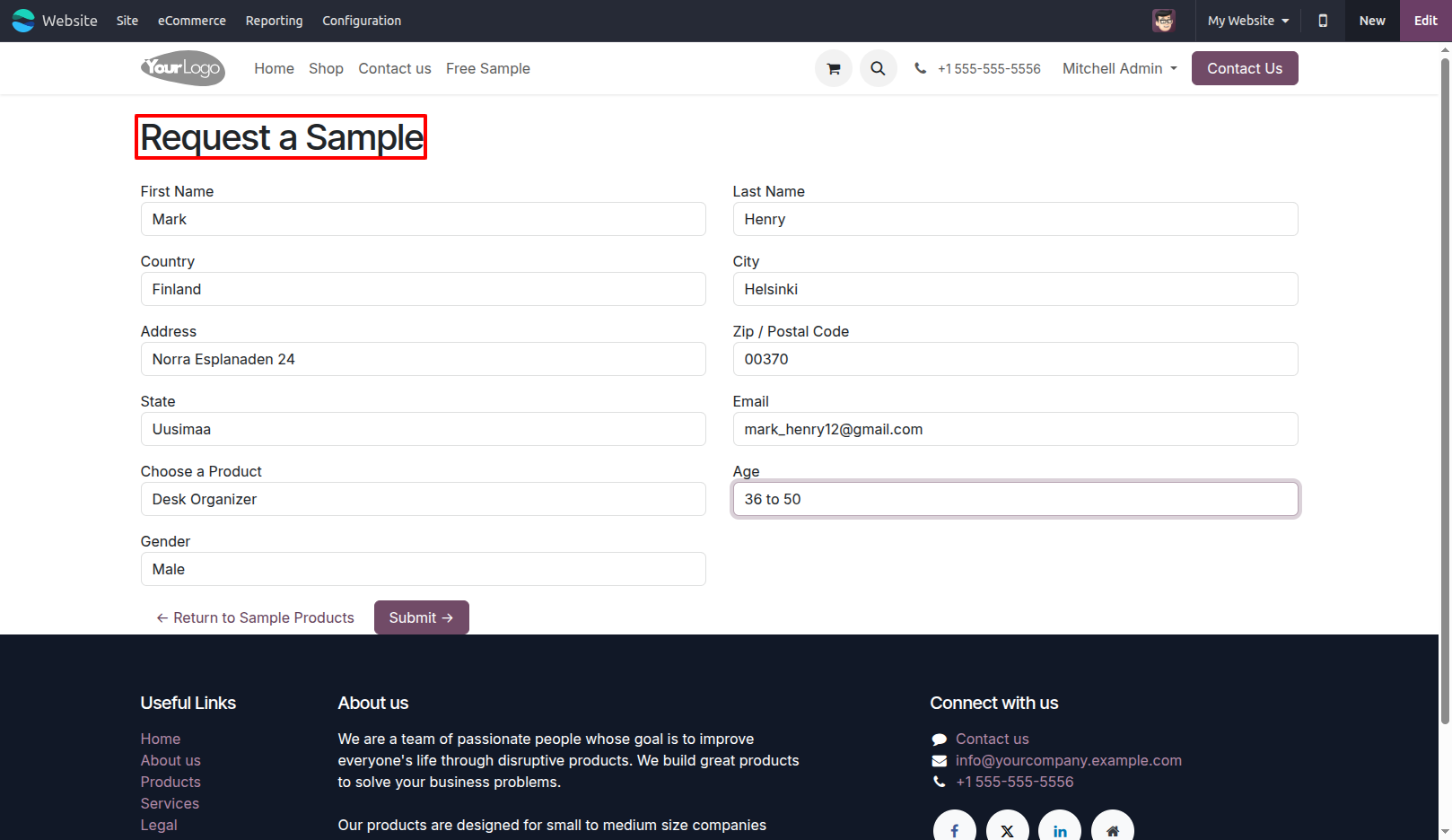
4.Select the required Product Sample and submit a Sample Request through the website. Customers can provide their required details in the Sample Request Form.
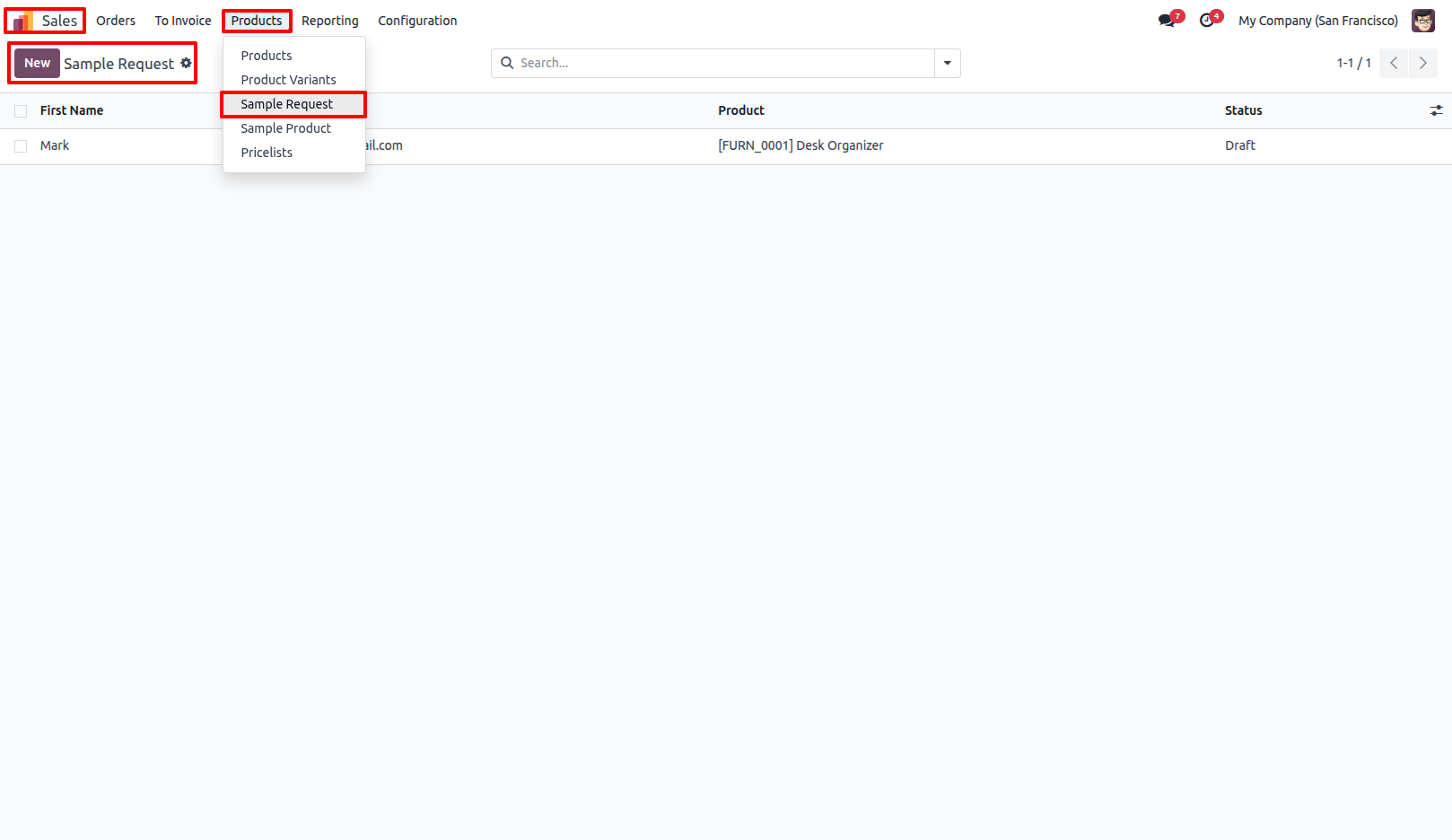
5.Go to Sales → Products → Sample Request to view all Free Sample Requests submitted by customers. Users can view and manage customer sample requests directly from Odoo.
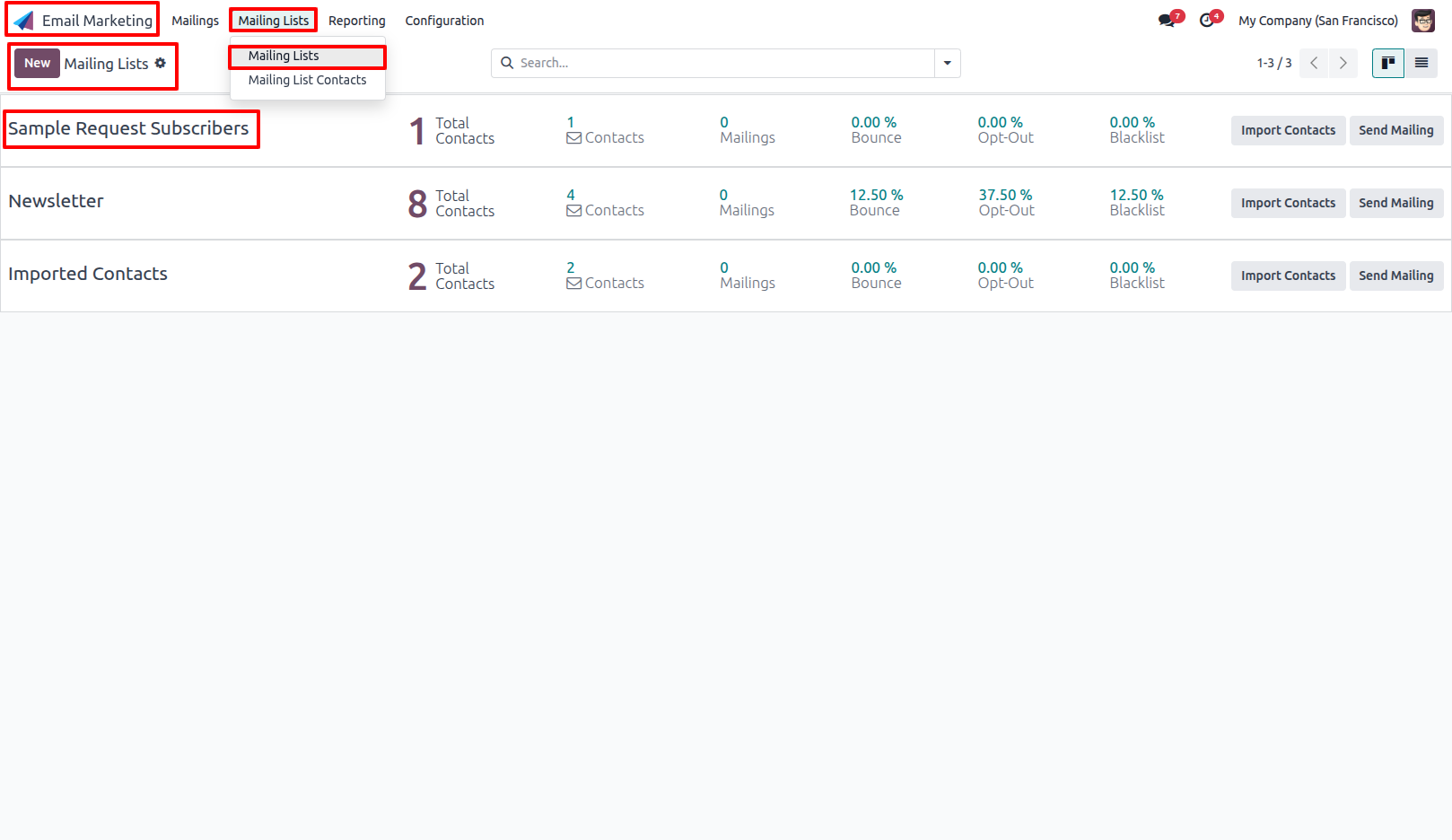
6.Go to Email Marketing → Mailing Lists to view all available Mailing Lists. In Sample Request Subscribers, you can view the recipients created based on Sample Requests.
Our solutions focus on your problems
- Odoo Implementation
- Odoo Customization
- ERP Development and Implementation
- Odoo Ipass Cloud
- AI for Odoo
- Odoo Apps
- Aws Marketplace Products
- Business Engines
Our Pricing includes User Manual, 90 Days Support (Monday-Friday 10am to 7pm IST) and One time Setup
• Works & tested on standard installations of Odoo with no third party apps,
• Free support only for odoo installations with no third party apps,
• Paid support available for Odoo installations with third party apps.

Prefortune is a Odoo Official Partner, Odoo Development company. Our philosophy is to use Open Source tools and technologies to provide cost effective and green solutions for our customers.
Prefortune Technologies LLP is working on web development, Mobile development, and Odoo ERP.
If you need any help or want more additional features, you may contact us through:
Alternative Products
These other products might interest you
Specifications
| Version | 19.0, 18.0, 17.0, 16.0, 15.0, 14.0 |