Watch Quick Video
Website Display Packaging Options Odoo App
Our all-inclusive
Odoo – Website Display Packaging Options Odoo App The Website Display Packaging Options module helps improve the online shopping experience by allowing store owners to create and manage multiple packaging options for each product directly from the Odoo backend. Businesses can define fixed quantities for different package sizes, making it easier to sell products in various pack formats. Customers can view available packaging options on the shop page and quickly select the pack size that best suits their needs. The module also allows customers to add one or multiple packs directly to the cart, simplifying the purchasing process. Packaging options can be displayed using dynamic website snippets, which makes product information more clear and user-friendly. Additionally, the module supports multi-website environments, enabling businesses to manage packaging visibility for each website separately. This flexibility allows companies to offer different pack sizes for different target markets. Overall, it makes product selection easier and improves the efficiency and convenience of the shopping experience.
Website Display Packaging Options Odoo App
- Manage and display different product packaging options across multiple Odoo websites easily.
- Add various pack sizes for products to offer flexible purchasing choices.
- Customers quickly choose preferred pack size and add products to cart easily.
- Administrators manage, update, and control packaging options directly from Odoo backend.
- Show product packaging options clearly using dynamic snippets on the website shop.
Complete Workflow for Manage Website Display Packaging Options Odoo App
First we need to activate Website Display Packaging Options app allows store owners to create and manage multiple packaging sizes for products directly from the Odoo backend. Customers can view these pack options on the website shop page and easily select their preferred pack size before adding it to the cart. It also supports multi-website environments, allowing businesses to manage packaging visibility for different websites.
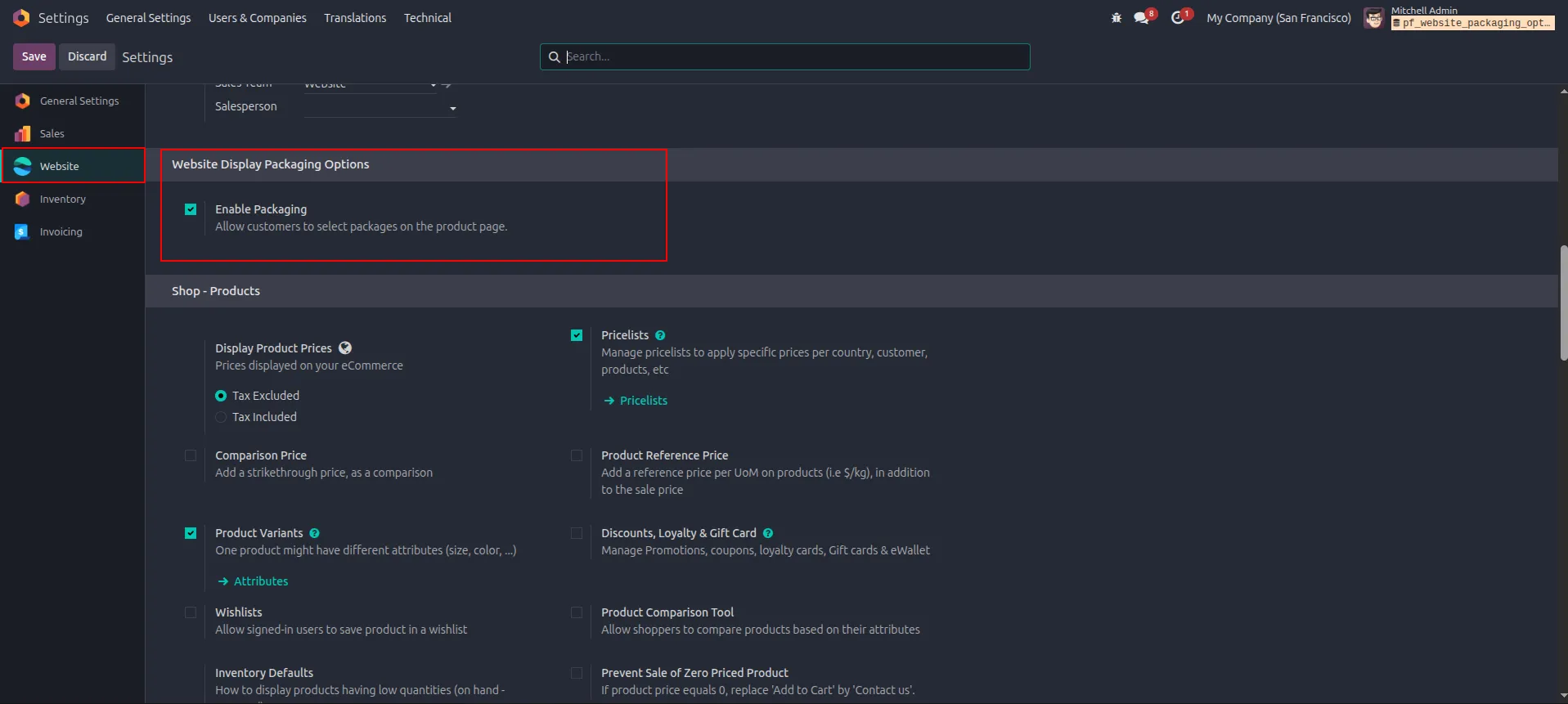
1.Go to Settings → Website and enable "Enable Packaging" under Website Display Packaging Options.
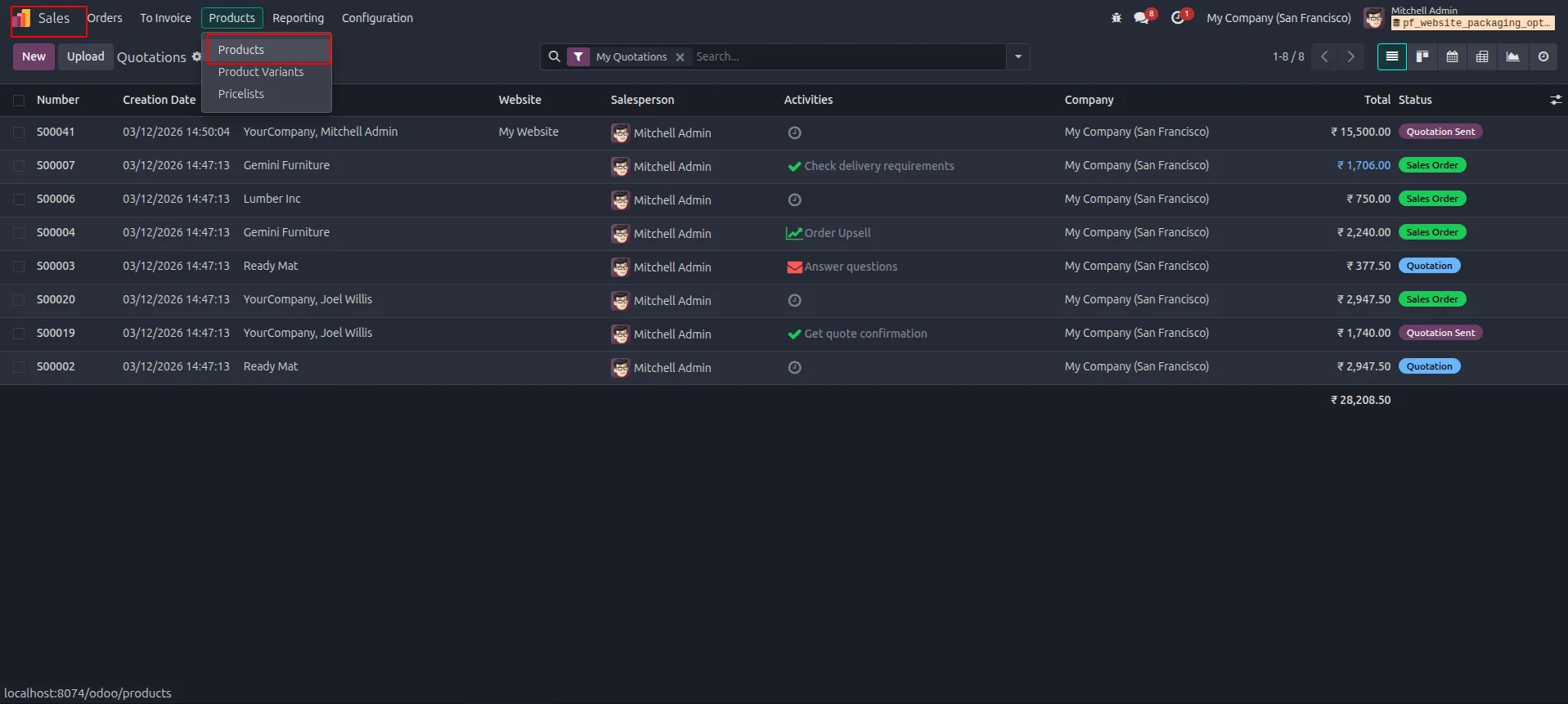
2.Navigate to Sales → Products → Products to access the product list.
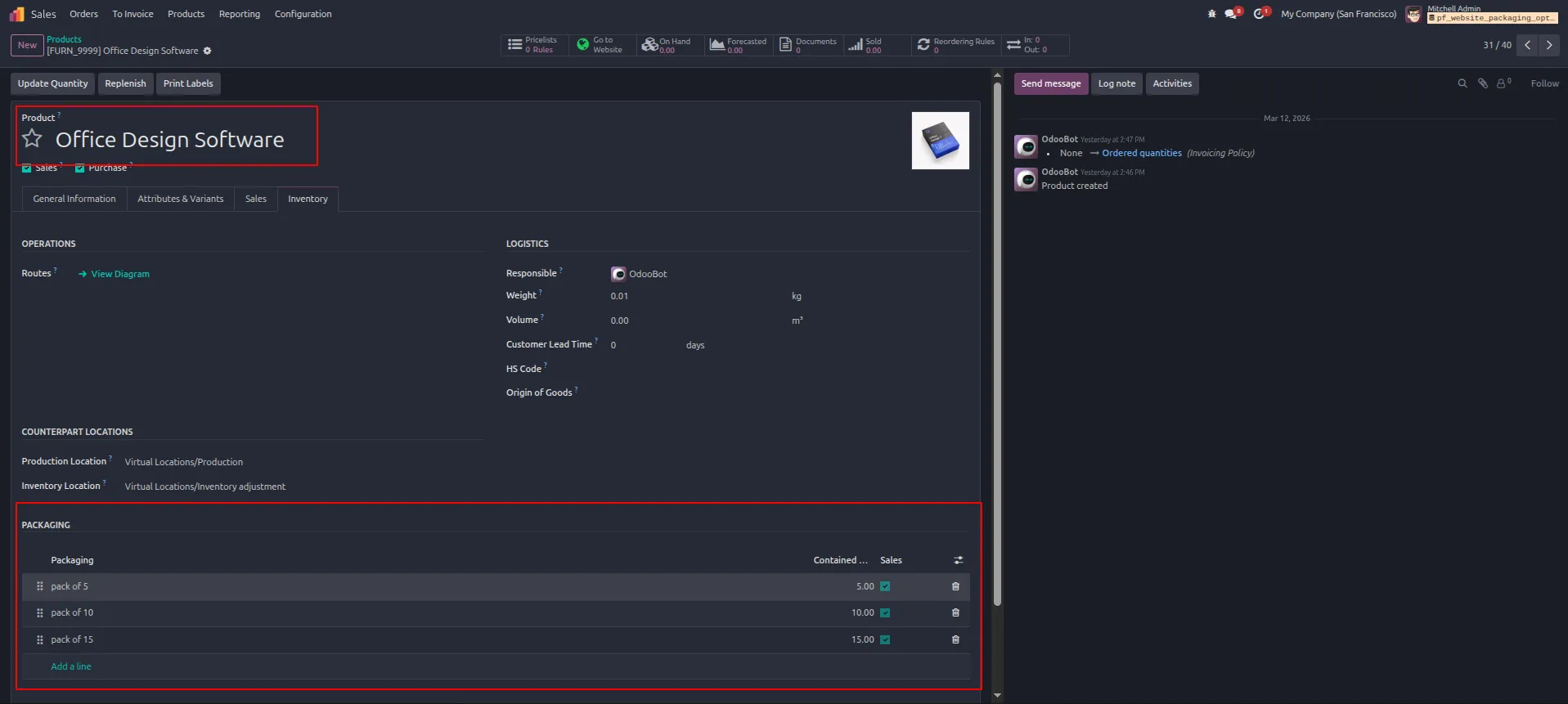
3.Open "Office Design Software" and go to the Inventory tab to add packaging options (pack of 5, pack of 10, pack of 15) under the Packaging section.
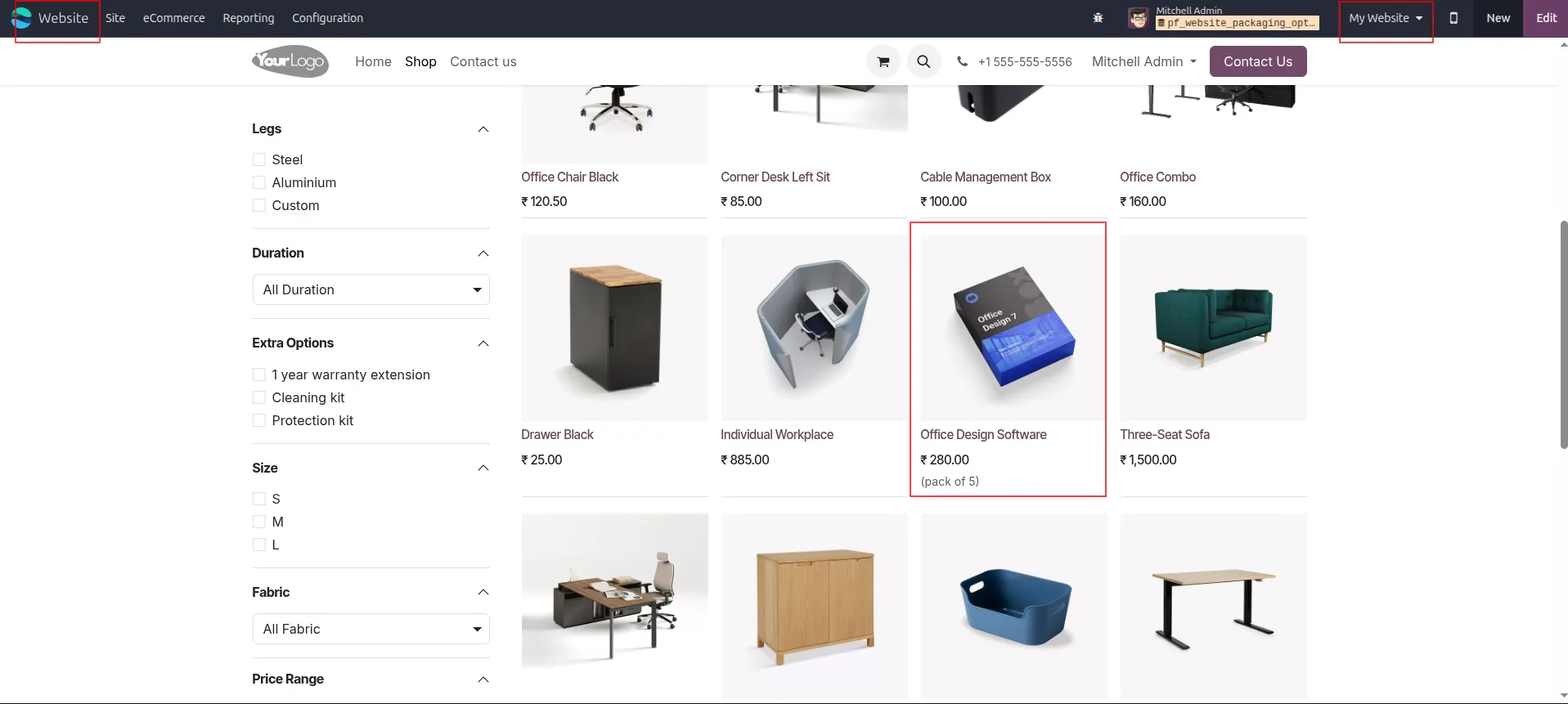
4.Visit the Website (My Website) and navigate to the Shop to view the product listing showing "Office Design Software" with (pack of 5).
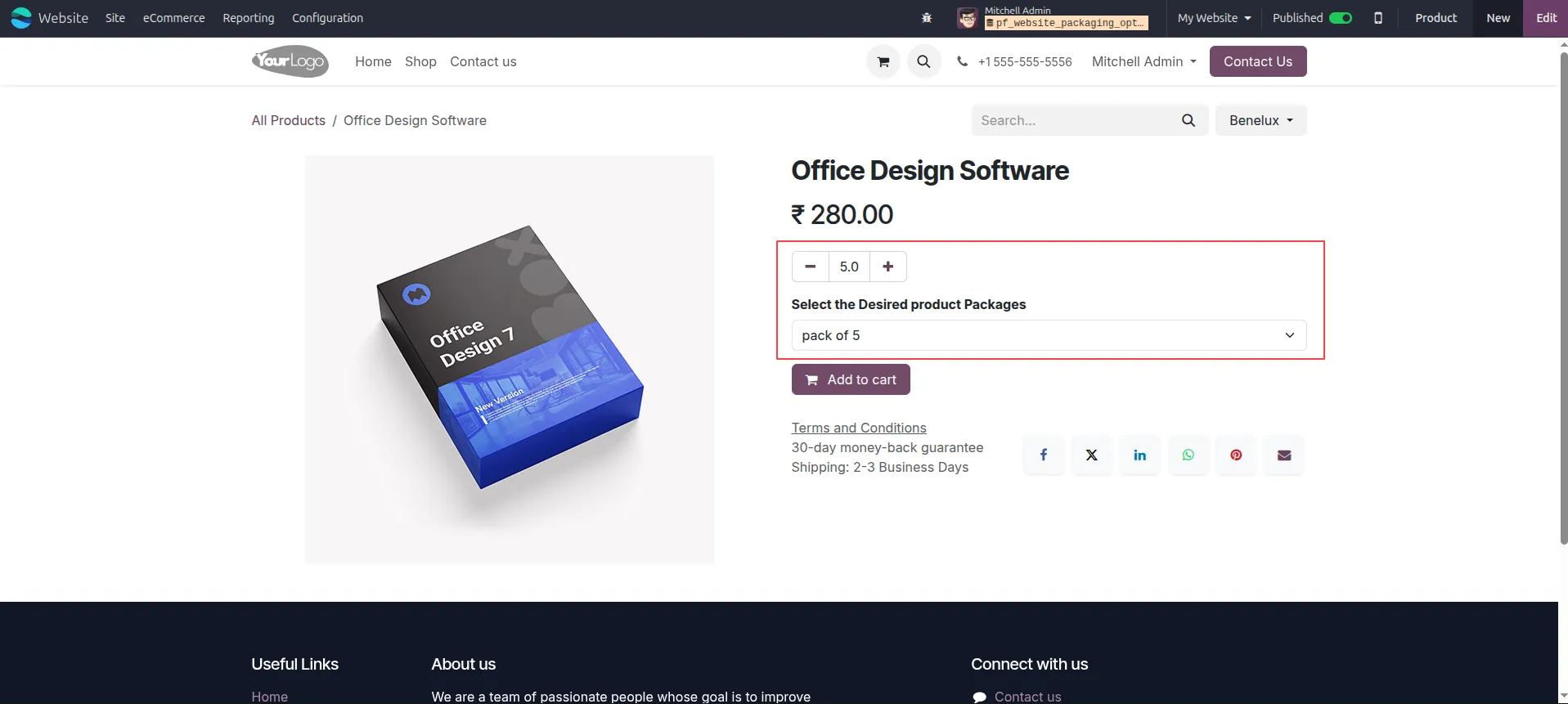
5.Open the Office Design Software product page on the website and select the desired package (pack of 5) from the dropdown, then click "Add to cart".
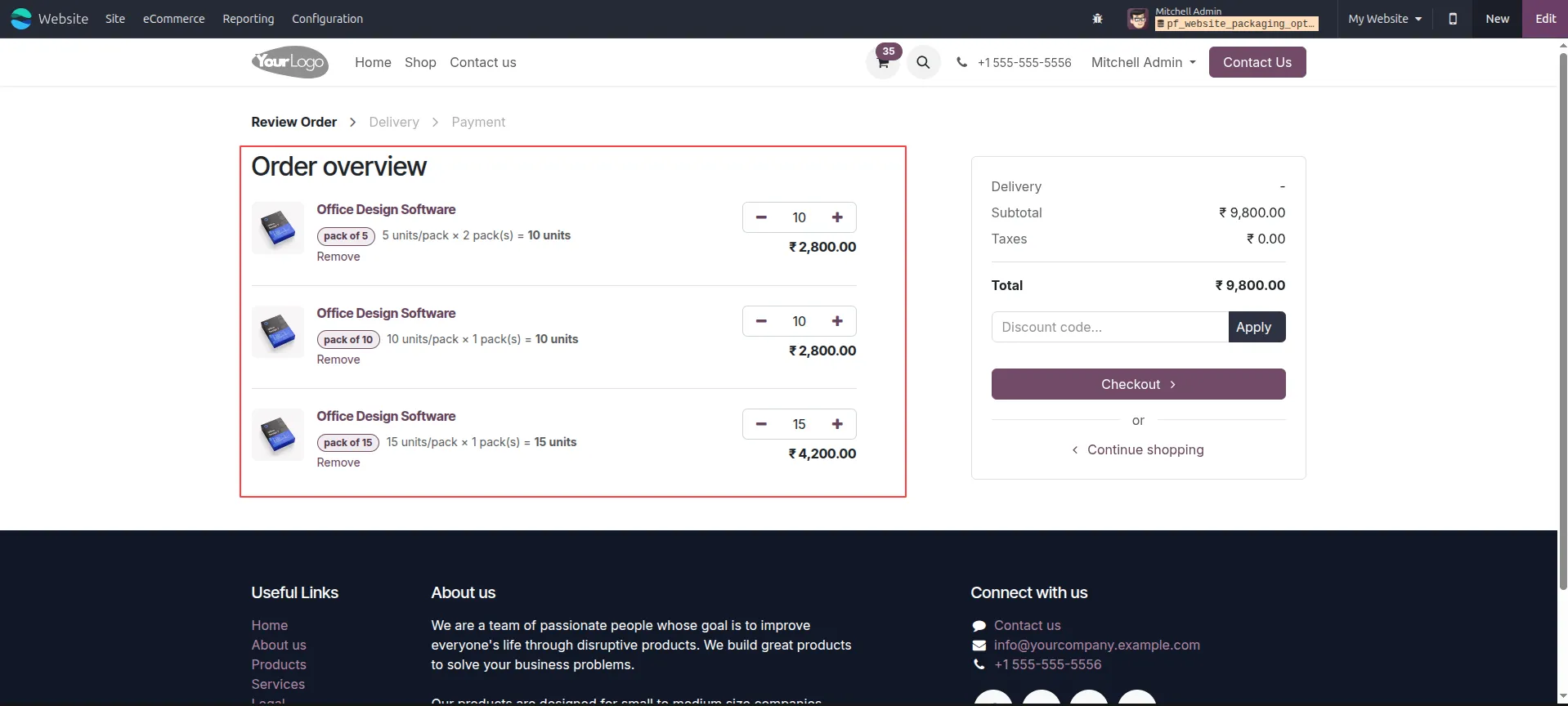
6.Review the Order Overview in the cart showing all three package selections with their respective quantities and prices.
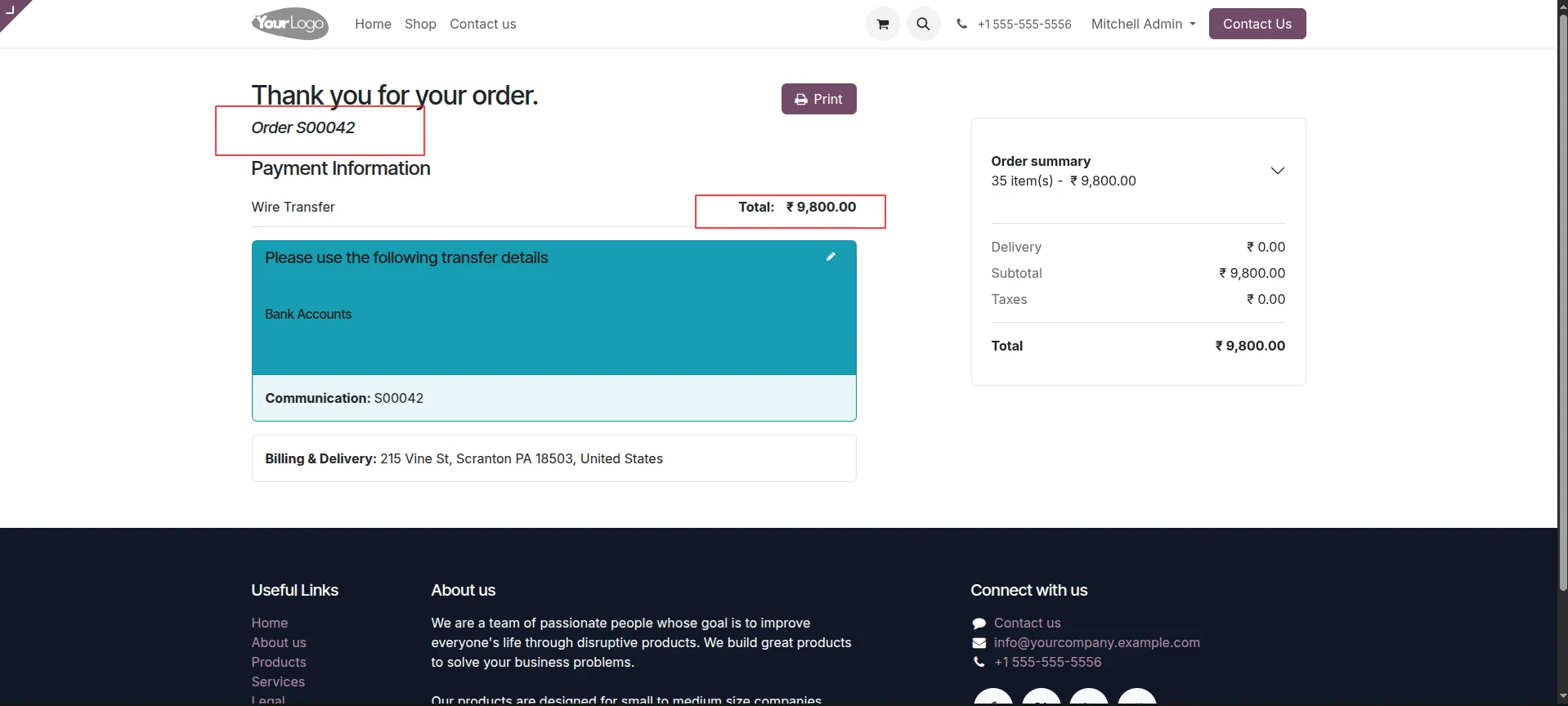
7.Complete the checkout — the confirmation page displays Order S00042 with a total of ₹9,800 via Wire Transfer.
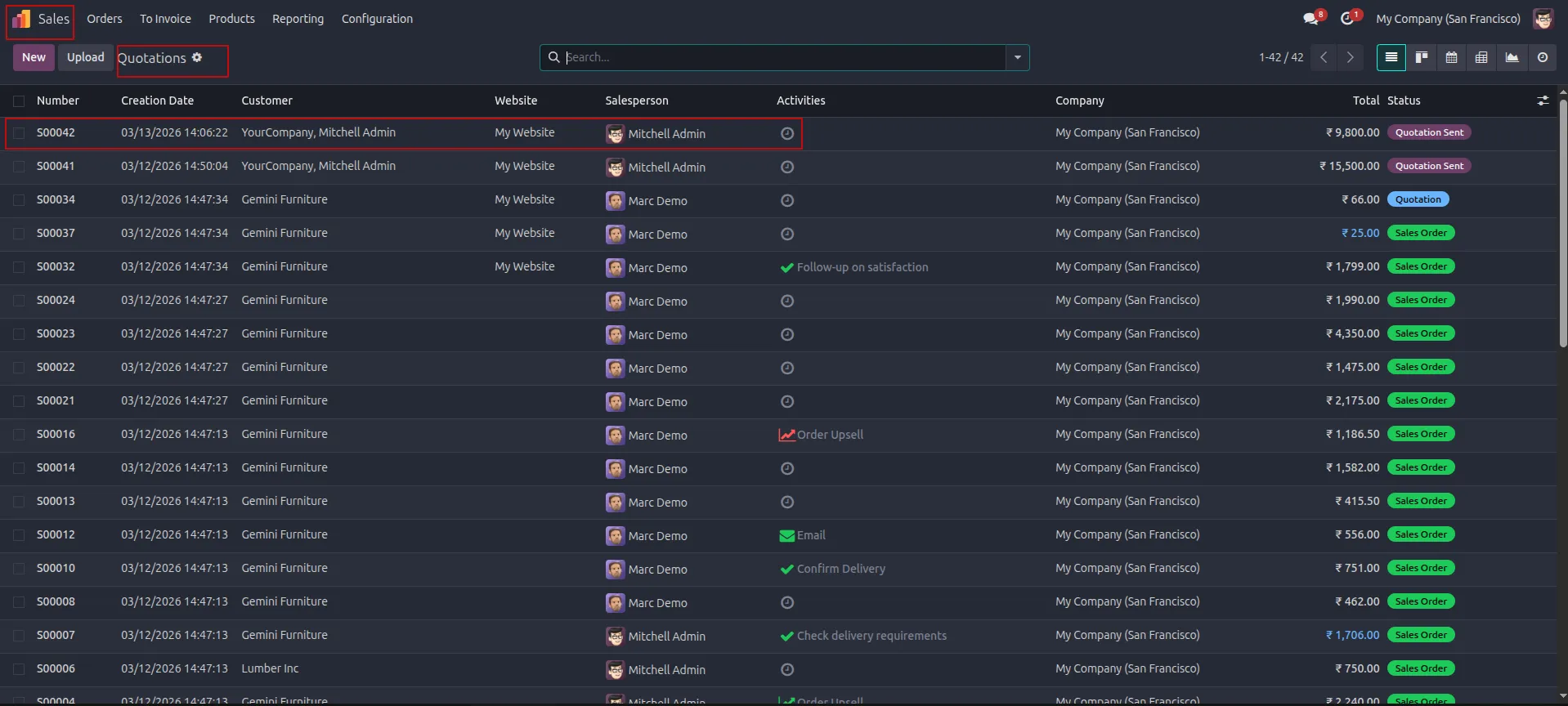
8.In the Sales backend, go to Quotations and verify that order S00042 appears with status "Quotation Sent" for ₹9,800.
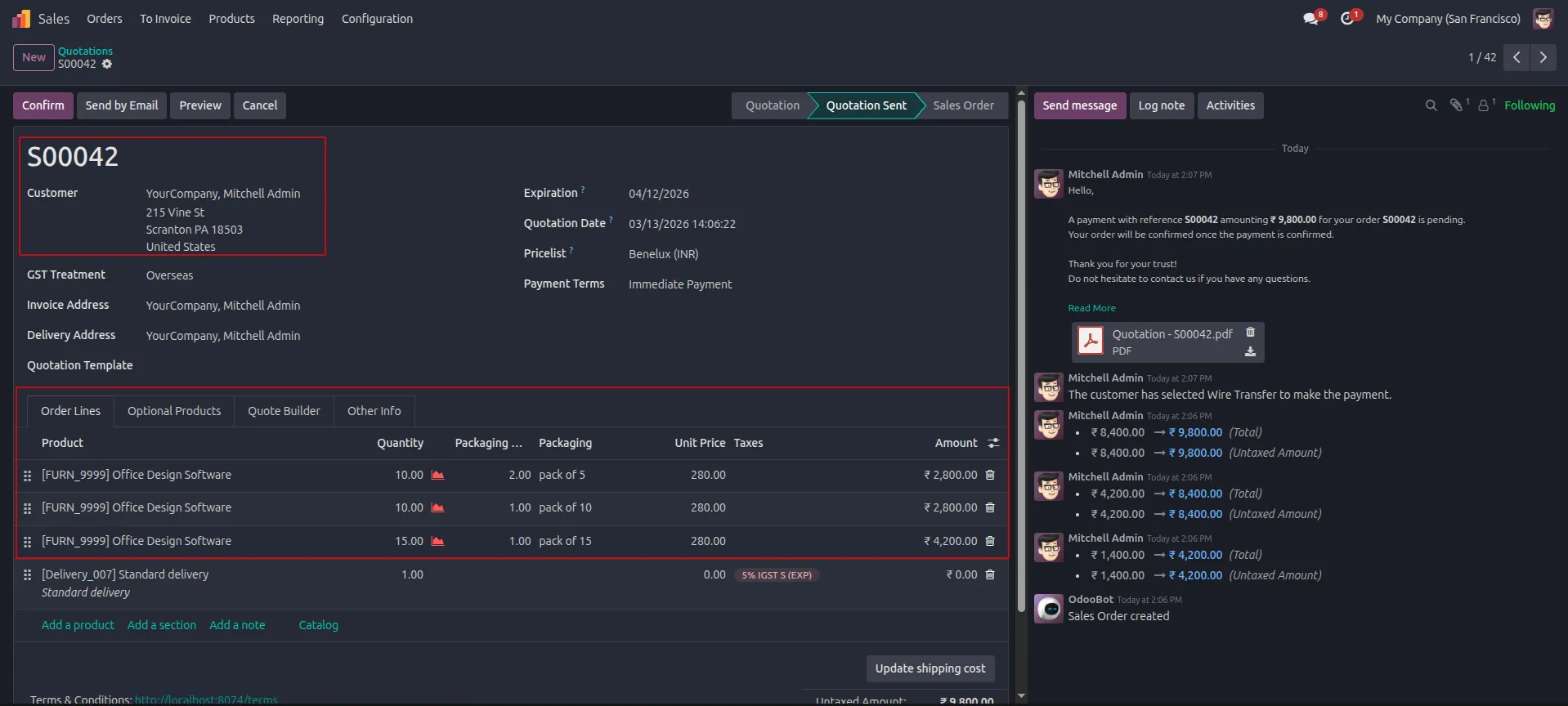
9.Open quotation S00042 to confirm the order lines reflect all three packaging configurations with correct quantities and amounts.
Our solutions focus on your problems
- Odoo Implementation
- Odoo Customization
- ERP Development and Implementation
- Odoo Ipass Cloud
- AI for Odoo
- Odoo Apps
- Aws Marketplace Products
- Business Engines
Our Pricing includes User Manual, 90 Days Support (Monday-Friday 10am to 7pm IST) and One time Setup
• Works & tested on standard installations of Odoo with no third party apps,
• Free support only for odoo installations with no third party apps,
• Paid support available for Odoo installations with third party apps.

Prefortune is a Odoo Official Partner, Odoo Development company. Our philosophy is to use Open Source tools and technologies to provide cost effective and green solutions for our customers.
Prefortune Technologies LLP is working on web development, Mobile development, and Odoo ERP.
If you need any help or want more additional features, you may contact us through:
Alternative Products
These other products might interest you
Specifications
| Version | 18.0, 17.0, 16.0, 15.0, 14.0 |