Watch Quick Video
View Live Stock by Portal Users
Our all-inclusive Odoo – View Live Stock by Portal Users module enhances the customer portal experience by providing a dedicated section to view real-time product stock availability.
It allows users to easily check current stock levels without navigating through backend operations.
With instant access to up-to-date inventory information, customers can make faster and more informed purchasing decisions.
The module supports multiple view options, including Kanban and List views, along with export functionality, ensuring a clean, flexible, and user-friendly portal experience.
Key Features
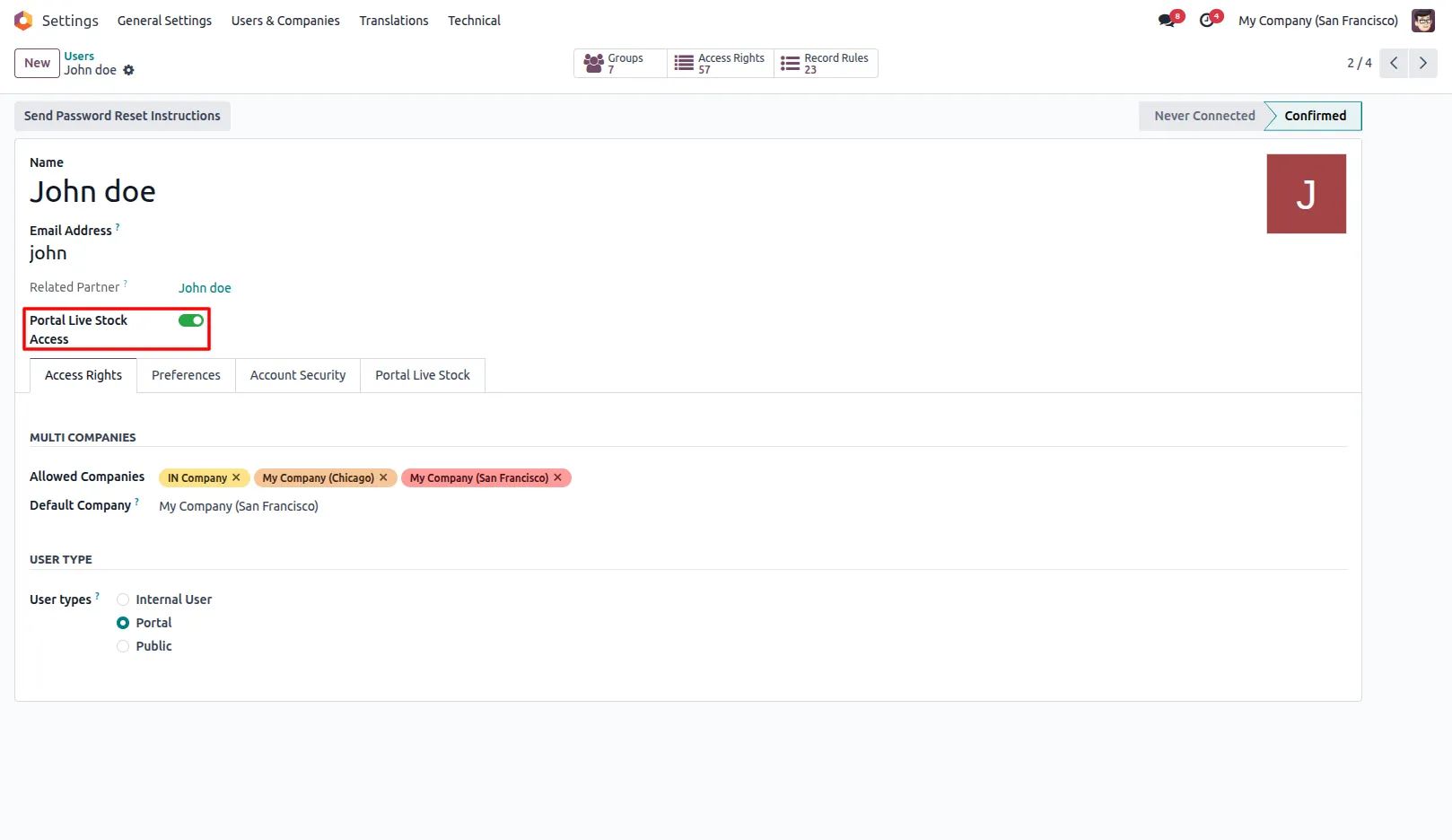
1. Enable Portal Live Stock Access for the user from the user form.
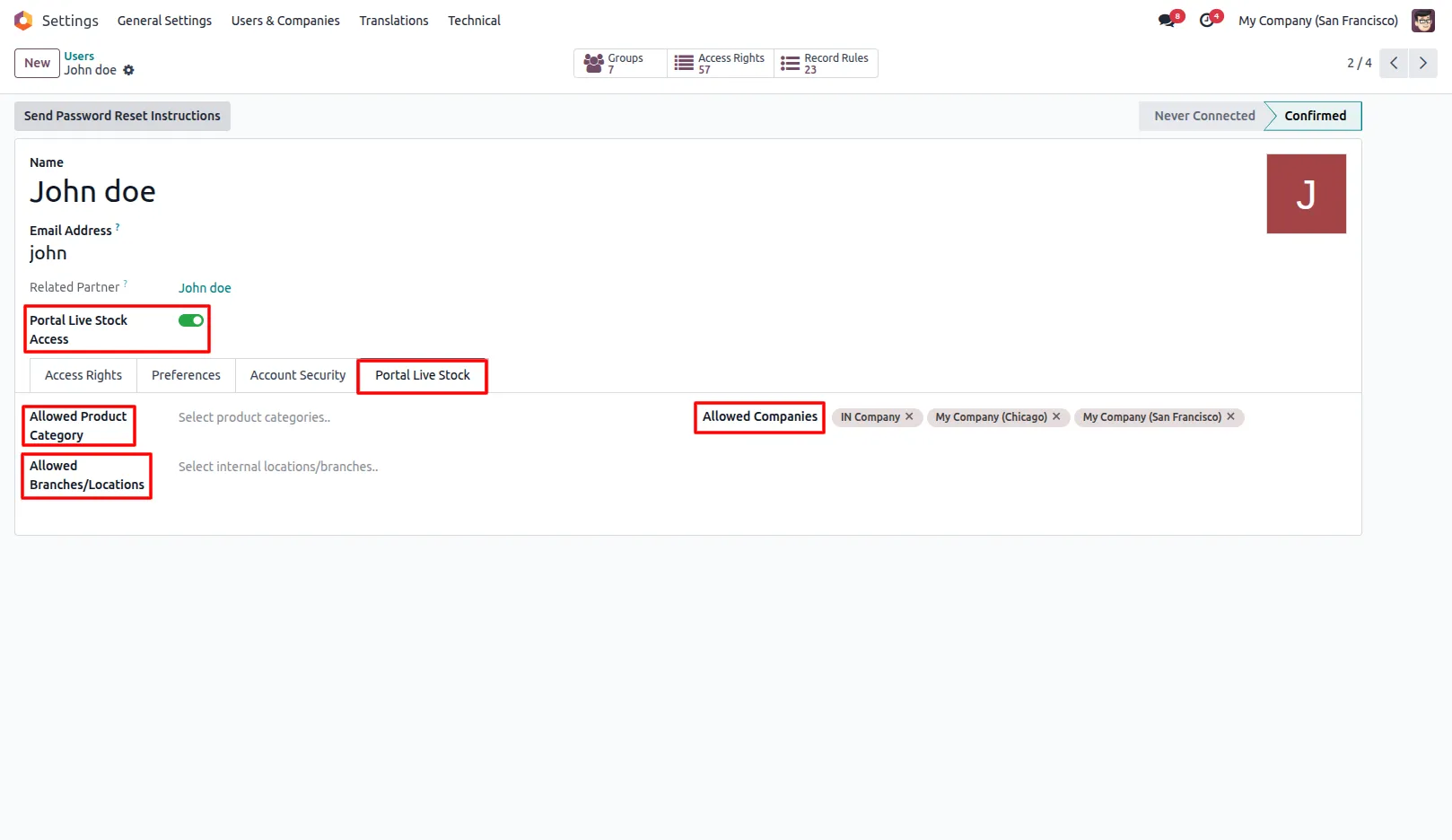
2. After enabling, a Portal Live Stock tab appears in the user form where admin can configure Allowed Product Categories, Allowed Branches/Locations, and Allowed Companies.
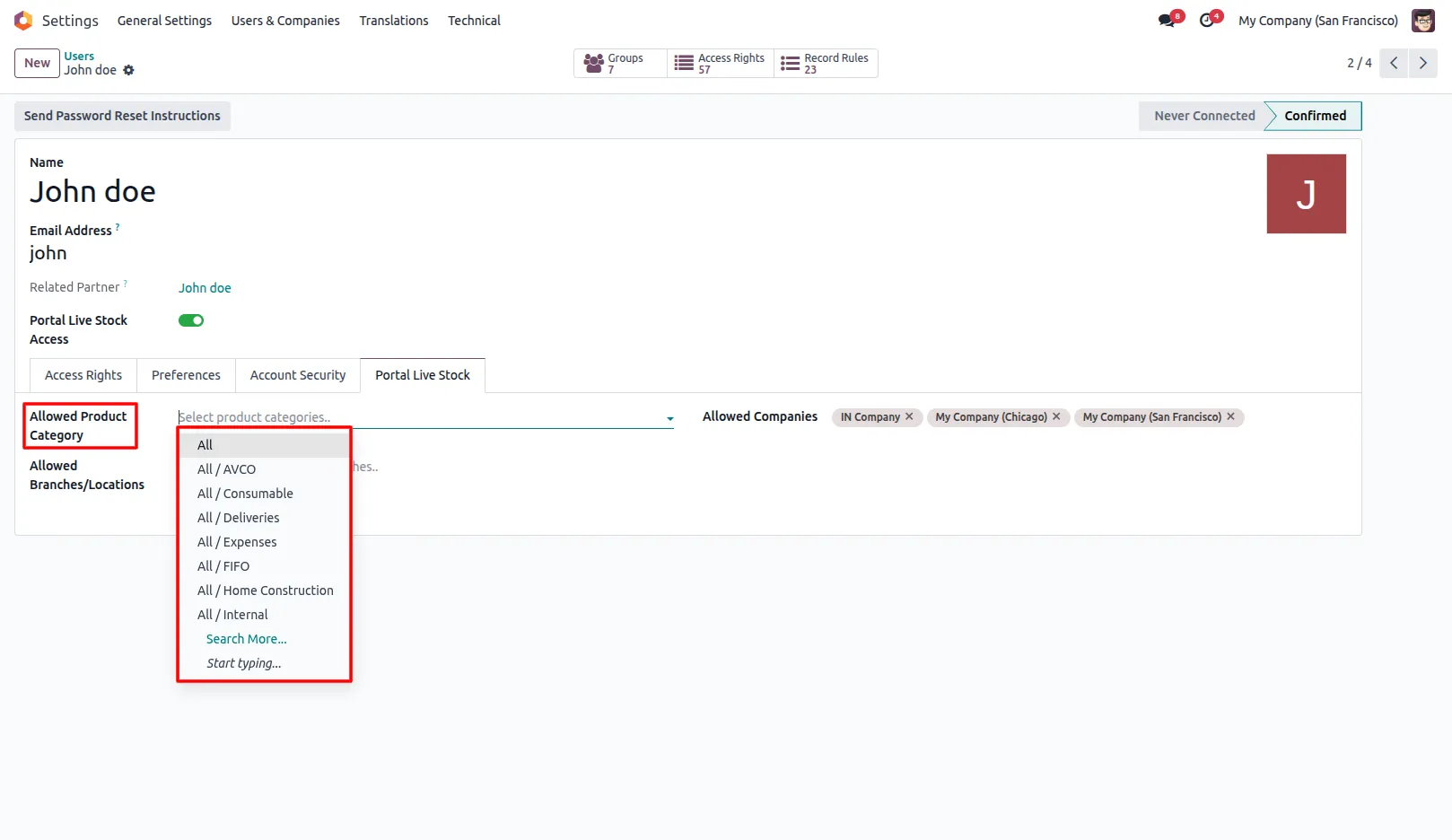
3. If specific product categories are selected, only those categories will be displayed; otherwise, all product categories will be shown.
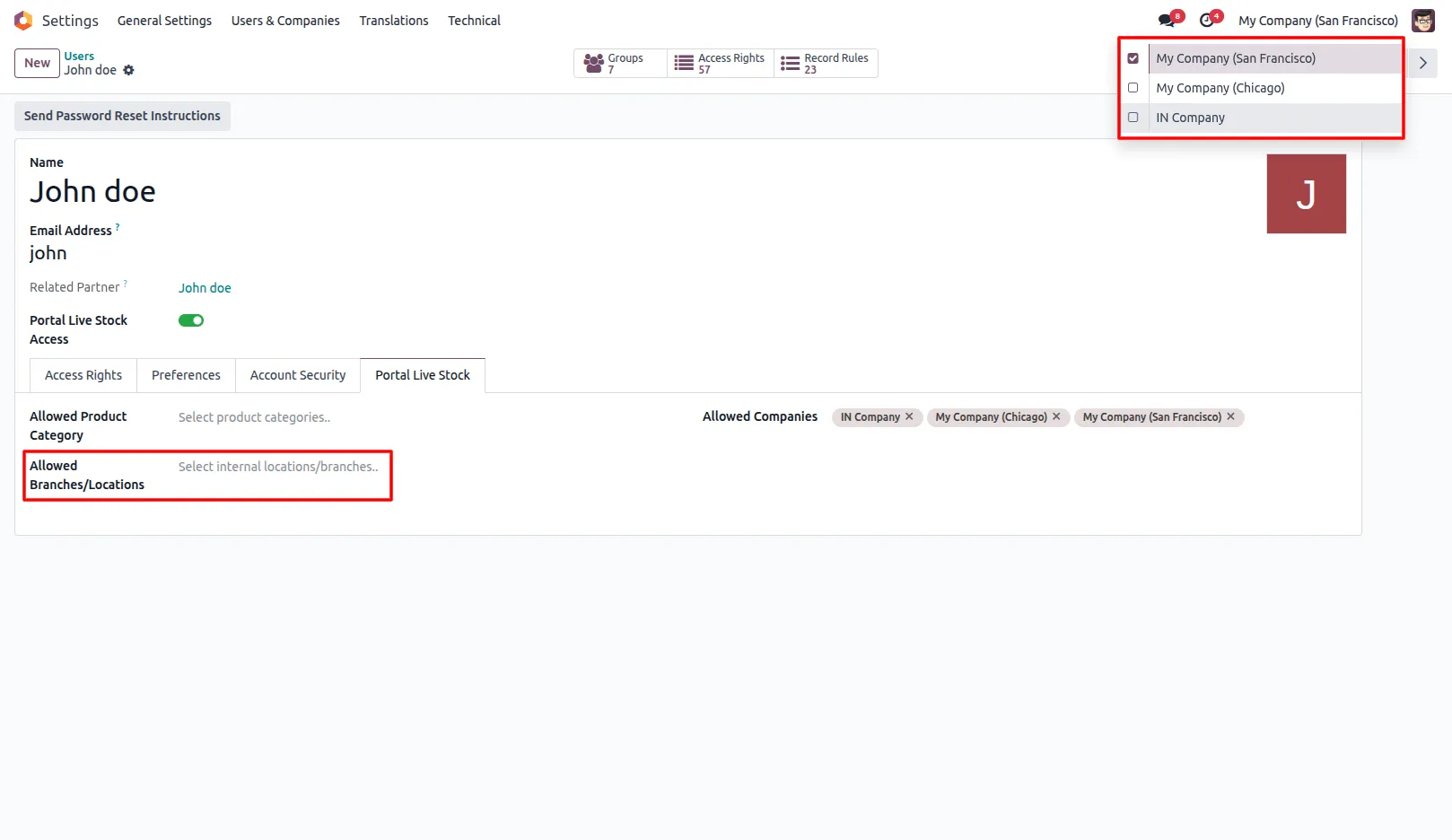
4. If specific branches/locations are selected, stock will be shown only for those under the selected company; otherwise, all branches/locations of the selected company will be displayed.
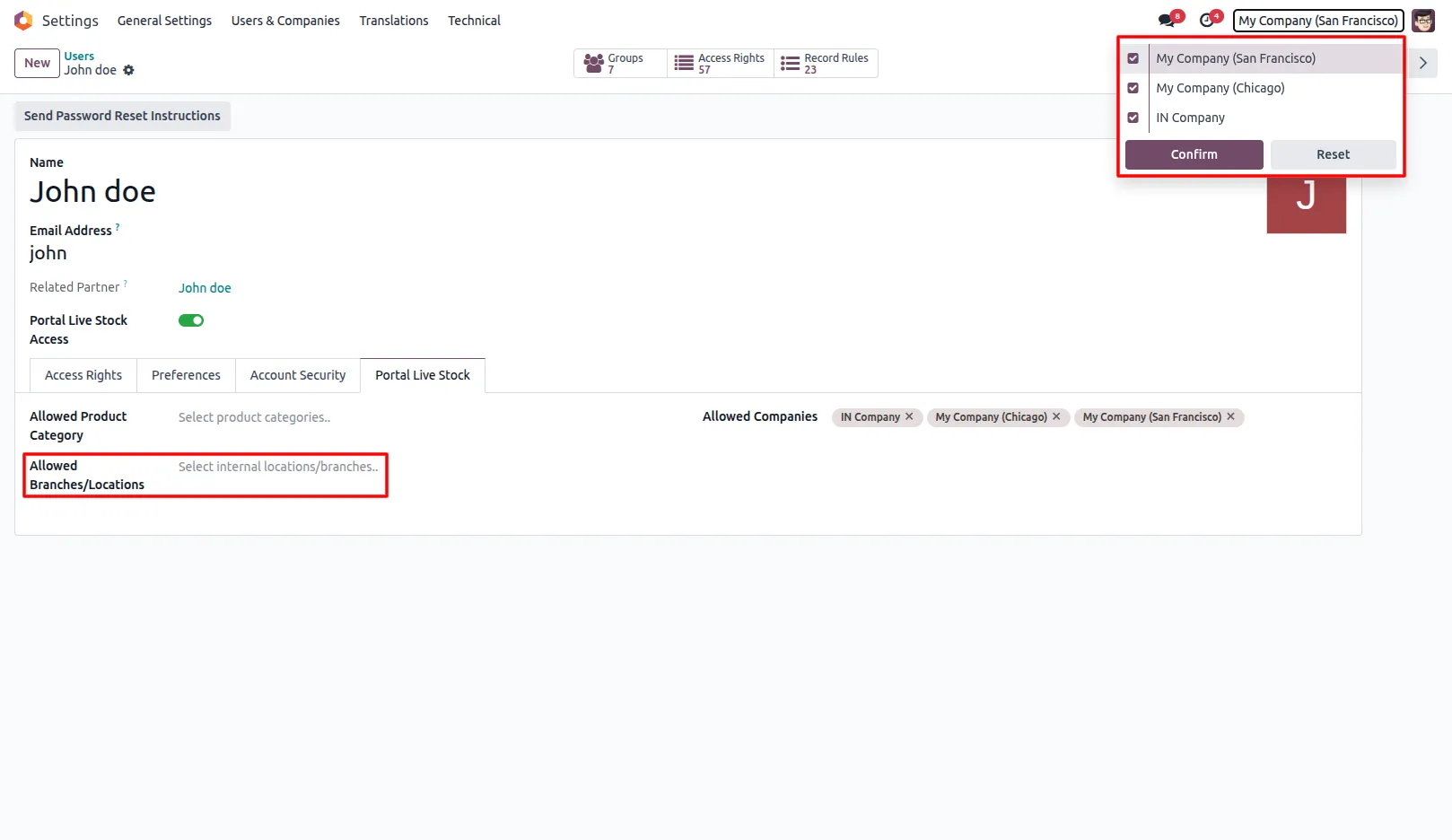
Note: To display stock from all companies' branches/locations, the user must select all companies. Only then will all branches/locations be visible.
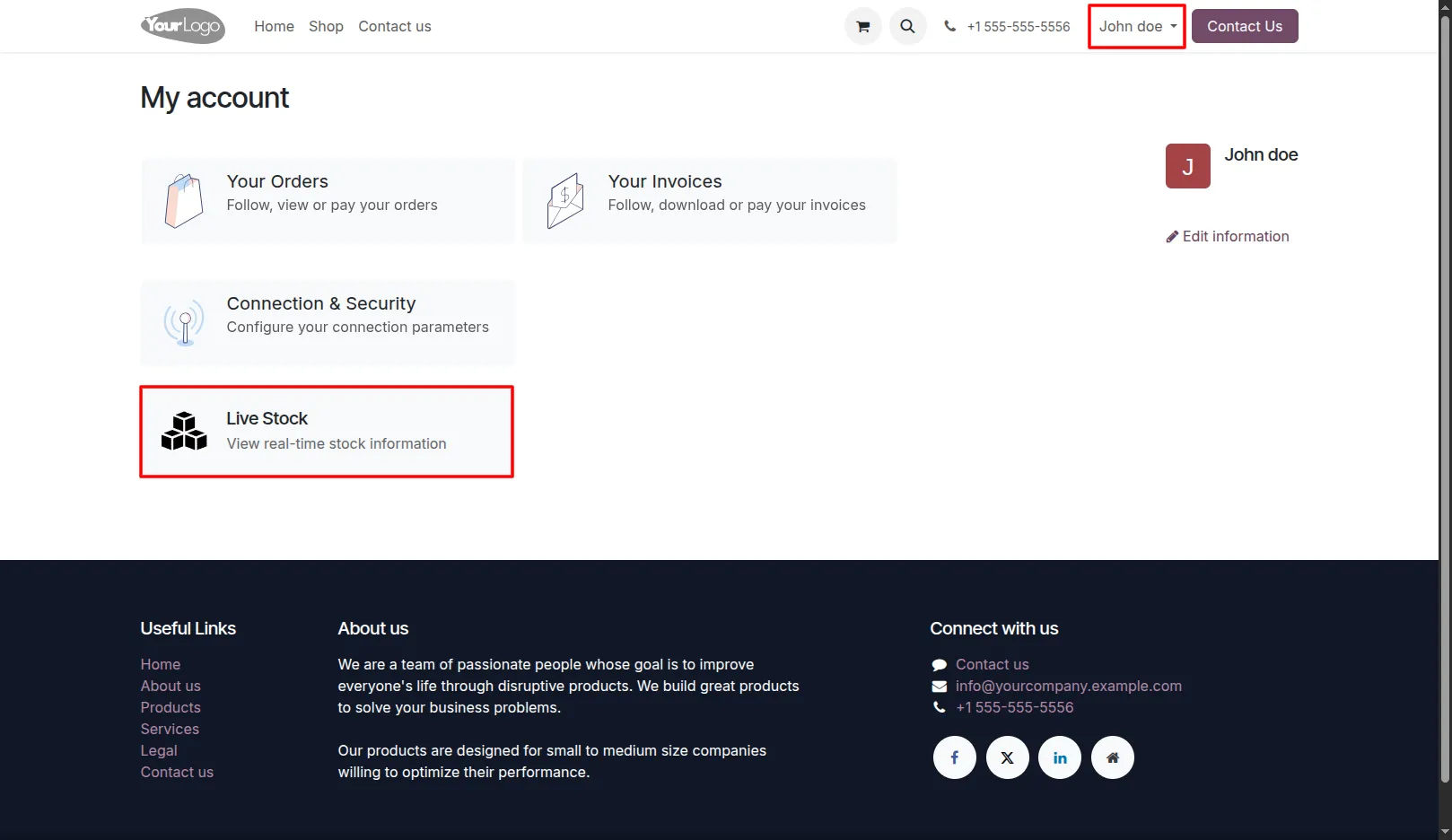
5. Log in to the Customer Portal to access the Live Stock section.
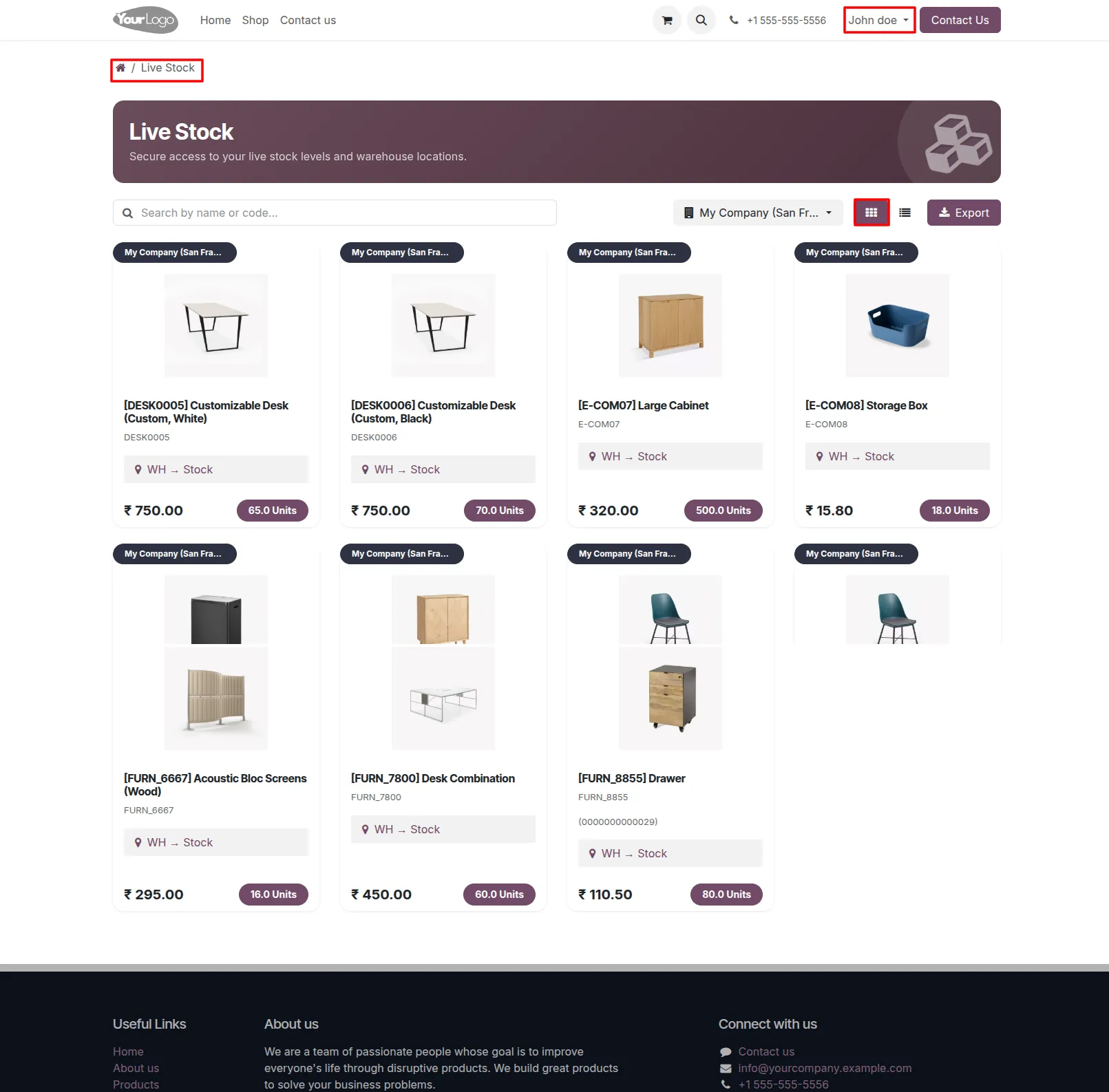
6. View stock details in Kanban or List view. Kanban View:
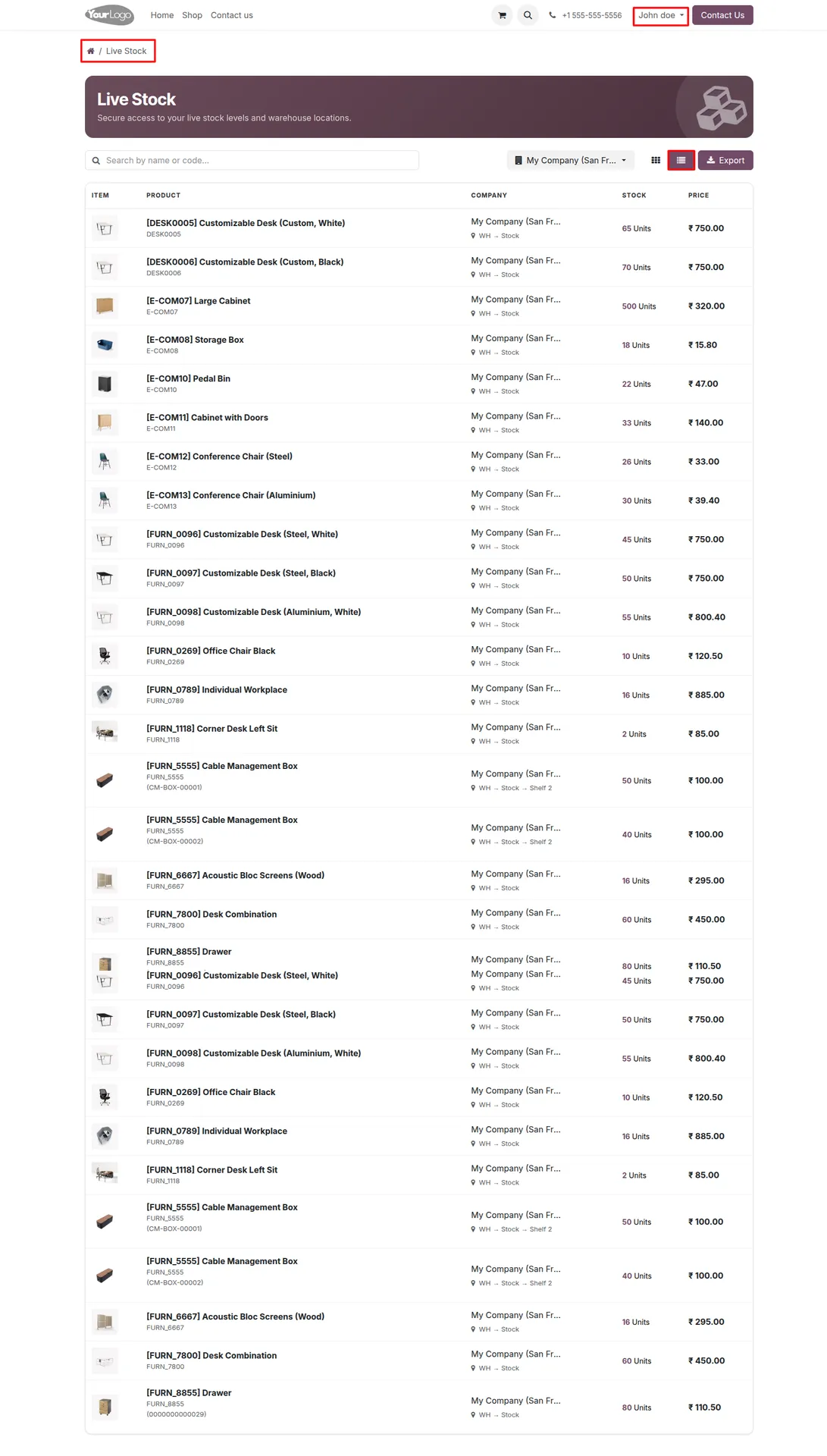
List View:
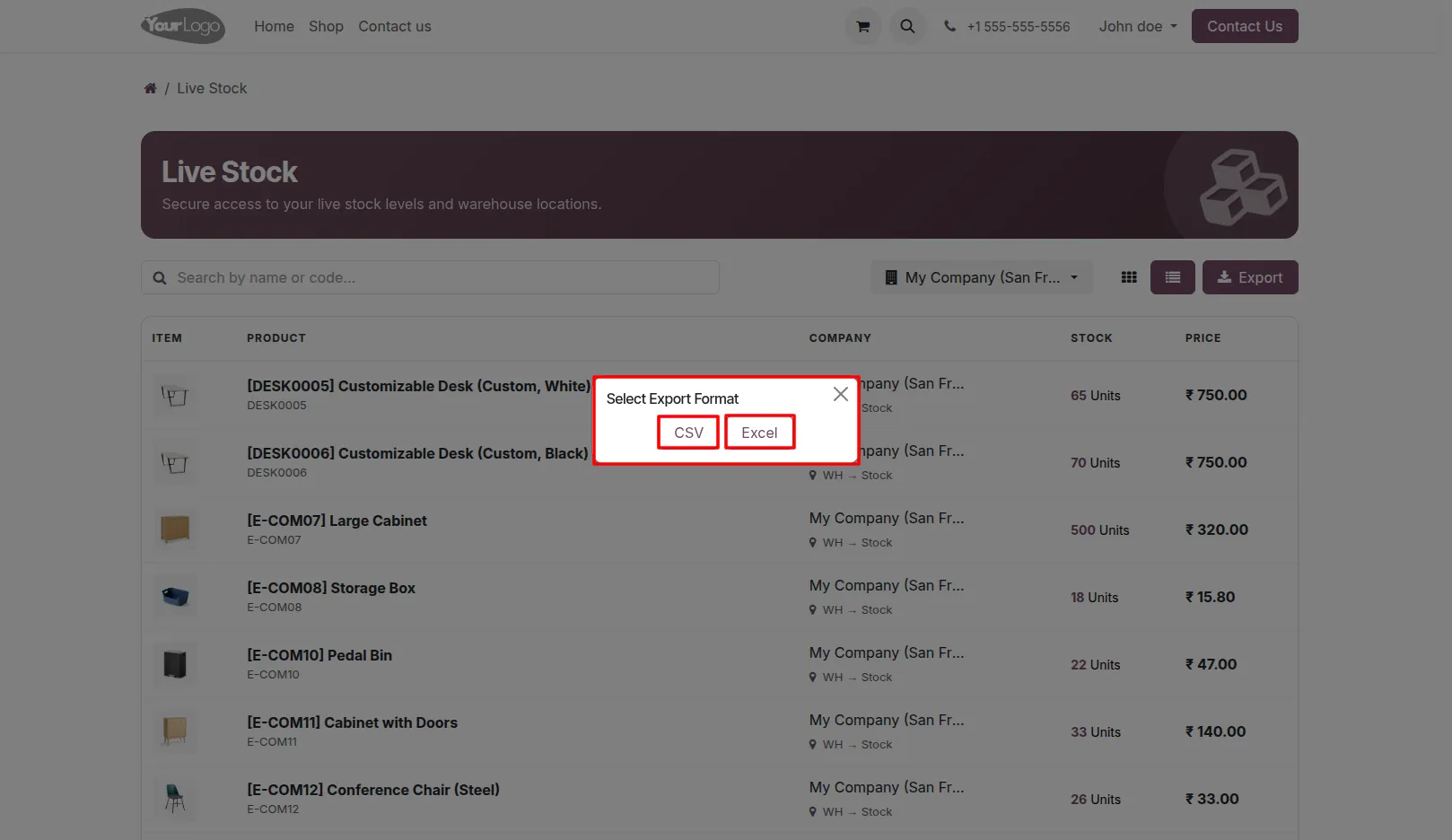
7. Export stock data in CSV or Excel format.
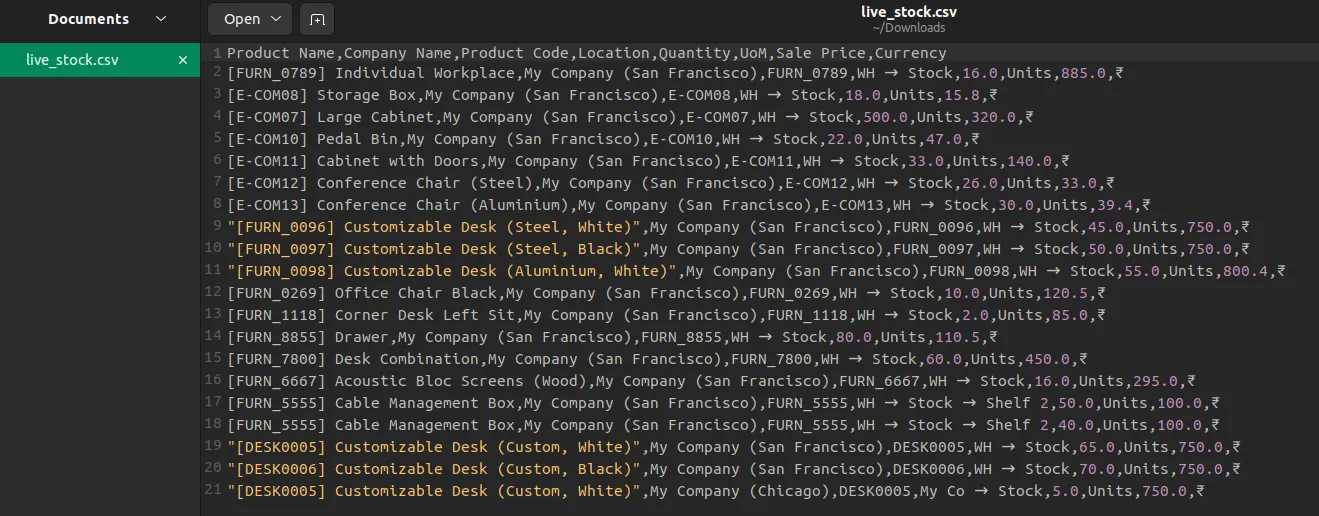
Live Stock CSV File:
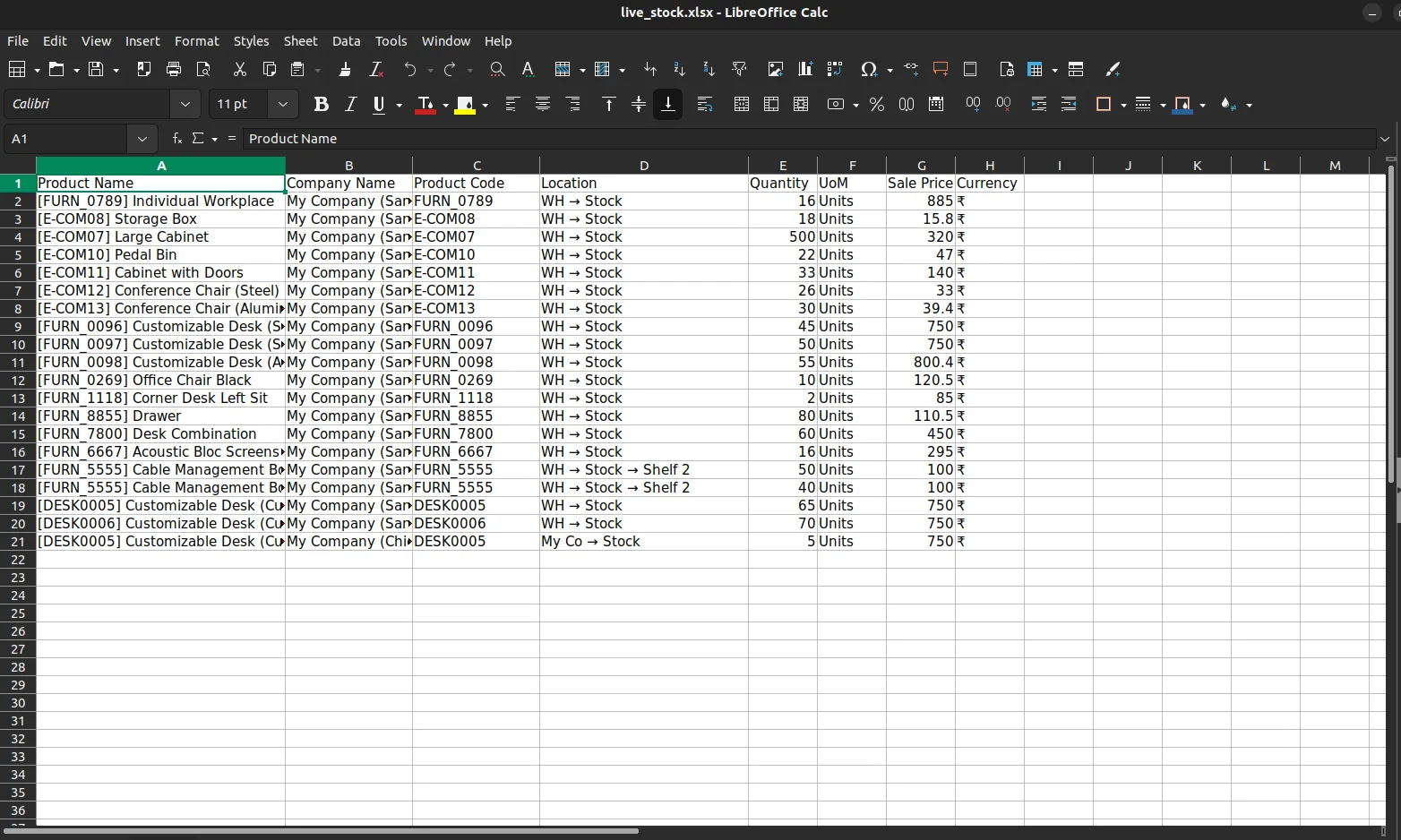
Live Stock Excel File:
Our solutions focus on your problems
- Odoo Implementation
- Odoo Customization
- ERP Development and Implementation
- Odoo Ipass Cloud
- AI for Odoo
- Odoo Apps
- Aws Marketplace Products
- Business Engines
Our Pricing includes User Manual, 90 Days Support (Monday-Friday 10am to 7pm IST) and One time Setup
• Works & tested on standard installations of Odoo with no third party apps,
• Free support only for odoo installations with no third party apps,
• Paid support available for Odoo installations with third party apps.

Prefortune is a Odoo Official Partner, Odoo Development company. Our philosophy is to use Open Source tools and technologies to provide cost effective and green solutions for our customers.
Prefortune Technologies LLP is working on web development, Mobile development, and Odoo ERP.
If you need any help or want more additional features, you may contact us through:
Alternative Products
These other products might interest you
Specifications
| Version | 19.0, 18.0, 17.0, 16.0, 15.0, 14.0 |