Watch Quick Video
Vendor Rating & Purchase Order Evaluation
Odoo – Vendor Rating & Purchase Order Evaluation
helps businesses manage accurate vendor evaluation, supplier analysis, and procurement
performance directly in Odoo Purchase Management. The module allows purchase teams to perform
structured vendor assessment with automatic score calculation, vendor scorecard tracking, and
approval-based evaluation workflow.
It also displays vendor ratings directly in RFQs and Purchase Orders, helping businesses compare
suppliers, track supplier performance, and make better purchasing decisions based on evaluation
history and procurement analysis.
Vendor Rating & Purchase Order Evaluation
- Vendor evaluation workflow for supplier performance analysis and procurement evaluation in Odoo.
- Automatic vendor scorecard and star rating calculation based on vendor evaluation criteria.
- Vendor approval workflow with Draft, Request Approval, Approved, Rejected, and Cancelled stages.
- Display vendor rating in RFQ and Purchase Orders for better vendor comparison and purchasing decisions.
- Track supplier evaluation history and vendor performance records for procurement performance tracking.
Complete Workflow for Vendor Rating & Purchase Order Evaluation
Improve your Vendor Rating & Purchase Order Evaluation workflow with a smart vendor evaluation and supplier assessment system in Odoo Purchase. The module helps businesses manage vendor scorecard calculation, approval workflow, and supplier performance tracking using customizable evaluation criteria. It also displays vendor ratings directly in RFQ and Purchase Orders for better vendor comparison and purchasing decisions. Businesses can easily track supplier performance, service quality, and latest approved evaluation records in Odoo.
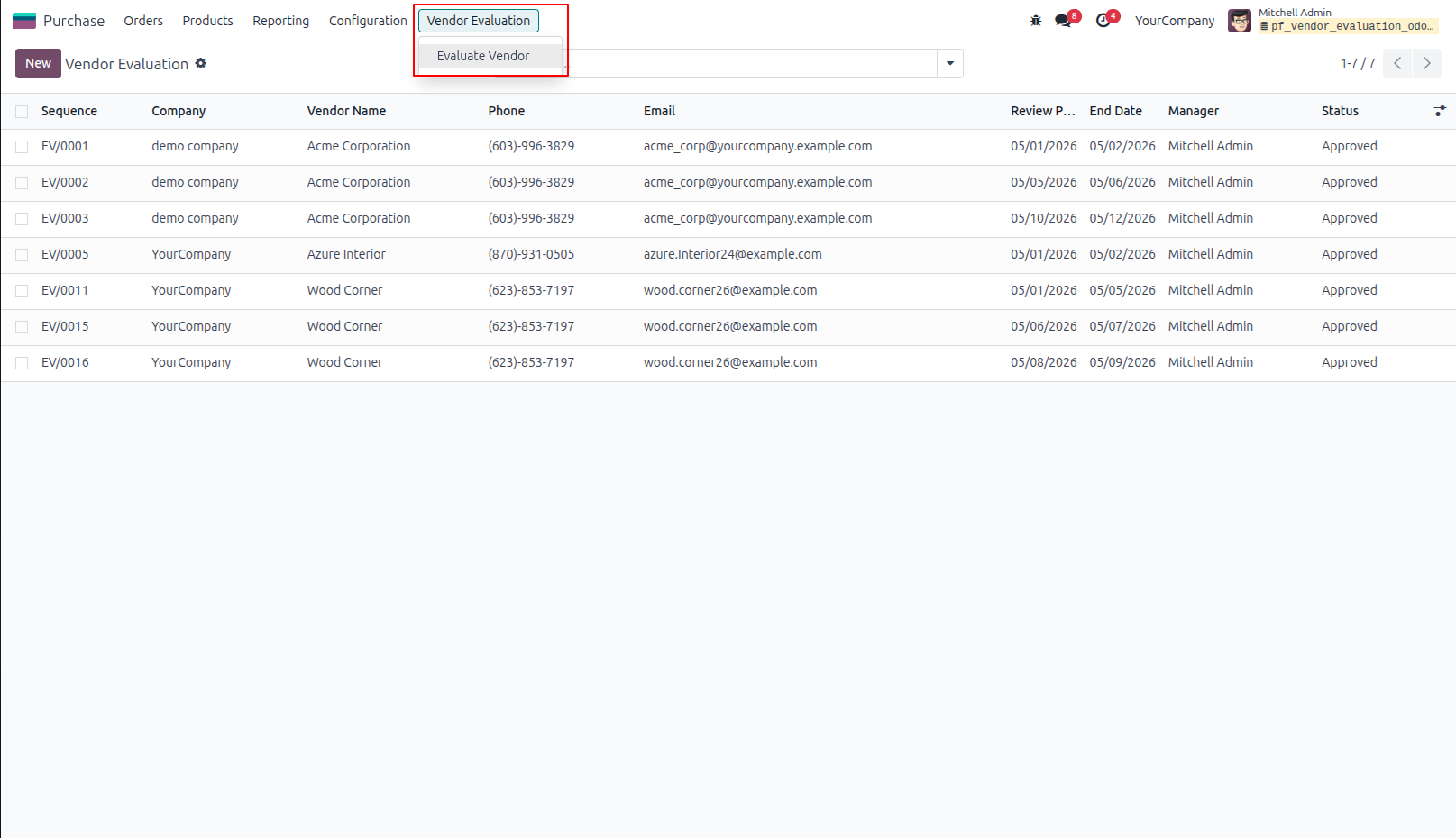
1.Vendor Evaluation Menu Goto Purchase -> Vendor Evaluation -> Evaluate Vendor menu in that user can create evaluation of vendor
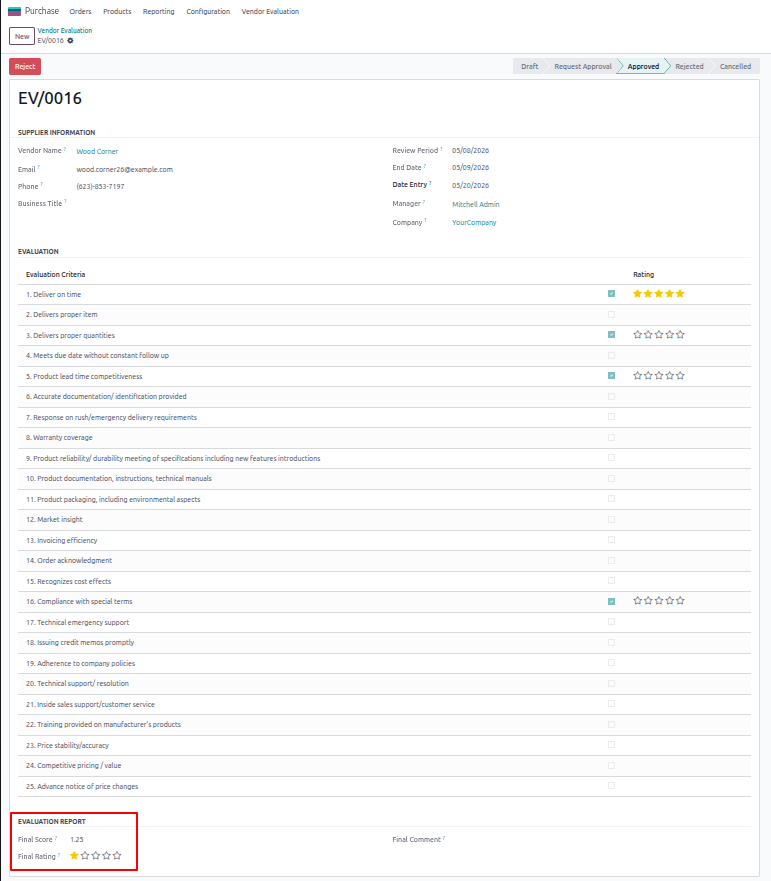
2.Create Vendor Evaluation User can choose the vendor for evaluation then select review period, manager, business title and evaluate vendor then Calculate automatic rating
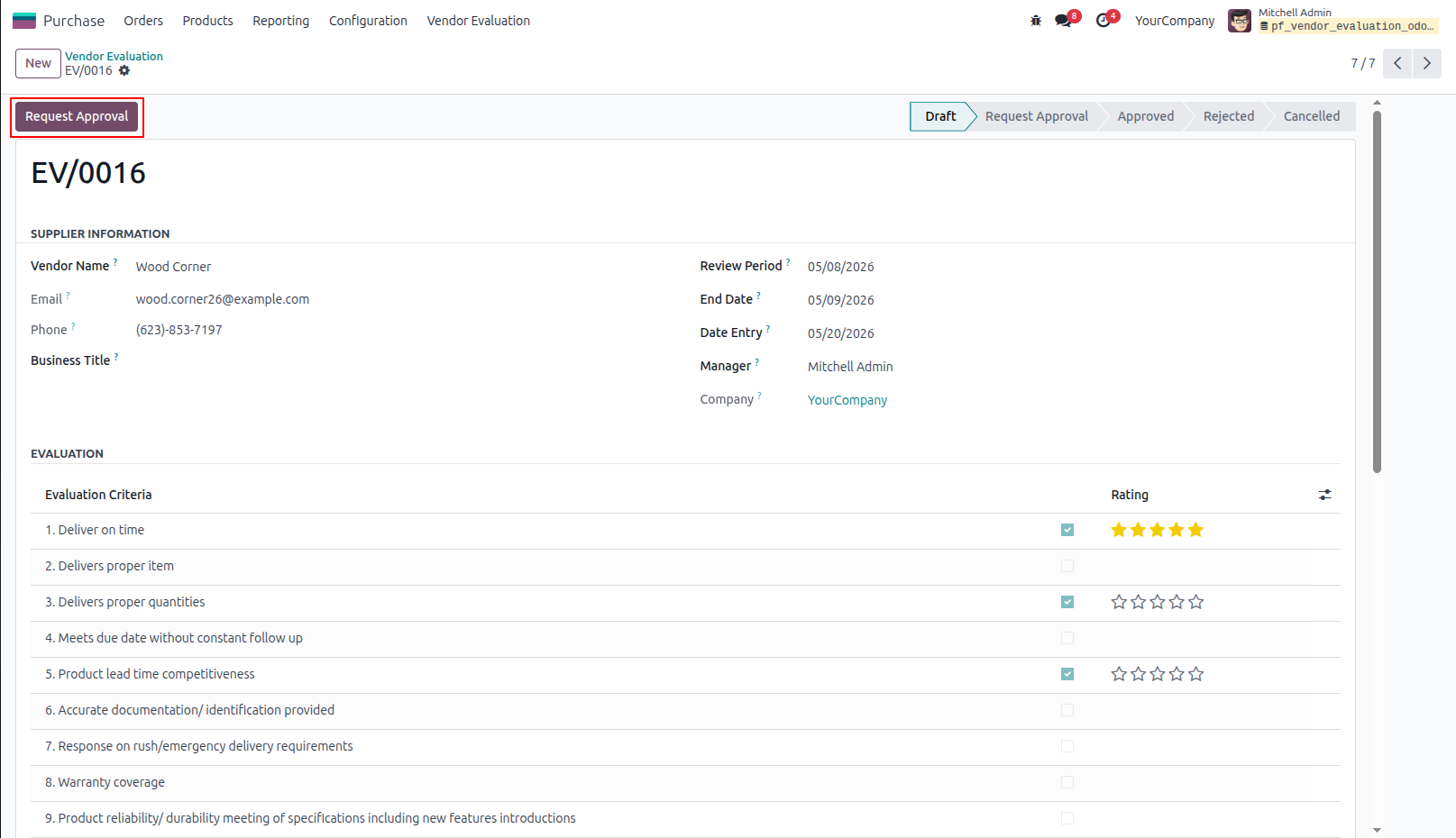
3.Request Approval for Evaluate Vendor User can view evaluation report of vendor and also enter final comment for evaluation. User can click on "Request Approval" button to approve vendor evaluation by manager.
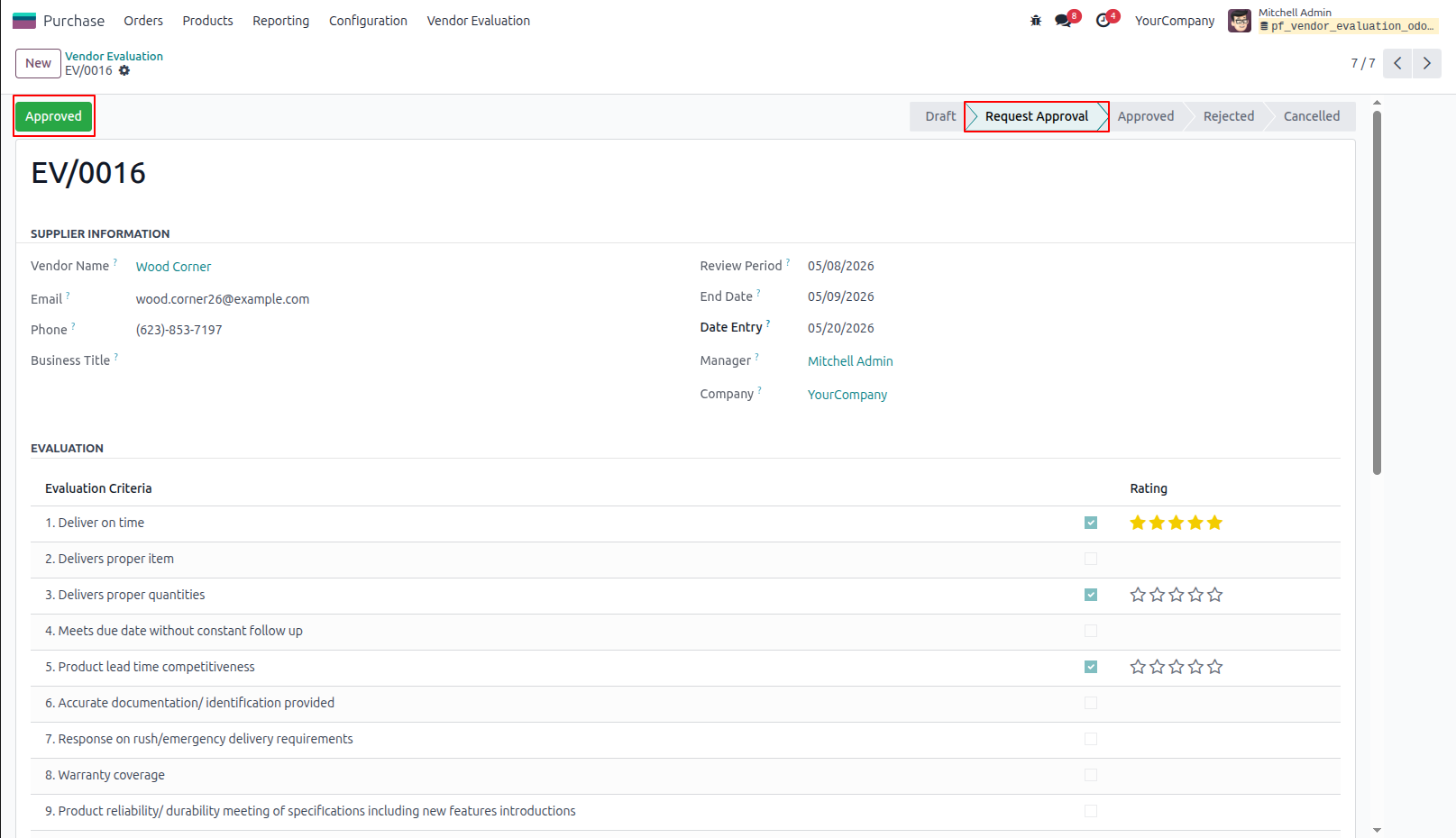
4.Approve Vendor Evaluation by Manager Manager can view vendor evaluation then click on "APPROVED" button to approved evaluation request of vendor.
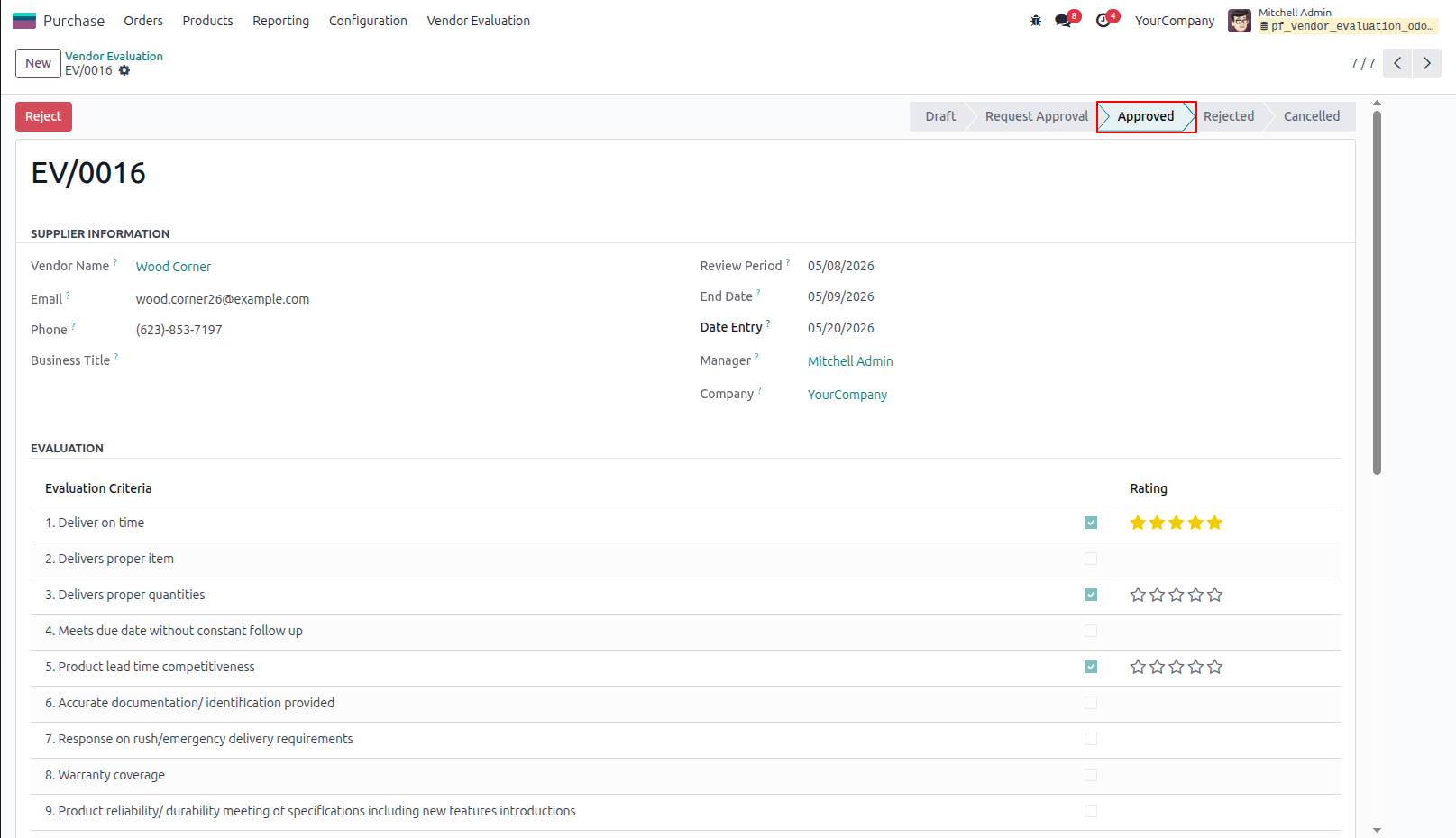
5.Approved Vendor Evaluation by Manager
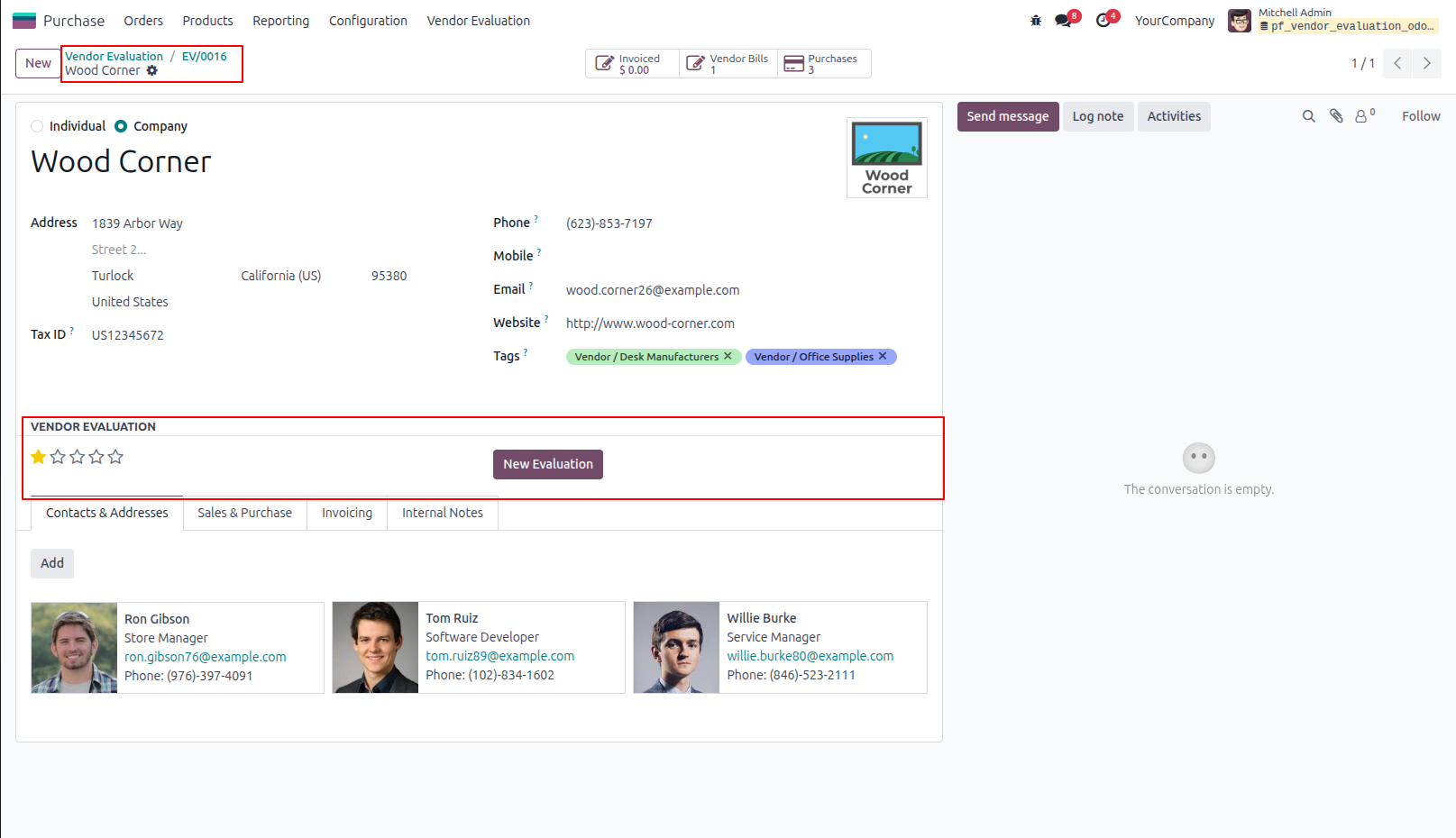
6.Display Evaluation in Vendor User can view last evaluated in vendor form and also can create new evaluation.
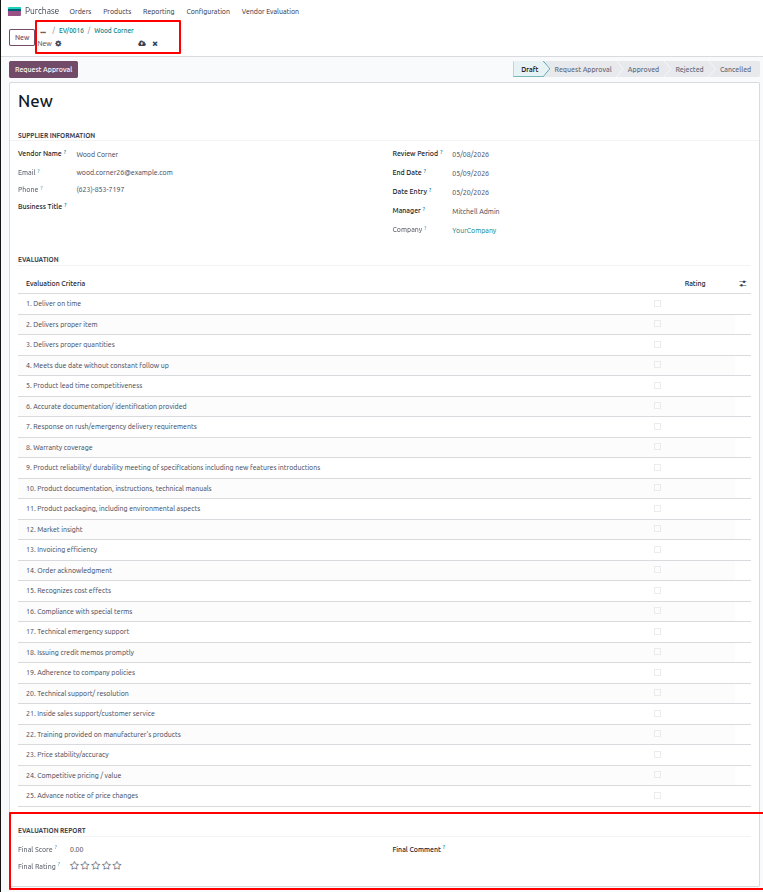
7.Generate New Evaluation
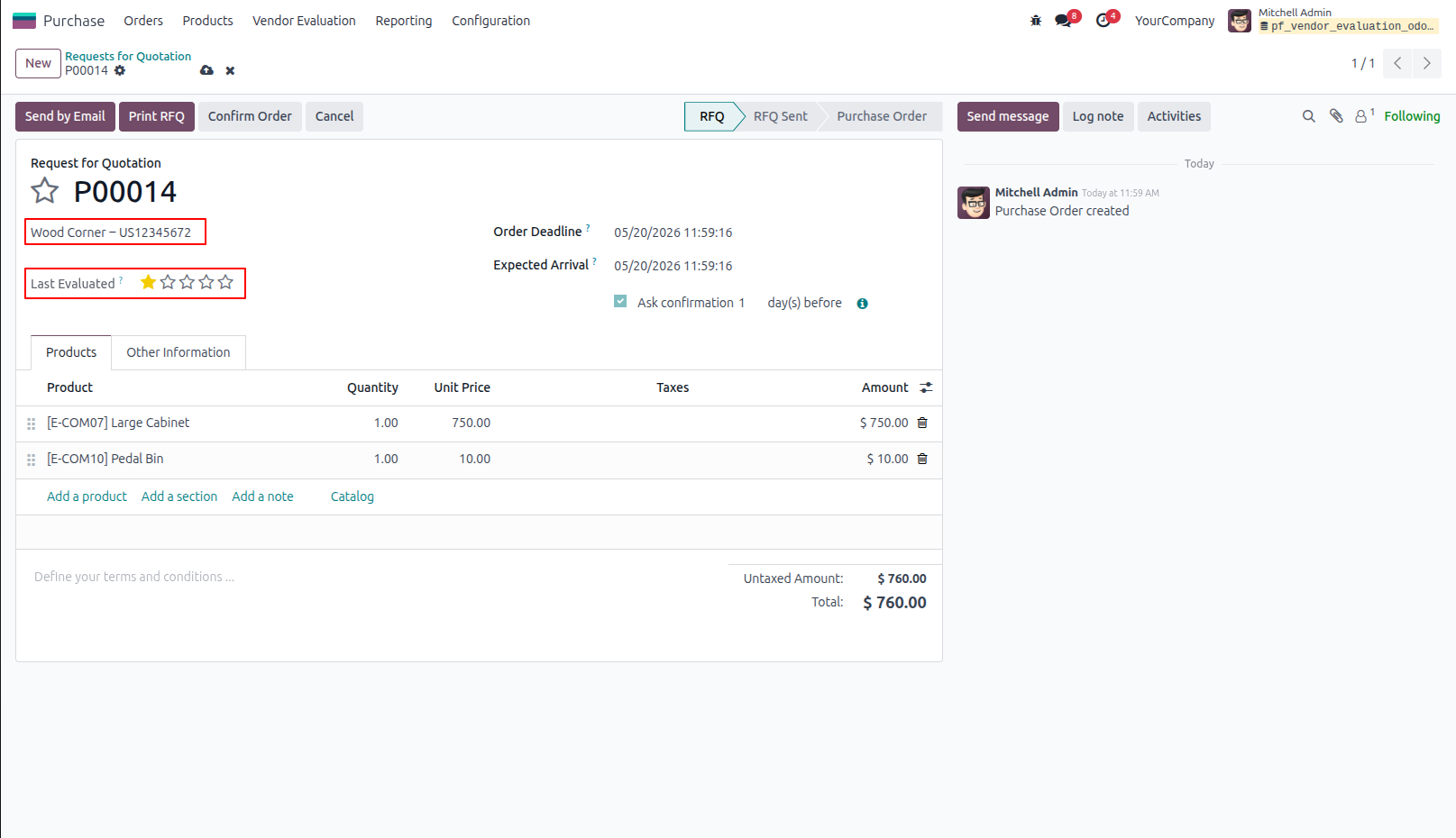
8.Display Vendor Evaluation in RFQ/Purchase Order Once approved final score of evaluation by manager, User can view vendor evaluation in request of quotation or purchase order.
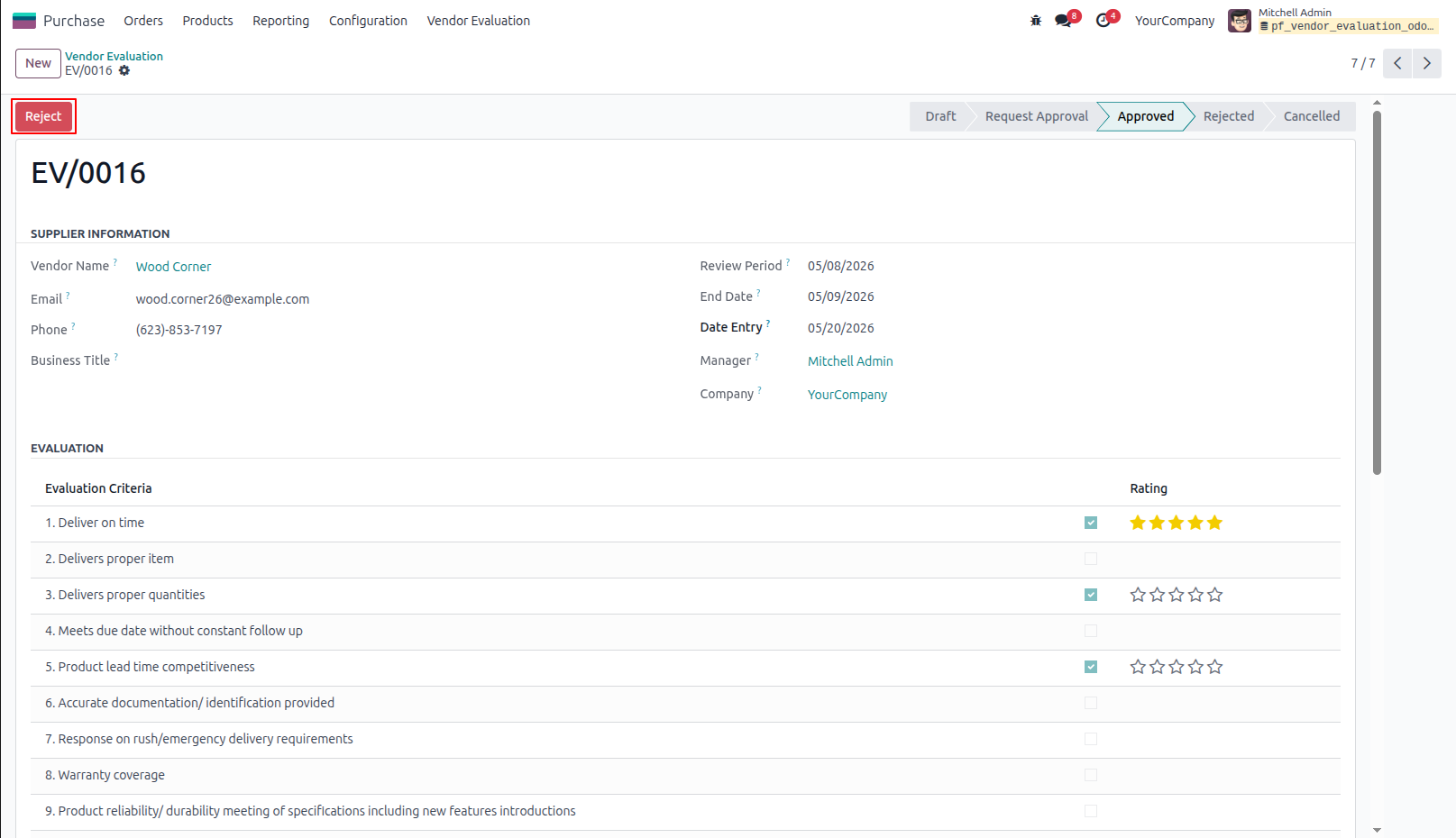
9.Reject Vendor Evaluation by Manager
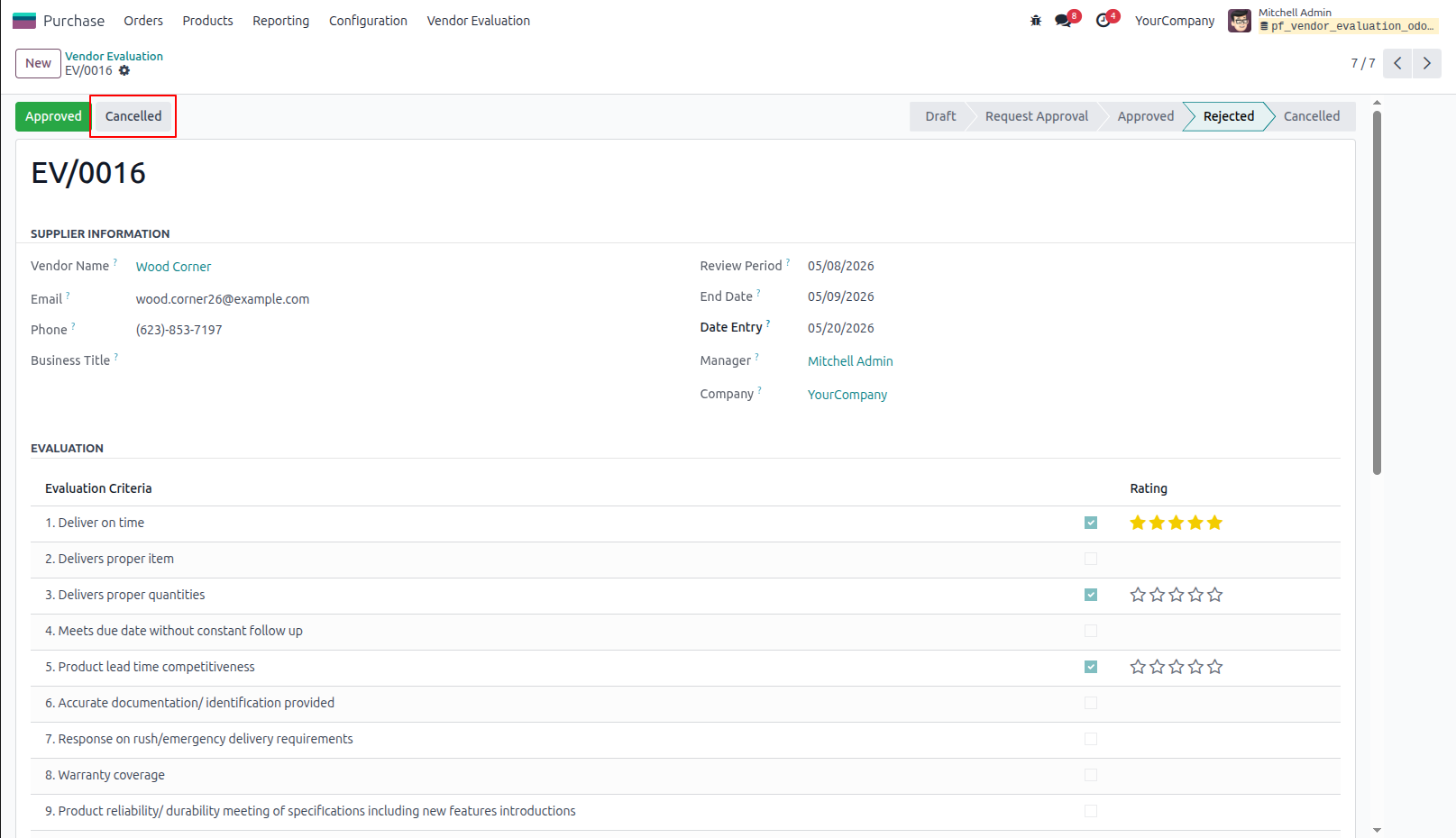
10.Cancelled Vendor Evaluation by Manager Manager can cancel and reset to draft vendor evaluation request.
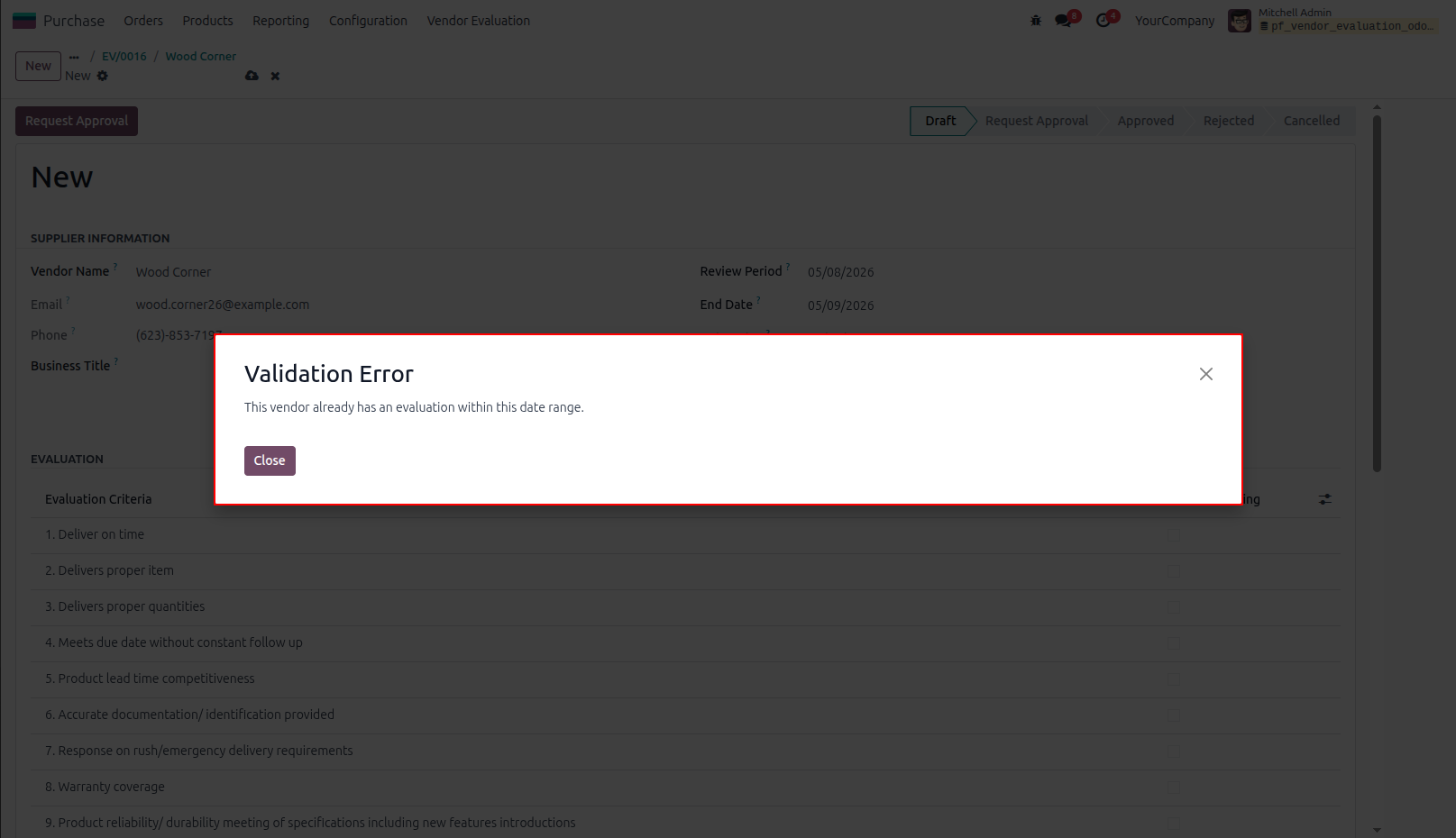
11.Warning/Validation When vendor evaluation is in approved stage and if user tries to create another evaluation within the same review period, Warning raised.
Our solutions focus on your problems
- Odoo Implementation
- Odoo Customization
- ERP Development and Implementation
- Odoo Ipass Cloud
- AI for Odoo
- Odoo Apps
- Aws Marketplace Products
- Business Engines
Our Pricing includes User Manual, 90 Days Support (Monday-Friday 10am to 7pm IST) and One time Setup
• Works & tested on standard installations of Odoo with no third party apps,
• Free support only for odoo installations with no third party apps,
• Paid support available for Odoo installations with third party apps.

Prefortune is a Odoo Official Partner, Odoo Development company. Our philosophy is to use Open Source tools and technologies to provide cost effective and green solutions for our customers.
Prefortune Technologies LLP is working on web development, Mobile development, and Odoo ERP.
If you need any help or want more additional features, you may contact us through:
Alternative Products
These other products might interest you
Specifications
| Version | 19.0, 18.0, 17.0, 16.0, 15.0, 14.0 |