Watch Quick Video
Track invoice details from Sale Odoo App
Our efficient
Odoo – Track invoice details from Sale
app helps businesses easily monitor invoice payment information directly from the Sales Order. This module improves financial visibility by displaying invoice status, paid amount, due amount, and payment progress in real time, eliminating the need to open invoices separately.
It provides clear and efficient tracking of invoice details:
1. Real-Time Invoice Status: Instantly view the invoice status such as Draft, Posted, Paid, or Partially Paid directly from the Sales Order screen.
2. Paid Amount Visibility: Quickly see the total amount that has already been paid for the related invoices without navigating to the Accounting module.
3. Automatic Due Amount Tracking: The system automatically calculates and displays the remaining unpaid amount, helping teams easily identify outstanding balances.
4. Payment Progress Percentage: Track the payment progress with a clear percentage indicator based on the total invoice amount and received payments.
5. Centralized Payment Overview: All invoice payment information is displayed directly on the Sales Order, giving sales teams a complete financial overview in one place.
Track Invoice Details from Sale Odoo App
- Easily monitor the invoice status such as Draft, Posted, Paid, or Partially Paid directly from the Sales Order. This helps users quickly understand the current billing status without opening each invoice separately.
- View the total amount that has already been paid for the related invoices directly on the Sales Order, making it easier for sales teams to track received payments.
- The system automatically calculates and displays the remaining amount that is still pending, allowing users to instantly identify outstanding balances.
- Get a clear view of the payment progress with an automatically calculated payment percentage based on the total invoice amount and received payments.
- Whenever a payment is registered or updated, the Sales Order automatically refreshes the invoice details to ensure users always see the latest and most accurate payment information.
Complete Workflow for Track invoice details from Sale Odoo App
Enable the Track Invoice Details from Sale feature in the system. Create a Sale Order and generate the related Invoice from it. The module automatically displays the nvoice Status, Paid Amount, Due Amount, and Payment Percentage directly on the Sale Order. When a payment is registered in the Accounting module,the system instantly updates all invoice details in real time. This allows users to easily monitor the payment progress and outstanding balance without opening the invoice separately.
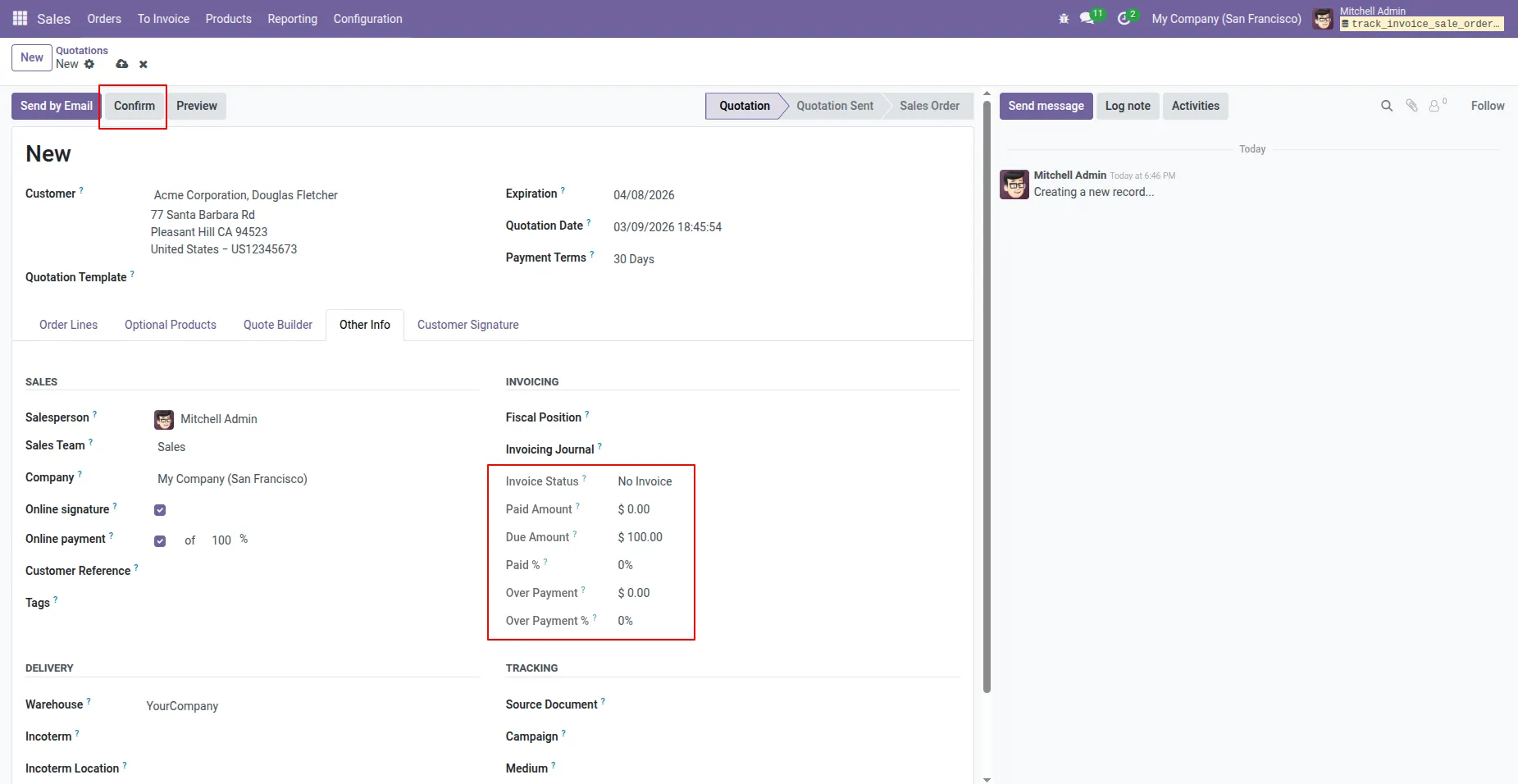
1. When a new Sale Order is created, the Invoice Status, Paid Amount, Paid Percentage, Over Payment, and Over Payment Percentage are 0, and the Due Amount is equal to the total product price.
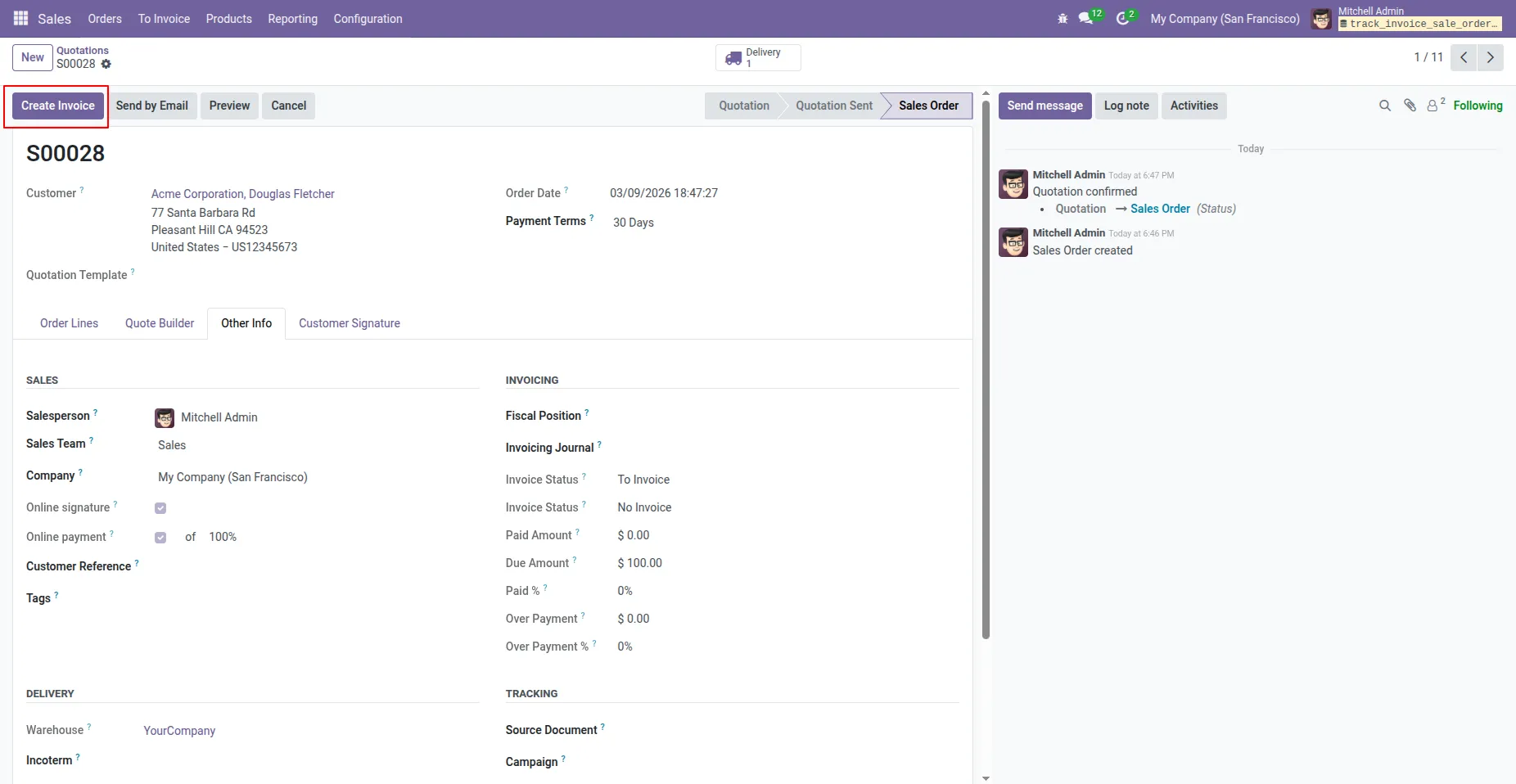
2. The invoice has been created from the Sales Order.
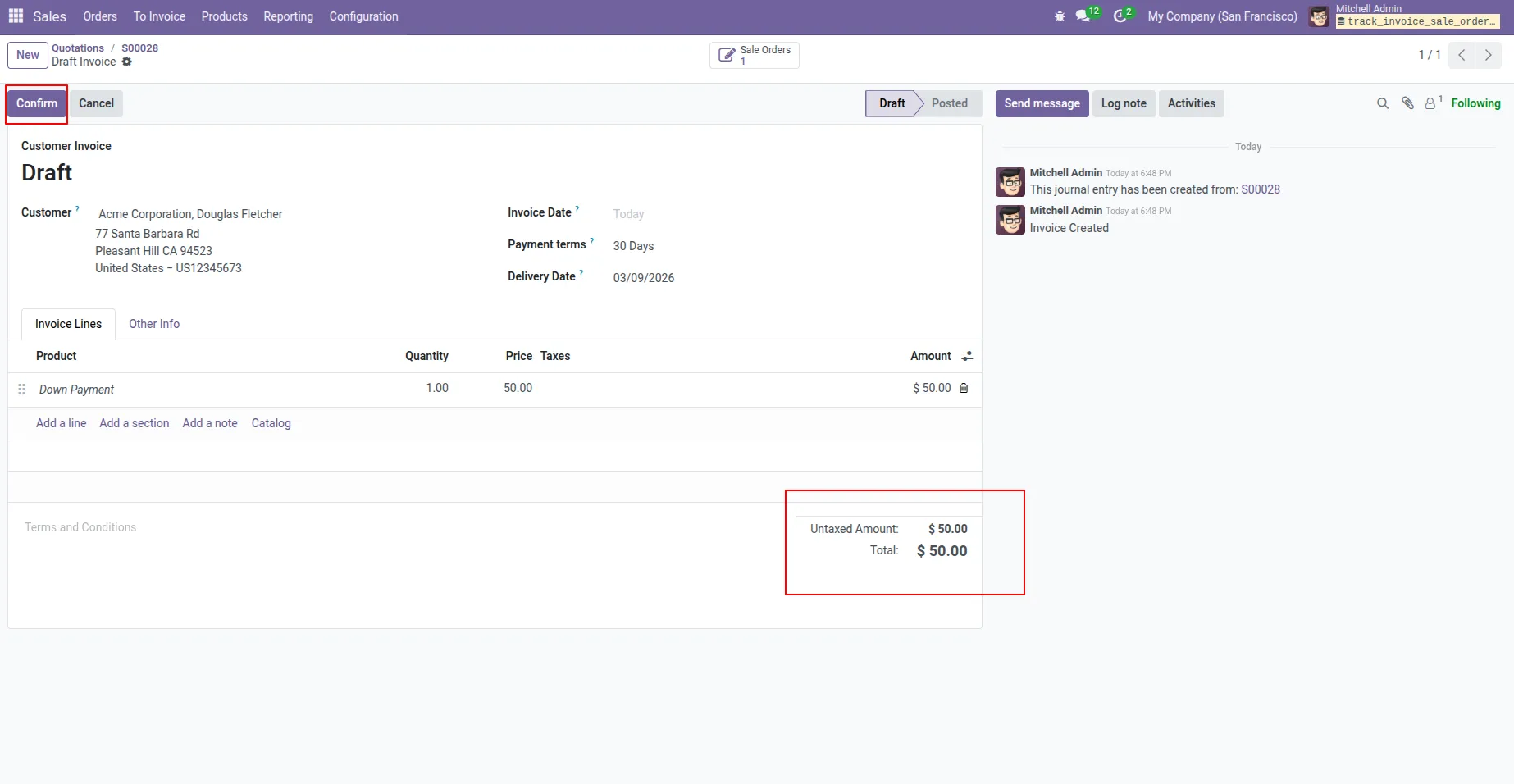
3. A down payment invoice has been created, now confirm it.
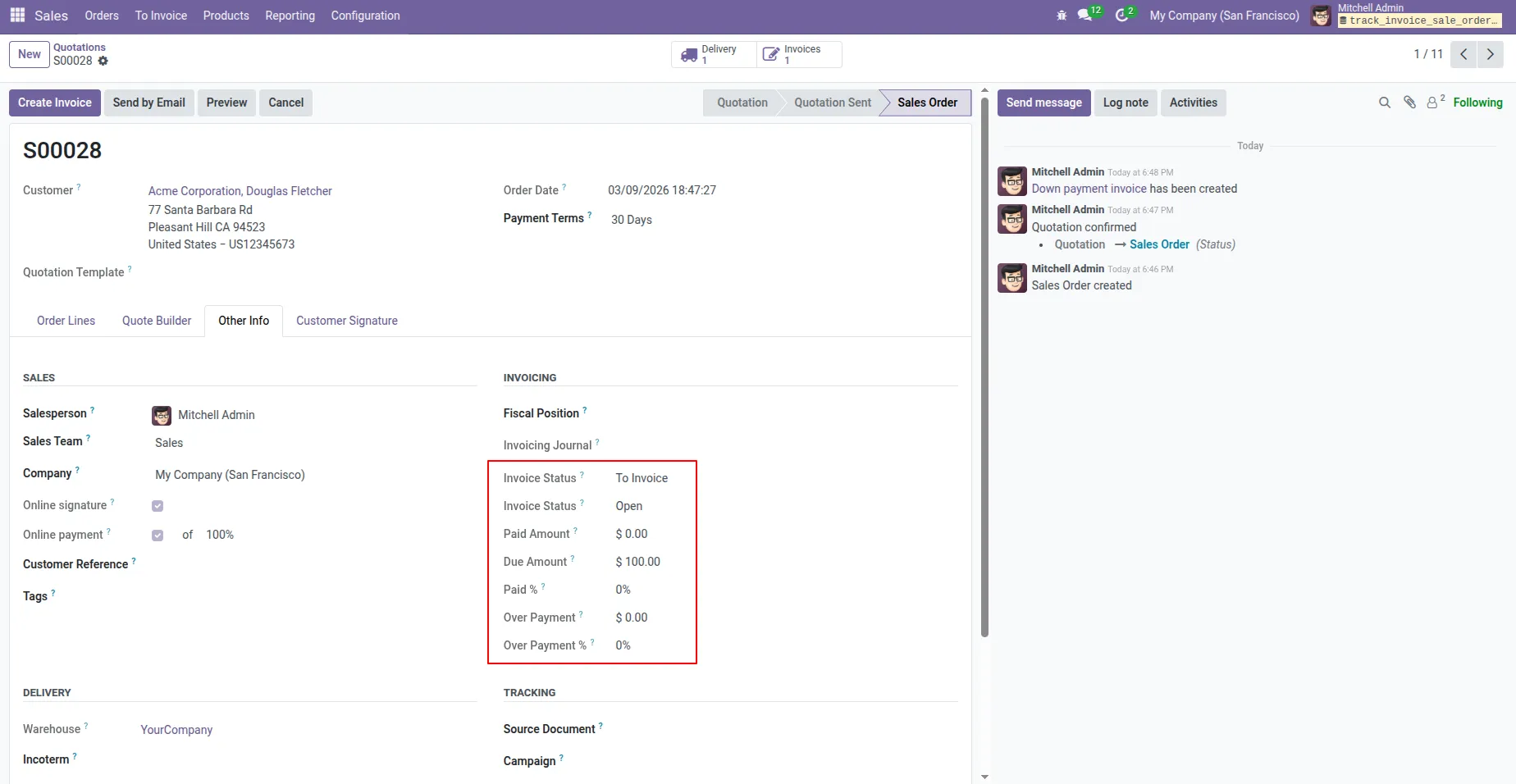
4. The Invoice Status in the Sale Order shows "Open Invoice" because the invoice has been created but the payment is still pending.
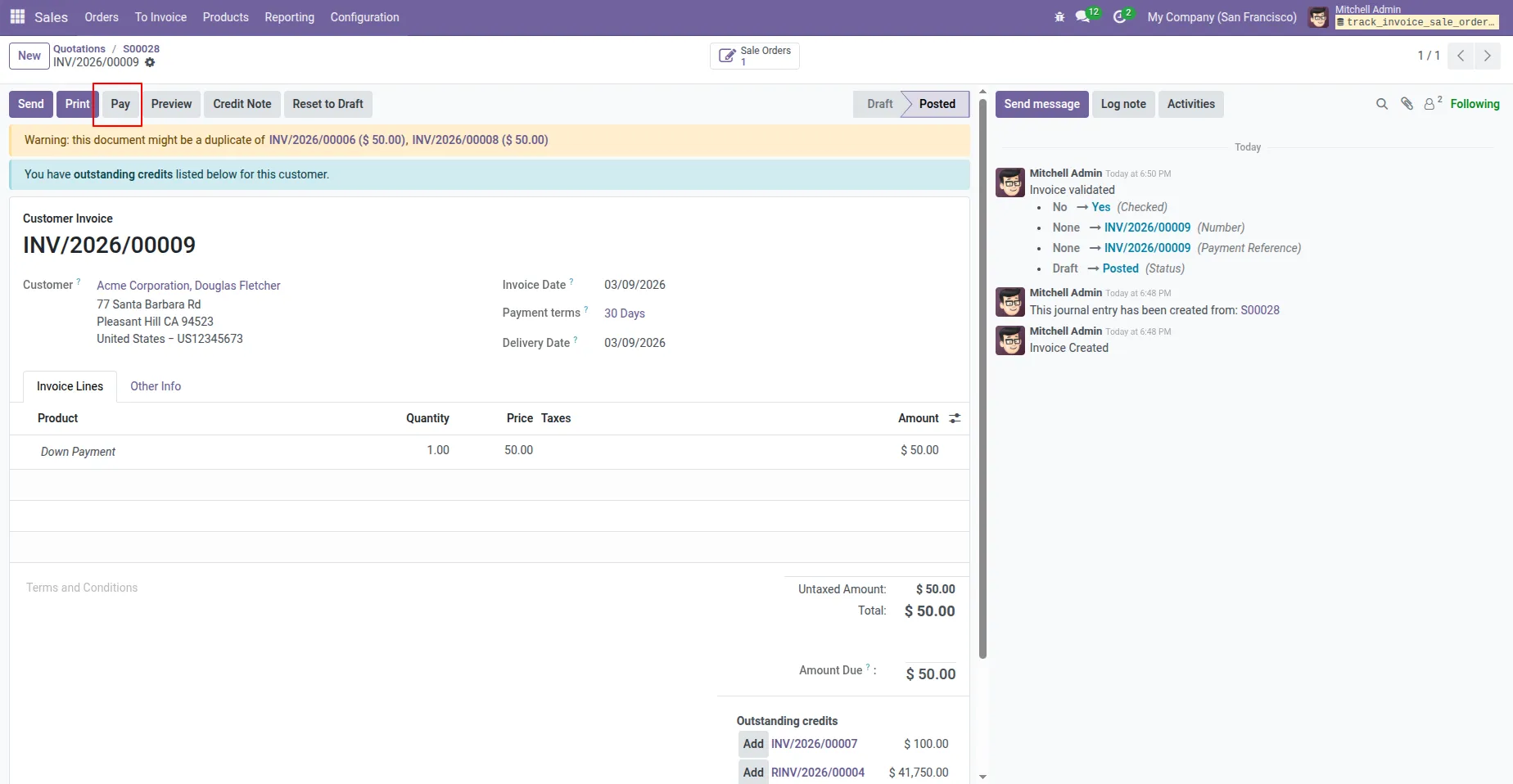
5. Now pay the amount according to the down payment invoice.
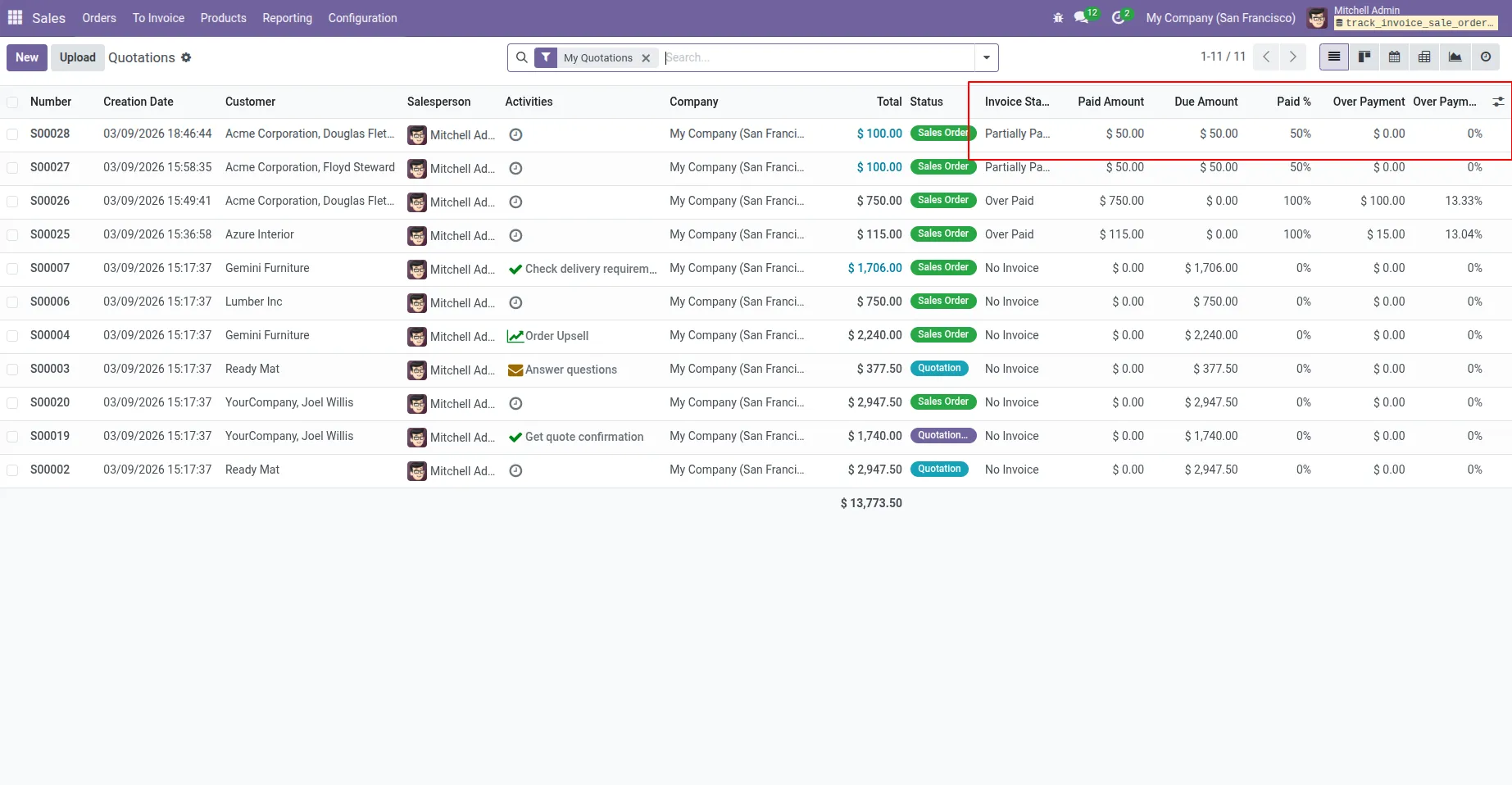
6. In the Sale Order List View and Form View, the Invoice Status, Paid Amount, Due Amount, and Paid Percentage values will update according to the invoice.
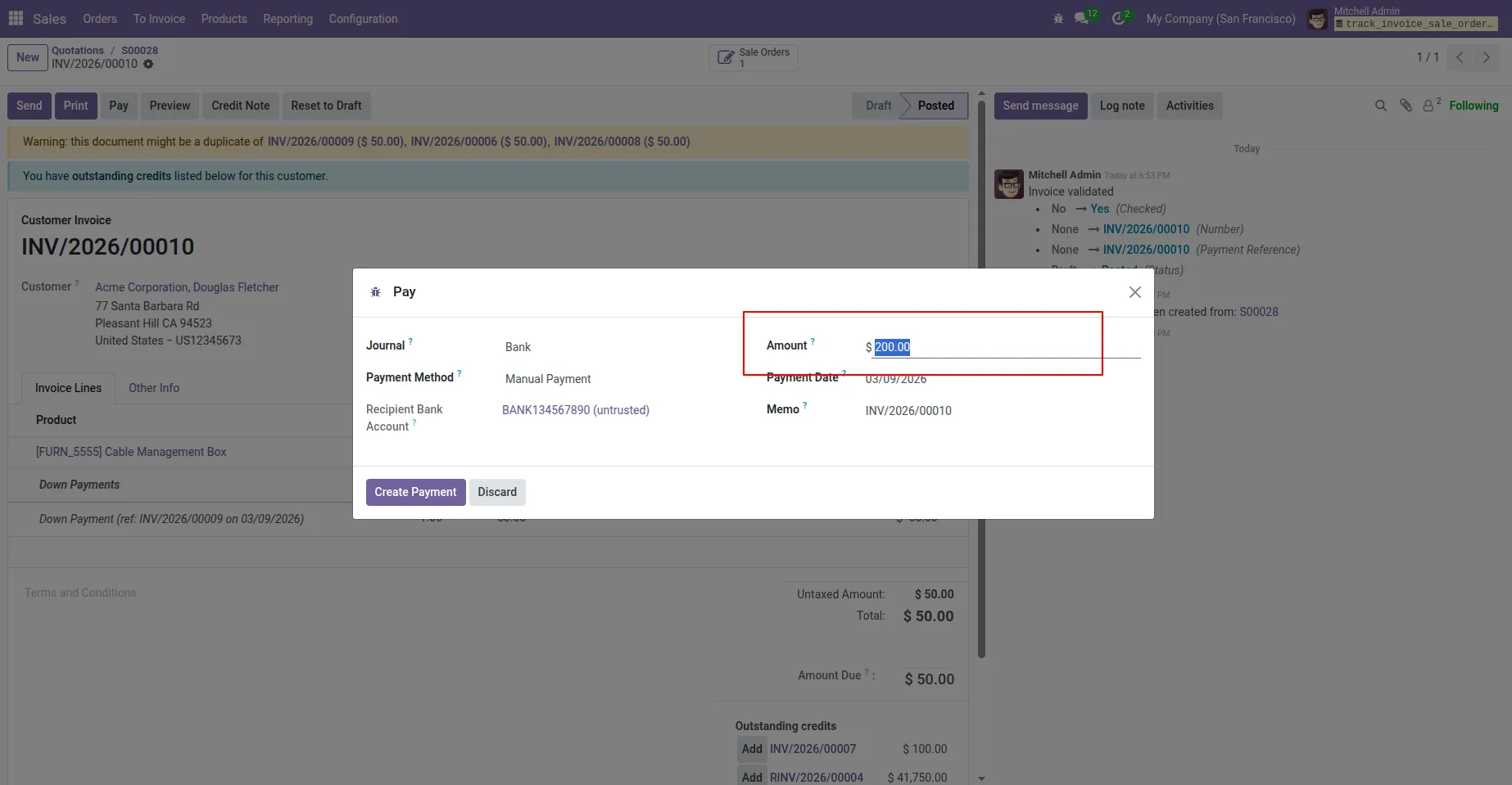
7. If a payment is made that exceeds the required amount, the invoice will reflect an overpayment. For example, if a product costs 100 and a down payment of 50 has already been made, but a payment of 200 is made, this results in an extra payment of 150.
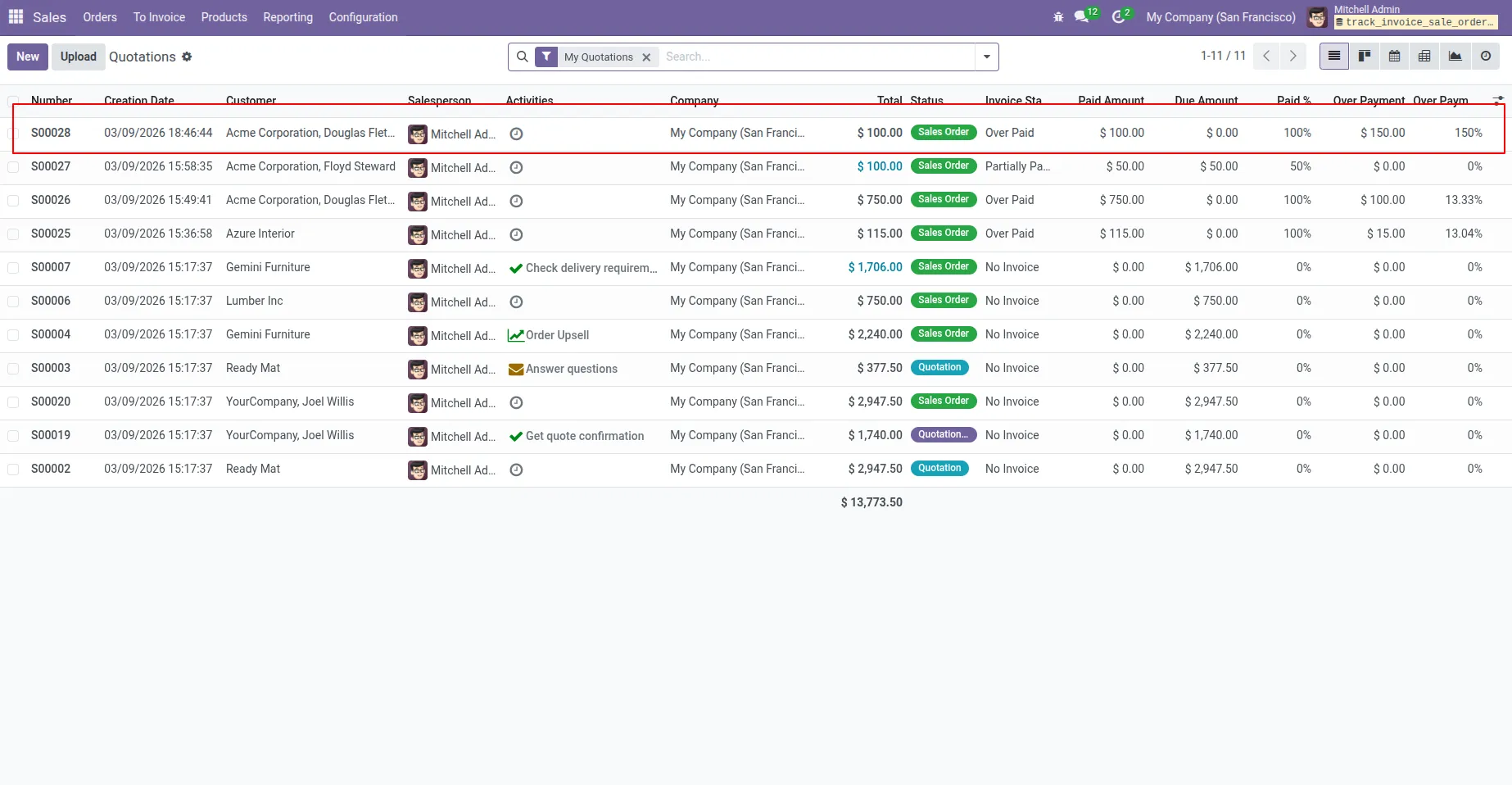
8. the Invoice Status will automatically change to Overpaid, and both the Overpaid Amount and Overpaid Percentage will update according to the additional payment.
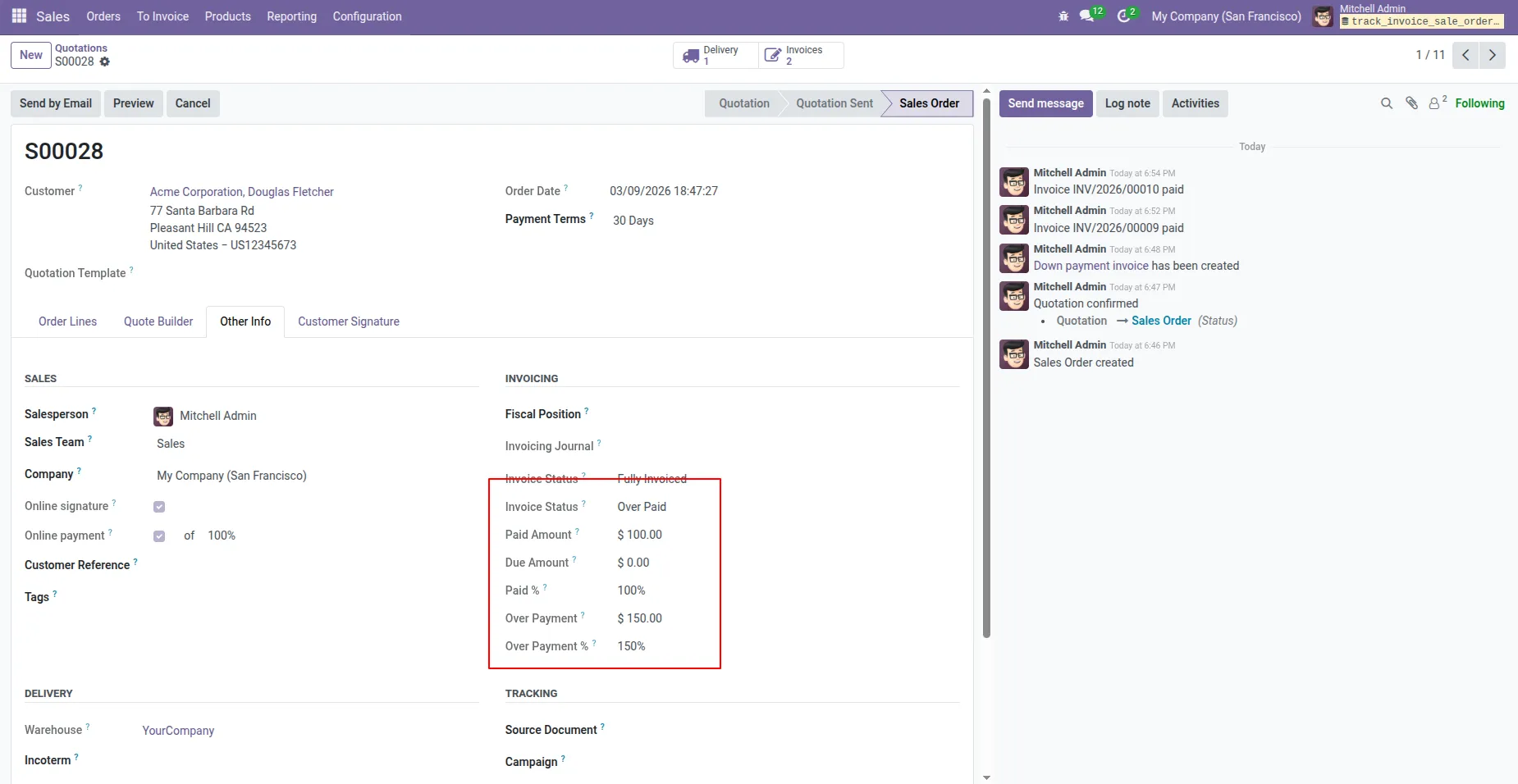
9. The Invoice Status, Overpaid Amount, and Overpaid Percentage will automatically update in the form view according to the extra payment.
Our solutions focus on your problems
- Odoo Implementation
- Odoo Customization
- ERP Development and Implementation
- Odoo Ipass Cloud
- AI for Odoo
- Odoo Apps
- Aws Marketplace Products
- Business Engines
Our Pricing includes User Manual, 90 Days Support (Monday-Friday 10am to 7pm IST) and One time Setup
• Works & tested on standard installations of Odoo with no third party apps,
• Free support only for odoo installations with no third party apps,
• Paid support available for Odoo installations with third party apps.

Prefortune is a Odoo Official Partner, Odoo Development company. Our philosophy is to use Open Source tools and technologies to provide cost effective and green solutions for our customers.
Prefortune Technologies LLP is working on web development, Mobile development, and Odoo ERP.
If you need any help or want more additional features, you may contact us through:
Alternative Products
These other products might interest you
Specifications
| Version | 19.0, 18.0, 17.0, 16.0, 15.0, 14.0 |