Watch Quick Video
Top Customers Invoice & Vendor Bill Analytics
Our all-inclusive Odoo – Top Customers Invoice & Vendor Bill Analytics module lets businesses keep a close eye on their biggest customer invoices and vendor bills using smart analytics. With this module, you get real-time reports, filters by date and invoice status, plus comparison reports to make accounting and invoice analysis a lot easier. You can compare reports with previous periods and export everything in PDF or Excel, so your financial reports stay clear and accurate right inside Odoo. Tracking performance just gets a whole lot simpler.
Top Customers Invoice & Vendor Bill Analytics
- Generate Top Customer Invoice and Vendor Bill reports.
- Compare invoice analytics with previous periods.
- Export invoice reports in PDF and Excel formats.
- Track highest invoice amounts, orders, and quantities.
- Filter reports by date range and invoice status.
Complete Workflow for Manage Top Customers Invoice & Vendor Bill Analytics
Install and activate the Top Customers Invoice & Vendor Bill Analytics module from Odoo Apps. Go to Invoicing → Reporting → Top Customers/Vendors and select the required date range for invoice reporting. Choose the report type as Top Customers or Top Vendors, then generate reports based on highest invoice amounts, total orders, or quantities. Users can also apply invoice status filters and compare invoice analytics with previous periods for better business invoice analysis. The generated customer and vendor reports can be exported in PDF and Excel formats for accounting reporting and performance tracking.
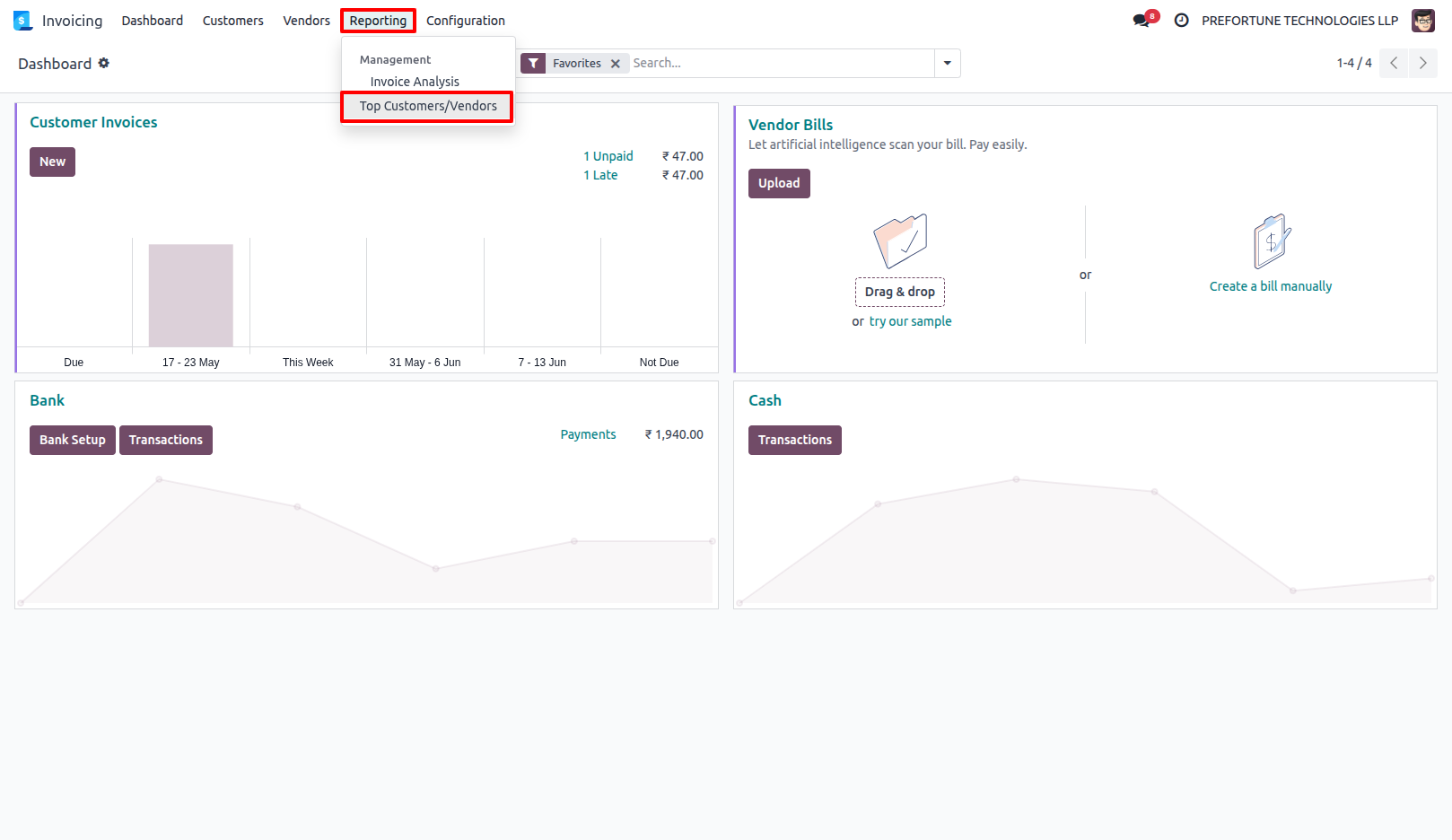
1.Go to Top Customers/Vendors Report. Invoicing → Reporting → Top Customers/Vendors.
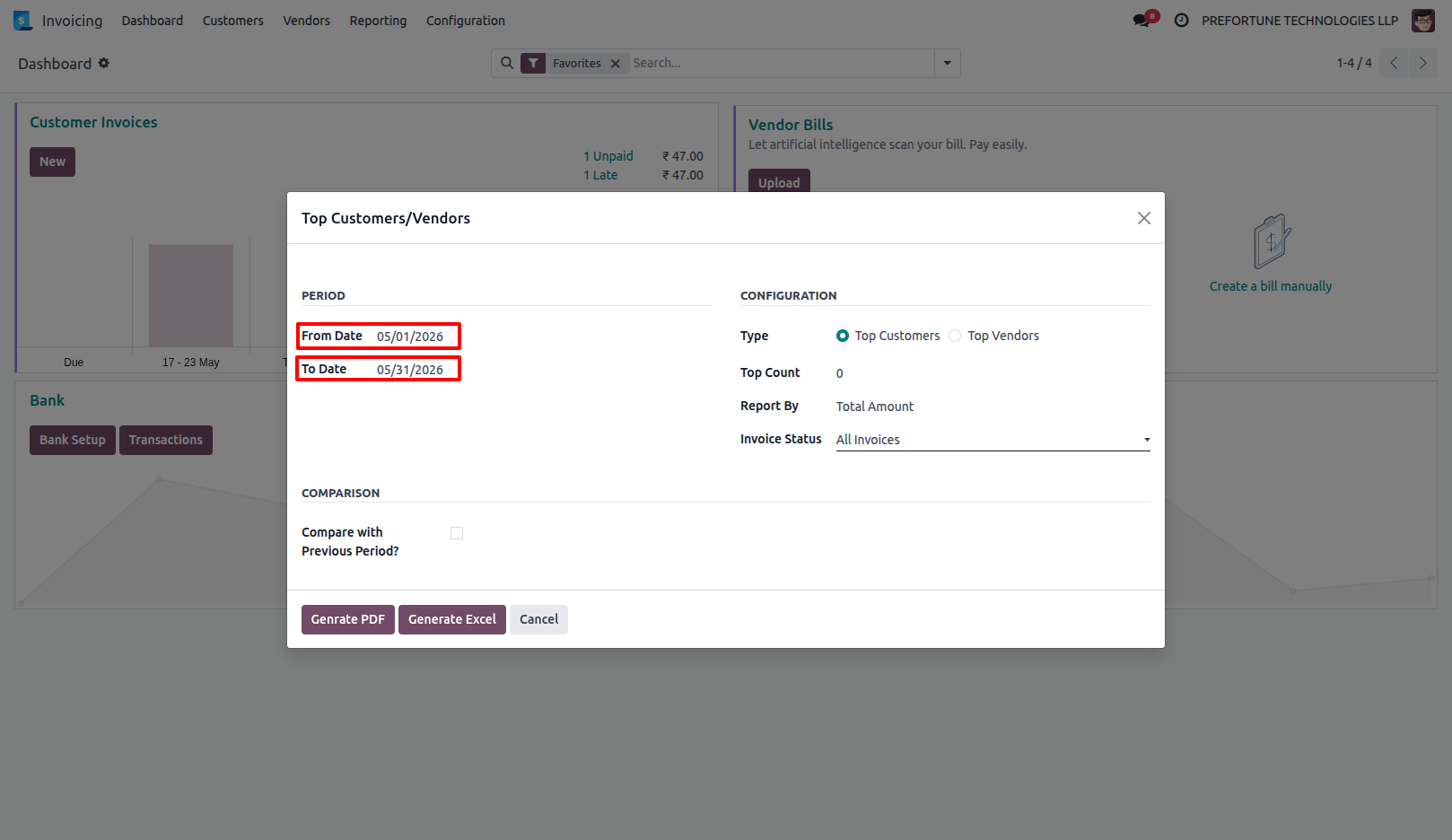
2.Select the report period using From Date and To Date.
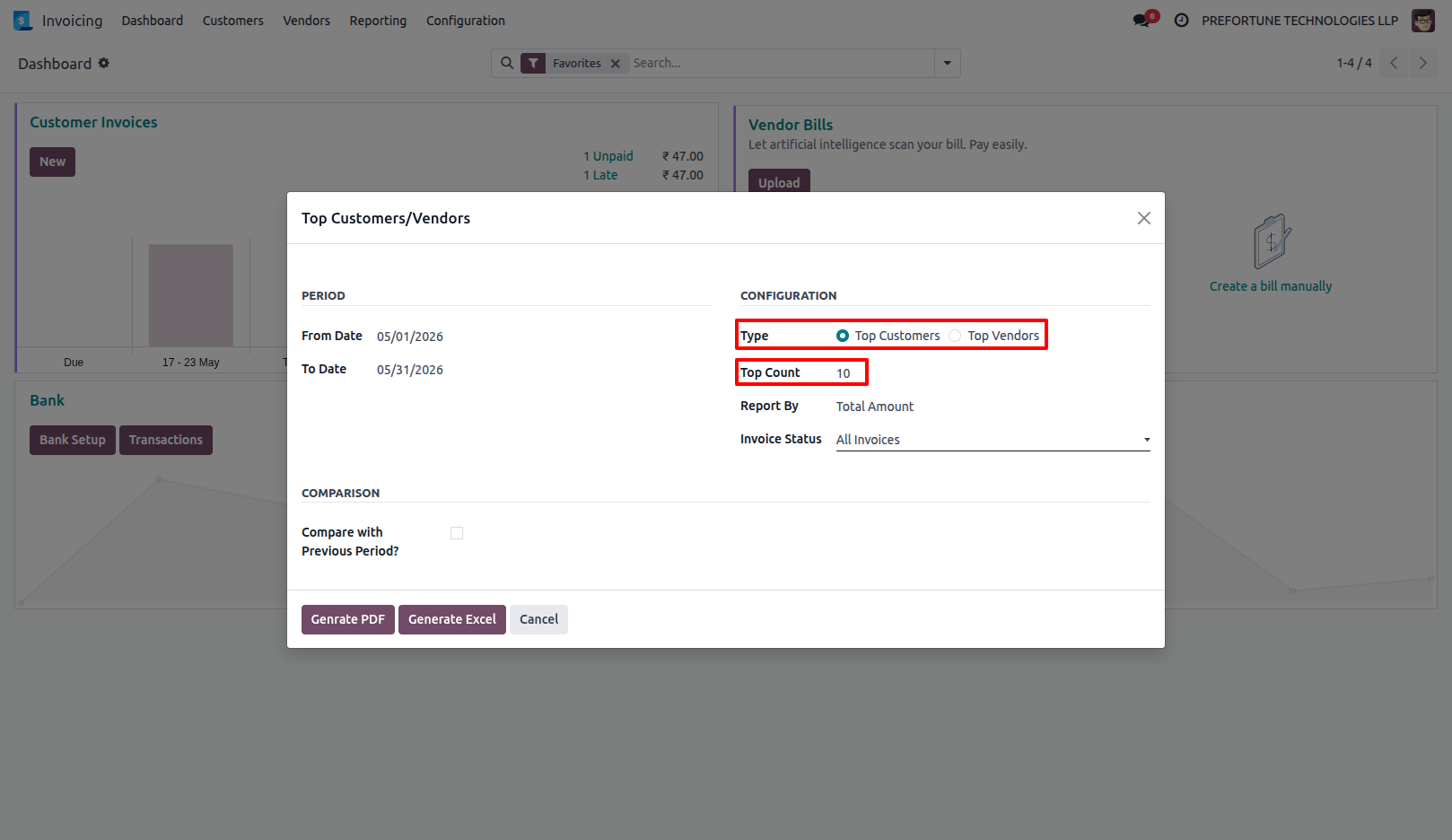
3.Choose the report type as Top Customers or Top Vendors and enter the Top Count value.
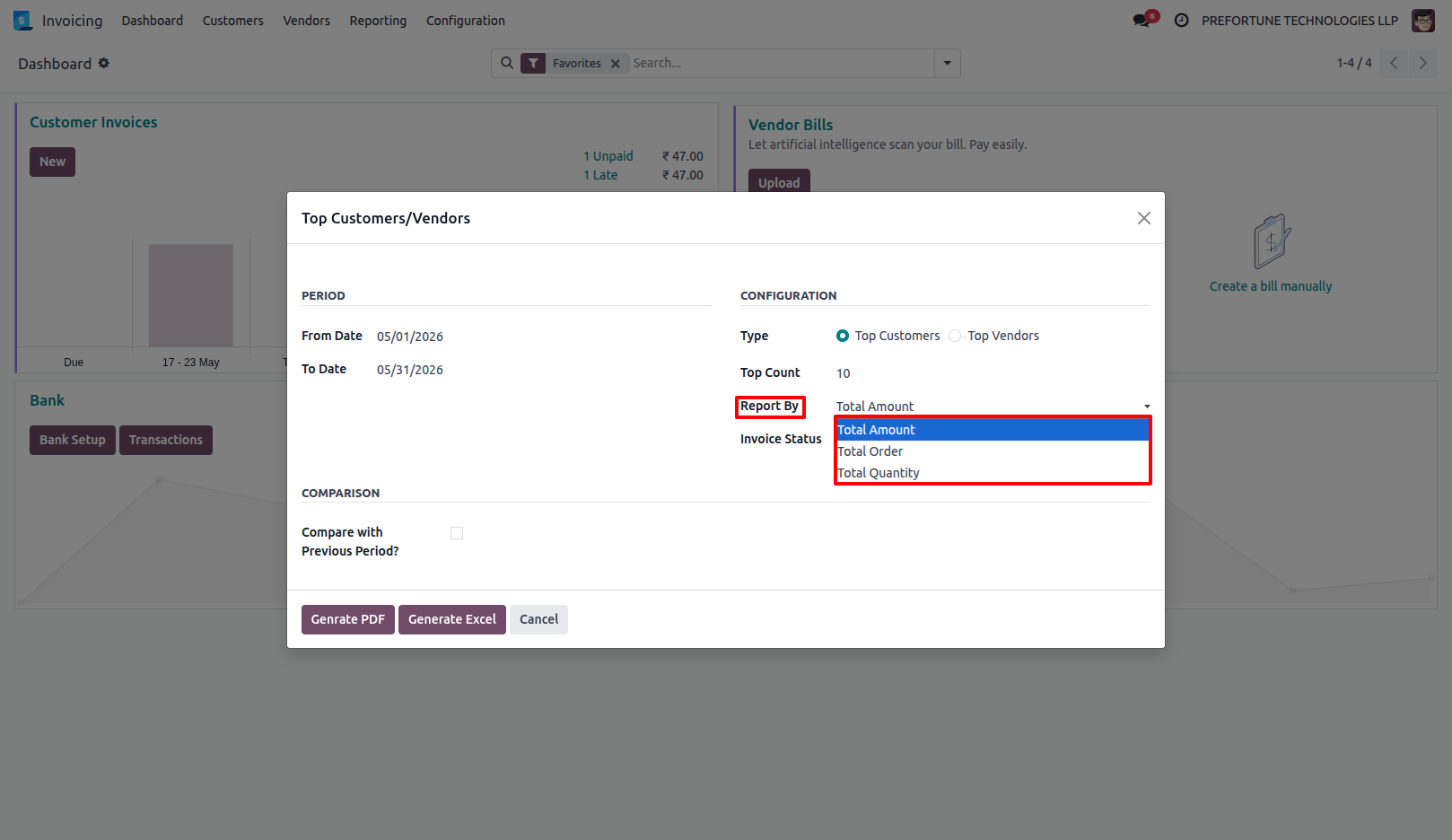
4.Select the Report By option based on Total Amount, Total Order, or Total Quantity.
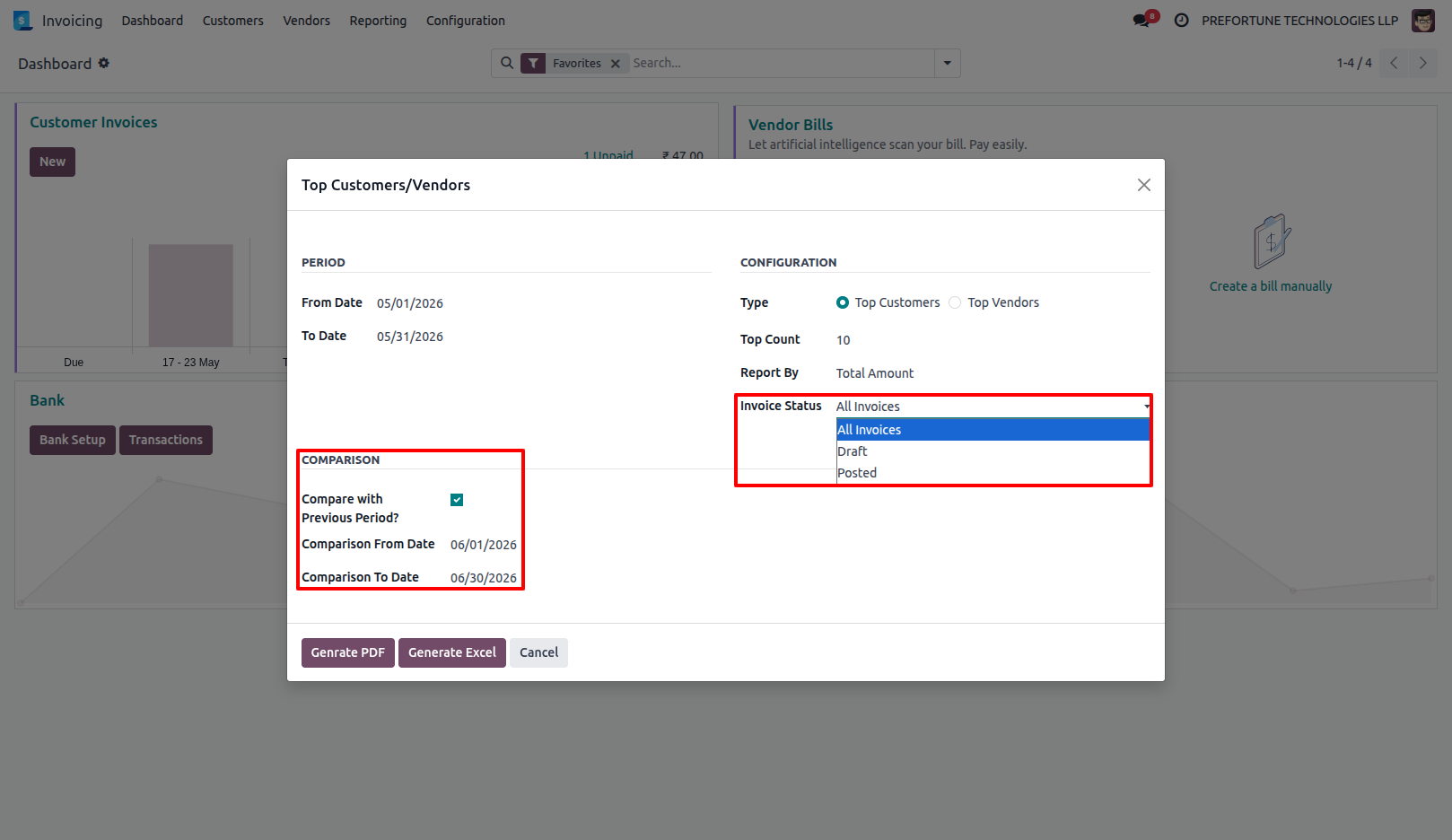
5.Configure Invoice Status and enable Previous Period Comparison if required.
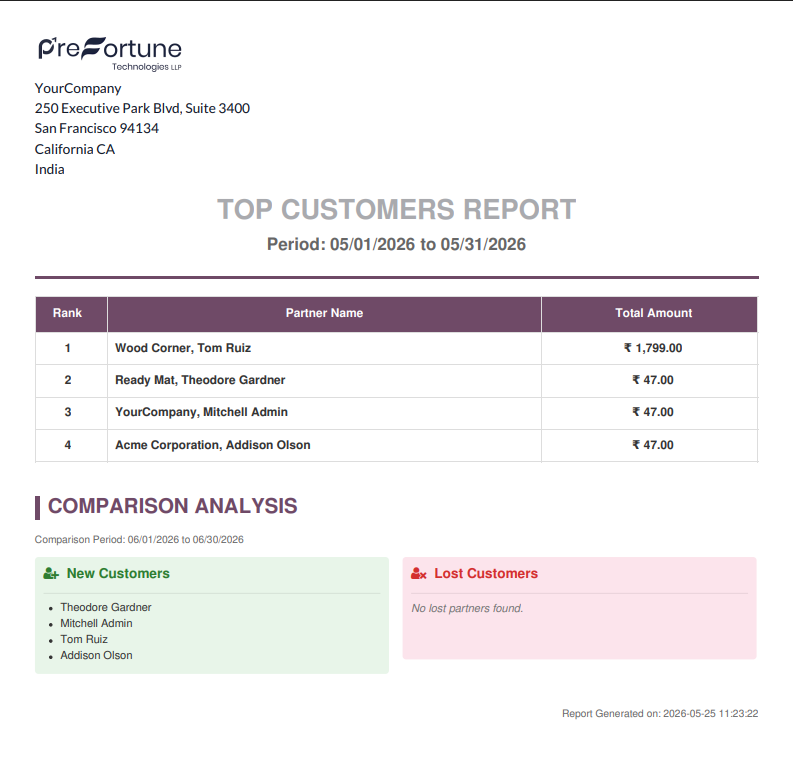
6.Generate and export the report in PDF or Excel format.
Our solutions focus on your problems
- Odoo Implementation
- Odoo Customization
- ERP Development and Implementation
- Odoo Ipass Cloud
- AI for Odoo
- Odoo Apps
- Aws Marketplace Products
- Business Engines
Our Pricing includes User Manual, 90 Days Support (Monday-Friday 10am to 7pm IST) and One time Setup
• Works & tested on standard installations of Odoo with no third party apps,
• Free support only for odoo installations with no third party apps,
• Paid support available for Odoo installations with third party apps.

Prefortune is a Odoo Official Partner, Odoo Development company. Our philosophy is to use Open Source tools and technologies to provide cost effective and green solutions for our customers.
Prefortune Technologies LLP is working on web development, Mobile development, and Odoo ERP.
If you need any help or want more additional features, you may contact us through:
Alternative Products
These other products might interest you
Specifications
| Version | 19.0, 18.0, 17.0, 16.0, 15.0, 14.0 |