Watch Quick Video
Odoo Migration Service
This is a professional solution that makes many Odoo migration projects easy and automated for many versions. If you are already on an old release or planning a major ERP upgrade, then the module allows you to do the complete Odoo database migration process with the least downtime and low migration risk.
The Odoo migration service app offers companies a secure and reliable way to migrate to Odoo ERP, with automated compatibility analysis and migration validation on Odoo Community and Enterprise editions. This provides the confidence to organisations to upgrade their Odoo environment and keep the integrity of their business data & application.
Before migration the module scans installed modules for deprecated APIs and fields and incompatible customisations and also checks model and field compatibility. It also aids in Odoo apps migration that assists companies to migrate custom and third party applications to newer versions of Odoo with minimal manual effort.
Whether you are upgrading from an older version of Odoo, or a full ERP modernisation, this solution will walk you through every step of the migration process. You have everything you need to go from Odoo database migration to application compatibility testing and version upgrade smoothly and quickly.
Odoo Migration Services app is for businesses, Odoo partners and implementation teams. It provides a reliable, automated and scalable migration solution for Odoo ERP. It provides faster upgrades, less operational disruption and positive migration outcomes.
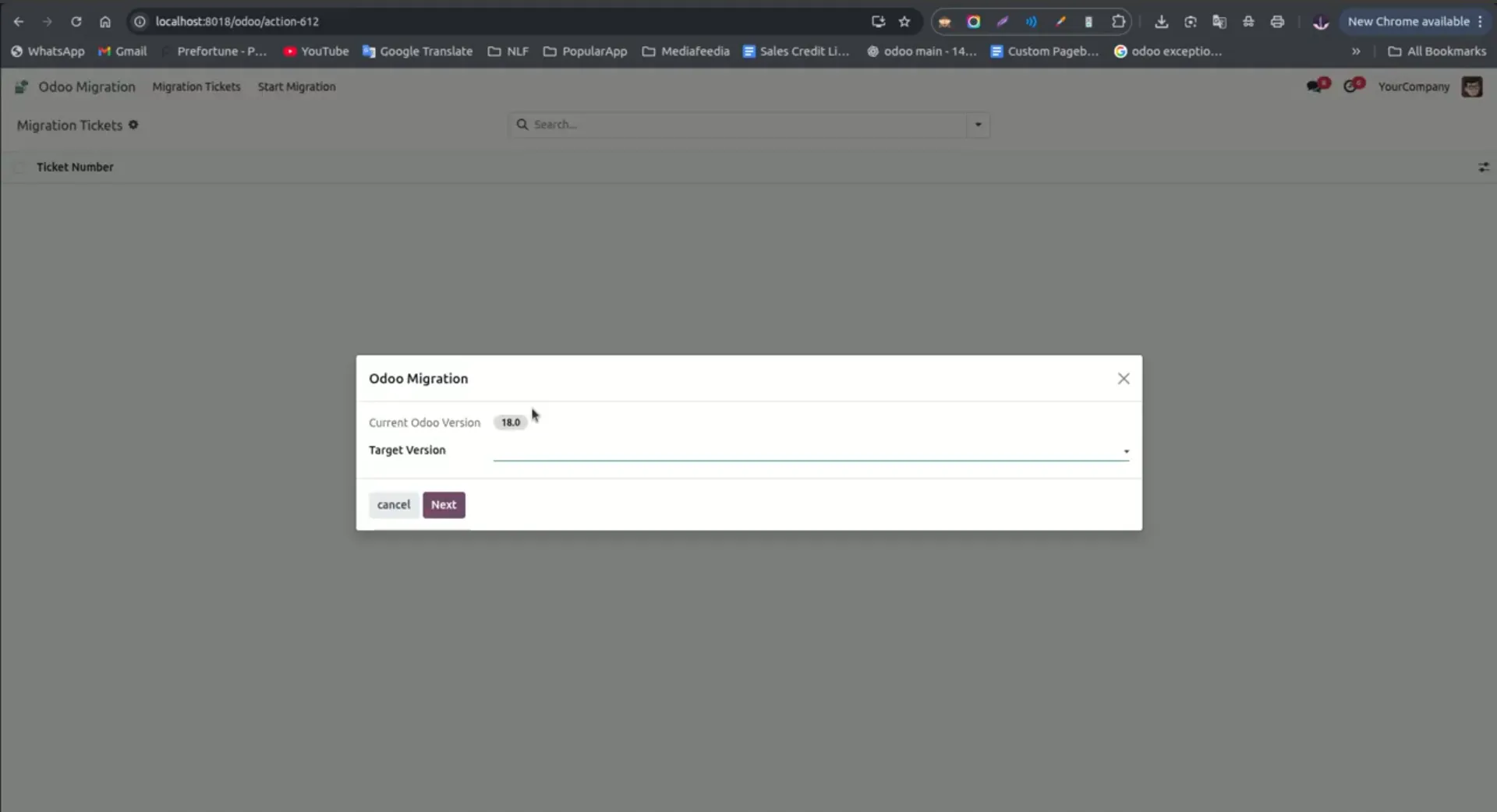
1. Install the Odoo Any2Any Version Migration app. Open the Odoo Migration menu and select the target Odoo version.
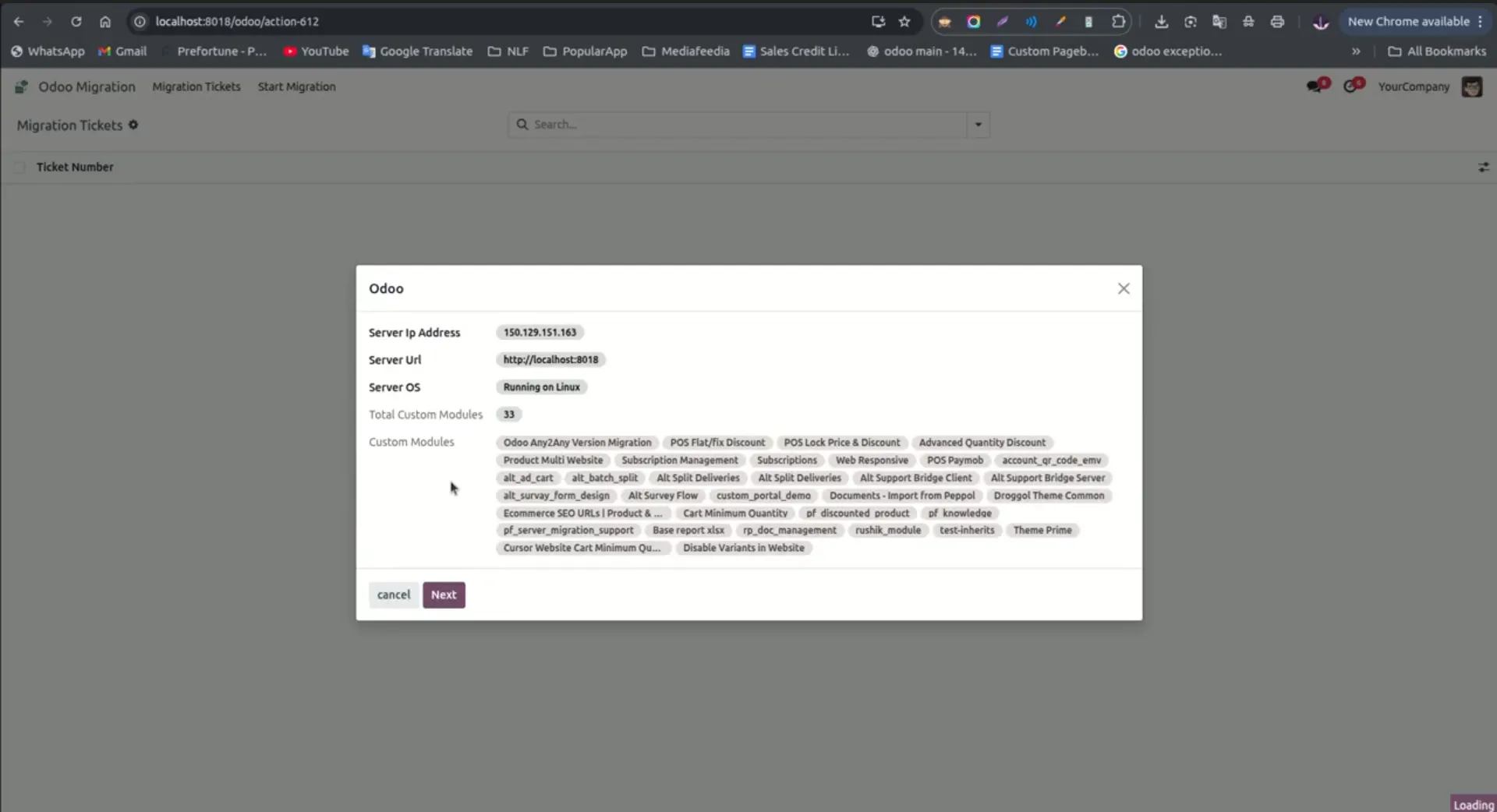
2. In the next step, the system displays details such as server IP, server URL, server OS, and the list and count of custom modules.
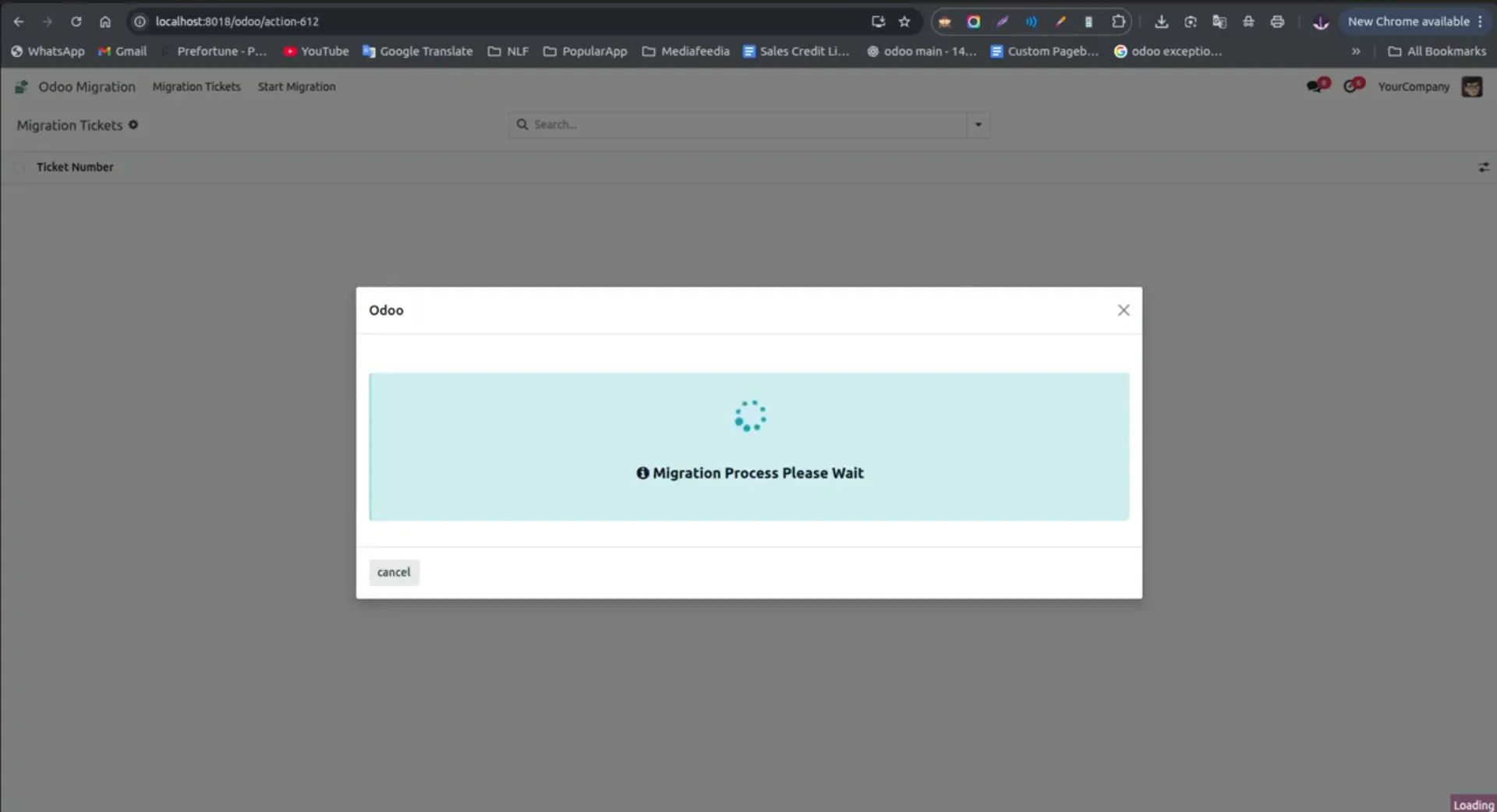
3. Click Next to start the migration process. Wait until the process is completed.
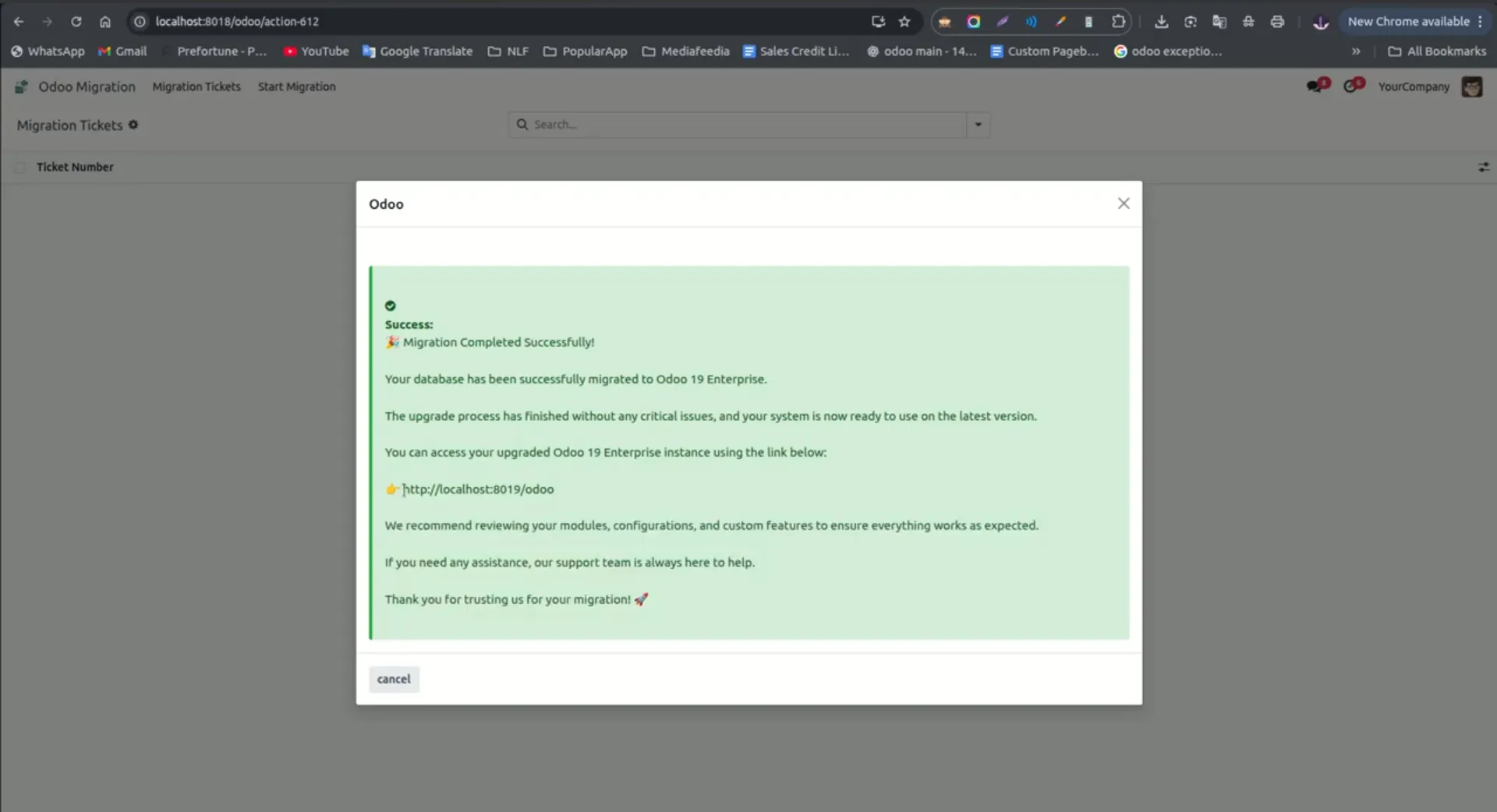
4. After the migration is finished, a message box will appear showing the IP address where the new Odoo instance is installed.
Frequently Asked Questions - Odoo Migration App service
What is Odoo Migration App ?
It is a professional tool that automates Odoo migration between any versions, validating compatibility and reducing downtime during upgrades.
Which Odoo editions are supported?
The app supports both Odoo Community and Enterprise editions.
Can it handle major and minor version upgrades?
Yes, it automates migration for both major and minor Odoo ERP migration services across all versions.
Does it detect deprecated fields and APIs?
Yes, the app scans installed modules and identifies deprecated fields, methods, and APIs to ensure smooth Odoo module migration.
Can I migrate Odoo databases between any versions?
Yes, the app allows Odoo data migration and database migration across all supported versions including Odoo 13, 14, 17, and 18.
How does it reduce downtime during migration?
By automating the migration process, validating compatibility, and detecting potential issues before deployment, it ensures minimal disruption to business operations.
Our solutions focus on your problems
- Odoo Implementation
- Odoo Customization
- ERP Development and Implementation
- Odoo Ipass Cloud
- AI for Odoo
- Odoo Apps
- Aws Marketplace Products
- Business Engines
Our Pricing includes User Manual, 90 Days Support (Monday-Friday 10am to 7pm IST) and One time Setup
• Works & tested on standard installations of Odoo with no third party apps,
• Free support only for odoo installations with no third party apps,
• Paid support available for Odoo installations with third party apps.

Prefortune is a Odoo Official Partner, Odoo Development company. Our philosophy is to use Open Source tools and technologies to provide cost effective and green solutions for our customers.
Prefortune Technologies LLP is working on web development, Mobile development, and Odoo ERP.
If you need any help or want more additional features, you may contact us through:
Essential Features Of Our Module
Trusted by Odoo Partners, Developers & ERP Consultants
See how businesses simplify Odoo migration planning and version upgrades with our Odoo Migration App.
We were evaluating a migration from Odoo 15 to Odoo 19 and needed a clear understanding of the impact on our custom modules. This app helped us identify compatibility issues early and saved a considerable amount of manual analysis.

Before using this app, our migration planning process involved a lot of manual checks. The automated analysis of models, fields, and dependencies significantly reduced preparation time and helped us avoid unexpected issues !!

We tested the app during a client migration project and were impressed by the level of detail it provided. It quickly highlighted version differences and helped us estimate the migration effort more accurately.

Alternative Products
These other products might interest you
Specifications
| Version | 18.0, 17.0, 16.0, 15.0, 14.0, 13.0, 12.0 |
Related Blogs With Image
Odoo ERP Migration App: Features, Benefits & How It Works
Simplify Odoo ERP Data Migration with Powerful Features, Benefits & a Streamlined Migration Process
10 Best Odoo Apps for 2026: eCommerce, Automation & Business Integrations
A practical guide to 10 Odoo apps that help businesses connect platforms, reduce manual work, automate operations, and scale more efficiently.