Watch Quick Video
Transfer Timesheet to Other Project Task
Our efficient
Odoo – Transfer Timesheet to Other Project Task module
helps businesses manage timesheet management and project updates directly from the Timesheet module. Users
can quickly update projects and tasks for multiple records, improving the overall project timesheet
workflow and employee work tracking in Odoo.
The module supports bulk updates, quick project-task modification through a popup wizard, and automatic
synchronization of related timesheet data. It helps businesses simplify timesheet reassignment, maintain
accurate task-wise timesheet allocation, and improve employee productivity management across projects.
Transfer Timesheet to Other Project Task
- Enable or disable the Update Timesheet Project Task option from technical settings for secure timesheet management.
- Select multiple records together and perform bulk timesheet reassignment between projects and tasks.
- Open a quick popup wizard to update project and task details without editing records manually one by one.
- Automatically update selected timesheet records with the new project and task configuration instantly.
- Synchronize related project task information to maintain accurate project timesheet workflow and employee tracking.
Complete Workflow for Transfer Timesheet to Other Project Task
Enable the Project Timesheet Transfer module to manage bulk timesheet updates directly from the Timesheet module. Authorized users can select multiple records and use the Update Timesheet option from the Actions menu to change project and task details through a popup wizard. The module supports secure access using Technical/Extra Rights settings and automatically synchronizes related project and analytic account information after updates. It also provides real-time timesheet reassignment and quick data refresh for efficient project timesheet workflow management in Odoo.
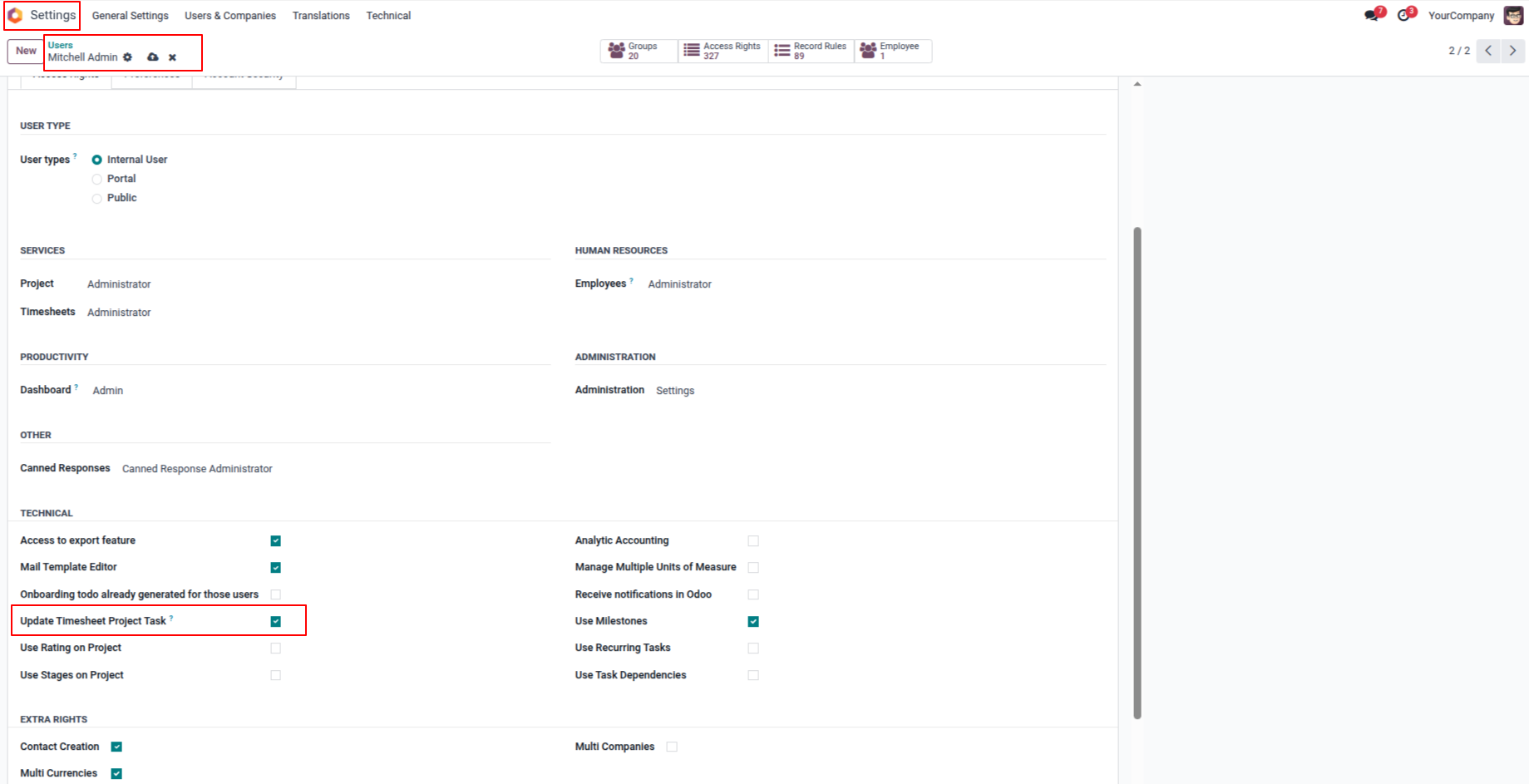
1. Enable the Update Timesheet Project Task option to allow users to update timesheet project and task details; by default, this option is disabled.
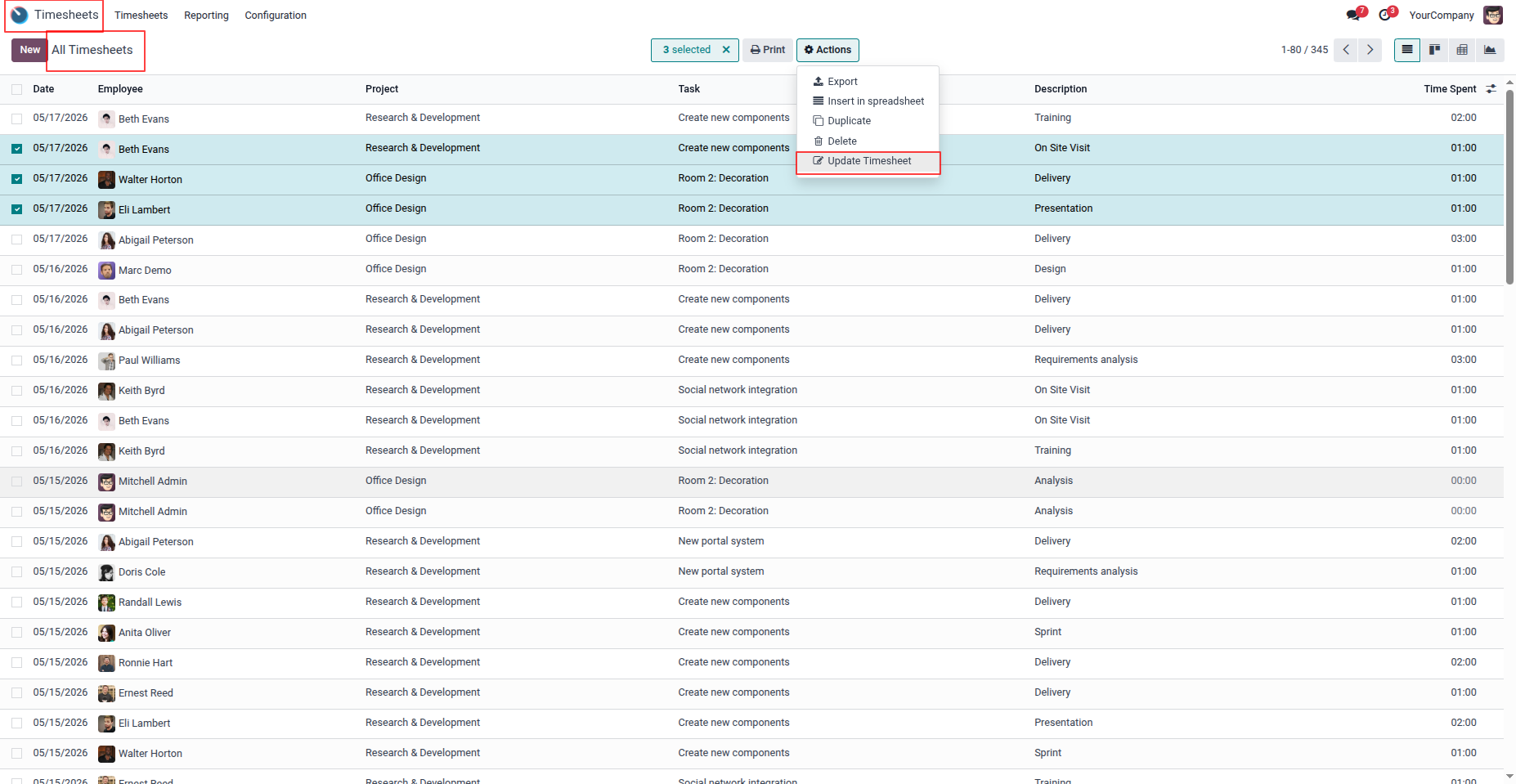
2. Select multiple timesheets and click on the Update Timesheets option under the Action menu to update them together.
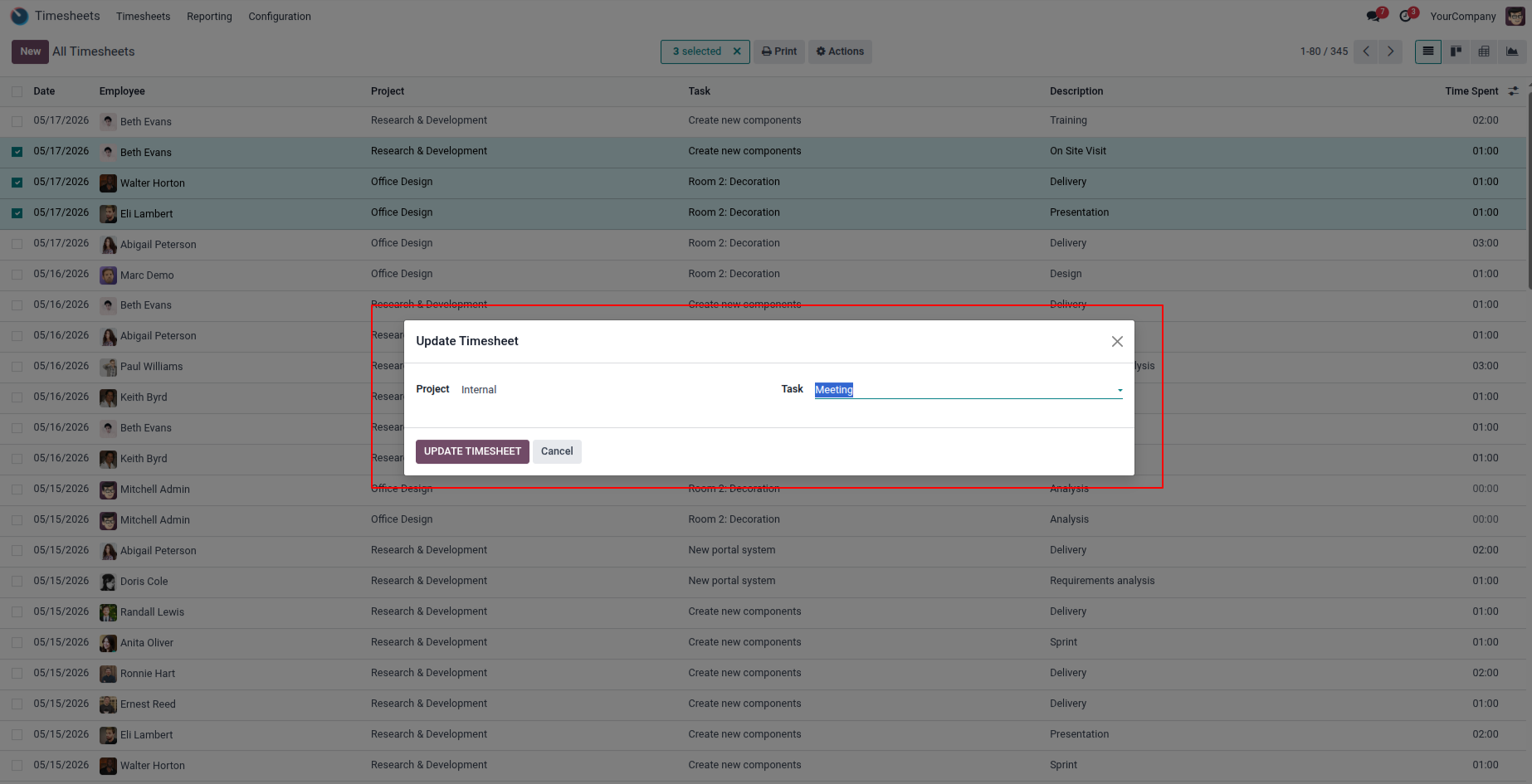
3. Select the project and task for the selected timesheets, then click on the update timesheet button to apply the changes.
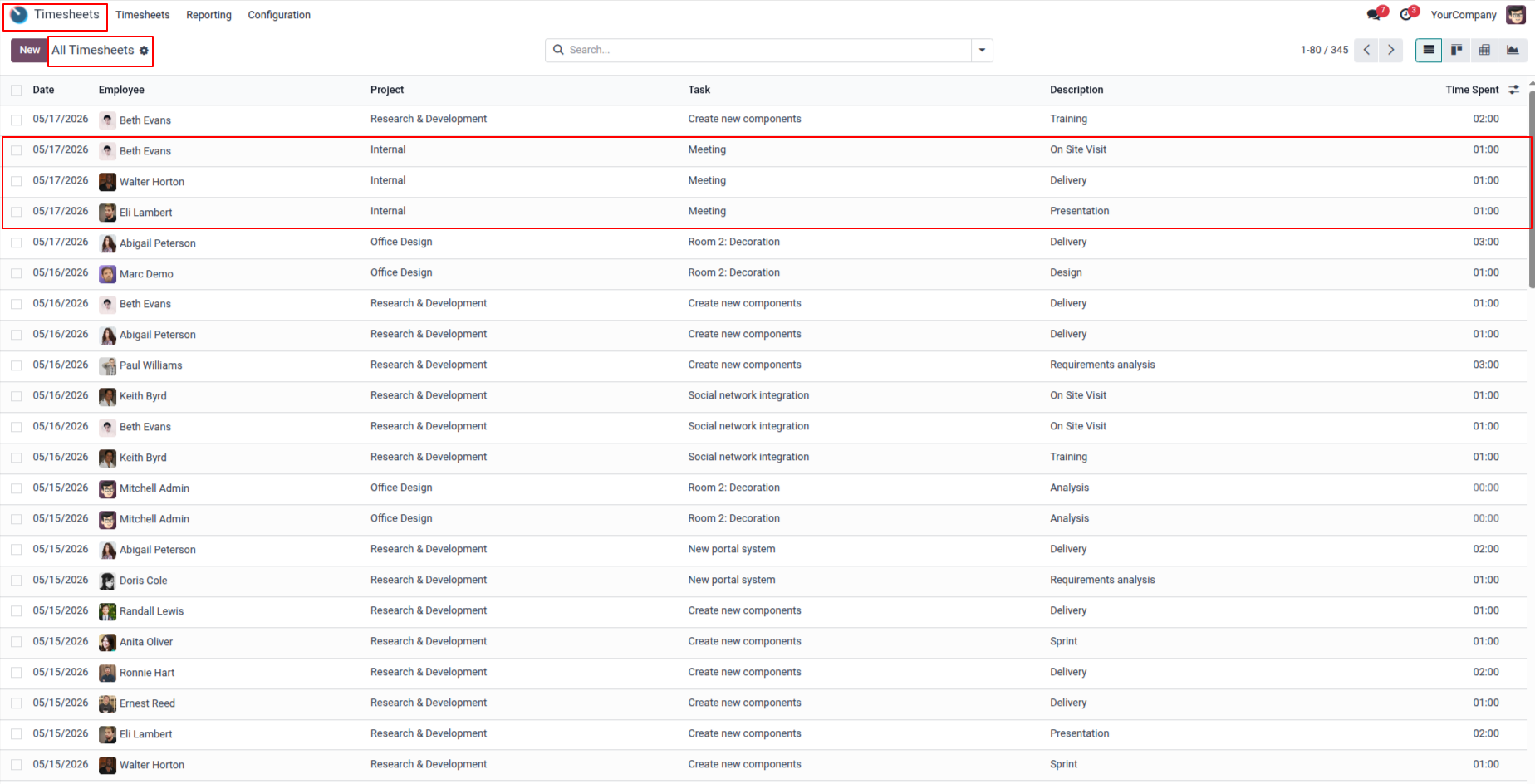
4. You can view the updated project and task details in the selected timesheets.
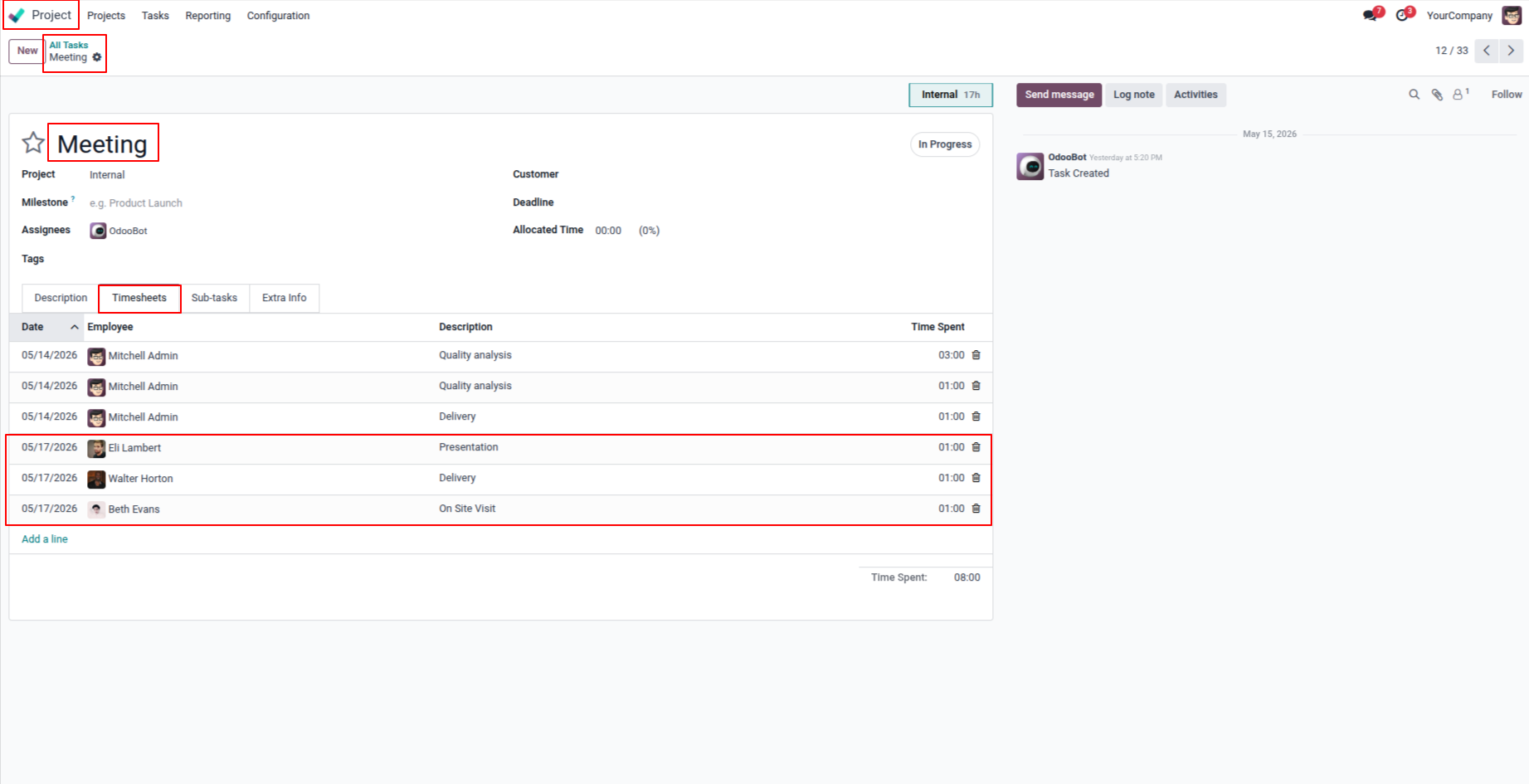
5. In the Project Task form, the Timesheet tab will automatically update according to the selected project and task changes.
Our solutions focus on your problems
- Odoo Implementation
- Odoo Customization
- ERP Development and Implementation
- Odoo Ipass Cloud
- AI for Odoo
- Odoo Apps
- Aws Marketplace Products
- Business Engines
Our Pricing includes User Manual, 90 Days Support (Monday-Friday 10am to 7pm IST) and One time Setup
• Works & tested on standard installations of Odoo with no third party apps,
• Free support only for odoo installations with no third party apps,
• Paid support available for Odoo installations with third party apps.

Prefortune is a Odoo Official Partner, Odoo Development company. Our philosophy is to use Open Source tools and technologies to provide cost effective and green solutions for our customers.
Prefortune Technologies LLP is working on web development, Mobile development, and Odoo ERP.
If you need any help or want more additional features, you may contact us through:
Alternative Products
These other products might interest you
Specifications
| Version | 19.0, 18.0, 17.0, 16.0, 15.0, 14.0 |