Watch Quick Video
Task Timesheet Reminder
Our all-inclusive Odoo – Task Timesheet Reminder
module helps businesses automate timesheet reminder system workflows by transferring reminder emails when logged task hours exceed configured limits. The module supports real- time task tracking, streamlined timesheet detection, and automatic monitoring of employee work hours for better productivity operation.
A scheduled cron job checks task timesheets every day and sends a notification email if any entries go over the allowed time, but it only triggers once per entry. This setup streamlines how you manage task times, keeps a closer eye on projects, and helps track employee productivity.
Task Timesheet Reminder
- Sends automatic timesheet reminder emails through scheduled daily cron jobs.
- Triggers timesheet notification alerts when logged time exceeds allocated task hours.
- Detects newly added timesheet entries after limit exceed conditions automatically.
- Monitors allocated task hours with smart task limit monitoring.
- Resends alerts when task timesheets are updated or additional hours are logged.
Complete Workflow for Manage Task Timesheet Reminder
Install and activate the Task Timesheet Reminder module to automate timesheet reminder system workflows in Odoo. After installation, open the required task from Project → Tasks and configure the Allocated Time with responsible users. Users can add timesheet entries directly from the Timesheets tab while working on tasks. The module automatically performs task limit monitoring through scheduled cron jobs and checks whether logged hours exceed the allocated task time. If the spent time crosses the configured limit, the system sends automatic timesheet notification emails to assigned users. Additional reminder emails are triggered automatically whenever new timesheet entries are added or existing task timesheets are updated with extra hours.
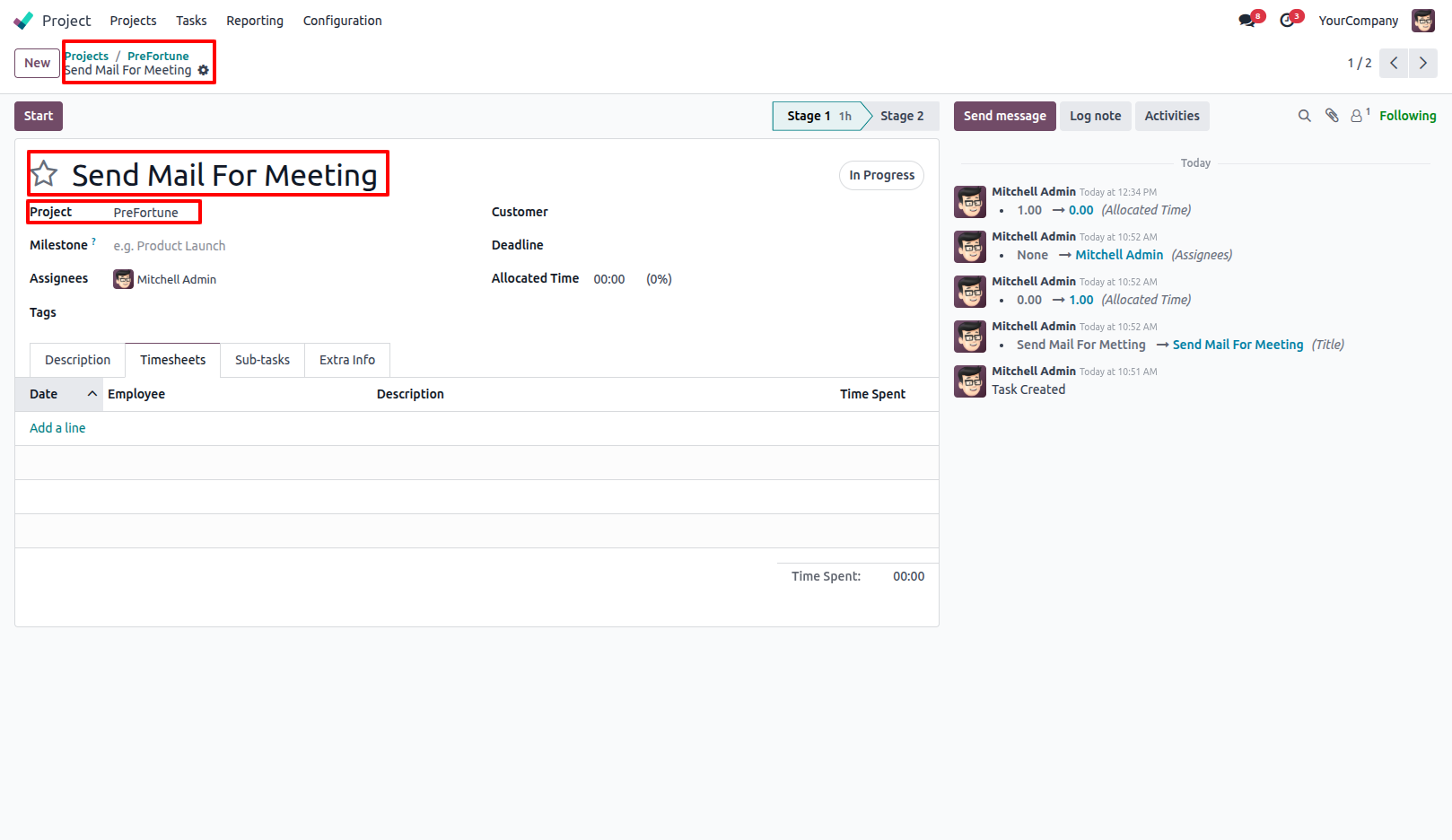
1.Go to Project Tasks and open the required task. Project → Tasks.
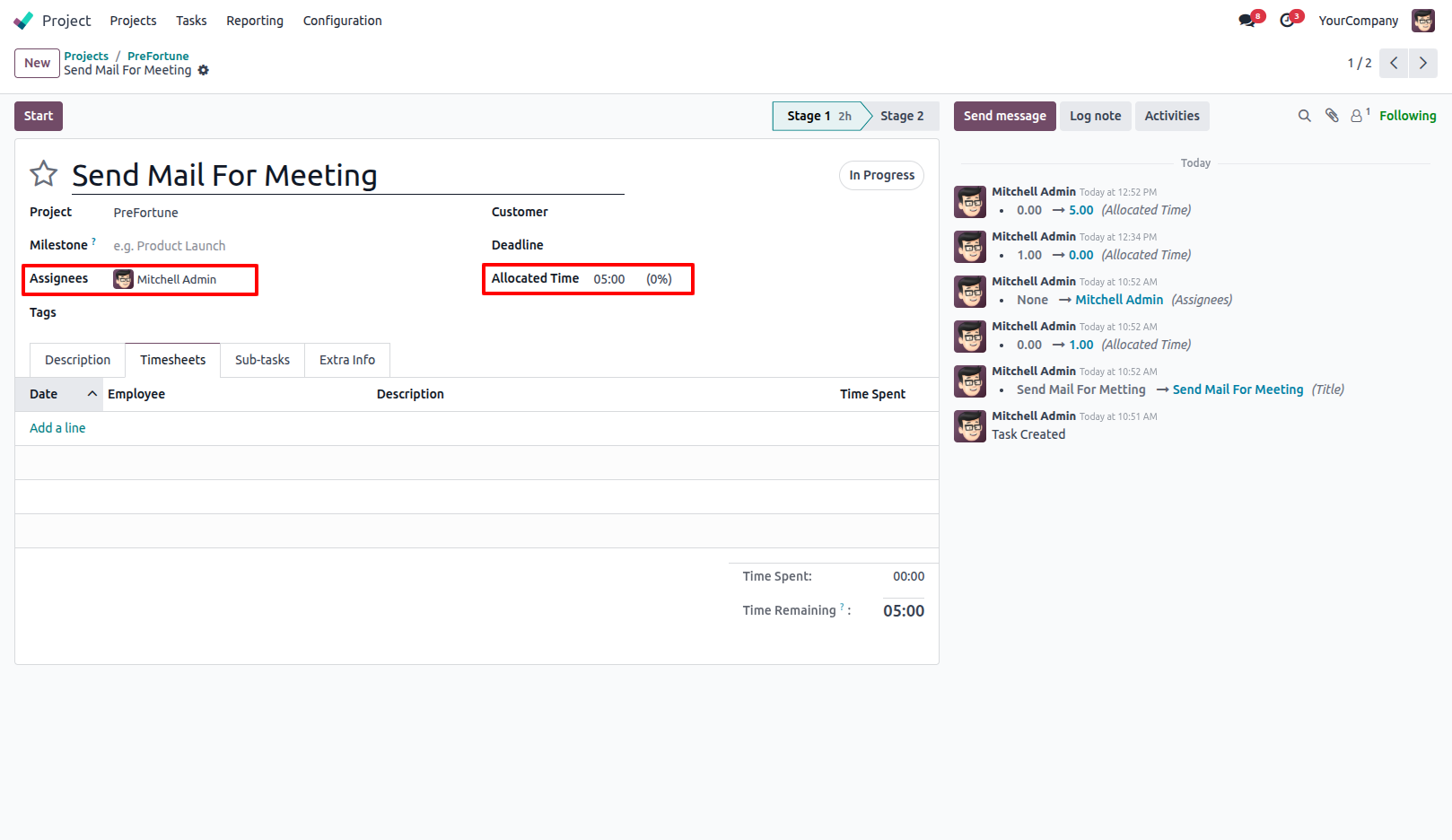
2.Set the Allocated Time for the task and assign the responsible users.
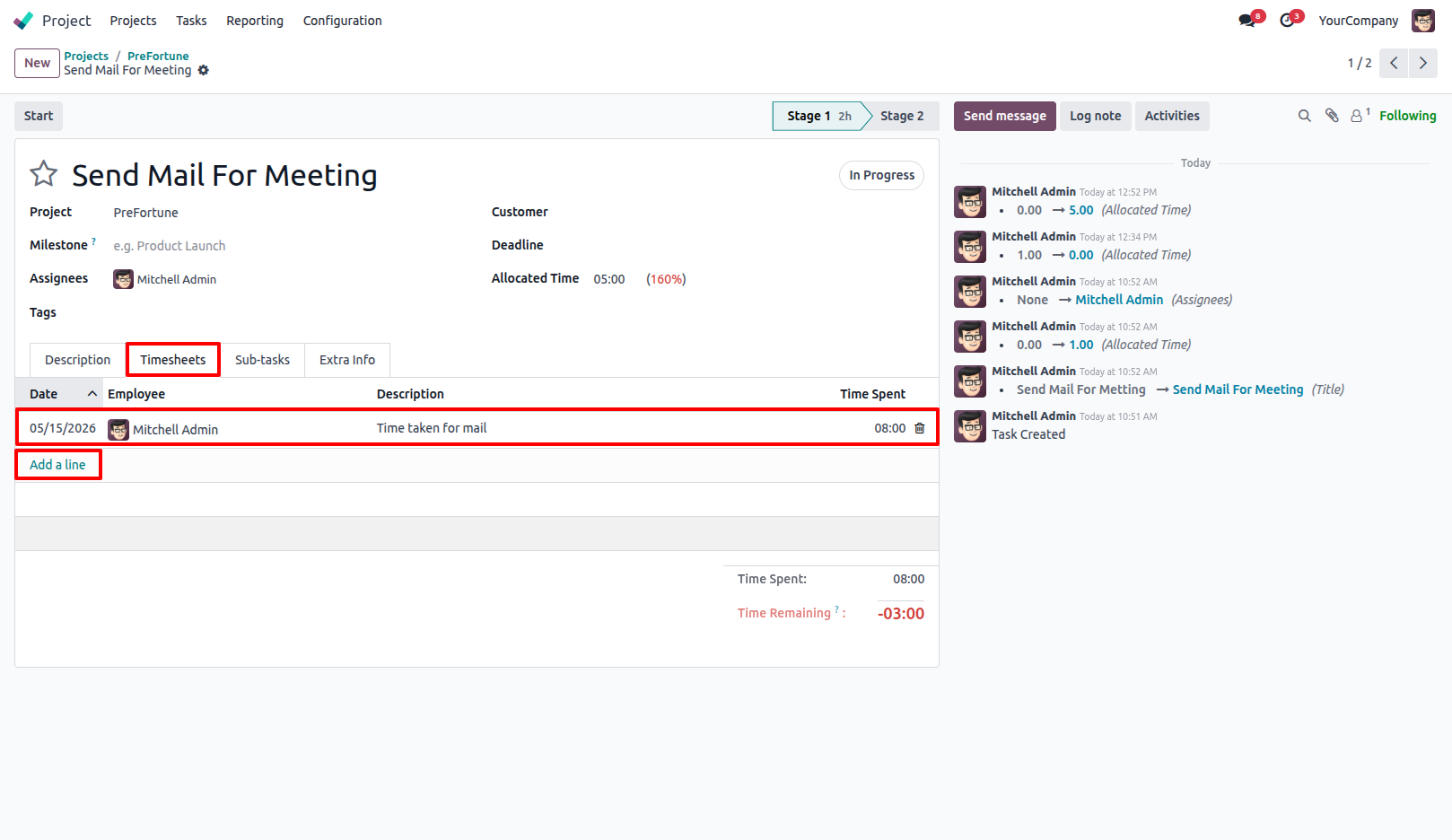
3.Users can add timesheet entries from the Timesheets tab while working on the task.
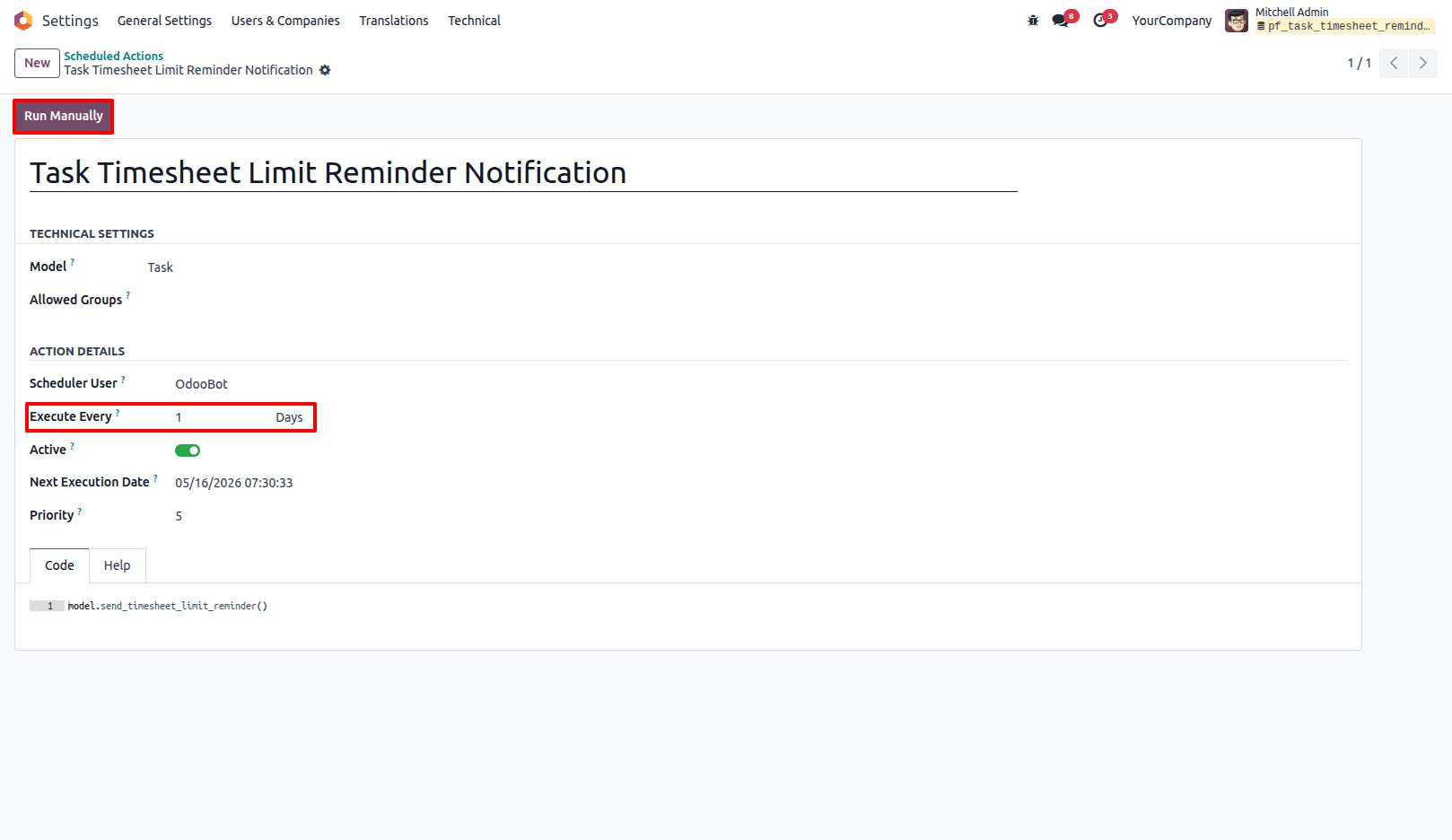
4.A scheduled cron job runs automatically every day (by default interval will be 1 day) and checks whether the total spent time exceeds the allocated task time.
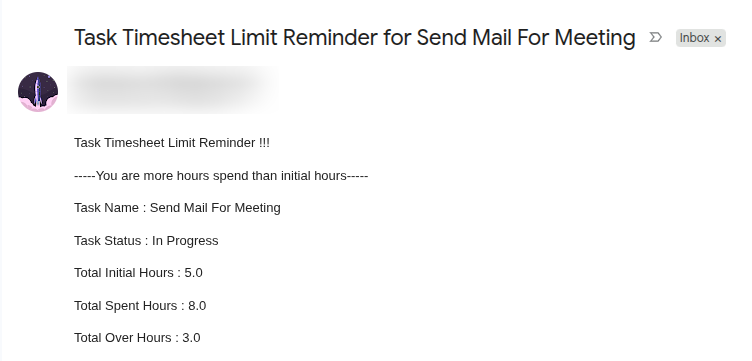
5.If the logged time exceeds the allocated time, the system automatically sends a reminder email to the assigned users. The reminder email is sent only one time for the current exceeded timesheet entry. If a new timesheet line is added or updated with additional time, the system sends the reminder email again.
Our solutions focus on your problems
- Odoo Implementation
- Odoo Customization
- ERP Development and Implementation
- Odoo Ipass Cloud
- AI for Odoo
- Odoo Apps
- Aws Marketplace Products
- Business Engines
Our Pricing includes User Manual, 90 Days Support (Monday-Friday 10am to 7pm IST) and One time Setup
• Works & tested on standard installations of Odoo with no third party apps,
• Free support only for odoo installations with no third party apps,
• Paid support available for Odoo installations with third party apps.

Prefortune is a Odoo Official Partner, Odoo Development company. Our philosophy is to use Open Source tools and technologies to provide cost effective and green solutions for our customers.
Prefortune Technologies LLP is working on web development, Mobile development, and Odoo ERP.
If you need any help or want more additional features, you may contact us through:
Alternative Products
These other products might interest you
Specifications
| Version | 19.0, 18.0, 17.0, 16.0, 15.0, 14.0 |