Watch Quick Video
Sticky Notes Odoo App
Sticky Notes Odoo App
is a simple and effective solution to create and manage important notes right on Odoo records. there Sticky Note can be edited, deleted or shared only by the Sticky Note creator. Get to Sticky Notes from the Smart Button on All Supported Odoo Modules. Users can quickly add sticky notes with a title and description. Customise font and background colours and display multiple notes for easy reference. Only the Sticky Note creator can share the sticky note to other users or admin. Notes are visible right from the record, providing users with important information without interrupting their workflow. It provides a faster, clearer and more convenient Odoo experience for users and businesses to keep track of reminders, instructions and important details.
Sticky Notes Odoo App
- Use the Smart Button to access Sticky Notes on all supported Odoo modules.
- Sticky Note creator can only edit, delete or share their Sticky Note there.
- Add a Title and Description to Sticky Notes.
- Font Colour and Background Colour.
- Sticky Note creator can only share the sticky note to other users or admin.
- Easy and visual notes management for Odoo users.
Complete Workflow for Sticky Notes Odoo App
Users can easily create and manage sticky notes directly from Odoo records. Access Sticky Notes from the Smart Button on All Supported Odoo Modules. only the sticky note creator can edit, delete, or share there Sticky Note. The module allows users to add notes with a title and description, customize the font and background colors, and display multiple sticky notes for quick reference. only Sticky Note creator can share the sticky note to other users or admin. Users can open a sticky note with a single click view its details without leaving the record. It helps keep important reminders, instructions, and information organized, providing a simple, visual, and more efficient experience for Odoo users.
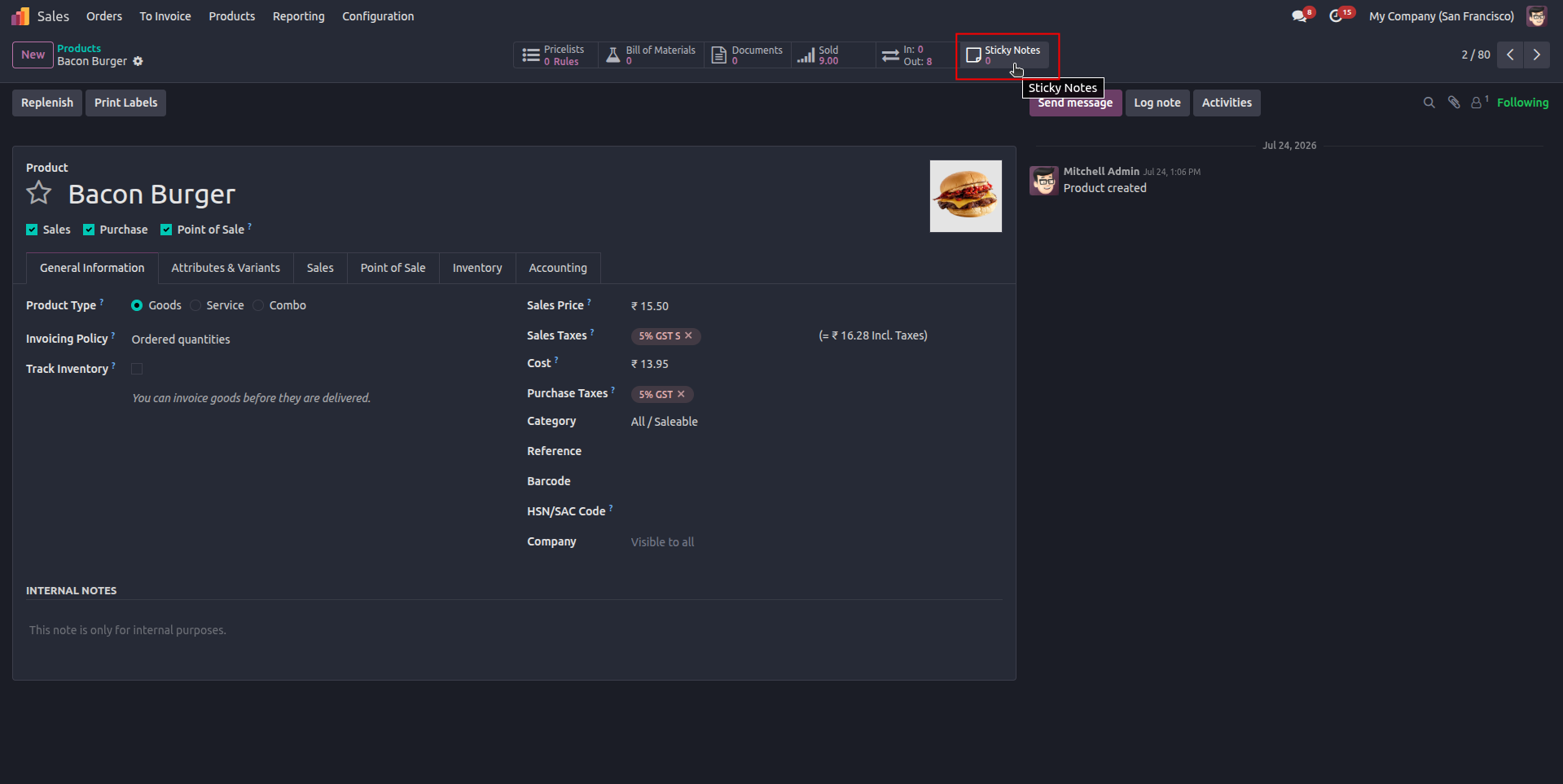
1. Access Sticky Notes directly from the Sticky Notes Smart Button across all supported Odoo modules.
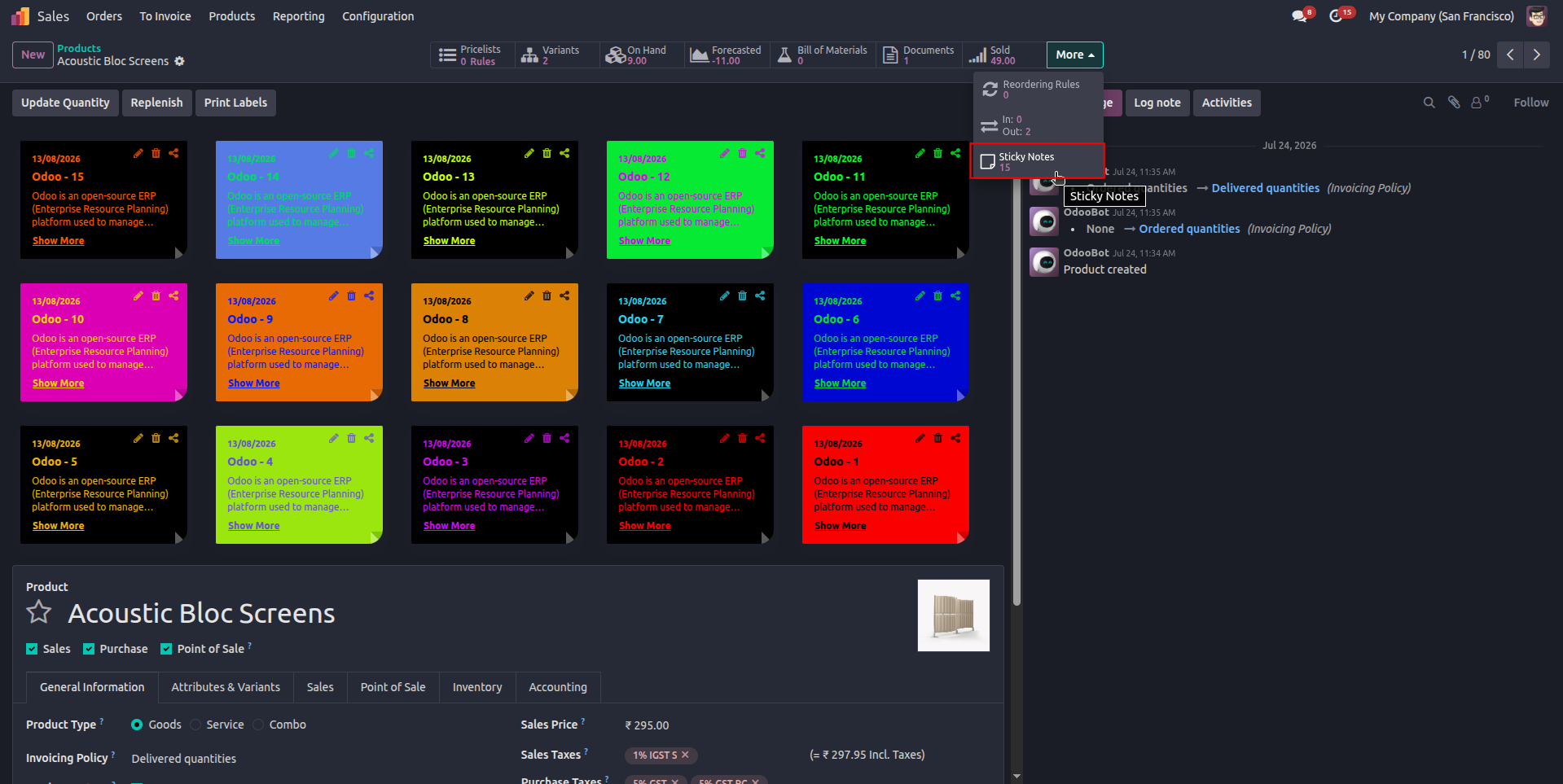
2. Create a new Sticky Note by clicking the Sticky Notes Smart Button on the Odoo.
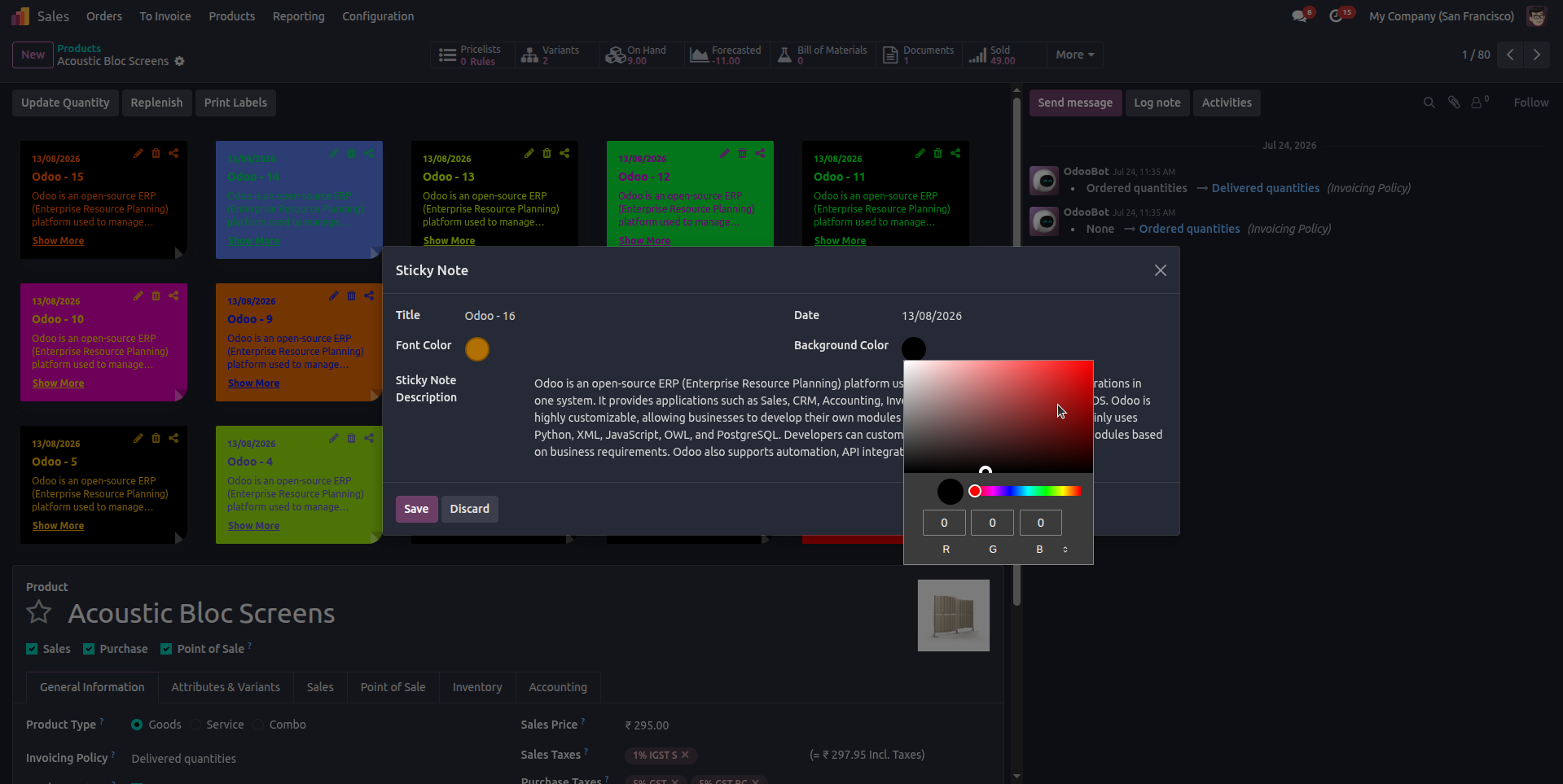
3. Create or Customize each Sticky Note with a title, description, date, font color, and background color.
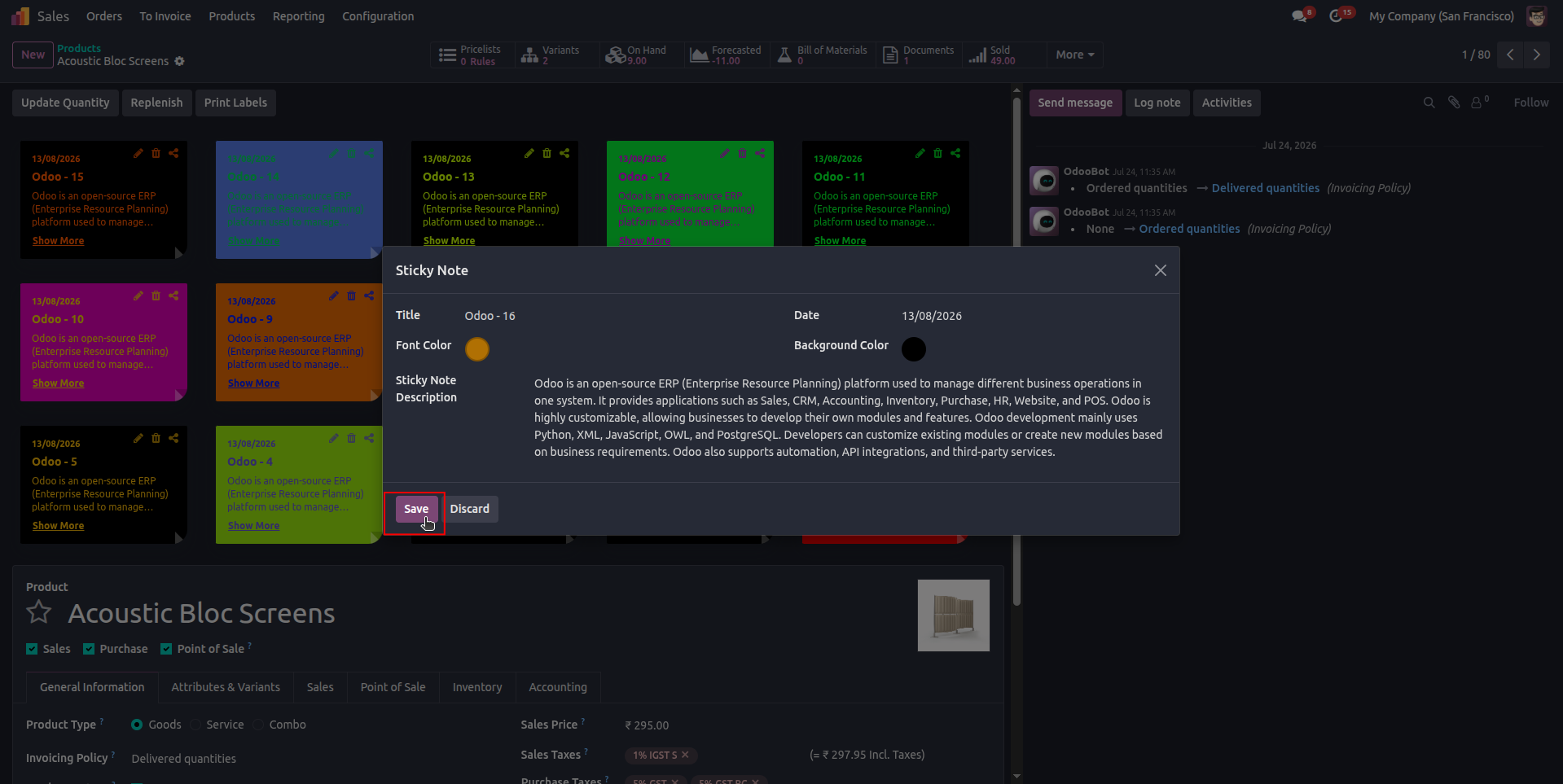
4. Save the Sticky Note to add it to the Odoo record and display it in the Sticky Notes section.
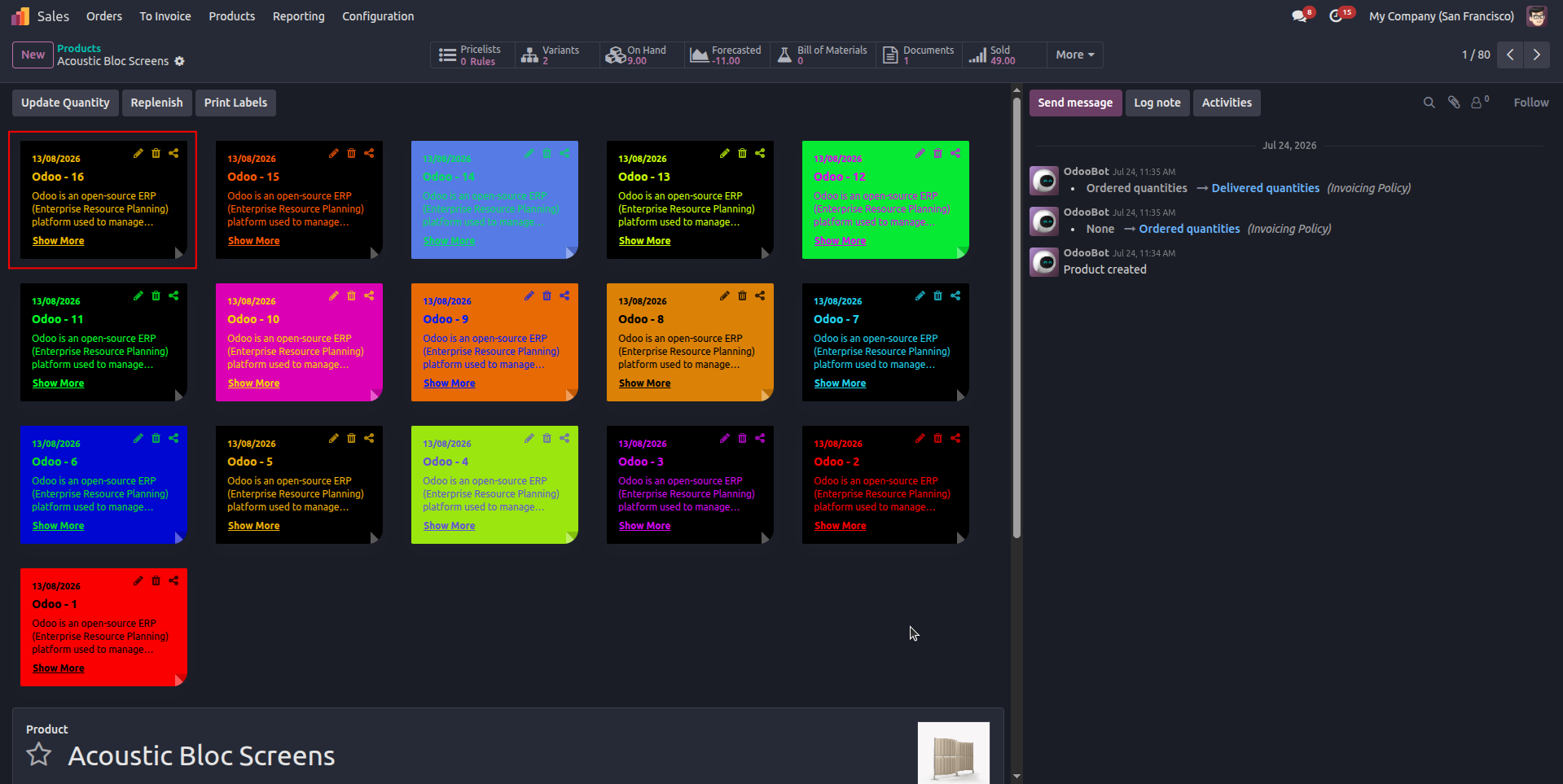
5. View the newly created Sticky Note displayed alongside With other notes on the Odoo.
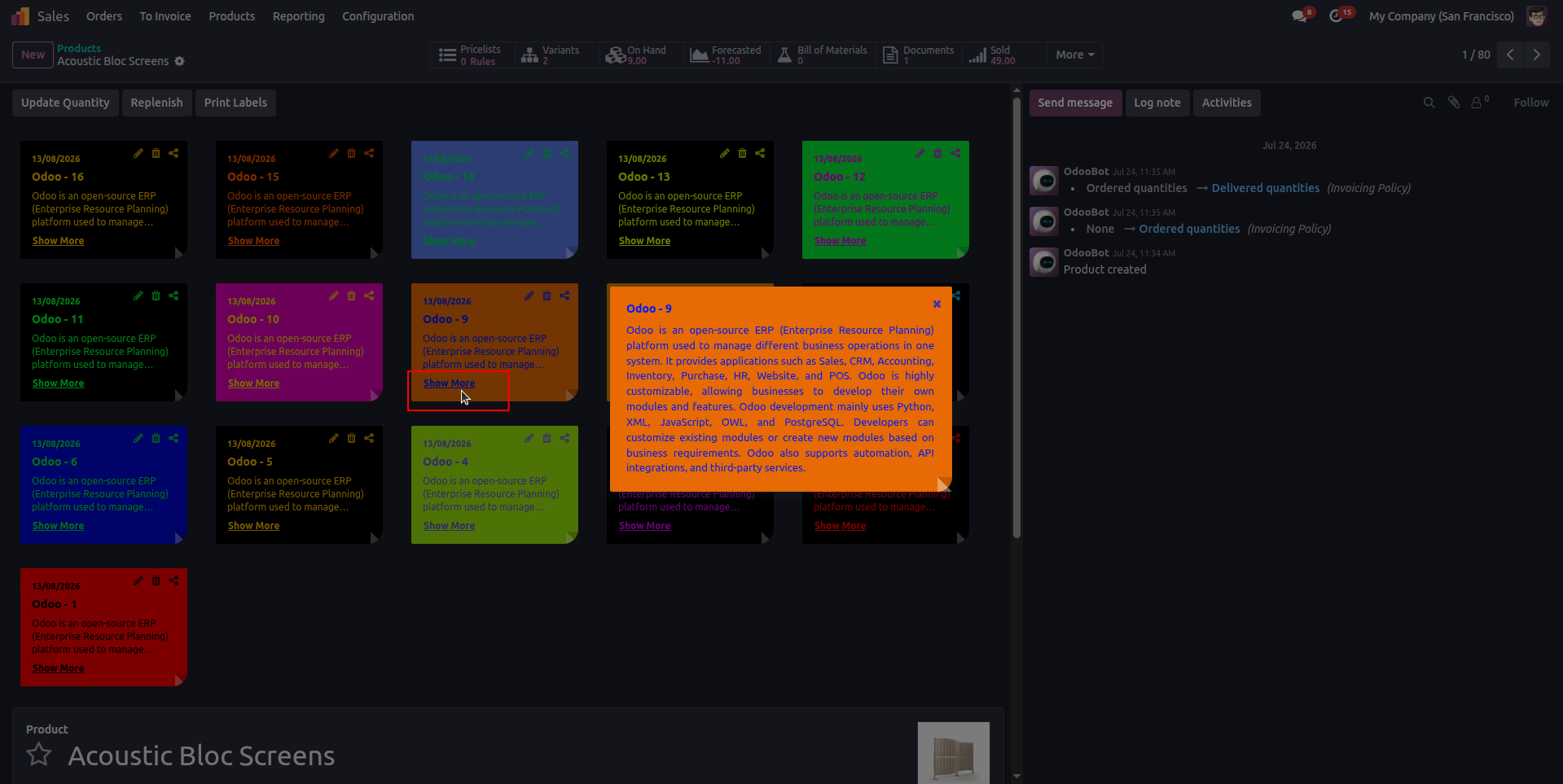
6. View the complete Sticky Note details by clicking “Show More” or anywhere on the note.
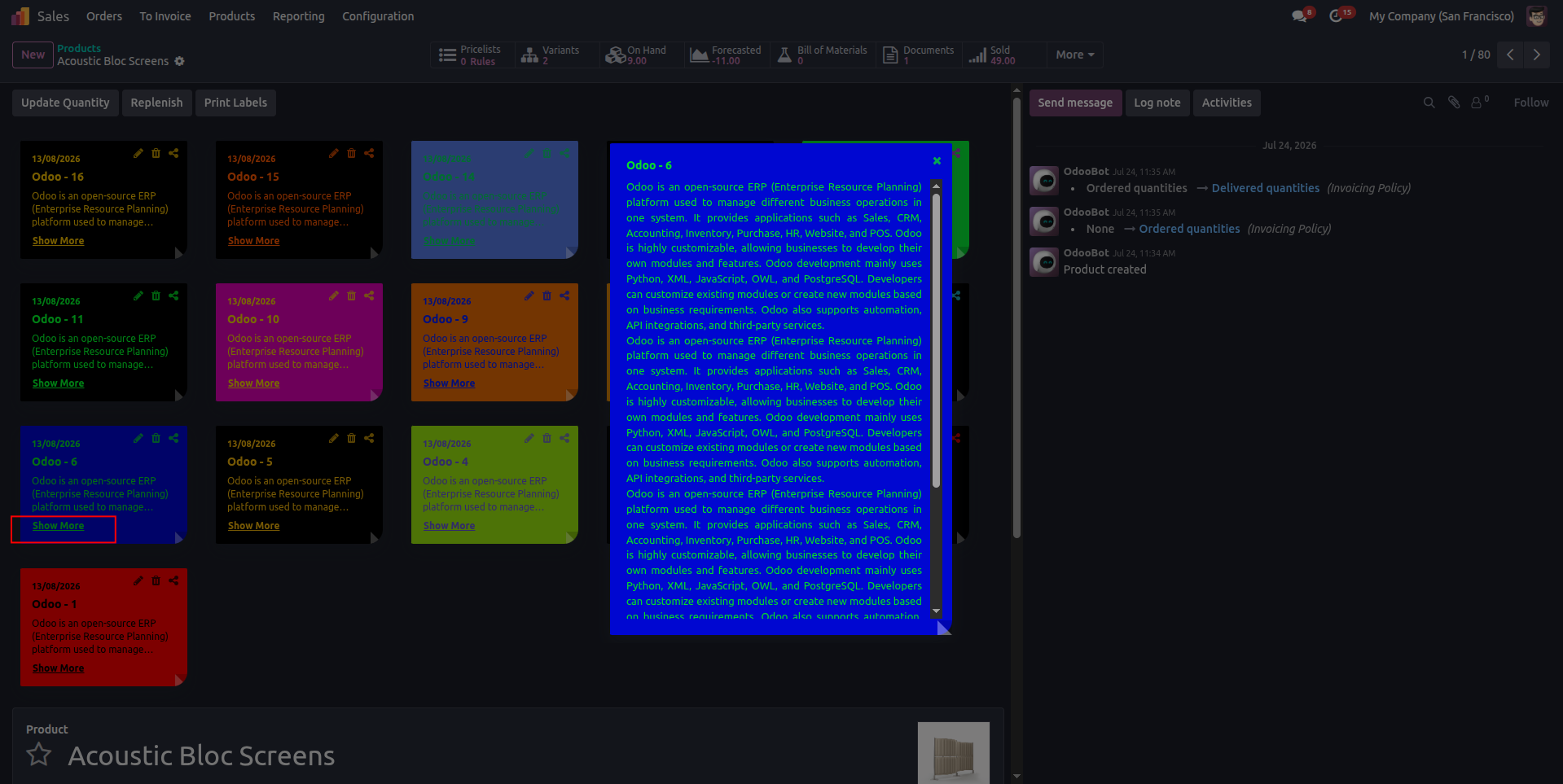
7. View the complete Sticky Note content in an expanded popup with a scrollable description area.
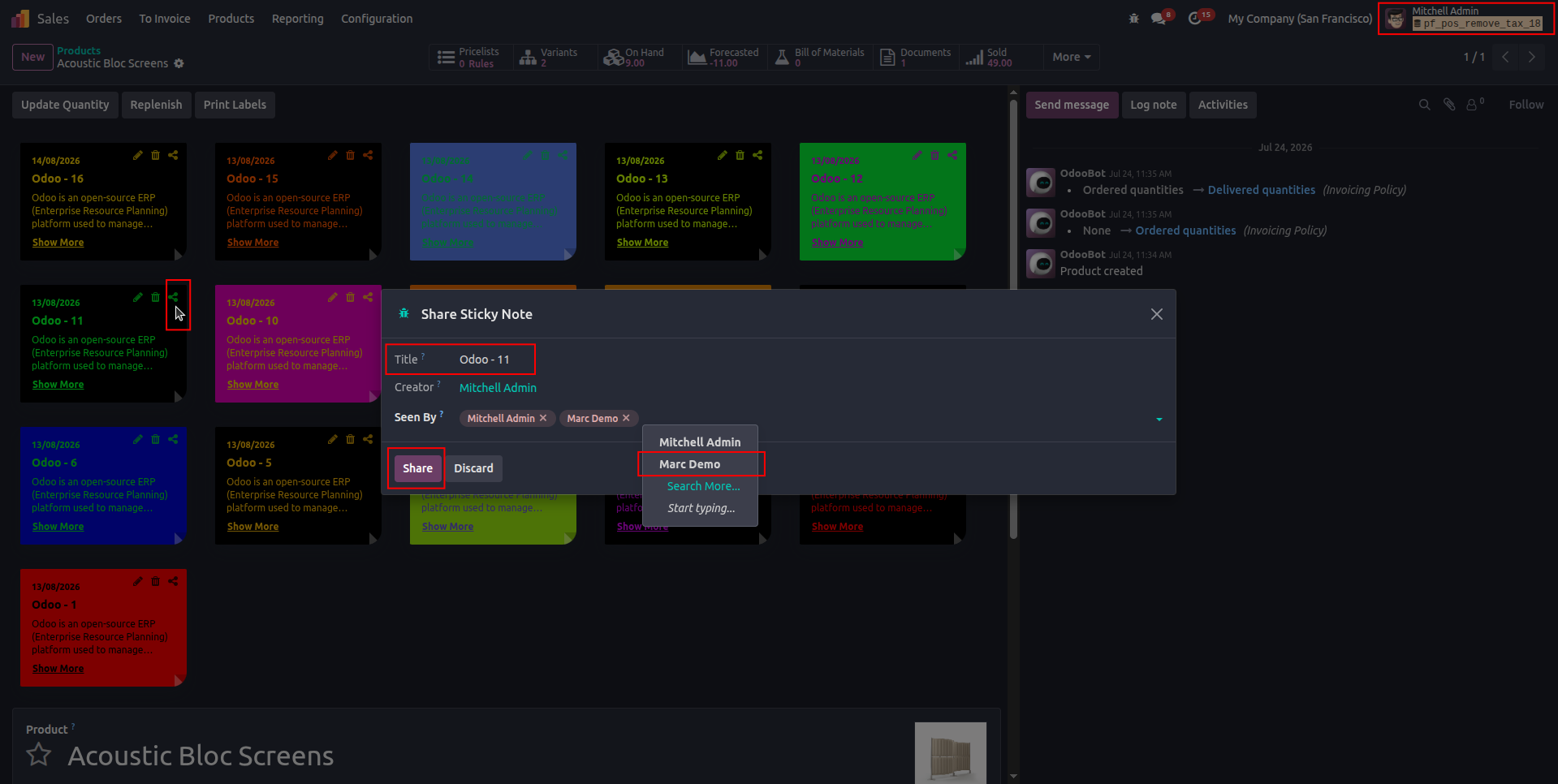
8. Share a Sticky Note with selected users by choosing who can view it, such as in image Mitchell Admin sharing the Sticky Note with Marc Demo.
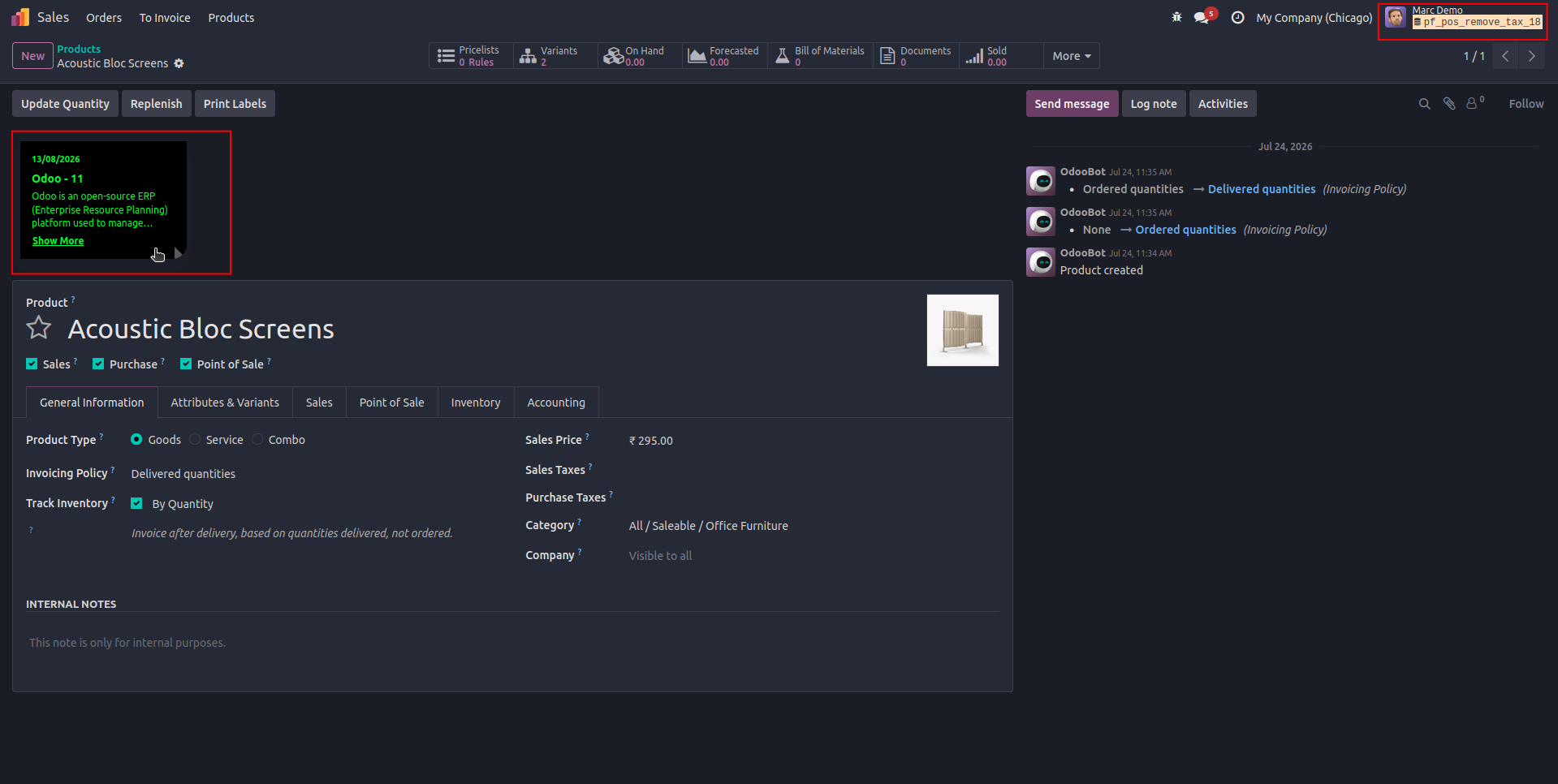
9. View shared Sticky Notes based on user permissions, such as in image allowing Marc Demo to view the Sticky Note created by Mitchell Admin while Only the sticky note creator can edit, delete, or share there Sticky Note.
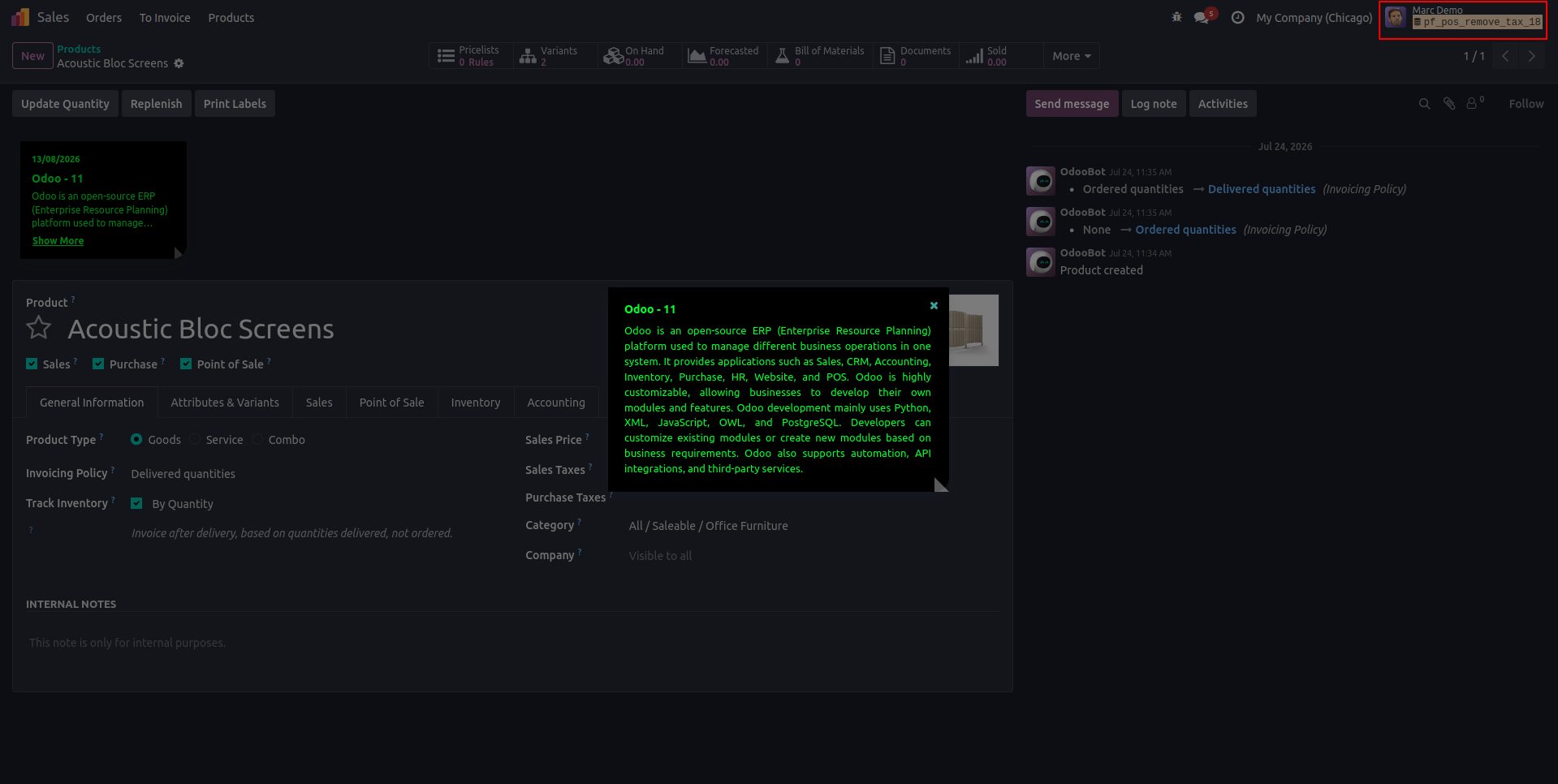
10. View shared Sticky Note details without edit access; only the note creator can edit, delete, or share the Sticky Note, while note shared users or admin can only view it.
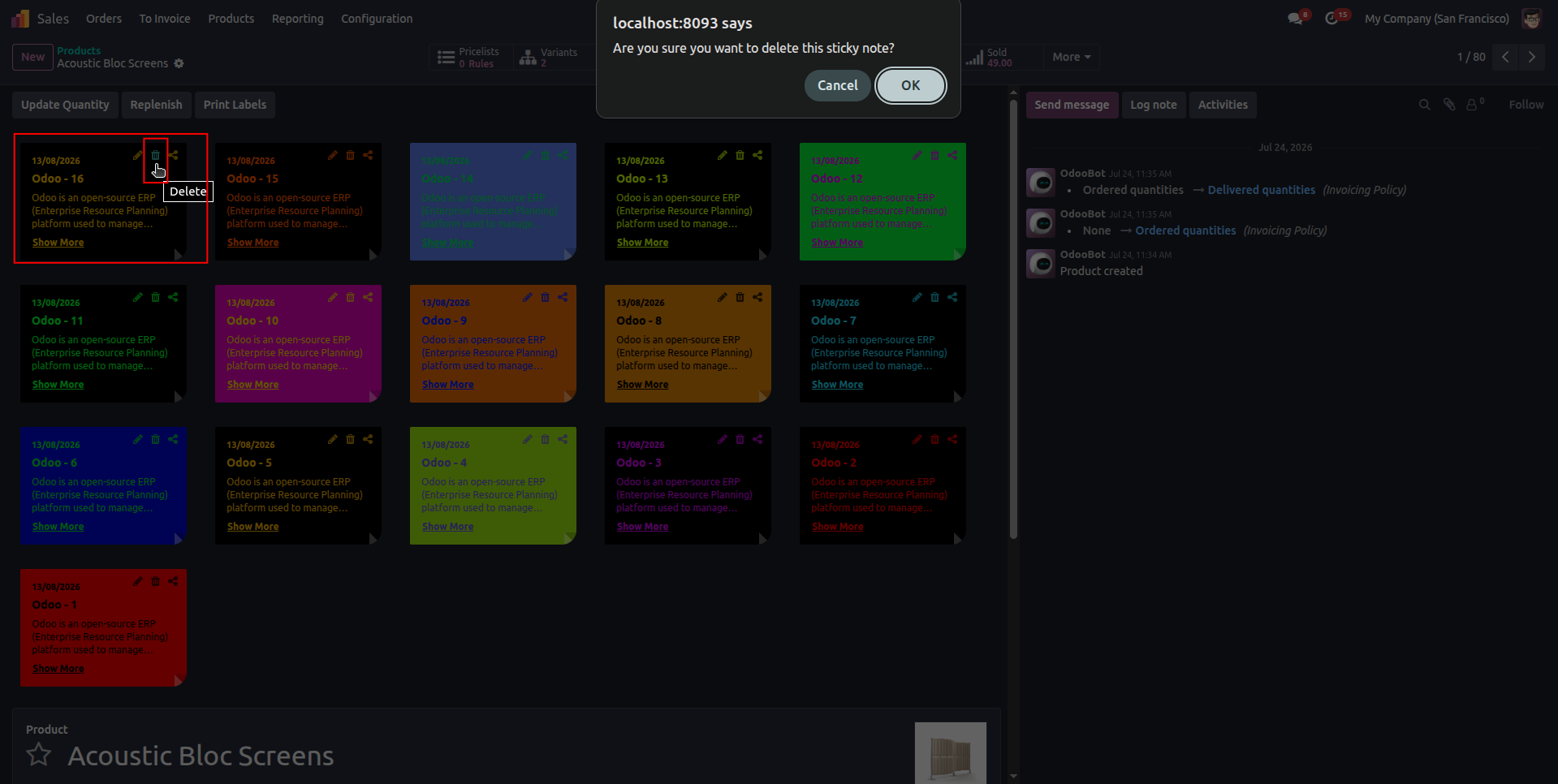
11. such as in image Delete your Sticky Note “ Tital Name :- Odoo - 16” with a confirmation message to prevent accidental deletion and only the Sticky Note creator can delete their Sticky Note..
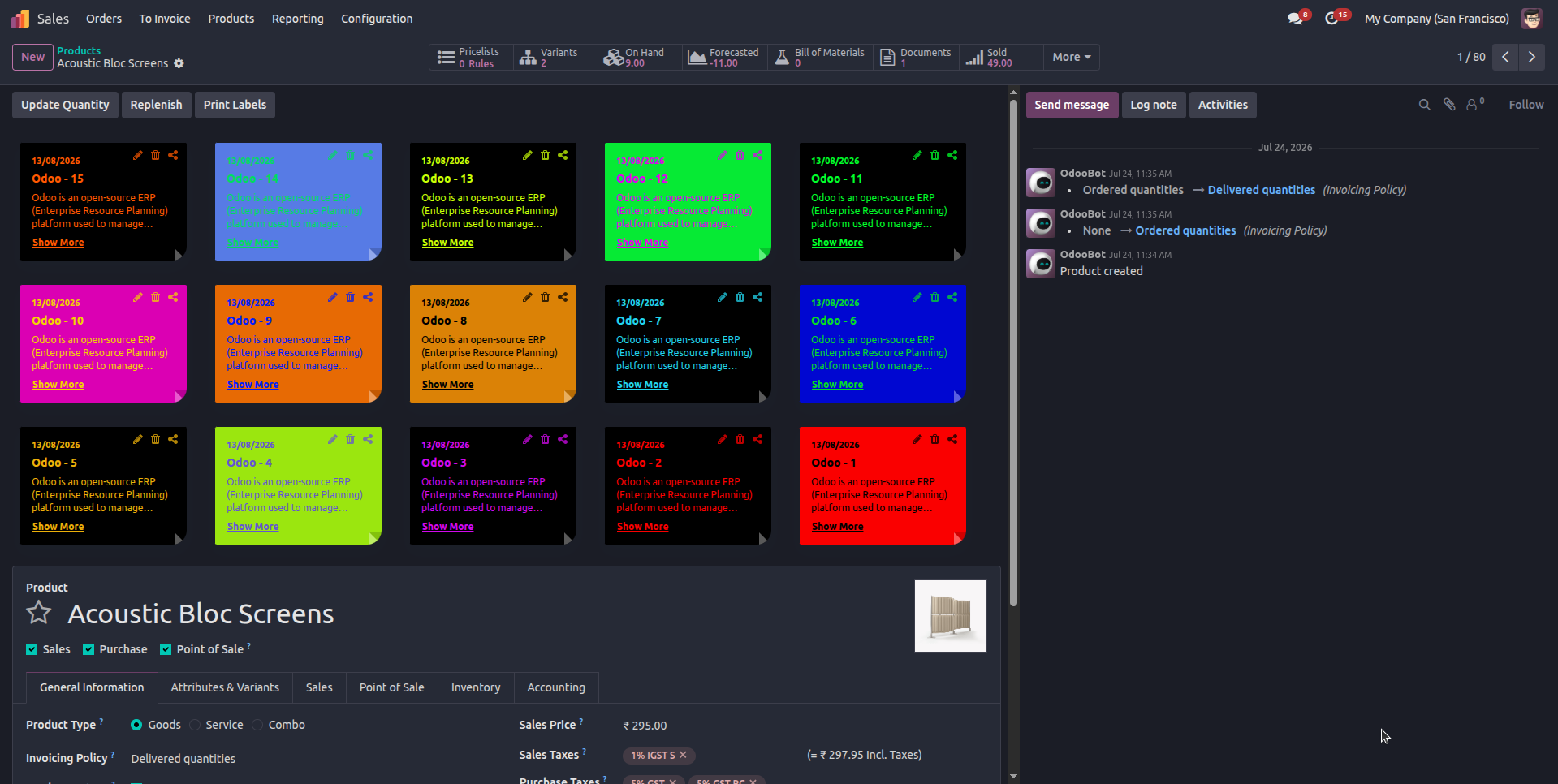
12. Sticky Note “Odoo - 16” was deleted successfully from the Odoo record.
Our solutions focus on your problems
- Odoo Implementation
- Odoo Customization
- ERP Development and Implementation
- Odoo Ipass Cloud
- AI for Odoo
- Odoo Apps
- Aws Marketplace Products
- Business Engines
Our Pricing includes User Manual, 90 Days Support (Monday-Friday 10am to 7pm IST) and One time Setup
• Works & tested on standard installations of Odoo with no third party apps,
• Free support only for odoo installations with no third party apps,
• Paid support available for Odoo installations with third party apps.

Prefortune is a Odoo Official Partner, Odoo Development company. Our philosophy is to use Open Source tools and technologies to provide cost effective and green solutions for our customers.
Prefortune Technologies LLP is working on web development, Mobile development, and Odoo ERP.
If you need any help or want more additional features, you may contact us through:
Alternative Products
These other products might interest you
Specifications
| Version | 19.0, 18.0, 17.0, 16.0, 15.0, 14.0 |