
Watch Quick Video

Smart Delivery Management | Zip Code Control
The full-featured
Smart Delivery Management | Zip Code Control
module helps companies to efficiently control the availability of delivery methods depending on the customer’s ZIP Code. Admins can set up individual zip codes or zip code ranges to automatically turn off certain delivery options at checkout on the website. The module helps to deliver accurate availability, reduces manual effort, prevents erroneous deliveries and improves the overall customer checkout experience.
Smart Delivery Management | Zip Code Control features
- Configure single ZIP codes to restrict delivery methods.
- Configure ZIP code ranges for delivery restrictions.
- Automatically hide restricted delivery methods at checkout.
- Prevent invalid deliveries to restricted ZIP codes.
- Improve delivery accuracy and reduce manual effort.
- Easy to configure from the Delivery Method
Complete Workflow for Smart Delivery Management | Zip Code Control
Users can set one or multiple ZIP code restrictions for each Delivery Method by specifying individual ZIP codes or ZIP code ranges. During website checkout, the module automatically evaluates the customer's ZIP code and filters restricted delivery methods accordingly. This guarantees correct delivery availability, prevents invalid deliveries, minimises manual effort and enhances the overall shopping experience of the customer.
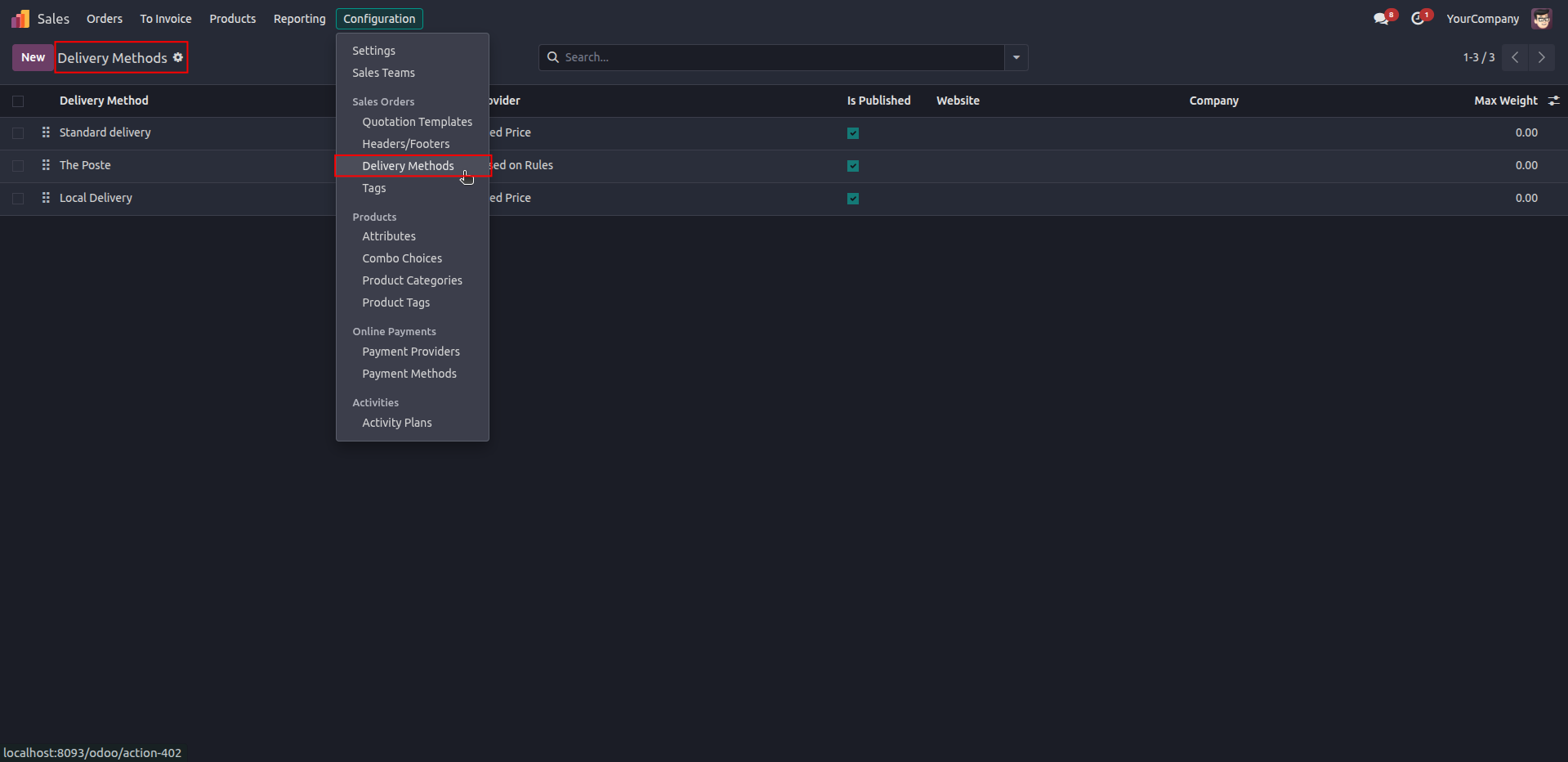
1. Navigate to Sales → Configuration → Delivery Methods to configure and manage your shipping methods.
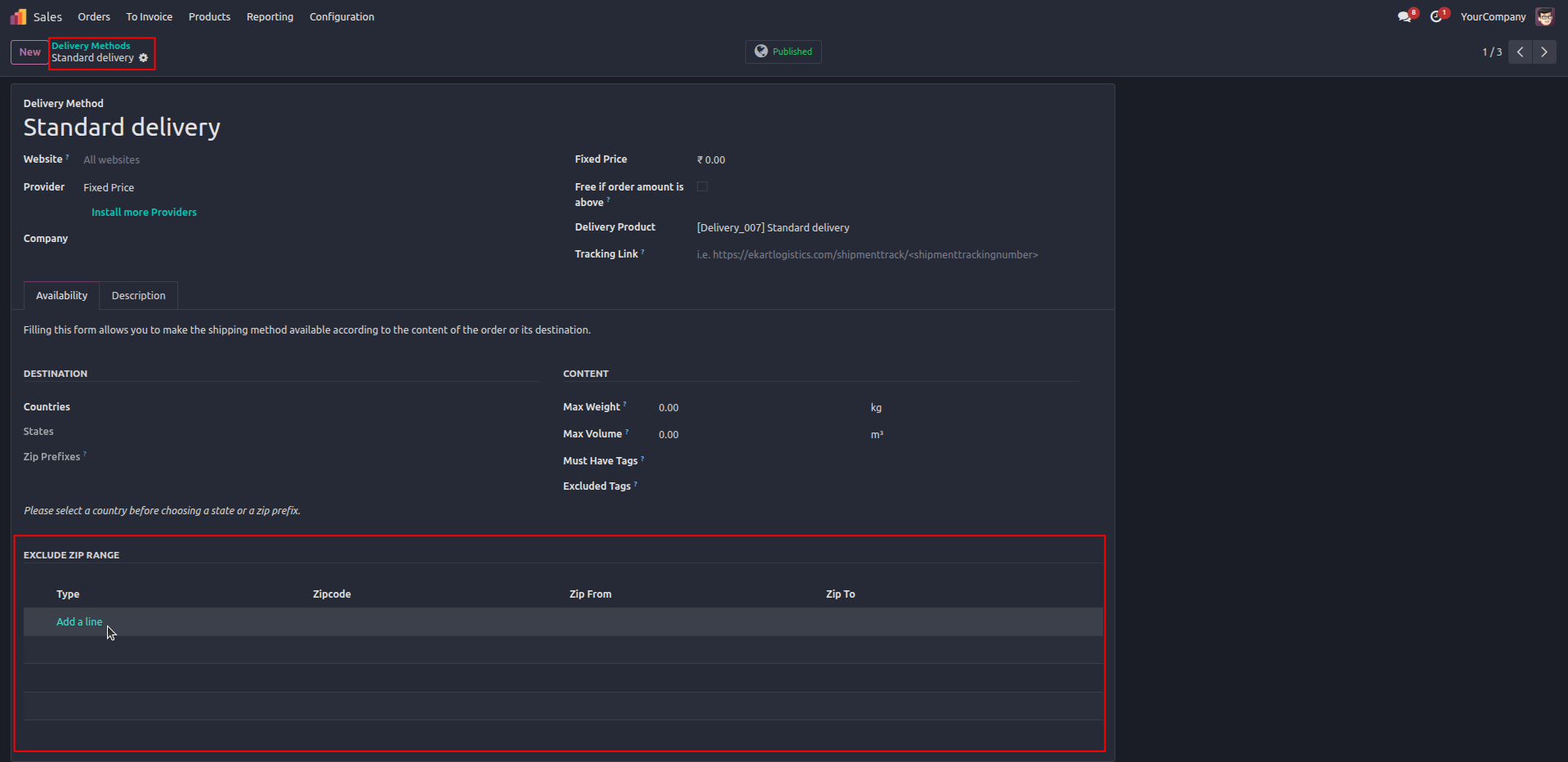
2. Open a delivery method and configure Exclude ZIP Range to restrict shipping for specific ZIP codes or ZIP code ranges.
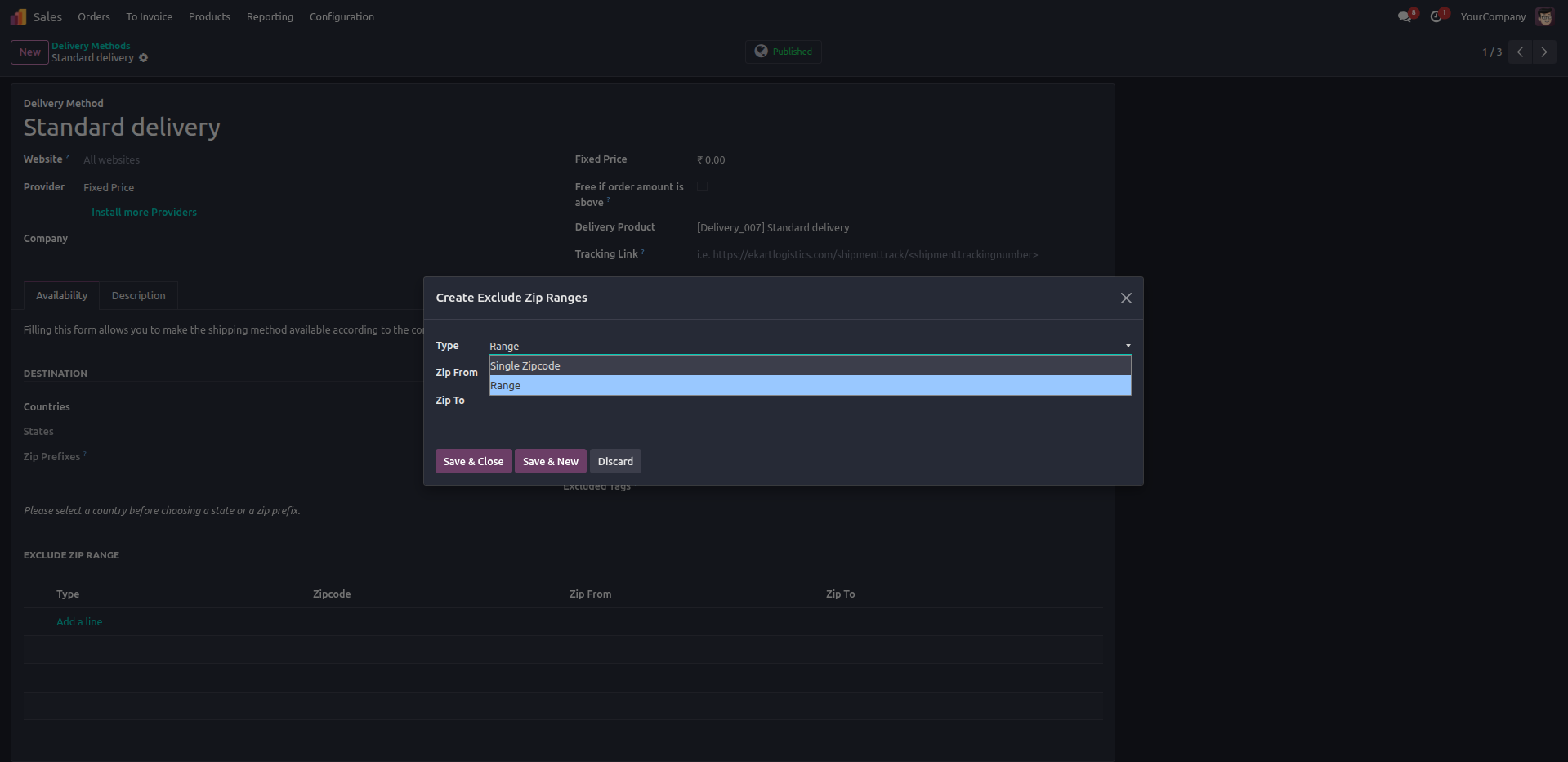
3. Select Range to define a start and end ZIP code, allowing you to exclude an entire ZIP code range from this delivery method.
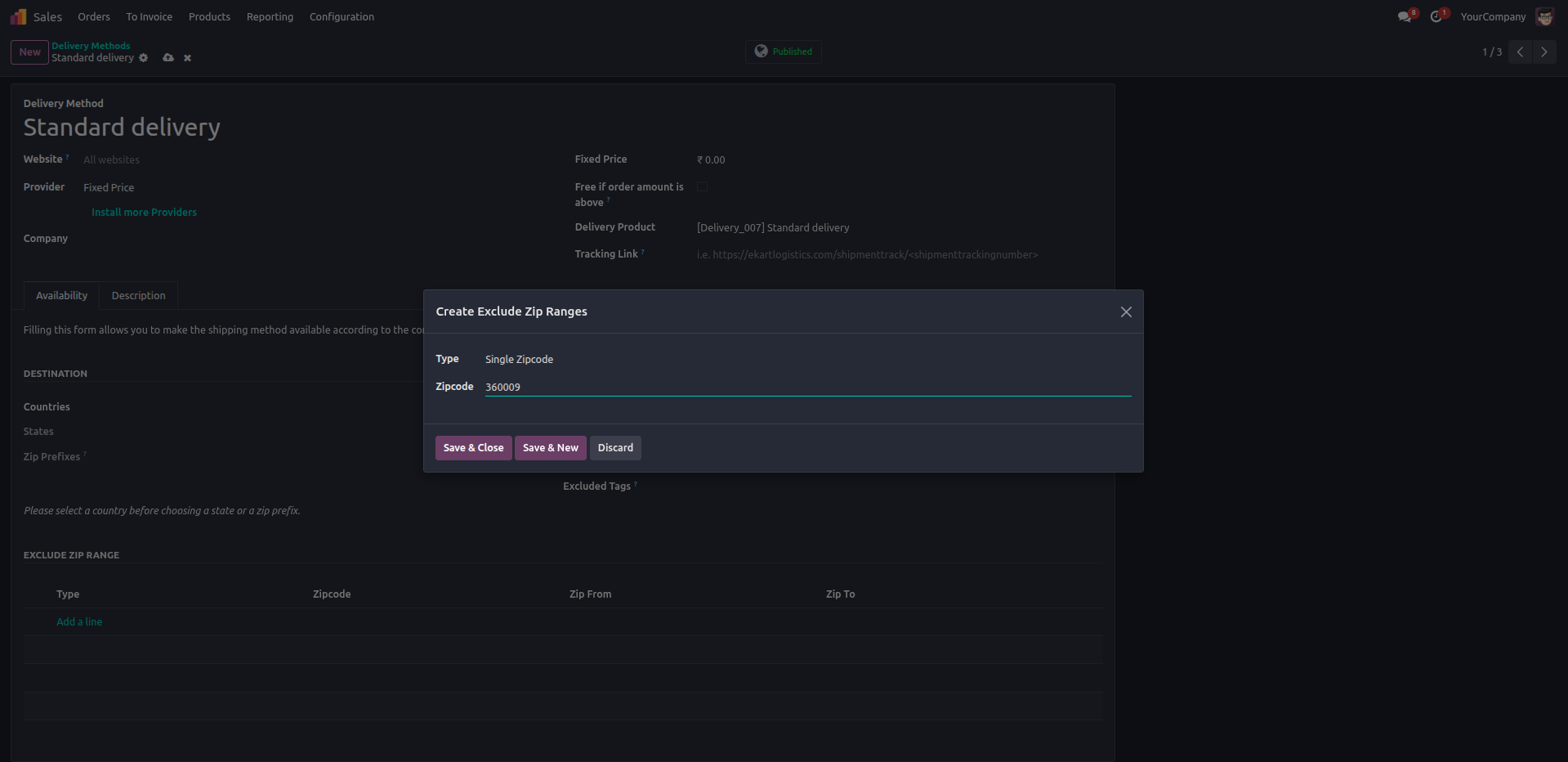
4. Select Single Zipcode and enter a specific ZIP code to prevent this delivery method from being available for that location.
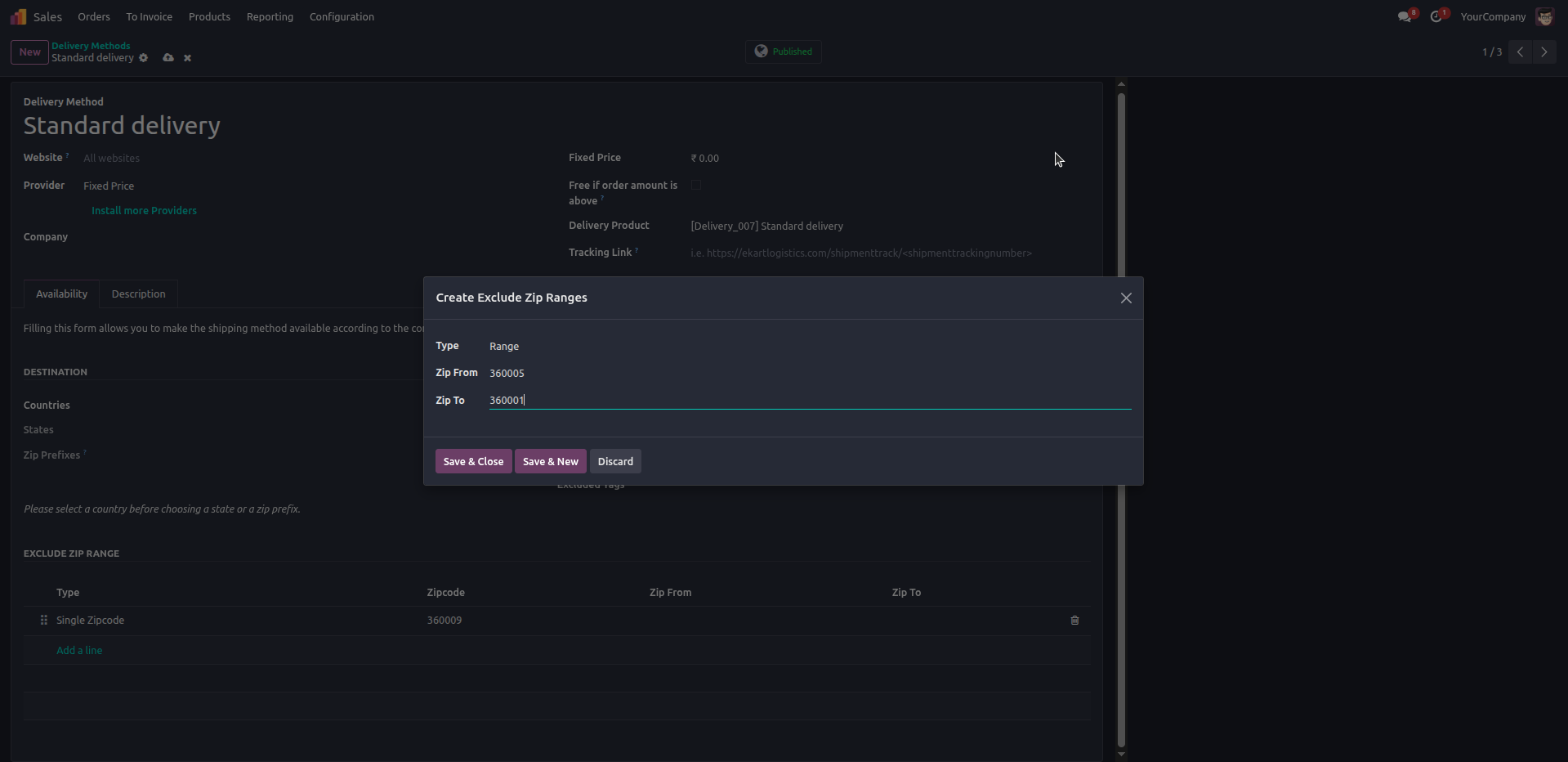
5. Enter the Zip From and Zip To values to define the excluded ZIP code range for the selected delivery method.
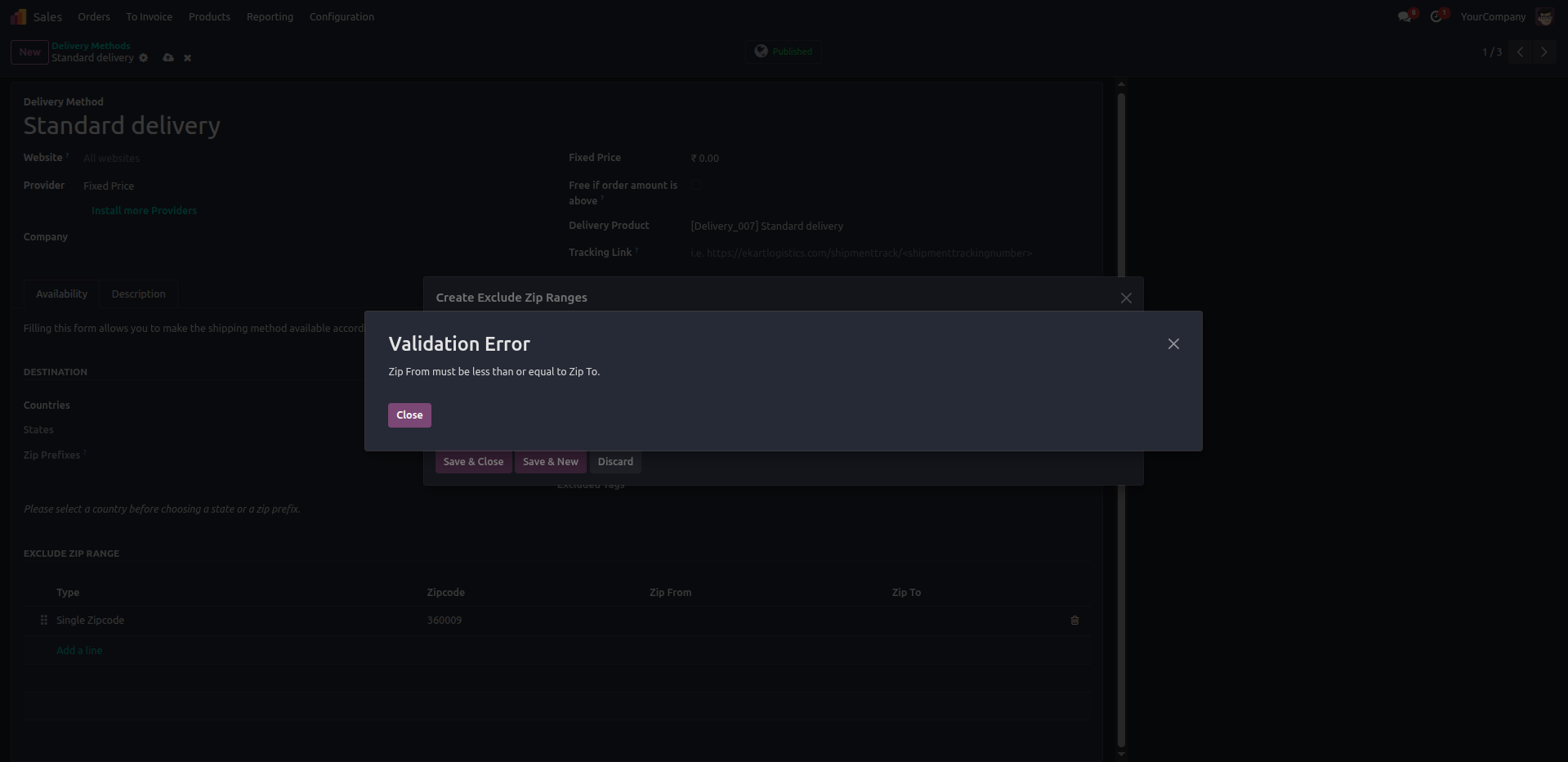
6. The system validates the ZIP range and displays an error if Zip From is greater than Zip To, ensuring accurate configuration.
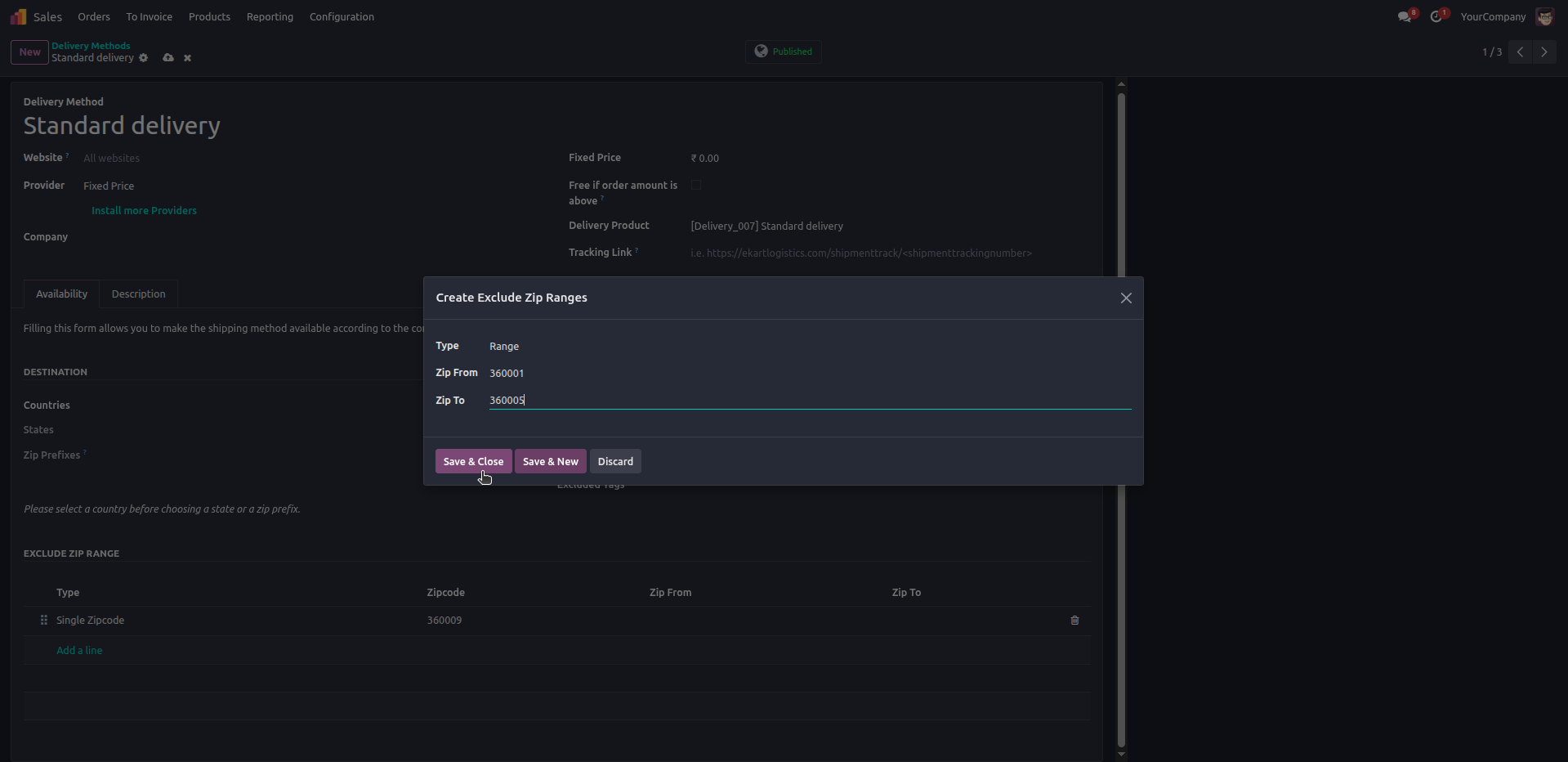
7. Save the configured Single ZIP Code and ZIP Range exclusions to apply delivery restrictions for the selected shipping method.
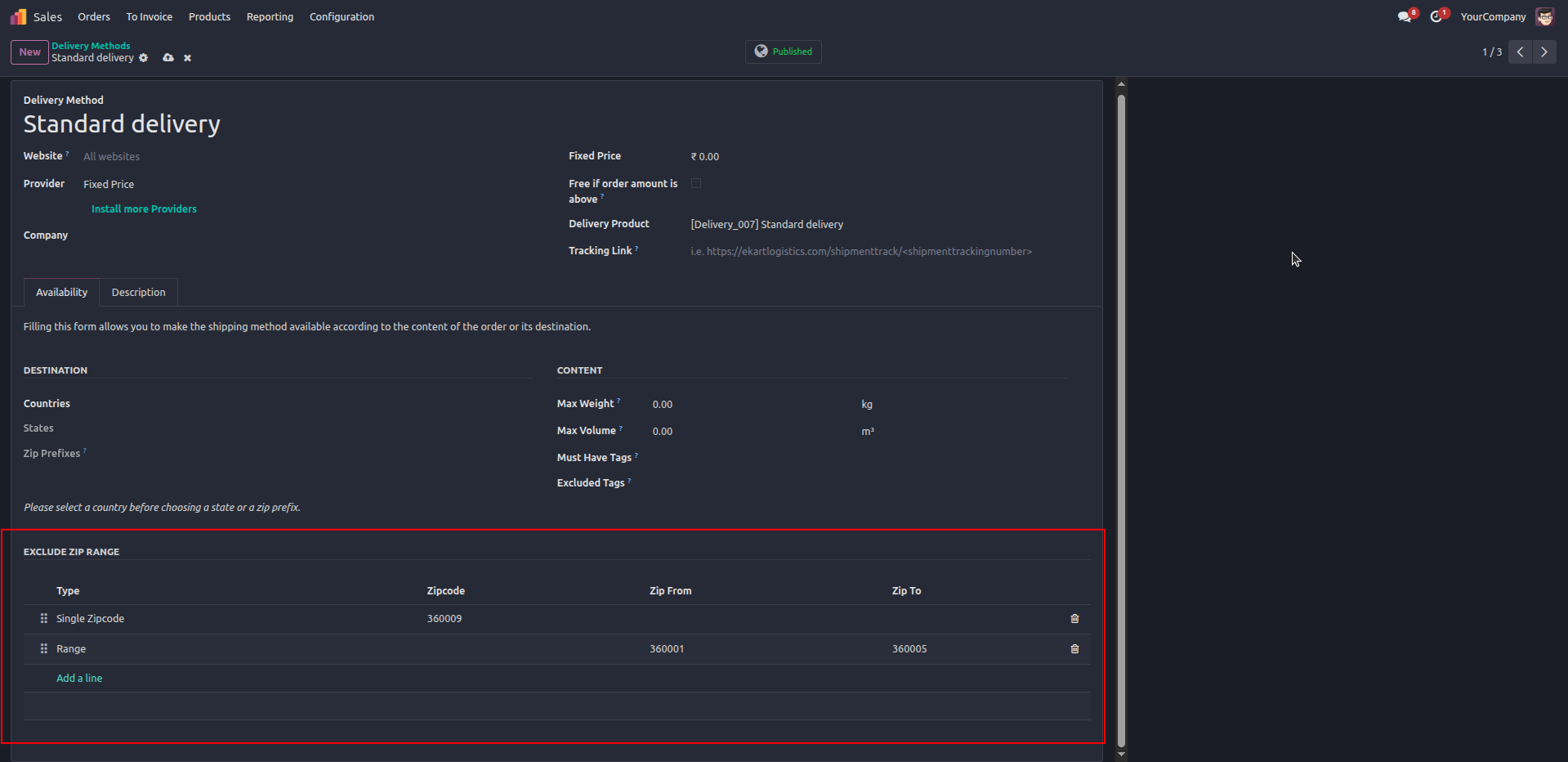
8. View and manage all configured Single ZIP Codes and ZIP Ranges from one place, with options to edit or remove entries as needed.
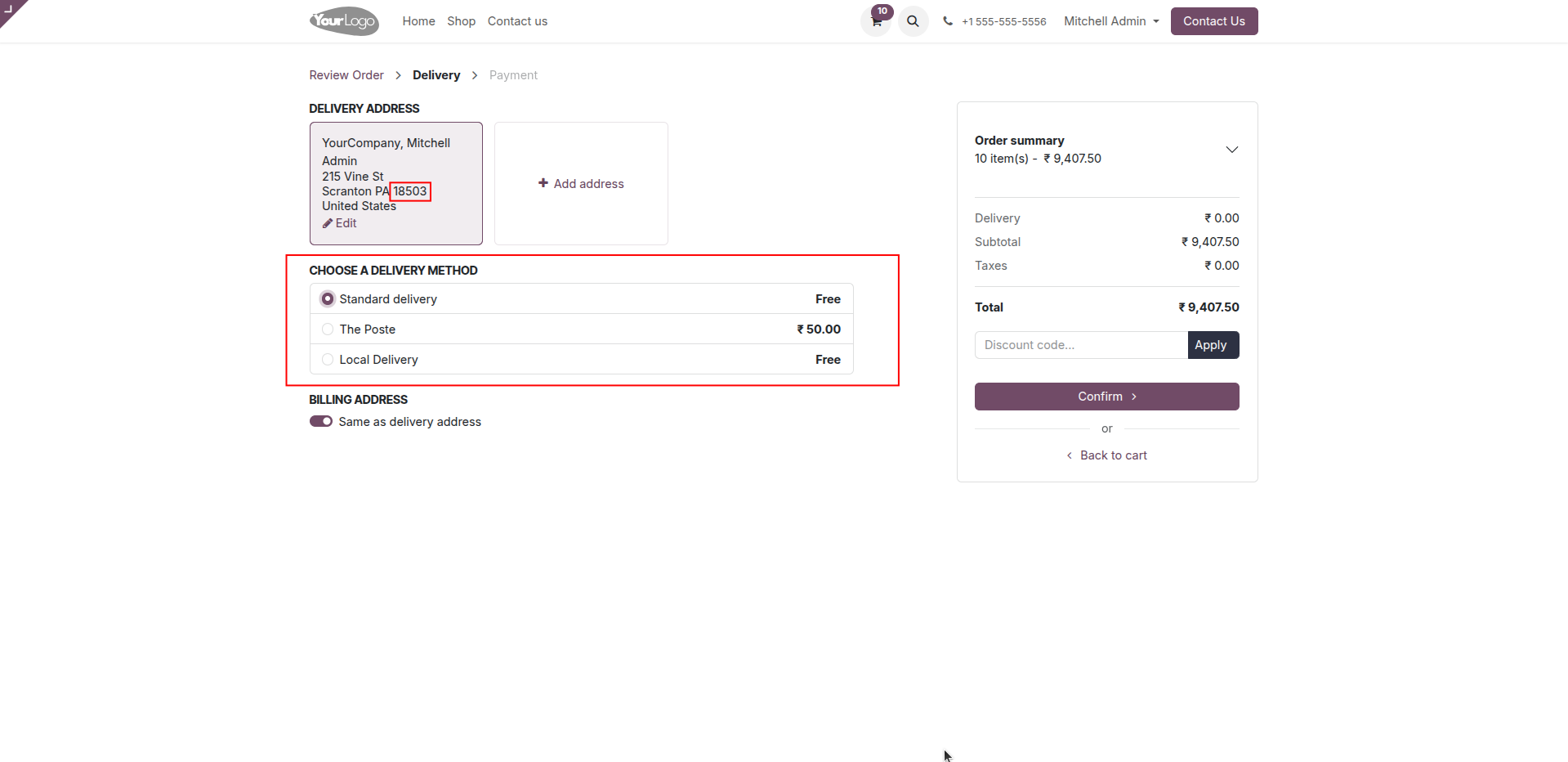
9. Delivery methods are automatically filtered based on the configured excluded ZIP codes and ZIP ranges, ensuring only eligible shipping options are displayed.
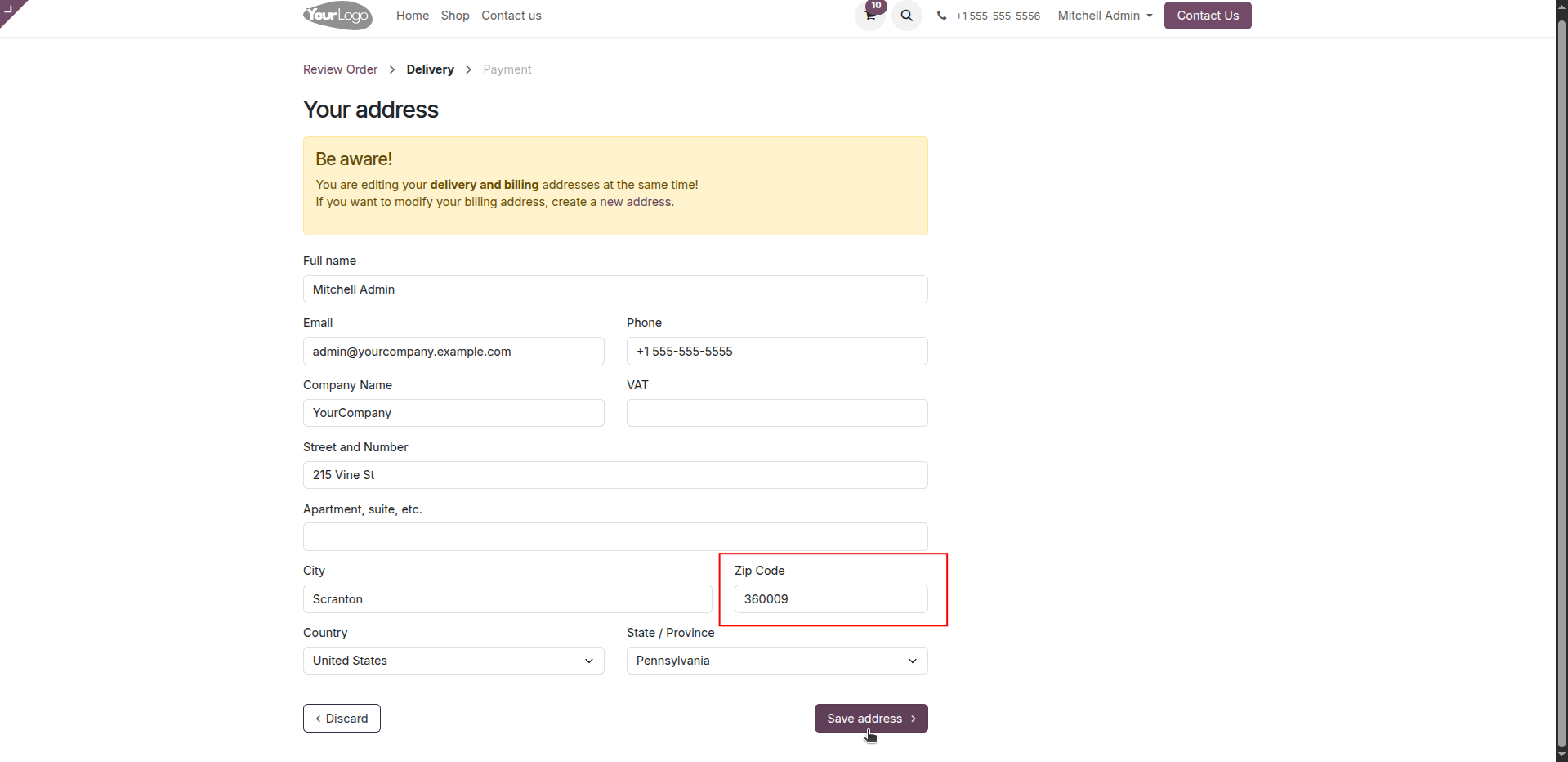
10. During checkout, customers enter their delivery address and ZIP code, which is used to determine the available delivery methods.
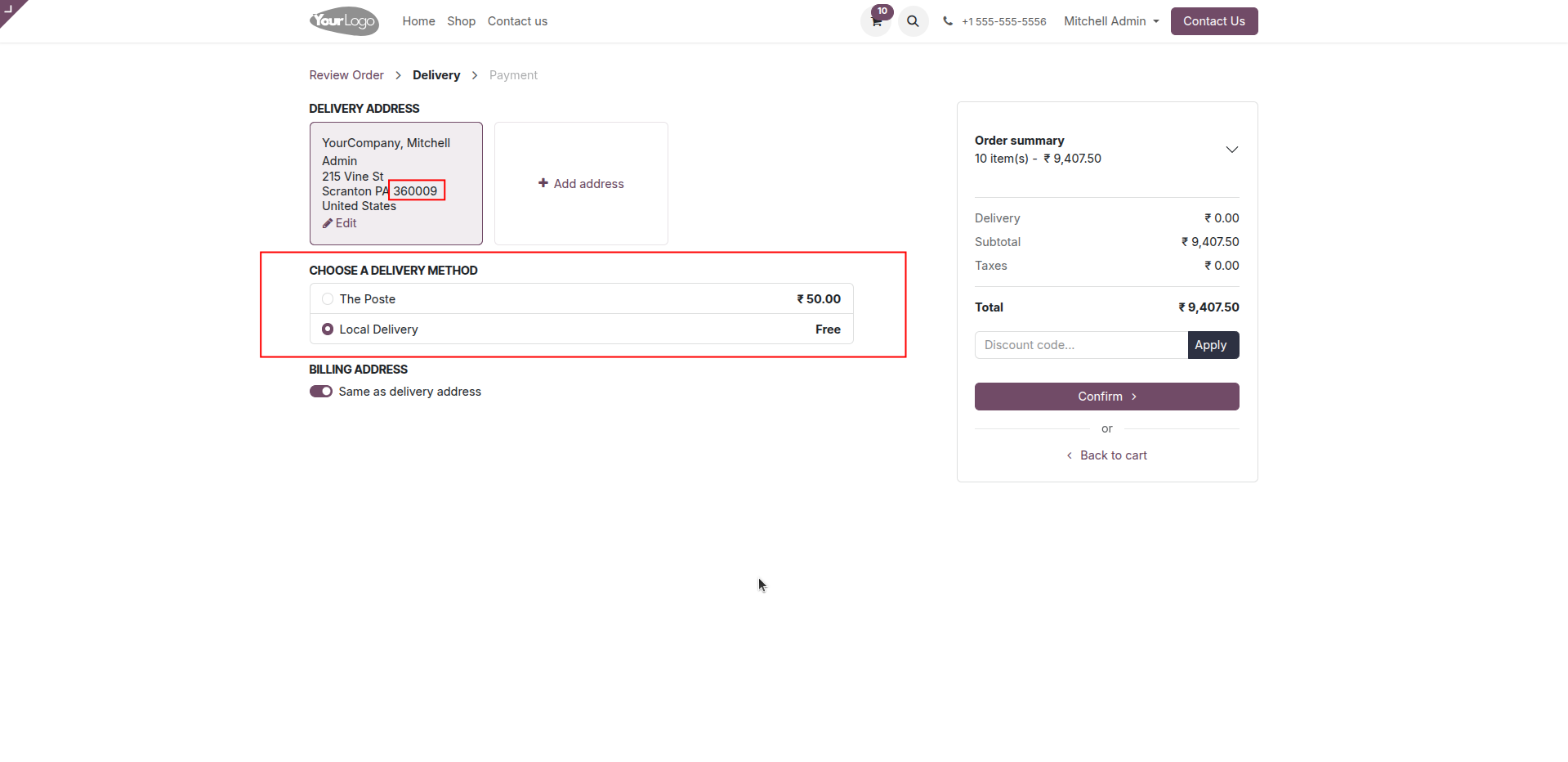
11. Customers only see eligible delivery methods during checkout, as delivery methods are automatically hidden when the ZIP code matches a configured excluded ZIP code or ZIP code range.
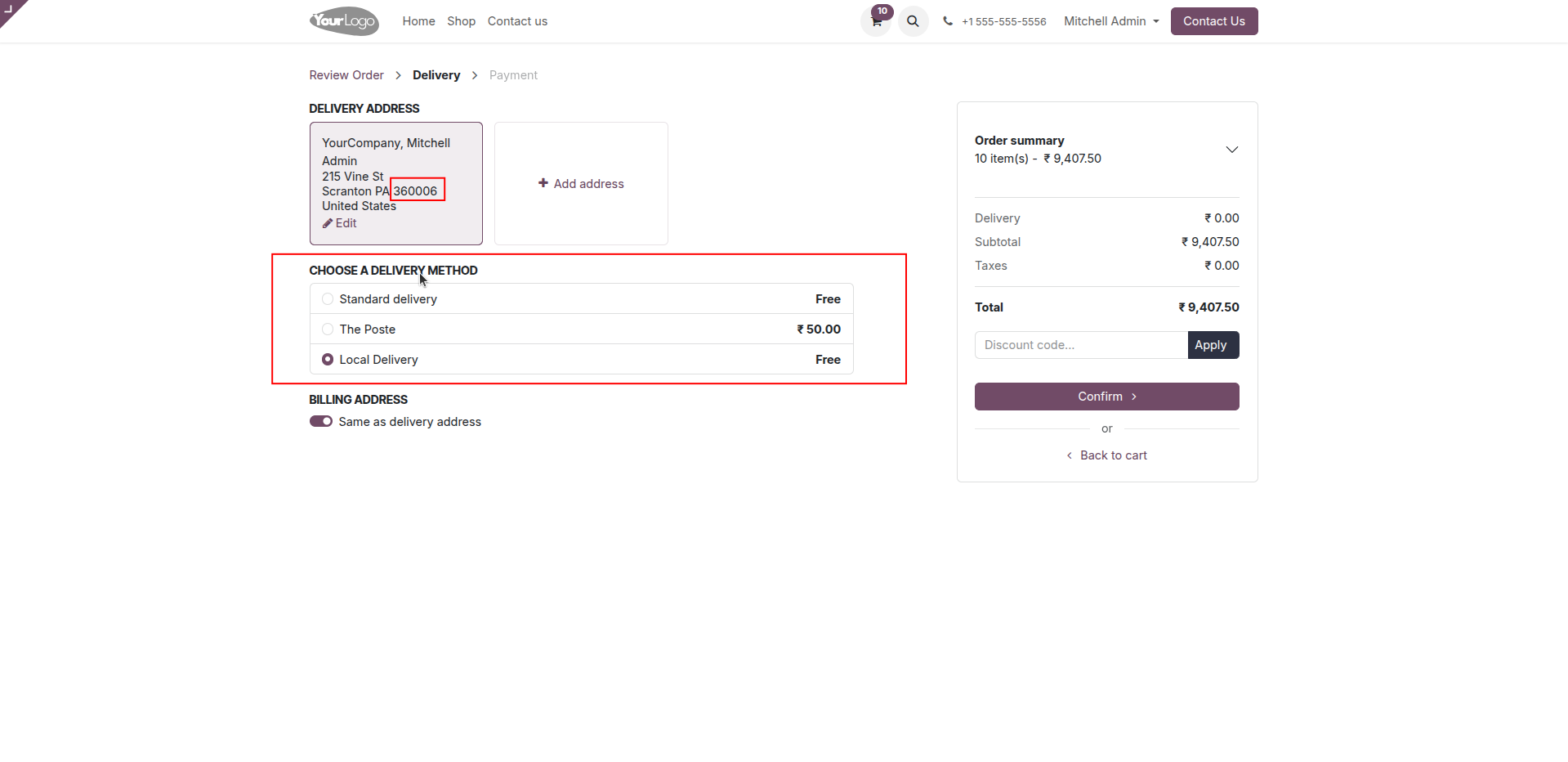
12. When the customer's ZIP code is not included in the excluded list or excluded ZIP range, all applicable delivery methods remain available during checkout.
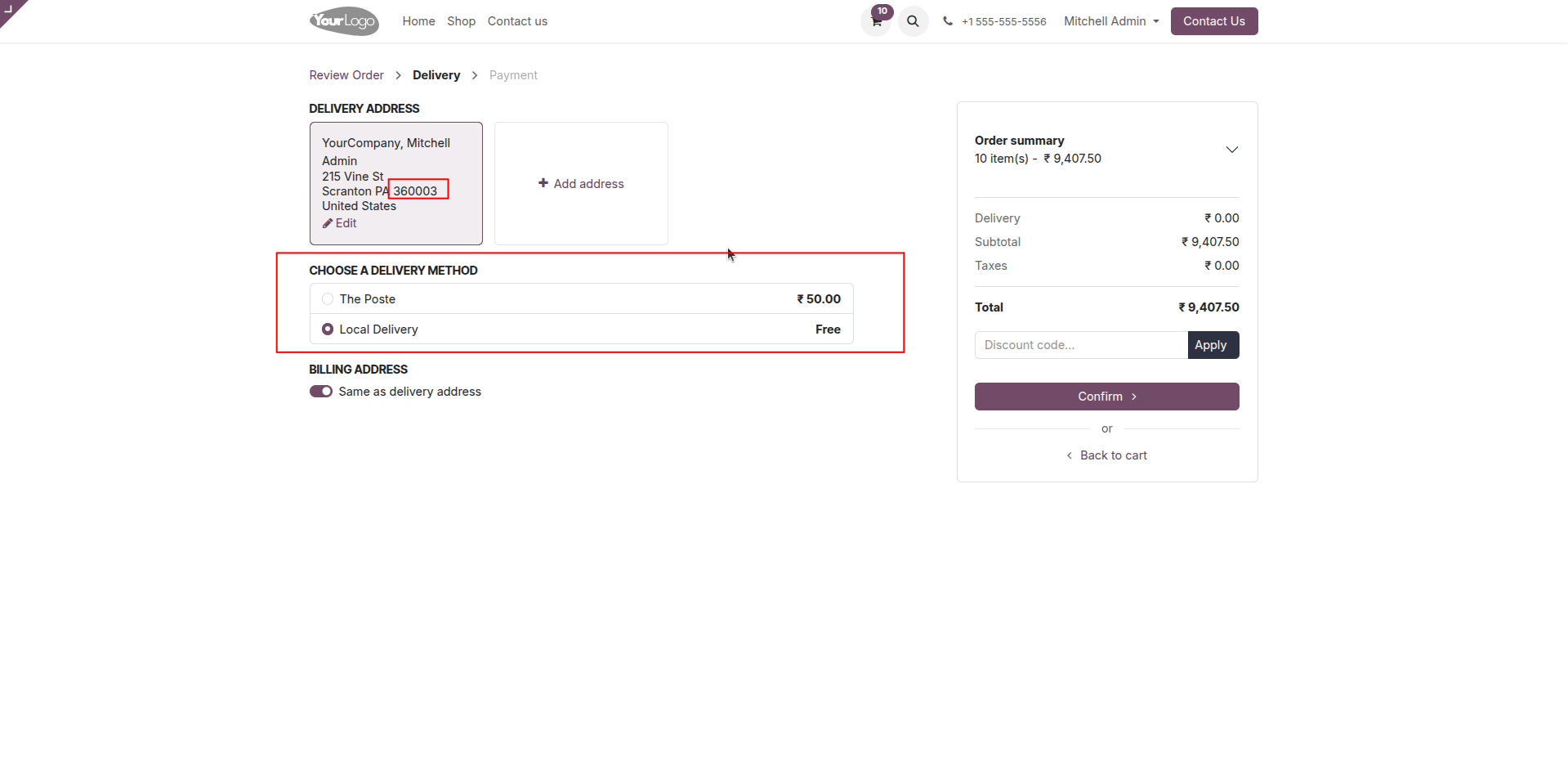
13. Customers only see eligible delivery methods during checkout, as delivery methods are automatically hidden when the ZIP code matches a configured excluded ZIP code or ZIP code range.
Our solutions focus on your problems
- Odoo Implementation
- Odoo Customization
- ERP Development and Implementation
- Odoo Ipass Cloud
- AI for Odoo
- Odoo Apps
- Aws Marketplace Products
- Business Engines
Our Pricing includes User Manual, 90 Days Support (Monday-Friday 10am to 7pm IST) and One time Setup
• Works & tested on standard installations of Odoo with no third party apps,
• Free support only for odoo installations with no third party apps,
• Paid support available for Odoo installations with third party apps.

Prefortune is a Odoo Official Partner, Odoo Development company. Our philosophy is to use Open Source tools and technologies to provide cost effective and green solutions for our customers.
Prefortune Technologies LLP is working on web development, Mobile development, and Odoo ERP.
If you need any help or want more additional features, you may contact us through:
Alternative Products
These other products might interest you
Specifications
| Version | 19.0, 18.0, 17.0, 16.0, 15.0, 14.0 |