Watch Quick Video
Show Payment Details on Invoice Report Odoo App
Our all-inclusive
Odoo – Show Payment Details on Invoice Report Odoo App
module enhances the standard Odoo invoice PDF by adding clear payment tracking information directly to the report. It automatically displays the current Payment Status — Not Paid, Partially Paid, or Paid — based on the invoice’s real-time payment state.
Whenever payments are registered, a detailed Payment Details table is included in the invoice PDF. The table shows each payment’s reference number, date, journal (payment method), and paid amount. As additional payments are recorded, the report updates automatically, ensuring complete visibility of all transactions related to the invoice.
This module integrates seamlessly with Odoo Accounting and works without complex configuration. By providing accurate payment information within the invoice itself, it improves transparency, enhances professionalism, and helps businesses maintain better financial clarity.
Show Payment Details on Invoice Report Odoo App
- Perfect for Businesses Handling Partial, Advance, and Multiple Payments.
- Displays Complete Payment History on Invoice PDF with Reference, Date, Journal, and Paid Amount.
- Improves Invoice Transparency by Clearly Showing Real-Time Payment Status and Outstanding Balance.
Complete Workflow for Manage Show Payment Details on Invoice Report App
To get started with the Show Payment Details on Invoice Report Module First Install it from the Apps menu. No configuration is required, and it works directly with Odoo’s Invoicing and Accounting workflow. Create a Customer Invoice and print it without registering any payment. The Payment Status will display “Not Paid.” in the invoice report. Register a partial payment and print the invoice again. The status will update to “Partially Paid,” and a Payment Details table will appear showing payment reference, date, journal, and amount in the invoice report. After completing the remaining payment, print the invoice once more. The Payment Status will automatically change to “Paid.” in the invoice report. The report updates automatically based on real-time payment activity.
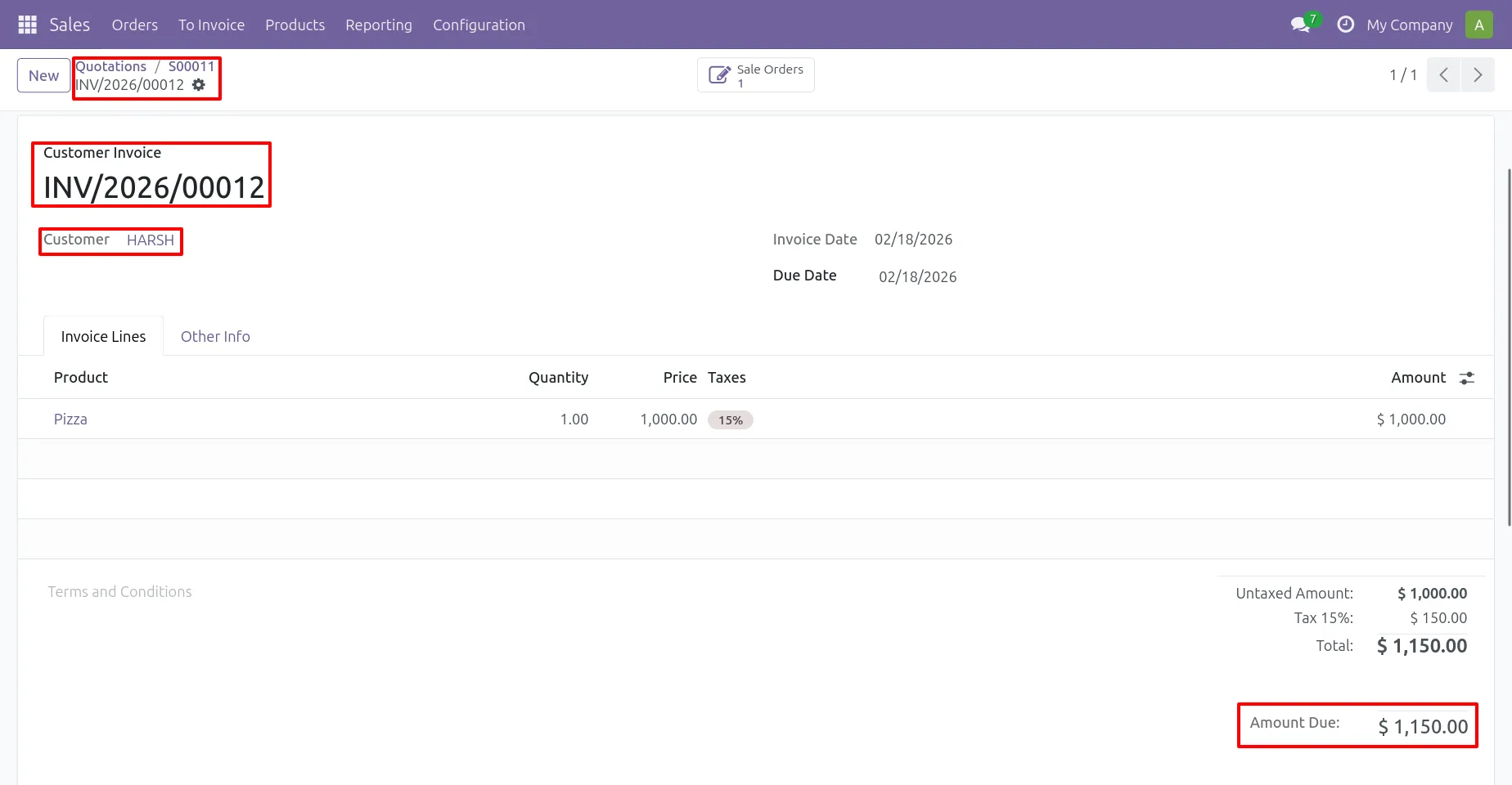
1. Create Invoice
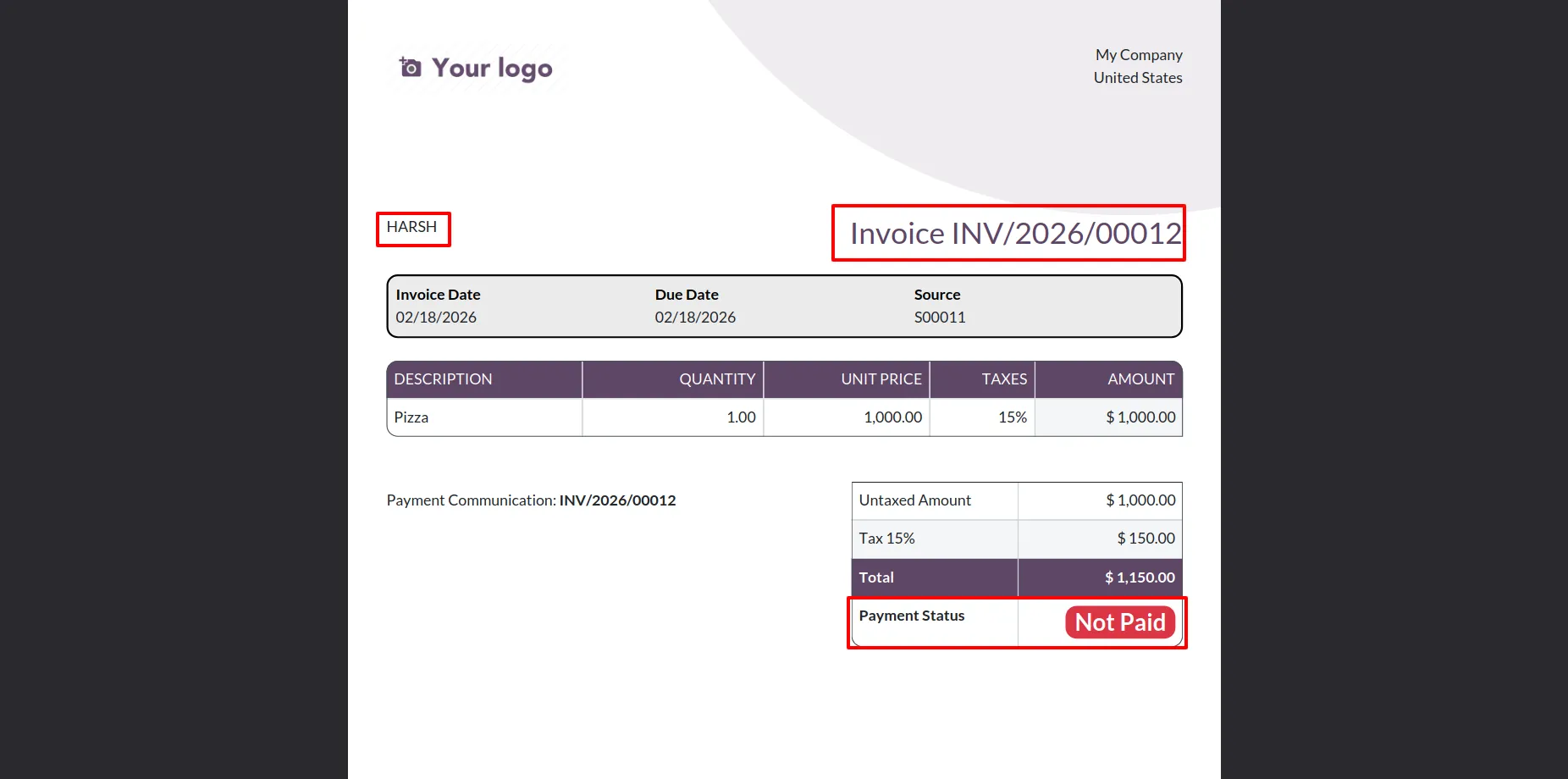
2. When an invoice is printed without registering any payment, the PDF will automatically display the Payment Status as "Not Paid".
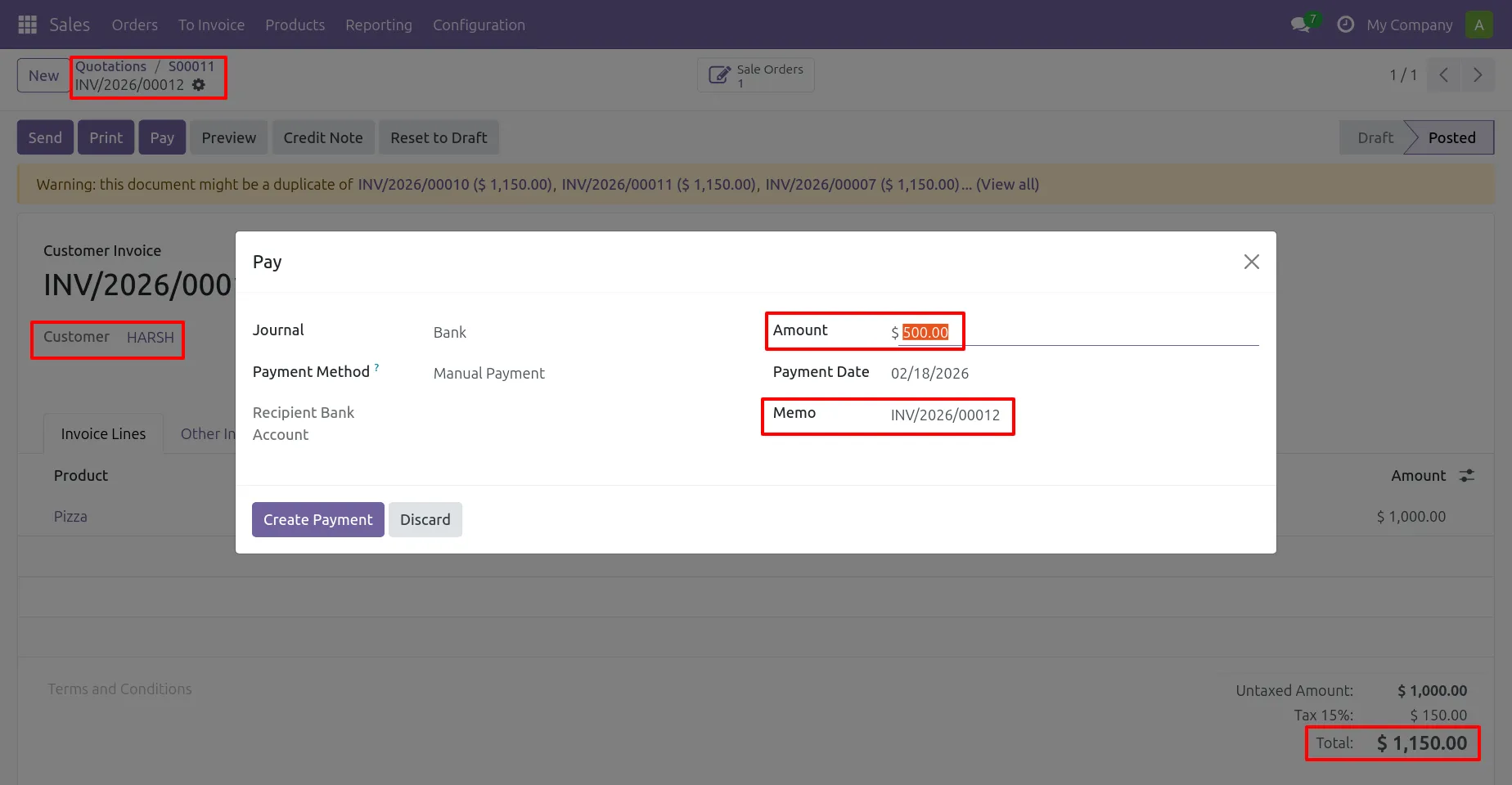
3. Register Half Payment
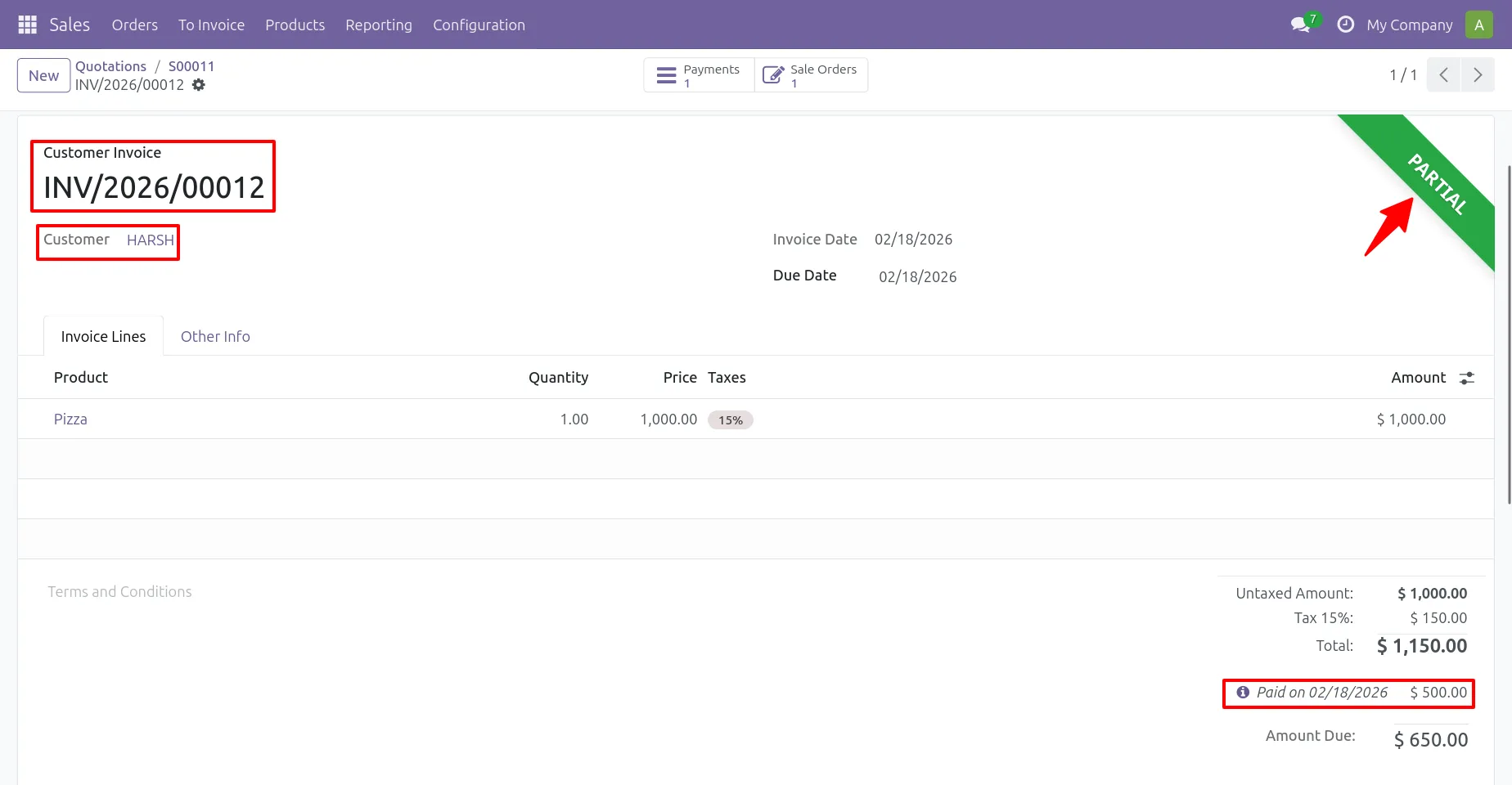
4. After registering a half payment, the invoice status changes to “Partial,” and the paid amount is reflected in the invoice.
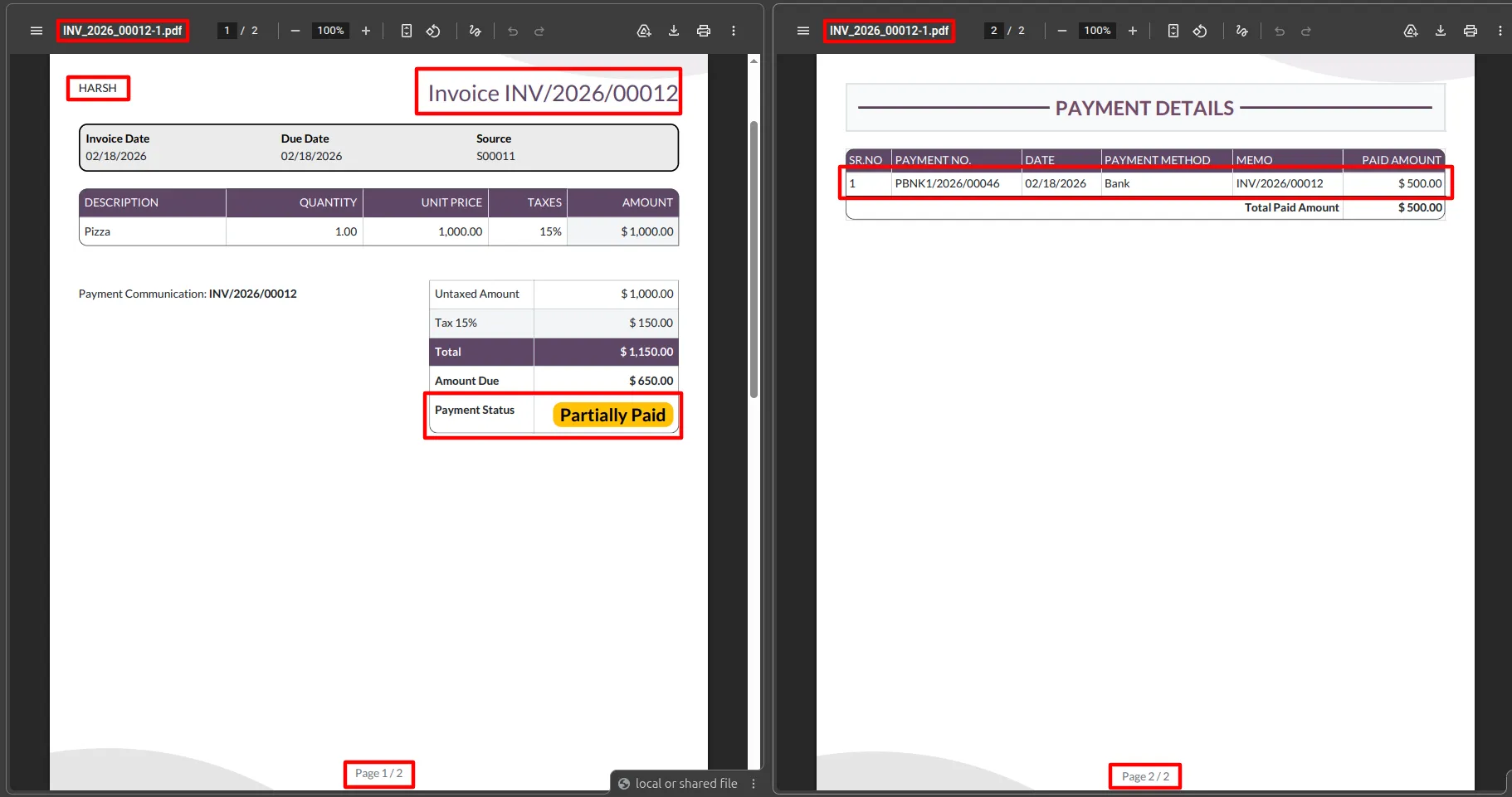
5. After registering a half payment, printing the invoice will show the Payment Status as "Partially Paid". The payment information will be listed in a table on the second page of the PDF.
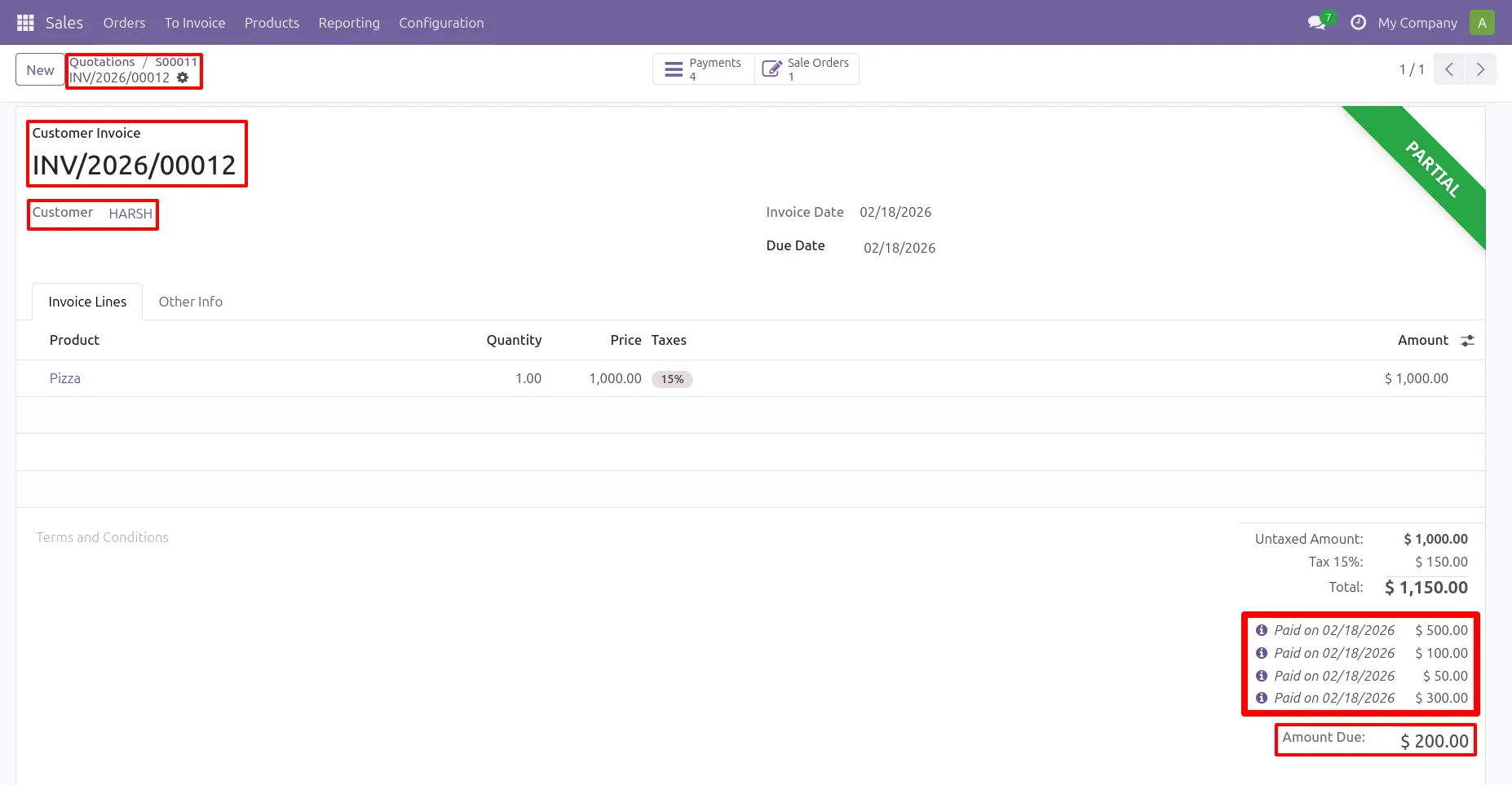
6. Register multiple half payments and the paid amounts will reflecte in the invoice
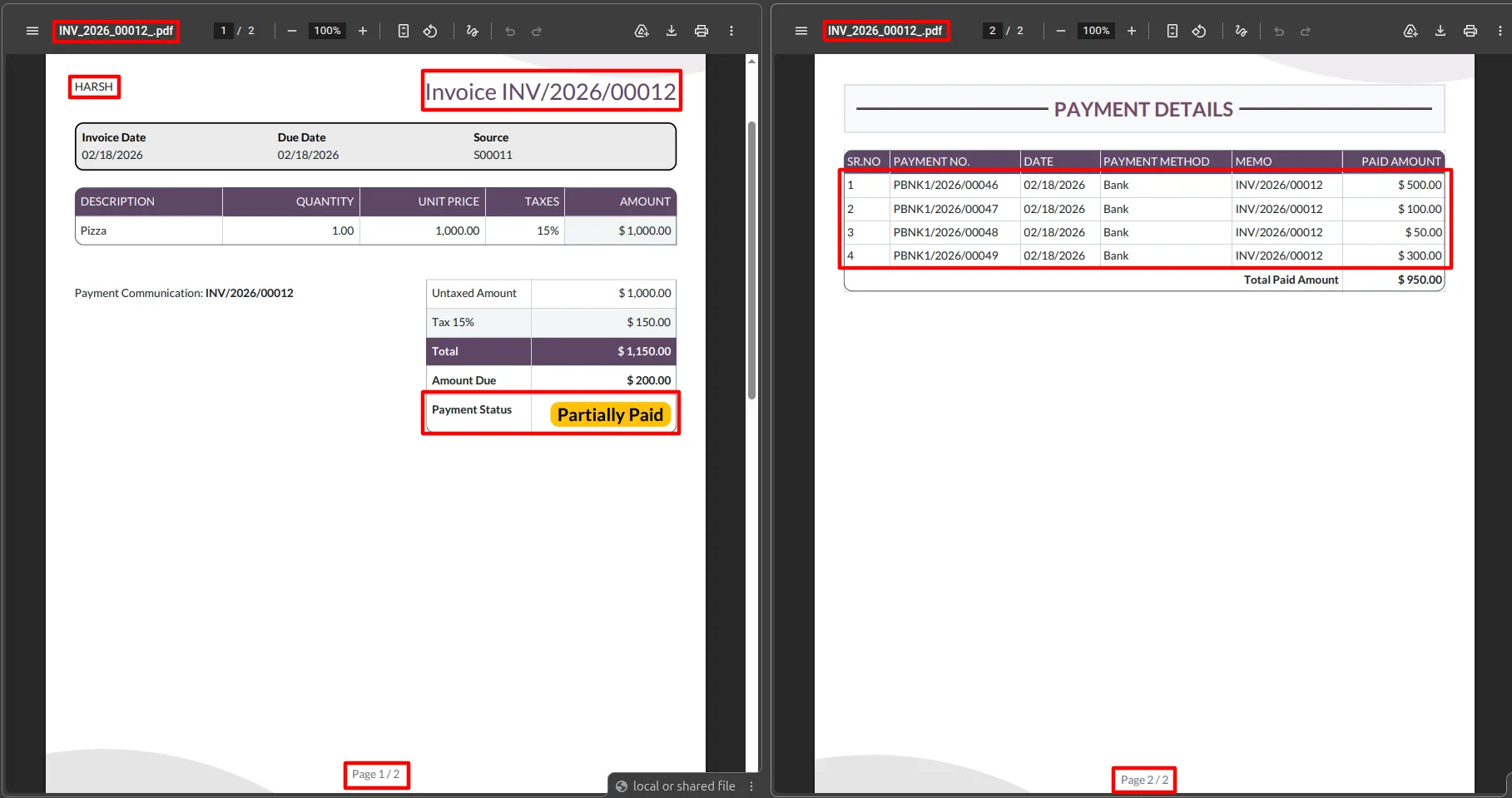
7. After registering multiple partial payments for the same invoice, the Payment Details table will display payments entries in the PDF.
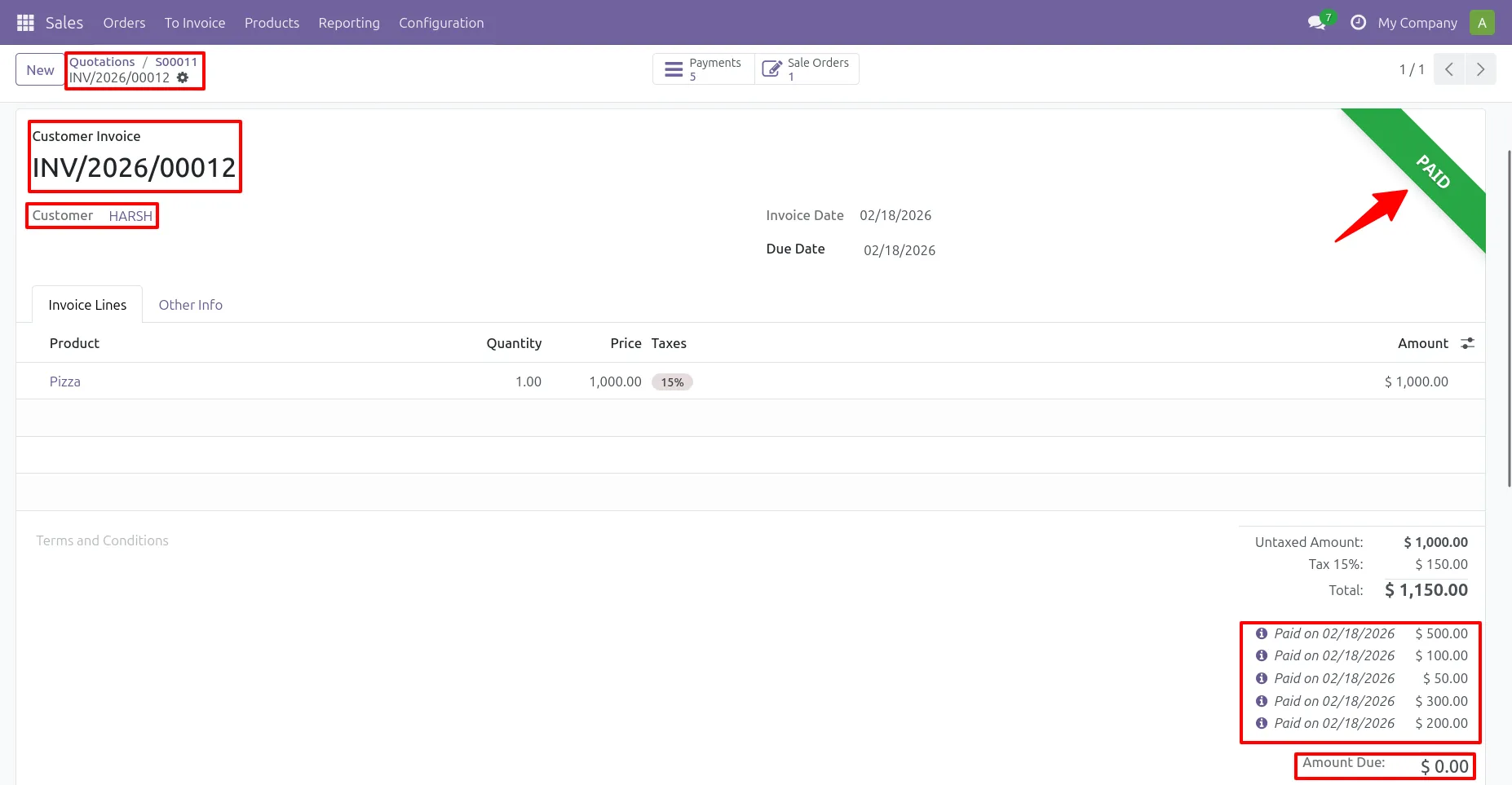
8. Complete the remaining payment, the Payment Status will be shown as "Paid" in the invoice.
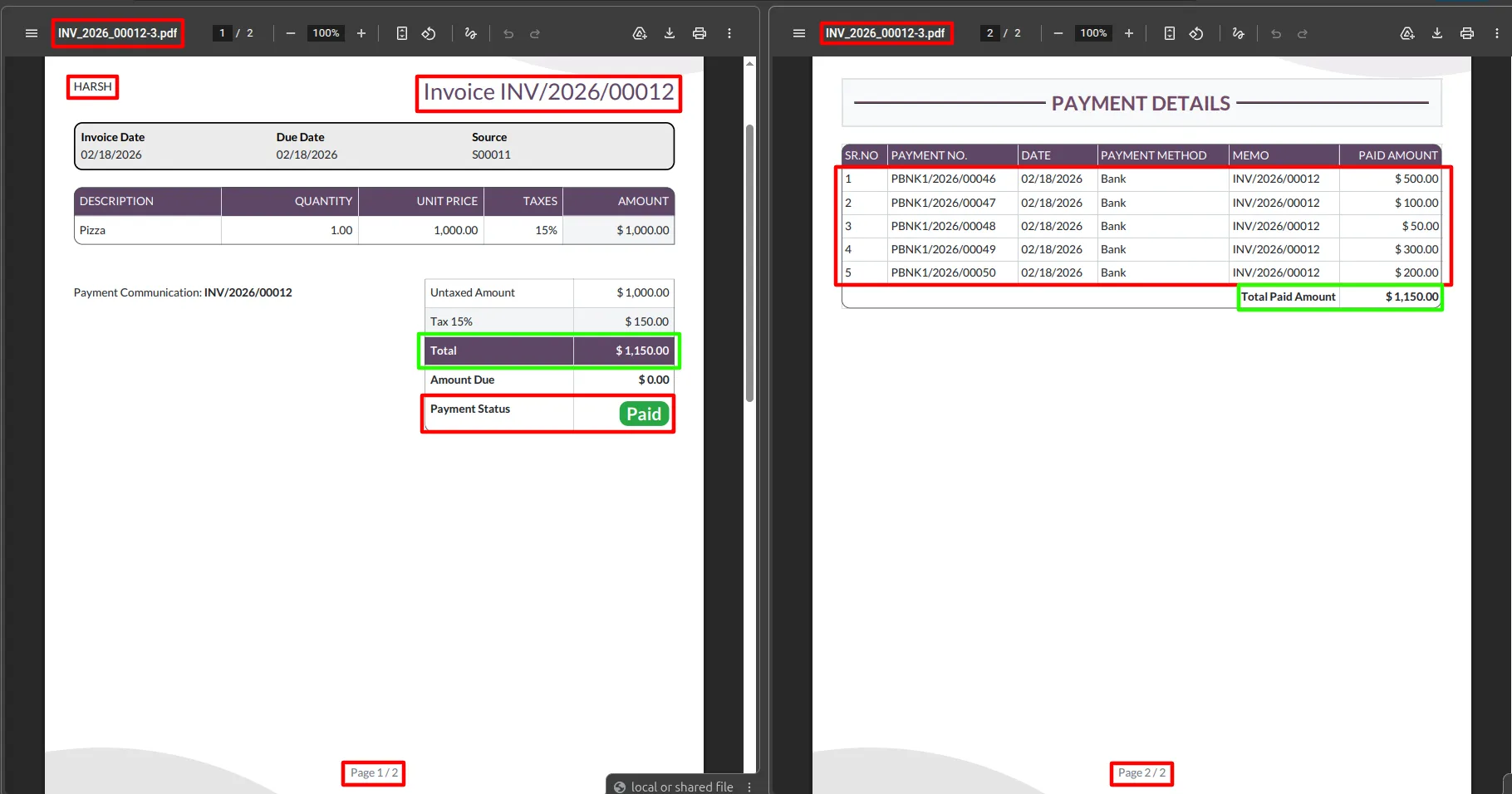
9. After completing the remaining payment, the Payment Status will be shown as "Paid" in the invoice PDF.
Our solutions focus on your problems
- Odoo Implementation
- Odoo Customization
- ERP Development and Implementation
- Odoo Ipass Cloud
- AI for Odoo
- Odoo Apps
- Aws Marketplace Products
- Business Engines
Our Pricing includes User Manual, 90 Days Support (Monday-Friday 10am to 7pm IST) and One time Setup
• Works & tested on standard installations of Odoo with no third party apps,
• Free support only for odoo installations with no third party apps,
• Paid support available for Odoo installations with third party apps.

Prefortune is a Odoo Official Partner, Odoo Development company. Our philosophy is to use Open Source tools and technologies to provide cost effective and green solutions for our customers.
Prefortune Technologies LLP is working on web development, Mobile development, and Odoo ERP.
If you need any help or want more additional features, you may contact us through:
Alternative Products
These other products might interest you
Specifications
| Version | 19.0, 18.0, 17.0, 16.0, 15.0, 14.0 |