Watch Quick Video
Show Hide Send Message and Log note Button Odoo App
Our all-inclusive
Odoo – Show Hide Send Message and Log note Button Odoo App
helps businesses control internal communication by restricting Chatter actions
for selected users on specific forms. This app allows administrators to manage
visibility of the Send Message and Log Note buttons directly
from the User settings, ensuring only authorized users can post messages or add
internal notes on sensitive records.
The module supports user-wise and form-wise configuration, so you can choose exactly
where the buttons should be hidden—such as Sales Orders, Products, Invoices, CRM leads,
or any other document that uses Chatter. You can also hide Send Message and
Log Note separately, providing flexible control based on your company’s
policies and approval processes.
Once configured, the buttons automatically disappear for the selected user on the chosen
forms, while remaining visible and fully functional for other users as usual. This ensures
a smooth user experience and avoids disrupting standard workflows.
Seamlessly integrated with the standard Odoo Chatter topbar, the app improves data governance,
prevents unwanted conversations on critical documents, and keeps record communication clean,
controlled, and secure—without any changes to your existing business operations.
Show Hide Send Message and Log note Button Odoo App
- Hide Chatter “Send Message” button for specific users.
- Hide Chatter “Log Note” button for specific users.
- Form-wise control: choose exactly on which forms the buttons should be hidden.
- Separate configuration for Send Message and Log Note (hide one or both).
- Works seamlessly with standard Odoo Chatter without affecting other users.
Complete Workflow for Manage Show Hide Send Message and Log note Button Odoo App
First we need to activate Show Hide Send Message and Log note Button then configure user-wise permissions from the Users settings by selecting the forms where Chatter buttons should be hidden. Select User, Choose Forms/Models, Hide Send Message, Hide Log Note once configured, the system will automatically hide the selected Chatter buttons on the chosen forms for that user while keeping them available for other users as usual, ensuring controlled and secure record communication.
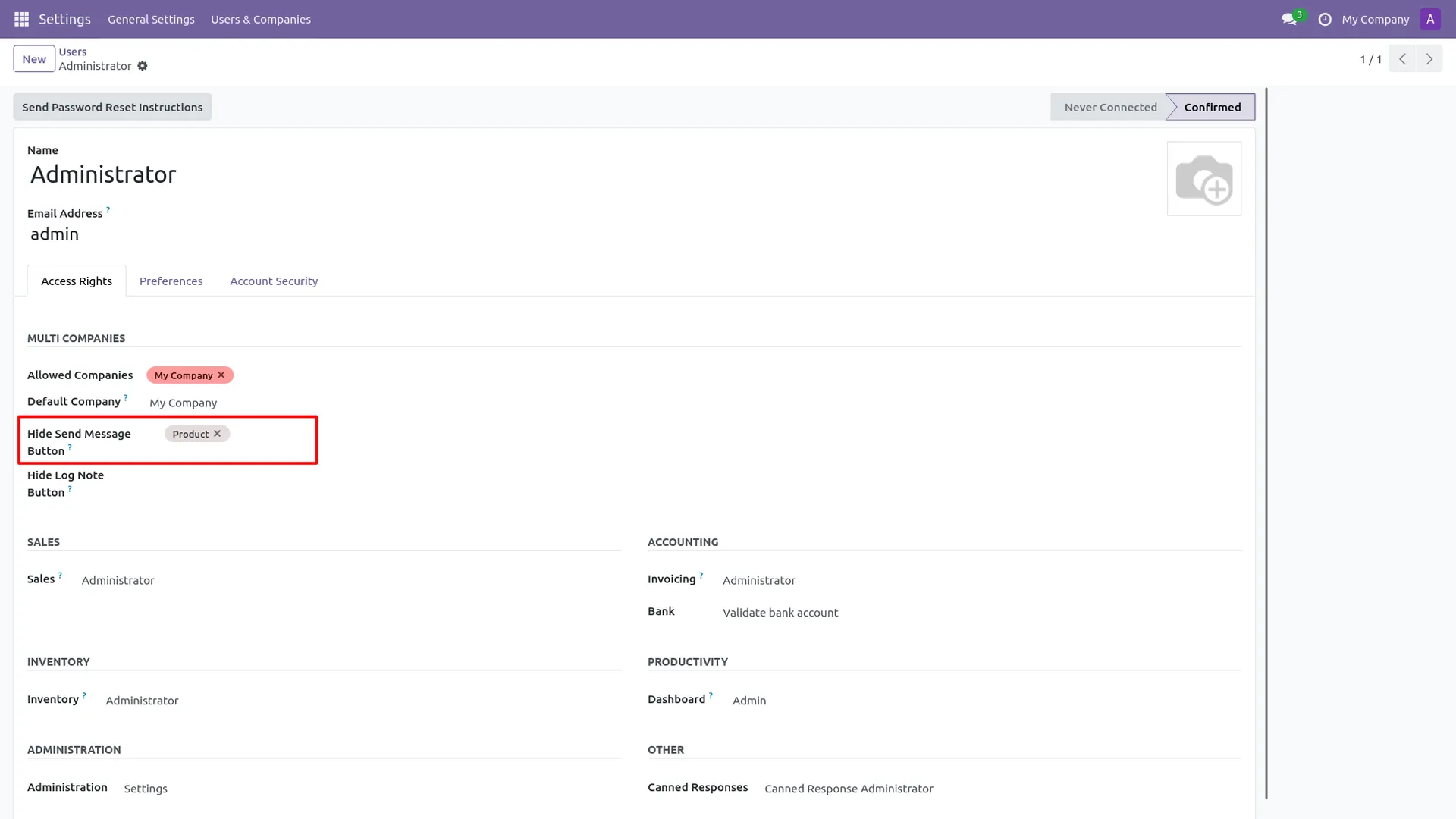
1. Administrator enables the "Hide Send Message Button" restriction in the User setting panel.
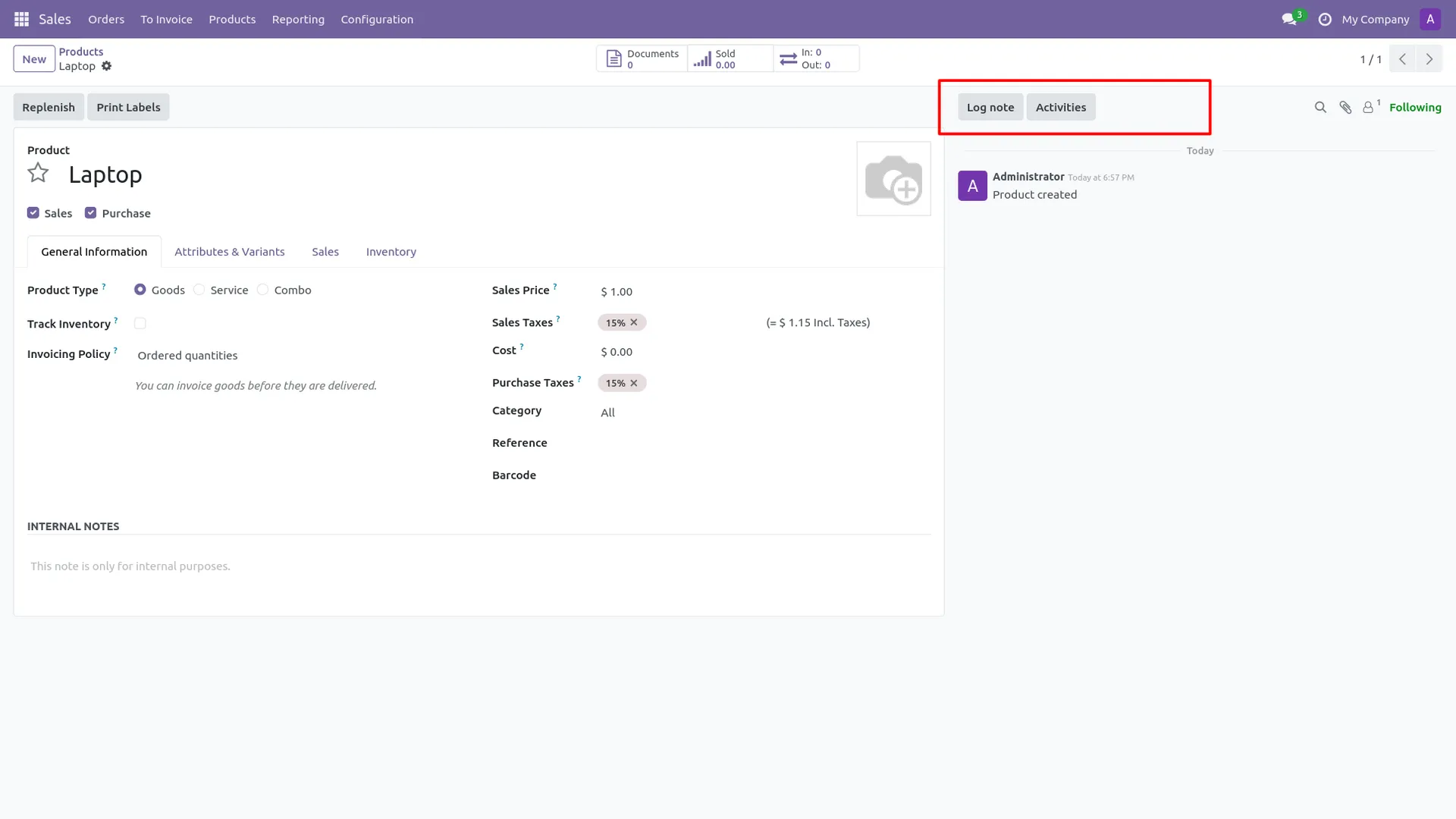
2. On the product record, the "Send Message" button is hidden from the discuss layout.
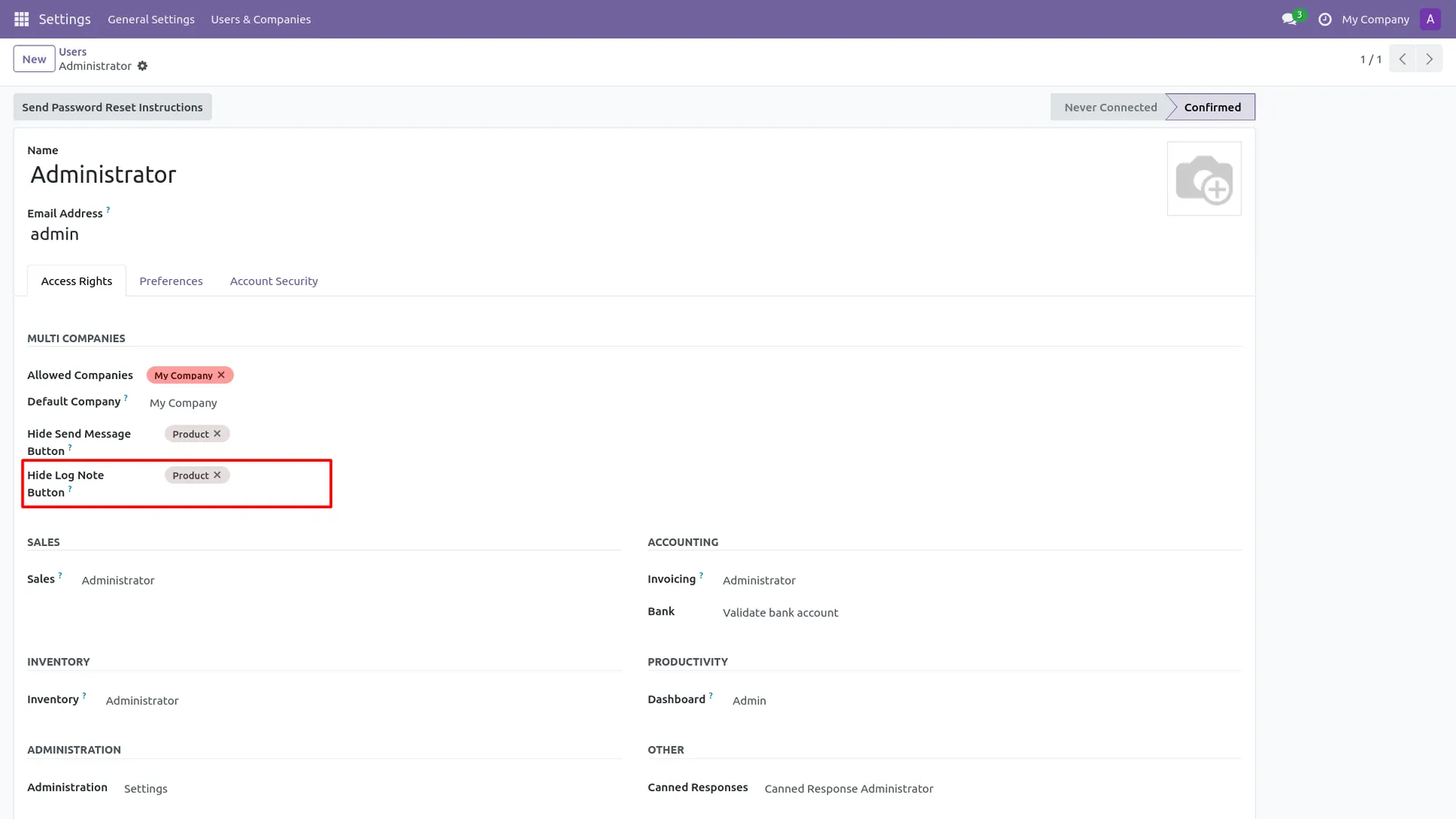
3. Administrator sets the access configuration to also hide the Log Note option for the user.
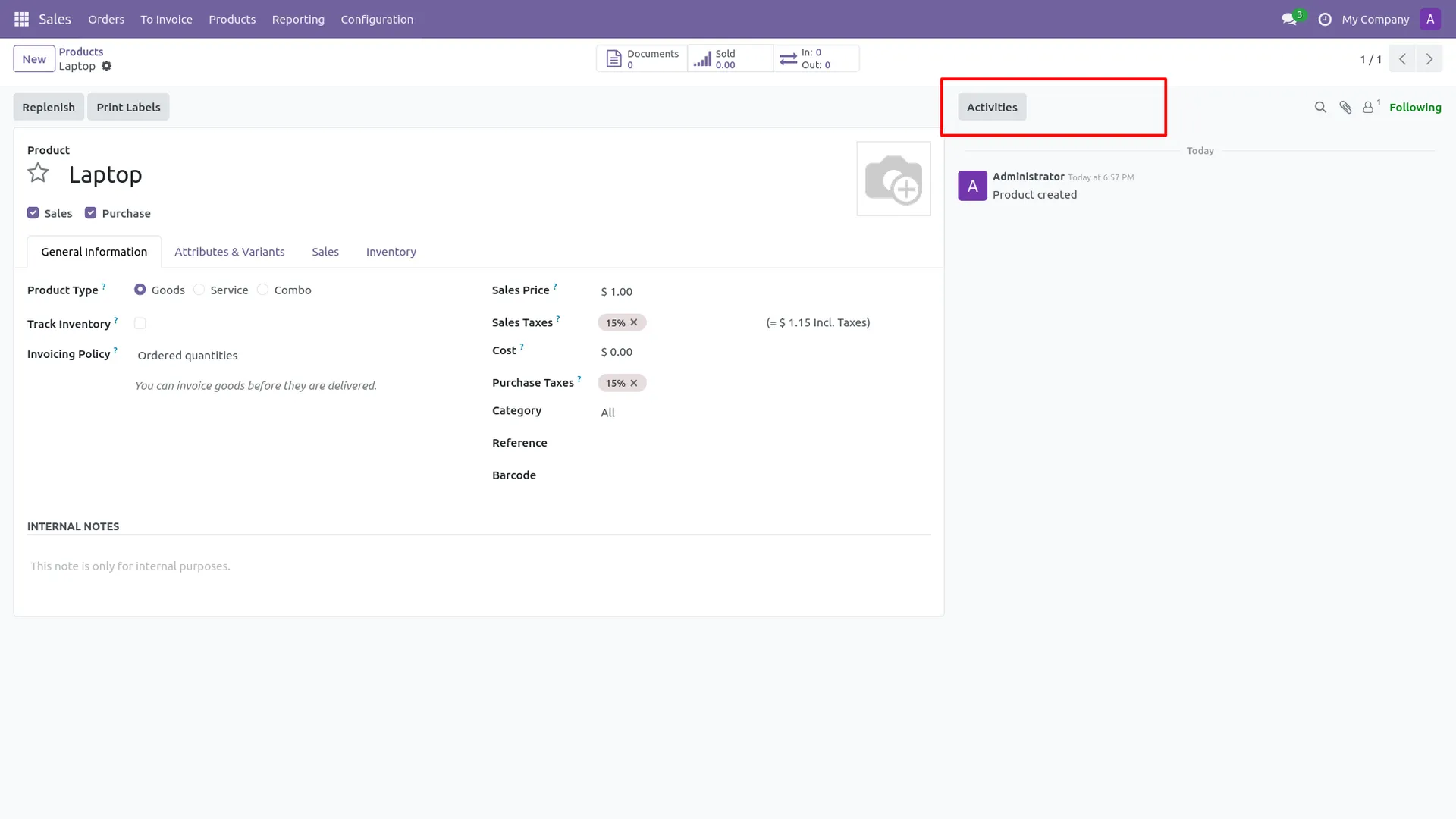
4. Final View: Both "Send Message" and "Log note" are hidden, leaving only the Activity button.
Our solutions focus on your problems
- Odoo Implementation
- Odoo Customization
- ERP Development and Implementation
- Odoo Ipass Cloud
- AI for Odoo
- Odoo Apps
- Aws Marketplace Products
- Business Engines
Our Pricing includes User Manual, 90 Days Support (Monday-Friday 10am to 7pm IST) and One time Setup
• Works & tested on standard installations of Odoo with no third party apps,
• Free support only for odoo installations with no third party apps,
• Paid support available for Odoo installations with third party apps.

Prefortune is a Odoo Official Partner, Odoo Development company. Our philosophy is to use Open Source tools and technologies to provide cost effective and green solutions for our customers.
Prefortune Technologies LLP is working on web development, Mobile development, and Odoo ERP.
If you need any help or want more additional features, you may contact us through:
Alternative Products
These other products might interest you
Specifications
| Version | 19.0, 18.0, 17.0, 16.0, 15.0, 14.0 |