Watch Quick Video
Section in Delivery Slip Odoo App
Our efficient
Odoo – Section in Delivery Slip
app enhances logistics documents by automatically displaying Sale Order sections, notes, and structured product grouping in the Delivery Slip.
This module improves warehouse clarity by removing manual interpretation and ensuring the Delivery Slip always matches the Sale Order structure.
It provides smart and automated features for delivery documents:
1. Automatic Section Numbering: Sections are created and numbered automatically like the Sale Order.
2. Sale Order Structure in Delivery Slip: Sections, notes, and products appear in the same order as the Sale Order.
3. Smart Backorder Handling: Only sections with delivered or backordered products are shown.
4. Section Notes Visibility: Notes are displayed under their respective sections.
5. Accurate Delivery Quantities: Shows correct delivered quantities based on stock movements.
6. User-Friendly & Time-Saving: Reduces confusion, errors, and manual work for warehouse users.
Section in Delivery Slip Odoo App
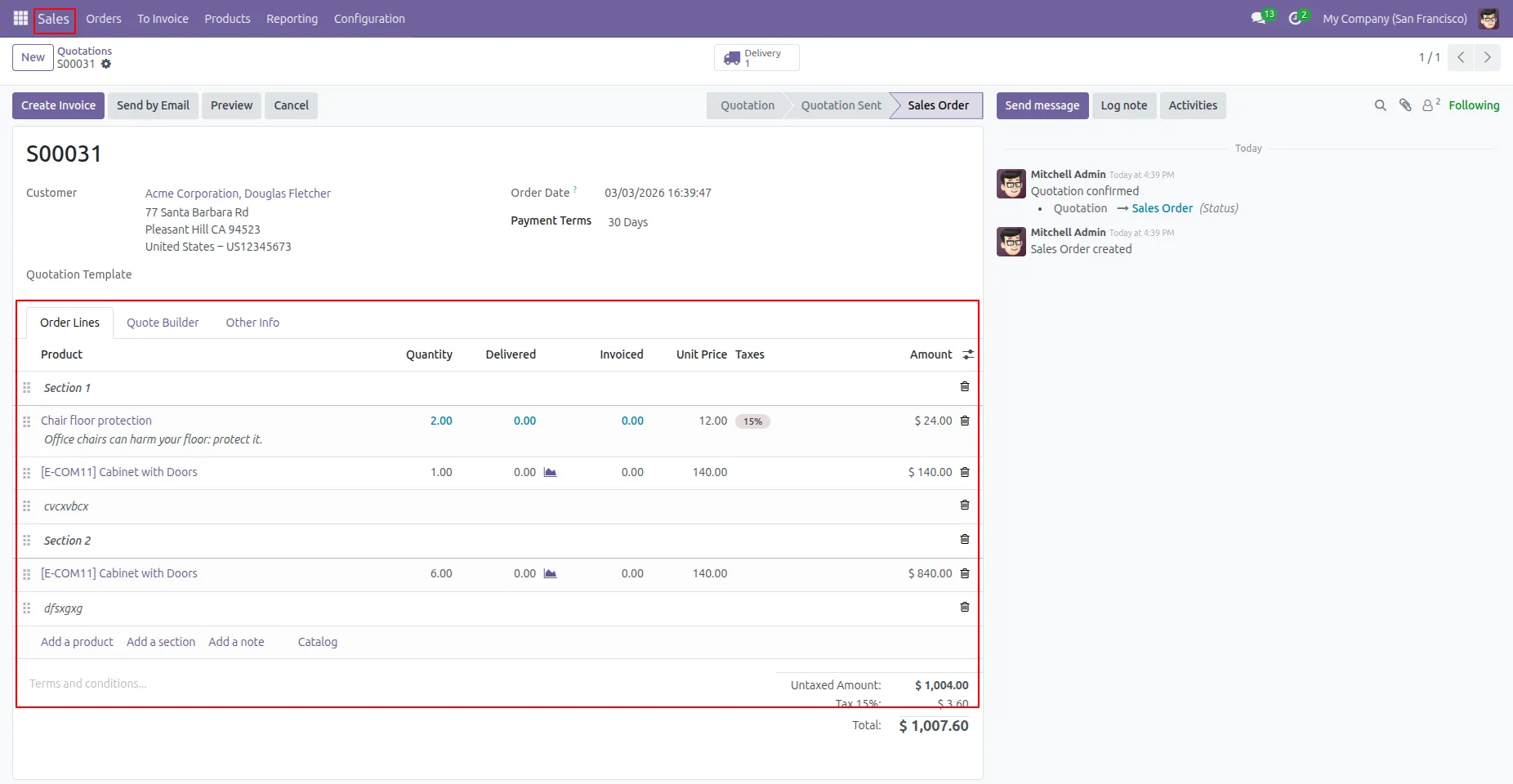
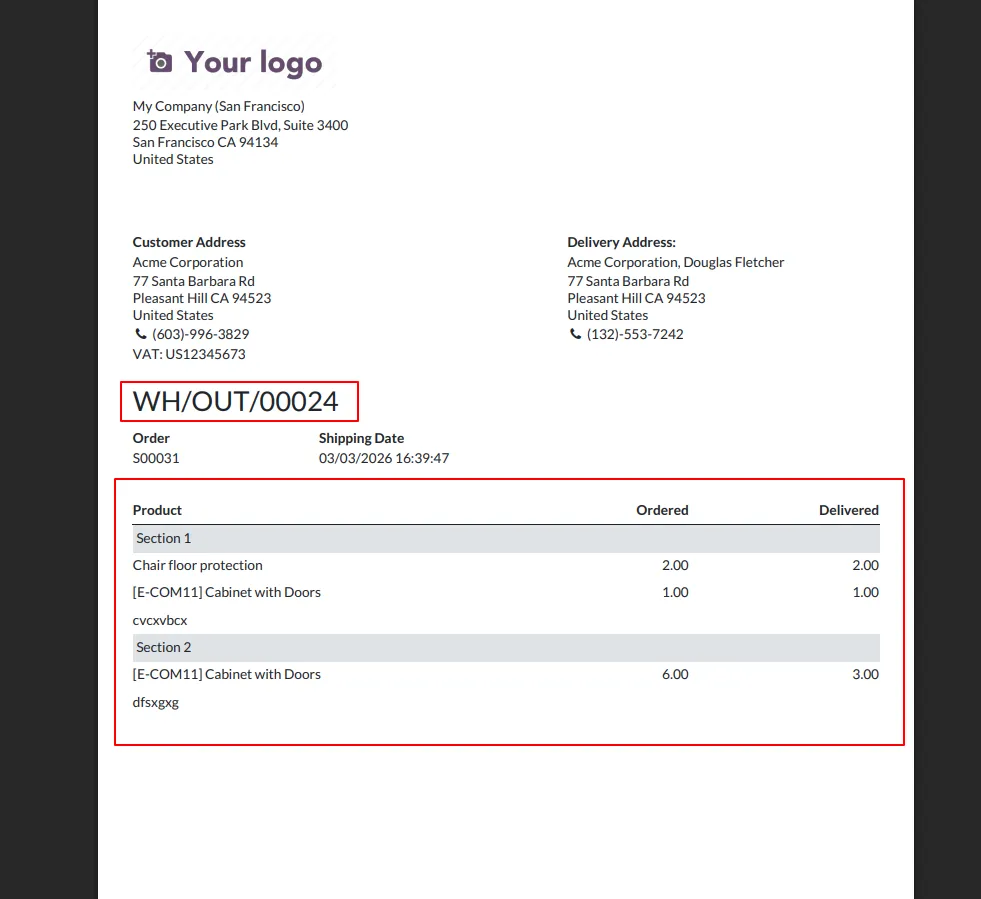
- Sale Order sections are automatically created and numbered (Section 1, Section 2, etc.) and displayed in the Delivery Slip without any manual setup.
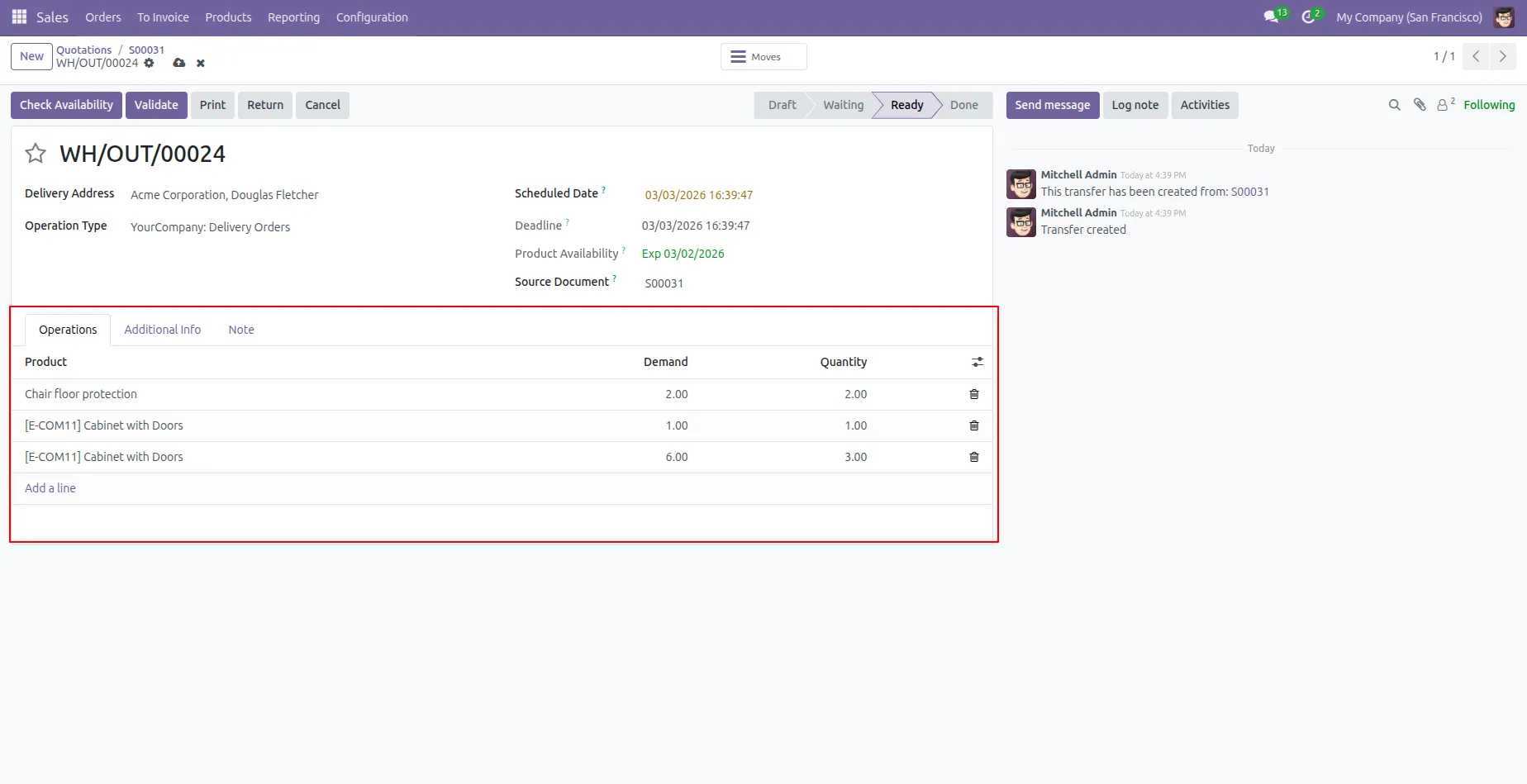
- Sections, notes, and products appear in the Delivery Slip exactly as they are organized in the Sale Order, maintaining the same sequence and clarity.
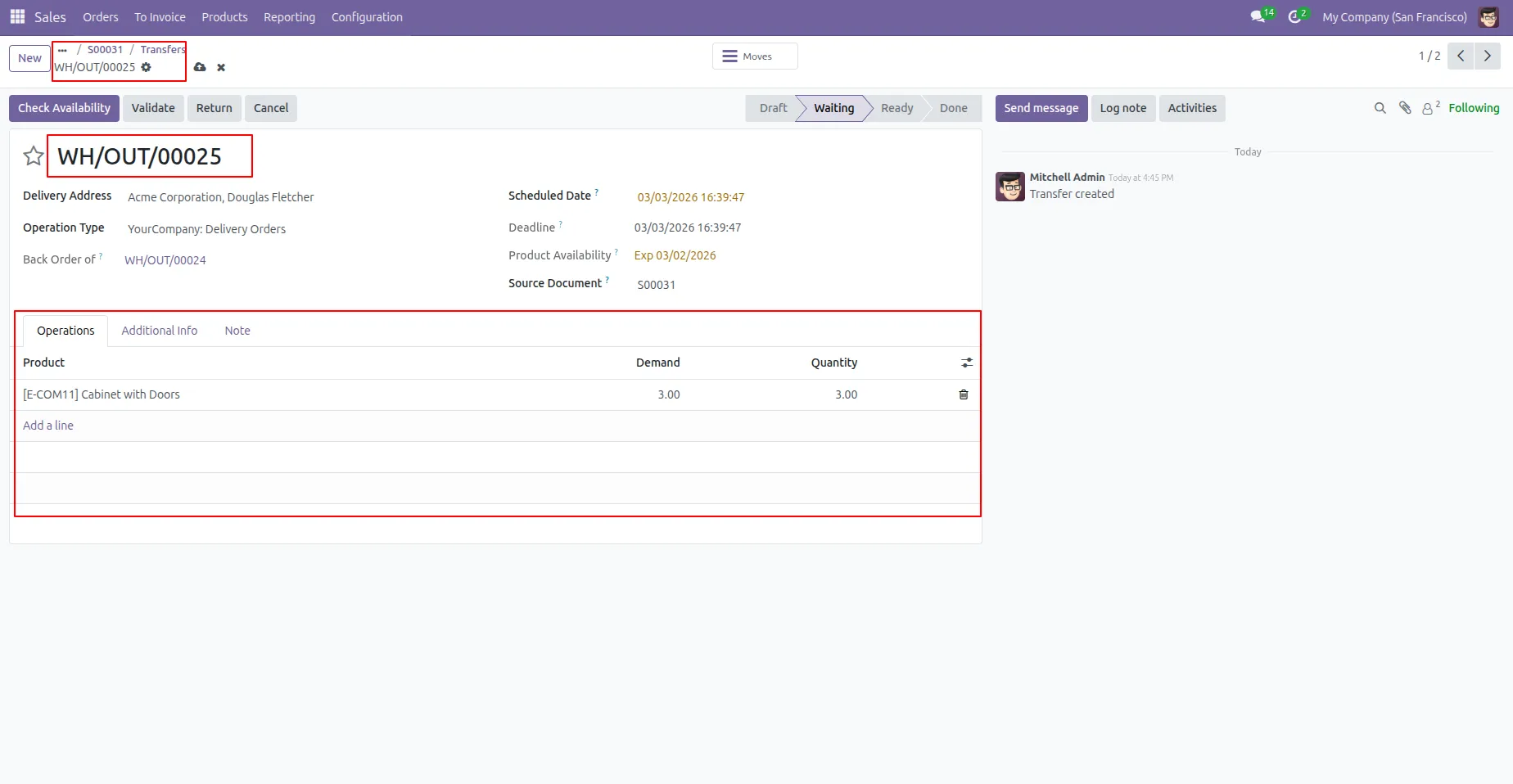
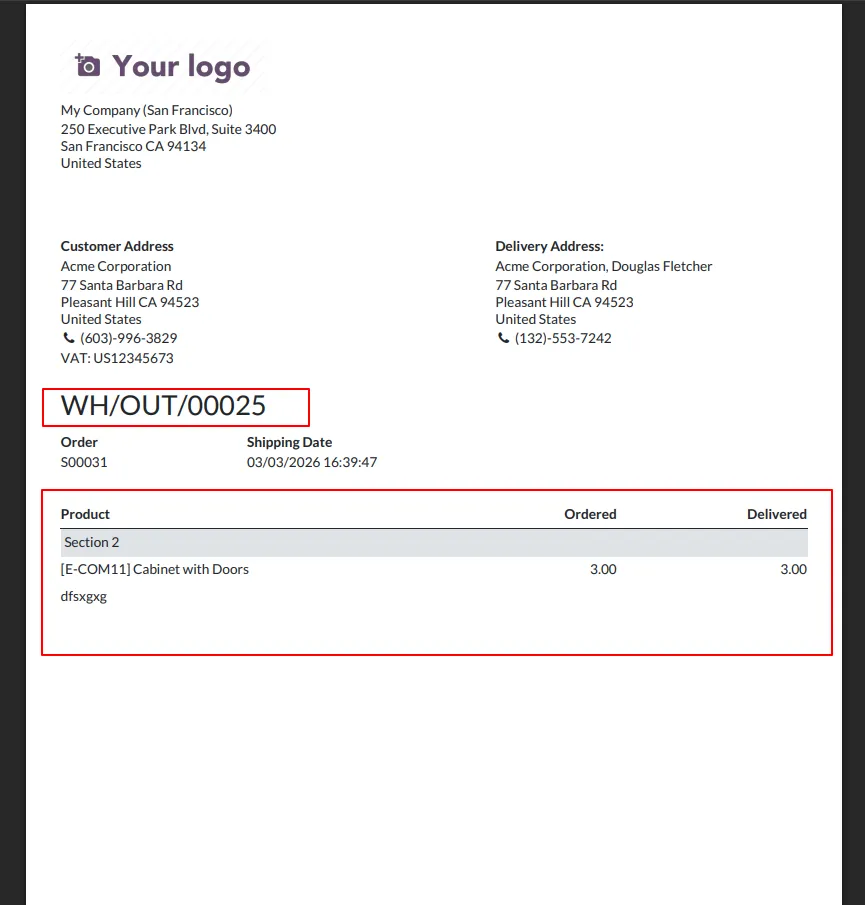
- During partial deliveries or backorders, only the sections that contain delivered or backordered products are shown. Empty or irrelevant sections are hidden automatically.
- Notes added under Sale Order sections are displayed under the same sections in the Delivery Slip, ensuring important instructions are not missed by warehouse teams.
- Delivered quantities are calculated automatically based on actual stock moves, ensuring accurate and reliable delivery documentation.
- Works transparently for sales and warehouse users, reduces confusion, prevents duplicate information, and saves operational time.
Complete Workflow for Section in Delivery Slip Odoo App
Enable the Delivery Slip Section View feature and create Sections and Notes in the Sale Order. When the Delivery Slip is generated, the system automatically displays the same Sale Order sections, notes, and products in the same order. During Partial Delivery or Backorder, only sections containing delivered or backordered products are shown, while empty sections are hidden. This ensures a clean, accurate, and professional Delivery Slip for warehouse and logistics teams.
1. Define discount percentage in the customer.
2. Negative discount values are not allowed.
3. Discount percentage cannot be greater than 100%.
4.When you select that customer discount automatically added in the order line.
Our solutions focus on your problems
- Odoo Implementation
- Odoo Customization
- ERP Development and Implementation
- Odoo Ipass Cloud
- AI for Odoo
- Odoo Apps
- Aws Marketplace Products
- Business Engines
Our Pricing includes User Manual, 90 Days Support (Monday-Friday 10am to 7pm IST) and One time Setup
• Works & tested on standard installations of Odoo with no third party apps,
• Free support only for odoo installations with no third party apps,
• Paid support available for Odoo installations with third party apps.

Prefortune is a Odoo Official Partner, Odoo Development company. Our philosophy is to use Open Source tools and technologies to provide cost effective and green solutions for our customers.
Prefortune Technologies LLP is working on web development, Mobile development, and Odoo ERP.
If you need any help or want more additional features, you may contact us through:
Alternative Products
These other products might interest you
Specifications
| Version | 19.0, 18.0, 17.0, 16.0 |