Watch Quick Video
Sales Order Version History
With
Odoo’s – Sales Order Version History
managing sales order versioning becomes much simpler and more organized. You can create and maintain multiple versions of sales orders without losing previous records, making quotation revision management easier while giving a clear view of how orders change over time.
Each version stores important details like the version number, creation date, and links to earlier records.
This helps maintain accurate quotation history tracking and complete sales order revision history whenever updates are made.
If needed, users can quickly restore sales order version at any time without affecting current records. It also supports smooth version tracking in sales order workflows, improving traceability, transparency, and overall sales revision management across the sales process.
Key Features
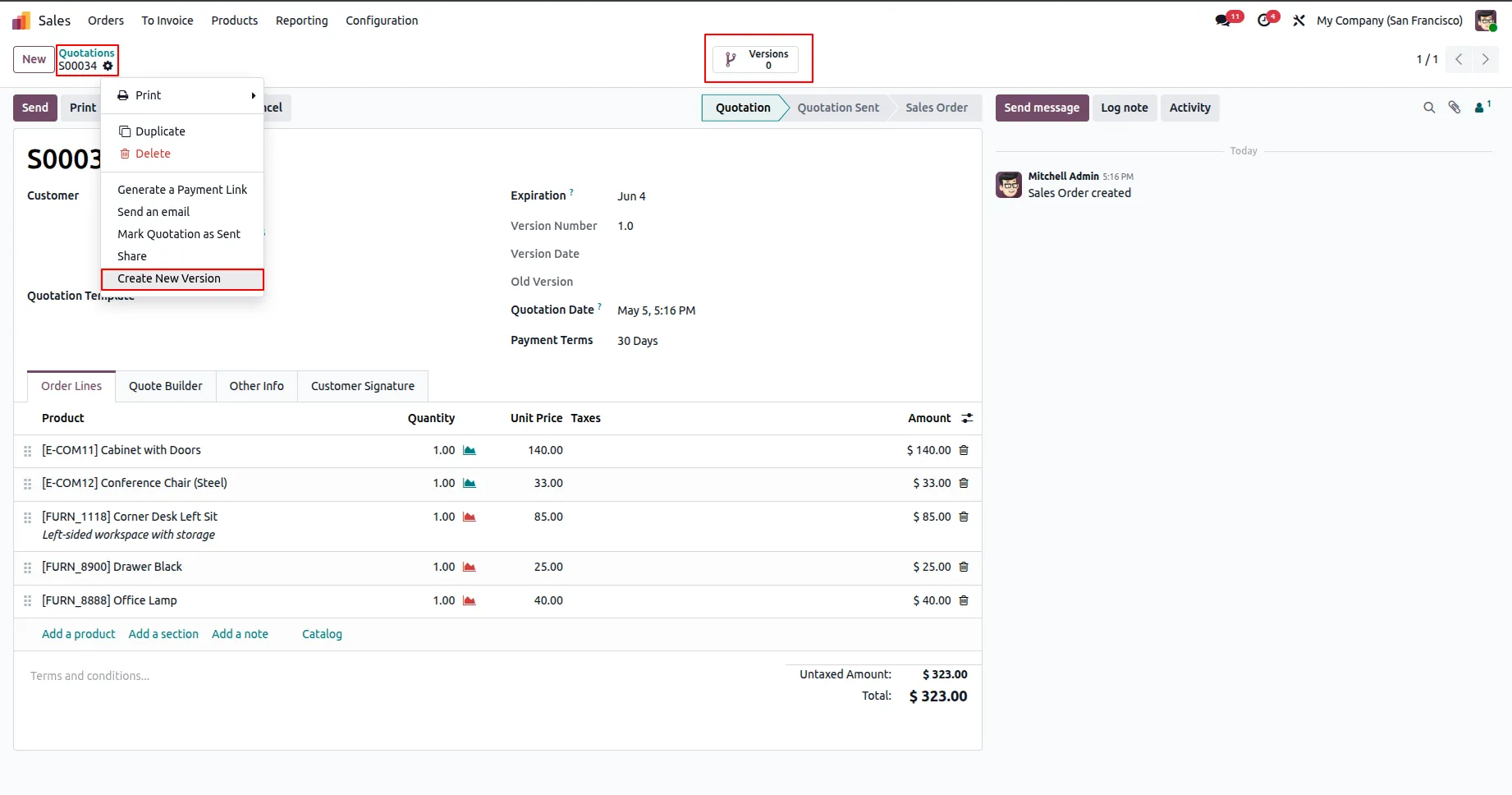
1.Go to the Sales module and open or create a sales order. Click Action → Create New Version.
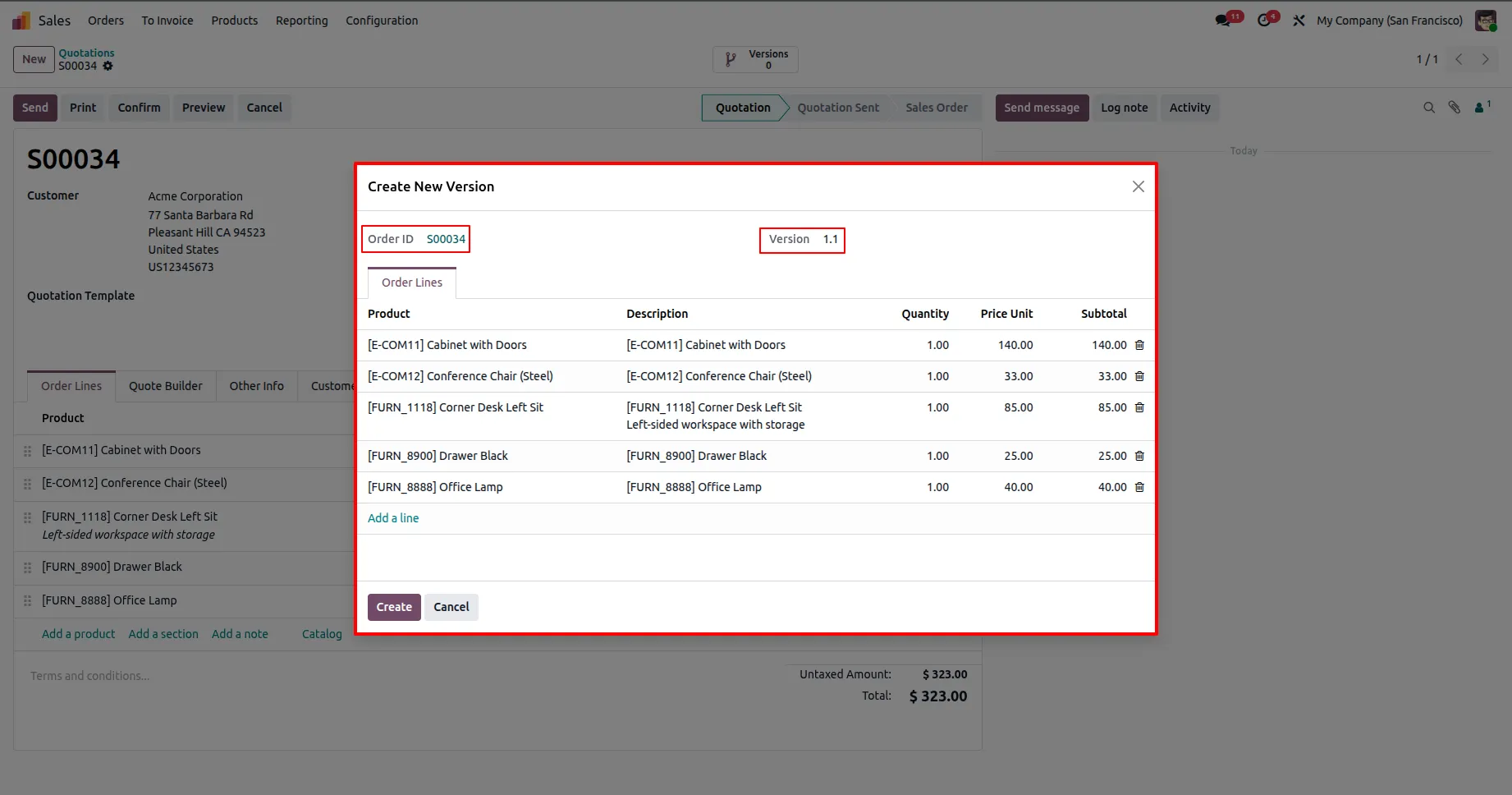
2.In the wizard, add or remove products/order lines as needed, then click Create.
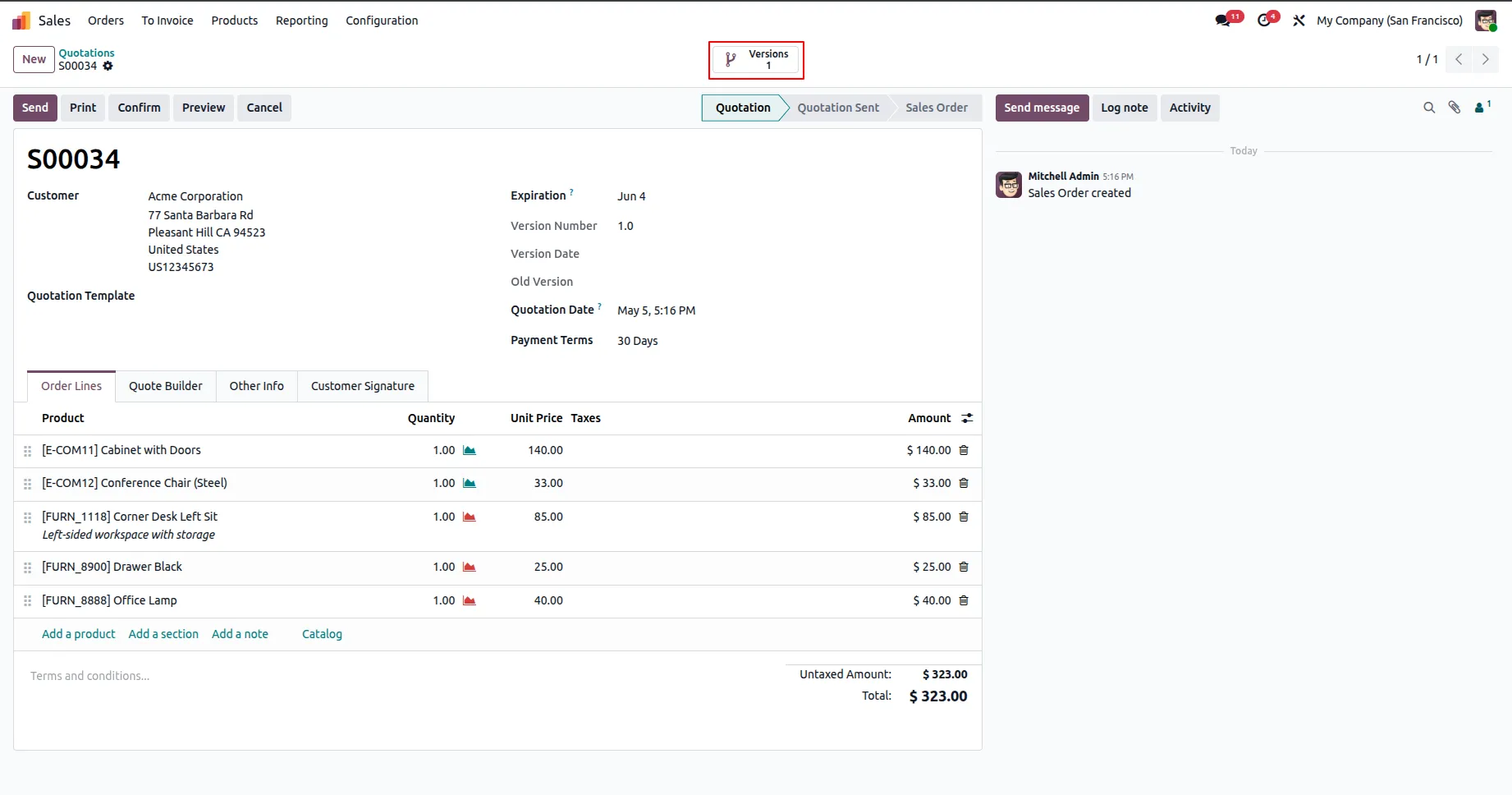
3.Use the Versions smart button to view the list of all versions.
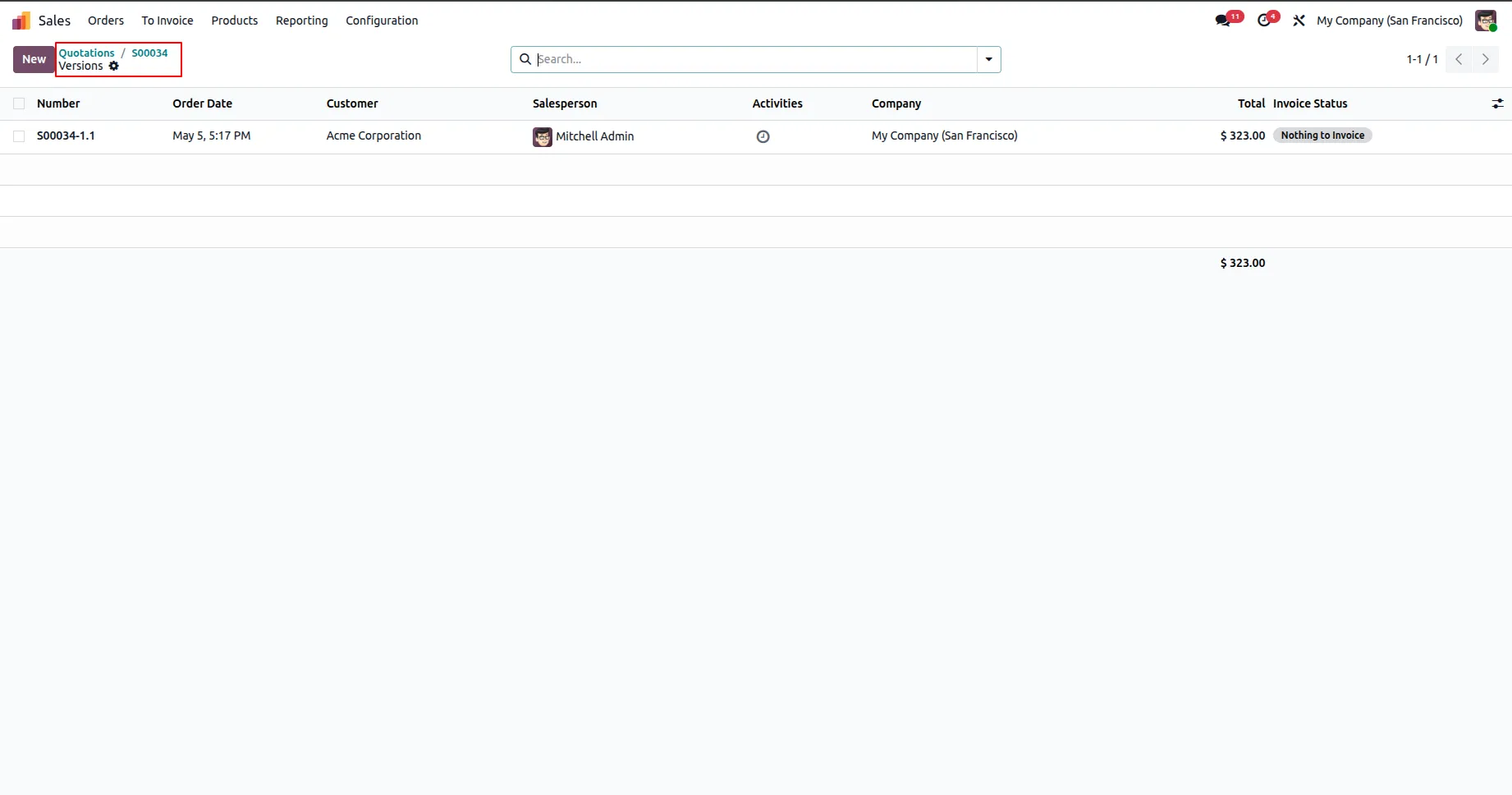
4.To view the list of all versions.
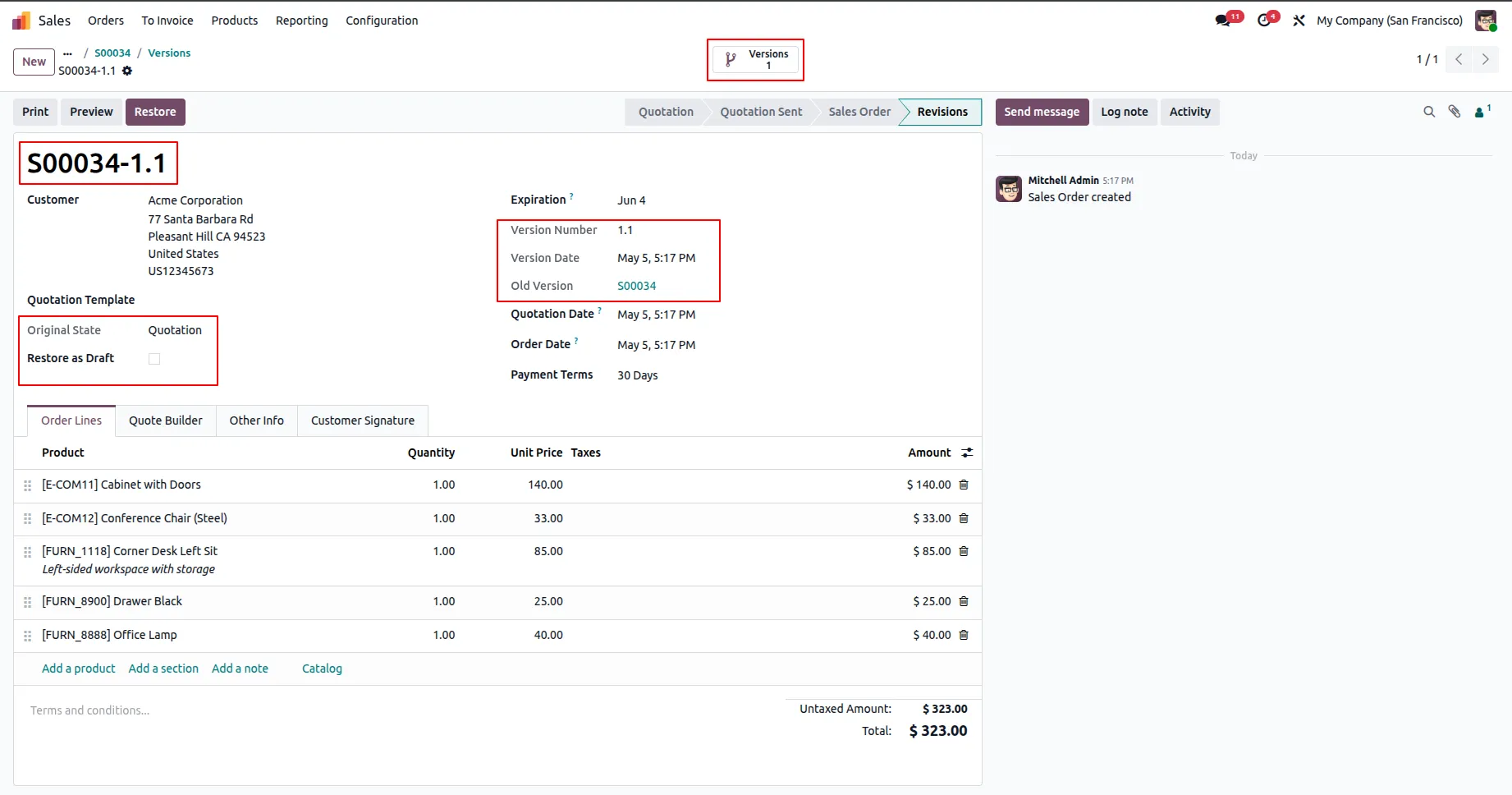
5.Each version includes details such as version number, version date, previous version, and a Restore as Draft option.
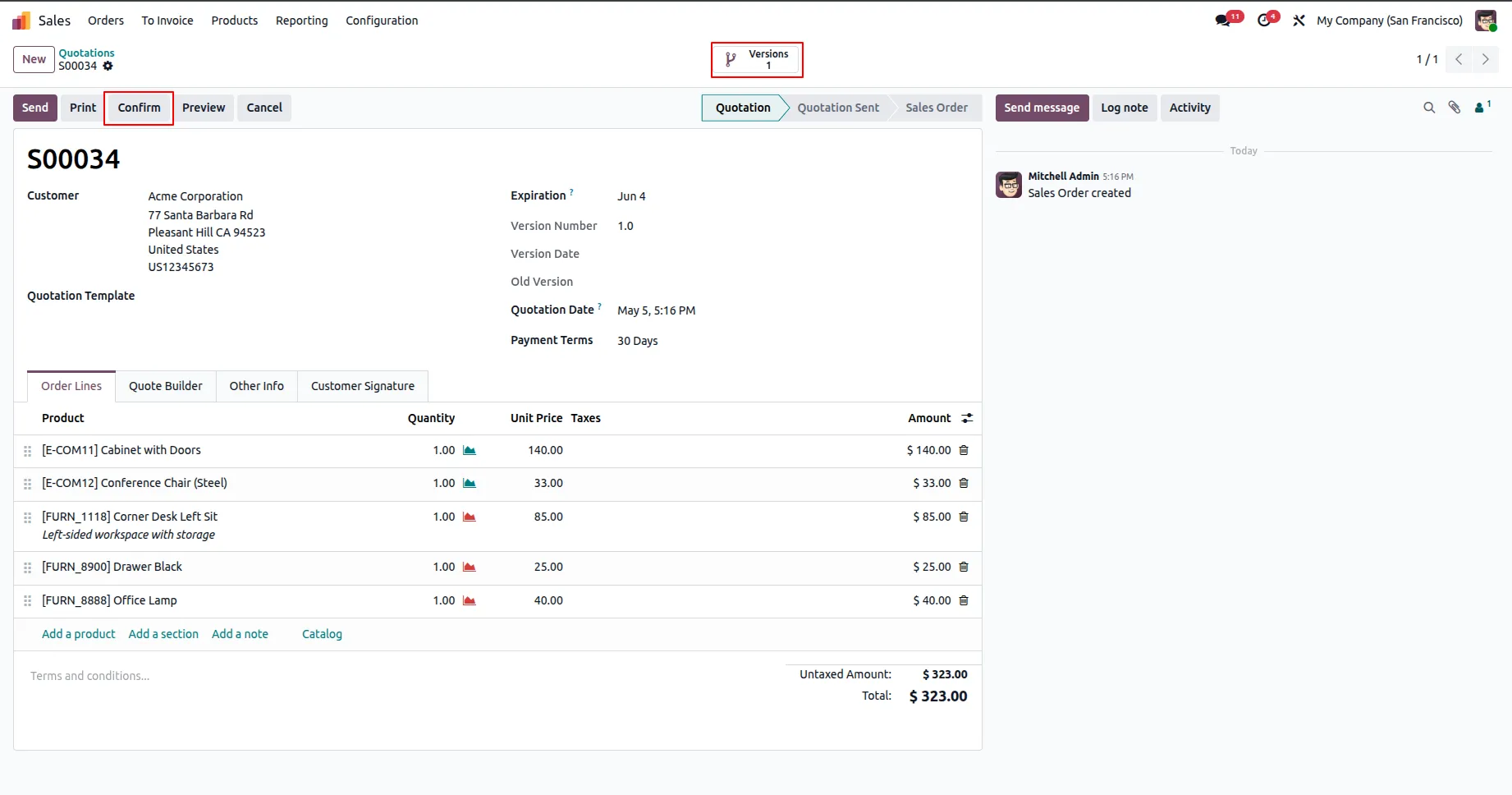
6.The smart button also displays the total number of versions created.Confirm the sales order to proceed further.
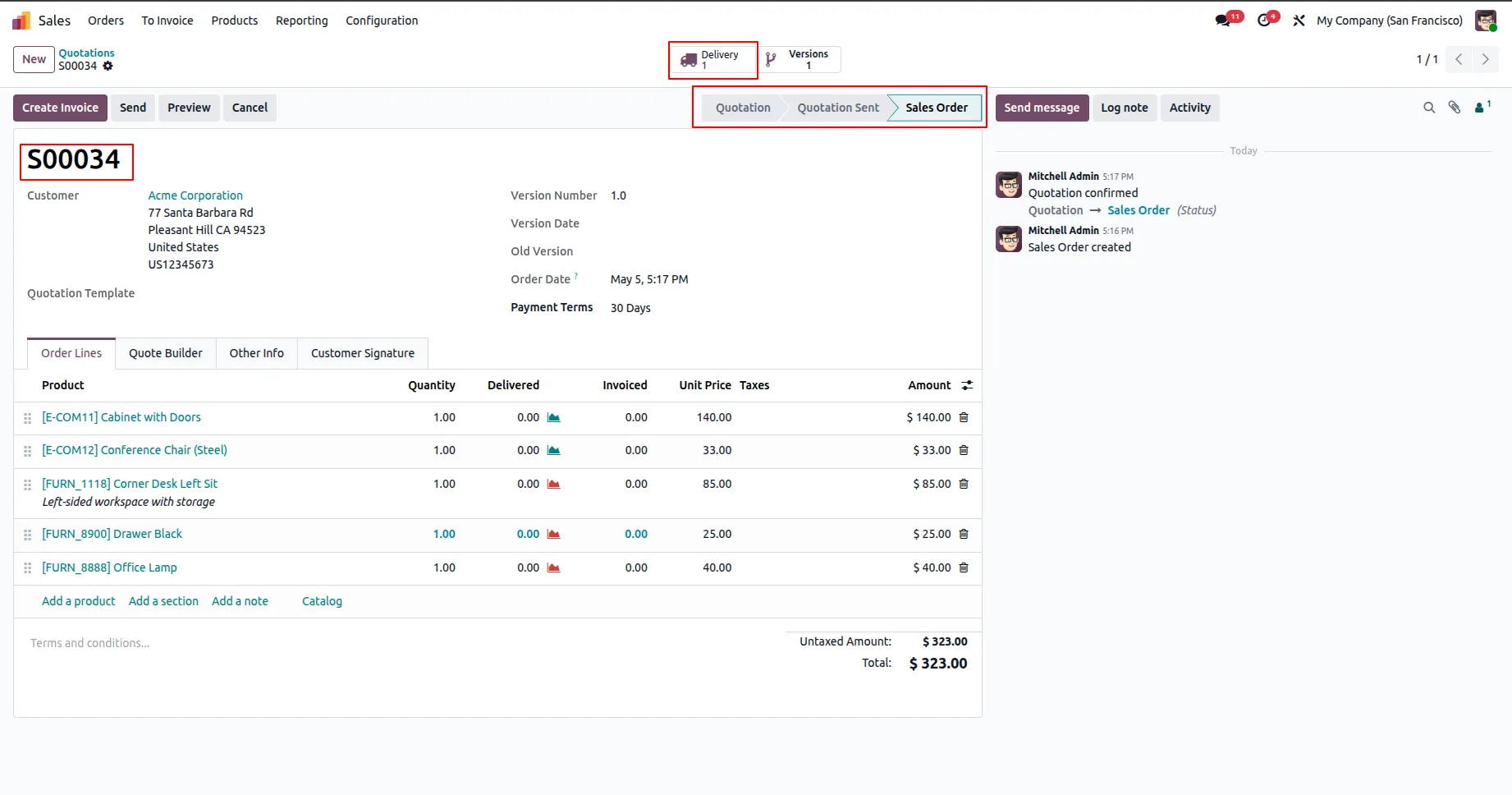
7.Once confirmed, a delivery order is automatically created.
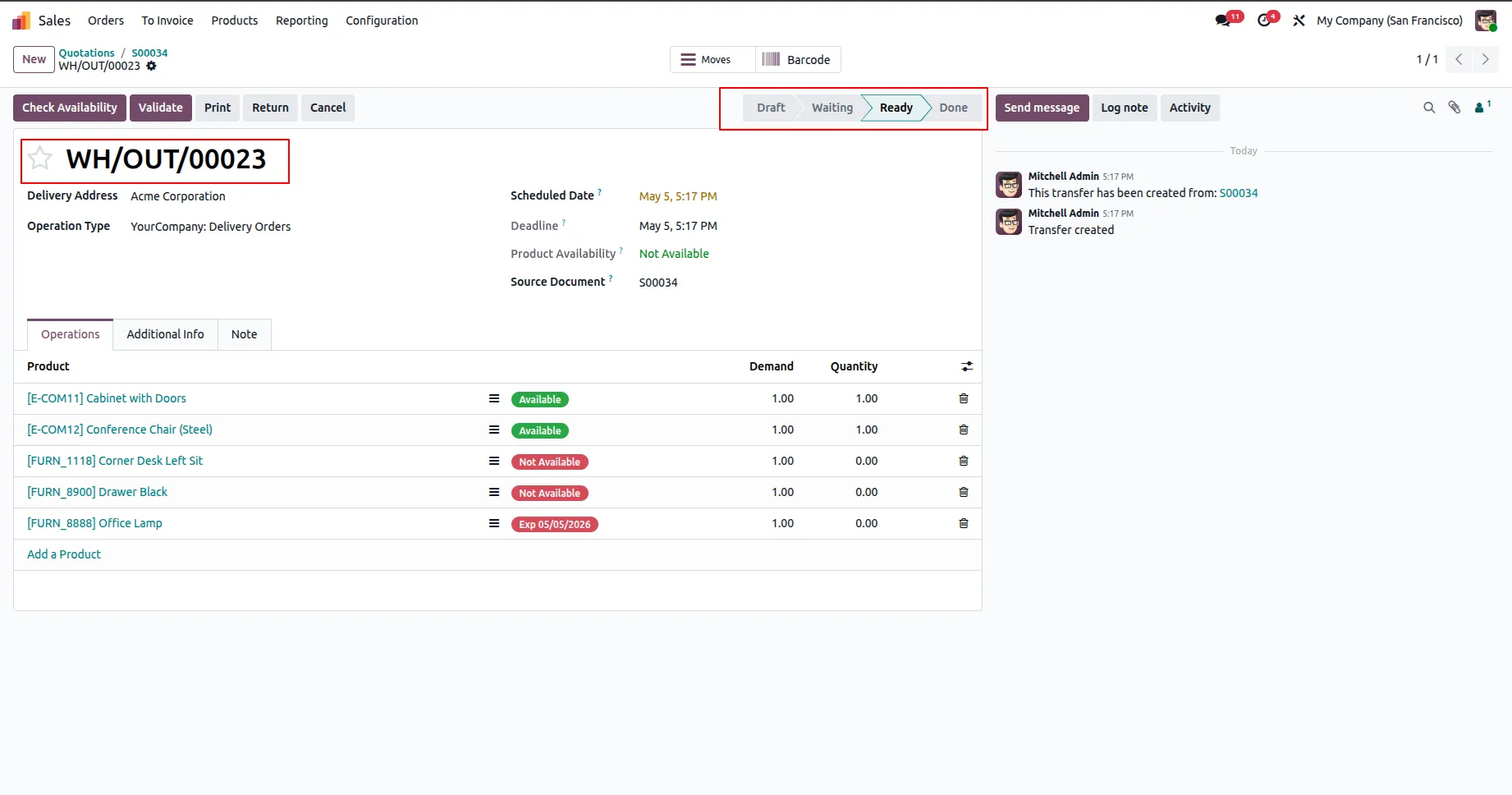
8.The delivery order for the current sales order will be in a Ready state.
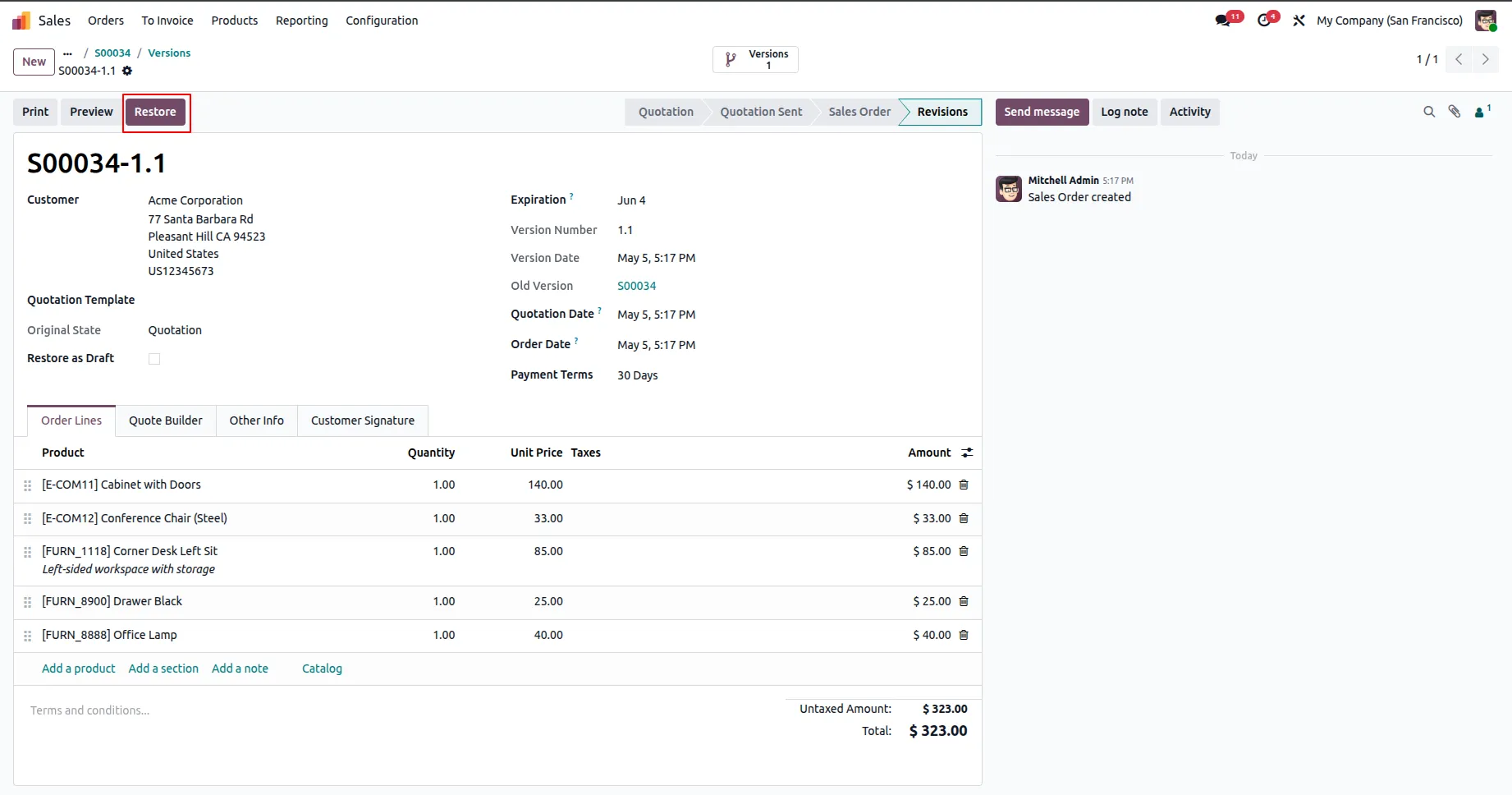
9.Open any version and click the Restore button in the header to make it the current sales order.
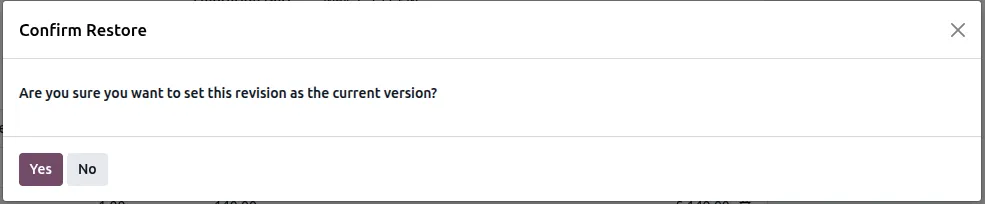
10.The selected version is restored with its original state, and the previously active sales order is saved as a version.
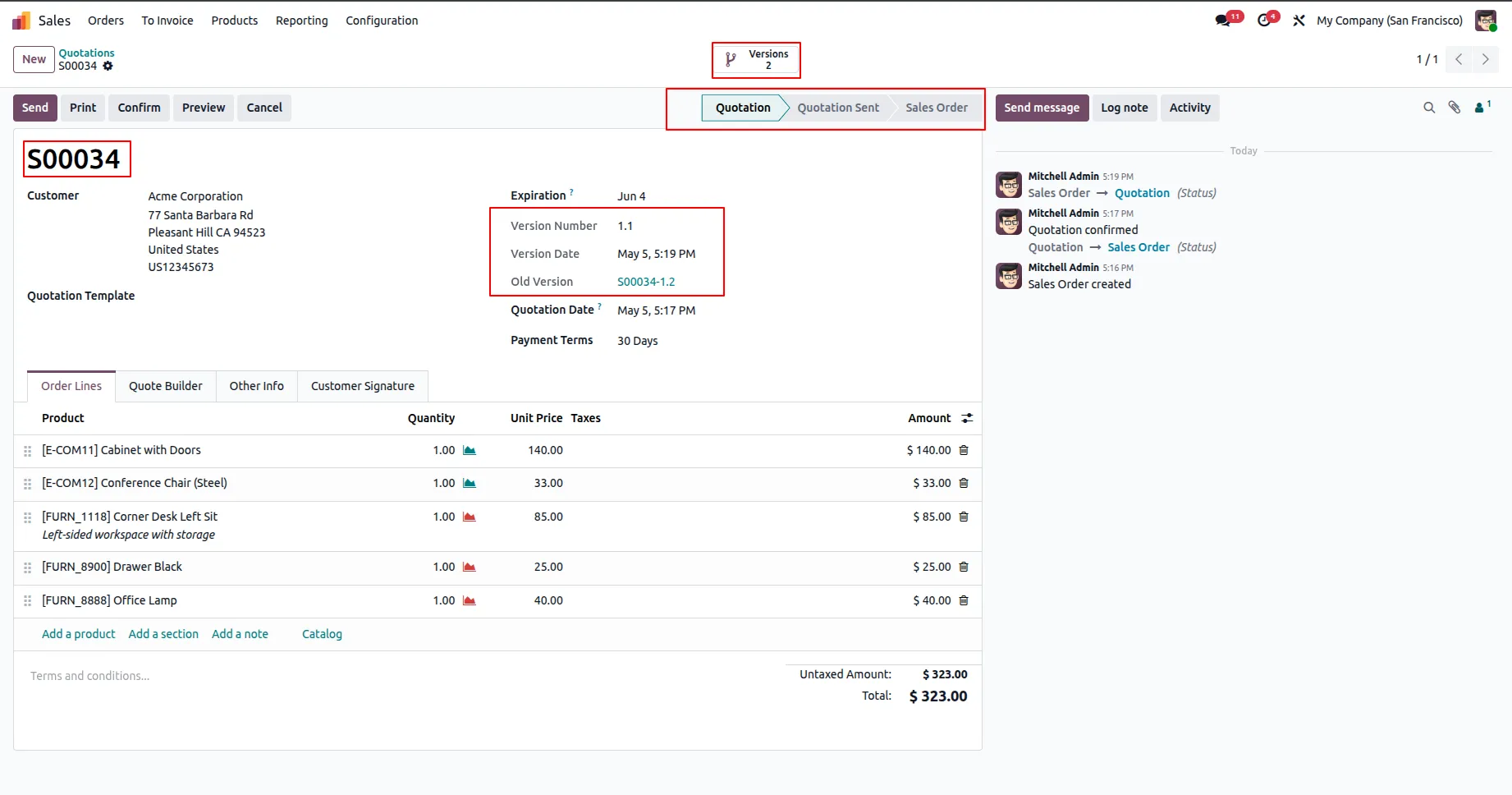
11.If Restore as Draft is disabled and restore version.
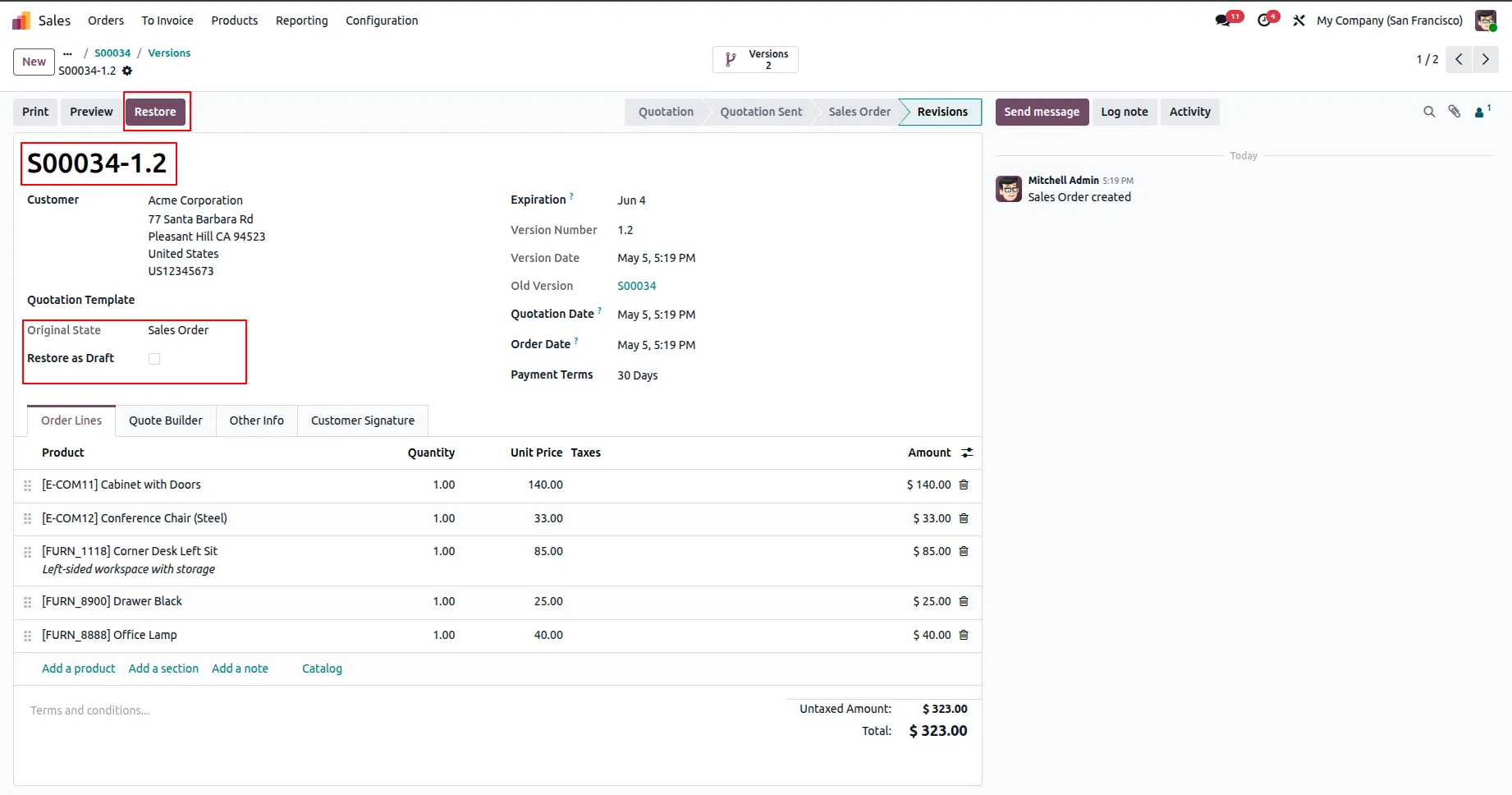
12.The version is restored in its original state (e.g., confirmed/sale order), and a new delivery order is created accordingly.
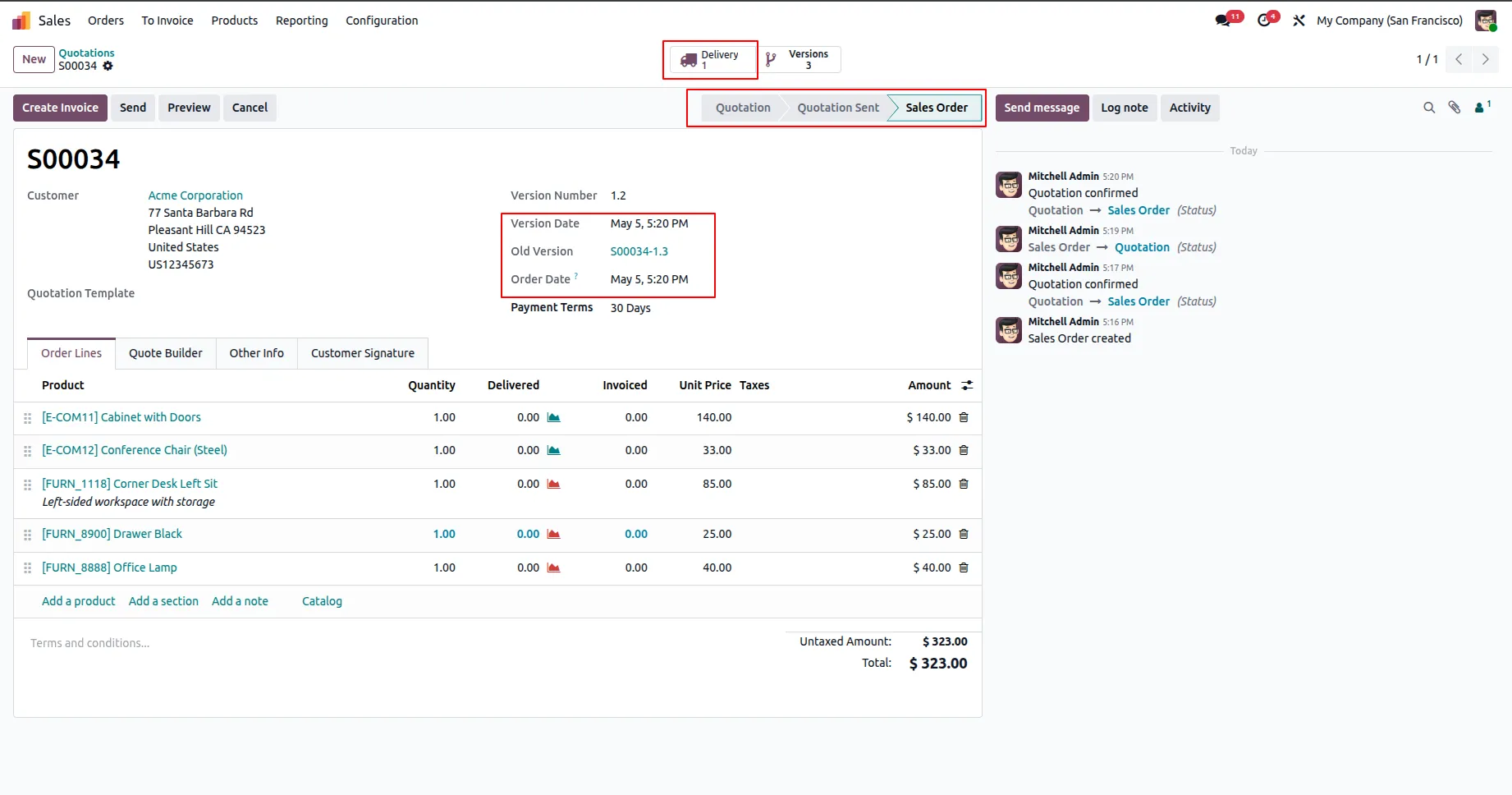
13.You can view the new delivery order after restoring the version.
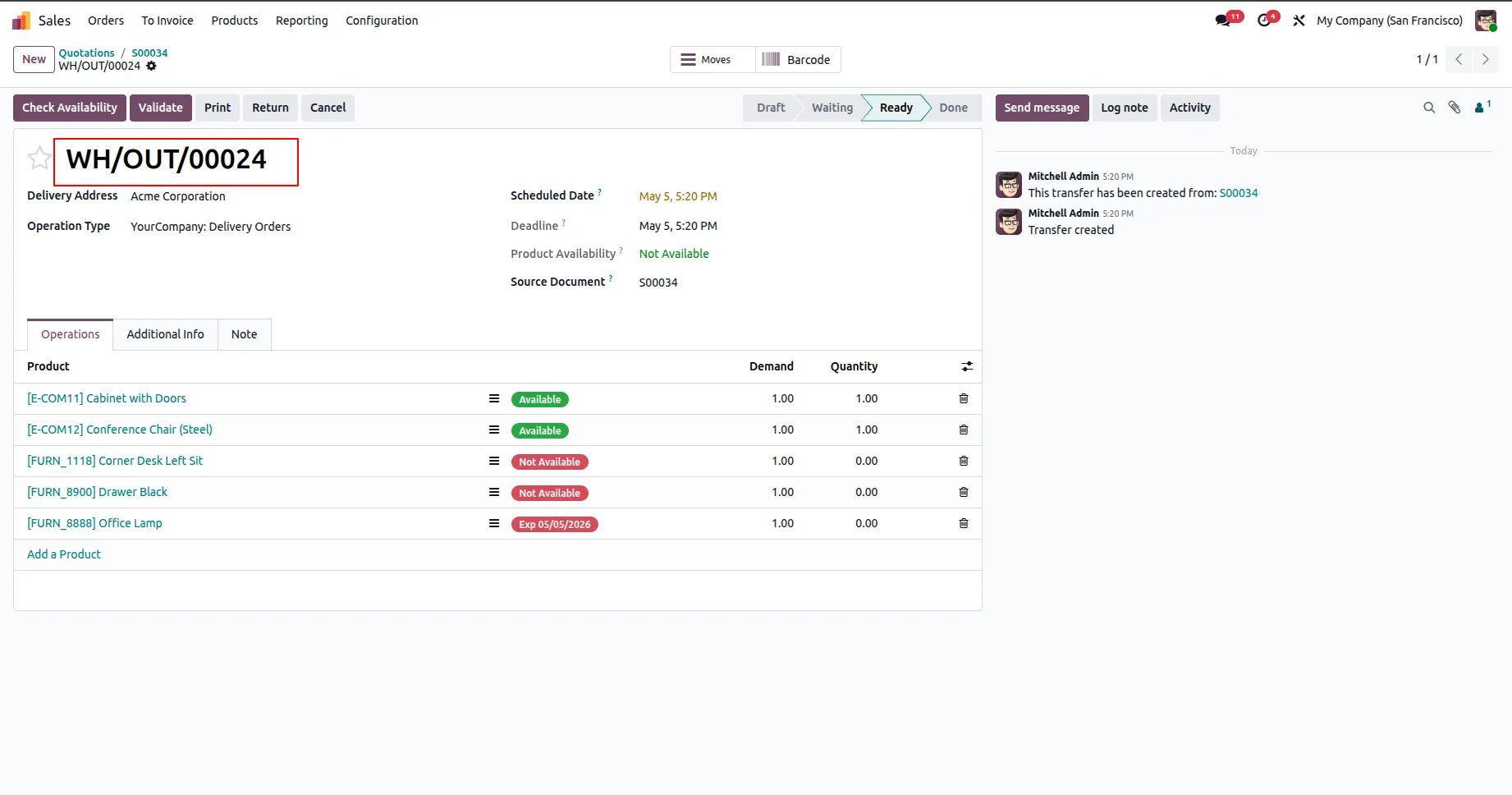
14.If Restore as Draft is enabled.
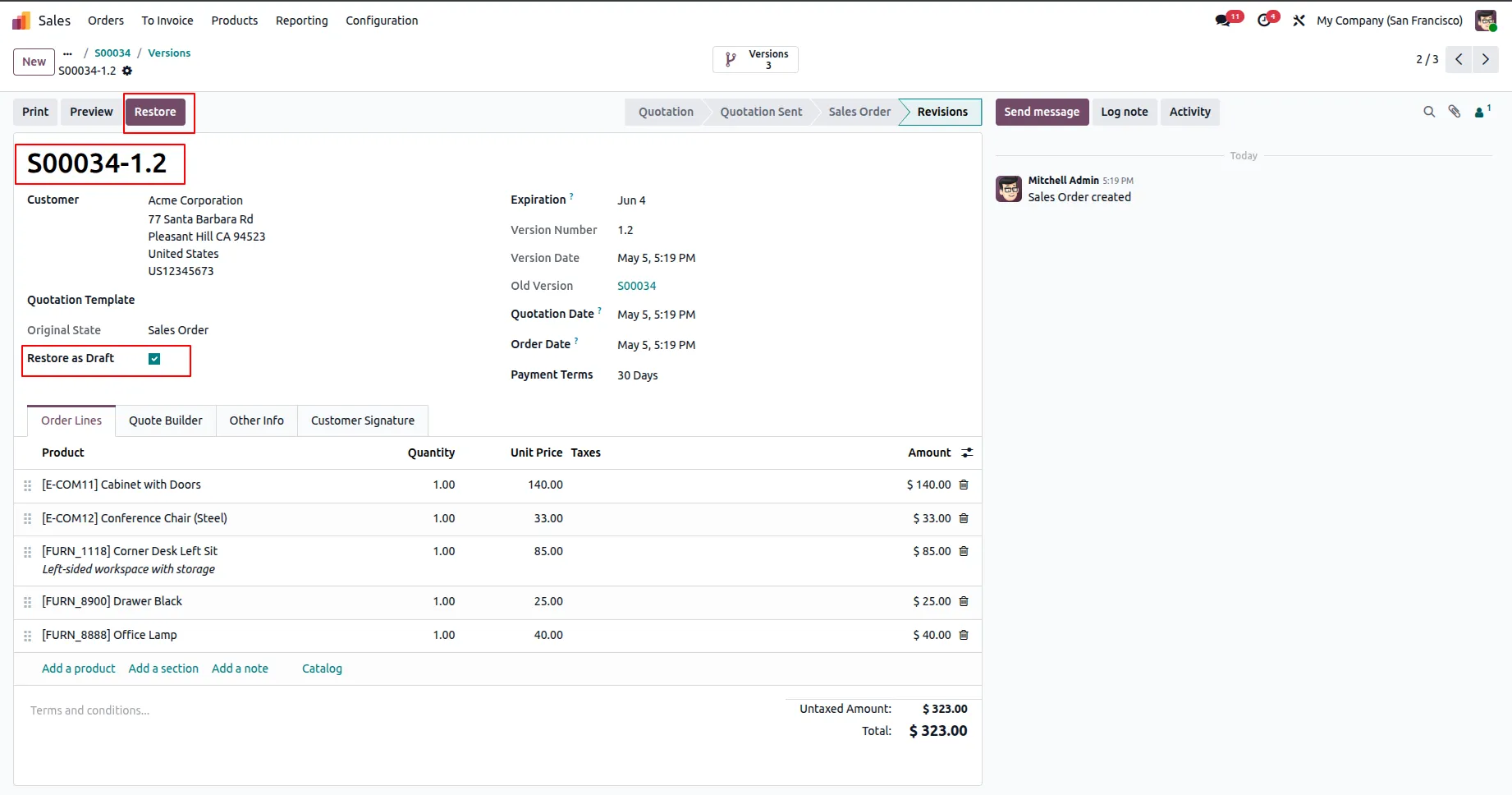
15.The version will be restored in Draft state.
Our solutions focus on your problems
- Odoo Implementation
- Odoo Customization
- ERP Development and Implementation
- Odoo Ipass Cloud
- AI for Odoo
- Odoo Apps
- Aws Marketplace Products
- Business Engines
Our Pricing includes User Manual, 90 Days Support (Monday-Friday 10am to 7pm IST) and One time Setup
• Works & tested on standard installations of Odoo with no third party apps,
• Free support only for odoo installations with no third party apps,
• Paid support available for Odoo installations with third party apps.

Prefortune is a Odoo Official Partner, Odoo Development company. Our philosophy is to use Open Source tools and technologies to provide cost effective and green solutions for our customers.
Prefortune Technologies LLP is working on web development, Mobile development, and Odoo ERP.
If you need any help or want more additional features, you may contact us through:
Alternative Products
These other products might interest you
Specifications
| Version | 19.0, 18.0, 17.0, 16.0, 15.0, 14.0 |