Watch Quick Video
Sales Margin Control App for Odoo App
We offer a powerful Odoo Sales module,
Sales Margin Control App for Odoo,
to help businesses keep healthy profit margins and prevent unauthorized low margin sales. For each sales
order line the module automatically calculates the margin and margin percentage giving the users instant
visibility into the profitability of the product. Color indicators enable you to quickly identify
profitable, warning and low margin lines. If the margin of products in a sales order is lower than the
minimum margin configured, the system automatically puts the order in an approval workflow before it can
be confirmed. A specific approval role is used to restrict approval rights to only authorized users for
low margin transactions. The module also provides order level margin insights to help managers assess the
overall profitability of a sales order before approval. The module is fully compatible with Odoo Community
and Enterprise editions and integrates seamlessly with the standard Sales workflow without any changes to
core functionality. This is an ideal solution for businesses that require strict pricing control and
margin governance.
It has some nice margin controls features:
1. Smart Margin Calculation: Automatically calculates margin amount and margin % for each line
of a sales order. Change price, discount, quantity or products and margin values real time is changed.
2. Visual Margin Status Indicators: Each sales order line has a color bar to indicate margin
performance. This allows sales users to easily identify which lines are profitable, warning or below
threshold without having to manually go through the calculations.
3. Controlled Approval Workflow: Automatically block sales orders with lines that have a
margin below the configured minimum from being confirmed. Approval is the review process before the
execution of low margin orders.
4. Centralized Margin Overview: This module displays the total margin value and total margin
percentage for the entire sales order. This provides a holistic view of the order profitability at a macro
level before the decisions are approved.
5. Flexible Company Configuration: You can set minimum margin limit for each company
individually for multi company setup. This means you can meet the needs of the business through various
pricing and profitability strategies.
6. Role-Based Authorization: The Margin Approver security role prevents approved users from
approving sales orders that do not meet the required margin. This gives more control over pricing and
prevents approvals being given without permission.
Sales Margin Control App for Odoo Features
- This module calculates the margin amount and margin percentage at real time for each sales order line. Adjust products, quantities, prices or discounts and see profitability instantly.
- Sales order lines are highlighted in Green, Orange and Red depending on margin level. This visual cue enables users to identify profitable and low margin products without having to perform any manual analysis.
- If the margin percentage of any sales order line is less than minimum configured then the order can’t be confirmed directly. This confirmation cannot continue until it is approved by an authorized user.
- The module includes a dedicated security role of Margin Approver to approve sales with low margins. Sales orders below the required margin can only be approved by authorized users.
- The module displays the Total Margin Amount and the Total Margin Percentage for the entire sales order. It gives sales teams and managers a clear view of an order’s profitability before it is confirmed.
Complete Workflow for Sales Margin Control App for Odoo App
When a Sales Order is created, the module automatically Calculates the margin and margin percentage for each order line. If any line falls below the configured minimum margin, the order is Validated and placed under an Approval workflow before confirmation. An authorized Margin Approver reviews the order and approves it if acceptable. Once approved, the sales order can be Confirmed, ensuring compliance with the company's pricing and profitability policies.
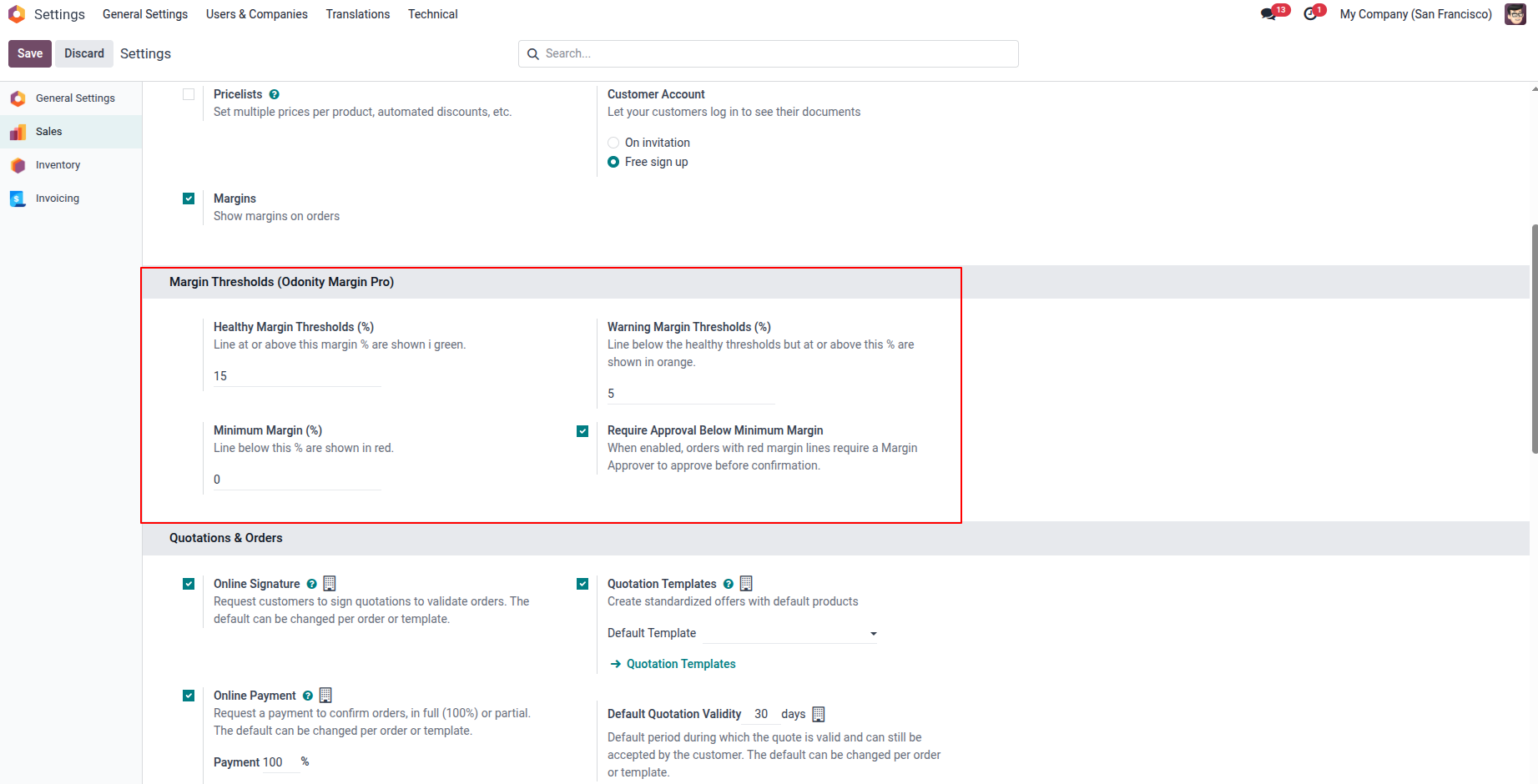
1. Configure Margin Thresholds in Sales Settings — set Healthy Margin (%), Warning Margin (%), Minimum Margin (%), and enable "Require Approval Below Minimum Margin" to enforce the approval workflow.
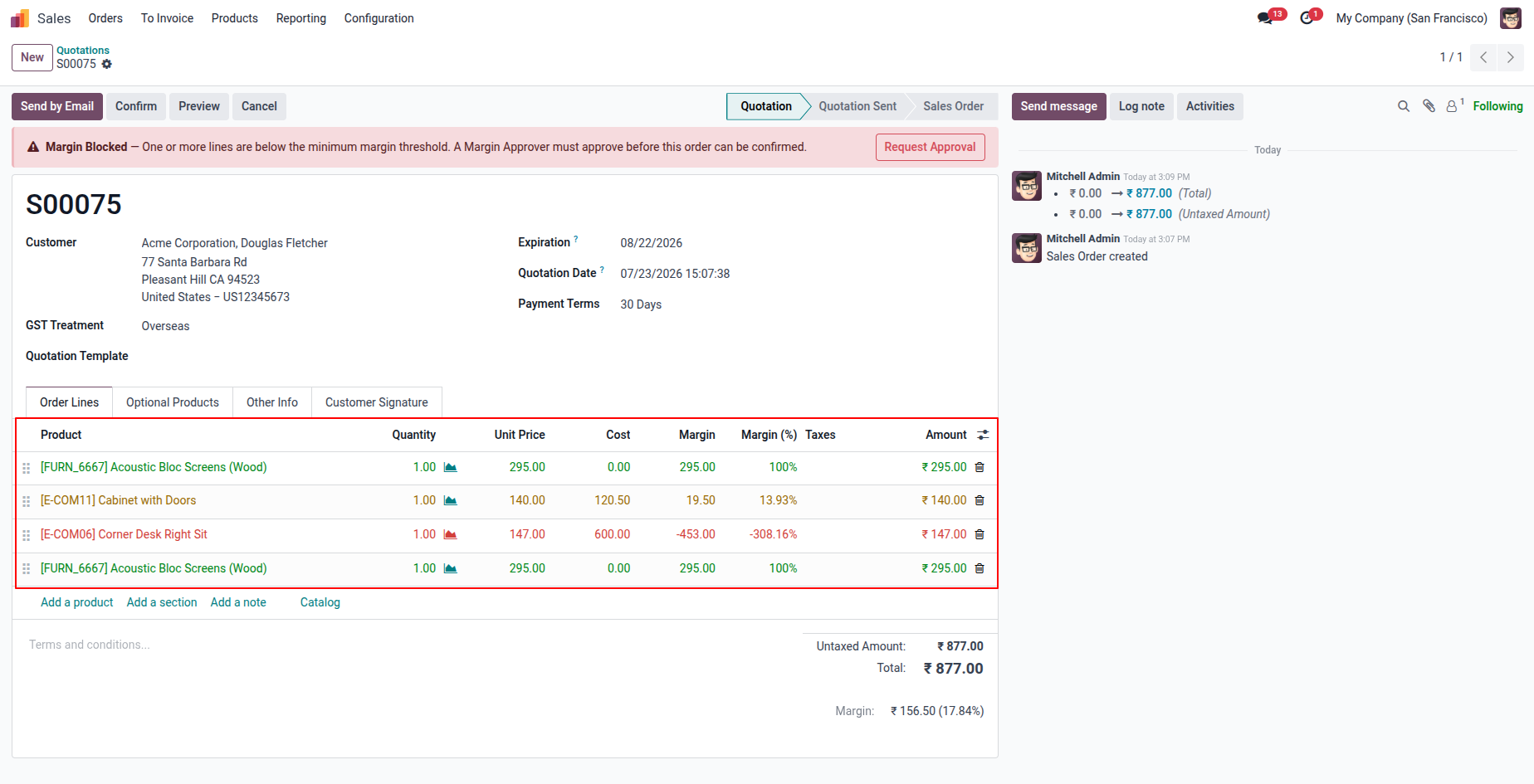
2. Sales order lines are color-coded — Green (healthy), Orange (warning), and Red (below minimum margin). A "Margin Blocked" banner appears at the top with a "Request Approval" button when any line is below the minimum threshold.
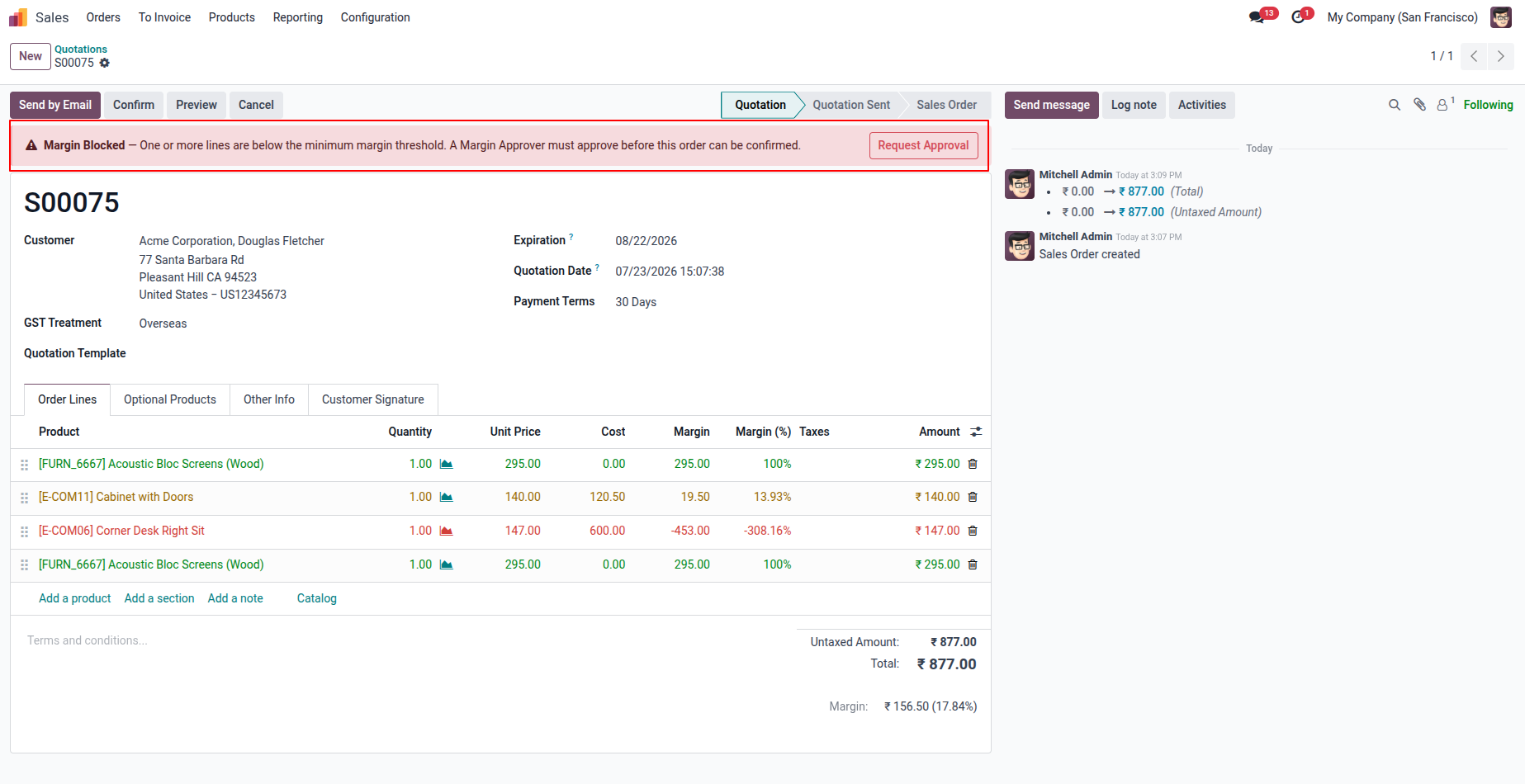
3. The "Margin Blocked" warning banner is prominently displayed at the top of the sales order, preventing confirmation and prompting the salesperson to request approval from an authorized Margin Approver.
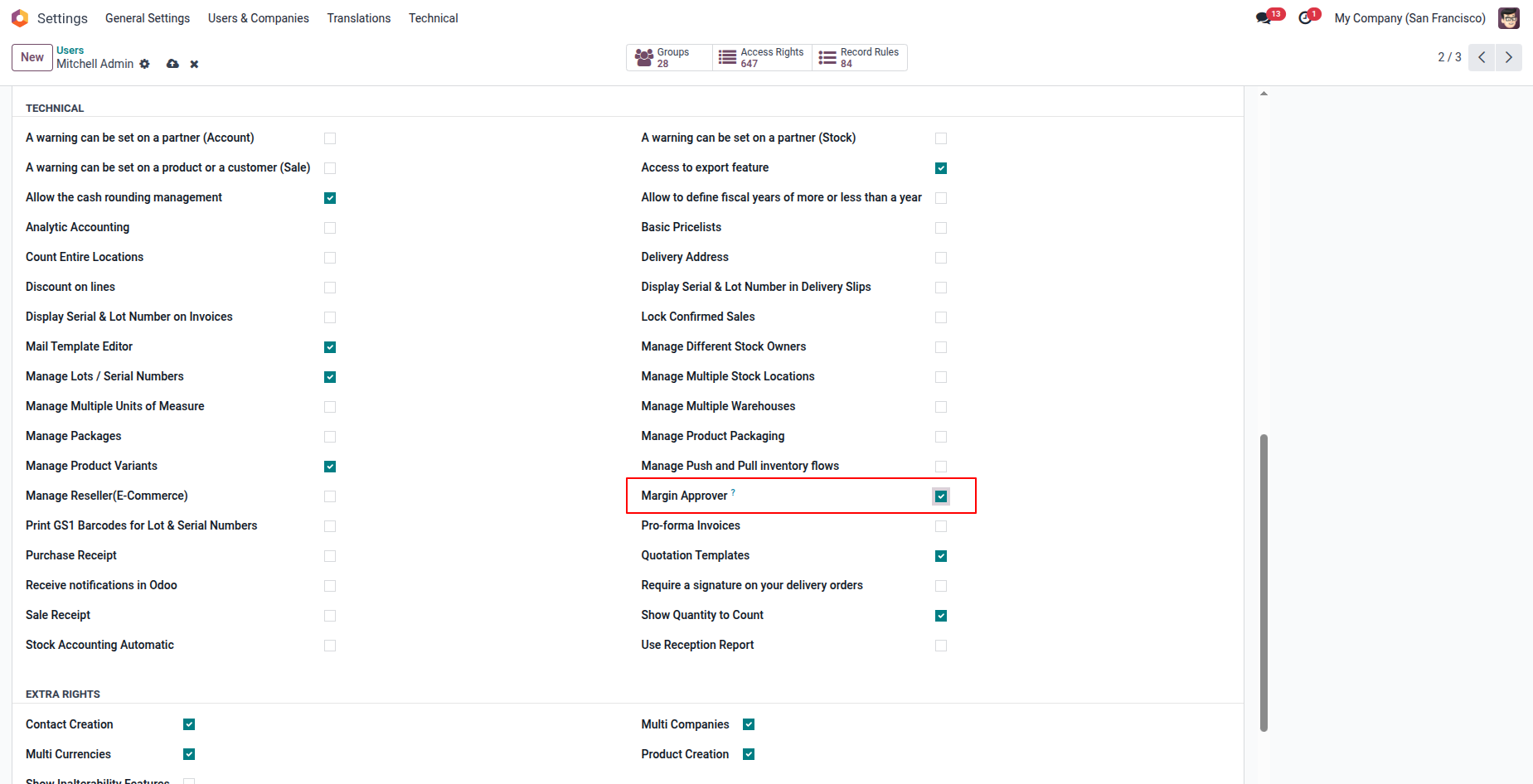
4. Assign the "Margin Approver" access right to a user from Settings → Users & Companies, granting them the authority to approve low-margin sales orders.
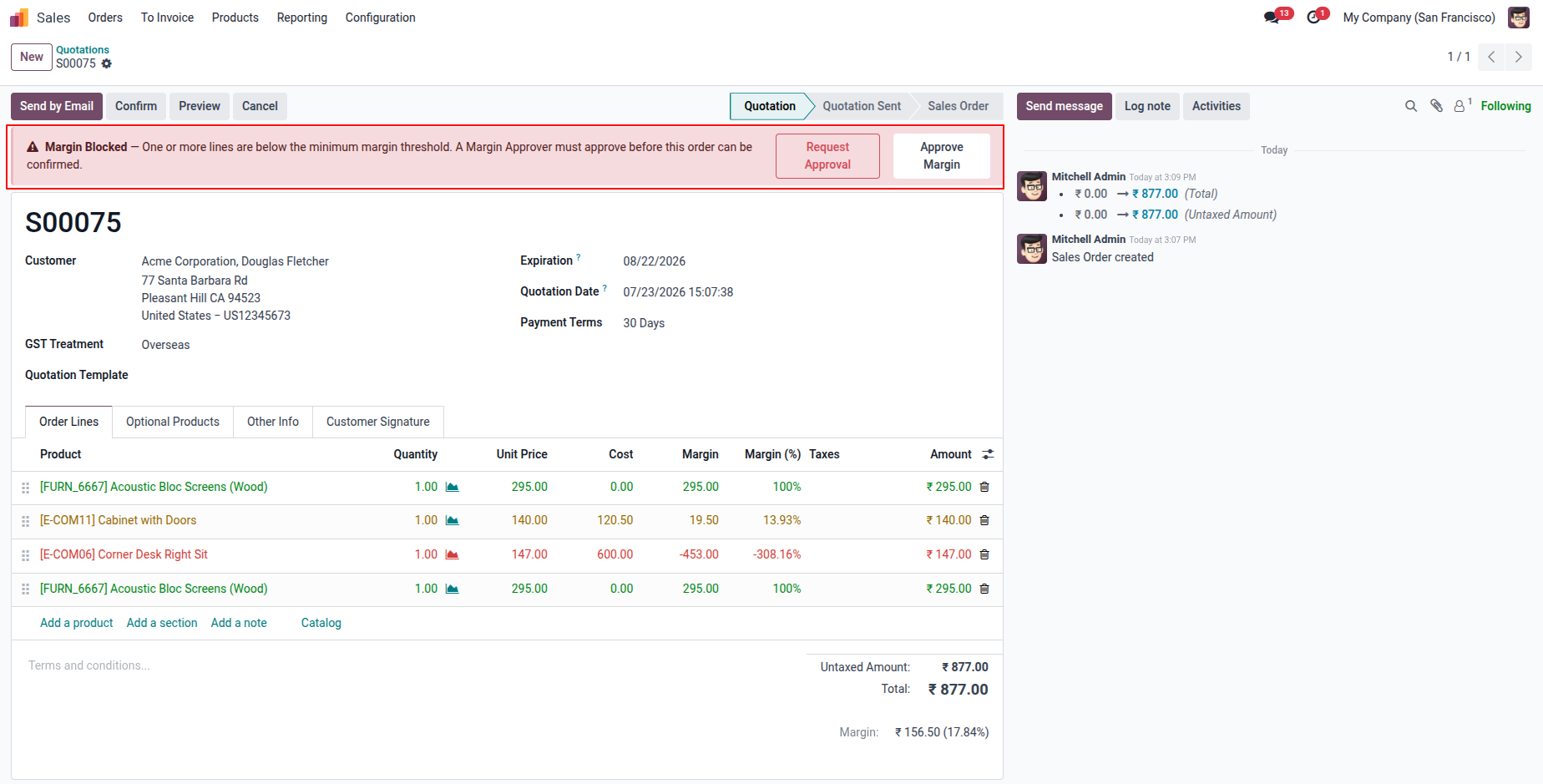
5. When the Margin Approver is logged in, both "Request Approval" and "Approve Margin" buttons appear in the warning banner, allowing them to directly approve the low-margin order from the same screen.
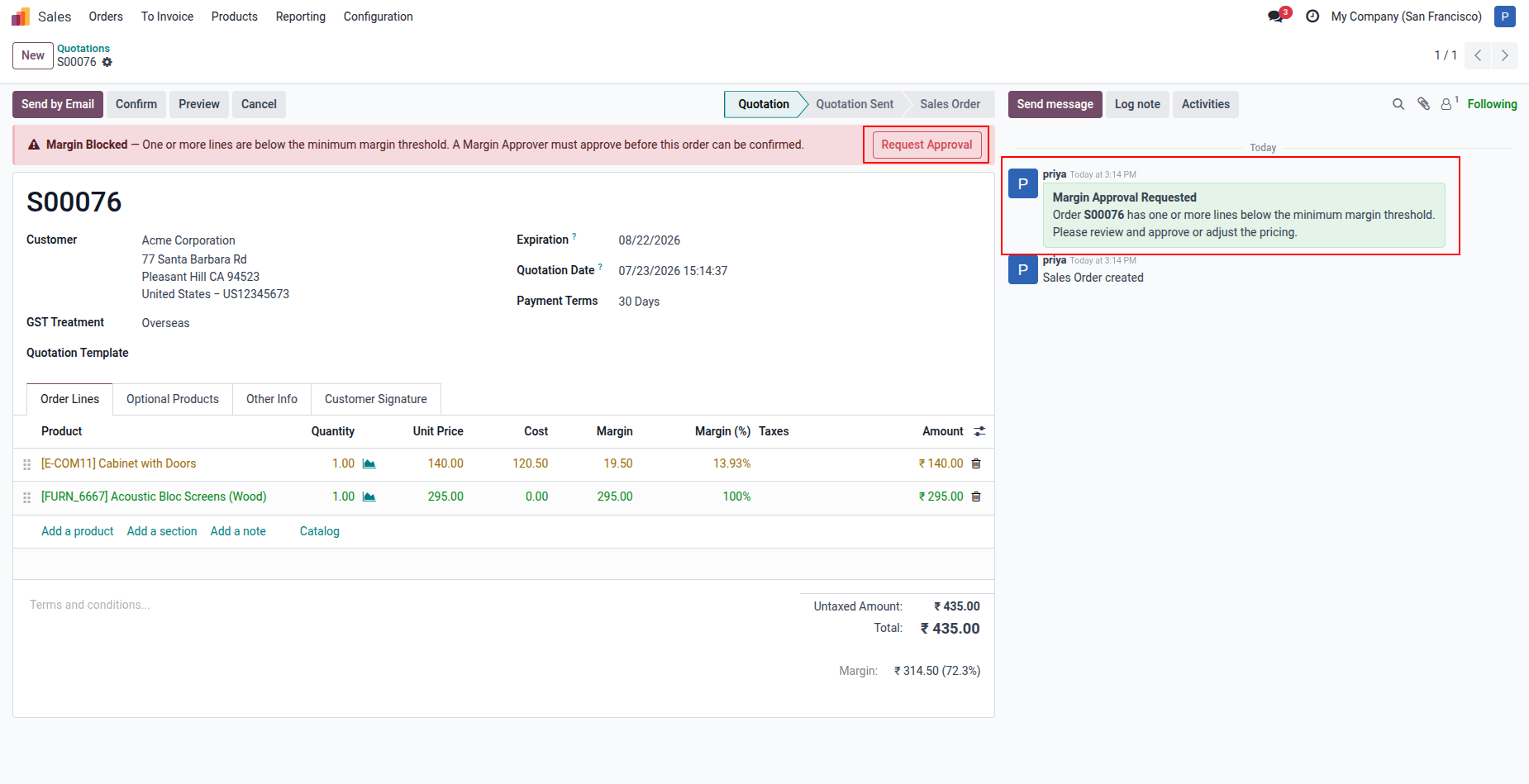
6. Clicking "Request Approval" automatically posts a "Margin Approval Requested" message in the order chatter, notifying the Margin Approver to review and approve or adjust the pricing.
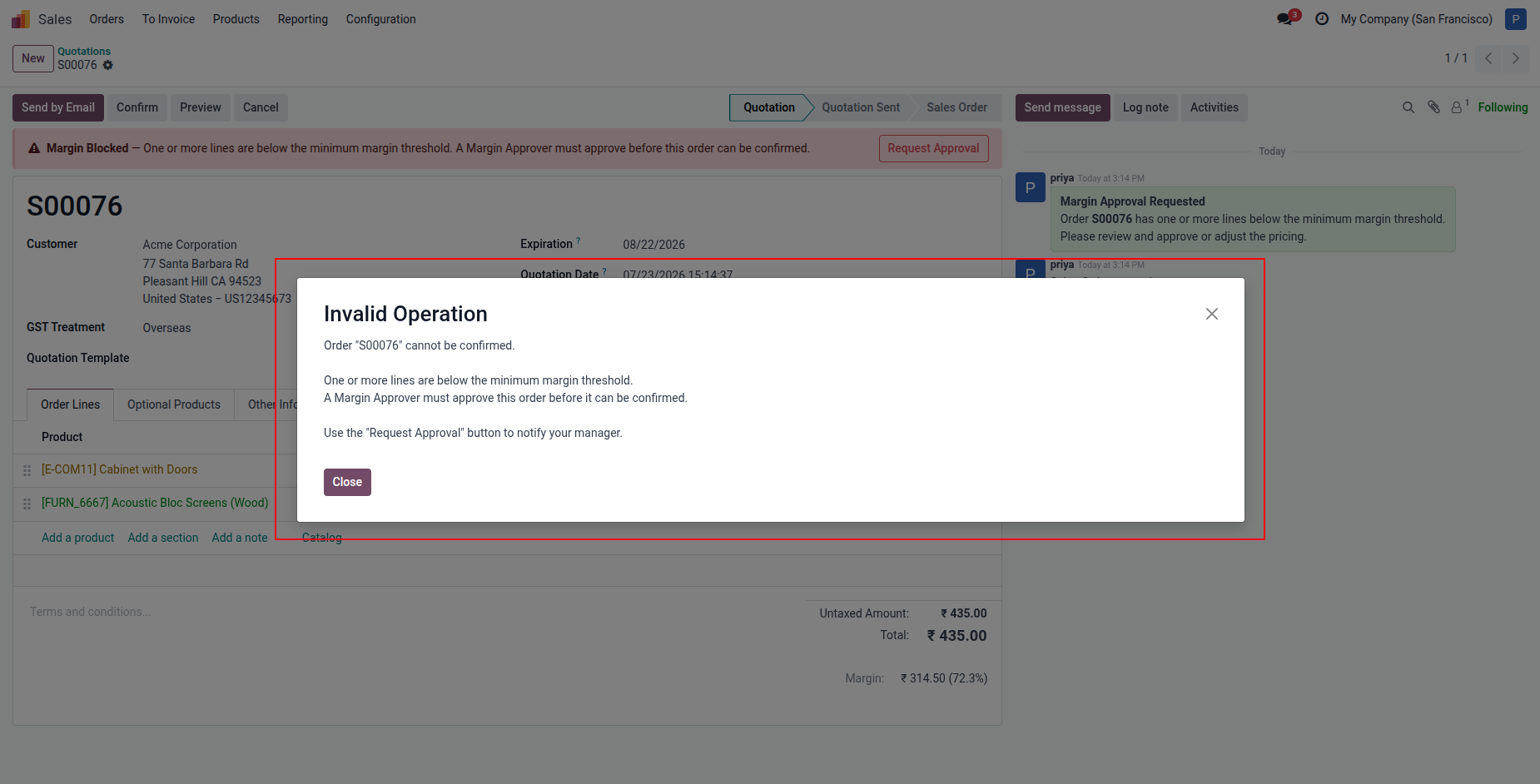
7. If a salesperson tries to confirm an unapproved low-margin order, an "Invalid Operation" popup blocks the action .
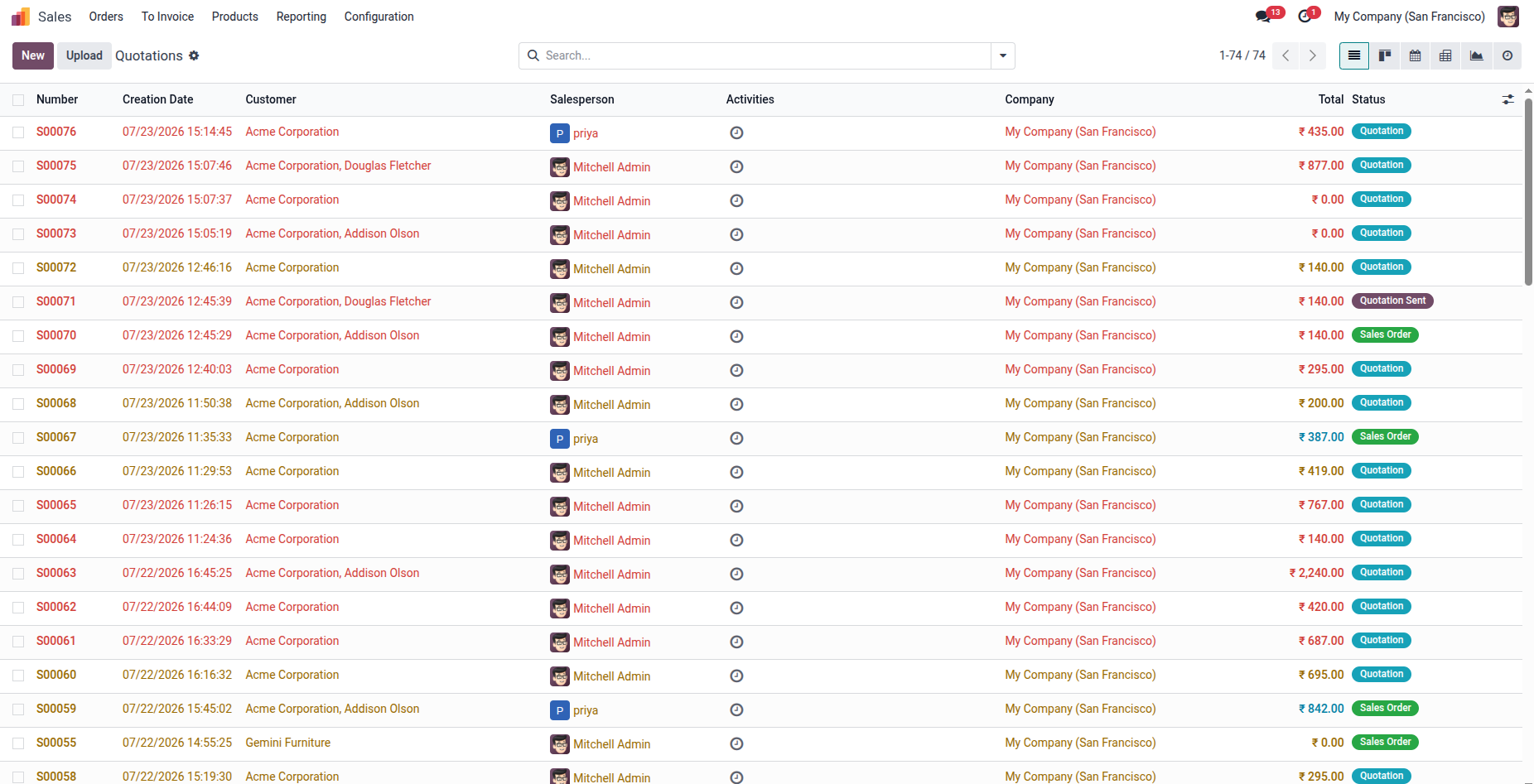
8. In the Quotation tree view, approved sales orders are highlighted in Yellow, while sales orders that are not approved are highlighted in Red.
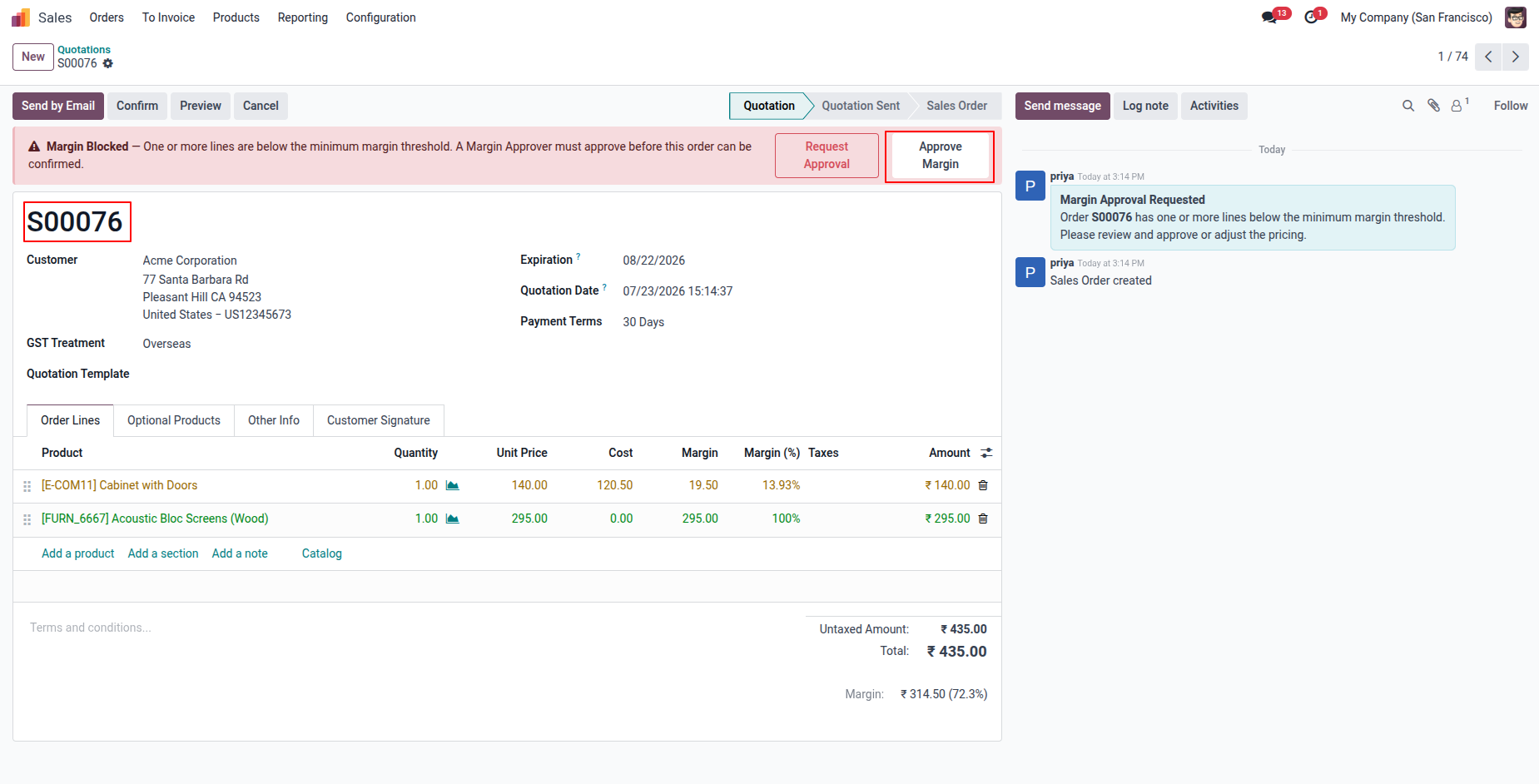
9. after, the approval is requested, allowing them to directly grant approval and unblock the order for confirmation.
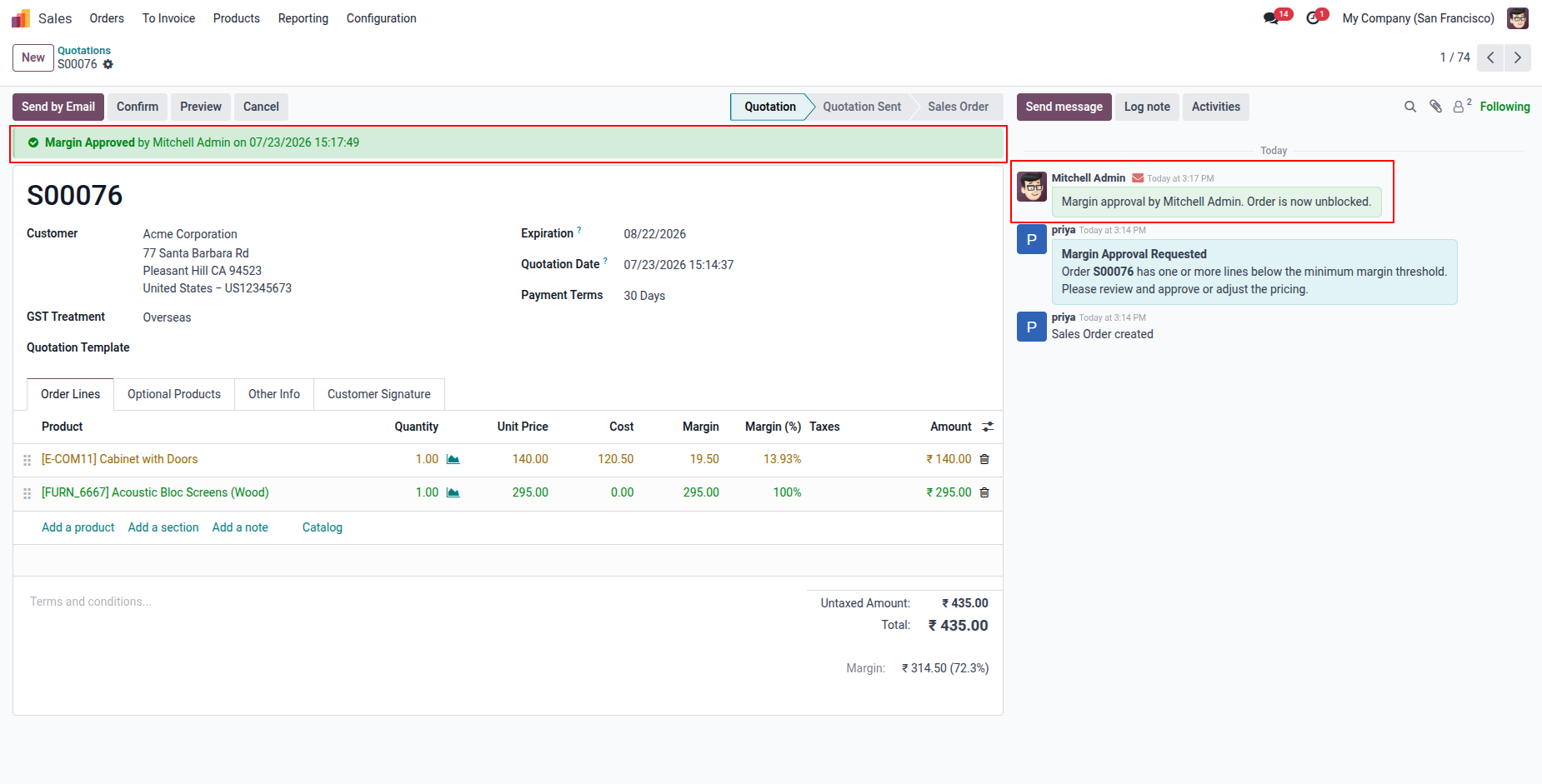
10. Once approved, a green "Margin Approved" banner replaces the red warning, and a chatter message confirms "Margin approval by Mitchell Admin. Order is now unblocked," allowing the order to proceed to confirmation.
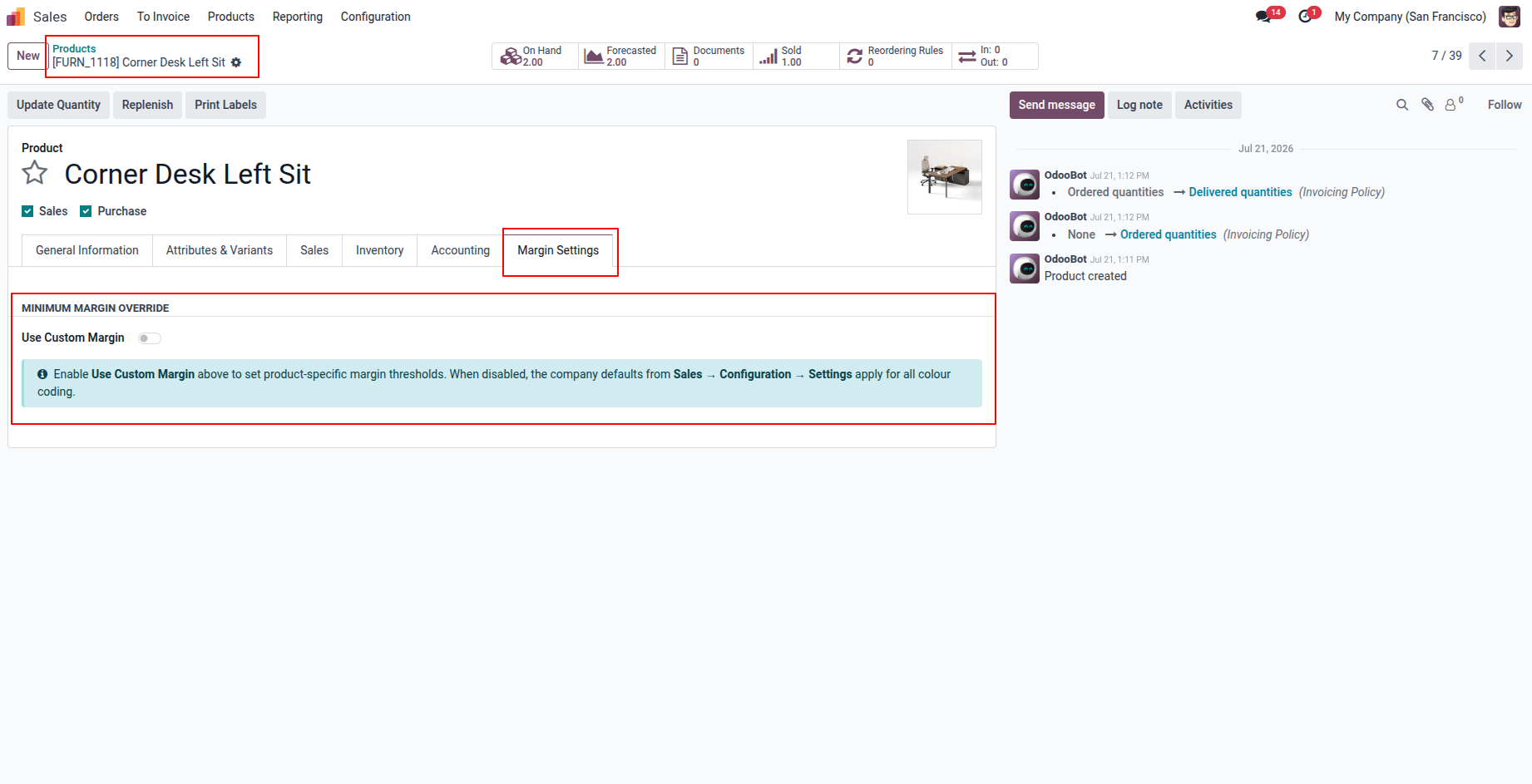
11. Each product has a dedicated "Margin Settings" tab showing the "Minimum Margin Override" section. When "Use Custom Margin" is disabled, the company-level margin defaults apply for all colour coding on that product.
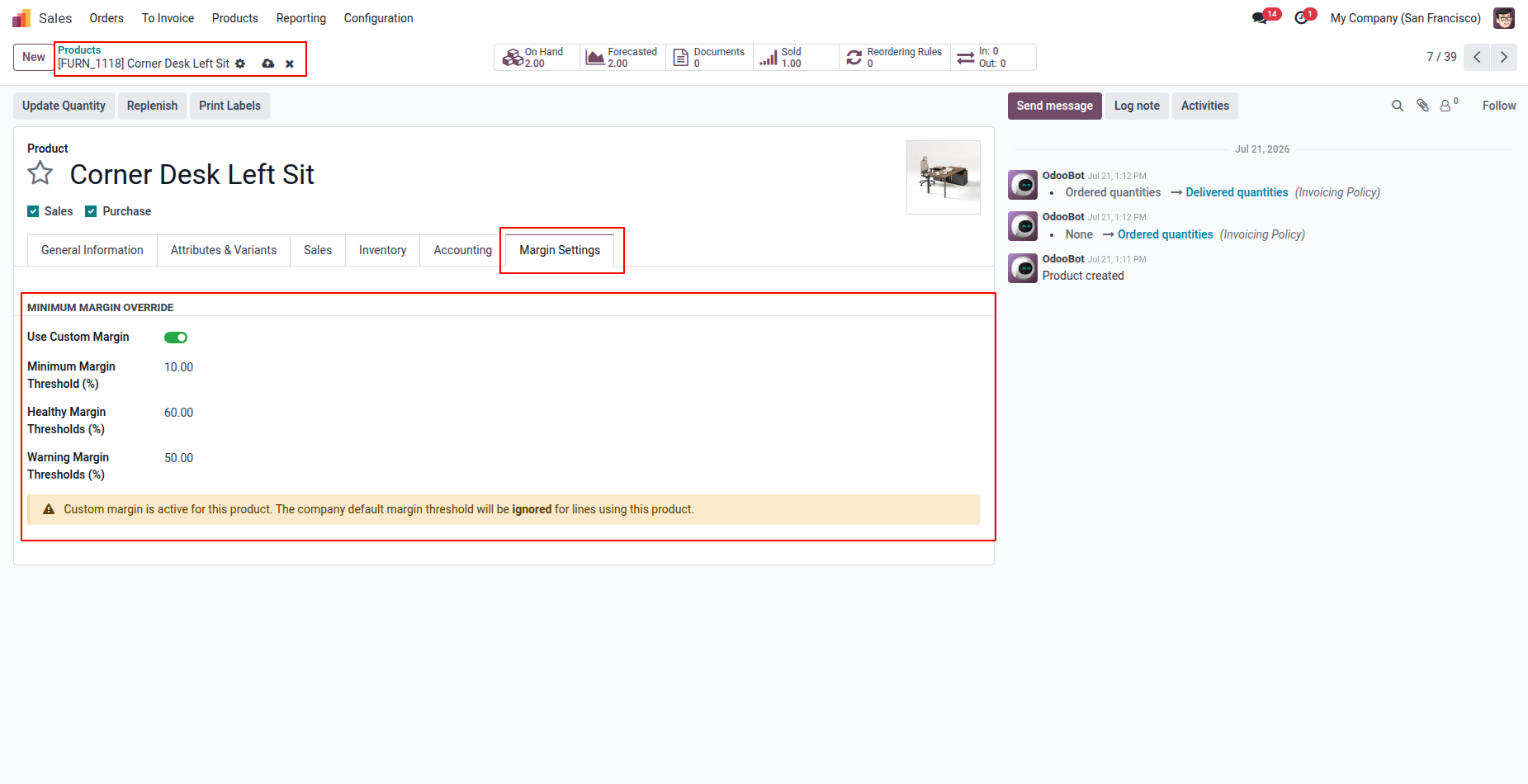
12. When "Use Custom Margin" is enabled on a product, product-specific Minimum, Healthy, and Warning Margin Thresholds (%) can be set, overriding company defaults with a clear warning that company defaults will be ignored for this product.
Our solutions focus on your problems
- Odoo Implementation
- Odoo Customization
- ERP Development and Implementation
- Odoo Ipass Cloud
- AI for Odoo
- Odoo Apps
- Aws Marketplace Products
- Business Engines
Our Pricing includes User Manual, 90 Days Support (Monday-Friday 10am to 7pm IST) and One time Setup
• Works & tested on standard installations of Odoo with no third party apps,
• Free support only for odoo installations with no third party apps,
• Paid support available for Odoo installations with third party apps.

Prefortune is a Odoo Official Partner, Odoo Development company. Our philosophy is to use Open Source tools and technologies to provide cost effective and green solutions for our customers.
Prefortune Technologies LLP is working on web development, Mobile development, and Odoo ERP.
If you need any help or want more additional features, you may contact us through:
Alternative Products
These other products might interest you
Specifications
| Version | 19.0, 18.0, 17.0, 16.0, 15.0, 14.0 |