
Watch Quick Video

Sales Bonus Quantity
Our all-inclusive
Odoo – Sales Bonus Quantity
module streamlines quantity based offer management in Odoo by automatically applying bonus quantities based on predefined sales bonus rules. Users can set bonus conditions on products, and the system instantly calculates the bonus quantity in quotations and sales orders. Delivery orders, invoices, returns, and reports are updated with accurate bonus product tracking, ensuring smooth operations for retail, wholesale, and distribution businesses. The module also includes Bonus Qty reporting for better sales analysis and supports controlled return management when bonus quantities are involved making promotional and bonus product offers easier to manage and more accurate.
Key Features
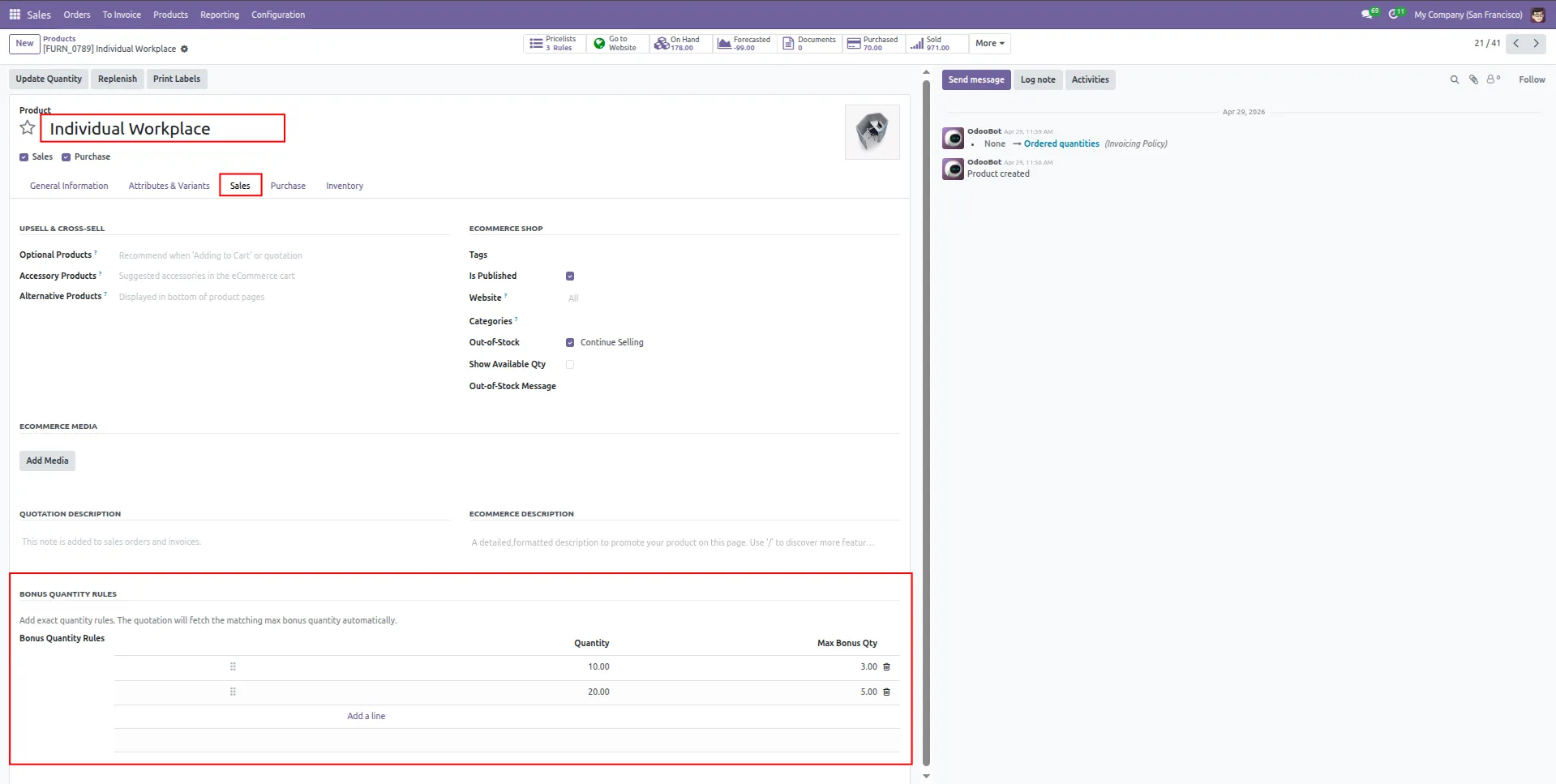
1.This screen allows users to configure bonus quantity rules for products. Admin can define quantities and corresponding Max bonus quantities from the Sales tab of the product form.
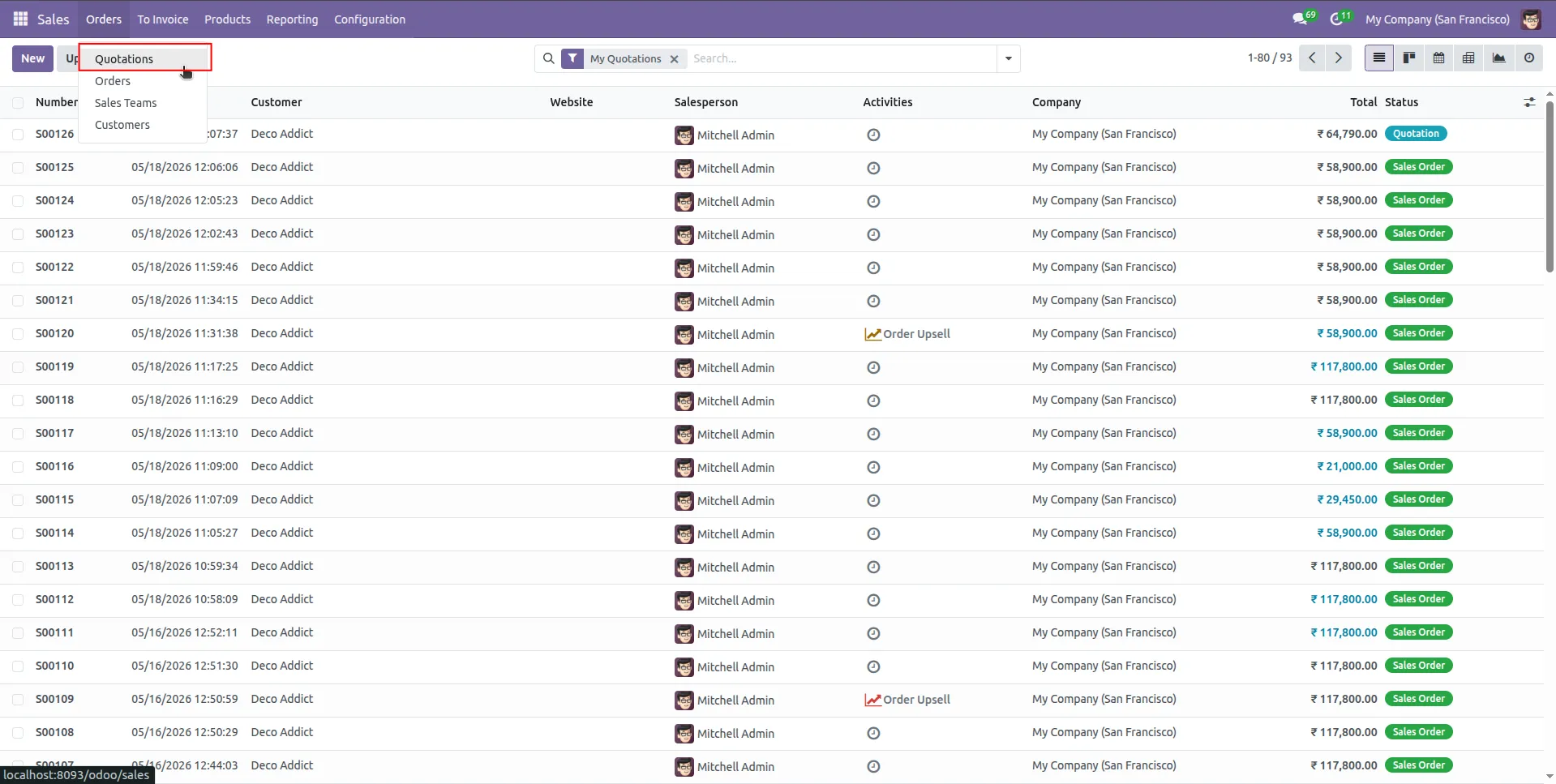
2.creat a new sales quotation.
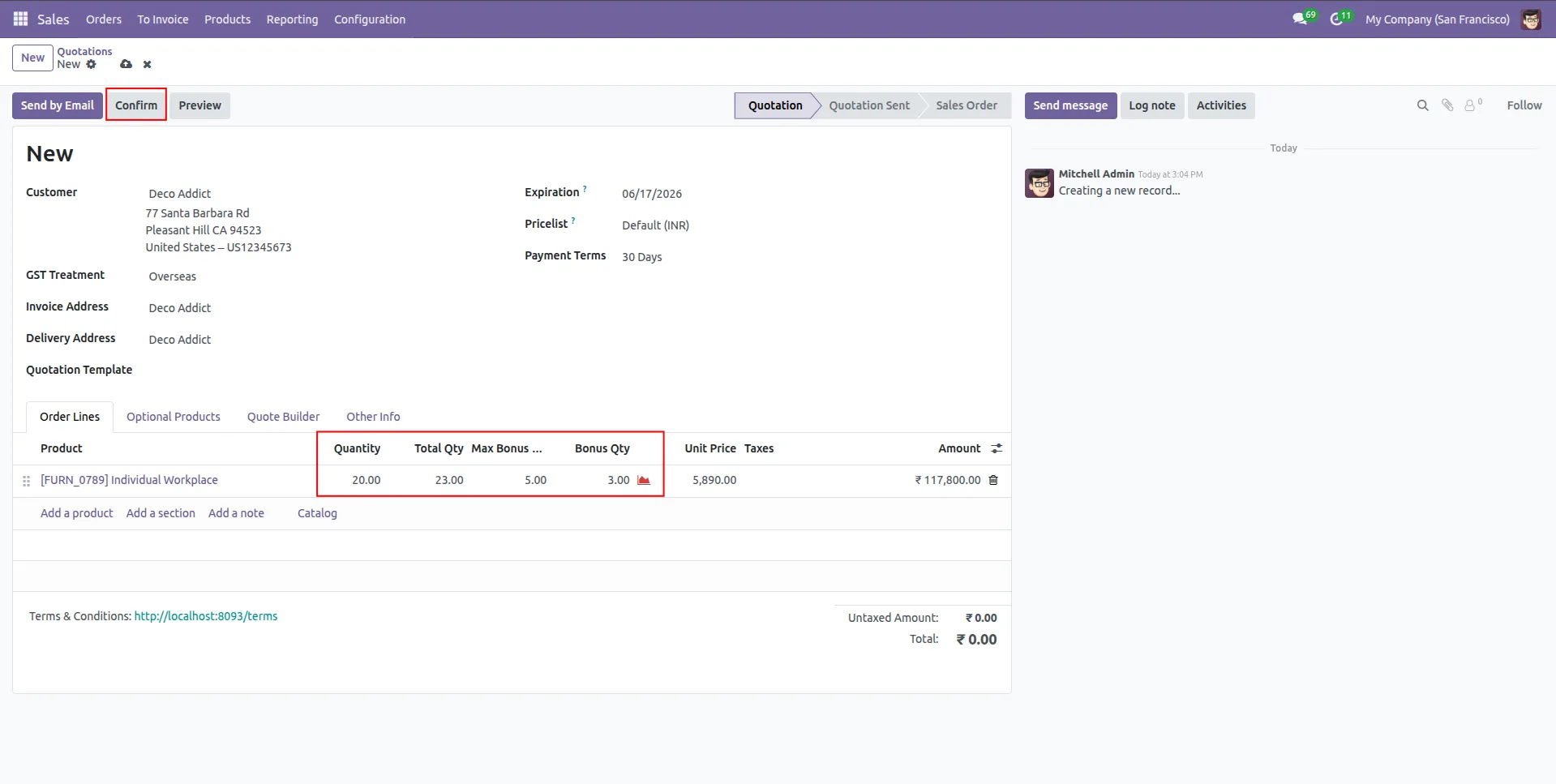
3.In the quotation order lines, three new columns Total Qty, Max Bonus Qty, and Bonus Qty are added to automatically display the total quantity, maximum bonus quantity, and applied bonus quantity for the selected product.
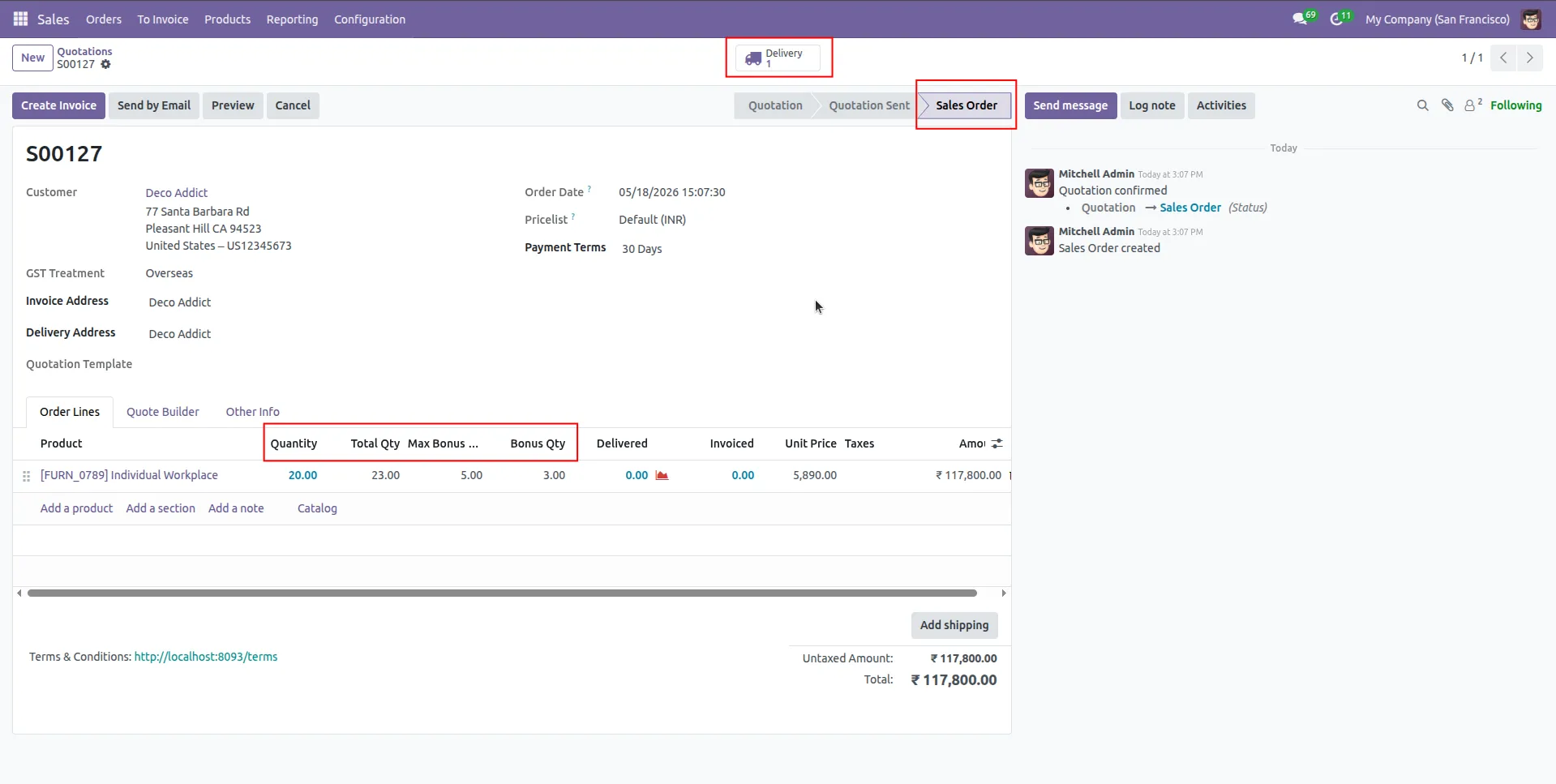
4.After confirming the quotation, converts into a sales order and generates the related delivery order with total quantities including bonus quantities.
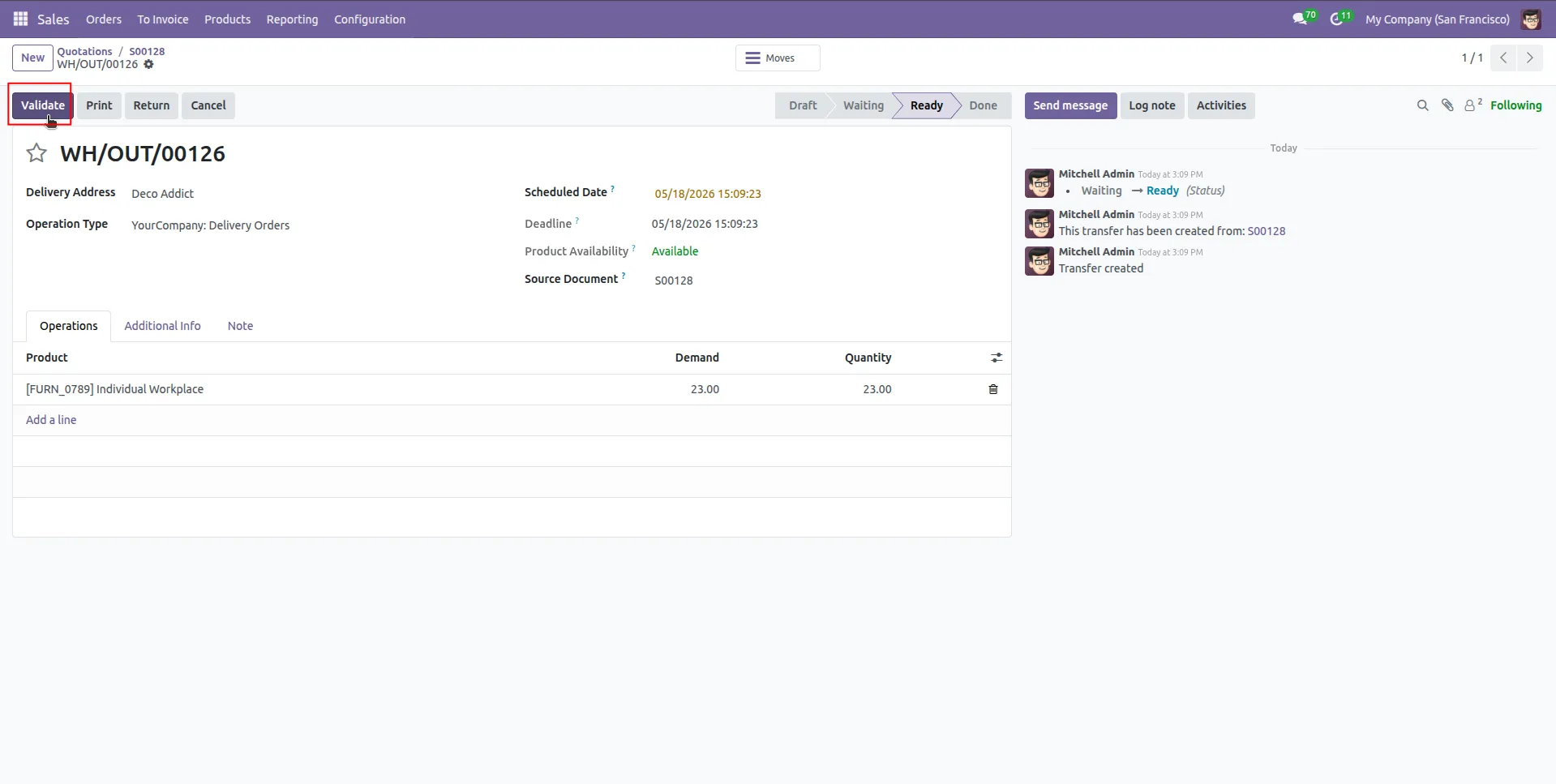
5.This screen displays the delivery order validation process where users can validate product delivery quantities including bonus items.
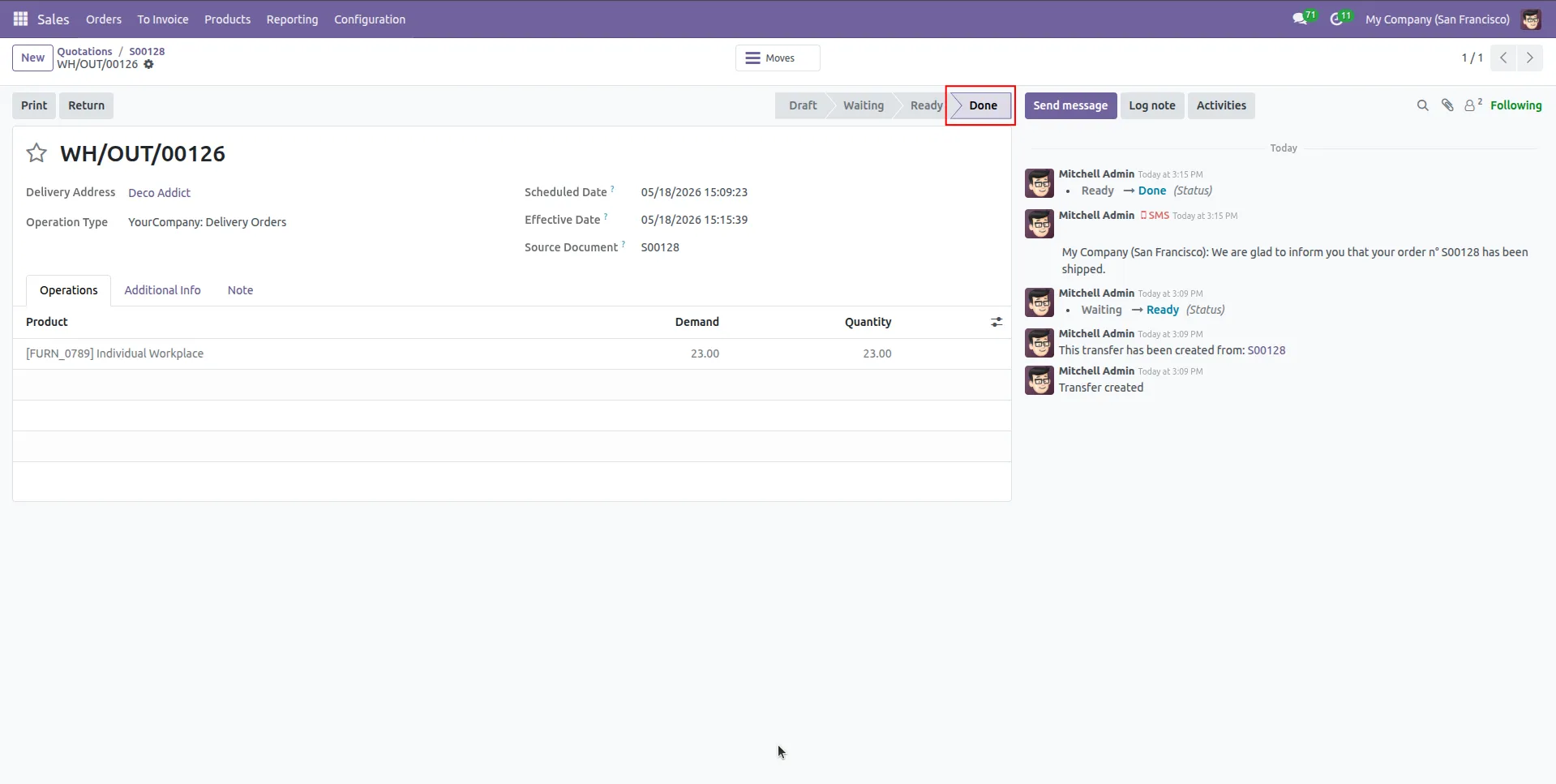
6.After validating the delivery order, the stock transfer is successfully completed and the delivery status is updated to Done with the final quantity including bonus quantity.
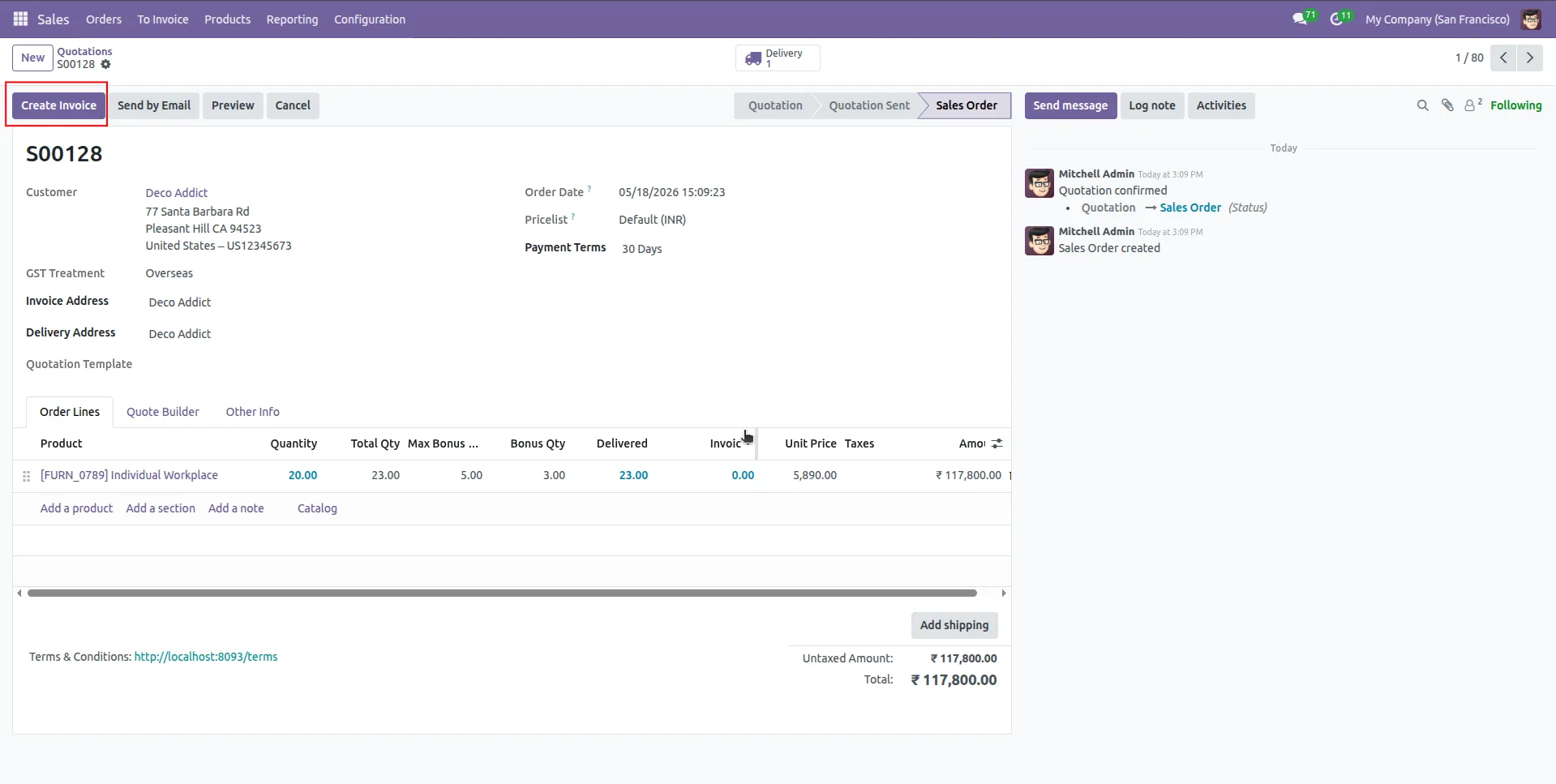
7.After confirming the sales order, users can create an invoice.
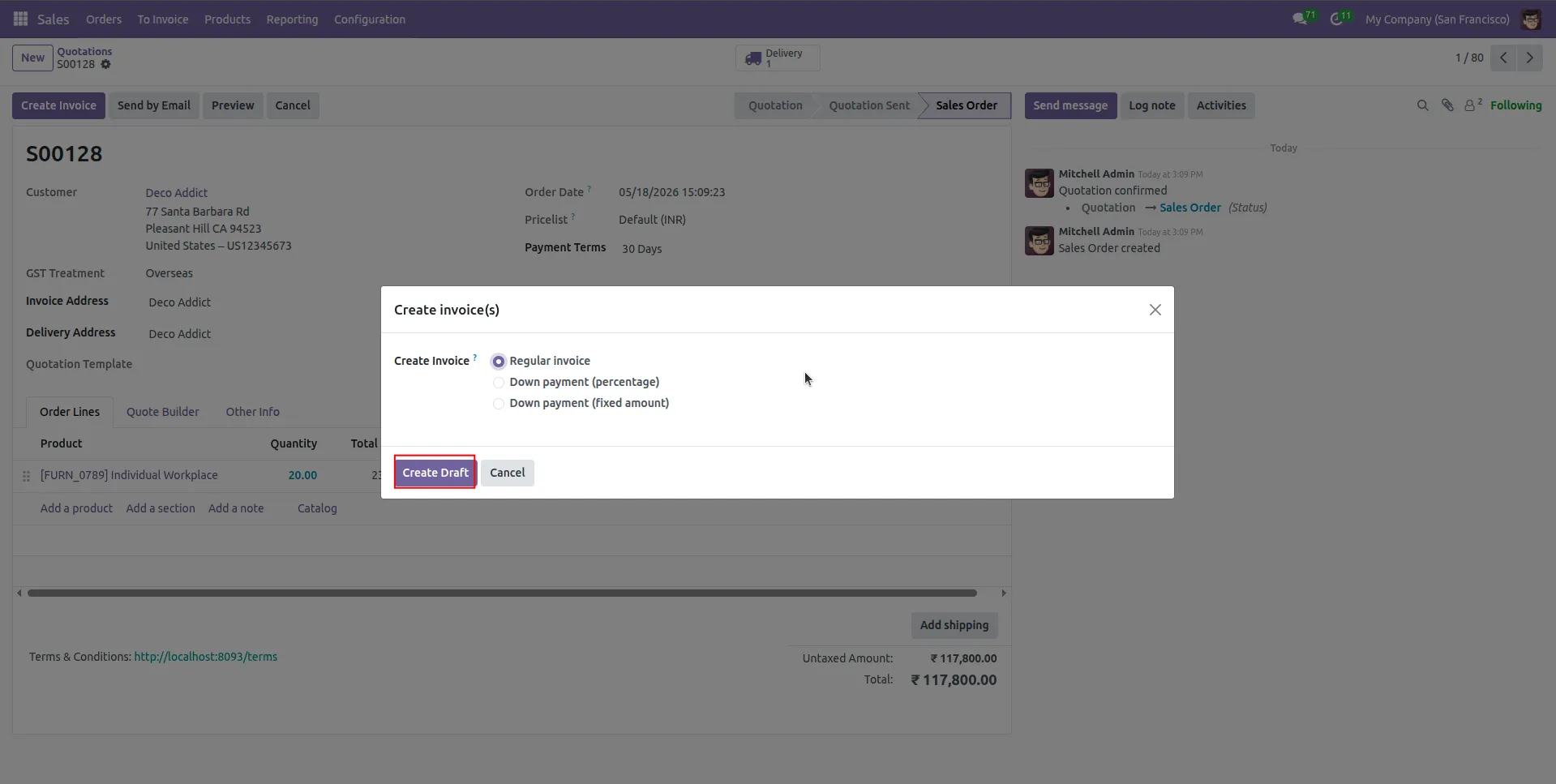
8.Create a Draft.
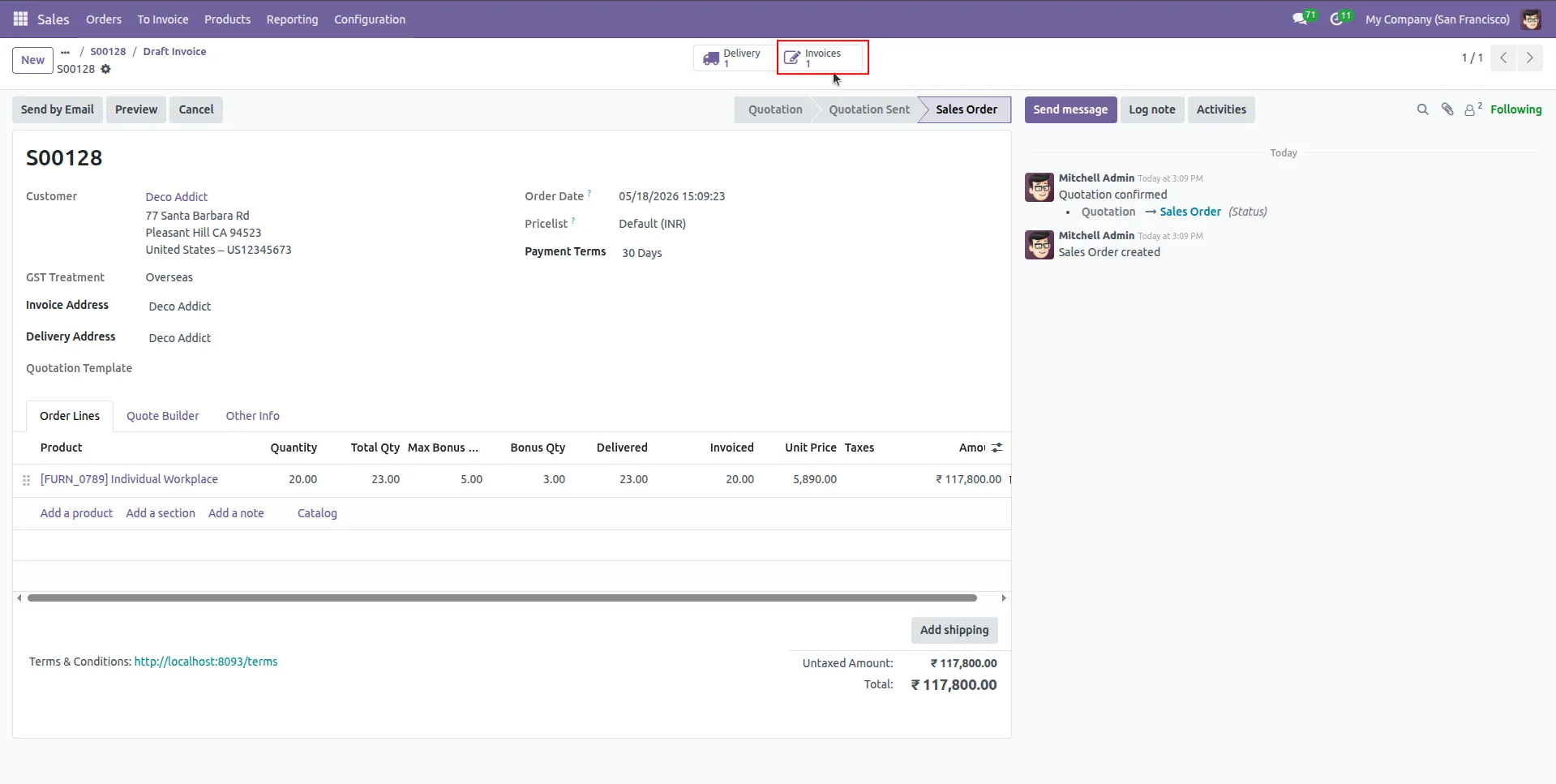
9.Select a Invoices.
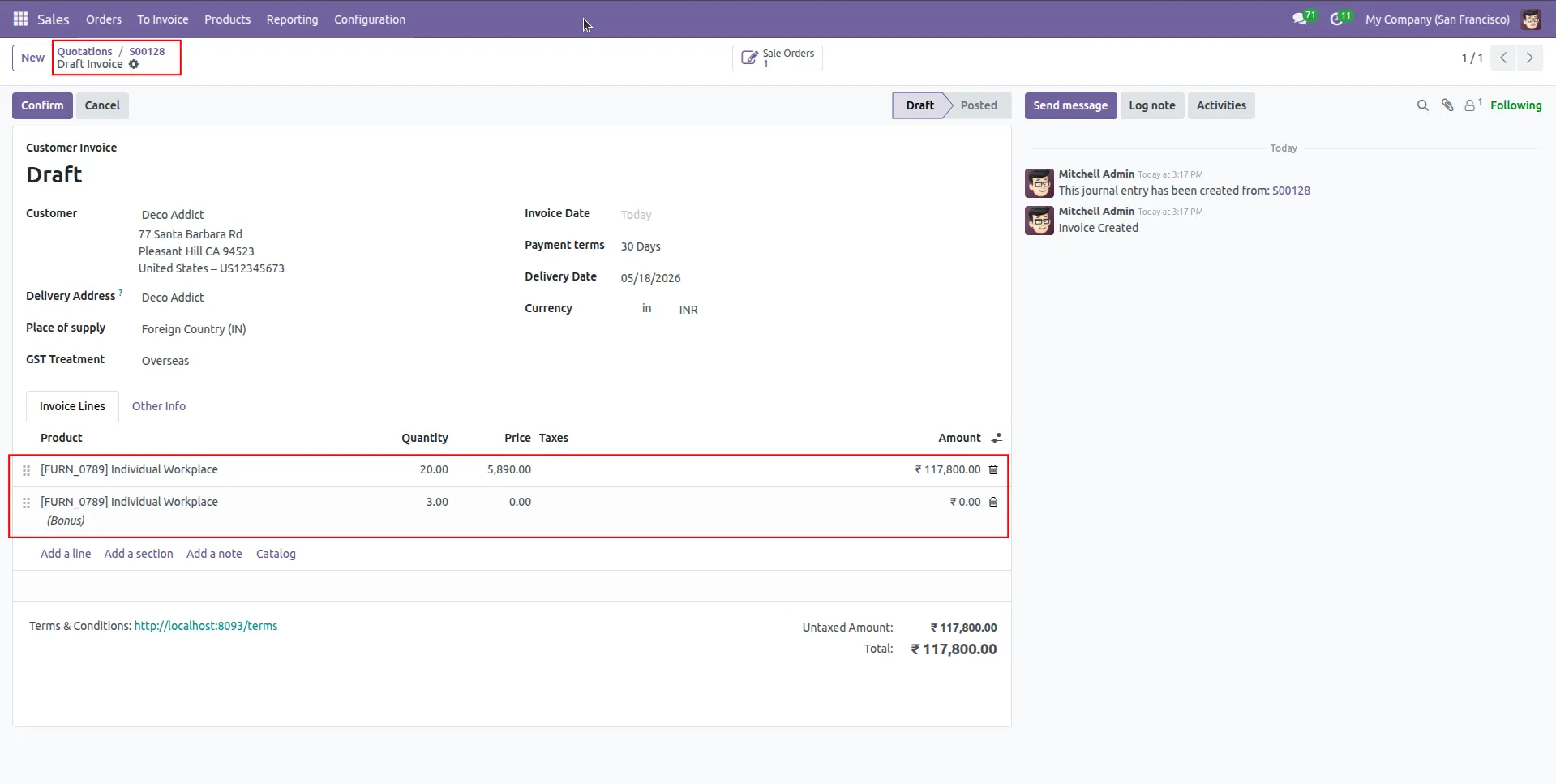
10.main product quantity and bonus quantity are displayed separately with accurate pricing and zero cost for bonus items.
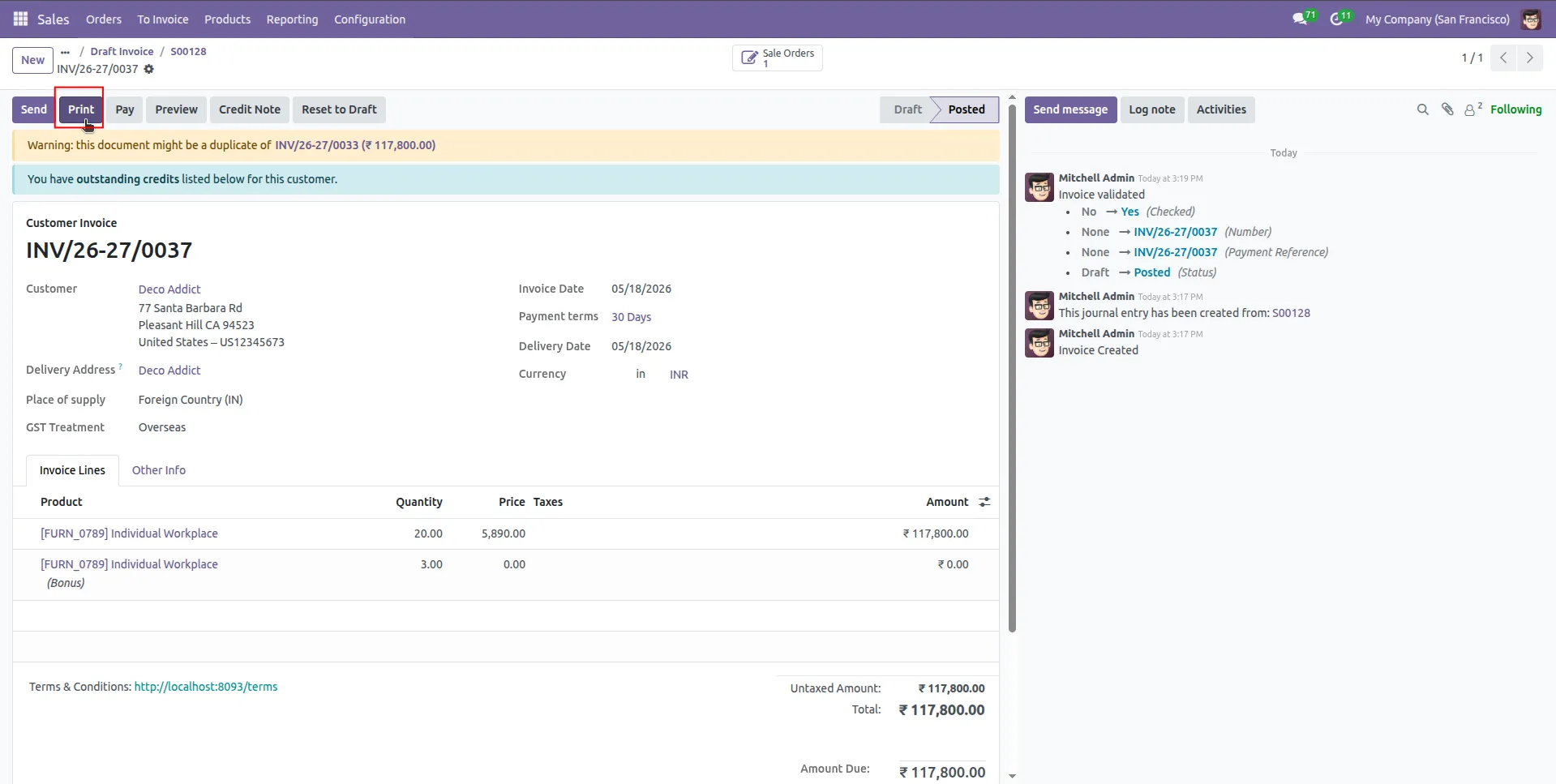
11.After confirming the invoice, print the invoice.
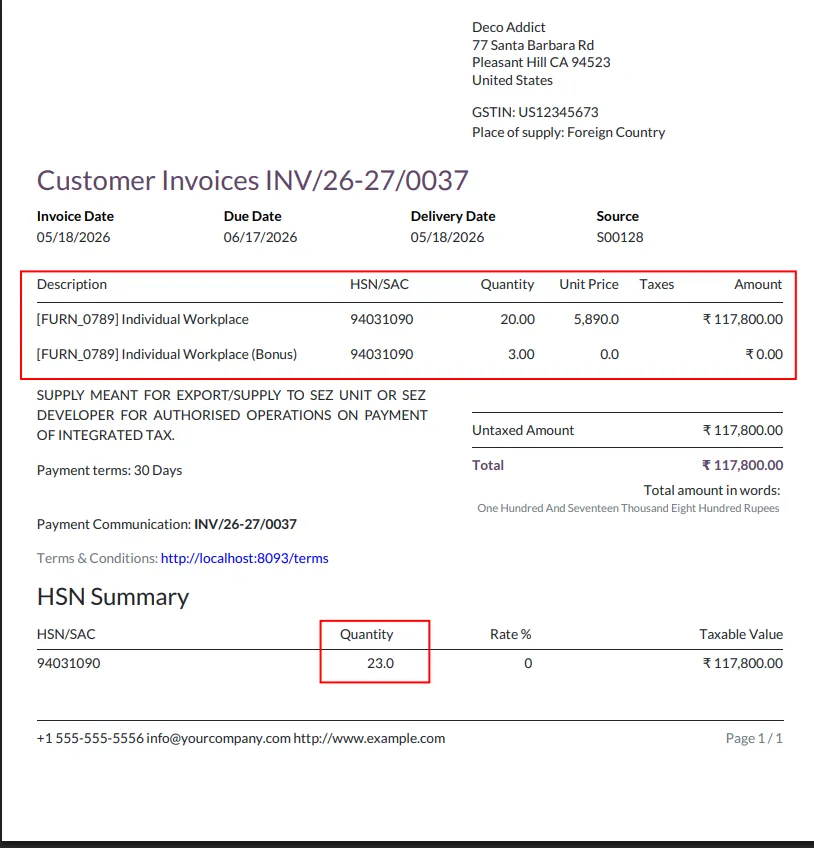
12.The printed customer invoice clearly displays purchased quantities and bonus quantities separately.
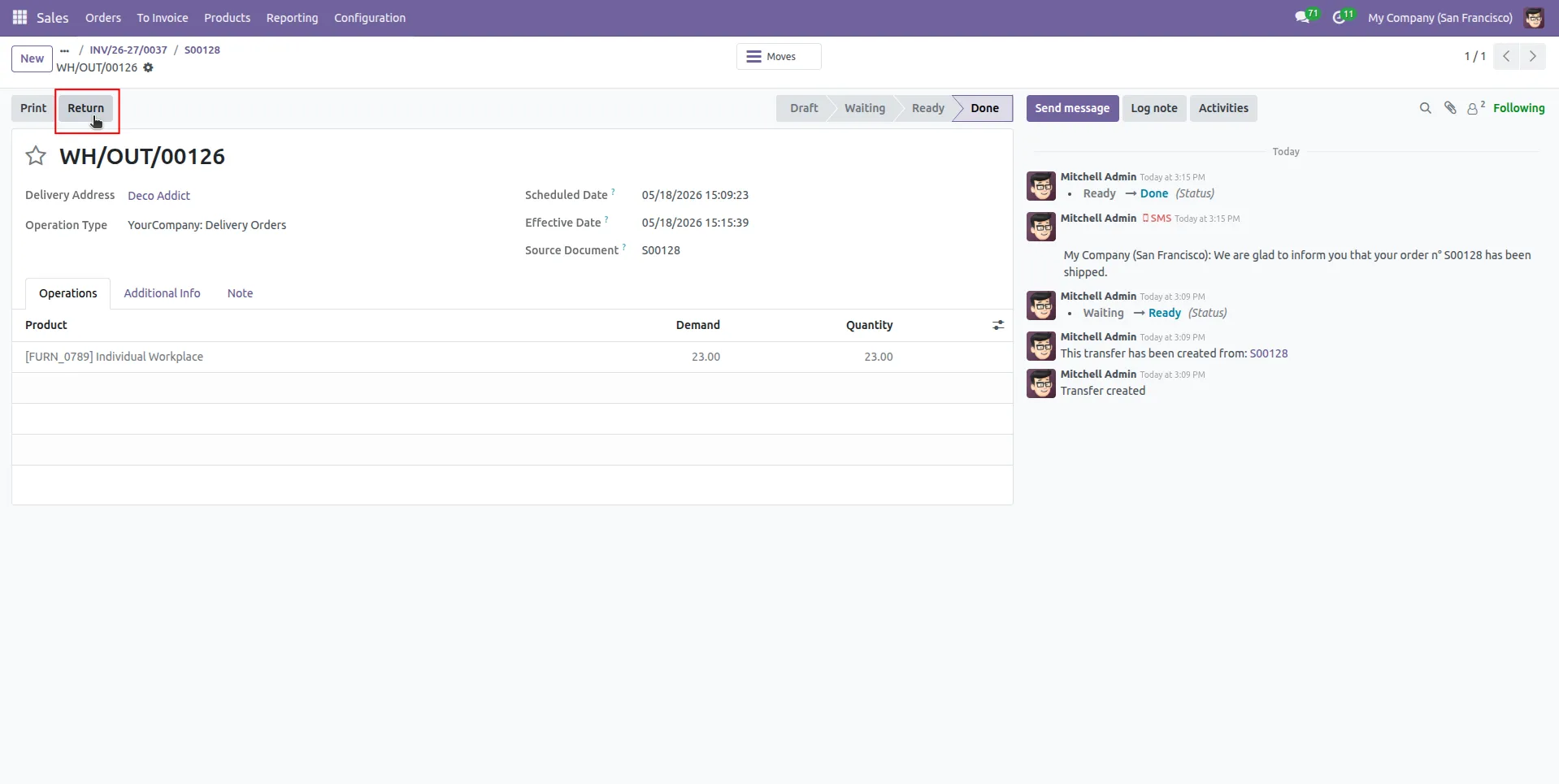
13.users can use the Return option to create product returns while maintaining accurate tracking of delivered quantities and bonus quantities.
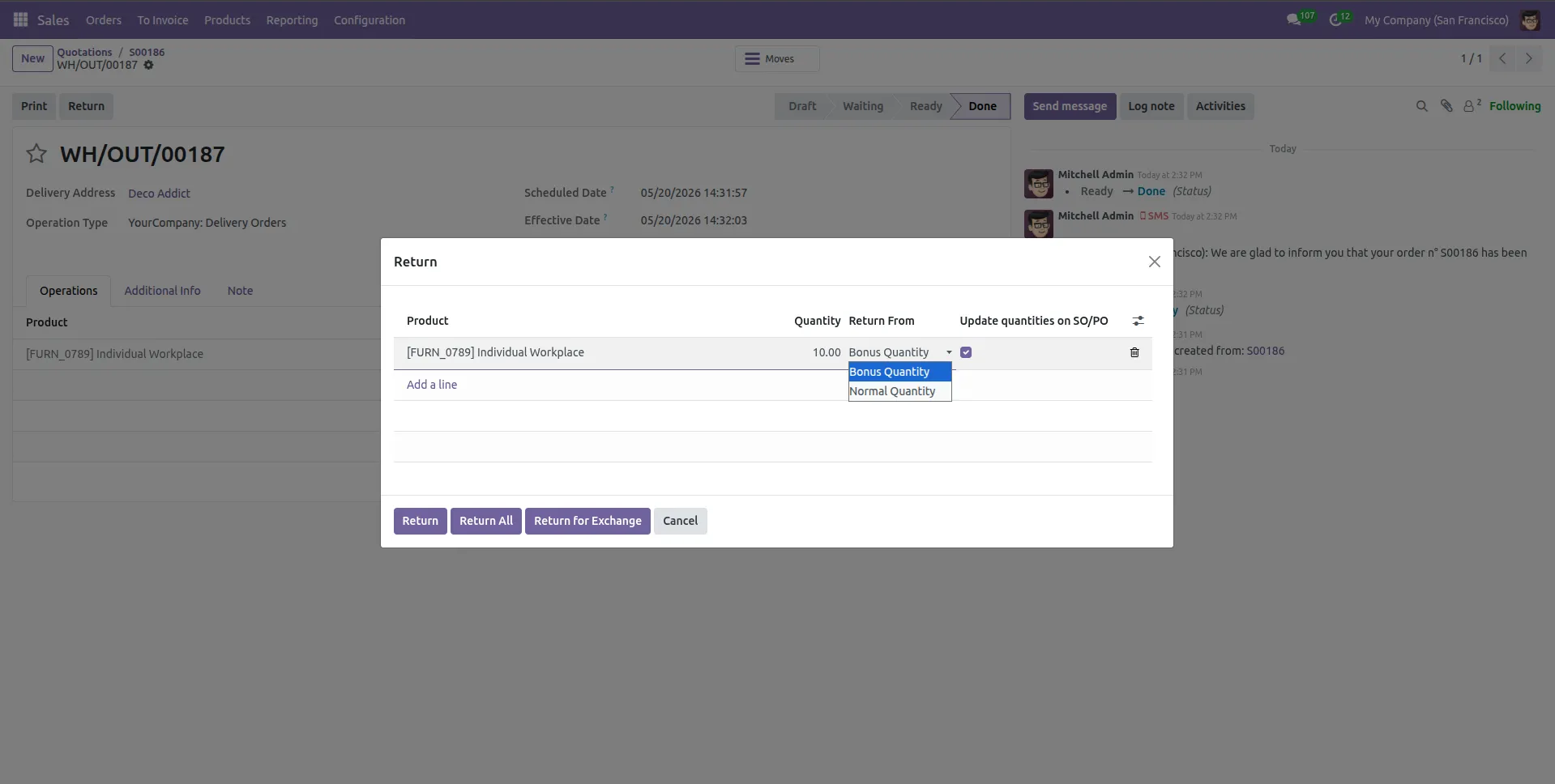
14.The return wizard allows users to return quantity as either Bonus Quantity or Normal Quantity, while optionally updating related Sales Order quantities, now user select bonus qty.
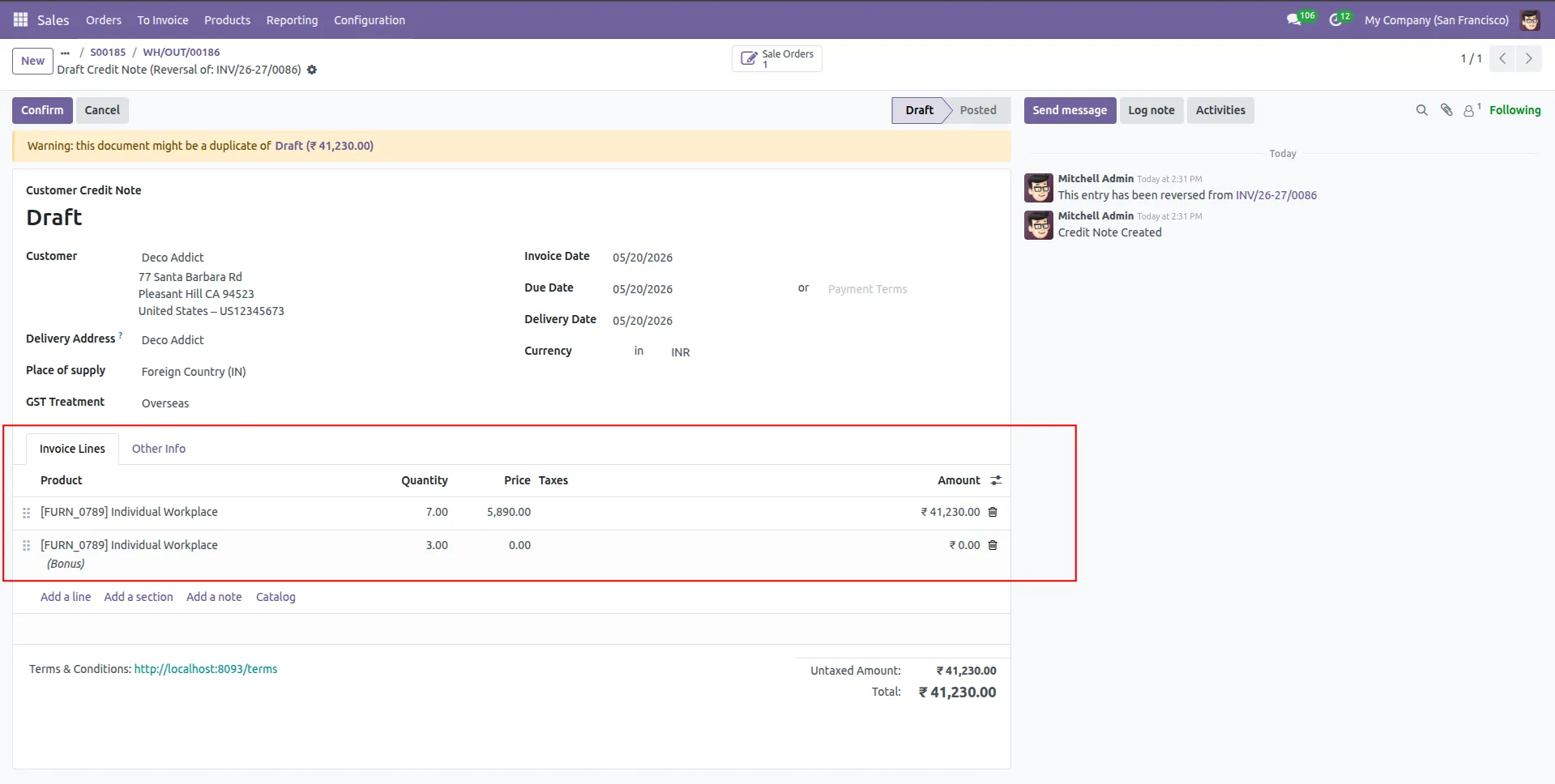
15.Customer Credit Note showing separate invoice lines for Normal Quantity and Bonus Quantity after return processing.
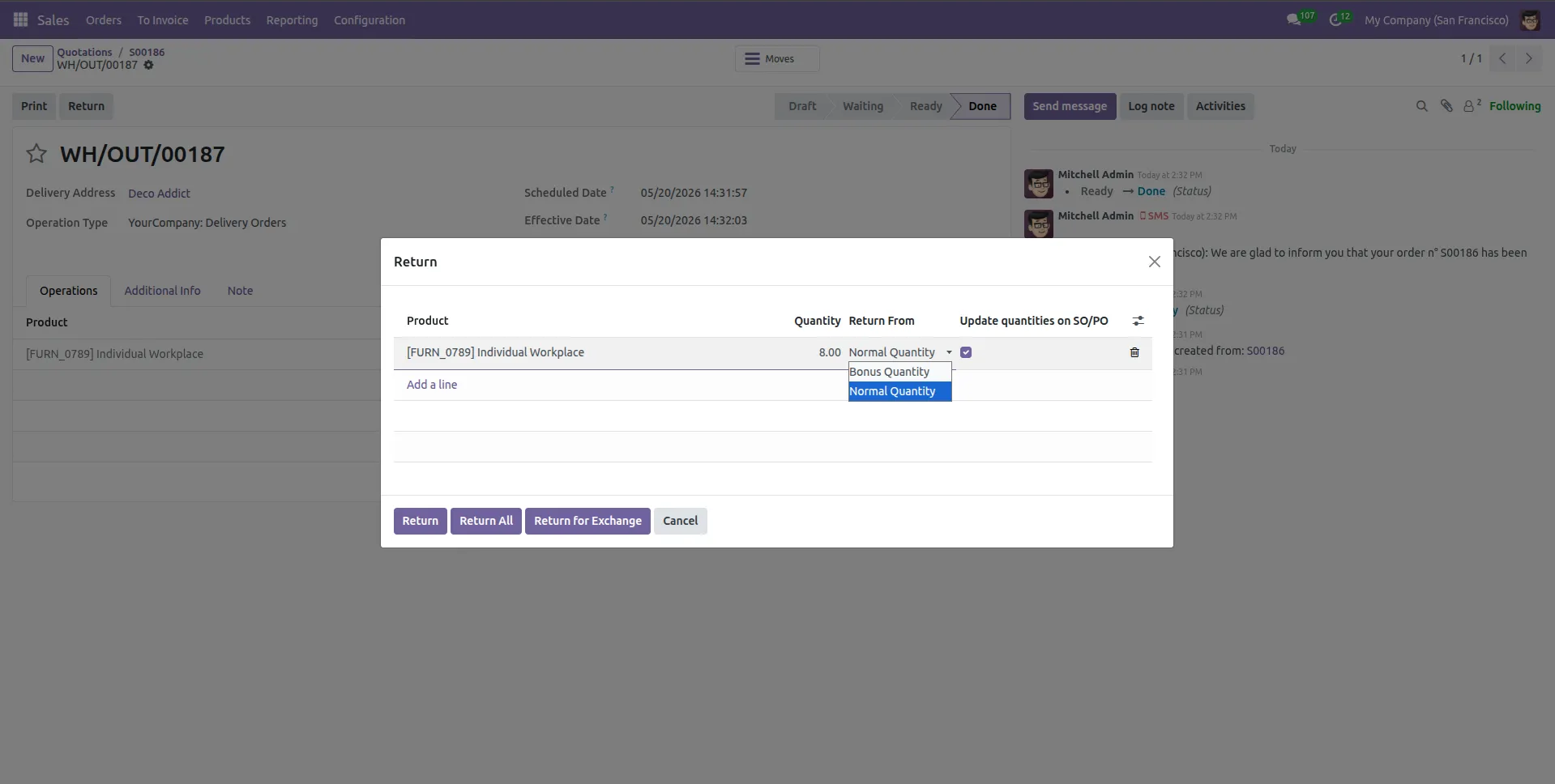
16.The return wizard allows users to return quantity as either Bonus Quantity or Normal Quantity, while optionally updating related Sales Order quantities, user select normal qty.
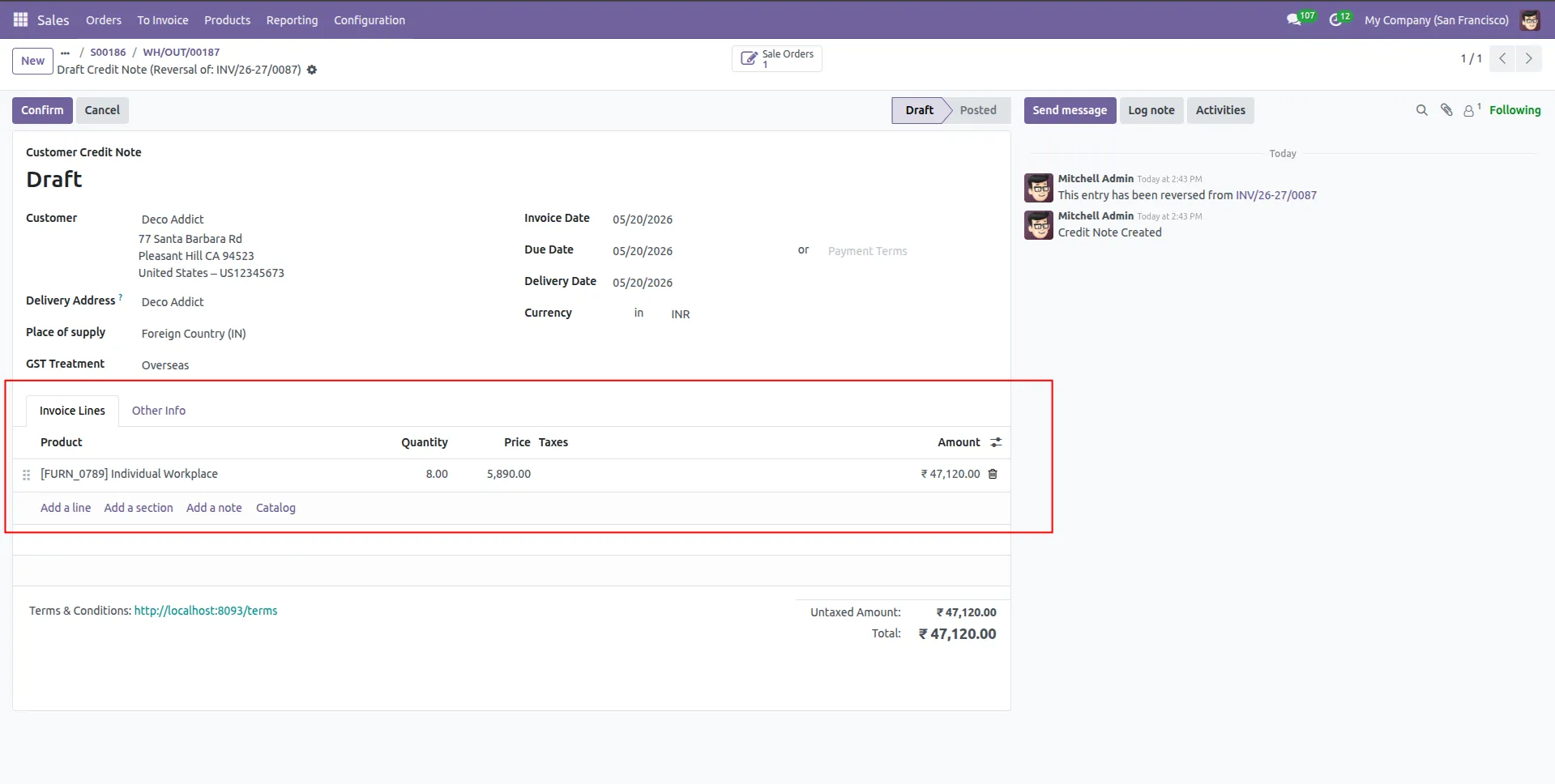
17.Customer Credit Note showing Normal Quantity after return processing.
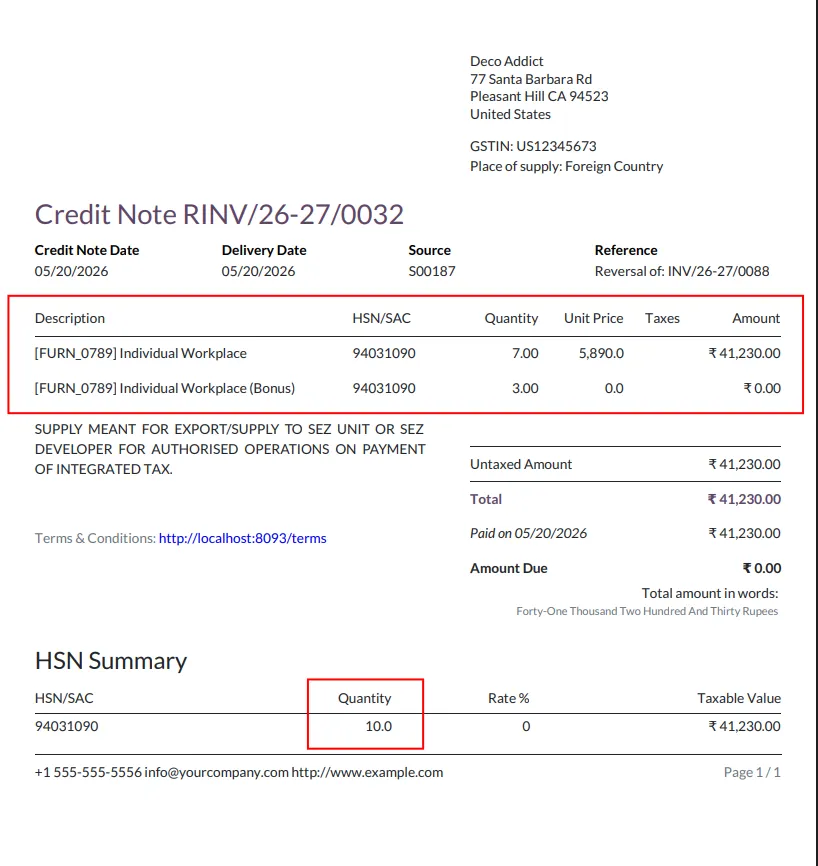
18.updated all the values show in credit note pdf with bonus return qty.
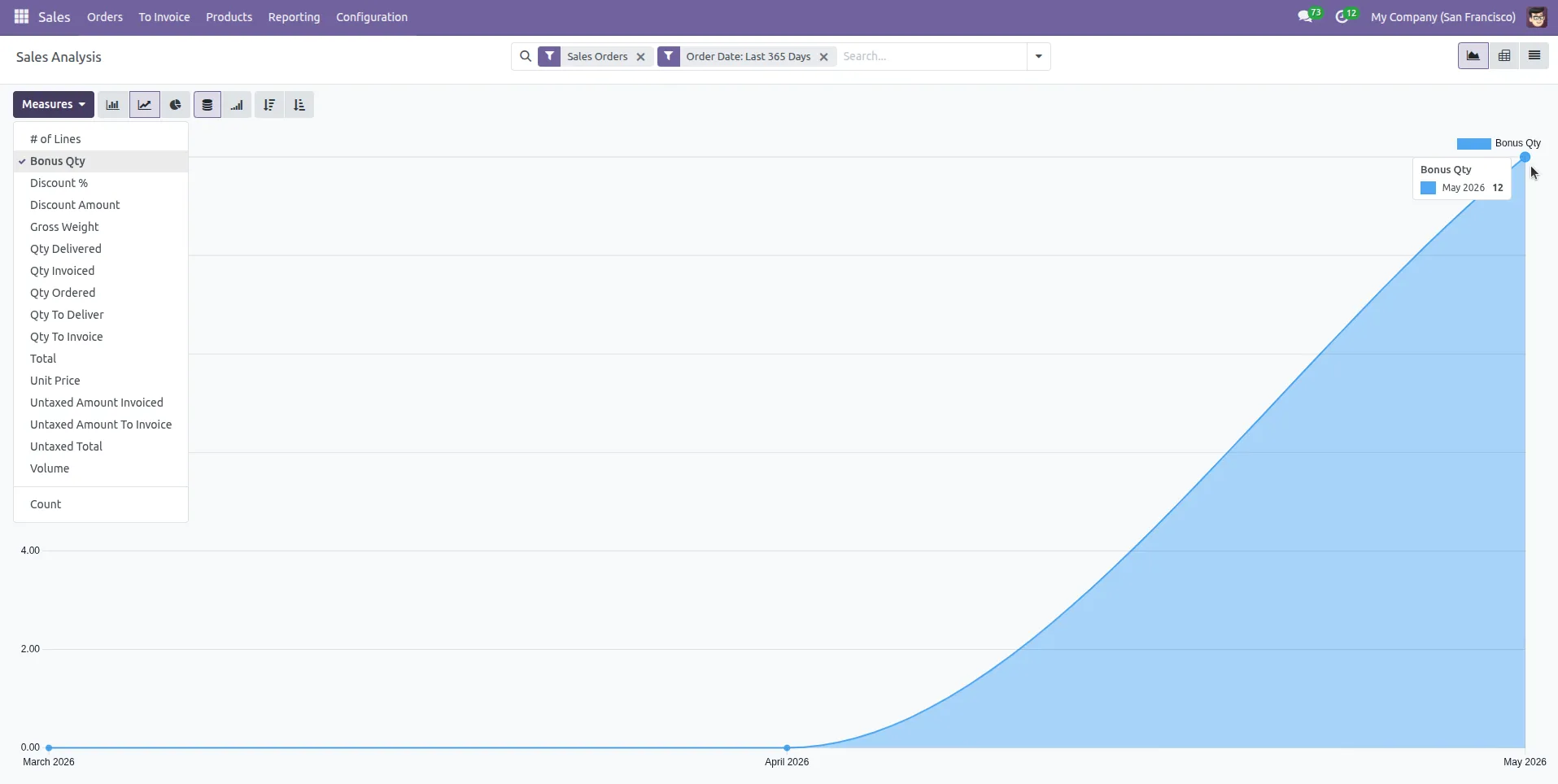
19.The Sales Analysis report includes a new Bonus Qty measure, allowing users to track, analyze, and monitor bonus quantities across sales transactions and reports.
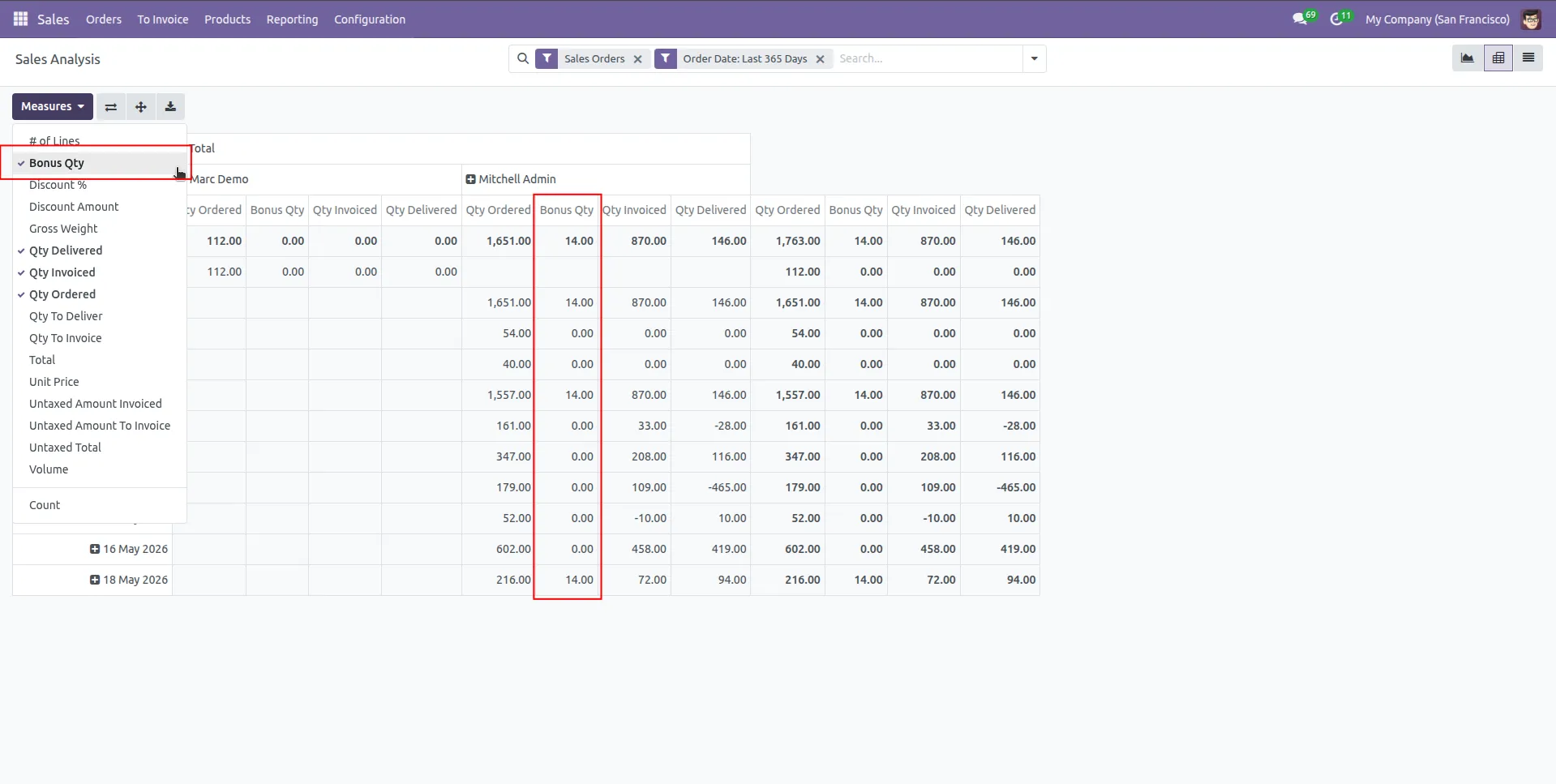
20.The Sales Analysis table includes a dedicated Bonus Qty column, enabling users to view and analyze bonus quantities separately for accurate sales reporting and performance tracking.
Our solutions focus on your problems
- Odoo Implementation
- Odoo Customization
- ERP Development and Implementation
- Odoo Ipass Cloud
- AI for Odoo
- Odoo Apps
- Aws Marketplace Products
- Business Engines
Our Pricing includes User Manual, 90 Days Support (Monday-Friday 10am to 7pm IST) and One time Setup
• Works & tested on standard installations of Odoo with no third party apps,
• Free support only for odoo installations with no third party apps,
• Paid support available for Odoo installations with third party apps.

Prefortune is a Odoo Official Partner, Odoo Development company. Our philosophy is to use Open Source tools and technologies to provide cost effective and green solutions for our customers.
Prefortune Technologies LLP is working on web development, Mobile development, and Odoo ERP.
If you need any help or want more additional features, you may contact us through:
Alternative Products
These other products might interest you
Specifications
| Version | 19.0, 18.0, 17.0, 16.0, 15.0, 14.0 |