Watch Quick Video
Sale Price Change Restriction Odoo App
Our all-inclusive
Odoo – Sale Price Change Restriction Odoo App
module enhances pricing control in Odoo by preventing unauthorized users from reducing the unit price on Quotations, Sales Orders, and Customer Invoices. If a user attempts to set a unit price lower than the allowed value, the system immediately triggers a validation message during Save or Confirm, helping businesses enforce pricing policies and avoid unintended revenue loss.
The module features role-based access control, enabling administrators to assign price override permissions to specific users when exceptional approvals are required. It also ensures that once a Sales Order is confirmed, the approved unit price is automatically enforced on the invoice, maintaining consistency between sales and billing while protecting the agreed transaction value.
Built for ease of use, the module integrates seamlessly with Odoo’s existing Sales workflow and requires no complex configuration. By standardizing unit price control while still allowing price increases and authorized flexibility, the Sale Price Change Restriction module helps organizations strengthen pricing discipline, improve financial accuracy, and maintain reliable sales operations..
Sale Price Change Restriction Odoo App
- Prevent users from lowering the unit price below the allowed limit in Quotations, Sales Orders, and Invoices.
- Ensure confirmed Sales Order prices cannot be reduced during invoicing, maintaining pricing consistency.
- Display instant validation messages when users attempt to reduce the unit price below the permitted value.
- Allow administrators to grant price override permissions to authorized users for controlled flexibility.
Complete Workflow for Manage Sale Price Change Restriction App
To get started with the Sale Price Change Restriction Module First Enable Developer Mode and from User & company > User > Access Rights Settings activate the Restrict Sale Price Change option to access the feature to authorized users who should be allowed to modify restricted prices. Create a Quotation or Sales Order and add products as usual. When a user attempts to reduce the unit price below the allowed limit, the system automatically displays a validation message during Save or Confirm, preventing unauthorized price changes. Users with override permission can adjust the price when special approval is required. Once the Sales Order is confirmed, the module continues to protect the approved unit price during invoicing, ensuring that the invoice value cannot be reduced below the confirmed sales price. This maintains consistency between sales and billing while safeguarding your pricing policy. Designed for simplicity, the module works seamlessly within Odoo’s existing Sales workflow with no complex configuration required, helping businesses enforce pricing control and maintain financial discipline across their operations.
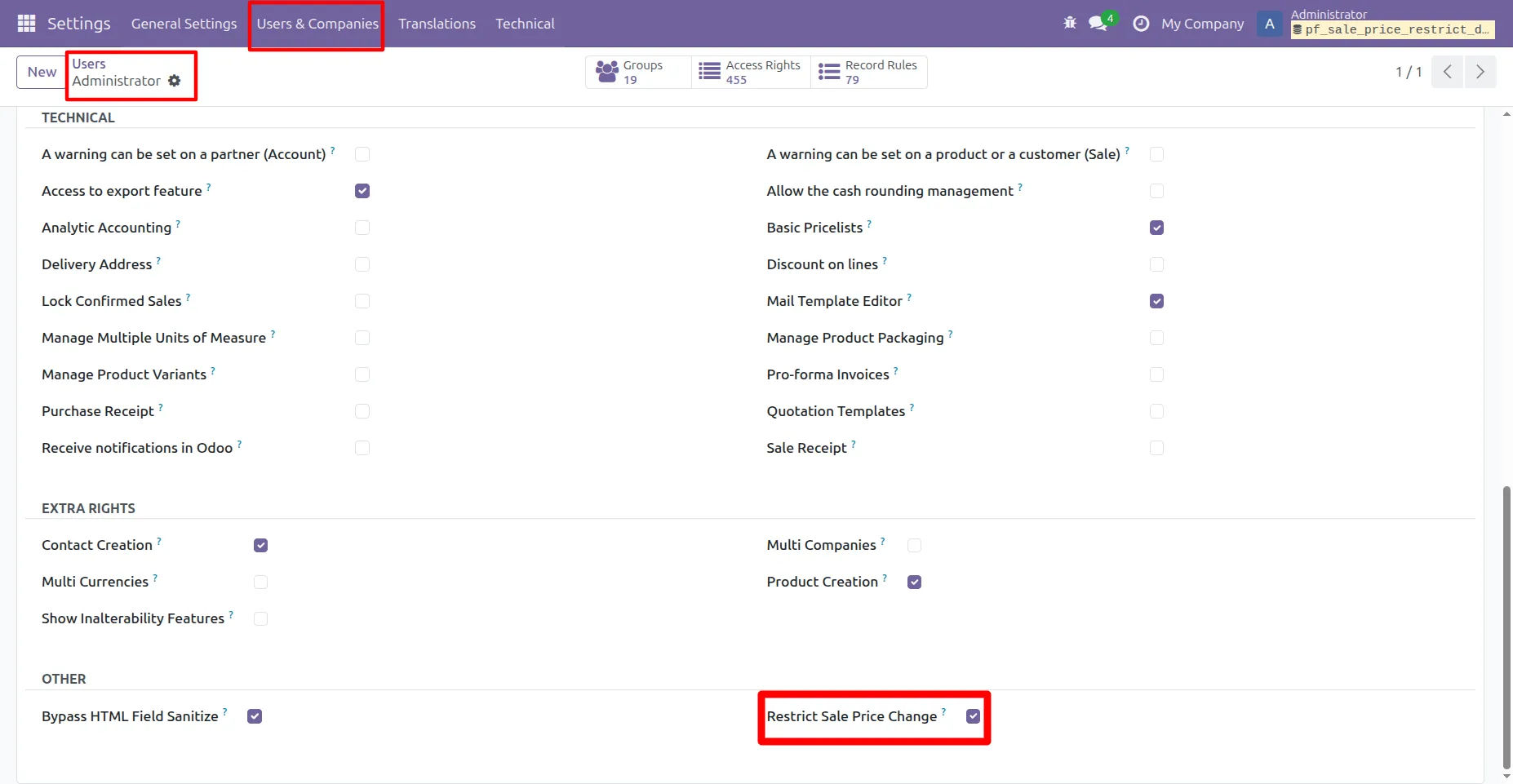
1. [TURN ON DEVELOPER MODE] Then Go to Settings -> User & Companies -> Select user -> In Access Rights -> Other ->Turn ON Restrict Sale Price Change
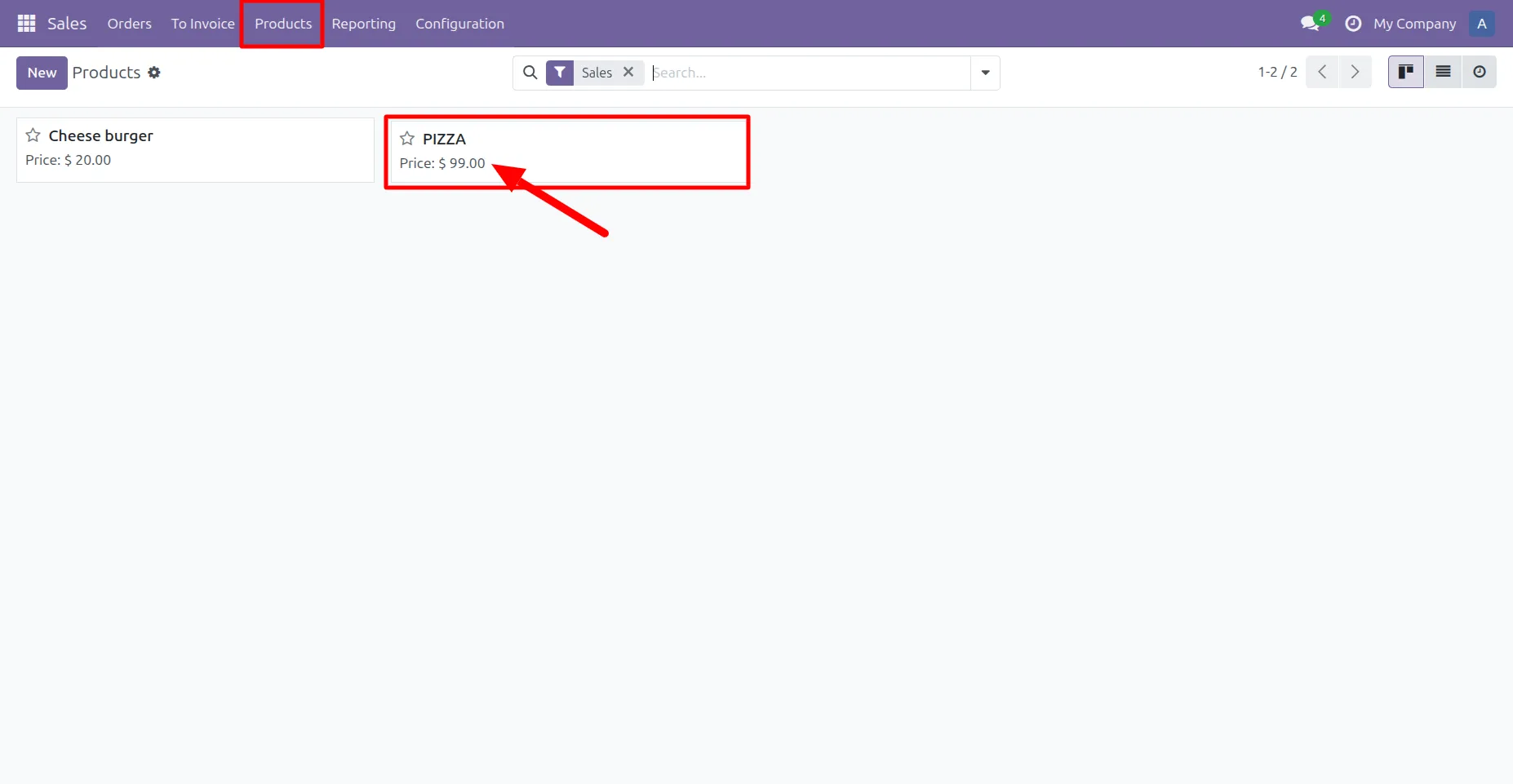
2. Go to Sale -> Product -> Create one product with price
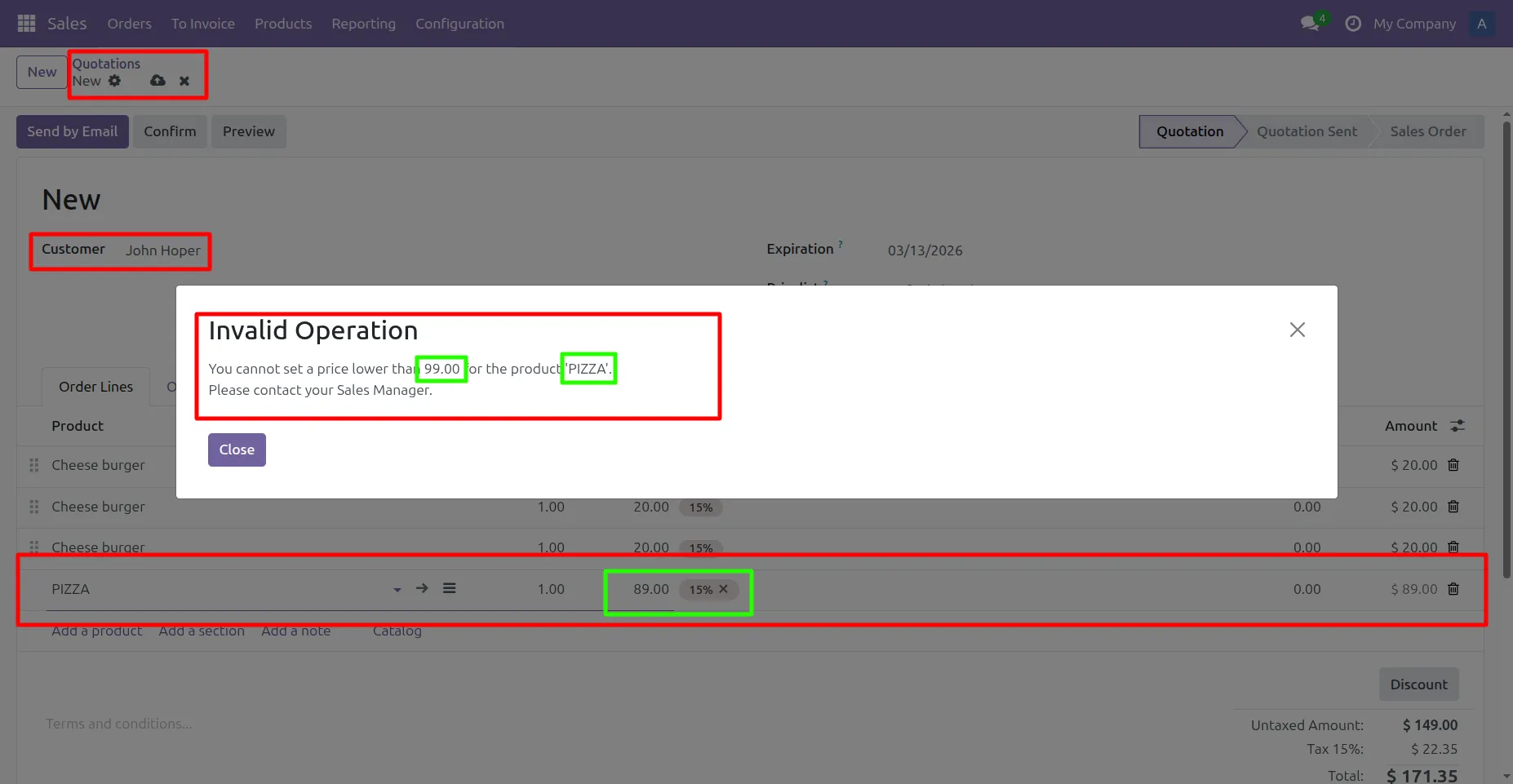
3. While creating a quotation, if a user attempts to reduce the unit price below the (Product's Price), the system immediately blocks the action with a validation message during Save or Confirm.
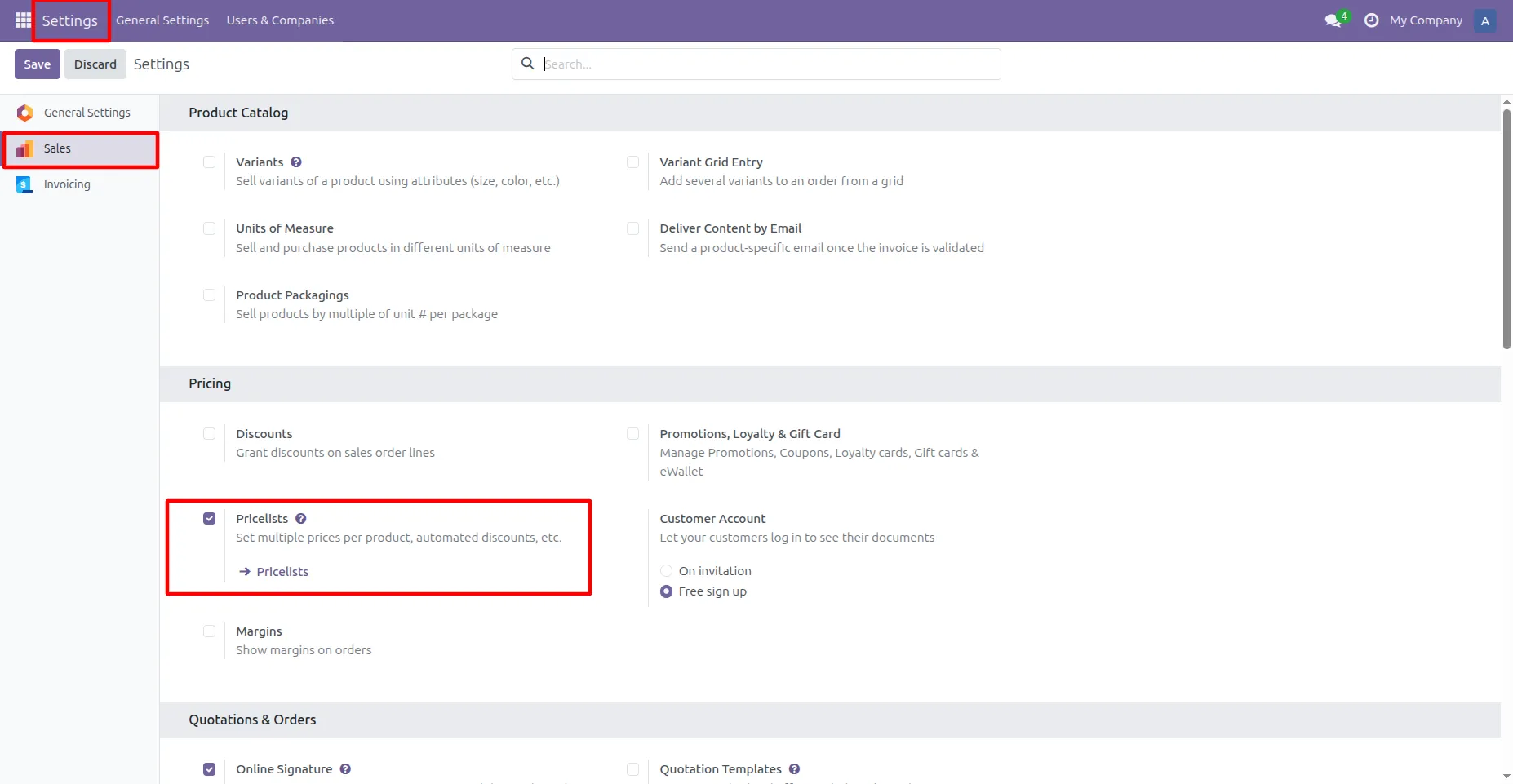
4.Go to Settings -> Sale -> Turn on the Pricelist
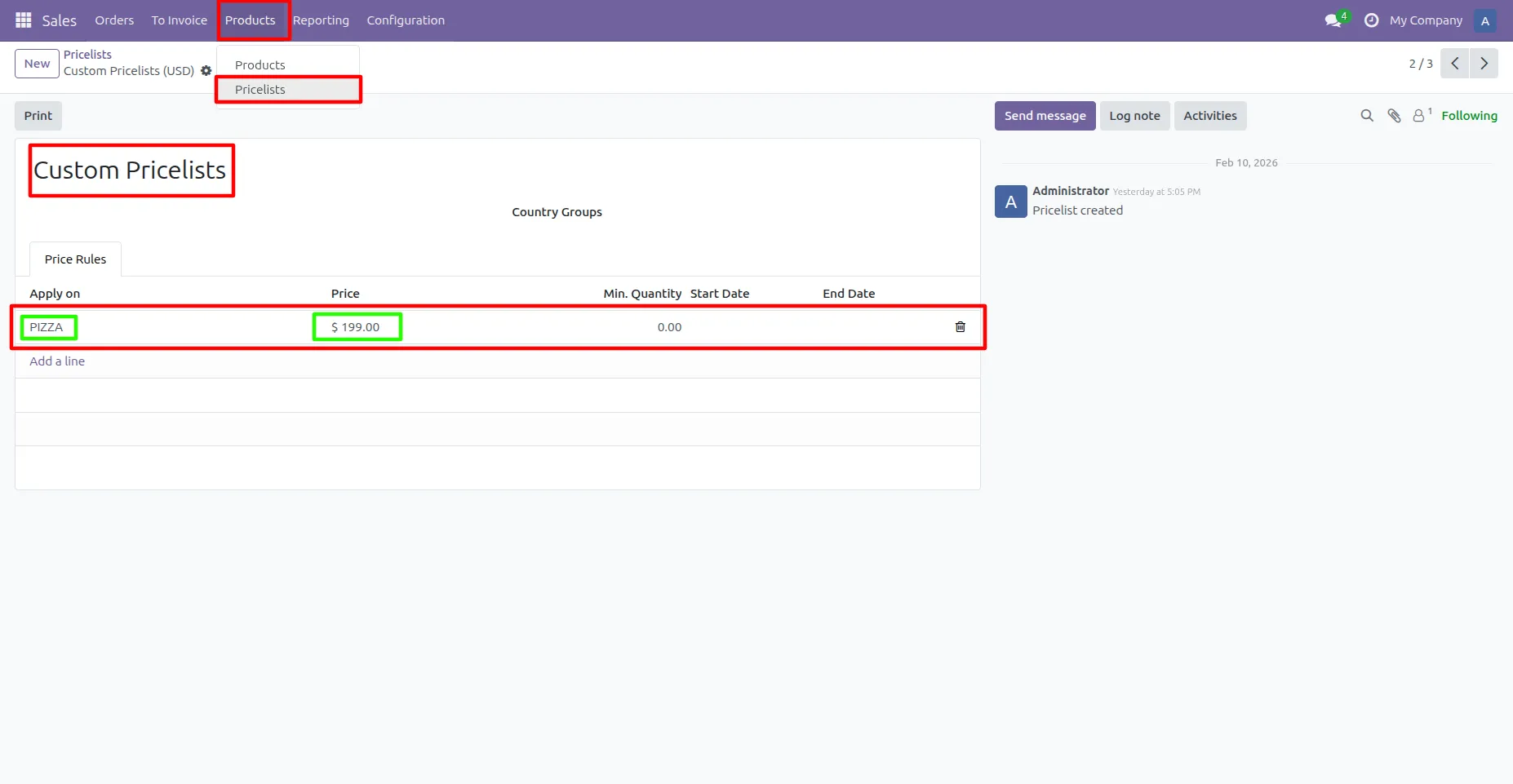
5. The product “Pizza” has a default price of $99. In this custom pricelist, its price is set to $199, and the quotation reflects the updated pricelist price accordingly.
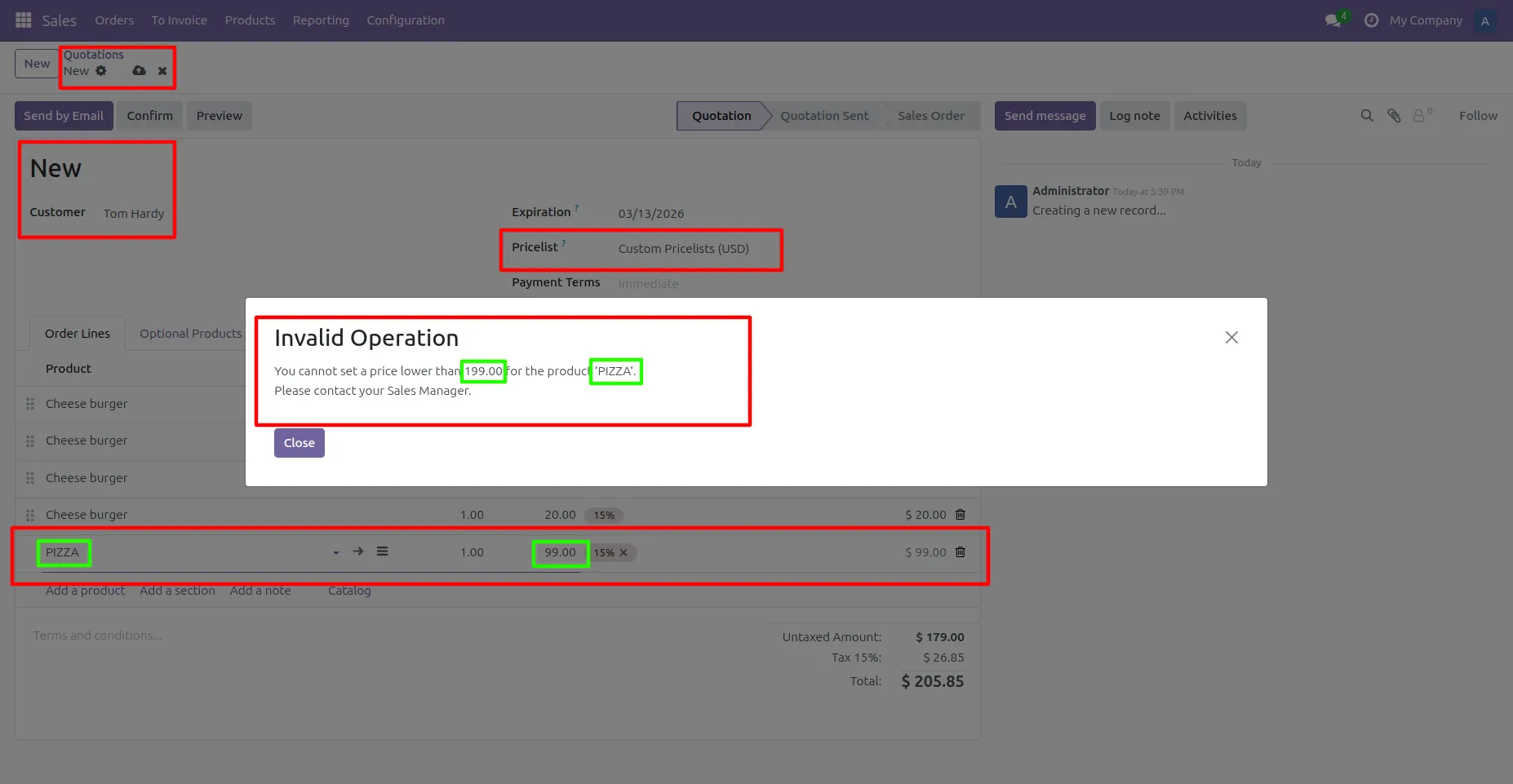
6. When the custom pricelist is applied to the quotation, the product “Pizza” is automatically priced at $199. If a user attempts to reduce the unit price below the pricelist value, the system immediately blocks the action with a validation message
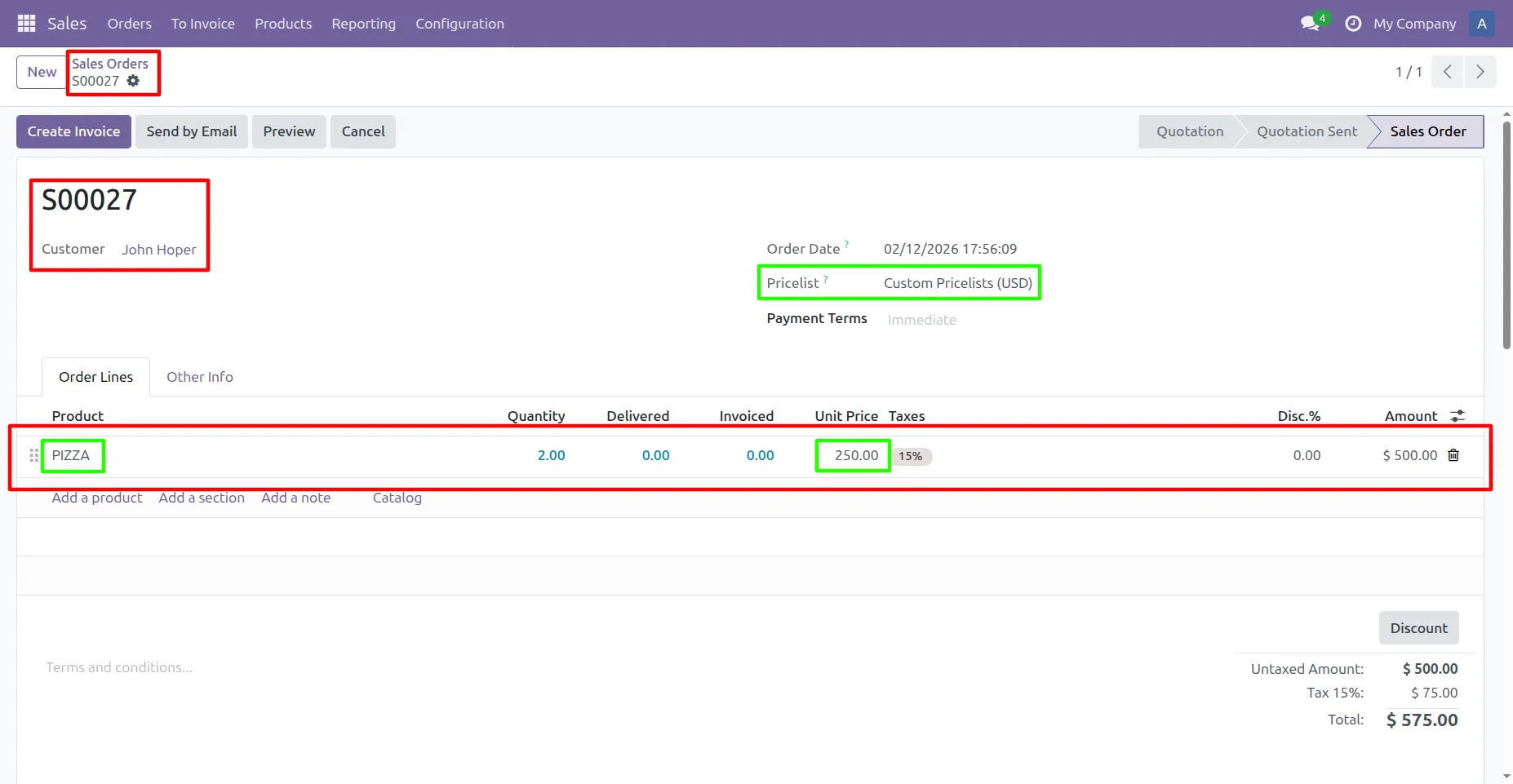
7. With the "Custom Pricelist" [PIZZA = $199 ] applied, users can increase the unit price if needed [PIZZA = $250], but any attempt to reduce it below the allowed price is automatically blocked to maintain pricing control.
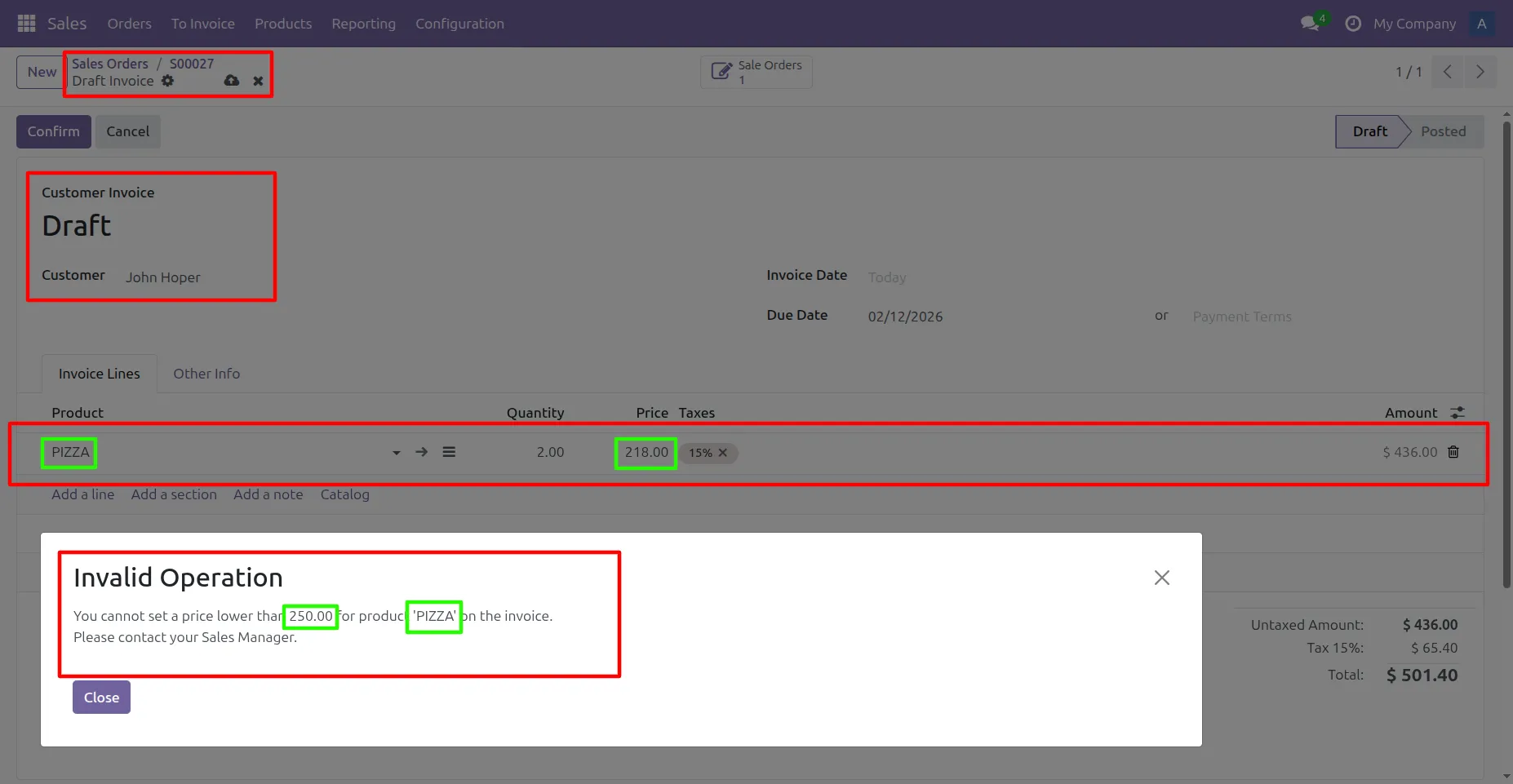
8. Once the Sales Order is confirmed with a unit price of $250, the same price becomes the minimum allowed price on the invoice. If a user attempts to reduce the invoice unit price below $250, the system blocks the action with a validation error to maintain pricing consistency.
Our solutions focus on your problems
- Odoo Implementation
- Odoo Customization
- ERP Development and Implementation
- Odoo Ipass Cloud
- AI for Odoo
- Odoo Apps
- Aws Marketplace Products
- Business Engines
Our Pricing includes User Manual, 90 Days Support (Monday-Friday 10am to 7pm IST) and One time Setup
• Works & tested on standard installations of Odoo with no third party apps,
• Free support only for odoo installations with no third party apps,
• Paid support available for Odoo installations with third party apps.

Prefortune is a Odoo Official Partner, Odoo Development company. Our philosophy is to use Open Source tools and technologies to provide cost effective and green solutions for our customers.
Prefortune Technologies LLP is working on web development, Mobile development, and Odoo ERP.
If you need any help or want more additional features, you may contact us through:
Alternative Products
These other products might interest you
Specifications
| Version | 19.0, 18.0, 17.0, 16.0, 15.0, 14.0 |