Watch Quick Video
Sale Order Transport Note Odoo App
Our all-inclusive
Odoo – Sale Order Transport Note Odoo App
allows users to manage transport details directly from the Sale Order/Quotation. With this app, users can enter transport details in the Sale Order/Quotation, which automatically reflect in the Delivery Orders created from that Sale Order. The transport information is displayed in the Sale Order Report, Delivery Order, and Picking Operation Slip. Users can also edit transport details in each Delivery Order if necessary. Any updates made in the Sale Order will apply only to newly created Delivery Orders, while existing deliveries retain their original transport details to avoid conflicts. Access to this functionality can be controlled through user access rights in the system settings.g manual intervention. By automating attendance monitoring and reporting, this module helps organizations maintain discipline, improve productivity, and streamline attendance management processes across the entire Odoo environment.
Sale Order Transport Note Odoo App
- Add Transport Details in Sale Order/Quotation to allow users to enter transport information.
- Automatically Reflect Transport Details in Delivery Order when a delivery order is created from the sale order.
- Allow Editing in Delivery Order so users can update transport details for each delivery if required.
- Show Transport Details in Sale Order Report so the entered transport information appears in the printed sale order.
- Show Transport Details in Delivery & Picking Slip so the same transport information is printed in the delivery order and picking operation slip.
Sale Order Transport Note Odoo App
First, enable Add Transport Note from the system settings → Users & Companies → User. After enabling it, a Transport Information page will appear in the Sale Order/Quotation form where users can enter transport details and save them. These details will be shown in the Quotation/Sale Order report. When the quotation is confirmed, a Delivery Order is automatically created with the same transport details. Users can modify the transport information in the delivery order if required. The transport details will also appear at the bottom of the Delivery Slip and Picking Operation Slip when printed.
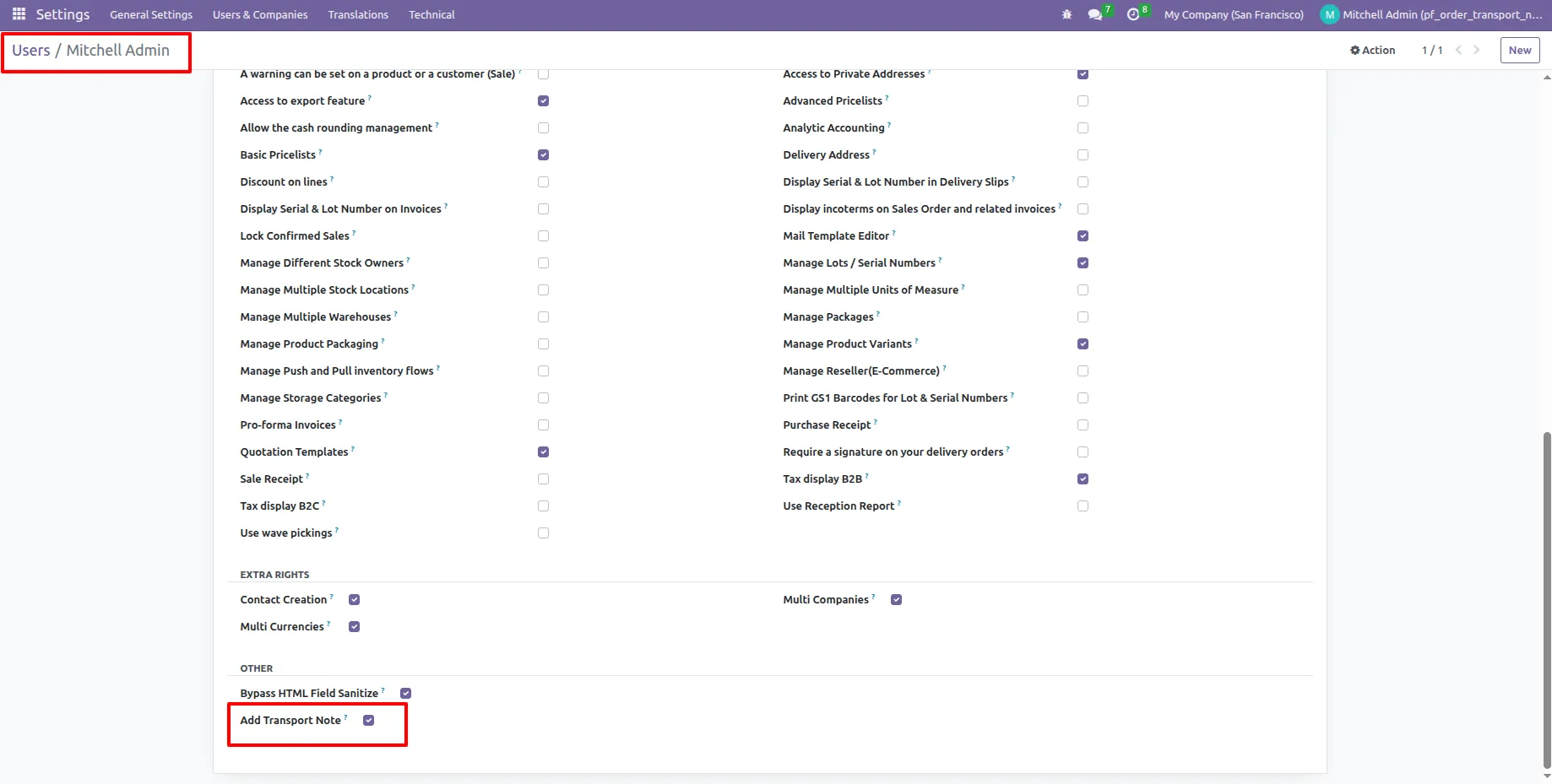
1.Go to Settings → Users & Companies → Users → Select User → Access Rights, then find and enable “Add Transport Note” access.
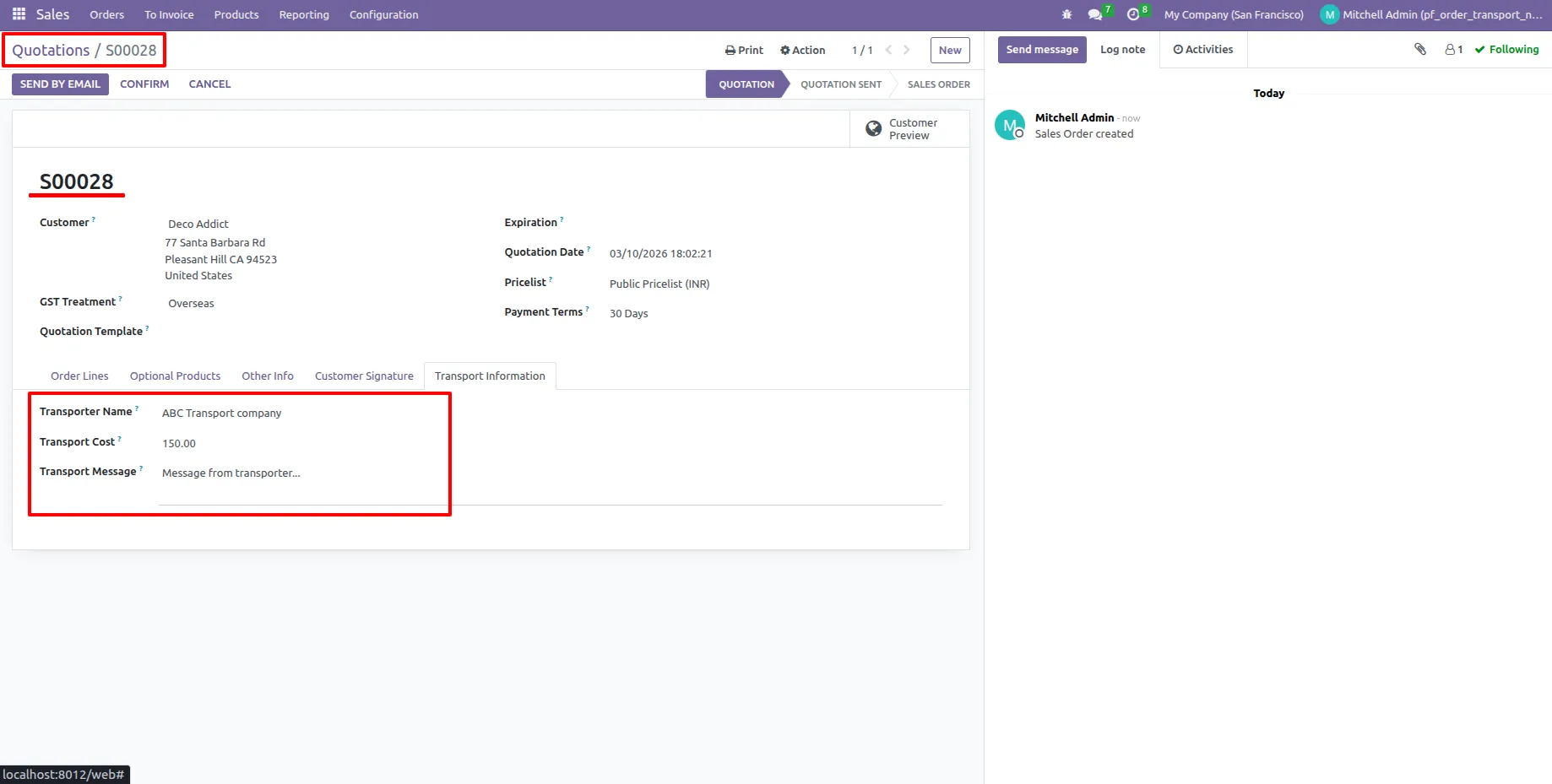
2.Open a Sale Order/Quotation and enter the transport details in the Transport Information page.
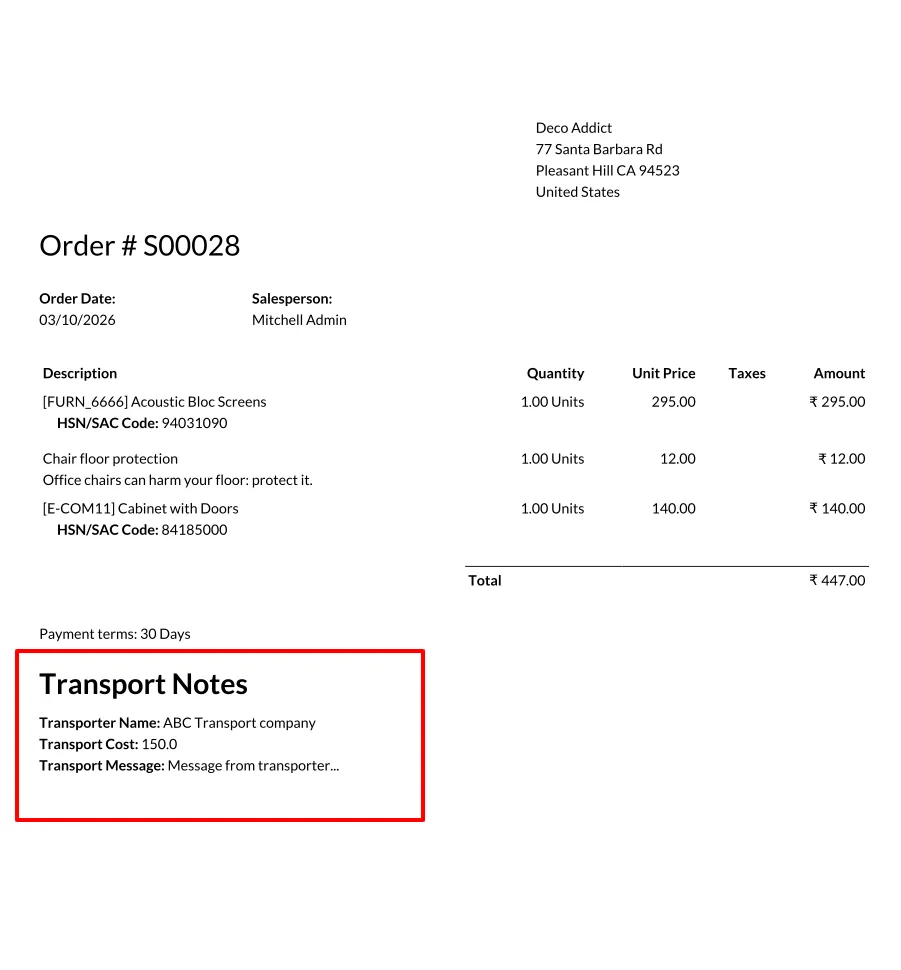
3.Print the Sale Order/Quotation Report, where the Transport Note will appear at the bottom of the report.
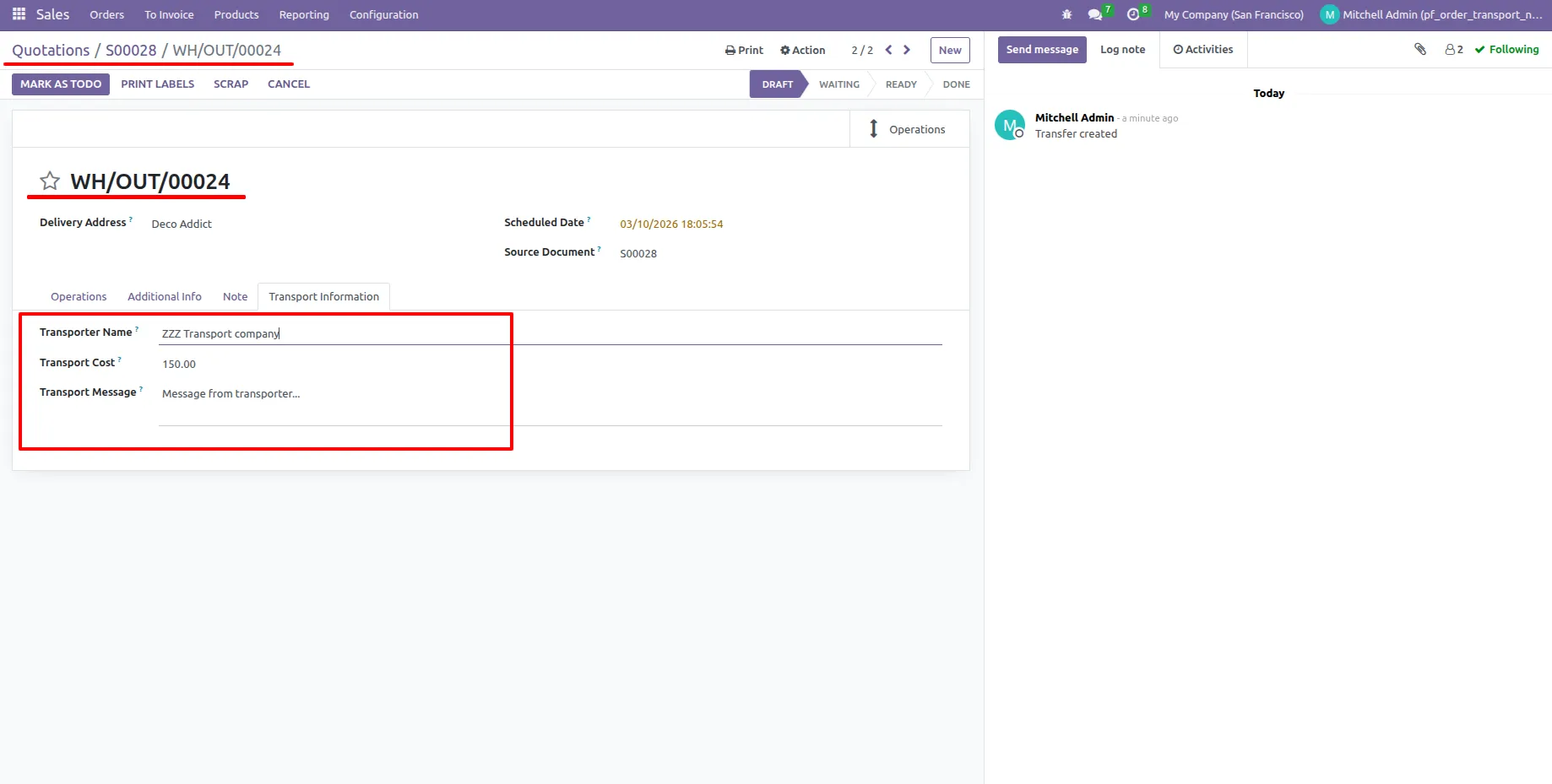
4.Confirm the Sale Order, which will create a Delivery Order. The Transport Information page in the delivery order will automatically show the transport details entered in the sale order, and these details can be edited if required.
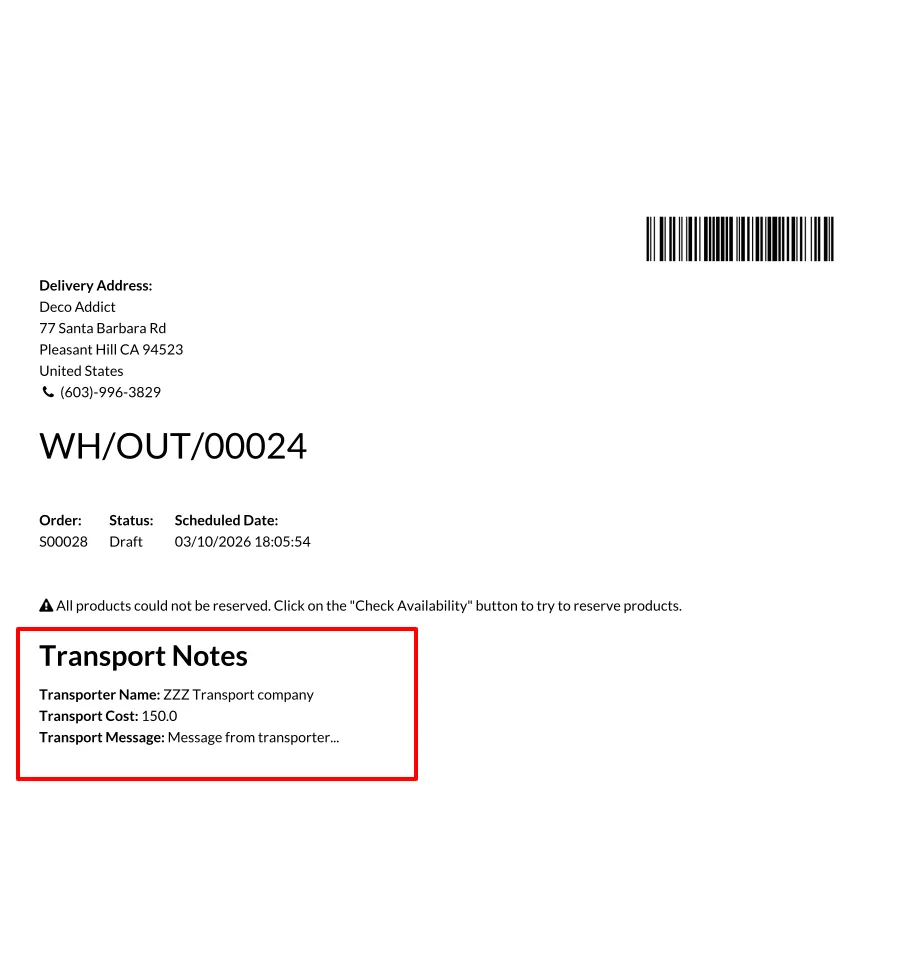
5.Print the Picking Operation Slip, where the Transport Note with the delivery order transport details will appear at the bottom.
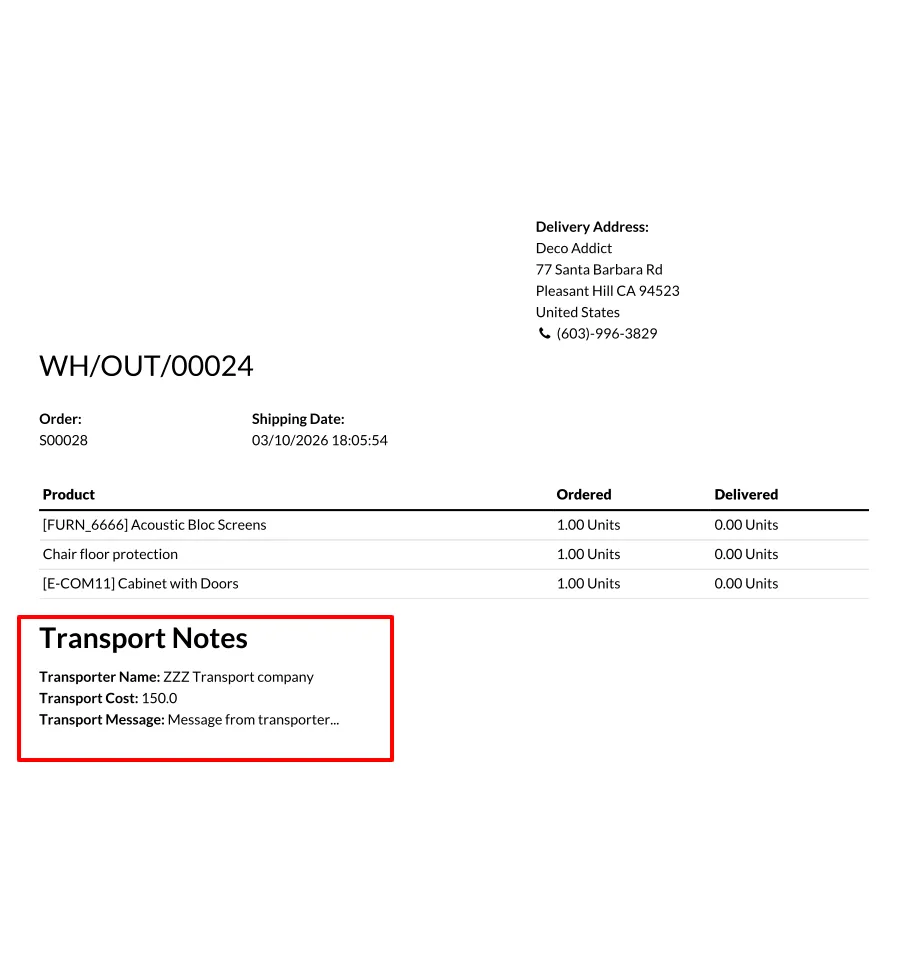
6.Print the Delivery Slip, where the Transport Note with the delivery order transport details will also appear at the bottom.
Our solutions focus on your problems
- Odoo Implementation
- Odoo Customization
- ERP Development and Implementation
- Odoo Ipass Cloud
- AI for Odoo
- Odoo Apps
- Aws Marketplace Products
- Business Engines
Our Pricing includes User Manual, 90 Days Support (Monday-Friday 10am to 7pm IST) and One time Setup
• Works & tested on standard installations of Odoo with no third party apps,
• Free support only for odoo installations with no third party apps,
• Paid support available for Odoo installations with third party apps.

Prefortune is a Odoo Official Partner, Odoo Development company. Our philosophy is to use Open Source tools and technologies to provide cost effective and green solutions for our customers.
Prefortune Technologies LLP is working on web development, Mobile development, and Odoo ERP.
If you need any help or want more additional features, you may contact us through:
Alternative Products
These other products might interest you
Specifications
| Version | 19.0, 18.0, 17.0, 16.0, 15.0, 14.0 |