Watch Quick Video

Route Map of Multiple Partners Odoo App
Our
Odoo – Route Map of Multiple Partners App
Plan and manage routes for multiple partners directly from Odoo through a simple and intuitive interface. This module allows users to select partners, organize them in a popup list view, and includes a configurable boolean toggle to decide whether the route should start from the logged-in user’s address or directly from the selected partners. It instantly generates a route in Google Maps based on partner addresses, helping streamline daily operations, reduce manual effort, and improve efficiency for teams on the move
Route Map of Multiple Partners Odoo App
- Easily choose multiple partners from the Contacts module for route planning
- Access a popup interface that displays selected partners in a structured list format
- Flexibly modify the list by adding new partners or removing existing ones
- Automatically generate a navigation route in Google Maps using partner address details
- Designed with a clean and user-friendly interface for efficient and quick operations
Route Map of Multiple Partners Odoo App
To use the Route Map of Multiple Partners app, first Go to the Contacts module , switch to the list view, and select the partners you want to include. Then click on Action → Route Map to open a popup wizard. In the wizard, you can add or remove partners and choose whether to start the route from your address using a toggle option. Once confirmed, it opens Google Maps and displays the route based on your selection.
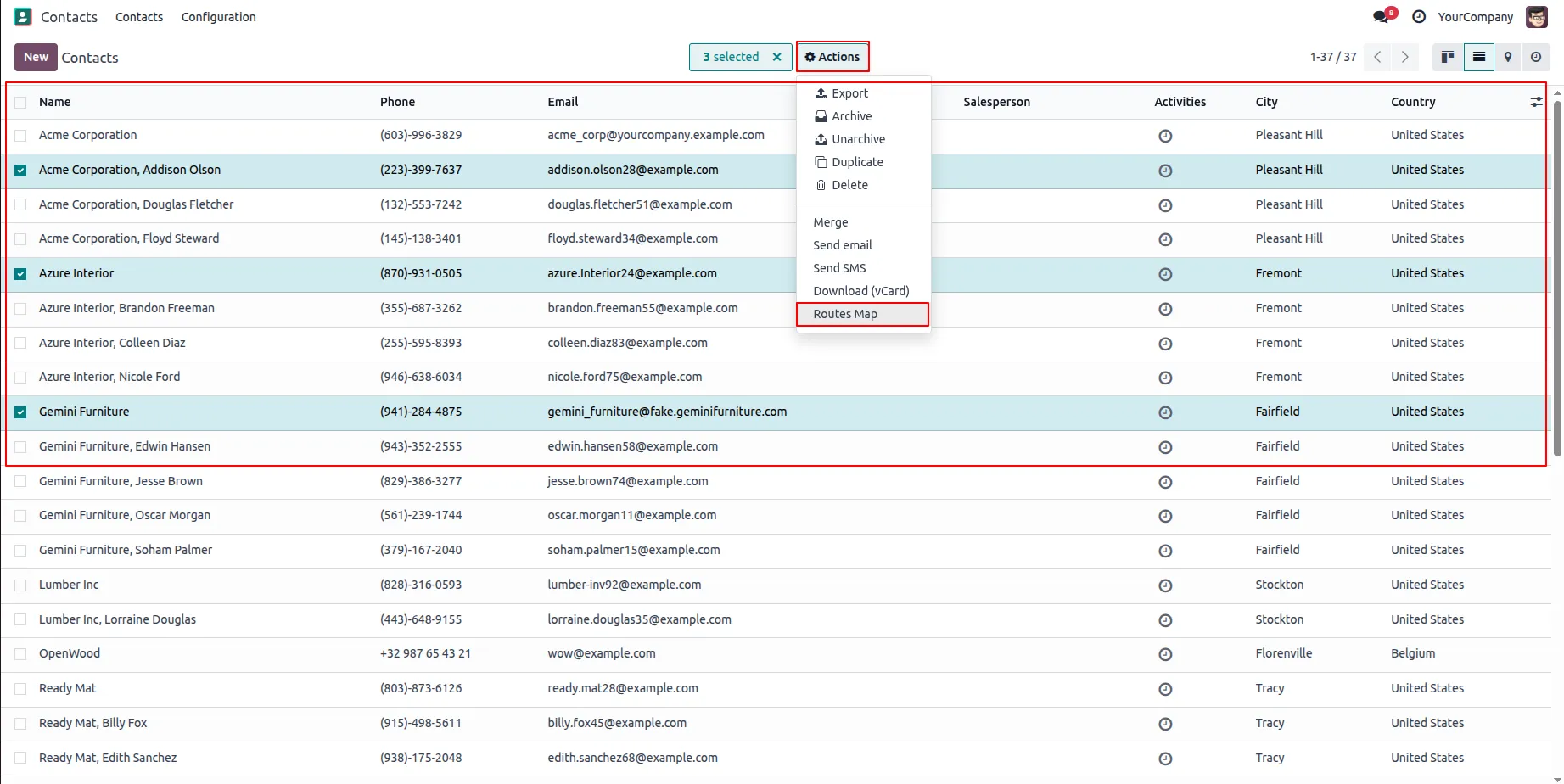
1.Go to the Contacts module, switch to list view, select the desired partners, and click on Action → Route Map to open the popup wizard.
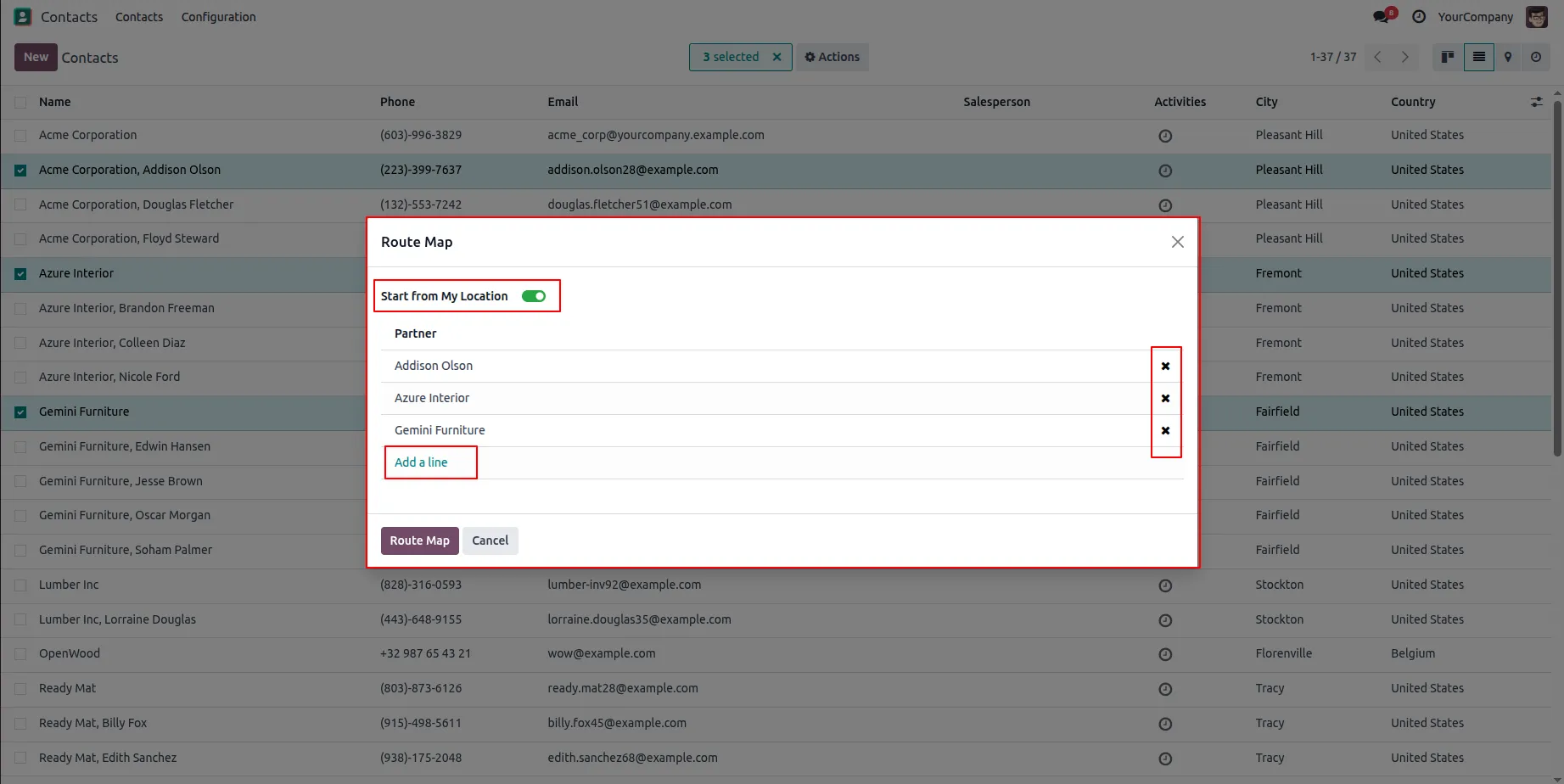
2.In the popup wizard, you can add or remove partners as needed and use the “Start from My Location” toggle (enabled by default) before clicking the Route Map button.
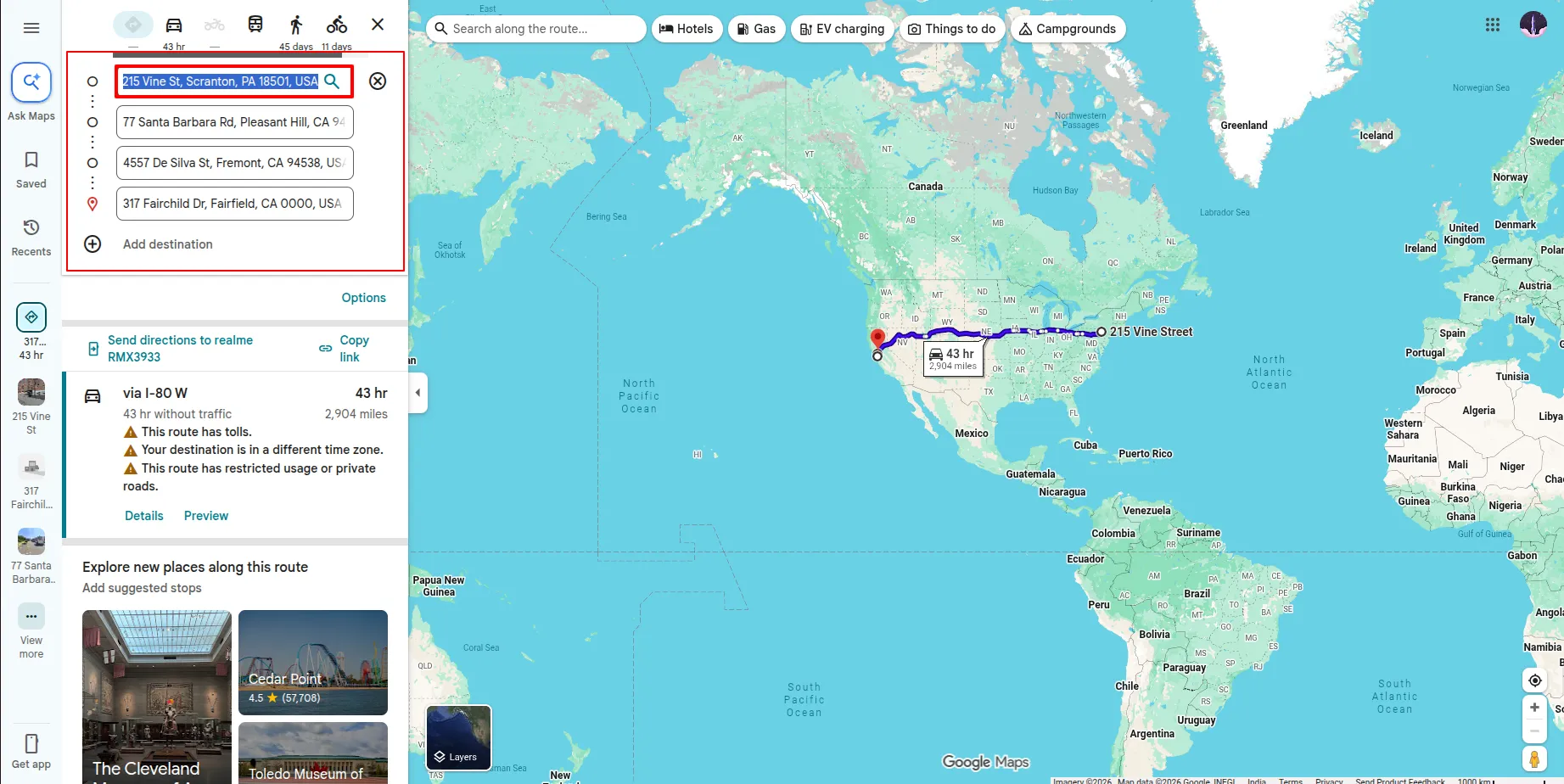
3.When the toggle is enabled, it redirects to Google Maps and shows the route starting from the logged-in user’s address to the selected partner addresses.
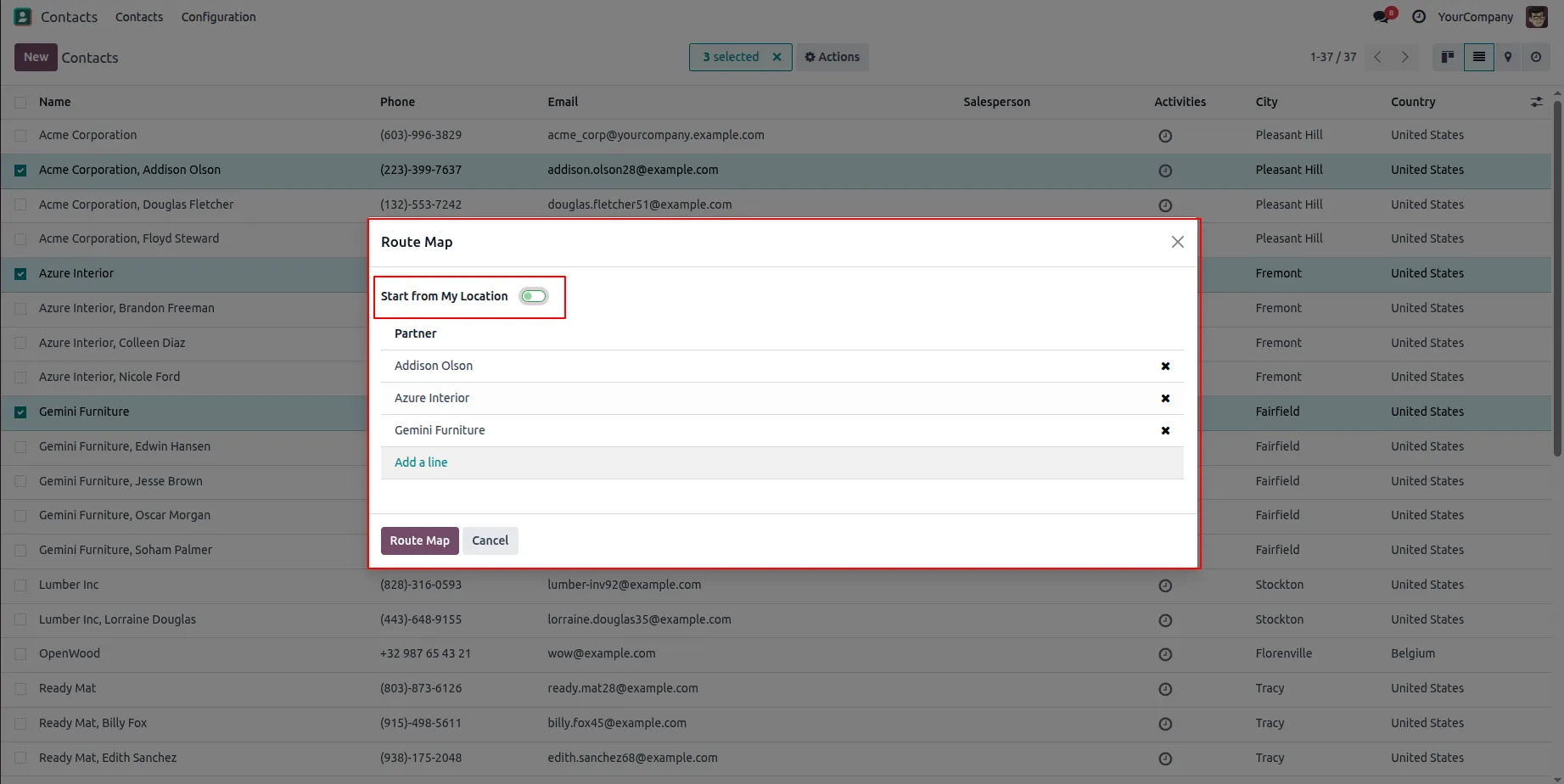
4.If you disable the “Start from My Location” option and click the Route Map button.
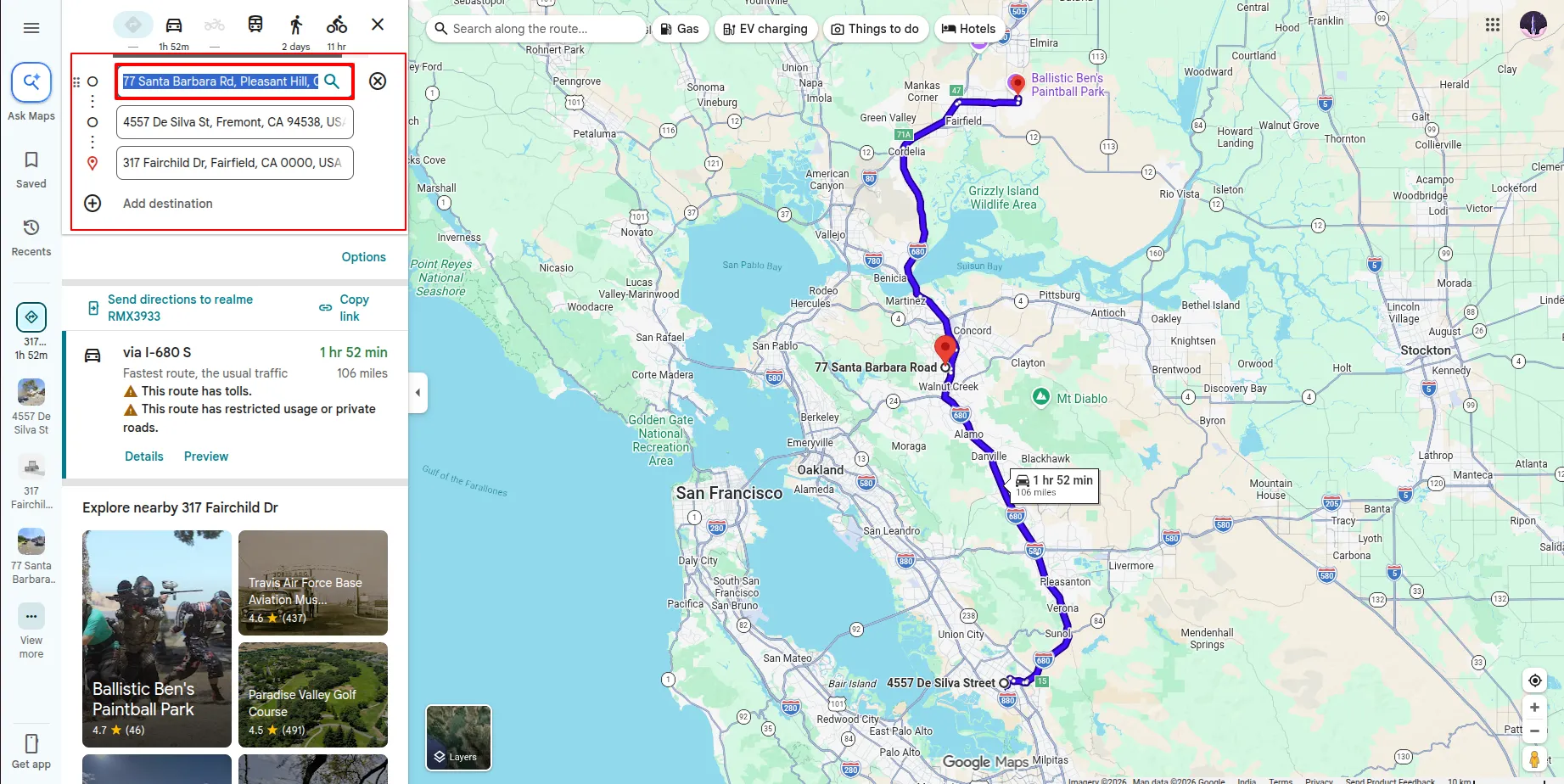
5.It redirects to Google Maps and displays the route starting from the first selected partner to the remaining selected partners.
Our solutions focus on your problems
- Odoo Implementation
- Odoo Customization
- ERP Development and Implementation
- Odoo Ipass Cloud
- AI for Odoo
- Odoo Apps
- Aws Marketplace Products
- Business Engines
Our Pricing includes User Manual, 90 Days Support (Monday-Friday 10am to 7pm IST) and One time Setup
• Works & tested on standard installations of Odoo with no third party apps,
• Free support only for odoo installations with no third party apps,
• Paid support available for Odoo installations with third party apps.

Prefortune is a Odoo Official Partner, Odoo Development company. Our philosophy is to use Open Source tools and technologies to provide cost effective and green solutions for our customers.
Prefortune Technologies LLP is working on web development, Mobile development, and Odoo ERP.
If you need any help or want more additional features, you may contact us through:
Alternative Products
These other products might interest you
Specifications
| Version | 19.0, 18.0, 17.0, 16.0, 15.0, 14.0 |