Watch Quick Video
Restrict Product Creation from Sale Odoo App
The
Restrict Product Creation from Sale
app gives administrators granular control over who can create
new products inside the Sales module. By enabling a single
access right on a user's profile, administrators can prevent
that user from creating new products directly from Sales
Quotations or Sales Orders.
Once restricted, the Create and Create & Edit options are
completely hidden from the product dropdown in both Sales
Quotations and Sales Orders. The restricted user can only search
and select from already-existing products in the system,
ensuring data integrity and preventing accidental product
creation during the sales process.
Users without the restriction retain full product creation
capability — they continue to see and use the Create and Create
& Edit options as normal. The configuration requires no
technical knowledge and takes only seconds to apply
Restrict Product Creation from Sale Odoo App
- Restrict specific users from creating new products in Sales Quotations and Sales Orders.
- Force restricted users to select only from existing products in the order line.
- Normal users without the restriction retain full product creation capabilities in Sales.
- Hide Create and Create & Edit options from the product dropdown for restricted users.
- Control access using a dedicated Restrict Product Creation In Sale access right per user.
Complete Workflow for Restrict Product Creation from Sale Odoo App
Go to Settings ⇒ Users & Companies ⇒ Users and open the desired user's profile. Under the Access Rights tab, enable the Restrict Product Creation In Sale checkbox and save. From this point on, when the restricted user opens a Sales Quotation or Sales Order and types in the product field, the Create and Create & Edit options will no longer appear — only existing products can be selected. Users without this restriction continue to see and use the product creation options as normal.
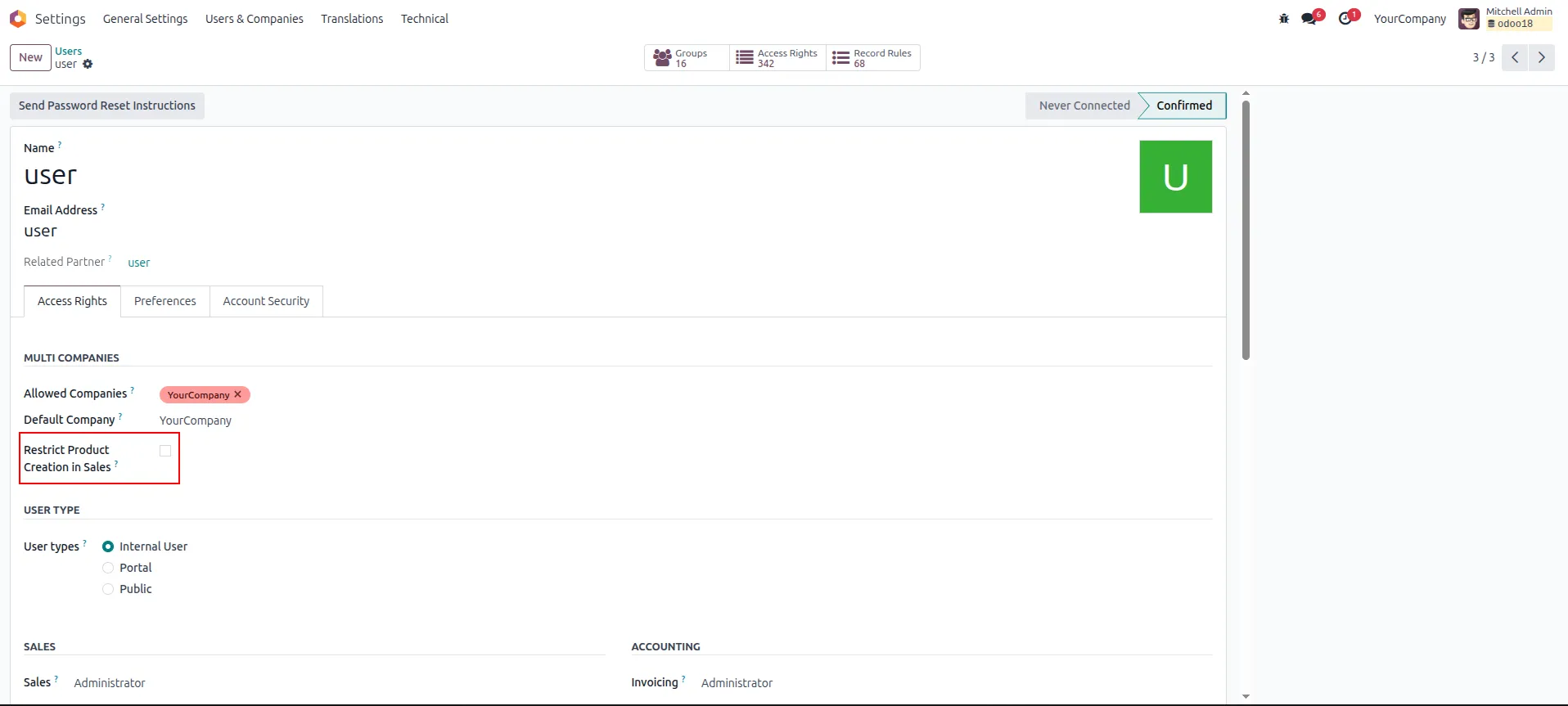
1. Go to Settings ⇒ Users & Companies ⇒ Users — the Restrict Product Creation In Sale checkbox is unchecked for a normal user by default.
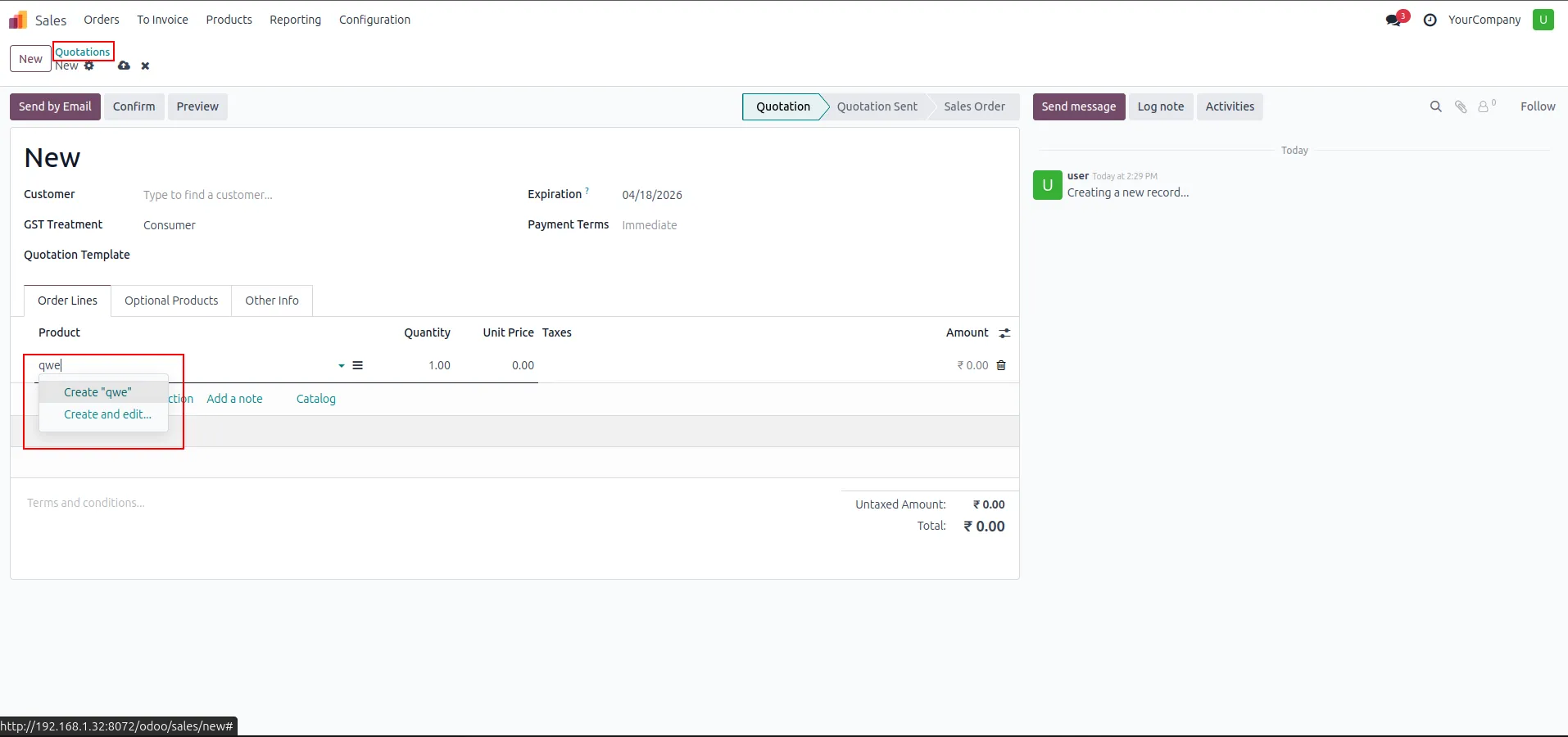
2. Normal user Sales Quotation — the product dropdown shows Create and Create & Edit options when the restriction is not enabled.
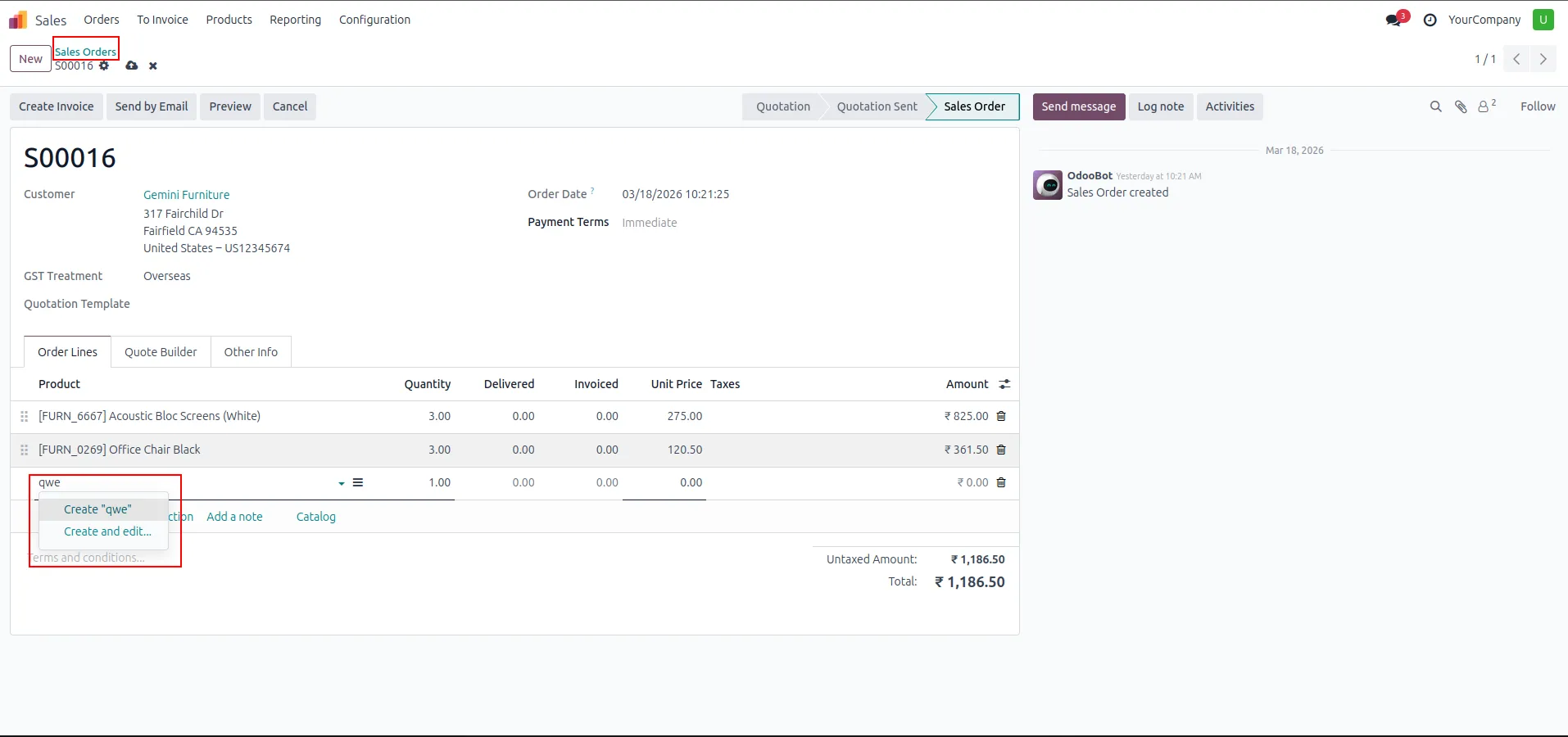
3. Normal user Sales Order — Create and Create & Edit options are still visible in the product dropdown for unrestricted users.
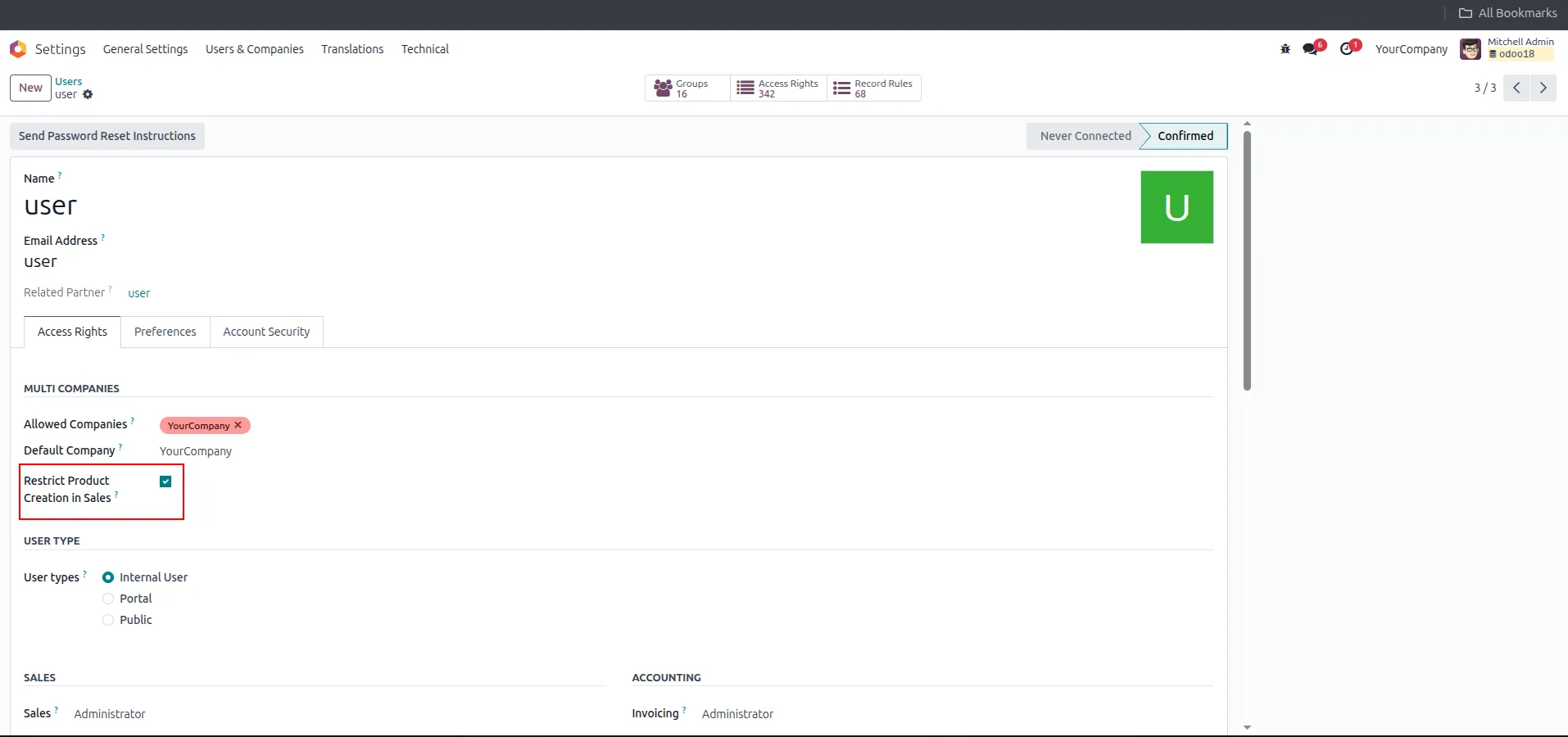
4. Enable the Restrict Product Creation In Sale access right by checking the checkbox on the user's profile and saving.
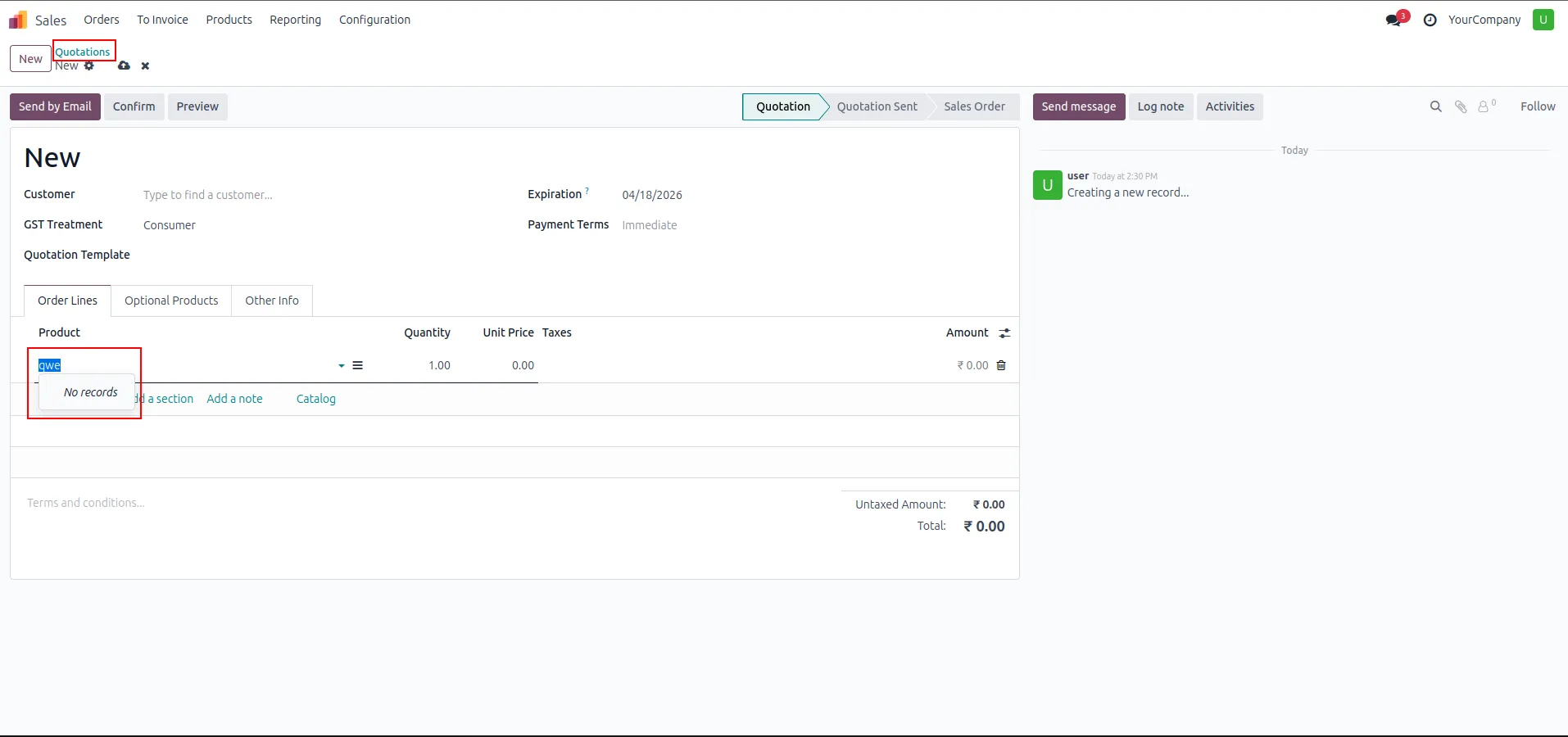
5. Restricted user Sales Quotation — the product dropdown shows only "No records" with no Create or Create & Edit options available.
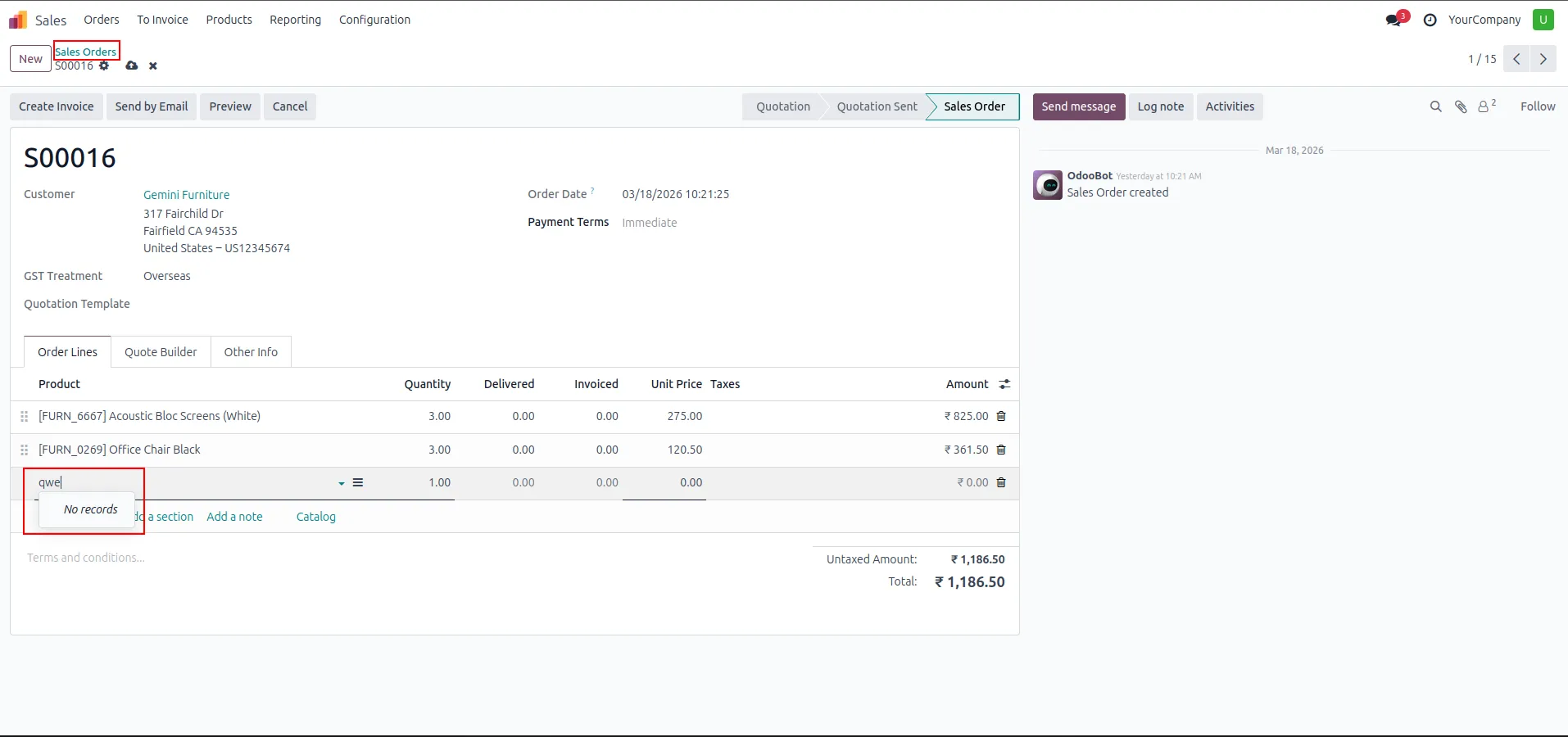
6. Restricted user Sales Order — the same restriction applies; only existing products can be selected, with no product creation options shown.
Our solutions focus on your problems
- Odoo Implementation
- Odoo Customization
- ERP Development and Implementation
- Odoo Ipass Cloud
- AI for Odoo
- Odoo Apps
- Aws Marketplace Products
- Business Engines
Our Pricing includes User Manual, 90 Days Support (Monday-Friday 10am to 7pm IST) and One time Setup
• Works & tested on standard installations of Odoo with no third party apps,
• Free support only for odoo installations with no third party apps,
• Paid support available for Odoo installations with third party apps.

Prefortune is a Odoo Official Partner, Odoo Development company. Our philosophy is to use Open Source tools and technologies to provide cost effective and green solutions for our customers.
Prefortune Technologies LLP is working on web development, Mobile development, and Odoo ERP.
If you need any help or want more additional features, you may contact us through:
Alternative Products
These other products might interest you
Specifications
| Version | 19.0, 18.0, 17.0, 16.0, 15.0, 14.0 |