Watch Quick Video
Restrict Pricelist User wise in Sale Order Odoo App
Our efficient
Odoo – Restrict Pricelist User wise in Sale Order
app simplifies pricing control by allowing administrators to manage pricelists at the user level in Sale Orders. This module enhances pricing accuracy by restricting users to only their assigned pricelists, ensuring consistent and secure pricing across all sales transactions.
It provides flexible options for managing pricelist access:
1. User-Level Pricelist Assignment: Assign specific pricelists directly to users, ensuring they can only access and use permitted pricing options.
2. Automatic Pricelist Filtering: Pricelists are automatically filtered in Sale Orders and Quotations based on the logged-in user, simplifying selection.
3. Controlled Visibility: Users can view only the pricelists assigned to them, preventing unauthorized access and reducing pricing errors.
4. Seamless Sales Integration: The restriction works smoothly within the Sales workflow, including quotation form view, without affecting usability.
5. Improved Pricing Accuracy: Ensures that only approved pricelists are applied, maintaining consistency and reliability in all sales operations.
Restrict Pricelist User wise in Sale Order Odoo App
- Allows administrators to assign specific pricelists to individual users, ensuring that users can only select from their permitted pricelists during Sales Order creation.
- Users can view only the pricelists that are assigned to them, preventing access to unauthorized pricing and maintaining data security.
- Provides a simple interface in the user settings to select and manage multiple pricelists for each user without complexity.
- Automatically filters pricelists in the Sales Order and Quotation forms based on the logged-in user, ensuring smooth and error-free order processing.
- Displays the allowed pricelists directly in the quotation form view, making it easy for users to select the correct pricing without confusion.
Complete Workflow for Restrict Pricelist User wise in Sale Order Odoo App
Enable the Restrict Pricelist User wise in Sale Order option from Settings or install the module and assign allowed Pricelists in the User form. When creating a Sale Order, the user can only select from their assigned pricelists. The system automatically filters options in the Quotation Form View, preventing unauthorized access. This ensures Accurate Pricing and maintains consistency across the entire sales workflow.
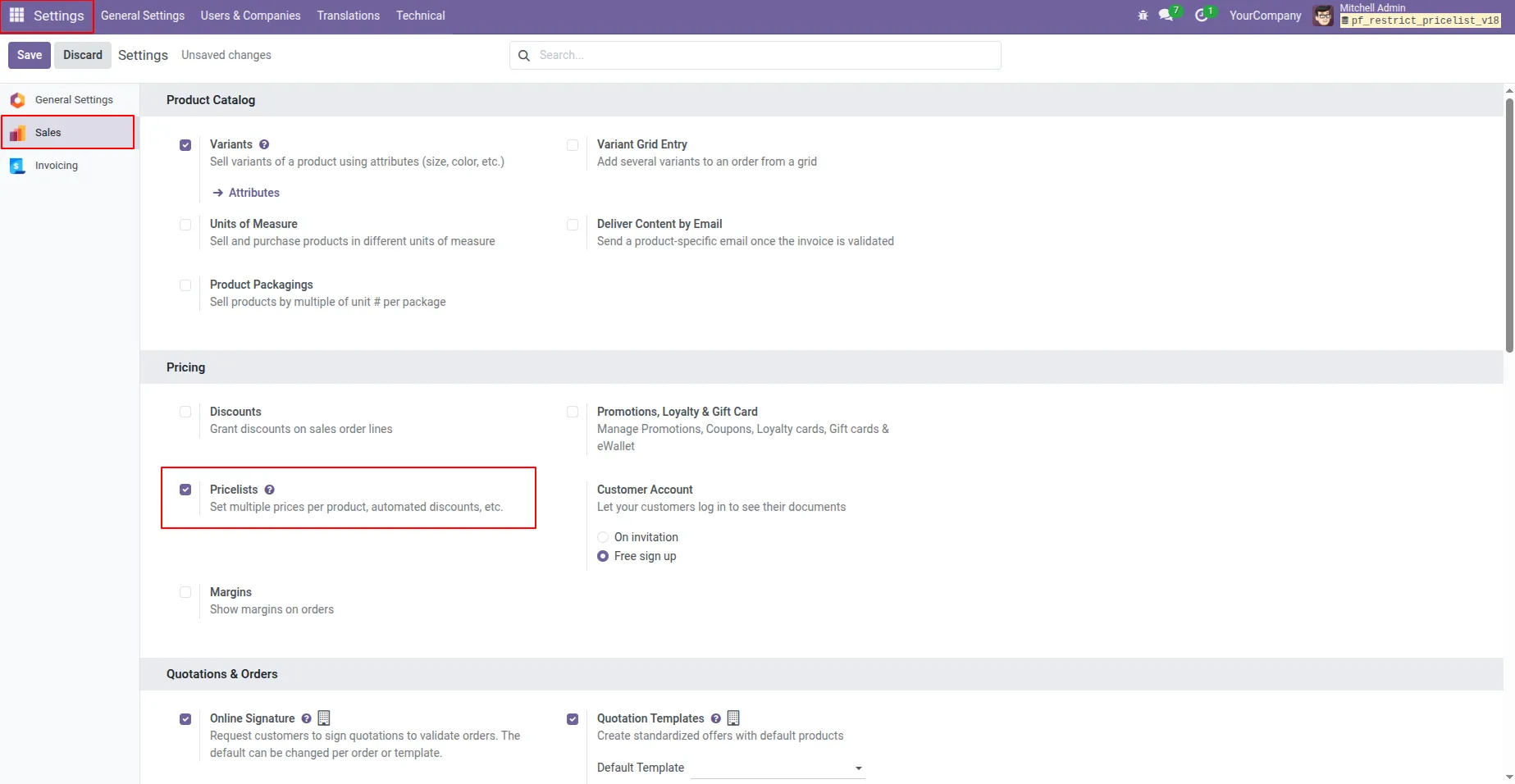
1. enable the Pricelist option in the Sales settings.
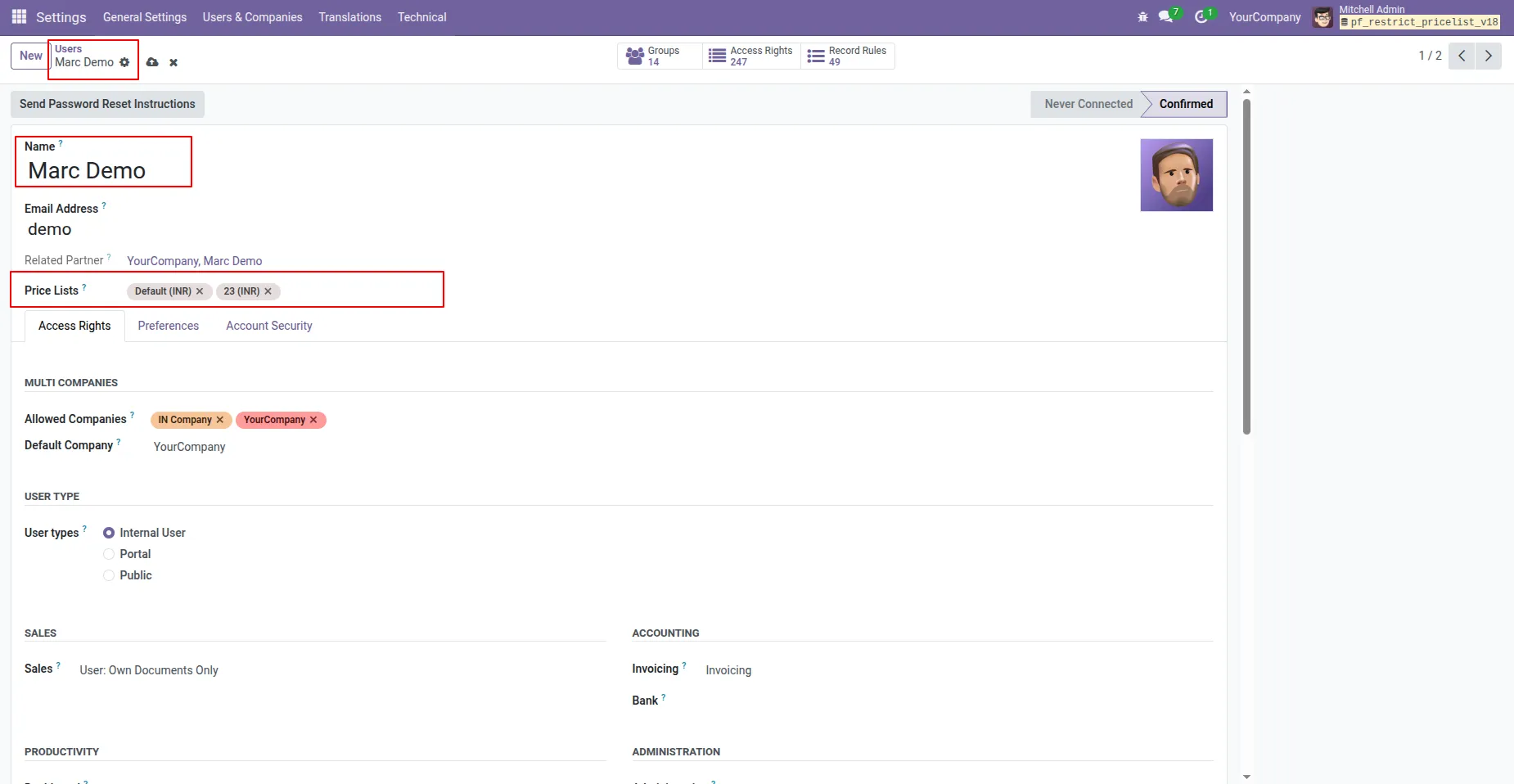
2. Select the price list for the user.
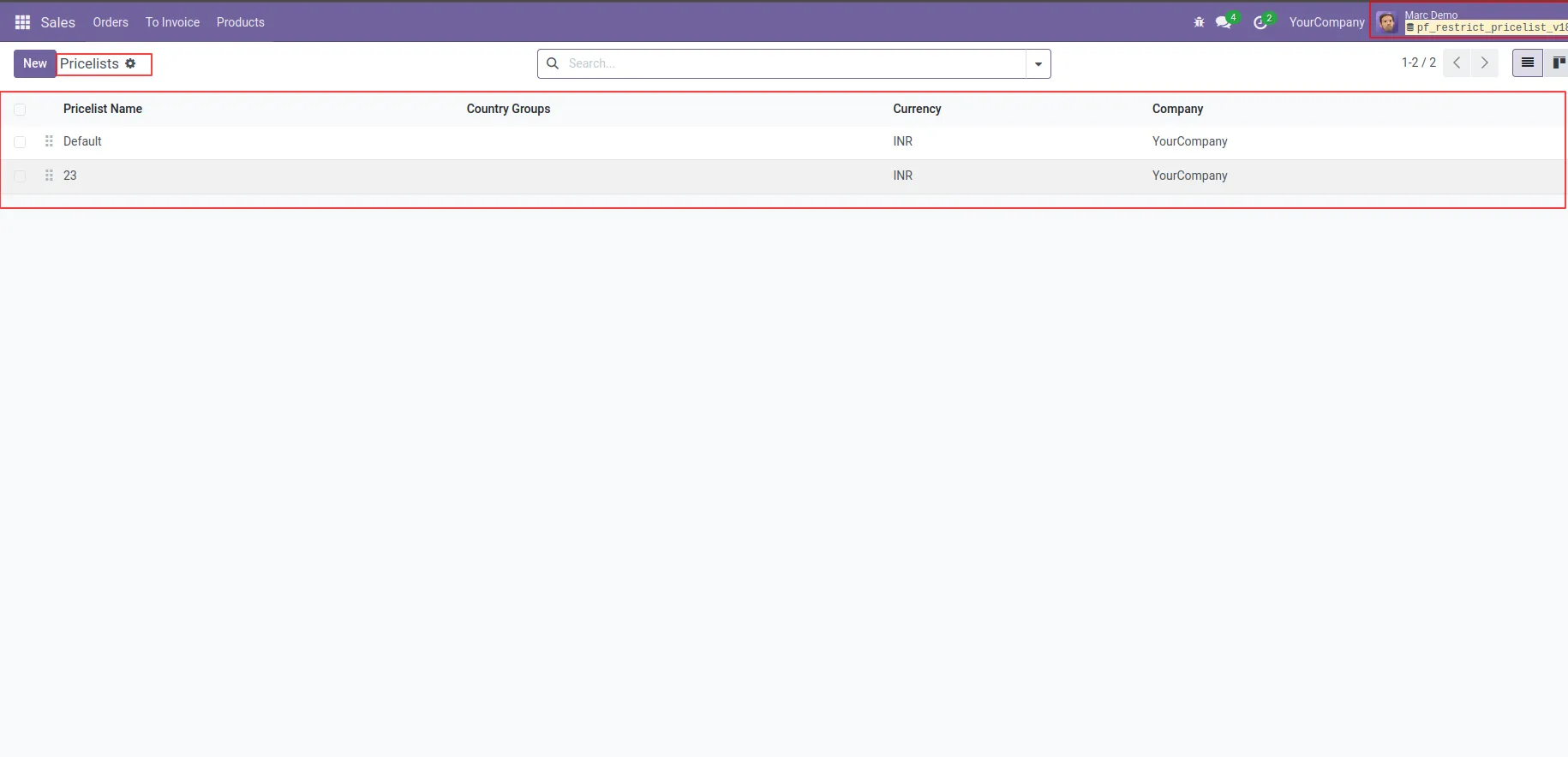
3. User can see only price list which is provided.
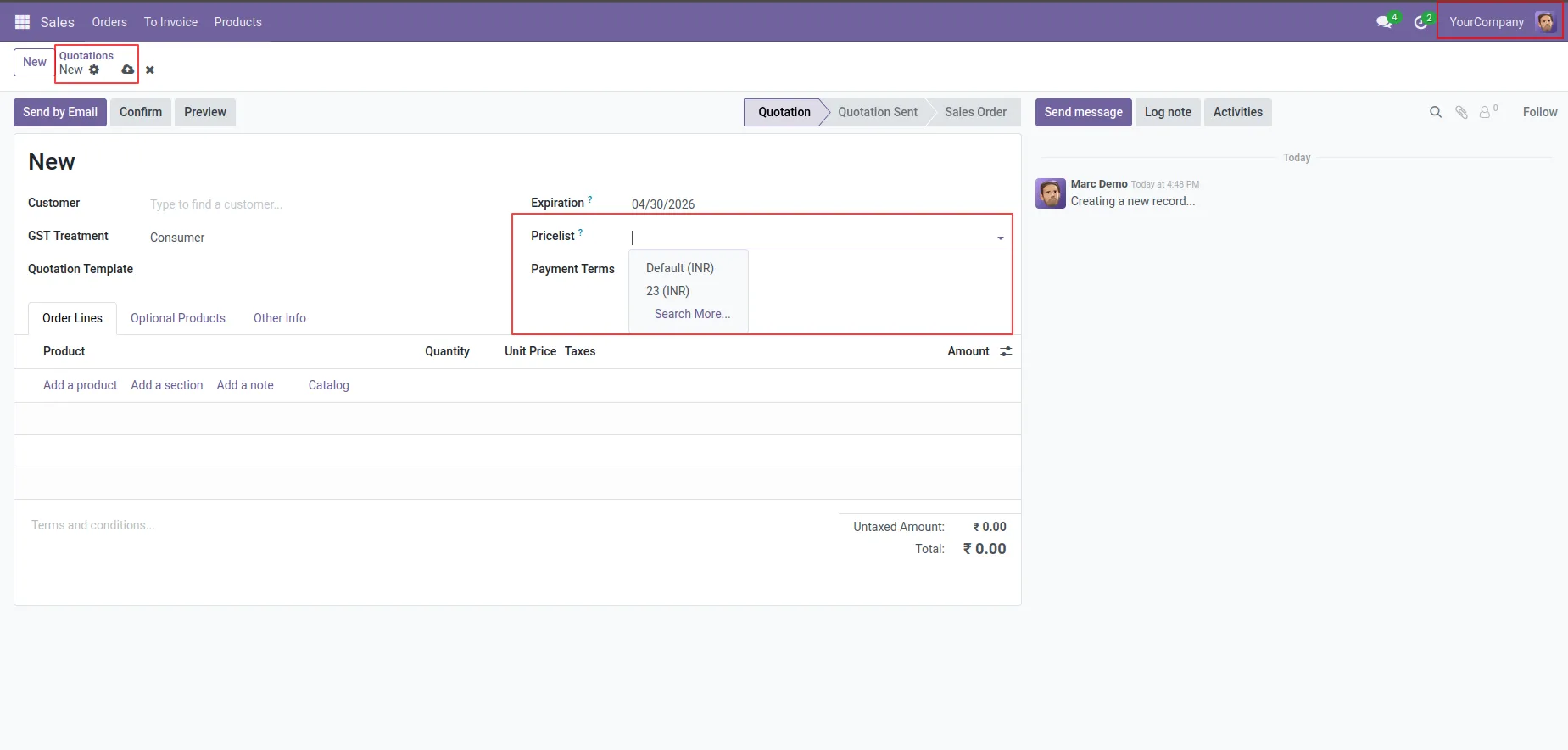
4.In the quotation form view, only the pricelist selected by the user is displayed.
Our solutions focus on your problems
- Odoo Implementation
- Odoo Customization
- ERP Development and Implementation
- Odoo Ipass Cloud
- AI for Odoo
- Odoo Apps
- Aws Marketplace Products
- Business Engines
Our Pricing includes User Manual, 90 Days Support (Monday-Friday 10am to 7pm IST) and One time Setup
• Works & tested on standard installations of Odoo with no third party apps,
• Free support only for odoo installations with no third party apps,
• Paid support available for Odoo installations with third party apps.

Prefortune is a Odoo Official Partner, Odoo Development company. Our philosophy is to use Open Source tools and technologies to provide cost effective and green solutions for our customers.
Prefortune Technologies LLP is working on web development, Mobile development, and Odoo ERP.
If you need any help or want more additional features, you may contact us through:
Alternative Products
These other products might interest you
Specifications
| Version | 19.0, 18.0, 17.0, 16.0, 15.0, 14.0 |