Watch Quick Video
Project Task Deadline Management
Our efficient
Odoo – Project Task Deadline Management
helps businesses manage project task deadlines, project deadline tracking, and task due date management in
Odoo. Users can automatically calculate deadlines using configurable grace days and update task deadlines
through a structured deadline management workflow with reasons and comments.
The module supports overdue task tracking, deadline history records, task progress monitoring, and
centralized project workflow management. It also sends automatic deadline reminder notifications for
better Odoo project management and task completion tracking.
Key Features
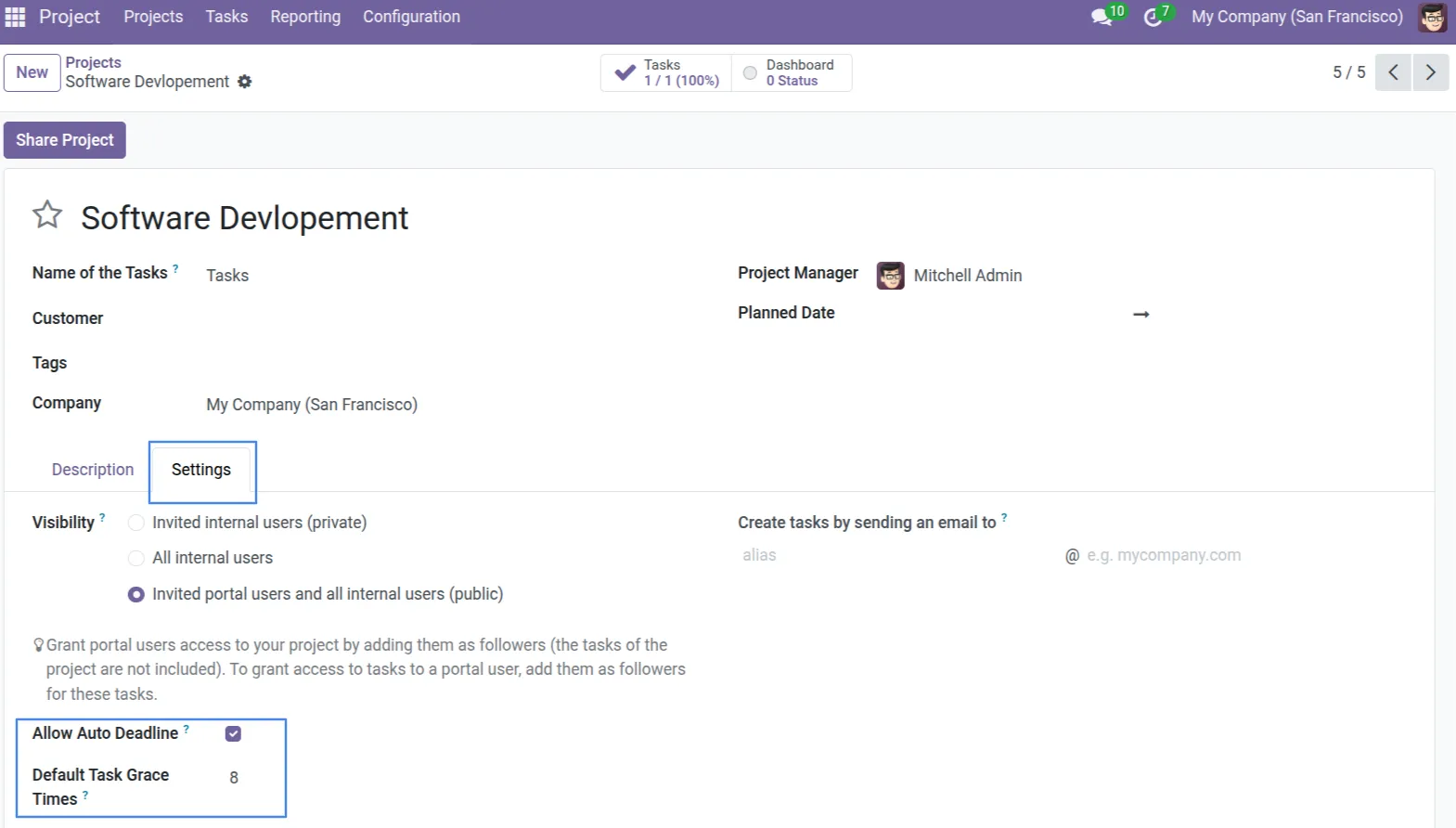
1. In Project Settings, you can enable 'Allow Auto Deadline' and define a 'Default Task Grace Times' to automatically calculate initial deadlines when tasks are created.
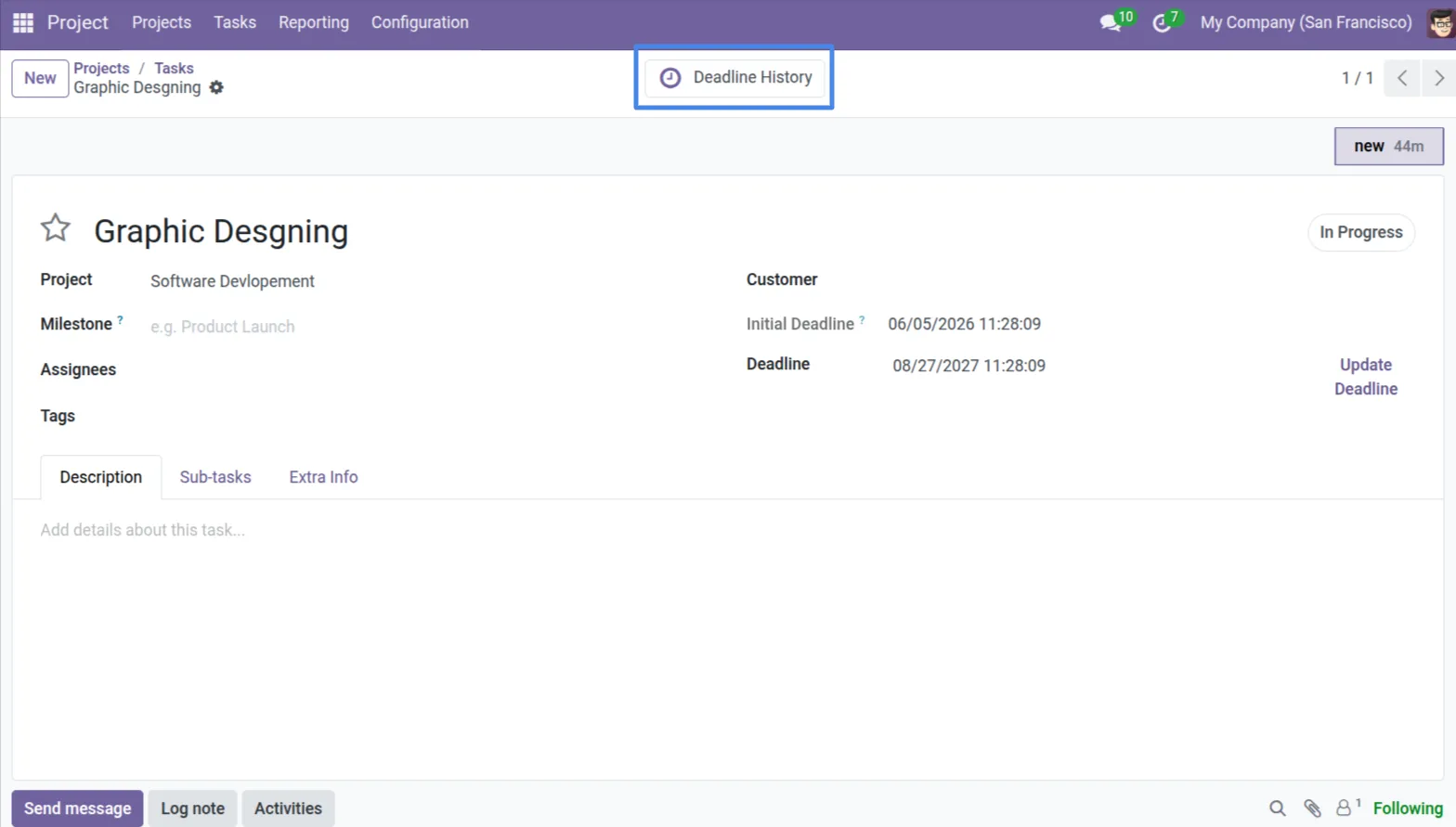
2. On the Task form, users can view the calculated Initial Deadline and current Deadline. The Deadline History smart button provides complete project deadline tracking and task-wise update records.
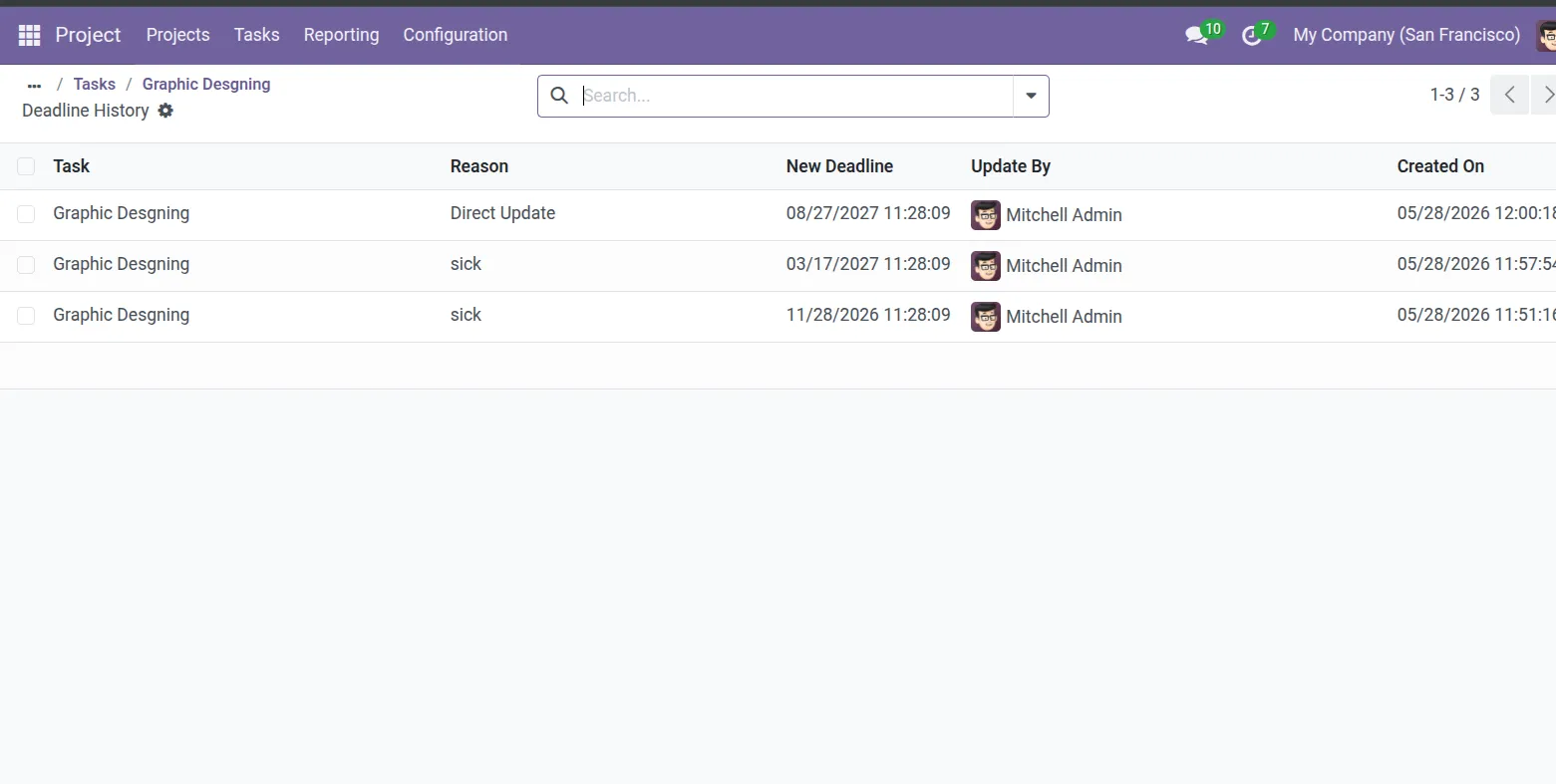
3. View complete task deadline history including deadline updates, selected reasons, updated deadlines, user details, and timestamps.
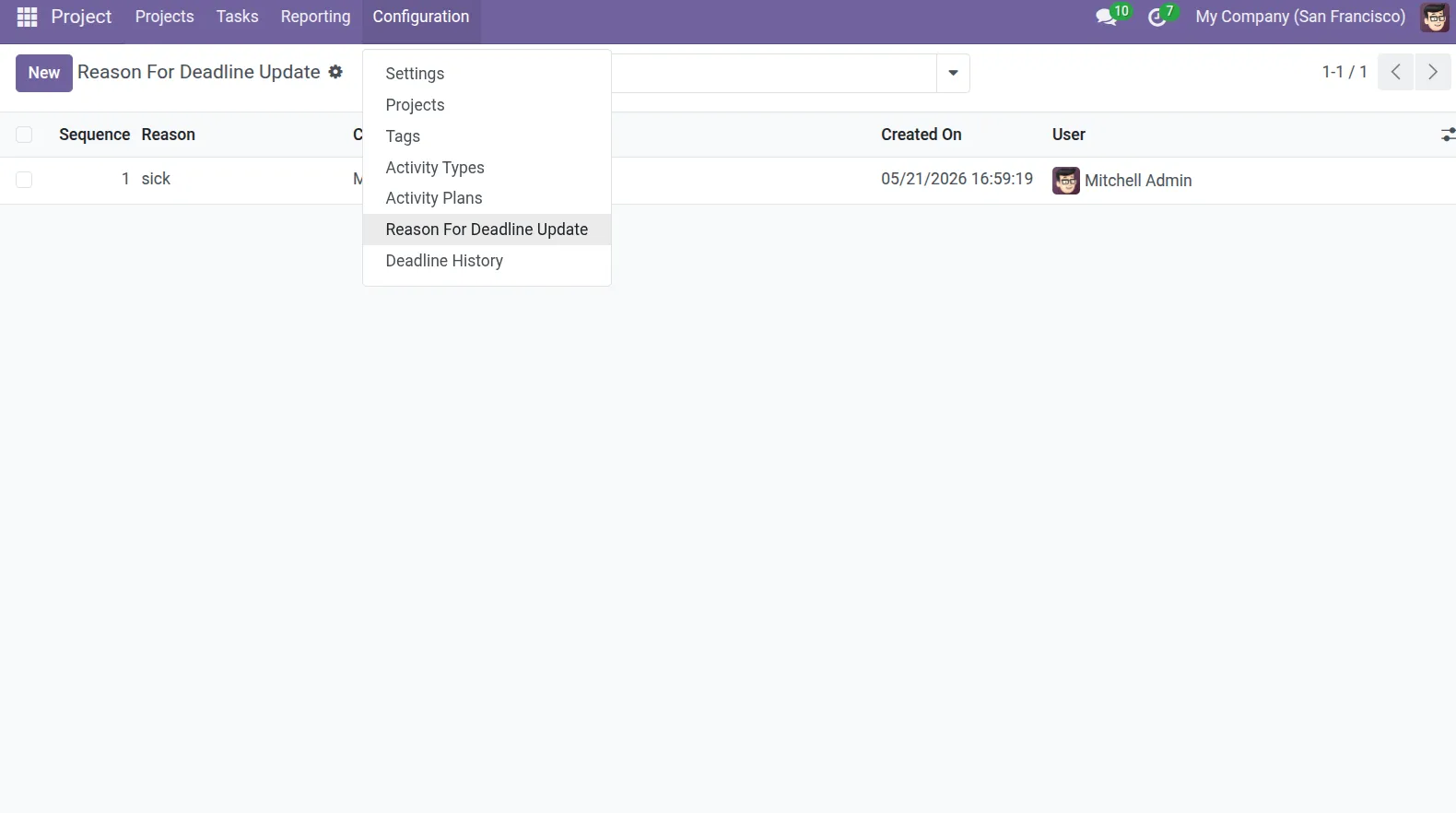
4. Configure standard reasons for deadline updates under the Configuration > Reason For Deadline Update menu.
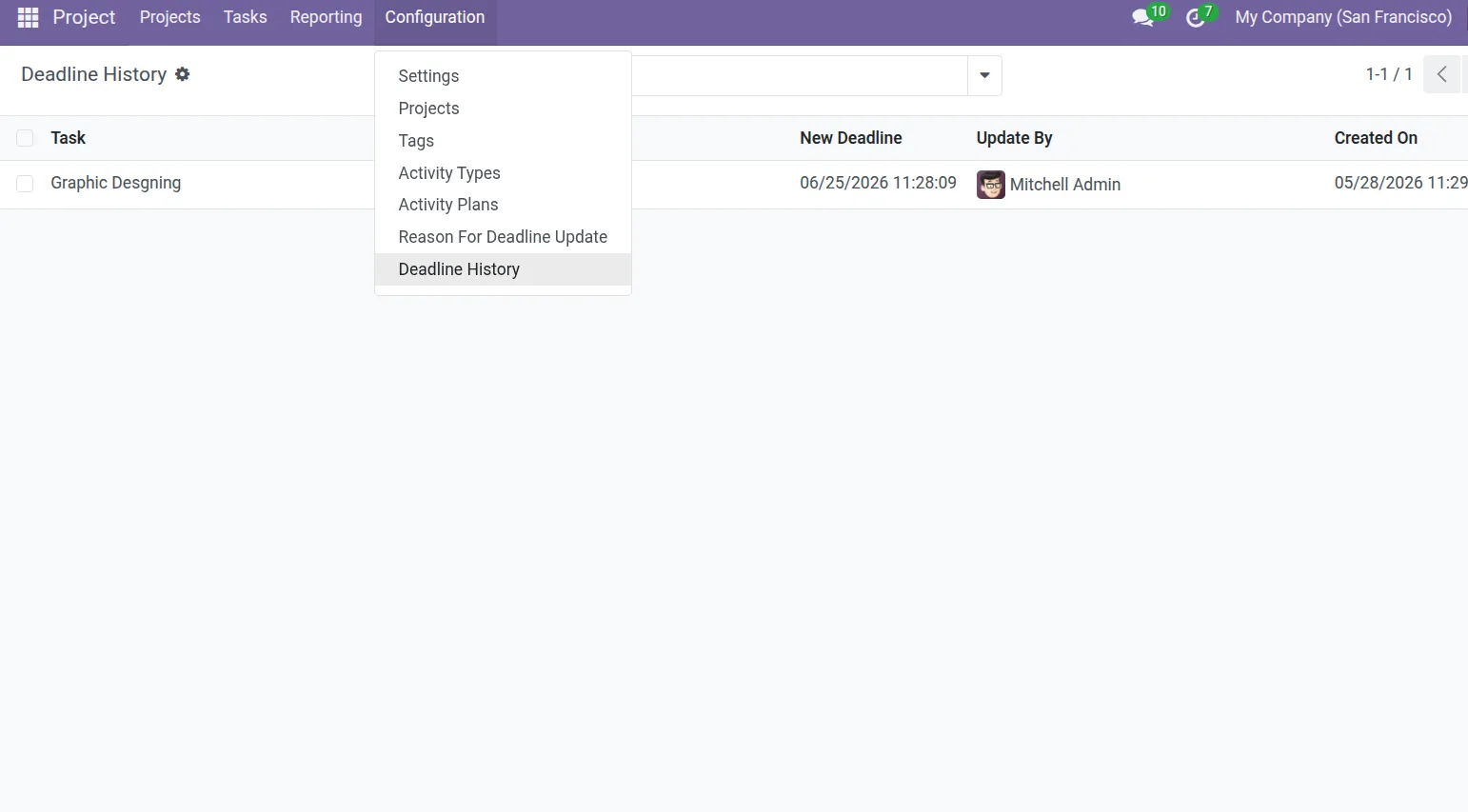
5. Access both Reason For Deadline Update and Deadline History menus for centralized task deadline management and monitoring.
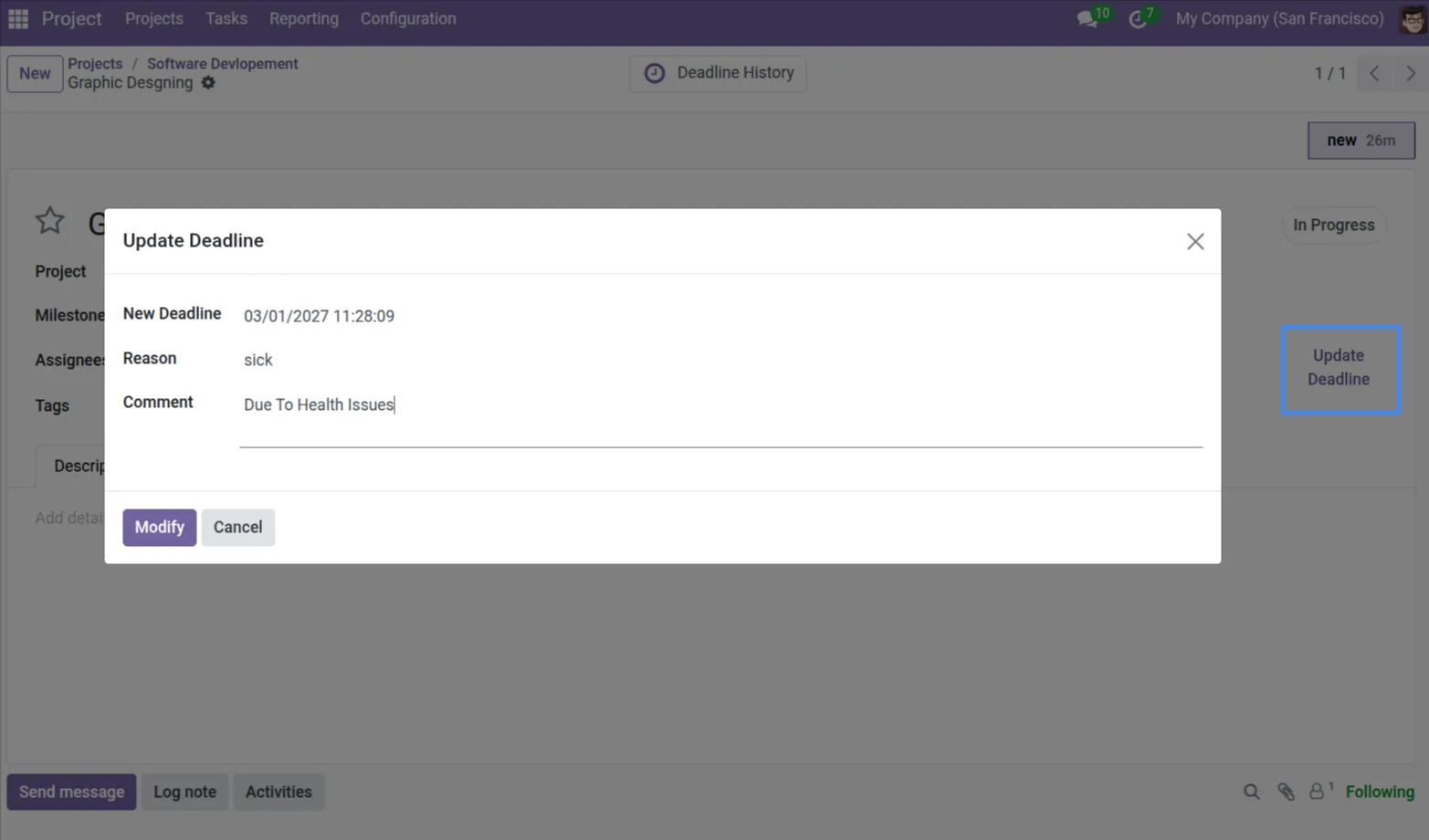
6. Use the 'Update Deadline' wizard to pick a new date, select a predefined reason, and add a custom explanatory comment.
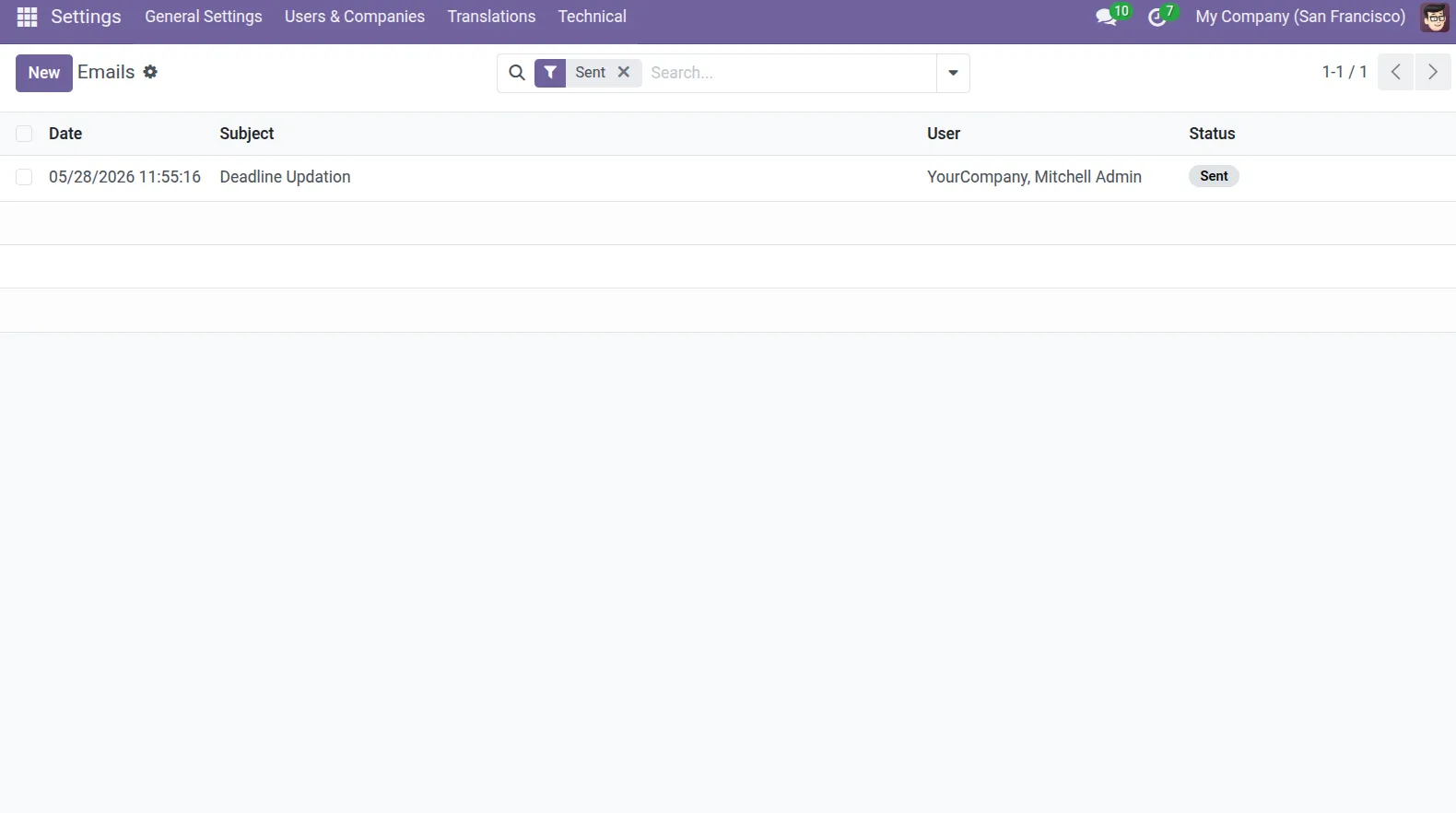
7. The system automatically sends deadline reminder notifications whenever task deadlines are updated through the Update Deadline process.
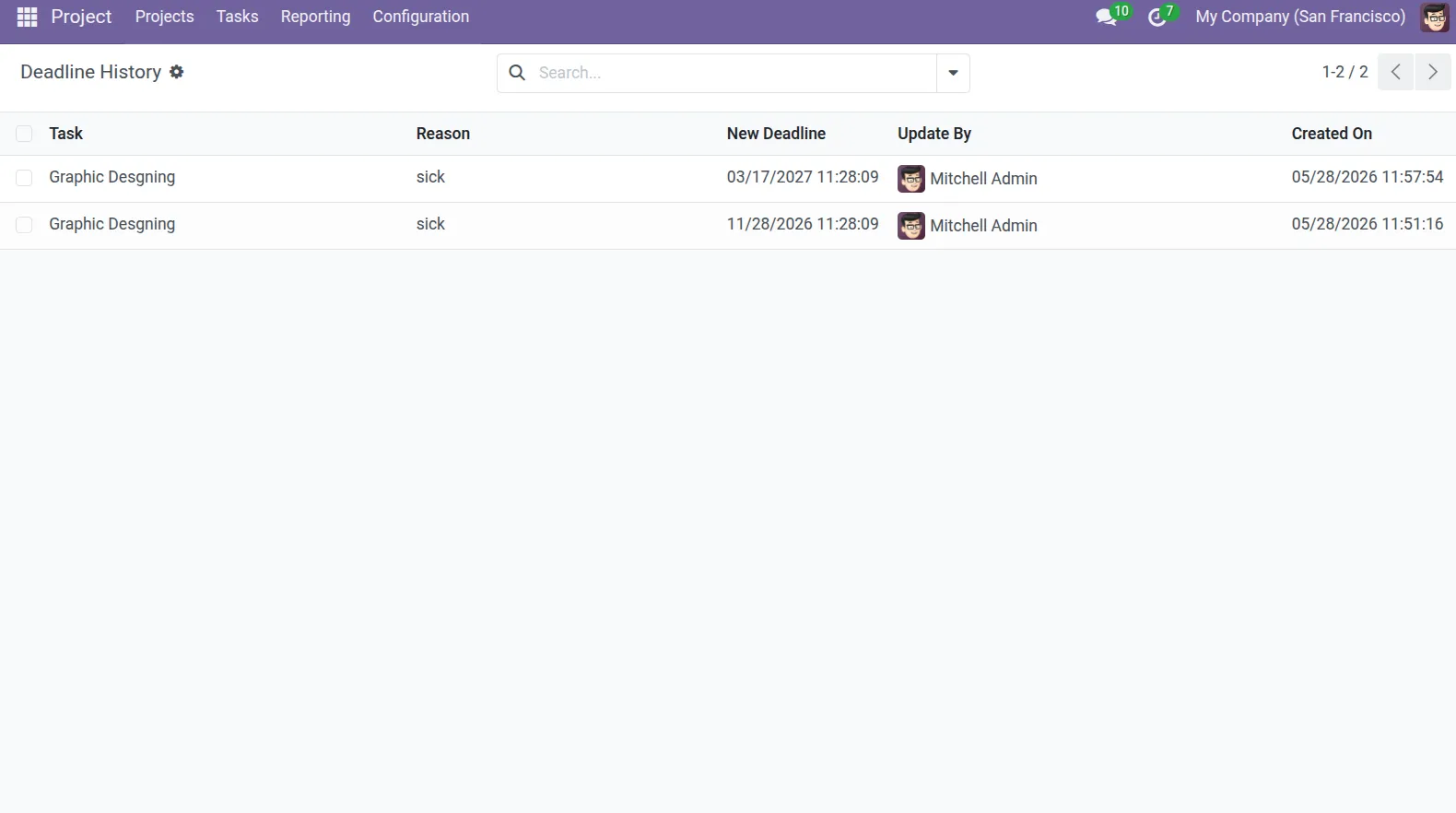
8. All task deadline updates are automatically recorded in the history log with their selected reasons for better tracking and accountability.
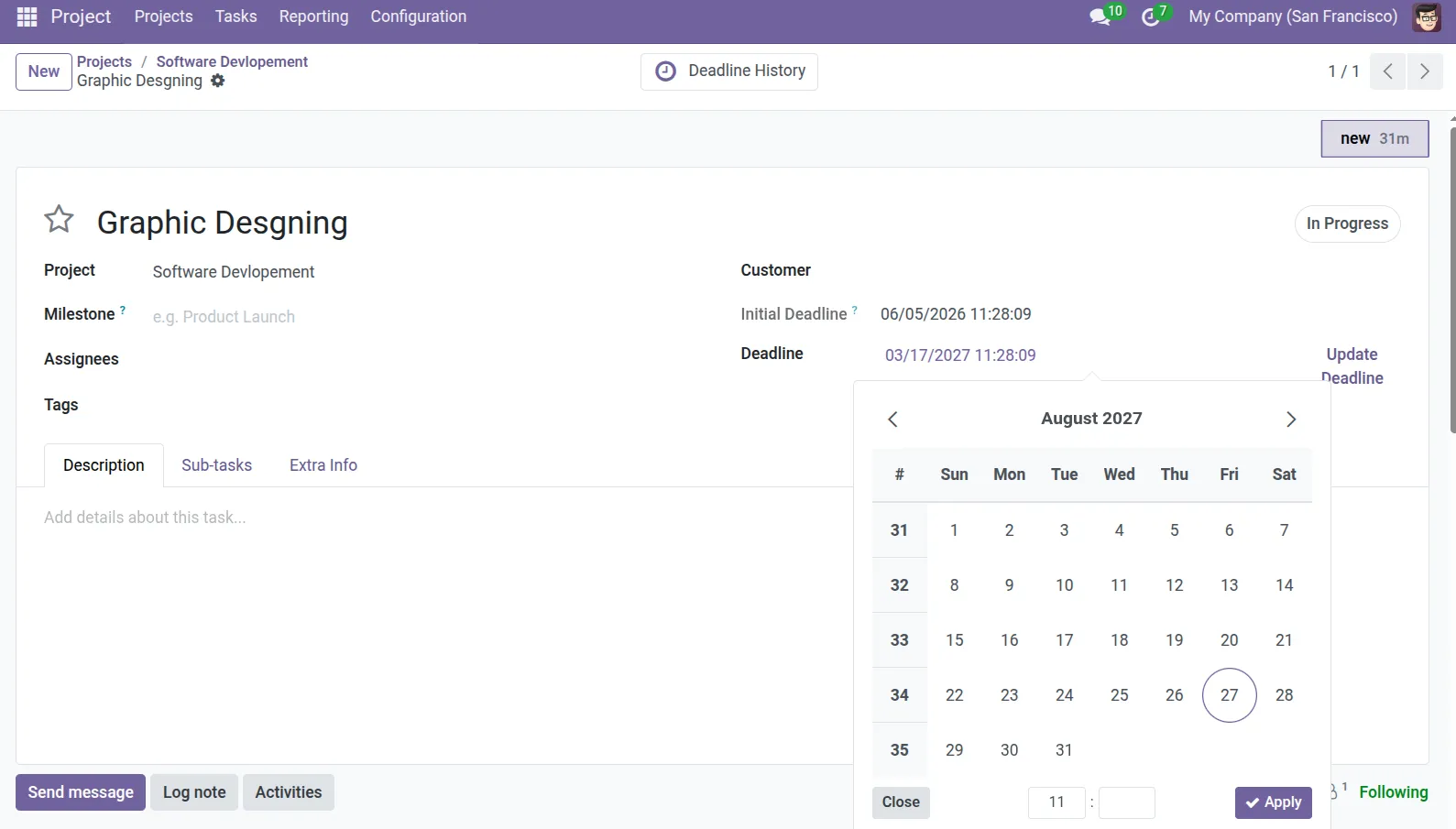
9. Users can also change task due dates directly from the task form using the deadline field datepicker.
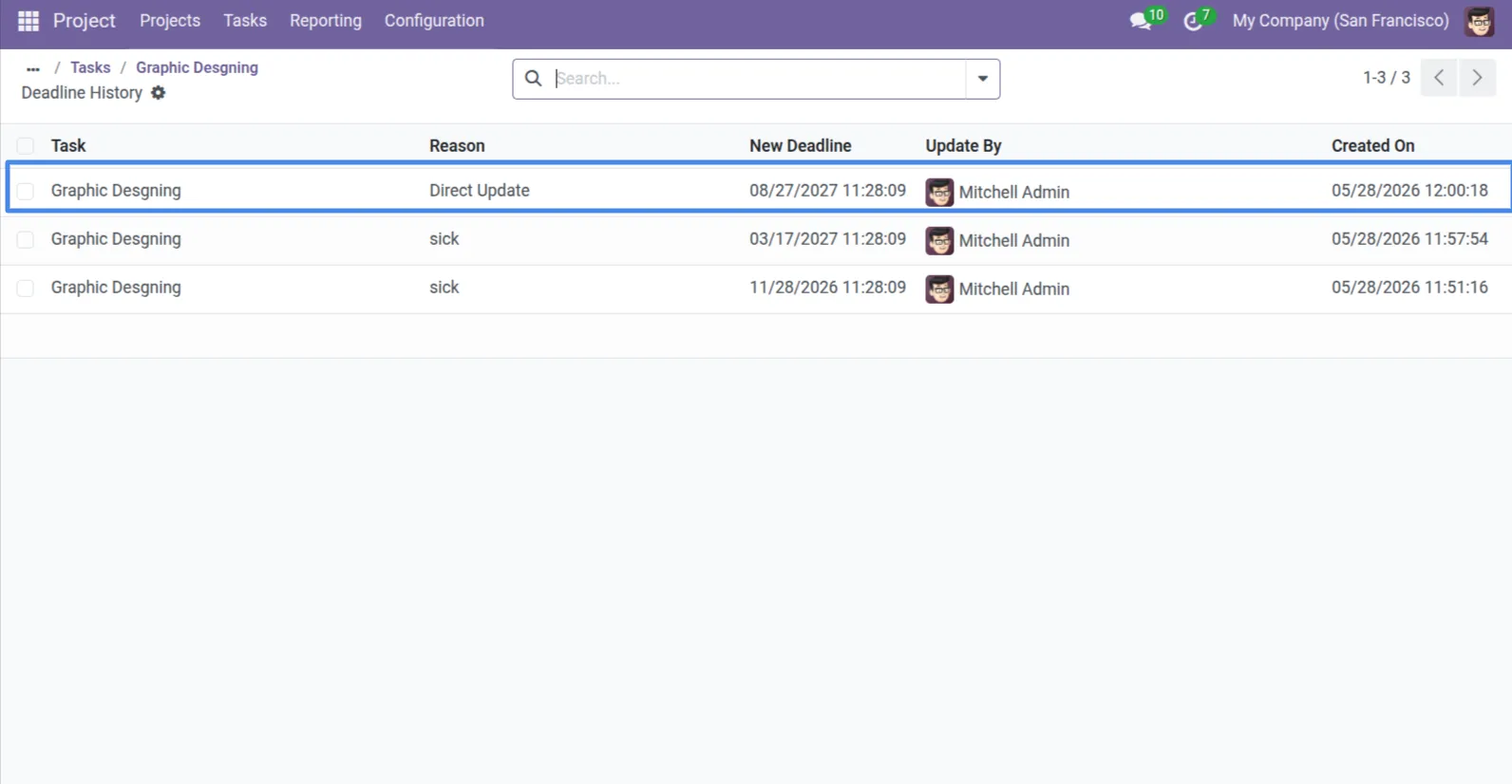
10. Direct deadline changes are automatically included in project deadline tracking and recorded with the reason "Direct Update".
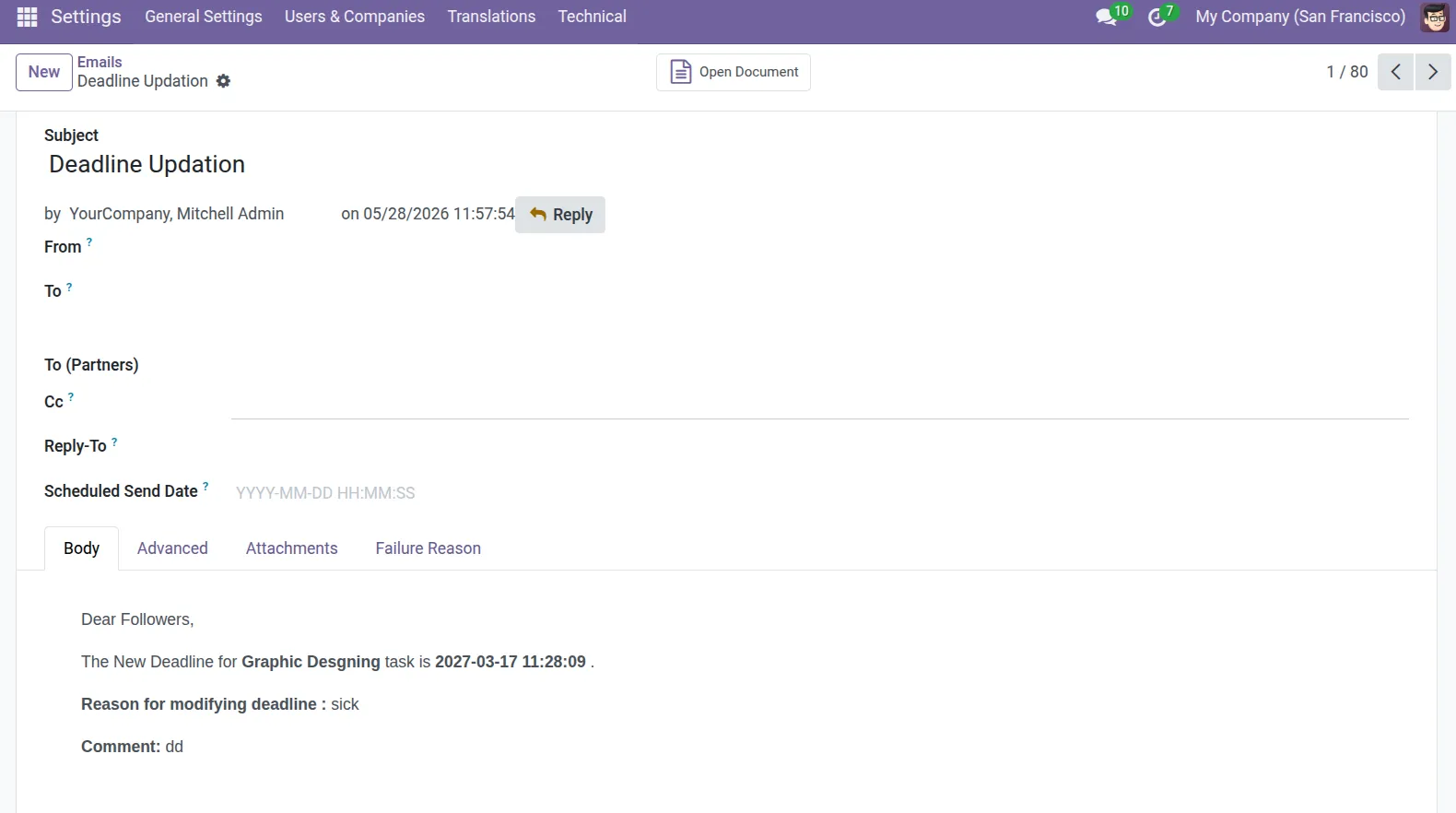
11. All deadline notification emails are tracked in the system and can be viewed from the Technical Emails menu. Emails are sent only when users update task deadlines through the Update Deadline wizard, helping maintain efficient project workflow management.
Our solutions focus on your problems
- Odoo Implementation
- Odoo Customization
- ERP Development and Implementation
- Odoo Ipass Cloud
- AI for Odoo
- Odoo Apps
- Aws Marketplace Products
- Business Engines
Our Pricing includes User Manual, 90 Days Support (Monday-Friday 10am to 7pm IST) and One time Setup
• Works & tested on standard installations of Odoo with no third party apps,
• Free support only for odoo installations with no third party apps,
• Paid support available for Odoo installations with third party apps.

Prefortune is a Odoo Official Partner, Odoo Development company. Our philosophy is to use Open Source tools and technologies to provide cost effective and green solutions for our customers.
Prefortune Technologies LLP is working on web development, Mobile development, and Odoo ERP.
If you need any help or want more additional features, you may contact us through:
Alternative Products
These other products might interest you
Specifications
| Version | 19.0, 18.0, 17.0, 16.0, 15.0, 14.0 |