Watch Quick Video
Project Task Issue Tracking Odoo App
Our all-inclusive
Odoo – Project Task Issue Tracking Odoo App
helps organizations efficiently manage, monitor, and resolve project-related issues and bugs directly within their Odoo system.
This module introduces a structured issue tracking workflow that ensures every issue created from a
Project or Task is properly recorded, categorized, and tracked through defined stages until resolution. When an issue is created by a user,
it is automatically linked to the respective Project and/or Task, ensuring complete traceability and accountability. The system supports configurable
Issue Types such as Bug, Support, Improvement, or Change Request, along with customizable Issue Stages including New, In Progress, Resolved, and Cancelled.
This provides full visibility and control over the issue lifecycle.
Project Managers and authorized users can review issue details, assign responsible users, update stages, and monitor progress using Kanban, List, and Form views.
Smart buttons on Projects and Tasks allow quick access to all related issues, improving navigation and saving time.
The module also includes a simple issue creation wizard with a default issue type configuration to streamline the reporting process.
For enhanced collaboration, the app extends functionality to the Portal, allowing customers to view, track, and communicate on their reported issues in real time.
Role-based access control ensures that only authorized users can configure issue settings and manage workflows.
By centralizing issue tracking within the Project module, this app improves transparency, accelerates problem resolution, enhances team coordination,
and ensures more efficient project execution across your Odoo environment.
Project Task Issue Tracking Odoo App
- Separate issue model to manage bugs and support tickets linked to projects and tasks.
- Easily create issues directly from project or task using a popup wizard.
- Configure issue types (Bug, Support, etc.) and manage workflow with kanban stages.
- View related issues from project and task using issue count smart buttons.
- Portal users can view, track, and communicate on their issues online.
Project Task Issue Tracking Odoo App
First, assign the Project Issues Access role from user settings to authorized users. Once configured, users can create issues directly from a Project or Task using the Create Issue button. When an issue is created, it is automatically linked to the respective Project and/or Task and assigned a default Issue Type. The responsible user or Project Manager can review issue details, assign it to a team member, and move it through predefined stages such as New, In Progress, Resolved, or Cancelled. Users can track all related issues using the smart buttons available on both Project and Task forms. Portal users can also view and monitor their reported issues from the portal interface, check status updates, and communicate through message history. Once resolved, the issue is marked accordingly, ensuring complete visibility and proper tracking throughout the project lifecycle.
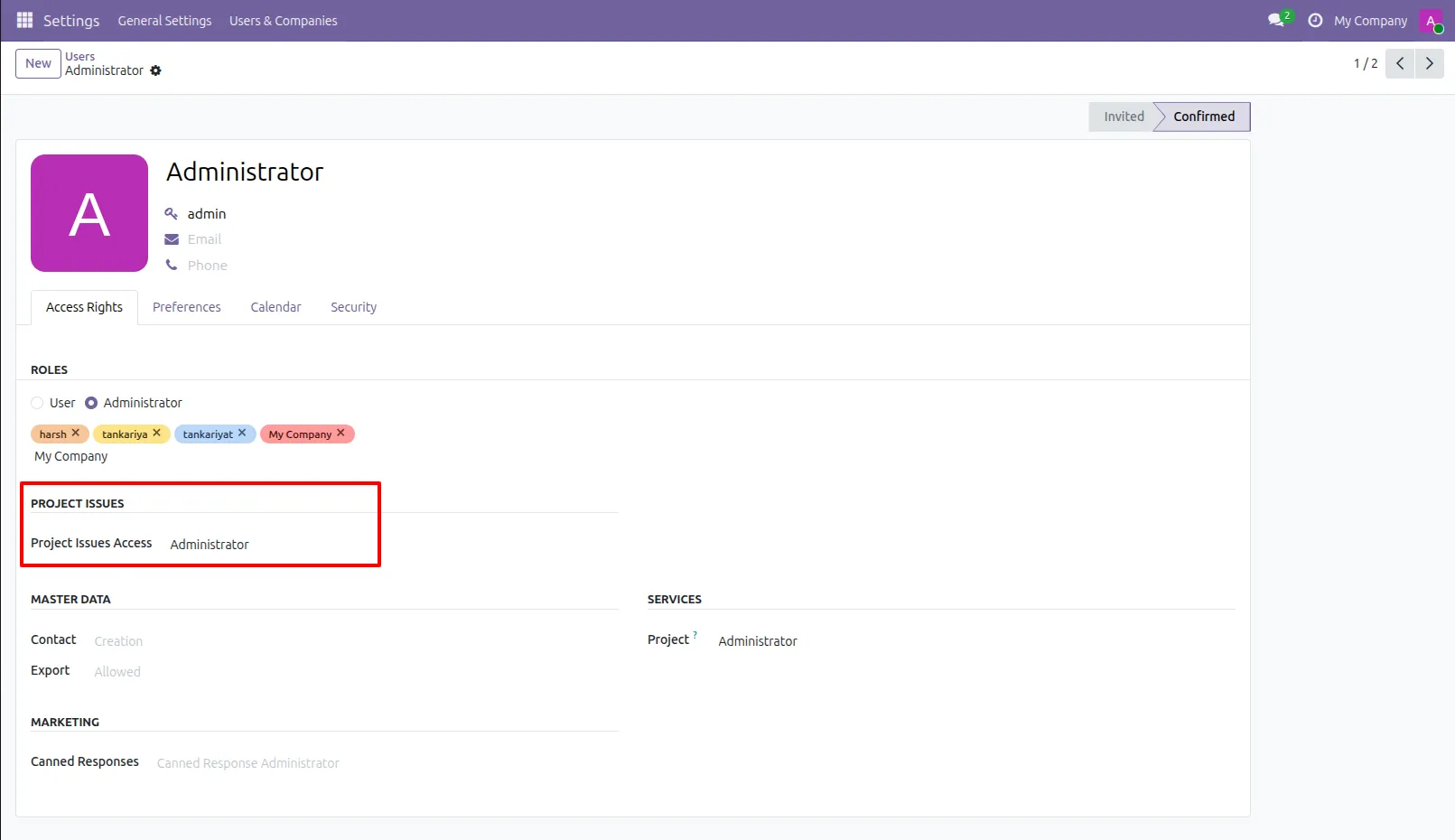
1.Project issues access group.
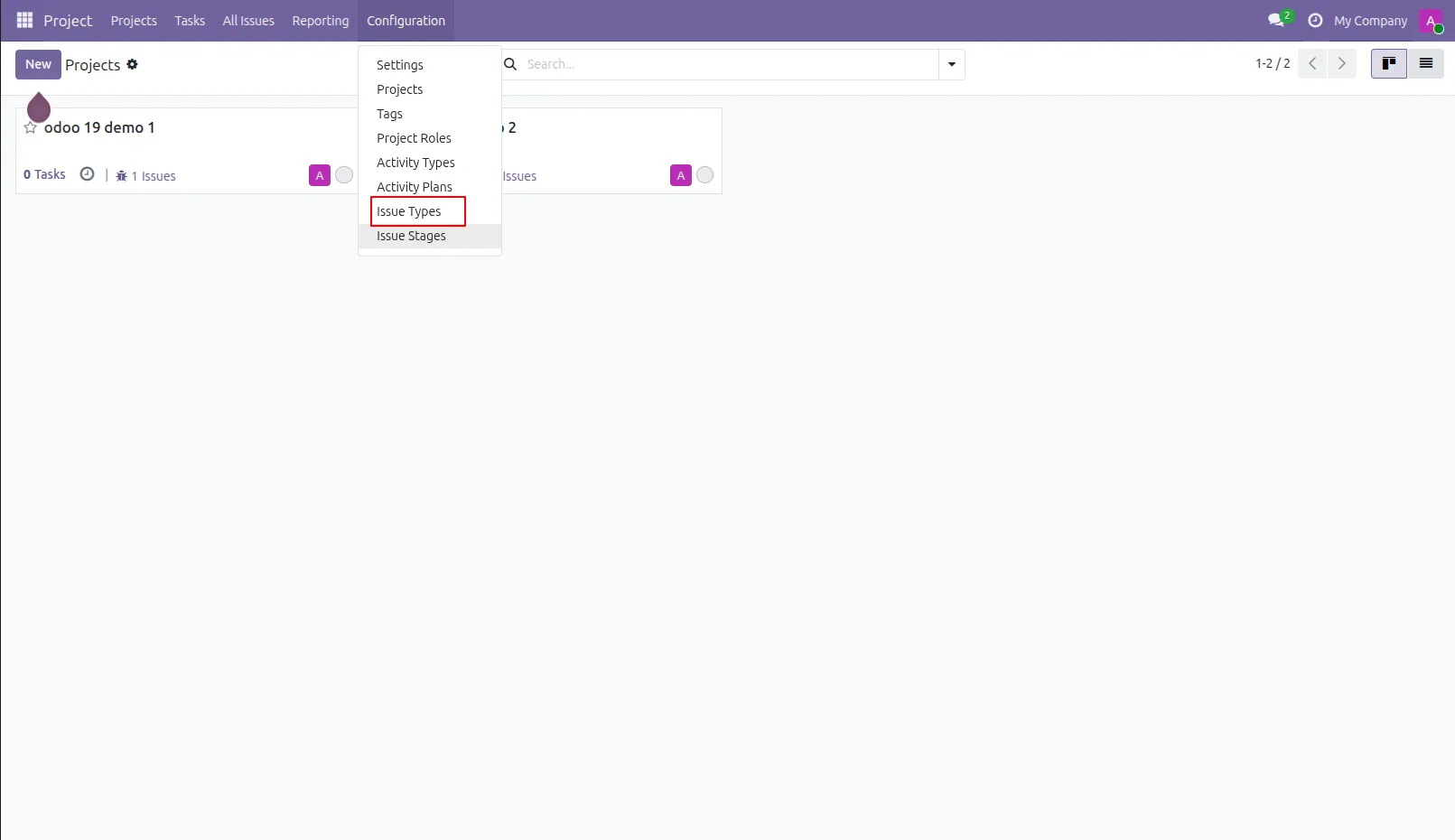
2.Issue type menu and kanban view.
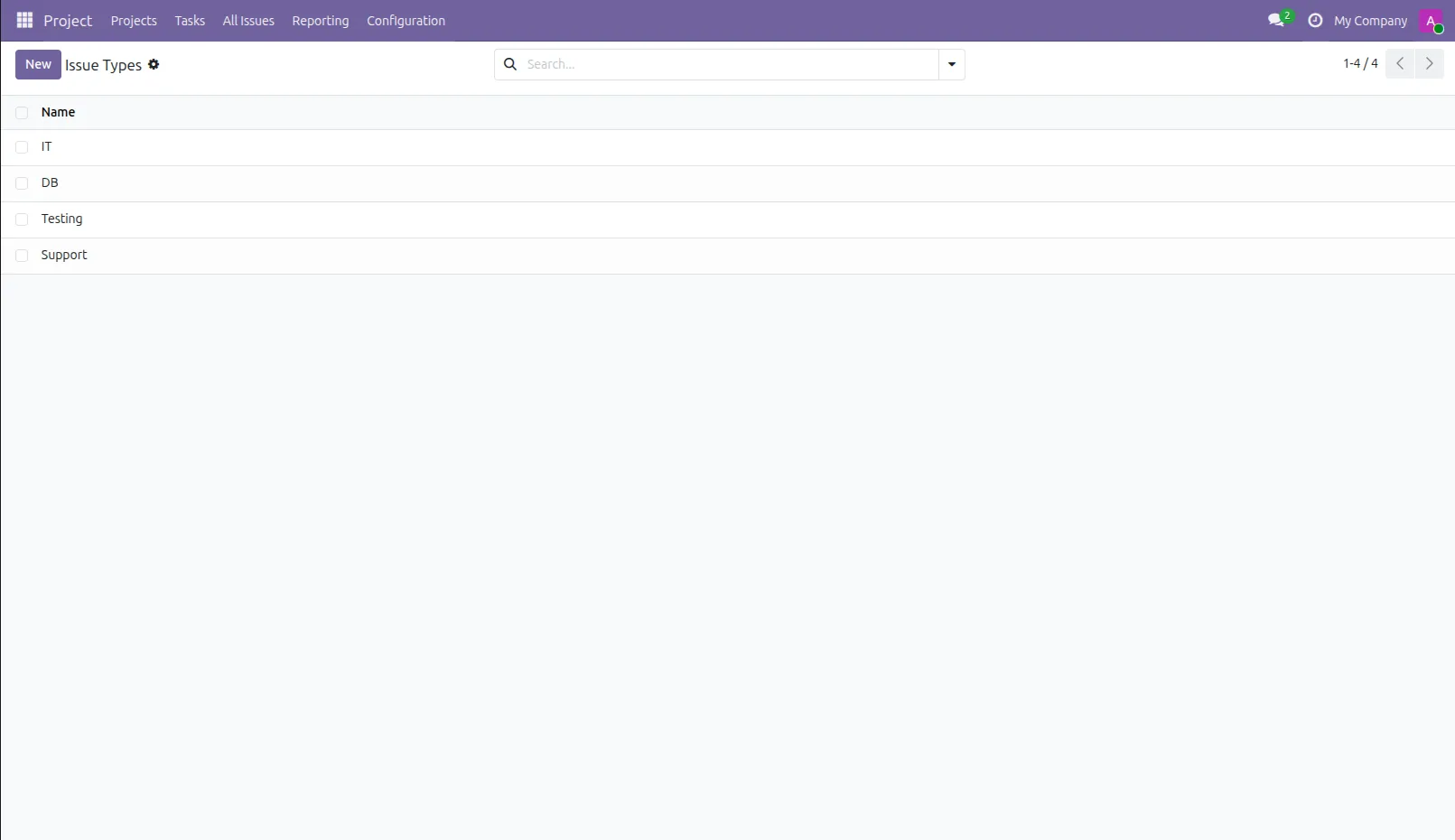
3.Issue types list view.
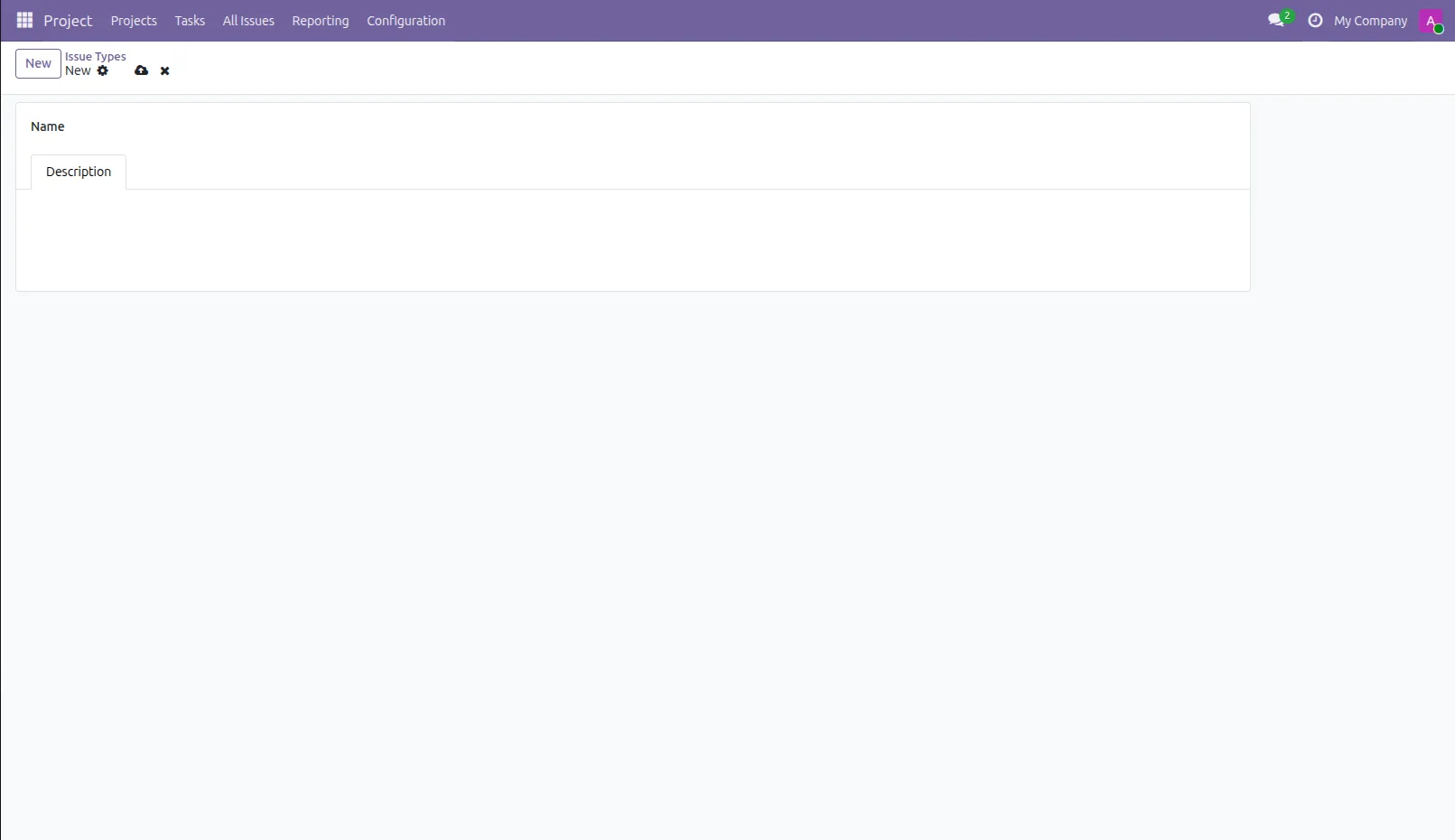
4.Issue types form view.
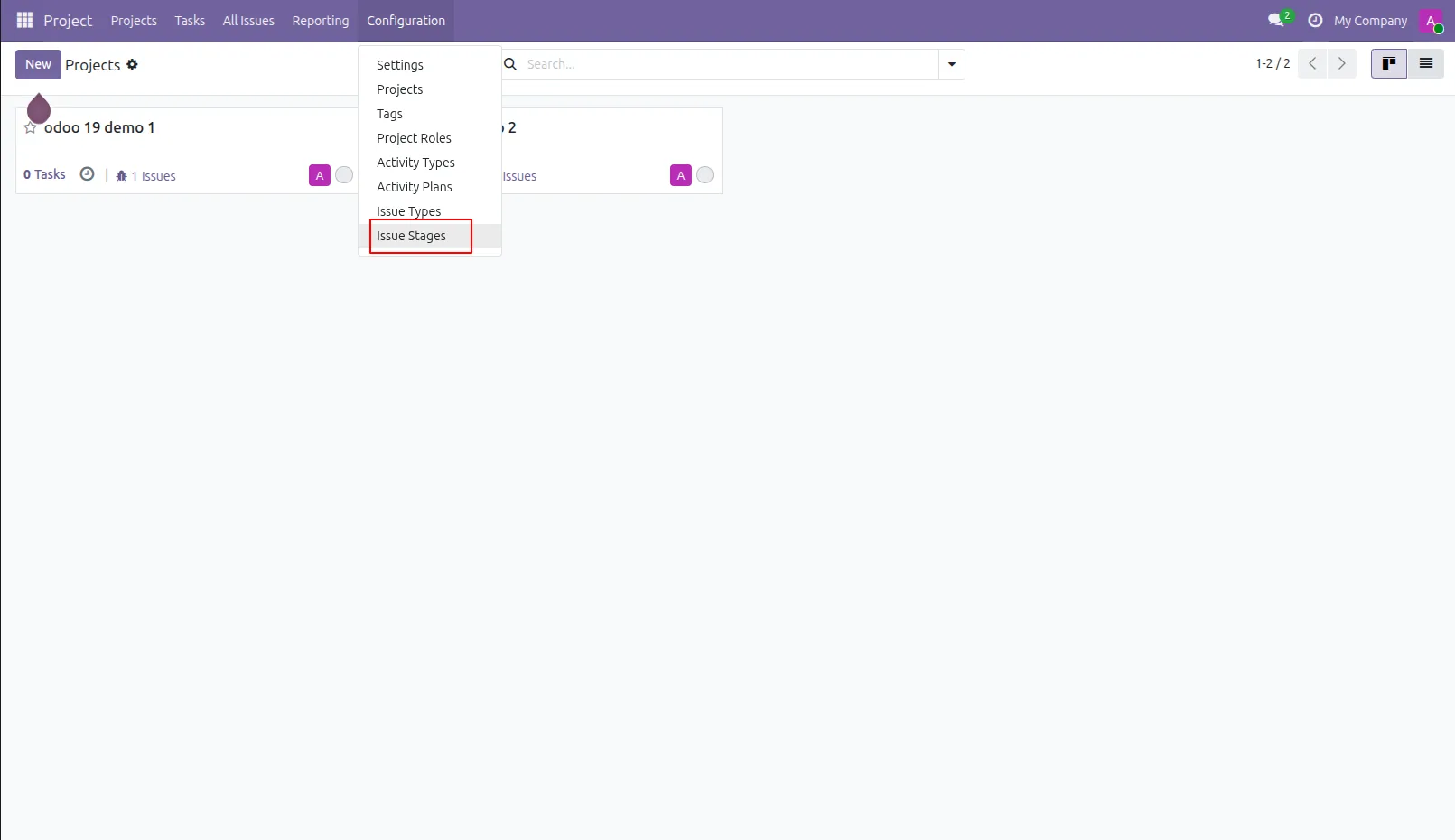
5.Issue stage menu and kanban view.
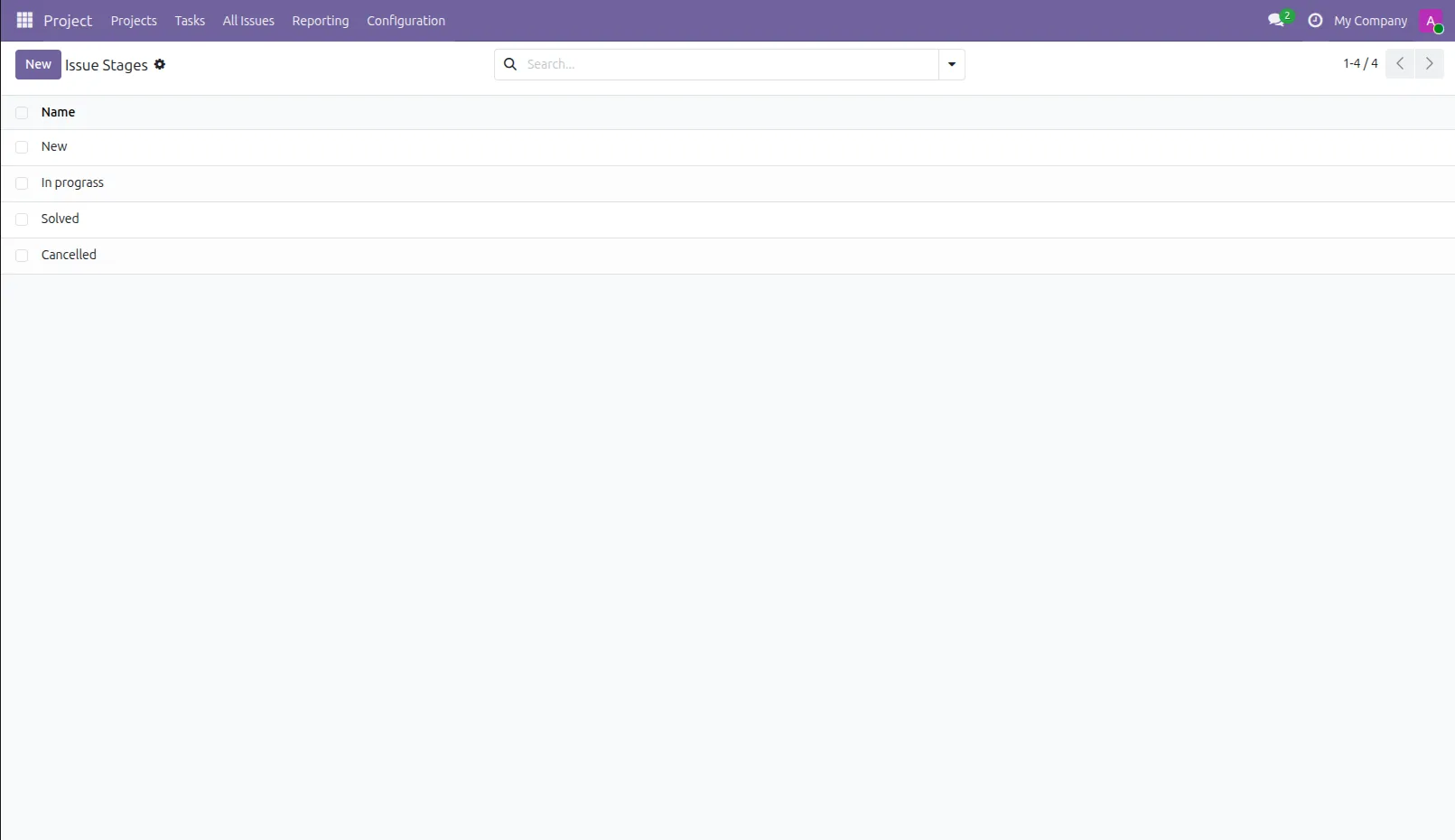
6.Issue stage list view.
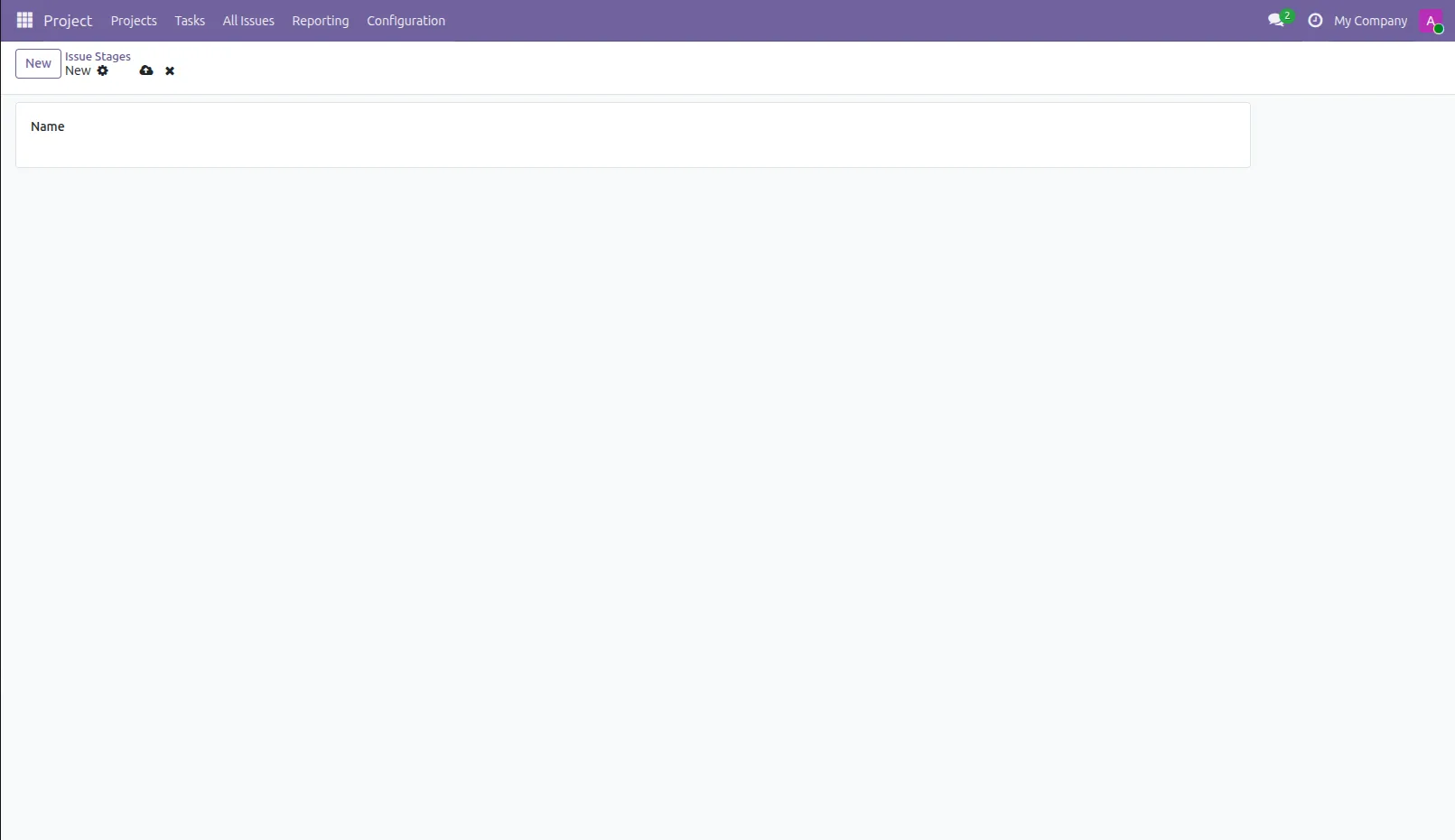
7.Issue stage form view
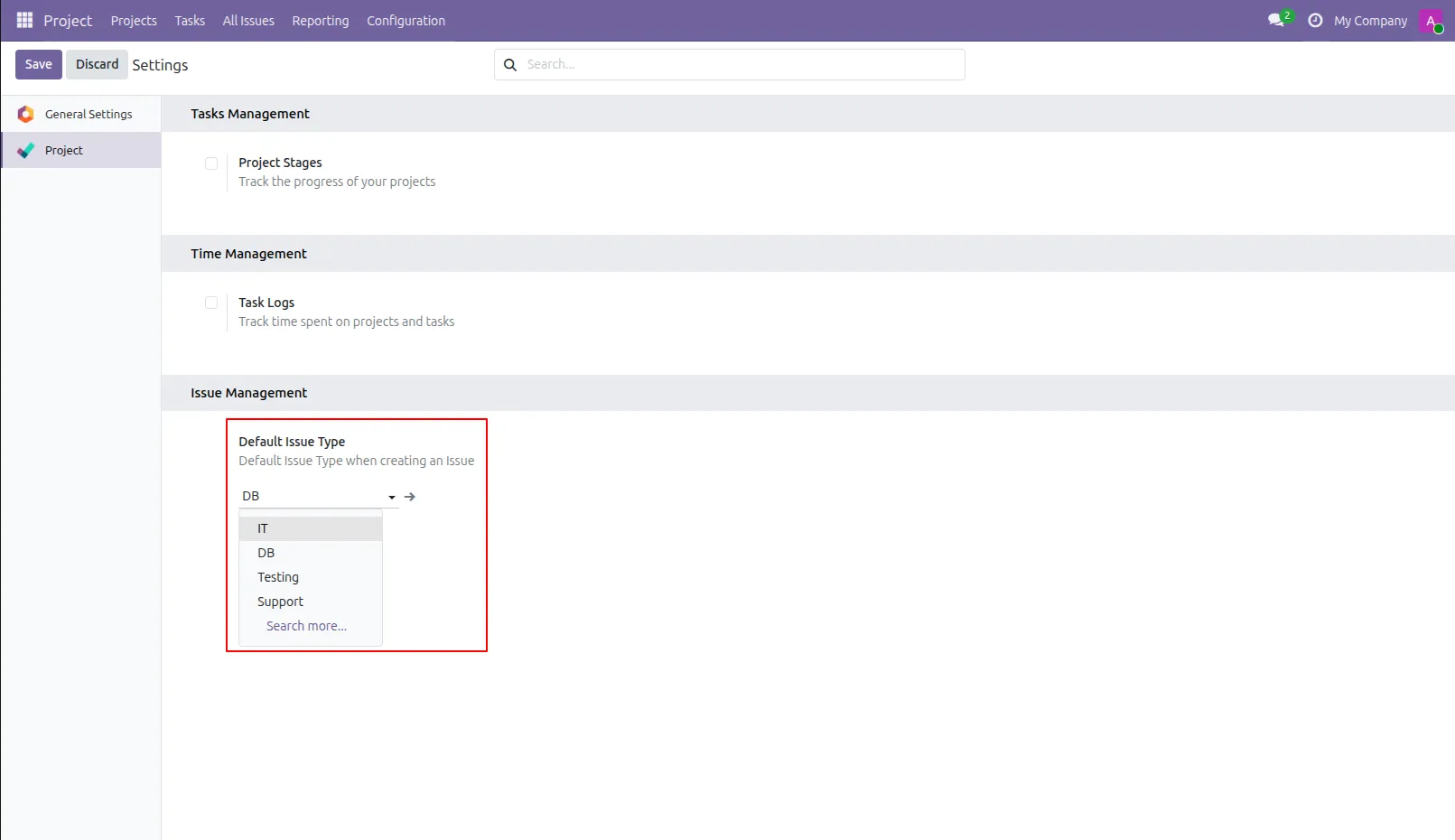
8.Default issue type configuration.
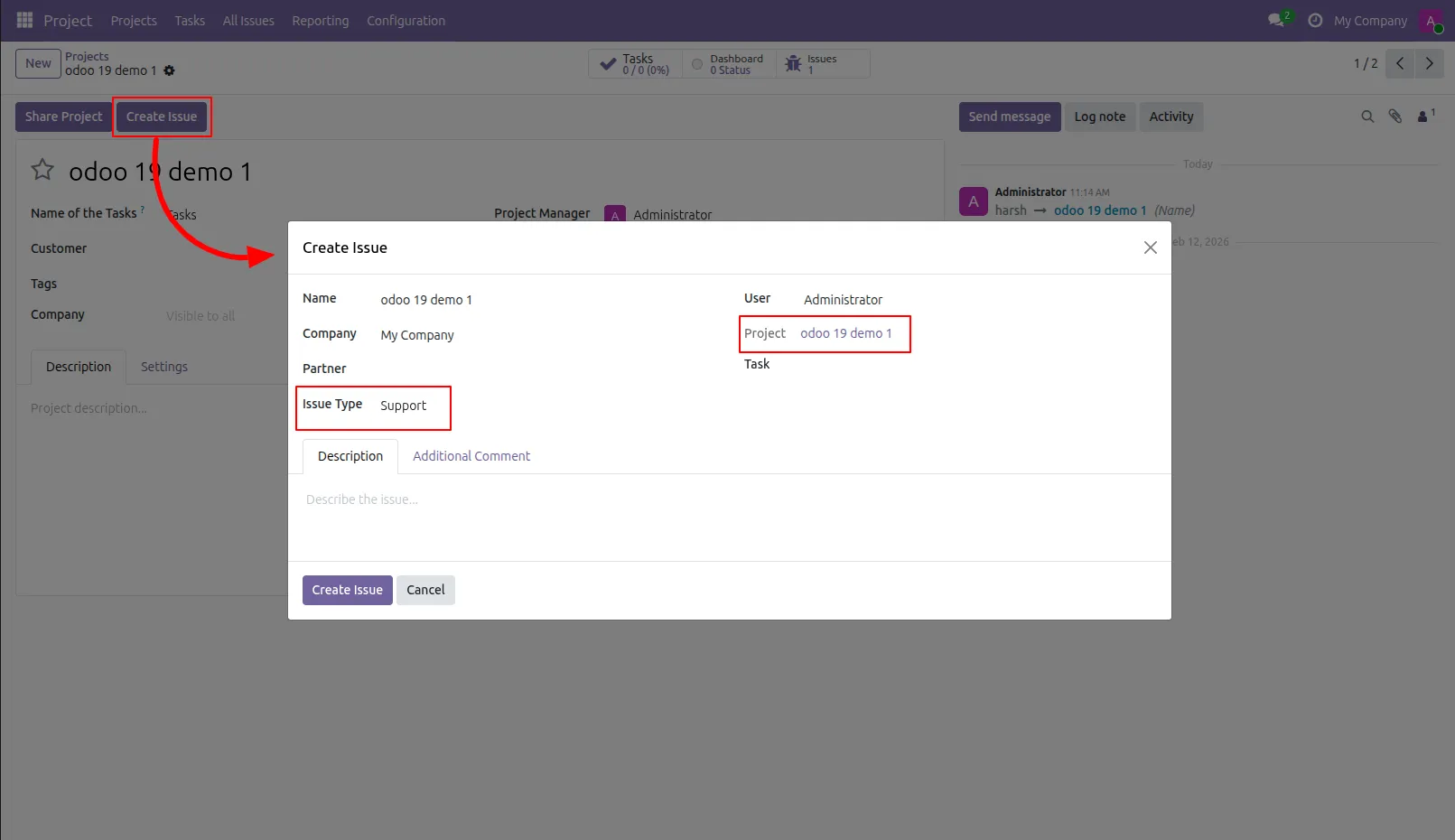
9.You can create issue from project as well task, Now create issue. Issue wizard with default issue type.
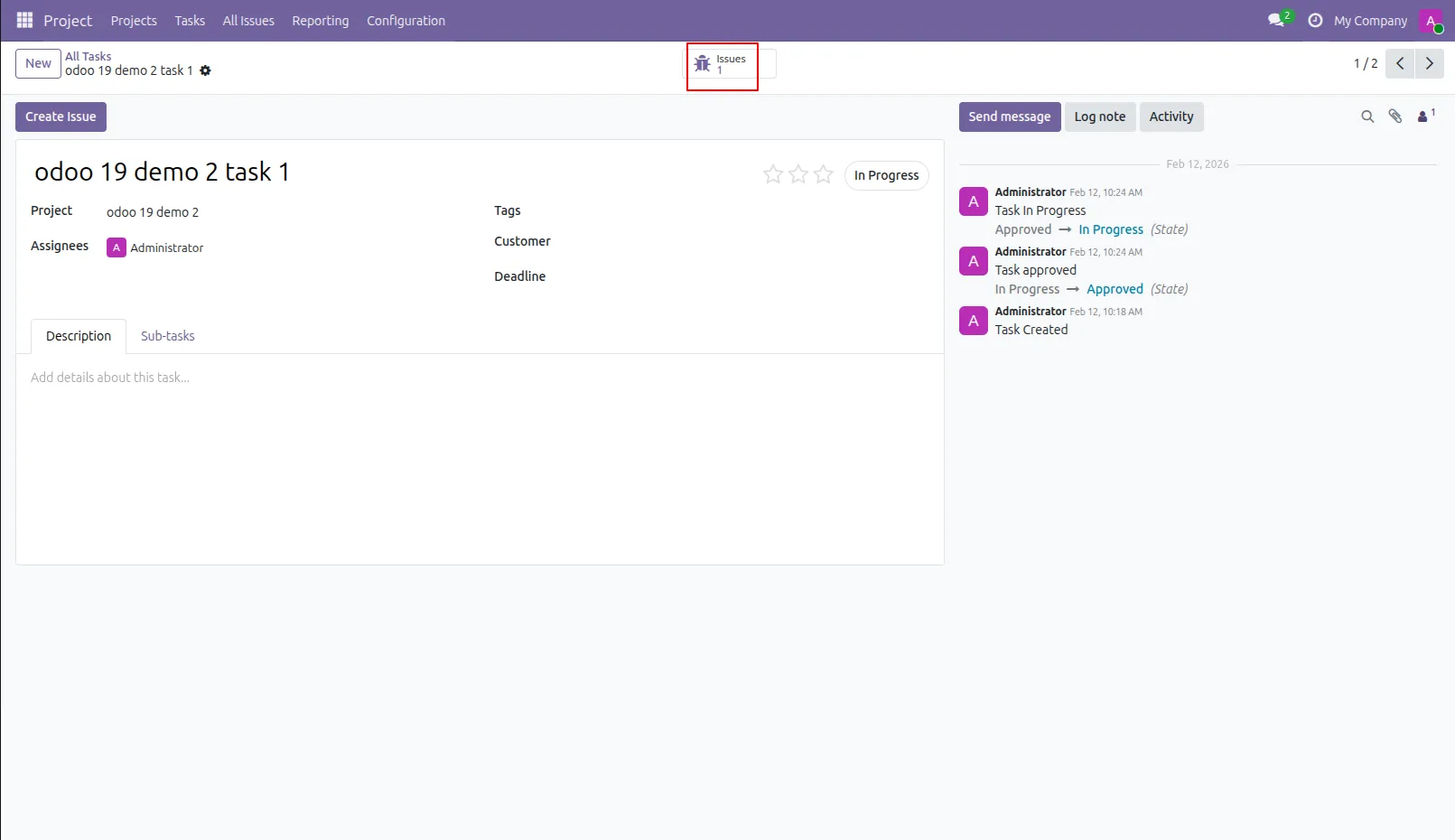
10.You can see all tasks issue from that particular task.
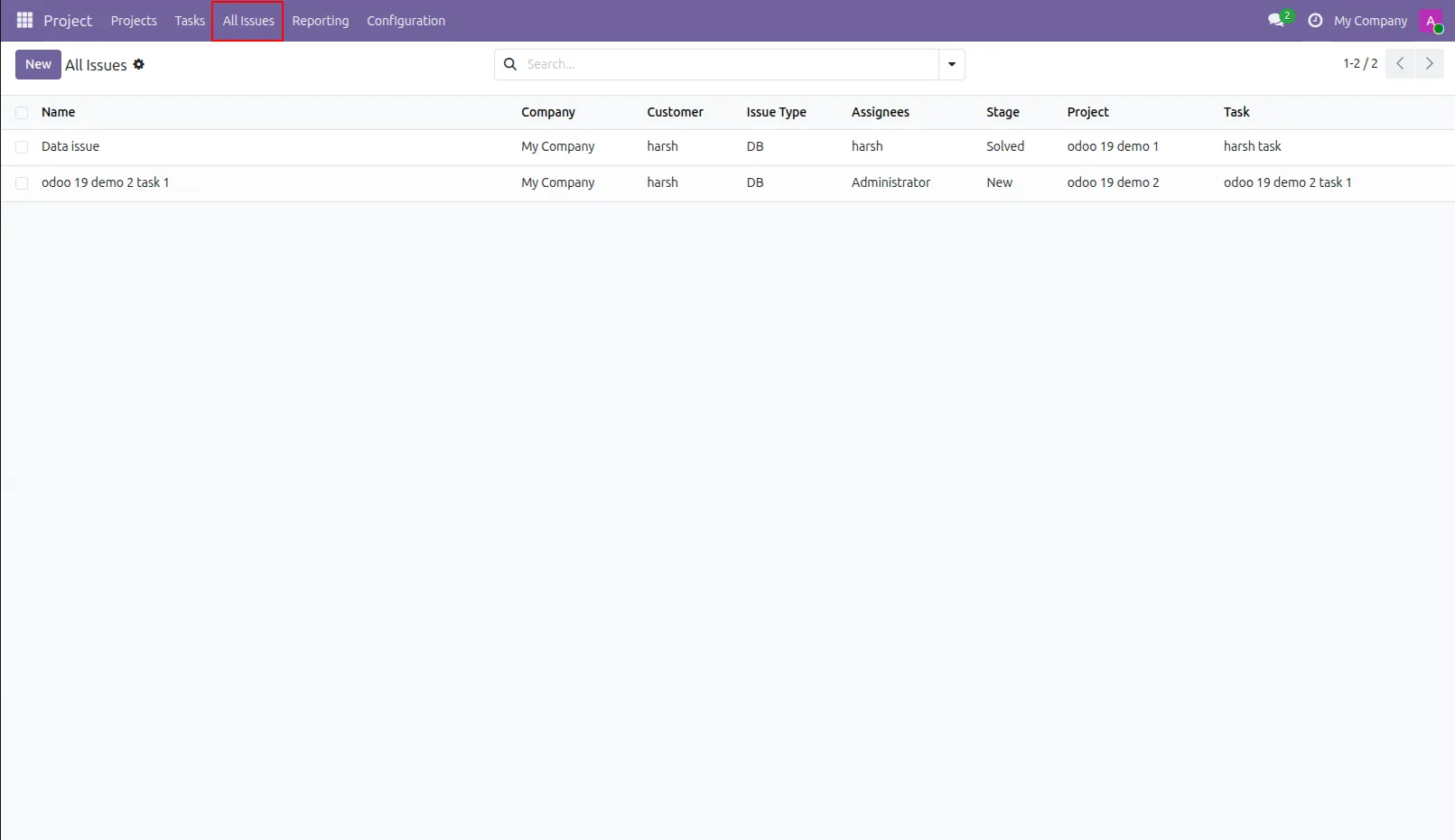
11.Issue list view looks like this.
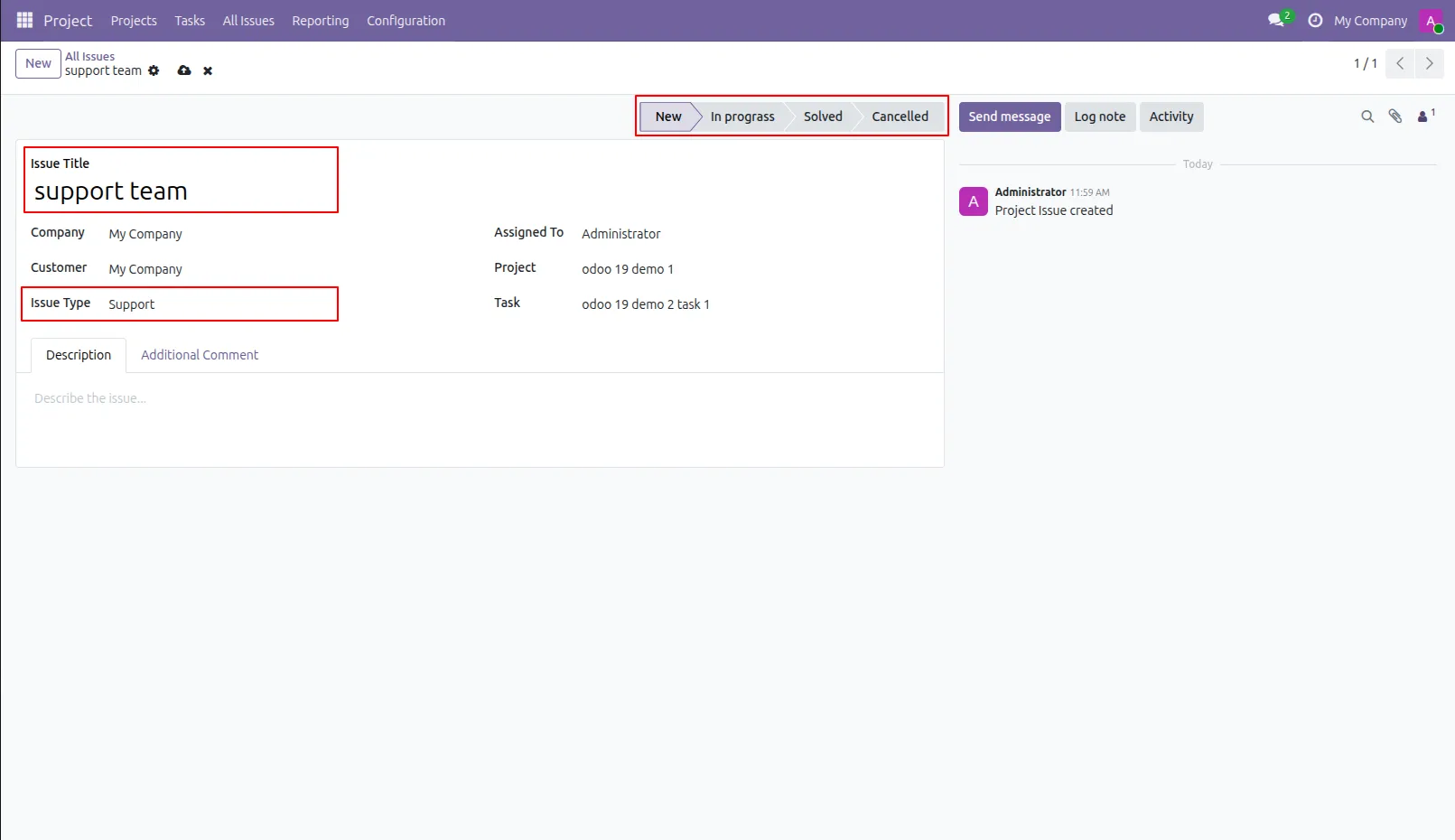
12.Issue form view looks like this.
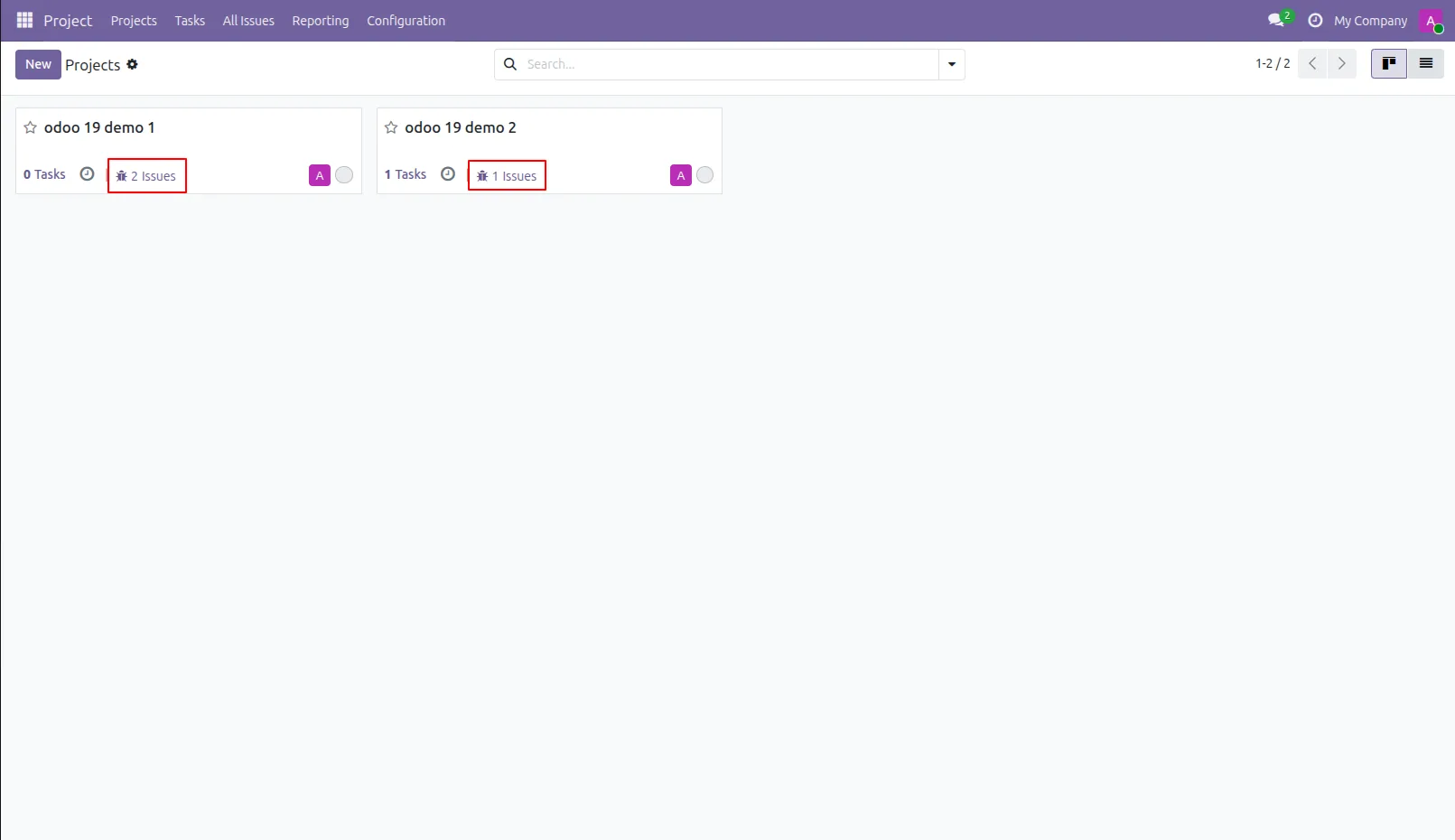
13.You can see all tasks issue from that particular project.
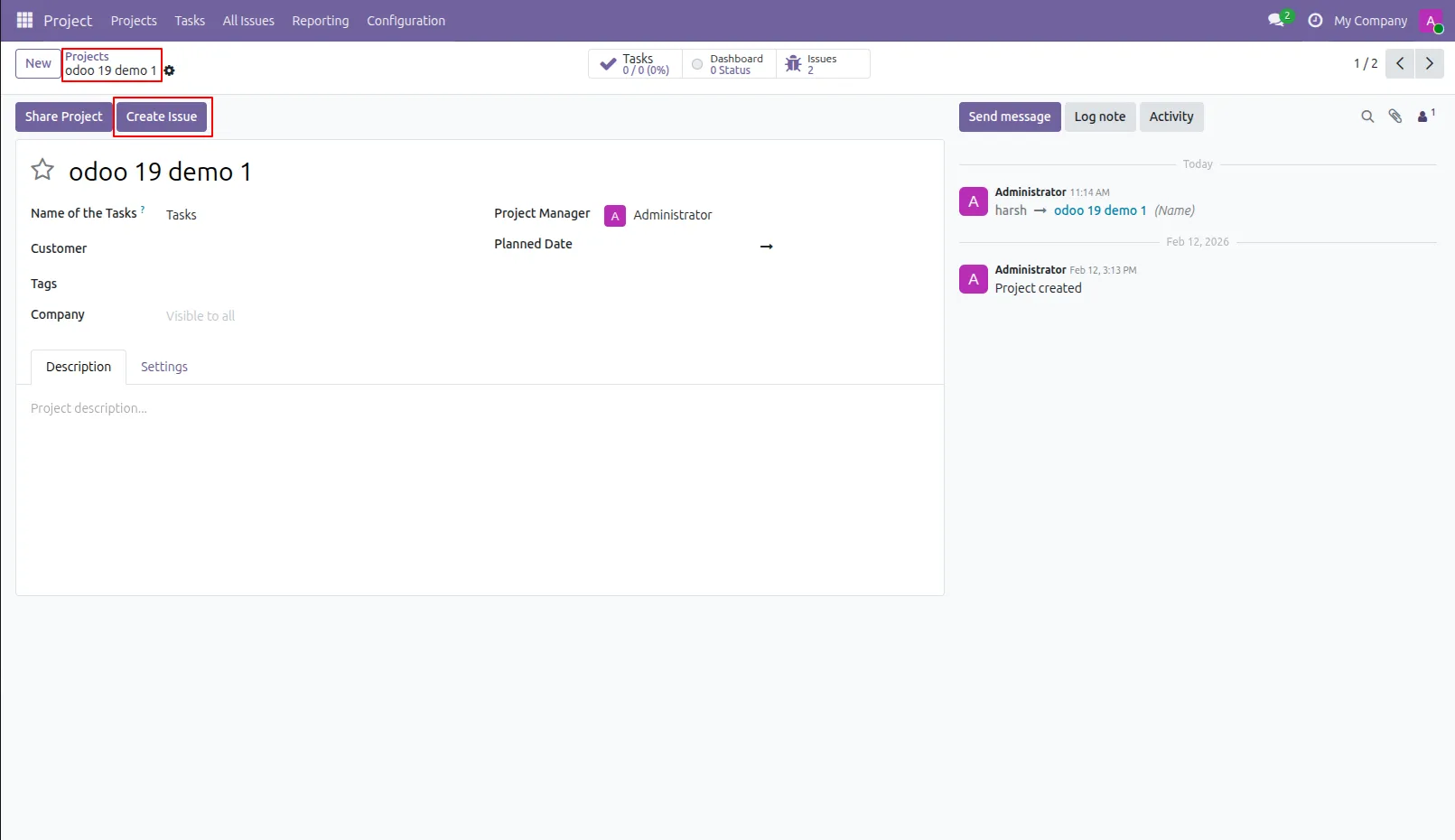
14.You can create issue from project as well task.
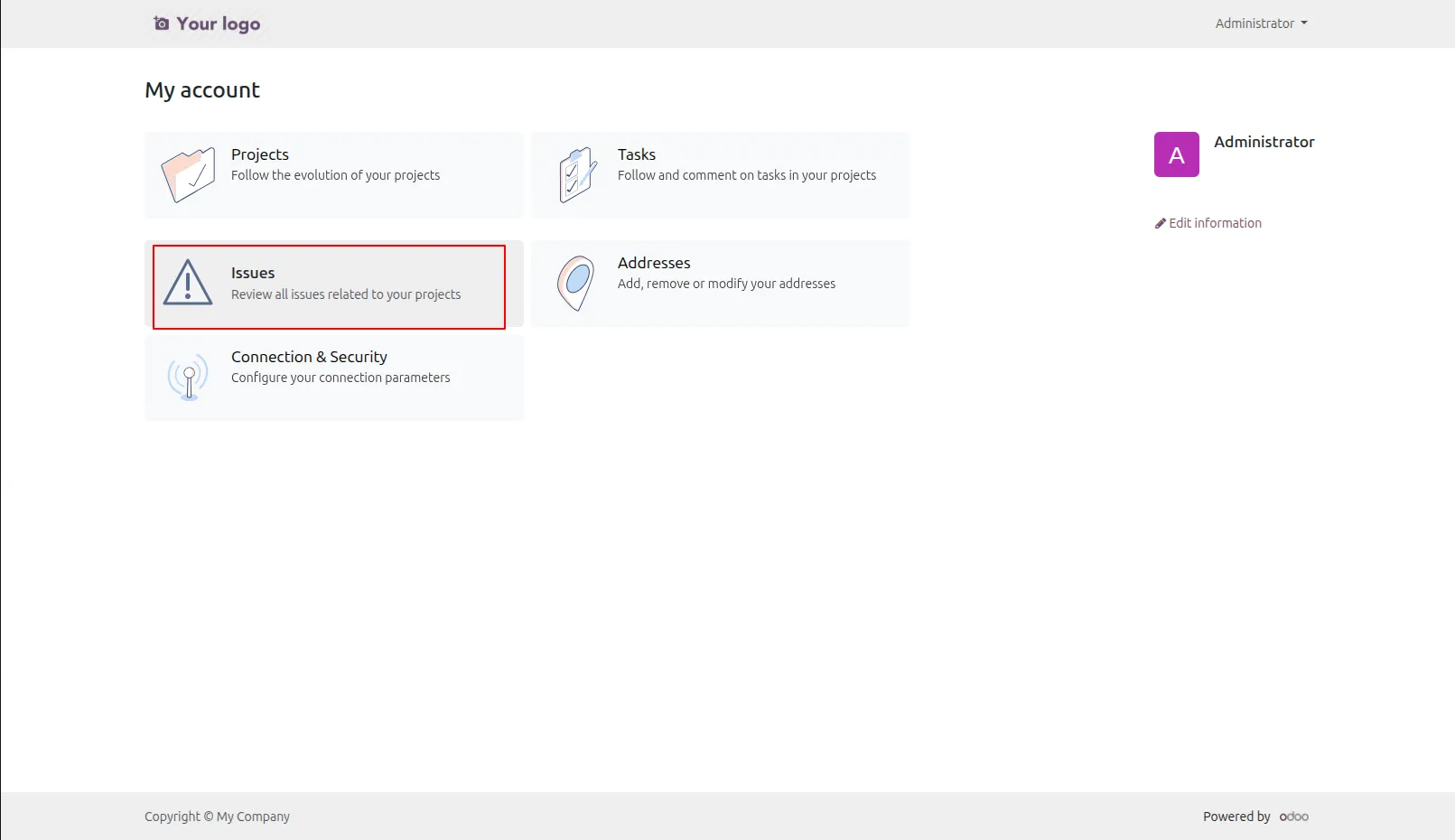
15.Portal users can manage bugs/issues on their portal site.
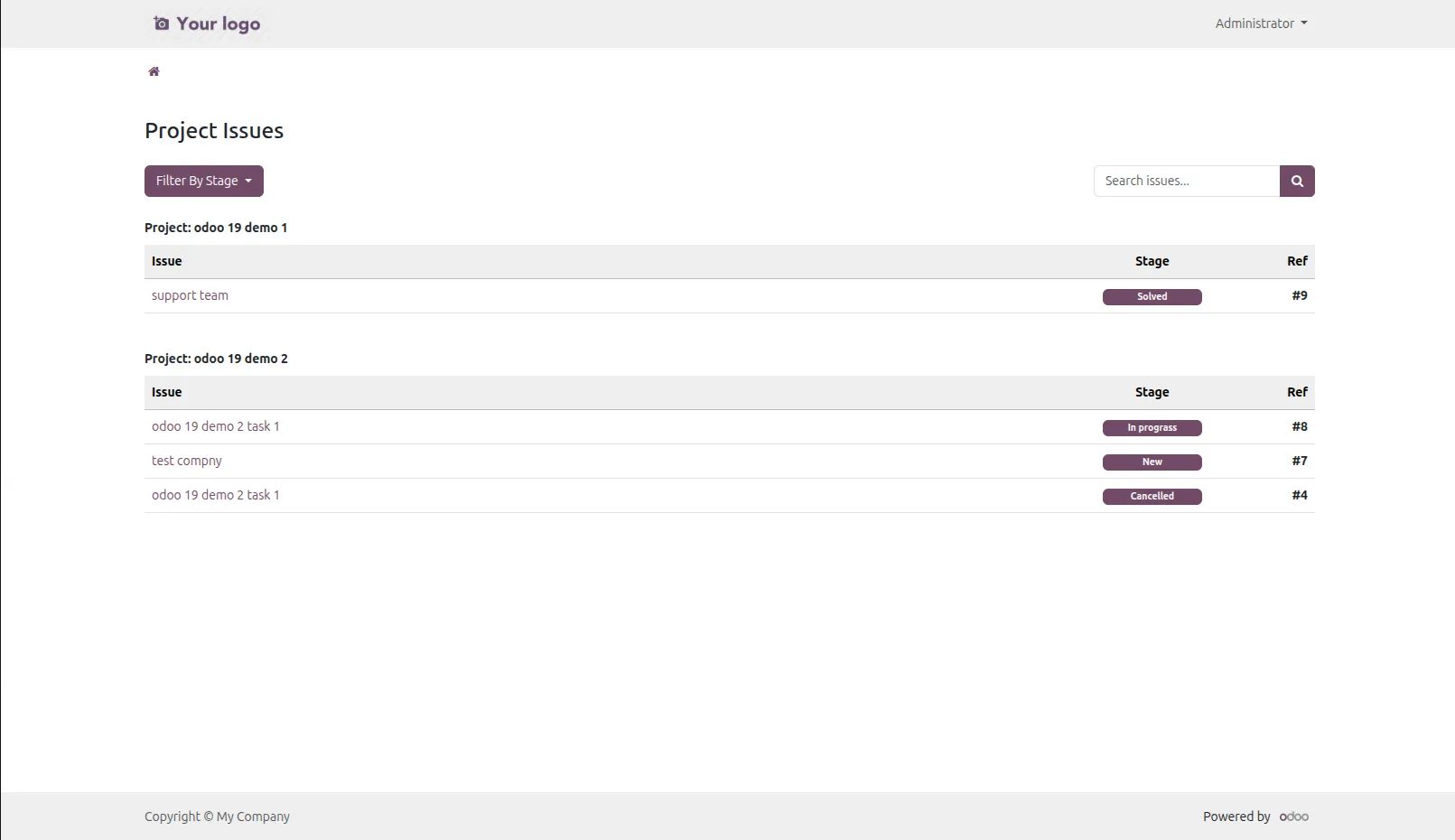
16.Issue list view at portal.
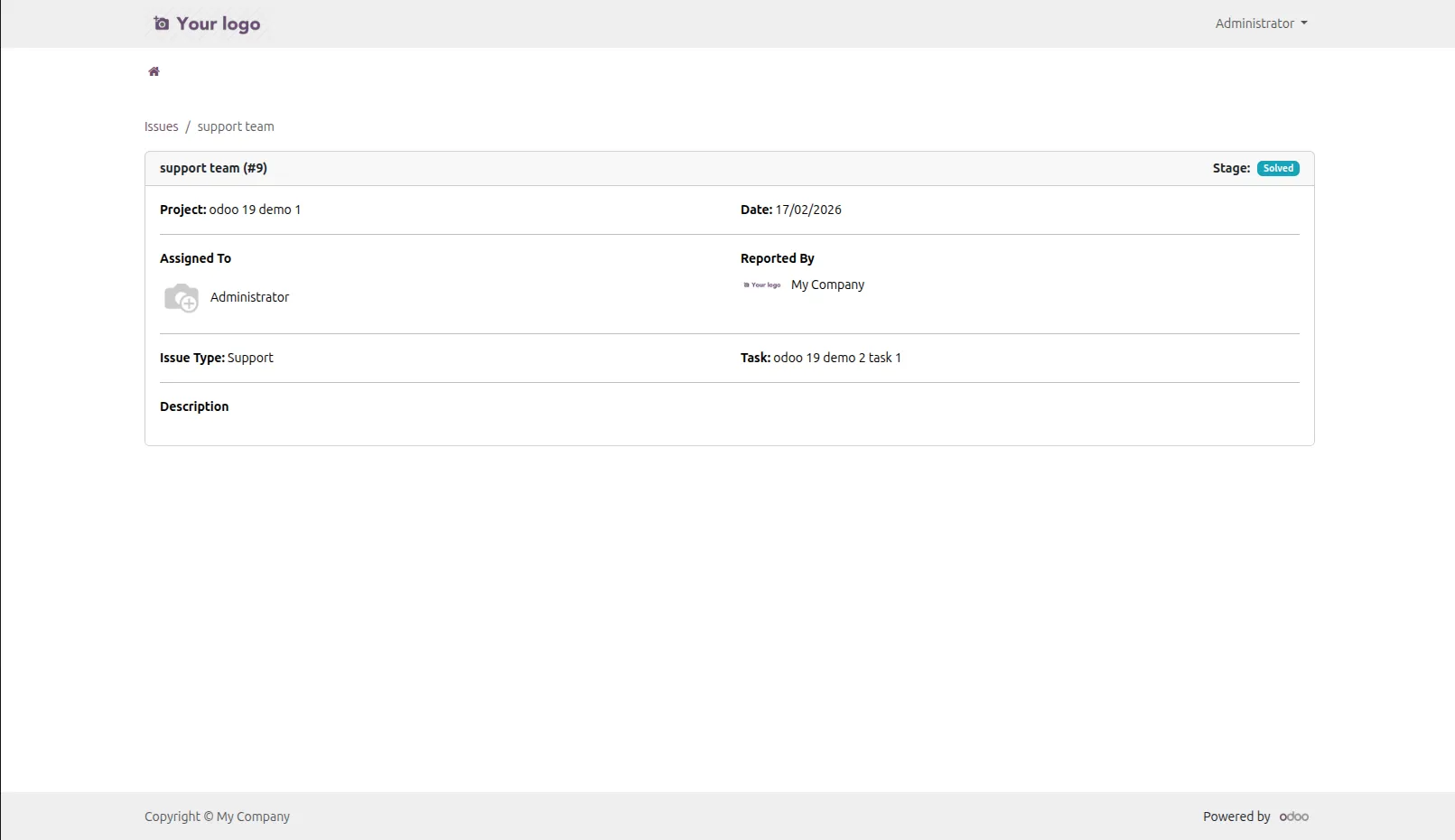
17.Issue form view at portal.
Our solutions focus on your problems
- Odoo Implementation
- Odoo Customization
- ERP Development and Implementation
- Odoo Ipass Cloud
- AI for Odoo
- Odoo Apps
- Aws Marketplace Products
- Business Engines
Our Pricing includes User Manual, 90 Days Support (Monday-Friday 10am to 7pm IST) and One time Setup
• Works & tested on standard installations of Odoo with no third party apps,
• Free support only for odoo installations with no third party apps,
• Paid support available for Odoo installations with third party apps.

Prefortune is a Odoo Official Partner, Odoo Development company. Our philosophy is to use Open Source tools and technologies to provide cost effective and green solutions for our customers.
Prefortune Technologies LLP is working on web development, Mobile development, and Odoo ERP.
If you need any help or want more additional features, you may contact us through:
Alternative Products
These other products might interest you
Specifications
| Version | 19.0, 18.0, 17.0, 16.0, 15.0, 14.0 |