Watch Quick Video
Project Checklist Odoo App
Our all-inclusive
Odoo – Project Checklist Odoo App Enhances project management by allowing businesses to organize and track essential tasks directly within project records. It enables project administrators to create and manage custom checklist templates from the Odoo backend, which can then be associated with specific projects to ensure all requirements are clearly defined from the start. When a manager selects a template, the app automatically generates the corresponding checklist items in the project view, saving time and preventing manual data entry errors. The system features a responsive interface where users can monitor project progress via a real-time progress indicator. Each task is equipped with simple, interactive buttons to mark items as Done or Cancelled, providing instant visual feedback through color-coded badges. The app also includes a flexible "Allow Duplicate" control, giving managers the choice to track repeating tasks independently across different templates or consolidate them into a unique list. By automating task generation and providing a transparent tracking system, the Project Checklist Odoo App helps reduce missed steps, improves team productivity, and ensures consistency across the entire project catalog. It is an ideal solution for businesses seeking a professional, reliable, and user-friendly way to manage complex project requirements effectively within Odoo.
Project Checklist Odoo App
- Create and manage reusable project checklists and templates for consistent workflows.
- Attach multiple checklist templates to a single project with automatic record generation.
- Manage checklist status effortlessly with interactive Done and Cancel action buttons.
- Track checklist progress automatically through real-time calculations and status updates.
- Display visual progress indicators and color-coded badges in both List and Kanban views.
Complete Workflow for Manage Project Checklist Odoo App
To get started with the Project Checklist Module first navigate to the Project Configuration menu to create individual Project Checklists and group them into Project Checklist Templates After defining your templates, open a project and go to the Checklist tab to select the desired templates. Once selected, the system automatically fetch the checklist records, and you can use the "Allow Duplicate Checklist" toggle to decide if repeating tasks should be tracked separately or merged into one. After adding your templates, ensure you Save the project record to fully activate the interactive Done and Cancel buttons.
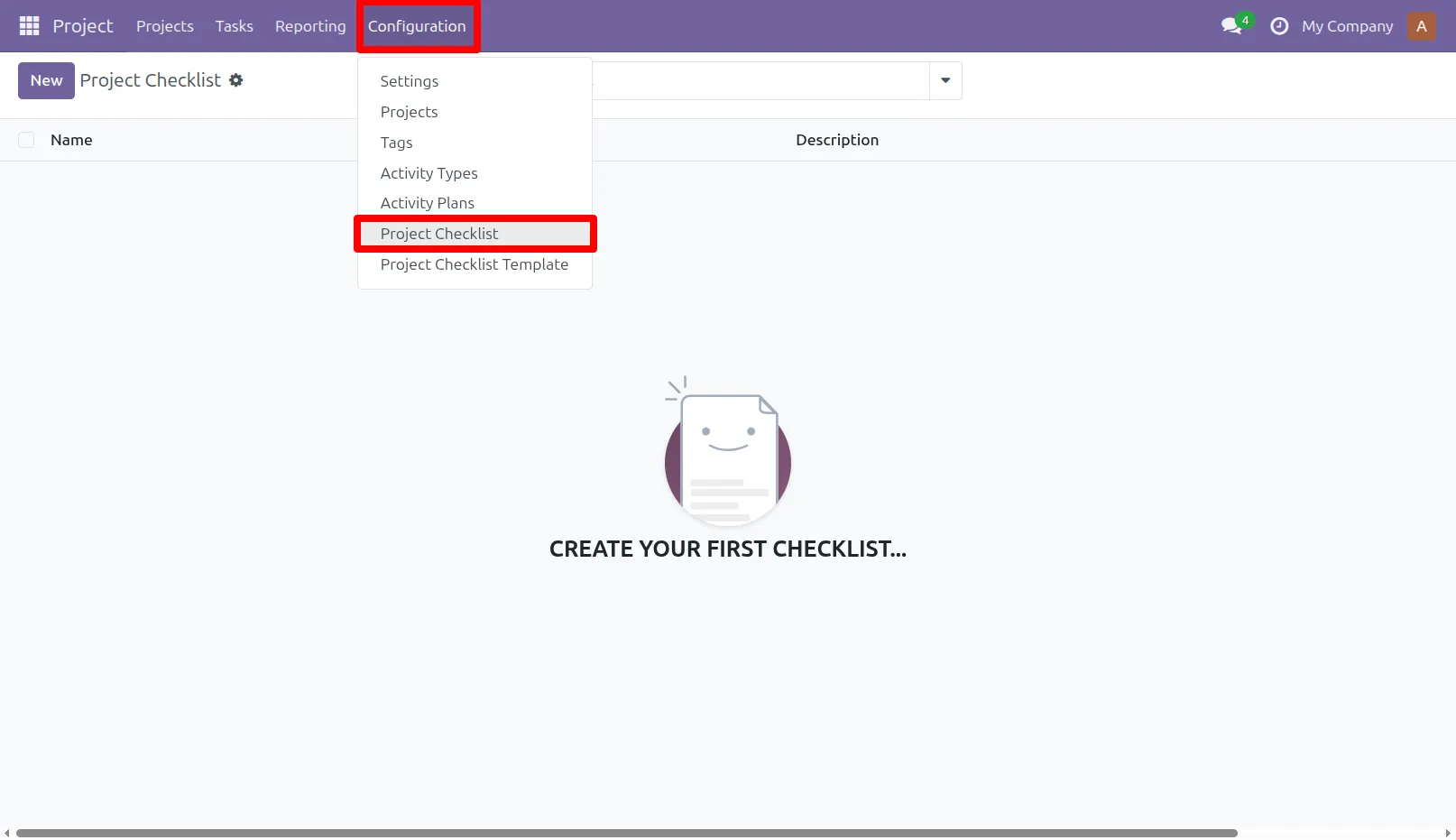
1. Go to Project -> Configuration -> Project Checklist menu
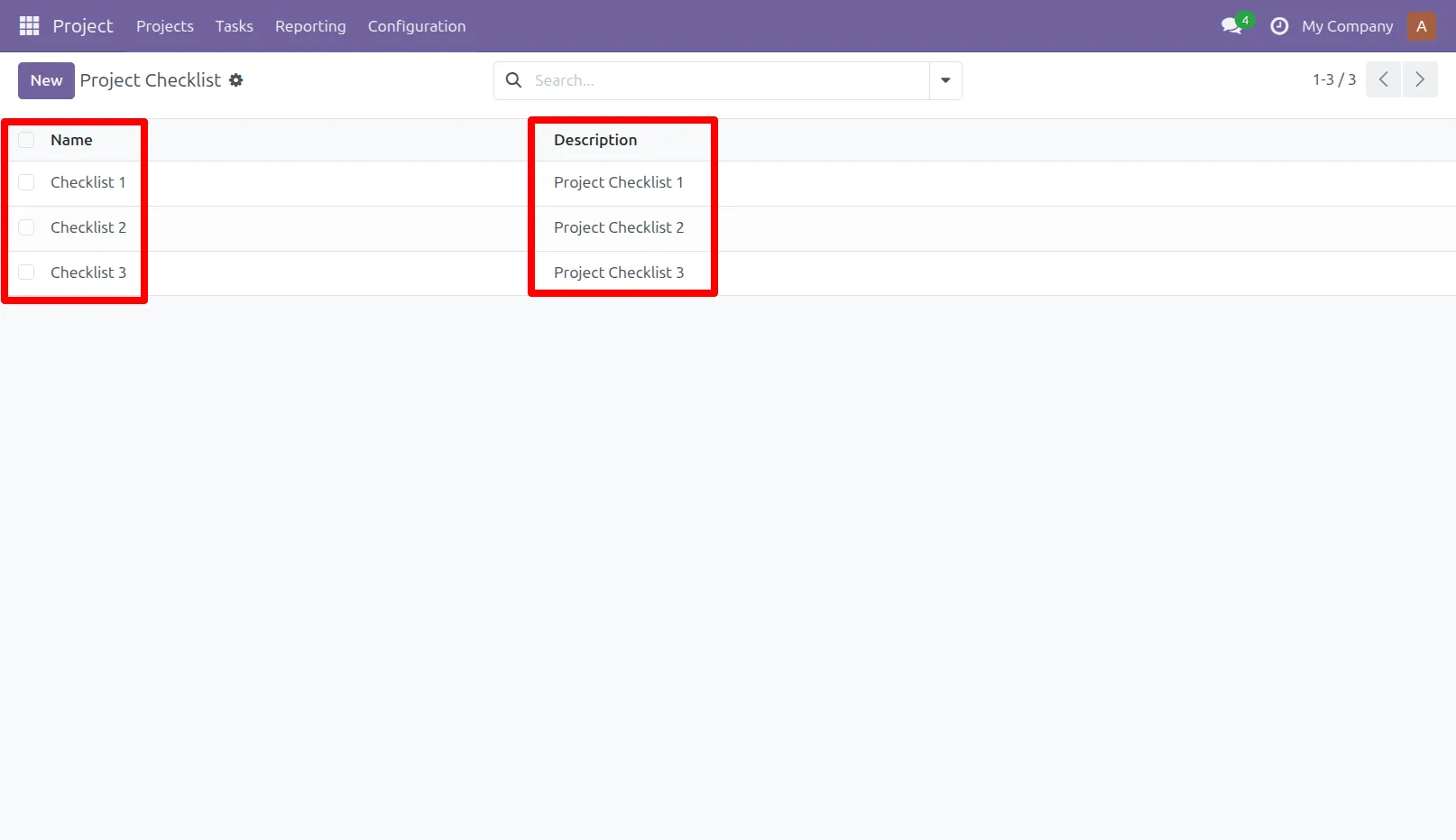
2. Project Checklist menu in that create project checklist with description.
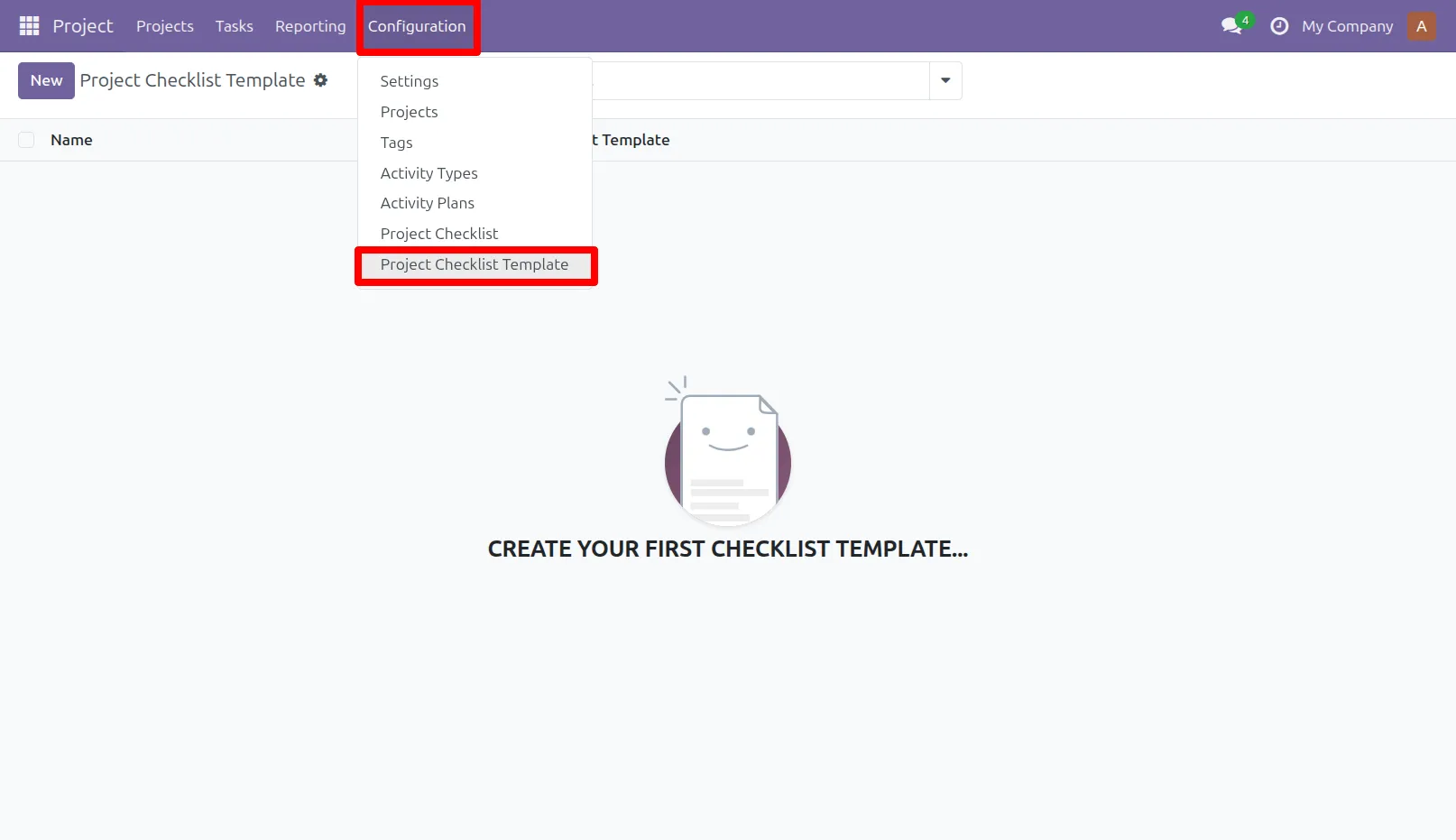
3. Go to Project -> Configuration -> Project Checklist Template menu
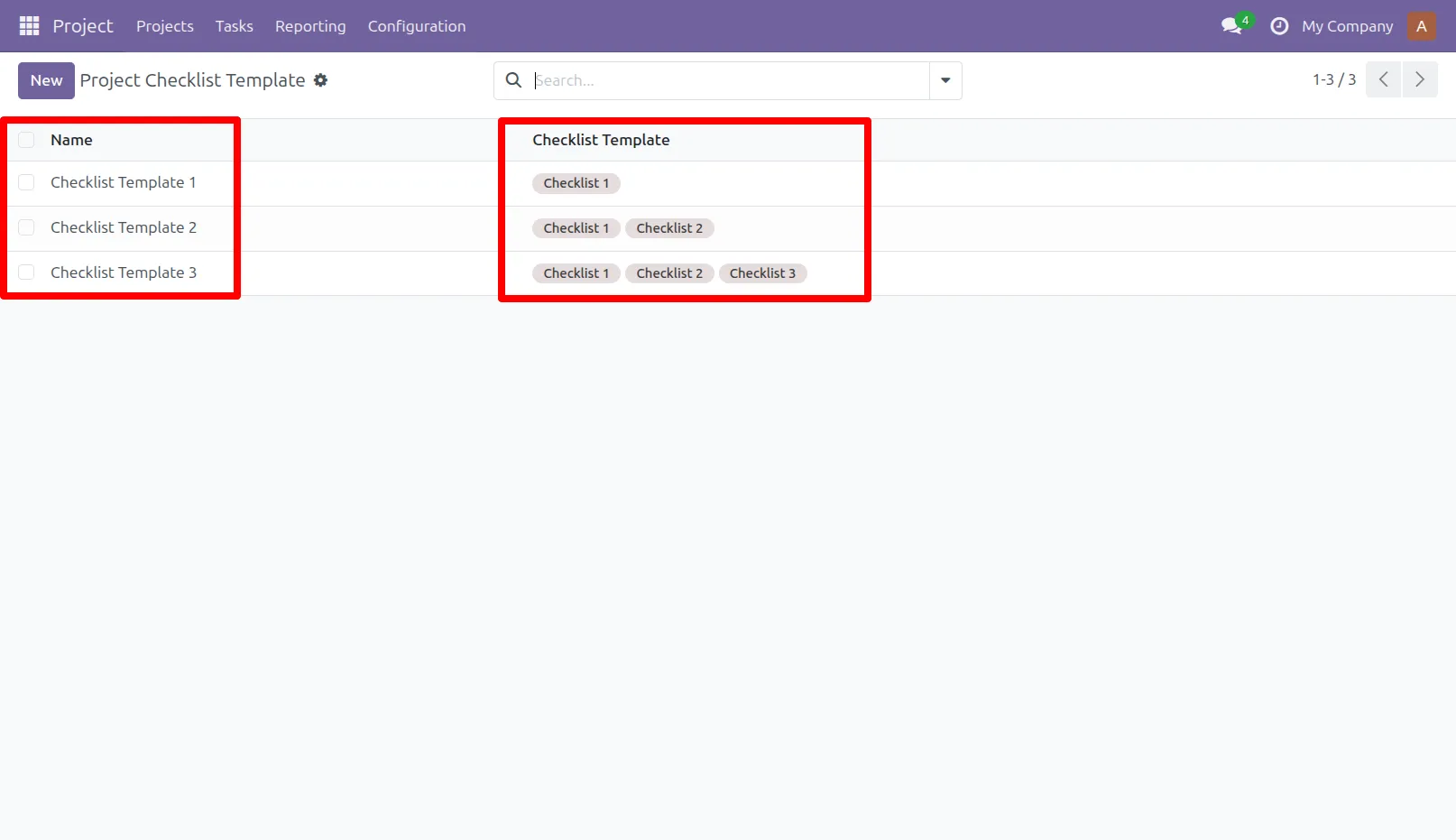
4. User can create project checklist template and select multiple checklist template.
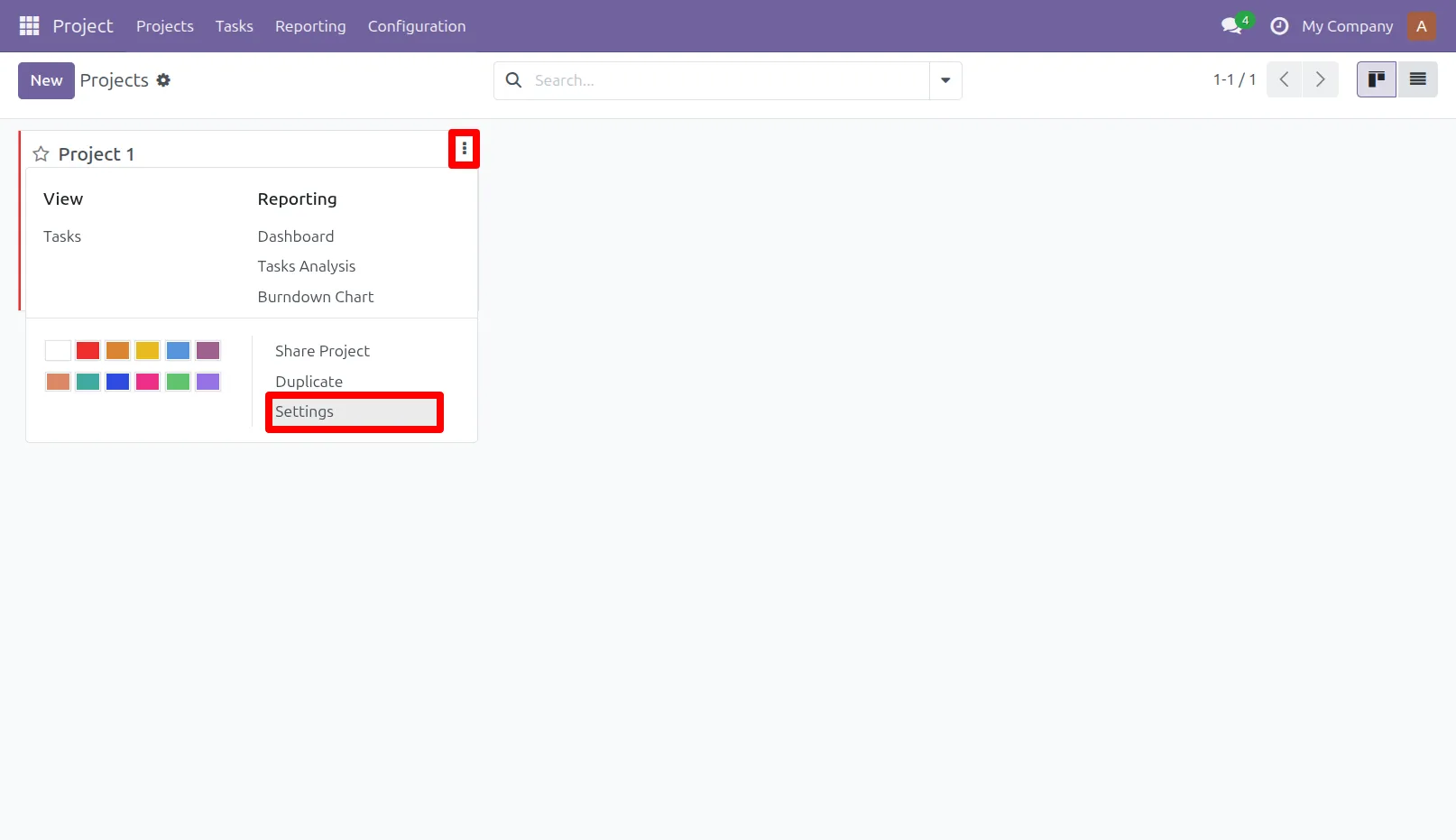
5. Go to Project -> Create project -> Click on 3 dots option & Go to -> Edit / Settings
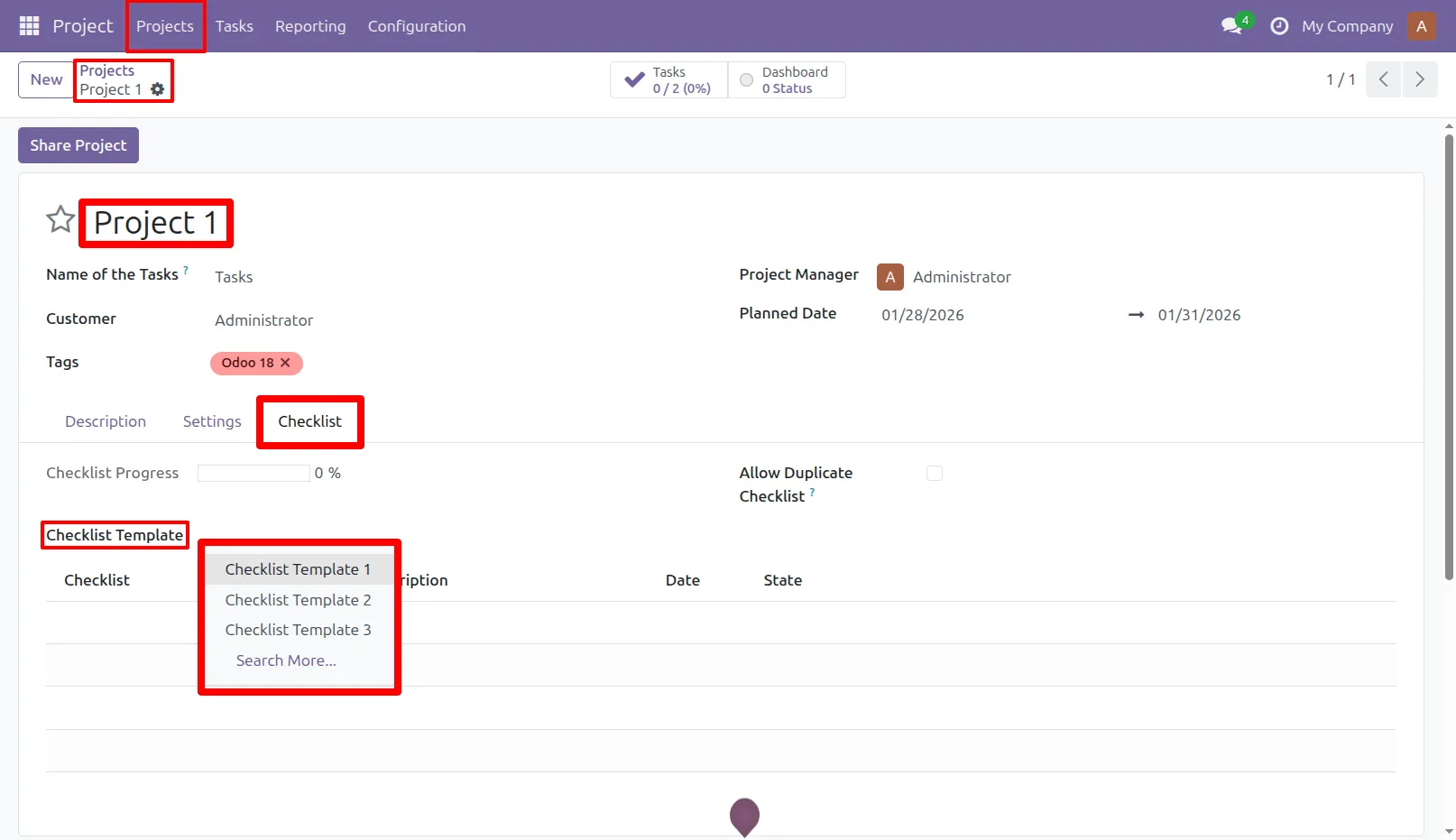
6. Go to Project and under 'Checklist' tab user can select multiple project checklist template for that project.
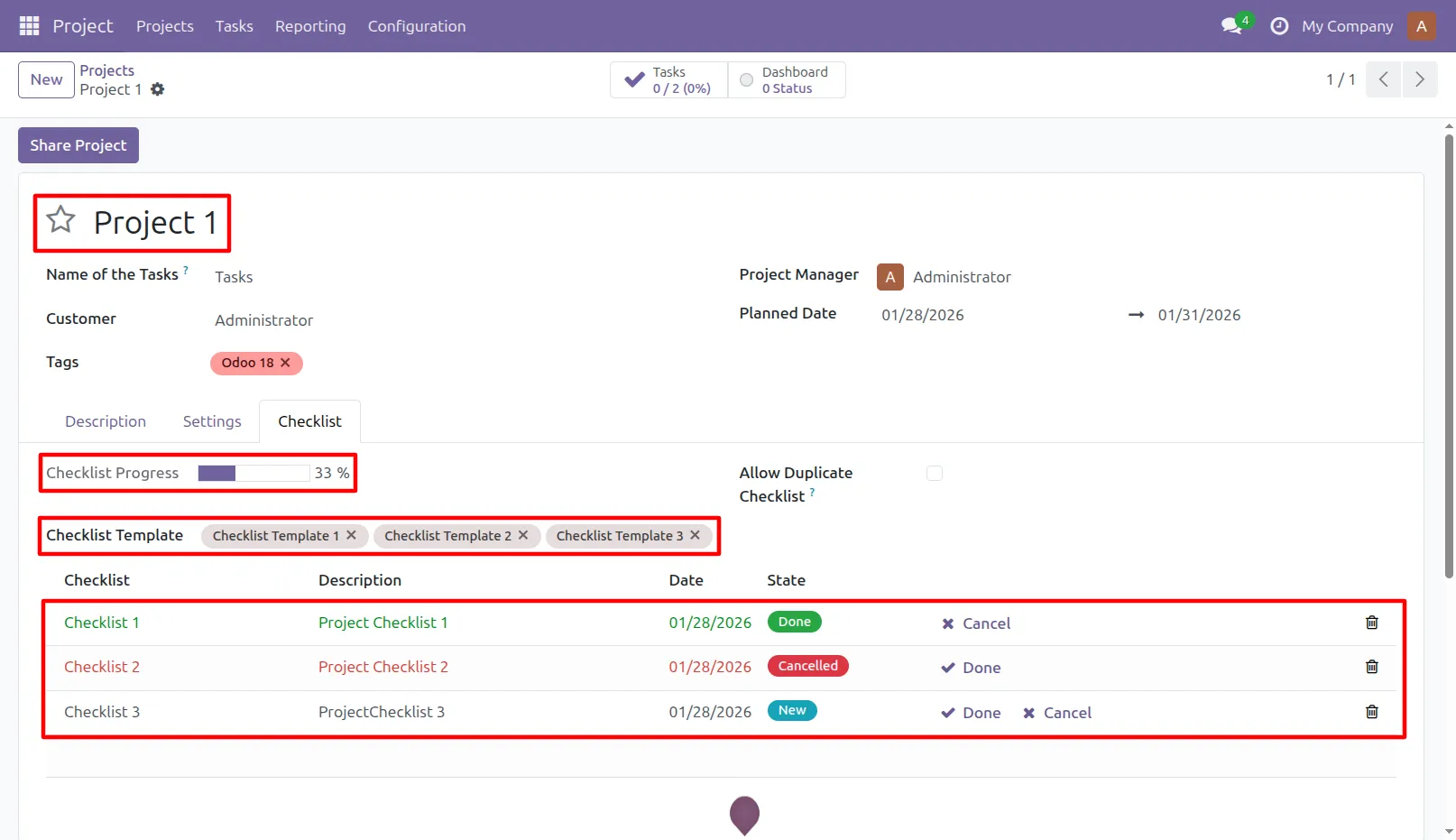
7. When user select project checklist template, its record added by default. Click on check icon to complete checklist and cancel icon to cancel checklist.
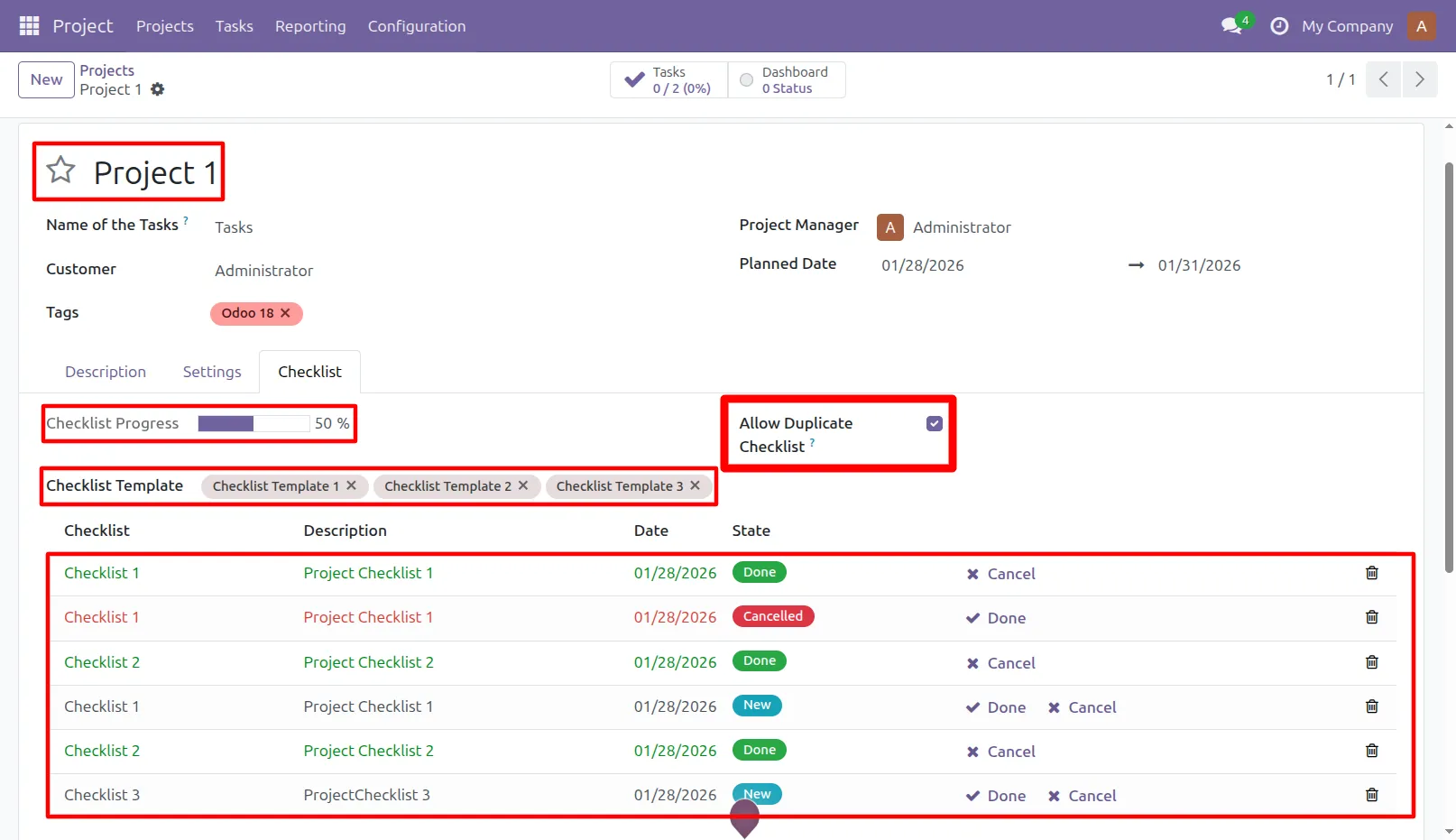
8. By checking "Allow Duplicate Checklist" you can add the same checklist item multiple times if it belongs to different templates.
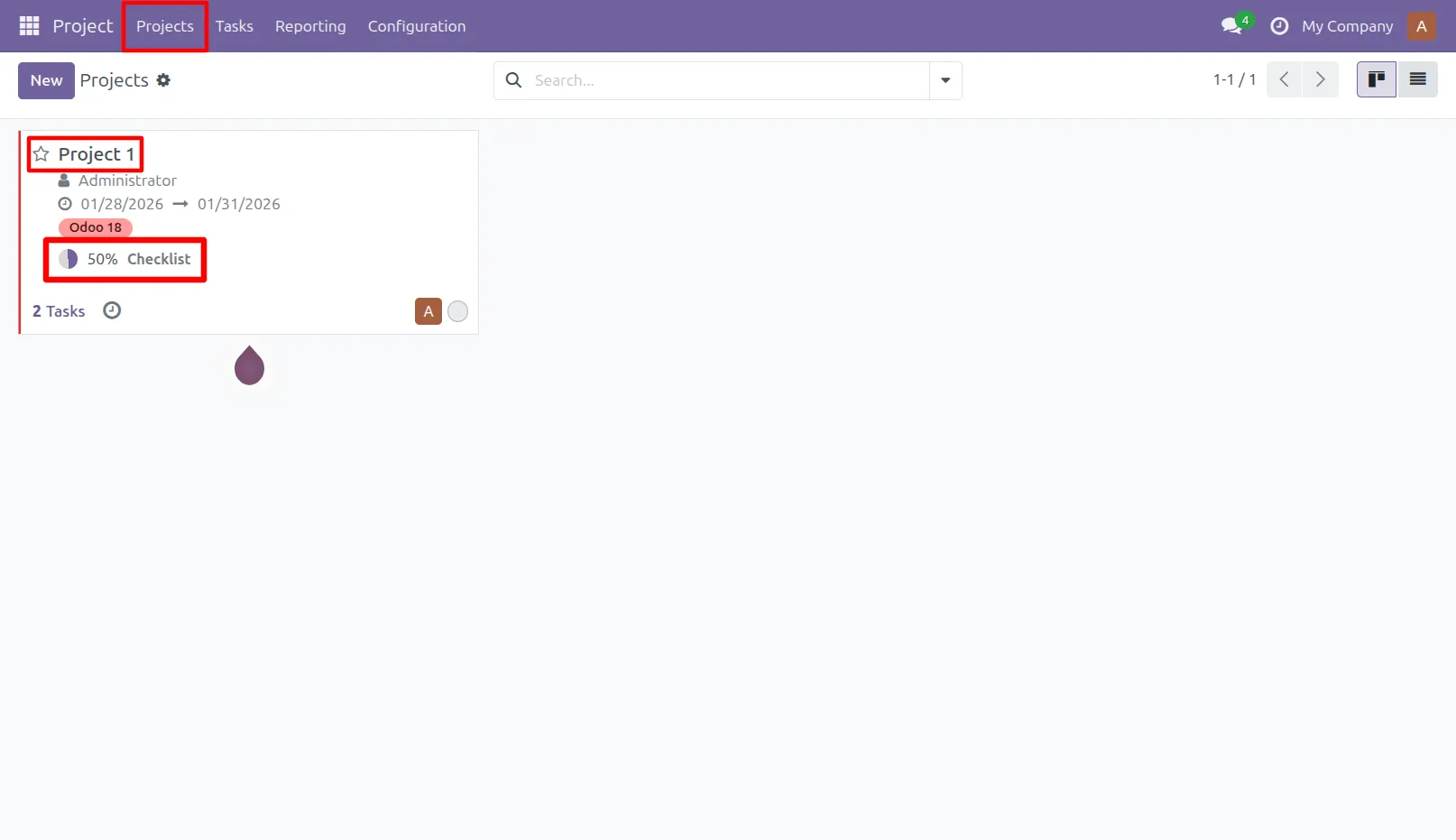
9. Go to Projects -> User can see checklist progress percentage in Kanban view.
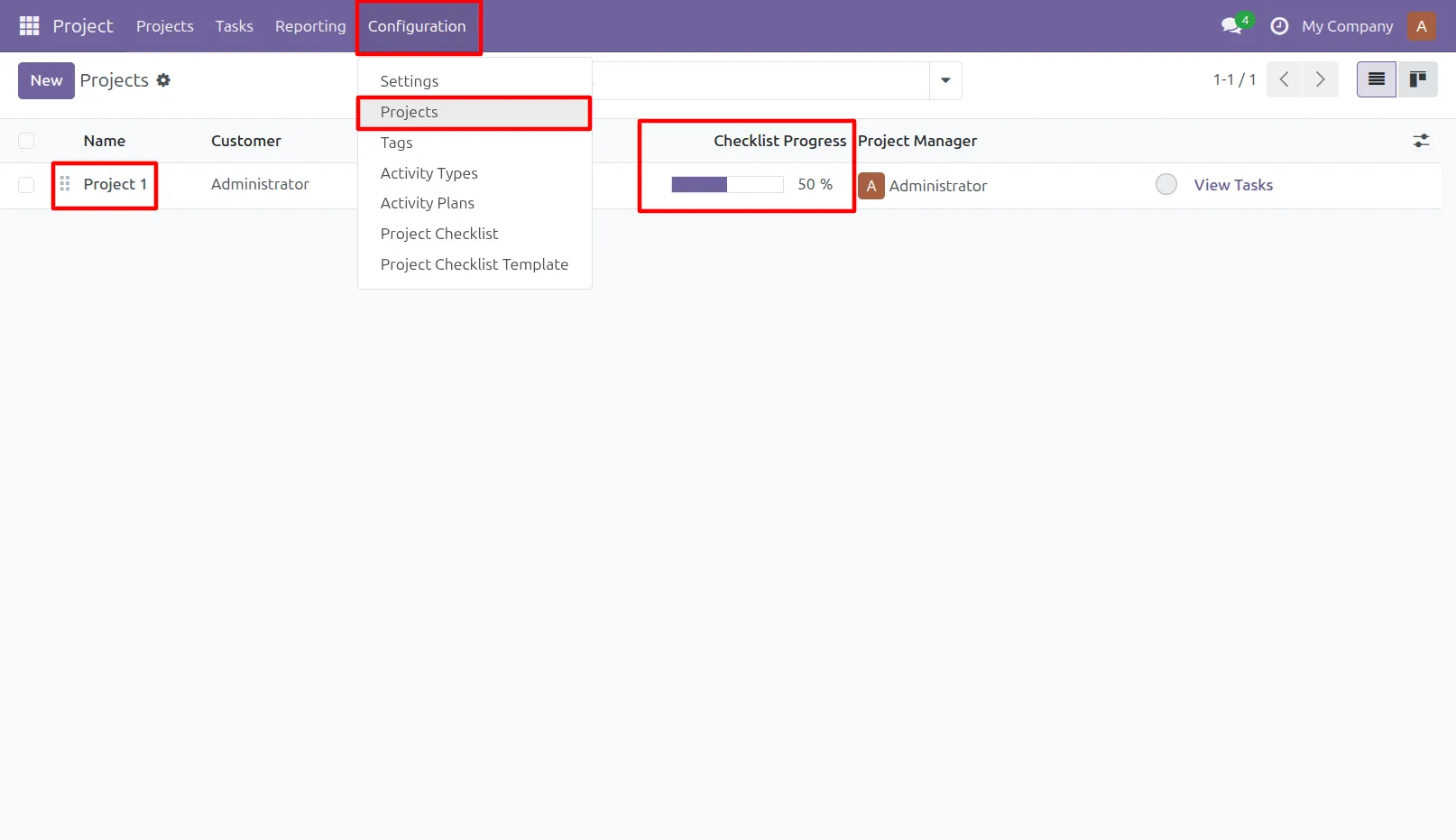
10. Go to Configuration -> Projects -> User can see checklist progress percentage in List view.
Our solutions focus on your problems
- Odoo Implementation
- Odoo Customization
- ERP Development and Implementation
- Odoo Ipass Cloud
- AI for Odoo
- Odoo Apps
- Aws Marketplace Products
- Business Engines
Our Pricing includes User Manual, 90 Days Support (Monday-Friday 10am to 7pm IST) and One time Setup
• Works & tested on standard installations of Odoo with no third party apps,
• Free support only for odoo installations with no third party apps,
• Paid support available for Odoo installations with third party apps.

Prefortune is a Odoo Official Partner, Odoo Development company. Our philosophy is to use Open Source tools and technologies to provide cost effective and green solutions for our customers.
Prefortune Technologies LLP is working on web development, Mobile development, and Odoo ERP.
If you need any help or want more additional features, you may contact us through:
Alternative Products
These other products might interest you
Specifications
| Version | 19.0, 18.0, 17.0, 16.0, 15.0, 14.0 |