7 Odoo Apps for Aerospace Component Traceability
Track aerospace components from sourcing to delivery with lot and serial number management, country-of-origin tracking, barcode and QR labeling, and advanced inventory reporting.
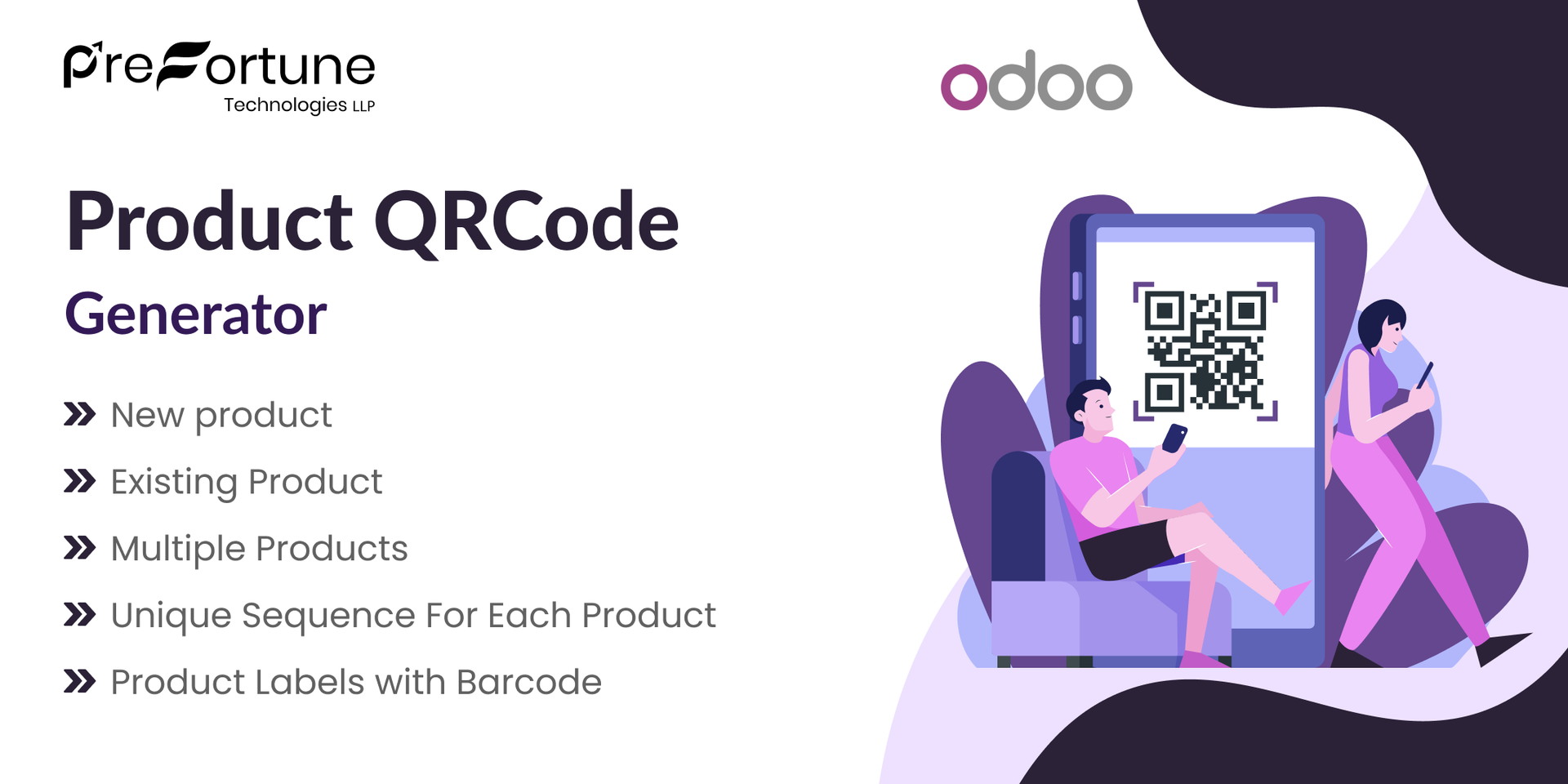
Our all-inclusive Odoo – Product QR Code Generator introducing our innovative Odoo Product QR Code Generator, designed to revolutionize your inventory's structure by enabling the creation of QR codes. This dynamic tool revolutionizes processes, offering an array of features to optimize efficiency and organization.
Generate QR codes effortlessly, simplifying inventory management and tracking. With the ability to produce multiple QR codes simultaneously, time and resources are saved. Not only can you generate QR codes for new and multiple products, but existing items are also effortlessly accommodated. This flexibility ensures your business stays agile in a dynamic market. This indispensable tool not only creates QR codes but also streamlines label creation for superior organization.
Transform inventory tracking with our QR Code Generator module. Effortlessly scan QR codes on mobile devices and scanners for flawless inventory management, empowering efficiency and productivity like never before.
The QR Code functionality has been integrated into the Sales module in Odoo. The managing operations have been seamless. Each product has its own QR Code sequence and QR image for details. The sequence and QR image can be generated for both existing and new products. Furthermore, there's additional autocreate option, upon clicking, user can create new product alongwith sequence and QR image. Besides, product can be searched using unique sequence. These enhancements ensure secure and efficient management of inventory operations, empowering teams to collaborate effectively and drive growth across the organization.
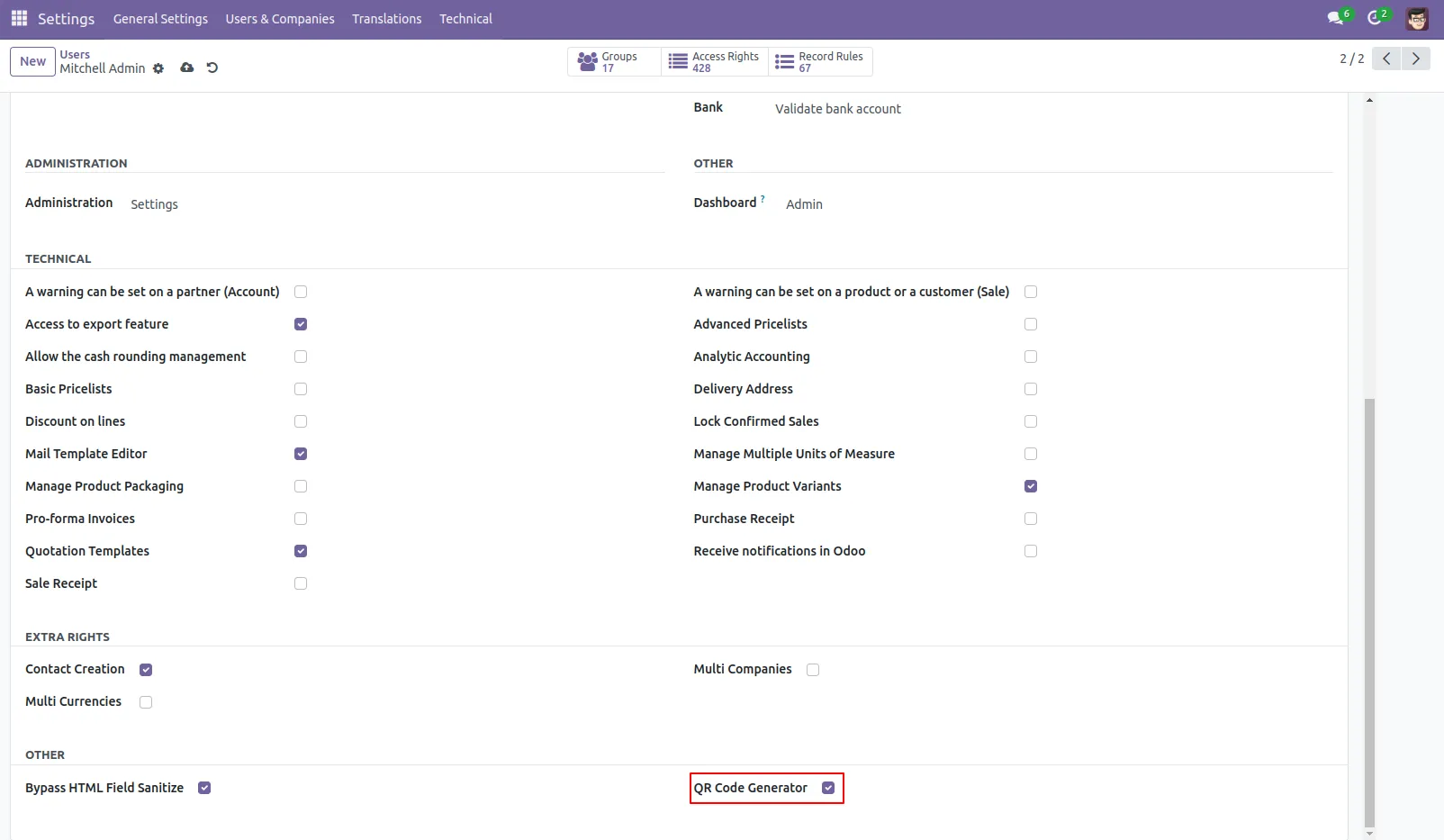
1. User Setting: Tick the 'QR Code Generator' group to add user in the group.
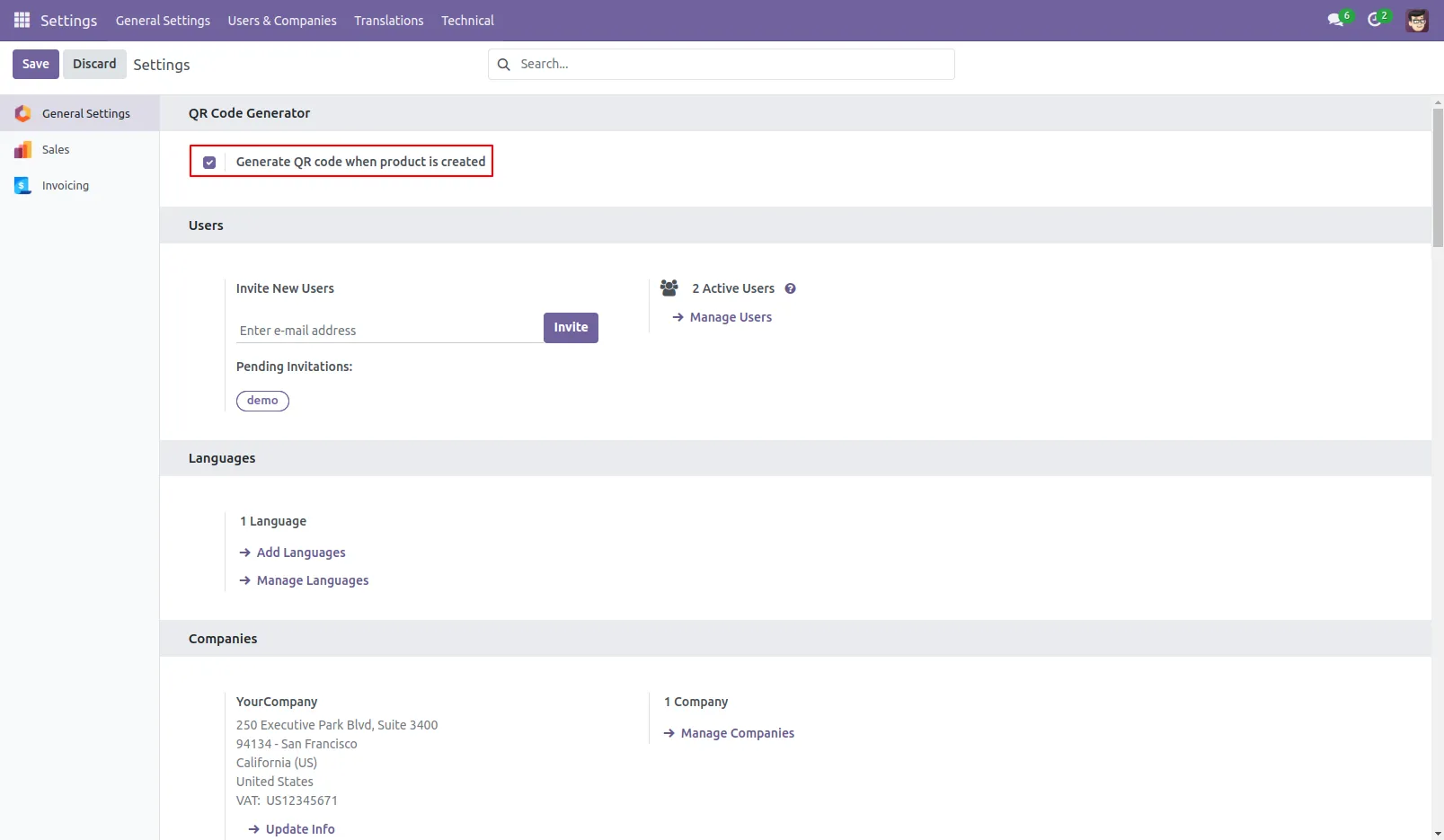
2. General Setting:Tick the 'Generate QR code when product is created' to automatically generate QR code when new product is created
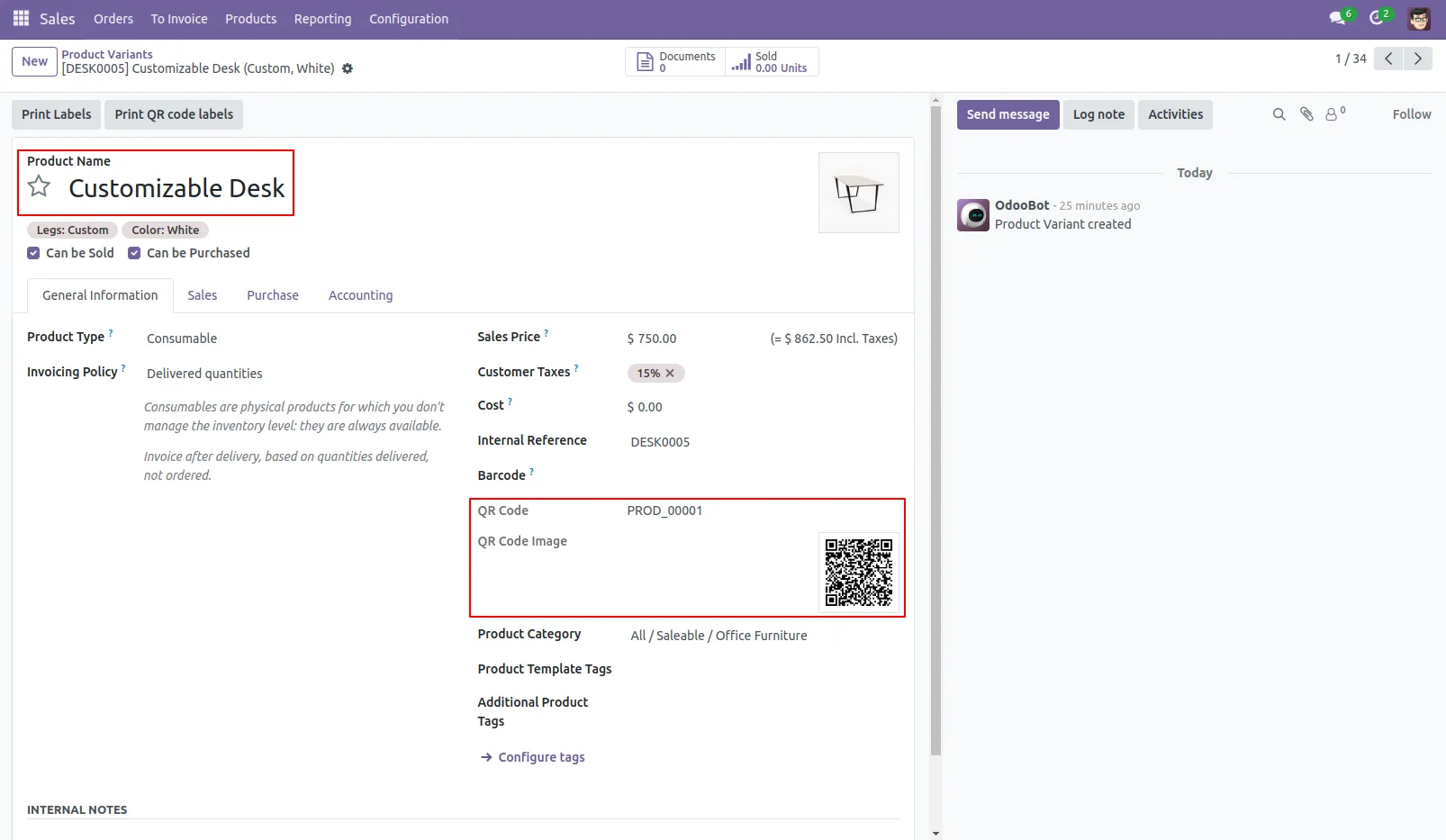
3. Here, new QR code sequence and QR image is generated on creating new product.
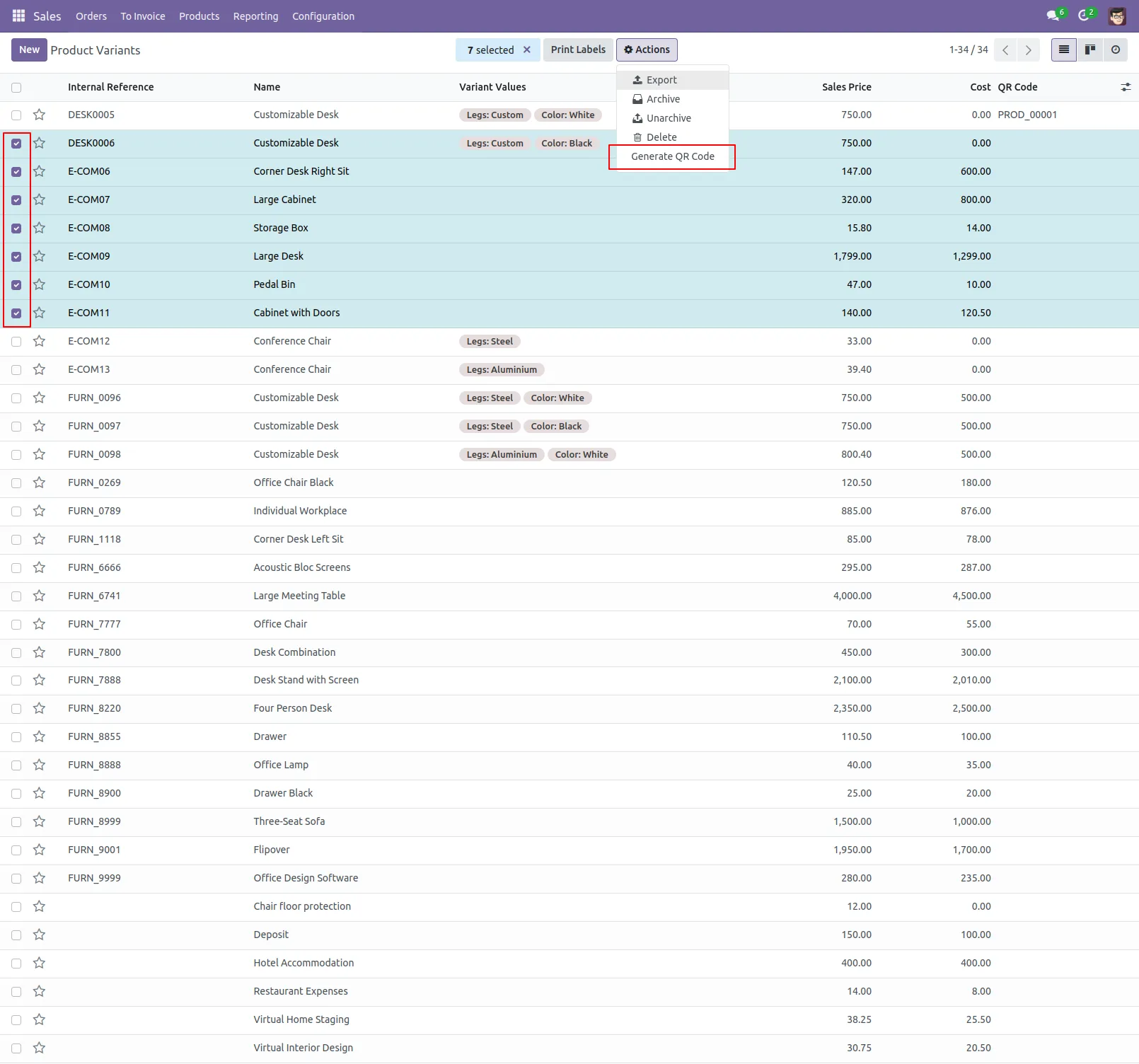
4. If there is need to generate QR code for existing product manually, click 'Generate QR Code'.
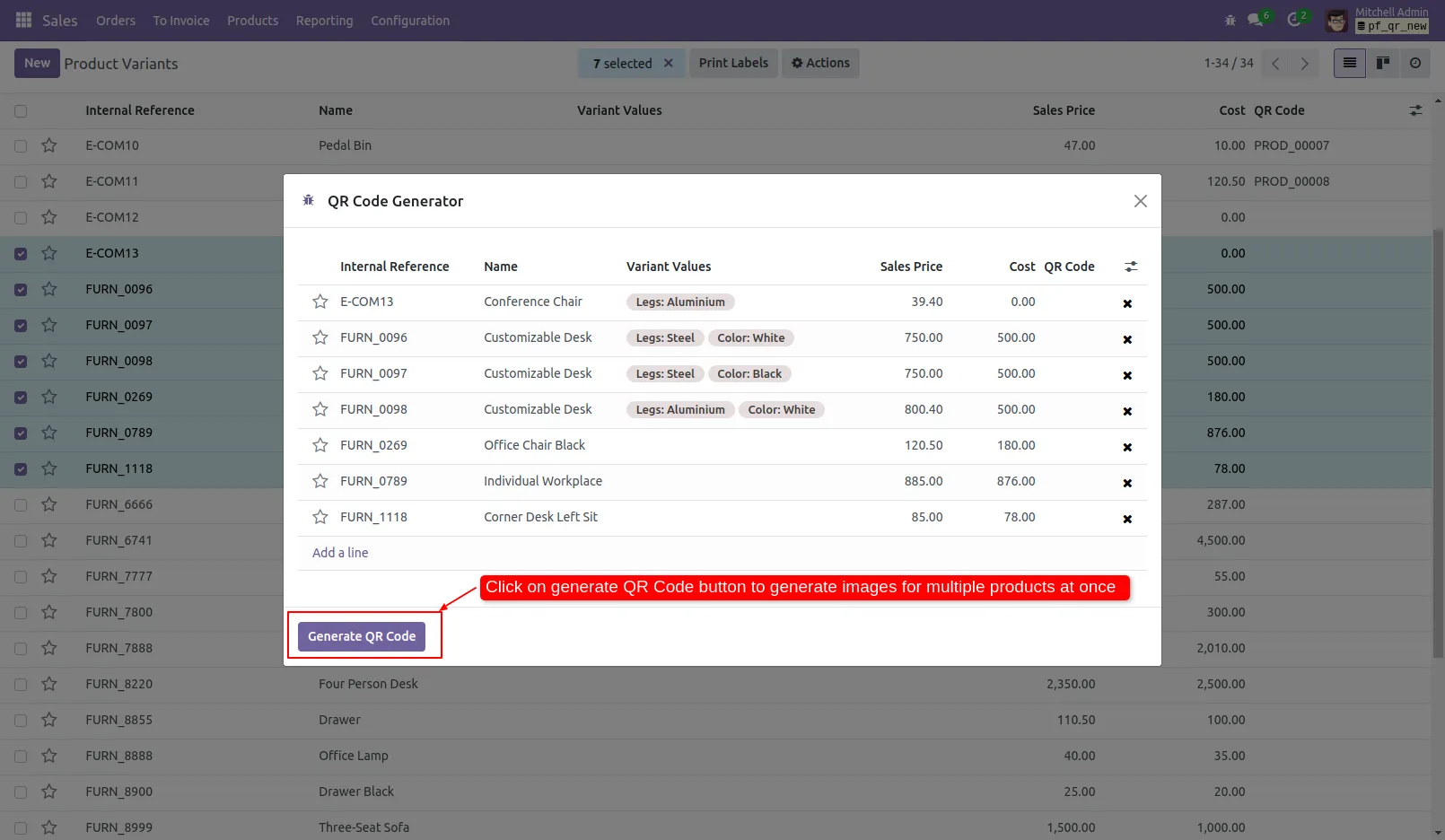
5. Click on 'Generate QR Code' button to generate sequence and QR image manually for existing products.
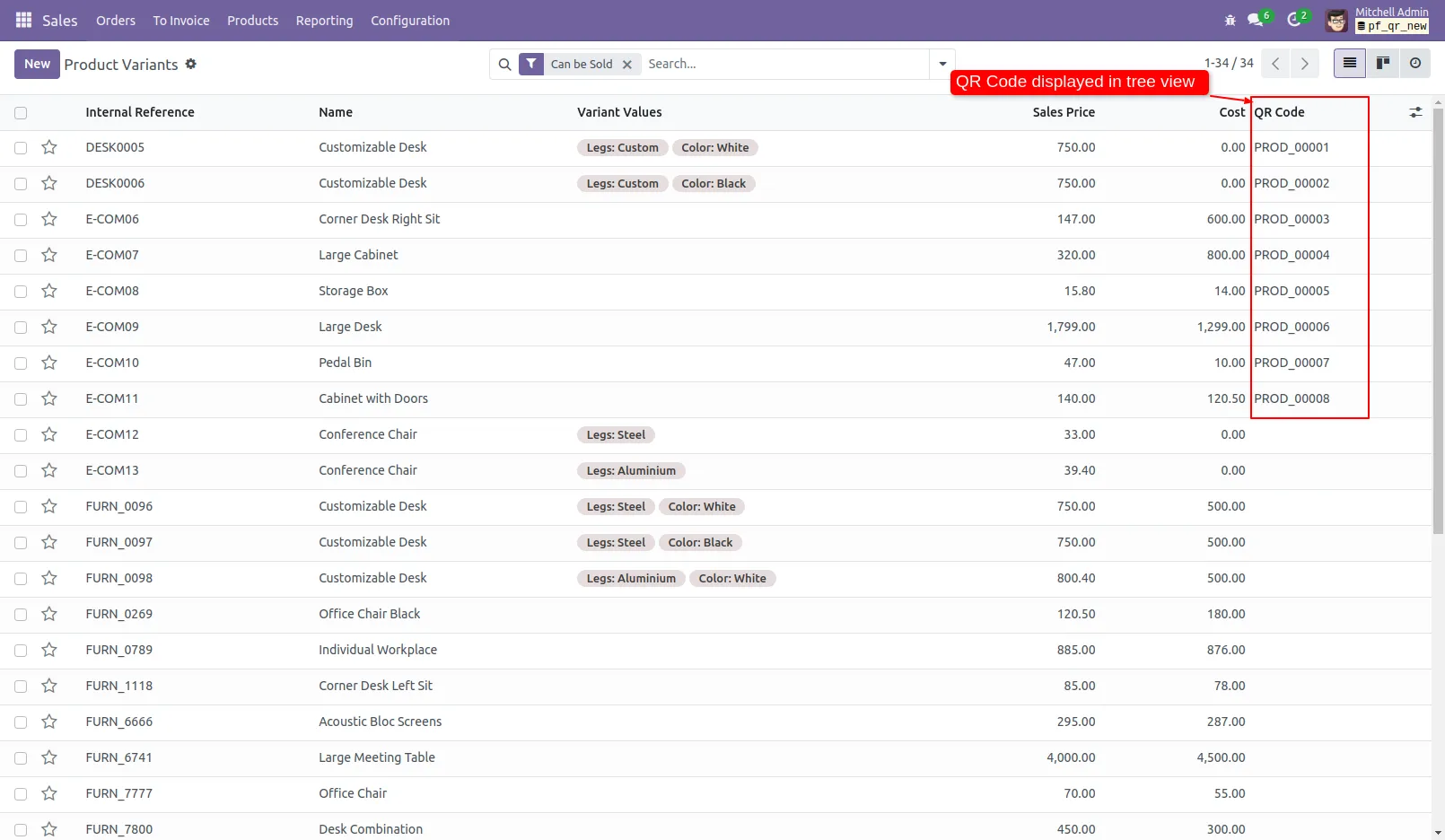
6. The QR sequence can also be viewed in tree view of product variants.
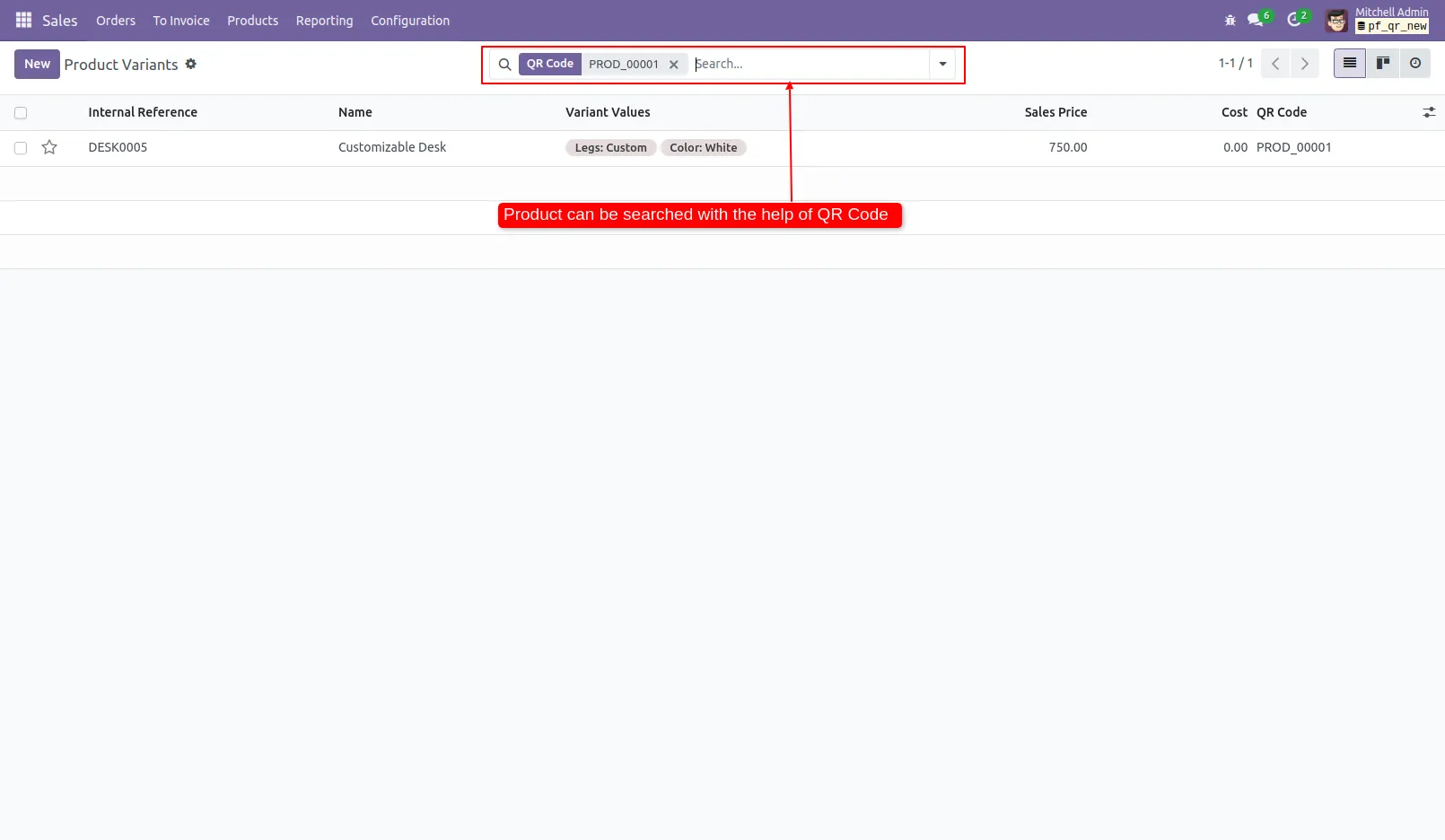
7. Product can be searched with QR sequence from the search view.
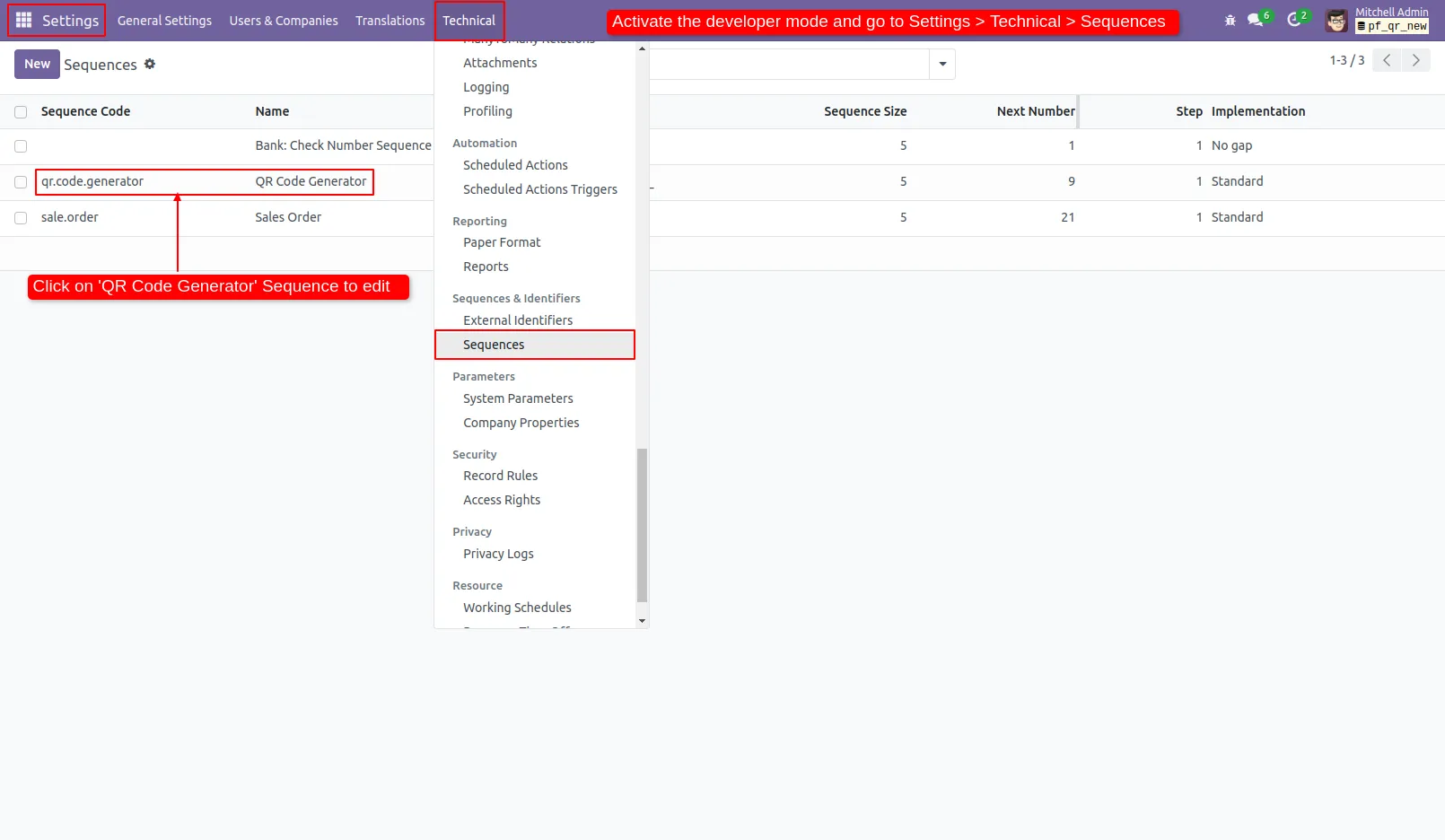
8. Users can change the QR sequence with the help of Settings.
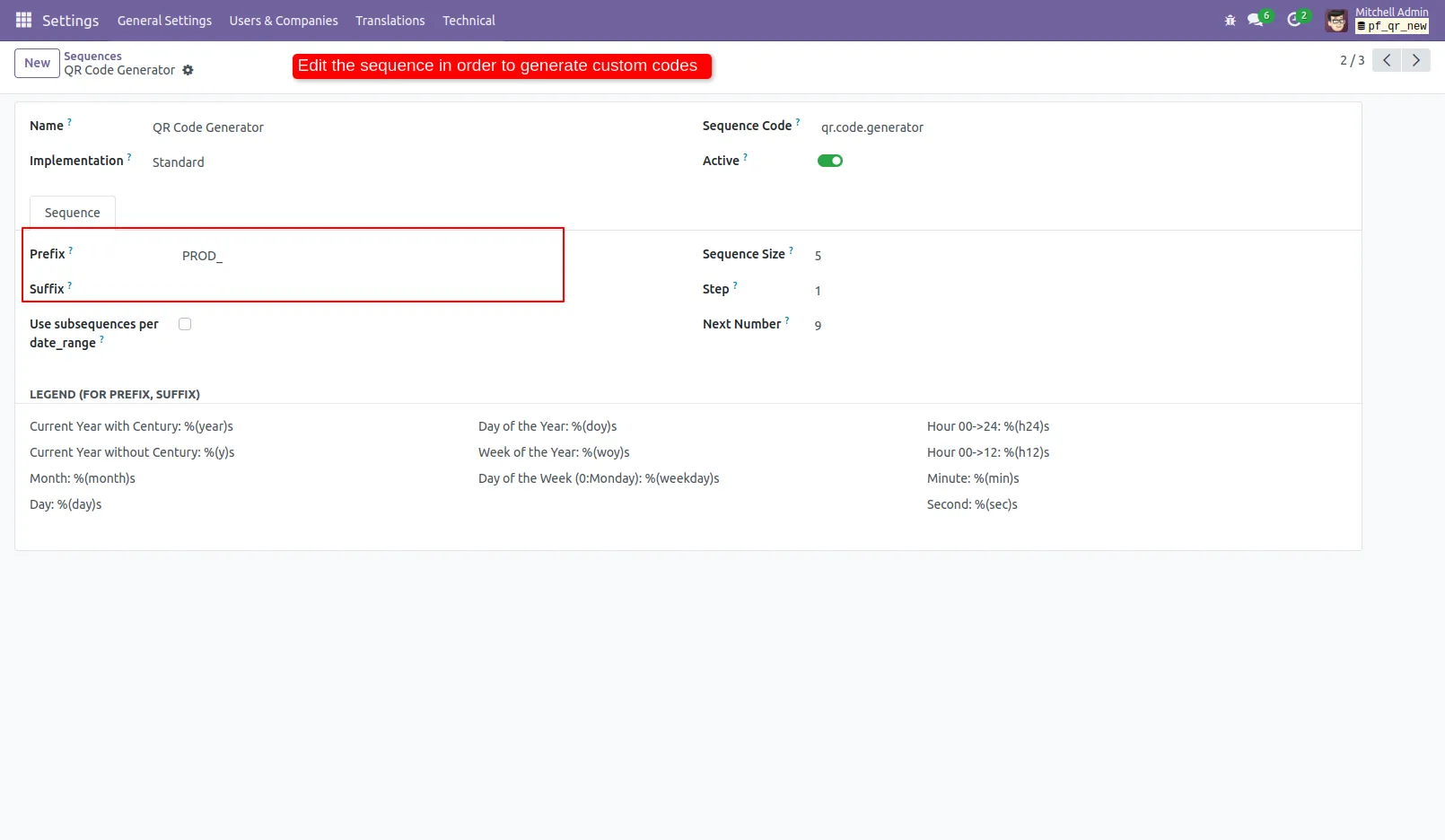
9. Edit the prefix and suffix to change the sequence.
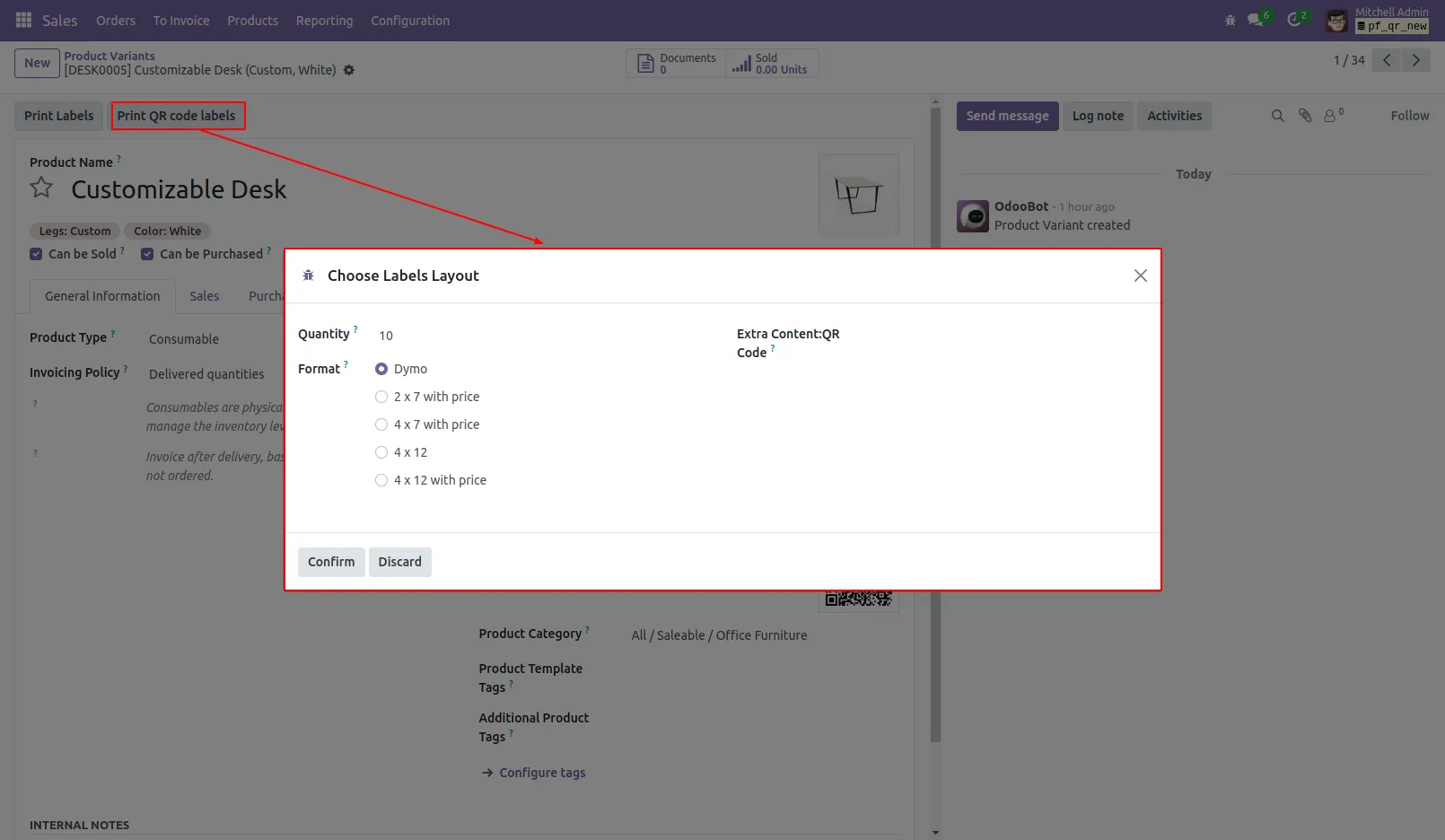
10. Press the 'Print QR Code Labels' button to generate labels of selected quantity and layout.
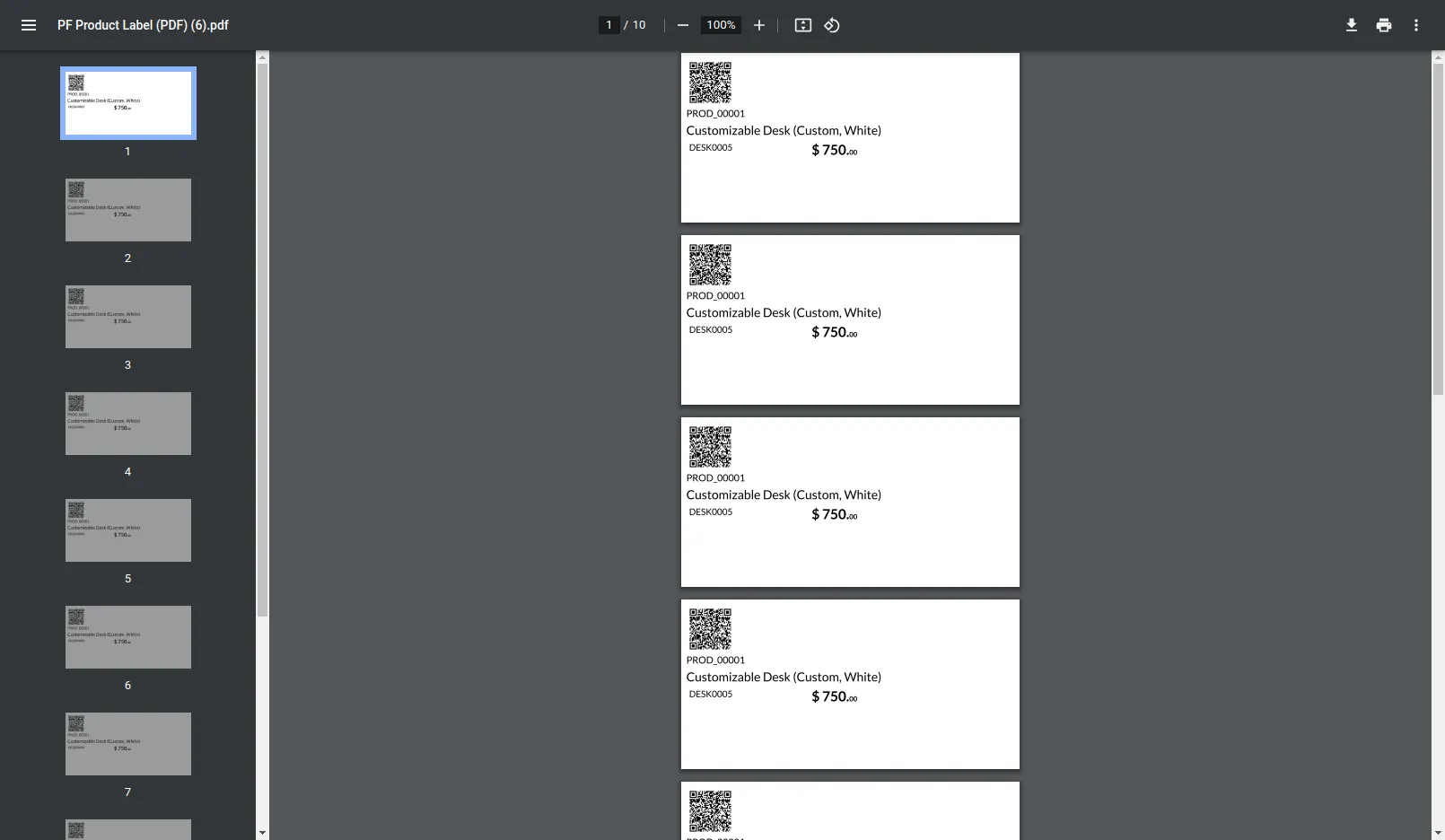
11. View: Dymo The PDF view of dymo option.
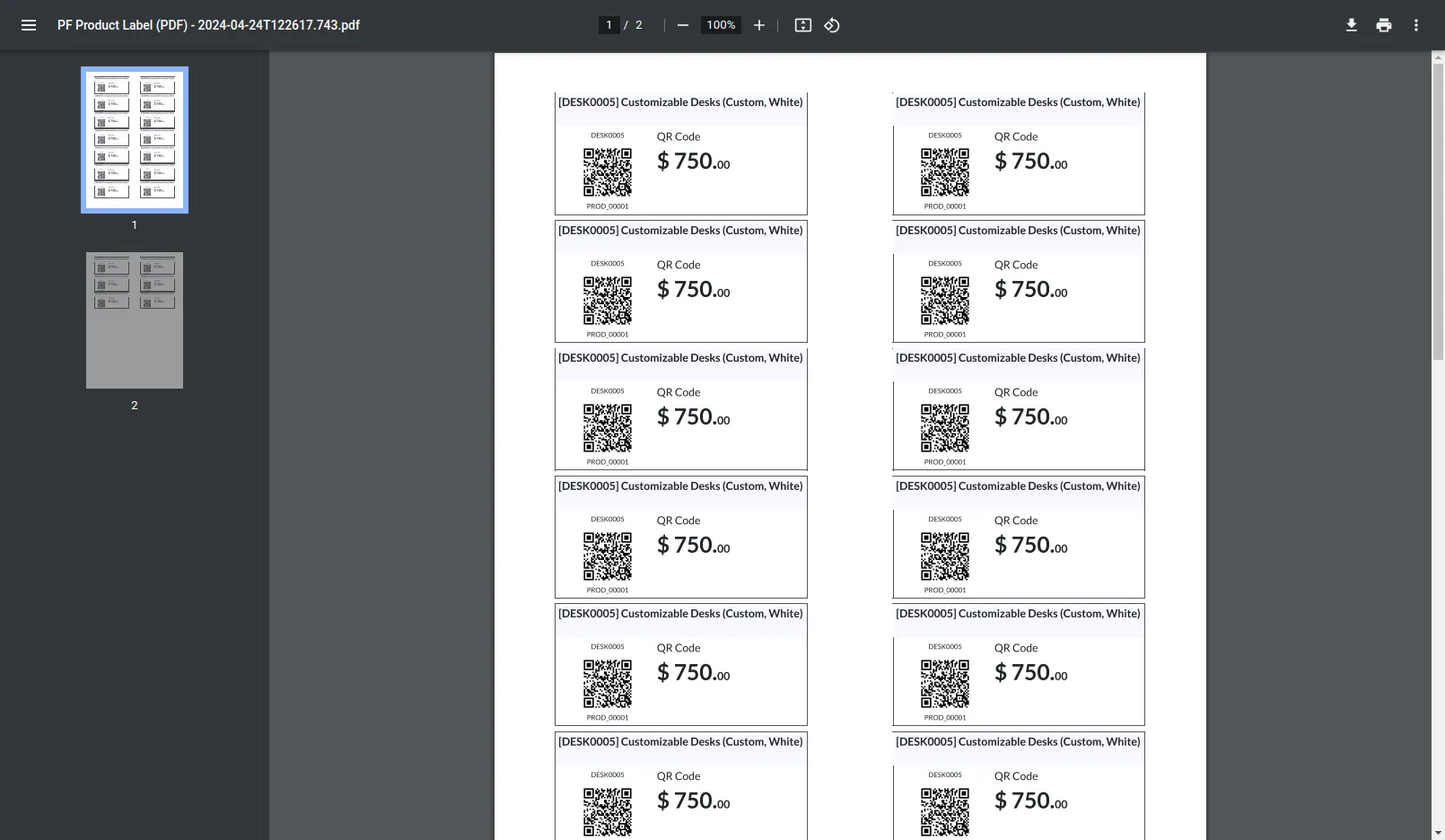
12. View: 2 x 7 with price The PDF view of 2 x 7 with price option.
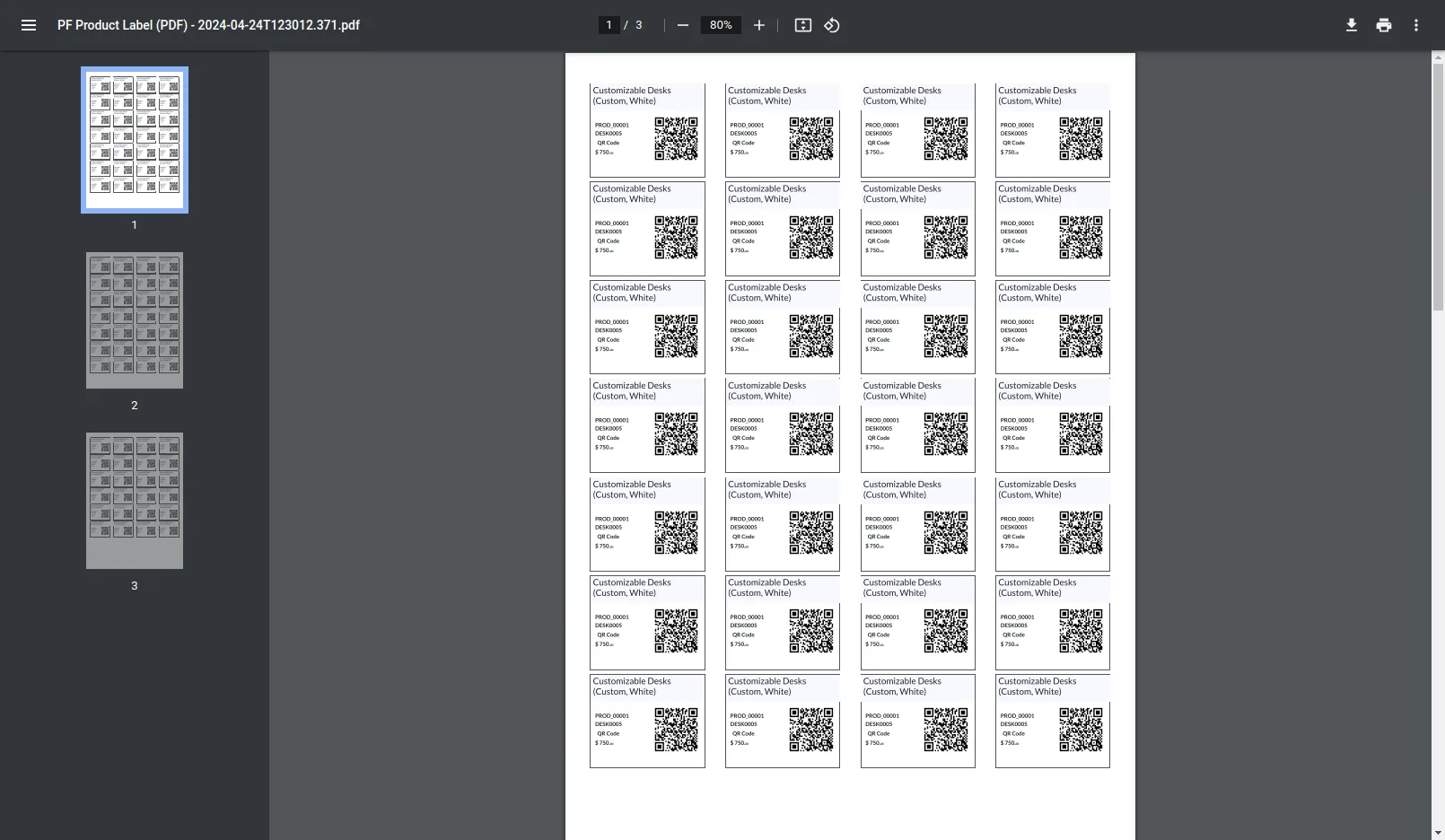
13. View: 4 x 7 with price The PDF view of 4 x 7 with price option.
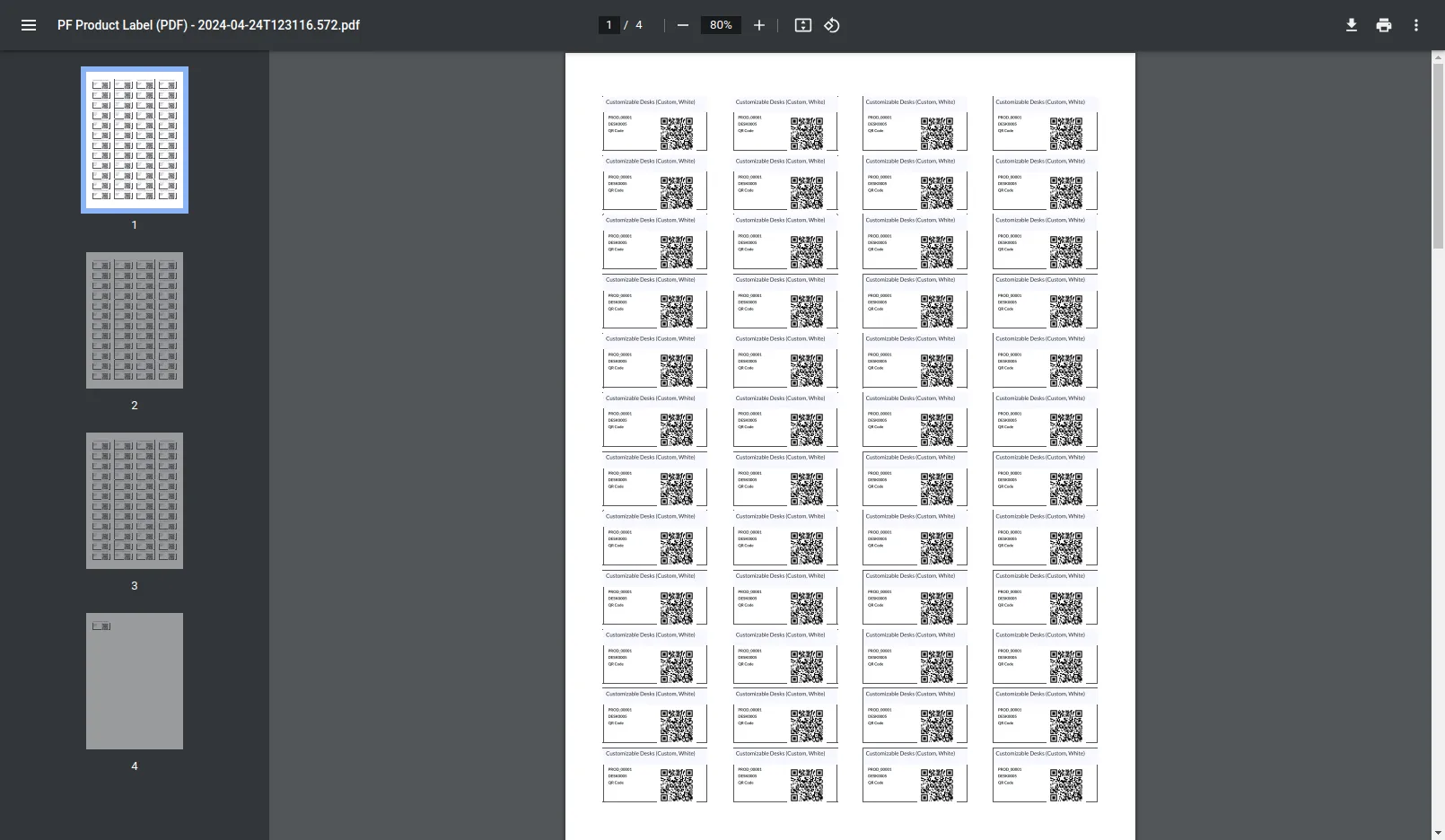
14. View: 4 x 12 The PDF view of 4 x 12 without price option.
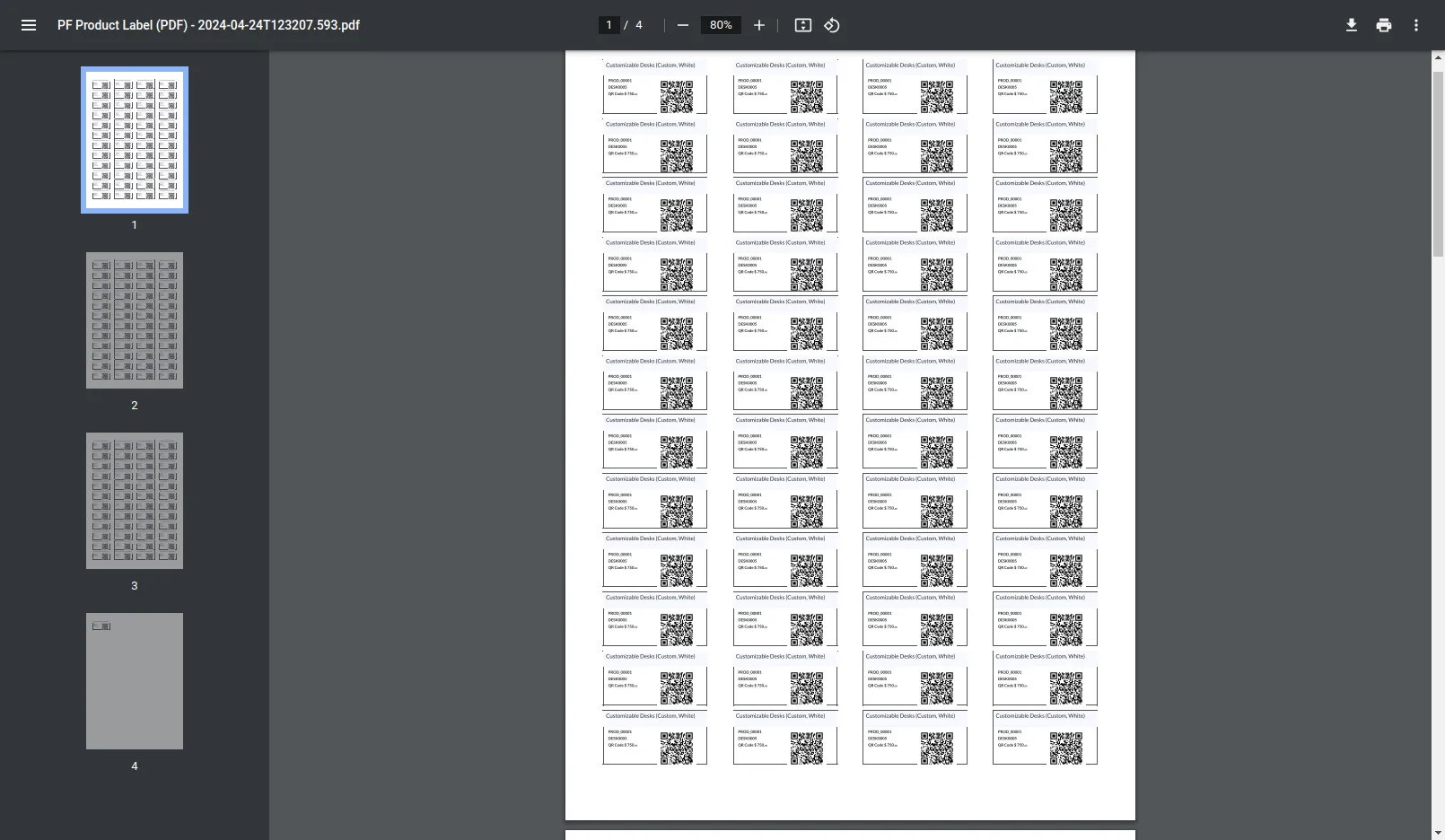
15. View: 4 x 12 with price The PDF view of 4 x 12 with price option.
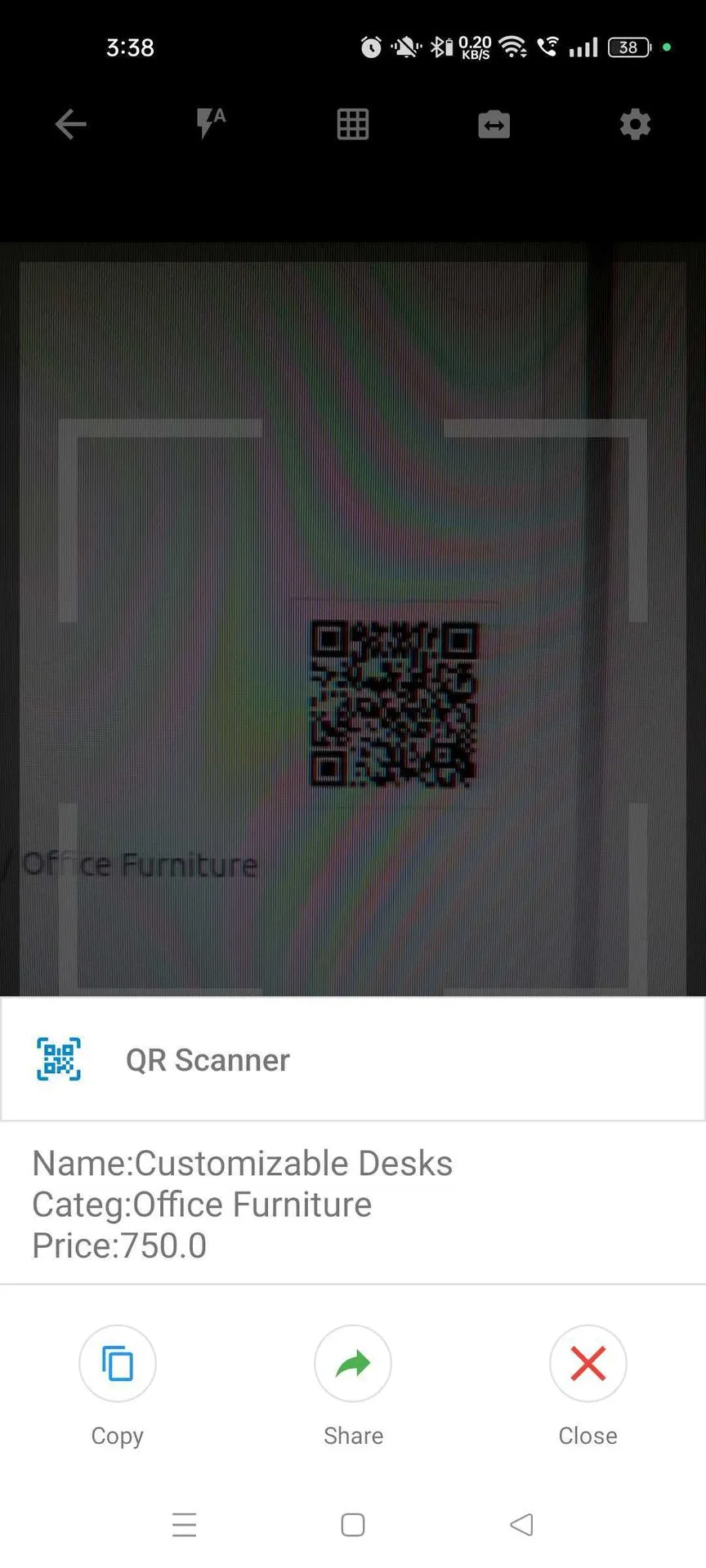
16. Upon scanning the QR image, the details can be viewed.
Our Pricing includes User Manual, 90 Days Support (Monday-Friday 10am to 7pm IST) and One time Setup
• Works & tested on standard installations of Odoo with no third party apps,
• Free support only for odoo installations with no third party apps,
• Paid support available for Odoo installations with third party apps.

Prefortune is a Odoo Official Partner, Odoo Development company. Our philosophy is to use Open Source tools and technologies to provide cost effective and green solutions for our customers.
Prefortune Technologies LLP is working on web development, Mobile development, and Odoo ERP.
If you need any help or want more additional features, you may contact us through:
These other products might interest you
| Version | 18.0, 17.0, 16.0, 15.0, 14.0, 13.0, 12.0 |