10 Best Odoo Apps for 2026: eCommerce, Automation & Business Integrations
A practical guide to 10 Odoo apps that help businesses connect platforms, reduce manual work, automate operations, and scale more efficiently.
Our all-inclusive
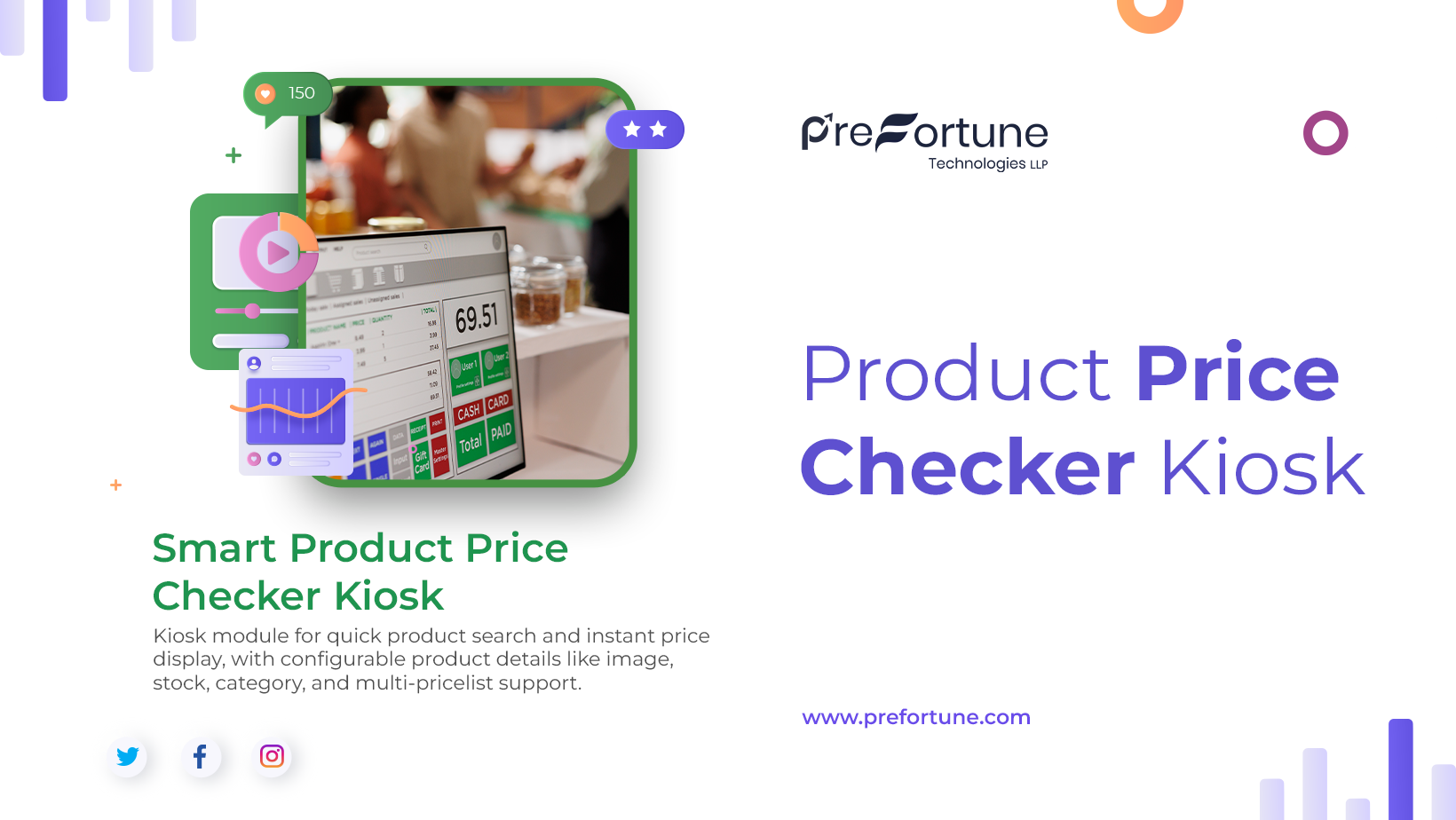
Odoo – product Price Checker Kiosk
module simplifies product price display by providing a fast and user-friendly price checker kiosk interface for product lookup. Users can quickly search products using barcode, product name, or internal reference for faster access to pricing and product details.
The module supports smooth barcode product lookup, organized product detail display, and flexible display settings for images, category, stock, and pricing information. It also supports multiple pricelist support and accurate warehouse wise stock display for better product visibility.
With secure kiosk access control and an efficient product search kiosk workflow, the module helps improve product lookup speed in retail stores, warehouses, and self-service environments.
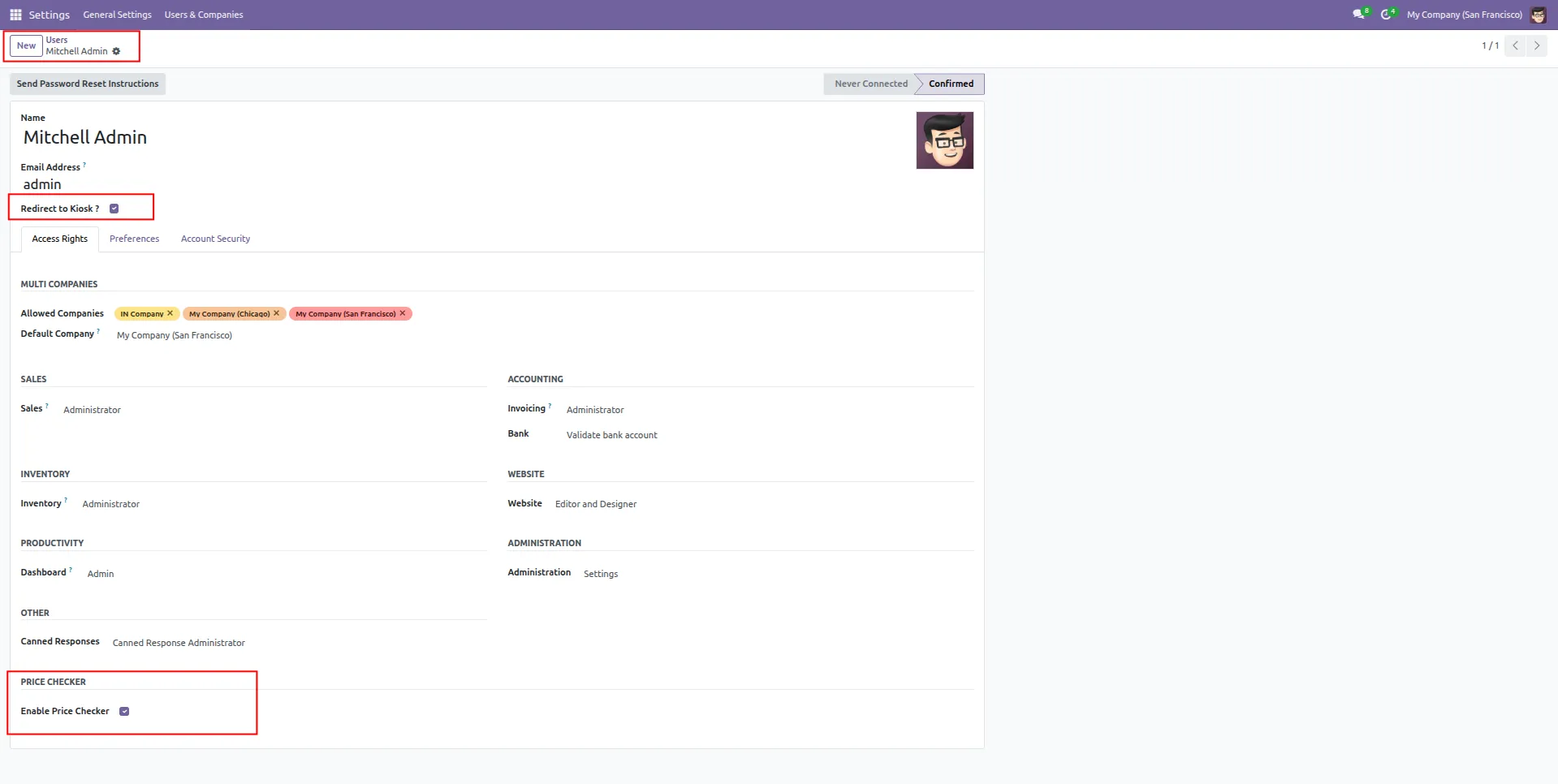
1.Enable Price Checker access and kiosk redirection permissions for specific system users.
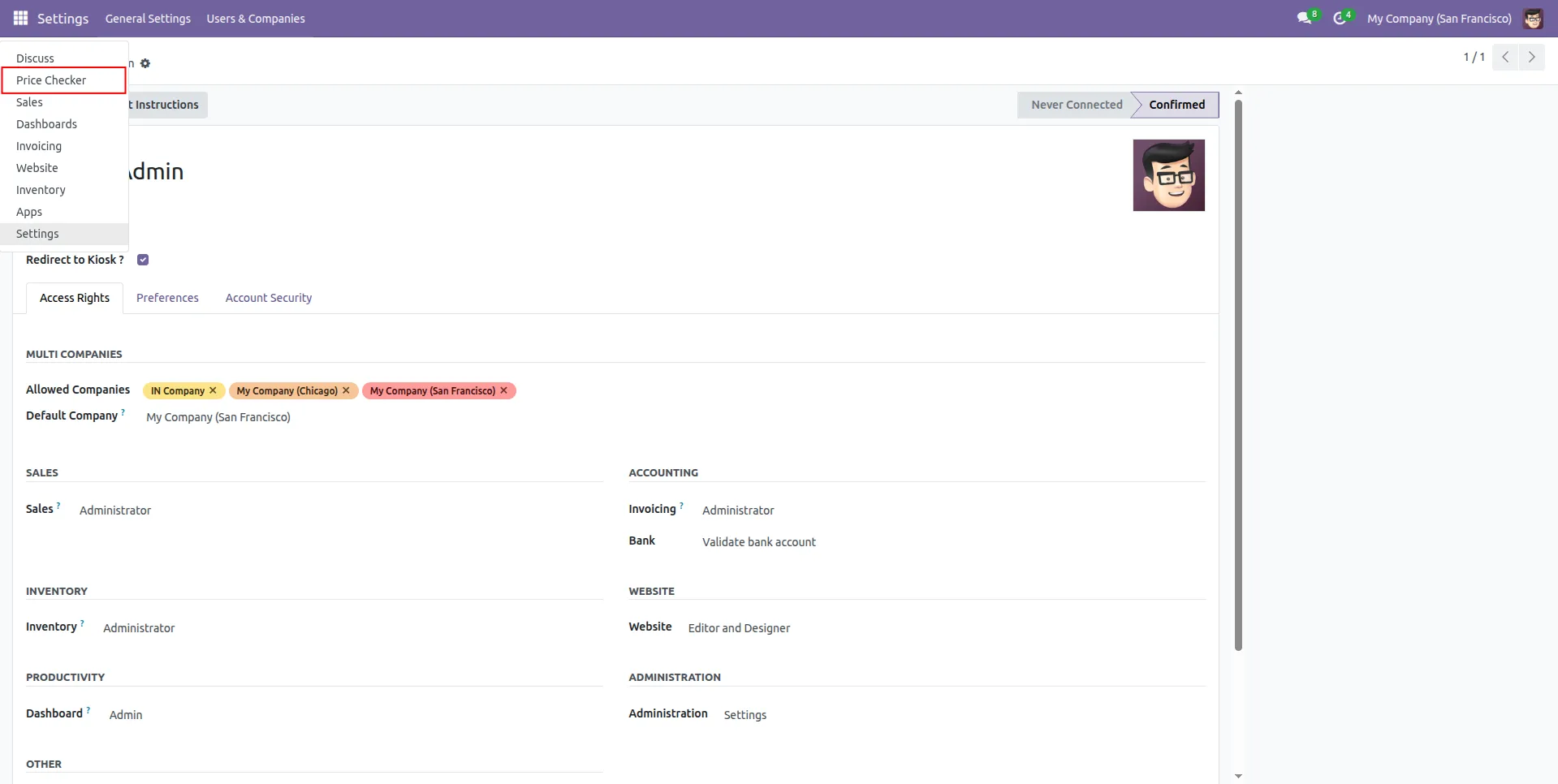
2.Price Checker option is added in user settings to manage kiosk access configuration.
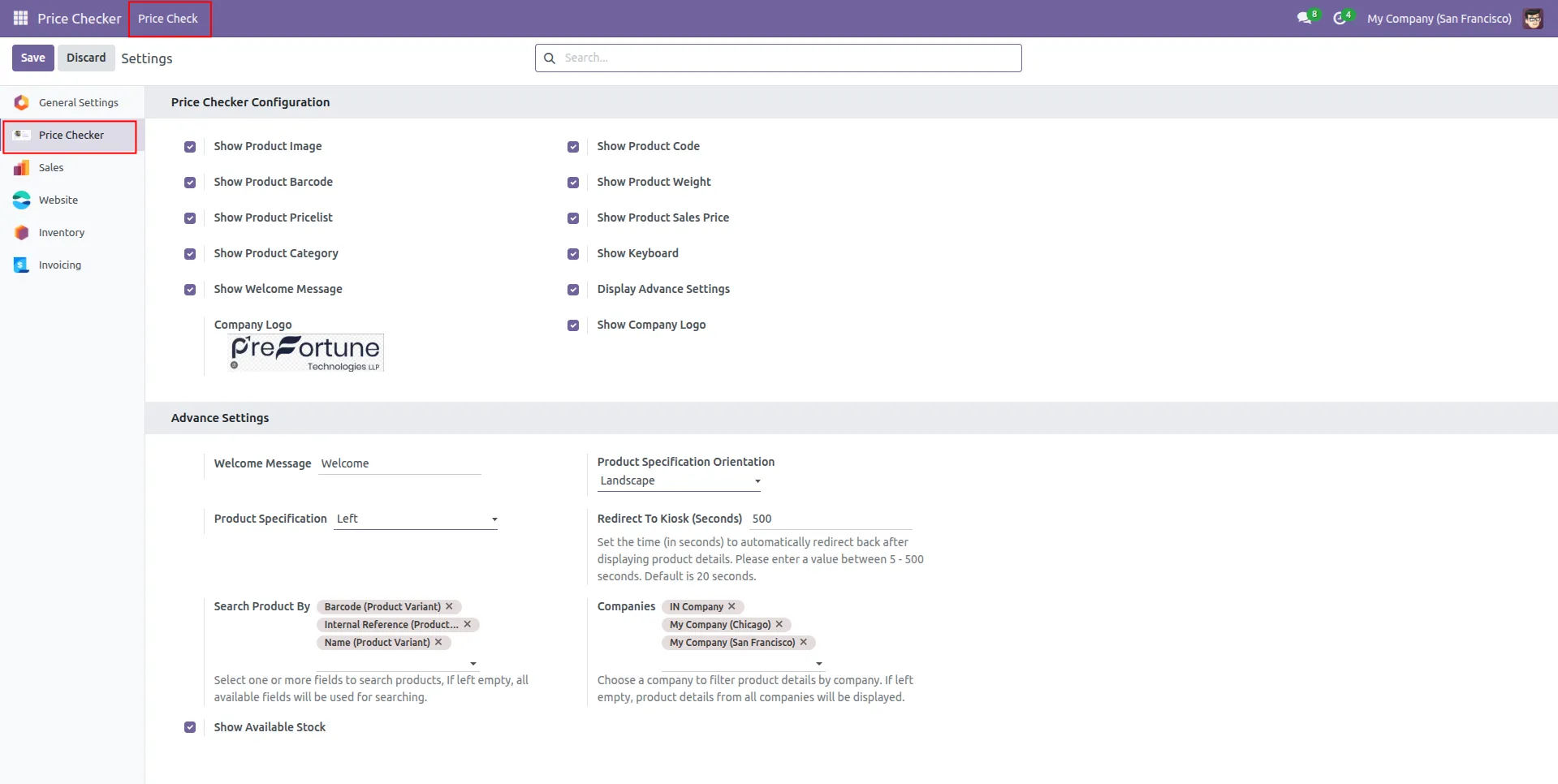
3.Admin can configure Price Checker display settings, search fields, company filters, and kiosk behavior options.
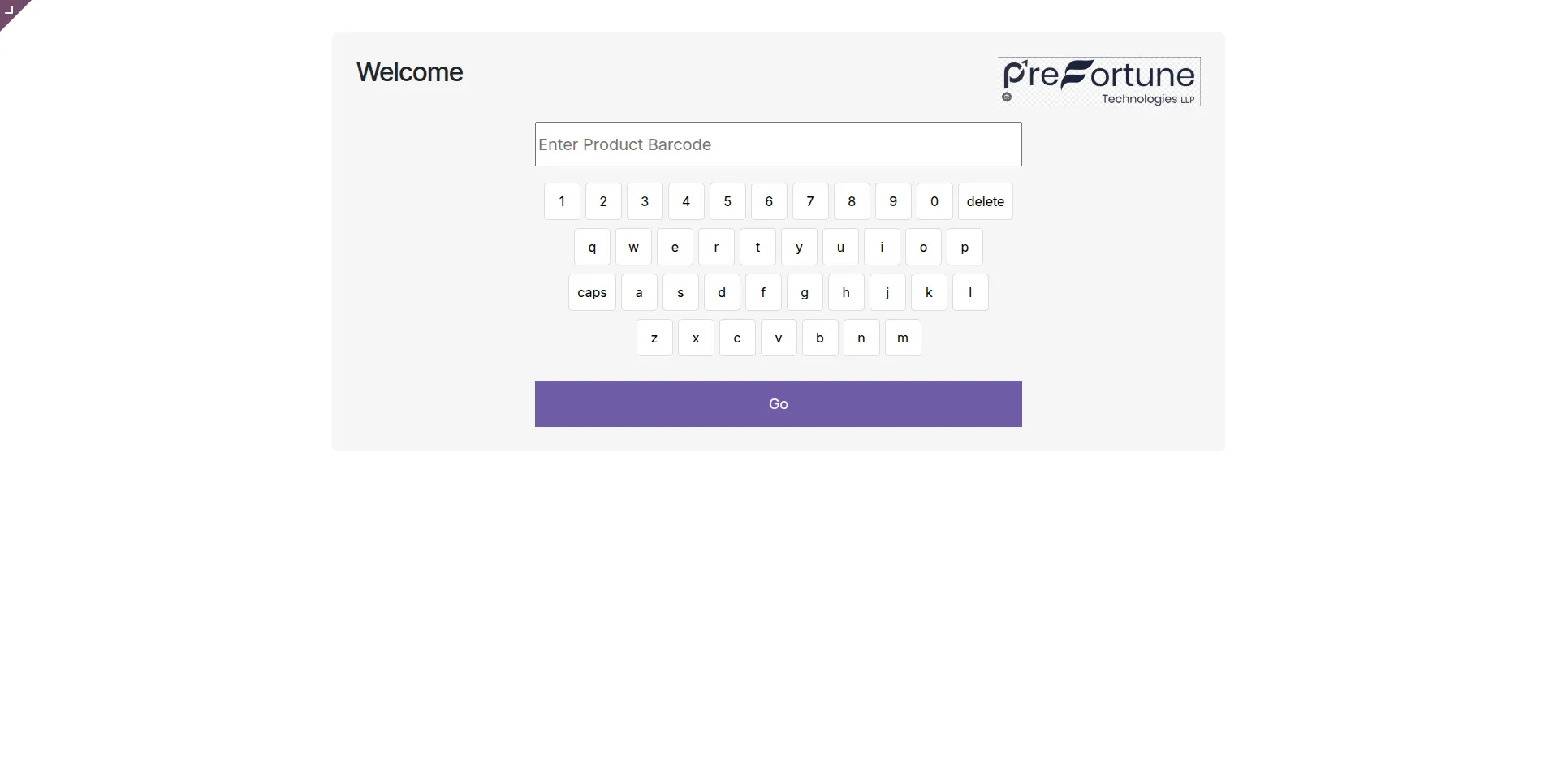
4.Price Checker kiosk screen allows users to search products quickly using barcode and virtual keyboard input.
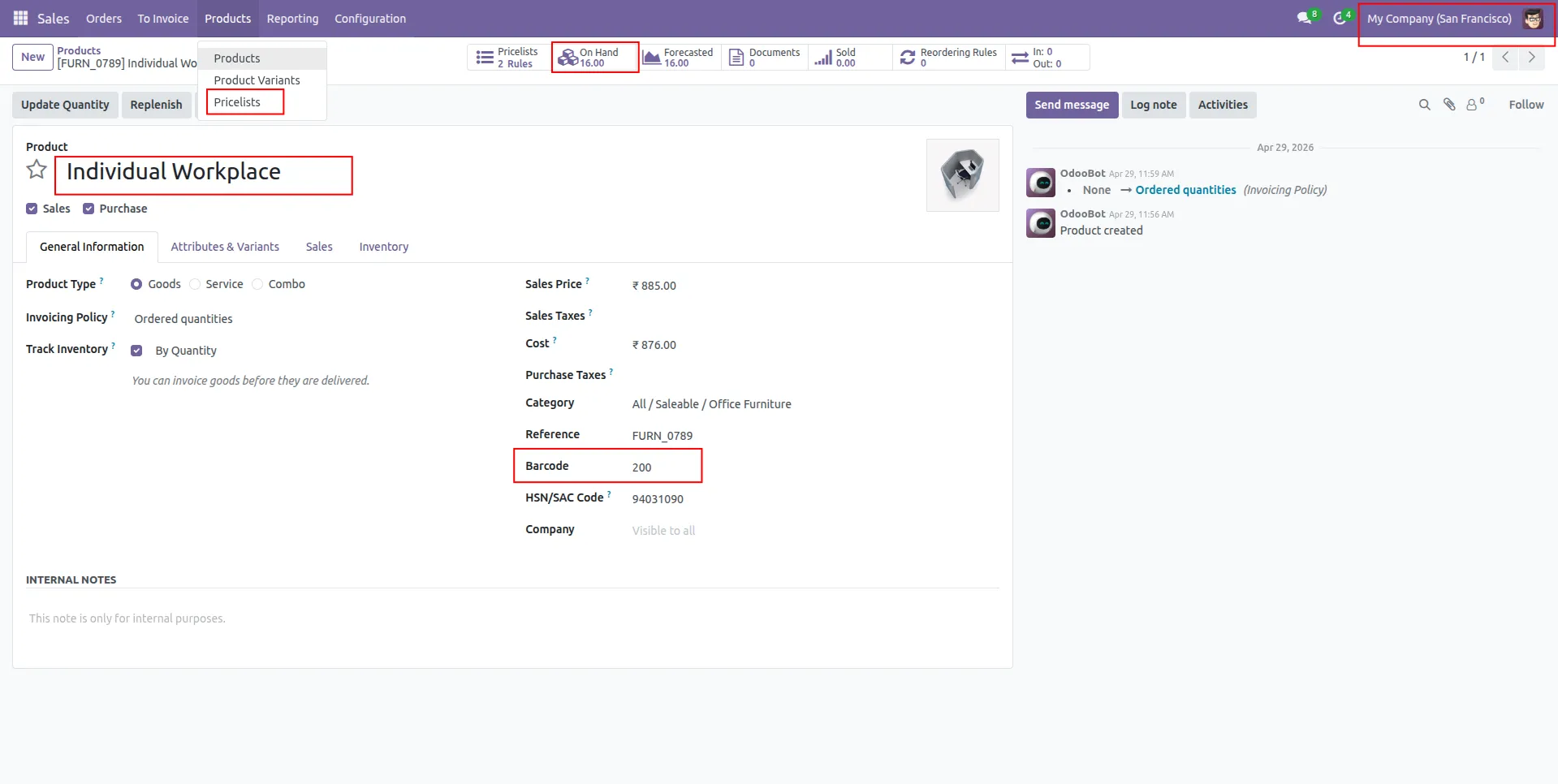
5.Product stores barcode, stock quantity, sales price, and linked pricelist information for price checking.
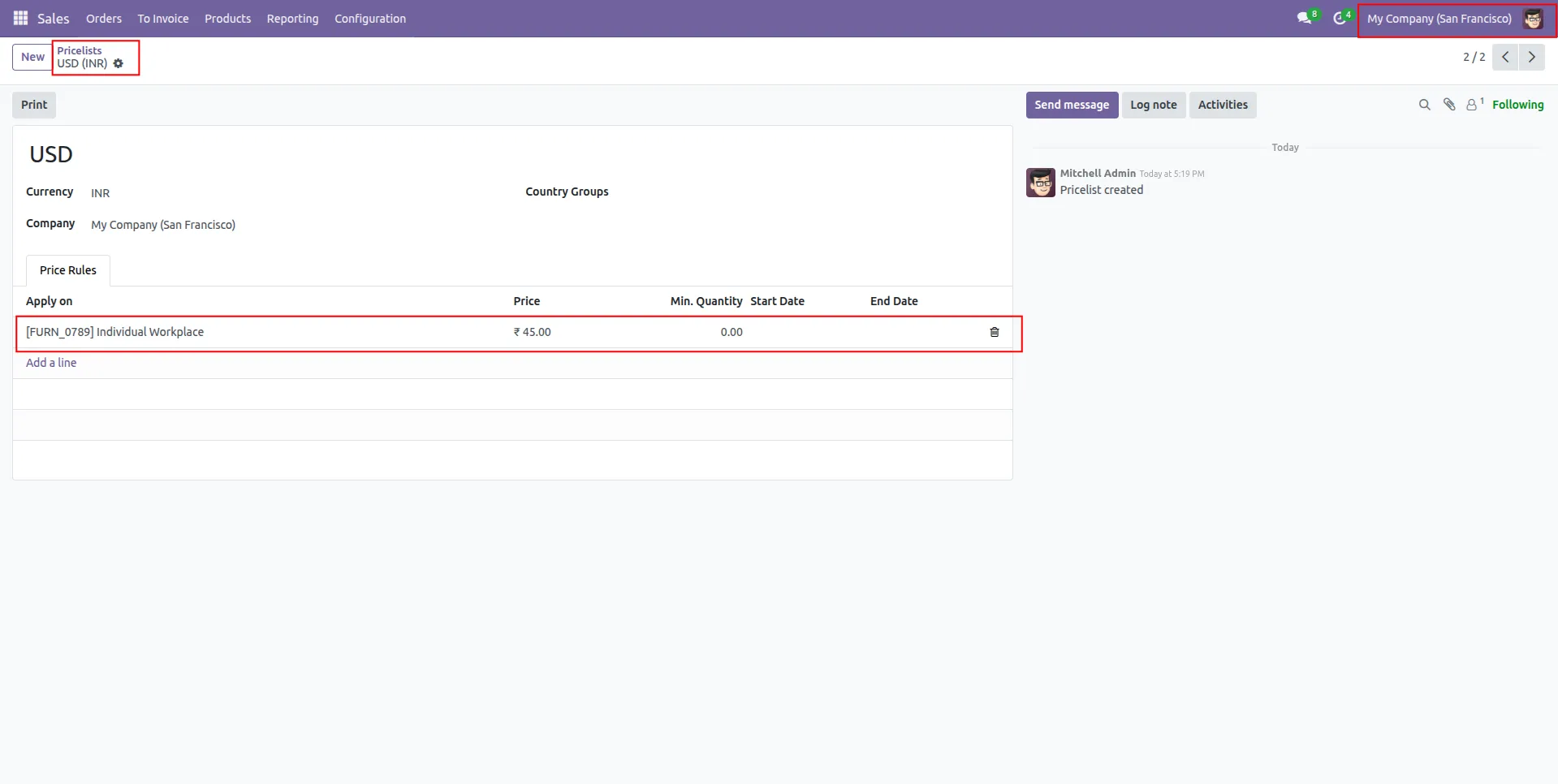
6.Custom pricelist rules are created to display product-specific prices in the Price Checker kiosk.
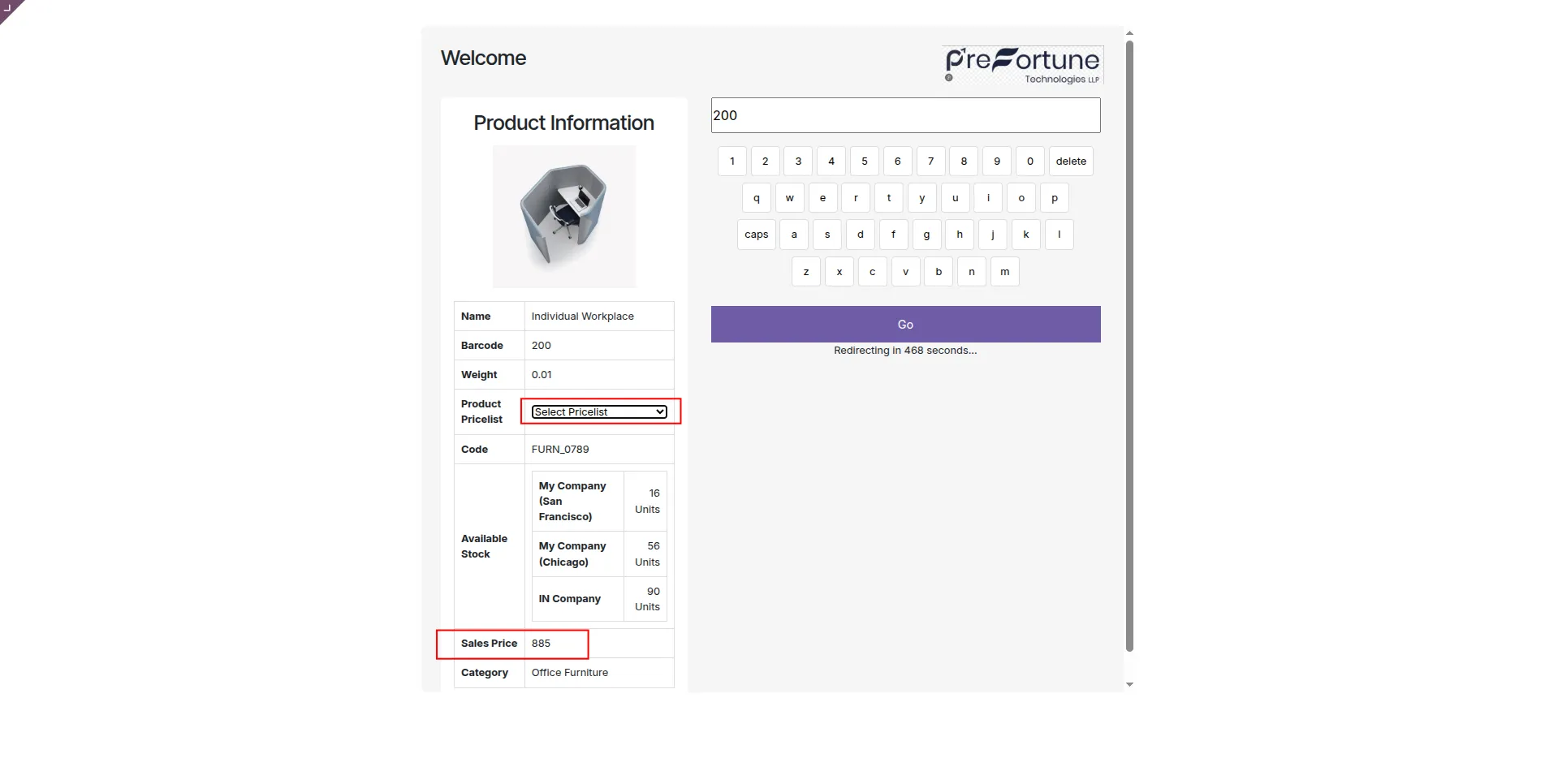
7.Selected pricelist dynamically updates and displays the corresponding product sales price in the kiosk screen.
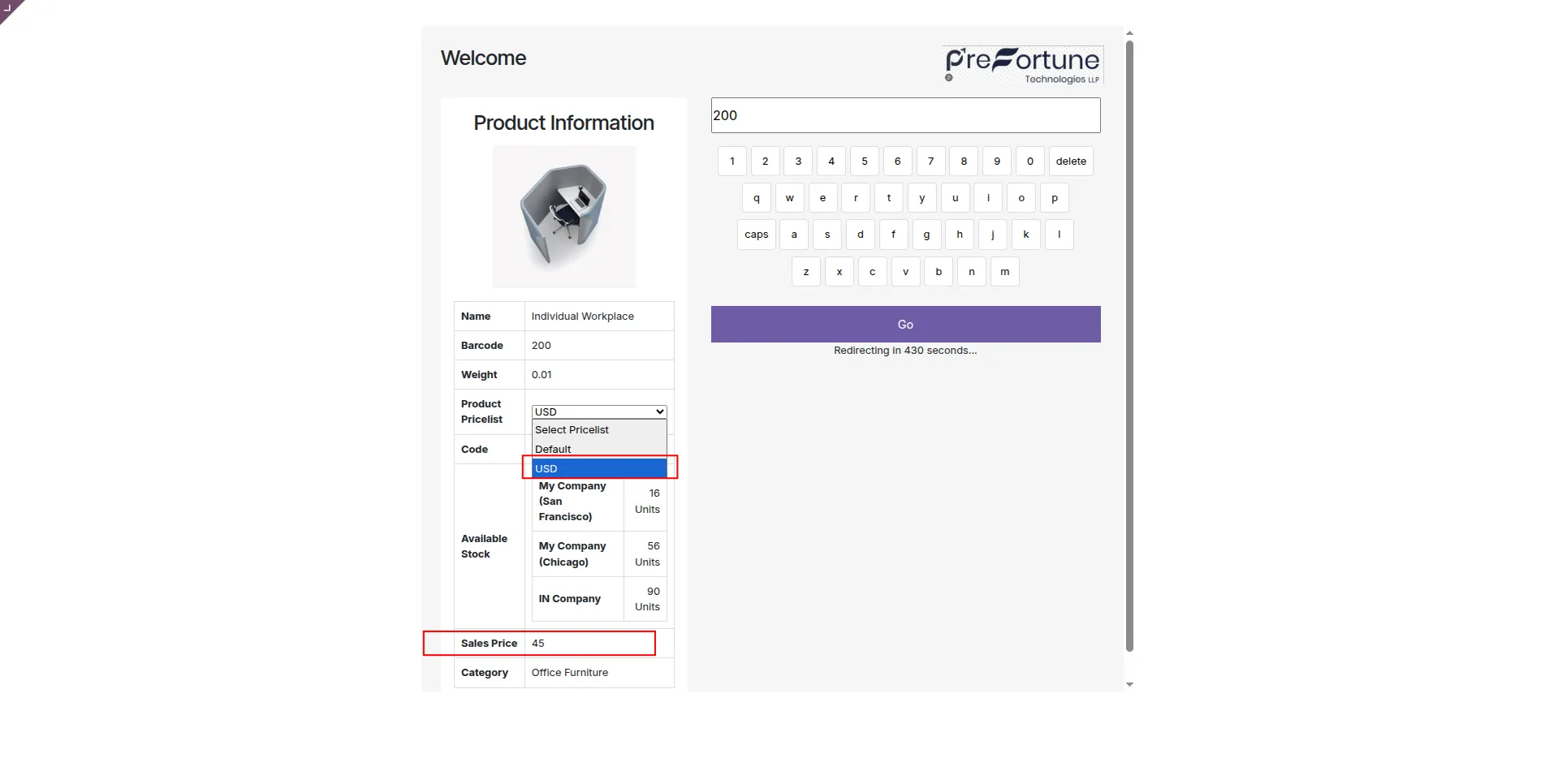
8.Users can select a pricelist in the kiosk to view product prices based on different pricing rules.
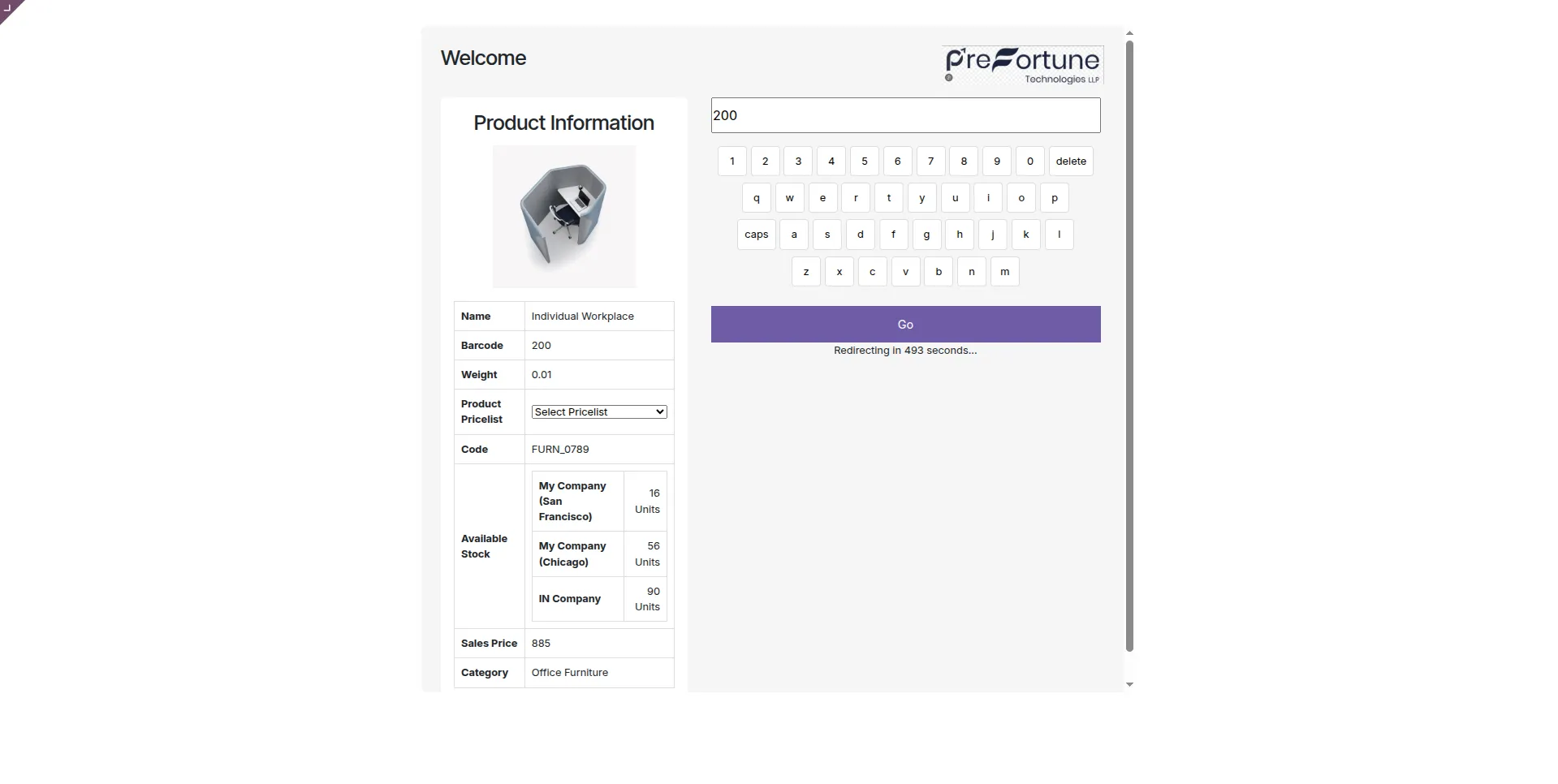
9.The kiosk displays complete searched product details including image, barcode, stock, pricelist, and sales price.
Our Pricing includes User Manual, 90 Days Support (Monday-Friday 10am to 7pm IST) and One time Setup
• Works & tested on standard installations of Odoo with no third party apps,
• Free support only for odoo installations with no third party apps,
• Paid support available for Odoo installations with third party apps.

Prefortune is a Odoo Official Partner, Odoo Development company. Our philosophy is to use Open Source tools and technologies to provide cost effective and green solutions for our customers.
Prefortune Technologies LLP is working on web development, Mobile development, and Odoo ERP.
If you need any help or want more additional features, you may contact us through:
These other products might interest you
| Version | 19.0, 18.0, 17.0, 16.0, 15.0, 14.0 |