Watch Quick Video
Product Internal Reference Generator
Our
Odoo Product Internal Reference Generator App
Our automatically generates internal references and SKU canons for products and variants grounded on specific values. You can control generation per specific and customize references anytime.still, your edited values stay unchanged, If Keep Custom Reference is enabled.However, the system regenerates references automatically, If disabled. It also shows a Product UID for better tracking and accuracy.
- Go to Inventory → Configuration → Attributes
- Enable “In Product Reference”
- Configure attributes for internal reference generation
- (Optional) Enable Keep Custom Reference to protect existing codes
- Save and start creating products
Key Features
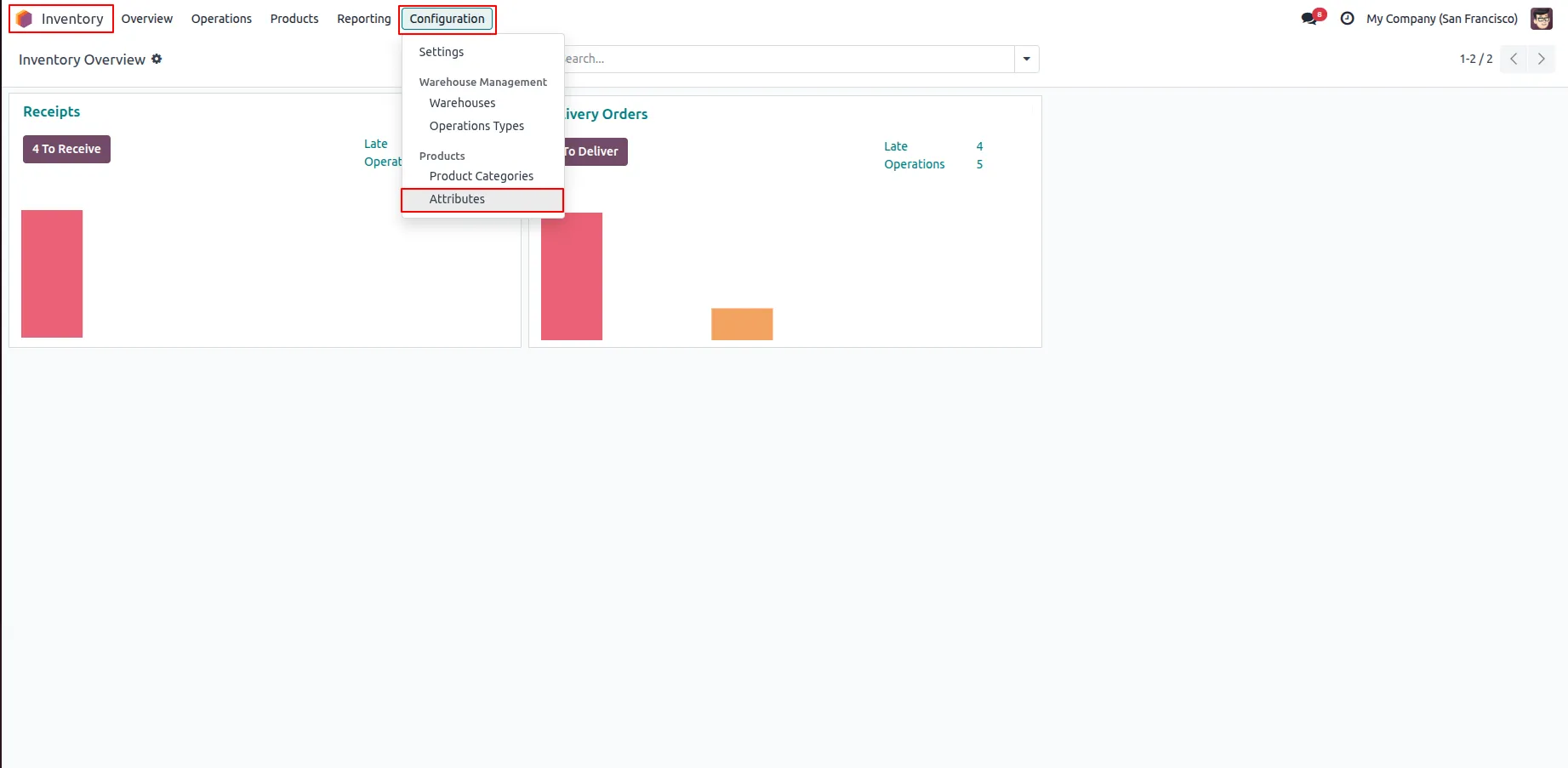
1.Go to Inventory → Configuration → Attributes.
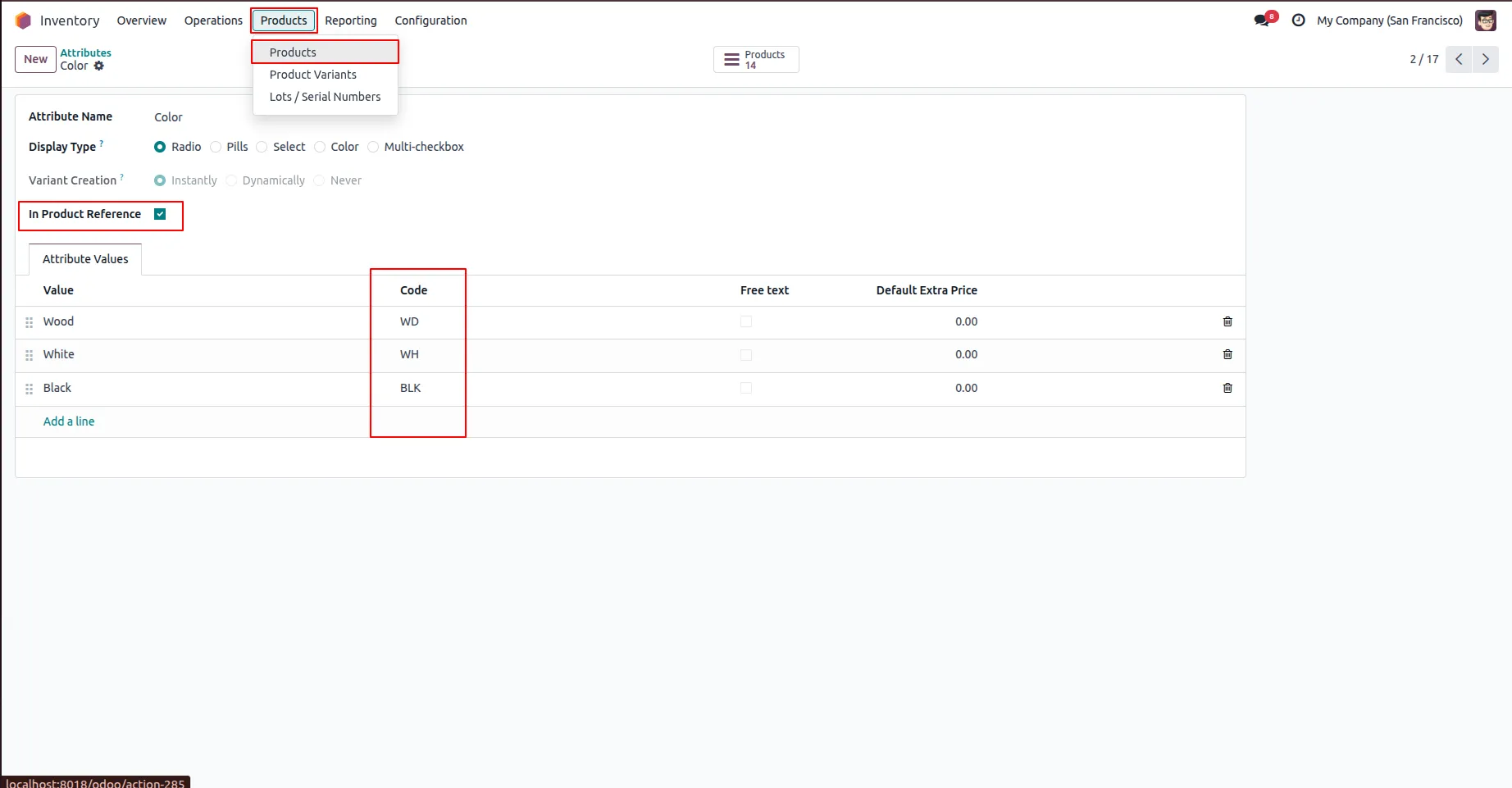
2.Create or select an attribute, add codes to its values, and enable IN Product Reference. Then go to Inventory → Products.
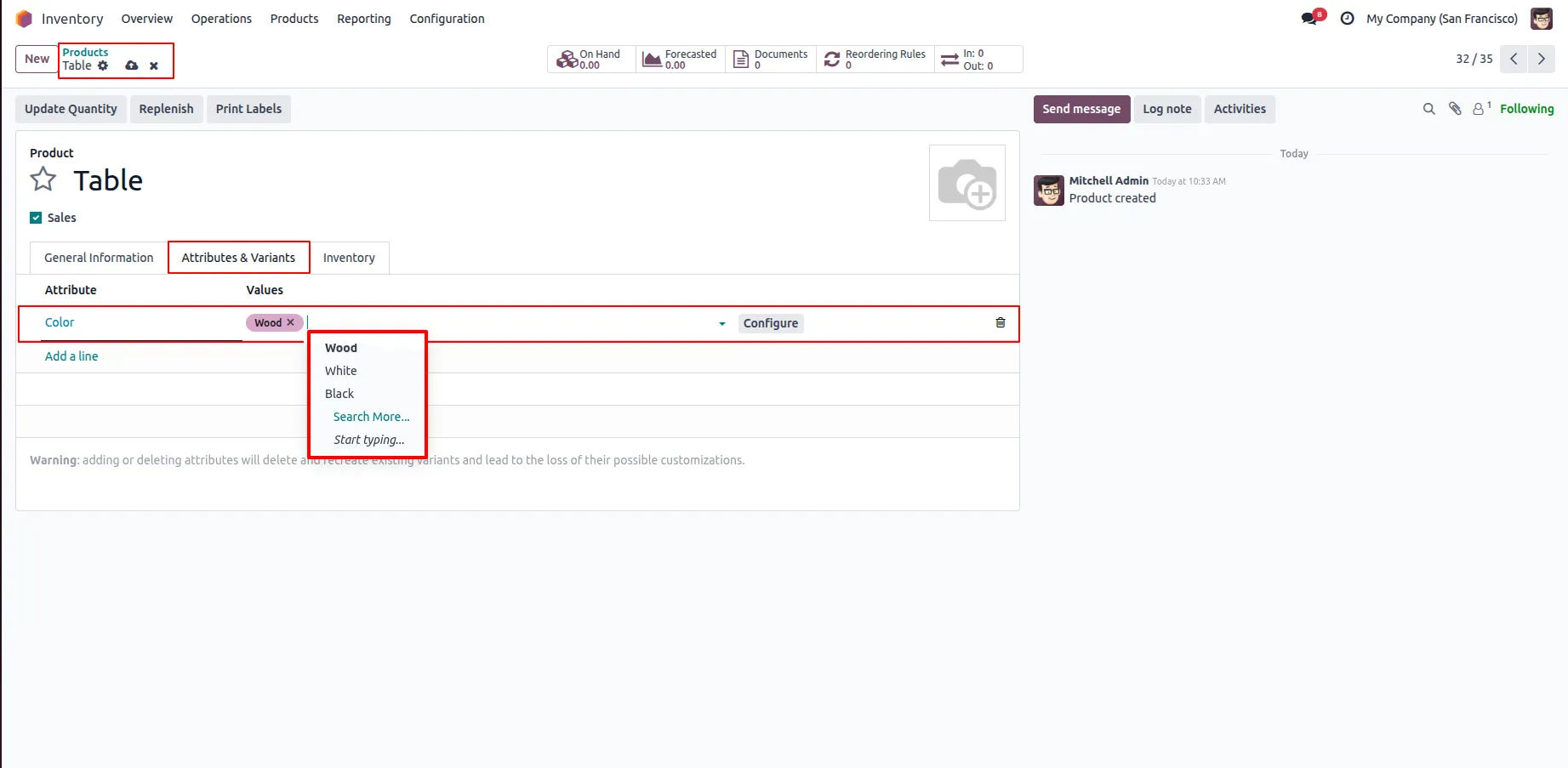
3. Add attributes and select their values in the product.
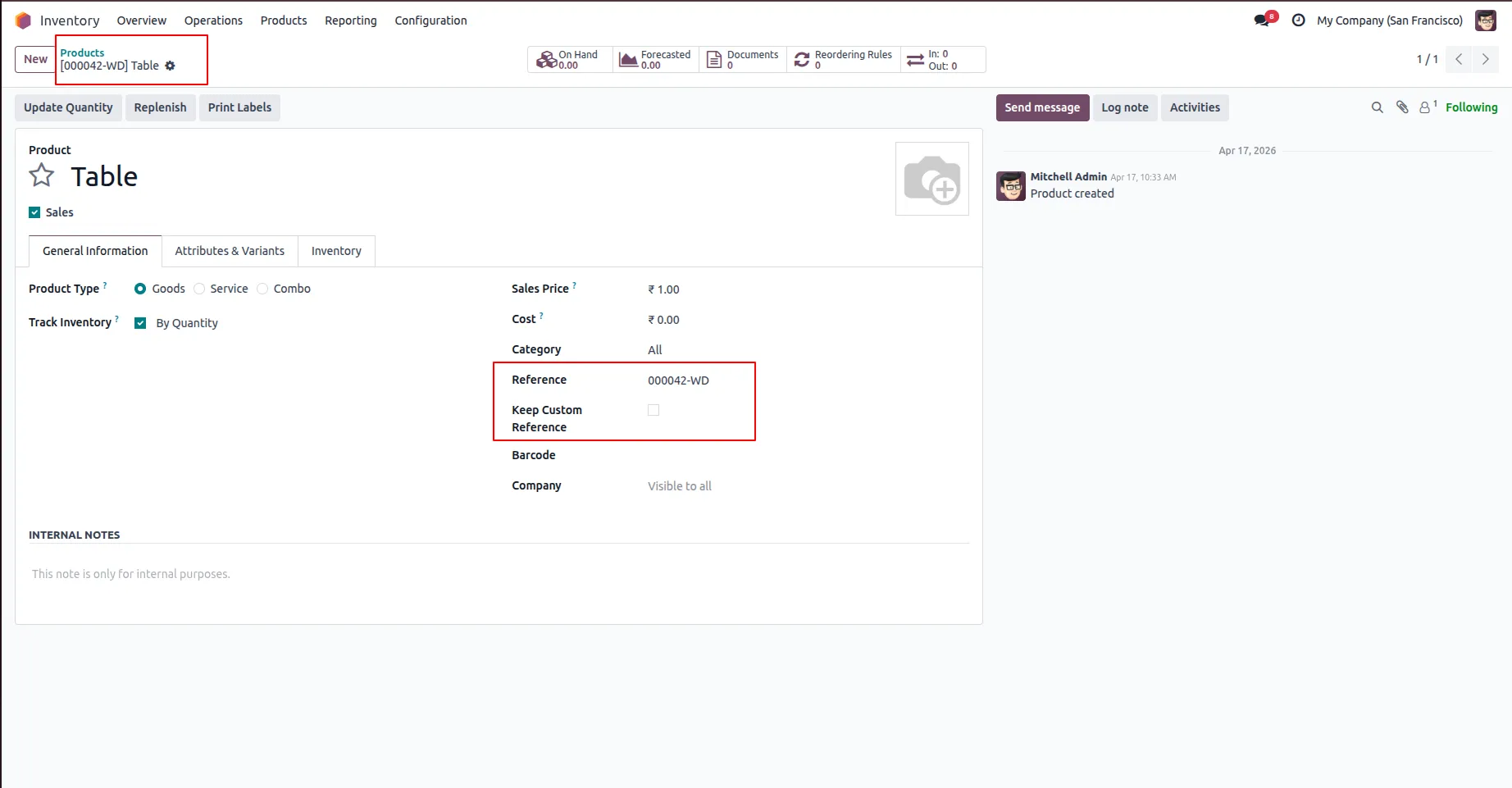
4. If no variants, then create internal reference for that product.
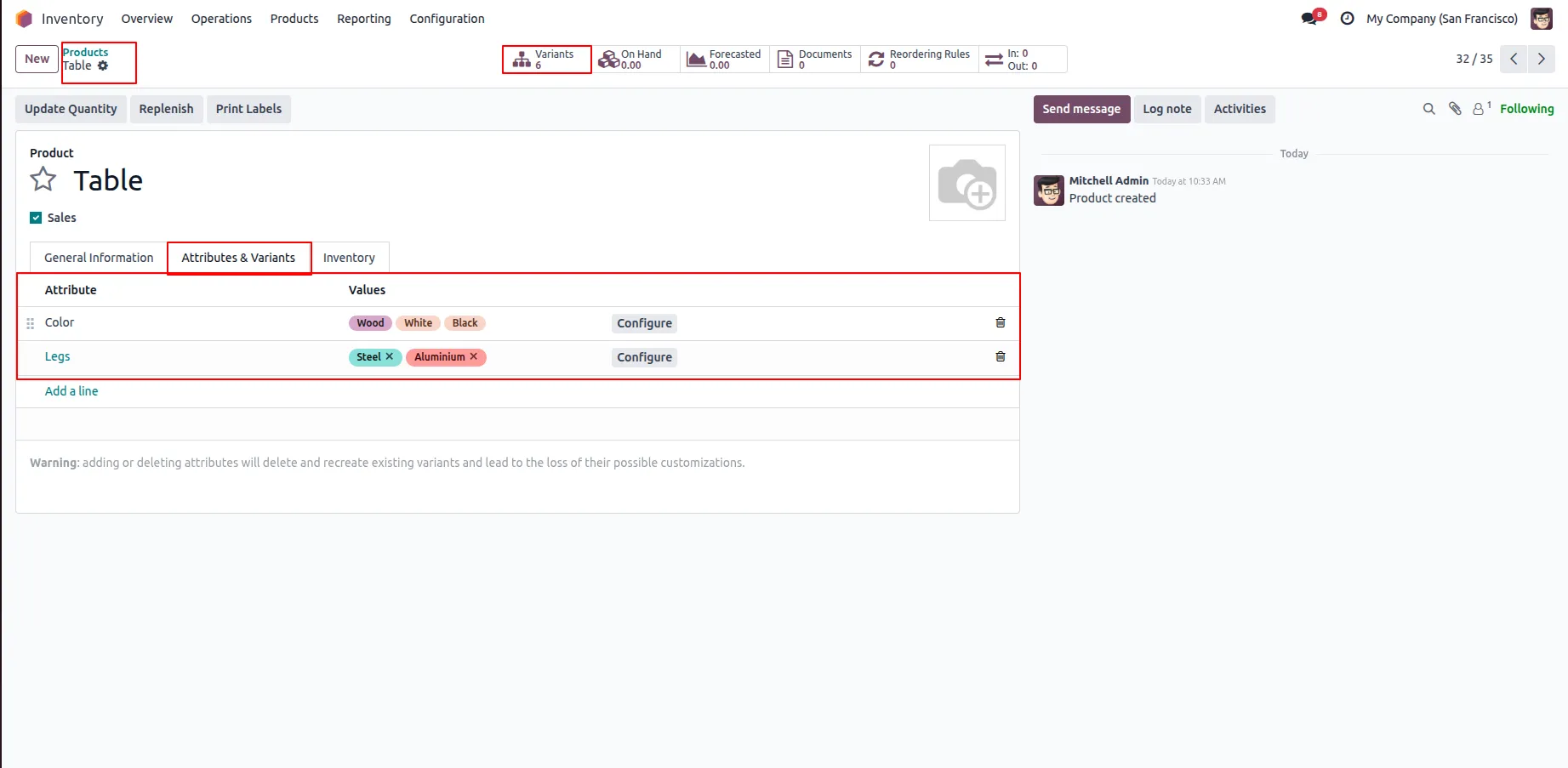
5. Add more attributes to create product variants automatically.
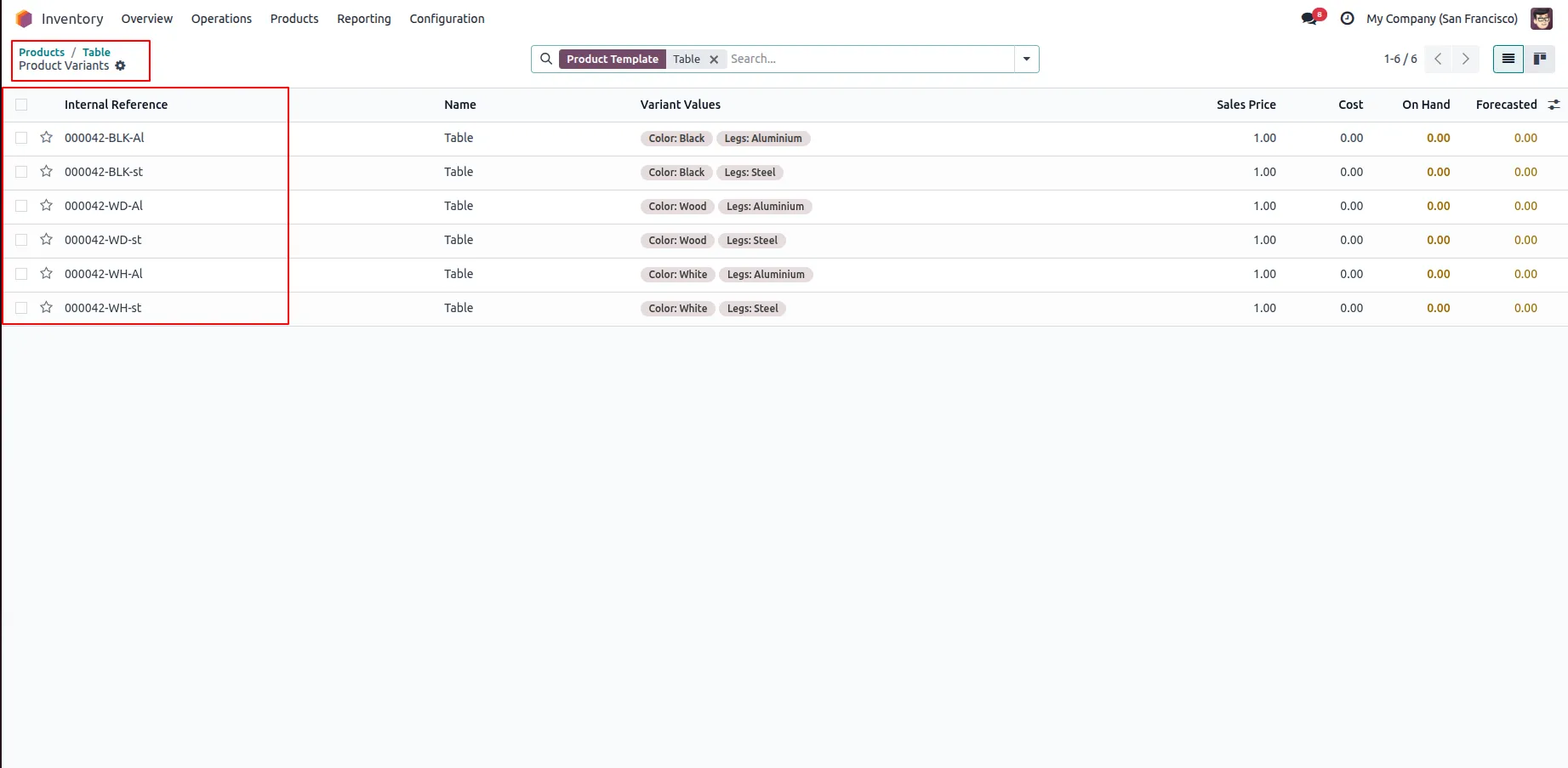
6.Each variant gets its own unique Internal Reference.
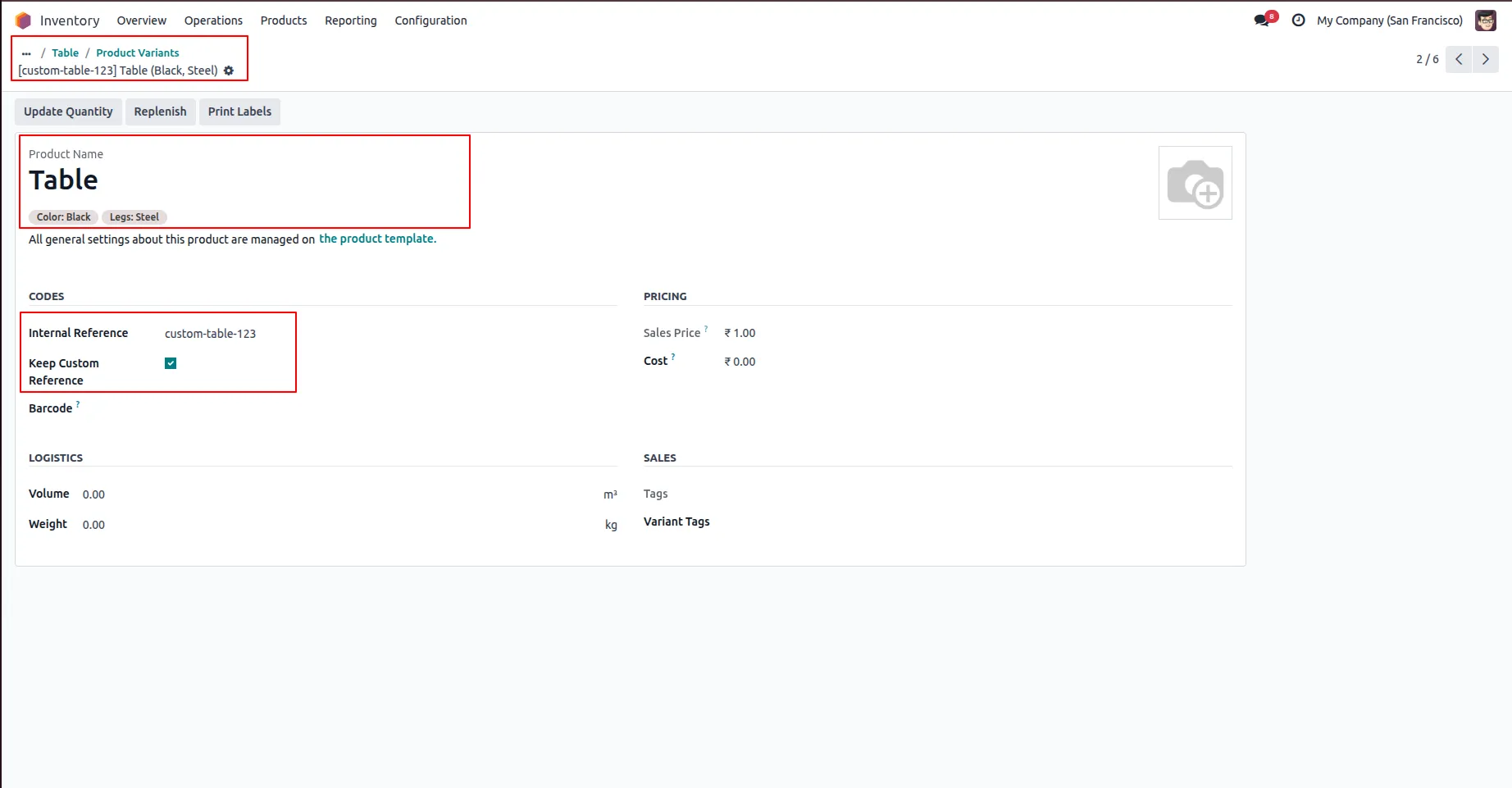
7.you can edit the internal reference for any product varient & its enable Keep Custom reference.
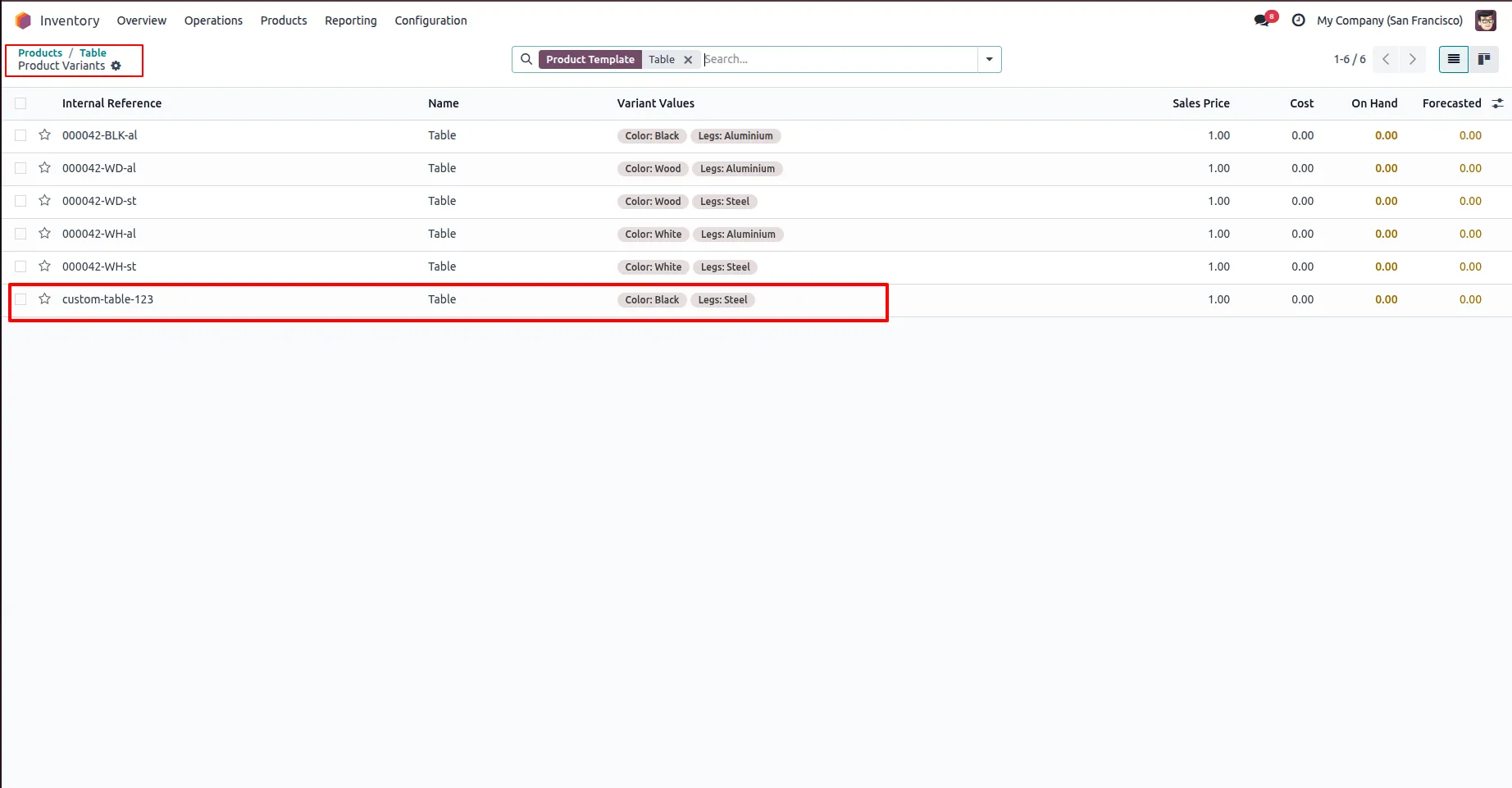
8.The system will not automatically modify the internal reference as long as Keep Custom Reference is enabled; it can only be changed manually by the user.
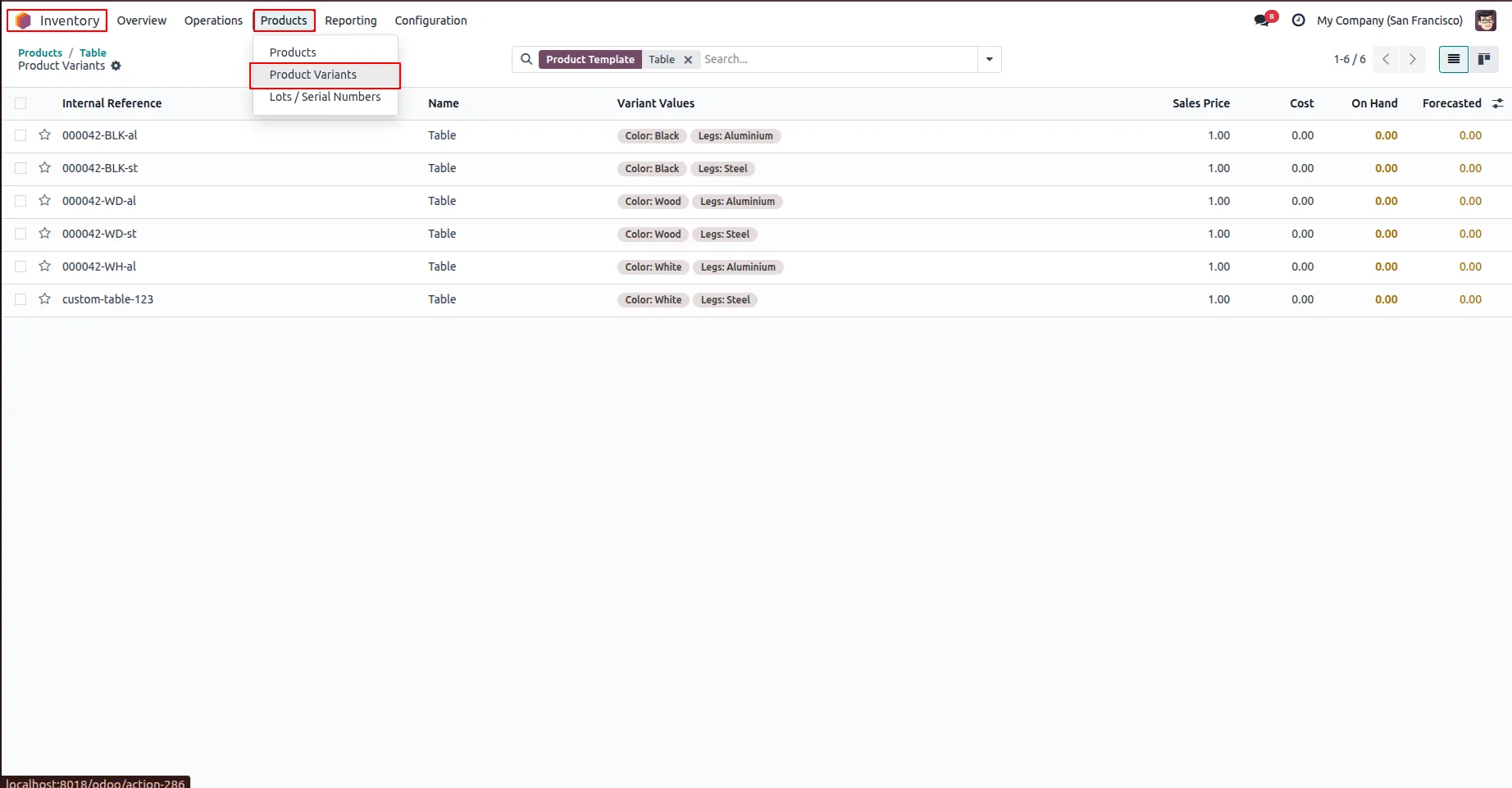
9.Go to Inventory → Products → Product Variants, then select a variant.
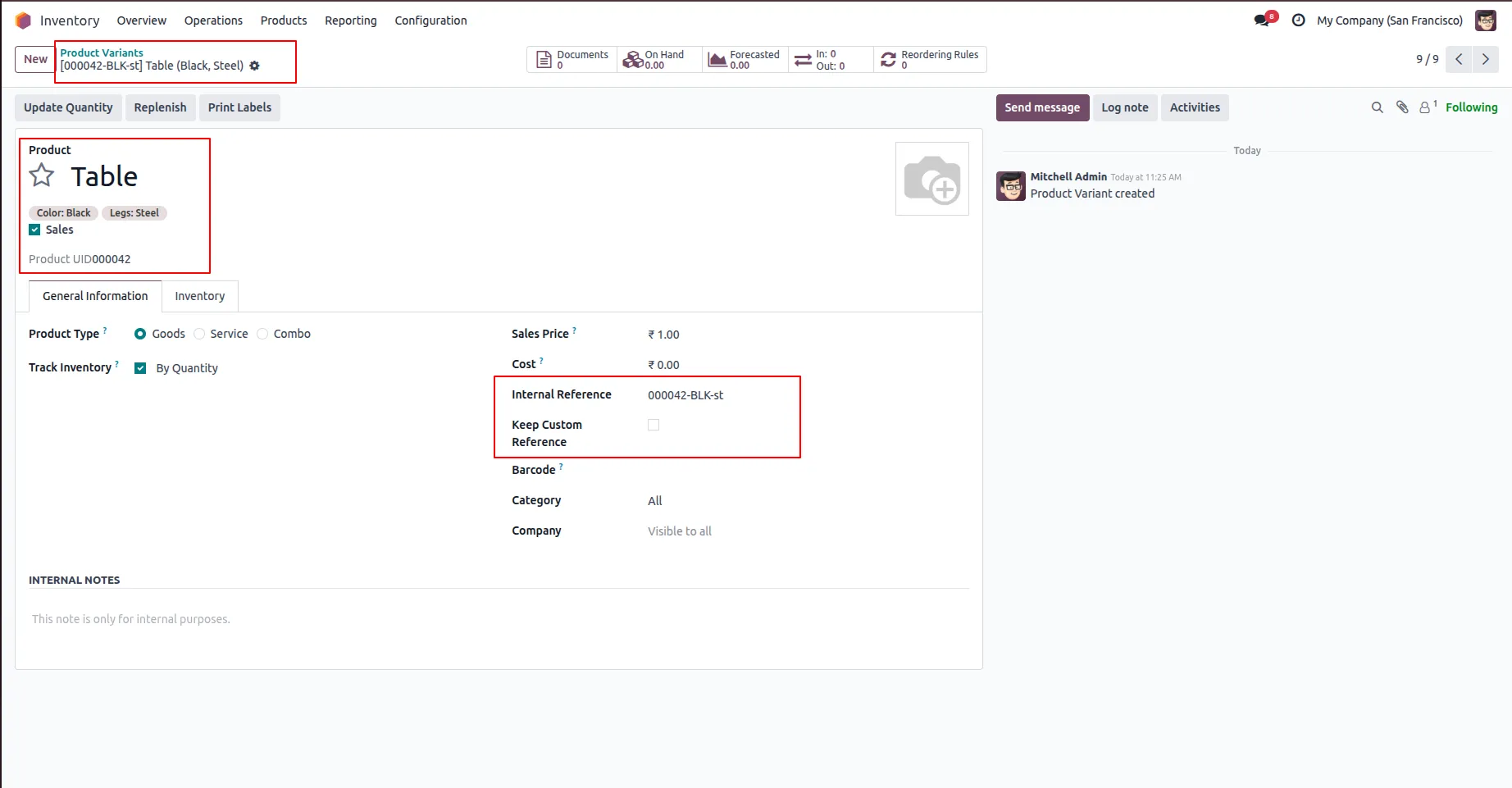
10.If Keep Custom Reference is disabled from the product or variant form, the system will automatically regenerate the internal reference based on its logic.
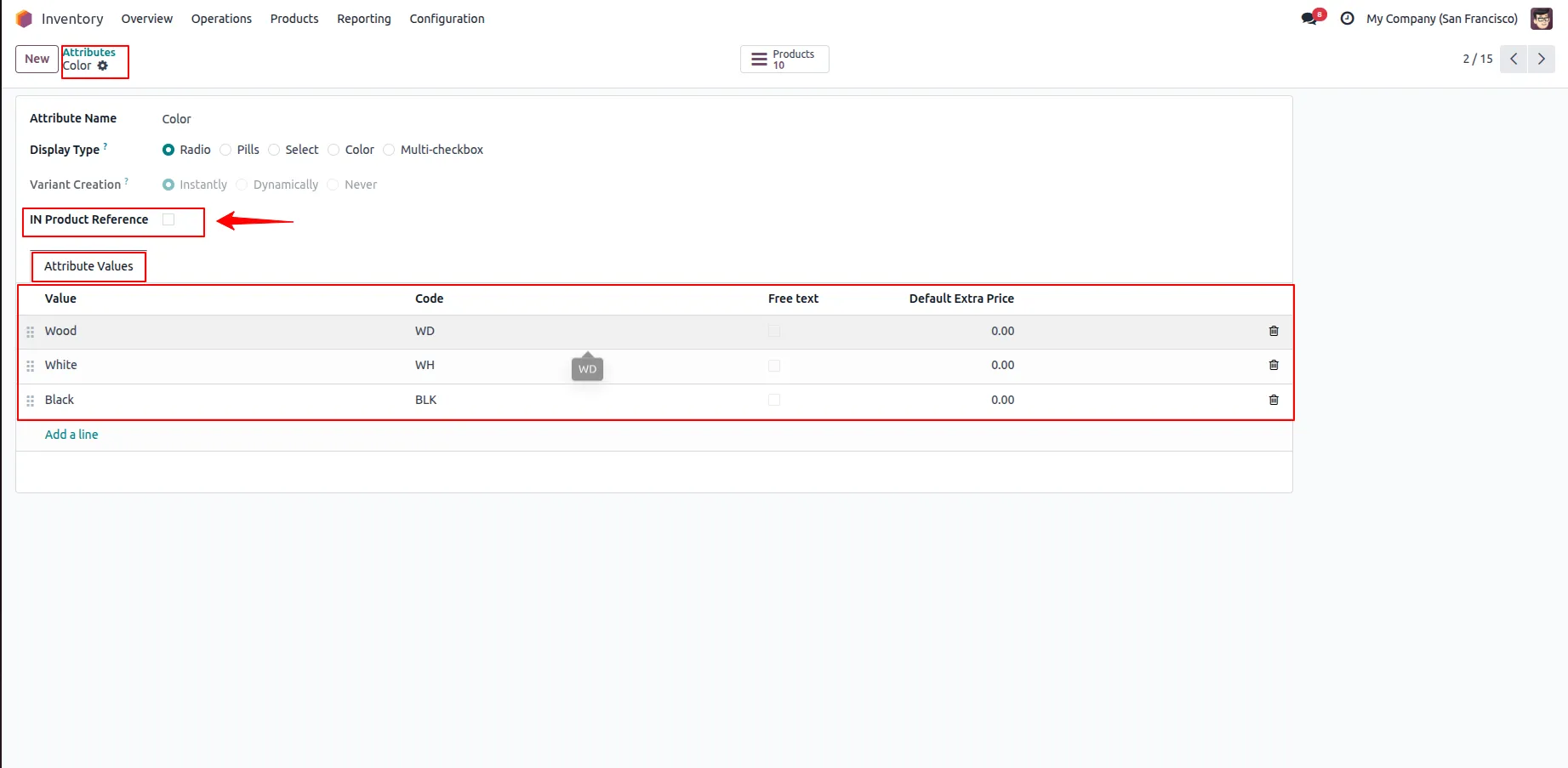
11.Disable In IN Product Reference in attribute.
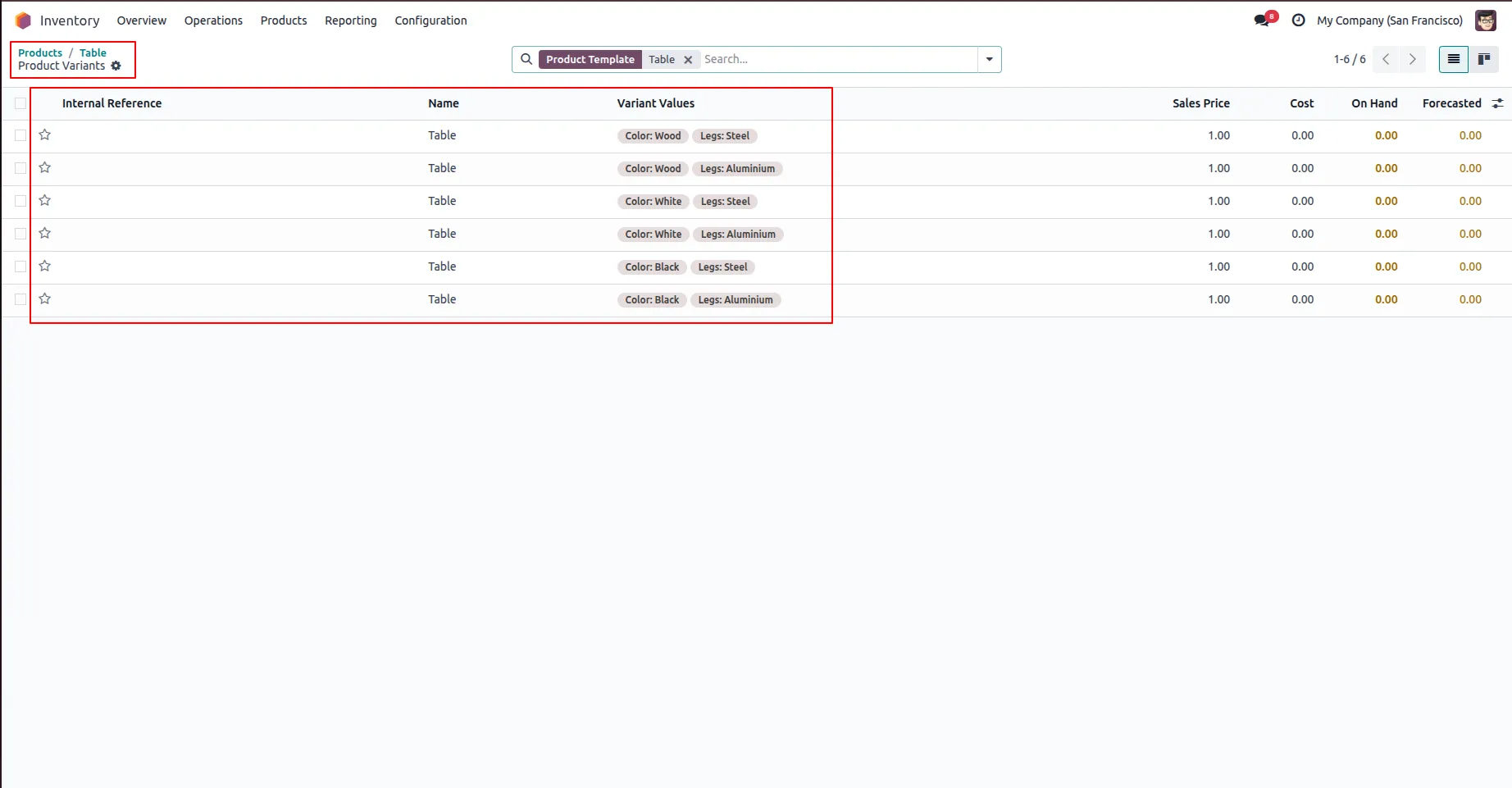
12.If In Product Reference is disabled for all selected attributes, no internal reference will be generated.
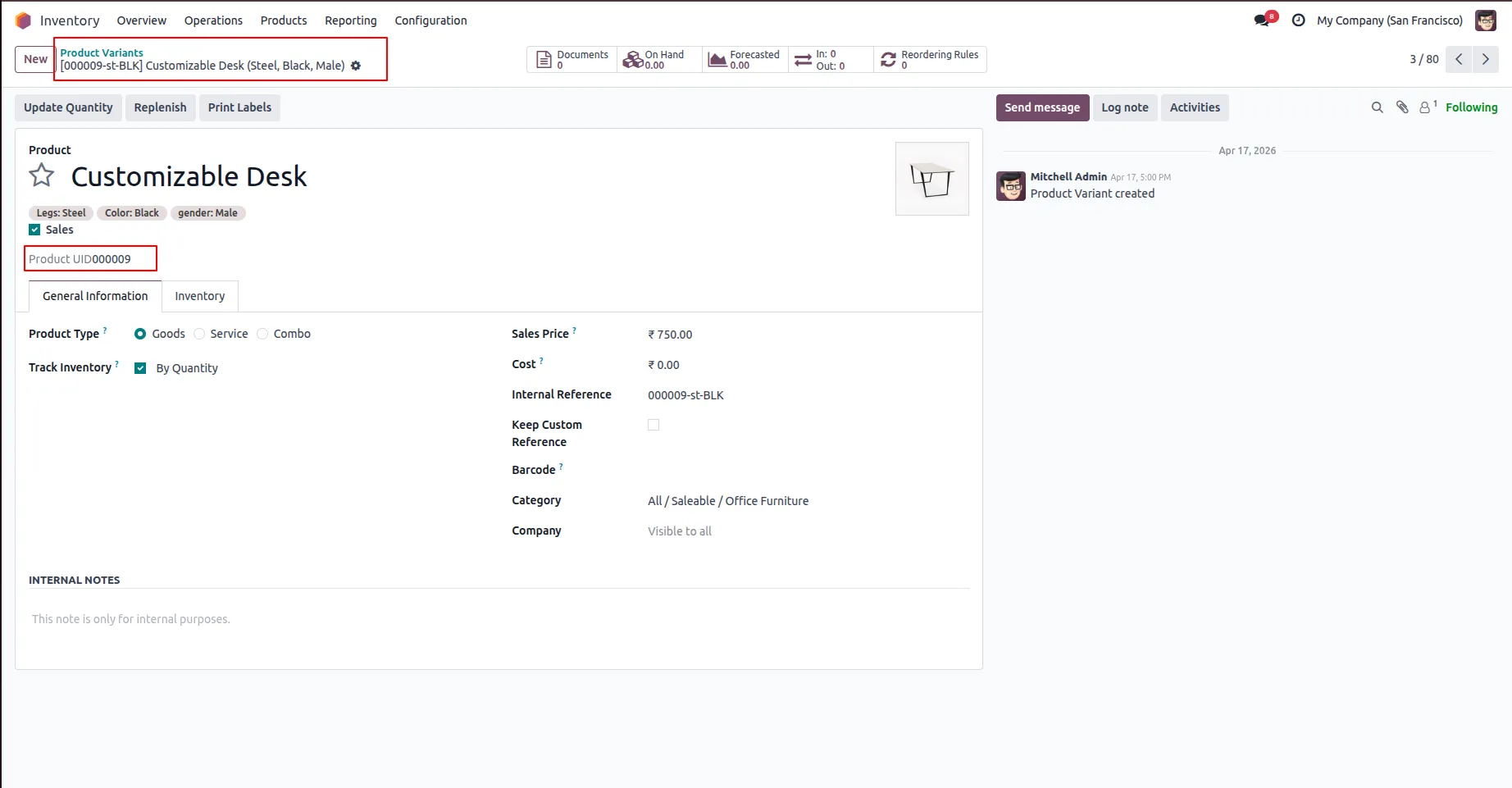
13.Open Product Variants to see the Product UID for each variant.
Our solutions focus on your problems
- Odoo Implementation
- Odoo Customization
- ERP Development and Implementation
- Odoo Ipass Cloud
- AI for Odoo
- Odoo Apps
- Aws Marketplace Products
- Business Engines
Our Pricing includes User Manual, 90 Days Support (Monday-Friday 10am to 7pm IST) and One time Setup
• Works & tested on standard installations of Odoo with no third party apps,
• Free support only for odoo installations with no third party apps,
• Paid support available for Odoo installations with third party apps.

Prefortune is a Odoo Official Partner, Odoo Development company. Our philosophy is to use Open Source tools and technologies to provide cost effective and green solutions for our customers.
Prefortune Technologies LLP is working on web development, Mobile development, and Odoo ERP.
If you need any help or want more additional features, you may contact us through:
Alternative Products
These other products might interest you
Specifications
| Version | 19.0, 18.0, 17.0, 16.0, 15.0, 14.0 |