7 Odoo Apps for Aerospace Component Traceability
Track aerospace components from sourcing to delivery with lot and serial number management, country-of-origin tracking, barcode and QR labeling, and advanced inventory reporting.
Our efficient
Odoo – Product Image & Serial Number in Delivery & Picking Report
app enhances standard inventory reports by adding configurable product images and serial number display options. This module improves report clarity and usability by allowing businesses to control what information appears in delivery slips and picking operations. It ensures better documentation, improved tracking, and a more professional report layout based on user preferences.
It provides a clear and structured report customization process:
1. Serial Number Print Control: Users can enable or disable the “Print Serial Numbers” option directly from Inventory Settings. When enabled, serial numbers are automatically displayed in delivery and picking reports.
2. Automatic Configuration Sync: The selected serial number setting is automatically applied across form views and reports. This eliminates the need for manual adjustments and ensures consistency.
3. Product Image Visibility Option: Users can choose whether to display product images in reports. This helps maintain either detailed or clean report formats as required.
4. Flexible Image Size Selection: The app provides options to display images in Small, Medium, or Large sizes. The selected size is reflected across all relevant reports and views.
5. Multi-Report Integration: Enhancements are applied to Delivery Reports, Picking Reports, and Inventory Notebook views. This ensures uniform formatting across all documents.
6. Improved Report Presentation: By combining images and serial numbers, the app makes reports more informative and professional. This helps in better product identification and operational efficiency.
7. Conditional Display Logic: Both serial numbers and images are displayed only when their respective options are enabled. This keeps reports dynamic and user-controlled.
8. User-Friendly Configuration: All settings are simple to manage from the Inventory module without any technical complexity. Users can quickly customize reports based on their business needs.
Enable the Inventory Settings and activate the Print Serial Numbers and Product Image Display options based on your requirements. Users can also select the preferred Image Size (Small, Medium, Large) for report display. Once configured, these settings are automatically applied to Delivery Reports, Picking Reports and Inventory Notebook views. When enabled, Serial Numbers and Product Images will be visible in the reports; otherwise, they will remain hidden. All configurations are managed from a central location, ensuring consistent and user-friendly report customization.
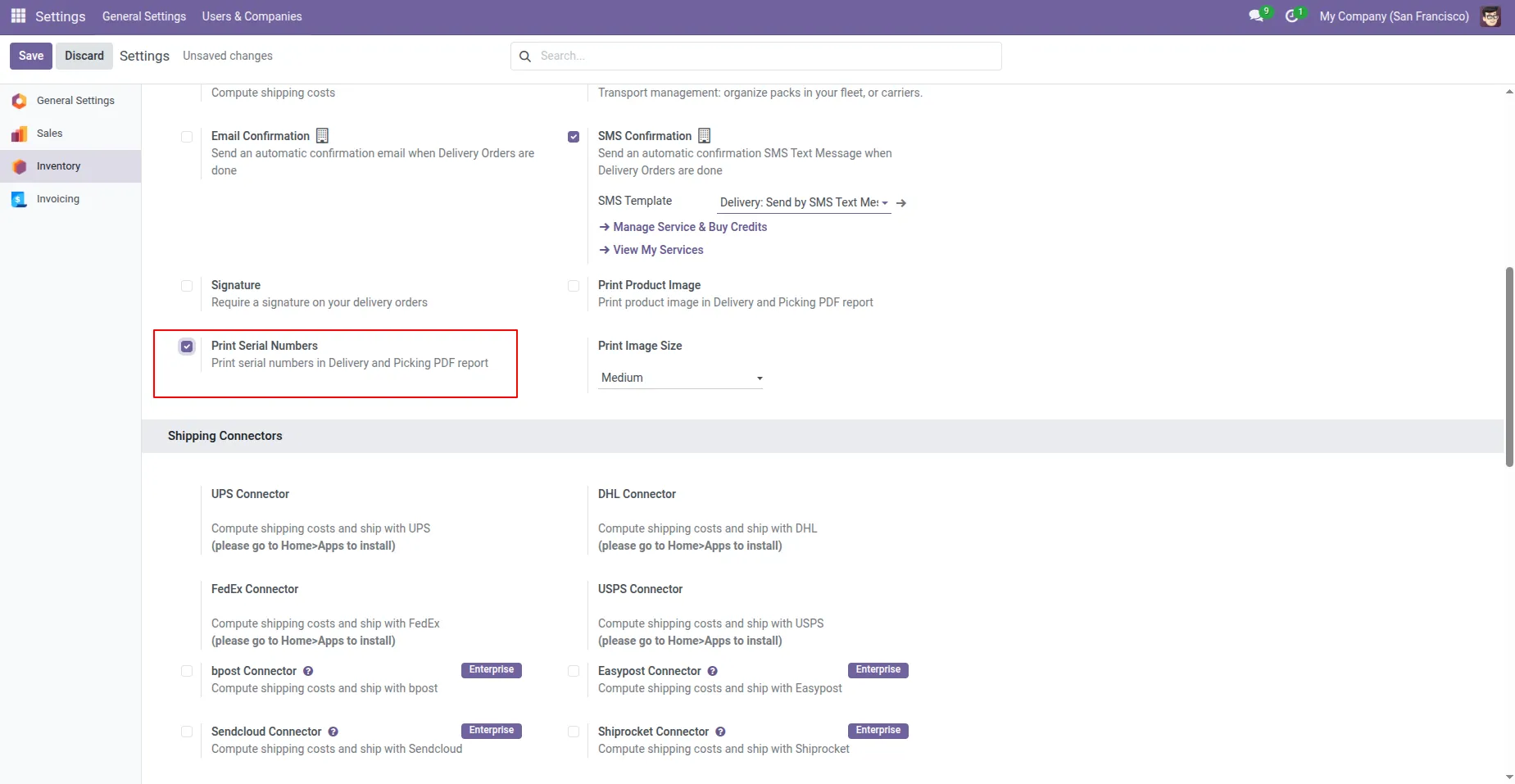
1. Go to Inventory Settings and select the Report Print option. If you choose Print Serial Numbers, this option will be automatically enabled in the Inventory Form View.
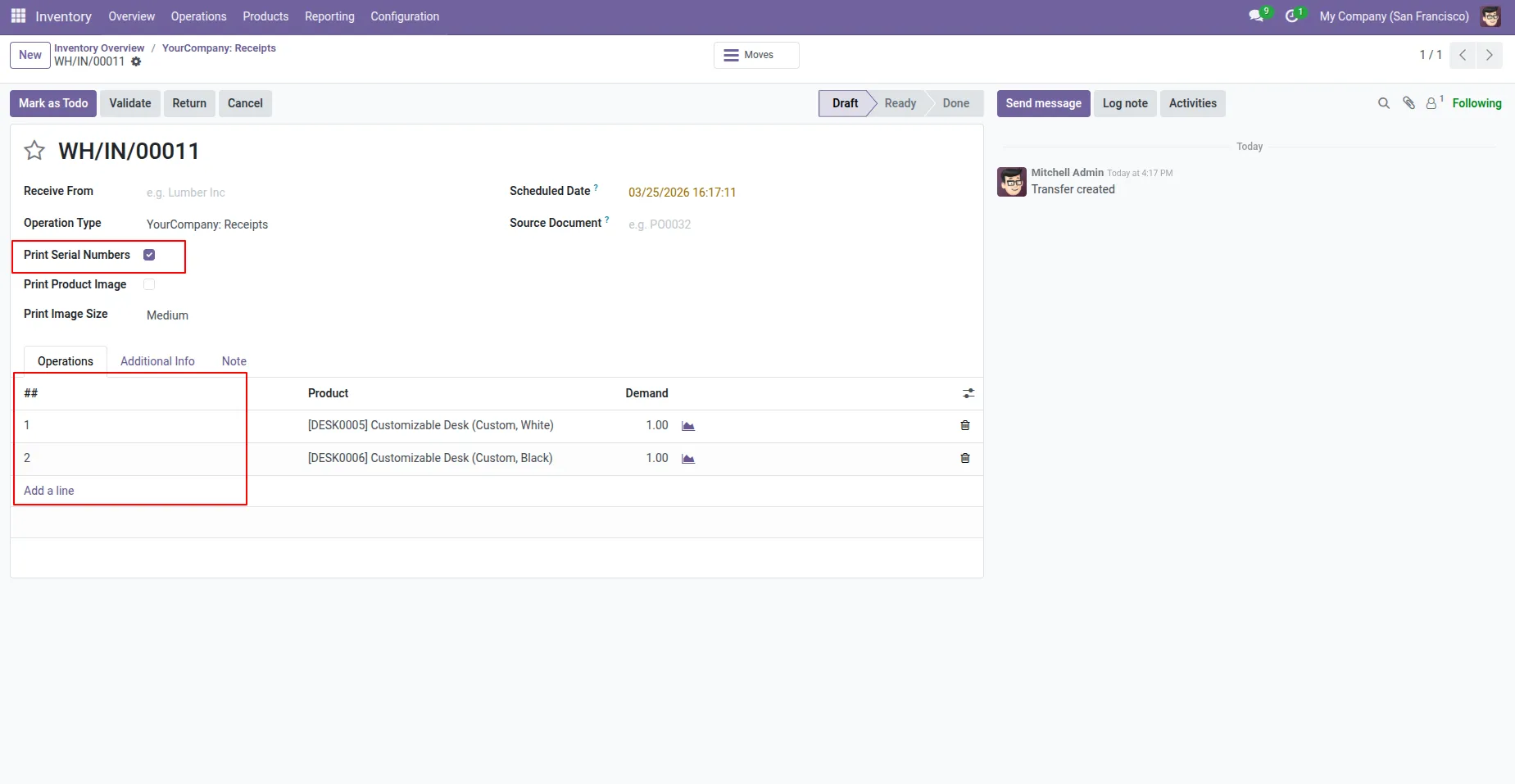
2. Here, the Print Serial Numbers option is automatically selected. You can enable or disable it from this section as needed. the Serial Number column will be automatically added to the Inventory Operations Notebook for easier tracking.
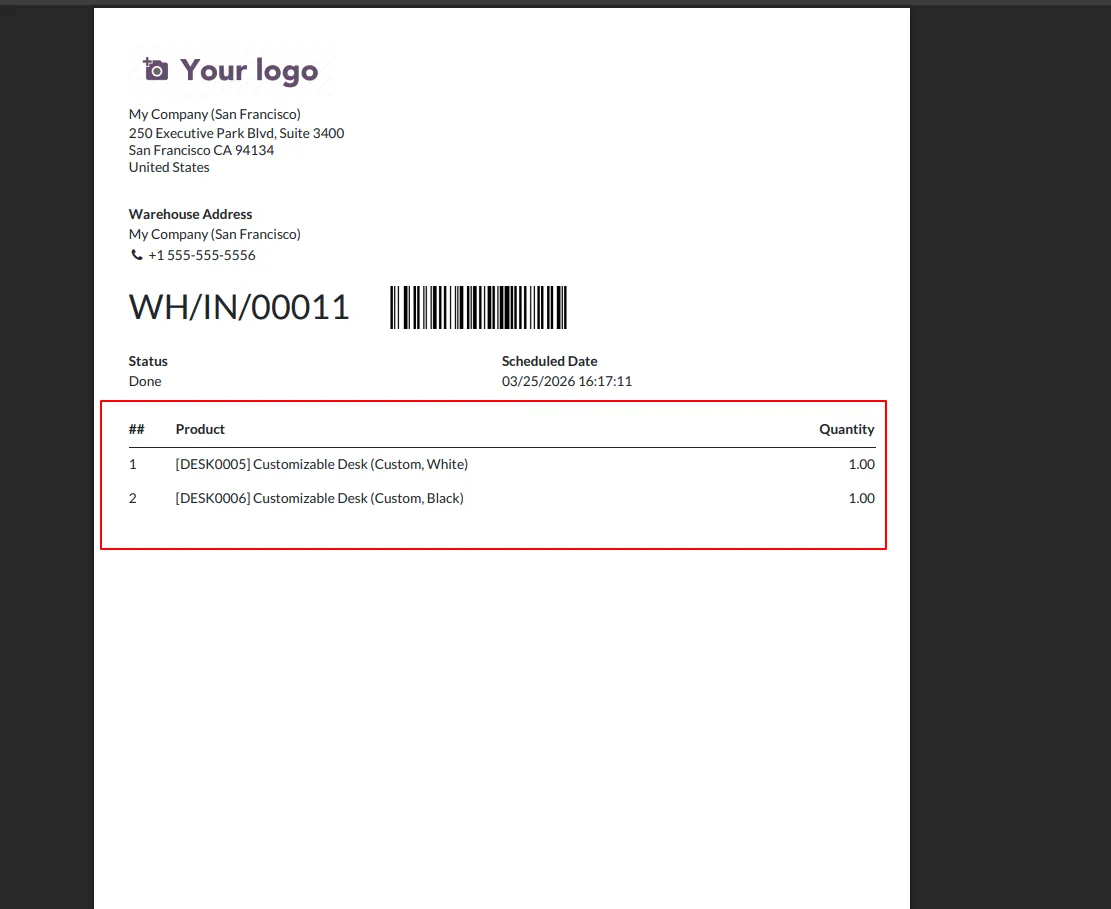
3. After enabling, the Serial Number column will be automatically added to the Picking Report, allowing you to track serial numbers directly in the report.
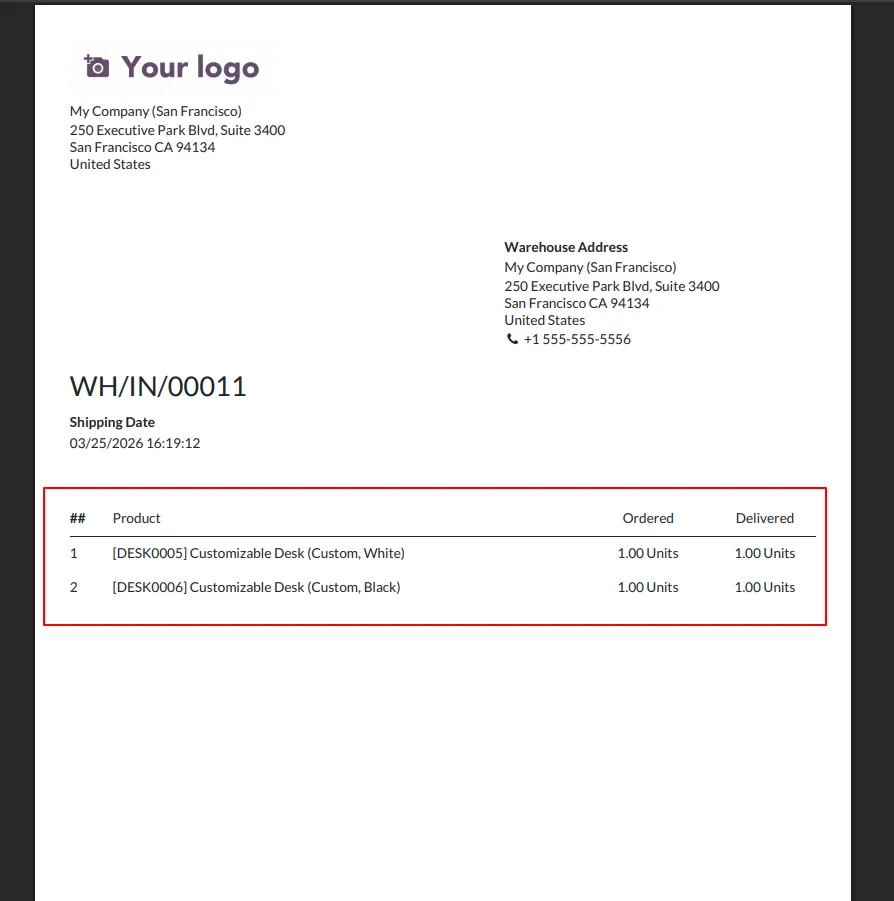
4.After enabling, the Serial Number column will be automatically added to the Delivery Report, allowing you to track serial numbers directly in the report.
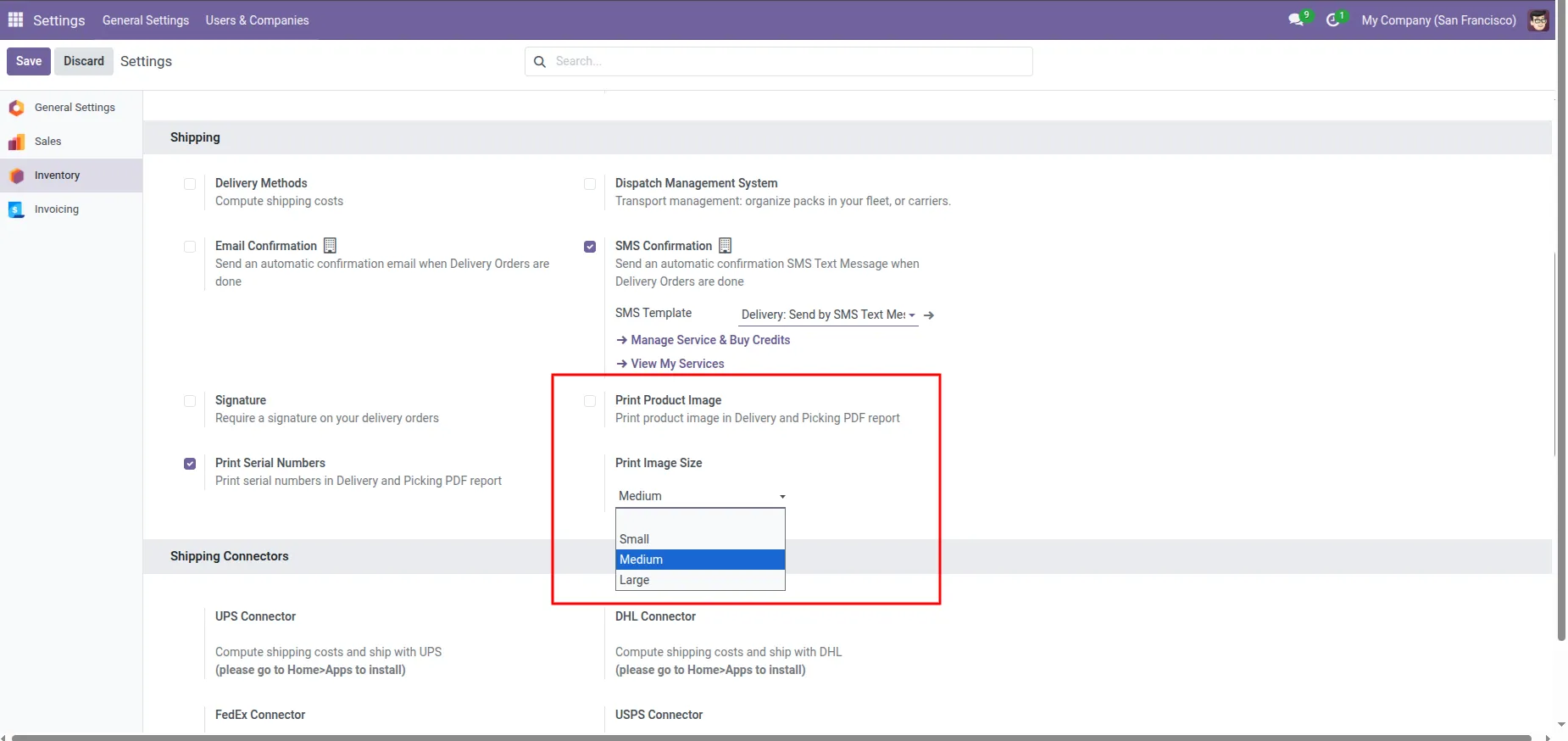
5.You can enable or disable the Print Product Image option.If it is enabled, the Print Image Size selection will appear, and the image will be displayed according to the selected size. If the Print Product Image option is disabled, no image will be shown.
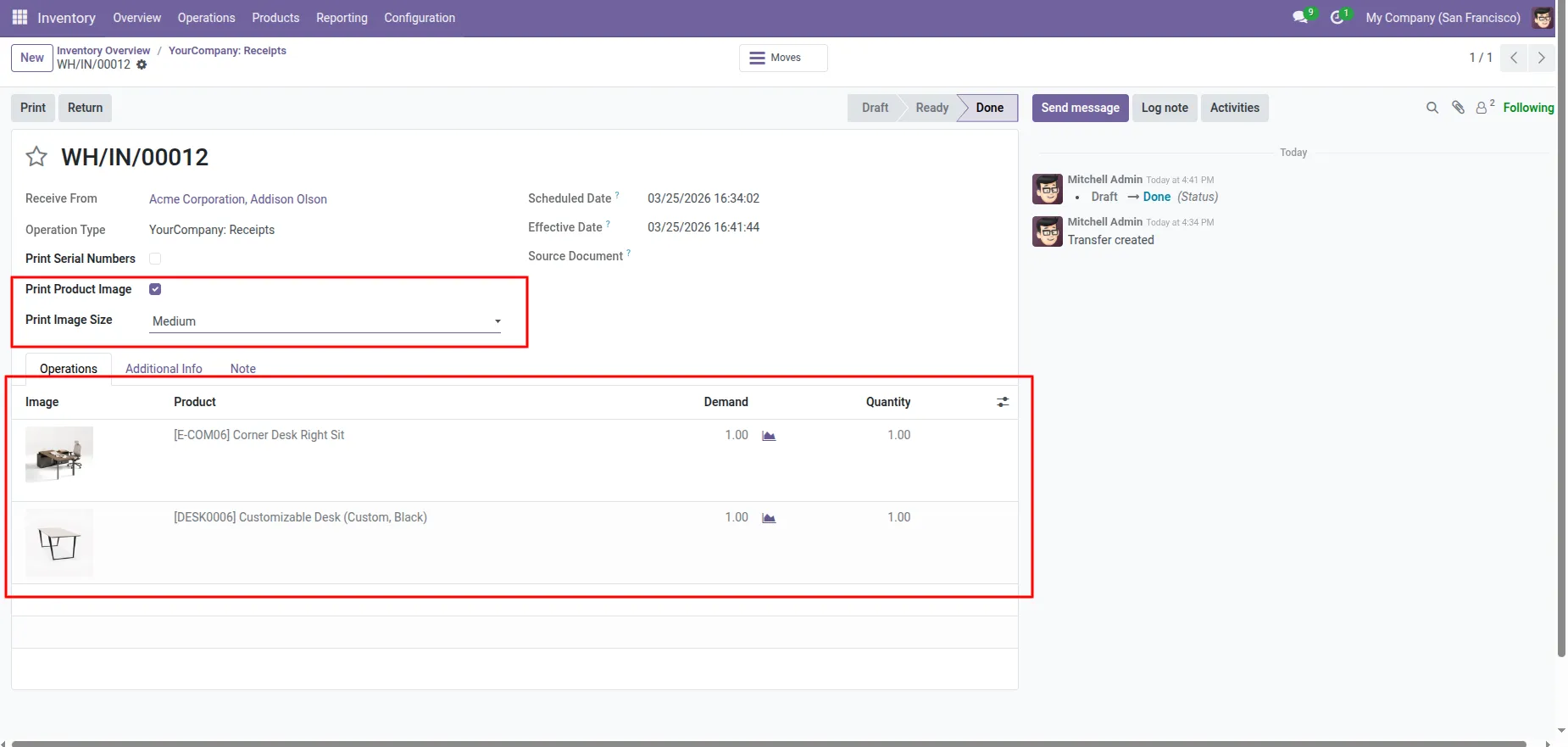
6.Here, the Print Product Image and Print Image Size options are automatically selected. You can enable or disable them from this section. When enabled, the product image will be displayed according to the selected Print Image Size, and when disabled, no image will be shown. This functionality is available in the Inventory Form View Notebook.
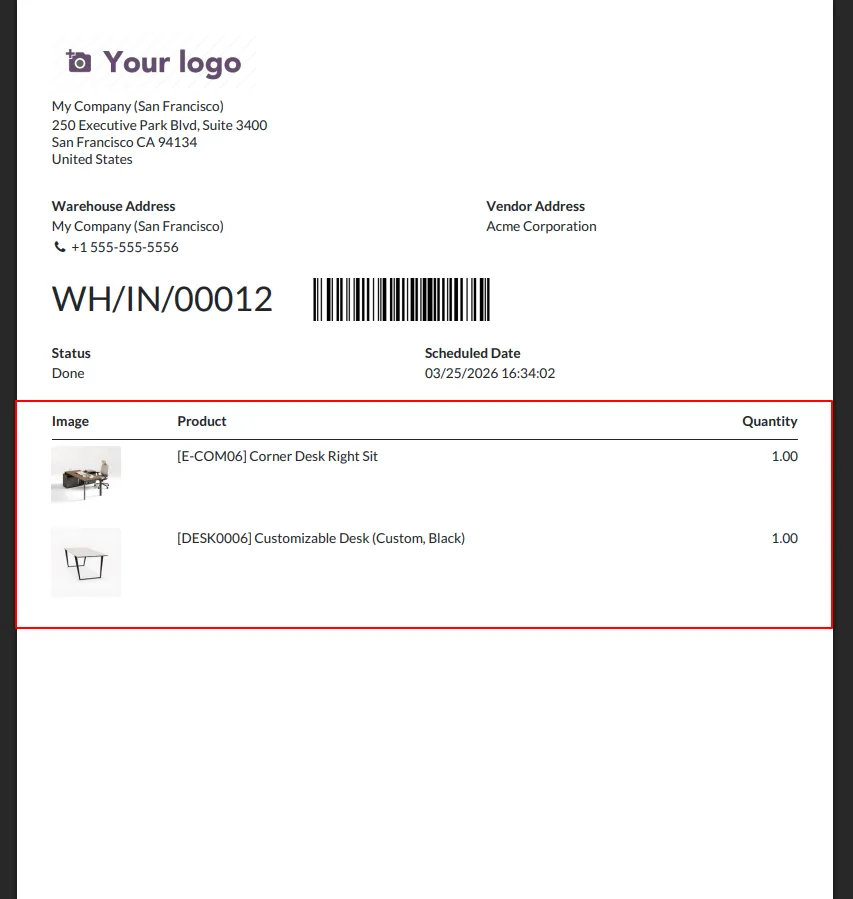
7.After enabling, The product image will be displayed in the Picking Report, and its size will change according to the selected Print Image Size.
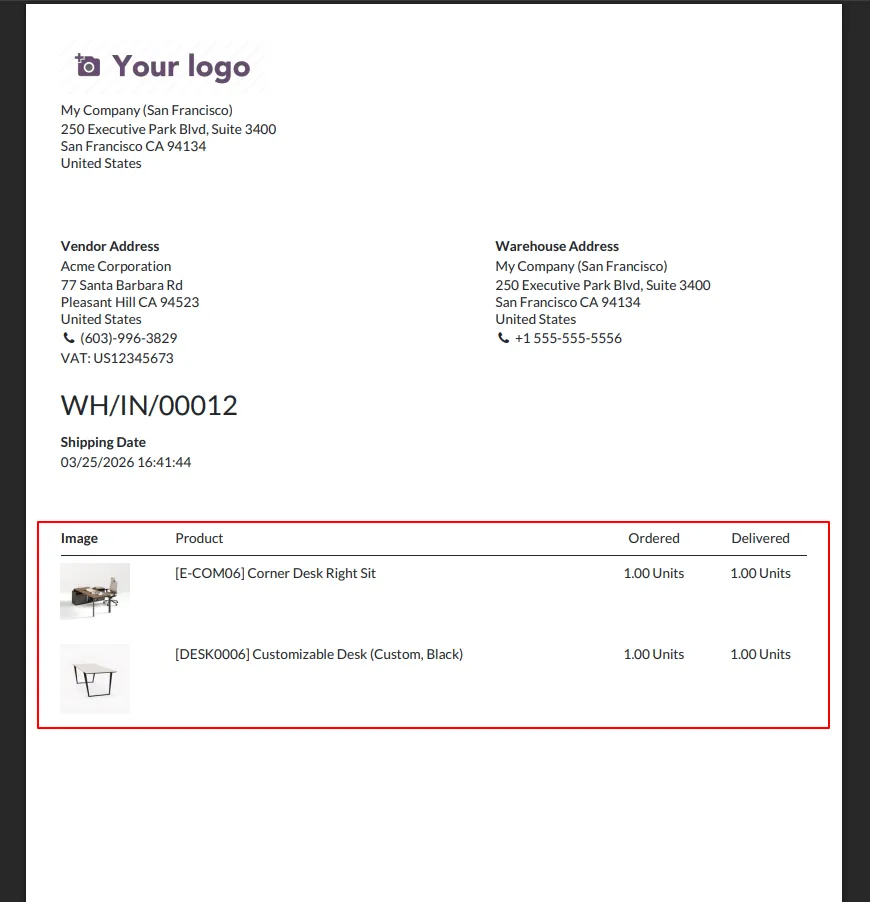
8.After enabling, The product image will be displayed in the Delivery Report, and its size will change according to the selected Print Image Size.
Our Pricing includes User Manual, 90 Days Support (Monday-Friday 10am to 7pm IST) and One time Setup
• Works & tested on standard installations of Odoo with no third party apps,
• Free support only for odoo installations with no third party apps,
• Paid support available for Odoo installations with third party apps.

Prefortune is a Odoo Official Partner, Odoo Development company. Our philosophy is to use Open Source tools and technologies to provide cost effective and green solutions for our customers.
Prefortune Technologies LLP is working on web development, Mobile development, and Odoo ERP.
If you need any help or want more additional features, you may contact us through:
These other products might interest you
| Version | 19.0, 18.0, 17.0, 16.0, 15.0, 14.0 |