Watch Quick Video
Product Catalog Generator Odoo App
The
Product Catalog Generator
app adds a dedicated Product Catalog menu to Odoo, letting you
generate professional, print-ready catalogs for individual
products or entire categories in just a few clicks.
Choose from five catalog styles ranging from a clean tabular
list to card-based grid layouts. Each style gives you full
control over image size, boxes per row, price decimal places,
pricelist, currency, page breaks, and the visibility of fields
like description, UOM, internal reference, and product link.
Catalogs can be exported as a PDF or an Excel (XLS) file.
Custom Before and After pages can be attached via the Default
Pages menu to add cover pages, introductions, or back-cover
content, producing a fully branded document. All generated
catalogs are saved to the catalog list, where they can be
downloaded or sent directly to customers by email using the
built-in Send By Email button.
Product Catalog Generator Odoo App
- Generate professional catalogs in five distinct styles with PDF and XLS export support.
- Filter by individual products or entire categories, with automatic category grouping in the output.
- Attach custom Before and After PDF pages to produce a fully branded, print-ready catalog.
- Preview, download, or send generated catalogs by email directly from the catalog list view.
- Send generated catalogs directly to customers via the built-in Send By Email button without leaving Odoo.
Complete Workflow for Product Catalog Generator Odoo App
Go to Settings ⇒ Users & Companies ⇒ Users and assign the Product Catalog security group to the desired user. Optionally, set up custom Before and After pages via the Default Pages menu. Navigate to the Product Catalog menu and click New to open the wizard. Enter a Catalog Name, select the Catalog Type, choose your products or categories, pick a Style, configure the layout options, then click Print for PDF or Print XLS for Excel. The generated catalog is saved to the list where it can be downloaded or sent by email directly from there.
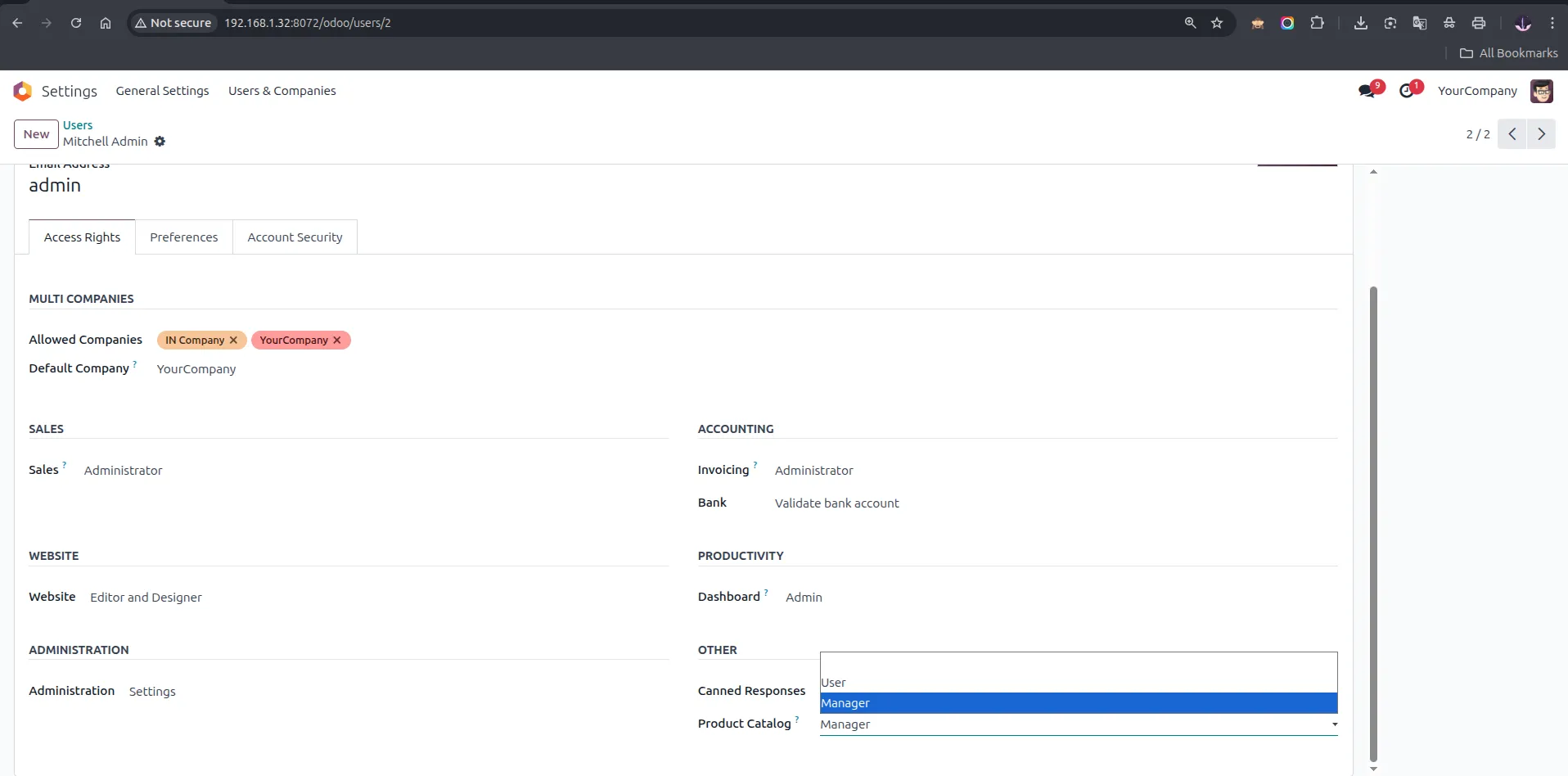
1. Go to Settings ⇒ Users & Companies ⇒ Users and assign the 'Product Catalog' security group (User or Manager) to enable catalog access.
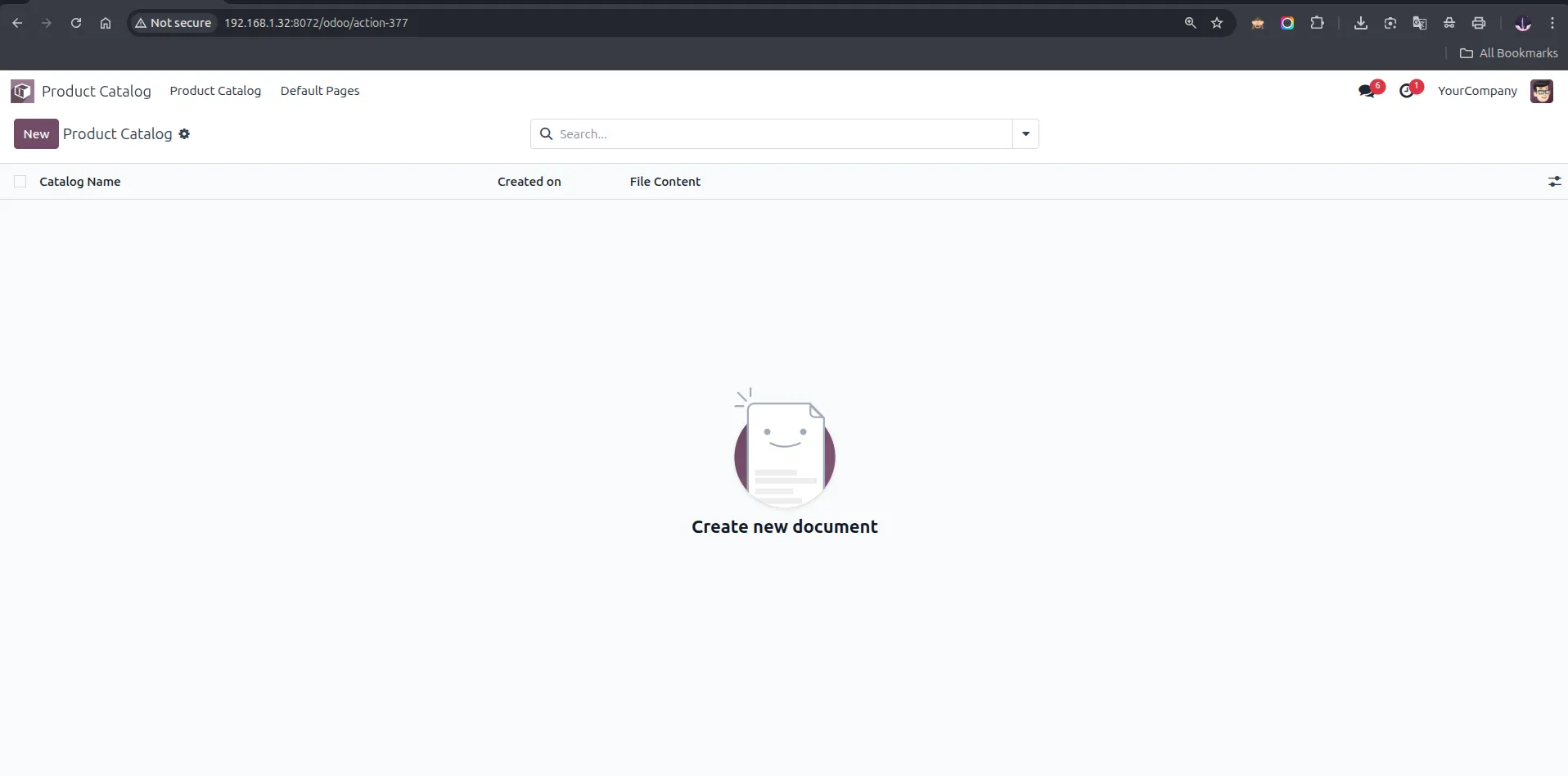
2. Navigate to the 'Product Catalog' menu — the list is empty initially. Click 'New' to open the Generate Product Catalog wizard.
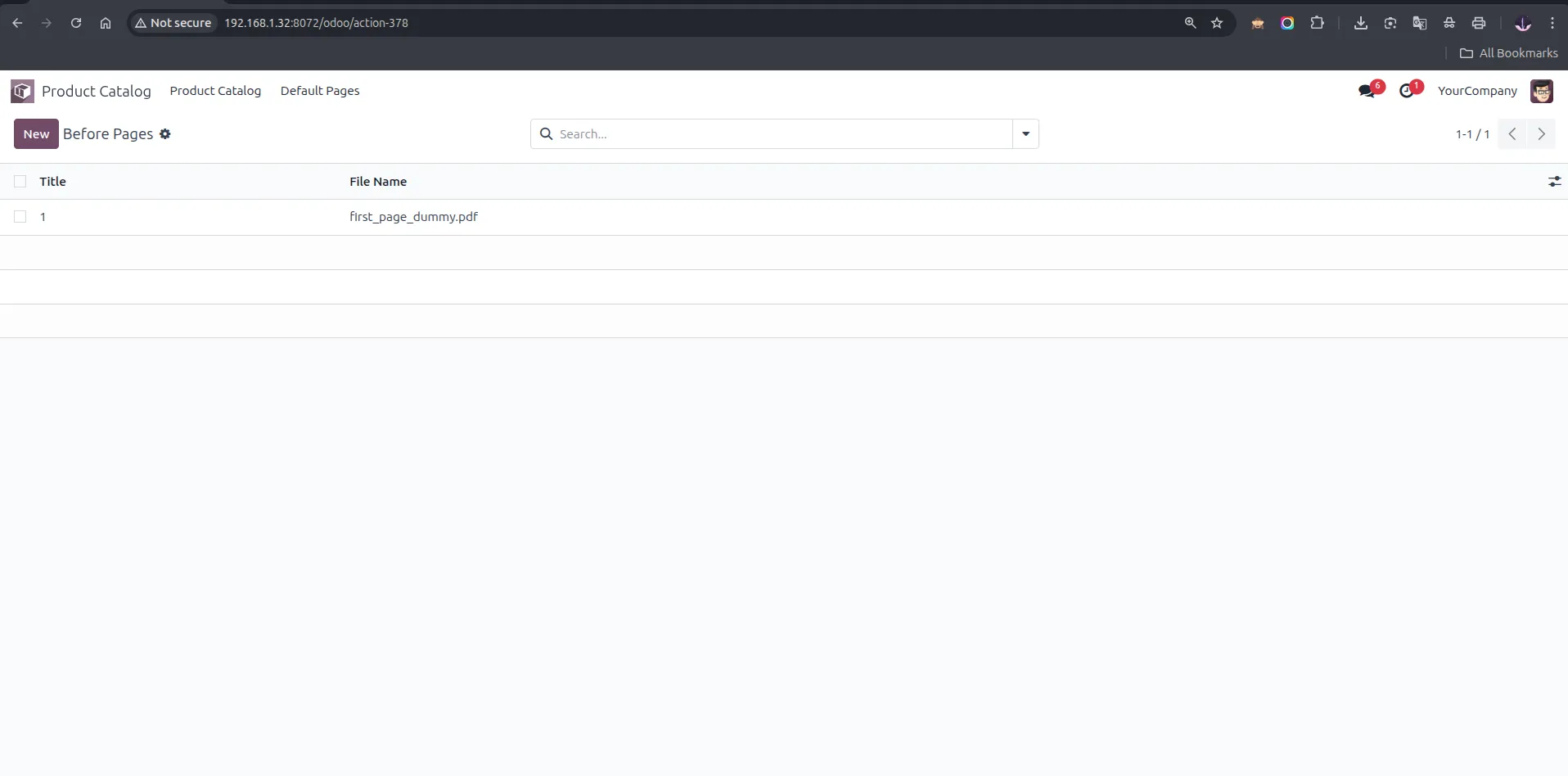
3. Go to Default Pages ⇒ Before Pages — list view showing an uploaded before-page PDF file.
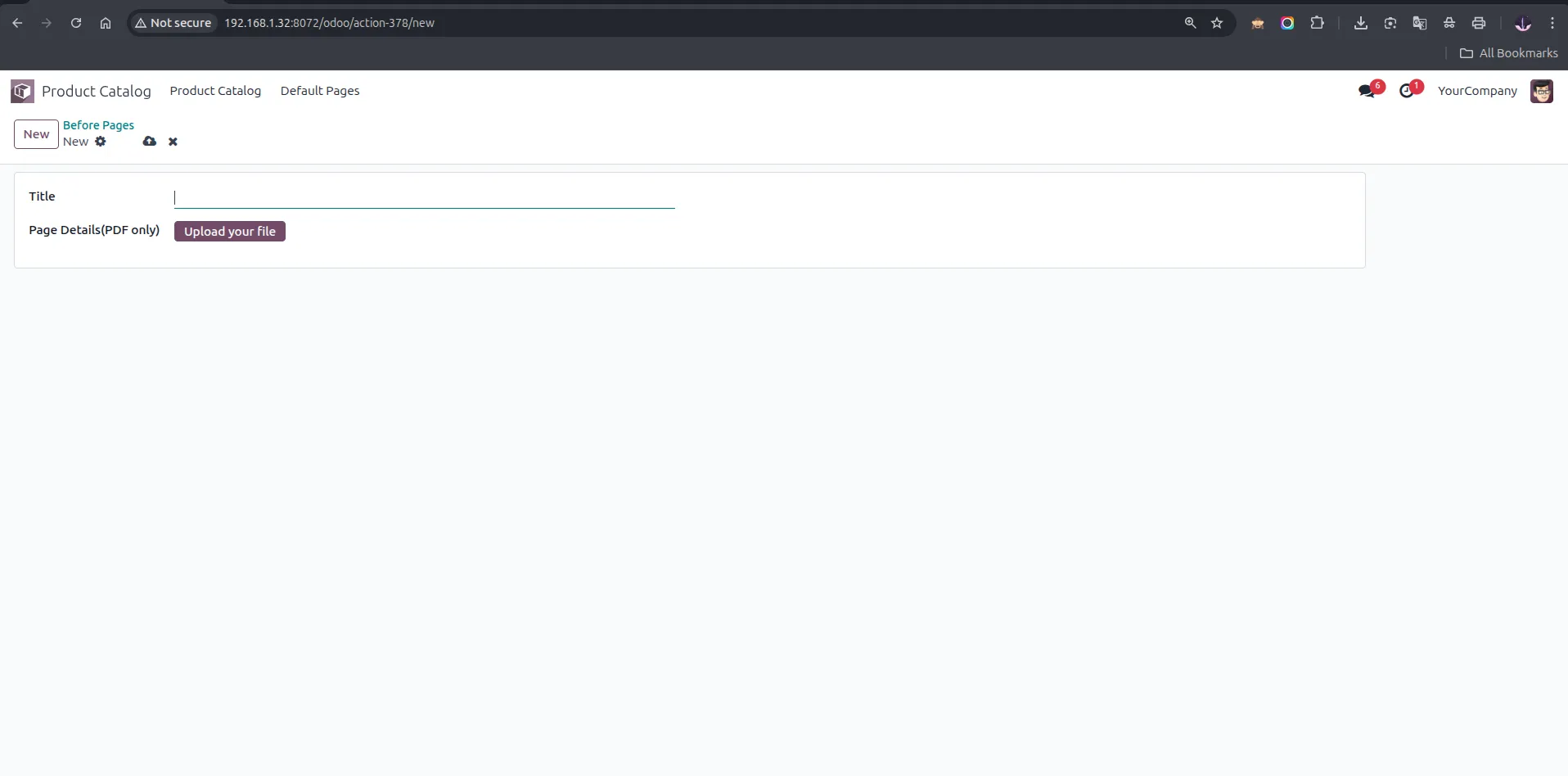
4. Before Pages — new form view with Title field and 'Upload your file' button to attach a custom cover page PDF.
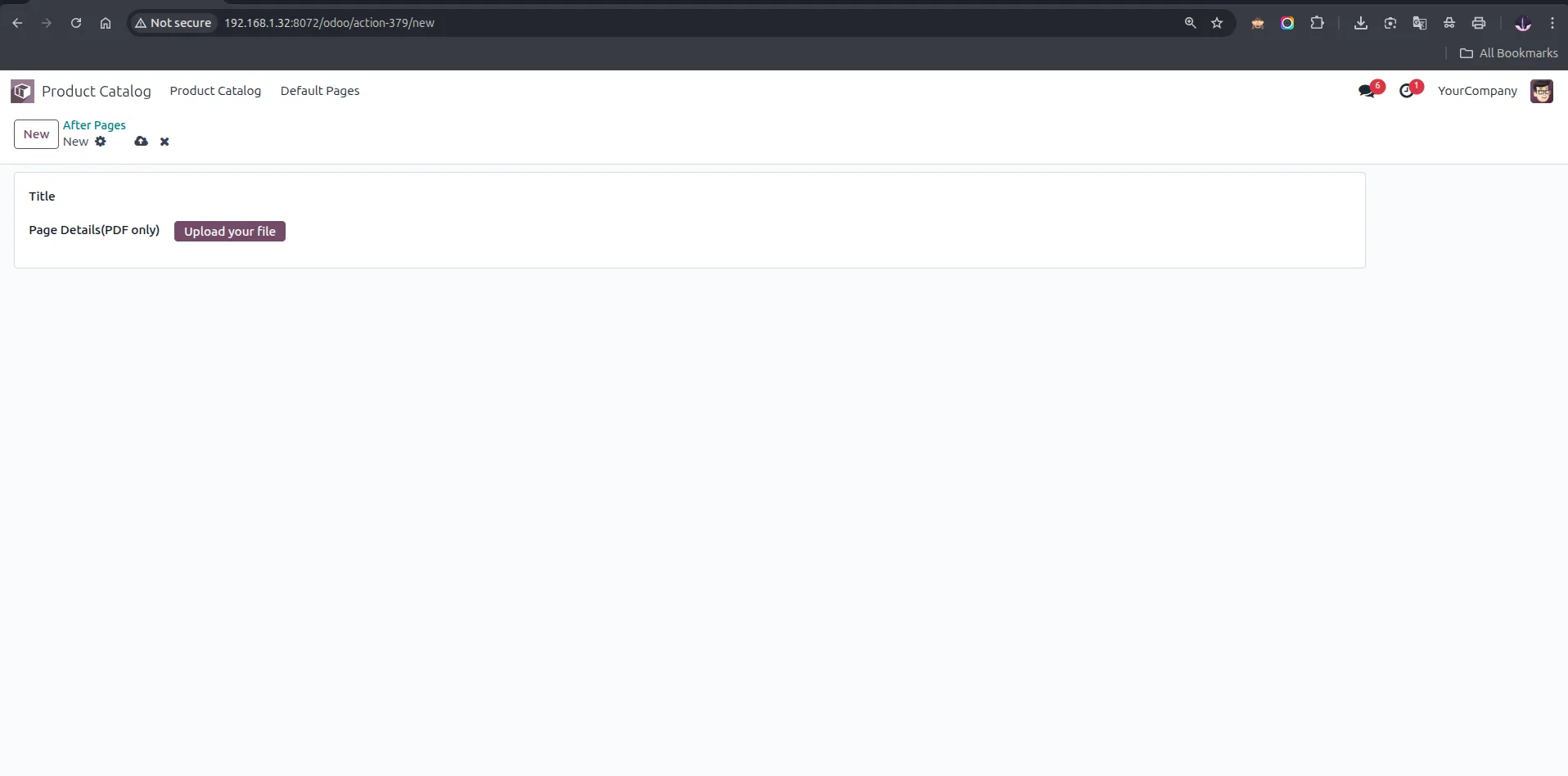
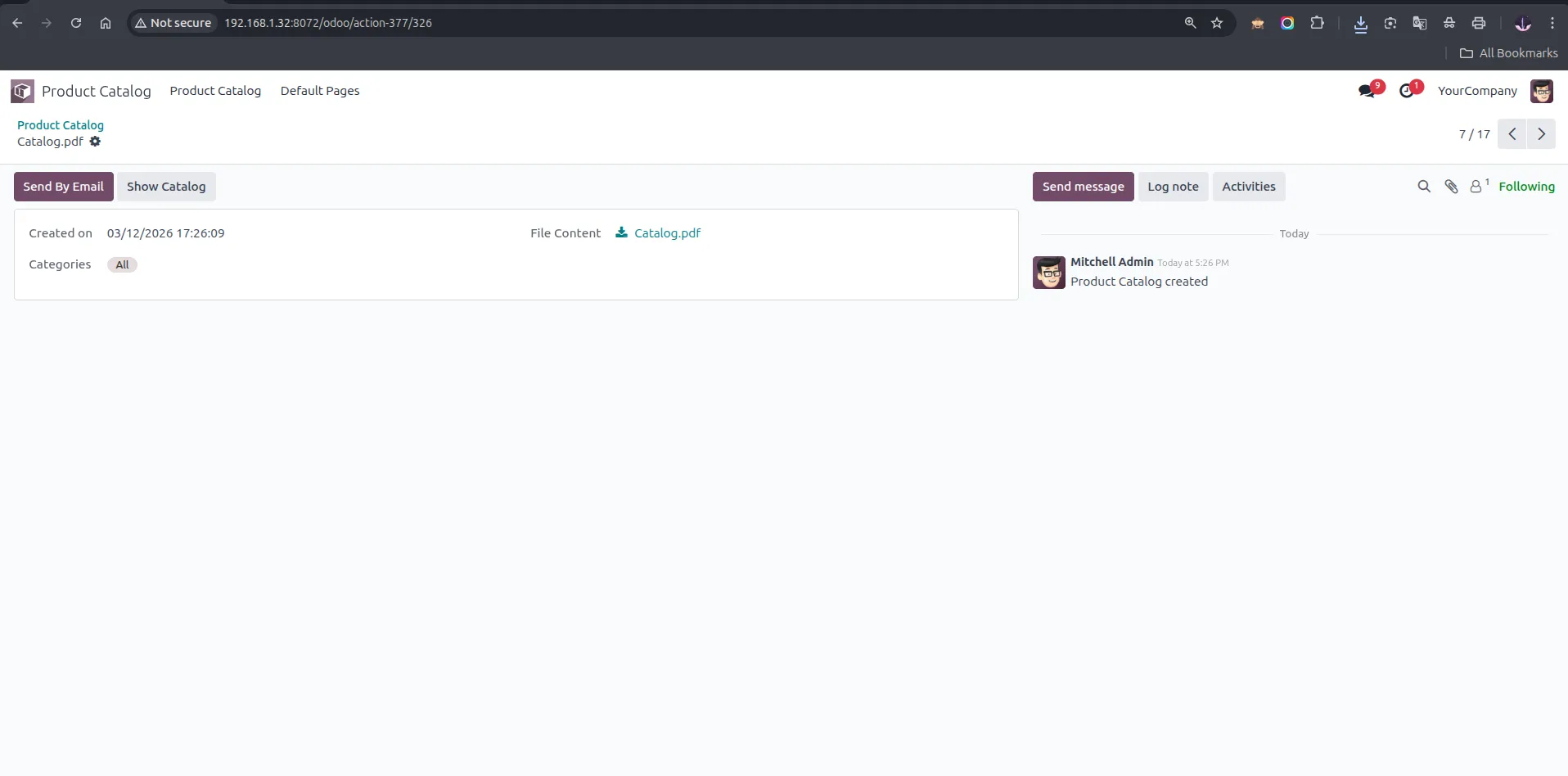
5. After Pages — new form view with Title field and 'Upload your file' button to attach a custom closing page PDF.
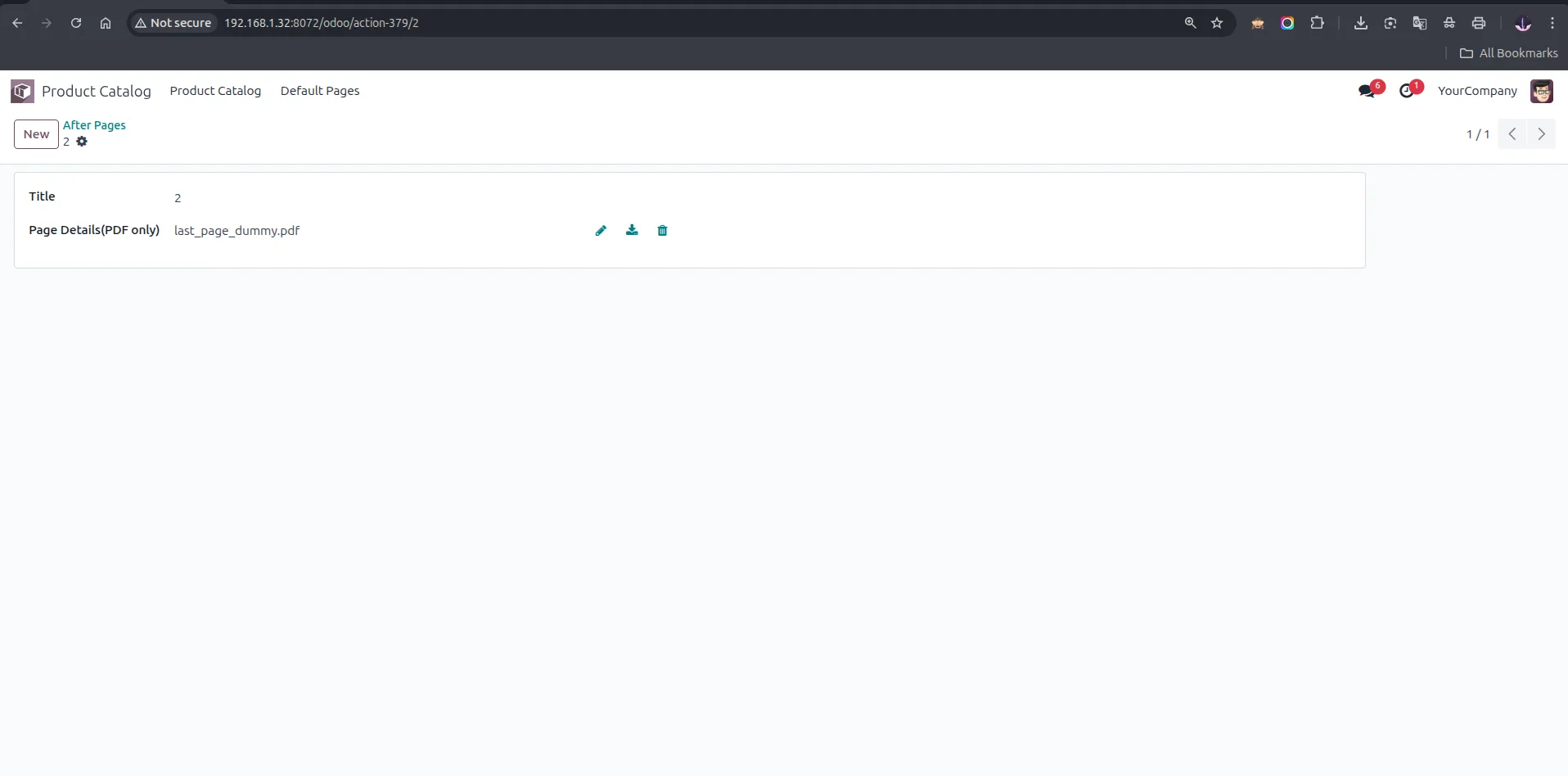
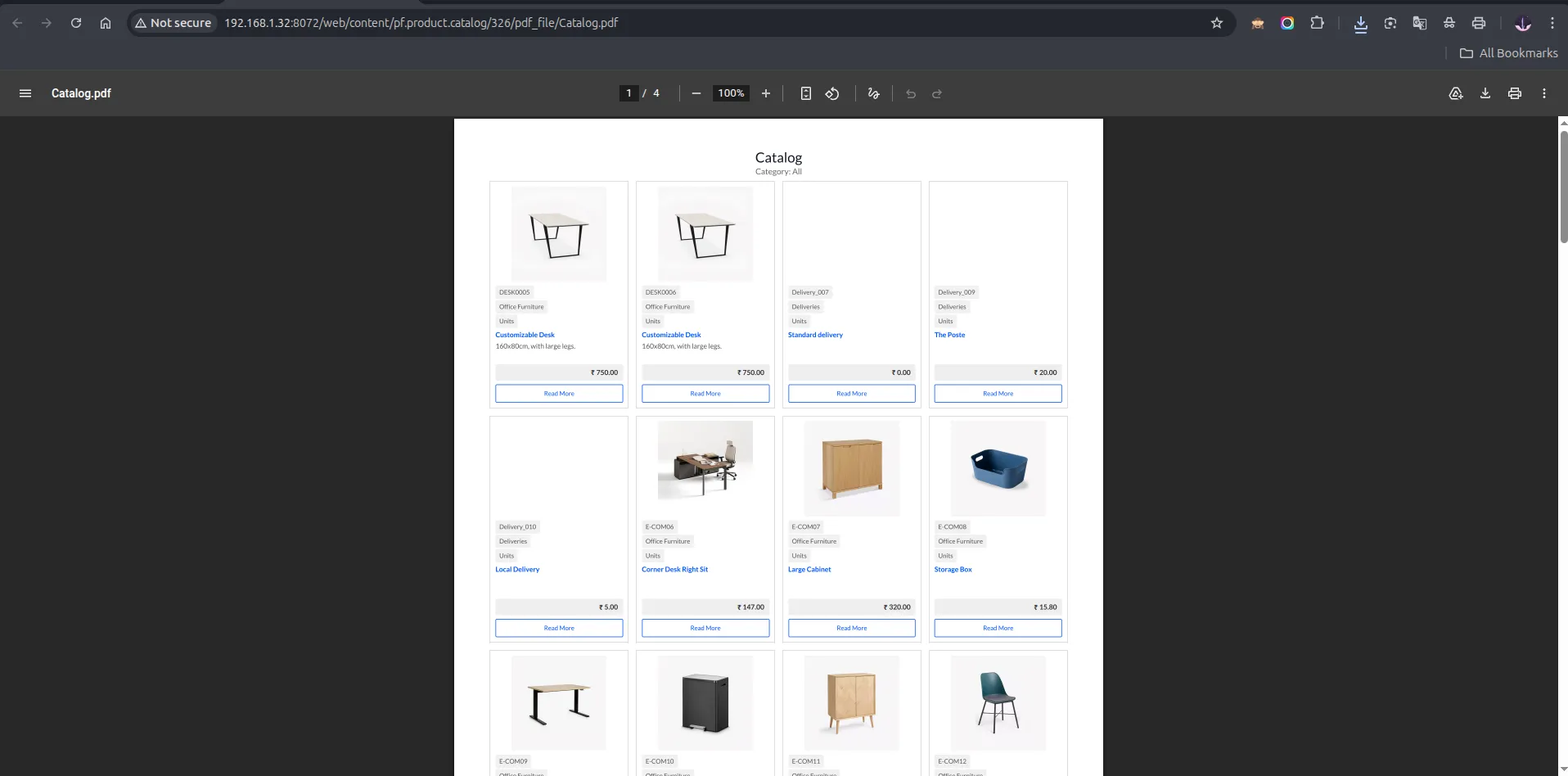
6. After Pages — saved record showing the uploaded back-cover PDF file with edit, download, and delete options.
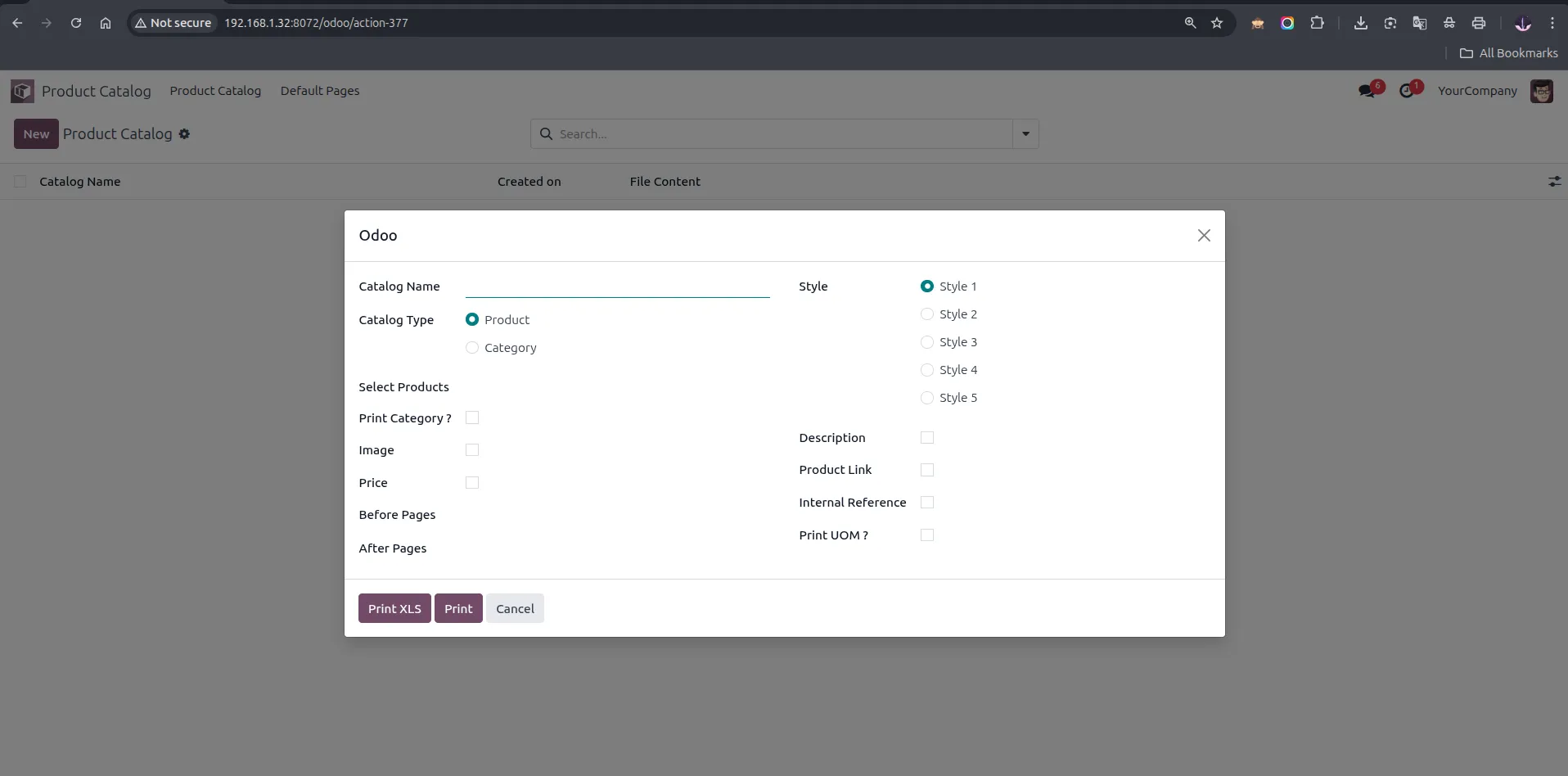
7. The Generate Product Catalog wizard — enter a Catalog Name, select Catalog Type (Product or Category), choose a Style (1–5), and configure field visibility options.
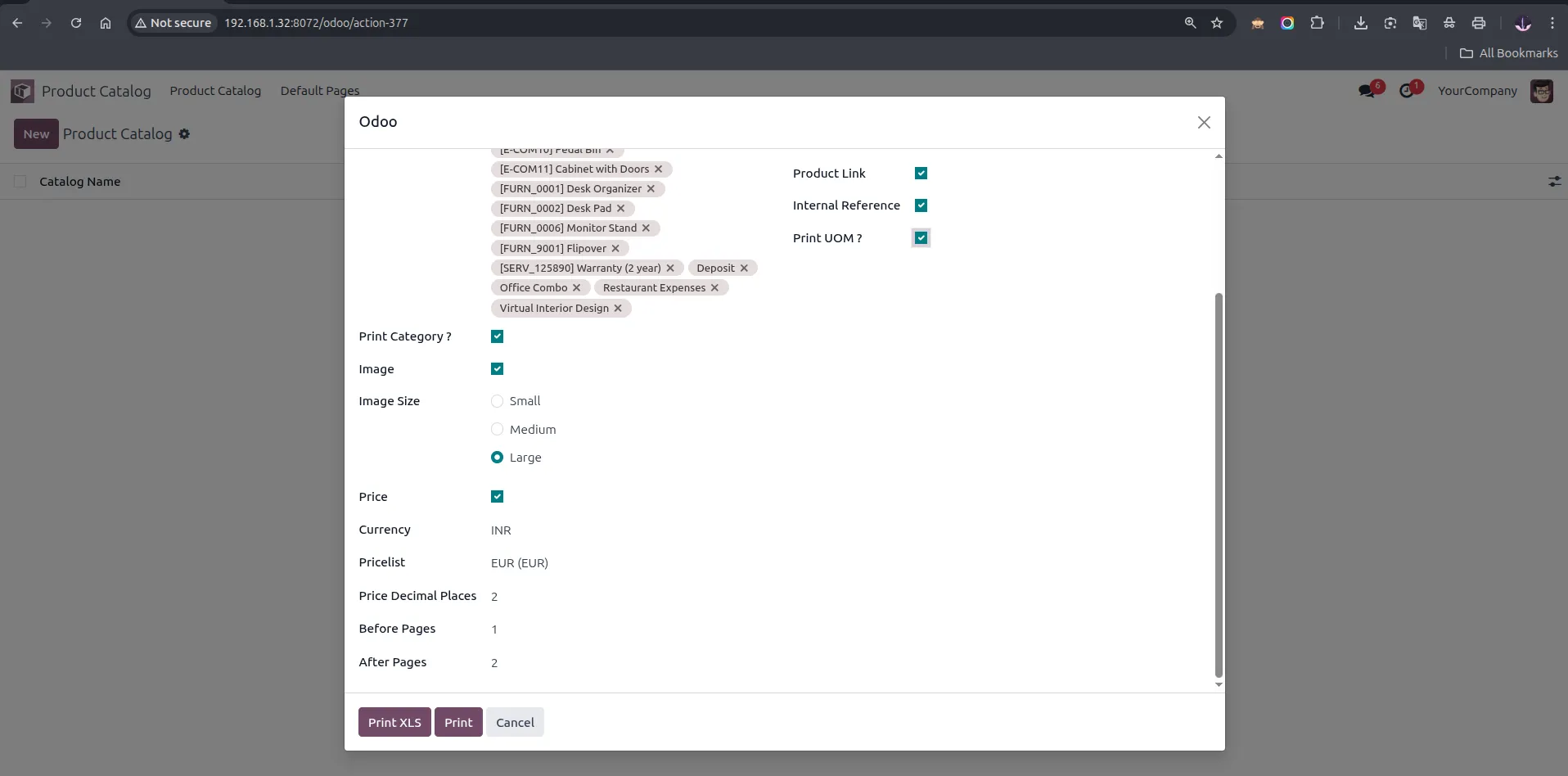
8. Select products, set Image Size (Small/Medium/Large), Price, Currency, Pricelist, Price Decimal Places, Before Pages, After Pages, then click 'Print' or 'Print XLS'.
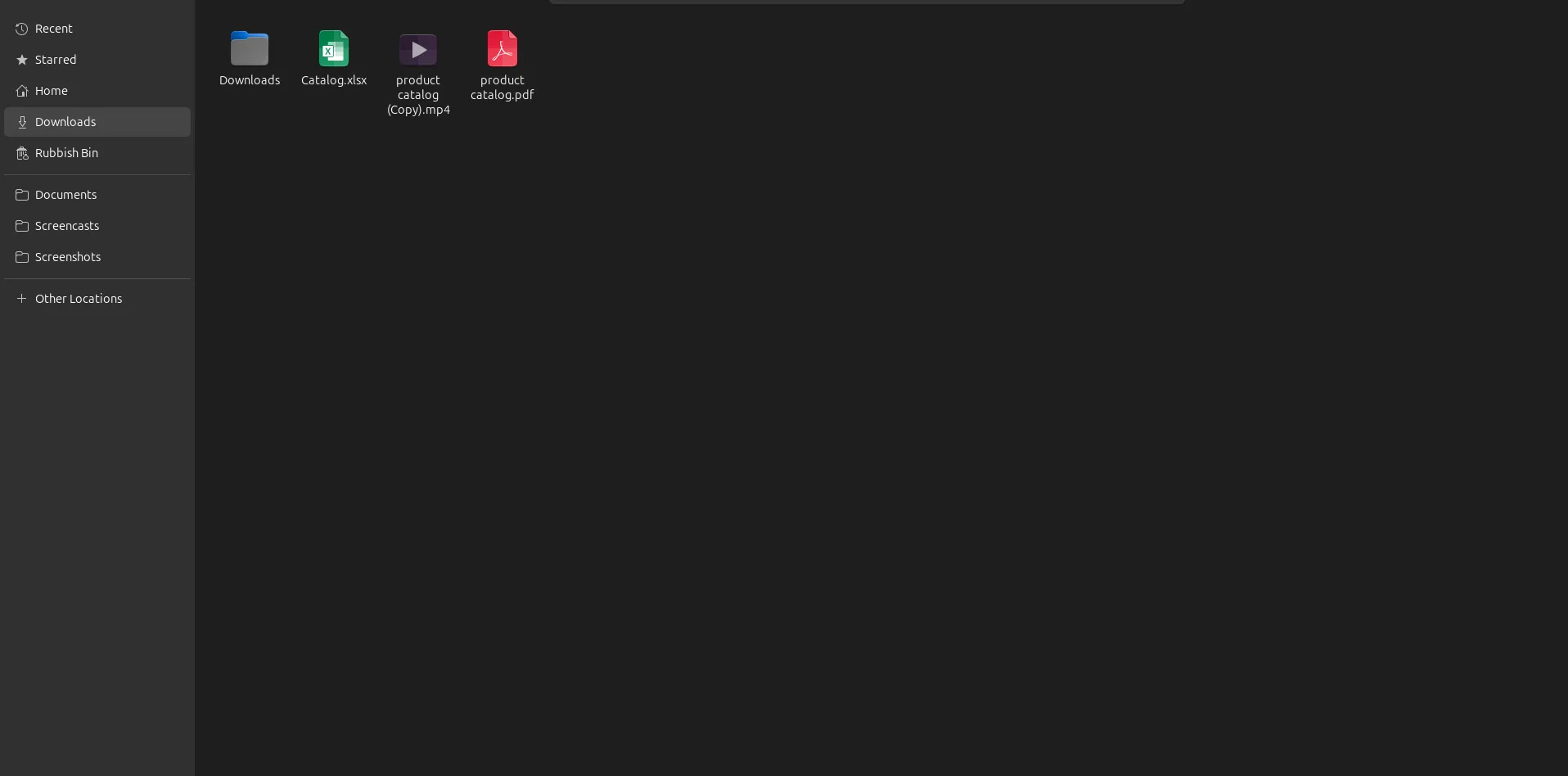
9. Downloaded catalogs are visible in downloads folder.
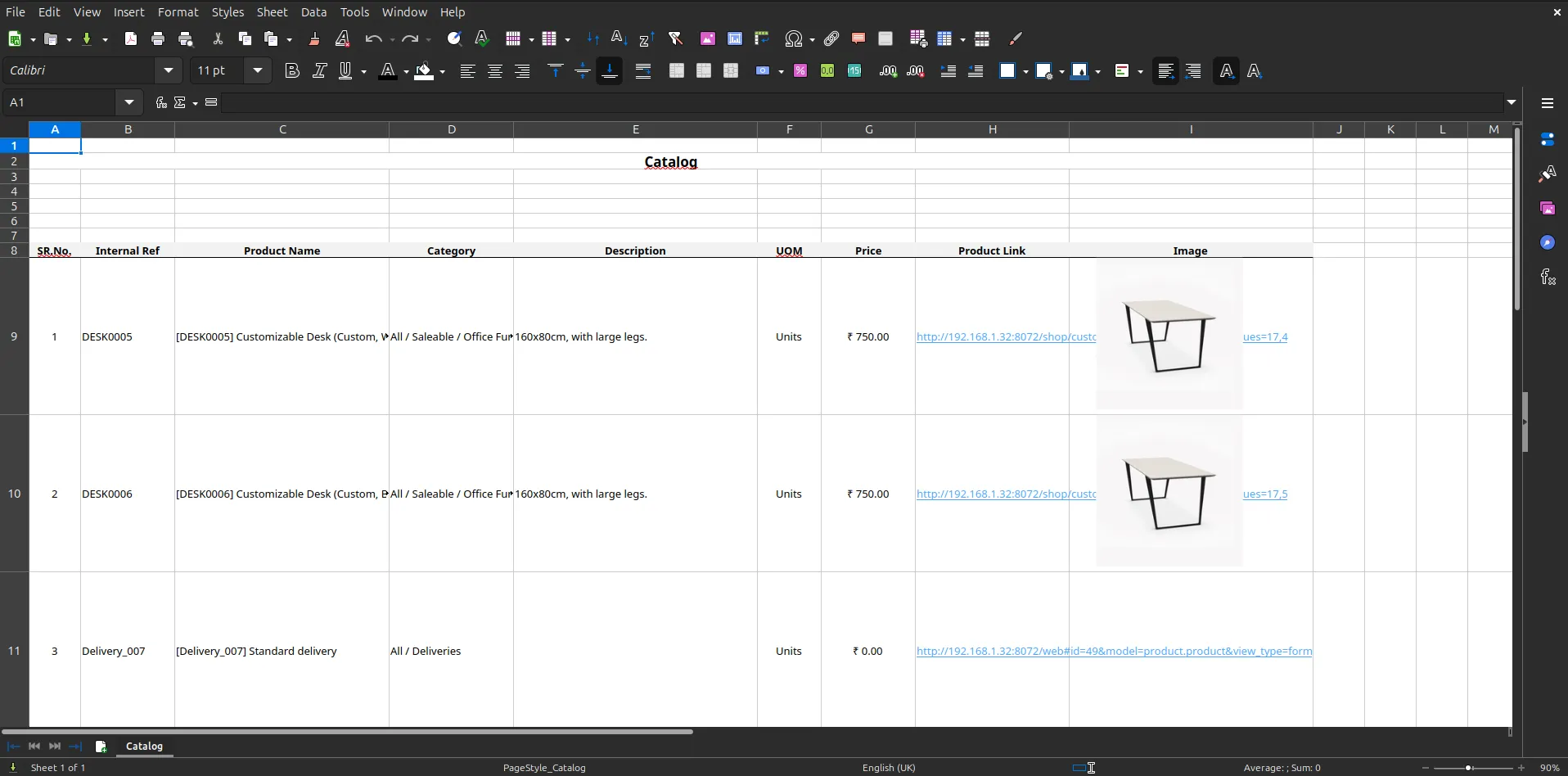
10. XLS catalog output opened in LibreOffice Calc — columns include Sr.No., Internal Reference, Product Name, Category, Description, UOM, Price, Product Link, and Image.
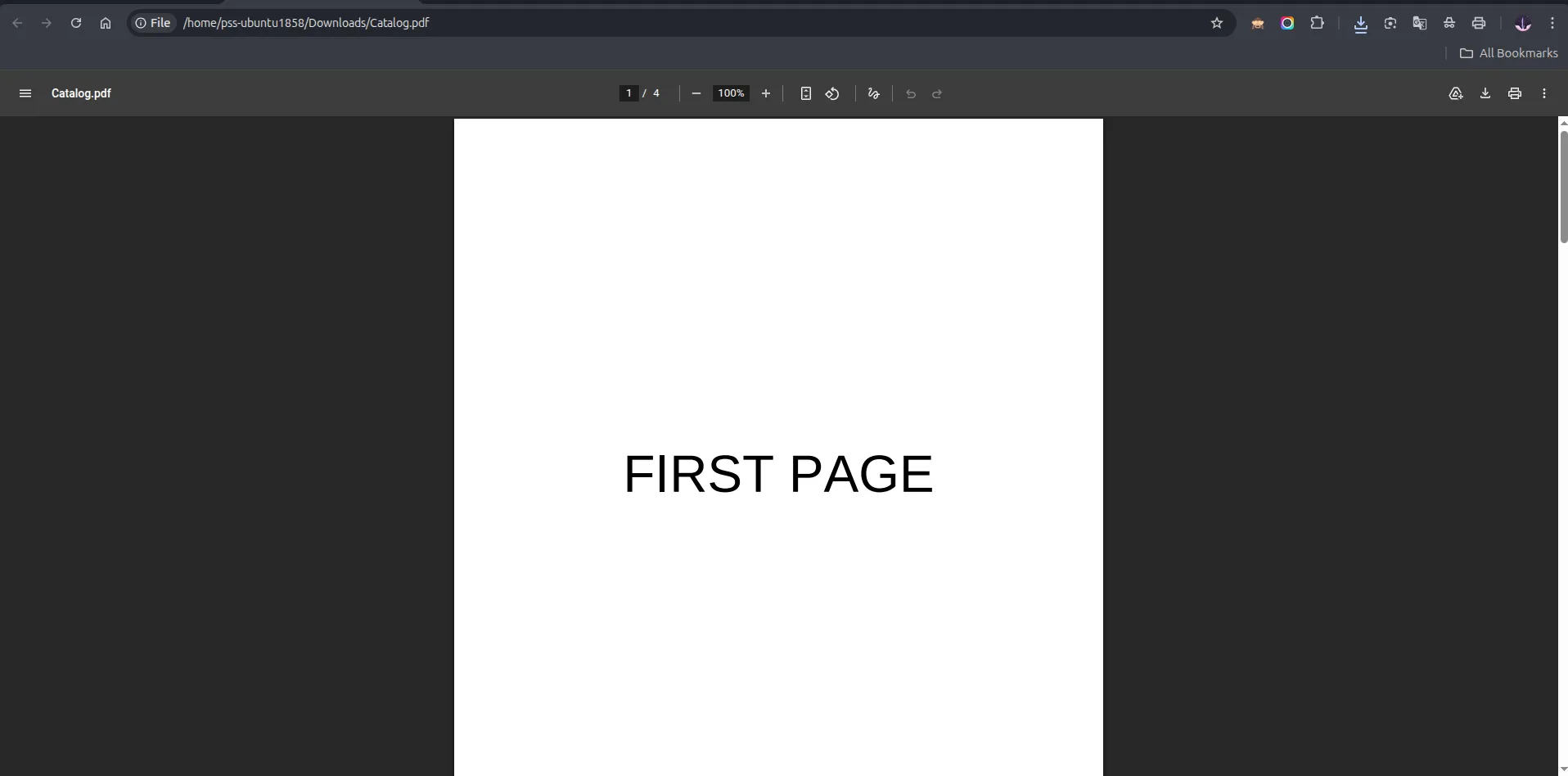
11. Custom Before Page — the first page of the generated catalog PDF shows the uploaded cover page (FIRST PAGE).
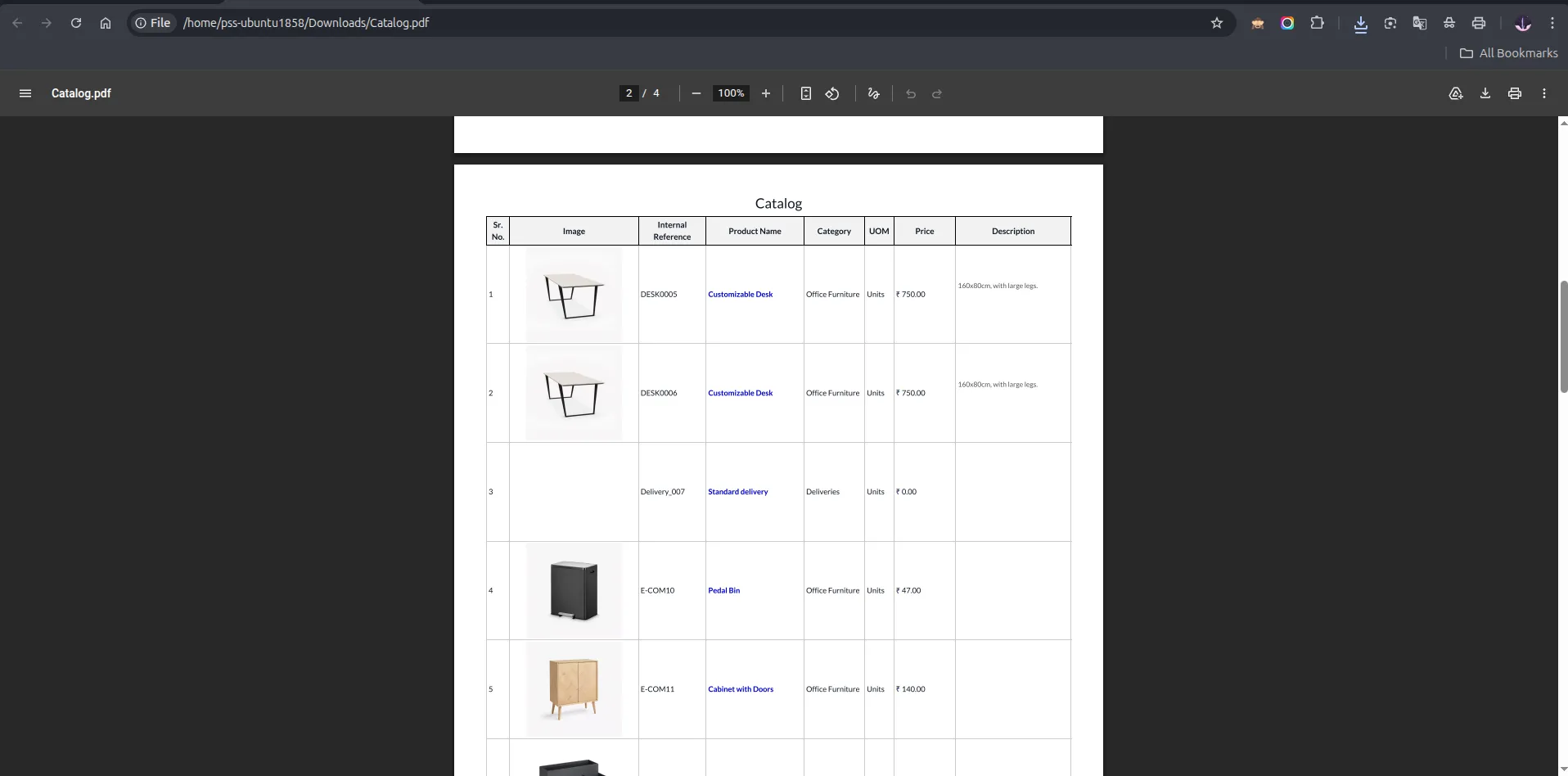
12. Style 1 — Tabular catalog output with large images showing Sr. No., Image, Internal Reference, Product Name, Category, UOM, Price, and Description columns.
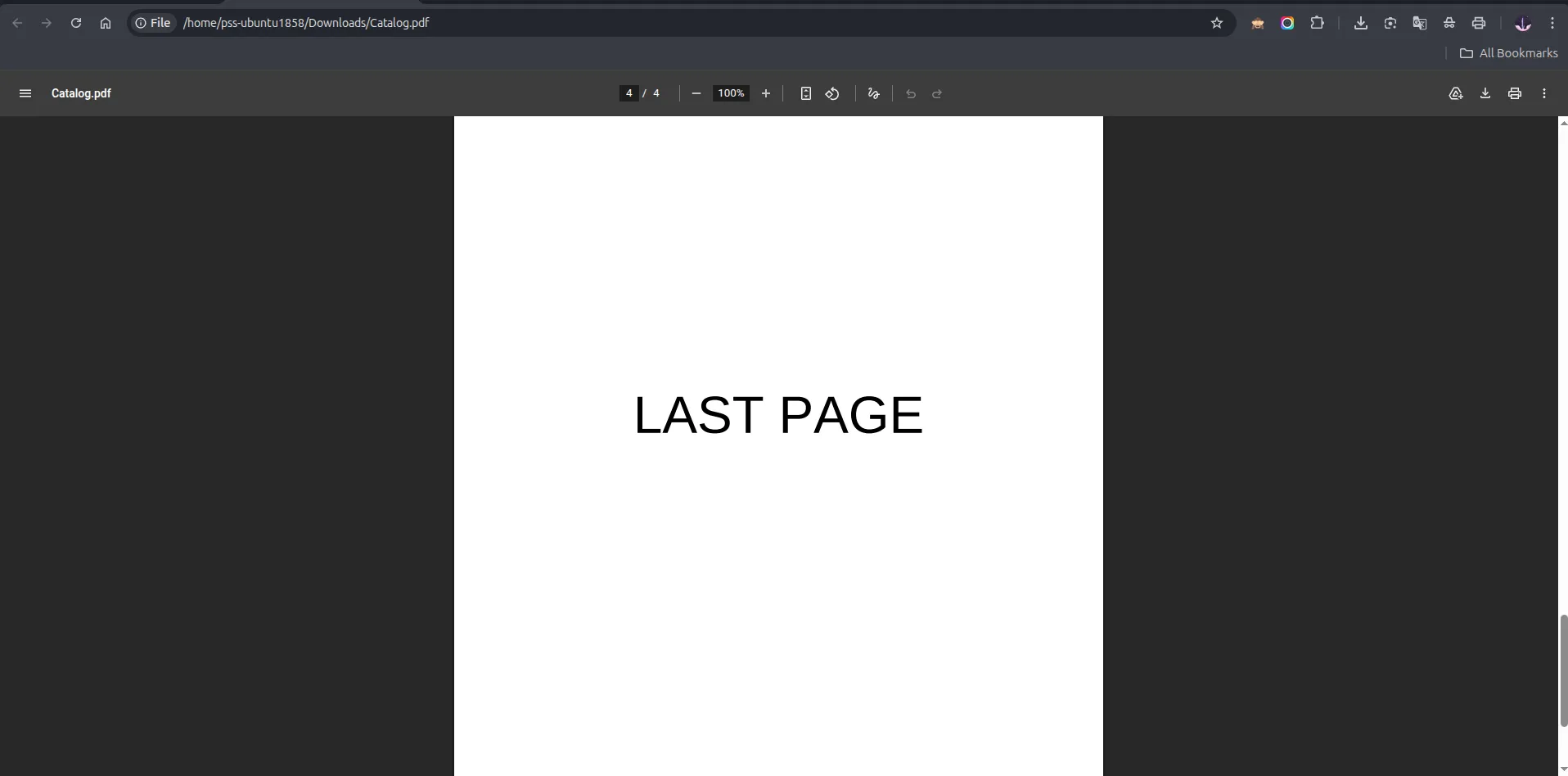
13. Custom After Page — the last page of the generated catalog PDF shows the uploaded back-cover page (LAST PAGE).
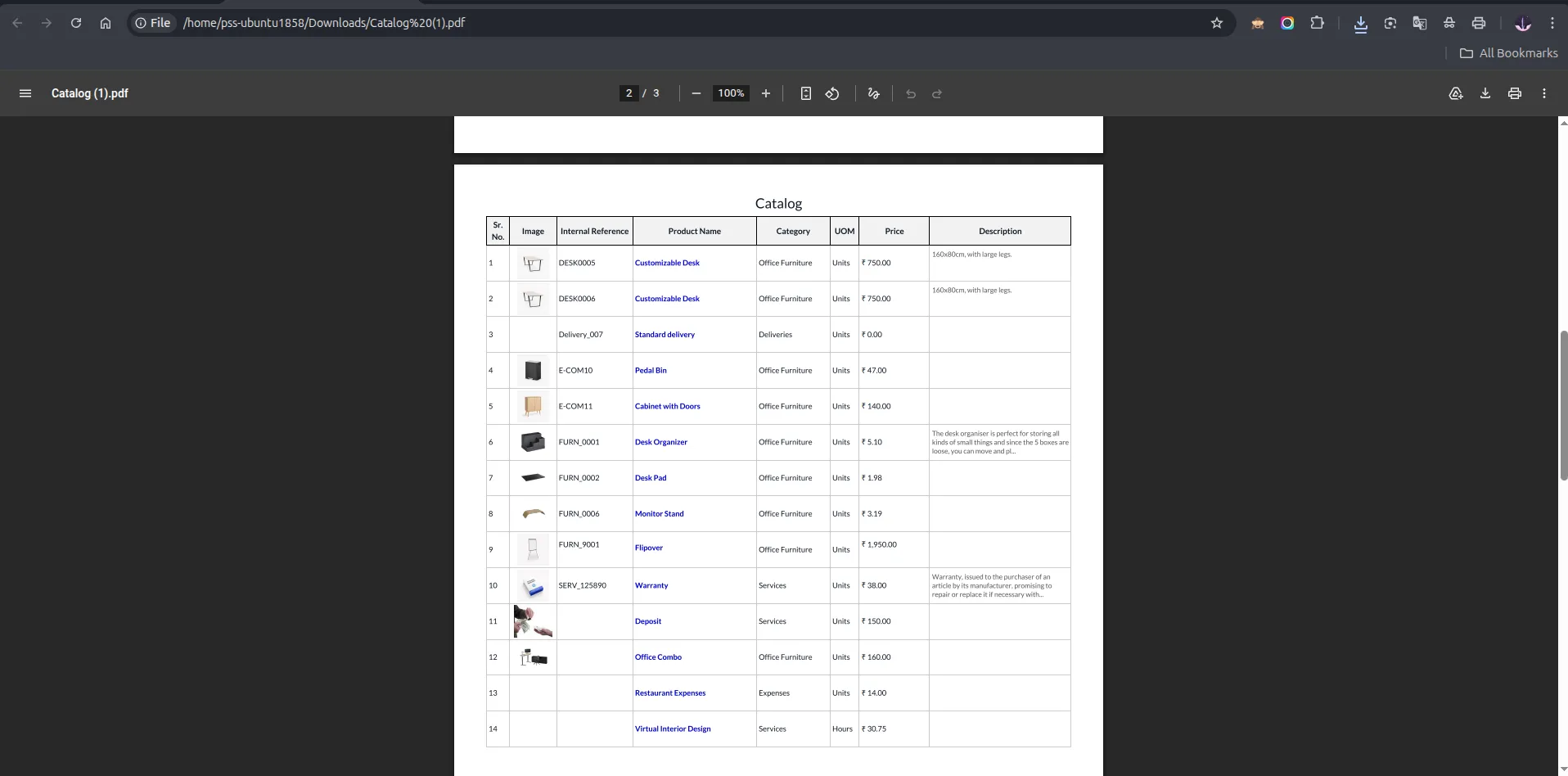
14. Style 1 — Tabular catalog output with small images showing all product details in a compact table layout.
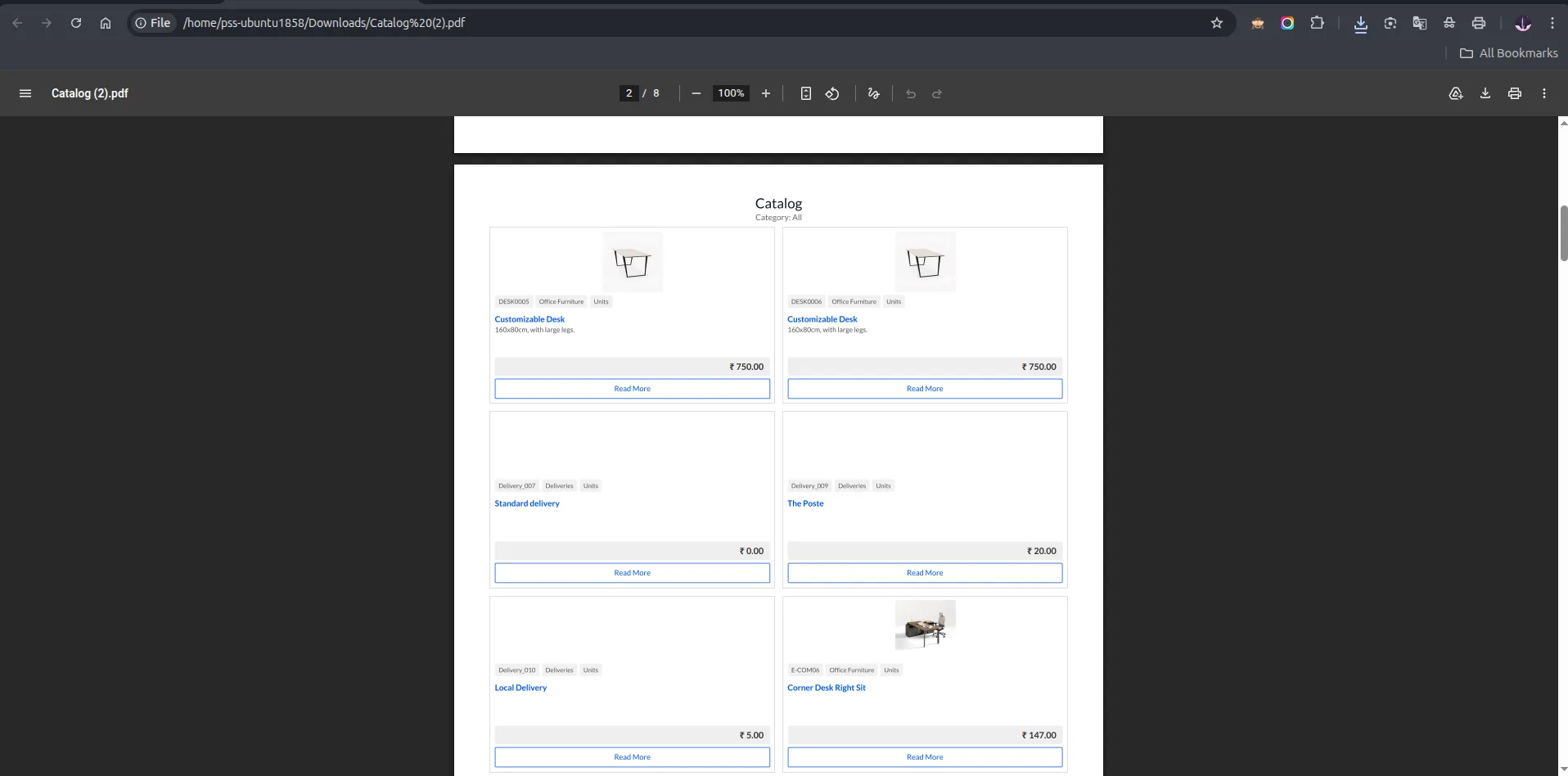
15. Style 2 — 2 boxes per row layout.
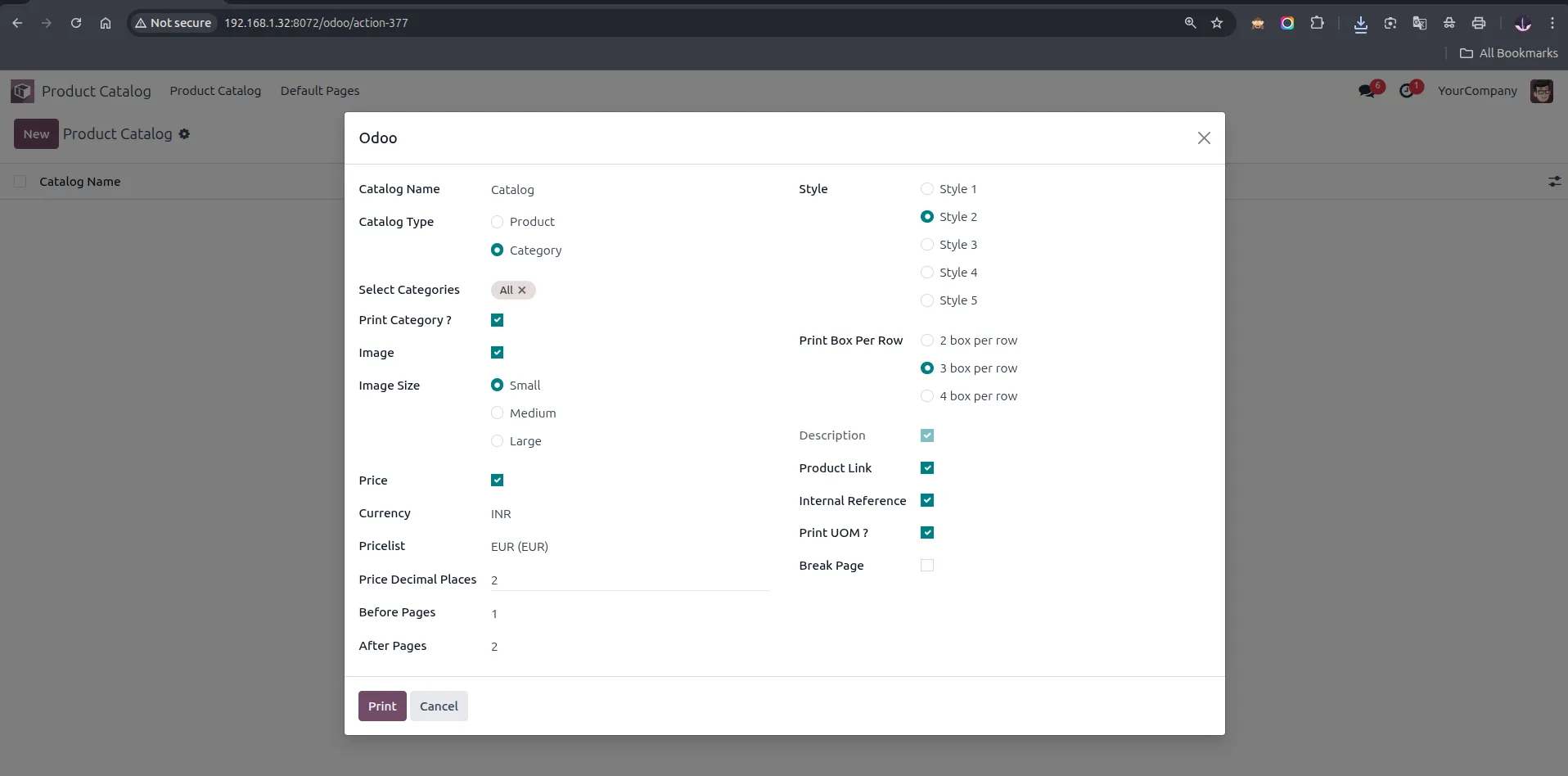
16. Wizard configured with Category type, Style 2, Small image, 3 boxes per row, Before Pages and After Pages set.
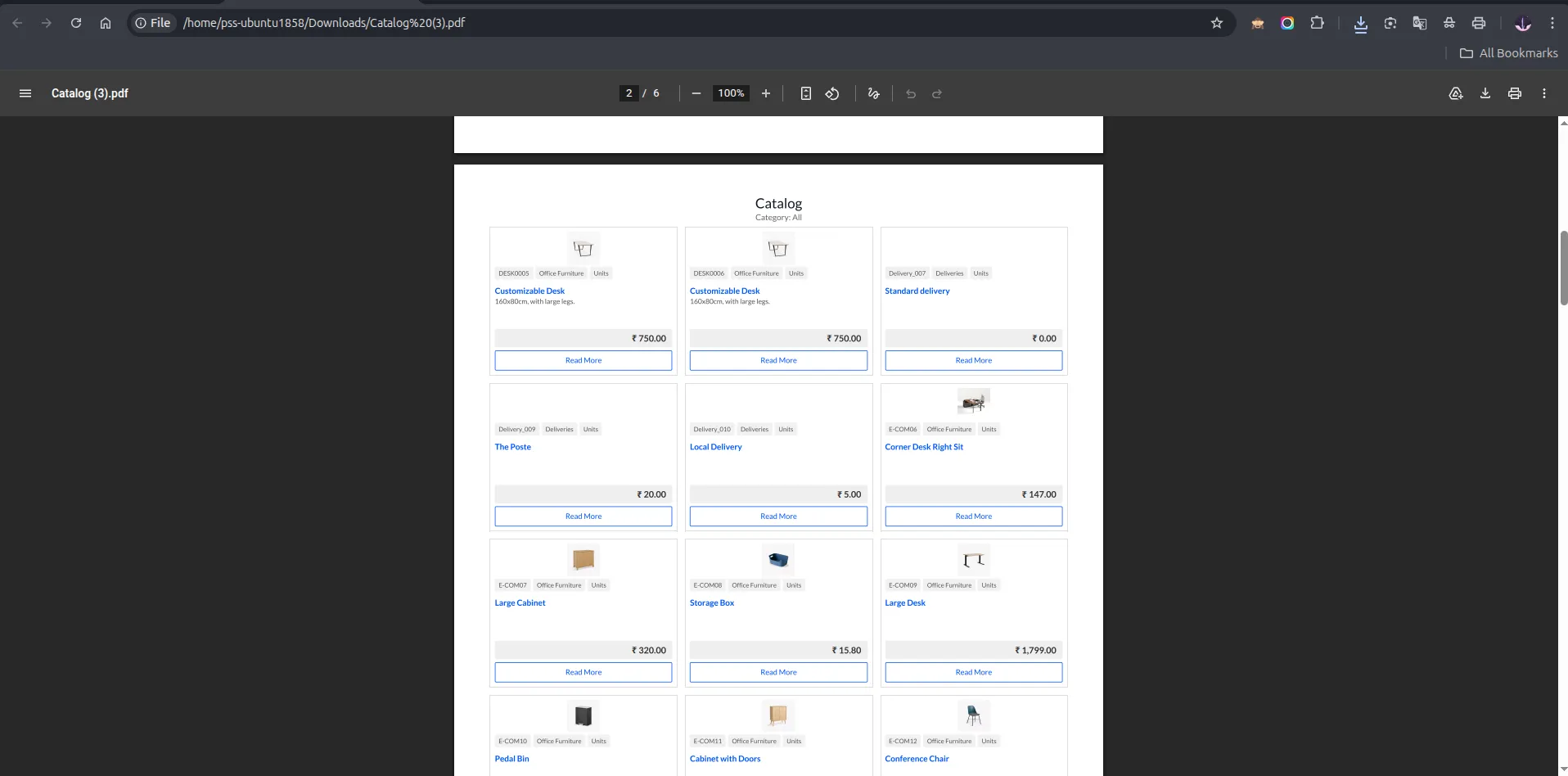
17. Style 2 — 3 boxes per row layout.
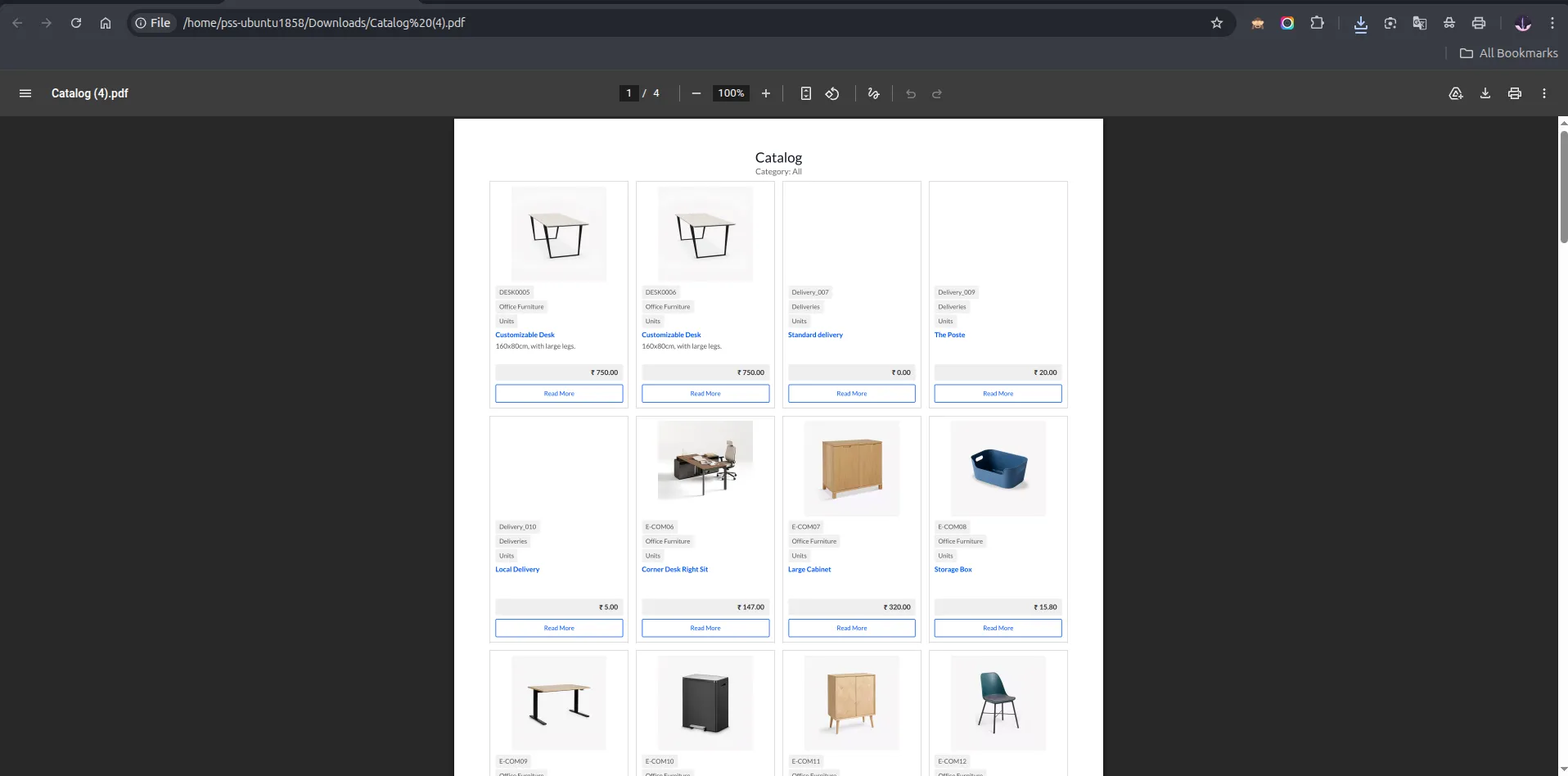
18. Style 2 — 4 boxes per row layout.
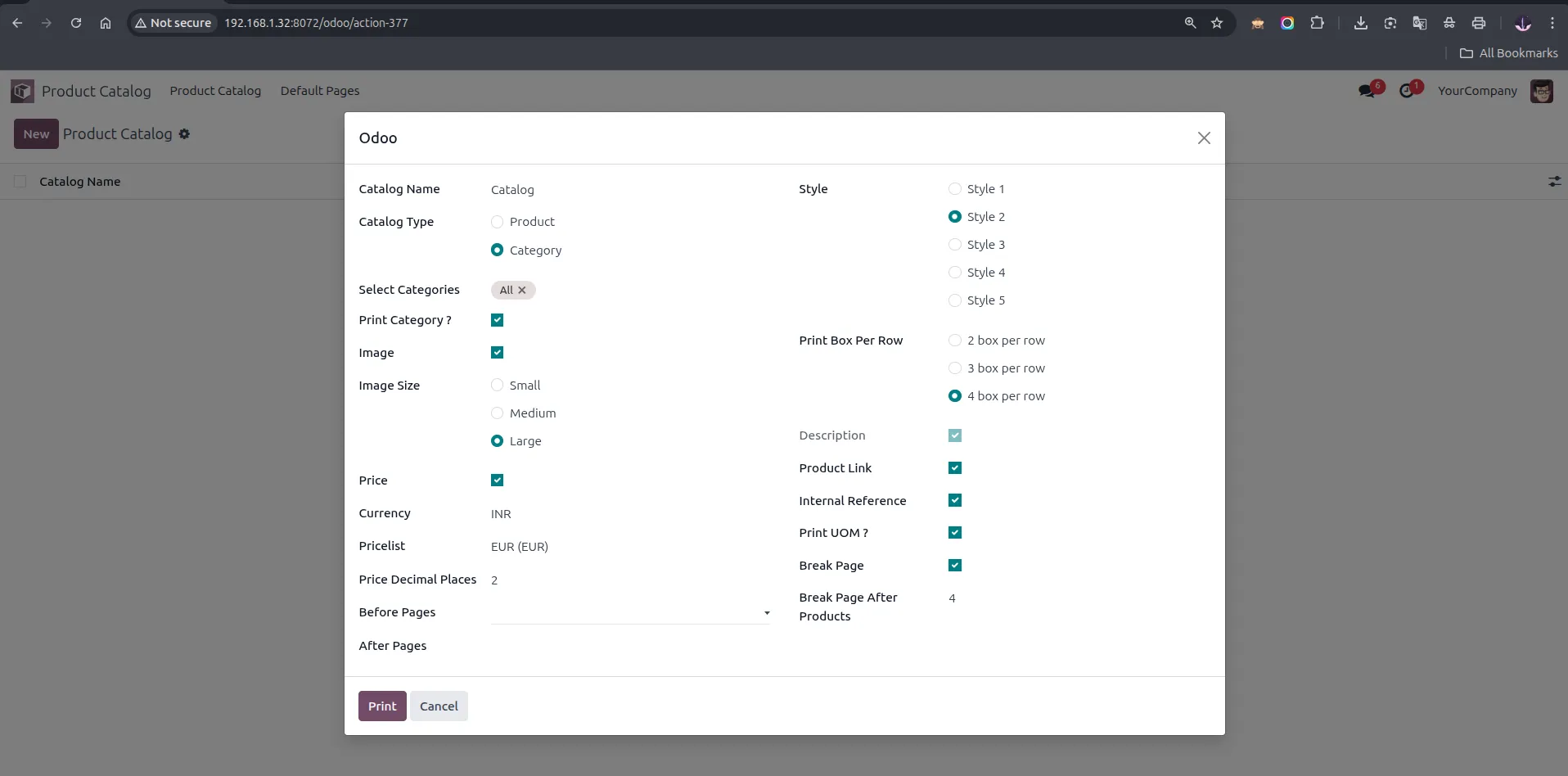
19. Wizard configured with Category type, Style 2, Large image, 4 boxes per row, Break Page enabled, and Break Page After Products set to 4.
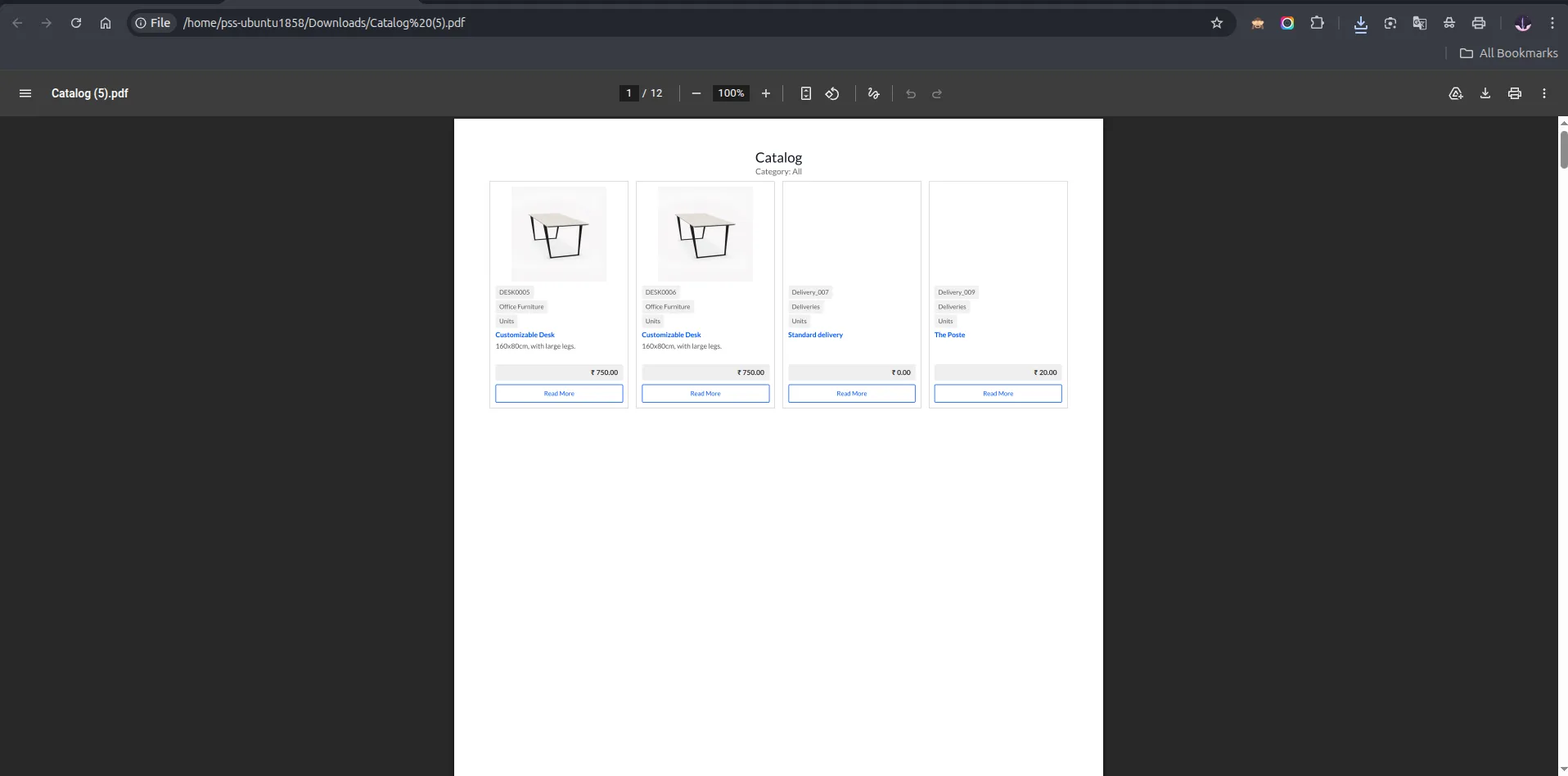
20. Style 2 — 4 boxes per row with Break Page enabled, showing the first page with only 4 products before the page break.
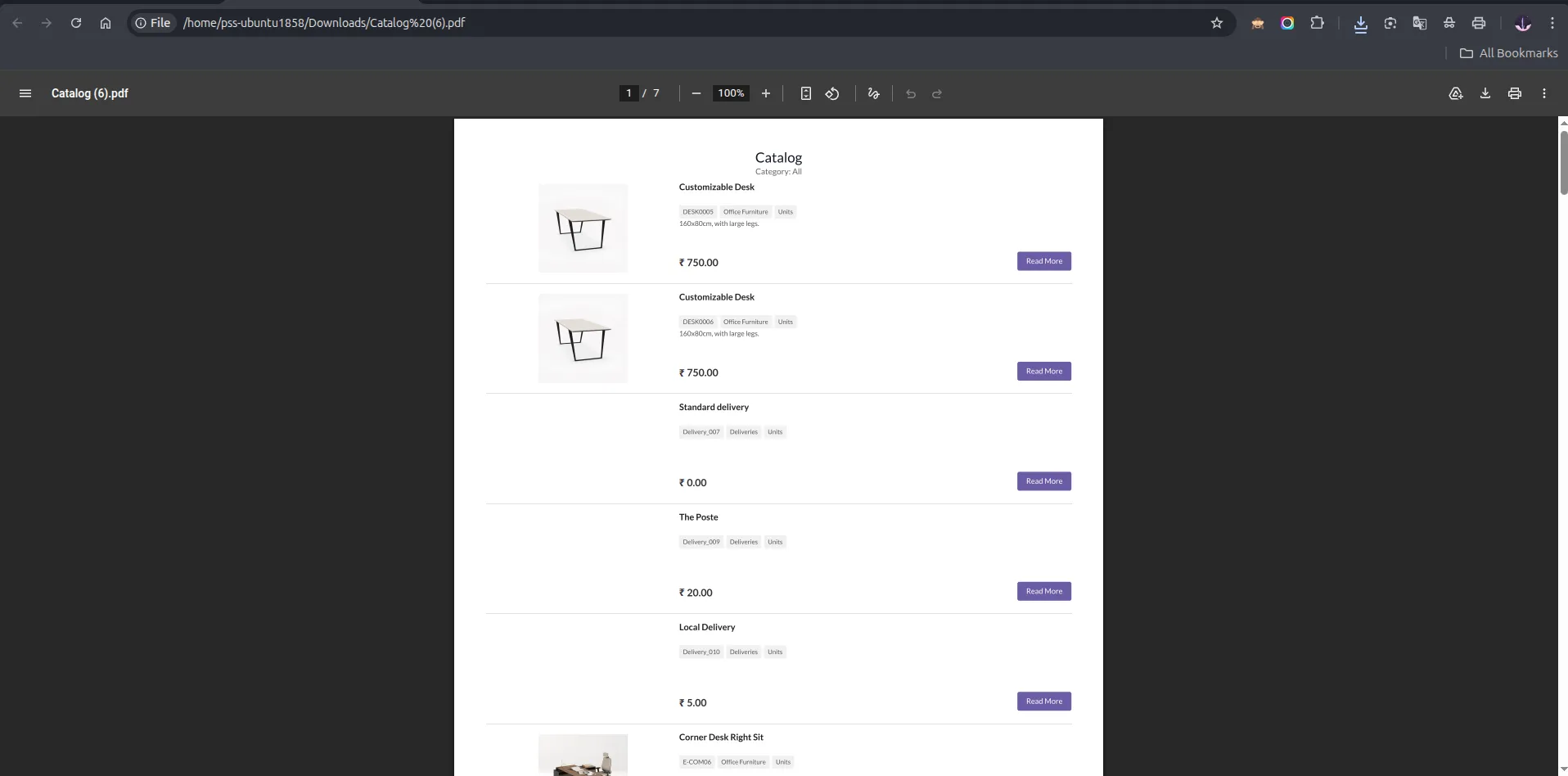
21. Style 3 — Horizontal list layout with large image.
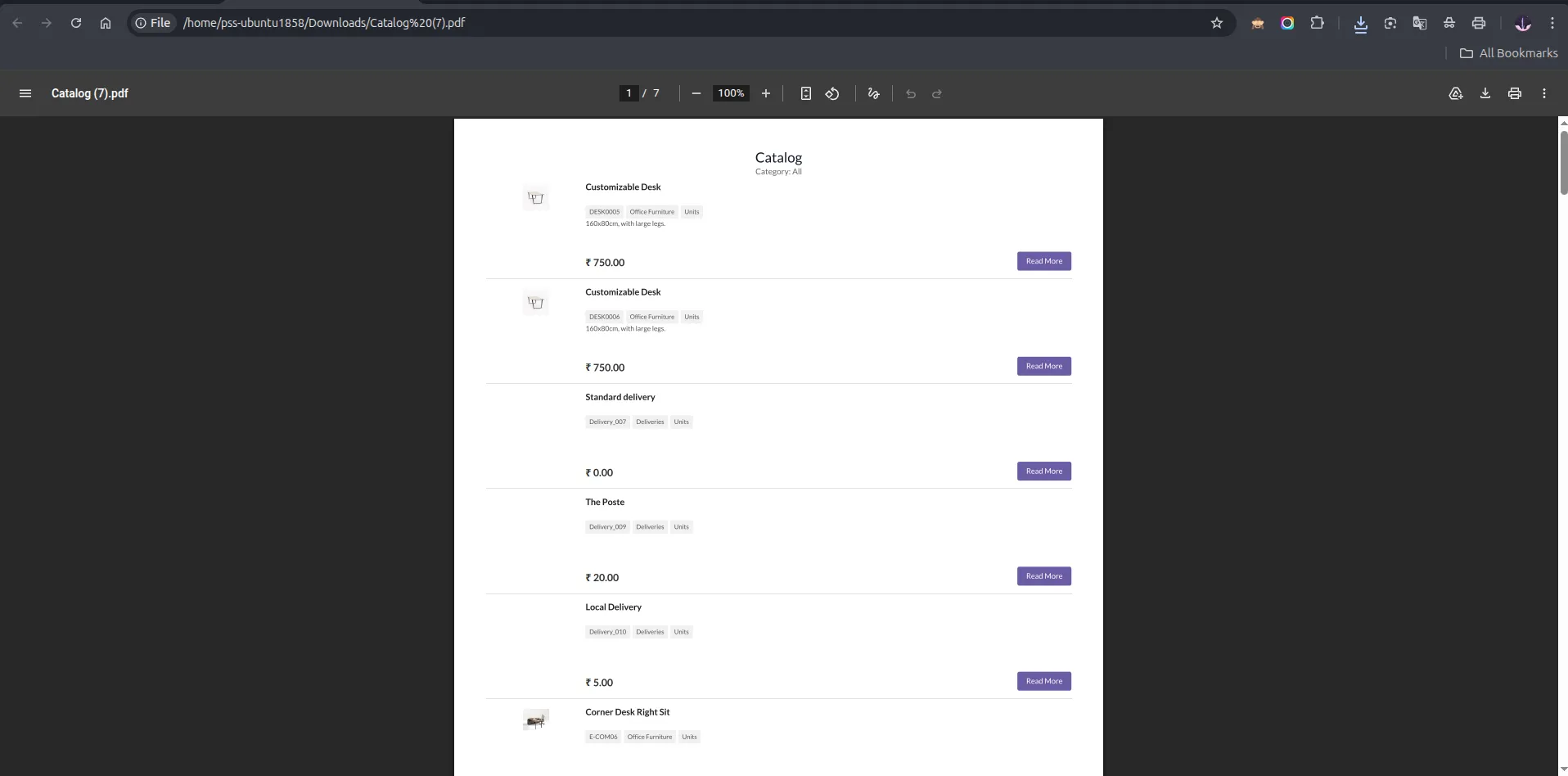
22. Style 3 — Horizontal list layout with small image.
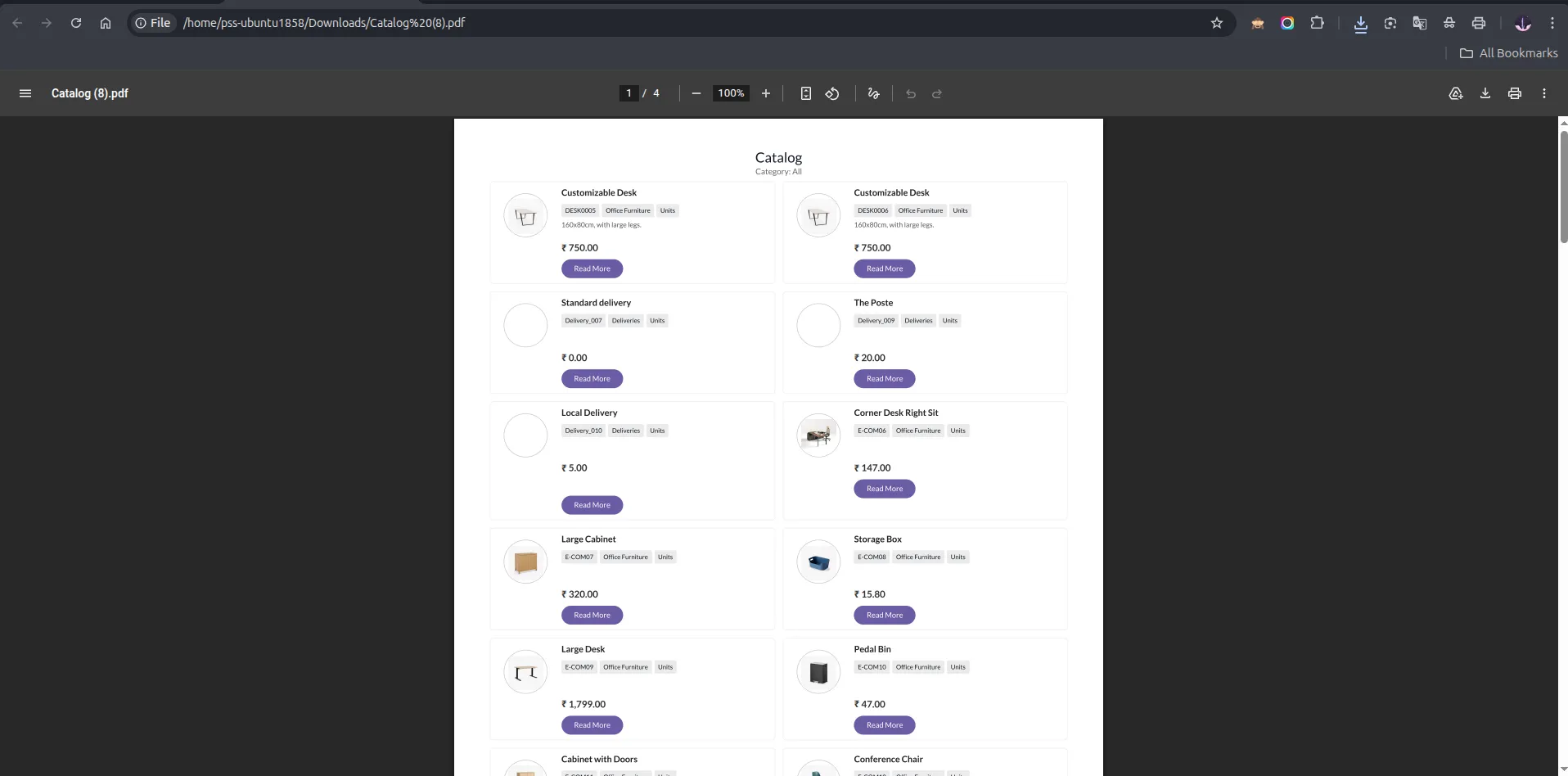
23. Style 4 — Two-column layout with circular product image thumbnail, category and UOM badges, description, price, and Read More button.
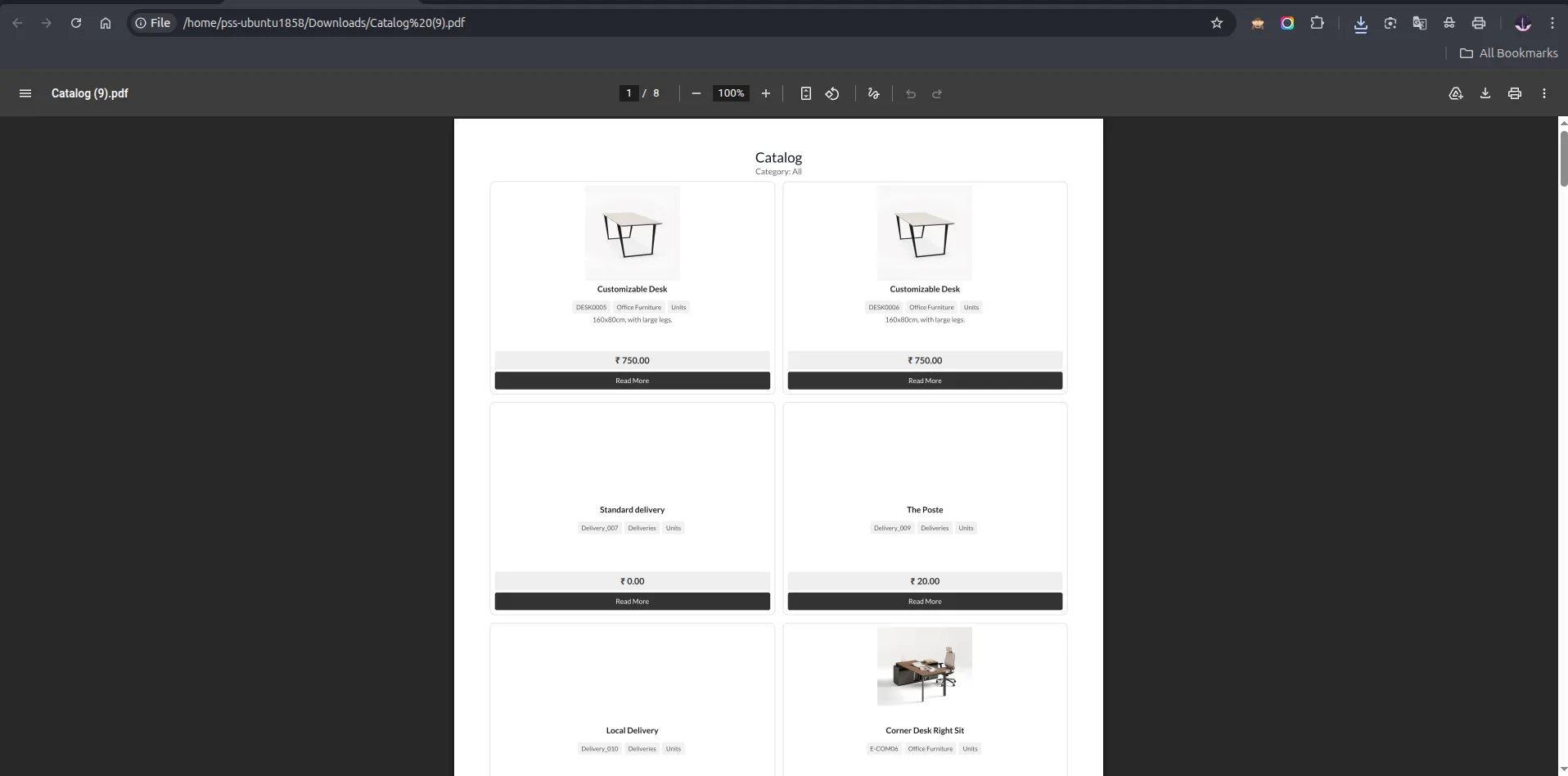
24. Style 5 — 2 boxes per row.
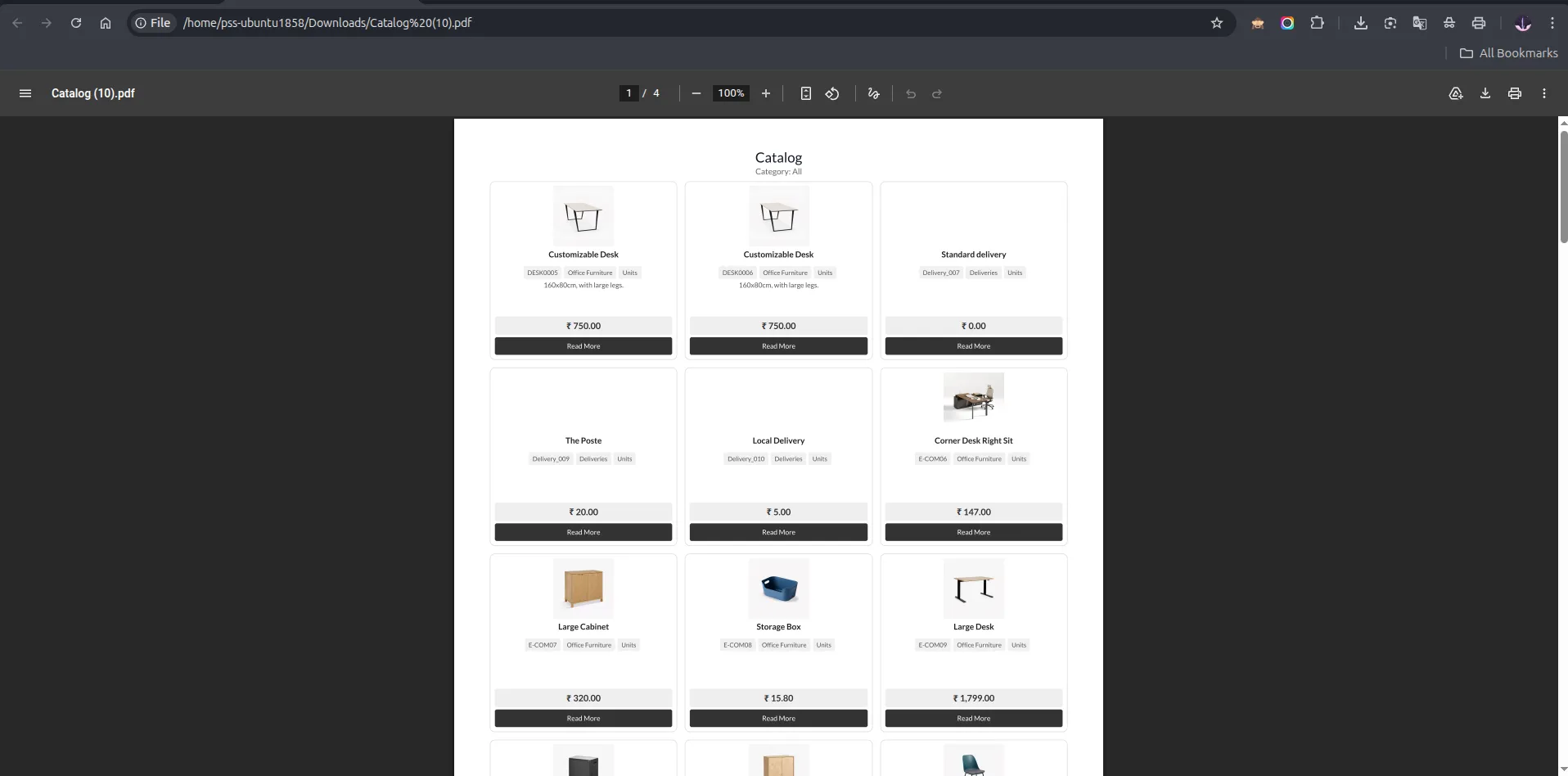
25. Style 5 — 3 boxes per row.
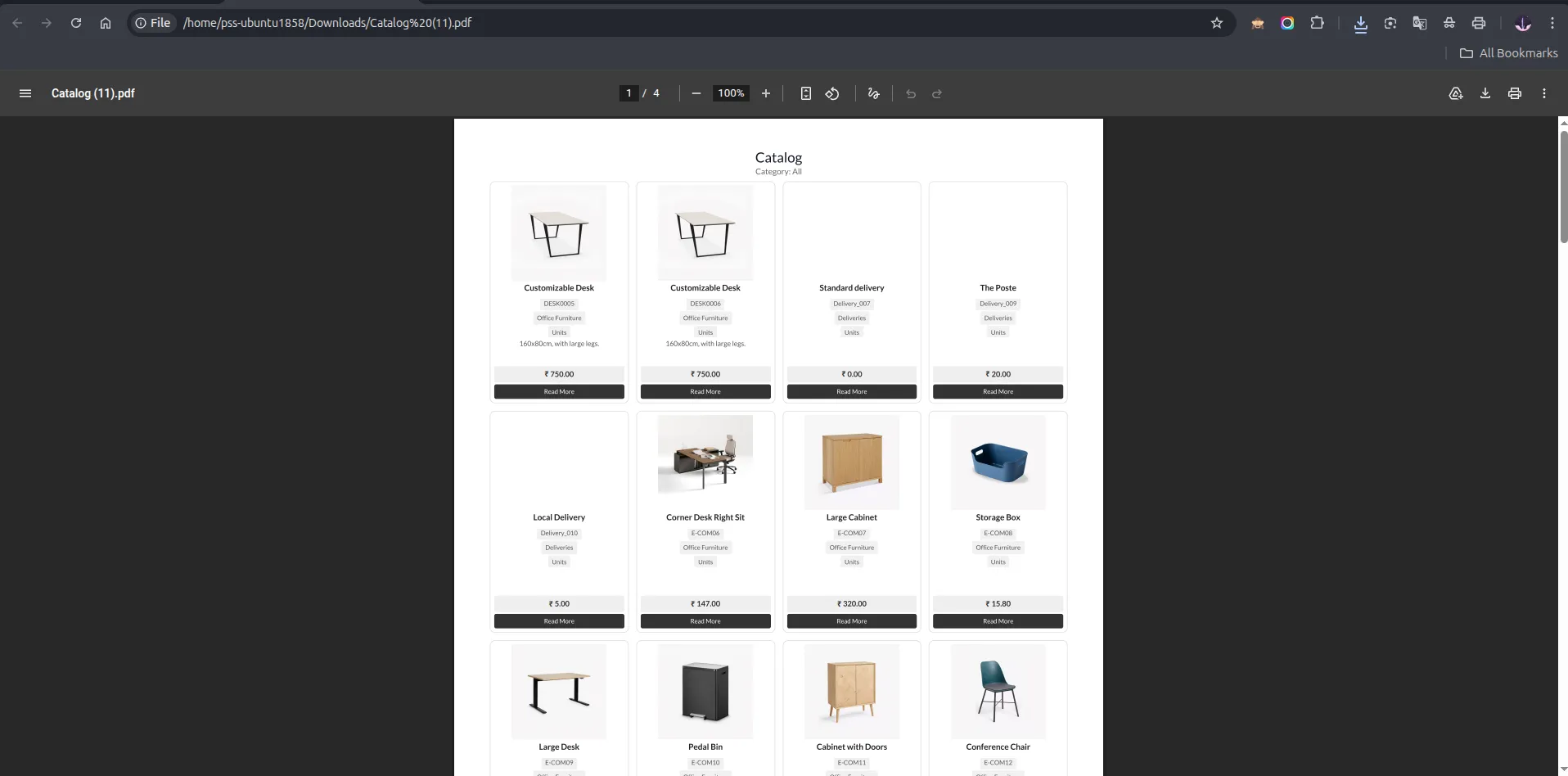
26. Style 5 — 4 boxes per row.
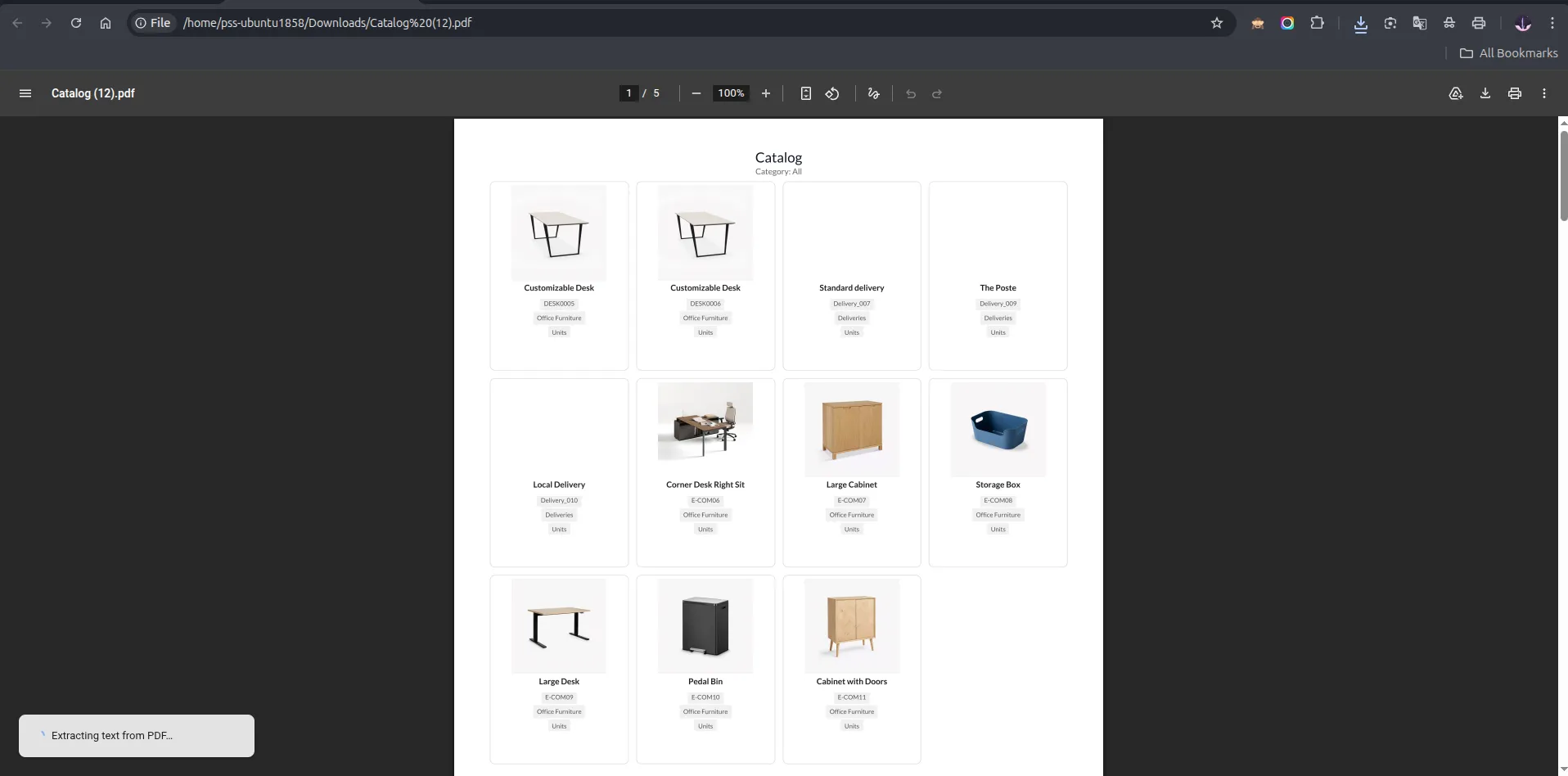
27. Style 5 — 4 boxes per row minimal layout without price, description and read more button.
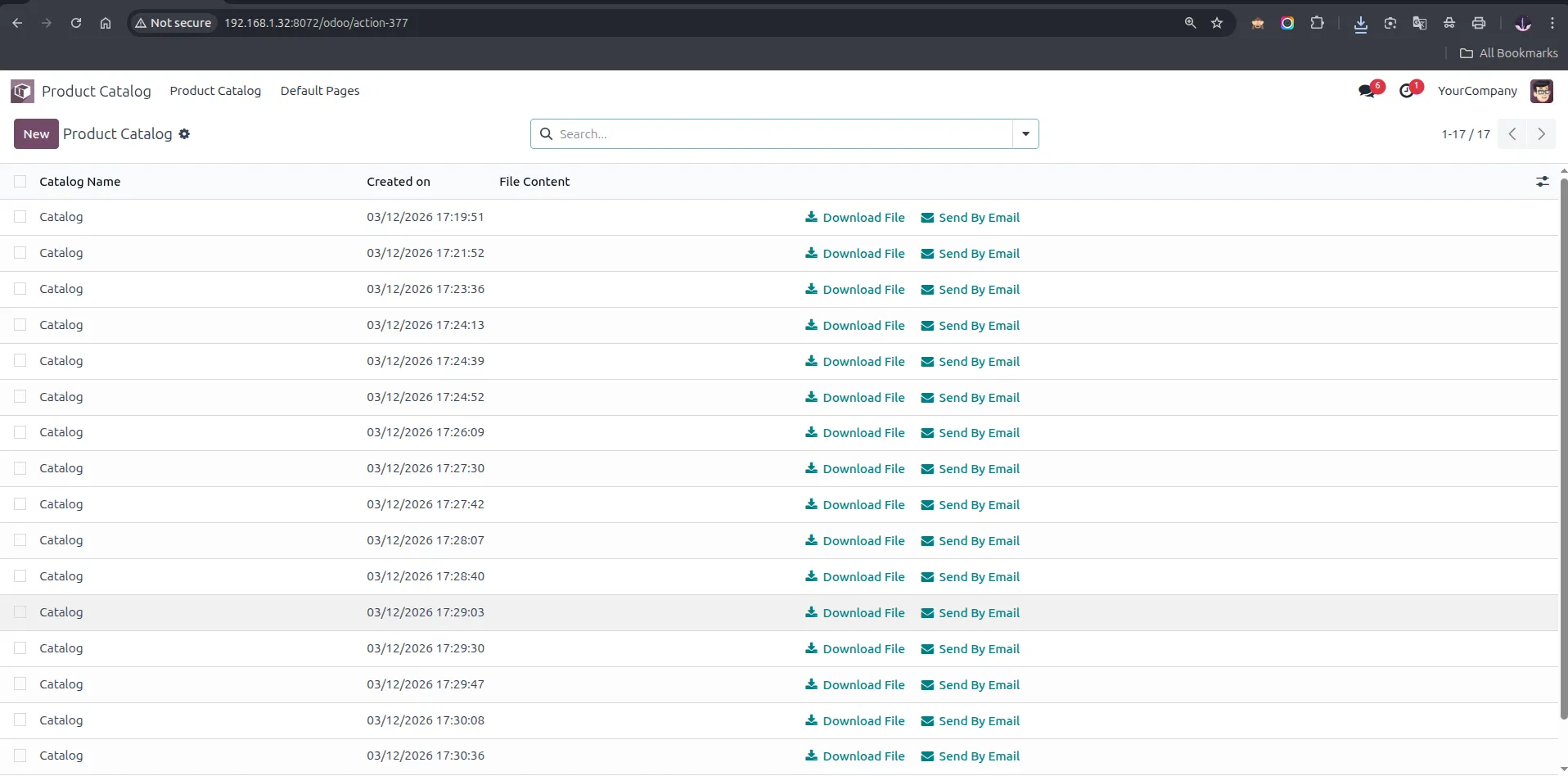
28. All generated catalogs are saved in the Product Catalog list view showing Catalog Name, Created on date, and quick-action 'Download File' and 'Send By Email' buttons.
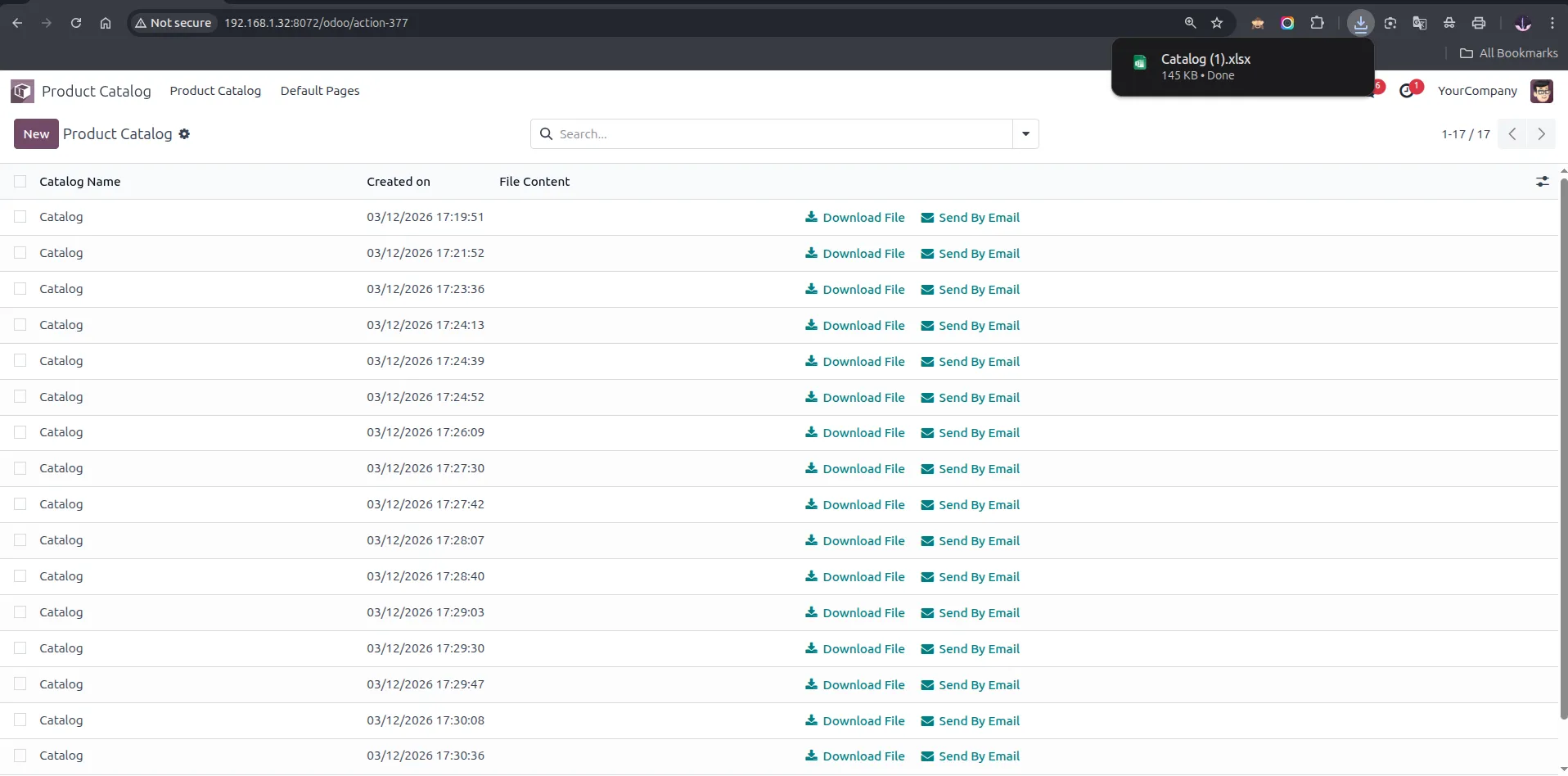
29. Clicking 'Download File' from the list view instantly downloads the catalog
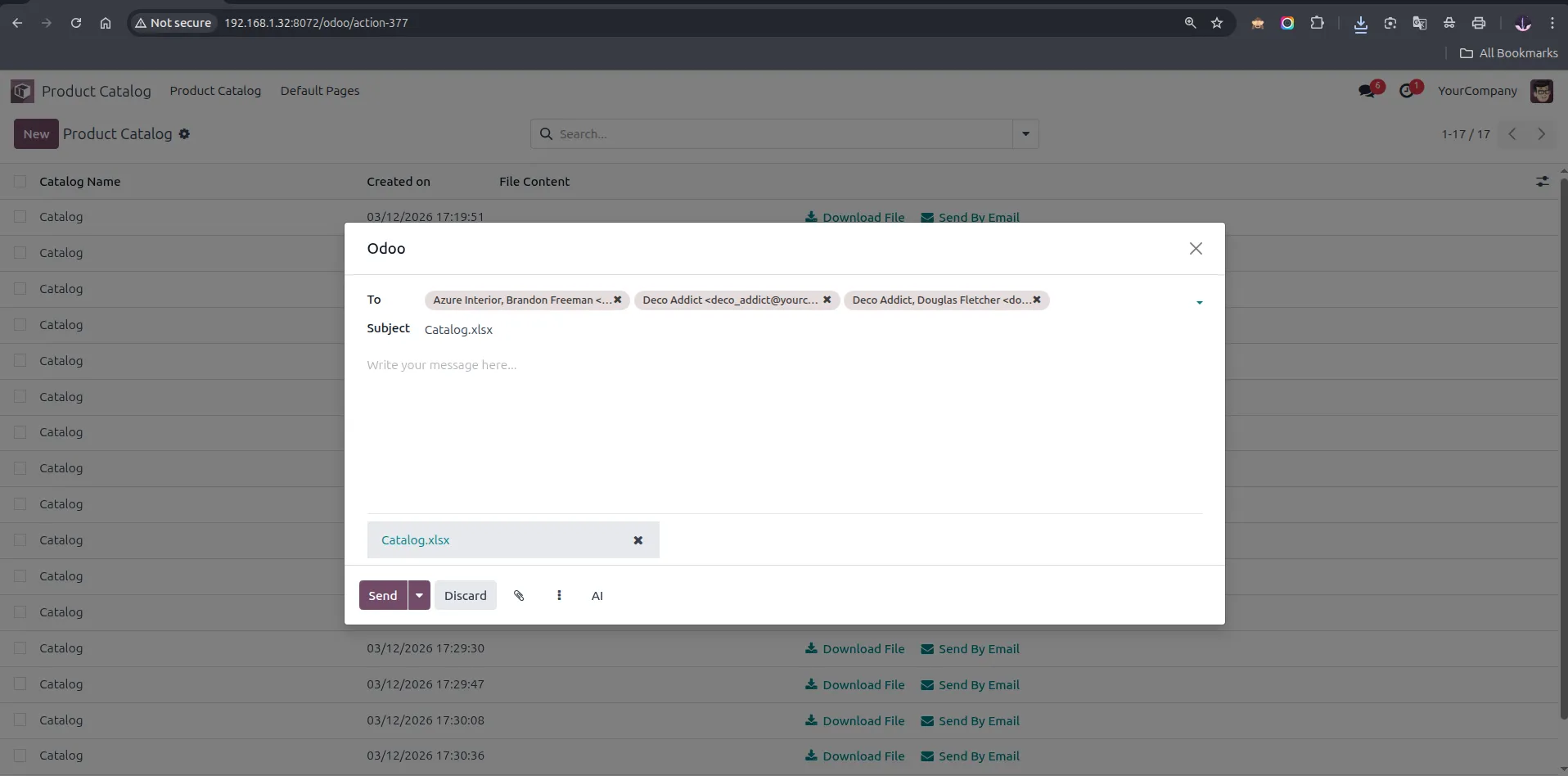
30. 'Send By Email' wizard — compose an email with the catalog file (PDF or XLS) auto-attached, add recipients, and send directly to customers.
31. Catalog form view — shows the generated file link, Created on date, and category. Use 'Send By Email' to email it or 'Show Catalog' to preview the PDF in the browser.
32. 'Show Catalog' opens the generated PDF directly in the browser for instant preview without downloading.
Our solutions focus on your problems
- Odoo Implementation
- Odoo Customization
- ERP Development and Implementation
- Odoo Ipass Cloud
- AI for Odoo
- Odoo Apps
- Aws Marketplace Products
- Business Engines
Our Pricing includes User Manual, 90 Days Support (Monday-Friday 10am to 7pm IST) and One time Setup
• Works & tested on standard installations of Odoo with no third party apps,
• Free support only for odoo installations with no third party apps,
• Paid support available for Odoo installations with third party apps.

Prefortune is a Odoo Official Partner, Odoo Development company. Our philosophy is to use Open Source tools and technologies to provide cost effective and green solutions for our customers.
Prefortune Technologies LLP is working on web development, Mobile development, and Odoo ERP.
If you need any help or want more additional features, you may contact us through:
Alternative Products
These other products might interest you
Specifications
| Version | 19.0, 18.0, 17.0, 16.0, 15.0, 14.0 |