Watch Quick Video
Print Employee Contract Report Odoo App
Our
Odoo – Print Employee Contract Report Odoo App
simplifies and improves employee contract reporting by providing flexible options to generate documents either as individual PDFs or in bulk as a downloadable ZIP file. It automatically combines all active contracts of each employee into a single, well-structured PDF, making the data easy to read, review, and manage. Additionally, it supports generating contracts for multiple employees within a single consolidated PDF, ensuring a clean and organized format for bulk printing or sharing.the module helps reduce manual effort while improving the efficiency, accessibility, and overall management of HR documentation.
Print Employee Contract Report Odoo App
- Generate detailed employee contract reports in PDF format with a professional and easy-to-read layout, suitable for official use and documentation
- Download contracts for multiple employees at once in a single ZIP file, reducing time and effort in handling bulk data
- Automatically combine all active contracts of each employee into one well-organized PDF, ensuring complete and consolidated information per employee
- Seamlessly handle multi-record printing, allowing users to generate reports for multiple employees in a single action without errors or data mismatch
- Provide a clean, structured, and consistently formatted contract report layout that improves readability and simplifies review and record-keeping
Print Employee Contract Report Odoo App
To generate employee contract reports, navigate to the Employee Module and open any employee record, then click on Print → Contract to download a single PDF that includes all active contracts for that employee. If you need to print contracts for multiple employees, switch to the List View, select the desired employees, and click on Print → Contract, which will generate a single consolidated PDF containing all selected employees’ active contracts. Additionally, if you prefer to download contracts as separate files, you can select multiple employees in the List View and click on Action → Download Contracts (ZIP) to generate a ZIP file that includes individual PDF documents for each selected employee’s active contracts.
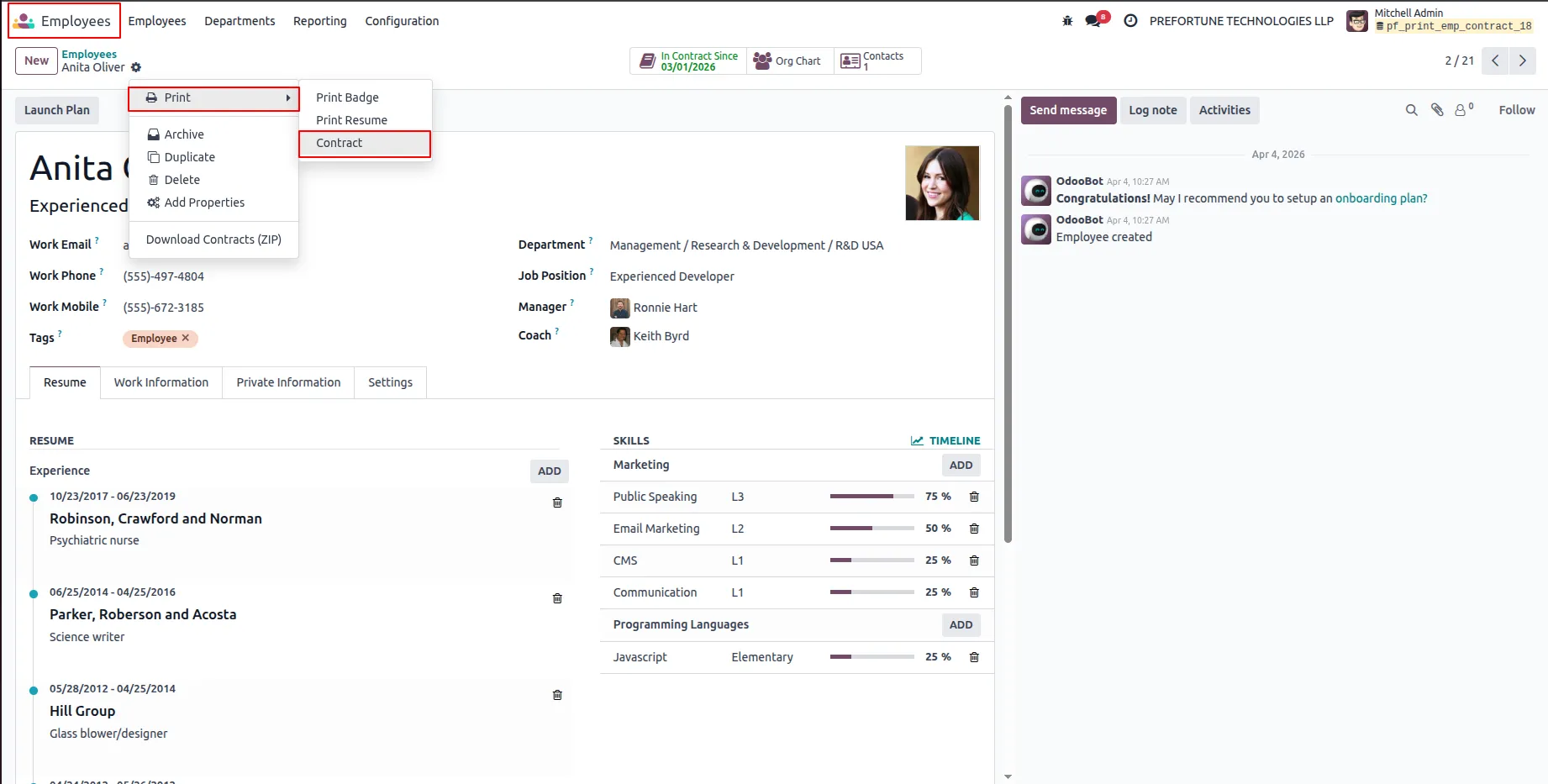
1.Go to the Employee Module, open any employee record, and click on Print → Contract.
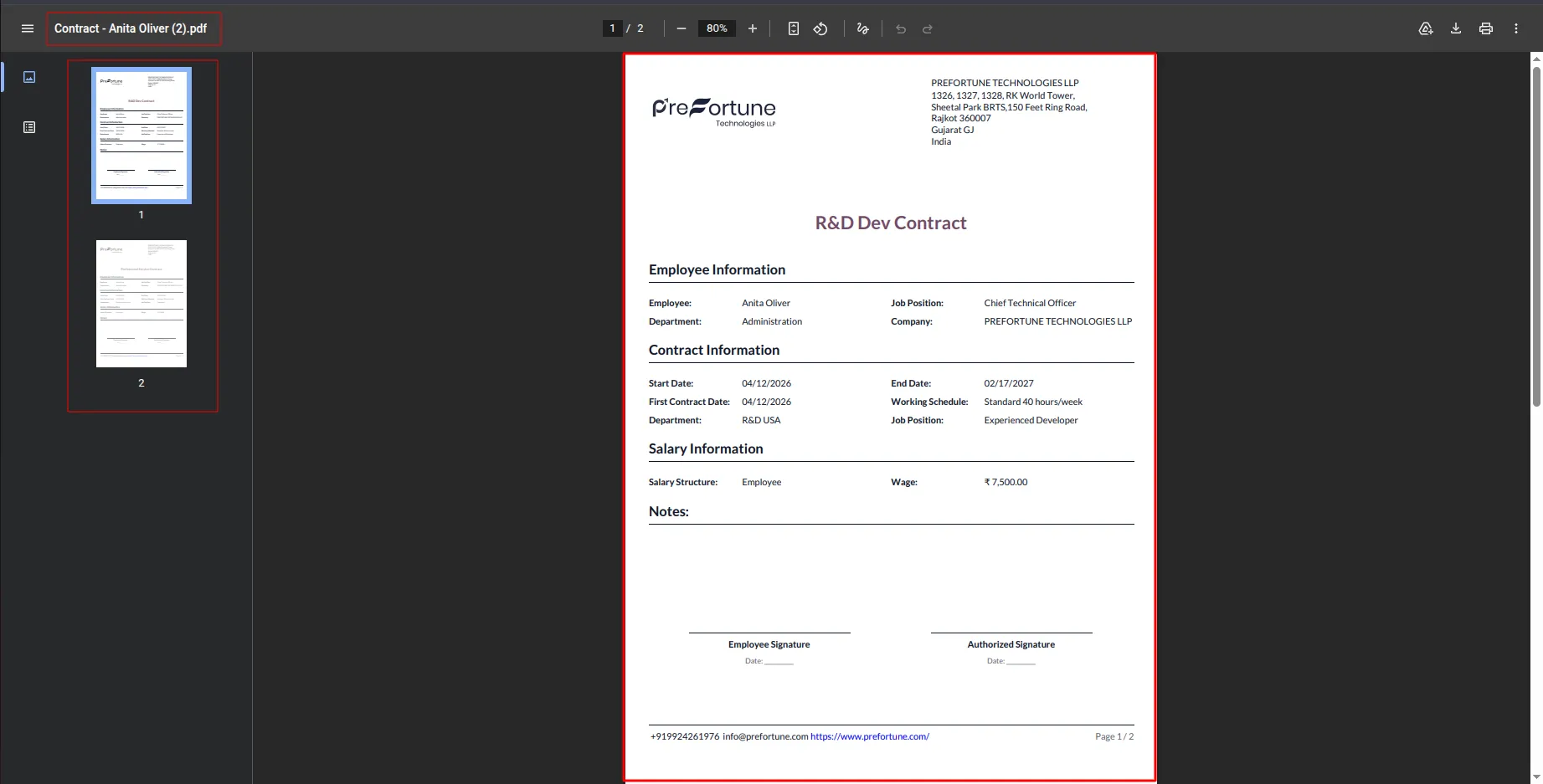
2.This will download a PDF containing all active contracts of the selected employee.
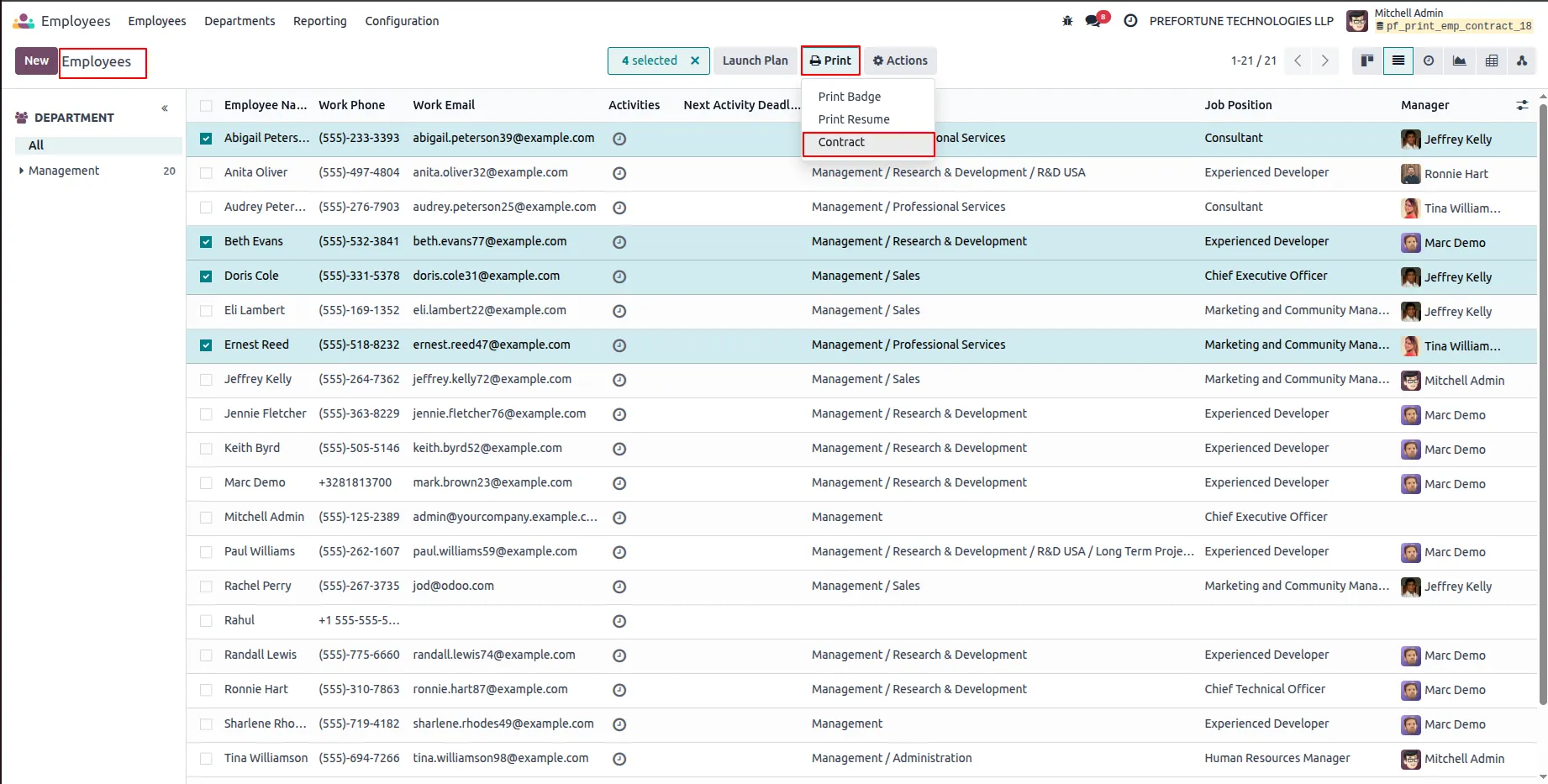
3.Go to the Employee List View, select the desired employees, and click on Print → Contract.
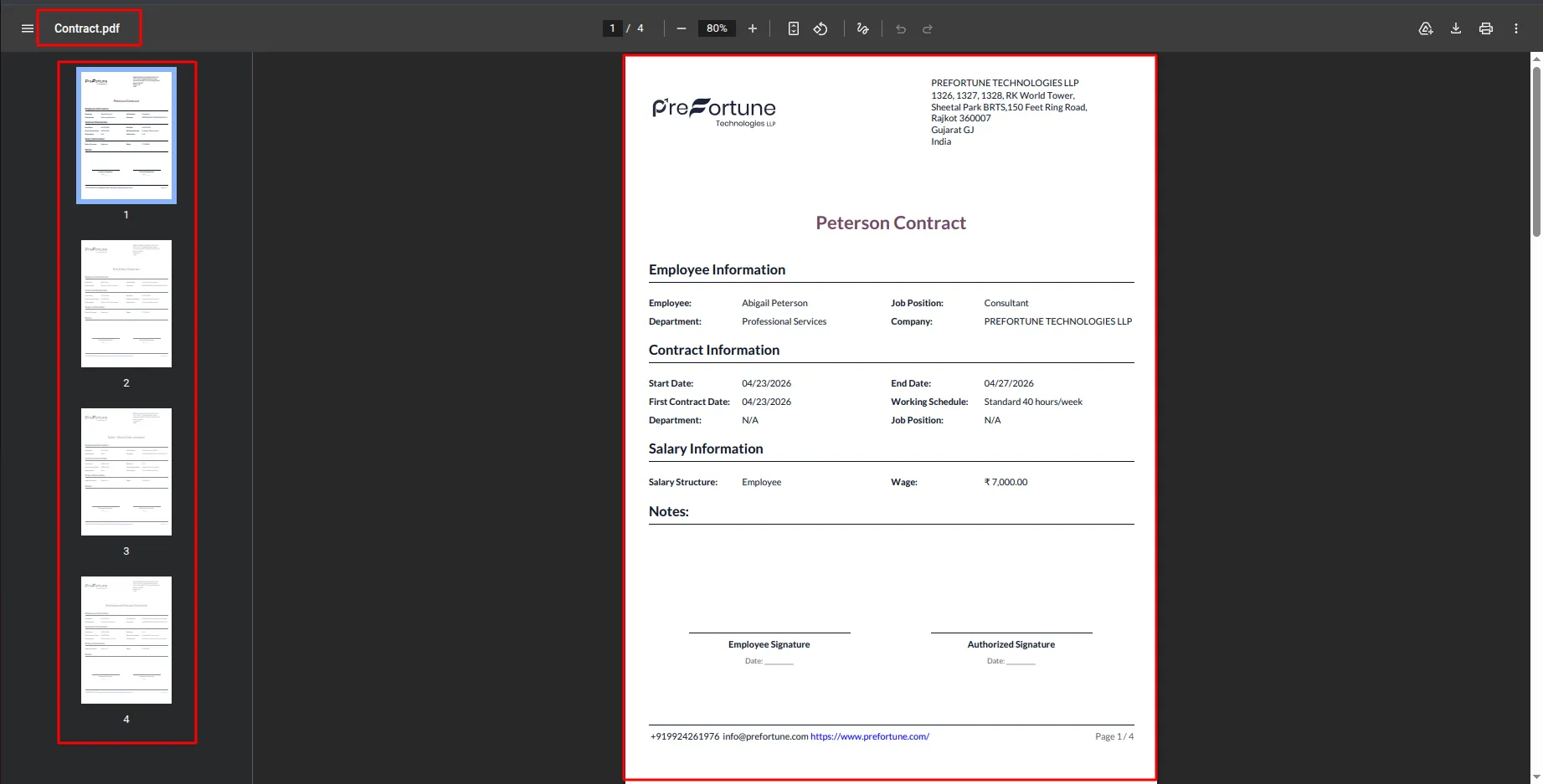
4.This will download a single PDF that includes all active contracts of the selected employees.
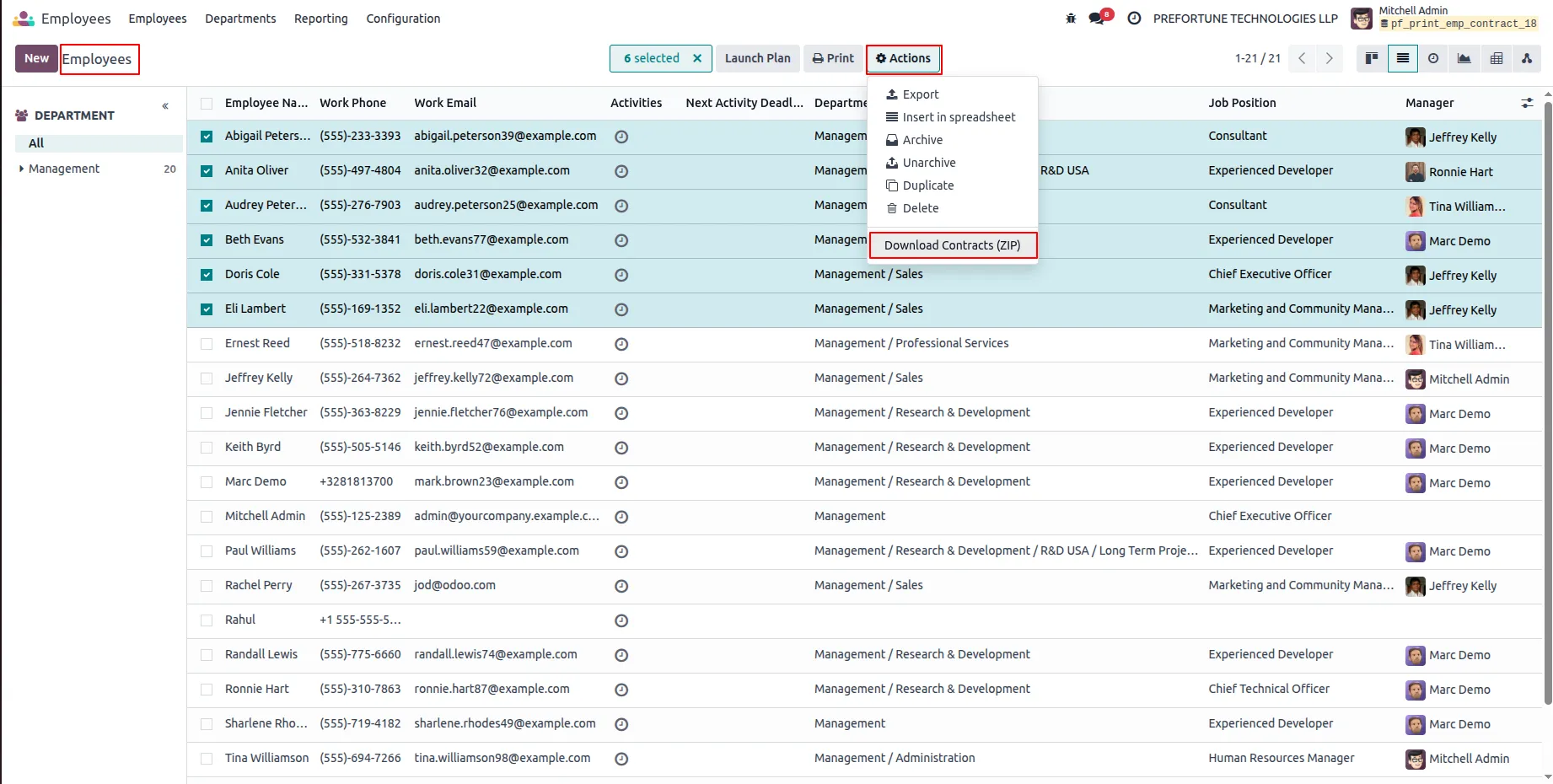
5.Go to the Employee List View, select multiple employees, and click on Action → Download Contracts (ZIP).
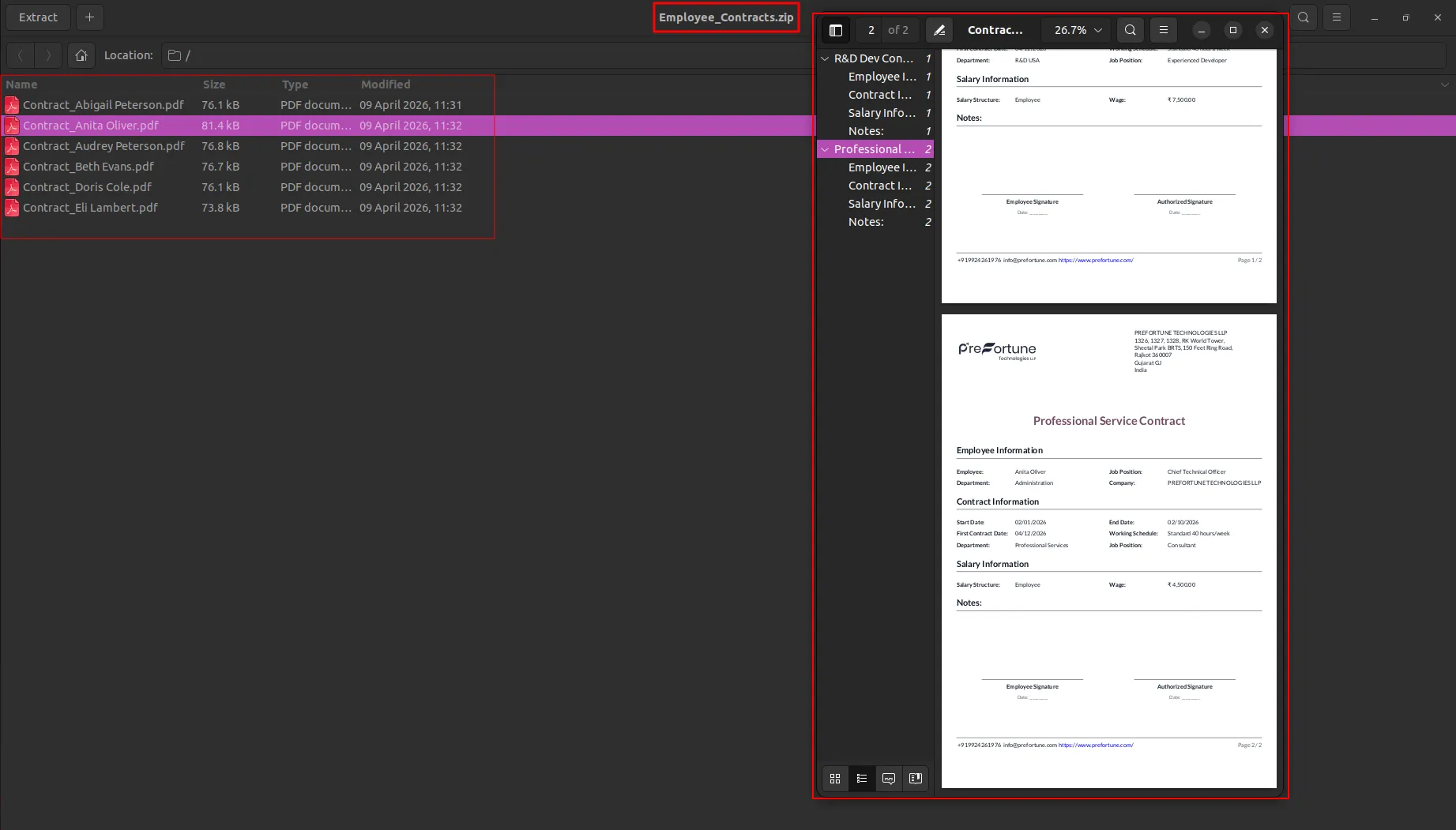
6.This will download a ZIP file containing individual PDFs, where each PDF includes all active contracts of the respective employee.
Our solutions focus on your problems
- Odoo Implementation
- Odoo Customization
- ERP Development and Implementation
- Odoo Ipass Cloud
- AI for Odoo
- Odoo Apps
- Aws Marketplace Products
- Business Engines
Our Pricing includes User Manual, 90 Days Support (Monday-Friday 10am to 7pm IST) and One time Setup
• Works & tested on standard installations of Odoo with no third party apps,
• Free support only for odoo installations with no third party apps,
• Paid support available for Odoo installations with third party apps.

Prefortune is a Odoo Official Partner, Odoo Development company. Our philosophy is to use Open Source tools and technologies to provide cost effective and green solutions for our customers.
Prefortune Technologies LLP is working on web development, Mobile development, and Odoo ERP.
If you need any help or want more additional features, you may contact us through:
Alternative Products
These other products might interest you
Specifications
| Version | 19.0, 18.0, 17.0, 16.0, 15.0, 14.0 |