Watch Quick Video
POS Total Items and Quantity Count
Our efficient
Odoo – POS Total Items and Quantity Count
app improves checkout accuracy by allowing cashiers to quickly verify the POS Total Items Count and total
product quantity directly on the Point of Sale screen and receipts.
1. POS Screen Display: View the total distinct items and total quantity directly on the POS
screen.
2. Receipt Display: Print the POS Total Items Count and quantity count on customer receipts.
3. Configuration Settings: Easily enable or disable the feature for each POS from the settings.
4. Improved Accuracy: Helps cashiers quickly cross-check physical items with the system basket
and verify orders before checkout.
This ensures better transparency for customers, reduced checkout errors, and a more organized POS
workflow.
POS Total Items and Quantity Count
- Quickly verify the POS Total Items Count directly on the POS screen.
- Quickly verify the POS Total Items Count directly on the POS receipt.
- Display the item count and quantity count on customer receipts for better transparency.
- Configure each POS to show or hide the Odoo POS Item Count and quantity counters.
- Improve cashier efficiency and reduce checkout errors with accurate order verification.
Complete Workflow for POS Total Items and Quantity Count
Enable the Odoo POS Item Count feature in the Point of Sale configuration settings to activate the counters. Open a POS Session and add items to the cart. You will immediately see the updated POS Total Items Count and POS Total Quantity displayed securely at the bottom of the order summary. Once the payment is completed, the printed Receipt will also accurately reflect the Total Item Count in POS Order and the total quantity purchased.
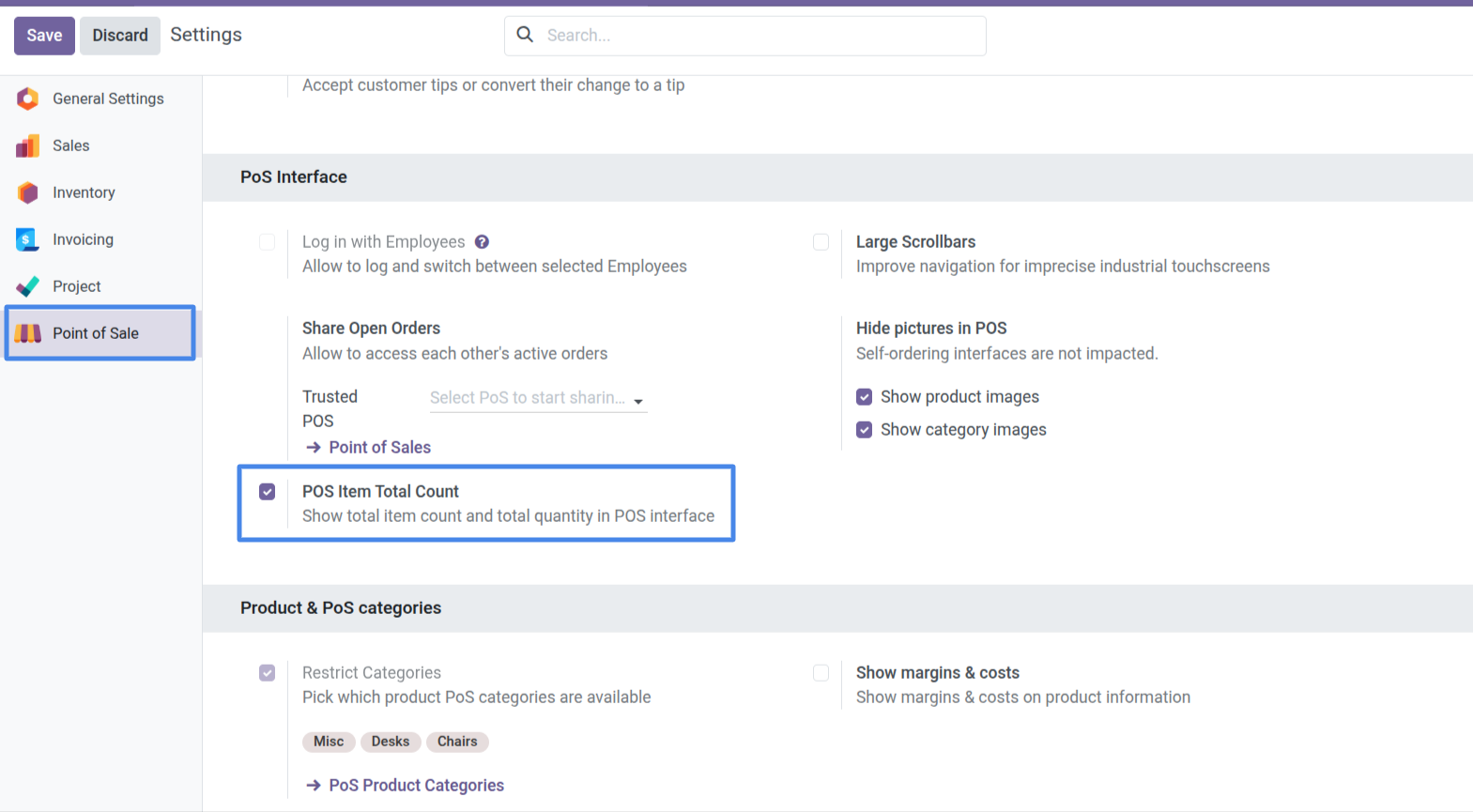
1. Enable the POS Item Total Count setting under the PoS Interface section in the Point of Sale configuration.
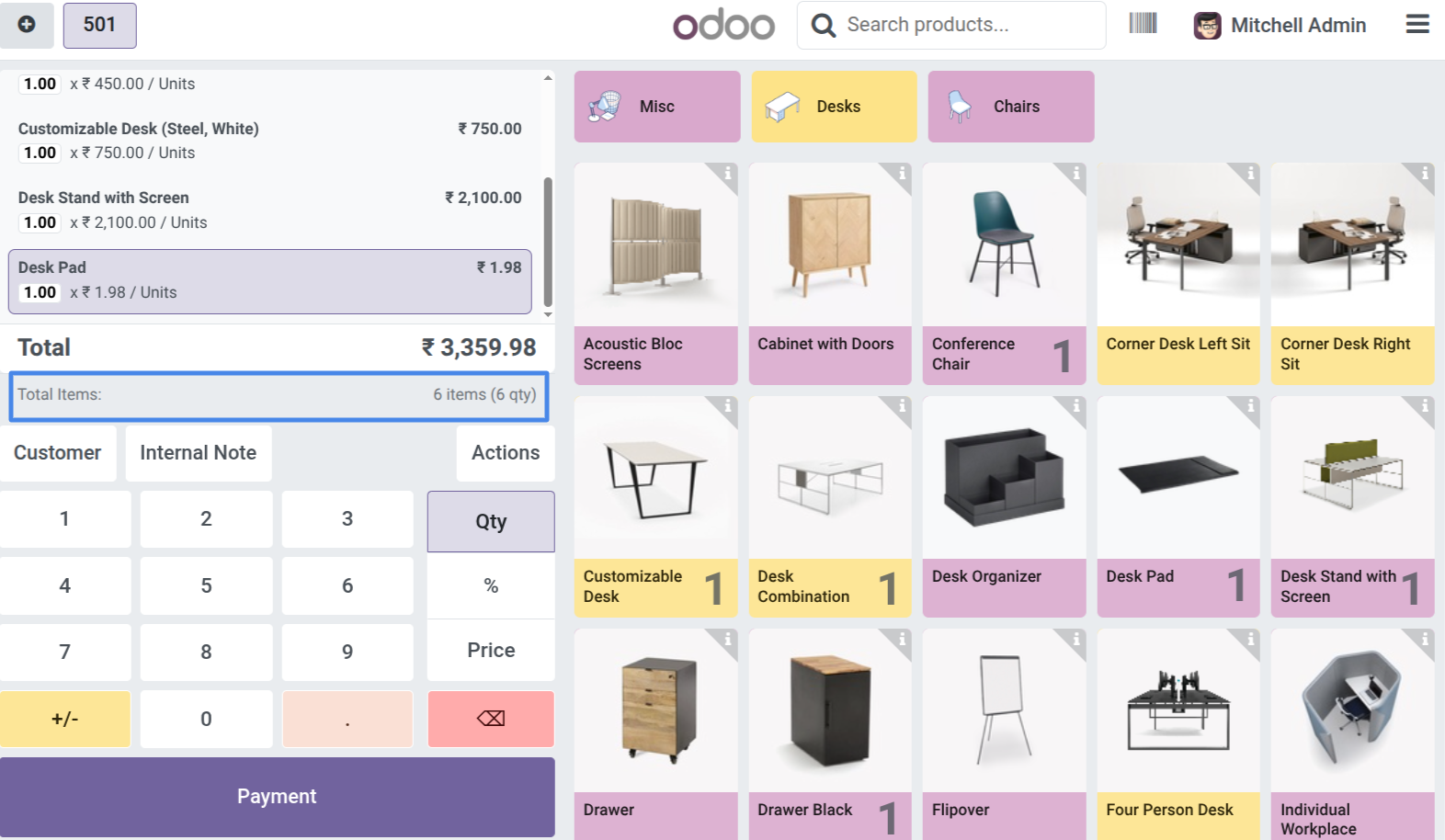
2. View the "Total Items" and "qty" count prominently displayed at the bottom of the Order Summary on the POS screen.
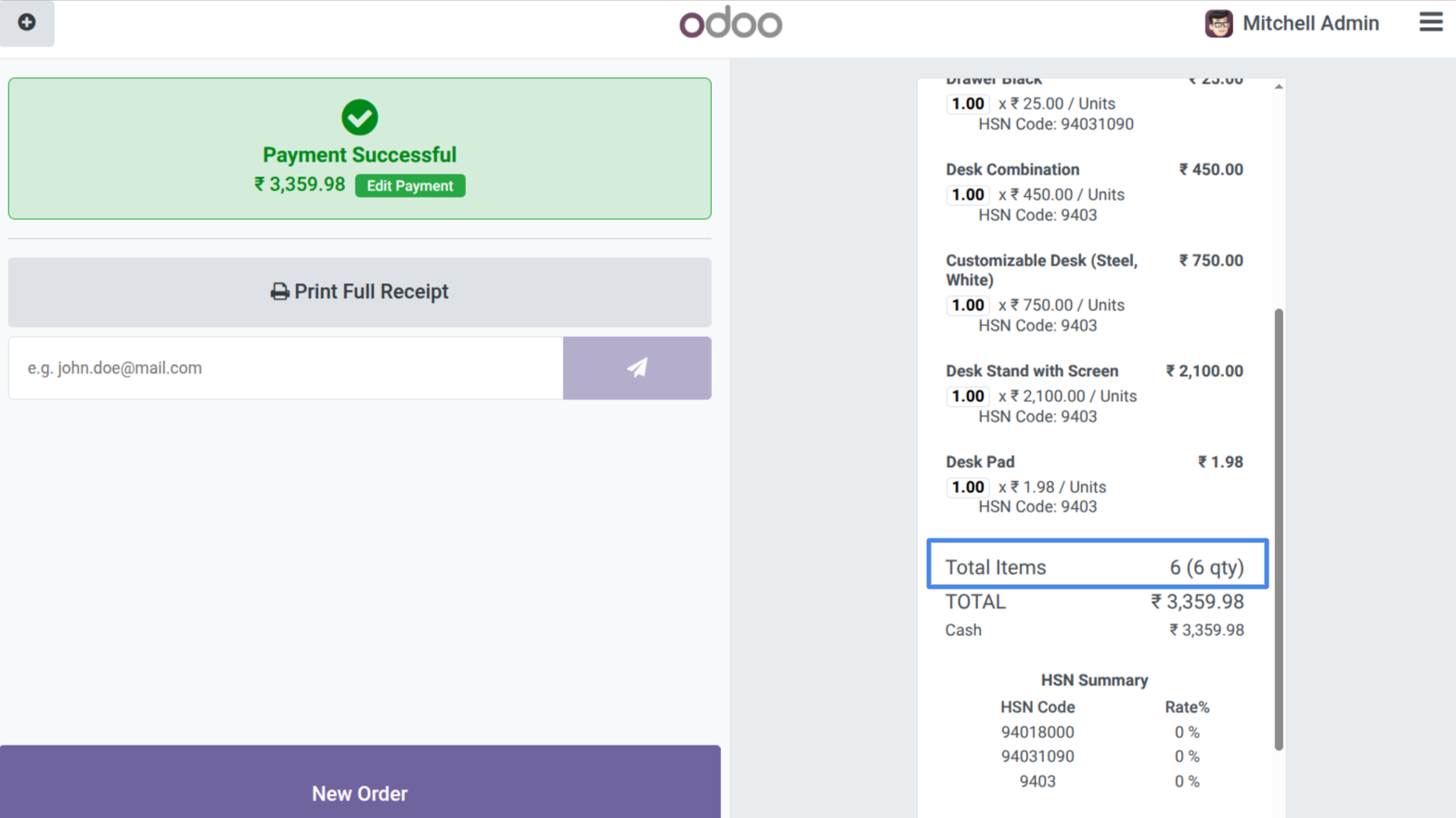
3. See the "Total Items" and quantity breakdown clearly printed on the final POS customer receipt.
Our solutions focus on your problems
- Odoo Implementation
- Odoo Customization
- ERP Development and Implementation
- Odoo Ipass Cloud
- AI for Odoo
- Odoo Apps
- Aws Marketplace Products
- Business Engines
Our Pricing includes User Manual, 90 Days Support (Monday-Friday 10am to 7pm IST) and One time Setup
• Works & tested on standard installations of Odoo with no third party apps,
• Free support only for odoo installations with no third party apps,
• Paid support available for Odoo installations with third party apps.

Prefortune is a Odoo Official Partner, Odoo Development company. Our philosophy is to use Open Source tools and technologies to provide cost effective and green solutions for our customers.
Prefortune Technologies LLP is working on web development, Mobile development, and Odoo ERP.
If you need any help or want more additional features, you may contact us through:
Alternative Products
These other products might interest you
Specifications
| Version | 19.0, 18.0, 17.0, 16.0, 15.0, 14.0 |