Watch Quick Video

POS Top Customers & Sales Analytics
Our efficient
Odoo – POS Top Customers & Sales Analytics
helps businesses track top customers by sales using Odoo POS data. Users can generate customer sales
reports with filters like date range, minimum POS amount, company, and POS configuration. The module
automatically ranks customers based on purchase totals and supports customer performance comparison
between different periods for better retail sales analysis.
It provides flexible options for customer reporting:
1. Advanced Customer Filters: Generate customer sales analysis using date range, POS amount,
company, and POS configuration filters.
2. Automatic Top Customer Ranking: Display top selling customers based on total POS purchase
amounts and sales performance.
3. Compare Customer Performance: Analyze customer purchase trends and customer sales
performance between different periods.
4. PDF & XLS Export:Export POS customer reports in PDF and XLS formats for reporting and
business analysis.
POS Top Customers & Sales Analytics
- Control secure access for POS customer reporting using user-wise permissions.
- Generate customer sales reports using POS filters and sales analysis options.
- Display top customers by sales based on purchase amount and selected periods.
- Compare customer purchase analysis between different date ranges.
- Export POS customer reports in PDF and XLS formats for business reporting.
Complete Workflow for POS Top Customers & Sales Analytics
Enable the Top POS Customers Report option for selected users from settings. Open the POS Top Customers report menu and apply filters like From Date, To Date, Minimum POS Amount, Company, and POS Configuration to generate accurate customer sales reports. The module automatically displays top customers by sales based on purchase totals and selected limits. Users can also compare customer sales performance between different periods using the Compare Report option and export reports in PDF/XLS formats for POS customer reporting and sales analysis.
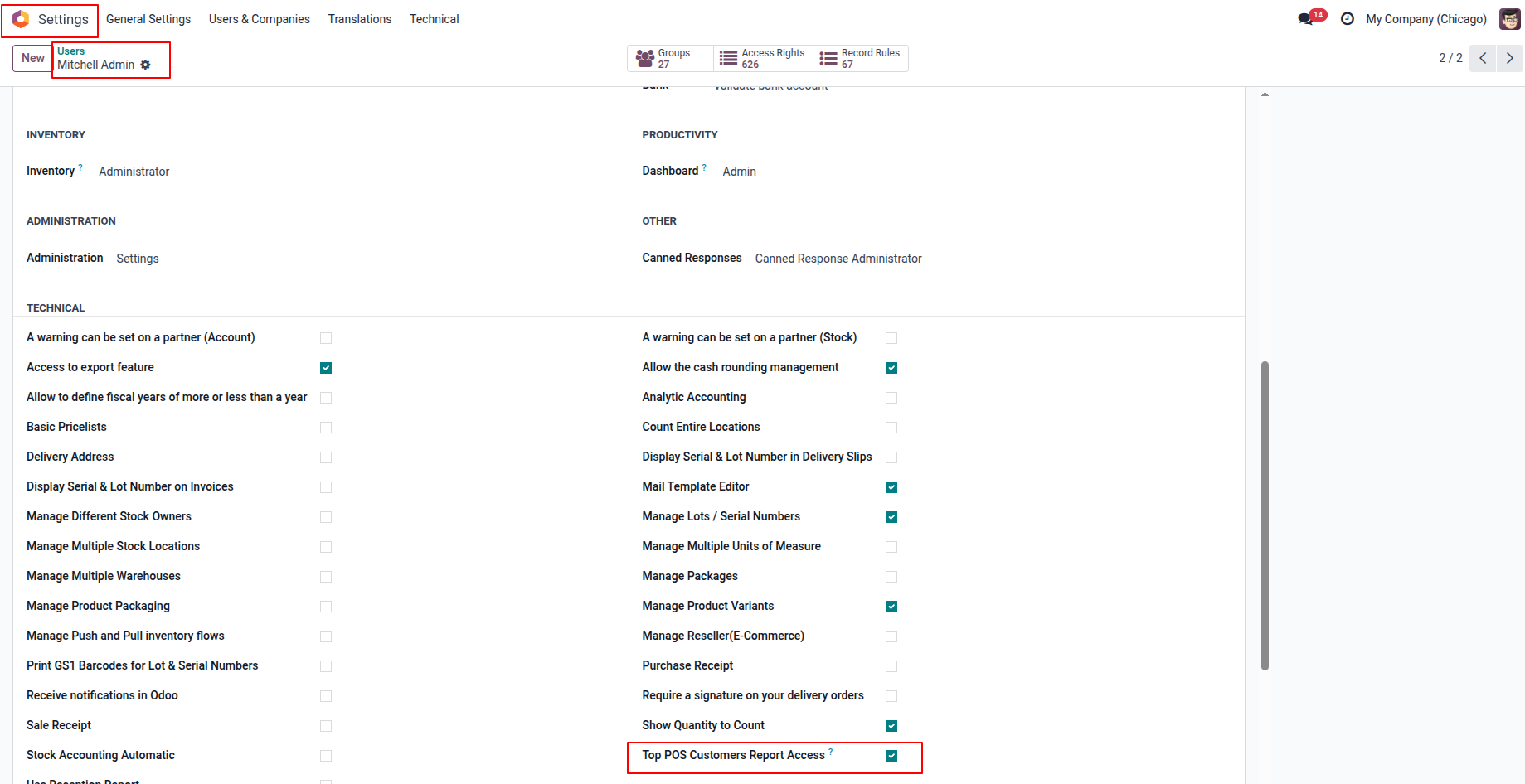
1. Open the user form view and enable the POS Top Customer Report option to grant report access permissions to users.
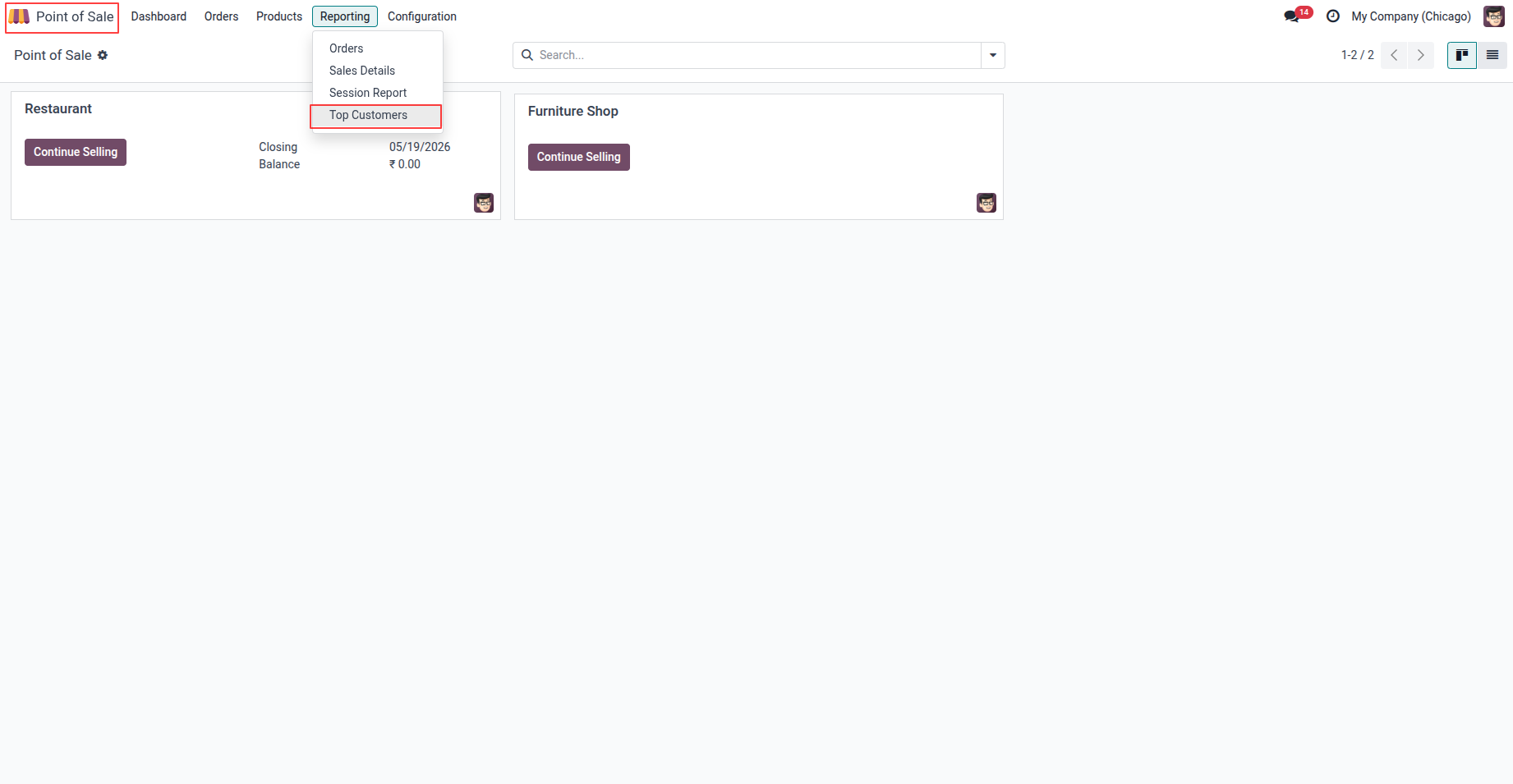
2. Go to POS → Reporting → Top Customer to access detailed customer analytics and reporting options.
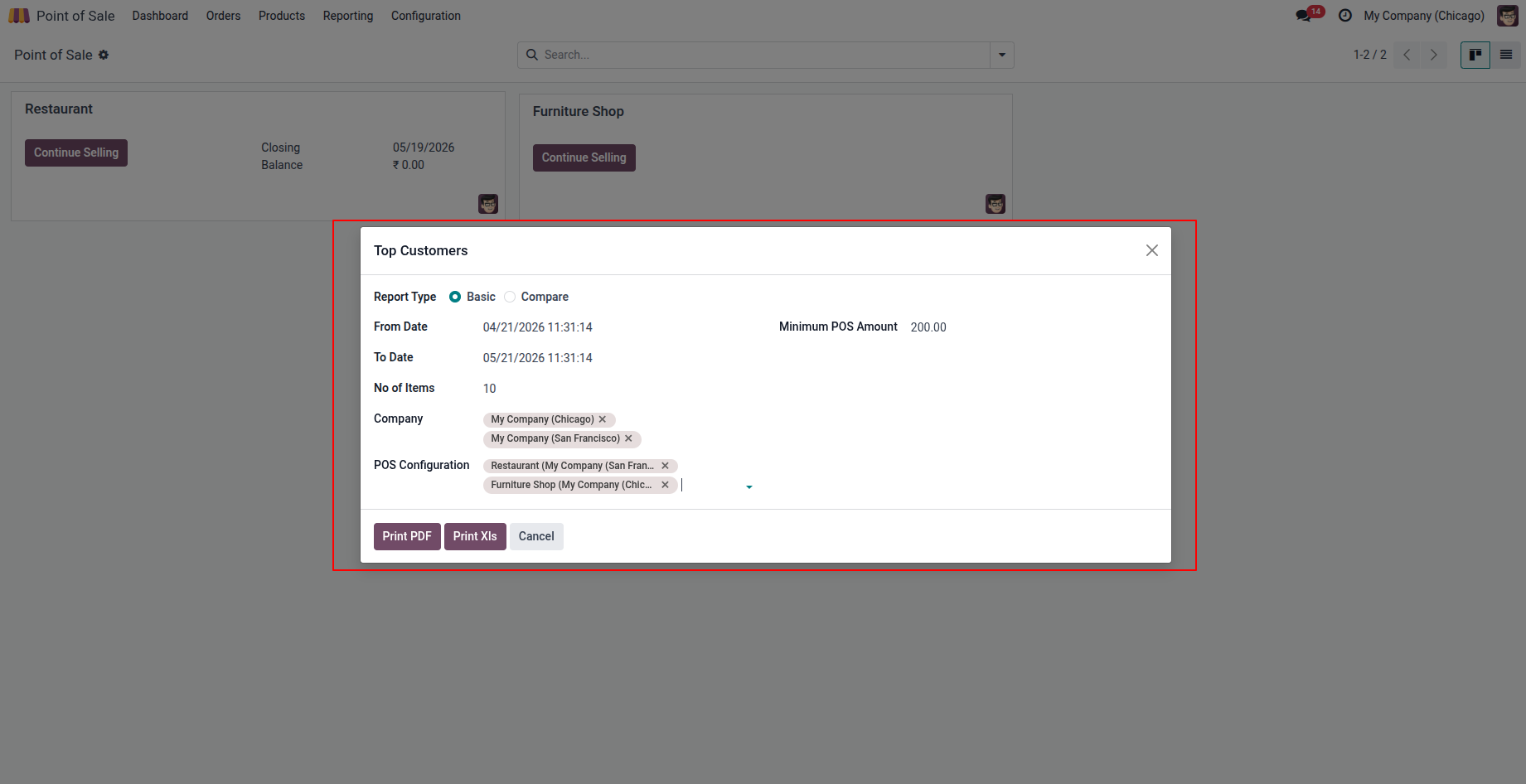
3. When the user clicks on the Top POS Customers Report menu, a new reporting page opens containing two sections: Basic Report and Compare Report. In the Basic Report section, users can enter filters such as From Date, To Date, Minimum POS Amount, Company, POS Configuration, and the number of Items to display in the report. The system then analyzes all POS orders within the selected date range and checks customers who meet all the specified conditions.
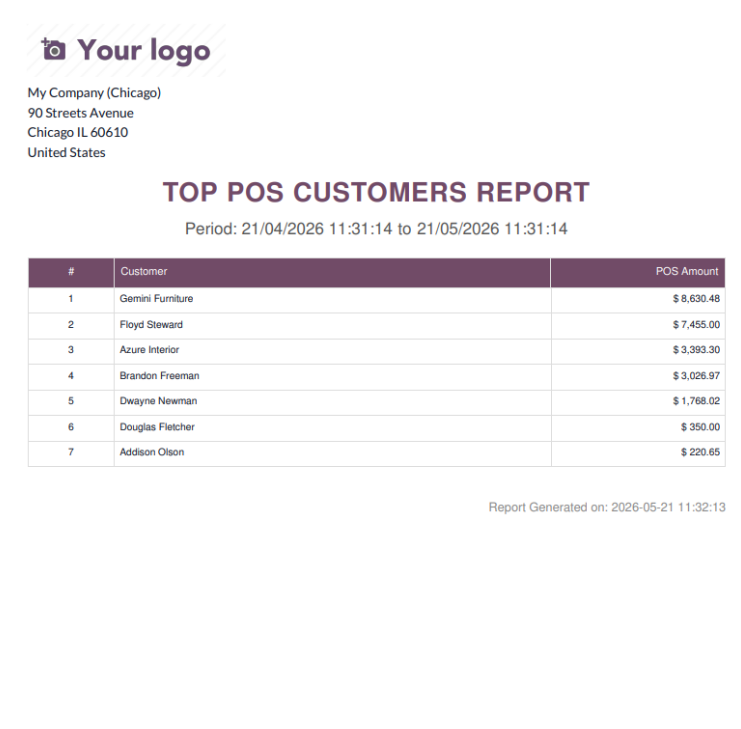
4.Create a professional PDF report containing detailed customer sales analysis and purchasing insights.
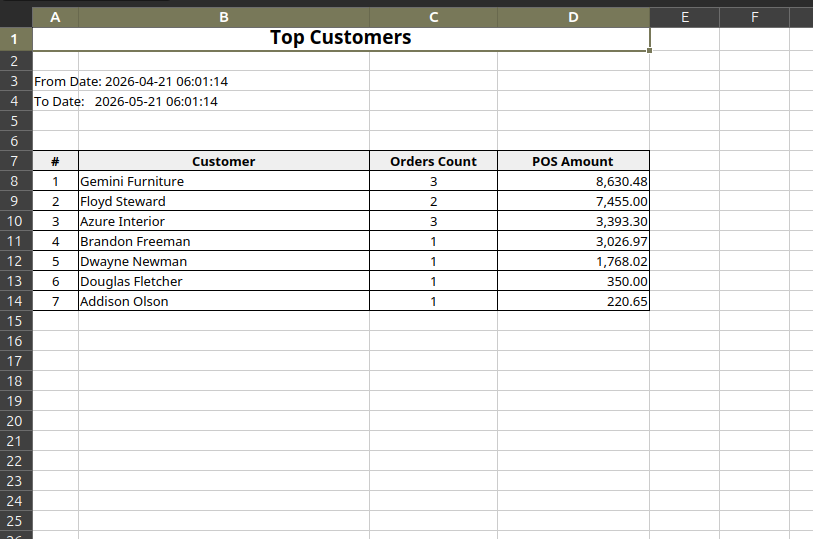
5.Export the customer analytics report in XLS format for advanced data review and business analysis.
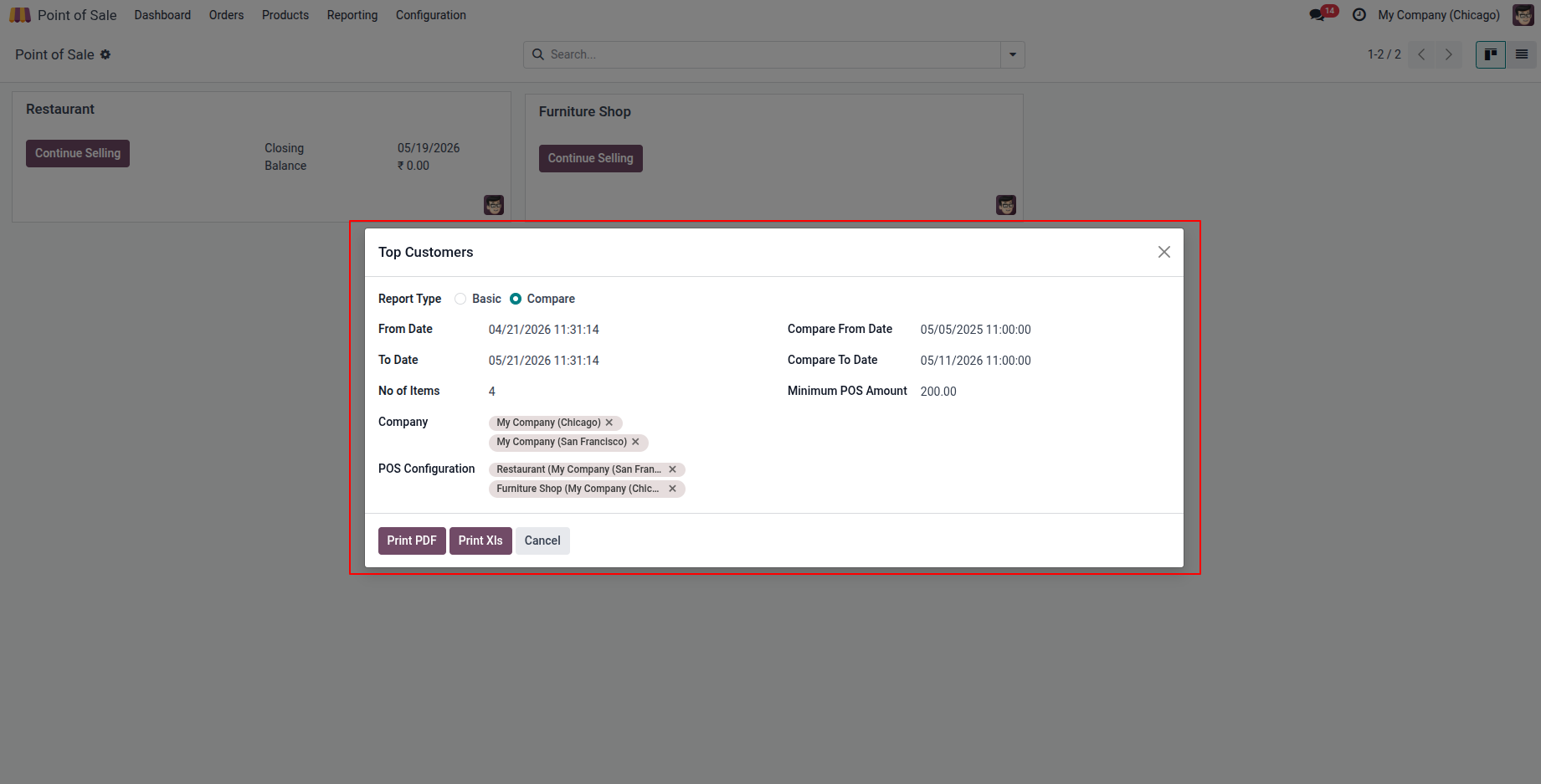
6.Modify the report settings and enable compare mode to analyze customer performance across different periods.
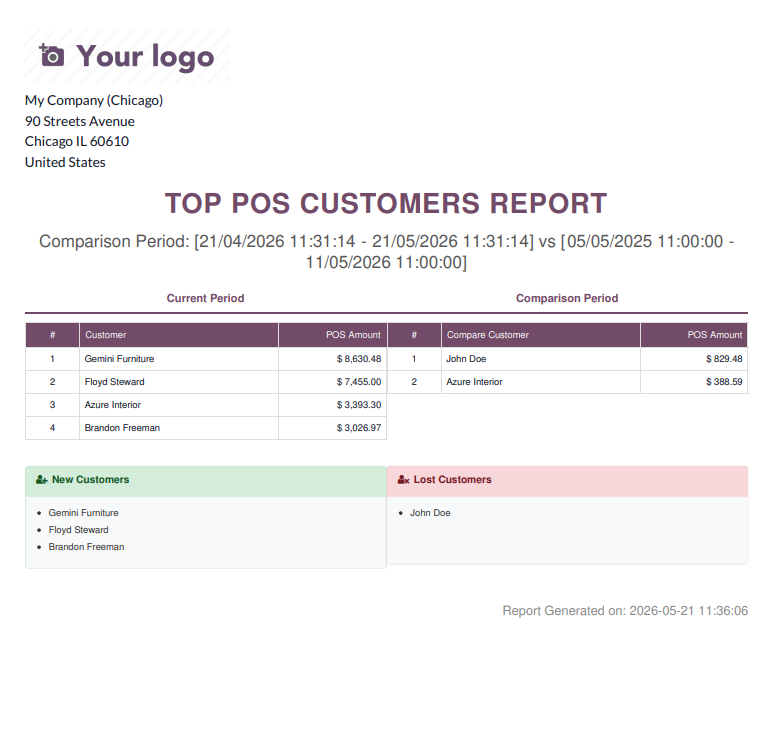
7.Generate a comparative PDF report to evaluate customer sales trends and performance differences between selected periods.
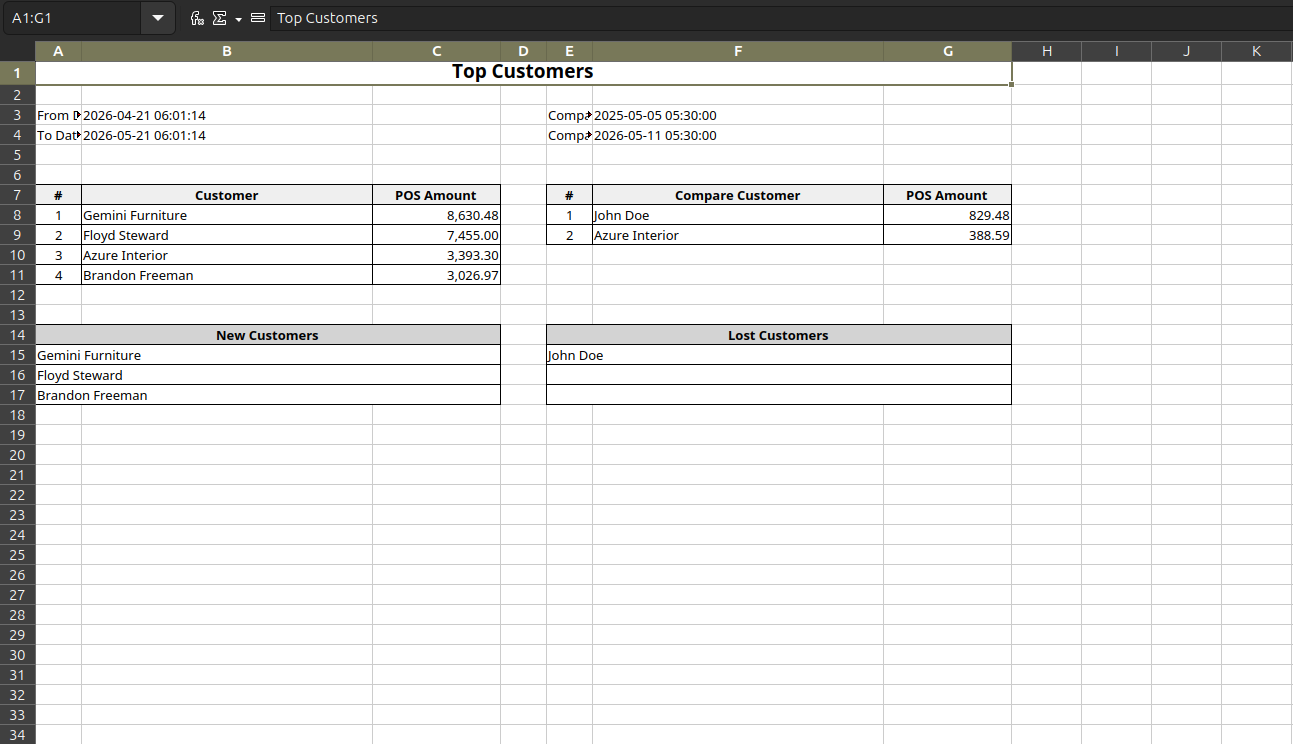
8.Download the comparative customer analysis report in XLS format for detailed comparison and reporting purposes.
Our solutions focus on your problems
- Odoo Implementation
- Odoo Customization
- ERP Development and Implementation
- Odoo Ipass Cloud
- AI for Odoo
- Odoo Apps
- Aws Marketplace Products
- Business Engines
Our Pricing includes User Manual, 90 Days Support (Monday-Friday 10am to 7pm IST) and One time Setup
• Works & tested on standard installations of Odoo with no third party apps,
• Free support only for odoo installations with no third party apps,
• Paid support available for Odoo installations with third party apps.

Prefortune is a Odoo Official Partner, Odoo Development company. Our philosophy is to use Open Source tools and technologies to provide cost effective and green solutions for our customers.
Prefortune Technologies LLP is working on web development, Mobile development, and Odoo ERP.
If you need any help or want more additional features, you may contact us through:
Alternative Products
These other products might interest you
Specifications
| Version | 19.0, 18.0, 17.0, 16.0, 15.0, 14.0 |