Watch Quick Video

POS Rounding Off Amount
Our all-inclusive Odoo – POS Rounding Off Amount
you don’t have to worry about manual cash adjustments during checkout anymore. This all-in-one tool automatically handles rounding off amounts in your POS system, making billing more accurate and much smoother.
You get to set up flexible rounding rules that fit the way your business works. Once the rules are in place, the system updates the totals right away on both payments and receipts. That means rounded values always show up correctly, and transactions run without a hitch.
Plus, the module handles decimal rounding precisely and gives you easy control over rounding options. It speeds up sales at checkout and keeps your POS operations reliable from start to finish.
Key Features
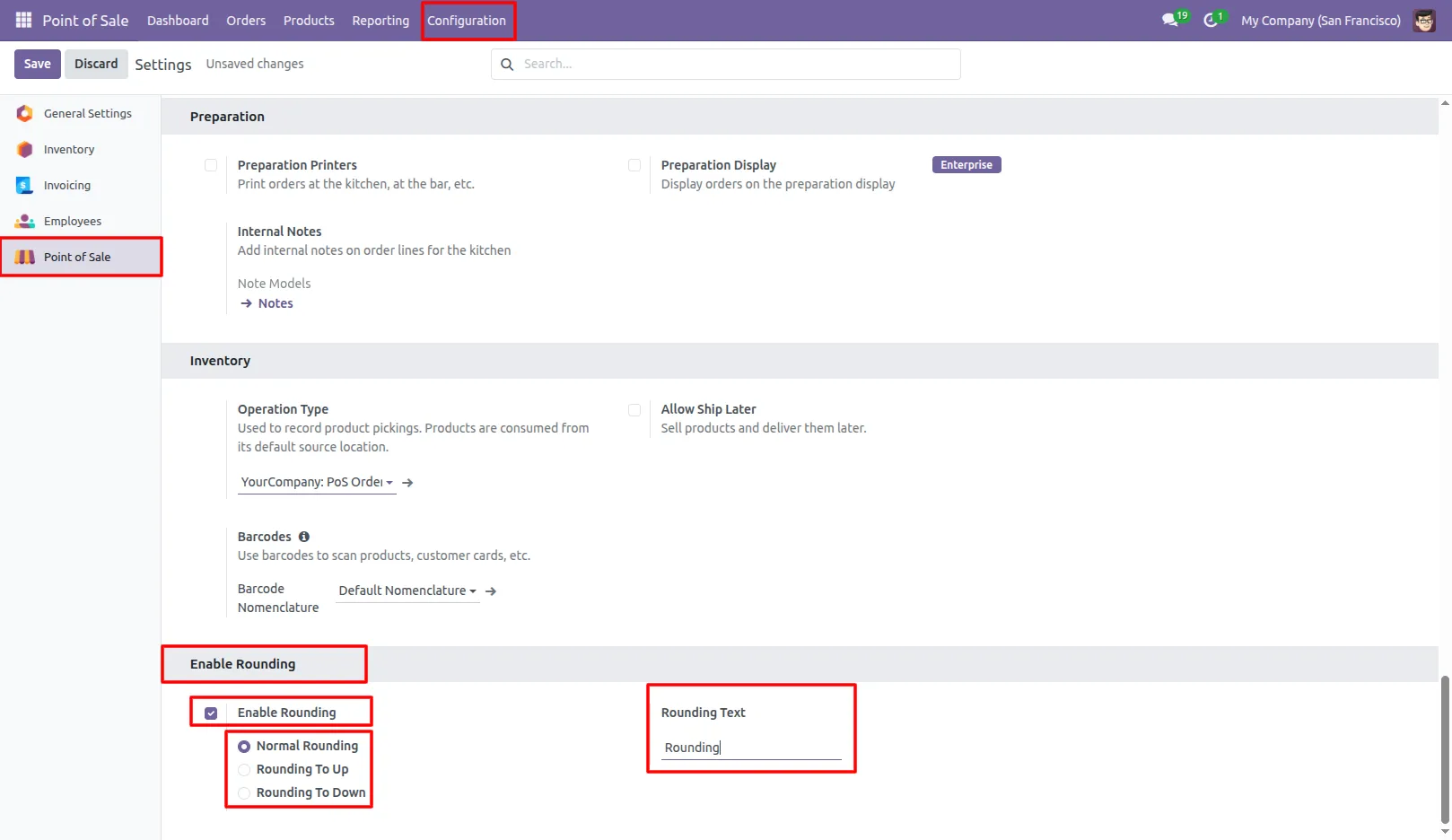
1.Go to Point of Sale Settings and enable rounding and configure rounding method and rounding product. Point of Sale → Configuration → Settings → Enable Rounding.
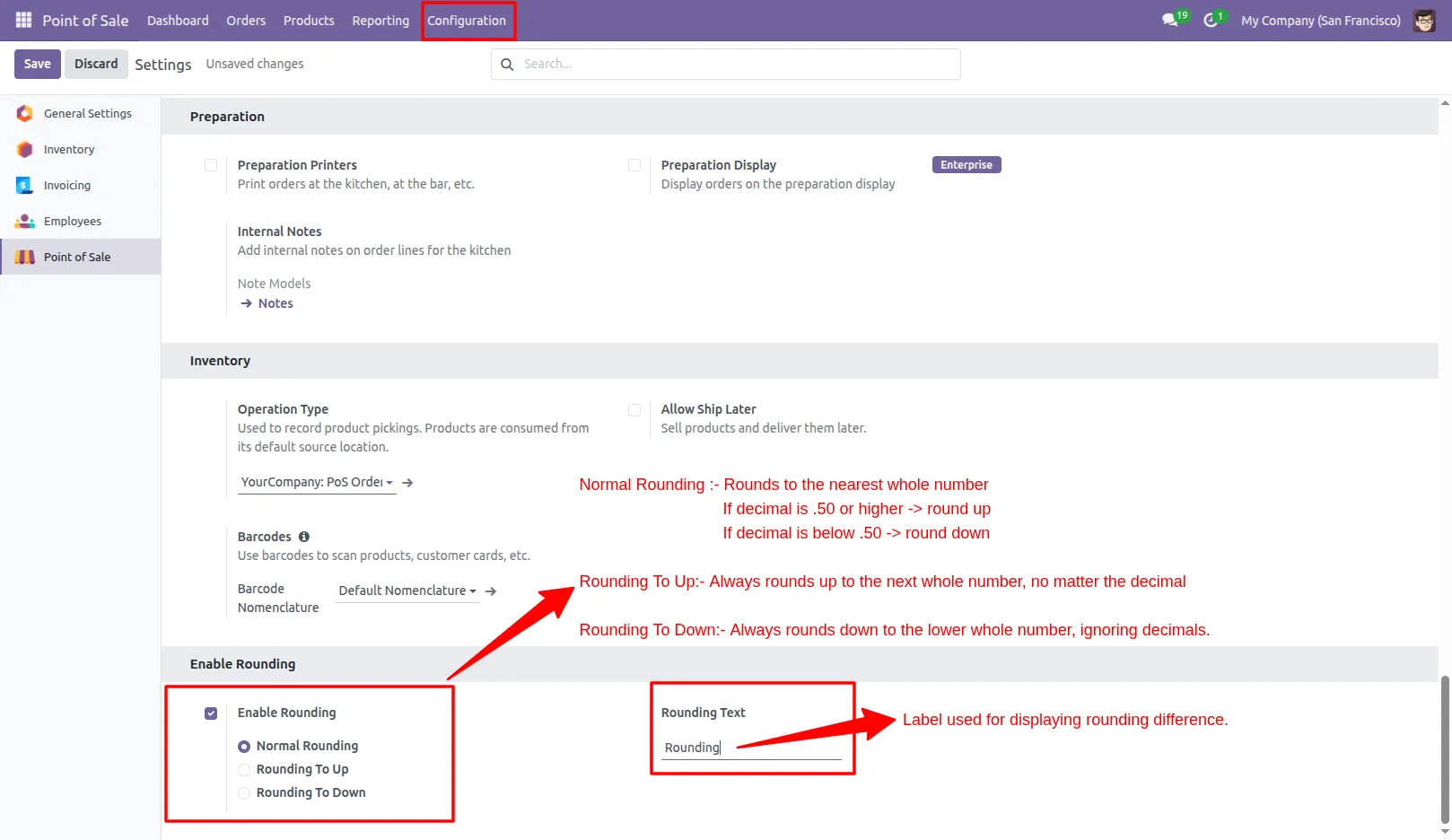
2.Configure rounding method and rounding product.
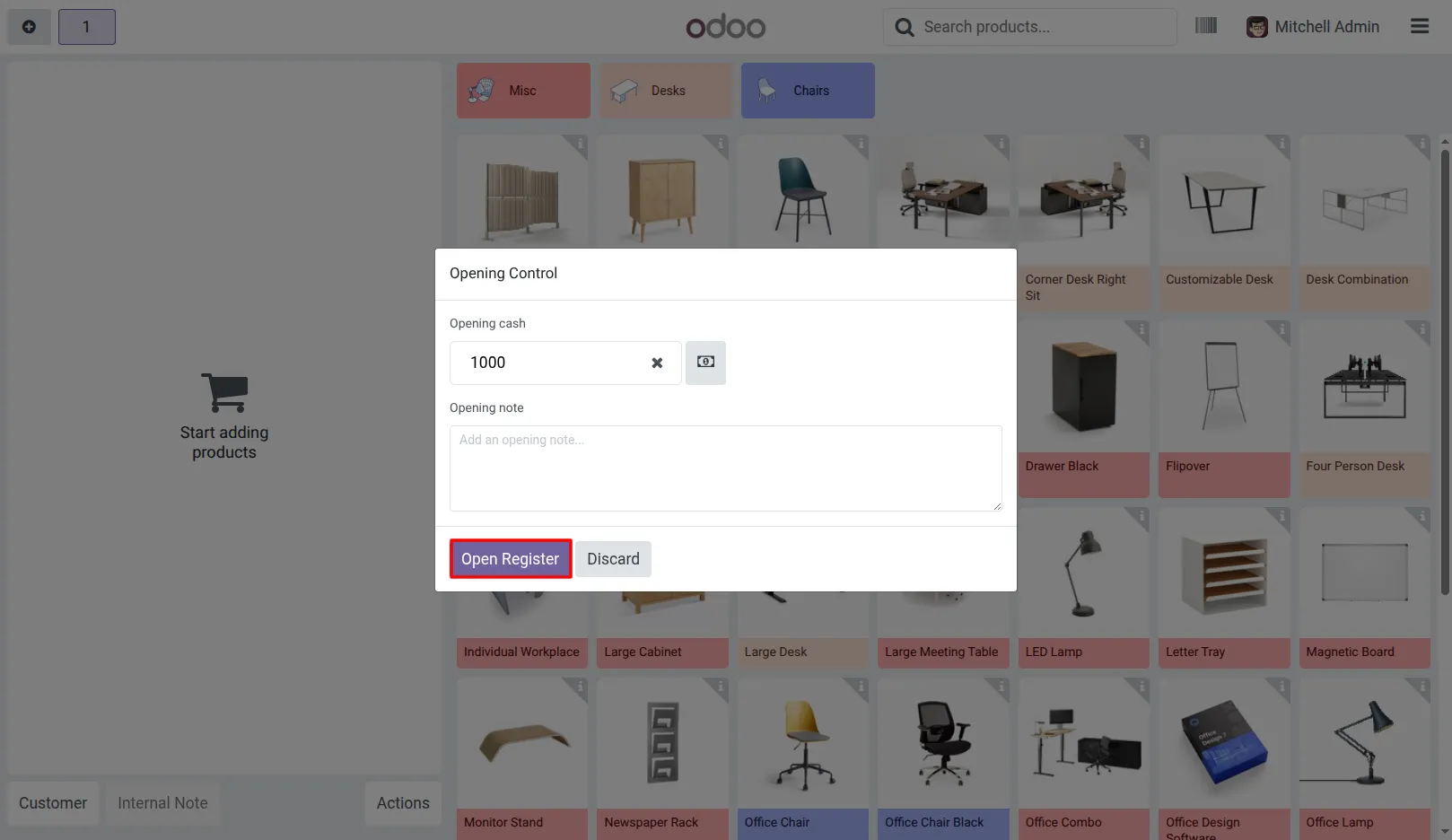
3.Open the Point of Sale and start a new session.
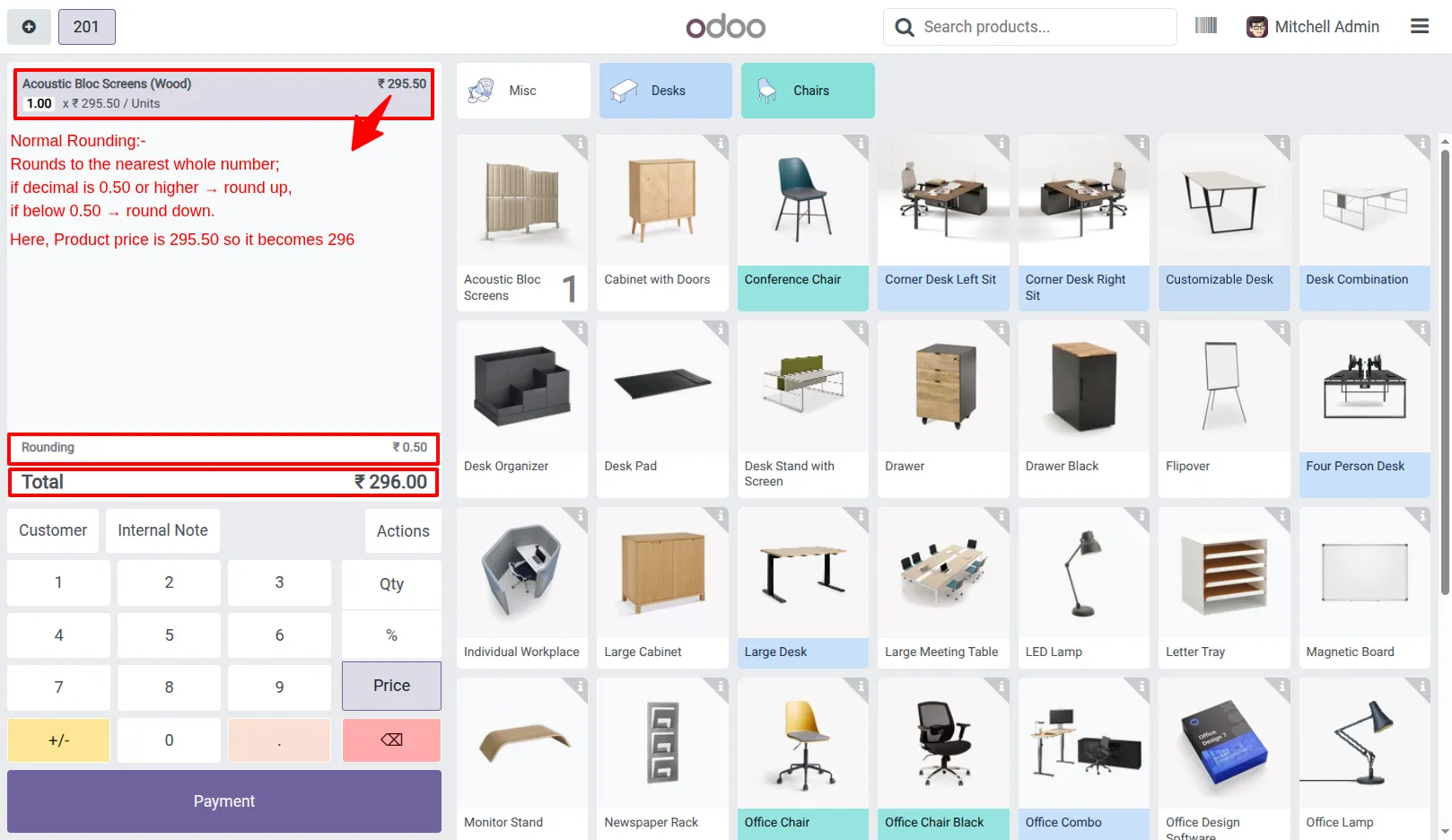
4.Select products in the POS interface. Rounding is applied automatically as items are added. Normal Rounding
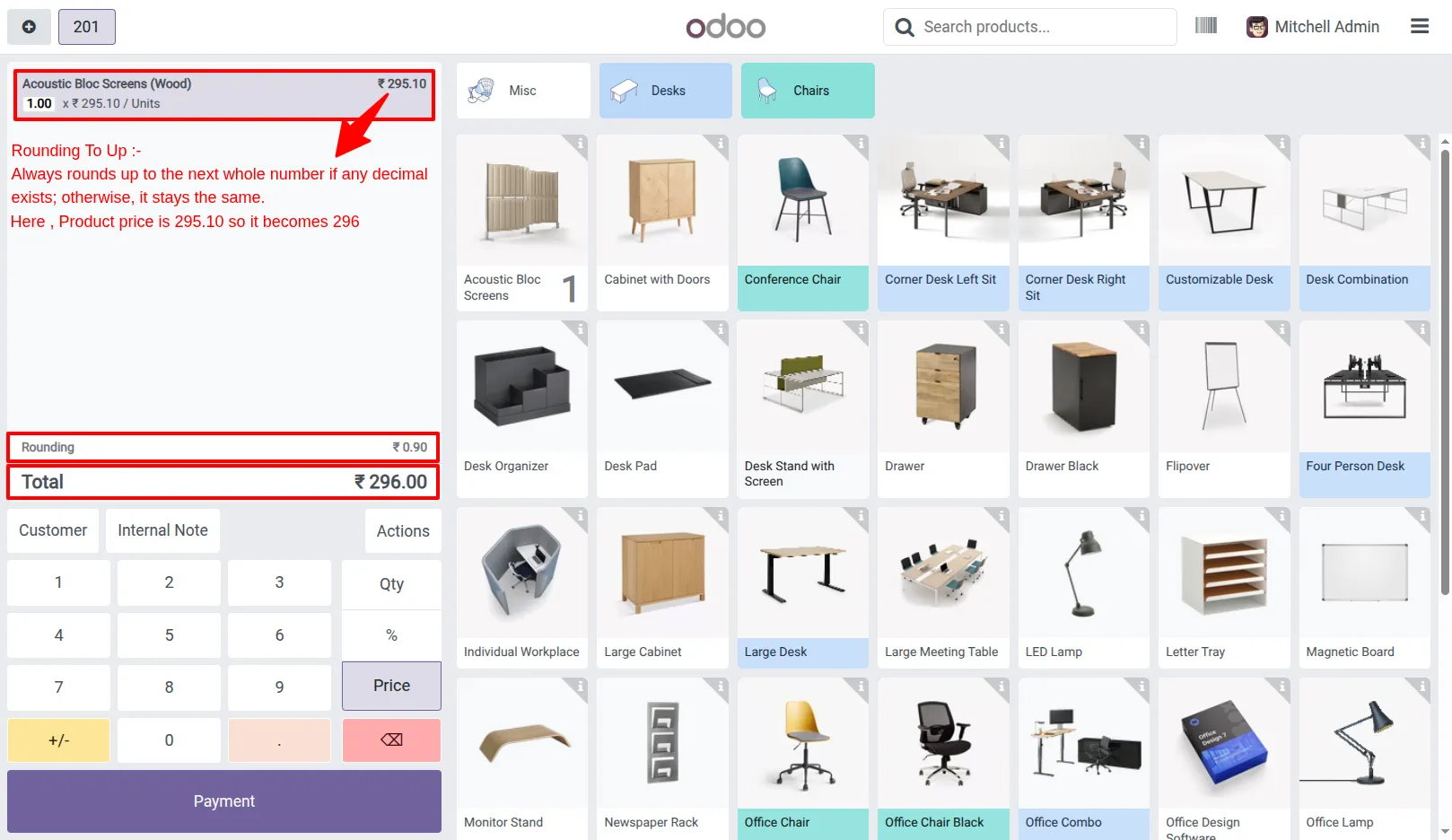
Rounding To Up
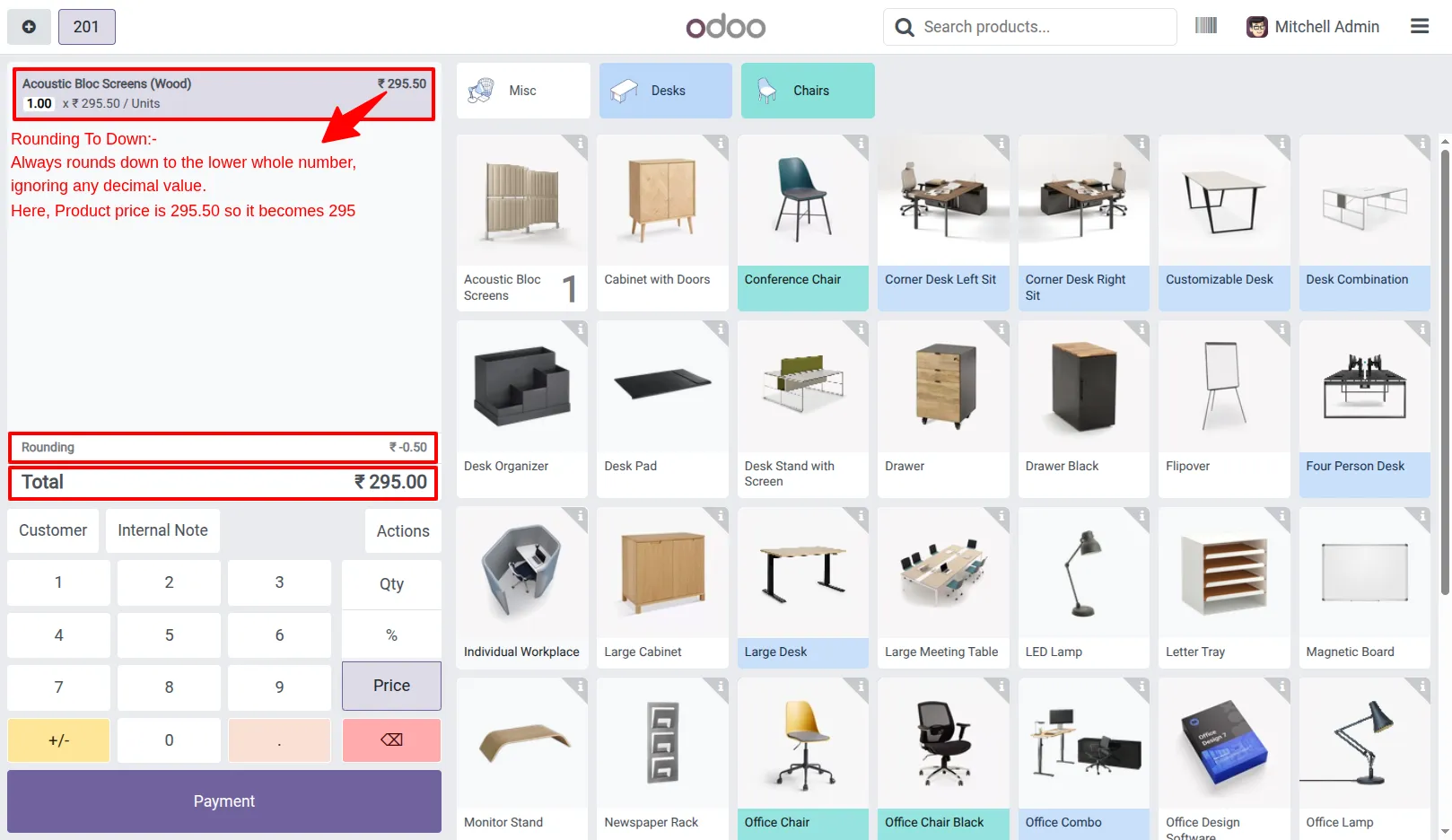
Rounding To Down
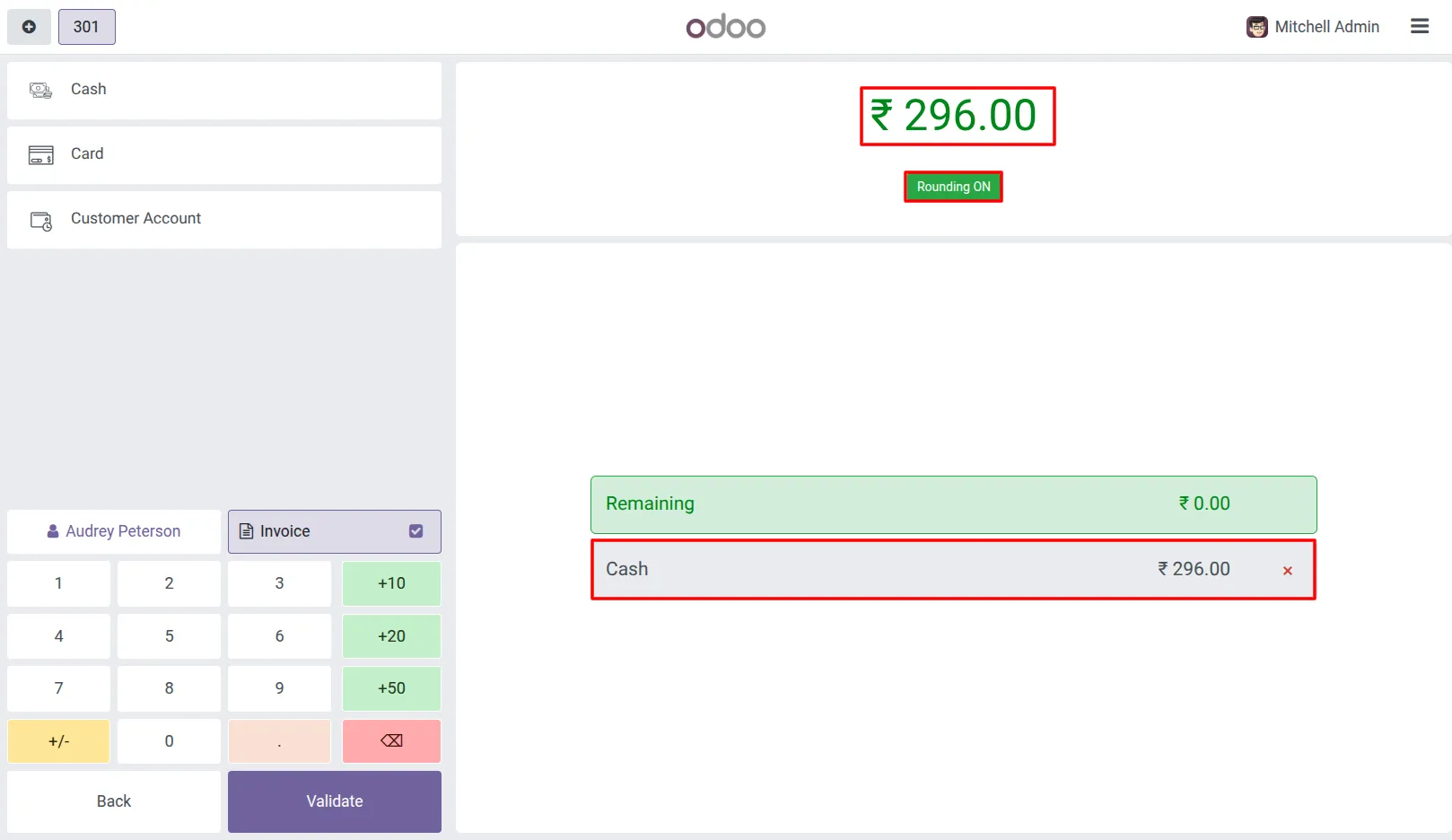
5.Use the rounding toggle in the payment screen. Users can turn Rounding ON or OFF as needed. If Turned OFF, the rounding amount will not be applied or displayed in the receipt or invoice. Rounding ON
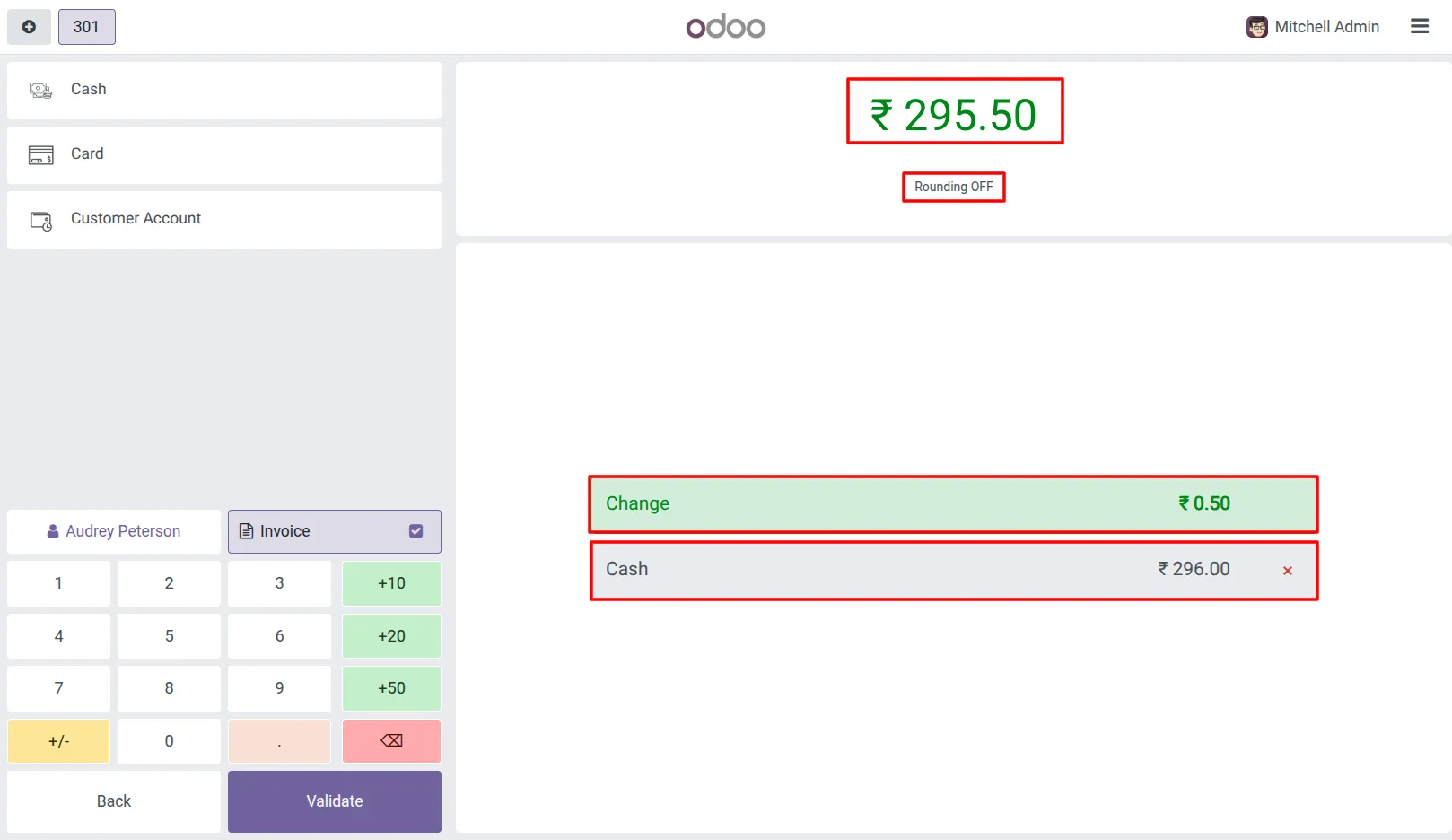
Rounding OFF
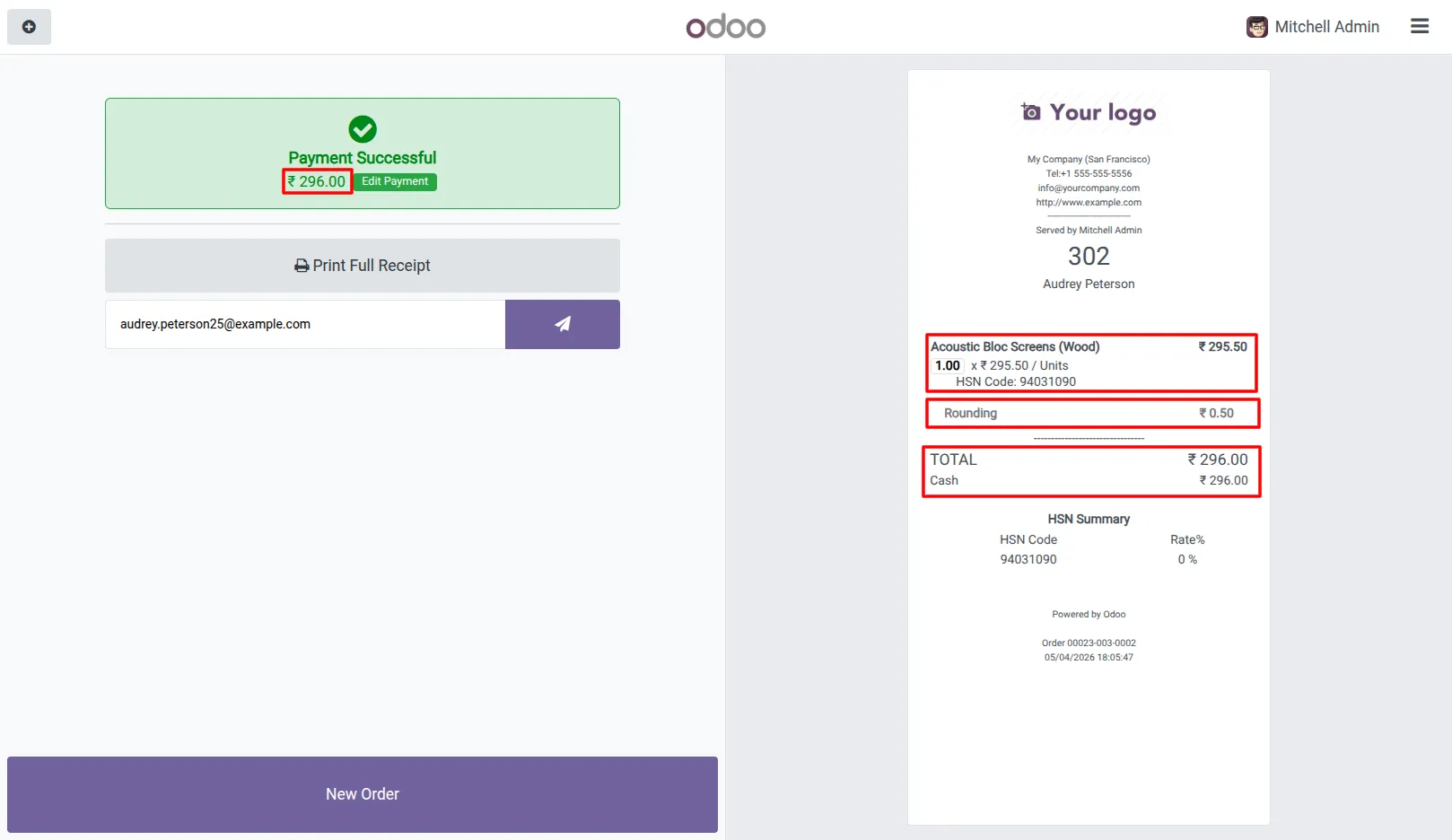
6.Complete the order and validate payment. The final amount reflects the configured rounding rules. Receipt Normal Rounding
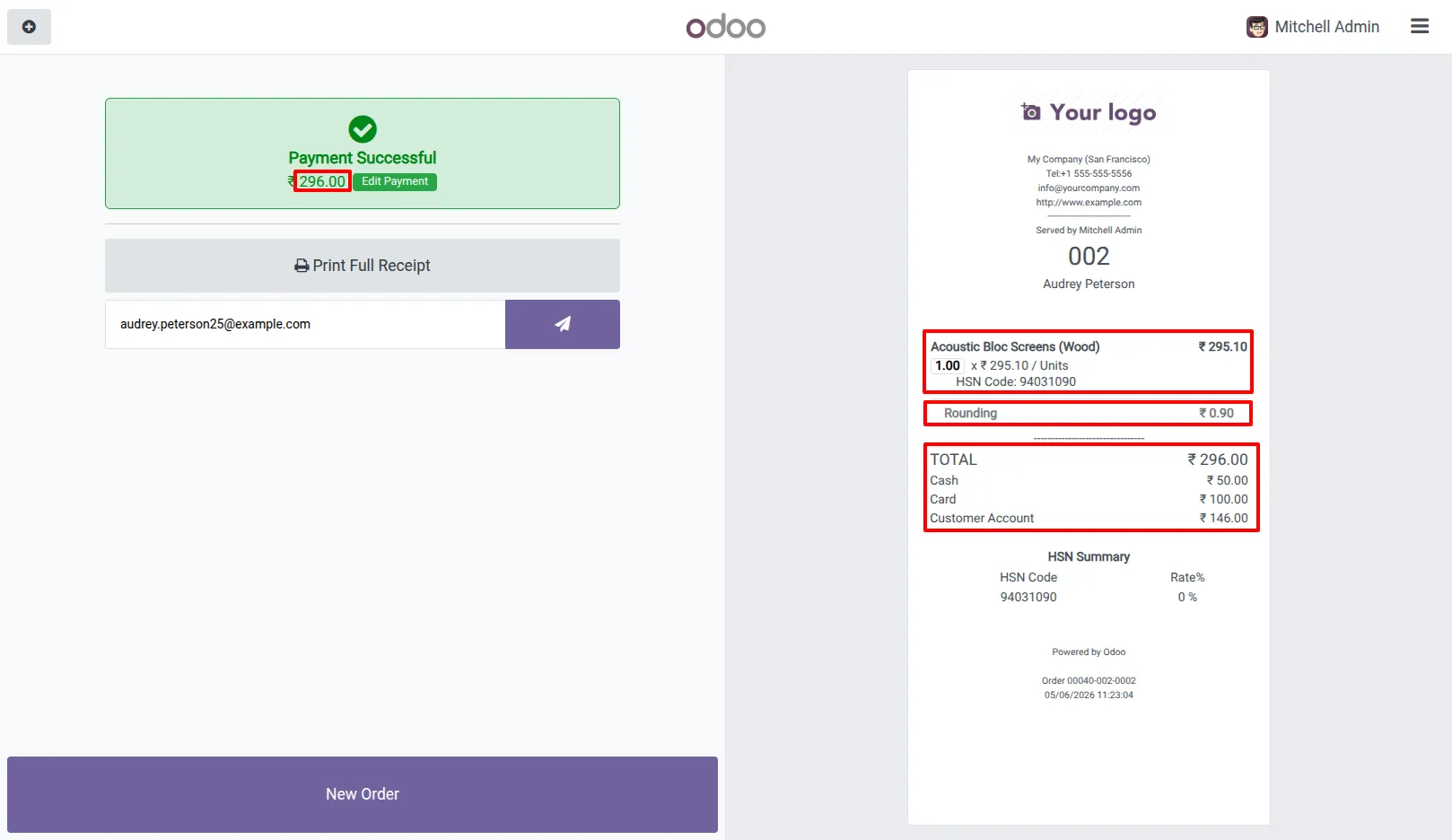
Rounding To Up
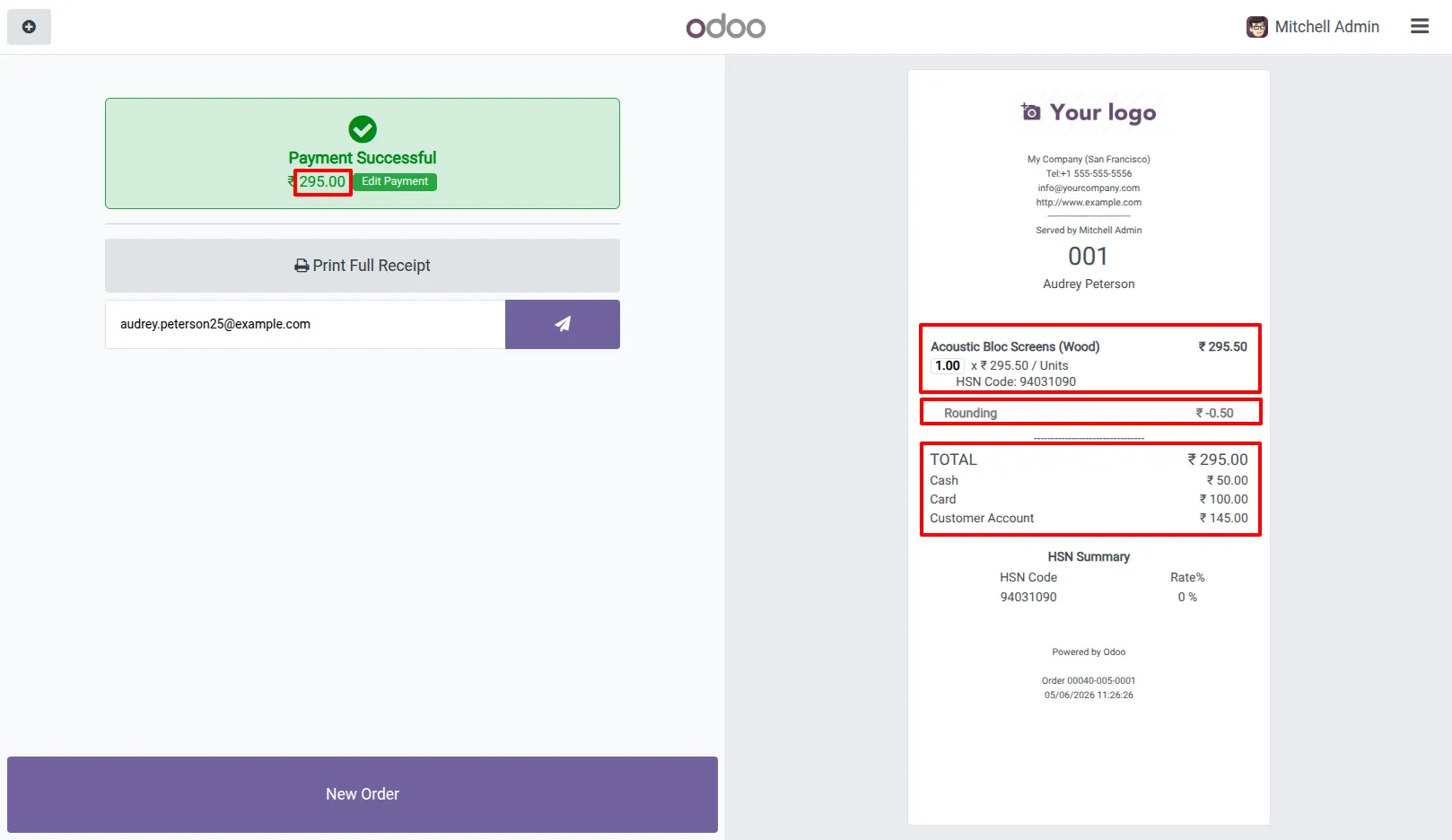
Rounding To Down
Our solutions focus on your problems
- Odoo Implementation
- Odoo Customization
- ERP Development and Implementation
- Odoo Ipass Cloud
- AI for Odoo
- Odoo Apps
- Aws Marketplace Products
- Business Engines
Our Pricing includes User Manual, 90 Days Support (Monday-Friday 10am to 7pm IST) and One time Setup
• Works & tested on standard installations of Odoo with no third party apps,
• Free support only for odoo installations with no third party apps,
• Paid support available for Odoo installations with third party apps.

Prefortune is a Odoo Official Partner, Odoo Development company. Our philosophy is to use Open Source tools and technologies to provide cost effective and green solutions for our customers.
Prefortune Technologies LLP is working on web development, Mobile development, and Odoo ERP.
If you need any help or want more additional features, you may contact us through:
Alternative Products
These other products might interest you
Specifications
| Version | 19.0, 18.0, 17.0, 16.0, 15.0, 14.0 |