Watch Quick Video
POS Payment Reference & Details Odoo App
Our all-inclusive Odoo – POS Payment Reference & Details app helps businesses capture payment reference numbers and additional notes directly in the Point of Sale, improving payment tracking and reducing missing transaction information. This module adds a quick “Payment Reference” option on the POS Payment Screen, allowing cashiers to enter a reference number and other details in just a few clicks.
The module supports a smooth POS payment flow with a clean popup entry, letting users add or review the reference and details before validating the order. This is ideal for UPI/Bank transfers, card payments, cheque references, and any transaction that requires proof or identification—without re-entering information later.
The feature can be enabled from POS configuration and applied to selected payment methods, so the Payment Reference option appears only where it is needed. This ensures better control, cleaner usage, and avoids unnecessary fields for all payment types.
Once saved, the Payment Reference is stored with the payment and becomes available for verification in the backend, helping accountants and managers match POS payments with bank statements quickly and accurately.
Seamlessly integrated with standard Odoo POS, the app improves reconciliation, supports audits, saves time during daily closing, and keeps payment documentation organized—without changing your existing Point of Sale workflow.
POS Payment Reference & Details Odoo App
- Add Payment Reference directly on the POS Payment Screen in a few clicks.
- “Payment Reference” option available on payment lines for quick entry.
- Clean popup to enter Payment Reference and Other Details before validating.
- Enable/disable from POS configuration and apply to selected payment methods.
- Payment Reference is saved and visible in POS Order payments and Payments list for tracking.
Complete Workflow for Manage POS Payment Reference & Details Odoo App
First we need to activate POS Payment Reference & Details then enable the feature from Point of Sale Settings (Enable Payment Reference) and choose the payment methods where it should appear. After that, open a POS session, go to the Payment Screen, and use the Payment Reference option on the payment line. Select Payment Method, Click Payment Reference, Enter Reference & Other Details, Apply, Validate Order once confirmed, the system will save the Payment Reference with the payment and make it visible in POS Order Payments and Orders → Payments for easy tracking, reconciliation, and audits—without changing the normal POS workflow.
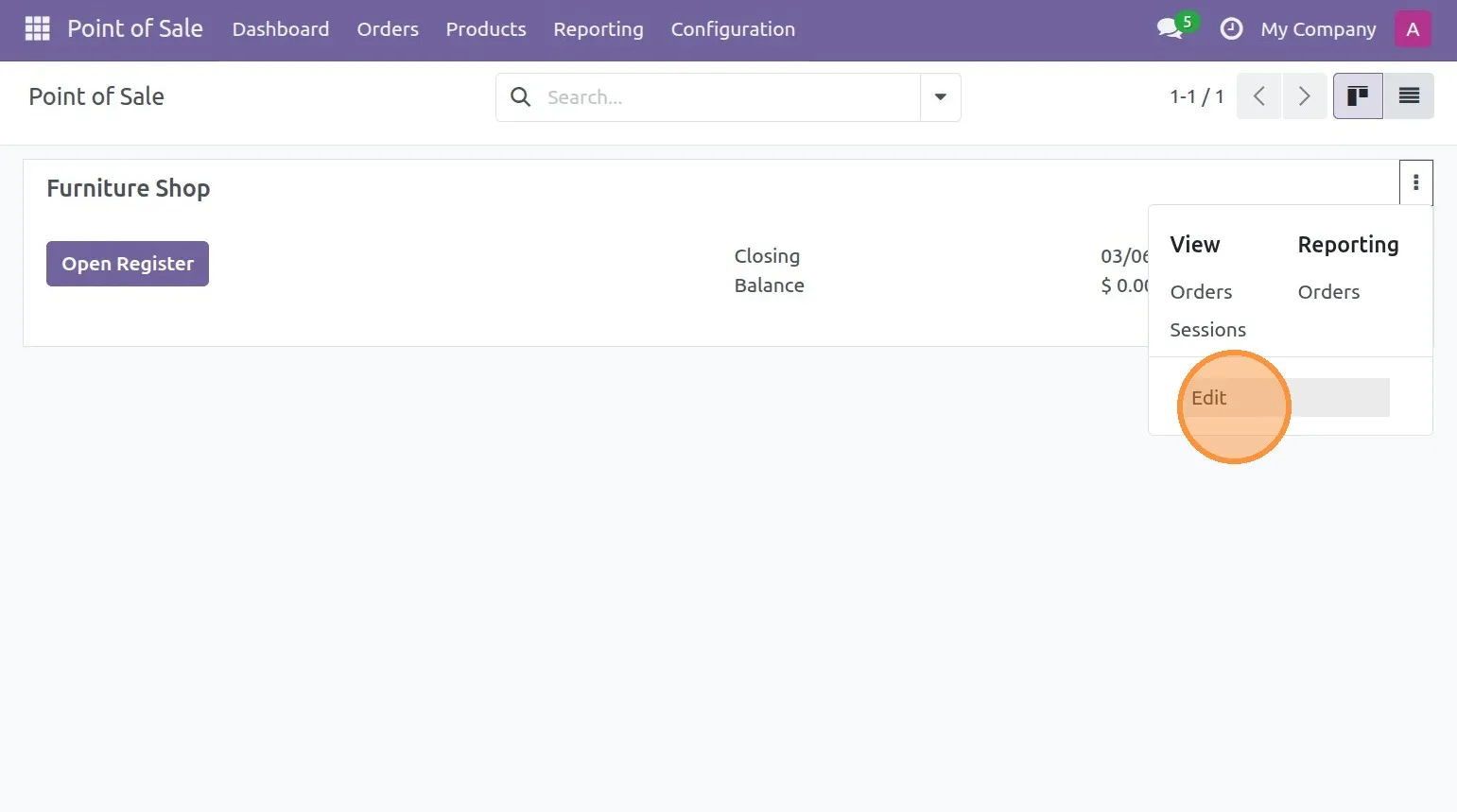
1. From POS Dashboard, click the 3 dots menu on your POS shop and choose “Edit”.
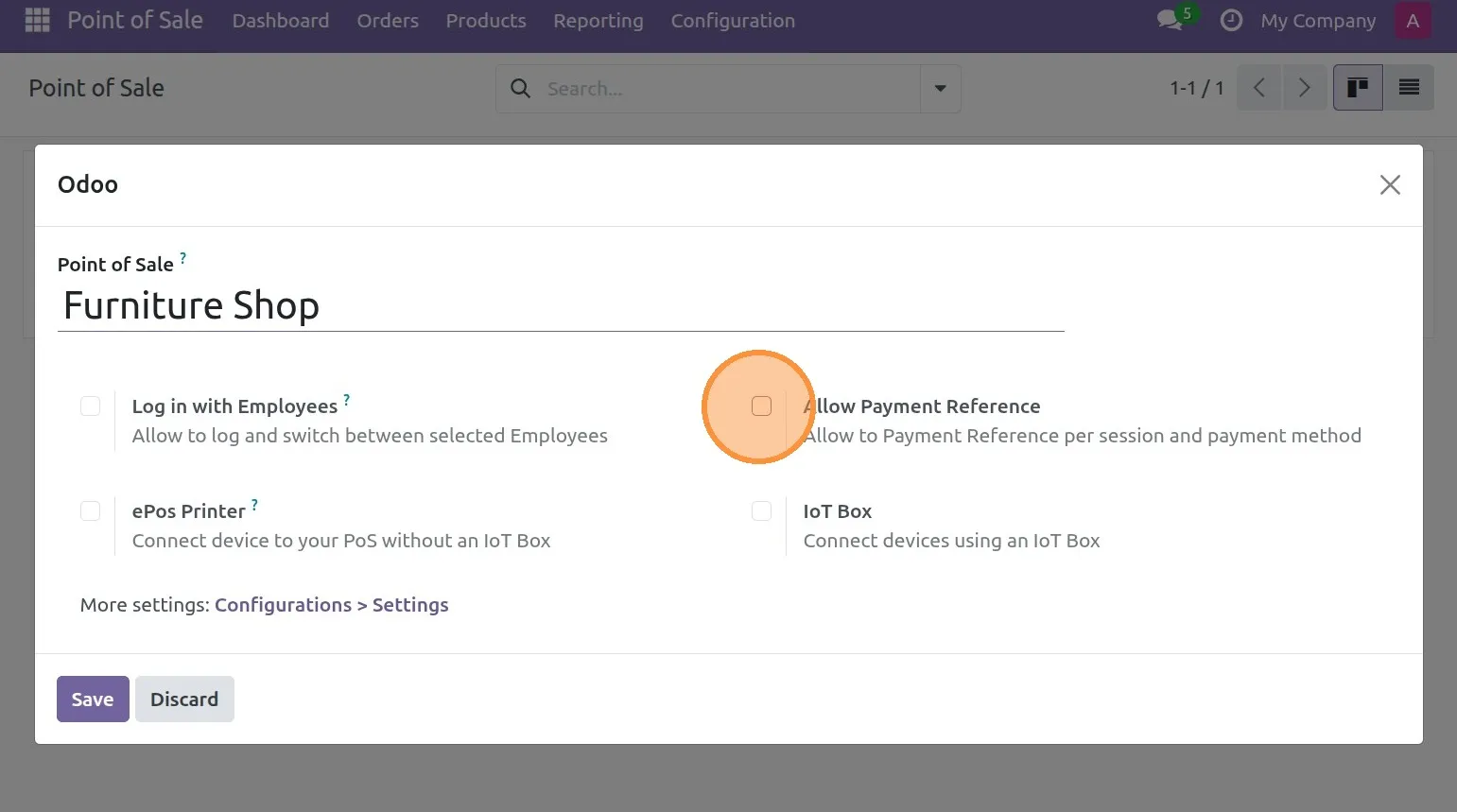
2. In POS settings, Enable “Allow Payment Reference” to activate reference entry on payment lines.
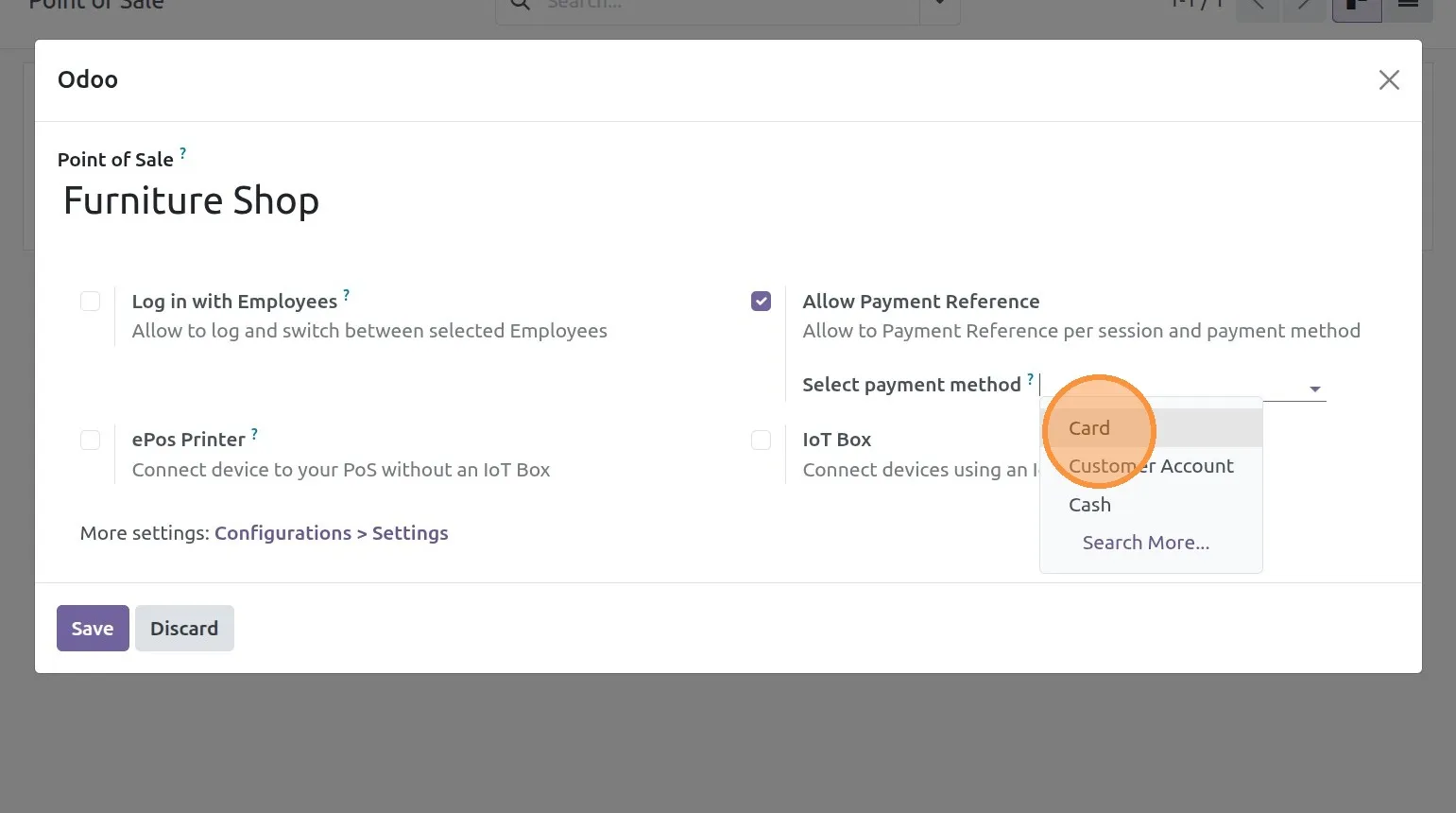
3. Select the payment methods where Payment Reference should be allowed.
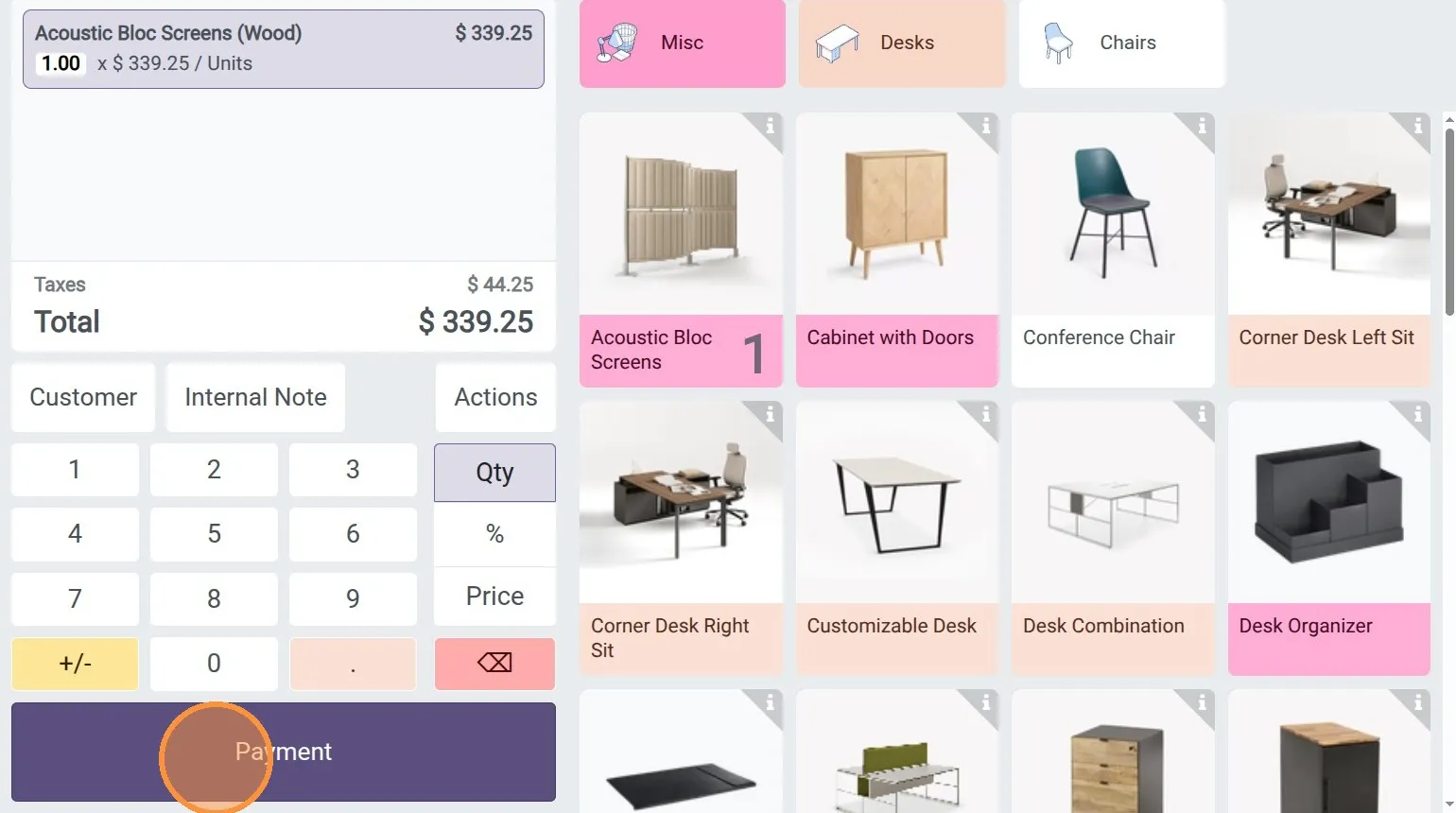
4. Open a POS session and create an order And Tap Payment.
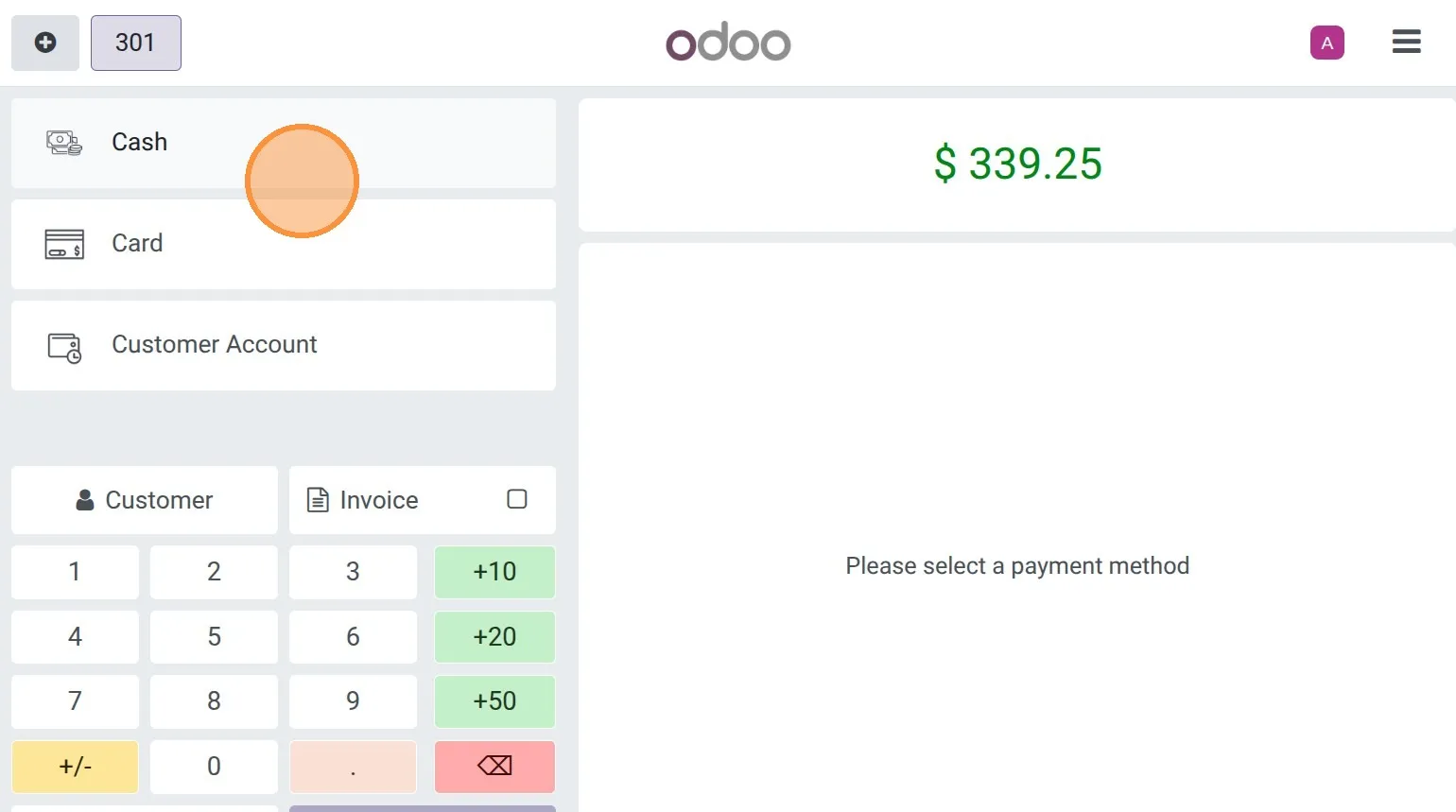
5. Go to the Payment screen and select the configured payment method.
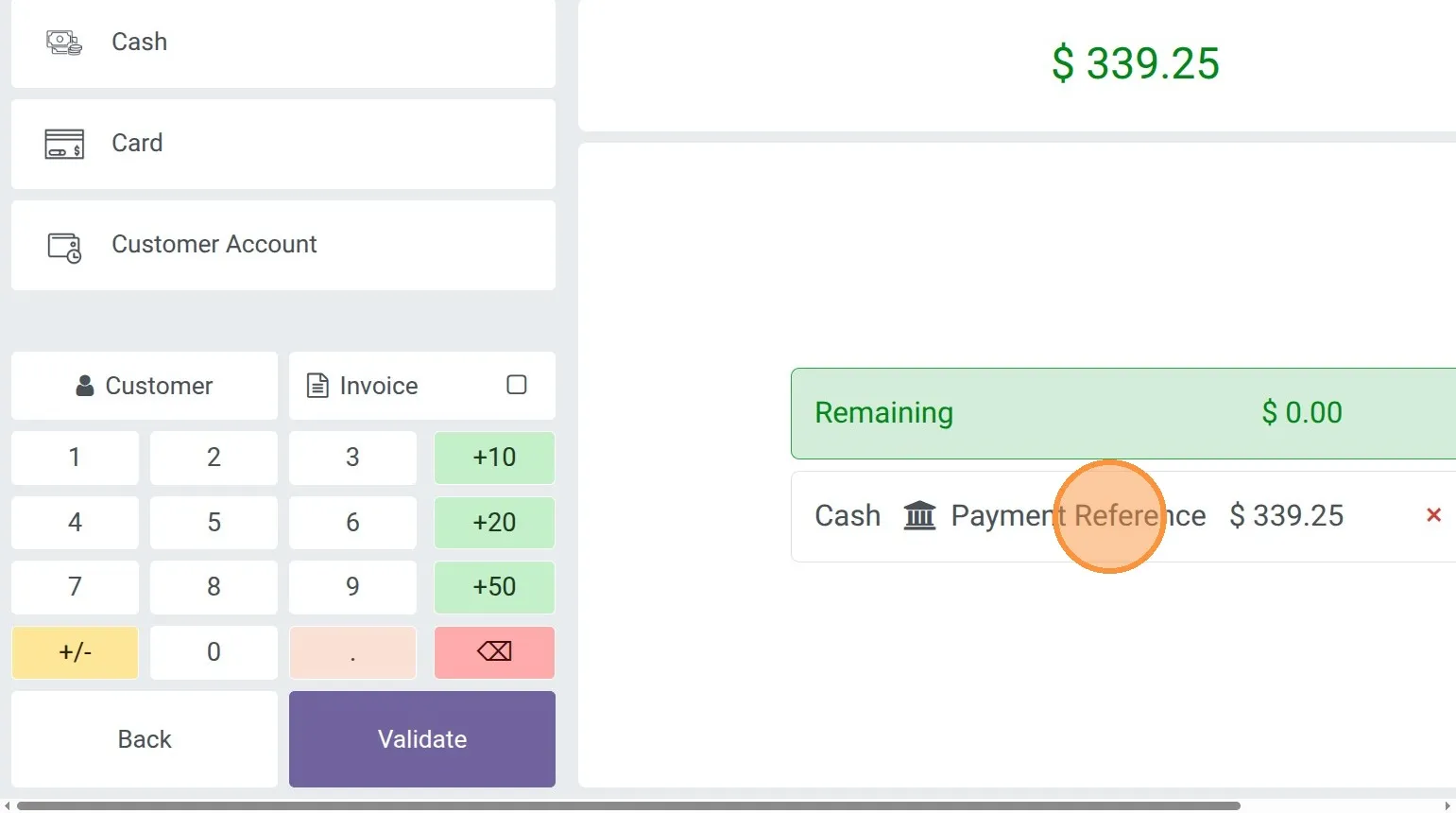
6.Click “Payment Reference” on the payment line to open the details popup.
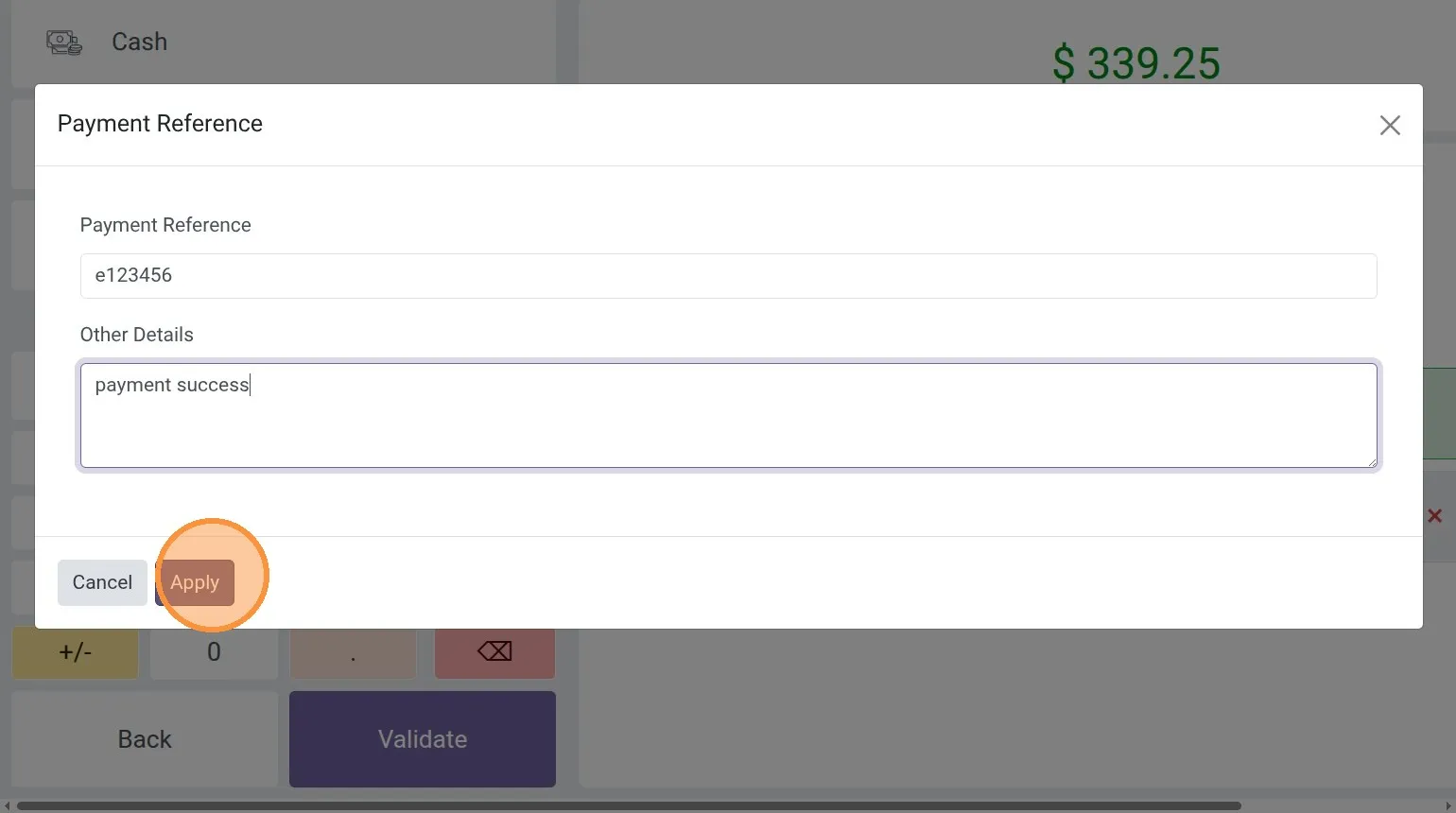
7. Enter “Payment Reference” and “Other Details” in the popup.
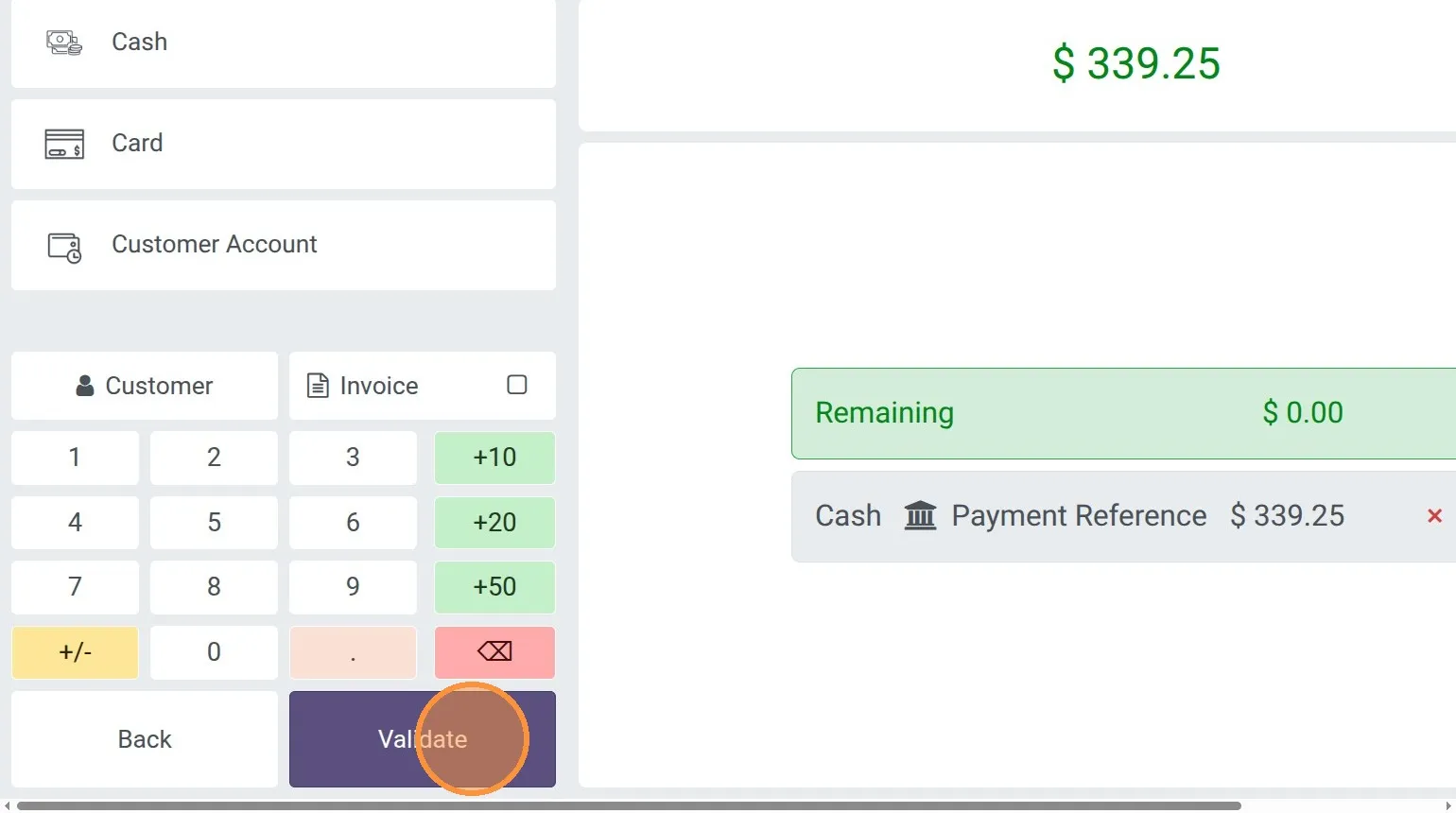
8. then Validate the order.
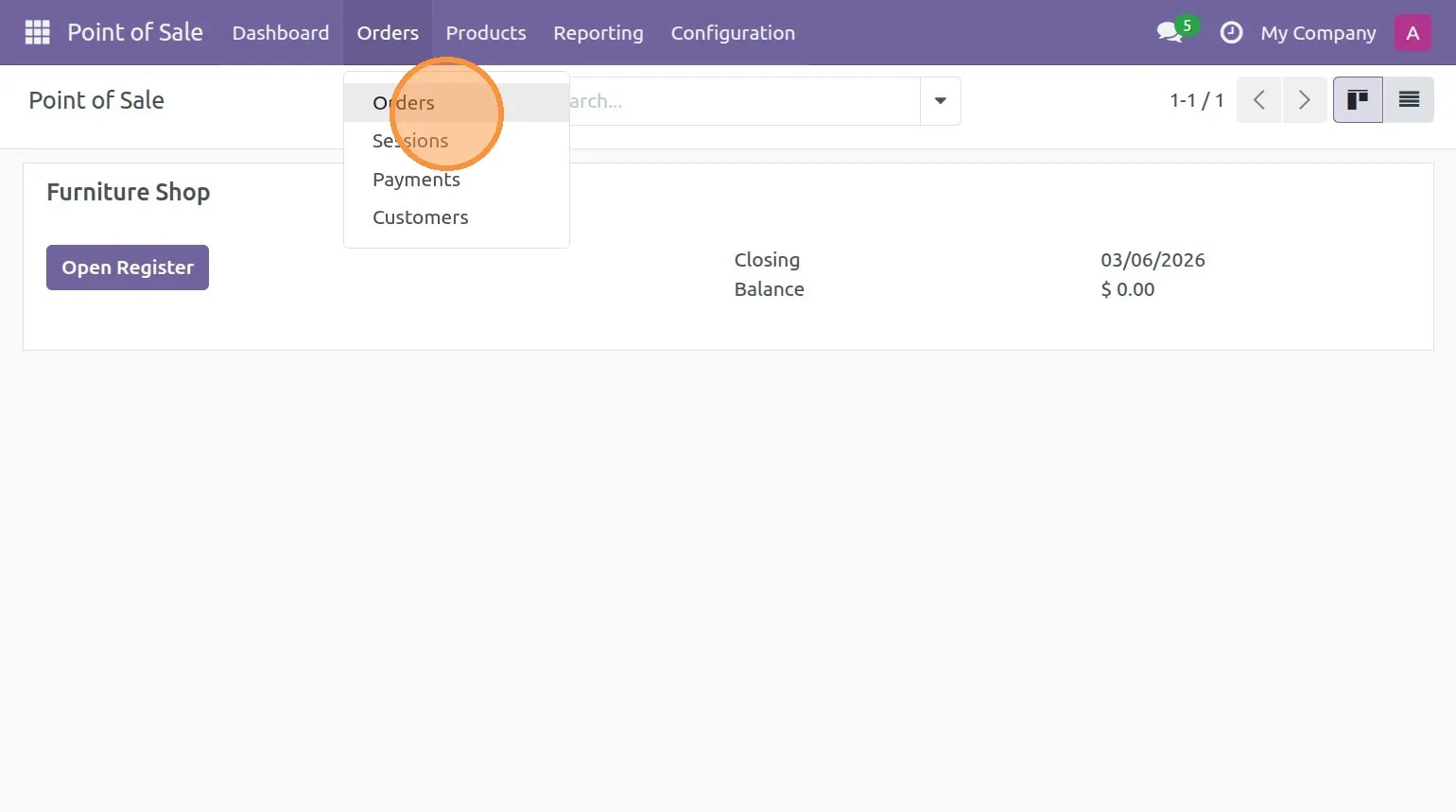
9. Point of Sale → Orders → Orders, open the order.
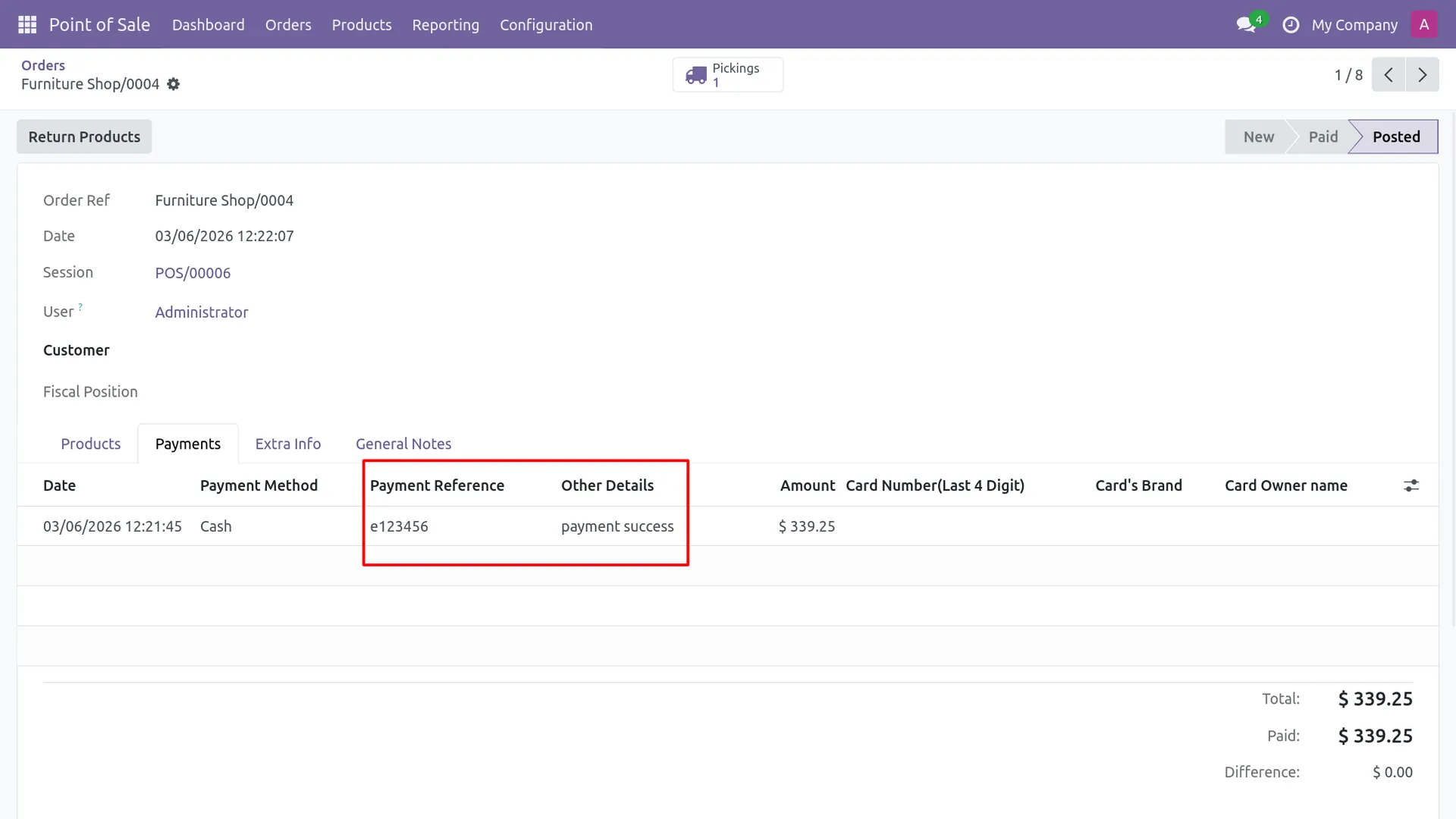
10. check the Payments tab for the reference.
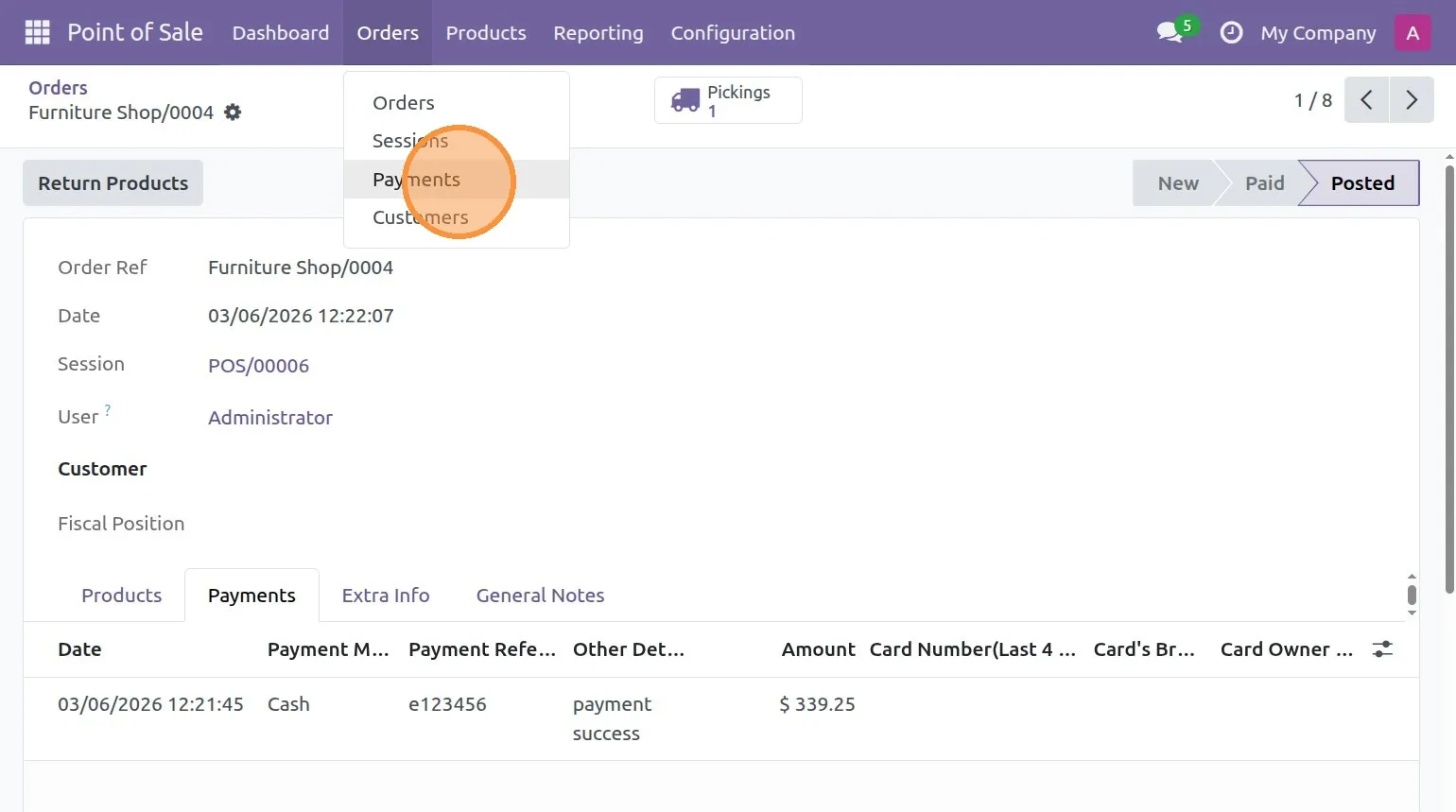
11. Go to Point of Sale → Orders → Payments.
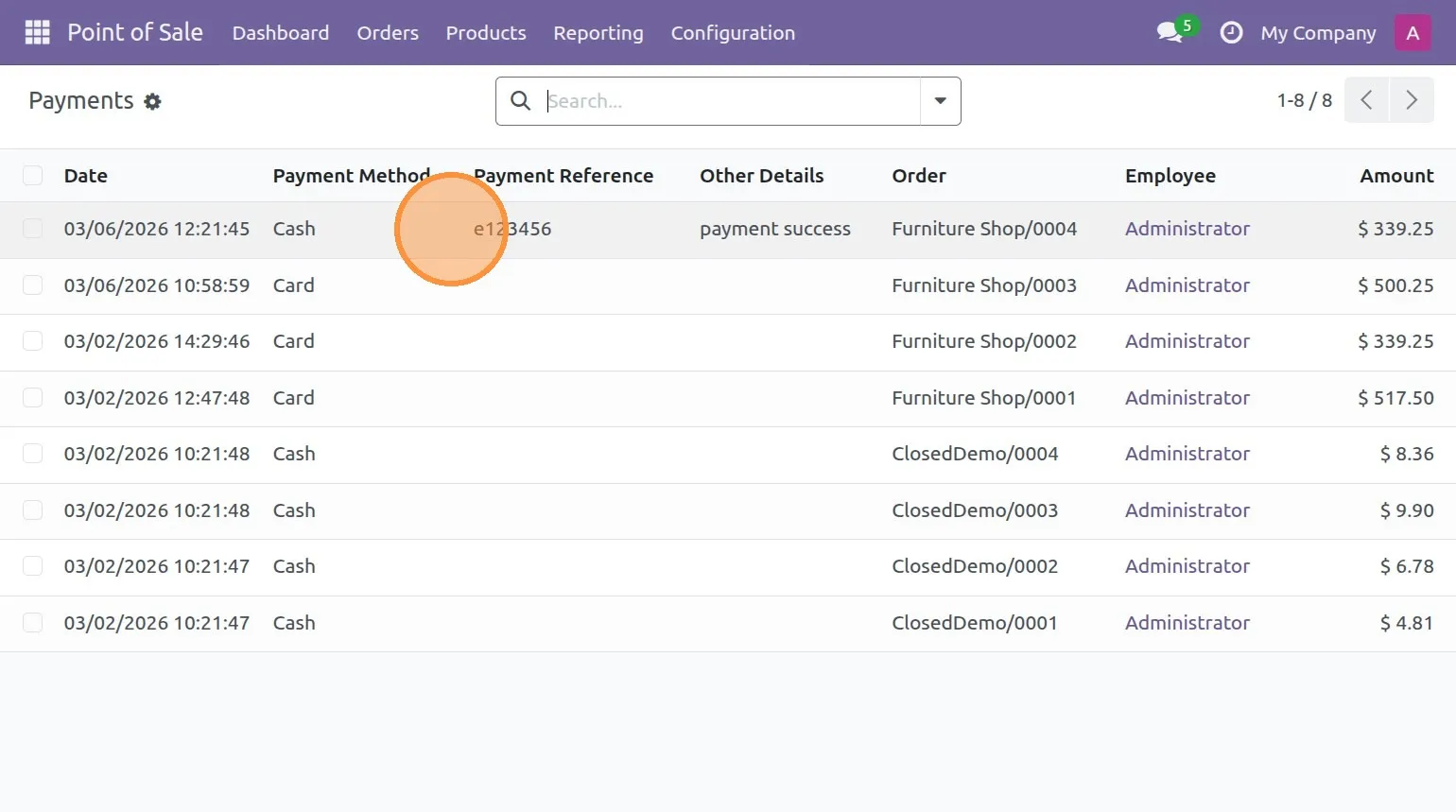
12. view Payment Reference in the payments list.
Our solutions focus on your problems
- Odoo Implementation
- Odoo Customization
- ERP Development and Implementation
- Odoo Ipass Cloud
- AI for Odoo
- Odoo Apps
- Aws Marketplace Products
- Business Engines
Our Pricing includes User Manual, 90 Days Support (Monday-Friday 10am to 7pm IST) and One time Setup
• Works & tested on standard installations of Odoo with no third party apps,
• Free support only for odoo installations with no third party apps,
• Paid support available for Odoo installations with third party apps.

Prefortune is a Odoo Official Partner, Odoo Development company. Our philosophy is to use Open Source tools and technologies to provide cost effective and green solutions for our customers.
Prefortune Technologies LLP is working on web development, Mobile development, and Odoo ERP.
If you need any help or want more additional features, you may contact us through:
Alternative Products
These other products might interest you
Specifications
| Version | 19.0, 18.0, 17.0, 16.0, 15.0, 14.0 |