Watch Quick Video
POS Happy Hours - Discount based on Category/Product Odoo App
Our all-inclusive Odoo – POS Happy Hours - Discount based on Category/Product Odoo App helps businesses increase sales by offering automated time-based discounts directly in the Point of Sale system. This module allows users to create flexible “Happy Hour” rules where discounts can be applied to specific products or categories based on defined time ranges and selected days. Users can easily configure the discount percentage, start and end time, and assign the promotion to specific POS shops, ensuring precise control over when and where the offer is active.
Once configured, these rules are automatically applied during POS operations without any manual intervention. When a product is added to the cart during an active happy hour period, the system instantly updates the price with the applicable discount, giving clear visibility to both the cashier and the customer. The module also records discount details in POS orders, making it easy to track and manage promotions from the backend.
Seamlessly integrated with the standard Odoo POS workflow, this app helps businesses attract more customers during specific hours, improve sales performance, and manage promotional campaigns efficiently—without disrupting existing processes.
POS Happy Hours - Discount based on Category/Product Odoo App
- Configure happy hour discounts for specific products or categories.
- Set start time, end time, and days for automatic promotion activation.
- Apply discount rules to selected POS shops or configurations.
- Automatically apply discounts in POS during active happy hours.
- Real-time price updates visible to cashier and customer.
Complete Workflow for Manage POS Happy Hours - Discount based on Category/Product Odoo App
First we need to activate POS Happy Hours - Discount based on Category/Product then enable the feature from Point of Sale Settings (Happy Hours). After that, configure the promotion rules from Point of Sale → Configuration → Happy Hours by setting discount percentage, products or categories, time range, and days. Set Schedule, Assign POS Shop, Activate Rule once configured, open a POS session and add products during the defined time, the system will automatically apply the discount and update the price in real-time, helping businesses run promotions smoothly, attract customers during specific hours, and manage discounts efficiently without changing the normal POS workflow.
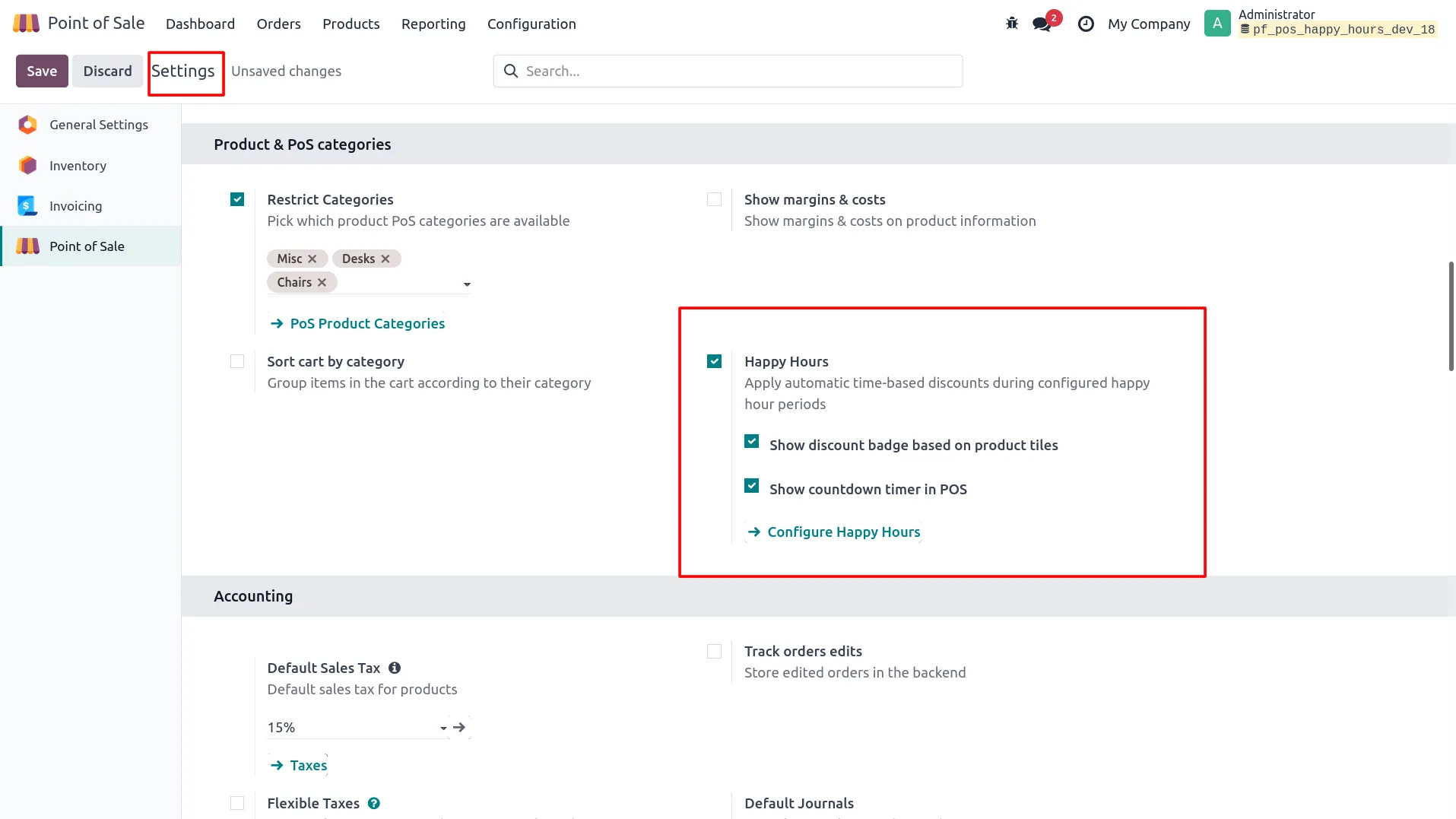
1. Enable “Happy Hours” feature from Point of Sale Settings.
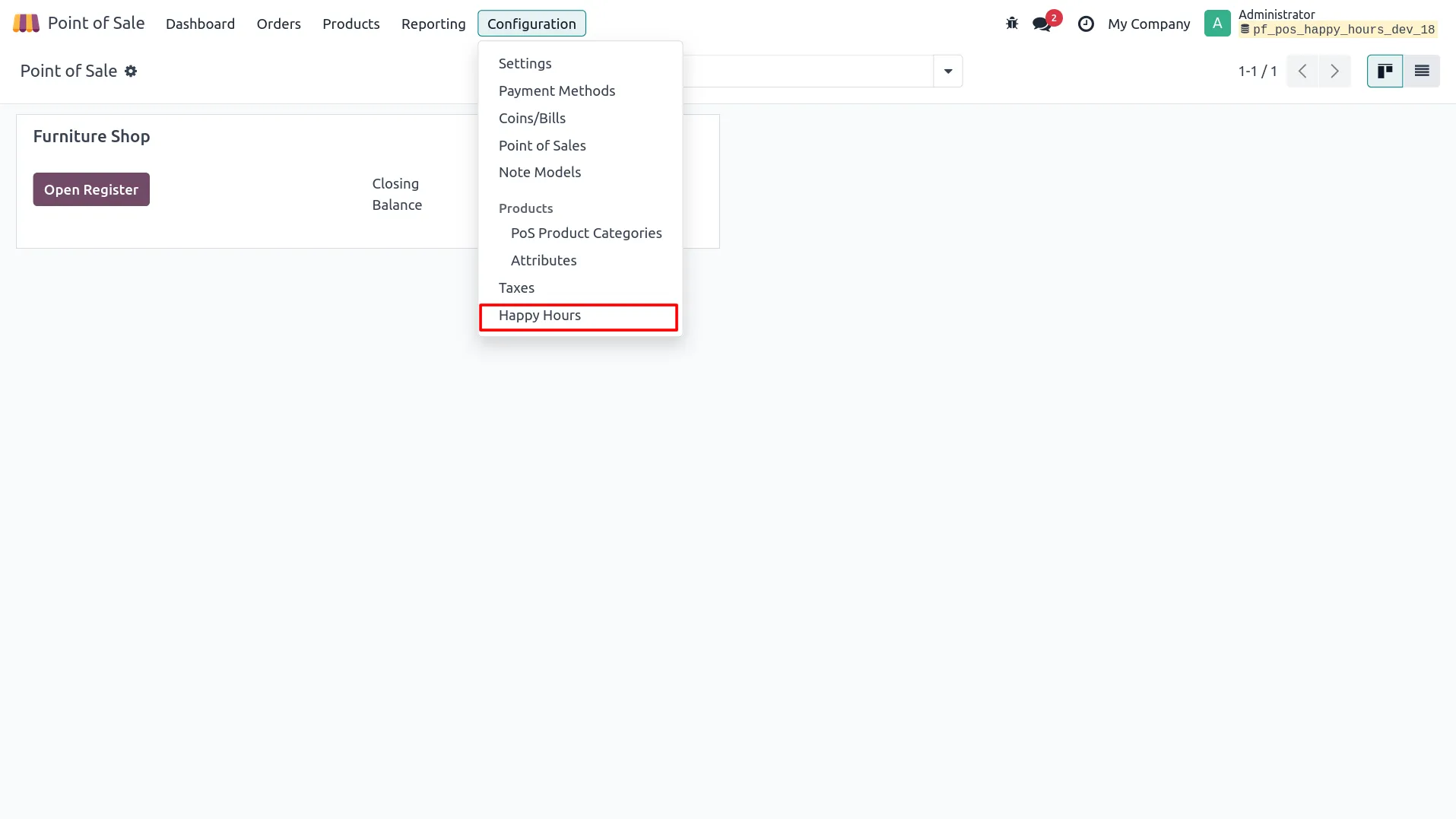
2. Open Happy Hours menu from Point of Sale Configuration.
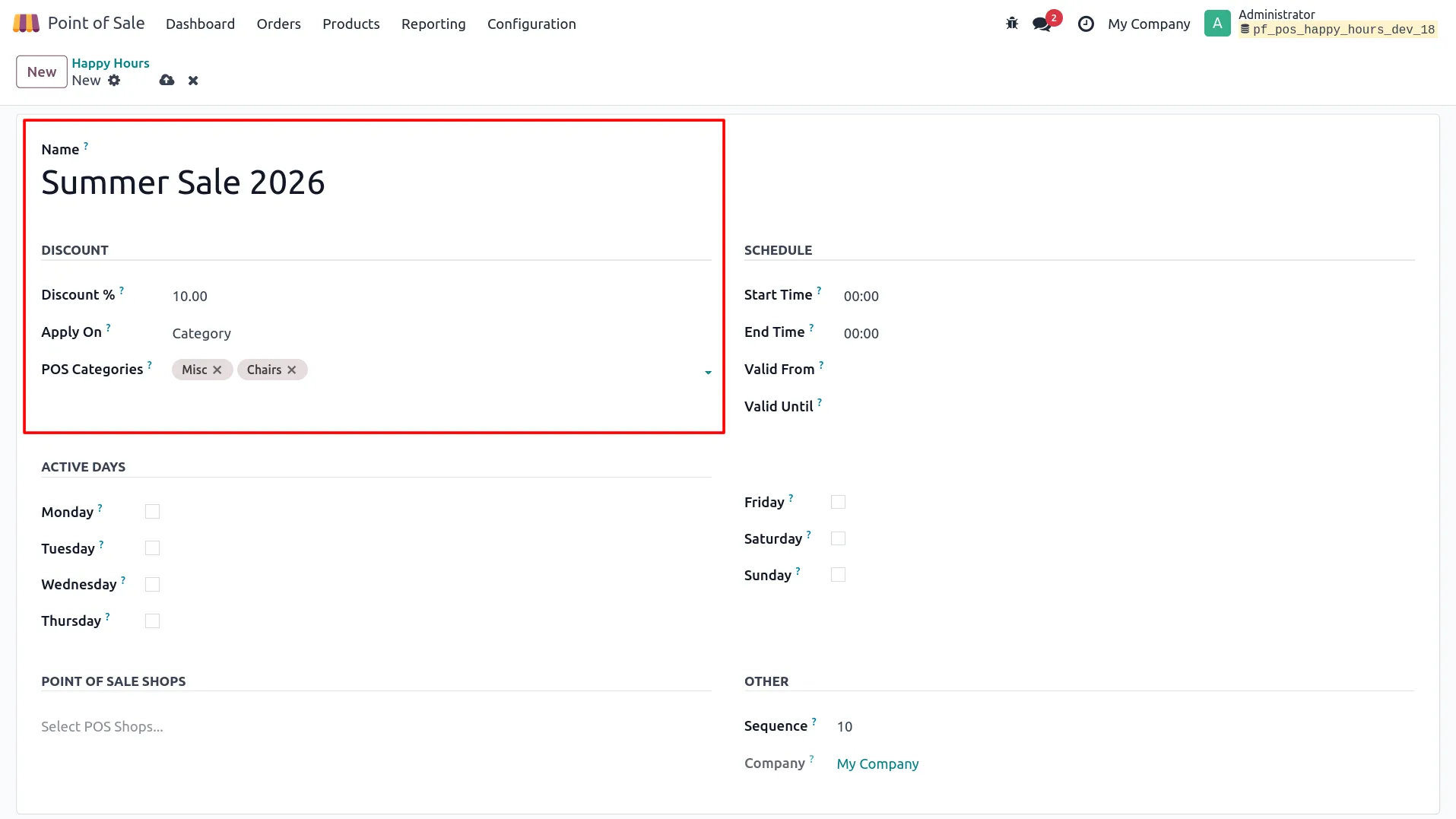
3. Create Happy Hour rule with name, discount %, and select product or POS category.
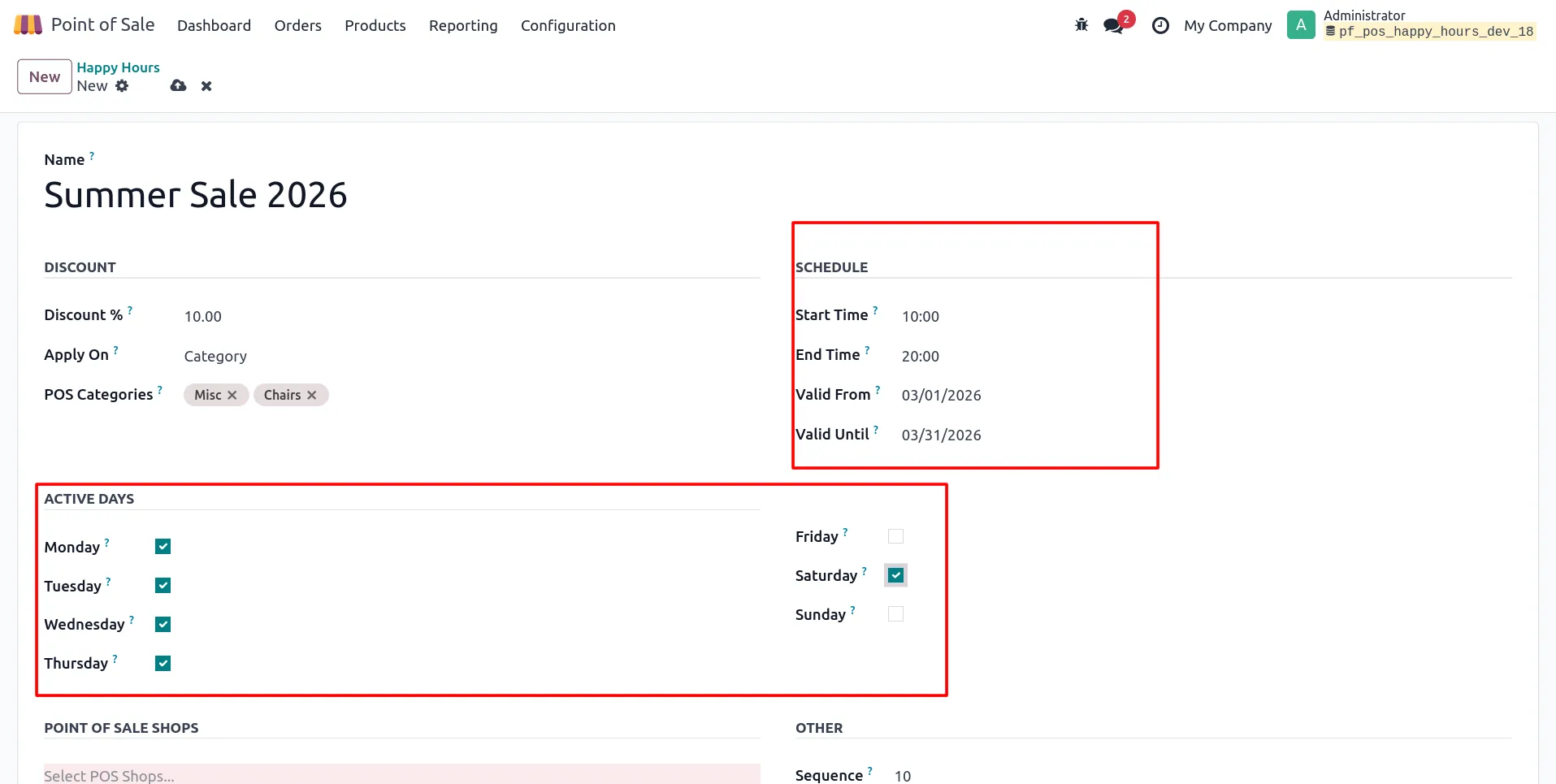
4. Configure schedule with start time, end time, and active days.
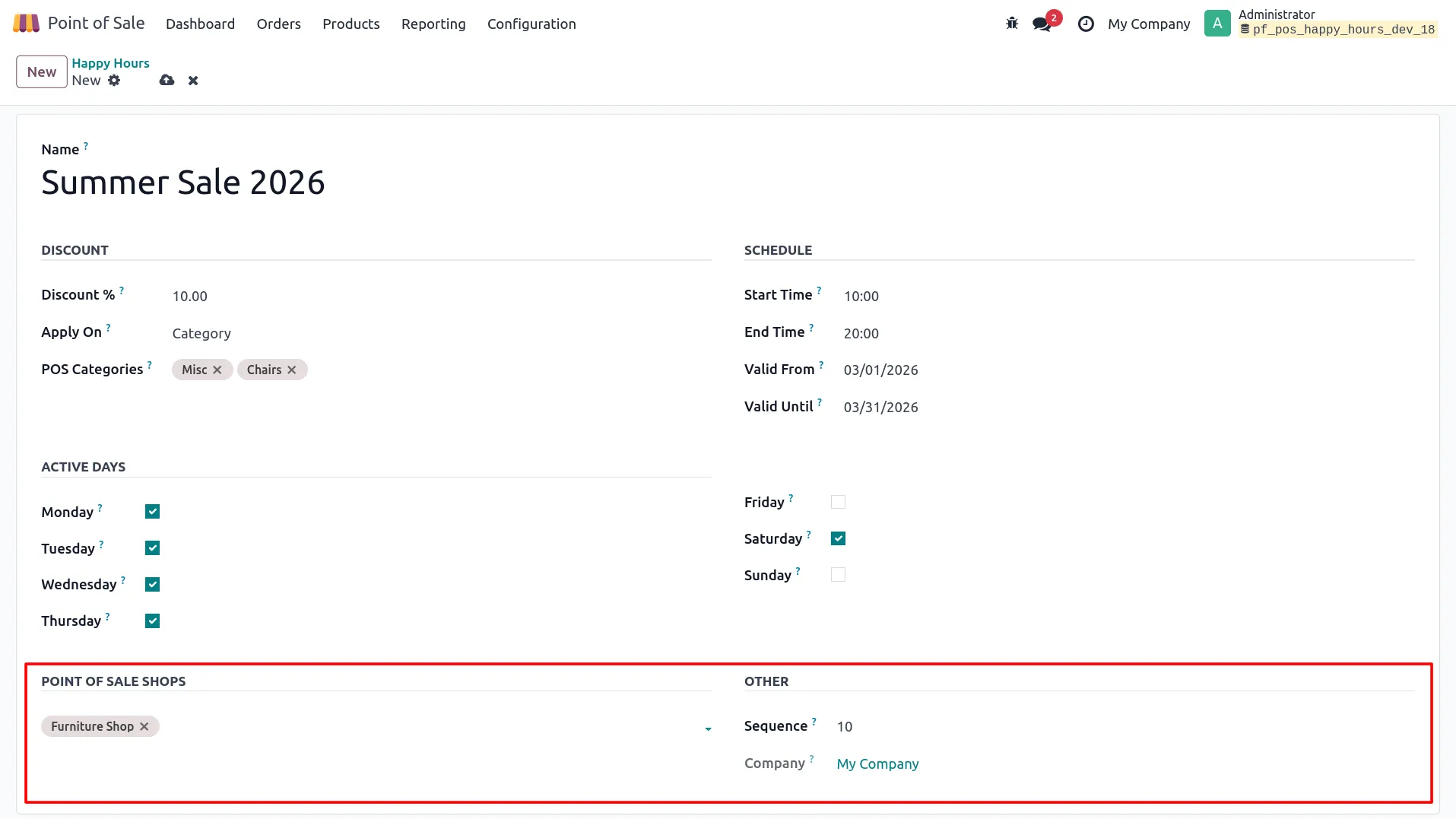
5. Select and assign POS shops for applying the Happy Hour rule.
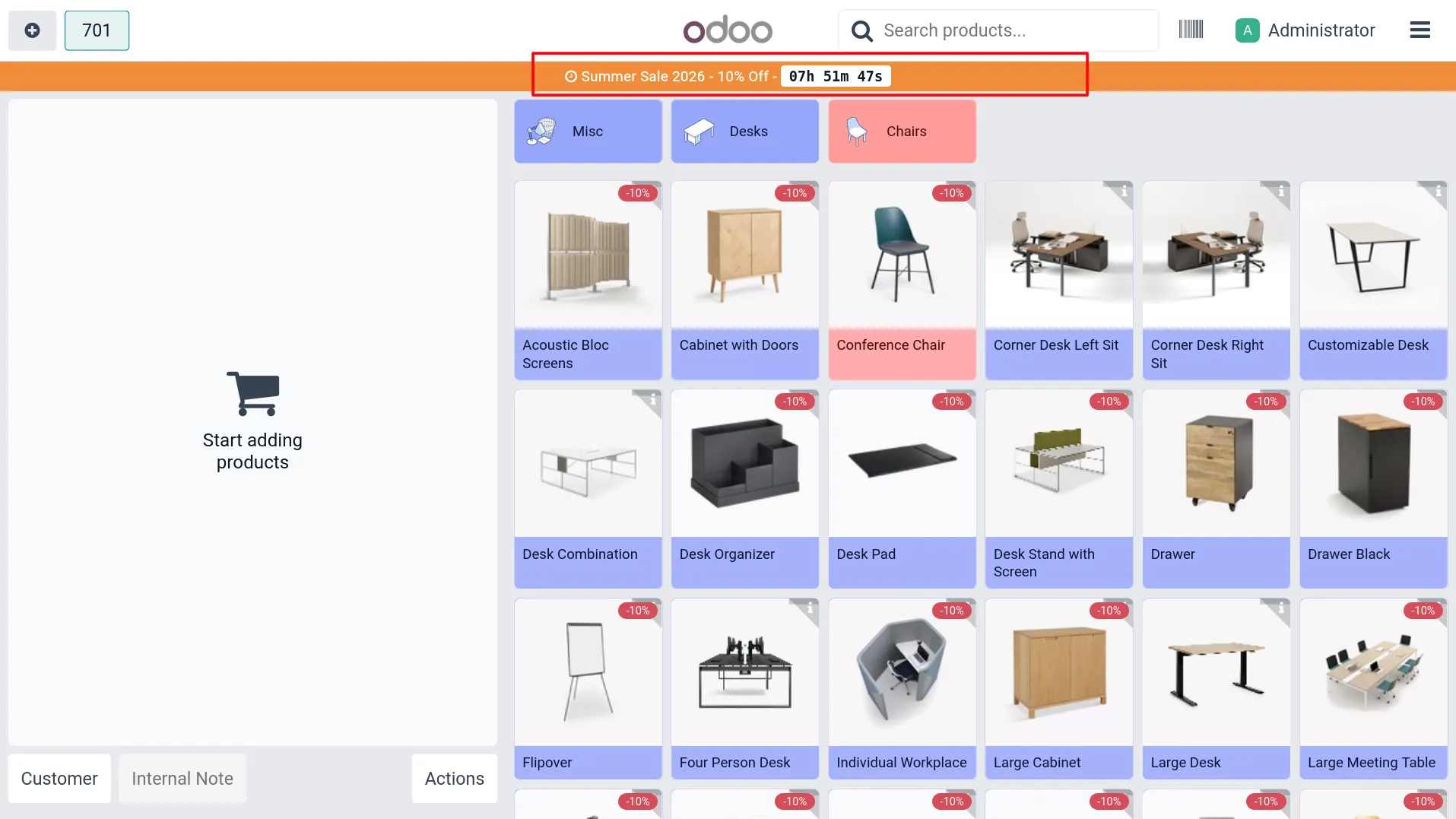
6. View Happy Hours banner at the top in POS screen during active time.
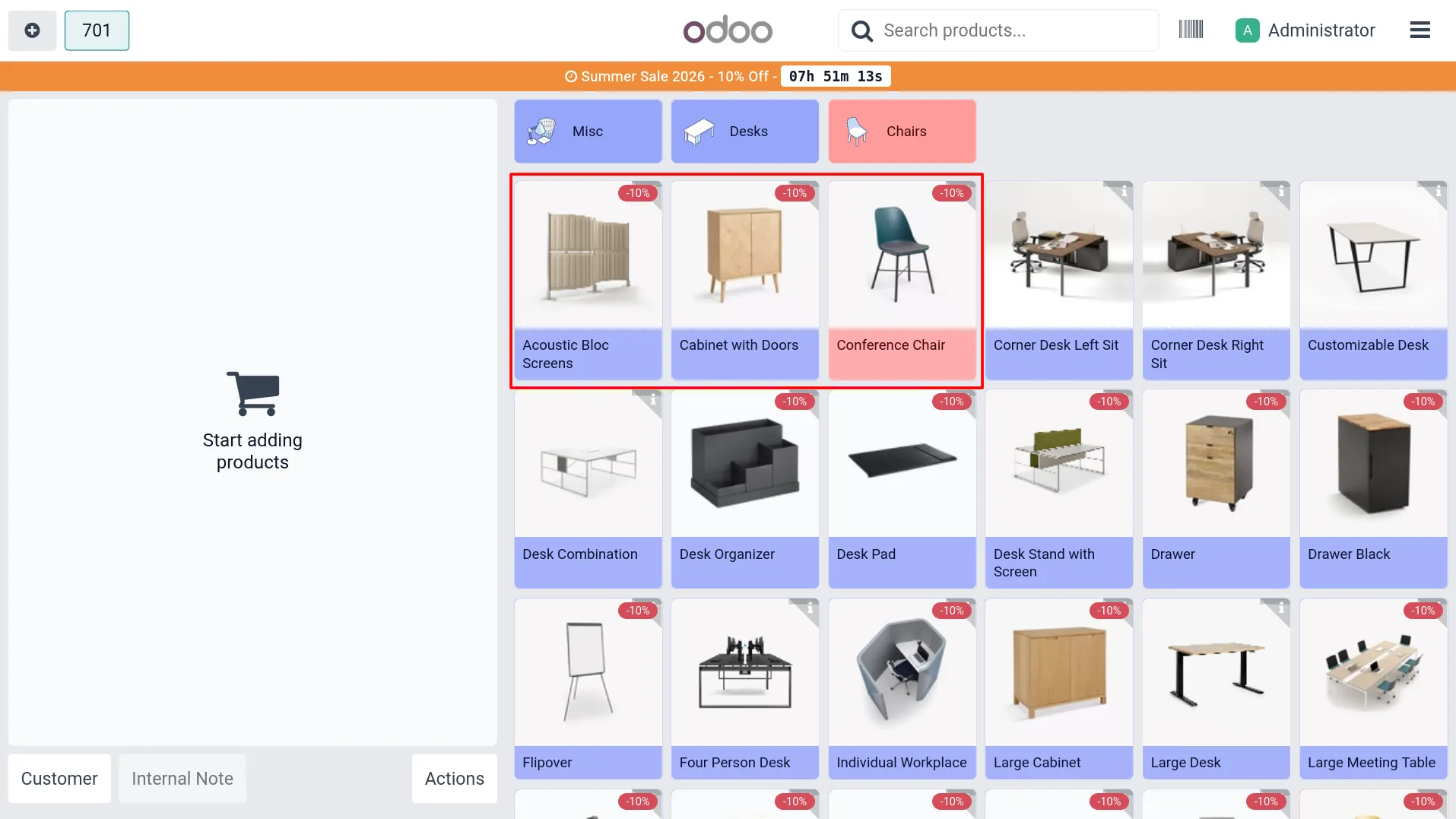
7. See discount badge displayed on applicable products in POS.
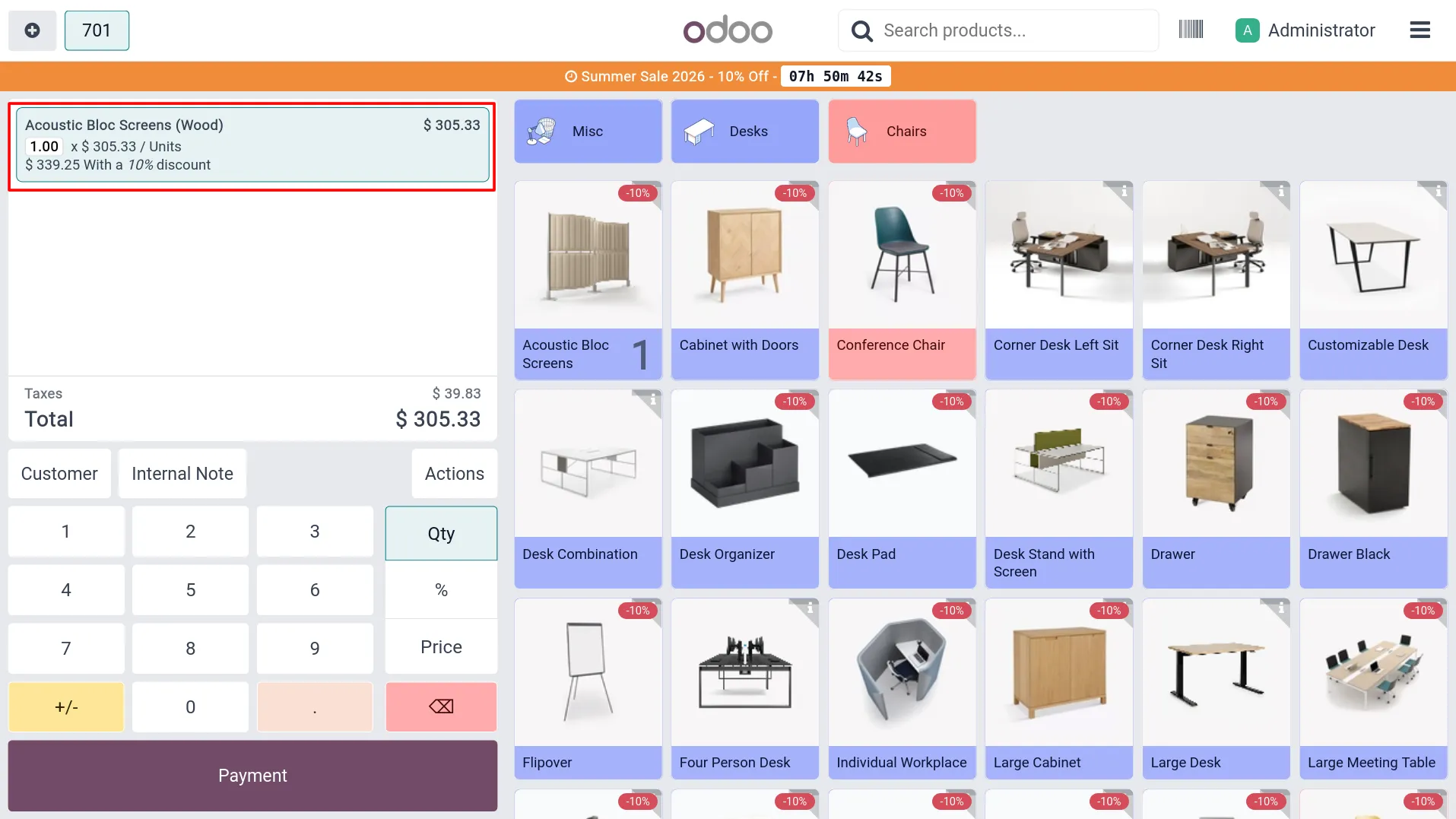
8. Check discount applied on product order line in POS.
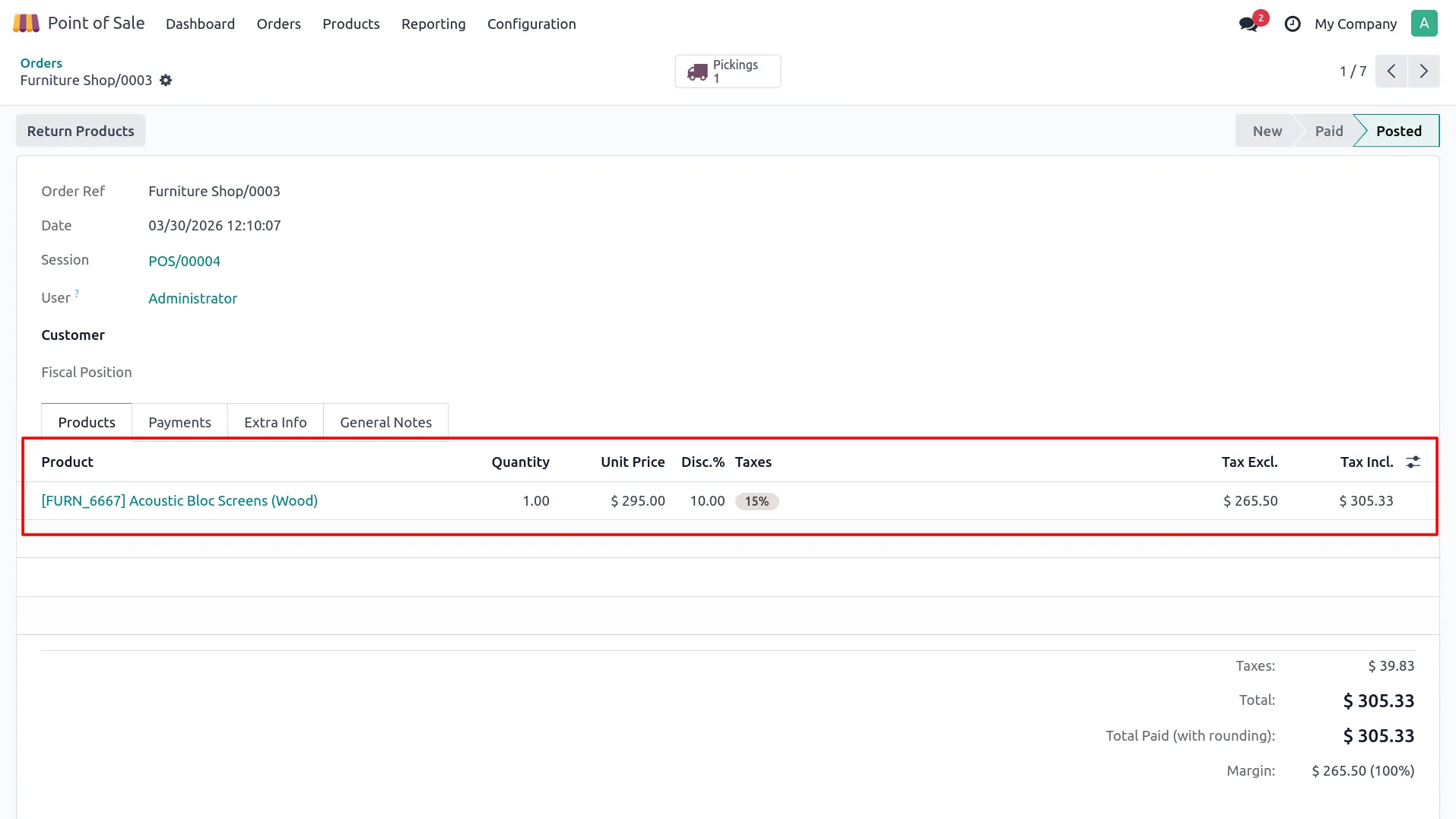
9. Verify discount details in backend POS orders.
Our solutions focus on your problems
- Odoo Implementation
- Odoo Customization
- ERP Development and Implementation
- Odoo Ipass Cloud
- AI for Odoo
- Odoo Apps
- Aws Marketplace Products
- Business Engines
Our Pricing includes User Manual, 90 Days Support (Monday-Friday 10am to 7pm IST) and One time Setup
• Works & tested on standard installations of Odoo with no third party apps,
• Free support only for odoo installations with no third party apps,
• Paid support available for Odoo installations with third party apps.

Prefortune is a Odoo Official Partner, Odoo Development company. Our philosophy is to use Open Source tools and technologies to provide cost effective and green solutions for our customers.
Prefortune Technologies LLP is working on web development, Mobile development, and Odoo ERP.
If you need any help or want more additional features, you may contact us through:
Alternative Products
These other products might interest you
Specifications
| Version | 19.0, 18.0, 17.0, 16.0, 15.0, 14.0 |