Watch Quick Video
POS Age Verification App
The POS Age Verification App checks the customer’s age directly in your Odoo Point of Sale and you can be sure that your company is fully compliant with the legal age limits.
This feature helps you to prevent the illegal sale of restricted age items such as alcohol, tobacco and controlled substances using your existing process. How It Makes Your POS System Better:
- 1. Automated Age Validation: Automatically calculates and verifies the age of the customer based on the date of birth provided.
- 2. Product-Specific Limits: Product-specific limits lets you set acceptable ages for individual products.
- 3. Cashier Verification Prompts: Cashiers to view and verify age or input date of birth information prior to adding a restricted item to the cart.
- 4. Secure Customer Management: Securely stores the confirmation state in the current session and defaults to resetting when the customer is changed on the order.
POS Age Verification App
- Pre-Cart Age Verification: Verifies any required age checks are performed before any restricted items are placed in the shopping cart.
- Customised Warning Messages Create your own failure and success alerts in the POS settings.
- Customer-Specific Validation: Maintains a validation state on a per customer basis to guarantee strict compliance.
- Dynamic Customer Swap Management: A reset confirmation status when the active buyer for an order is transferred mid-transaction.
- Timezone-Specific Age Calculation: It takes into consideration the time zone when setting up the birth dates so that ages are determined accurately and accurately with no errors.
Complete Workflow for POS Age Verification App
The POS necessitates a customer to be assigned to the order before any restricted product can be added. If the customer has a saved birthdate, the system will automatically calculate their exact age and either allow the sale with a customisable success message or block it with a customisable error alert depending on the product’s age limit. If the customer has no saved birthdate, the cashier is asked to visually confirm that the customer appears to be older than the minimum age. If the cashier doesn’t know, they can manually enter the exact birthdate with a popup which will permanently save it to the customer’s profile for future visits Finally, when moving to payment the system re-verifies the age securely to ensure strict compliance even if the cashier swapped the customer mid-order.
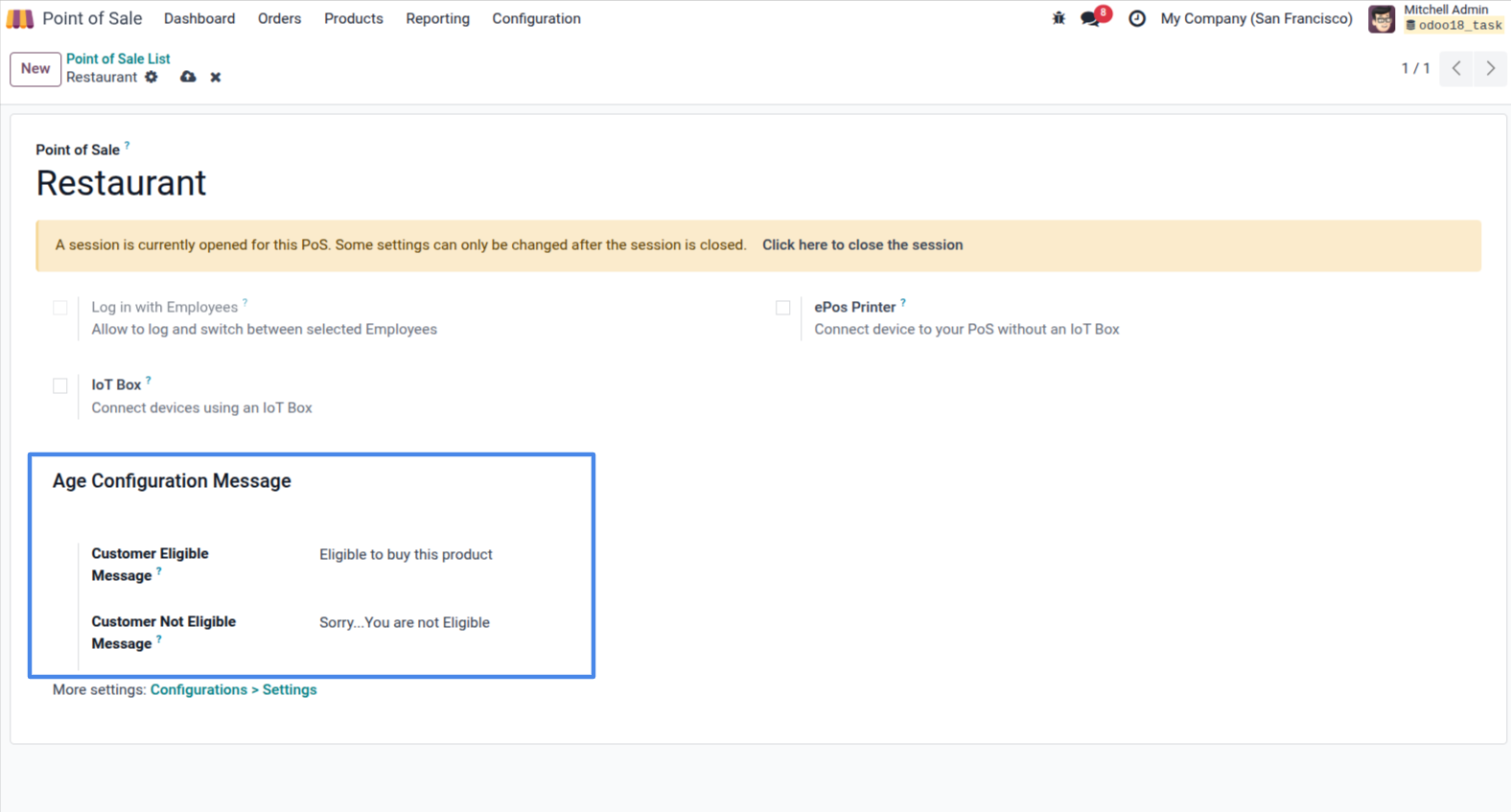
1. POS Settings: Configure custom eligibility and non-eligibility alert messages under the Age Configuration Message section.
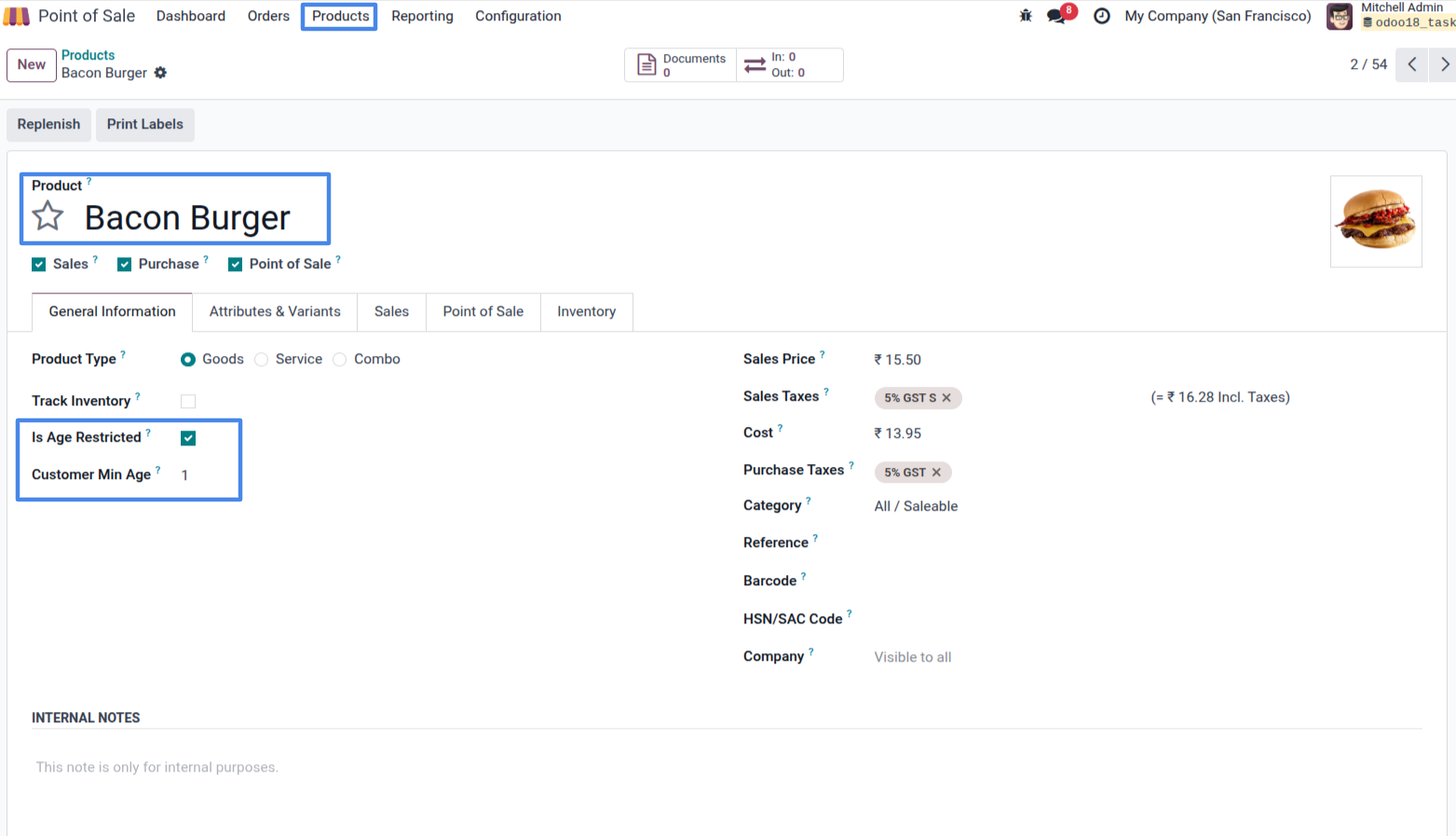
2. Product Template: Enable the 'Is Age Restricted' flag and specify the 'Customer Min Age' on the product form.
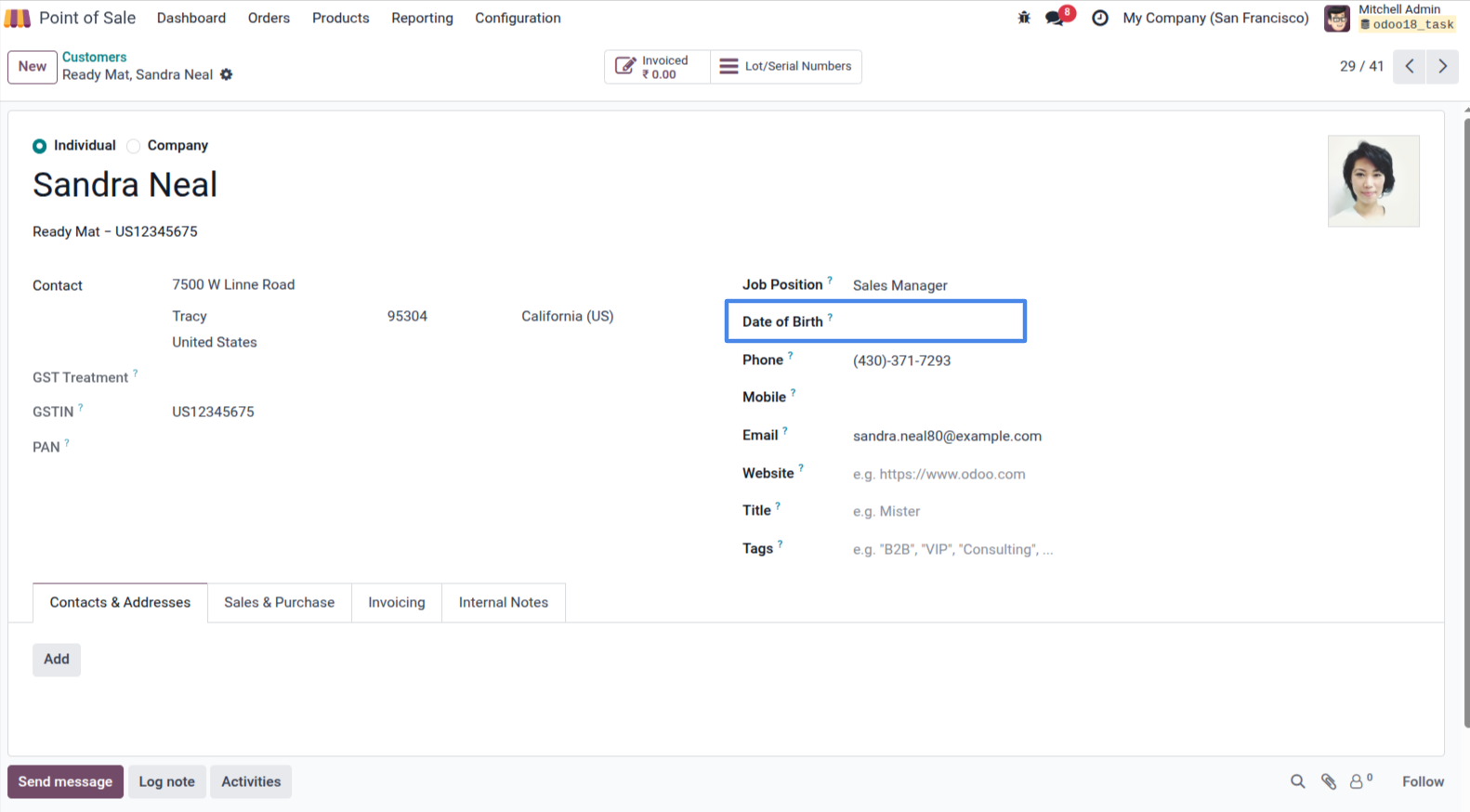
3. Customer Form: Easily set the 'Date of Birth' field on the customer's contact record.
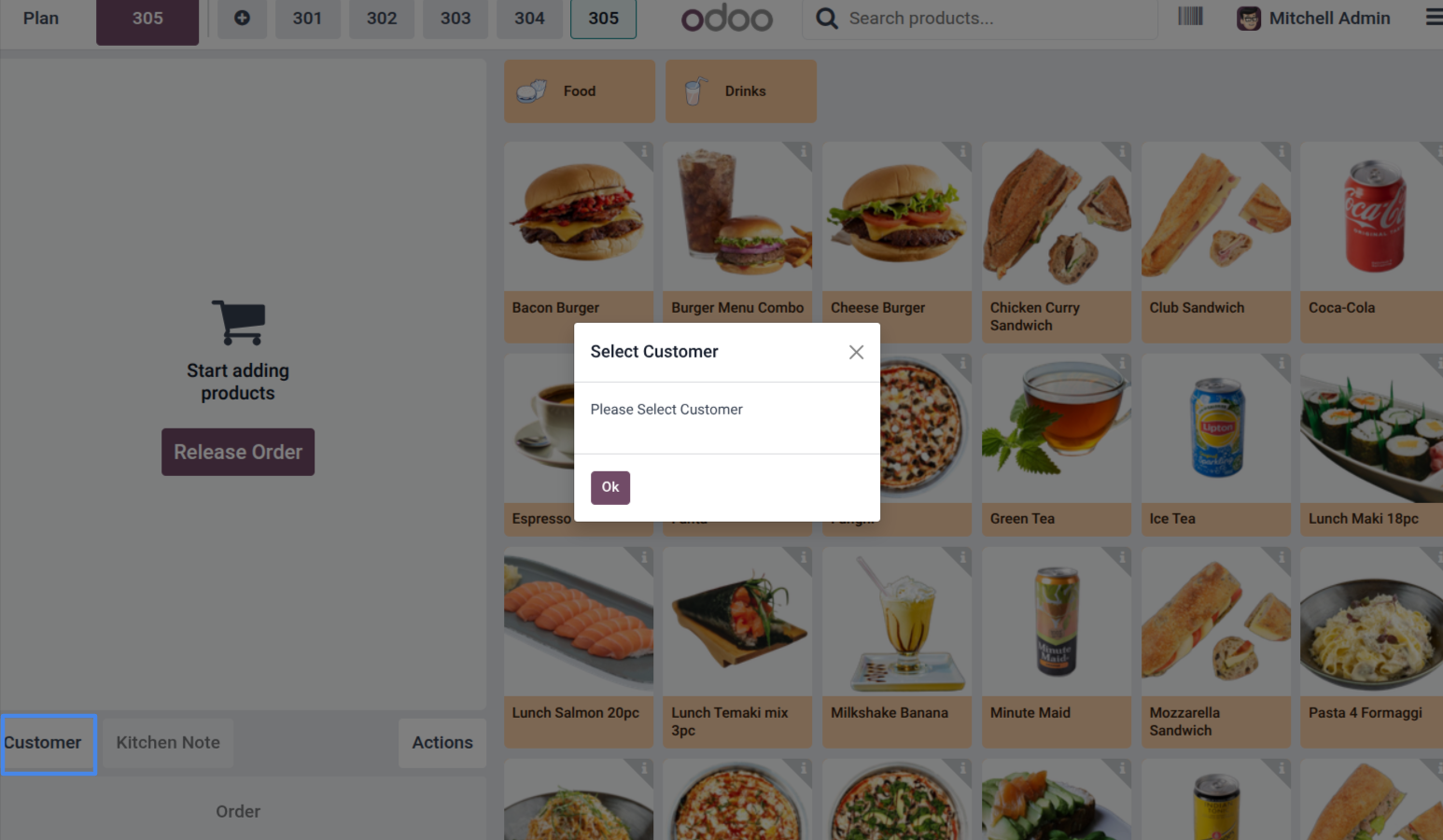
4. POS Interface: A warning popup prompts the cashier to select a customer before adding an age-restricted product.
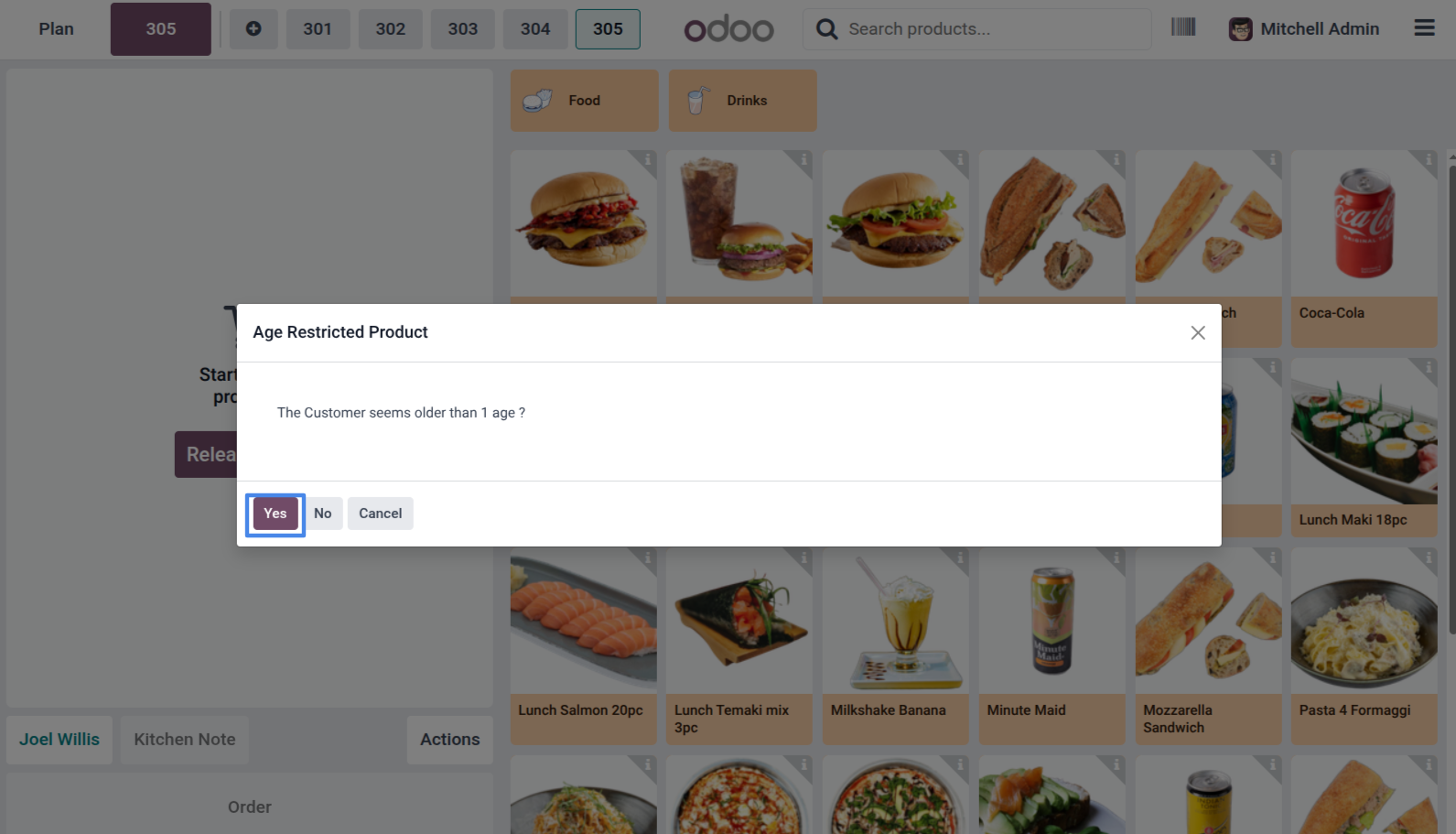
5. POS Interface: The cashier is prompted to visually verify if the selected customer appears older than the minimum age requirement.
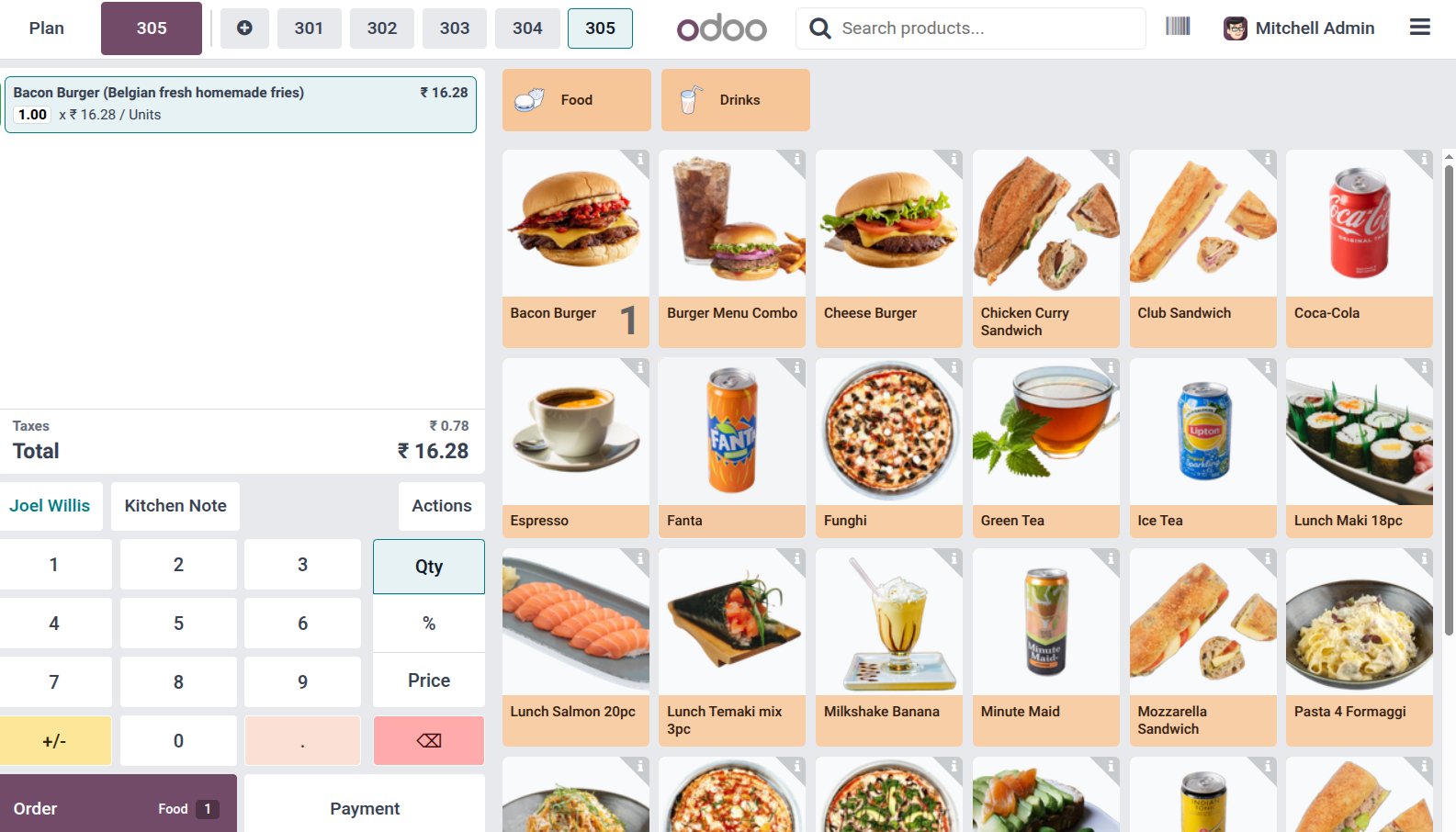
6. POS Interface: If visually verified or the birthdate is valid, the age-restricted product is successfully added to the cart.
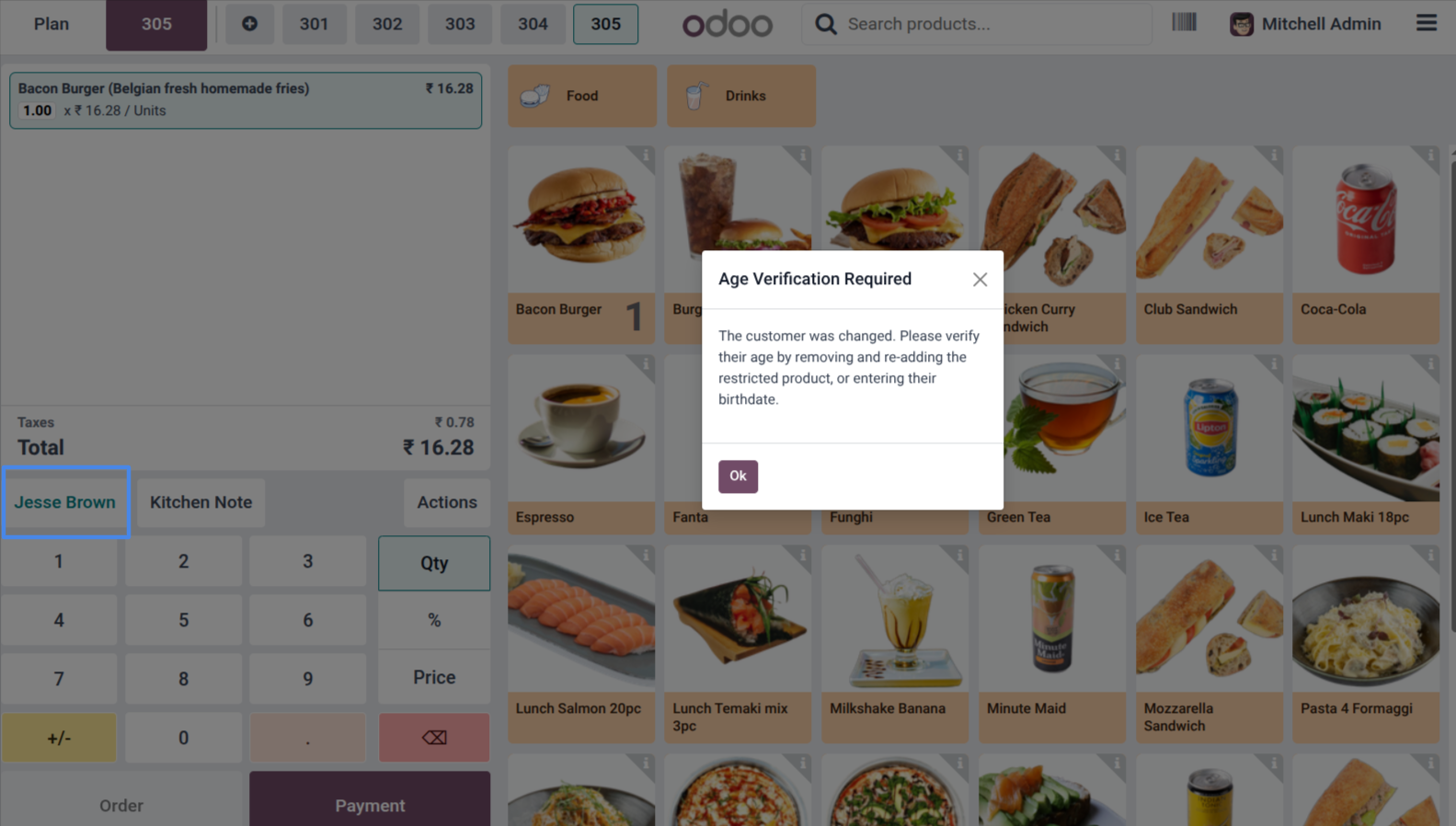
7. POS Interface: A warning alerts the cashier to re-verify age when the customer on the order is changed.
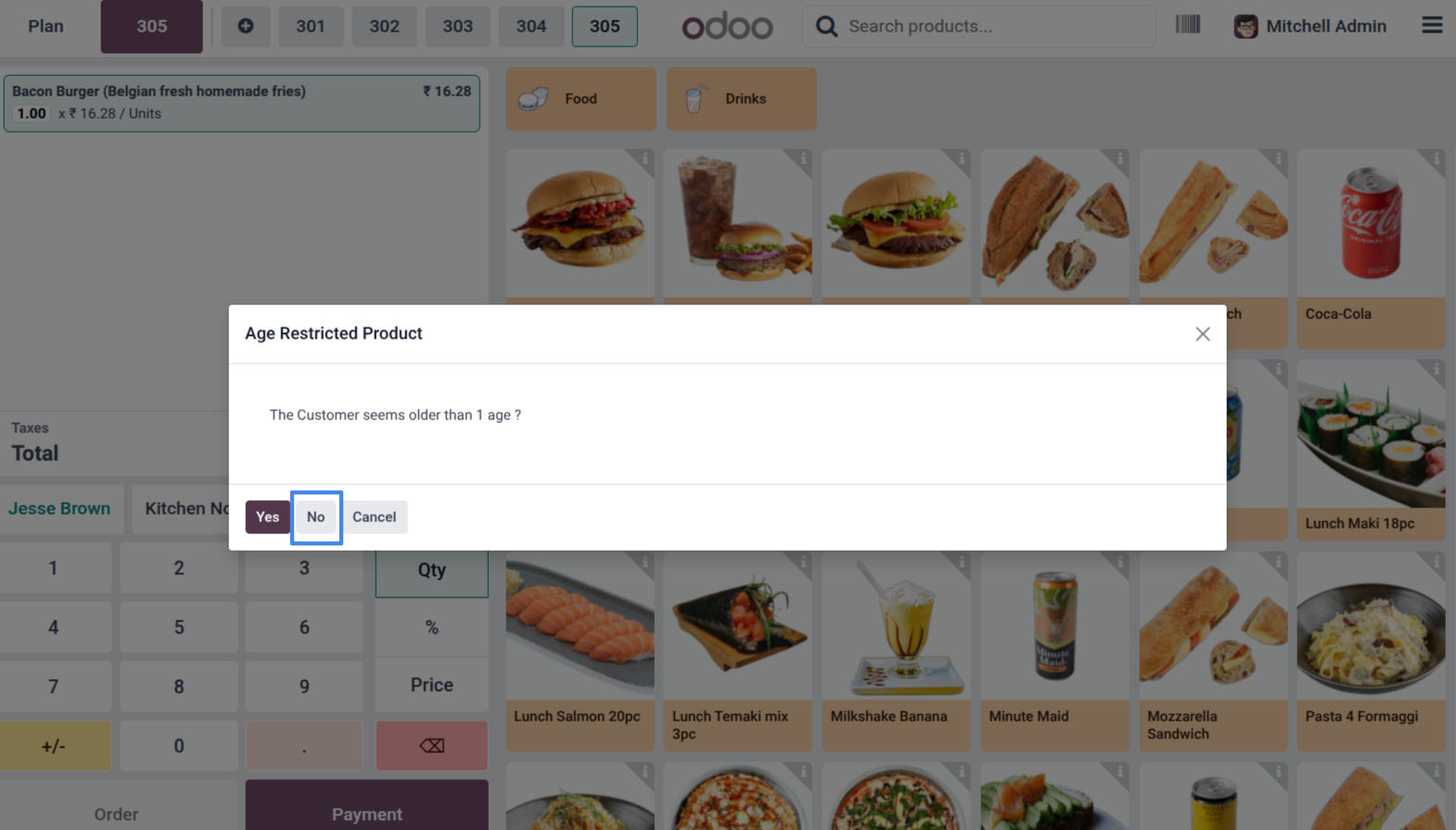
8. POS Interface: The system prompts for visual age verification again for the newly selected customer.
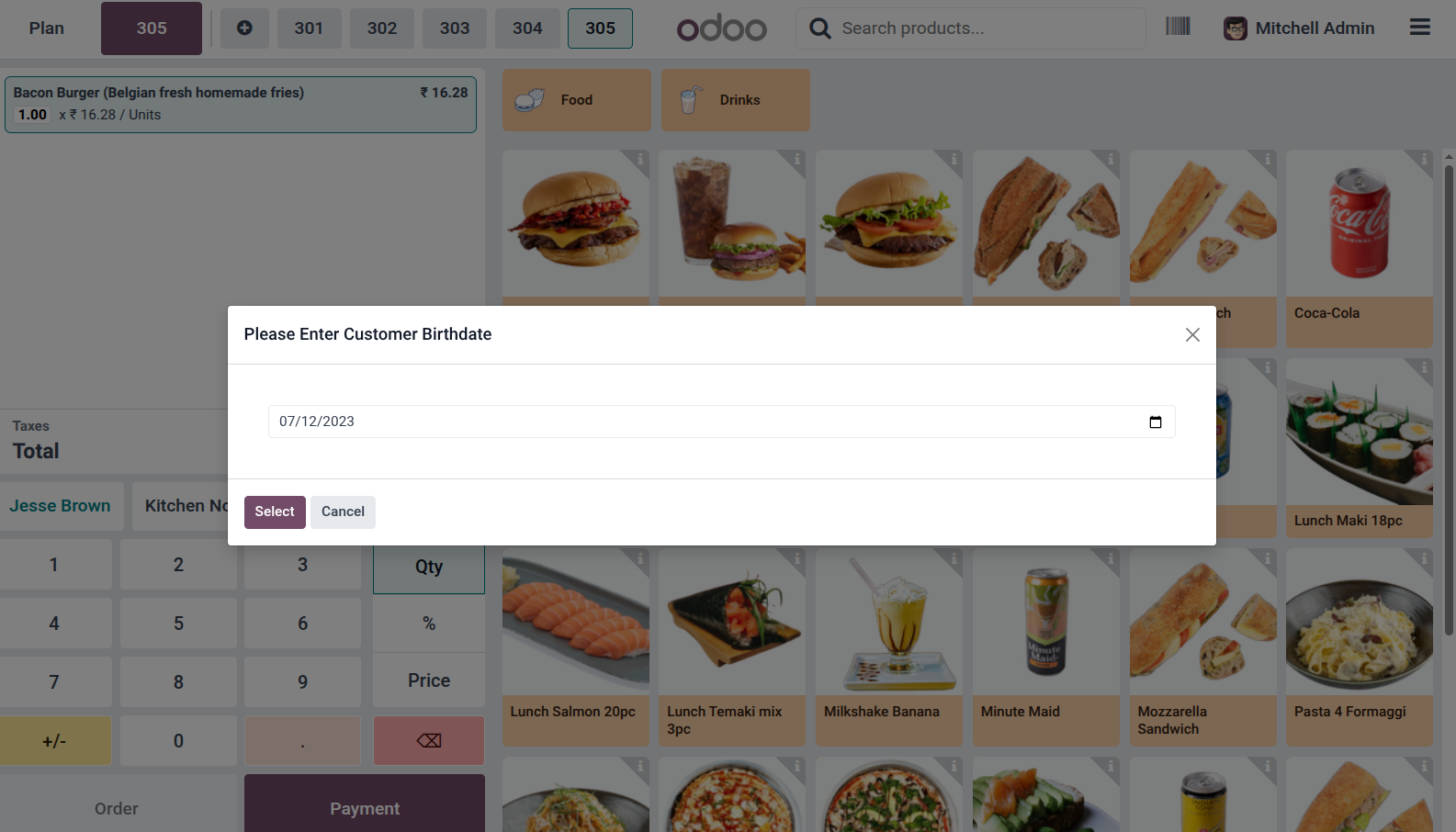
9. POS Interface: The cashier can manually enter the customer's birthdate using the 'Please Enter Customer Birthdate' popup.
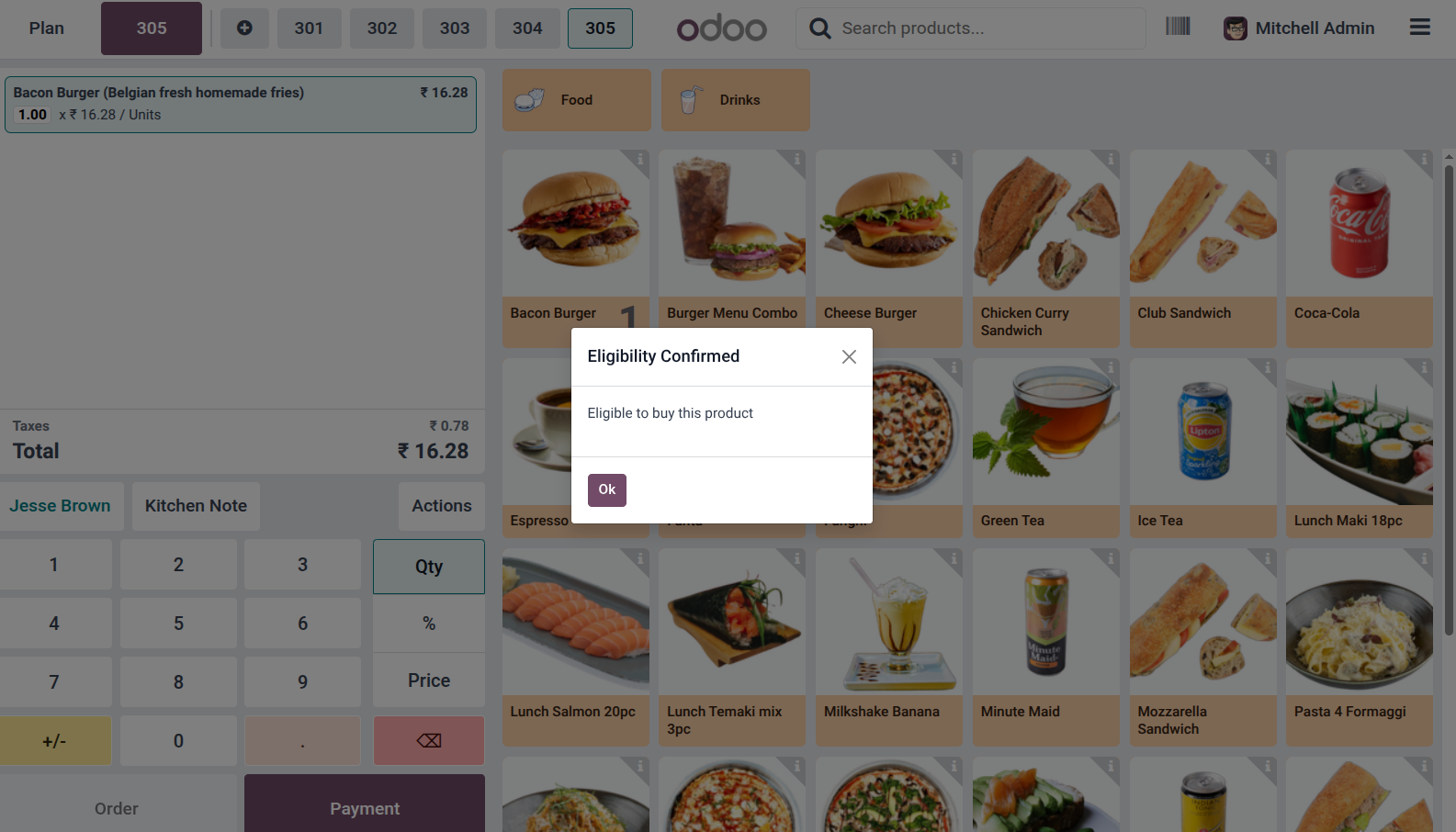
10. POS Interface: A success message is displayed confirming the customer's eligibility to buy the restricted product.
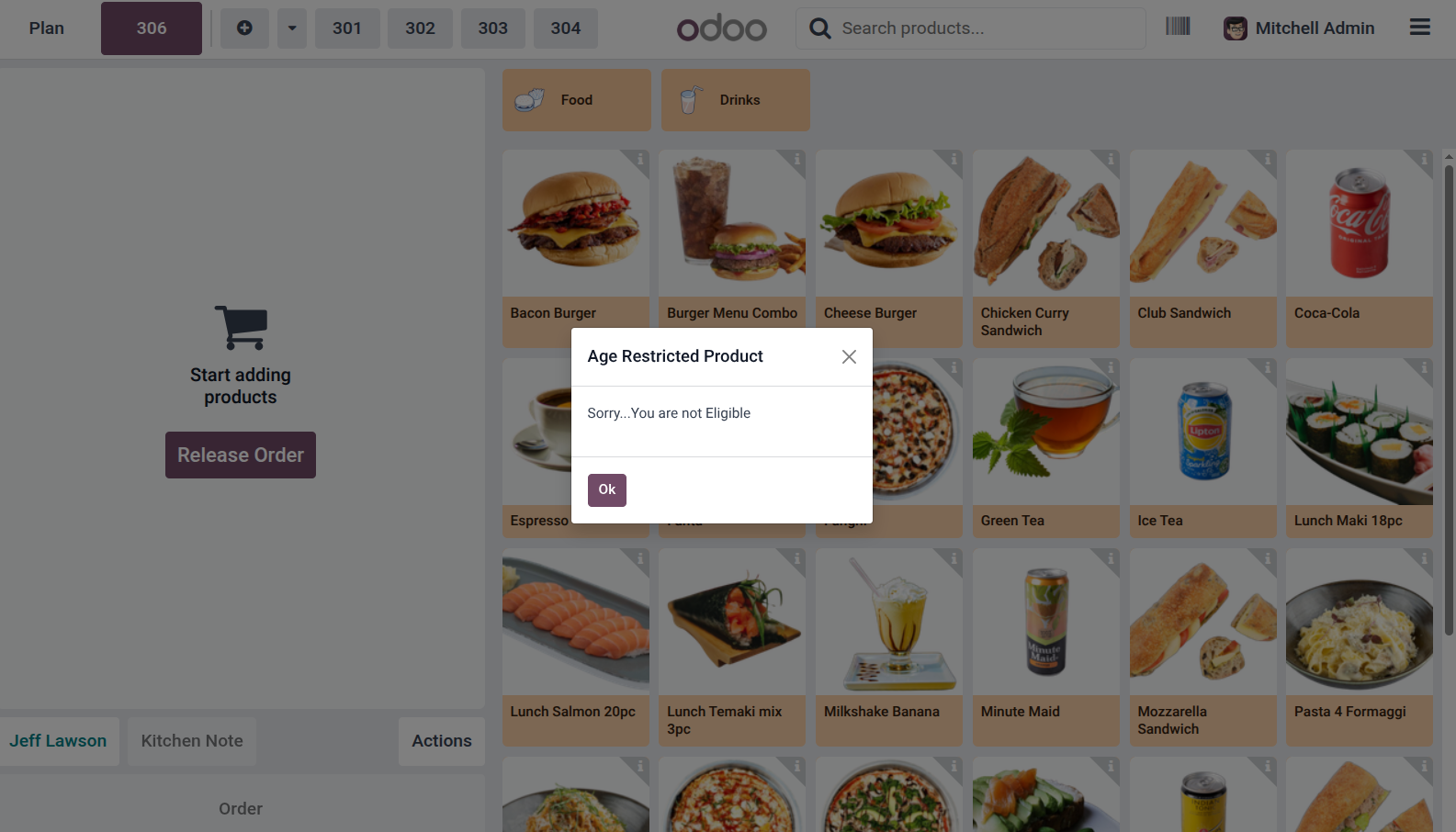
11. POS Interface: The system blocks the sale and displays a 'Not Eligible' alert if the customer is underage.
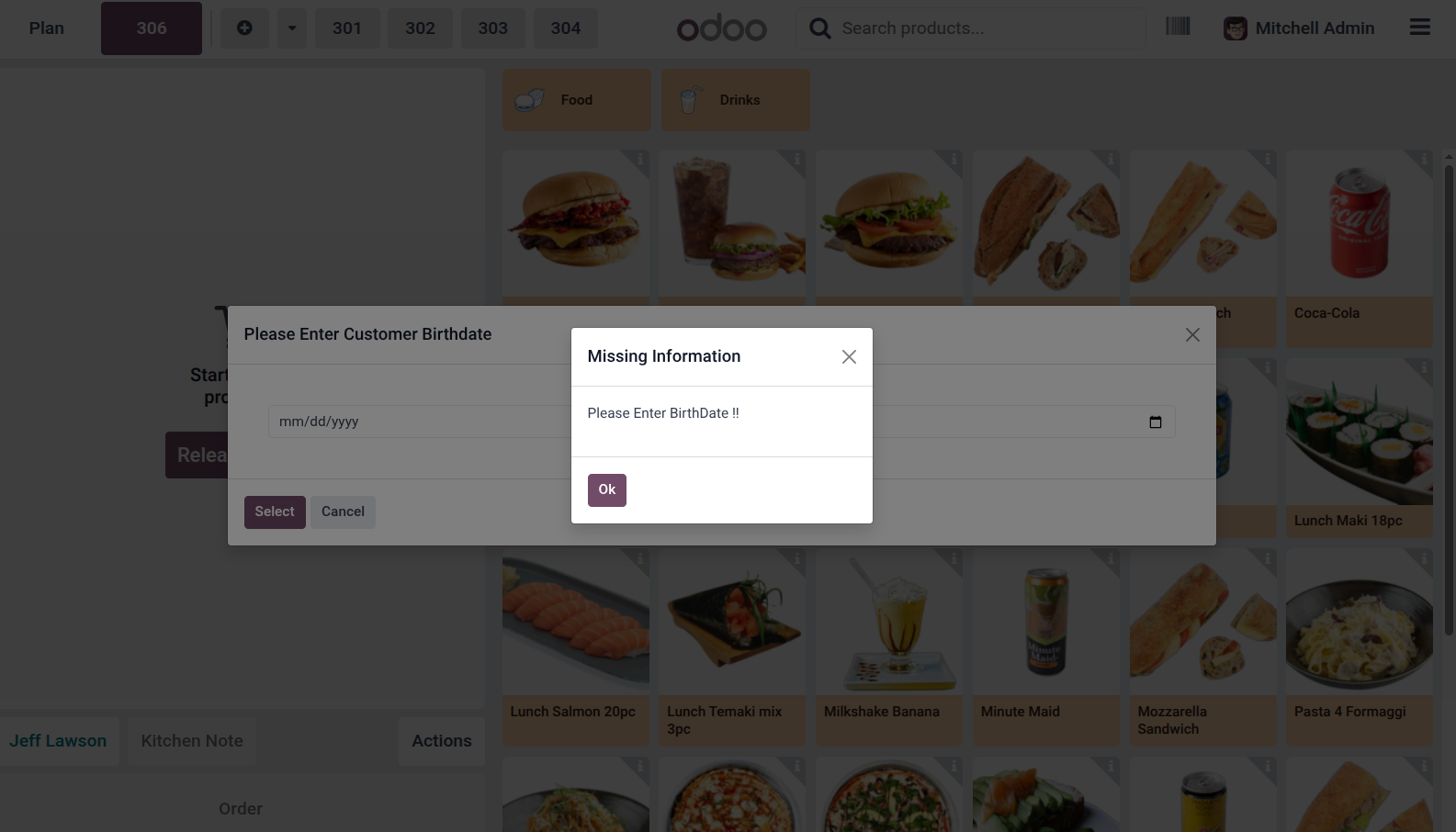
12. POS Interface: A 'Missing Information' alert reminds the cashier to enter the birthdate if it is left blank during manual entry.
Our solutions focus on your problems
- Odoo Implementation
- Odoo Customization
- ERP Development and Implementation
- Odoo Ipass Cloud
- AI for Odoo
- Odoo Apps
- Aws Marketplace Products
- Business Engines
Our Pricing includes User Manual, 90 Days Support (Monday-Friday 10am to 7pm IST) and One time Setup
• Works & tested on standard installations of Odoo with no third party apps,
• Free support only for odoo installations with no third party apps,
• Paid support available for Odoo installations with third party apps.

Prefortune is a Odoo Official Partner, Odoo Development company. Our philosophy is to use Open Source tools and technologies to provide cost effective and green solutions for our customers.
Prefortune Technologies LLP is working on web development, Mobile development, and Odoo ERP.
If you need any help or want more additional features, you may contact us through:
Alternative Products
These other products might interest you
Specifications
| Version | 19.0, 18.0, 17.0, 16.0, 15.0, 14.0 |