Watch Quick Video
Portal Project Notes Management | My Account Notes
Our efficient
Odoo – Portal Project Notes Management | My Account Notes
lets you handle project and job notes right from the My Account portal. You don’t need to go into the
backend system just create, edit, update, or delete notes directly on the portal page. The interface is
straightforward and easy to use, so sharing updates or project info feels pretty seamless. It’s fully
responsive, too works just as well on your phone, tablet, or desktop. Finding notes is quick with the
search and filter features, which means you spend less time digging and more time staying organized. Your
access stays secure, so you can manage notes based on your permissions. And since it integrates with Odoo
Project and Portal features without any complicated setup, you get all the benefits without any hassle.
Businesses use it to keep project tracking smooth, boost collaboration, and manage everything more
efficiently.
It provides flexible options for project notes management:
1. Create and Manage Notes: Users can create, edit, update, and delete project notes directly
from the portal page.
2. Search and Filter Notes: Quickly find important notes using search and filter options for
better organization and faster access.
3. Mobile and Tablet Responsive: Manage project notes smoothly from mobile phones, tablets,
and desktop devices anytime.
4. Secure Portal Access: Allows users to access and manage notes securely based on assigned
user permissions.
5. Improved Project Communication: Helps teams share updates, track project activities, and
manage project information efficiently.
Portal Project Notes Management | My Account Notes
- Create Project Notes: Users can create project and job-related notes directly from the portal page. It allows employees and portal users to add important project updates without backend access. This helps improve project communication and project tracking efficiently.
- Edit and Update Notes Users can edit and update existing notes whenever changes are required. It ensures project information remains accurate and up to date. Teams can manage modifications easily in real time from the portal.
- Delete Notes When a note is no longer needed or turns out to be wrong, just delete it. Wiping out old or incorrect notes helps keep your records organized and helps everyone stay organized. Managing project notes becomes a lot smoother this way.
- Mobile & Tablet Responsive The application is fully responsive for mobile phones and tablets. Users can access and manage notes from any device conveniently. It provides a smooth and user-friendly experience across all screen sizes.
- Search and Filter Notes Need to track something down? Just search or filter through your project notes. You’ll find important details fast without all the scrolling. Managing notes takes less time, and your workflow picks up speed.
Complete Workflow for Portal Project Notes Management | My Account Notes
Enable the Portal Project Notes Access option for specific users from settings. Open the My Account Portal Page and manage Project Notes directly from the portal interface. Users can create, edit, update, and delete notes without accessing the backend system. The module also provides Search and Filter Options to quickly find important project notes and updates. It supports Mobile and Tablet Responsive Design for smooth access across all devices. Finally, the app helps improve Project Communication and Tracking, project collaboration, and Project Notes Management for better workflow management and collaboration.
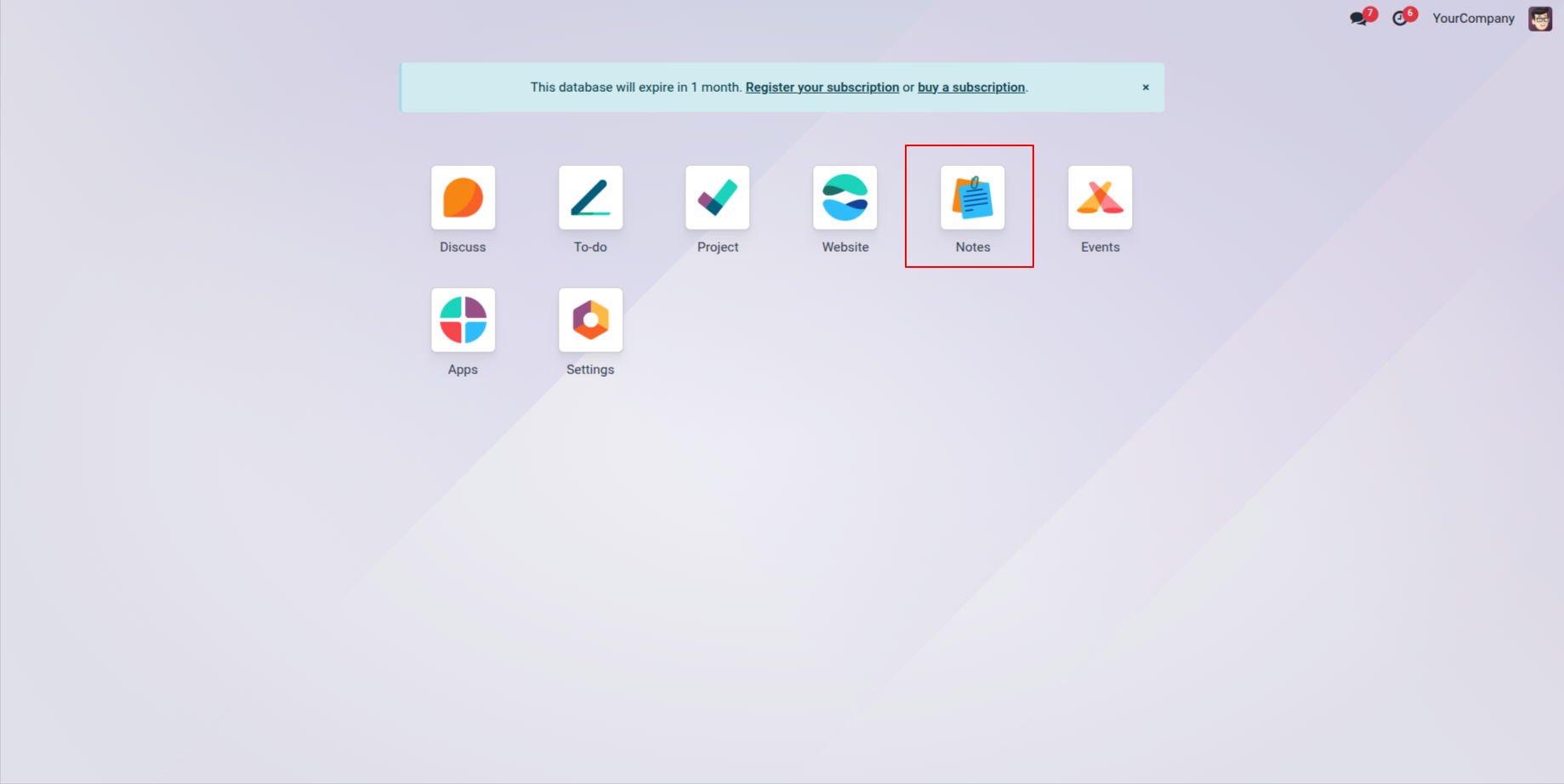
1. Creates a Notes App.
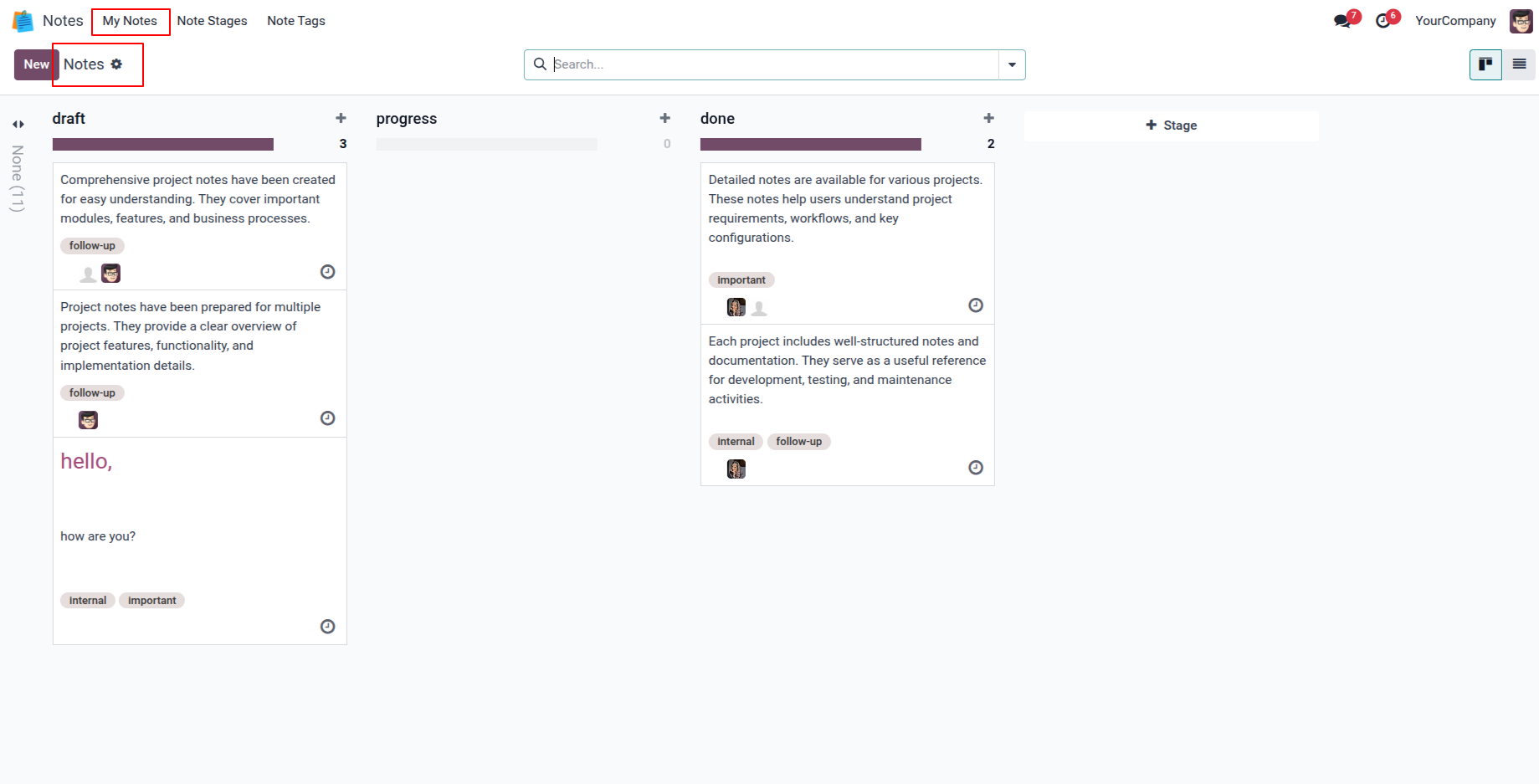
2. Users can create and manage notes, organizing them by moving across different stages based on their workflow.
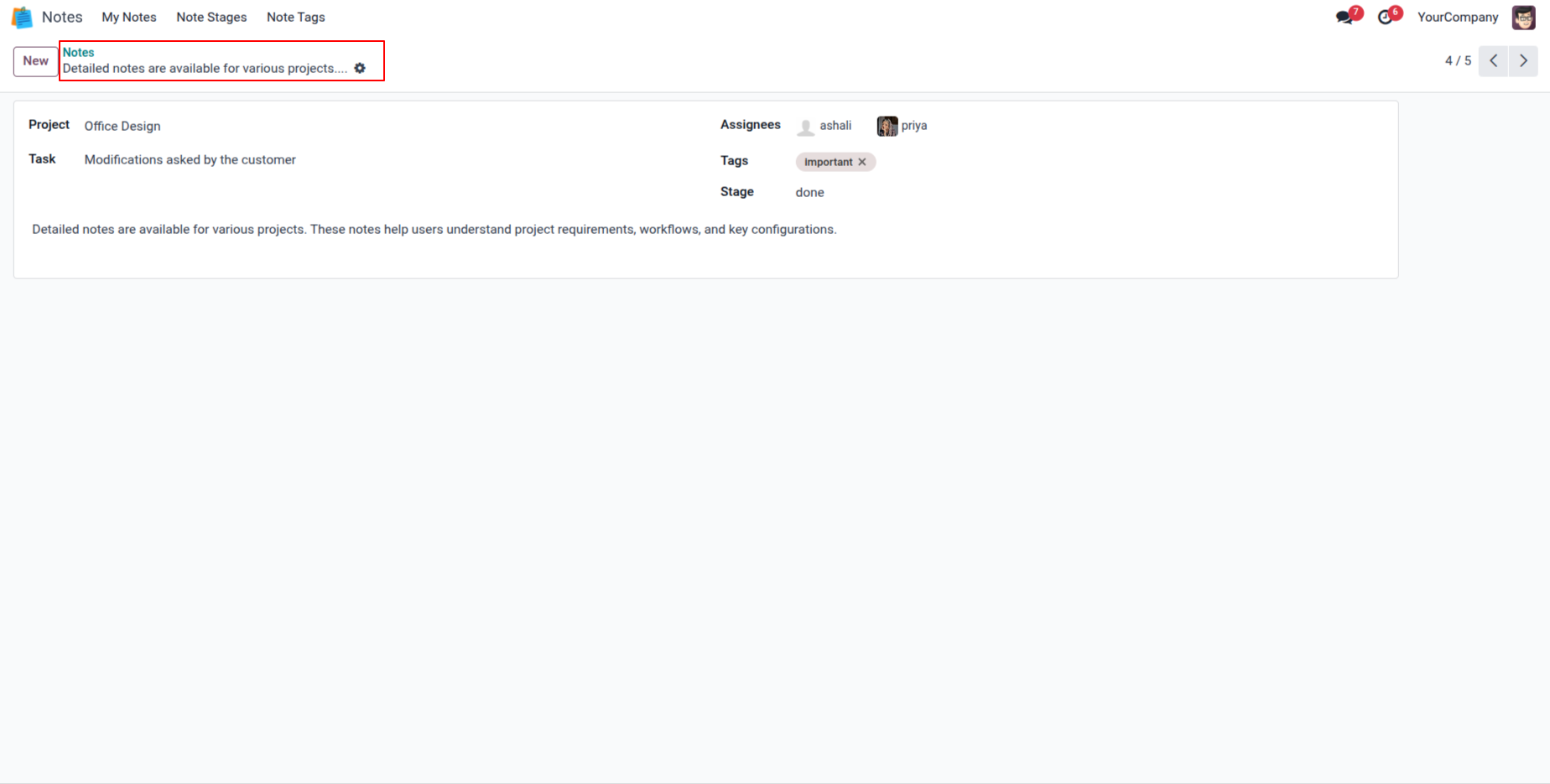
3. In the Notes form view, users can assign a task, project, and other users to the same note. Assigned users can view and edit the note, making collaboration and note management more efficient.
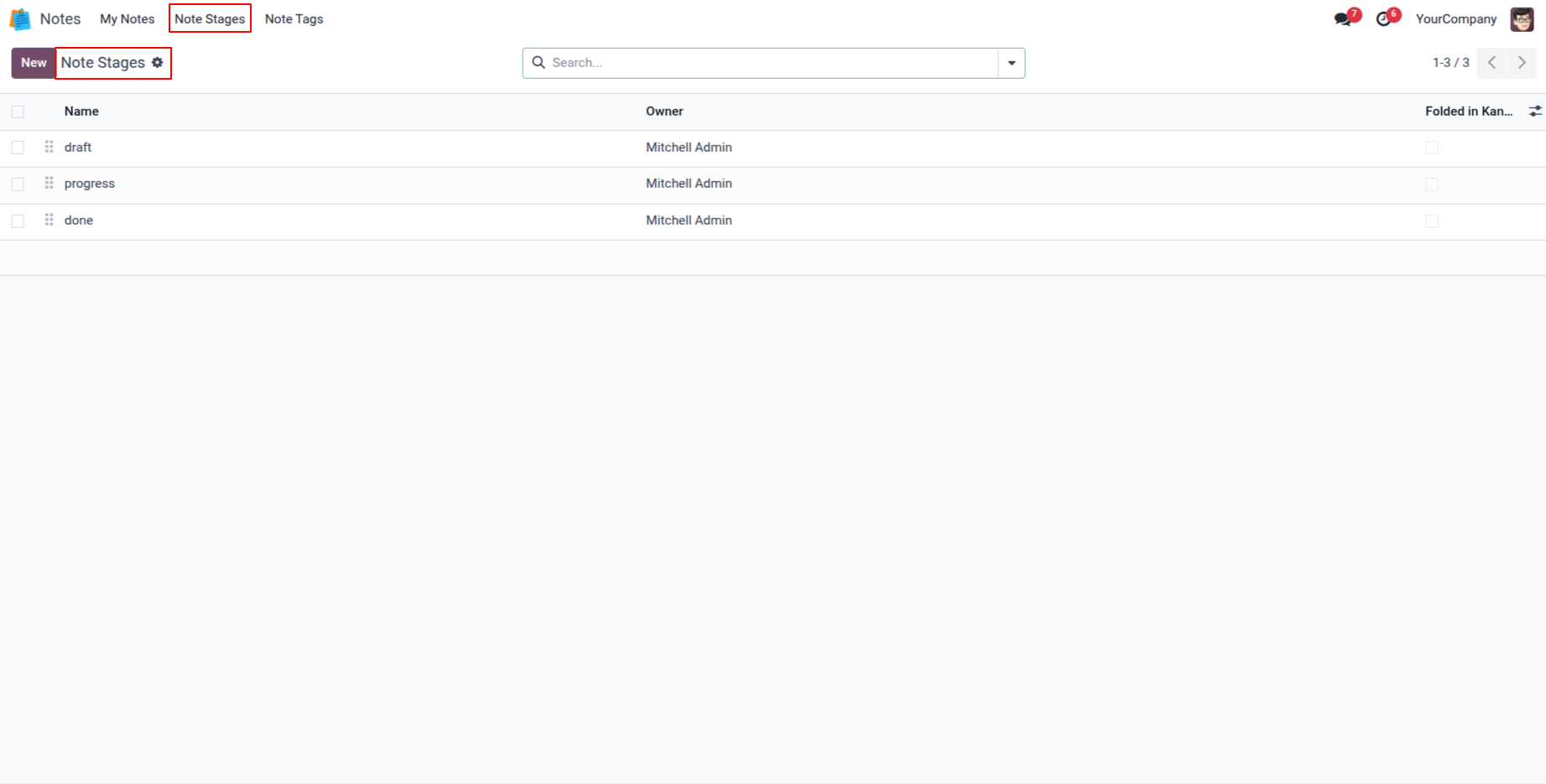
4. This section allows users to define and manage stages for notes, helping to track progress efficiently.
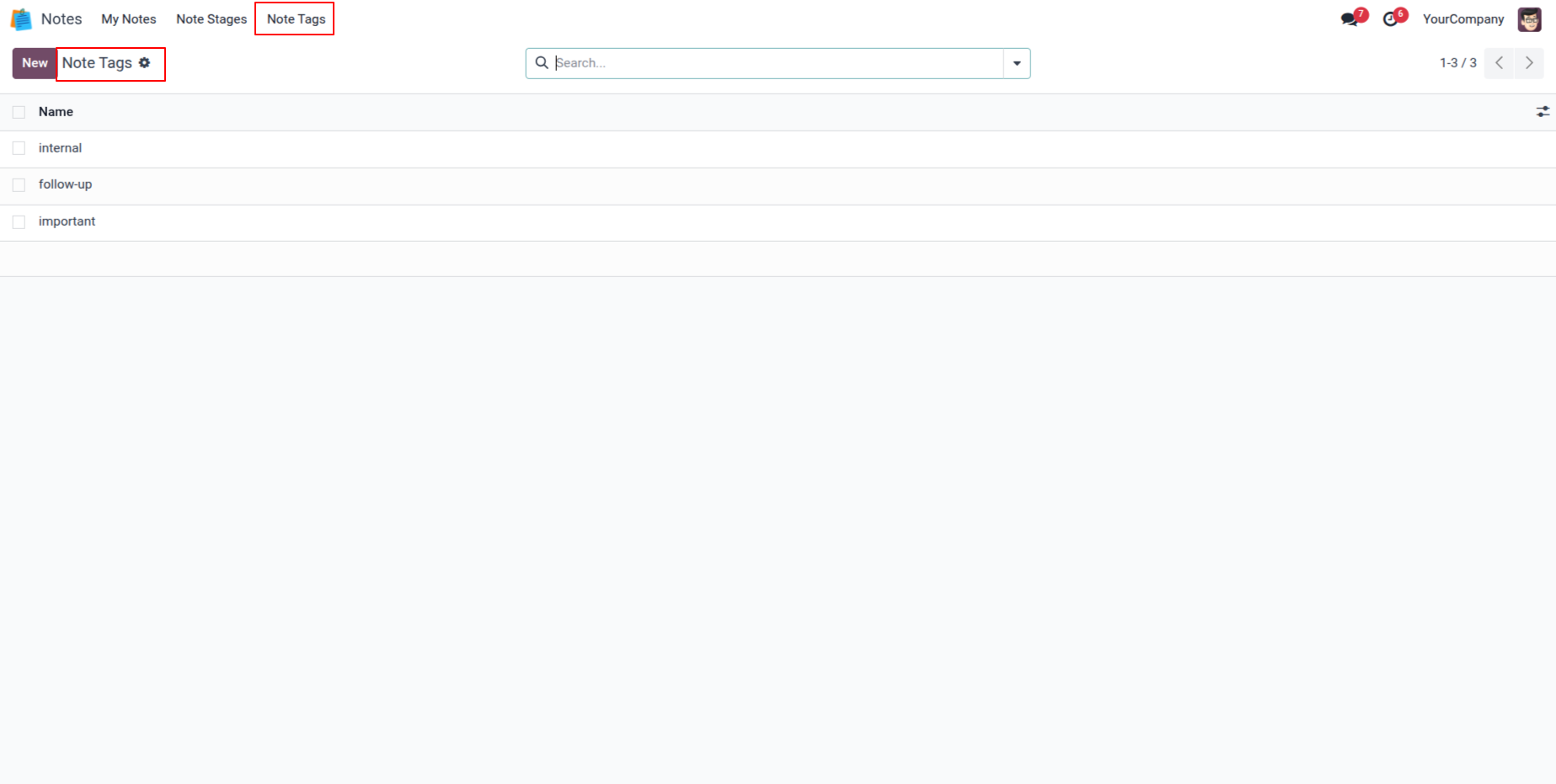
5. This section allows users to define tags for notes, making it easier to organize and filter them.
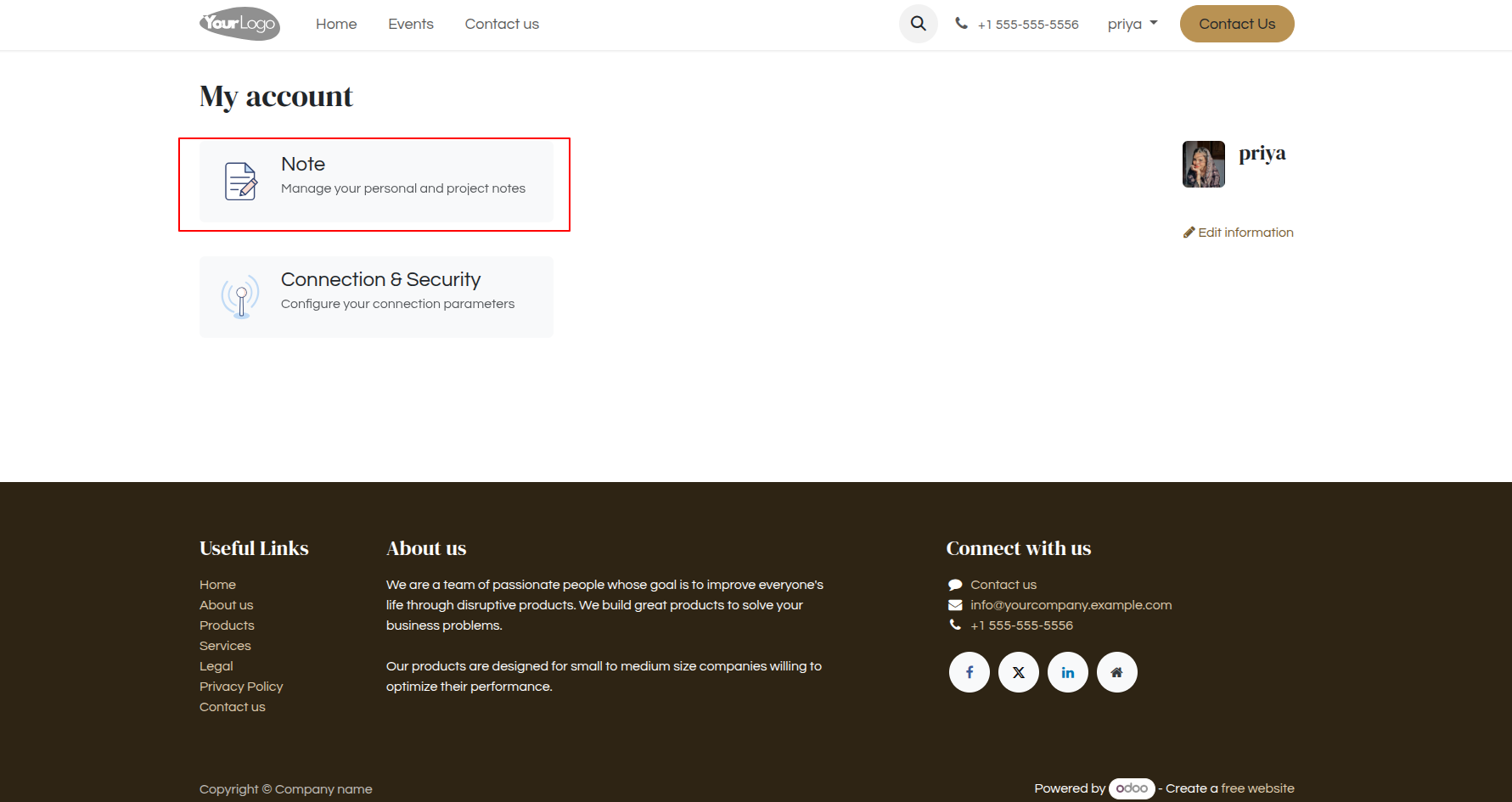
6. Users can access and manage their notes directly from the My Account dashboard.
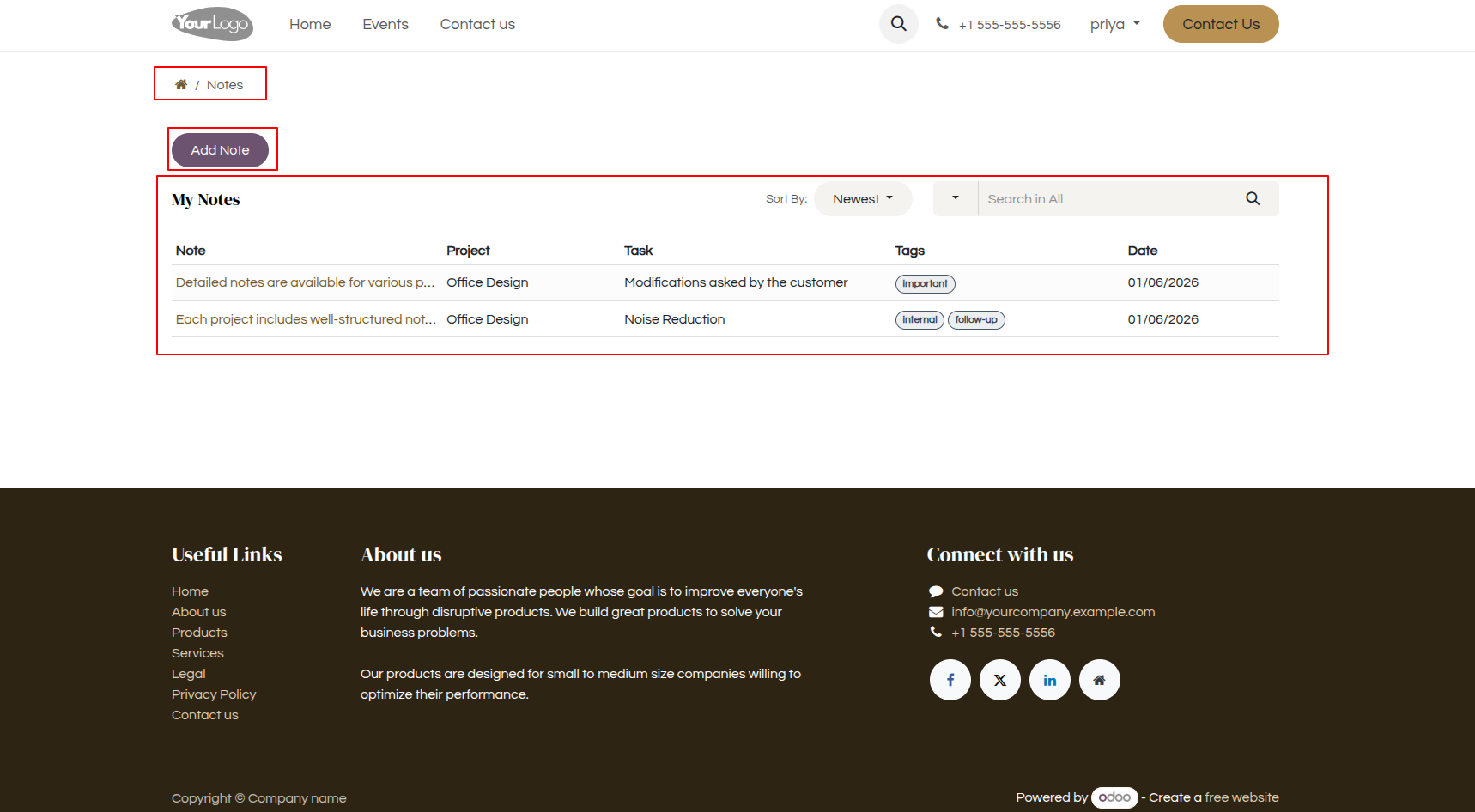
7. Users can create, view, search, and sort their notes, along with related project, task, and tag information.
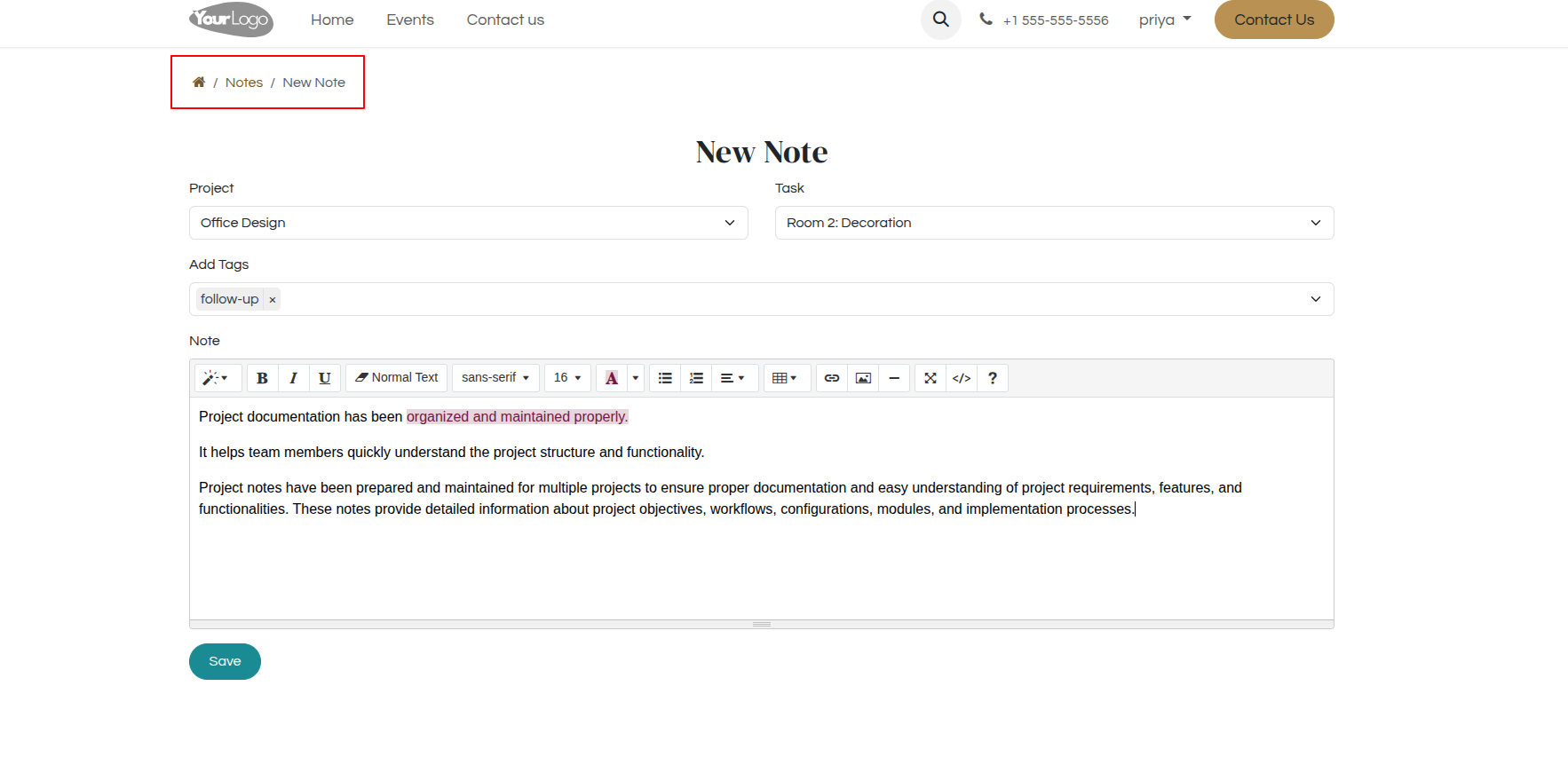
8. Users can create a new note by selecting the project, task, adding tags, and entering detailed information.
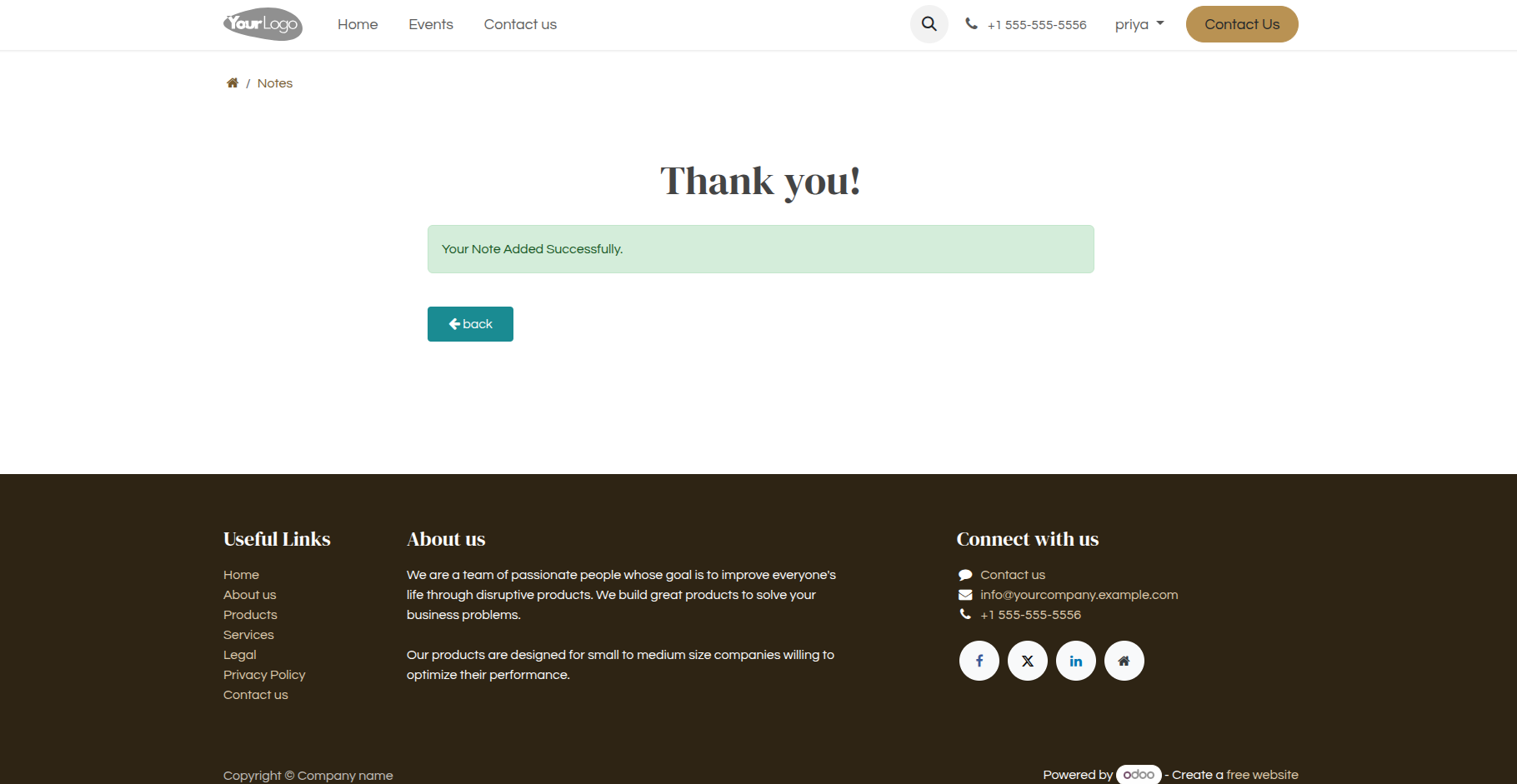
9. A Thank You page is displayed after all details are completed and the form is successfully submitted.
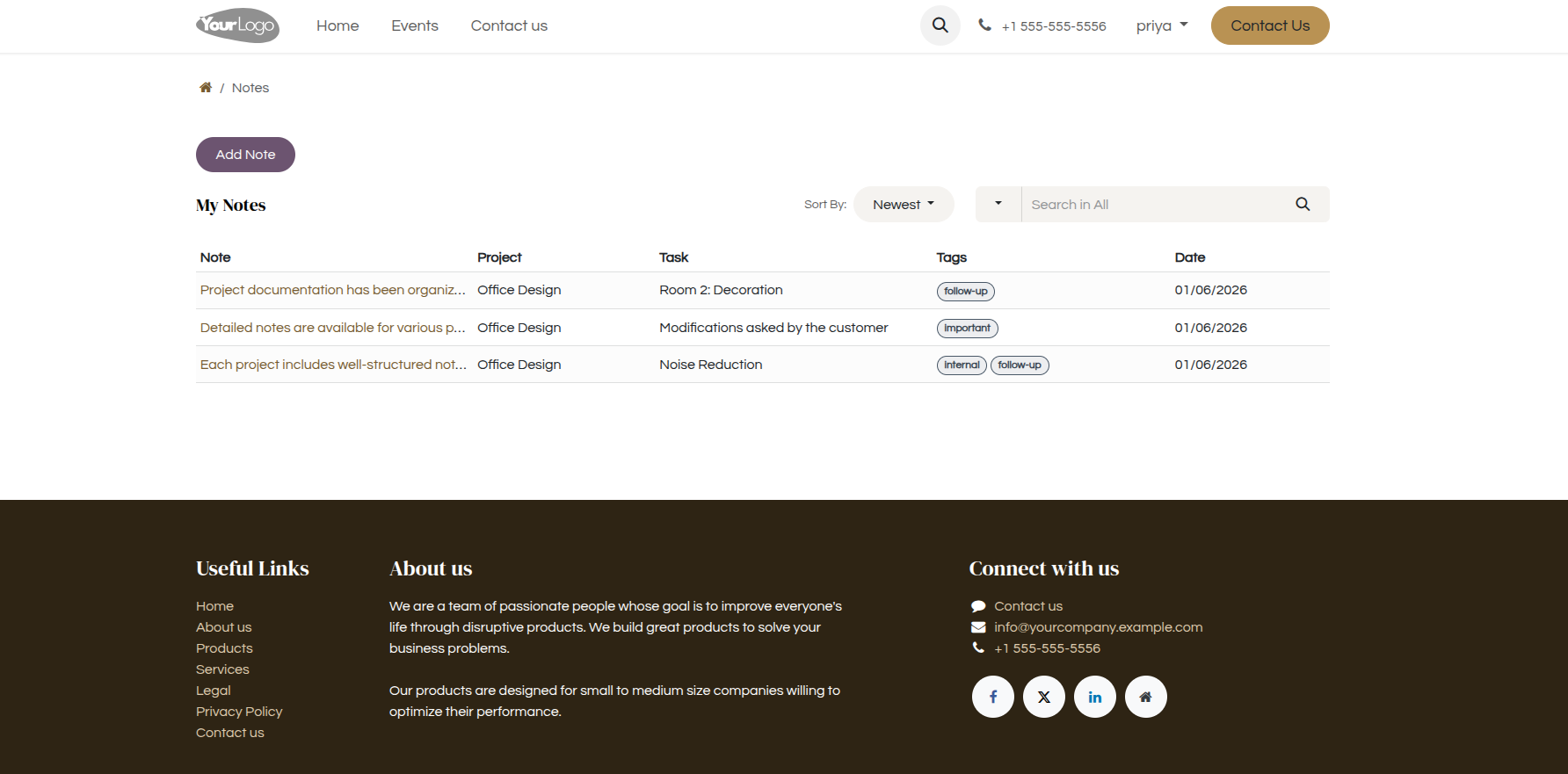
10. Once a note is added successfully, it is displayed on the front page.
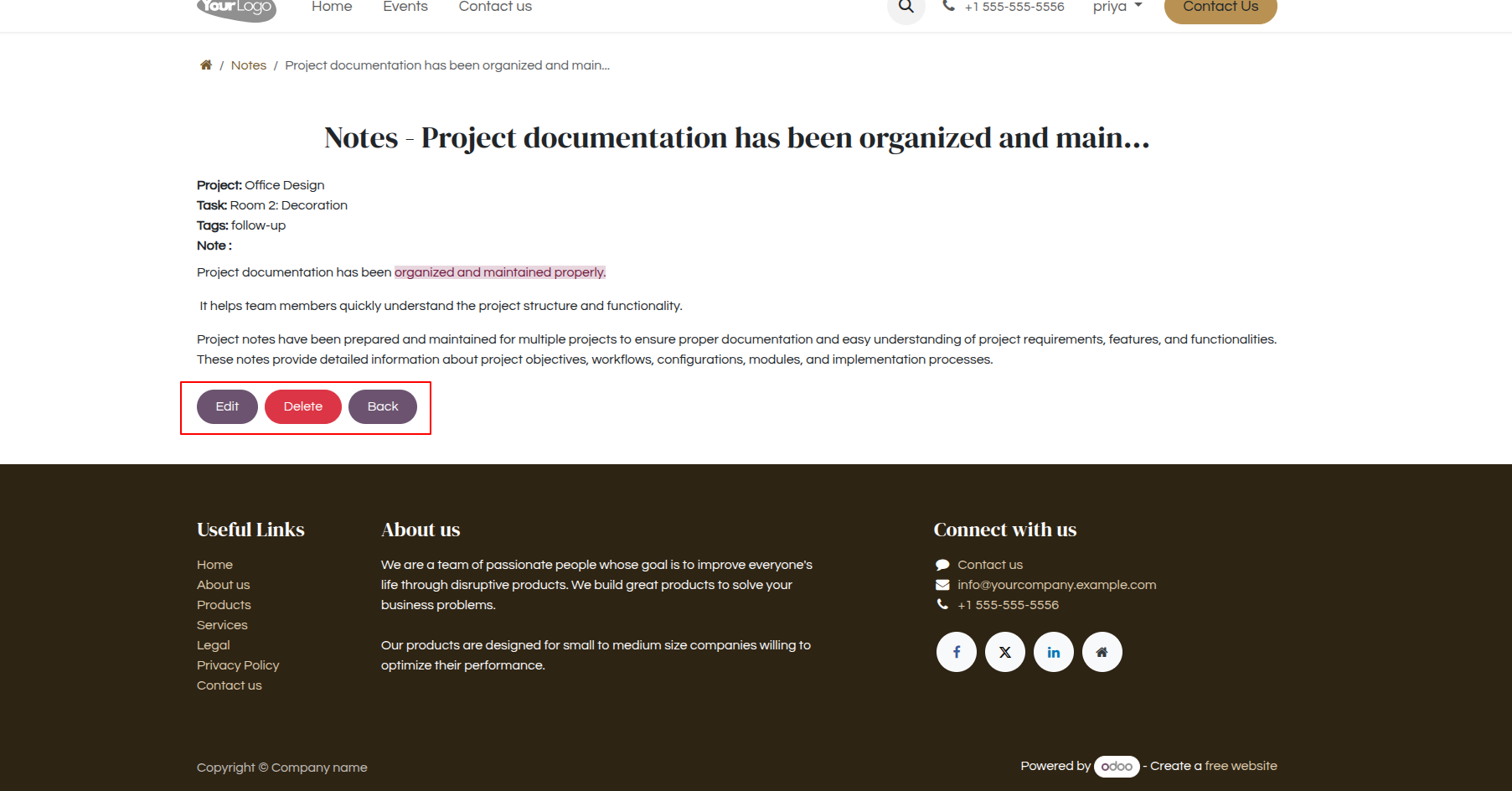
11. Portal View for Project/Job Notes.
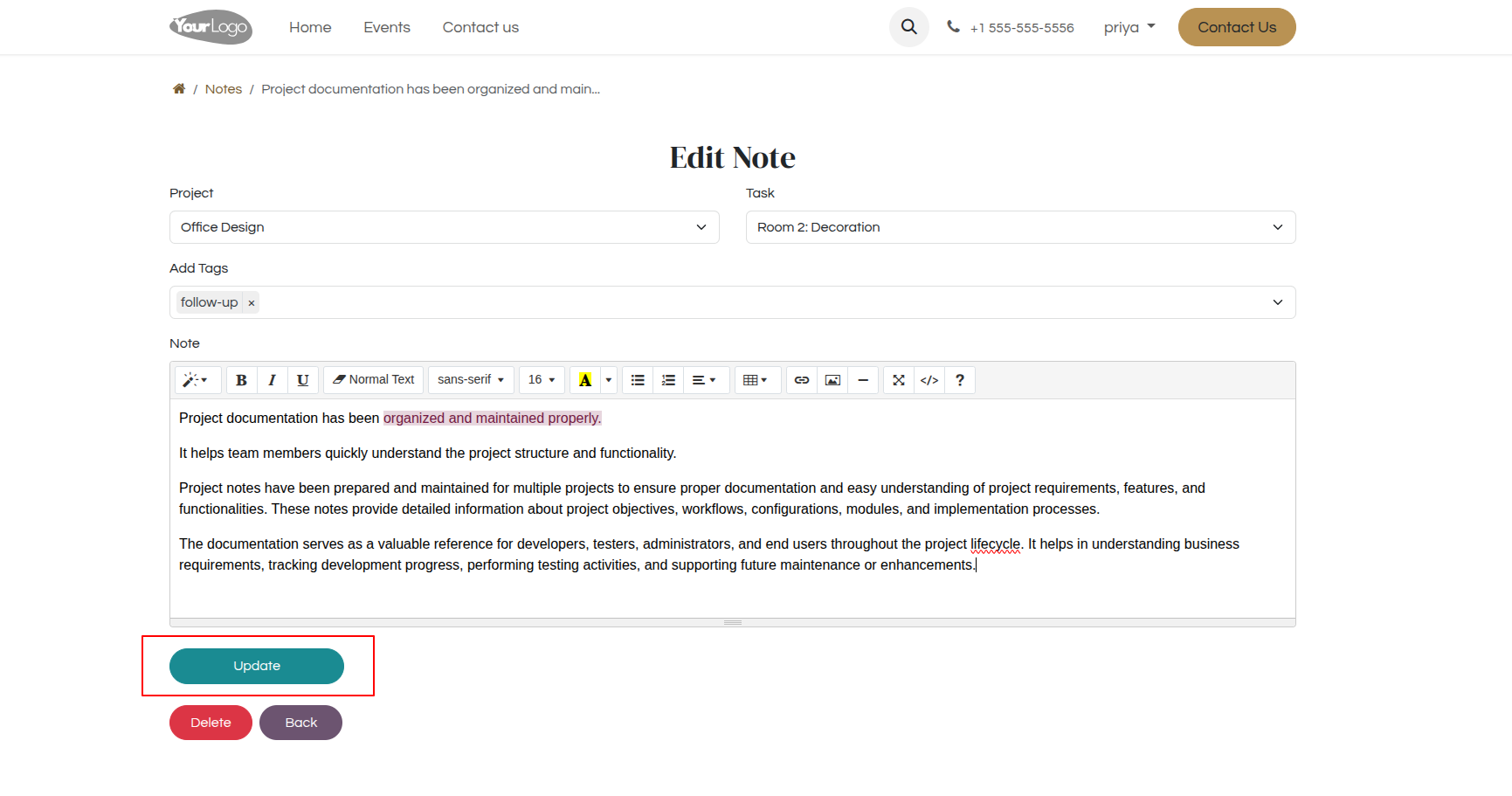
12. Edit Project/Job Notes and Delete Note.
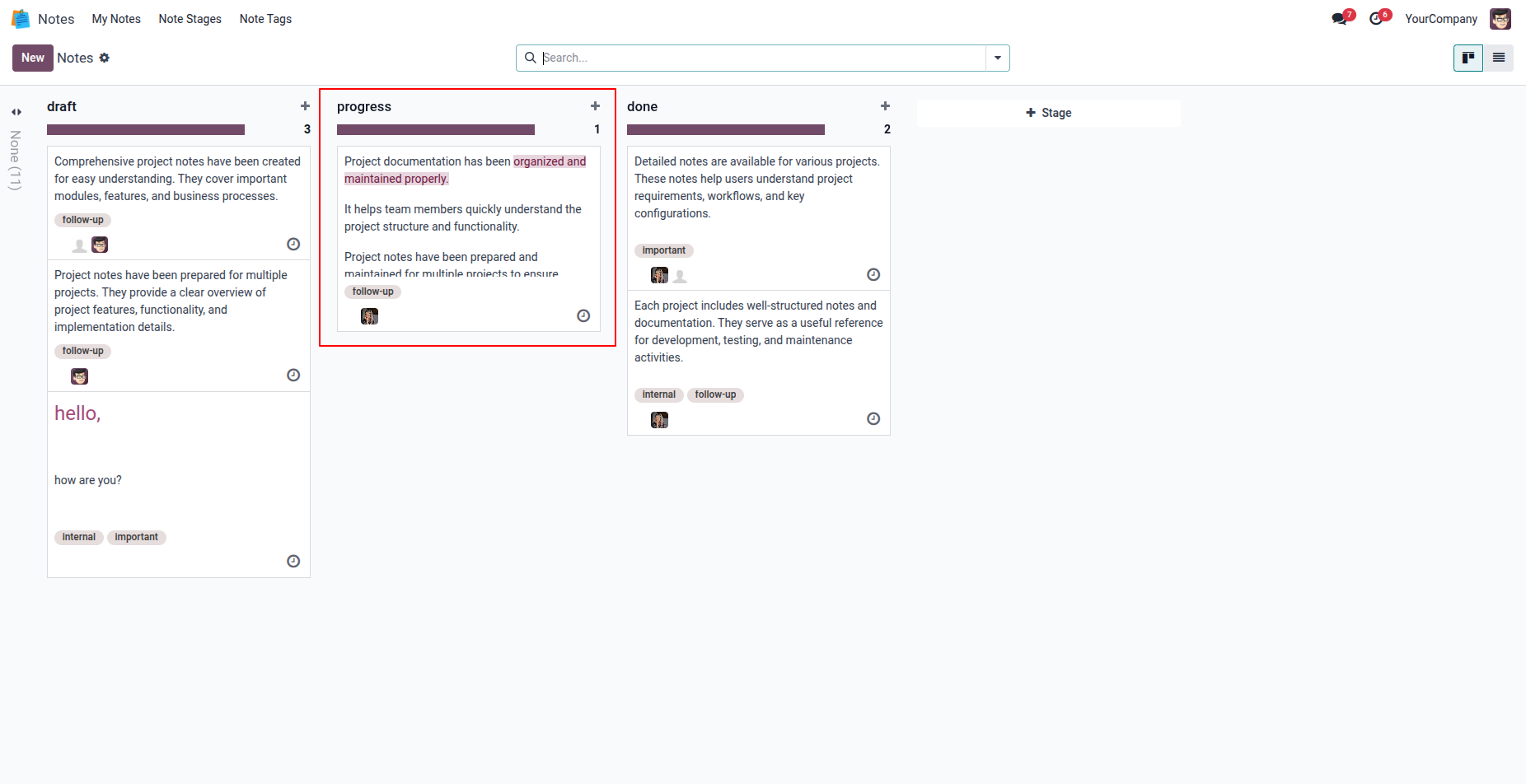
13. When a portal user adds a note, it is automatically created and displayed in the admin backend.
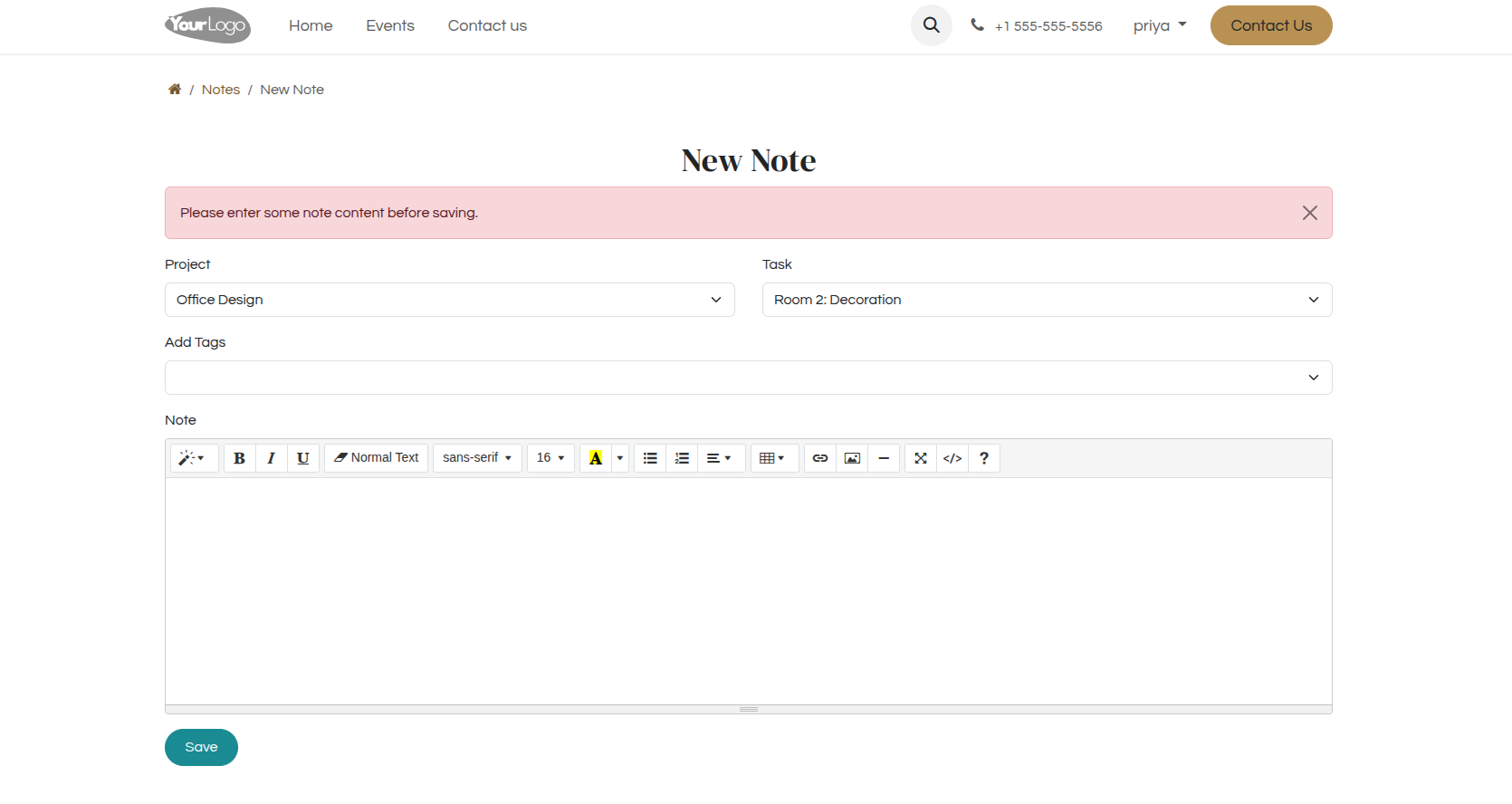
14. If no content is entered while creating a new note, the system displays the error message: 'Please enter some note content before saving.
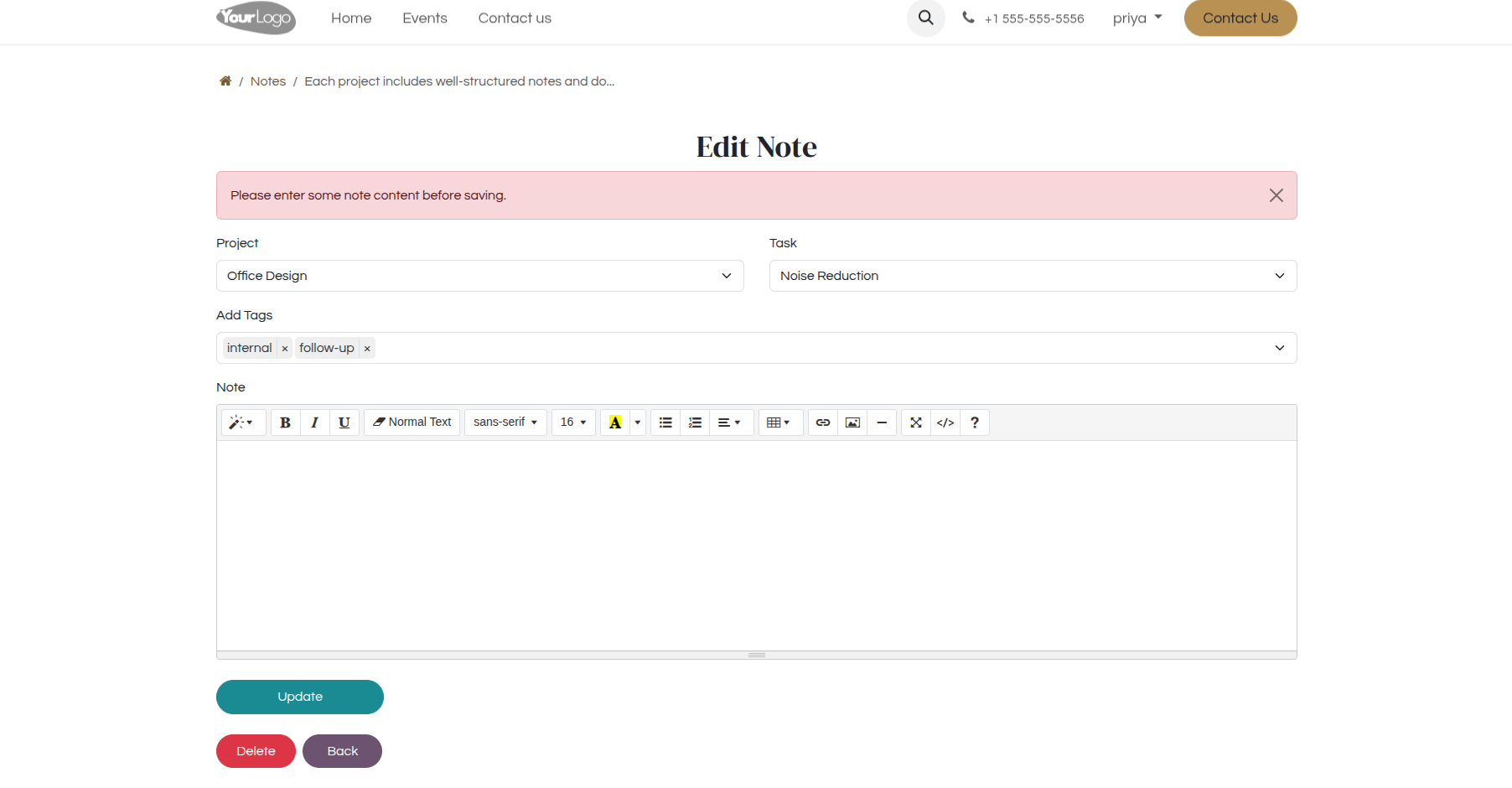
15. If no content is entered while updating a note, the system displays the error message: 'Please enter some note content before saving.
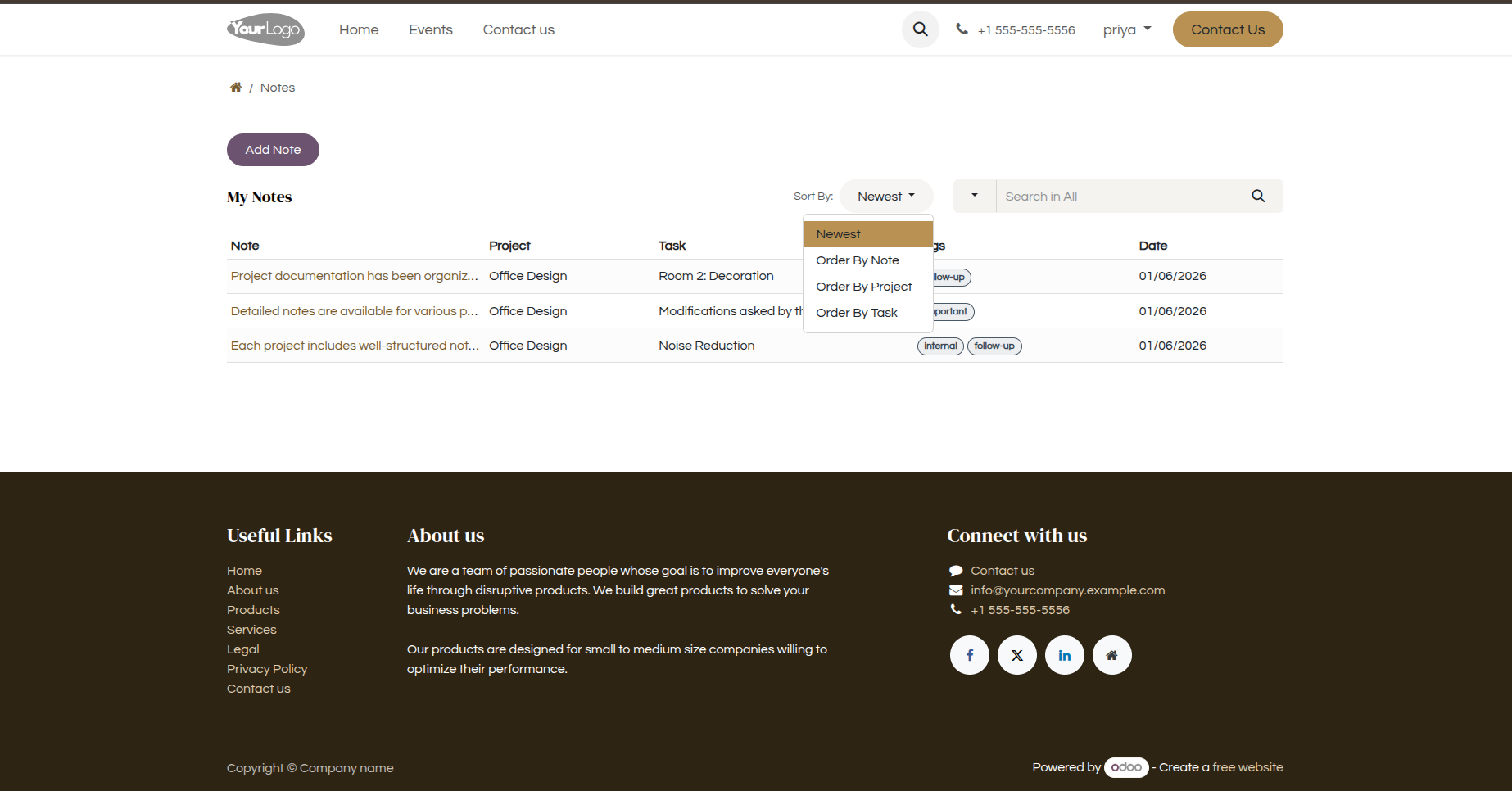
16.png
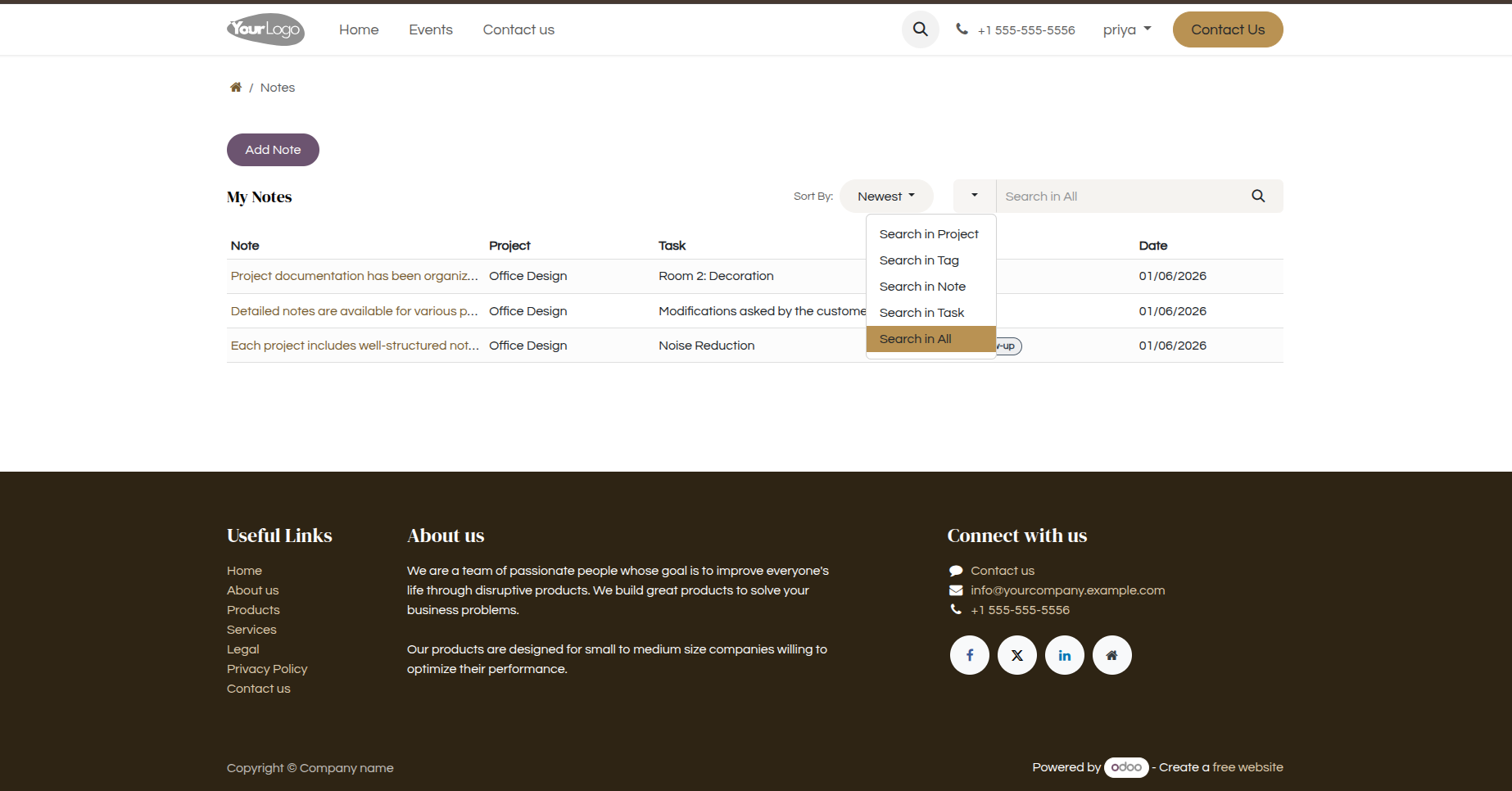
17. Notes can be searched based on the Note title, Task, Project, or Tag, making it easy to quickly find the required notes.
Our solutions focus on your problems
- Odoo Implementation
- Odoo Customization
- ERP Development and Implementation
- Odoo Ipass Cloud
- AI for Odoo
- Odoo Apps
- Aws Marketplace Products
- Business Engines
Our Pricing includes User Manual, 90 Days Support (Monday-Friday 10am to 7pm IST) and One time Setup
• Works & tested on standard installations of Odoo with no third party apps,
• Free support only for odoo installations with no third party apps,
• Paid support available for Odoo installations with third party apps.

Prefortune is a Odoo Official Partner, Odoo Development company. Our philosophy is to use Open Source tools and technologies to provide cost effective and green solutions for our customers.
Prefortune Technologies LLP is working on web development, Mobile development, and Odoo ERP.
If you need any help or want more additional features, you may contact us through:
Alternative Products
These other products might interest you
Specifications
| Version | 19.0, 18.0, 17.0, 16.0, 15.0, 14.0 |