Watch Quick Video
Portal Expense Access Odoo App
Our all-inclusive
Odoo – Portal Expense Access Odoo App
allows employees to submit and manage expense requests directly from the Odoo portal without requiring backend access. Employees can create expense entries, provide details such as product, quantity, and payment mode, and upload supporting documents like receipts or bills directly from the portal interface. The module includes a built-in chatter system that enables employees and managers to communicate easily through comments and file attachments.
This improves transparency and keeps all discussions and supporting documents related to an expense in one place. Once an expense is submitted, it is automatically forwarded to the manager for review and approval in the backend, ensuring a structured and controlled expense workflow. Employees can track the status of their expenses from the portal and stay updated with manager responses through the chatter.
To improve usability, the portal expense list supports search, filters, sorting, and grouping options, allowing employees to quickly find expenses by name, date, or status and manage their records efficiently.
With seamless integration into Odoo’s expense management system and no complex configuration required, the Portal Expense Access module provides a simple and effective way to streamline employee expense submission, communication, and approval directly from the portal.
Portal Expense Access Odoo App
- Employees can create and submit expenses directly from the portal without needing access to the Odoo backend.
- Employees and managers can communicate on each expense using chatter messages and attach receipts or supporting documents.
- Expenses submitted from the portal are instantly sent to the manager for review without creating a draft stage.
- Employees can track expense status and easily find records using portal search, filters, sorting, and grouping options.
- Managers review submitted expenses in the backend, verify details and attachments, and approve them through the standard workflow.
Complete Workflow for Manage Portal Expense Access App
To get started with the Portal Expense Access Module install the module and ensure employees have portal access linked to their employee records. Employees can log in to the portal, navigate to My Expenses, and submit expense requests by selecting the product/category, quantity, payment mode, and attaching receipts or bills. Once expense submitted, the expense is automatically created in the backend and sent to the manager for review. Employees can track their expenses from the portal using search and filters, while managers review details, communicate through chatter, verify attachments, and approve the expense in the backend. This provides a simple and transparent workflow for submitting, tracking, and approving expenses directly from the portal.
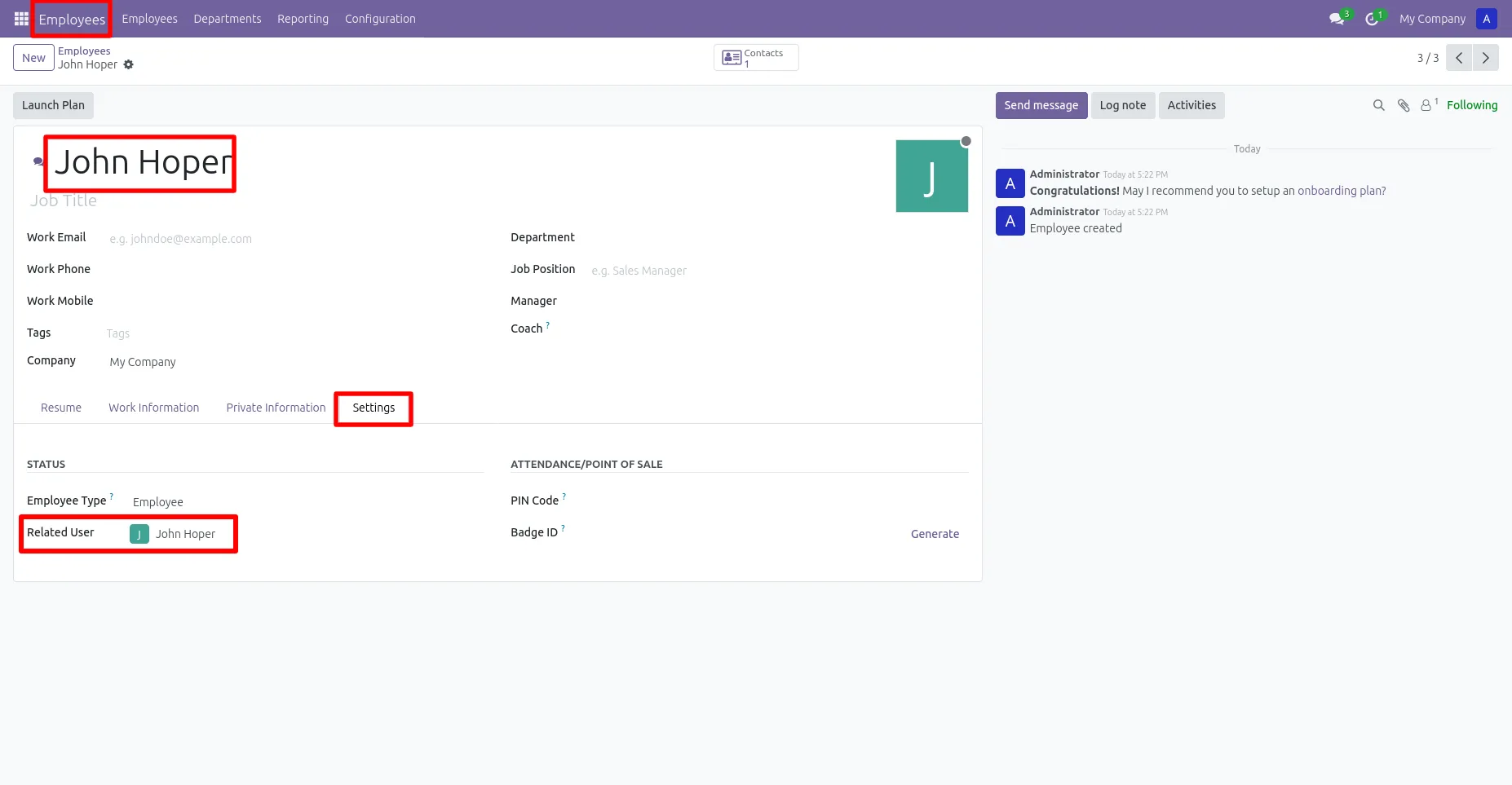
1. Go to Employees → Select Employee → Settings → Link "Related User" The employee record is linked to a related user account to enable portal access for submitting and managing expenses.
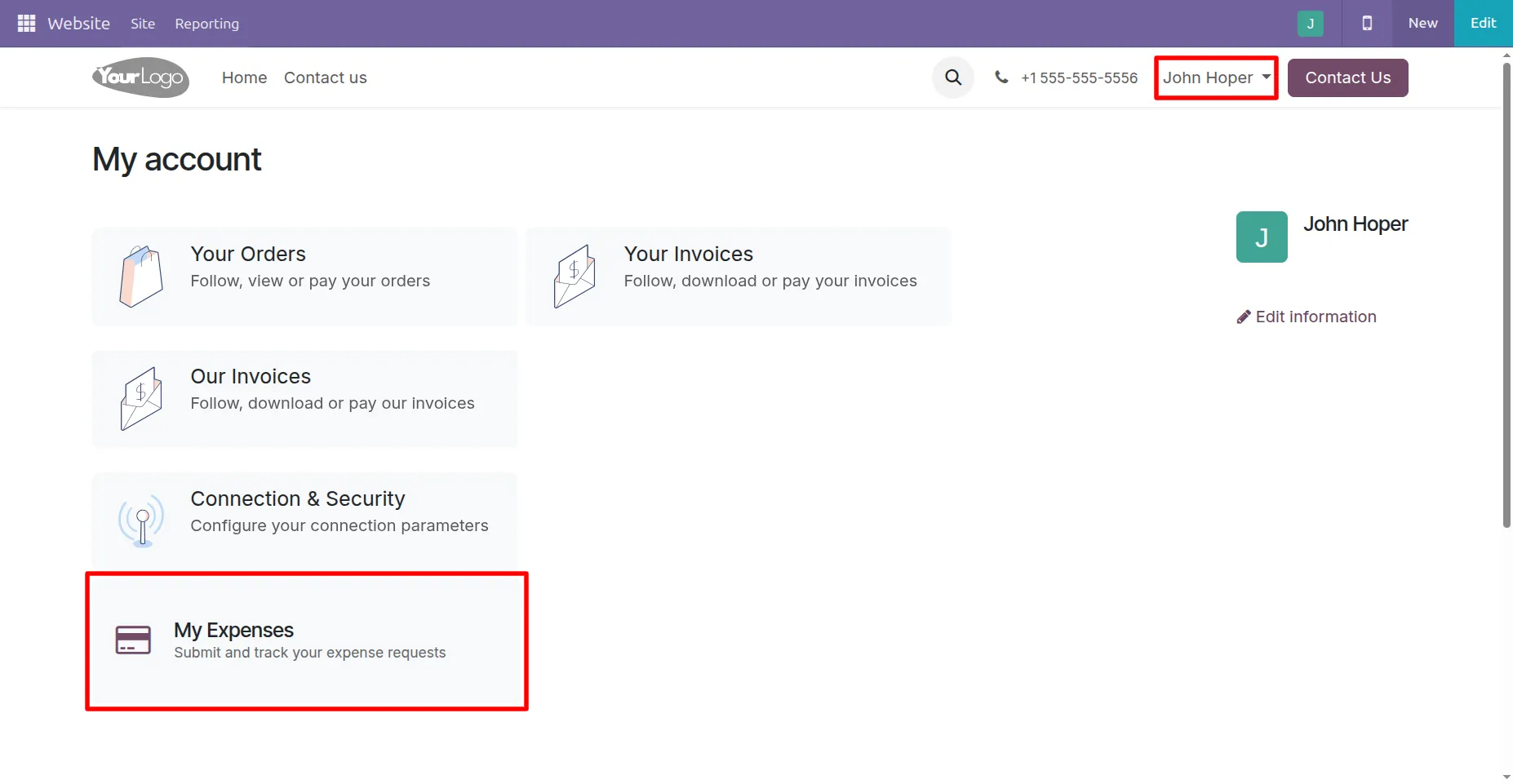
2. Go to Website → My Account – After logging into the portal, the employee can see and open My Expenses from the My Account page to submit and track expense requests.
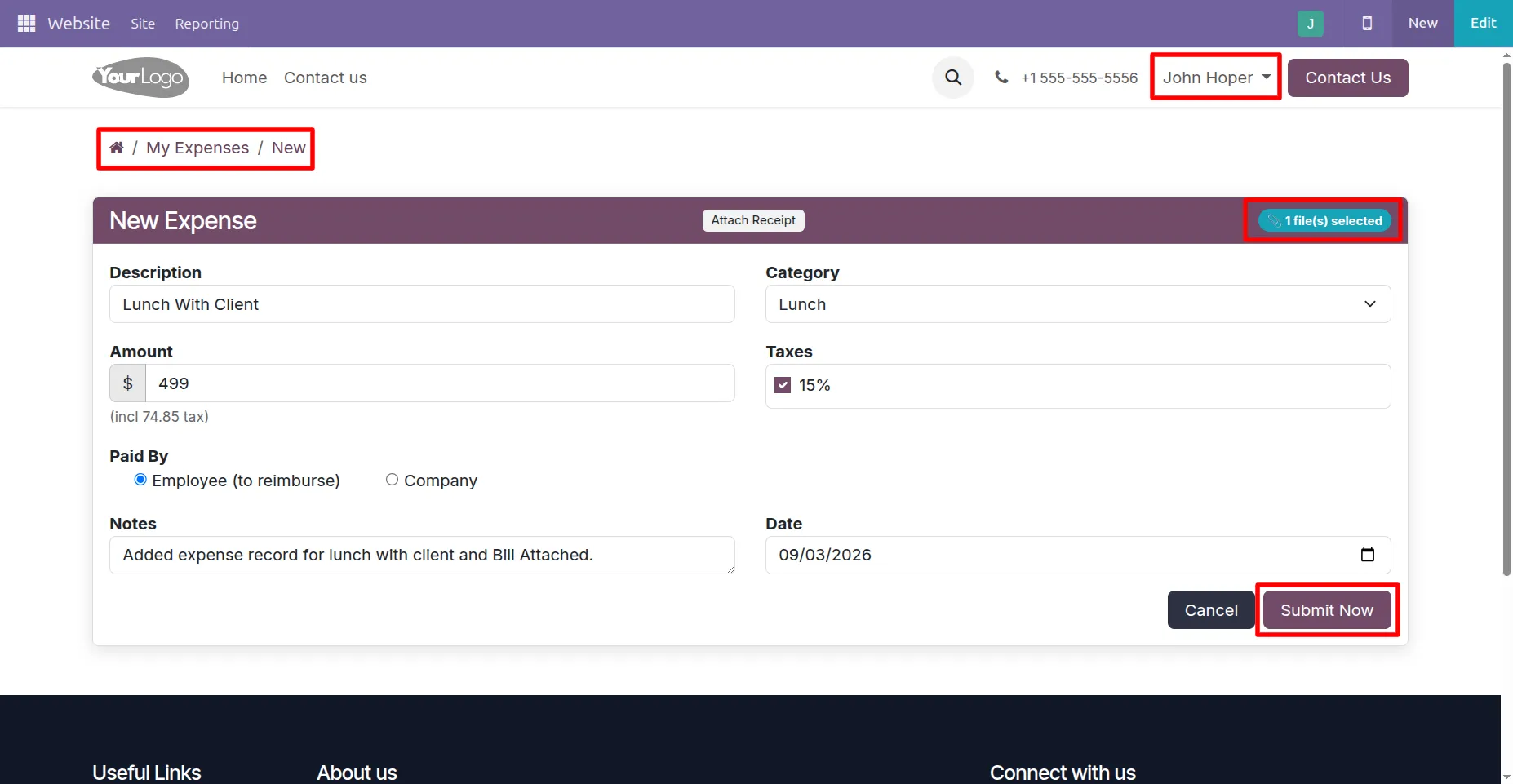
3. The employee fills in the expense details, attaches the receipt, and clicks Submit Now to send the expense request to the manager.
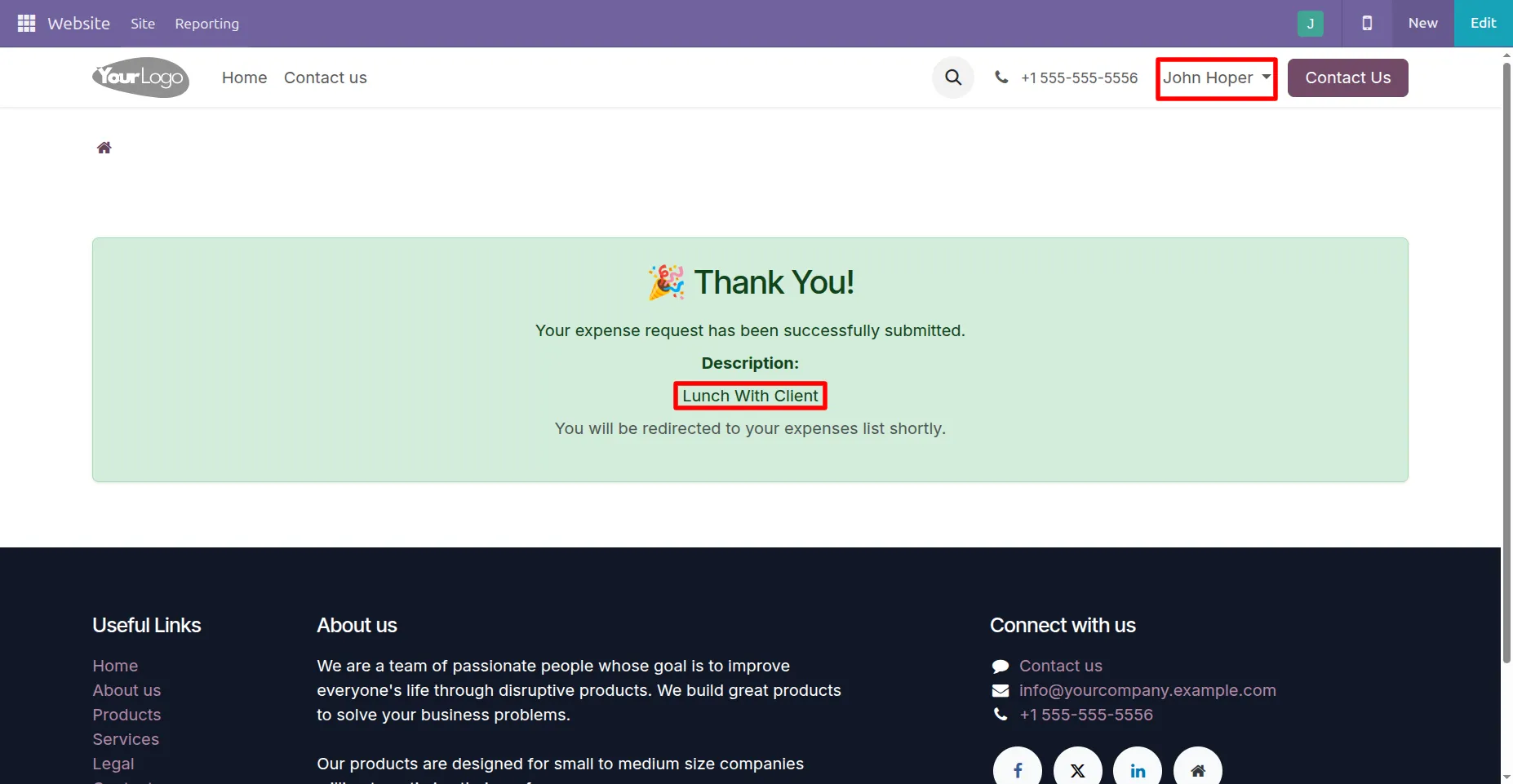
4.A confirmation message is displayed after the employee submits the expense request from the portal.
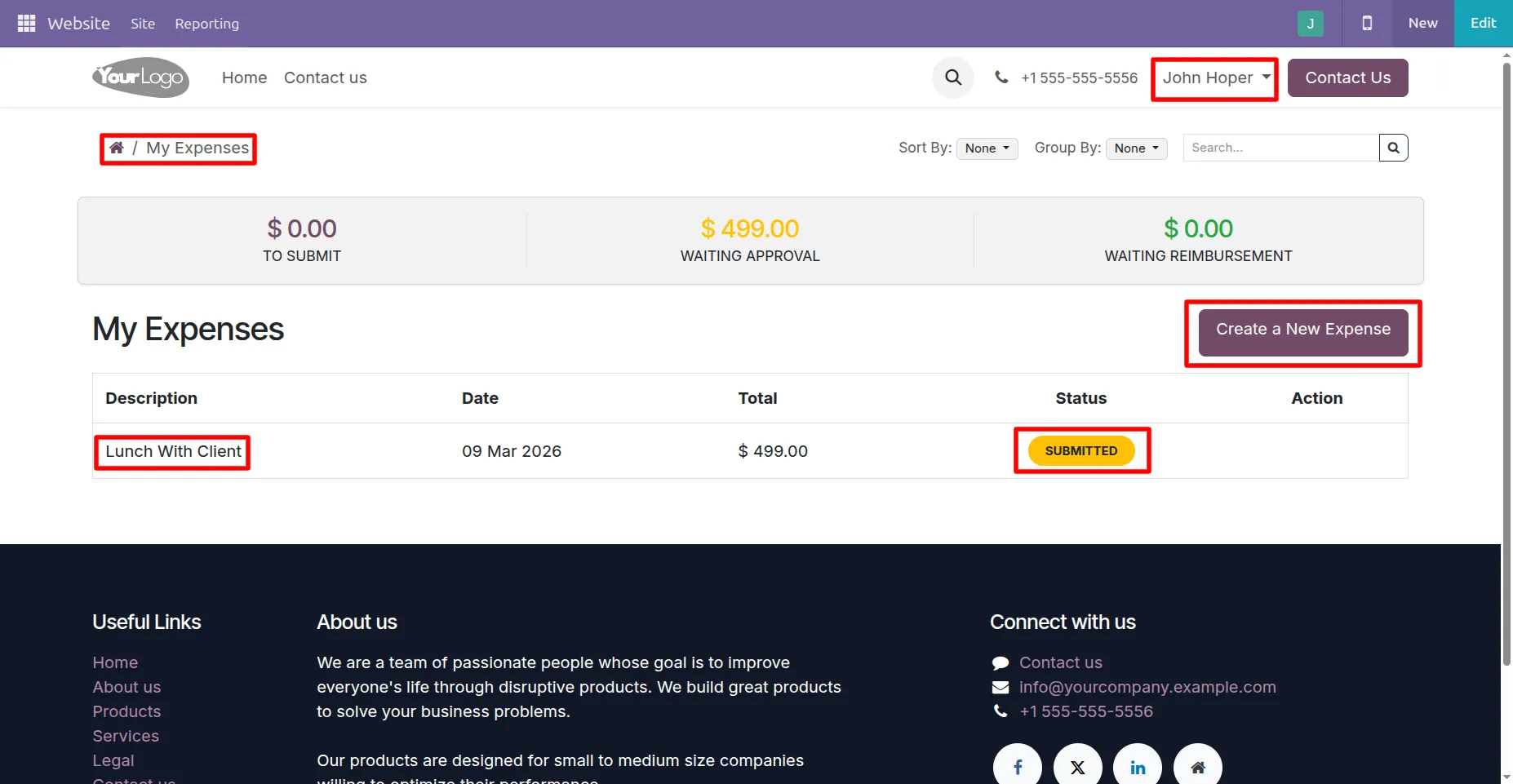
5. Employees can see their submitted expenses in the My Expenses list along with details like description, date, amount, and status.
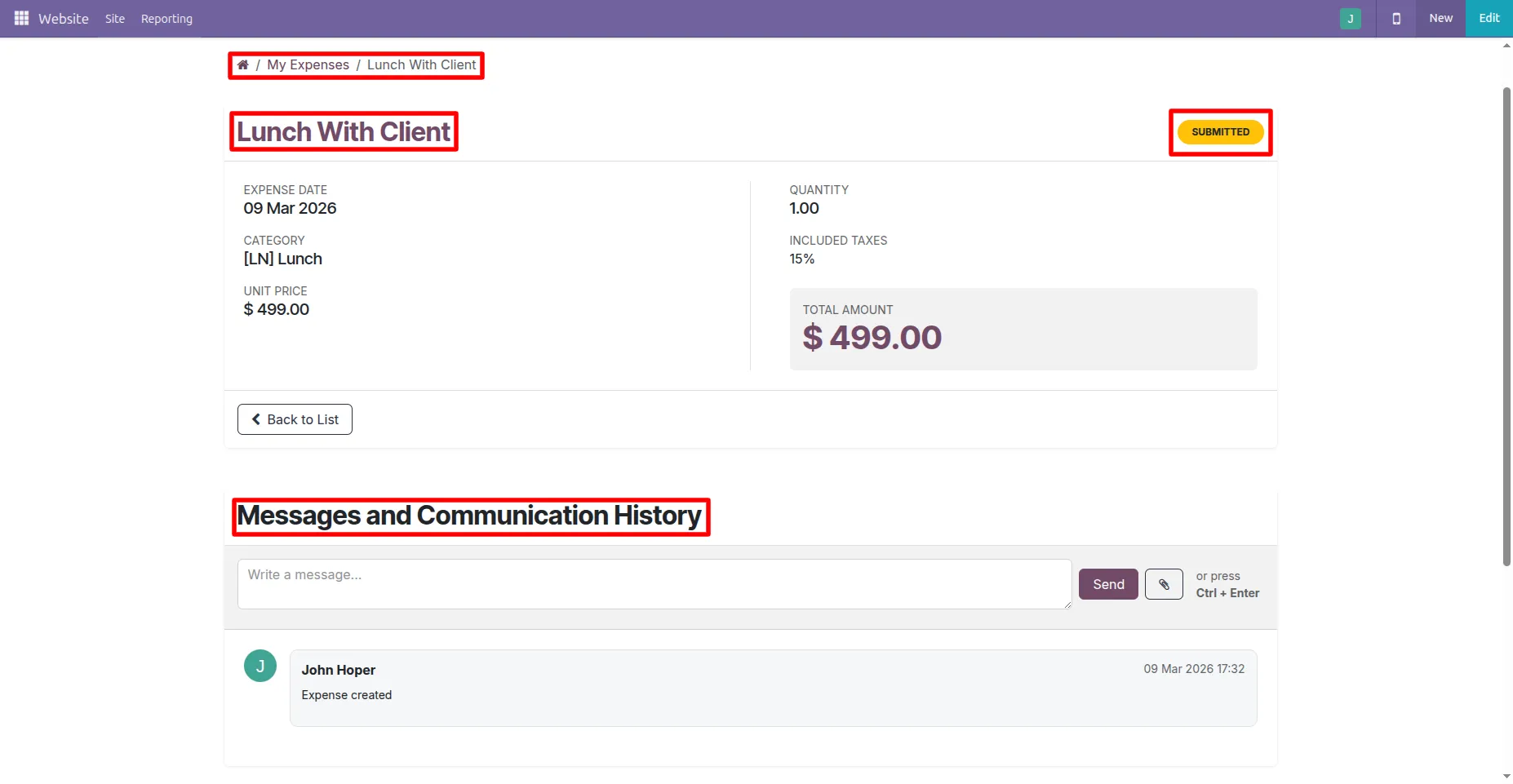
6. Employees can open an expense to see full details and use the chatter to view messages and communicate about the expense.
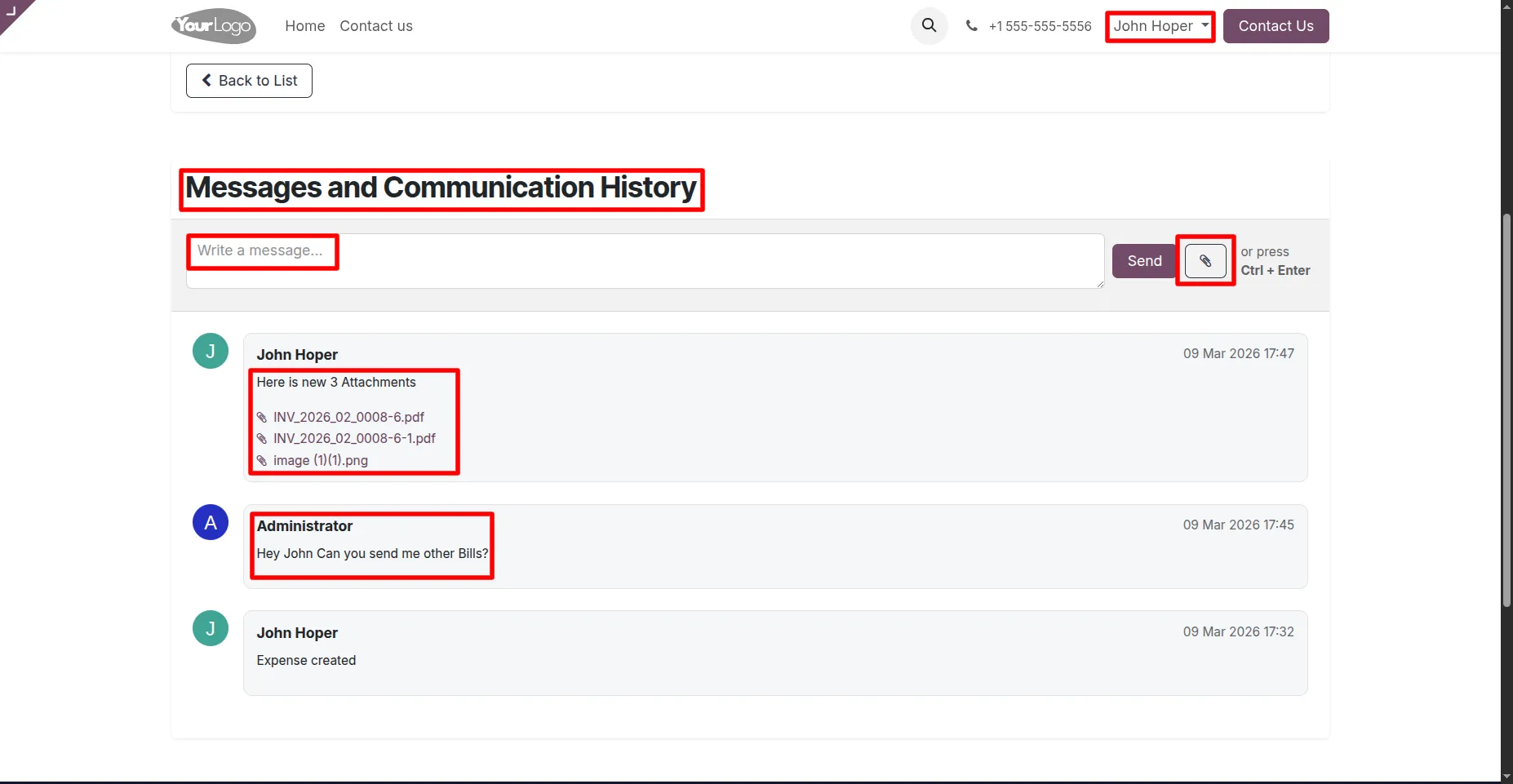
7. Employees and managers can send messages and attach files in the chatter to communicate and share documents related to the expense.
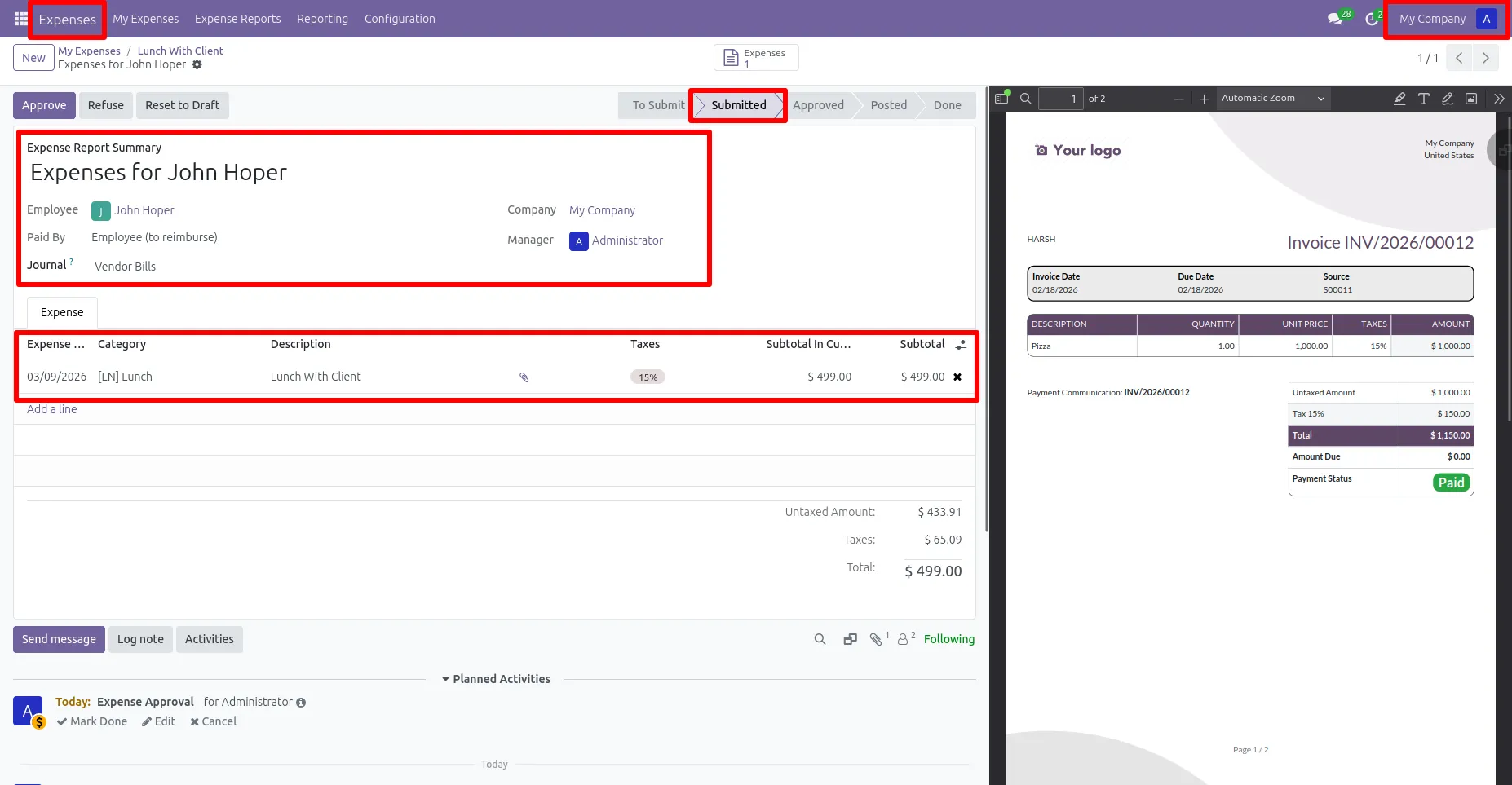
8. The submitted expense appears in the Expenses module where the manager can review details, attachments, and approve or refuse the request.
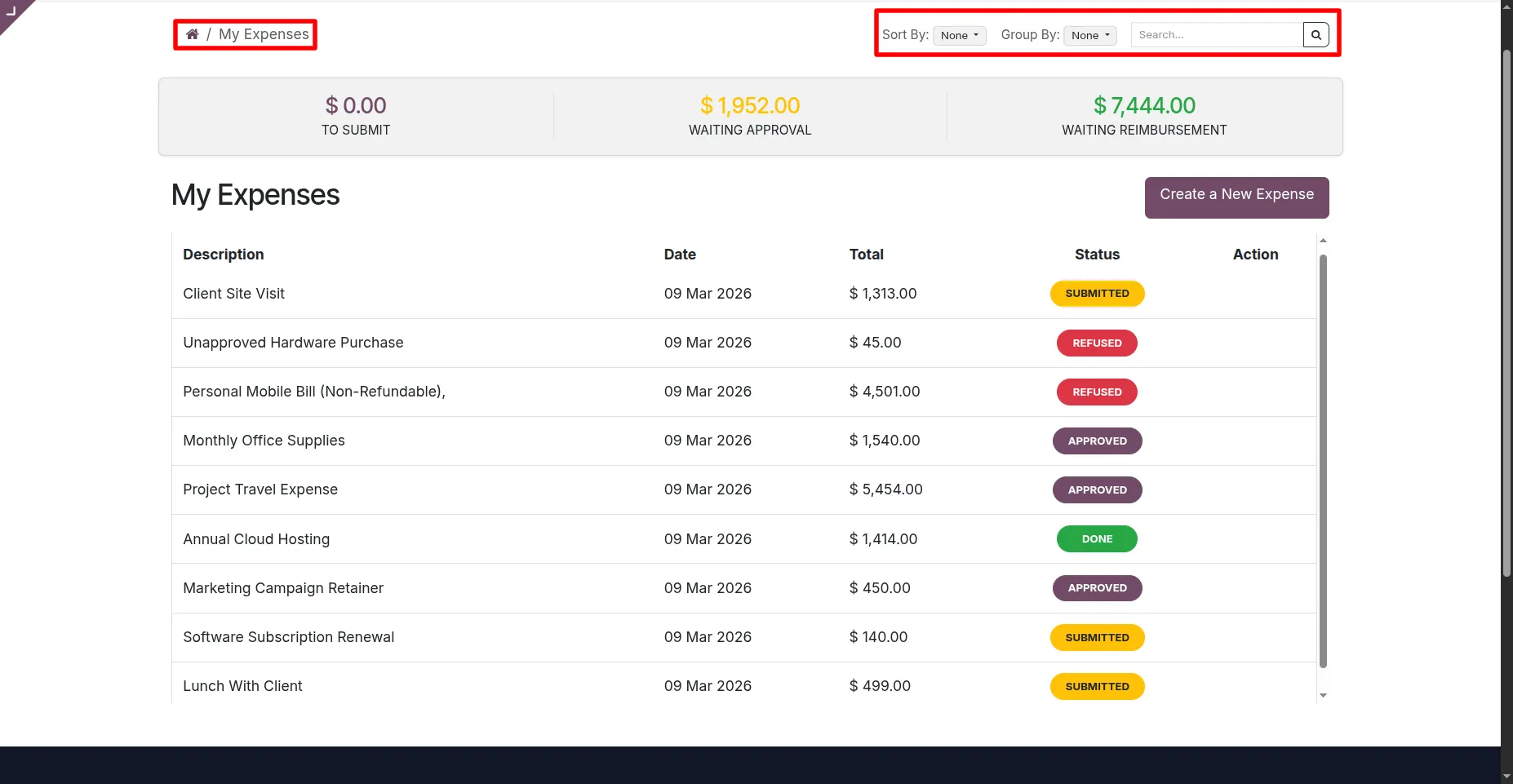
9. Employees can quickly find and organize their expenses using search, sorting, and grouping options in the portal list.
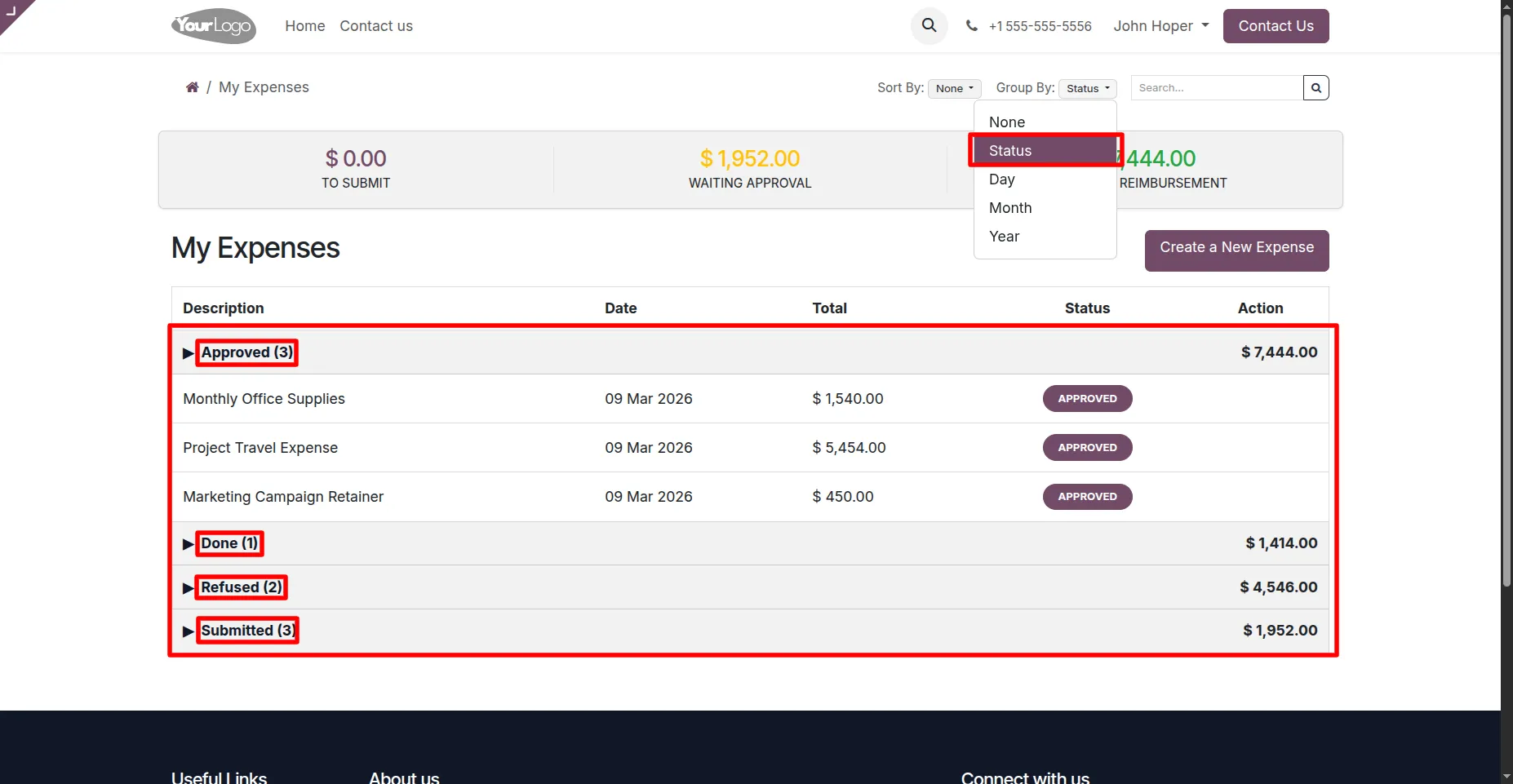
10. Employees can group expenses by status to easily view records such as Submitted, Approved, Refused, and Done.
Our solutions focus on your problems
- Odoo Implementation
- Odoo Customization
- ERP Development and Implementation
- Odoo Ipass Cloud
- AI for Odoo
- Odoo Apps
- Aws Marketplace Products
- Business Engines
Our Pricing includes User Manual, 90 Days Support (Monday-Friday 10am to 7pm IST) and One time Setup
• Works & tested on standard installations of Odoo with no third party apps,
• Free support only for odoo installations with no third party apps,
• Paid support available for Odoo installations with third party apps.

Prefortune is a Odoo Official Partner, Odoo Development company. Our philosophy is to use Open Source tools and technologies to provide cost effective and green solutions for our customers.
Prefortune Technologies LLP is working on web development, Mobile development, and Odoo ERP.
If you need any help or want more additional features, you may contact us through:
Alternative Products
These other products might interest you
Specifications
| Version | 19.0, 18.0, 17.0, 16.0, 15.0, 14.0 |