Watch Quick Video
PDF Merge for Invoices App
Our efficient
PDF Merge for Invoices App
module is designed to automate attaching of additional PDF documents to accounting reports in Odoo. This
module allows the user to merge one or more PDF attachments with Invoice, Vendor Bill, Credit Note and
Debit Note reports without manual editing or third-party PDF tools. Admins can easily configure this
feature from the Accounting Settings and can choose to enable or disable it to merge PDF files. The user
chooses which PDF documents to append to the generated reports after installation. The module merges the
selected attachments automatically with the configured invoice report template, so each report is
delivered with the necessary supporting documents. Perfect for attaching Terms & Conditions, Company
Policies, Warranty Certificates, Payment Instructions, Product Brochures or Compliance Documents.
Automating the document merge process can save your business time, ensure all accounting reports are
consistent and provide your customers and vendors a more professional document. The module is fully
integrated with the Odoo Accounting application and extends the existing report generation process without
disturbing the current business process.
It provides powerful features to simplify invoice report PDF merging:
1. Easy PDF Report Merging: Combine PDF attachments with Invoice, Vendor Bill, Credit Note and
Debit Note reports easily. Selected documents are automatically included in the accounting report that is
generated.
2. PDF attachments, multiple Supported: You can add one or more PDFs to a single accounting
report. This enables companies to put all supporting documents required in one pdf.
3. Intelligent Configuration Management: Enable or disable the PDF merge feature from the
Accounting Settings. Related fields are displayed only if the feature is enabled.
4. Automatic Attachment Integration: Selected PDF documents are automatically integrated with
the configured invoice report template when the report is generated. You don't have to edit PDFs by hand.
5. PDF-Only Attachment Support: The module supports only merging of PDF documents for
compatibility and to ensure consistent report format for all the accounting reports.
6. Reusable Document Library: Upload PDF documents once and reuse them across multiple
invoices, bills, credit notes and debit notes. It saves time and helps keep business documentation
consistent.
PDF Merge for Invoices App Features
- Combine PDF attachments with Invoice, Vendor Bill, Credit Note and Debit Note reports in a few clicks. The module automatically adds the selected documents into the generated accounting report.
- Attach one or more PDF documents to an accounting report as needed by your business. This allows you to easily combine multiple supporting documents .
- The module only permits the merge of PDF files with accounting reports to ensure compatibility and a uniform format for the reports. This makes the process of producing the PDF seamless and reliable.
- Enable or disable the Invoice Merge PDF Reports feature in Accounting Settings. This gives administrators complete control over the PDF merging feature.
- Allow/Disallow Invoice Merge Attachment to Reports option from Accounting Settings and Invoice form view. If enabled, users can select the required PDF attachments to be auto-merged with the generated report.
Complete Workflow for PDF Merge for Invoices App
Enable the Invoice Merge PDF Reports configuration from the Accounting Settings, then activate Invoice Merge Attachment to Reportsif required. Select the desired PDF Documents from the configured document list, and generate an Invoice, Vendor Bill, Credit Note, or Debit Note. The module will automatically Merge PDF Attachments with the selected Invoice Report Template, producing a single professional PDF report.
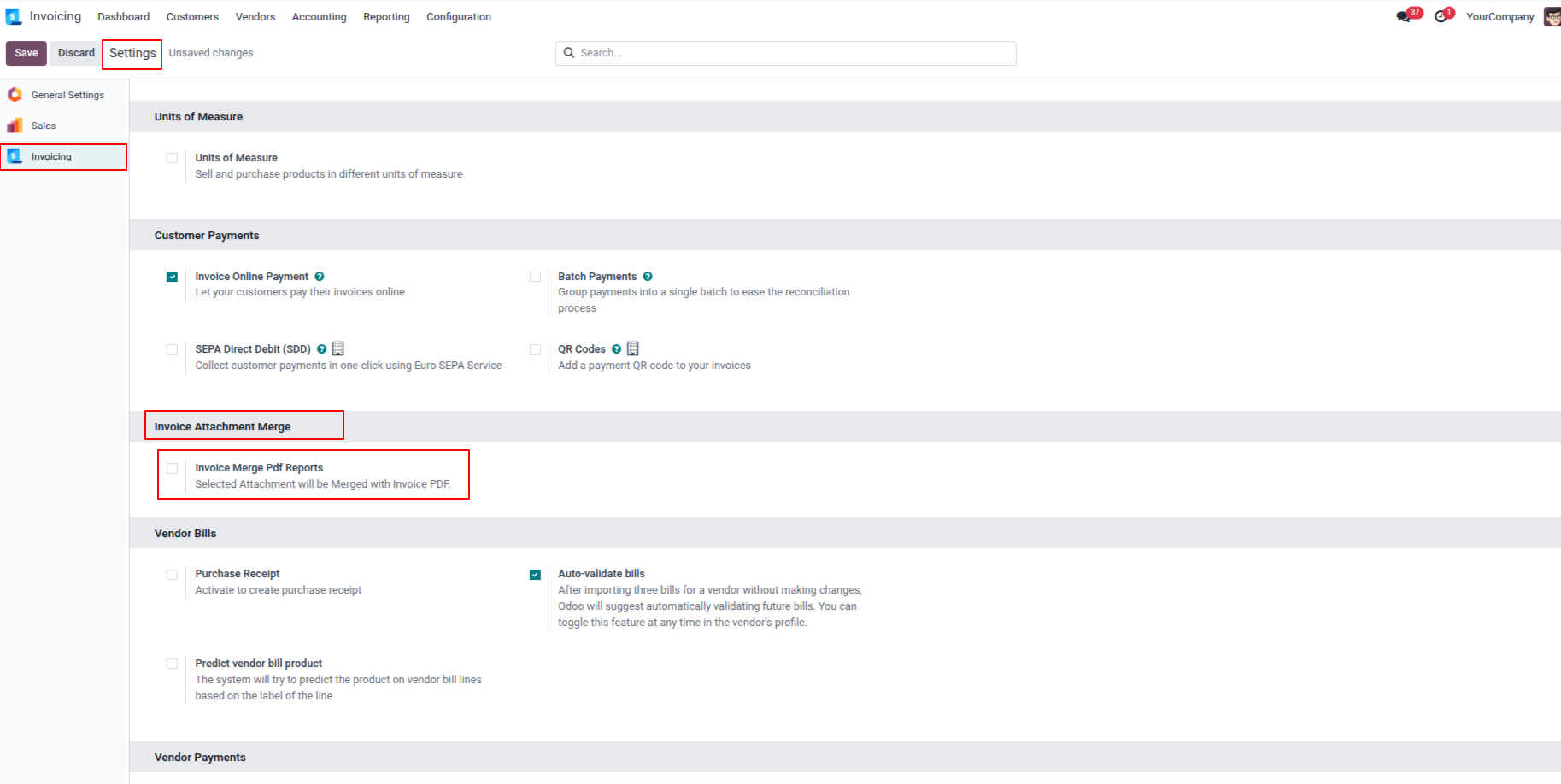
1. Go to Invoice Settings and enable the Invoice Merge PDF Reports option. Once enabled, the Invoice Report selection field and the Invoice Merge Attachment to Report checkbox will become visible in the configuration settings.
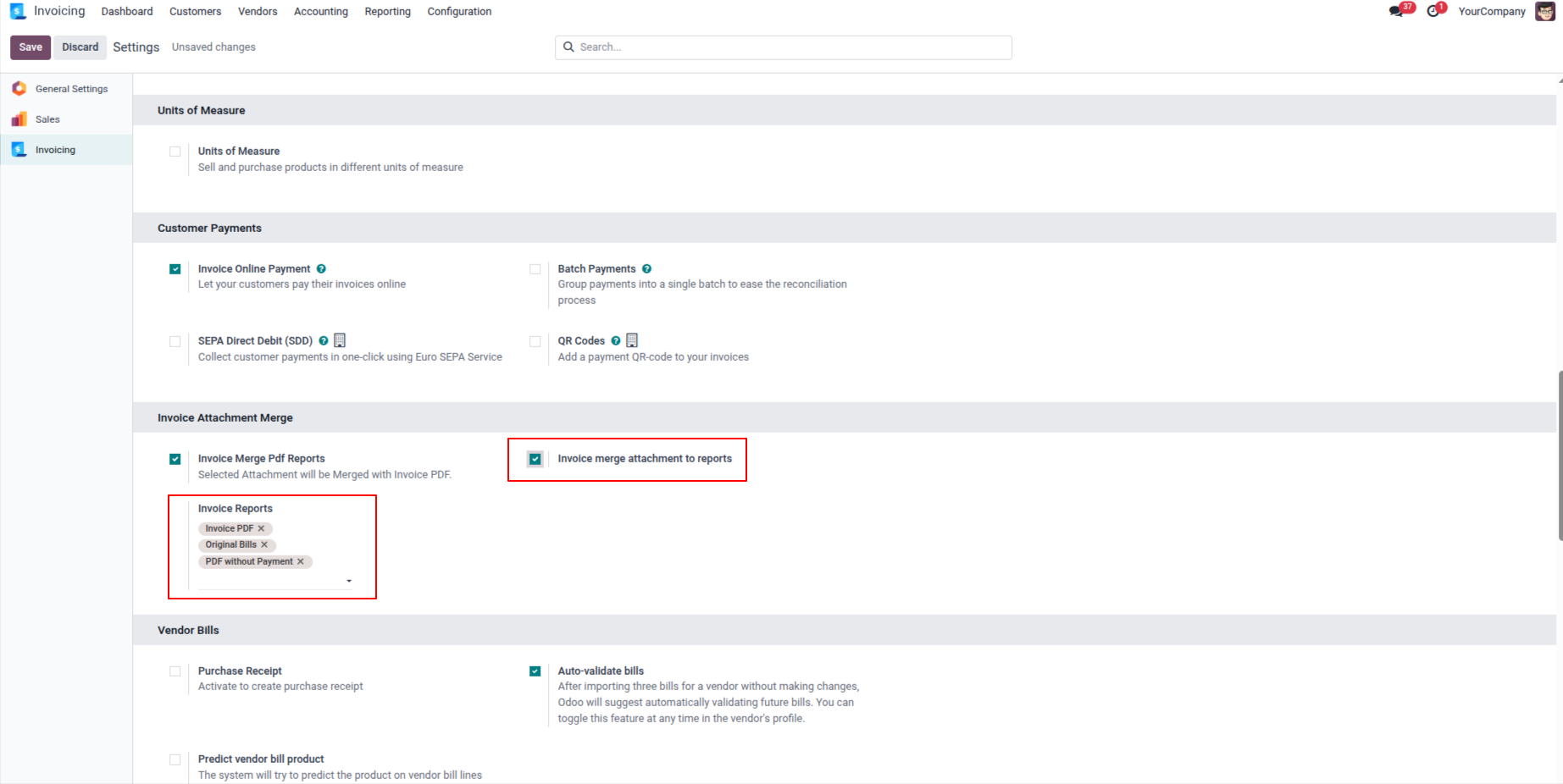
2. In the Invoice Report field, select the PDF report that you want to merge. and enabling the Invoice Merge Attachment to Report option, the Merge Attachment to Report field will become visible in the invoice form view.
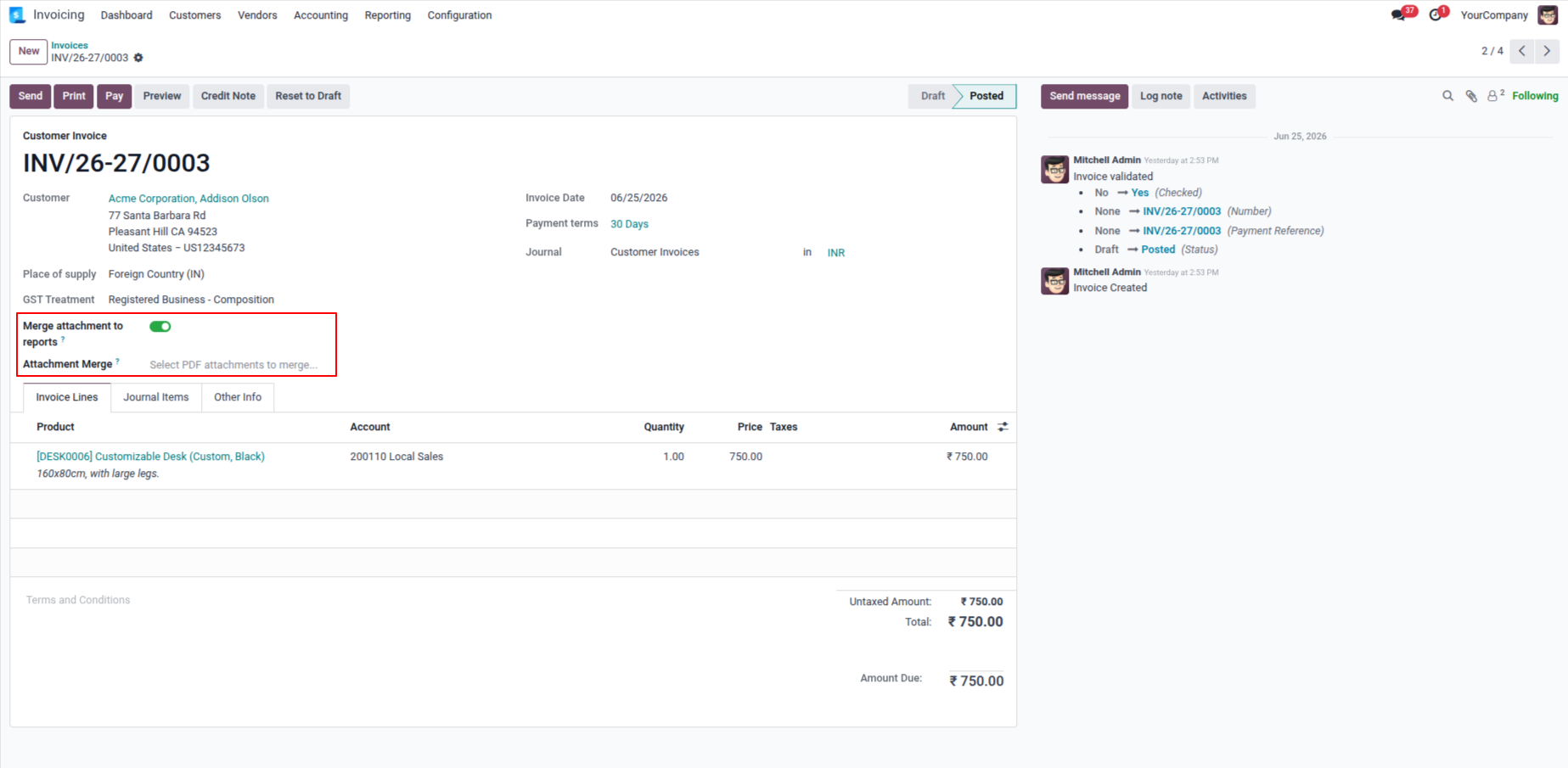
3. After enabling the Merge Attachment to Report option, the Attachment to Merge field will become visible.
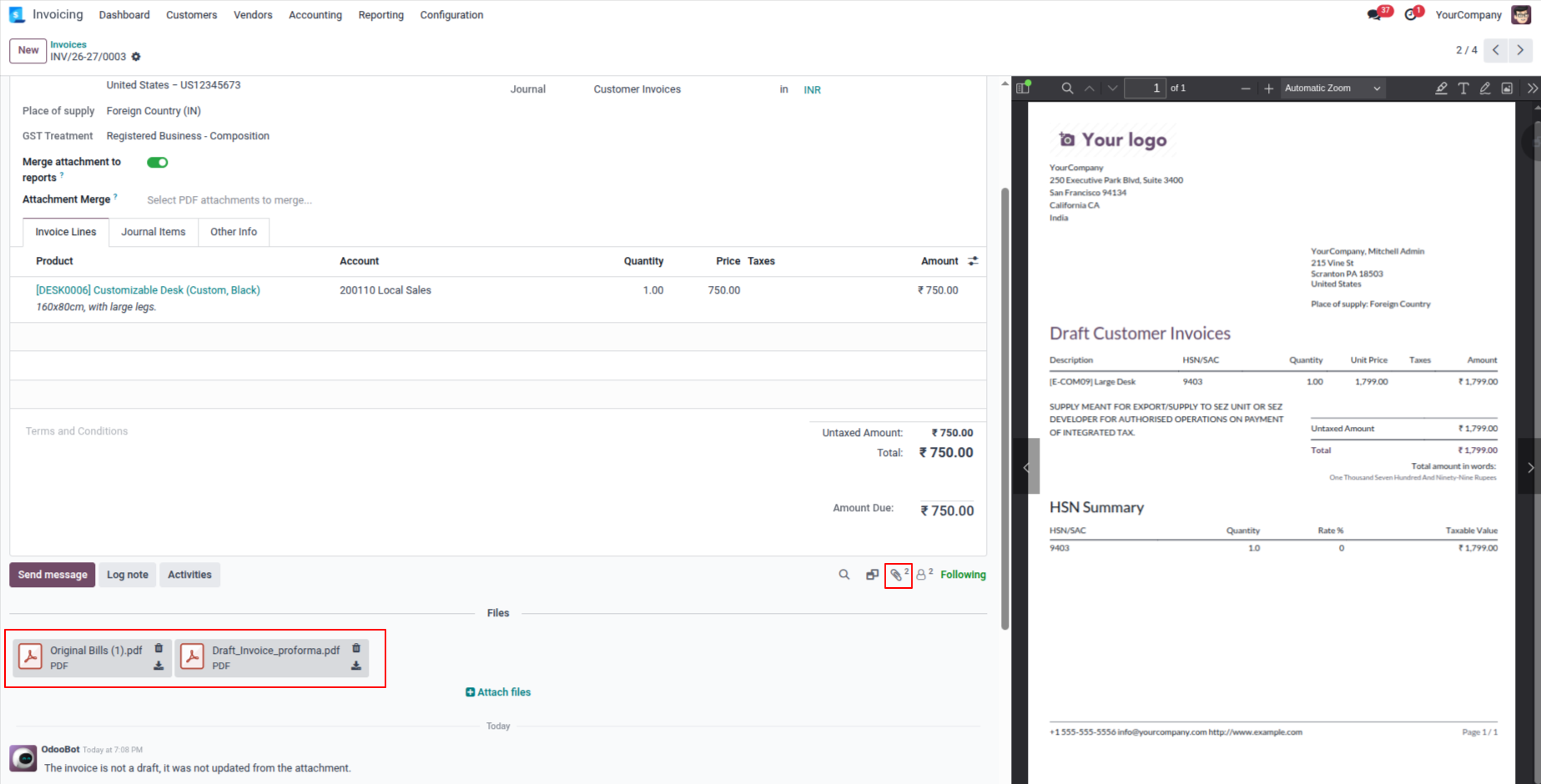
4 Select the files that you want to attach and merge with the invoice report.
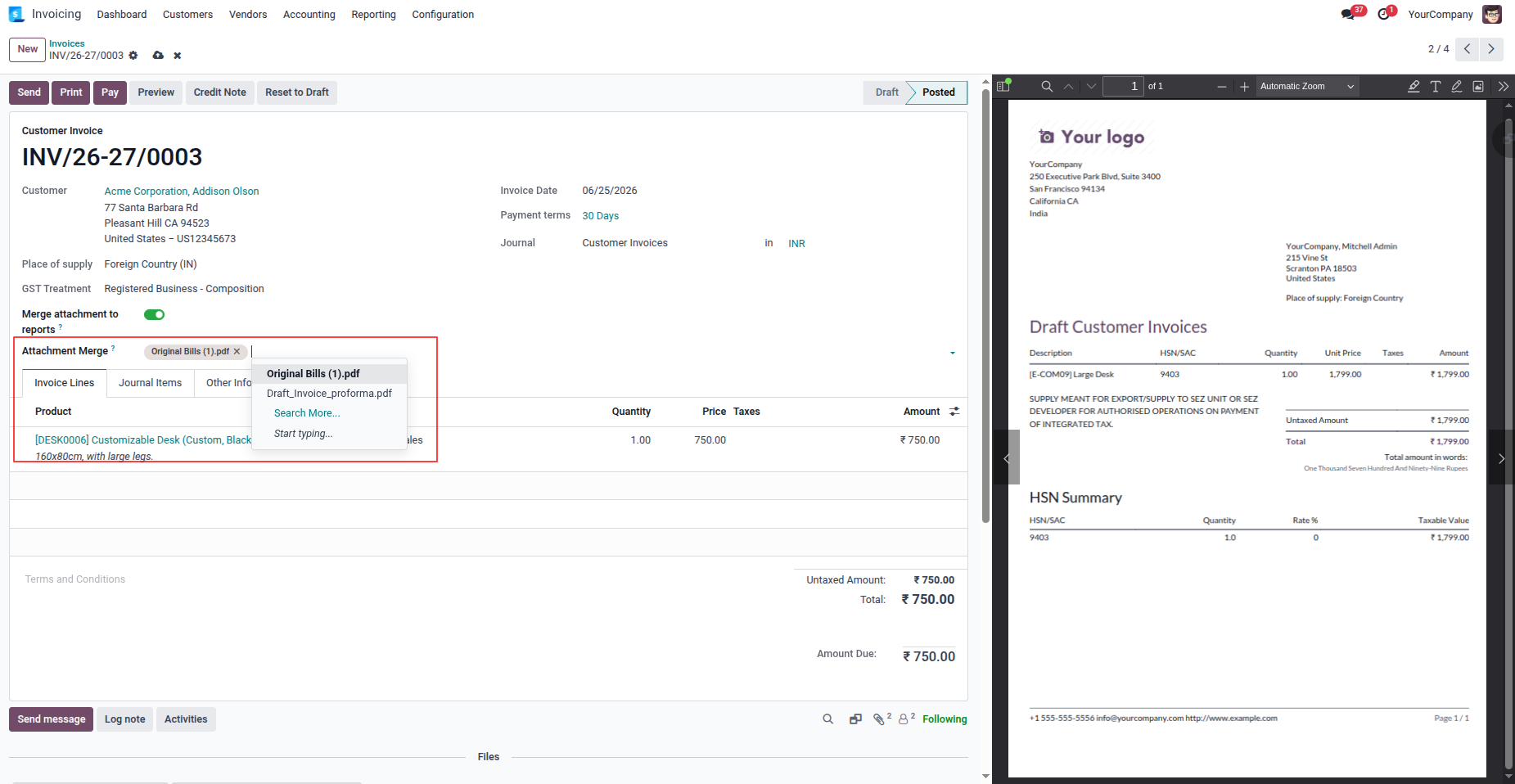
5. Invoice form view. Select the PDF that you would like to merge.
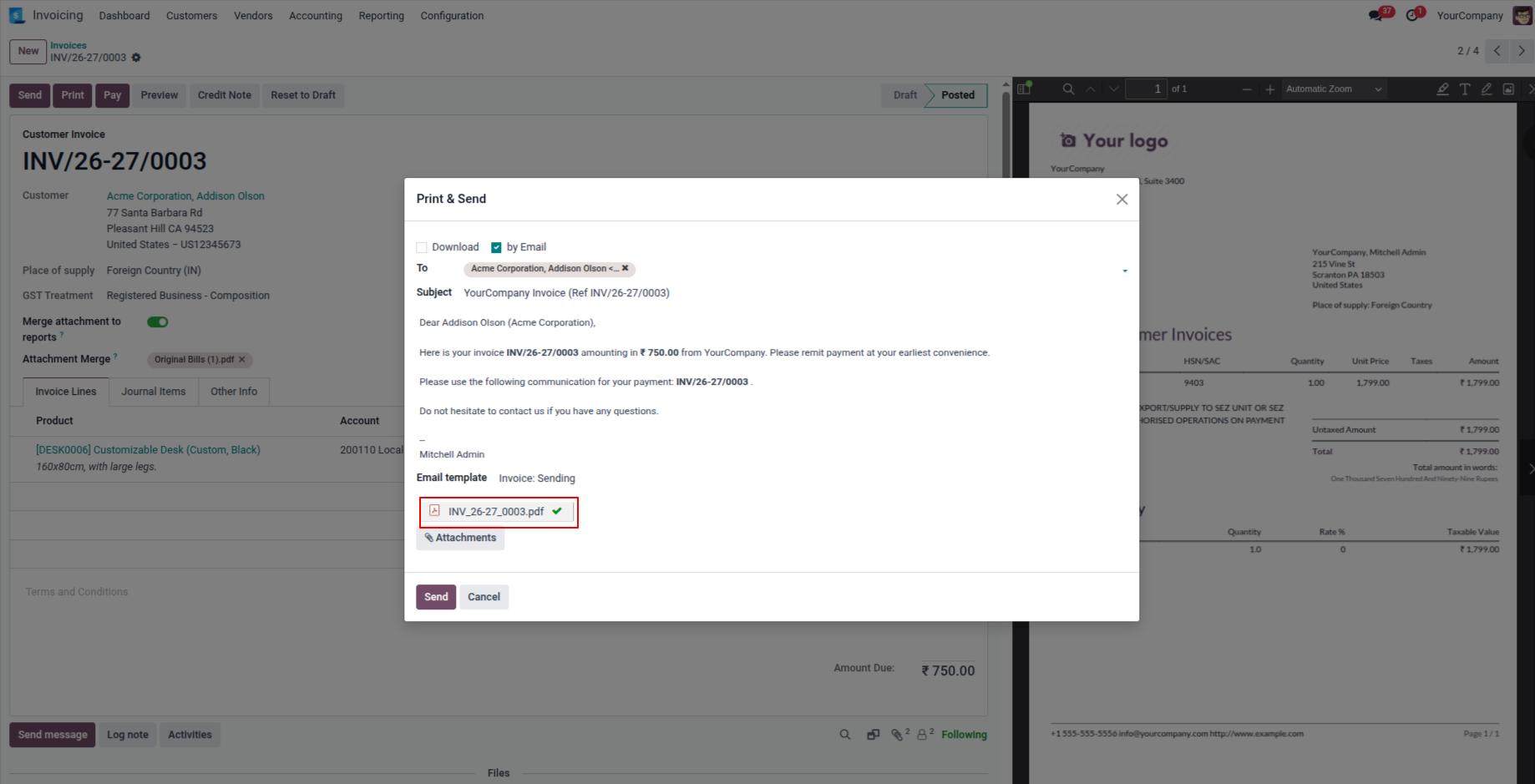
6. Users can send reports with merged attachments in send by email.
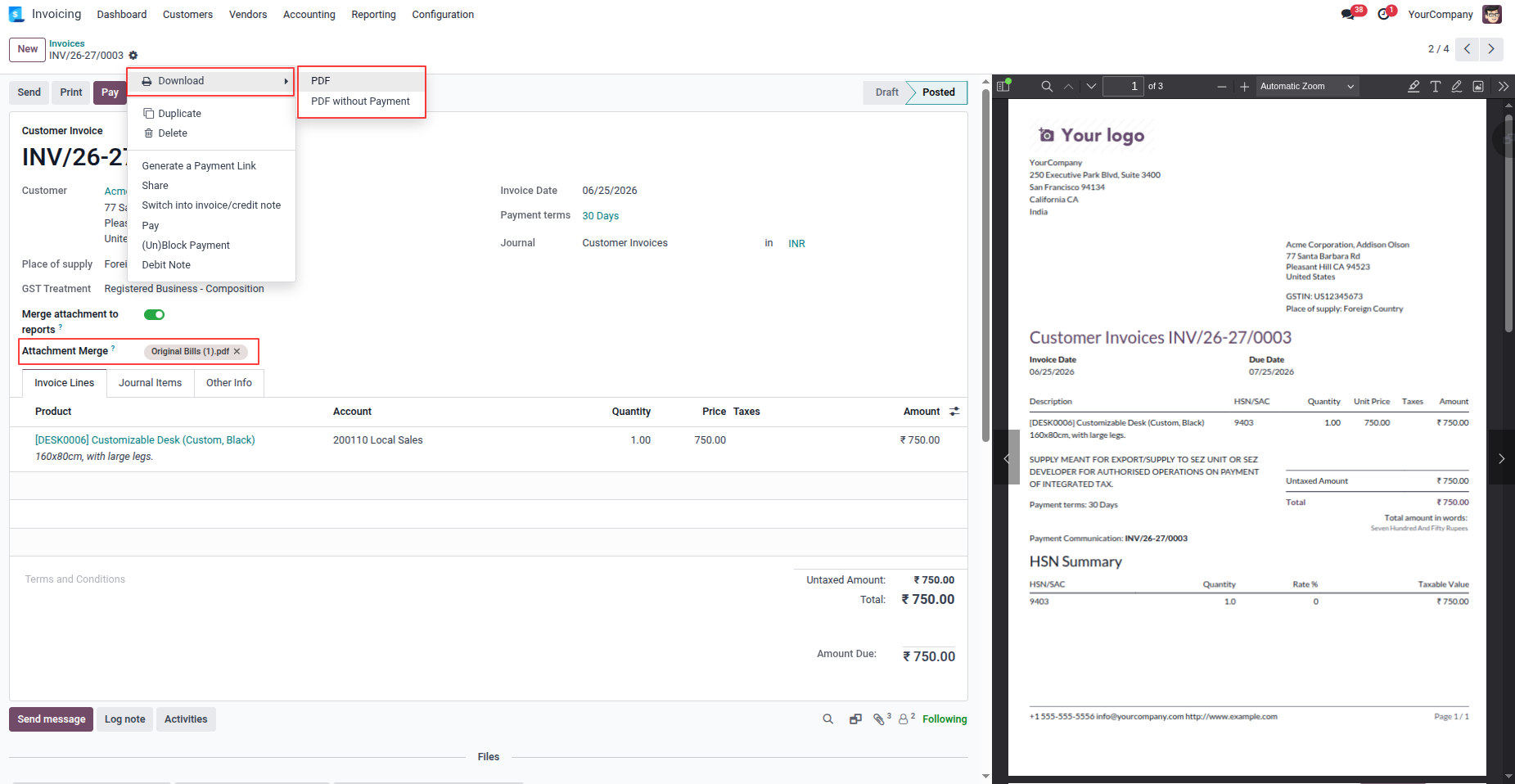
7. Now print the invoice.
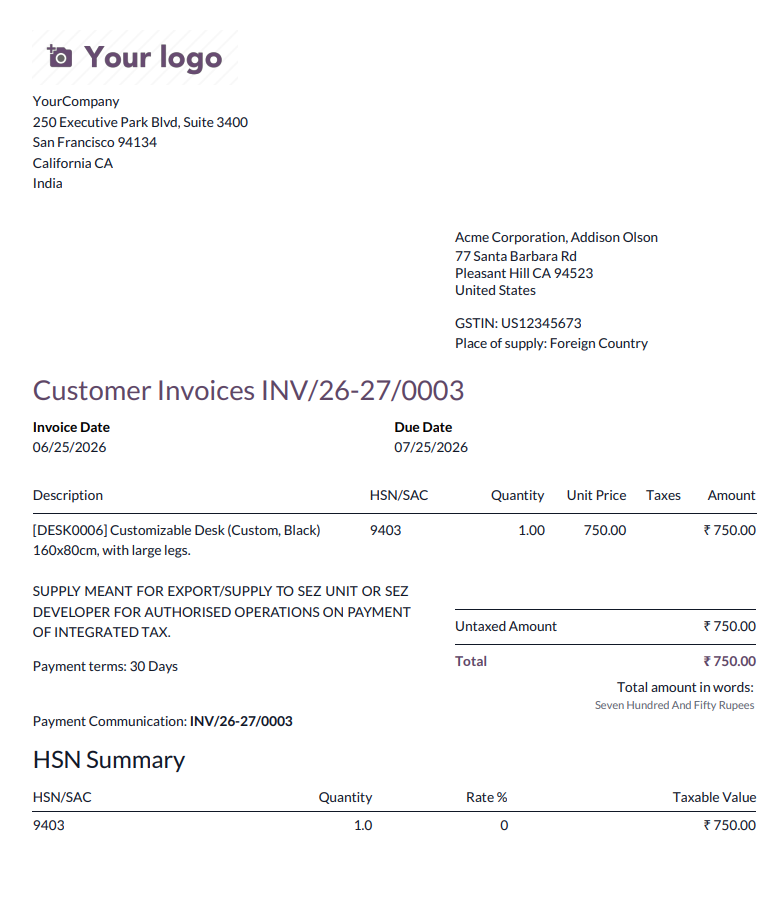
8. Printed report with the merged PDF attachments.
Our solutions focus on your problems
- Odoo Implementation
- Odoo Customization
- ERP Development and Implementation
- Odoo Ipass Cloud
- AI for Odoo
- Odoo Apps
- Aws Marketplace Products
- Business Engines
Our Pricing includes User Manual, 90 Days Support (Monday-Friday 10am to 7pm IST) and One time Setup
• Works & tested on standard installations of Odoo with no third party apps,
• Free support only for odoo installations with no third party apps,
• Paid support available for Odoo installations with third party apps.

Prefortune is a Odoo Official Partner, Odoo Development company. Our philosophy is to use Open Source tools and technologies to provide cost effective and green solutions for our customers.
Prefortune Technologies LLP is working on web development, Mobile development, and Odoo ERP.
If you need any help or want more additional features, you may contact us through:
Alternative Products
These other products might interest you
Specifications
| Version | 19.0, 18.0, 17.0, 16.0, 15.0, 14.0 |